Leaderboard




Popular Content
Showing content with the highest reputation on 05/28/25 in Posts
-
OK looking into it. Thanks.2 points
-
The default sort order is set to 'Folders'. I would prefer to have all libraries I select to default to release date. I know I can manually set it, but I have to do that for every folder in the library. I would like to see the ability to have it automatically set the default sort order for all new folders I create.1 point
-
@LukeYes I changed the code to do just that. Now it works perfectly for both Episodes and Movies. I appreciate your comment. Thanks again, Vic1 point
-
Ok, thanks... I am using a music app which connect to Emby, and cause this, I cannot search in my songs list just by artist's name to see all of her songs. Fortunately, the app also offers the option to cache data in a database (rather than sending every request to Emby), so this issue isn't too significant. Still, I look forward to the day this feature is available ;)1 point
-
That would honestly be awesome!1 point
-
The saved sort order in the metadata editor for collections doesn't support all of the same values that can be used manually on the collection screen. So we need to expand on that and then you should be able to do this.1 point
-
Just wanted to say I stumbled upon this thread today while trying to solve a similar problem. The new functionality for tagging all channels on a tuner worked flawlessly and allows me to use 2x accounts/users to watch streams simultaneously, while maintaining a clean look with the guide. In the future what I'm really hoping for is to allow accounts to act as backups without having to tag/assign them to an individual user. For instance, I have 2 accounts, if I am DVR'ing something with the primary account, and I want to live stream at the same time, I don't have to switch users to do so, the system recognizes the primary account is in use and automatically switches to the secondary account. Based on the comment from Carlo, sounds like that is already in the works.1 point
-
@Luke, I wanted to circle back with you. That solutions fixed the stoppages, at least 99.999%. We still get a few here and there but not enough for extensive testing. Thanks for all your help. Don1 point
-
I also used the favorites function on the HDHomerun channel lineup page and then in Emby set each tuner to "Restrict to channels marked as favorite". This prevents a lower signal quality channel from inadvertently being used by Emby.1 point
-
Please fix this1 point
-
Putting a year in parenthesis fixed this particular show. Not sure why I didn't think of it What concerns me though is that all of my manual editing never seems to take. Not sure of the sequence to do it, but I filled in all identifiers - IMDB, TVDB to no effect.1 point
-
Longer scan time is expected and should be a one-off, as Emby needs to re-read/re-import all changed nfos. After that operation is completed, subsequent scans should be as usual.1 point
-
Oh, okay, I didn't know you had merged the two apps. I just tried it on Android TV, and it works perfectly. It's much better to have merged the two apps, so the Android TV version won't be updated anymore, I guess?1 point
-
Thank you, it turned out with your suggestion to be the logo.jpg's. Emby is not displaying them (for some reason), but Kodi does. Working on the forum to find out what the settings are that turn them on and off. Thank you again.1 point
-
After updating TrueNAS in the morning and checking on emby, I saw the update available flag. Upgraded to 4.9.1.0 and instantly had to check out the chapter handling for multi- version movies... Wow, finally... It seems to work exactly as one would hope for... Great work Thanks @Luke& team PS: I realize it's still flagged as beta, but that doesn't stop from enjoying the moment1 point
-
You'll have a separate EPG assigned to each tuner. There may be some overlap but you can disable channels and chose the stronger signal only.1 point
-
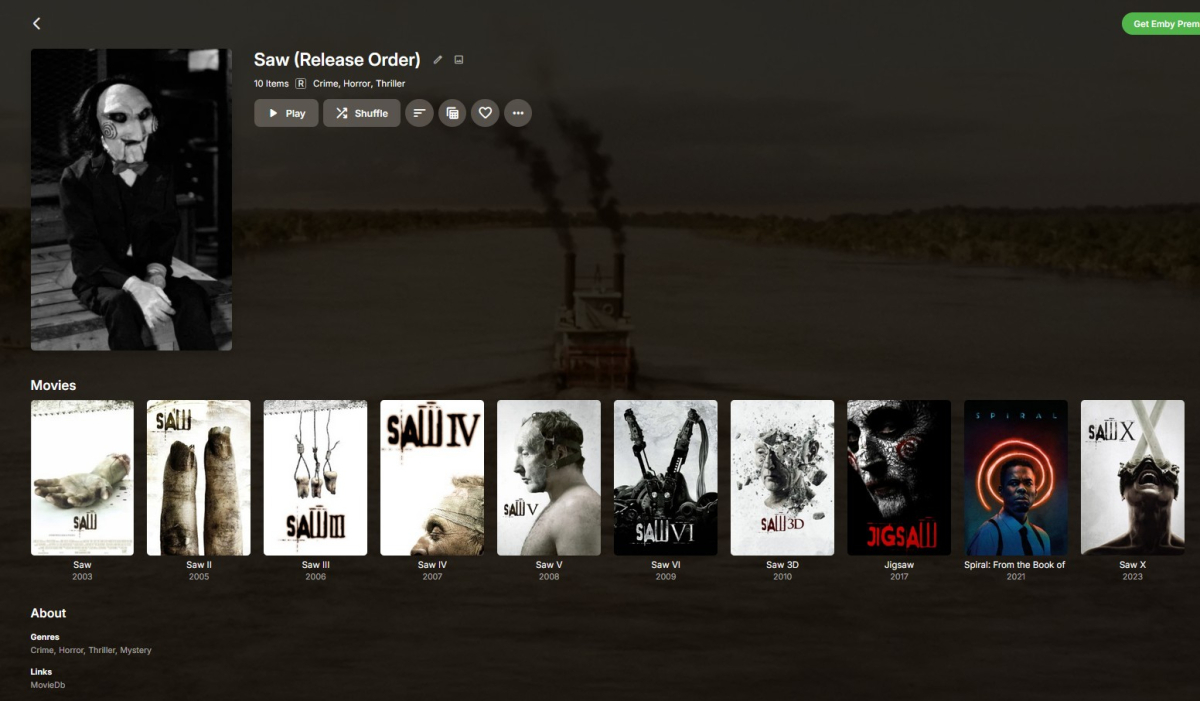
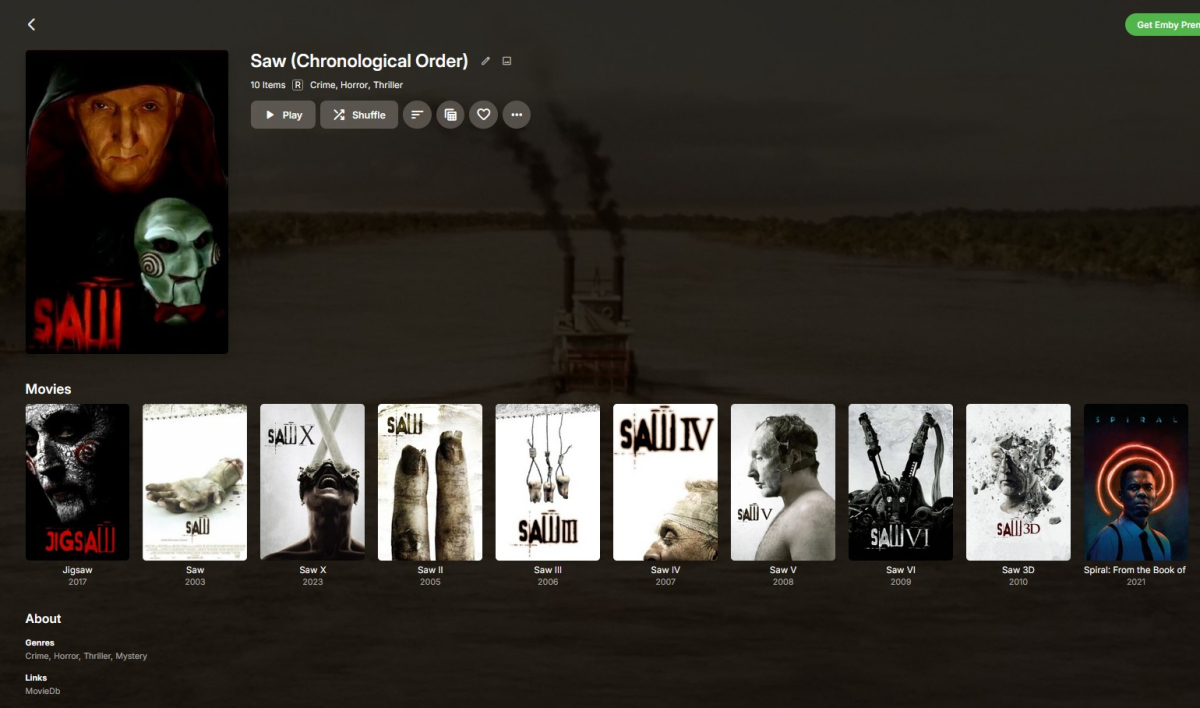
i found a possible workaround, that will work for allowing 2 series' chronologies... so this works for saw, since that timeline has 2 chronologies. editing the "date added" field of each movie you want to add to the collection you have, and then sorting by date added. this way you have one collection thats sorted by collection order (which seems to be release date order), and the collection thats sorted by date added is just sorted in the sequence of the date added field. so i just went up a day for each film in the order i want it to appear. have to go to the drawing board if a series has 3 or more different chronologies, but i cant think of any series that would have that because time doesnt work that way
 1 point
 -
Hi, yes you can do this.1 point
-
I would think so.1 point
-
Ask Microsoft? That is how file permissions work on a network share and SharePoint. You could also ask most other metadata structures that use a ACE structure. Which occurs more often? Wanting to make an entire series available (potentially dozens or hundreds of episodes) or restricting just a few episodes? Which is more administrative burden, having a flag to hide or not hide something for the few episodes that need it or having to click through dozens or hundreds of individual episodes? I think the better solution would be to have a 'apply to all episodes' toggle that would batch set a series from the series level metadata editing window. This would be similar to how most access control enforcement structures have a 'inherit' button that configures if the parent overrides or that recursively set permissions of the child objects to that of the parent.1 point
-
I have not seen any update notifications as yet and I just check the download page that confirms I am on the latest version. I can post a reply here once I do or create a new thread to confirm all is well when I do upgrade, if you would like.1 point
-
Sure you can, it should be preserved as local metadata is prioritized on import (though that's how it should behave in theory, you know how these things go, it might as well stumble upon some hurdle); you can always test it on a single show.1 point
-
Everything has been all good. Thank you.1 point
-
Not sure whether you're making a FR or just asking? I'll assume latter, since you posted under General/Windows. Currently not feasible per-se. However, few workarounds might give you the desired result: 1. Tag all the shows both in your main and in your alternate libraries with the same tag; once you search for that tag, you'll have all the shows listed like you were browsing single library (you could use Bulky to bulk-tag all of your shows practically in one go) 2. Although not officially supported, you actually can have same folders being part of multiple libraries, as long as those libraries are of same content type and folders are of at-least same level (no nested folders from one library in another library) and you're particular about library settings/options and configuring which library/libraries will actually be obtaining metadata and you save NFOs/artwork with media (it's actually quite similar to having two server instances using same media folders, it just needs proper setup/a bit of tinkering); unified library (with library paths being folders from both your libraries) would give you desired results virtually: browsing/playing content from two libraries within single library; I have something similar set up for junior. Currently not feasible. Closest you can get is to change preferred meta-providers order (in your example, for your main library you'd move TVMaze on top), import/identify desired item, lock the item afterwards to prevent any changes, revert TVDB on top of preferred providers until need for TVMaze rose again, repeat process.1 point
-
Yes it is TrueNas Scale, but since the latest version they released a month ago or so, it is now called Community Edition as Scale and Core were merged together.. I prefer to stay on stable so it is a bit of a bummer.. but yes, i think a lot of people will end up in this situation once they update.. I already seen some people asking about this on reddit.. looks like mistake on their end then from what you are saying..1 point
-
TranscodeReasons=VideoFramerateNotSupported "AverageFrameRate":23.995483,"RealFrameRate":150 This happens when the MP4 container has a variable framerate. It likely can play this item directly on the Roku but it throws off the auto-detection when the framerate expands. The server believes the framerate is too high since the Roku reports a maximum of 60. When you convert it to MKV it fixes the issue by setting the header correctly for the framerate.1 point
-
Good night I found the solution. After having installed the app directly from the Play Store and from the official Emby website (Android section and option of Arm The problem continued so I tried other options until I found the solutio The problem is that Emby does not properly recognize the proper bandwidth when Auto is indicated in the settings video quality. For example, both devices set the connection to Auto and the playback failed showing the image very slowly, however, by forcing the connection to 1080p and 60Mbps the playback is perfect. Once this is done, change the configuration to 4K 40Mbps and it is also fluid. Any other 4k configuration gives problems (50,60,100...) Mb I have left the settings at 4k 40Mbps although my connection is 600 megabyte and the playback is perfect. I'm not sure yet that all 4K quality videos will play smoothly and perfectly. I'll report later in advance when I have more information. In the meantime, this is the solution I have found psn.7) Does not allow me to attach an archive of 73 mb indicates error 200. I will add it later.1 point
-
I found a fairly reliable method for baiting the crash. You use the remote, pressing the right arrow 3 times for an effective seek of 30 secs. Then you let it fully recover (sync video and audio) before repeating. If you reach the end you can do the same but backwards, but I usually crash very quickly, after like 3 reps.1 point
-
^ As per your post here1 point
-
Found a small typo in the Custom theme. Here is it the corrected version. It's very small typo to give the top tab navigation have rounded top corners. v. 1.06b with correction This replaces all previous versions State Street ver 1.06b Emby Custom theme.css1 point
-
I also get this however when starting a new episode. Seems like the TV theme in the menu is PCM and when I click play it carries on using pcm. Doesn't happen everytime but requires and app restart to fix1 point
-
Thanks for the tip! While I can't use a cable, I think it pointed me in the right direction. I have a modern router that supports up to Wi-Fi 7, but there's also an older repeater in the house that only supports Wi-Fi 4. The LG TV supports Wi-Fi 5, and the issue only occurs when the TV connects to the repeater, thus using Wi-Fi 4. If I unplug the repeater, the TV connects directly to the router via Wi-Fi 5, and the problem seems to disappear. It’s still strange, though, because I can stream much larger, higher-resolution content from other apps (Netflix, YouTube, etc.) through the repeater and Wi-Fi 4 without any issues. It seems like there’s some sort of conflict between the Ebmy app and the Wi-Fi standard.1 point
-
Hi. Optional features that most people will not use are the most expensive type of feature we can put in the product in terms of development, maintenance and support and also complexity for the end user so we try to limit these as much as possible. All research for many years has shown that the vast majority of users never turn on optional features so this becomes something that costs a lot but delivers not that much value (to the majority of people - I understand it would deliver value to the ones that want it). Our experience with this feature (we used to have it) was that not many people used it so that just makes it not something that is at the top of our list when you consider all the other features that would deliver value to a larger audience. All that is not to say the we will never have this again. Just that it isn't at the top of the list to spend time on. Thanks.1 point
-
i heard that we will see TVNext really soon, exactly after 14 more SMB fixes.1 point
-
That might be the theory but my reality is different. If there is anything I can do to helpful troubleshoot I’m open to suggestions. After a file is converted, does it stay present there until it’s actually downloaded? Could it be possible that users convert stuff then forgot / never fully complete the download, so it just stays there. It would be nice if there was an option to set a time limit for the conversation/ download. E.g if users convert a file, they have ‘x’ days to download it otherwise the job gets cancelled and the corresponding file in sync folder gets deleted.1 point
-
You can use the myQNAPcloud SSL Certificate for emby remote connection. You will find it in /etc/config/QcloudSSLCertificate/cert on your QNAP NAS Convert the QNAP certificate with the following command to a PKCS #12 file: openssl pkcs12 -export -out emby.p12 -inkey key -in cert reference the emby.p12 file in your server setup: /etc/config/QcloudSSLCertificate/cert/emby.p12 enter the password that you assigned during the conversion of the certificate into the respective field.1 point