Leaderboard




Popular Content
Showing content with the highest reputation on 05/25/25 in Posts
-
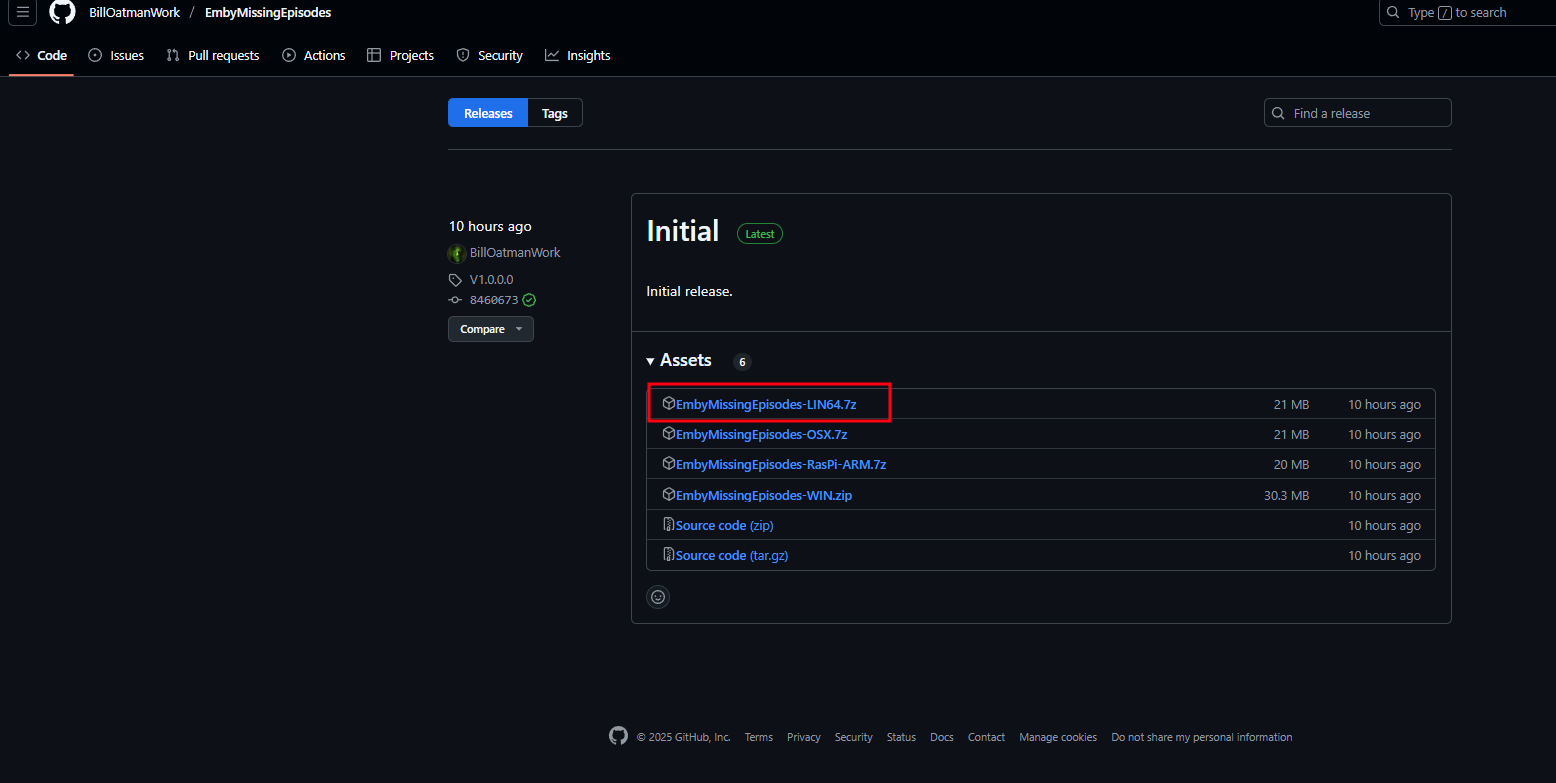
EmbyMissingEpisodes - Utility to show what TV episodes are missing on your Emby server Running this application will show, and generate a text file, with all the TV episodes that are missing on your Emby server. Source here Executables for Windows and other operating systems here.3 points
-
This option looks DateLastRefreshed column in the db for the item and refreshes it Every 30 days.2 points
-
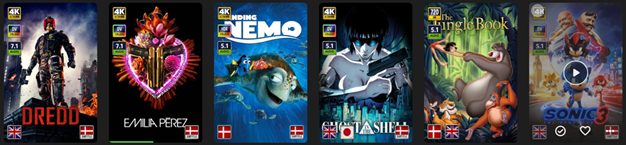
EmbyIcons, in catalog under general. Source code at: yocksers/EmbyIcons: Displays icons on posters in Emby depending on audio and subtitle languages. EmbyIcons enhances your Emby Server by overlaying informational icons directly onto media posters. Display language, codecs, resolution, ratings, and more at a glance with fully customizable profiles for different libraries. Features Extensive Icon Support: Audio/subtitle languages, original language, audio channels, codecs (audio & video), HDR/Dolby Vision, resolution, frame rate, aspect ratio, parental ratings, community ratings (IMDb, Rotten Tomatoes, MDBList audience scores), custom tags, and favorite counts Multi-Profile System: Create distinct profiles and assign them to different libraries for complete customization Flexible Layout Control: Position icons in any corner with custom priority ordering and horizontal/vertical stacking Series & Collection Aggregation: Smart detection shows icons only when all episodes/items share the same property (with Lite Mode option for faster scans) Profile Import/Export: Backup and share your profile configurations Icon Manager: Identify used, unused, and missing icons in your collection Series Troubleshooter: Find episodes with inconsistent properties causing missing icons MDBList Integration: Display Rotten Tomatoes audience scores with a free API key Live Preview: See layout changes in real-time before saving Advanced Settings: Fine-tune cache sizes, performance, and memory usage Icon Naming Convention Place your icon images in a folder on your server. Recommended: ~100x100px PNG with transparency. Supported formats: .png, .jpg, .webp, .gif, .bmp. Icons use the format: prefix.name.png (case-insensitive) Prefix Type Example lang Audio Language lang.english.png sub Subtitle Language sub.german.png og Original Language og.japanese.png ch Audio Channels ch.7.1.png, ch.stereo.png ac Audio Codec ac.dts.png, ac.eac3.png vc Video Codec vc.hevc.png, vc.av1.png hdr Video Format hdr.dv.png, hdr.hdr.png res Resolution res.4k.png, res.1080p.png fps Frame Rate fps.24.png, fps.60.png ar Aspect Ratio ar.16x9.png, ar.2.39x1.png pr Parental Rating pr.pg-13.png, pr.tv-ma.png tag Custom Tag tag.3d.png, tag.directors-cut.png rating Community Rating rating.imdb.png (none) Rotten Tomatoes t.tomato.png, t.splat.png (none) Popcorn-O-Meter t.popcorn.png, t.spilledpopcorn.png, t.fresh.png (none) Favorite Count heart.png Note: Rotten Tomatoes Popcorn-O-Meter requires a free MDBList API key configured in Advanced Settings. Configuration Overview Settings Tab Global Settings: Set icon folder path, loading mode (Hybrid recommended), output format, quality, and logging Profile Management: Create, rename, delete, export, and import profiles Per-Profile Settings: Assign profiles to libraries Enable/disable icon types with custom alignment (corner), priority, and layout (horizontal/vertical) Configure TV show/collection aggregation (Lite Mode, exclude Specials season, etc.) Customize rating score background (shape, color, opacity) Adjust icon size Icon Manager Tab Scan your library to identify missing, found, and unused icons. Perfect for organizing your icon collection. Troubleshooter Tab Series Troubleshooter: Find episodes with inconsistent properties (resolution, codec, etc.) that prevent series-level icons Aspect Ratio Calculator: Get the exact icon filename for custom aspect ratios Advanced Tab Fine-tune cache sizes, expiration times, concurrency, and MDBList API key. Default values work for most users.
 1 point
 -
Similar to this old post, I'm suggesting a tab that would be titled Watchlist and could be placed in between Suggestions and Favorites. The functionality would pretty much be a copy of Favorites, just with a + symbol added next to the heart and other symbols that let you favorite a movie etc. The previous post had mentioned extra functionality such as automatically removing a movie from Watchlist after it has been watched. This would be nice, but is unnecessary because after watching a movie you can simply click the + symbol a second time to remove it from Watchlist. I would imagine this would be very easy to implement as a rebranded copy of Favorites. Adding other features could come later. Edit: added link to old post1 point
-
@Luke Maybe message there should be rephrased to read "Server's Emby Premiere device limit..." instead of "Your Emby Premiere device limit..." as latter statement is actually incorrect in scenario where a user is connecting to someone else's server.1 point
-
even with the correct notation it does not work, in fact emby does not check at all the syntax. even if you put 2001:db8:1234:0000:0000:0000:0000:0001 or 2001:db8:1234:0000:0000:0000:0000:0001/64 it does not care and does not filter anything. so for the moment 2001:ab00::/32 (network) or hosts in /64 has no effects.1 point
-
It doesn't matter much. Editors will not remove the release Year from the field, just modify it to a number between 1920 and 2025. So the only way to remove it is file by file, one by one.....1 point
-
I've glanced at the post a few times but never stopped to read the whole thing and that should tell you something. I have a feeling that many others do the same. The original was posted in 2013 and I don't see edit history for it. My thoughts are that it could be revised to a simple template format to ask for the important info, including system details which the original doesn't mention. The guidance for collecting logs can be pushed to the bottom and also revised to be more concise. Maybe some changes will help in getting people to actually post the info when requested.
 1 point
 -
Hi, in theory but I don’t think we’ve tested this with ipv6. be careful though as you could end up locking yourself out of your own server.1 point
-
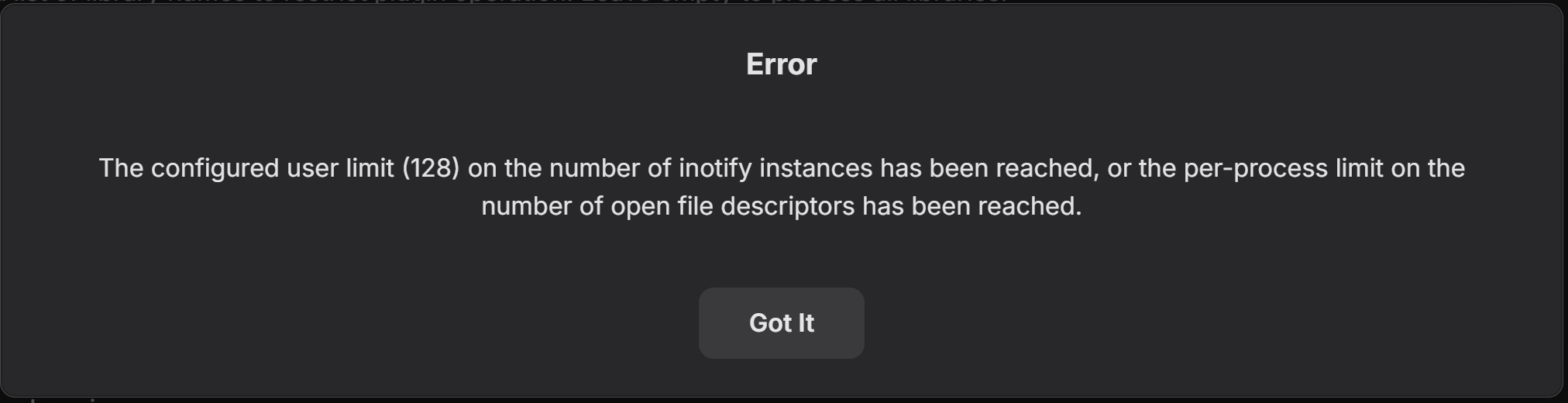
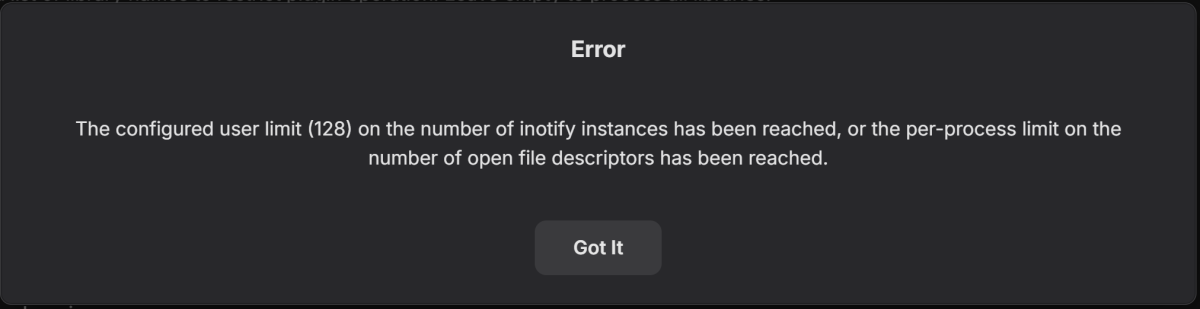
When I try to turn on the auto-refresh, I get this error:
 1 point
 -
Here is a version i would like people to test for a couple of days. It now reacts solely on Emby own internals workings, the posters should auto update now (thank you Bakes82) as they should and it should run smoother than before. The delay setting in the settings menus are for slower systems as to not bog them down when scanning files or refreshing metadata. Don't set it to low, 2-3 seconds should be fine. This setting is more or a "just in case", i will most likely remove it later when i'm absolutely sure that all systems can handle this. Lastly: BETA! BETA! BETA! BETA! BETA! BETA! The plugin should be 100% safe but it just haven't been tested yet and is fresh of the presses. Use at your own risk!1 point
-
I could, but the recordings definitely do contain the CC data - that is clear to me. So let me recap the issue: In order to enable pause/rewind/fast forward of Live TV, I have to toggle ON, Force Conversion for Formats, for MPEGTS. (as suggested by ebr) If I don't, all I can do is Pause/Resume Live TV. But when I do that, I lose CC for Live TV and recordings. If I leave Force Conversion for Formats for MPEGTS OFF, I get the CC back for both Live and recorded. So currently in the Android app, I have to choose between showing CC and Pause/Rewind/Fast Forward Live TV. Can't have both at the same time.1 point
-
maybe you did not wait long enough. It is too late now to confirm the state as you have made changes to the folder name now The year does help and I do not believe it was the reason as I managed to get the metadata with exacly same file/folder naming1 point
-
I have exactly the same error. Try to fix it since weeks but not possible. Same with intel GPU or Nvidia. Jellyfin and Plex worked fine for over 3 years. Emby is also running in an docker like my plex and jellyfin setups. I think its an issue from emby. I found a lot of people with the same issues on different forums.1 point
-
This is worse for me when you have video backgrounds enabled (No compatible streams dialogue). If they are off, I generally do not get this.1 point
-
You helped me too. I wonder why my 13900HK igpu only being use slightly. Now they are fully used1 point
-
Seems to work well. Thank you very much. This solves me one remaining problem with Emby!1 point
-
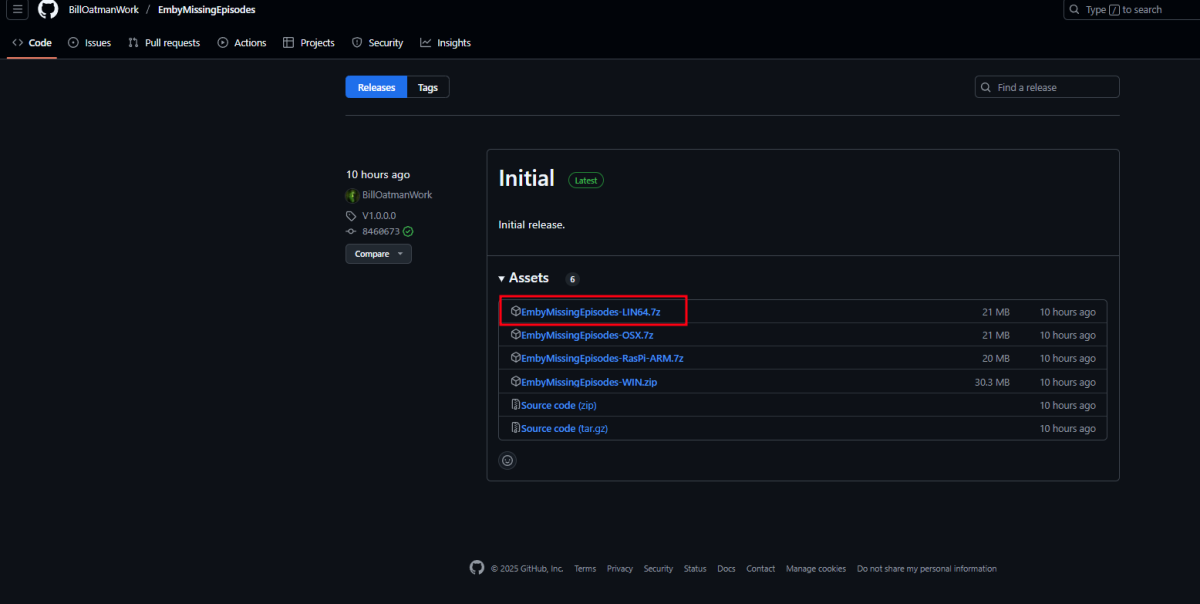
Guess you need to look under releases. I think its the 1 I outlined.
 1 point
 -
Is there any news on this topic? I've been waiting for this option for a long time.1 point
-
Did a scheduled Video Preview Thumbnail Extraction job last night that ran and finished as expected in about 10 min. There were still a couple errors in the log but it seems - from what I see - to have done what it is supposed to. It generated Chapters where there were none, and images for all I have seen. So 4.9.0.70 on Asustor has the problem fixed.1 point
-
ooops, I missed that bit. thanks so much @GrimReaper, I was going crazy with this,1 point
-
You're using naming convention for audio languages while having audio icons disabled. If you want subtitle flags, you need to rename those files. From Github link: Edit: @yocker, maybe the above should be denoted in plugin settings?1 point
-
one suggestion for the logging by the way: Add the itemID for each log entry if possible. Currently is not helping much in troubleshooting without it as we can't check which item is being parsed: [2025-05-25 03:31:24] [Embedded] Audio stream: eng => eng [2025-05-25 03:31:24] [Embedded] Subtitle stream: eng => eng [2025-05-25 03:31:24] [Embedded] Audio stream: und => und [2025-05-25 03:31:24] [Embedded] Subtitle stream: el => gre1 point
-
Which should still give her more than enough bandwidth to stream/direct play media from your server. And she doesn't have to be continuously connected to a VPN (i.e. when not streaming). I would think that's NordVPN itself, not her ISP. She can also test other VPN provider(s).1 point
-
Found a small typo in the Custom theme. Here is it the corrected version. It's very small typo to give the top tab navigation have rounded top corners. v. 1.06b with correction This replaces all previous versions State Street ver 1.06b Emby Custom theme.css1 point
-
Thank you for confirming. The purpose of the edit icon was a bit unclear. While restructuring the server drives, I needed to rename the source folder, which required manually updating the path for each library. It would be a valuable enhancement to enable direct editing of library links and to support adding multiple folder paths at once.1 point
-
I'd love this as well. I was just asking about a very similar feature here: If Emby were open source, I could probably hack something into the Items display. But I was wondering if maybe a plugin could contribute to how that page gets assembled.1 point
-
sounds like exactly the same issue as reported in the link below. Really hoping this can get fixed soon.1 point
-
A week later: Emby has logged itself out again. Will try to find the standard Emby app. Ok found and installed the Emby for Android from the Google Play store and have it set to login as my standard user on startup. Will see how this goes.1 point
-
I'm updated to the latest beta of the android app and tried deleting the series that was stuck at ready to transfer and then downloading again and the same 2 of 5 episodes are stuck at ready to transfer. I don't have adb to check the storage location. Happy to try anything else.1 point
-
It exists in Emby for Android v3.4.67 in the place I indicated under the heading Force Conversion for Formats, which has options for AVI, AV1, VC1, and MPEGTS; I checked before posting. Paul.1 point
-
Personally, I would have different SSID's for different WiFi bands for exactly this reason. With regards to Netflix, YouTube, they heavily optimise their media streams to support streaming, including file format, codec, delivery method, resolution and encoding. Emby is playing your media, your way, and isn't trying to do this optimization so it will be more sensitive to network issues.1 point
-
Automatically merging movies by Movie Db Id will be a built-in feature in the upcoming Emby Server 4.9 release. Thanks.1 point
-
Intel's drivers haven't been the most successful on that frost. If running Emby from docker try using the environment: NEOReadDebugKeys = 1 OverrideGpuAddressSpace = 48 Like in the image i attached to this post. That fixes the problem in Unraid at least.1 point
-
That would give a huge increase in user friendliness, at least for me. The need for using Kodi may then disappear. Thanks.1 point
-
HI, yes this idea has come up before and is possible for future updates. Thanks.1 point
-
Running sudo systemctl disable emby-server.service should prevent the systemd from running at startup. You can then run sudo service emby-server start to start the server manually. Any updates to Emby will likely re-enable the systemd.1 point