Leaderboard




Popular Content
Showing content with the highest reputation on 05/22/25 in Posts
-
Are you just trolling? Otherwise, you'd need to pay more attention and actually read the links that multiple members - including two Devs, a Moderator, two Top Contributors and few prominent Community members (personally, can't remembet when was the last time I've seen such a gathering, for you to still be as confused as you appear or act to be) - have been sharing with you and directing you to, in addition to their posts. You should inform yourself what Emby is and what it isn't - and streaming service is one of those things that it ain't. Your are already connected to an Emby Server - your own. It is up to you now to populate it with media, publicly available Netflix-style Emby Server where you can connect and stream content does not exist. Alternatively, someone from your family or your circle of friends might be willing to share their server with you - but that is again something that you yourself need to take care of and something that no member of this community has anything to do with. Hope that clarifies any doubts you might still be having.3 points
-
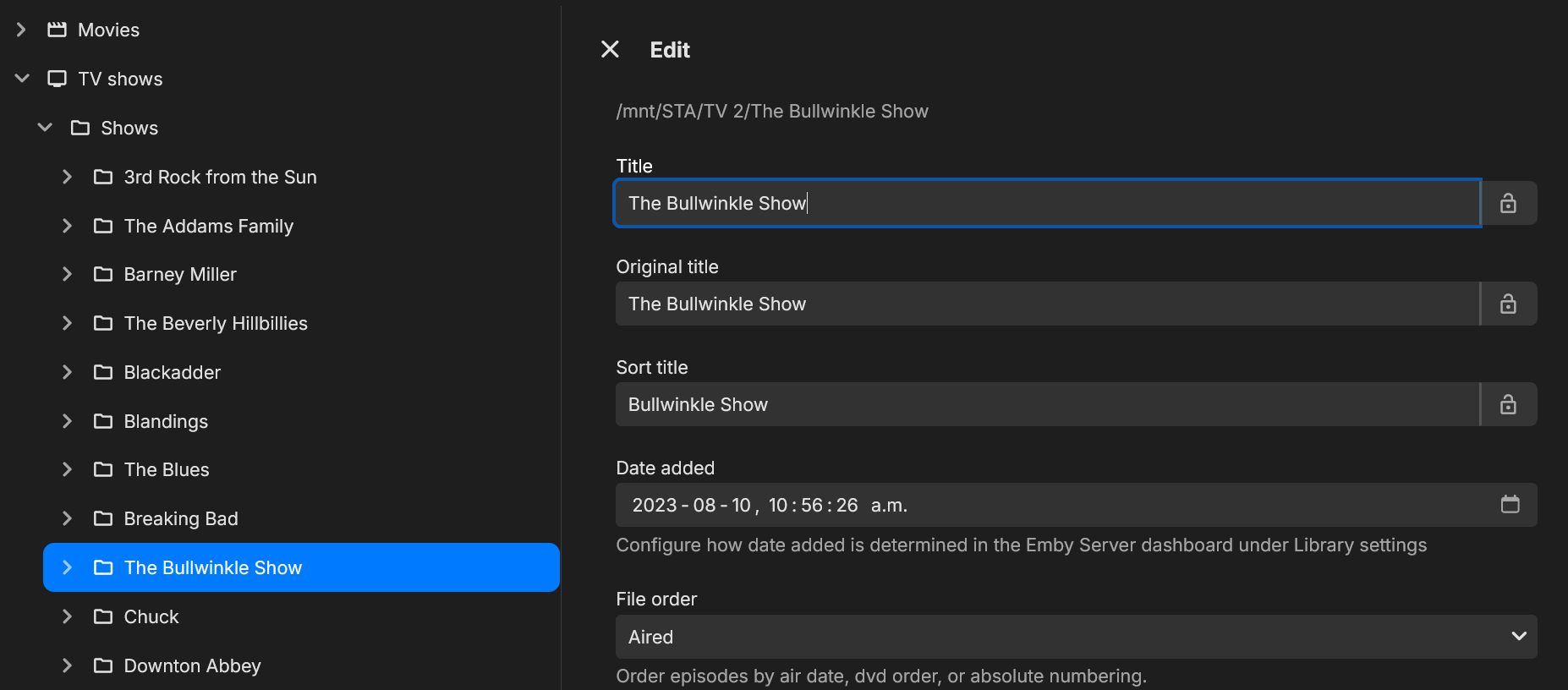
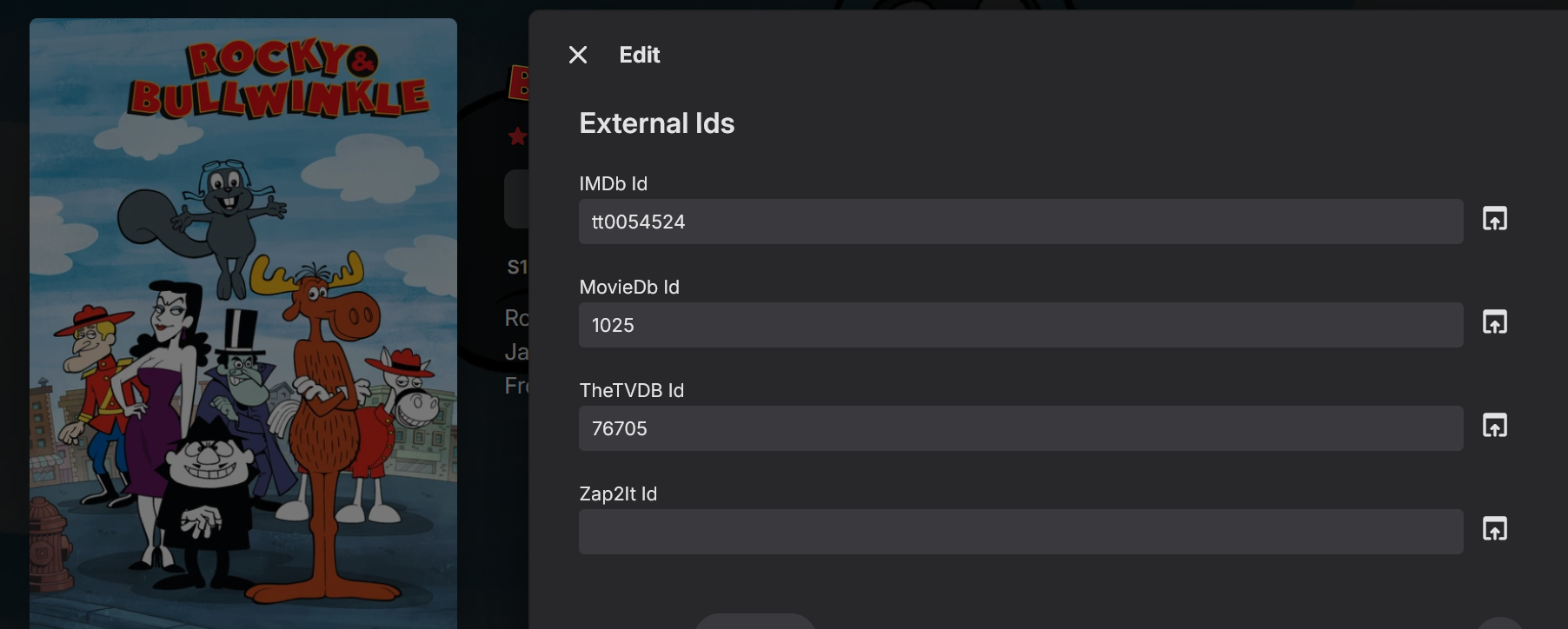
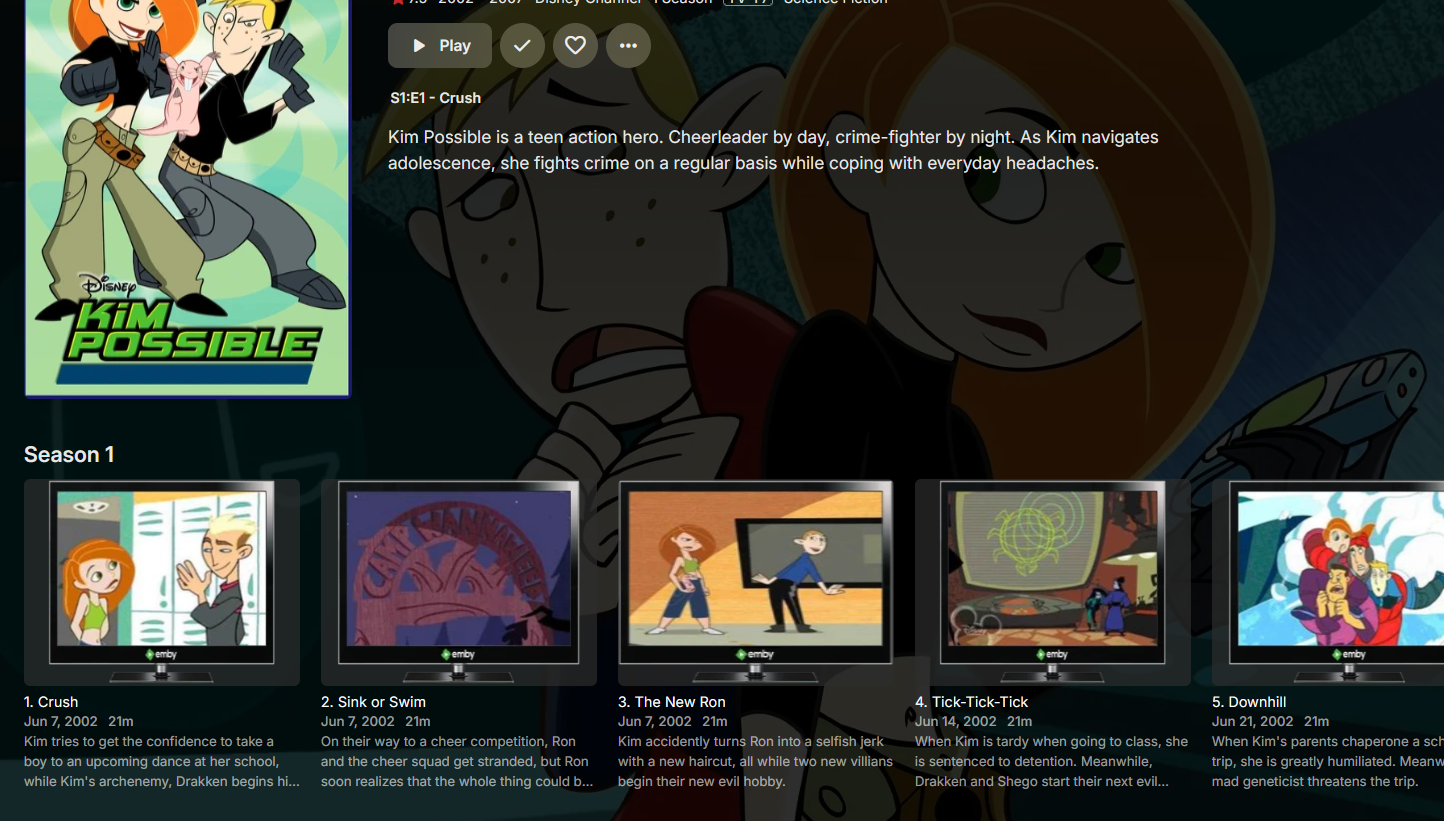
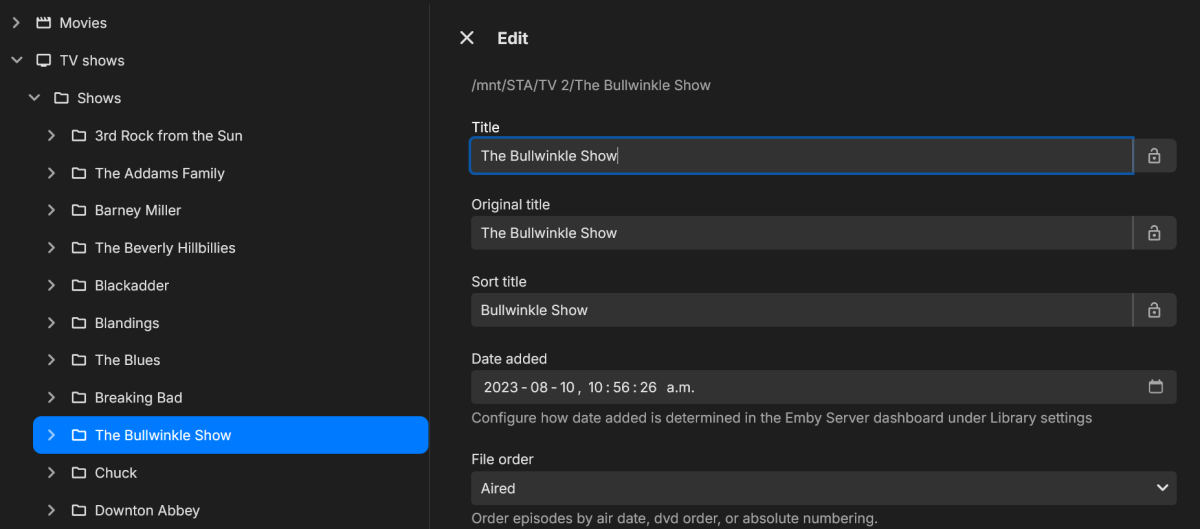
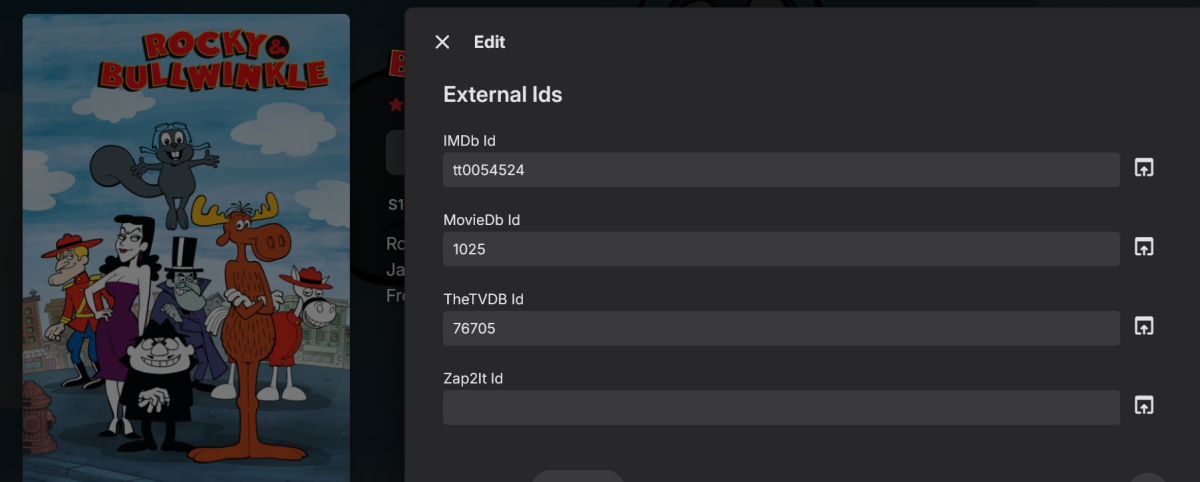
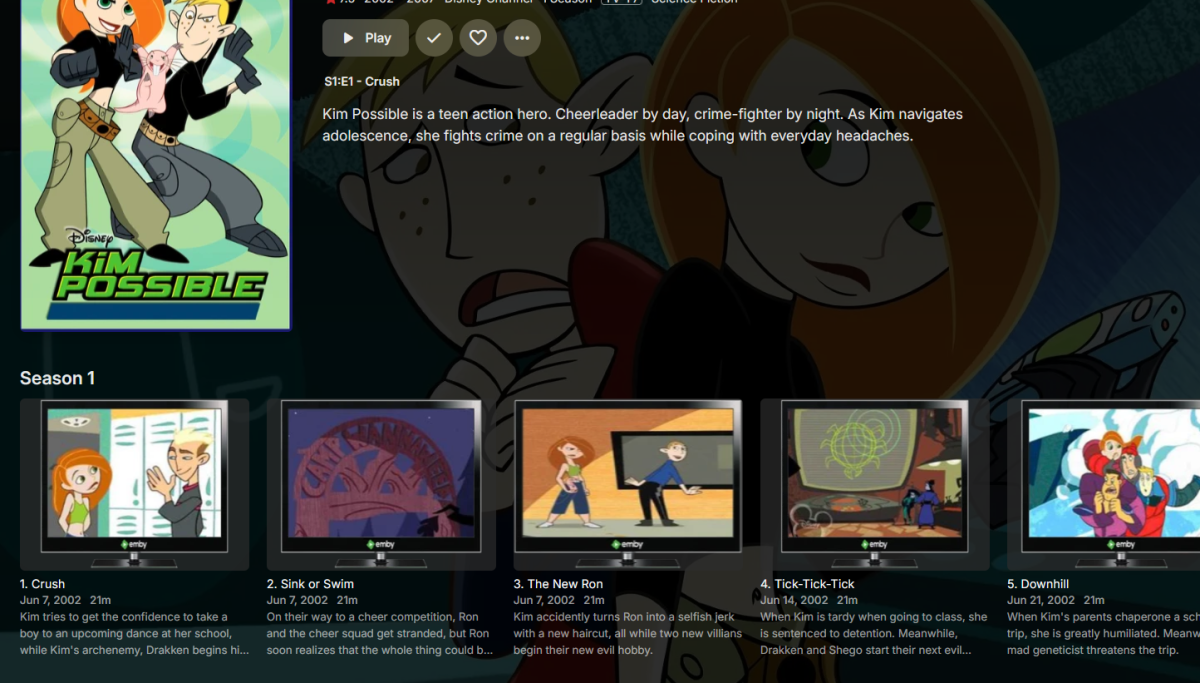
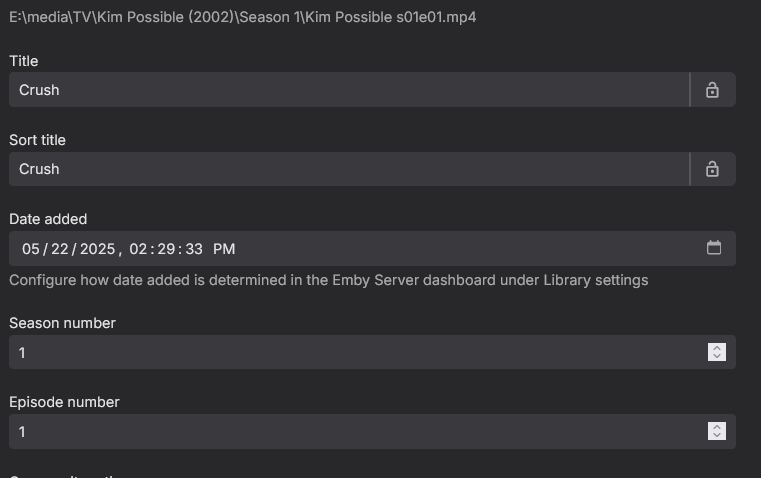
There are two identities to get the meta data for TV shows. 1. The Show ID. Every show starts with the show ID to find the correct show to match to your episodes. Sometimes you need to connect to the meta supplier (thetvdb.com) and find the correct id for your show. The one you are showing has a number of different shows that could easily confuse the meta search agent. Find the one that matches your media. Find the Show ID number. 2. In Emby Click on the three dots at the end of the show name. Click on Identify. A page will open and you can add the show ID. You only need ONE meta id to identify the show, emby will add the others if they exist. Once you click Search, Emby should find all the shows that match your search. Pick the right one. Confirm on the next page. The TVDB series ID for Kim Possible TV Show is 78259 3. The Episode ID Last but by no means least, go to the TVDB Show page for the series. Under the Seasons tab there at 4 sort options for the show. There is Aired Order, DVD Order, Absolute Order, and Disney +. Find the one that has the same order as your media. 4. Logged in as Emby admin, click on the Manage Emby Options (the gear in the top corner). Go down the left menu and find Metadata Manager. Open that. 5 . On the left find the Library, then the show. Look for the File Order pull down and set that to the order for the Meta that matches your show.
 2 points
 -
This is worth testing this. I've noticed the LG TV is quite fussy about WiFi channels, and if a neighbor has recently added a new WiFi device it might now be interfering with your connection.2 points
-
Freut mich dass es jetzt wieder läuft Falls du noch Fragen hast, nur zu.2 points
-
Passkey support will not just make loging in more secure but it will make signing in on TVs a lot easier.1 point
-
Unless I'm being a bit blind (highly possible!), I'd love a way to hide a couple of the top green navigation items without hacking it in myself. For example, in Movies I don't want the 'Trailers' item to appear for any profile and for TV I don't need the 'Upcoming' nav link. Obviously not a major issue but thought it would be a nice thing to have, perhaps allowing them to be re-ordered like the home page items but again just a nice extra,1 point
-
Excellent! I call it reverse lookup, and anytime something does not match as expected the first place I go is the first meta site in my search. On occasion, stupid things keep stuff from matching, and sometimes its lots of media with close to the same name - and the scanner gets it wrong. Once you identify the show and the sort order correctly it will usually scrape the right meta. ....and setting the sort order is a bit buried but fixes a lot of problems where you rip from DVD and it gets the meta for the right show, but everything is out of order.1 point
-
Personally, I would have different SSID's for different WiFi bands for exactly this reason. With regards to Netflix, YouTube, they heavily optimise their media streams to support streaming, including file format, codec, delivery method, resolution and encoding. Emby is playing your media, your way, and isn't trying to do this optimization so it will be more sensitive to network issues.1 point
-
Thanks for the tip! While I can't use a cable, I think it pointed me in the right direction. I have a modern router that supports up to Wi-Fi 7, but there's also an older repeater in the house that only supports Wi-Fi 4. The LG TV supports Wi-Fi 5, and the issue only occurs when the TV connects to the repeater, thus using Wi-Fi 4. If I unplug the repeater, the TV connects directly to the router via Wi-Fi 5, and the problem seems to disappear. It’s still strange, though, because I can stream much larger, higher-resolution content from other apps (Netflix, YouTube, etc.) through the repeater and Wi-Fi 4 without any issues. It seems like there’s some sort of conflict between the Ebmy app and the Wi-Fi standard.1 point
-
Oh, sorry, my mistake. Generally, even without multi-arch manifests, it's only a separate tag, rather than a completely separate image so I missed that. That should make it simpler to combine the 3 images then, since the hard-work of multiple arch support is already done.1 point
-
A little confused by this statement, as on the official docker hub account from Emby there are arm64 images available: https://hub.docker.com/u/emby. It should be possible to maintain the existing deployment process, and then just publish an additional manifest file that indicates what image to use for what arch. At least that's how it is on AWS. I'll mess around with it on docker hub and see if it offers something similar.1 point
-
I think I found the problem. The folder paths changed...sorry to waste your time. I'll be back if remapping the folders doesn't fix it.1 point
-
I have done as requested and it appears to work now. I have attached the log after enabling the debug logging and then again after I removed the folder then rebuilt the folder. Is there anything i did wrong that I need to be careful of in the future? The naming convention seems to be the same as what it was before, so I do not know what is different. Thank you for your help everybody. embyserver(1).txt embyserver(2).txt
 1 point
 -
HI, it's in our plans for soon. Thanks.1 point
-
Here is 1 show I always had issues with. Charmed - TheTVDB.com after there was a remake Charmed (2018) - TheTVDB.com I had issue with just naming the show folder with year (xxxx) But pointing to the exact ID in show folder like this. Charmed (1998) [TvdbId=70626] Charmed (2018) [TvdbId=349317] Even if there are now reboot or what its called. Adding [TvdbId=xxxxxxx] to folder name, will take away Emby's guessing game. Not saying its perfect, but you will eliminate many issues. There are of cause out liers that will messe it up.1 point
-
The test I did today was with .67, which I see has the latest "download fixes", so I guess I'll have to uninstall and reinstall the app (at some point, not in a hurry). Just as a heads up, Play Store isn't showing me any updates after .67 I just joined for "beta tester", to see if I get newer versions sooner, but nothing's coming up yet1 point
-
That is a great start to accessing what is needed to setup Emby, I was under the impression that there were presets in the Dashboard. Thanks.1 point
-
@Brojbeanu Plugin creator has not been online since August 25, 2024. And since you are using Emby Beta server, I think this plugin will be dead when beta is released, as stabil.1 point
-
Thanks for the update.1 point
-
FWIW, the official docker images are amd64 only. So the first step would probably be to add arm64 as an available arch before compiling a multi-arch manifest.1 point
-
I'm glad to report that the update for Asus is available and works perfectly! Thank you once again!1 point
-
@Luke they don't (assuming you refer to bubbleupnp) - from the logs - they hash the source url and feed that out (so no query params or anything). For what it's worth - I just got an amazon firestick just to see how it goes instead of trying to wrestle the bloody hisense into submissions - so far so good and everything works lovely. So I think Im good on my end for now. Thanks again for support @Luke- great product, great support experience (and interesting problem to suss out )1 point
-
Nope, your post still doesn't make sense. If you do change it then also include what you mean by "highest quality media". Others might have a different definition.1 point
-
New version up. Fixed: Subtitle icons for TV episodes not being added or removed when subtitles have been added or removed. Will still require a file scan or in rare occasions a metadata refresh of that specific series. Maybe, i admit i get a lot of help making this plugin from friends so i might not be up to i but shoot!1 point
-
Apparently the UHD 770 has 2 mfx video engines where as the UHD 730 only has one. If you're not going to do a lot of trancodes, the 730 (12400) is more than enough as it can still handle at least 10+ trancodes. You're more than likely going to have a bandwidth problem before you run into an encode bottleneck. 7th-10th gen are all the same, and are garbage compared to 11th and especially to anything 12th gen and higher. https://en.wikipedia.org/wiki/Intel_Quick_Sync_Video I run my emby server on an i5-1235u laptop, and I have never run into a transcoding bottleneck even with 10+ people having transcodes going. I'm just glad I have 2.5gbit networking in the house.1 point
-
Yes, it correctly appears.1 point
-
HI, yes this sounds like it would make sense. We'll take a look at it. Thanks.1 point
-
HI, we're looking into improving this. Thanks for the feedback.1 point
-
Hi, we have submitted an ADM 5.0 compatible build to Asustor, so be on the lookout for that. Thanks.1 point
-
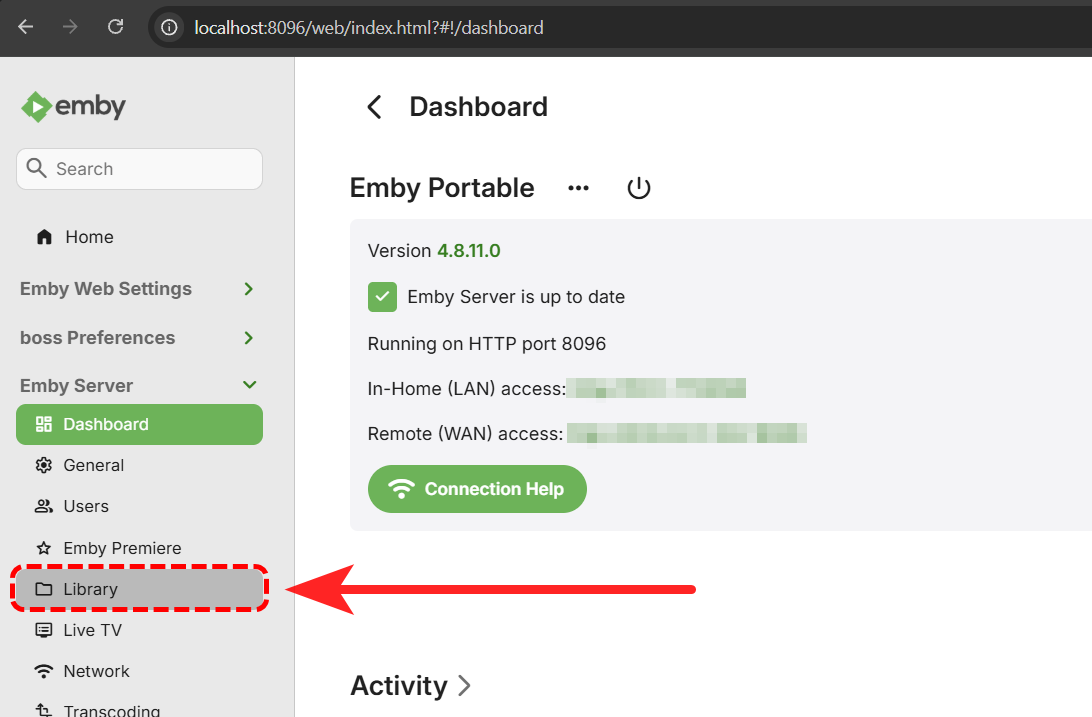
and still not a single screenshot in this entire thread ... It's unclear what it is you are expecting to see that you are not. However, going off your description it sounds like you have access to the Dashboard, but the Home Screen is blank because you haven't set up any libraries? If you click on 'Library' from the left side menu, and then follow this guide: Library Setup Does that help you? Emby will only display what you tell it to, it does not populate anything on its own.
 1 point
 -
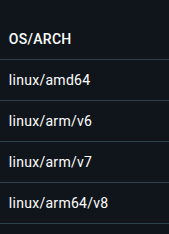
I should have clarified, I"m talking about architecture in terms of arm64/x64/armv7. Docker hub allows you to publish multiple, architecture specific images under a single tag, and the docker client will appropriately pull the image it needs. For an example, navigate to any common tag selection and you'll see the available architectures. https://hub.docker.com/_/docker/tags for example. This is nice because if you're using multiple nodes running different arch cpus, you can leverage k8s/swarm to spin up new instances as needed. In my case I want to be able to leverage my desktop as a streaming server when necessary, but leverage swarm to switch to a rpi on the fly if I shut it down.
 1 point
 -
HI, we are looking into this. Thanks.1 point
-
Hi, is that the latest tvOS update available for your device?1 point
-
Nochmals Danke für die ganze Arbeit und gleichzeitig sorry für die ganzen Mühen. Ich hab's nochmal getestet und es hängt tatsächlich am Skin. Im Standard-Skin wird alles korrekt dargestellt. Arctic Horizon 2 und Arctic: Zephyr - Reloaded unterstützen es wohl beide leider nicht. Nochmals sorry, hätte es gleich mit dem Standard-Skin gegentesten sollen.1 point
-
lol, I swear it's like you were quoting my old post! I said the exact same thing. I have a Netgear Orbi R850, at the time it was called the "fastest router on the market", blah blah blah, marketing speak. And for the most part it has lived up to the advertised speeds. However it is the most persnickety POS router that I have ever had. I hate it so much I actually crawled in attic fiberglass insulation and inside walls so that I could run cable. That literally solved all of my problems. The wifi is now only used for laptops, cellphones, and IoT crap. If it isn't too much trouble, just to say you have tried everything, try an ethernet connection AND removing wifi credentials on your LG TV.1 point
-
Server is 4.8.11.0 iOS is 2.2.39 I've rebooted all my network devices, cameras and IoT are on different VLANs, I've experienced this issue before when running both Emby as a service and as executable, but I've since fixed this issue, I'm not sure what's going on. It seems to be better lately but it still happens.1 point
-
Nein, der war leider leer. Aber ich habe die Lösung gefunden. Ich habe noch einen anderen Ordner Emby gefunden. Der wurde nicht deinstalliert. Wenn man ihn händisch löscht, ging eine Neuinstallation. Da war wohl irgendwo der Hund begraben.1 point
-
Hi. Can you try searching for our standard android app (Just "Emby" on Amazon and "Emby for Android on Google) on the same device's app store and see how that compares? Thanks.1 point
-
Hi South park (1997 - present). Wrong video1 point
-
Hi. Can you try searching for our standard android app (Just "Emby" on Amazon and "Emby for Android on Google) on the same device's app store and see how that compares? Thanks.1 point
-
You can install Standard Android app (download from the Store) and see how does it compare?1 point
-
Does the same happen with the standard app?1 point
-
Hi. Can you try searching for our standard android app (Just "Emby" on Amazon and "Emby for Android on Google) on the same device's app store and see how that compares? Thanks.1 point
-
So I created a 13.5 Jail on my production NAS and installed Emby 4.8.11.0, but the server wouldn't start. I noticed the Jail release showed as 13.5-RELEASE, yet, on my test NAS, it showed as 13.5-RELEASE-p1 I deleted that Jail and created a 13.4-RELEASE Jail, installed Emby 4.8.11.0 and again, Emby did not start. I deleted that Jail. I then created a 13.1-RELEASE-p9 Jail (the same version Jail that my other 4.8.11.0 Emby server is in). Emby started. I then copied over my backup and I'm all good and back up and running. Just find it weird that I could get Emby to install and start in a 13.5 and 13.4 Jail on the test NAS, but not the production. Anyway, I'm back and will play around with getting Emby running on a 13.5 Jail this weekend. Just want to thank you all for helping me out and getting me back up and running. I greatly appreciate it. @nmalinosk, thanks for taking the time to provide the step by step instructions. Now I have a process to follow in case this happens again. Chris1 point
-
Hi, Feature Request: Delegated User Management for Parents / Family Managers Hi Emby team, First, thank you for your incredible work — Emby continues to be a fantastic platform! I’d like to suggest a feature that would allow non-admin users (such as parents) to manage their children’s profiles, without requiring full administrative privileges. This would be a huge help for shared server scenarios, especially where multiple families use the same server. Goal Enable a trusted user (e.g., a parent) to: Create and manage restricted child user profiles. Set content restrictions (ratings, libraries, playback controls). View history and activity of those specific users. Without having access to server-wide settings or other user accounts. 🛠 Suggested Implementation Ideas 1. User Ownership Hierarchy Introduce a relationship in the user model: { "id": "user_kid1", "username": "Kid1", "ownerId": "user_parent123" } A new optional ownerId field links users to their creator/manager. Parent users can only view/edit profiles they created or own. Access is scoped to their “child” users only. 2. Scoped User Management Permissions Introduce new non-admin permissions: CanCreateChildUsers: true/false CanManageOwnedUsers: true/false CanViewPlaybackHistory: true/false (scoped only to owned users) A “Family Manager” user could be granted these permissions without access to global admin functions. 3. User Groups or Households Add support for a household/family group model: A parent user creates a “household” or group. All child profiles under that group are manageable by the group owner. Keeps accounts cleanly separated from other users or families on the same server. 4. Scoped Library Visibility Allow content/library visibility to be scoped to the parent: Parent manages what their children can access. Server admin can assign a base library pool to each parent or household. Security Notes Ensure child accounts cannot elevate permissions. Parent users should not see unrelated user activity or server-wide logs. Admin retains full control but delegates basic responsibilities safely. Real-World Use Case Multi-family Emby servers: each parent manages their own kids. Admins don’t need to micromanage every child account. Schools or community setups with per-group supervision. Would love to hear your thoughts on feasibility — and if this could be opened up for community development (plugin, PR, etc.), I’d be happy to contribute ideas or testing. Thanks again for the great work!1 point
-
Since I haven't got it to work under Windows with Docker I've just installed Ubuntu 24.04 and tried it there. After a little bit of trial and error my Intel iGPU as well as my GTX 760 can now be used for HW acceleration.1 point
-
So I have a couple of playlist downloaded but if I do disconnect and go to downloads the playlist doesn’t show up. It just downloads the songs, but it would be nice if we could just have the playlist ready to be played and not have to go through all the albums to the songs just to add them up next1 point
-
When in the future are we getting it? I get that Emby is an ambitious project but it's been almost 7 years for something that I would assume is relatively straightforward1 point
-
Hi. Can you try searching for our standard android app (Just "Emby" on Amazon and "Emby for Android on Google) on the same device's app store and see how that compares? Thanks.0 points
-
Hi. Can you try sideloading our standard android app on the same device and see how that compares? https://emby.media/emby-for-android.html Thanks.0 points