Leaderboard




Popular Content
Showing content with the highest reputation on 05/16/25 in Posts
-
This plugin will detect if users are transcoding and if they are send a custom message to that user. The custom message can be changed in the settings as well as how many times the message should be sendt and what users should not receive any. This was made to help admins that has users that needlessly transcode so they can automatically inform the users to increase the quality of the video. It can be found at the following Github: yocksers/TranscodeNotifier: Sends a custom message to users that transcode. As always.. Do with it what you will, change it in any way you want but keep it open source!6 points
-
Not necessarily the "better" version, but the beta version, i.e. used primarily for testing - https://emby.media/windows-server.html (Beta Channel) Please note that once you move to Beta channel, you cannot easily move back to Stable channel without a full re-installation and clean database. If you move to Beta, it's best to stay there until the next Stable release catches up. Yes.3 points
-
Nice one yocker. You built in 2 plugins in 2 weeks more useful, than whole emby team in a year.2 points
-
I use now Emby on my Apple TV 4K last Gen and DV or HDR not work.Is this a bad joke? We have 2025 and Emby can not play this Videos. Plex can play, Infus can play but Emby not.2 points
-
I've found 2 errors on Movie Theme Videos plugin by radeon. House (1977) - Wrong Movie Footage Return of the Jedi (1983) - Audio is missing2 points
-
I made a Guthub for it: TranscodeNotifier But no need to summit to it, just make your own, i'm lazy as .... so might not get anything done to it. So just make your own if you want.2 points
-
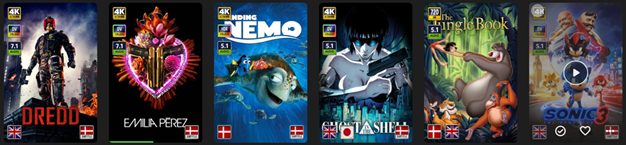
EmbyIcons, in catalog under general. Source code at: yocksers/EmbyIcons: Displays icons on posters in Emby depending on audio and subtitle languages. EmbyIcons enhances your Emby Server by overlaying informational icons directly onto media posters. Display language, codecs, resolution, ratings, and more at a glance with fully customizable profiles for different libraries. Features Extensive Icon Support: Audio/subtitle languages, original language, audio channels, codecs (audio & video), HDR/Dolby Vision, resolution, frame rate, aspect ratio, parental ratings, community ratings (IMDb, Rotten Tomatoes, MDBList audience scores), custom tags, and favorite counts Multi-Profile System: Create distinct profiles and assign them to different libraries for complete customization Flexible Layout Control: Position icons in any corner with custom priority ordering and horizontal/vertical stacking Series & Collection Aggregation: Smart detection shows icons only when all episodes/items share the same property (with Lite Mode option for faster scans) Profile Import/Export: Backup and share your profile configurations Icon Manager: Identify used, unused, and missing icons in your collection Series Troubleshooter: Find episodes with inconsistent properties causing missing icons MDBList Integration: Display Rotten Tomatoes audience scores with a free API key Live Preview: See layout changes in real-time before saving Advanced Settings: Fine-tune cache sizes, performance, and memory usage Icon Naming Convention Place your icon images in a folder on your server. Recommended: ~100x100px PNG with transparency. Supported formats: .png, .jpg, .webp, .gif, .bmp. Icons use the format: prefix.name.png (case-insensitive) Prefix Type Example lang Audio Language lang.english.png sub Subtitle Language sub.german.png og Original Language og.japanese.png ch Audio Channels ch.7.1.png, ch.stereo.png ac Audio Codec ac.dts.png, ac.eac3.png vc Video Codec vc.hevc.png, vc.av1.png hdr Video Format hdr.dv.png, hdr.hdr.png res Resolution res.4k.png, res.1080p.png fps Frame Rate fps.24.png, fps.60.png ar Aspect Ratio ar.16x9.png, ar.2.39x1.png pr Parental Rating pr.pg-13.png, pr.tv-ma.png tag Custom Tag tag.3d.png, tag.directors-cut.png rating Community Rating rating.imdb.png (none) Rotten Tomatoes t.tomato.png, t.splat.png (none) Popcorn-O-Meter t.popcorn.png, t.spilledpopcorn.png, t.fresh.png (none) Favorite Count heart.png Note: Rotten Tomatoes Popcorn-O-Meter requires a free MDBList API key configured in Advanced Settings. Configuration Overview Settings Tab Global Settings: Set icon folder path, loading mode (Hybrid recommended), output format, quality, and logging Profile Management: Create, rename, delete, export, and import profiles Per-Profile Settings: Assign profiles to libraries Enable/disable icon types with custom alignment (corner), priority, and layout (horizontal/vertical) Configure TV show/collection aggregation (Lite Mode, exclude Specials season, etc.) Customize rating score background (shape, color, opacity) Adjust icon size Icon Manager Tab Scan your library to identify missing, found, and unused icons. Perfect for organizing your icon collection. Troubleshooter Tab Series Troubleshooter: Find episodes with inconsistent properties (resolution, codec, etc.) that prevent series-level icons Aspect Ratio Calculator: Get the exact icon filename for custom aspect ratios Advanced Tab Fine-tune cache sizes, expiration times, concurrency, and MDBList API key. Default values work for most users.
 1 point
 -
This info posted in Android Client thread as well... Just tried to shuffle play music on a Genre. Server locks up and needs to be restarted. Restart from Dashboard doesn't work. Have to shut down server by way of Task Manager and restart manually. Tried shuffle play music by Artist...same behavior. Server locks up and has to be manually restarted through task manager. Only music play that is currently working for me is play an album (no shuffle). Just play in line according to tracks...how boring. This has happened before. What ever you did last to fix it, please fix again. When you get it fixed, I would like to offer that you stop fixing things until you break them. Would be great. Thx1 point
-
I got the same errors as yours, 1. Dashboard cant display correctly. 2. Cant switch server. stuck with the circle1 point
-
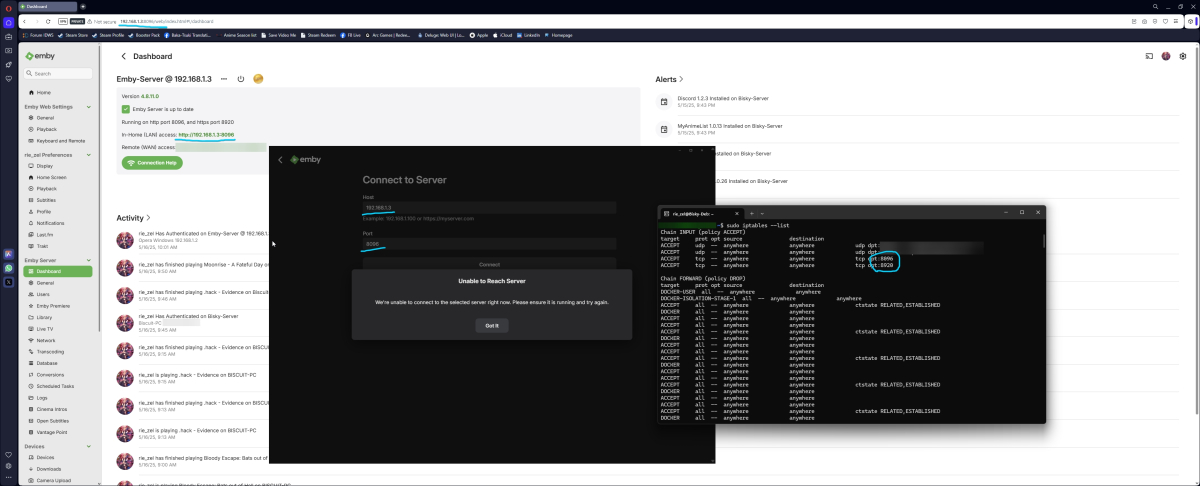
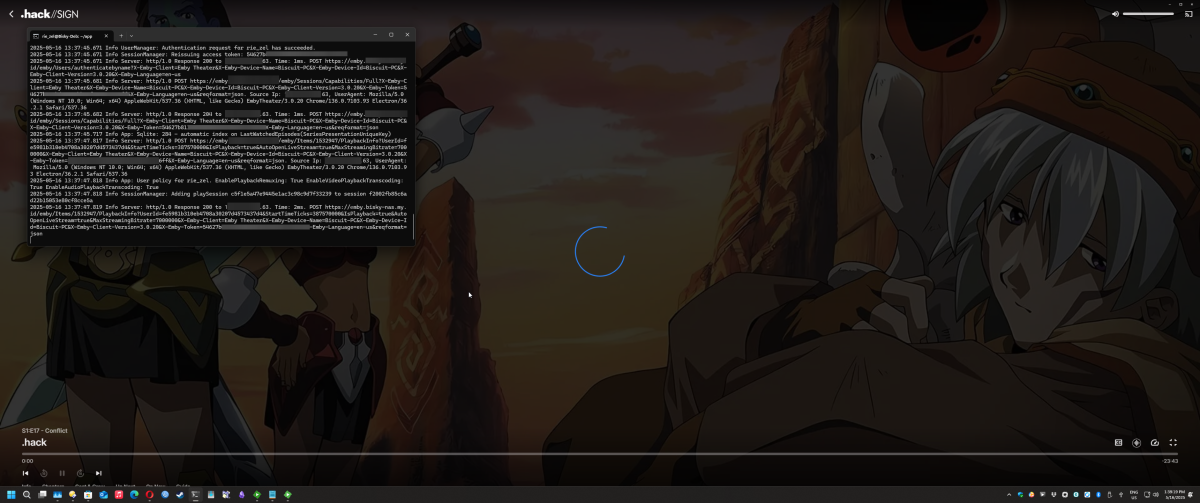
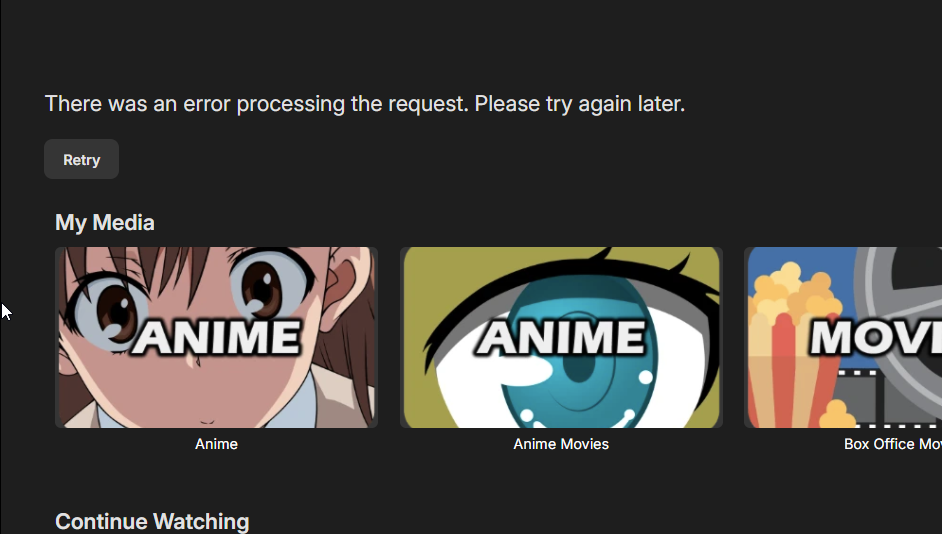
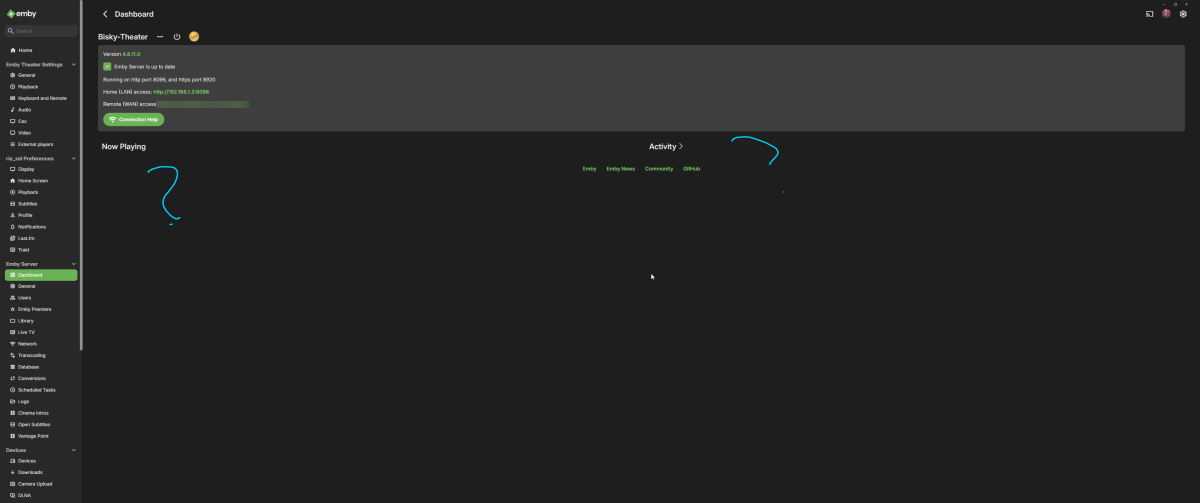
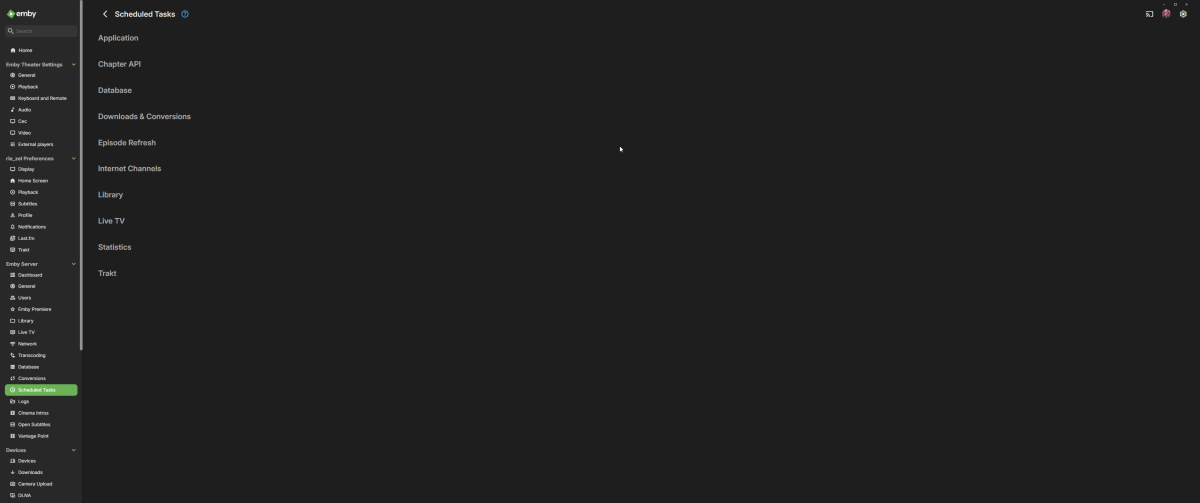
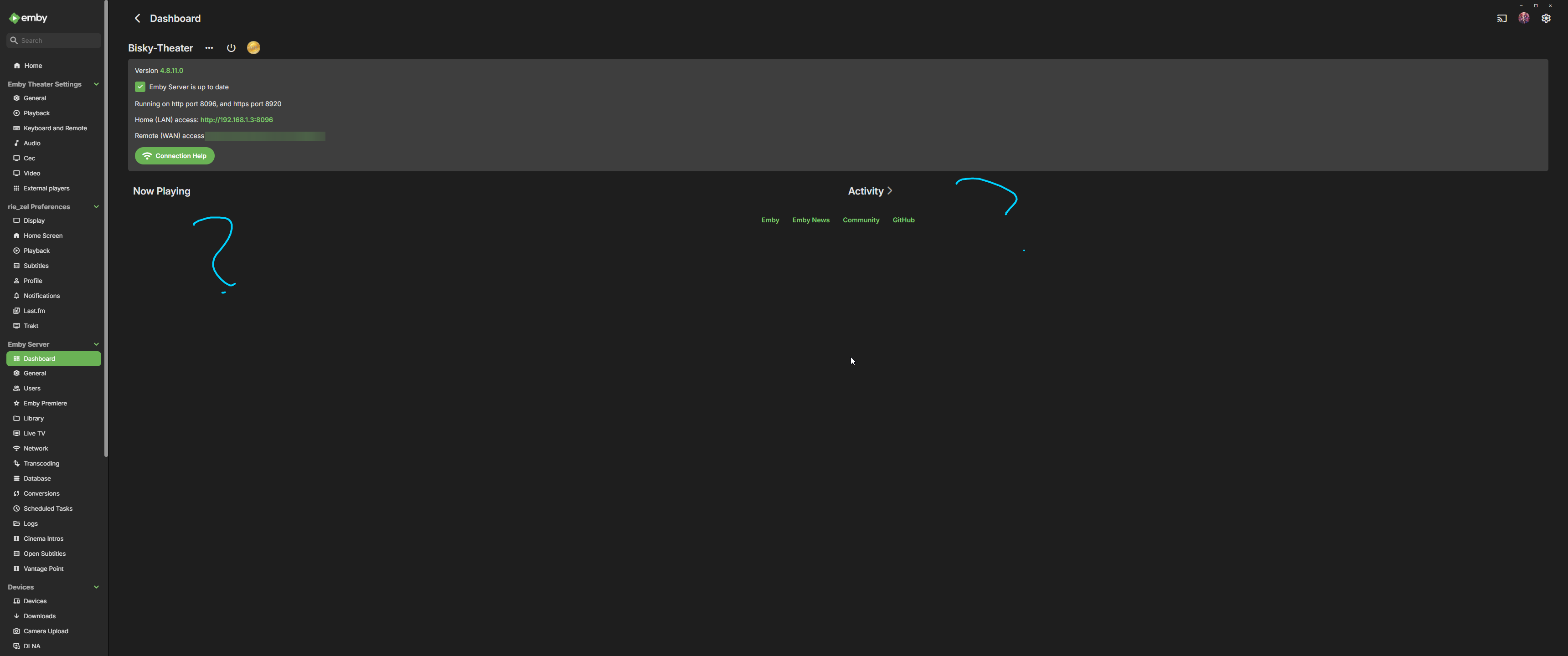
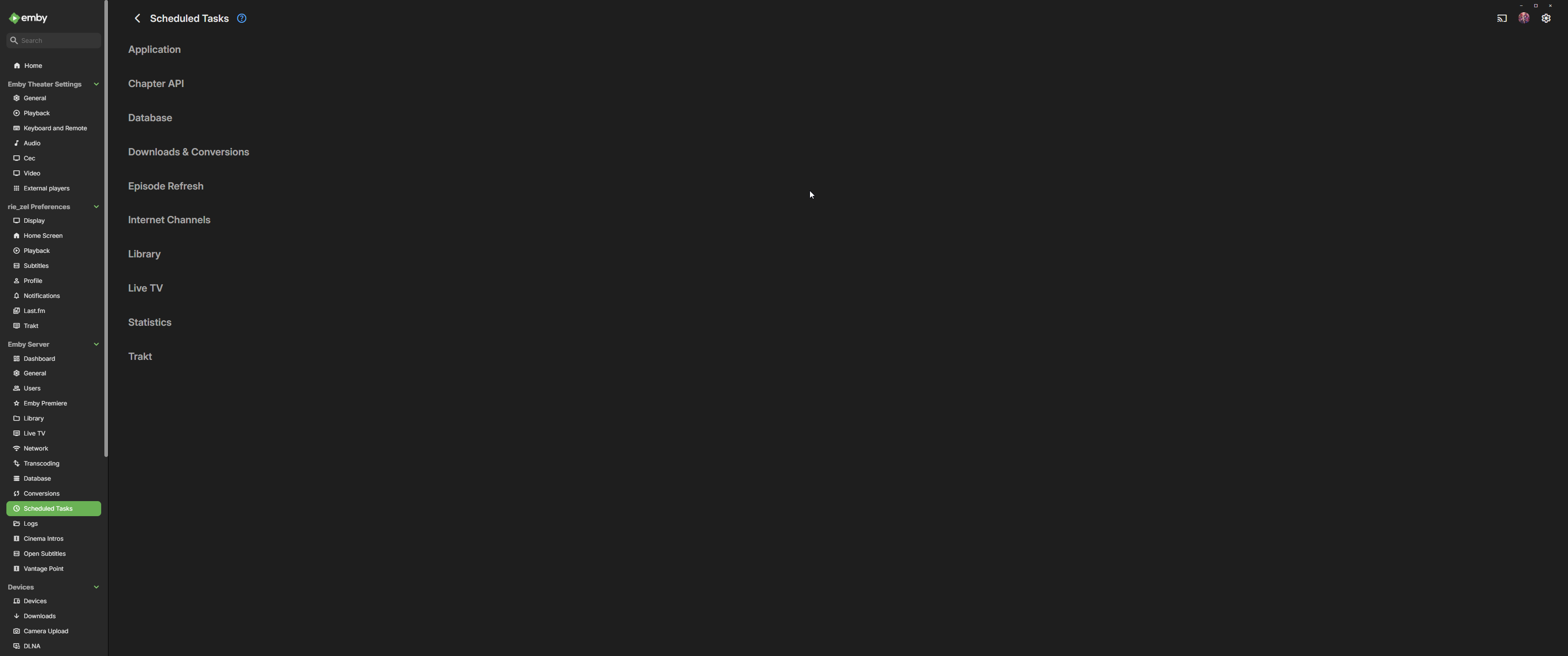
as titles says, my emby theater recently can't connect to the server (192.168.1.3) some info : server is Debian storage is mounted via nfs what i already tried, use the docker version use the native version reinstall server OS (ubuntu and debian) upgrading debian 12 to trixie disable nginx / reverse proxy, in case it's conflict open firewall using emby app from ms. store (working fine without issue, but i need to use custom mpv.dll to inject SVP (SmoothVideoProject), so i can watch my content in high frame rates, smooth) into the emby hence i use the emby-theater) using web app (working fine without issue, no SVP as well) using ios and android app (working fine as well) using emby theater but updated the electron manually to latest version (working and connected somehow after doing fresh install to local ip (probably by network discovery?), but i can't play anything, seems infinite loop loading) using emby theater after managed to connect via local ip (from previous attempt using newer electron, but revert back the electron again after success connecting, aka bait session) (working, i can play (didn't test long enough), but every i finished play the content, i got error msg, also lot of section in manage / dashboard server is not showing up, like activity, or else) i dont think it's server issues, but more to electron issues currently i can still play the content + svp with current emby theater (after successfully bait session with latest electron) and using emby from ms.store but no svp support hope someone manage to reproduce this issue, and traced them to fix it, since for me using svp for watching anime is kinda mandatory also bonus, the last windows update was this : (before it broke everything, in case the problem was this one, i've been debugging it since yesterday, including reinstall restore etc) references : https://www.svp-team.com for SVP theater-63882999869.txt theater-63882999334.txt
 1 point
 -
This is for testing, I doubt it works for linux or mac, but data is gleemed from them, but probably formatted differently so wont get parsed correctly at the webui end. I dont have linux or mac to test on. There is a difference that windows reports, than the graphics card reports in benchmark software, and the GPU can go above 100%. According to data found on the web, this phenomena is common. v2.mp4 This is the first version for anyone who wants to alpha test it. * Added some test code for Nvidia on Linux - No idea if it works GPUUsageMonitorV2.dll
 1 point
 -
Haha, it did ruin my sleep pattern to do so. I do think the Emby team does an amazing job though. This one might be allowed there but no. It's a band aid to something that will change in Emby in the future i'm sure, plus it was just something i put together in response to a post from @Neureka Happy you all like it!1 point
-
Very cool. Would you release it to the Emby Catalog?1 point
-
It looks like you have disabled all transcoding. 2025-05-15 10:18:35.967 Info App: User policy for user2. EnablePlaybackRemuxing: False EnableVideoPlaybackTranscoding: False EnableAudioPlaybackTranscoding: False1 point
-
There is nothing in the "Scan media library" task that would require GPU usage - however, depending on your library settings, it might trigger other scheduled tasks (video preview thumbnails extraction, intro detection...) which are all CPU-only tasks.1 point
-
Found a solution. However its not great because it has to be done manually for each file with bad chapters: Remove the episode files (temporarily) with bad chapter data from their respective folders. *note: this can be done for all files at once or one-by-one Scan the Show or Library (this removes the episodes) Put the episode files back in their respective folders Scan the Show or Library again (this adds the episodes back and generates new chapter images)1 point
-
Hi, yes that’s what you do.1 point
-
This only replaces the primary image from the episode metadata. It doesn't regenerate the chapter images.1 point
-
Threw this together. Try it, if you like it then you can add more options and settings your self. As it is it just sends a message to users when they transcode, the message can be changed in the settings. Change it, release it, claim it as yours or what ever.. I don't care, just keep it open source please. Edit: Uploaded the wrong version, it kept spamming the message. This one will fix it. Transcodenotifier.zip1 point
-
Hi, we are working on this. Thanks.1 point
-
Hi. You might want to think about supporting its development since its given you so much value.1 point
-
Yes the doub!le sound problem is fixed. Thanks!1 point
-
I started programming when I was 14. I met 12 year olds that were exceptional programmers. I could make the same argument about software development, yet here we are with all of us using a web wrapper for ffmpeg. /s Your argument is weird. Better UX is better UX.1 point
-
Any updates on when we can expect the new Linux client? I think it has been about a year, maybe longer, now since I could play anything on the existing client on Kubuntu. Thanks.1 point
-
I've said it before but. 1) The quality settings are simply too well hidden for the vast majority of users to ever see so they never change them. 2) IMO. quality should per default be set to max and then a warning or something displayed to users that lowering the quality might be needed. 3) Admins needs a way to set what default quality should be, this might not be possible as apps them self seems to have hardcoded values. Most of my family now uses max quality but it has been a f..... pain to make them understand how to and why.1 point
-
Can we take a look at this issue?! I just downloaded Would You Rather (2012), but the plugin gave me a Zico Chain track called W'here Would You Rather Be?'. Is this expected behavior due to the similar names, or does the plugin seriously need some fixing?1 point
-
Intel's drivers haven't been the most successful on that frost. If running Emby from docker try using the environment: NEOReadDebugKeys = 1 OverrideGpuAddressSpace = 48 Like in the image i attached to this post. That fixes the problem in Unraid at least.1 point
-
I was struggling with permissions on Ubuntu. After a lot of experimenting, the key was to set the following default ACL rule recursively on my external drive: `sudo setfacl -R --default --modify u:emby:rwx '/mnt/Emby'1 point
-
Download & Install: https://emby.media/emby-for-android.html Changelog: 3.5.36 -05/10/2026 Subtitle rendering fixes 3.5.35 -05/05/2026 Add additional options under force transcoding section 3.5.34 -04/10/2026 Fix regression causing ass subtitles to be stretched 3.5.32 -04/10/2026 Support compressed embedded ass/ssa subtitles 3.5.31 -03/24/2026 Fix cases of text subtitles rendering off screen Updates to new home screen features 3.5.30 -02/26/2026 Support new home screen options in 4.10 server 3.5.29 -02/10/2026 Various fixes related to handling of playback stop 3.5.28 -01/21/2026 Various fixes related to handling of playback stop 3.5.27 -01/20/2026 Subtitle sizing fixes 3.5.26 -01/18/2026 Various fixes related to handling of playback stop 3.5.25 -01/18/2026 Resolve sporadic cases of video stuttering 3.5.24 -01/11/2026 Fix sporadic post playback crashes 3.5.23 -01/06/2026 Fixes for SSL certificates with no common name 3.5.21 -12/15/2025 Fixes for picture in picture 3.5.17 -11/21/2025 Fixes for launching books Fixes for live tv guide rendering on older devices 3.5.16 -11/04/2025 flac decoding fixes Update app exit menu 3.5.15 -10/31/2025 Fix youtube playback 3.5.13 -10/25/2025 Change video player up option from Chapters to Chapters / Guide Fix sporadic app crashes with flac playback 3.5.12 -10/07/2025 Fix playback error on older versions of android 3.5.11 -10/04/2025 Fix lyrics display layout in TV mode Fix video remote control layout Update live tv recordings tab layout 3.5.10 -10/01/2025 Restore home screen backdrop 3.5.09 -09/29/2025 Support pinch gesture for fullscreen video 3.5.06 -09/27/2025 Show age of person Fixes for next/previous episode button in video player Add explicit direct stream live tv option 3.5.04 -09/19/2025 Fix new spoiler feature causing movie chapter thumbnails to be hidden 3.5.03 -09/17/2025 Update now playing indicator 3.5.02 -09/11/2025 Fix background video option 3.5.01 -09/09/2025 Updates to new option to hide episode spoilers 3.5.00 -09/07/2025 Add option to hide spoiler information from episodes Support experimental hevc transcoding with 4.9 server 3.4.98 -09/04/2025 Group recordings under live tv recordings tab (with 4.9 server) 3.4.97 -09/04/2025 Allow video playback to extend into the notch Navigation fixes 3.4.94 -09/02/2025 Fixes for horizontal home screen 3.4.92 -08/30/2025 Fixes for horizontal home screen 3.4.91 -08/27/2025 Improve DV to HDR fallback for Zidoo devices 3.4.90 -08/24/2025 Fit detail screen regressions with collections and actors 3.4.89 -08/22/2025 Improve horizontal home screen 3.4.88 -08/20/2025 Improve DV to HDR fallback Fix multi-select list focus color Fix various home screen regressions 3.4.85 -08/18/2025 Fix various home screen regressions Show three items with add to collection/playlist 3.4.84 -08/17/2025 Fix various home screen regressions 3.4.83 -08/14/2025 Updates for server maintenance mode feature 3.4.82 -08/07/2025 Add option to control whether back button exits the app when clicking back on the exit menu 3.4.80 -07/25/2025 Fix metadata editor regression 3.4.79 -07/23/2025 Fixes related to Dolby Vision to HDR fallback General performance improvements 3.4.77 -07/07/2025 Up/down arrow key fixes 3.4.76 -06/26/2025 Up/down arrow key fixes 3.4.75 -06/17/2025 Resolve loss of arrow key input after playing from guide 3.4.74 -06/10/2025 Fix date added missing from list of sort orders 3.4.72 -06/04/2025 Support keyboard input on search screen in tv layouts 3.4.71 -05/28/2025 Various fast-forward/rewind bug fixes 3.4.70 -05/20/2025 Various UI bug fixes 3.4.69 -05/10/2025 Support sleep timer in the audio player 3.4.67 -05/02/2025 Fixes for av1 playback Various download fixes 3.4.66 -05/01/2025 Add folder view option to automatically jump through folders containing a single item Increase timeout length when downloading Various download fixes Various camera upload fixes 3.4.65 -04/29/2025 Fixes for external subtitles over https 3.4.64 -04/25/2025 Fixes related to rapid back button presses 3.4.62 -04/24/2025 Fix regression with light themes in portrait orientation 3.4.60 -04/23/2025 Fix regression with subtitle appearance options 3.4.59 -04/19/2025 Fixes related to video player long press action Add text size setting for TV display mode 3.4.58 -04/17/2025 Fixes related to video player long press action 3.4.57 -04/17/2025 Add option to control video player long press action 3.4.56 -04/11/2025 Update embedded libass for subtitle rendering 3.4.55 -04/07/2025 Fixes related to dialog sizing within the guide 3.4.54 -04/06/2025 Fixes related to superman theme 3.4.53 -04/05/2025 Fixes related to play next option Improve performance 3.4.52 -04/02/2025 Improve performance 3.4.50 -03/27/2025 Add video screen up action option to control up button press behavior 3.4.49 -03/25/2025 Fixes related to autoplay episodes options 3.4.48 -03/19/2025 Fixes for closed caption rendering 3.4.47 -03/12/2025 Add a-z picker to add to collection/playlist 3.4.46 -03/07/2025 Support playback correction 3.4.45 -03/05/2025 Play vtt subtitles directly without conversion from the server 3.4.44 -03/03/2025 Fix some of the quality settings not saving 3.4.43 -02/28/2025 Add convert unsupported audio option 3.4.42 -02/26/2025 Fixes related to login options Fix video rotation on Fire TV devices when direct playing 3.4.40 -02/23/2025 Add option to configure to login as specific user on startup 3.4.39 -02/18/2025 Add playback option to disable direct play of mpegts 3.4.38 -02/11/2025 Fix errant "left" popup 3.4.37 -02/07/2025 Fixes for gamepad input 3.4.36 -01/30/2025 Fixes for playback of downloaded content 3.4.35 -01/27/2025 Fixes for playback of downloaded content 3.4.34 -01/24/2025 Fix crash on older versions of android when returning from PiP 3.4.33 -01/20/2025 Fix theme songs playing in the background after force closing the app 3.4.32 -01/08/2025 Update to exoplayer 1.5.1 3.4.31 -12/30/2024 Fix person content not displaying correctly 3.4.30 -12/19/2024 Fix downloaded books not being displayed 3.4.28 -12/12/2024 Split remote and cellular quality into two values Support passing subtitles to mxplayer 3.4.27 -12/01/2024 Fix regression when clicking manage server 3.4.26 -11/22/2024 Add emby://play/{serverID}/{ItemID} intent 3.4.24 -10/20/2024 Fix tag screen empty for certain media types 3.4.23 -10/07/2024 Updates for newer play store requirements 3.4.21 - 08/26/2024 Fix screen being kept on when video is paused 3.4.19 - 08/07/2024 Shuffle fixes Android Auto fixes 3.4.15 - 07/27/2024 Now playing screen layout fixes 3.4.14 - 07/26/2024 Fixes based on google play crash reports Fix guide category scrolling 3.4.12 - 07/17/2024 Fixes based on google play crash reports 3.4.11 - 07/04/2024 Shuffle play fixes 3.4.10 - 07/02/2024 Fix video osd bottom tabs not refreshing between items 3.4.09 - 06/28/2024 Fix rare PIP crash on Samsung devices Add channel group filters above the live tv guide in mobile and desktop layouts 3.4.08 - 06/24/2024 Fix multi-select regression 3.4.07 - 06/21/2024 Add theme song volume setting Fix downloads failing due to % in file name 3.4.06 - 06/18/2024 Live TV guide scroll fixes 3.4.05 - 06/16/2024 Samsung DEX fixes Improve support for chapters with multi-version videos (with server version 4.9.0.25+). 3.4.04 - 06/12/2024 Fix regression on audio play queue screen 3.4.03 - 06/07/2024 Fixes for horizontal home screen 3.4.01 - 06/05/2024 Improve performance Updates for set shuffle Add a pleasing background to the subtitle preview on the subtitle settings screen 3.4.0 - 06/05/2024 Improve performance Fix repeat handling when holding down ff/rew 3.3.99 - 05/30/2024 Improve performance Add Continue Watching channel to Shield home screen 3.3.97 - 05/25/2024 Support shuffle state in the audio player 3.3.95 - 05/23/2024 Auto-scroll live tv guide based on last played channel Show more guide rows in the video OSD Performance improvements Support launching video from photo slideshow 3.3.94 - 05/18/2024 Prompt user to ask how to play when playing a channel that is actively recording 3.3.93 - 05/16/2024 Adjust base osd seek speed 3.3.92 - 05/16/2024 Support variable fast forward/rewind speed 3.3.91 - 05/13/2024 Mobile layout fixes for video screen 3.3.90 - 05/10/2024 Subtitle offset fixes 3.3.88 - 05/09/2024 Change subtitle offset overlay to use a slider 3.3.87 - 05/04/2024 Add Up Next tab to video OSD to see playback queue 3.3.86 - 04/25/2024 Quicker access to chapters in video osd Support drag and drop library order Support drag and drop order for genres, tags, studios and people in the metadata editor 3.3.83 - 04/22/2024 Fix error message not displayed on user stream limit being reached 3.3.82 - 04/21/2024 Support drag and drop with server transcoding settings Add video OSD tab animation 3.3.80 - 04/09/2024 Add text shadow to clock when focus preview is active 3.3.79- 03/28/2024 Group collection items by media type Support app screensaver for tv devices 3.3.77- 03/19/2024 Android auto fixes 3.3.76- 03/15/2024 Fix add to play queue missing from menu 3.3.74- 03/11/2024 Picture in picture fixes 3.3.73- 03/08/2024 Fix reported album name with camera upload feature 3.3.72- 03/01/2024 Fixes based on google play crash reports 3.3.71- 02/29/2024 Fix screen staying on after video playback Redesign music genre screen 3.3.70- 02/22/2024 Fix reverting refresh rate change after playback 3.3.69- 02/16/2024 Audiobook playback fixes with Android Auto Increase delay after refresh rate display mode change 3.3.68- 02/13/2024 Audio passthrough fixes when refresh rate switching is enabled Add Missing Episodes section to metadata manager 3.3.67- 02/08/2024 Fix layout of program dialog in guide 3.3.66- 02/07/2024 Manifest changes for releasing to the play store on TV devices 3.3.64- 02/01/2024 Resolve back screen on playback on some devices after advancing from one episode to the next 3.3.63- 01/30/2024 Improve home videos display in horizontal home screen 3.3.62- 01/18/2024 Improve live tv seek display Improve display of dialogs from guide 3.3.61- 01/18/2024 Improve live tv seek display 3.3.60- 01/15/2024 Fixes for playback on secondary screens Version 3.3.58- 01/04/2024 Support resume and capturing progress from mx player as an external player, as well as other players that use the same parameters. Version 3.3.57- 12/29/2023 Improvements relating to putting the app in the background with video playing and then returning Version 3.3.56- 12/26/2023 Various user interface bug fixes Version 3.3.54- 12/21/2023 Add in-app access to app log files Support channel up/down to change channels during live tv playback Version 3.3.52- 12/15/2023 Various layout fixes Version 3.3.50- 12/11/2023 Fix camera upload regression on Android 14 Update TV mode select menus Version 3.3.48- 11/29/2023 Update exoplayer to 2.19.1 Version 3.3.46- 11/16/2023 Add series context menu option to view missing episodes Version 3.3.44- 11/09/2023 Fix missing 3D icon Add release date to playlist and collection sort orders Version 3.3.42- 11/01/2023 Show full program details when clicking on a program within the guide Support left and right swipe actions on lists Improve Korean subtitle font Version 3.3.41- 10/24/2023 Add option to control display of posters on detail screens Add option to control the number of genres displayed on detail screens Version 3.3.39- 10/18/2023 Support adaptive launcher icon Version 3.3.38- 10/13/2023 Camera upload compatibility updates for android 14 Fix android chat bubbles showing on top of video playback Version 3.3.37- 10/11/2023 Support subtitle position options Version 3.3.36- 10/06/2023 Fix audio playback regression General performance improvements Version 3.3.35- 10/04/2023 Support multi-user login General performance improvements Version 3.3.34- 10/02/2023 Support new profile pin feature Version 3.3.32- 09/17/2023 Support swipe down to dismiss/cancel any dialog that appeared by sliding up Version 3.3.31- 09/13/2023 Make more fields selectable to display in lists Update to new android requirements regarding notifications Version 3.3.29 - 08/28/2023 Make more fields selectable to display in lists Version 3.3.26 - 08/24/2023 Fix regression with delete function Version 3.3.25 - 08/22/2023 Fix regression with external subtitles Version 3.3.24 - 08/20/2023 Fix regression with add to favorites Version 3.3.21 - 08/17/2023 Right to left fixes Fix directional keys repeating with flirc input Version 3.3.20 - 08/03/2023 Various fixes for settings screens Mobile layout list view fixes Version 3.3.19 - 07/19/2023 Fix startup error on android 6.0 Add display option to control visibility of Media Info section on detail screens Version 3.3.18 - 07/12/2023 Try to fix double back press problem Version 3.3.16 - 07/11/2023 Try to fix double back press problem Version 3.3.15 - 07/07/2023 Android auto search fixes Update exoplayer to 2.18.7 Support dvdsub in mp4 container Version 3.3.14 - 06/29/2023 Downsize downloads section in left nav Various user interface fixes Version 3.3.13 - 06/28/2023 Separate refresh rate and resolution switching into two options Version 3.3.12 - 06/23/2023 Various performance improvements Add option to control screen orientation during video playback Update episode list highlights Ease up on text brightness Make clock larger Show detail screen for extras Version 3.3.11 - 06/16/2023 Various performance improvements Version 3.3.10 - 06/15/2023 Rework app exit menu Support left nav in TV layouts Version 3.3.08 - 05/23/2023 Various fixes related to theme song playback Version 3.3.07 - 05/19/2023 Various fixes related to recording indicators Version 3.3.05 - 05/11/2023 Fix series display regression with older servers Version 3.3.04 - 05/08/2023 Fix hardware back button regression with dialogs on the home screen Version 3.3.02 - 05/02/2023 Support flattening series in TV layouts Version 3.3.01 - 04/28/2023 Various scroll fixes Always show exit menu when clicking back on home screen Version 3.2.99 - 04/26/2023 Various scroll fixes Version 3.2.98 - 04/25/2023 Focus preview fixes Version 3.2.97 - 04/24/2023 Improve orientation handling during video playback Version 3.2.96 - 04/22/2023 Improve cast display during video playback Version 3.2.95 - 04/17/2023 Add series display option Improve user interface performance Version 3.2.94 - 03/30/2023 Fix navigation regression Version 3.2.93 - 03/29/2023 Add View Lyrics context menu option for songs with lyrics Add option to keep playing video in background after pressing back Version 3.2.92 - 01/20/2023 Fix regression with some videos with 2ch eac3 Version 3.2.91 - 01/18/2023 Update ExoPlayer to latest version Various video OSD fixes Version 3.2.90 - 12/15/2022 Various video OSD fixes Version 3.2.89 - 12/072022 Add a guide option to control display of channel numbers Version 3.2.88 - 12/062022 Add a guide option to control display of channel names Version 3.2.87 - 12/2/2022 Version 3.2.86 - 11/18/2022 New: The current chapter is now auto selected during navigation Version 3.2.85 - 11/17/2022 Version 3.2.84 - 11/04/2022 Fixed a display issue with expanded info screens Fixed a navigational issue with My Media Version 3.2.83 - 11/02/2022 Support sorting Playlists and Collections (requires Emby Server 4.8+). Navigational changes in LiveTV Additional items added to queue when shuffling playlist Added the number of items within a collection Version 3.2.82 - 10/18/2022 Update subtitle font Version 3.2.81 - 10/12/2022 Fix scroll regression causing jumpiness Version 3.2.80 - 10/12/2022 Improve seeking of .ts files Support separate image sizes for lists Various user interface bug fixes Version 3.2.79 - 10/06/2022 Fixed an issue when clicking Back while playing music Improved handling of Zidoo devices and TV mode Version 3.2.78 - 10/05/2022 LiveTV changes Version 3.2.77 - 09/28/2022 Added setting to switch between different size posters Added episode details under Next Up legacy posters Version 3.2.76 - 09/23/2022 Add three way toggle nav menu (may require beta server?) Added transparency to buttons and menus Version 3.2.75 - 09/21/2022 Version 3.2.74 - 09/20/2022 Added backdrop to the enhanced My Media ? Version 3.2.72 - 09/15/2022 Added visual to timeline when in focus Added option to turn off rating when video playback begins Updated now playing design for music in the background Version 3.2.71 - 09/14/2022 Version 3.2.70 - 09/07/2022 Fixed some small issues Added brightness control to mobile devices Added a lock screen feature during video playback for mobile devices Version 3.2.69 - 09/03/2022 Version 3.2.68 - 09/01/2022 Added shortcut keys Add filter, sort, settings icons to Live TV Guide and move enhanced image and info to the top Move subtitle timing from cog wheel to the CC menu Add Google voice integration Add more media info to the playback OSD Add more media info to the Info screen Change navigation to OSD so there are less clicks Version 3.2.67 - 08/30/2022 Add view series to 3-dot menu for episodes and seasons Add larger bitrate options Add EHS option for the home screen (it is worded differently to spell out exactly what it does - focus previews) Make play from beginning always visible Update thumbnail bubble animation Update detail screen runtime on version selection Version 3.2.66 - 08/29/2022 Version 3.2.65 - 8/25/2022 Fixed a playback issue with DTS-HD HRA 4.8 kHz sampling rate Version 3.2.64 - 8/20/2022 Version 3.2.63 - 8/17/2022 Version 3.2.62 - 8/5/2022 Various video playback fixes Version 3.2.61 - 7/28/2022 Resolve the issue of certain remotes triggering multiple presses on arrow keys General UI performance improvements Version 3.2.59 - 7/27/2022 Added enhanced details for Suggestions and Favorites within TV Shows and Movies libraries Version 3.2.58 - 7/24/2022 Version 3.2.57 - 7/20/2022 Version 3.2.56 - 7/15/2022 Various video playback fixes Version 3.2.55 - 7/13/2022 Various video playback fixes Initial RTL support Version 3.2.54 - 7/08/2022 Version 3.2.53 - 7/06/2022 Version 3.2.52 - 6/23/2022 Various fixes for new table view Version 3.2.51 - 6/17/2022 Add new field options for display Add new theme options Version 3.2.50 - 6/6/2022 Fixes for wma playback Fix sporadic playback errors when playing downloaded content Updates to audio now playing screen. There's also a new Now Playing tab on the home screen when content is playing Use series backdrop on episode detail screens Version 3.2.48 - 5/4/2022 Updated TV mode detail screen Fix on screen keyboard not showing on some Amazon devices Version 3.2.47 - 4/27/2022 Fix aiff playback Fix now playing item not showing on shield home screen Support play/pause during video playback using OK button (when osd is hidden) Add Cast & Crew to video osd Fix SFN not closing Fix an issue with "On Now" in the video OSD Version 3.2.46 - 4/18/2022 Fixed miscellaneous playback issues Version 3.2.45 - 4/9/2022 New updated video OSD dialogs Version 3.2.44 - 3/22/2022 Fixed an issue where music Artists and Album Artists weren't being displayed Version 3.2.43 - 3/17/2022 Fixed an issue where thumbnails weren't showing while scrolling timeline Version 3.2.42 - 3/17/2022 Fixed issue where DV files wouldn't play correctly Version 3.2.41 - 3/9/2022 Version 3.2.40 - 2/28/2022 Added timeline scrolling to OSD Version 3.2.38 - 2/8/2022 Version 3.2.37 - 1/26/2022 Version 3.2.36 - 1//2022 Version 3.2.35 - 1/13/2022 Various audio playback fixes Version 3.2.34 - 12/30/2021 Now direct plays all audio formats, including DTS-WAV Version 3.2.24 - 10/27/2021 Numerous small TV layout improvements from top tabs to popups to video OSD Support long press context menus with Android TV remotes Version 3.2.17 - 10/6/2021 Various bug fixes and performance improvements Version 3.2.14 - 9/20/2021 Various fixes based on user submitted crash reports Version 3.2.11 - 9/13/2021 Add subtitle background color option Version 3.2.08 - 8/26/2021 Bug Fixes Version 3.2.07 - 8/11/2021 Bug Fixes Version 3.2.06 - 8/9/2021 Add Info, Chapters, On Now and Guide sections to video OSD Minor adjustment of detail screen buttons Improve performance of playlist detail screen Add sort by track number option to folder views Version 3.2.05 - 7/9/2021 Various download fixes Fix aiff music playback Fix direct play/transcoding status display for music playback Version 3.2 - 6/19/2021 Support subtitle offset for downloaded videos Fix camera upload regressions on older versions of android Version 3.1.96 - 5/18/2021 Android auto reconnection fixes Music playback started in android auto is now reported to Emby Server The new live tv channel management UI is now available Version 3.1.94 - 4/30/2021 Fix erroneous error message when playing certain music formats Various subtitle fixes Version 3.1.92 - 4/22/2021 Version 3.1.91 - 4/20/2021 Various fixes for av1 video playback Version 3.1.90 - 4/14/2021 Remember play queue when using Android Auto resume feature Support marking favorites from android auto Fix Chromecast add to play queue Version 3.1.88 - 4/10/2021 Save play queue when using Android Auto resume feature Version 3.1.86 - 4/8/2021 Support marking favorites from android auto now playing screen Support a-z picker with users Add favorites to context menu Add mark played to context menu Version 3.1.85 - 4/1/2021 Improve Android Auto browsing Various av1 video playback improvements Version 3.1.84 - 3/28/2021 Fix crash on Shield TV Version 3.1.83 - 3/26/2021 Support device equalizer with audio file playback Add option to download to public downloads folder Various subtitle fixes Various fixes for playback of anamorphic video Improve single channel program list display Support multi-select in list views Add more field options for display in lists Version 3.1.80 - 3/9/2021 Improve dynamic list refreshing Version 3.1.79 - 3/5/2021 Support sorting by filename Version 3.1.77 - 3/2/2021 Various additional subtitle fixes Various mpegts format improvements Version 3.1.76 - 2/20/2021 Honor Android Auto auto-resume setting Fix media notification duration for remote playback Fix subtitles not displaying on secondary screen Support multi-select filtering Version 3.1.75 - 1/20/2021 Support high-res flac playback Various Dolby Vision improvements and fixes Specific DV/HDR fixes for Sony TV's Fix for direct playback of mpeg4 DX-50 Various fixes for Chromecast volume control Various fixes for downloaded subtitles Display content on Android TV home screen Support clicking individual text items in list items Support add to play queue with drag and drop Support add to playlists and collections with drag and drop Support remove from continue watching and next up (requires Emby Server 4.6+) Add new tabs under libraries (requires Emby Server 4.6+)1 point
-
This is an Apple TV issue not an Emby issue.0 points
-
I went with a Comodo multi-domain wildcard SSL at a great price and had a smooth setup with solid support. It’s been working well across multiple services and subdomains.0 points
-
I request you stop posting on this thread with AI reponses otherwise I'll report your comments for spamming and will no longer respond as it's a waste of my time picking through inept ai rubbish Check out the plugin settings for the contribution network0 points
-
@radeonFirst of all, I wasn’t aware that using any external tool to format a response wasn’t allowed here. I thought it was for reader’s convenience only? And instead of pointing out which part didn’t make sense to you, what was the point you were trying to make by saying you can “spot an AI response a mile off”? Almost everyone can spot an AI response a mile off. I request you to stick to the actual concern only. Coming to your suggestion about turning off contributions so that only pre-checked, approved themes get downloaded to my library—would you mind providing some high-level information on how this works? Is there any automation involved, or is everything manually handled by you alone? Does it cover a significant number of movies? I am just worried that turning off contributions might make your plugin almost useless. P.S. I’d appreciate it if you could keep the conversation focused on the plugin.0 points
-
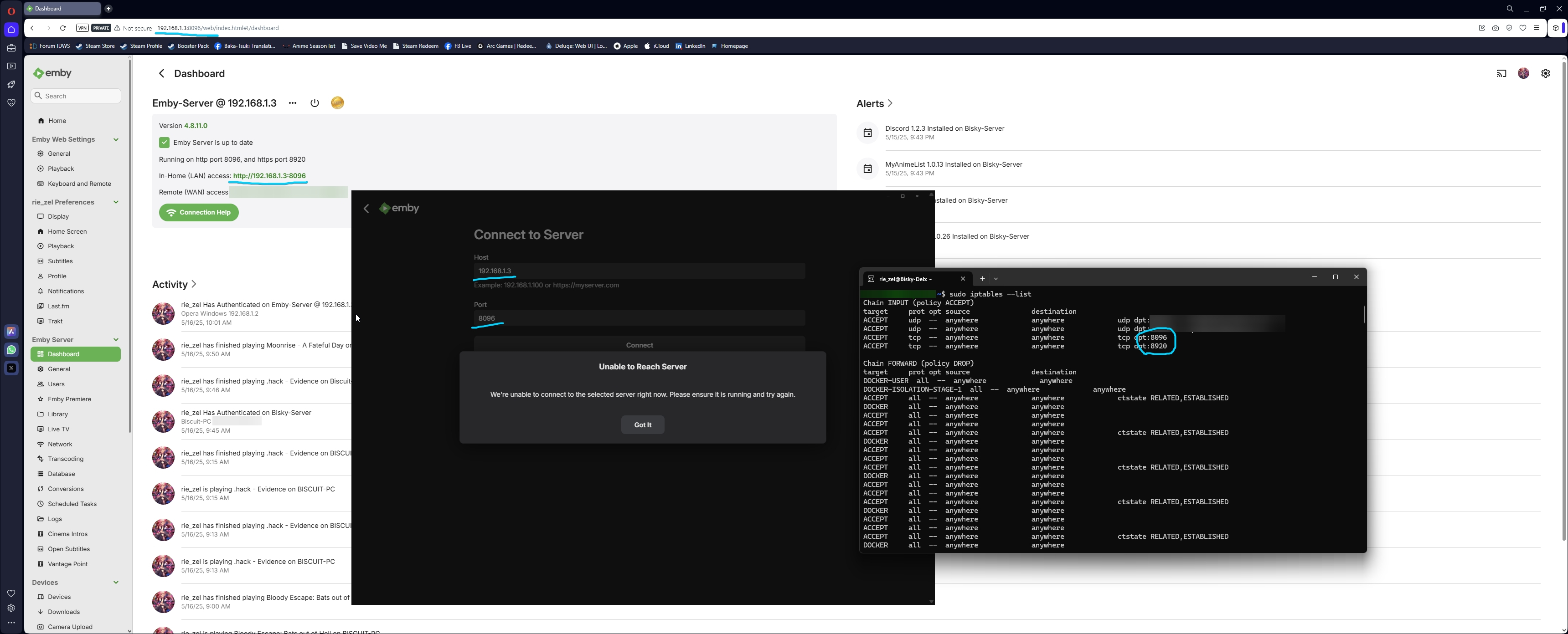
@radeonHey, I disagreed because your two responses above don’t seem accurate. My TMDb ID is being handled by Radarr, which assigns IDs very reliably. I even double-check them at times, especially when verifying the accuracy of downloaded theme music. Regarding your point about bad data coming from contributions—let’s consider @HuriVuvuexample. Is it realistically possible that someone downloaded a completely unrelated song, renamed it to theme.mp3, and placed it in a movie folder? Sure, it’s possible for a theme to end up in the wrong folder. But in this case, it was a Zico Chain song called Where Would You Rather Be?—a track and band with no connection whatsoever to any movie. Why would any user manually do that? You also mentioned the process is deterministic, not heuristic, and that the plugin doesn’t rely on fuzzy logic or movie names. If that’s true, why does the incorrectly downloaded theme so closely resemble the movie title? Are contributors mistakenly contributing bad data and somehow ensuring the names are similar? For now, I’ve uninstalled the plugin—hoping I’ll be able to use it again in the future if and when these issues are addressed.0 points







.thumb.png.f4cb0545e98b51fd9b00e427622ab761.png)





.thumb.jpg.c75790b7d9d27e0415687d7d6d1197cf.jpg)