
Leaderboard




Popular Content
Showing content with the highest reputation on 05/14/25 in Posts
-
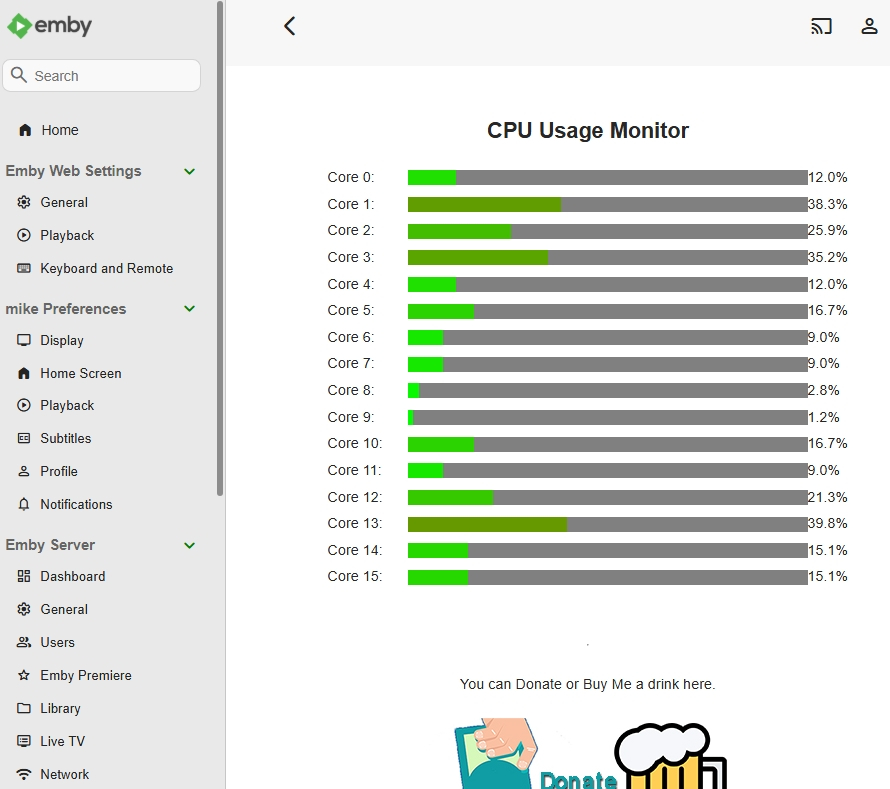
I have coded this as a distraction, I have no means to test it on Linux or Mac It works fine on my Windows 11 machine, needless to say no guarantees for other users machines This is really just for fun at the moment as I don't have a lot of free time to spend on this. Thanks to @jaspalgillfor providing me with a sample output from Linux. Its considered and Alpha release (unfinished, untested in all environments), although you are welcome to test it & give me feedback It should stop requesting updates when you navigate away or hide the page and resume when you come back (no guarantees!) CPUMonitorEmbyPlugin.mp4 CPUMonitor.dll
 2 points
 -
Thank you, Emby team, for your recent remarkable efforts in improving the user experience and enhancing the performance of the Emby server in a tremendous way, making it unrivaled. We are eagerly awaiting the release of the stable version and downloading it to test your great efforts. A year has passed and we are waiting for 4.9 goes stable ,then we will be able to switch from the beta channel back to the stable channel2 points
-
Thanks for the plain text output. I can process the m3u successfully, I can split the m3u Into even parts based on how many CPUs are in the system, it's not that that is giving me the grief it's getting the extra parts out of sync, then ending up with not much to write because some of the code is asynchronous and some isn't. I'll get there, it just needs some thoughtful approaches to replace those parts of the code.2 points
-
Hi @LukePlease Update it, App is far more better on IOS and a lot of options. themed songs themed videos, playback options, Display, home Screen. I heard that new Apple TV that will release this year and I am Planning to upgrade. Hope it will be fix before new ATV release. Thanks..2 points
-
EmbyIcons, in catalog under general. Source code at: yocksers/EmbyIcons: Displays icons on posters in Emby depending on audio and subtitle languages. EmbyIcons enhances your Emby Server by overlaying informational icons directly onto media posters. Display language, codecs, resolution, ratings, and more at a glance with fully customizable profiles for different libraries. Features Extensive Icon Support: Audio/subtitle languages, original language, audio channels, codecs (audio & video), HDR/Dolby Vision, resolution, frame rate, aspect ratio, parental ratings, community ratings (IMDb, Rotten Tomatoes, MDBList audience scores), custom tags, and favorite counts Multi-Profile System: Create distinct profiles and assign them to different libraries for complete customization Flexible Layout Control: Position icons in any corner with custom priority ordering and horizontal/vertical stacking Series & Collection Aggregation: Smart detection shows icons only when all episodes/items share the same property (with Lite Mode option for faster scans) Profile Import/Export: Backup and share your profile configurations Icon Manager: Identify used, unused, and missing icons in your collection Series Troubleshooter: Find episodes with inconsistent properties causing missing icons MDBList Integration: Display Rotten Tomatoes audience scores with a free API key Live Preview: See layout changes in real-time before saving Advanced Settings: Fine-tune cache sizes, performance, and memory usage Icon Naming Convention Place your icon images in a folder on your server. Recommended: ~100x100px PNG with transparency. Supported formats: .png, .jpg, .webp, .gif, .bmp. Icons use the format: prefix.name.png (case-insensitive) Prefix Type Example lang Audio Language lang.english.png sub Subtitle Language sub.german.png og Original Language og.japanese.png ch Audio Channels ch.7.1.png, ch.stereo.png ac Audio Codec ac.dts.png, ac.eac3.png vc Video Codec vc.hevc.png, vc.av1.png hdr Video Format hdr.dv.png, hdr.hdr.png res Resolution res.4k.png, res.1080p.png fps Frame Rate fps.24.png, fps.60.png ar Aspect Ratio ar.16x9.png, ar.2.39x1.png pr Parental Rating pr.pg-13.png, pr.tv-ma.png tag Custom Tag tag.3d.png, tag.directors-cut.png rating Community Rating rating.imdb.png (none) Rotten Tomatoes t.tomato.png, t.splat.png (none) Popcorn-O-Meter t.popcorn.png, t.spilledpopcorn.png, t.fresh.png (none) Favorite Count heart.png Note: Rotten Tomatoes Popcorn-O-Meter requires a free MDBList API key configured in Advanced Settings. Configuration Overview Settings Tab Global Settings: Set icon folder path, loading mode (Hybrid recommended), output format, quality, and logging Profile Management: Create, rename, delete, export, and import profiles Per-Profile Settings: Assign profiles to libraries Enable/disable icon types with custom alignment (corner), priority, and layout (horizontal/vertical) Configure TV show/collection aggregation (Lite Mode, exclude Specials season, etc.) Customize rating score background (shape, color, opacity) Adjust icon size Icon Manager Tab Scan your library to identify missing, found, and unused icons. Perfect for organizing your icon collection. Troubleshooter Tab Series Troubleshooter: Find episodes with inconsistent properties (resolution, codec, etc.) that prevent series-level icons Aspect Ratio Calculator: Get the exact icon filename for custom aspect ratios Advanced Tab Fine-tune cache sizes, expiration times, concurrency, and MDBList API key. Default values work for most users.
 1 point
 -
Hi, I seem to have an issue with the watch progress of downloaded content that I watched on my android tablet when travelling. Id expected it to sync with emby server once reconnected back to my home network but this doesn't seem to work. Is this a bug or am I missing a setting somewhere? Logs attached. Emby server 4.8.11.0. Thanks emby_android_1746826802179.txt1 point
-
lol not this again. - Yes, emby sucks at detecting internet speed - no, admins cannot set default qualities for users - yes, playback settings really are burried where non-tech users will never see them - yes, it really is that confusing when you realise that playback settings are per device not per user - no, i don't see it getting fixed anytime soon since its been complained about foe years we should honestly just create a public emby landing page at this point. One that the community helps maintain and it tells new users how “it is” with clear instructions and screenshots so you don't need to give “the talk” to all new users 132943-please-can-we-fix-internet-speed-detection-once-and-for-all/1 point
-
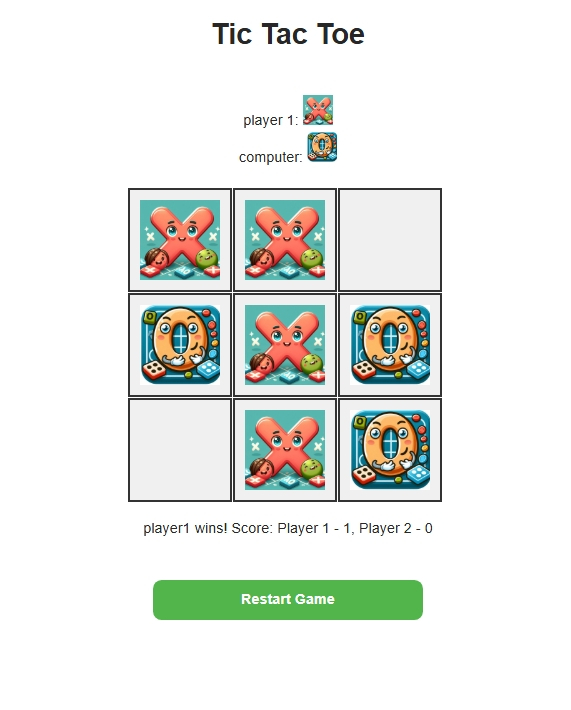
This is just for fun, but wouldn't it be nice if emby supported this kind of plugin outside of the admin pages and pushed it to clients? So developers could create games on their clients tv sets playable via emby? I have included the source code, not something I usually do, but it has the very basic plugin starting point . I am not going to update this or develop it further, but anyone who wants to can use the source code however they want can do that. The computer moves are just random, so its pretty easy to beat, it can be improved if anyone wants to do it?? TicTacToe.dll TicTacToe.zip
 1 point
 -
Hello, I am using emby for music streaming. I would like to have emby on my watch and be able to sync music and play it without the need of my phone while running.1 point
-
I am keen to see this, since I also stream music to my watch and don't want to also pay for Spotify. Hope this get's upvoted soon.1 point
-
I would but that's because I know that's how big those movies can be. Can certainly still use the per stream limit cap for each user to offset it otherwise being wide open, they'll just never be able to direct play something like that.1 point
-
If you do choose to modify the LAN networks to 0.0.0.0/0 be aware that it will essentially force direct playback for all clients. If a user happens to connect via LTE it can immediately exhaust their data allocation. I assume most countries still have data caps for mobile, Canada does at least. Maybe someone could write a plugin that logs IPs from connected TV clients and auto adds then to the LAN Networks.1 point
-
Hello @Teredactle, It might interest you to learn that @Lukehas only just recently "crafted" a new metadata tag ("embycollections") for Photo files. It took quite a bit of research and trial/error, but the end result is that you can now create a custom XMP tag in your photos that Emby can read and gather into its Collections area. This has a lot of advantages over the Tags (Subject metadata) area because Collections has a details view, where you can group, filter, and sort your media items, whereas in Tags, you cannot do any of these things. I imagine that something like this could be developed as a custom "embypeople" XMP tag that will create a searchable people tag for your photos. Cheers!1 point
-
I do agree that it should start at the highest to try to direct play media - it's only really an issue for remote connections so you could fake it by making all remote networks look local, that's what I did.1 point
-
It's nothing to do with version number. Some platforms are still built without skia now on the latest versions. I would say just mention that it's for x64 and arm64 architectures only and I think that will be good.1 point
-
Thank you for pointing it out, i thought Skia was part of all Emby distributions. I have no plans of putting it in the catalog, i'm sure CoverArt and Iconic will support these features one day so my plugin won't be needed any more.1 point
-
Great thank u.1 point
-
Any updates on when we can expect the new Linux client? I think it has been about a year, maybe longer, now since I could play anything on the existing client on Kubuntu. Thanks.1 point
-
Here's another illustrative example - it didn't come to my mind yesterday: Token Ping-Pong The app is exchanging authorization tokens with One or several Emby Servers The Windows Push Notification Service At first, when you copy the settings folder you have the same auth tokens in both configs. But sooner or later (can be weeks, but also earlier or later), a token expires and needs to be either refreshed (automatically) or needs you to sign-in again and you get a new token. In that case, the previous token becomes invalid, but the new token is only saved in one config. As soon as you switch, you'll need to log in again, and from that moment on, you'll need to re-login after each switch. Background operations use the saved token, but there's no way to show a login dialog to re-login (because background-op), and so - background connection attempts will fail after a switch until a new manual log-in has been done. For the Windows push service token it's even more complicated but it takes too much time to explain.1 point
-
I've said it before but. 1) The quality settings are simply too well hidden for the vast majority of users to ever see so they never change them. 2) IMO. quality should per default be set to max and then a warning or something displayed to users that lowering the quality might be needed. 3) Admins needs a way to set what default quality should be, this might not be possible as apps them self seems to have hardcoded values. Most of my family now uses max quality but it has been a f..... pain to make them understand how to and why.1 point
-
But you can't really just go off of an average as then Users will say why is it not working just like they are now. So it is impossible to give a value everyone will like. So one should set it to a value that works for you. I tell everyone to set to max then throttle them per user settings.1 point
-
And depending on the time of day I see 5G saturation and limits under 1Mbps and speeds over 150Mbps but nothing ever consistent. But as mentioned may times Auto is not what anyone thinks it is on a Remote connection as the majority of the time the connections test fails and will use hardcoded values the will work on almost everyone's connections. In the end one will need to look at a value that will work for their clients.1 point
-
Can check my script: https://github.com/jonjonsson/Emby-MDBList-Collection-Creator def create_collection(self, collection_name, item_ids) -> bool: """ Check if collection exists, creates if not, then adds items to it. Must add at least one item when creating collection. Args: collection_name (str): The name of the collection to be created. item_ids (list): A list of item IDs to be added to the collection. Returns: bool: True if the collection is created successfully, False otherwise. """ if not item_ids: print("Can't create collection, no items to add to it.") return None response = requests.post( f"{self.server_url}/Collections?api_key={self.api_key}&IsLocked=true&Name={quote(collection_name)}&Ids={self.__ids_to_str(item_ids)}" ) if response.status_code != 200: print(f"Error creating {collection_name}, response: {response}") return None print(f"Successfully created collection {collection_name}") return response.json()["Id"]1 point
-
I’ve had Apple TV and Xbox users transcoding at 7 Mbps. May have been Roku too. Edit: Remote Cellular at 1 Mbps is way too low. 5G is everywhere and 4G is fast too. It’s 2025. We shouldn’t be tuning defaults for extreme rural areas.1 point
-
As aforementioned in this thread, you're asking for something that is already possible. It's called Infuse for ios/Apple TV. It will literally combine multiple emby and plex servers into one place. Emby already allows you to switch between different servers at the tough of a button, it just doesn't aggregate the contents together like infuse. It doesn't make sense for Emby to develop this feature because those that already want to do this, already do (see point 1 below). So in summary, your options are 1. Share your libraries with friends over remote fileshares and mount locally. Which is the most sensible solution IMO. 2. Use Infuse for ios/Apple TV. 3. Simply switch between different emby servers using the emby app but without content aggregation.1 point
-
Yes its working cuz in log i could see my API key being used1 point
-
I will check that tonight when I'm at home. Thanks for your reply.1 point
-
I noticed and checked out the new option to always trancode AV1 on the Shield and it is working fine. Thank you!1 point
-
This sounds like normal operation. If the files aren't there, the libraries will empty as there is nothing for them to catalogue. You can't expect the library to still function if there is nothing in the library, right?1 point
-
The iOS app is a lot better than the Apple TV app in my opinion. The Apple TV app is lacking a lot. Basic things like a recording indicator in the guide is missing in the Apple TV app. Are there no plans to get the Apple TV app like the iOS or Android app?1 point
-
The issue solved.1 point
-
Send a PM with the email to @Abobader he can sort this out...1 point
-
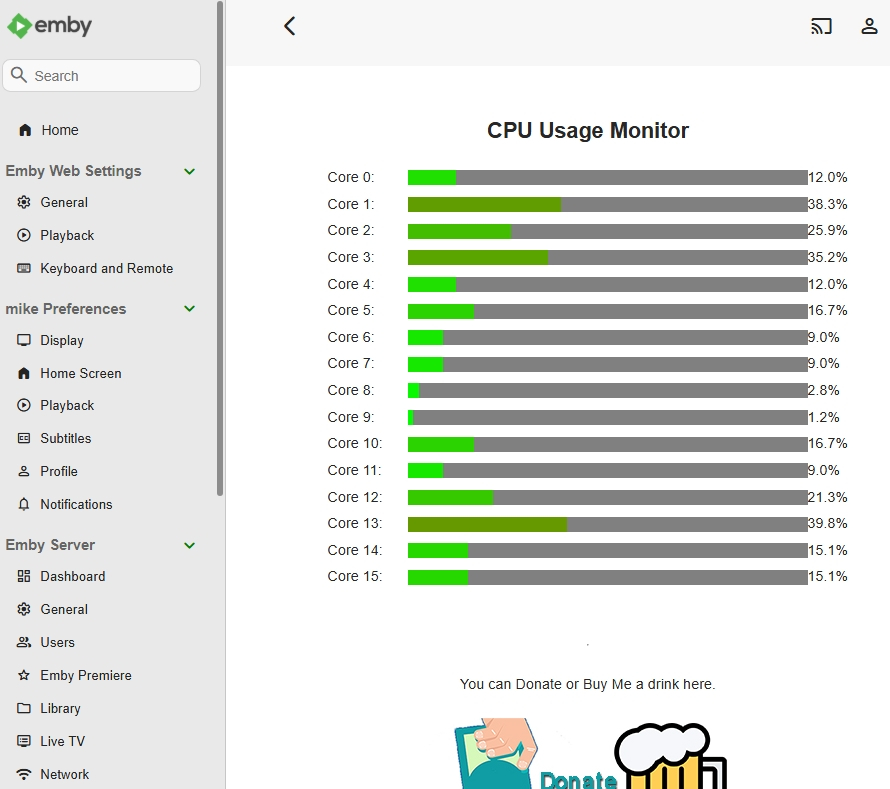
Here you go, no idea if it works on linux or mac (the code is there for it but I dont have them so i cant check or debug it), but this is running on windows 11 - it uses powershell in the background on windows 11 to get the data. I needed timeout, so I had a go..... CPUMonitor.dll Its a demo (first) build, but it works
 1 point
 -
@Lukebecause I am stupid, stupid, stupid. I forgot to enter in the "Premium Key." The problem was me. Vic1 point
-
Can you try updating to the latest version of Emby for Android and see if that helps?1 point
-
If there are any beta releases related to this, happy to test1 point
-
use the column with the text to get the id. please note, i don't recommend touching the database directly at all.1 point
-
I am using the fire tv remote. It happens on both the dpad, and the fast forward button. The only way I can get it to not jump to the nearest minute is by doing an action before. So what i mean is if i start a show, then i press down on the dpad to bring the menu up, then press right, it goes forward 30 seconds NOT rounded up to 1 minute. I have also tried clicking left, then right and that does NOT jump to 1 minute. It seems like that first action before the skip forward cancels out. Also it only happens once. So after the initial jump to the nearest minute, skipping forward works great with no issues through the rest of the show.1 point
-
Thanks, ive submitted to github1 point
-
@crewockeez Hi there, please attach the Emby server log from when the problem occurred: How to Report a Problem Thanks!1 point
-
OK we'll take a look at it. Thanks for reporting.1 point
-
This would be an awesome feature to have. A definite must have in my opinion. I hope the EMBY devs put this on priority status. I believe It would hugely benefit users as well as EMBY as a product. Also, and correct me if I am wrong, but a chat server isn't needed really since people watching remotely will be organizing via phone, text, zoom, google meet, facetime, signal, whatsapp, slack, messenger or whatever likely anyway. I know when we do remote movie parties with family and friends we all connect on an app or phone first and often keep a phone call going through the movie to communicate (shouting, talking, etc.). For me, anyway, just a simple way to gather up the people on EMBY and have the host hit play and have all the clients in the party pool play the movie at the same time would be a killer feature. Thank you.1 point
-
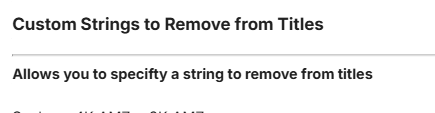
yeah, it wont remove ENG even with remove country codes, so it must be somewhere in your config to do so. Just so you know i've been trying to fix the m3u processing part to ensure its truly multithreaded, and I have done that but completely broken the output stage, and being an idiot i have gone and saved over my older code, so i have a big job now correcting it again. it will takes some time. However a big m3u with 1/2 million entries is processing in about 5 mins again. I will fix it, it will just take a while.1 point
-
check the contents of this box: I think you'll see ENG listed in the box. for example: Redux,ENG,HINDI,FRENCH,GERMAN,SPANISH this is going to remove ENG from any title.
 1 point
 -
Your Dashboard doesn't list your In-Home (LAN) address - do you have multiple NICs in your server machine? Do you have any virtual adapters? Are you using VPN? What does typing ipconfig in cmd tell you? Can you post server log? You can also bind server to a particular local IP in Settings>Network (as per your port forwarding rules, it should be 10.13.18.60). As a sidenote, you don't need to forward UDP 7359 port as that it used only for local server discovery.1 point
-
1 point
-
Merci pour le script, cependant pour moi il ne fonctionnait pas. J'ai réussi à appliquer une correction qui fonctionne avec l'aide de Copilot Pour les détails: - J'ai créé un répertoire partagé dédié: /volume1/Emby-certs - J'y ai créé en SSH (avec le compte root) le script corrigé "Emby_certs_from_dsm.sh" et copié/collé le script ( vi /volume1/Emby-certs/Emby_certs_from_dsm.sh )=> cela évite des erreurs due au format du fichier lorsque créé depuis un ordinateur et déposé dans le répertoire partagé - (optionnel) Vérifié en SSH (avec le compte root) le bon fonctionnement du script, en tapant simplement /bin/bash /volume1/Emby-certs/Emby_certs_from_dsm.sh - Créé une tâche planifiée exécutée avec le compte root, avec la commande: /bin/bash /volume1/Emby-certs/Emby_certs_from_dsm.sh - Lancé une fois la tâche et vérifié dans le répertoire partagé que le certificat apparait - Configuré Emby pour récupérer le certificat généré (mot de passe du certificat configuré dans le script: "EMBY") Le script corrigé (vous pouvez ne modifier que l'emplacement du répertoire où se trouve le script, pour le reste, inutile de modifier): #!/bin/sh # CONFIGURATION script_folder="/volume1/Emby-certs" p12_file_path="$script_folder/certificate_auto.pfx" letsencrypt_cert_folder="/usr/syno/etc/certificate/system/default" renew_timestamp="renew_emby_timestamp.txt" p12cert_password="EMBY" # DO NOT CHANGE BELOW UNLESS YOU'RE A WIZARD generate_p12=false current_date=$(date +"%s") current_certificate_date=$(openssl x509 -enddate -noout -in "$letsencrypt_cert_folder/RSA-cert.pem" | cut -d'=' -f2) current_certificate_timestamp=$(date -d "$current_certificate_date" +"%s") # Vérifier si le fichier renew_timestamp existe if [ ! -f "$script_folder/$renew_timestamp" ]; then echo "Generate timestamp for the current renew date... " echo "$current_certificate_timestamp" > "$script_folder/$renew_timestamp" chmod +rw "$script_folder/$renew_timestamp" chown admin:users "$script_folder/$renew_timestamp" # Generate the first p12 file generate_p12=true else renew_date=$(cat "$script_folder/$renew_timestamp") # Check if it is necessary to renew the certificate if [ "$current_date" -ge "$renew_date" ]; then echo "Renewing certificate..." generate_p12=true echo "$current_certificate_timestamp" > "$script_folder/$renew_timestamp" else echo "It is not necessary to renew the certificate, abort." exit 0 fi fi # Generate a new certificate file if necessary and restart EMBY Server if [ "$generate_p12" = "true" ]; then echo "Generating the p12 certificate file..." openssl pkcs12 -export -in "$letsencrypt_cert_folder/RSA-fullchain.pem" -inkey "$letsencrypt_cert_folder/RSA-privkey.pem" -out "$p12_file_path" -password pass:"$p12cert_password" chmod +r "$p12_file_path" chown admin:users "$p12_file_path" echo "Restarting EMBY Server..." synopkg restart EmbyServer echo "Done." fi1 point
-
Myself and friends have gigabit/10gigbit that I share my server with. However, EVERY single time somebody connects from a new client or for the first time, it transcodes DESPITE them having 1Gb/s+ speeds when streaming 8-10Mbps due to "lowering bitrate due to quality settings". I don't understand how the clients (or is it the server?) are so bad at detecting internet speeds. It's literally mis-calculating a client's ability to steam a video by orders of magnitude. Like others, I have to give "the talk" to new users where I try to explain that Emby is bad at detecting speed and can be remedied by going into settings > playback settings > and selecting some arbitrarily high video bitrate so that emby doesn't try to transcode unnecessarily again on that device. This talk isn't easy with non-technical people who are hearing the term "bitrate" for the first time. Then it get's more confusing for them when I have to explain that it's a per-device-setting and not a global ("sticky" across all devices) setting. More confusion. - Is it the clients which are all terrible at detecting speed? Is it my server? Is it something else? - Is there no possibility of adding the ability for the admin or user to set a default "playback video bitrate" for users across ALL devices? I'm open to other fixes. Sorry if this is abit "rant-y" Thanks.1 point
-
Feature Request. A present I have several user accounts setup for family members. When we sit down together to watch a movie we currently log into one account (Mostly mine), so obviously only this account gets the watched status. What happens then is everyone uses my account because there's isn't up-to date and it's "just easier". This results in my account telling me I've watched something when I haven't... I would like the ability to log into my account and select/deselect which other users are present so that when a movie/TV episode is watched together, their watched statuses are updated accordingly? The next time you log in again all other users would have been deselected. It could be implemented so each user account can do this, or only select user accounts can. Even a special "Family" user account, or multiple viewers button as long as everyone's watched status is correct. Even just ticking the users present on the login screen before login into an account.1 point
-
@ebr I know you're asking @paulschofield, but in my experience, yes, the episodes that were watched when disconnected from the network, show up as played in the Android app once connected back to the network. However, when going to a different device, the episodes do NOT show up as played which confirms that the played status didn't sync. The app knows the episode was played, but the server never gets the message. When connected to the network there is no prompt to open the download folder. You can navigate to the show that was watched as a download and look at it's played status and it shows as played. My downloads are set to automatically download new episodes so the episodes that I watched are no longer on the device when I connect back to the network. So, I don't think there would be any confusion with the downloaded version, since the downloaded version is no longer there and the played status should have transferred to the server at the same time the episode downloads were updated.1 point












.thumb.png.f4cb0545e98b51fd9b00e427622ab761.png)
.thumb.jpg.c75790b7d9d27e0415687d7d6d1197cf.jpg)









