Leaderboard




Popular Content
Showing content with the highest reputation on 05/09/25 in Posts
-
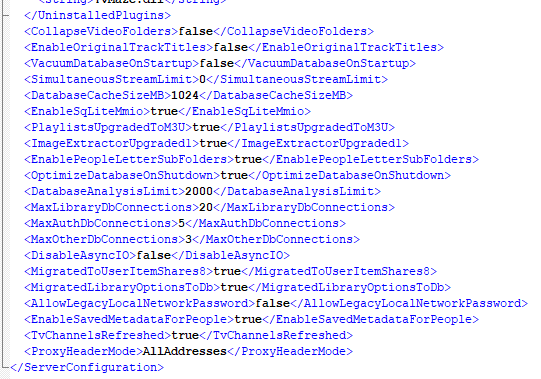
The how to sort of just lets you know how to use the api and general area you need as all you are doing is Querying your libraries, then from that query you will pull out your secific library setting ie similar to what the how to shows for a Collection library. Then you will take your existing libraryid and its configs and rePOST it updating the CollapseSingleItemFolders setting. You are using the wrong endpoint if you are creating a new library. You will update with libraryoptions So here is an example as I did a query and pulled out my Home Video and Photo library from the full query. So I need the libraryid of 67 and everything in the "LibraryOptions" section to POST in libraryoptions endpoint. Now you verify your system.xml setting CollapseVideoFolders is set to false and restart your server and run a library scan. Obviously path with be platform specific. Now if you do not want to navigate to the system.xml file you can make the update via the api als doing a query (GET) then with that info update (POST) it with your changes. Then restart Emby.


 3 points
 -
In my opinion, either a rebase of the latest ffmpeg with the Emby secret sauce, or a sticky option for this override so it doesn't randomly get lost during restarts, updates, etc.2 points
-
Update: I’ve rebased my WIP on Kometa 2.2, here‘s the link to my GitHub repo: https://github.com/tommargar/Kometa/tree/feature_emby_overlays I’ll add a download for the Emby overlay plugin later. It’s working as expected, only episode and season overlays are missing. You’ll currently need a Plex install with one library as I haven’t removed all traces/made it fully standalone. If you already have a working Kometa installation for Plex, you can just re-use the config and add your Emby libraries. I’ll also add my current config as reference. EDIT: Added files. Put the dll file in <your plugins folder for the overlays, point to your Kometa export folder and hit 'save'. The plugin will only look for update overlays when save is clicked. More information/screenshots can be found in my previous posts EmbyKometaOverlays.dll continents.yml Decade.yml movies_subgenre.yml 110_genre_popular.yml config.yml2 points
-
Can we get a pop-out player for the Emby Theater Windows app? That would be excellent. Thank you.1 point
-
I just added my music collection (previously just movies and shows) and am pretty happy with it. One feature that i hope it has and just have not seen where to turn it on is play count. When I play songs from my phone via the server, it recognizes I played it as recent. It there a way I can see in the library the number of times a song has been played or album? It's a feature Navidrome has and I liked it. :-)1 point
-
It will remember, yes. Watch history is based off of provider IDs (tvdb, moviedb, imdb, etc), instead of file names/paths.1 point
-
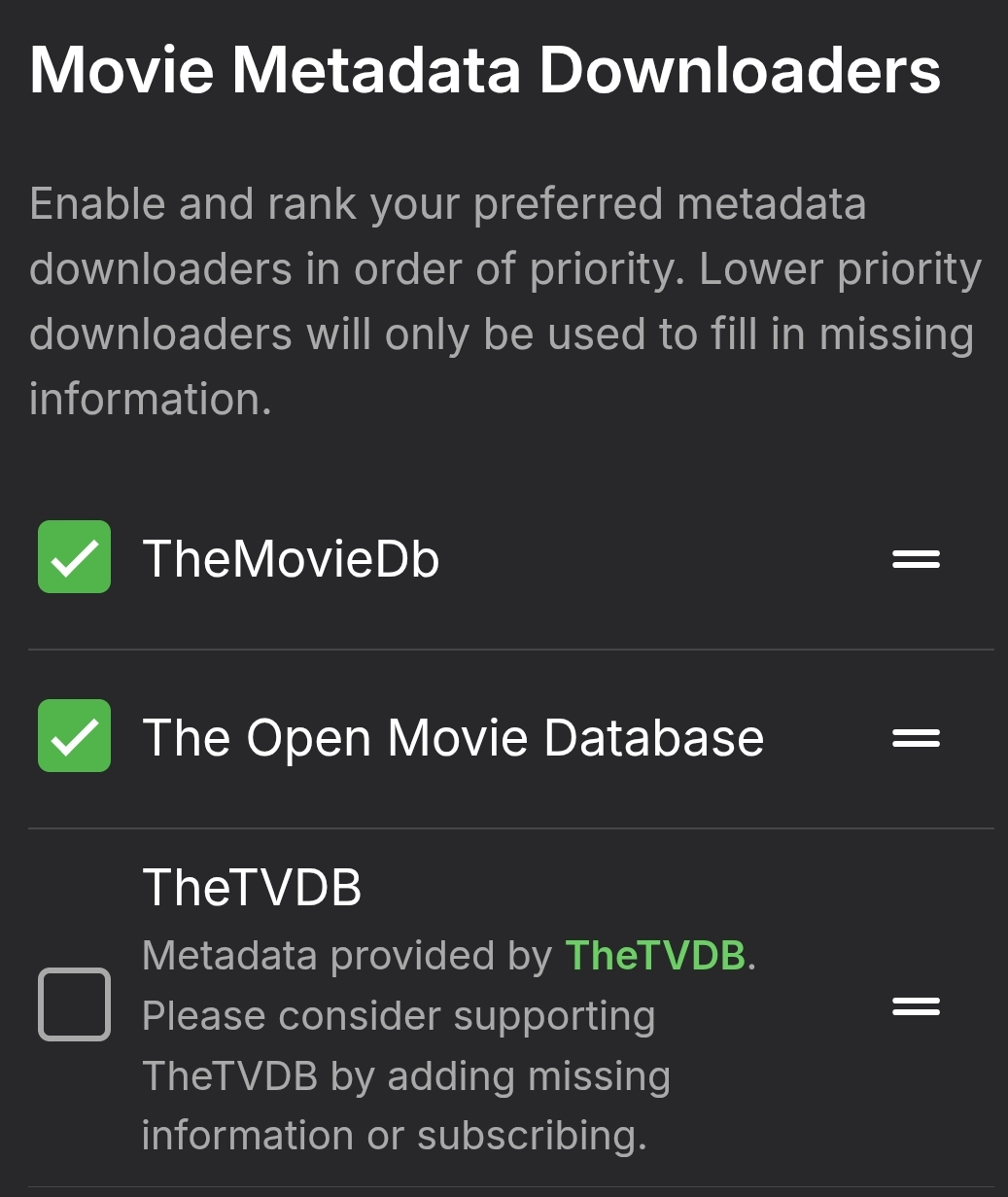
That did it, for some reason TheTVDB was the highest ranked metadata downloader for my Movies library.1 point
-
So I had set a password, not a PIN. But still found it wasn't working. So I thought, what is notable about my configuration? Everyone is an admin. So I removed admin for an account and found I could clear the password. And did it for all users and now can confirm it is working. It wasn't particularly clear that admin privileges related to all of this, I suggest adding a tooltip or info popup to the 'allow this user to manage the server' setting outlining what it does and what restrictions it comes with.1 point
-
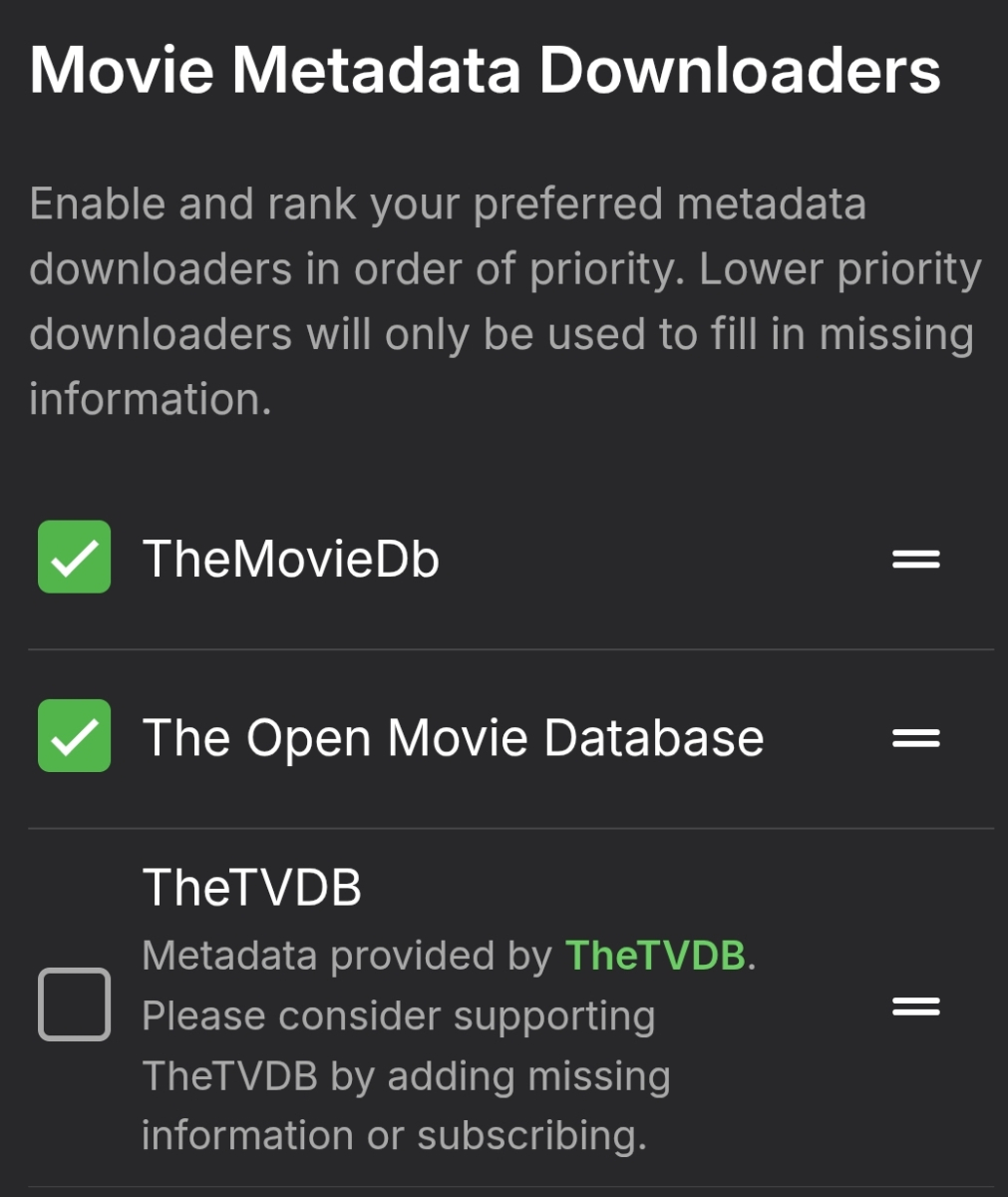
@Happy2Play was referring to these settings in your libraries configuration: You should post a server log from after trying the identify function. As @Lukementioned: How to report a problem.
 1 point
 -
not sure about the plugin part but i use the Emby Scripter X plugin to run scripts after a scheduled task complete. If you wanted a script to update all emby libraries you could: #!/bin/bash # Emby server configuration EMBY_URL="http://xxx.xxx.xxx.xxx:8096" API_KEY="EMBY API KEY" # Trigger full Emby library scan curl -s -X POST "$EMBY_URL/emby/Library/Refresh" \ -H "X-Emby-Token: $API_KEY" echo "Emby library refresh triggered at $(date)"1 point
-
@Evildoodthanks for following up.1 point
-
Turns out that Emby is not the cause, it is the web browser Librewolf not reporting the correct time - this has to do with the Resist Fingerprinting feature. I worked around this issue by installing the Spoof Timezone extension, in case anyone else comes across this issue.1 point
-
The option is no longer there on the iPad. It just follows the system setting. That's the only way to support the split-screen feature.1 point
-
Do NOT put Transcode and your DB on the same NVME if you transcode a lot. Transcoding is a lot of read and write. You might loss you DB if on that drive.1 point
-
So I purchased premier this morning and turned on intro skip. Now the issue is gone. It no longer moves to 1 minute. Hopefully that helps1 point
-
Post-credit previews of the next episode are very common in anime, and actual parts of the drama in that position are not uncommon. Paul1 point
-
Adding my vote for this feature as my request was a duplicate. My personal use case is to run multiple emby instances on the same server while only advertising one or some of them locally. I only have one or two emby instances that I allow local http access. The others go through a reverse proxy and are located on the same windows machine. Currently since port 7359 is open for the main emby instances (and there is no way to turn off the emby itself on this port), all emby instances on that machine will show up to clients on the same subnet, even if the http/s ports aren't actually open. Windows firewall makes it possible to block the connection at the OS level, but it's probably more convoluted on other platforms to do the same. Effectively I think a toggle to disable emby advertising itself on the network via this port would be useful in quite a few situations/configurations outside of my own. Id image people who access their server exclusively through a reverse proxy would also want to enable this too since the proxy only needs to communicate with emby's local http/s ports.1 point
-
Yeah, I reached the same conclusion, the metadata was not refreshed. I had the wrong assumption, that upon starting the client the data is refreshed. Dont ask me why I thought that. With the metadata refreshed it works like a charm. So in the future I just need to add the country tag to the subtitle file and it works.1 point
-
So just to add here, I have tried HLS Proxy, StreamMaster and the other day I tried Dispatcharr. My server is on a DS423+. I found that both HLS and StreamMaster work well, although the StreamMaster interface is slow and buggy, while Dispatcharr, which worked, did not work nearly as well in terms of channel loading times. Some basic observations 1. HLS Proxy - works well, fastest channel loading times. However if you use an IPTV service that doesn't allow channel selection, you need to use an m3u editor to pare down the list of channels (m3u4u.com for example). This means exposing your IPTV credentials to a third party (or you can use IPTV Boss, which personally I do not like bc the interface IMO is tedious and complicated). 2. StreamMaster - combines functionality of HLS plus a m3u editor, however the GUI is very buggy/laggy. Streams don't seem to load as quickly as HLS but works fine 3. Dispatcharr - I was pretty hopeful this would be better than StreamMaster, and in terms of the GUI, it is better than StreamMaster, although it takes forever for the m3u channel list to load, but once loaded the UI is nice. That said, channel loading in Emby was significantly longer than either HLS or StreamMaster. For the record, even within Dispatcharr, when clicking the channel preview, it took a while to load. My hope is that either a) Emby releases the long awaited LiveTV update (not holding my breath), or Dispatcharr continues to improve and loading times quicken.1 point
-
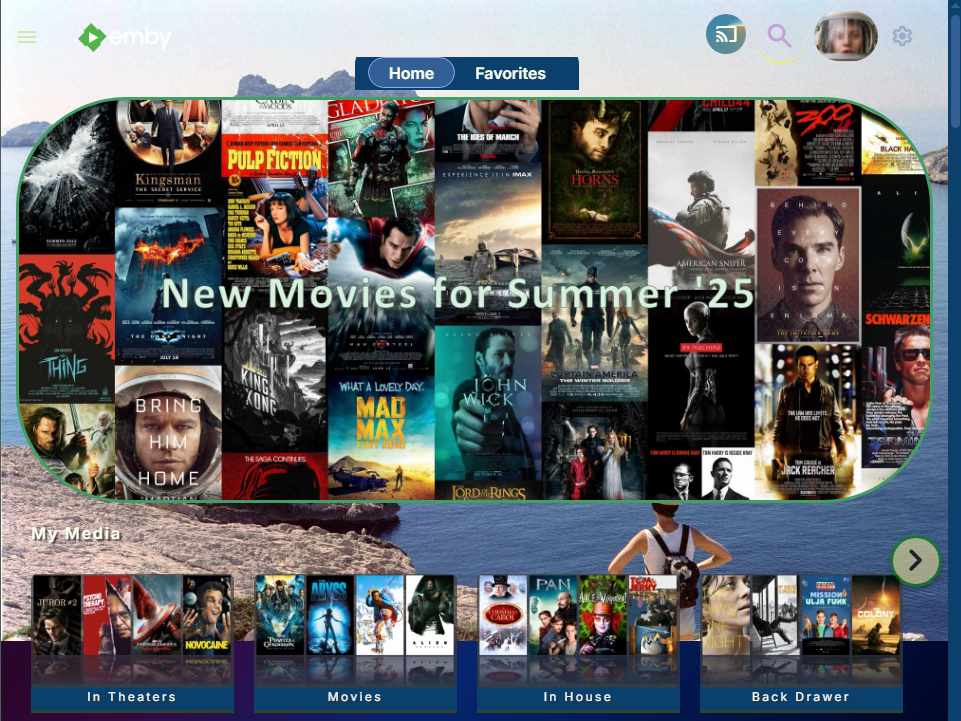
Hi. Some home page adjustments are possible for web browsers and custom CSS. I've added several options in my State Street Theater Theme. If you want to try it out, make sure to scoll all the way down the posts to find the latest version. There is a mention of upcoming features for the theme for the next, end of May, release which will include text color, background, borders for each row area. There is already a size control for just the My Media row as well as having a home page background. The next release will have a promo image above the top row that can animate and fade away after some amount of seconds, which can be controlled by the user. It's hardly a full collection of controls for everything you probably want. That would need a feature release. By the way, the sort order for all the library lists can be controlled with changing the add date. It's not an click one time and everything sorts, but usually there are only 16 or some posters per row. It doesn't take very long to get rid of a lot of them and reorder what is left. Comments and questions are welcome.1 point
-
The Intel is QLC which will have horrible write endurance, 5 year warranty and a mere 200TBW. The Samsung is TLC with 5 year warranty and 600TBW. Samsung all the way. Also you should be able to image it to an external as it won't matter as you're just doing a data transfer.1 point
-
SOLVED This is very stupid, and I apologise for wasting any of your time. The issue is that even though I had told Emby for Windows to uninstall, EmbyServer.exe was still running. There was nothing in the tray or in services.msc to hint that it might still be running. Investigation In powershell I ran the command netstat -aon | findstr :8096 which output TCP 0.0.0.0:8096 0.0.0.0:0 LISTENING 66612 TCP 0.0.0.0:8096 0.0.0.0:0 LISTENING 31828 TCP 192.168.1.3:8096 0.0.0.0:0 LISTENING 4132 TCP [::]:8096 [::]:0 LISTENING 66612 TCP [::1]:8096 [::]:0 LISTENING 65076 TCP [::1]:8096 [::1]:60785 ESTABLISHED 65076 TCP [::1]:60785 [::1]:8096 ESTABLISHED 25804 For each entry I ran tasklist /FI "PID eq <id on the right>" For 31828 the output looked like tasklist /FI "PID eq 31828" Image Name PID Session Name Session# Mem Usage ========================= ======== ================ =========== ============ EmbyServer.exe 31828 Console 1 1,009,904 K As soon as I killed that program, I was able to access 192.168.1.3:8096 as normal.1 point
-
It might make the issue of subtitles a lot simpler. Thanks for your response.1 point
-
Hi, not yet but it is in our plans. Thanks.1 point
-
HI, currently yes that is true.1 point
-
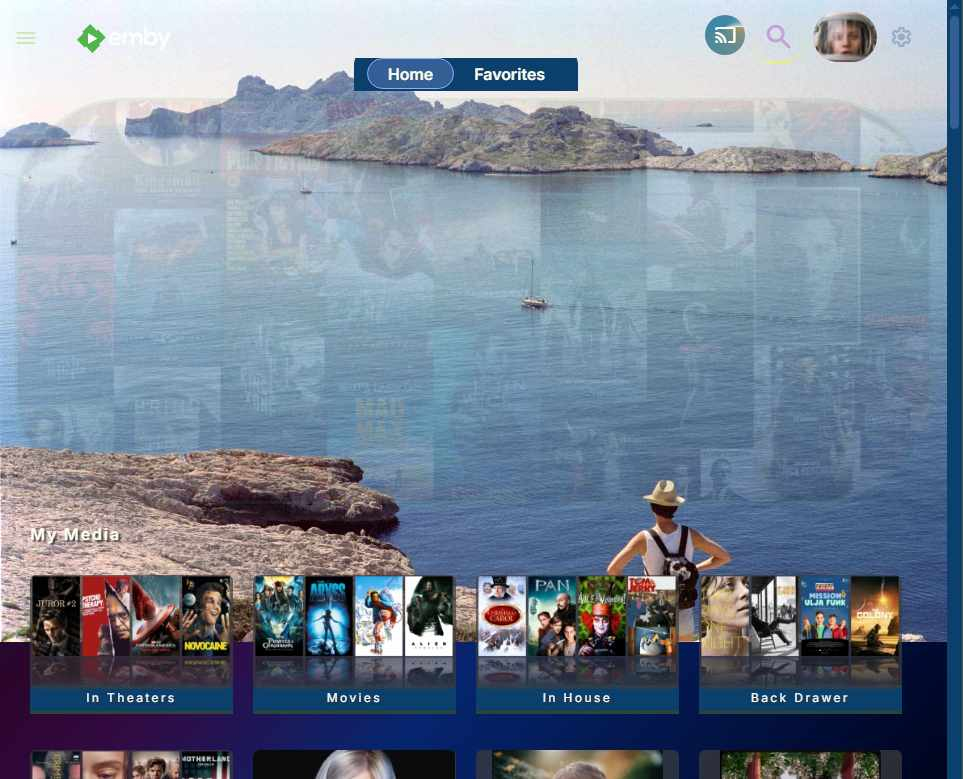
Coming soon in a new version 1.06 Many alignment tweaks for mobile and Two new features! Easier setup to customize home page rows bottom title size and colors. Currently, these can be adjusted, by editing inside the code. See the note above. That will be updated to just make changes, inside the top variables instead. Top promo image with hover over features. A lot of people have said they want this in other posts. Unfortunately, when you add this with CSS styles, you won't get clickable areas. Only browser hover will work. To get click to go directly to a media or show a trailer, you need javascript updates and this would need a proper Emby feature. However, if you are happy with just a promo image, this will work. I hope to release the new version before the end of May. Here is the top promo image mock up with the image change just adds text and hover over shows the full image with no transparency. You can also change the hover image to something else. You can change it's height, it's left and right margins, the border color and turn the transparency effect to be less or turn it off completely. It's more a promotion with text and will not be clickable. I hope some people will like it. Any ideas about this feature are welcome.
 1 point
 -
If the streams are HLS, putting HLS proxy between your provider and threadfin / xteve has proven to be the most stable imo. You can configure HLS proxy to drop the steam after errors or after X time if there's no chunk requests. Just use threadfin as a channel epg manager that passes through directly to HLS proxy. I haven't figured out how to (if it's possible) to enable HLS proxy ffmpeg to take in other streaming formats to convert to HLS. It just fails. Streammaster project was killed. But there's a new one called dispatcharr which looks similar and looks like it gives you the ability to kill streams. Haven't had any time to dive into it yet.1 point
-
Happy you like it, but I guess that PMM/Kometa lost a lot of interest to the Trakt & MDB List Maker, as both scripts do a great job on their own, so I highly doubt that anyone else will join. As I'm unfamiliar with Pycharm and Git updates, and I don't want to take full care of the Emby integration, I decided to upload my current version (including my config as example). https://we.tl/t-dpx1STyJ9h <- valid for 7 days, contains Kometa for Emby + my basic overlay plugin. Within the Kometa config, select png as file format for the overlays, it will export transparent pngs. For the server plugin, chose the folder with the exported overlay pngs. Will only refresh overlays after you click save. Needs a dummy Plex server configured. I think I'll post the link at the Kometa feature request post, maybe my version can help speed up a proper integration.1 point
-
Having a structure similar to Jellyfin would be extremely beneficial. I have many TV Shows that I have extras for that are from the Blu-Rays, which don't show up since they don't match anything. Have a structure such as: /TV Shows /[Show 1] /Season 01 Episode 1 - S01E01.mkv /extras extra-content - extra.mkv Having it then list in the season after the episodes as a separate section would be fine. Maybe switching to a horizontal view for episodes, then under the episodes is the section for extras, specials, behind the scenes, etc. Otherwise tabs could also work. After tapping the series and season, having the default tab be "Episodes" or "Season 1" and then a tab for "Specials", "Extras", "Behind the Scenes", etc. I don't need the actual extras to match anything. Using a screen grab or such for an image preview, then use the file name without the "- extra" at the end would be enough info. Anything else could be added manually. Sorting could just be as the files are added in no particular order, or else alphabetical. Edit: I see Movies have specials listed without matching, the same thing under each season would be great.1 point
-
Right now on the Android TV a notification comes up and blocks about 30% of the screen asking if you want to play the next episode or cancel with about 40 secs. it would be nice to be able to set this to something smaller like 10 seconds or 5 seconds or even allow the episode to end and wait some amount of time. Right now it blocks the actual episode and is just annoying.1 point
-
In that case I think there should be three options: no sharing, global sharing (what we get now, minus the extra space for a user list), and individual sharing. I'm fine with letting users share playlists with each other, I just don't want to share the whole userlist with them. Perhaps just the current checkbox plus another list under 'access' tuning which other users a particular user can see to share with?1 point
-
Hey @Happy2Play, thanks for sharing the information above.. it is certainly useful to have. but it does not address the need I am bringing up.. allow me to explain... As you already know, Emby used to be called MediaBrowser... and the word Browser is key here... Imagine the following.. you are sitting with family and "Browsing" for the next movie to watch, then you stop at this "good movie" that has a played tick on it, and you ask yourself and others, when did I/we watched this movie (so it is a social thing of great value), and all you have to do is open said item, and just below the picture it said, "Played on 27/11/2017", and you turn around and say "oohh yeah.. we watched this on thanksgiving 5 years ago.. do you remember blah blah blah.." This makes Emby a powerful tool as a memory and conversation starter and it gives Emby a powerful emotional connection to its users.1 point
-
I answered your question already...0 points
-
i wouldn't bother posting any updates, the devs clearly have no interest in helping.0 points