Leaderboard




Popular Content
Showing content with the highest reputation on 04/26/25 in Posts
-
Hi I found the solution I needed to change a permissions in the emby folder on the nas.2 points
-
Emby doesn't use remote authentication except if you are using Connect, which is most useful for remote connections anyway. In any case, you can specify that logins are remembered. Premiere features (if you use them) require validation by a callback to Emby, but the result should be cached for about a week - so for "ordinary" outages this shouldn't be an issue. Paul2 points
-
We should have an update in the store very soon2 points
-
At the very least, it would be very helpful not to have to reconfigure the library organization options on every new device.2 points
-
Hi emby community. Sadly my much loved Sony Android TV died last weekend. The emby Android TV OS did just about everything I wanted and was great. I've replaced my TV with a Hisense 65R8 - https://hisense.com.au/product/65-series-8-65r8/ Unfortunately this doesn't run Android TV, instead using Hisense's own 'VIDAA U3.0 AI' OS. It has an app store named 'AppsNOW' with a very small library that doesn't include emby, nor kodi. There's an inbuilt browser but it won't load the web client either. So, my questions are: 1. What is the likelihood that an emby client app might be developed for this OS in the future? 2. What are my best options for getting back to the Android TV experience without huge expense? I'm thinking along the lines of some sort of Android TV box. In the meantime I can use my Windows 8.1 HTPC, which is running WMC with emby classic. This gets the job done but lacks a lot of the features and love that I enjoyed with the Android TV emby client. I've tried using the emby theatre (desktop) app. This gets me close but doesn't work very well with my remote and I can't work out playback controls during playback (seeking, stats for nerds, view progress, time-shifting for live tv, mini guide, etc). It also seems to make the HTPC work pretty hard with the cooling fan spinning up to annoying levels. The Windows store app doesn't appear to be available on Windows 8.1 so I haven't tried that. Ember for emby looks like another option that might be worth exploring. (BTW, my HTPC is a gen 3 core-i3 NUC - https://ark.intel.com/content/www/us/en/ark/products/76978/intel-nuc-kit-d34010wyk.html) Thanks for your input. TT1 point
-
I moved from Plex to Emby and even though I think Emby is superior in its flexibility there are some things I like better with Plex, especially in terms of its looks. This theme is trying to fix that by making it a bit more similar to Plex but with some, in my opinion, improvements. The CSS is attached to this post for anyone interested and below are some screens to show it off Good to know I only use Chrome so I can't guarantee this CSS works as expected in other browsers. If you want the sidebar menu to look like in the screens, make sure to pin the sidebar. Watched badge/banderoll is inverted which means that the badge will not be shown if media have been watched, like in Plex. For desired look, please use the "Dark" theme for both Theme & Settings theme in the display settings. Emby-Stable-style-v3.6.txt





 1 point
 -
CSS custom style sheet for Emby by James - Visproduction on Emby Forum Theme: State Street Theater (ver 1) for Desktop / Notebook and some mobile Changeable Home Page background image Adjustable home page menus thumbnail sizes Backdrop changeable multi-color blended themes Colorful styling Clear background images with no shaded masks Interactive mouse hover effects for desktops and notebooks Hover slightly enlarge header icons Back button Delete button removed – Still available in Metadata pop-up menu Media Page file location removed Color coded buttons Soft focus behind media names and director Admin settings – Form positions and overlaps fixed TV shows and episodes boxes adjusted for desktop with alternating dark blue / green Adjusted for some mobile views Search area suggested links styled Buttons styled and fit for desktop, browser window sizes and some mobile. Metadata Save button moved up to stay in view (sometimes overlaps and made partially transparent) Home page background demo picture is from https://imgur.com/ . Please find your own background image. imgur.com site has extended image features and services. Notes: Getting all mobile types to work is complex and I am unable to test all screen sizes. Users can easily make use of the standard Emby mobile app, instead. The clear background without dark masks can make some texts more difficult to read. Desktops and notebooks have mouse over hover areas that change to a solid background color. Mobile users have some color changes to also help. Using less complex background can also make it easier to view the text. I like a lot of color and full, bright background images. The theme also includes extra space at the bottom of pages to view the entire background, without thumbnails in the way. Just scroll all the way down if you want to see the background. The custom.css file has a guide at the top with options to change: Home Page Background, from either online or a local image on your server. Adjust Home page menu thumbnail sizes. Change background blended colors for all pages without images; Libraries, Admin and user settings with various color blended themes. Examples are listed inside custom.css as comments. Be aware that this type of theme can possibly break with future emby updates. Enjoy and comments are welcome. Emby Web custom CSS theme - State Street Theater ver 1.0 - visproduction - emby forum.css
-Homepage.jpg.55da1adb5d86e91a1377709f18e7f3f7.jpg)
-Homepagelower.jpg.c0415b893774c9f2e2ac9db7a61d3004.jpg)
-Library.jpg.cd3dc21825a75a2b492c21cfcf0e24a0.jpg)
-MediaPage.jpg.e1aa88186e3bfcb7e31606eef887a46b.jpg)
-Playlistnormalbrowserwidth.jpg.81599af91e448334e8e7158fa794c4bc.jpg)
-Playlistwithsidescreenbrowser.thumb.jpg.7c0185d03e63df636204df676e0af90f.jpg)
-TVShowEpisodes.jpg.b35e5a75757e395790370b952e2cc364.jpg)
-Collection.jpg.5ec99152b1f4edce6d01323fbf5098d3.jpg)
-LargeMobileMediaPage.jpg.39ede6565146c53d830ba8d495aa854f.jpg)
-SmallMobileArtistpage.jpg.ad9b027df51f5c943c755c19b2a6d797.jpg)
-Settings.jpg.18fab3be37f98cabd052fb71f5bde7c7.jpg) 1 point
1 point -
Any plans to give us the ability to create custom skins? Not looking for super fancy stuff like Kodi has but most around onscreen layout. Emby's native skin is 'usable' but not the most efficient or intuitive as Kodi's native skin (left side menu, etc)1 point
-
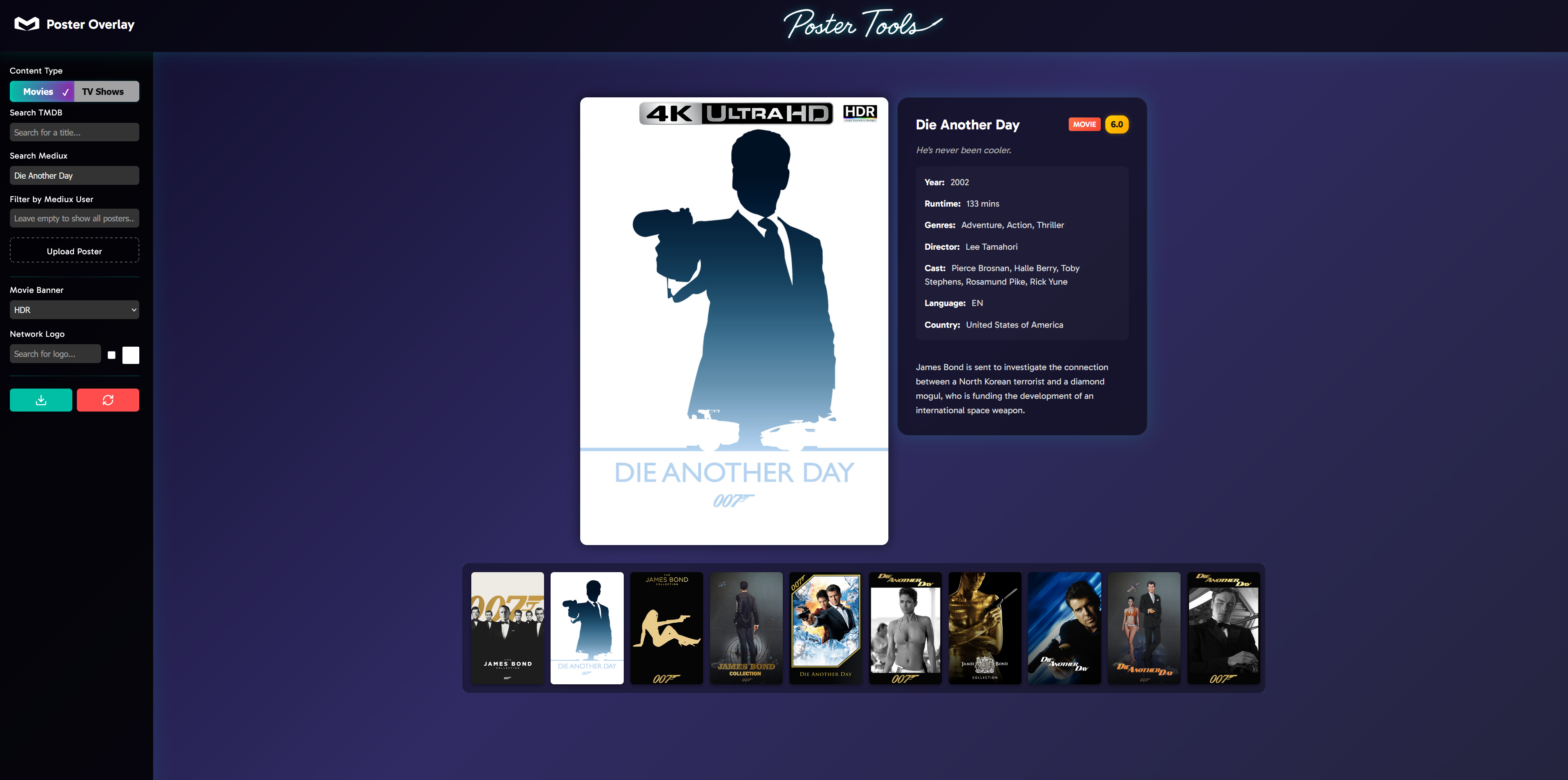
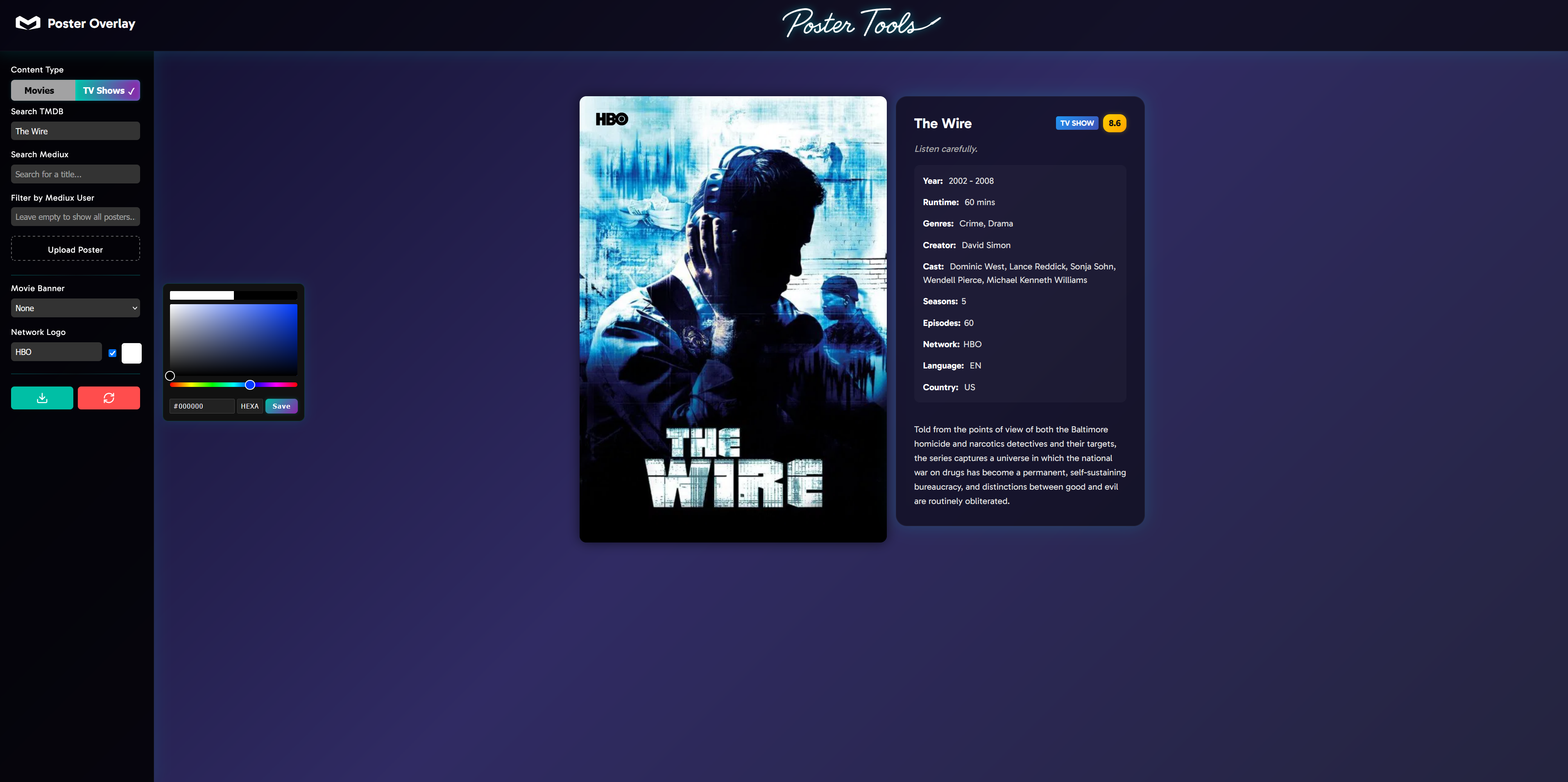
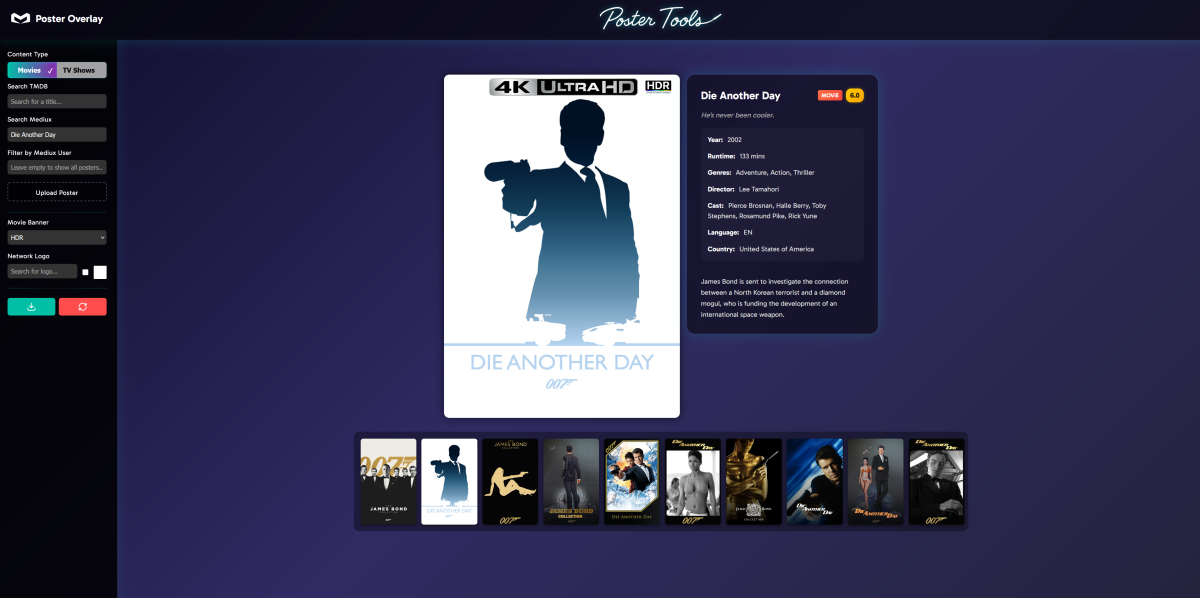
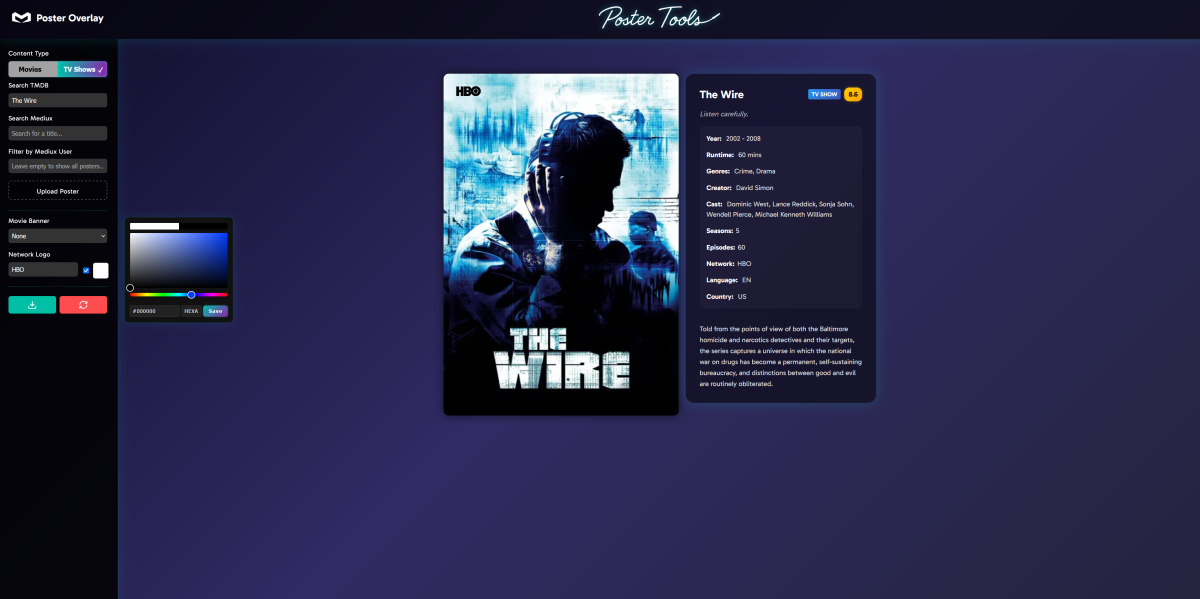
I've created a web application called Poster Overlay (A re-imagination of my original tool) that helps you create professional-looking movie and TV show posters with customizable overlays and network logos. This tool is perfect for media server enthusiasts who want to enhance their poster collection with consistent branding. This is still a big WIP but is functionally working in its current state, please report any bugs or errors, feedback or suggestions etc. Key Features TMDB Integration: Search for any movie or TV show on The Movie Database and automatically load metadata and posters Mediux Integration: Search for custom posters from the Mediux community (movies only currently), option to filter by creator Custom Upload: Upload your own poster images to customize Quality Badges: Add 4K, Dolby Vision, or HDR overlays to your posters with one click Network Logos: Choose from 30+ streaming service and TV network logos. Logos are auto added based off TMDB meta data and can be manually changed or turned off Logo Customization: Change the color of any network logo to match your theme Advanced Search: Smart search algorithms to help find the correct content even from partial file names Poster Preview: Real-time preview of how your poster will look with the applied changes Detailed Metadata: View comprehensive metadata for the selected content, including cast, release date, ratings, and more How It Works Select Content Type: Choose between Movies or TV Shows Find Content: Search TMDB for official content or Mediux for community-created posters or add manually Add Overlays: Select quality badges (4K, HDR, etc.) to overlay on your poster (more coming soon) Add Network Logo for Shows: Logos are auto added based off TMDB meta data and can be manually changed or turned off Customize: Change logo colors from the color picker function Download: Download your customized poster to use in your media server The tool features a clean, dark-themed UI that's responsive and easy to use. It's built with plain JavaScript and HTML. This is a great way to maintain a consistent and professional look for your media library, especially if you use media server software like Plex, Emby, or Jellyfin. Link for the site is here: https://poster-tools.pages.dev/ - Just scroll down and click on "explore poster overlay"
 1 point
 -
Hi, you need to delete this folder: Emby Server Data Folder1 point
-
i fixed it, i forgot to give my root user access to the directories, somehow it didn't have access to them.1 point
-
+Another vote for Vidaa support1 point
-
The standard Android app on my Shield displays it correctly, Also note that I added detail to the bottom of my post while you were responding that there is a linefeed in the title.1 point
-
When I first heard about TV Maze I thought it was simply another "junk" metadata method and I posted in a few threads that I did not think it really had a purpose. In that I was wrong, VERY wrong. I was having a problem with the series "Mickey Spillane's Mike Hammer" in that The "TV DB" had German as the language to use for metadata for about 80% of the episodes. I tried a few other metadata providers but they all had problems of one sort or another. I decided to not be excessively pigheaded and try "TV Maze." To my extreme surprise that worked and it worked even better than expected. It fixed "Mike Hammer" and it also improved a number of other series that had incomplete or inaccurate data. I do not know, yet, if any other problems will crop up but, for now, everything seems fine and I am very pleased. I did not have to do anything special other than enabling "TV Maze" and moving it to the top in every section of my TV metadata providers. I do have one question though. Is there any metadata provider that does similar work for movies? The defaults do not find all my movies and I have had to manually get metadata and insert it into the correct fields. Also a few movies have incomplete or botched metadata something like I found in my earlier report. Mainly the ones that have wrong metadata use the wrong language in the description and, that does not matter much for me, as the wrong languages used, usually German or French or Spanish, are ones i read OK but that can't be counted on and it would be better for me if everything was in English. Thanks for any answers. Edit to add - I had to reboot my Shield for the data to correct. I guess the Shield, and possibly other Android devices keep some local data locally and does not reread the data from the server unless it has to. I did not know that but I can come up with no other reason for the metadata to still be in German after the server showed everything in English.1 point
-
@RLanger72281 point
-
A new Build of the WMC UI is available: https://github.com/EmbySupport/Emby.WMC.UI/releases/tag/2.225.0.0-Beta. Changelog: 2.221.0 [WMC] Wintheme: Fix toggle button background [WMC] Fix inconsistent refresh rate changes when hard-limiting [WMC] AudioPlkayer: Fix exception when repeating a single song 2.222.0 [WMC] Don't wait for push channel creation on startup 2.225.0 [WinUI,WMC] Fix rate switching when current rate is > 120Hz [WinUI,WMC] Provide opt-out for hard refresh-rate limiting [WinUI,Xbox,WMC] AudioPlayer: Fix audio playback resume at position1 point
-
That's a question to ask in the various clients threads pal. I don't control the playback, just the metadata. If the themes are landing then the plugins job is done.1 point
-
Any update?1 point
-
Bonjour Luc, j'ai bien pris note. Je suis en train de recréer toutes mes bibliothèques de musique en livre audio. Je vous redis1 point
-
@Luke2.0.6 has fixed it1 point
-
Emby for Docker is official, and I see no reason to make it worse than other systems. The problems stem more from the video files themselves (included subtitles, fonts, etc.), and Emby isn't very good at playing them well. Maybe Plex does this better. Or Jellyfin. But since Emby is still the best system, I've gone the other way and prepared the files as best I can for playback. I extracted subtitles as SRT, deleted image and text files from the container, maintained the order of the files in the container, etc. Apart from a longer wait time at the beginning, every file now plays continuously during transcoding.1 point
-
It would be great if it could be implemented! I vote for it, if there is any voting possible . Thanks for looking at it, Luke.1 point
-
Hi, this should be resolved in the upcoming 4.9 release. I think we may also try to get the fix cherry picked into a 4.8.12 update. Thanks.1 point
-
It's on TV But essentially it's just a black screen. When I click back it takes me to the episode details page where the episode has been marked as watched.1 point
-
HI, yes it's something I've been wanting to add.1 point
-
I've been seeing the same for at least the last 2 weeks or so. Perhaps when I upgraded to emby-server-deb_4.9.0.42_amd64.deb, which I did a month ago. I just upgraded to .50, so I'll keep an eye out. I don't know if it's client-side or server-side, but the guide will somewhat randomly re-appear if i go out of the menu and then return. As an aside, I tried using the full/new Android version instead of the Android TV version, and it still doesn't compare. The live TV watching while still recording (to start 30 minutes later and skip commercials, esp. for football games, etc) just doesn't work at all - no seeking ability. If something freezes and you have to start over a 3 hour football game, there's no way to scrub to the middle, you have to start watching from the beginning. Absolutely breaks the app. I hope they never ditch the AndroidTV version, or at least make the live streaming/recording act the same. It's been a game-changer.1 point
-
Thank you, it worked1 point
-
resuelto, al parecer un problema de profile!! solved....some profile problem1 point
-
Sure! I'm logging in and suggesting the fix right now. Thank you, Cicciofritz1 point
-
Yea keep in mind that the software people use to mux and encode files can have their own defects as well, and this can situations where some players have trouble playing them. And that is especially true on devices like smart tv's where Samsung is definitely not building their video player to be able to handle enthusiast level media.1 point
-
Just use infuse. It will always be superior than anything Emby can do because it’s an apple only device and the only thing the developer focuses on. Emby will always be lacking compared.1 point
-
Another vote for HiSense support. Would be fantastic to see it.1 point
-
Came here from the Reddit Emby sub where this subject is being discussed also. I would love this feature! Unfortunately I have zero coding skills but plenty of time to test if that would help.1 point
-
It would be a first step that clients could incorporate CSS changes made on the server side like Jellyfin does, before rolling out a whole theming engine imo.1 point
-
Just got a TS-264 with 8GB of RAM and two 16TB Seagate Ironwolf Pro drives and run them in Raid 1. Fast and easy to setup, it is just for my Emby media server. Highly to be recommended. The newest QNAP TS-264 no longer have the RAM chip soldered to the board but they have sockets.1 point
-
I have updated mine to Quts Hero and its been rock solid since day one. Is it perfect, no, but for what I use it for its meets my needs. Be aware I don’t think you can buy the 4gb version any longer which could be upgraded to 16gb ram. New versions only come with 8gb ram which is soldered to the board1 point
-
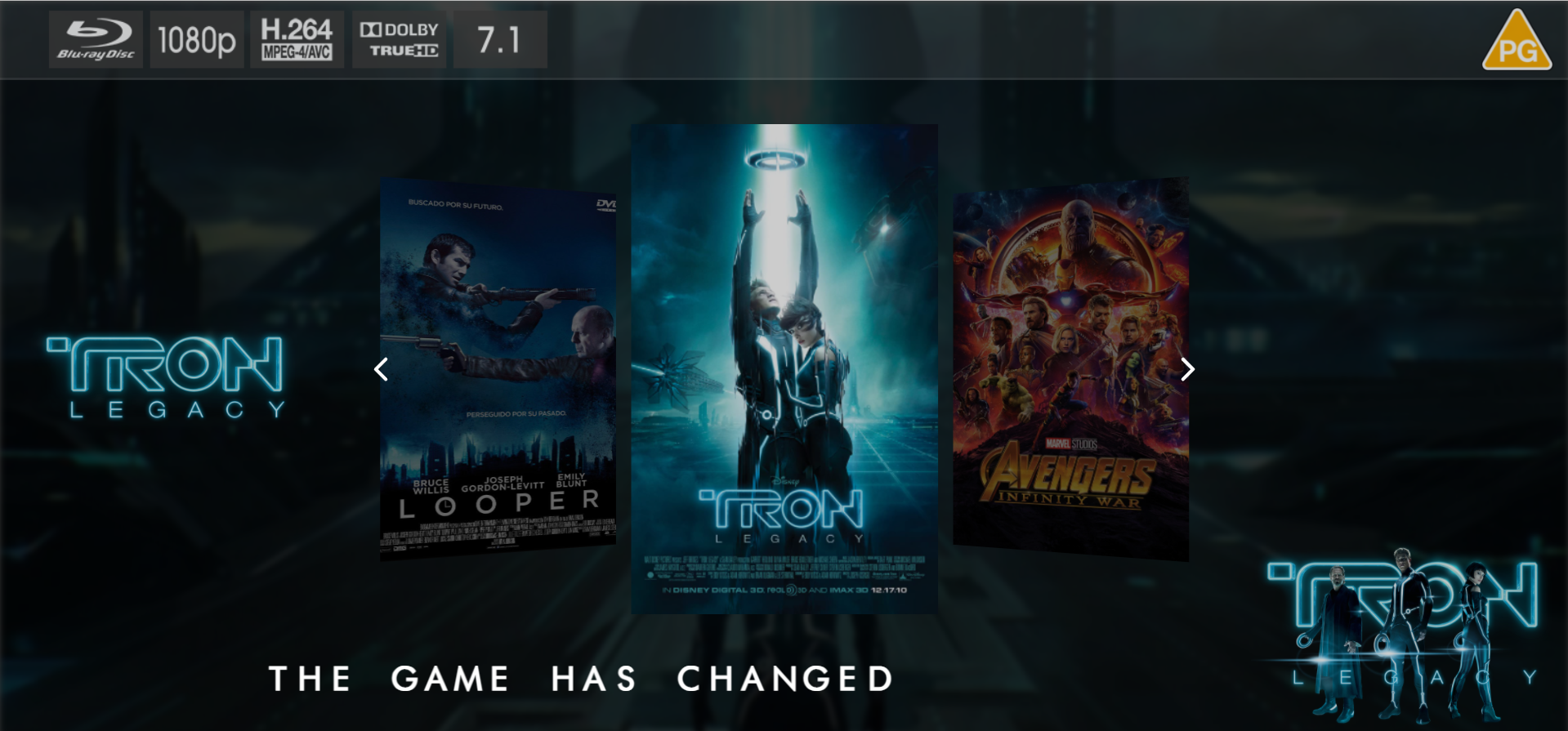
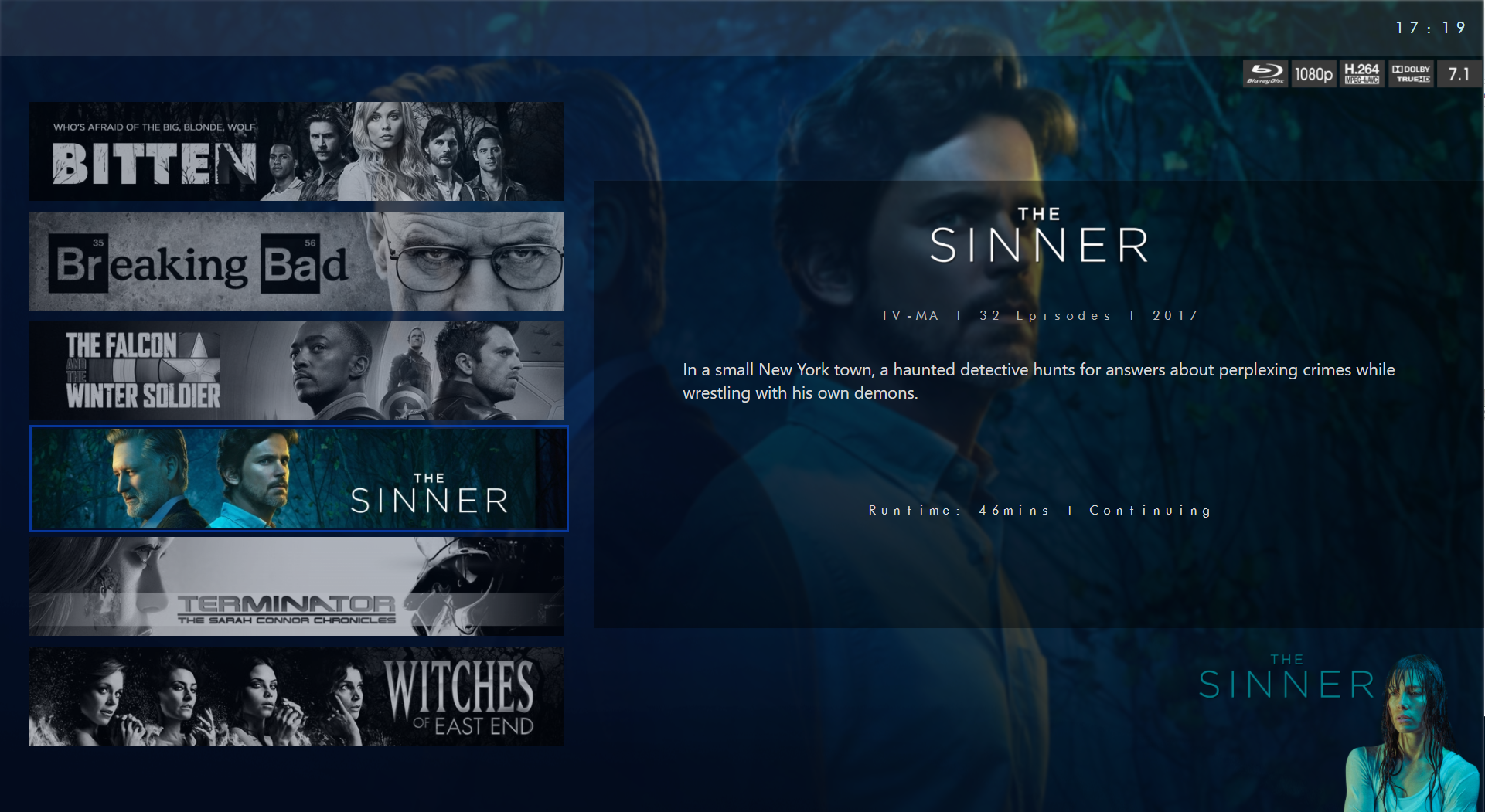
Hello Everyone, I know this is a big ask, but I wanted to put it out there. I genuinely believe this feature would be extremely popular. If you see the merit in it, I'm confident you'll agree with me. Currently, Emby is a server and client-based system that heavily relies on web development, offering new tools and features that are impressive. However, some of us still cherish the classic Media Center with MB 1 and MB2, which is no longer available since Microsoft discontinued Windows Media Center. One of the coolest aspects of MB2 was the ability to create custom skins for clients. The only system that still allows for this is Kodi. But hey, we're not going back, right? My feature request is to have an option to add skins to the Emby client, even if it's limited to a few devices such as Xbox X or Windows PC for now. The idea is to have one or two skins with different presentations, for example, an Emby Client Skin in Netflix style or an Emby Client Skin in Crunchyroll style. This way, users can apply the skin to any client. Now we can make it bit more complicated by adding plugin option in server side and push it to selected devices only or keep it simple and import the skin plugin via direct downloads and install via the client or as exe like we use to do back in the days in MB times Since this is add-ons users always will start with default skin and few selected users can go and get the skin and add it to the client and view their media in a new way form and look if that make sense I truly believe Netflix style or Crunchyroll style skin add-on will be very popular and desired by users. Perhaps a little demo might help, here is Kodi skin for Netflix just to elaborate in my point I hope developers of Emby see merit in this idea and thanks in advance1 point
-
Would love to see this incorporated as a theme in Emby core, also for the Apps like AndroidTV, Android and iOS. Tried out Jellyfin for the first time, but apart from Emby being the better/mature product overall, in terms of visual pleasing, Jellyfin UI is imo much more pretty to watch in meantime, thanks to some really nifty people who wrote some really cool CSS themes for it and the option to apply it to some non-web clients.
 1 point
 -
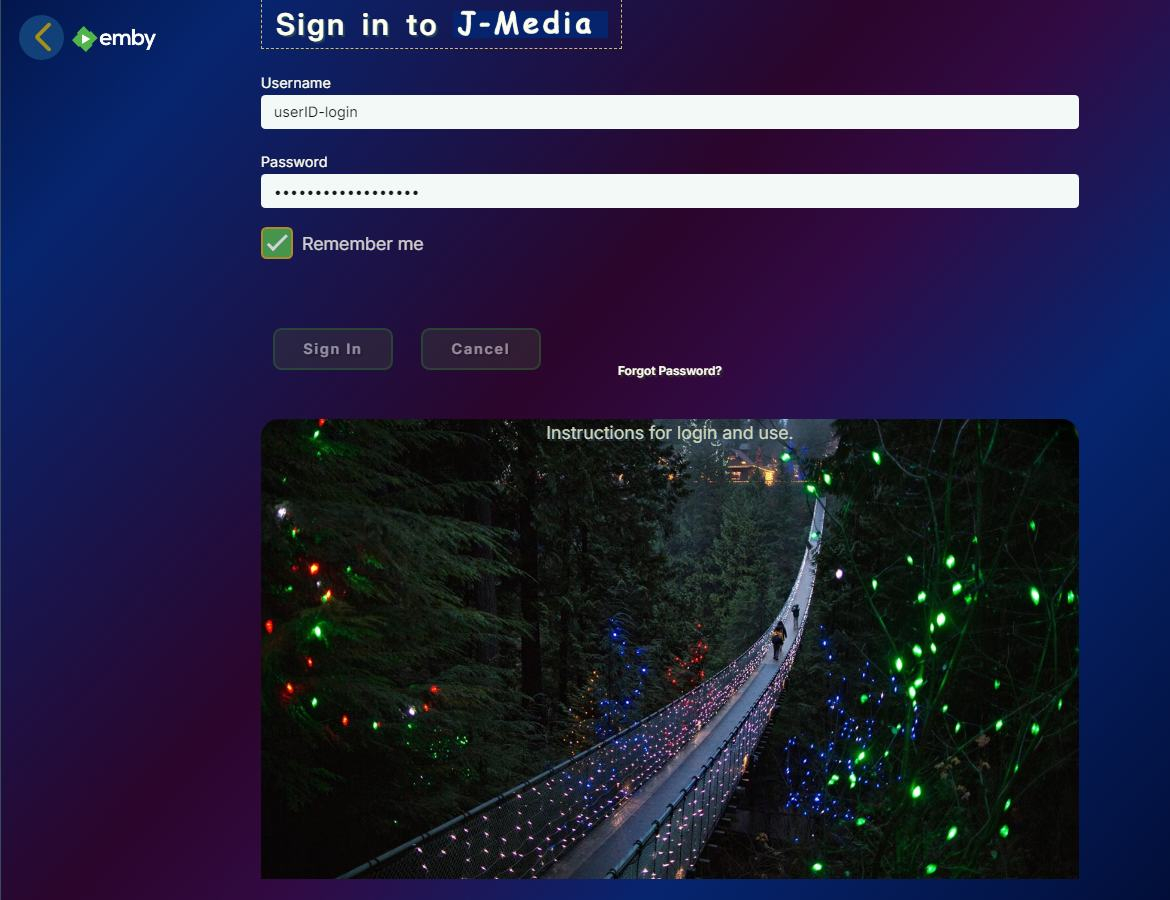
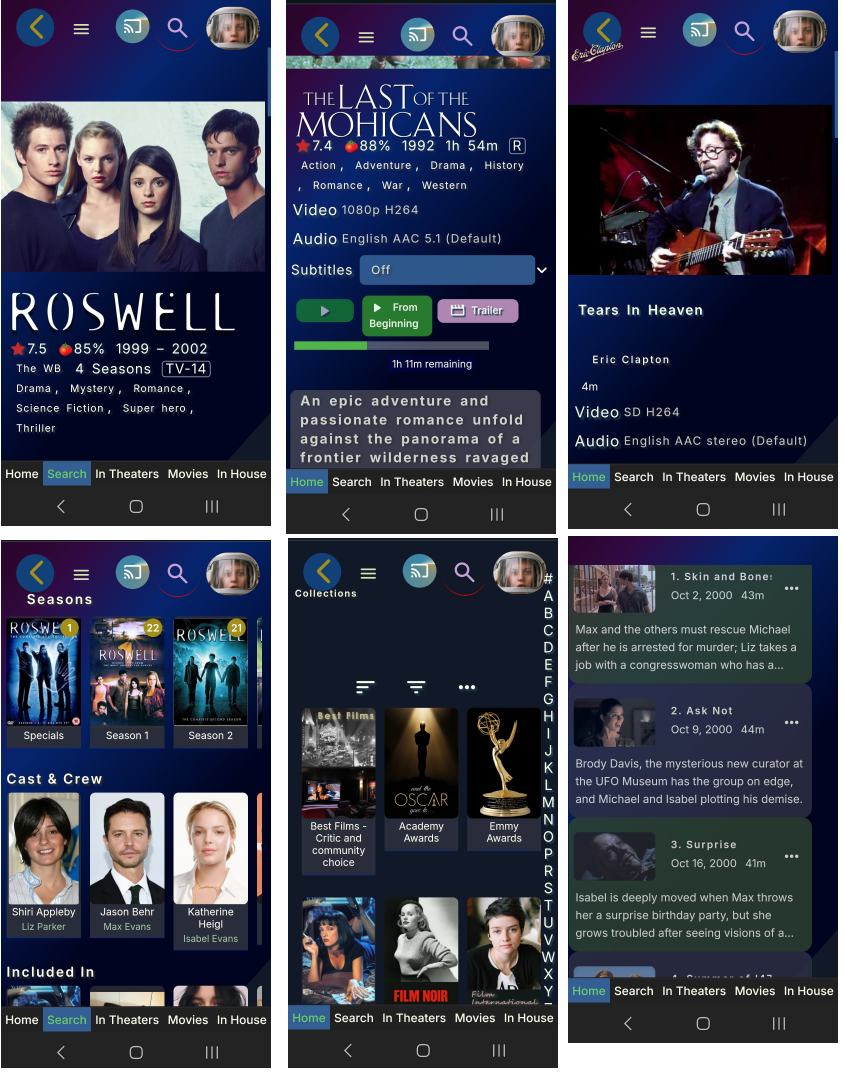
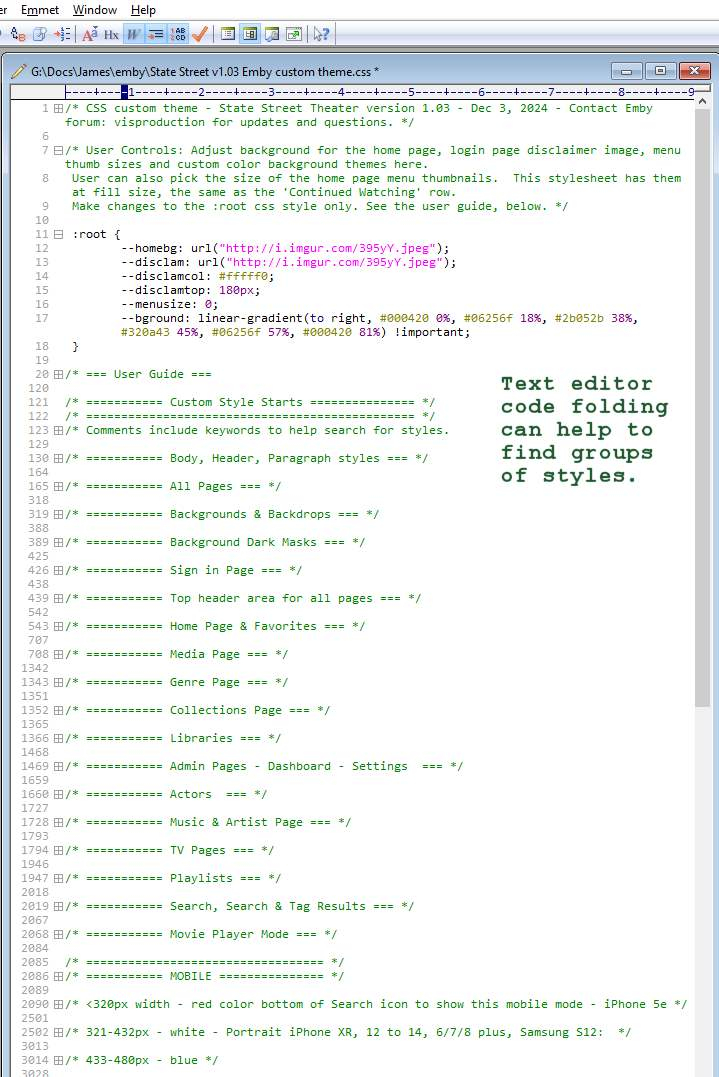
State Street Theater Custom CSS Version 1.03 - Dec 3, 2024 - (Be sure to upgrade. This replaces the older versions) Added optional image to the login page, disclaimer area with user controlled options for image selection, text positioning above or ontop of the image and text color. Fixed many mobile style issues for iPhone 6 and larger, portrait and landscape. Adjusted tablet styles, portrait and landscape. Adjusted overview text 'More' button to not disappear in some artist pages. Mobile aligned media title names under main photo for media, TV and Music videos. (no change for desktop / notebook) More minor code clean up. Notes: Putting mobile styles at the bottom of the css file and inside 'if' functions causes a known CSS bug. Sometimes these styles are not refreshed when the user returns to a page. Apparently, styles listed higher in the CSS file and not inside the mobile 'if' functions override the mobile styles and the page needs a refresh to look correct again. The fix is either to adjust the cache from the server or place the call to the mobile css inside each html page header. Neither of these fixes are possible when using custom style css. Coming back to some pages, particularly an Actor's page, makes mobile look occasionally broken. A page refresh will fix this. Due to similar class names, it is hard to fix a style for media page areas and not break similar TV series or Actor's pages. This version has 266 "!important" declarations, which is not ideal. Many "!important" are duplicated inside 'if' functions for different mobile sizes. Many are needed to override Emby css that also has '!important'. Ideally, renaming the classes to have different names for Media, Music, TV shows, episodes, Actors, Artists templates would be nice. With separate class names, I could more easily ungroup style commands per template. This does create a page optimization hit on Emby's css styles. There are ways to optimize using discreet class names per template and call separate css style files based on hardware. But updating Emby's css is more work and maybe not worth it for such low use. Finally, I only had two phone sizes to test. Hopefully, the styles in the new version will work with all mobile sizes. If not, you can easily just use the Android or iOS Emby app instead for mobile. Enjoy and comments are welcome. State Street v1.03 Emby custom theme.css
 1 point
 -
Updates Nov 18 2024: Home header icon fixed with green hover color TV episode play button fixed in correct position. it was lost below the image area. TV epsiode bars flip to 2 columns screen change at 1500px width fixed. Tablet portrait alignment styled for many pages. This should work now for portrait tablets. Mobile Media TV show pages styled for larger phones. Color hover over checkmarks less transparent green to match other mouse over effects. Some minor code clean up. Comments are welcome. State Street v1.02 Emby custom theme.css1 point
-
Correct. I think it makes sense to add more options to control this though.1 point
-
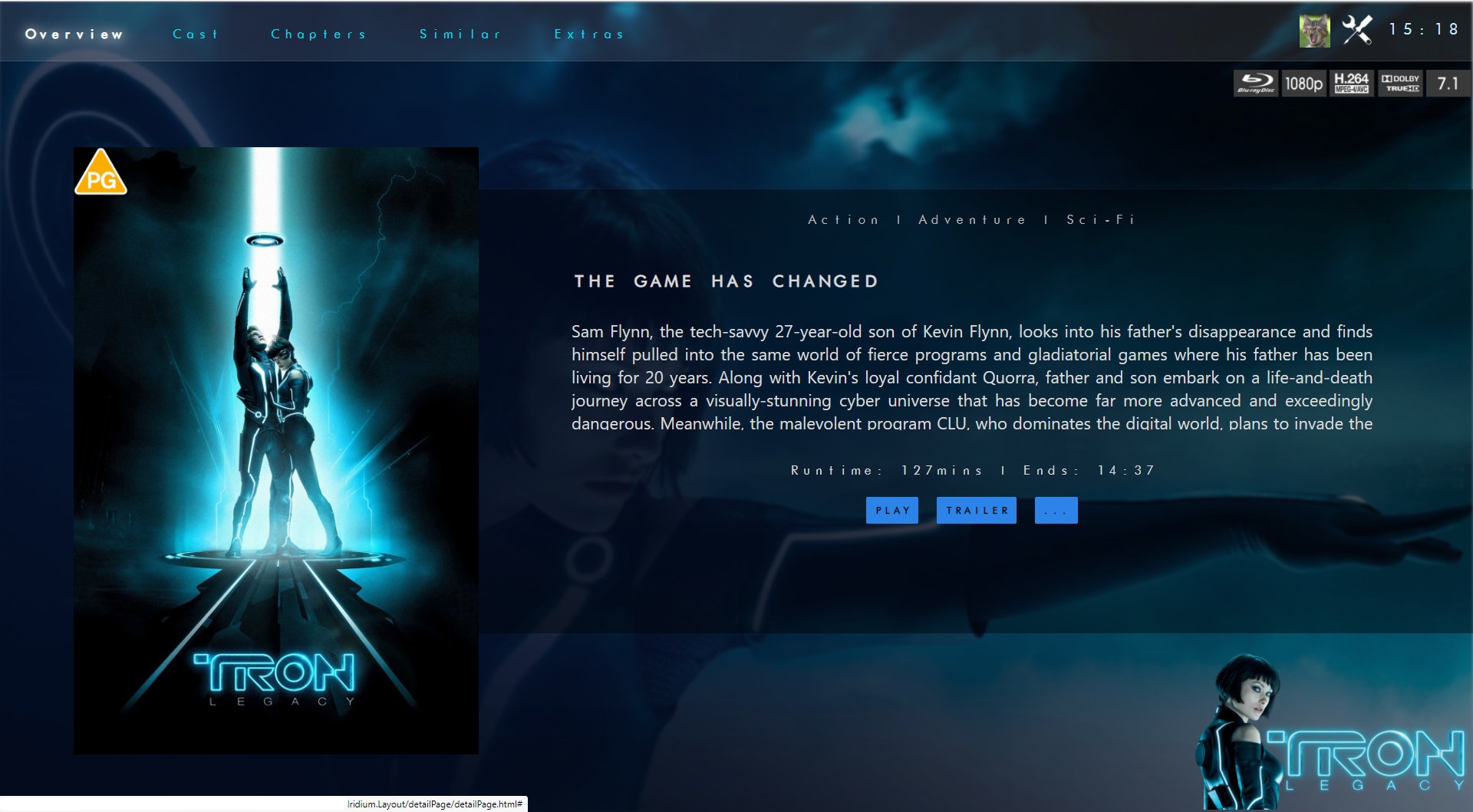
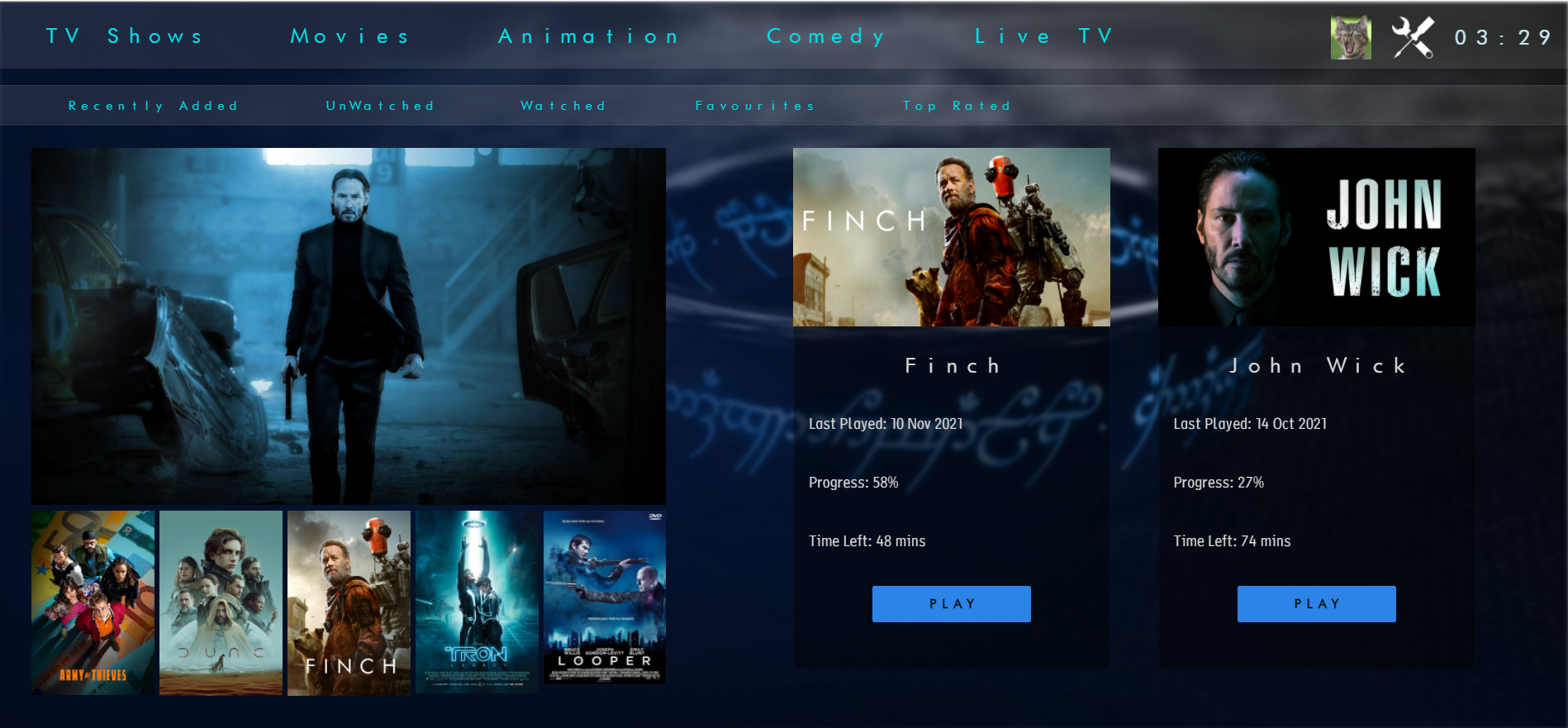
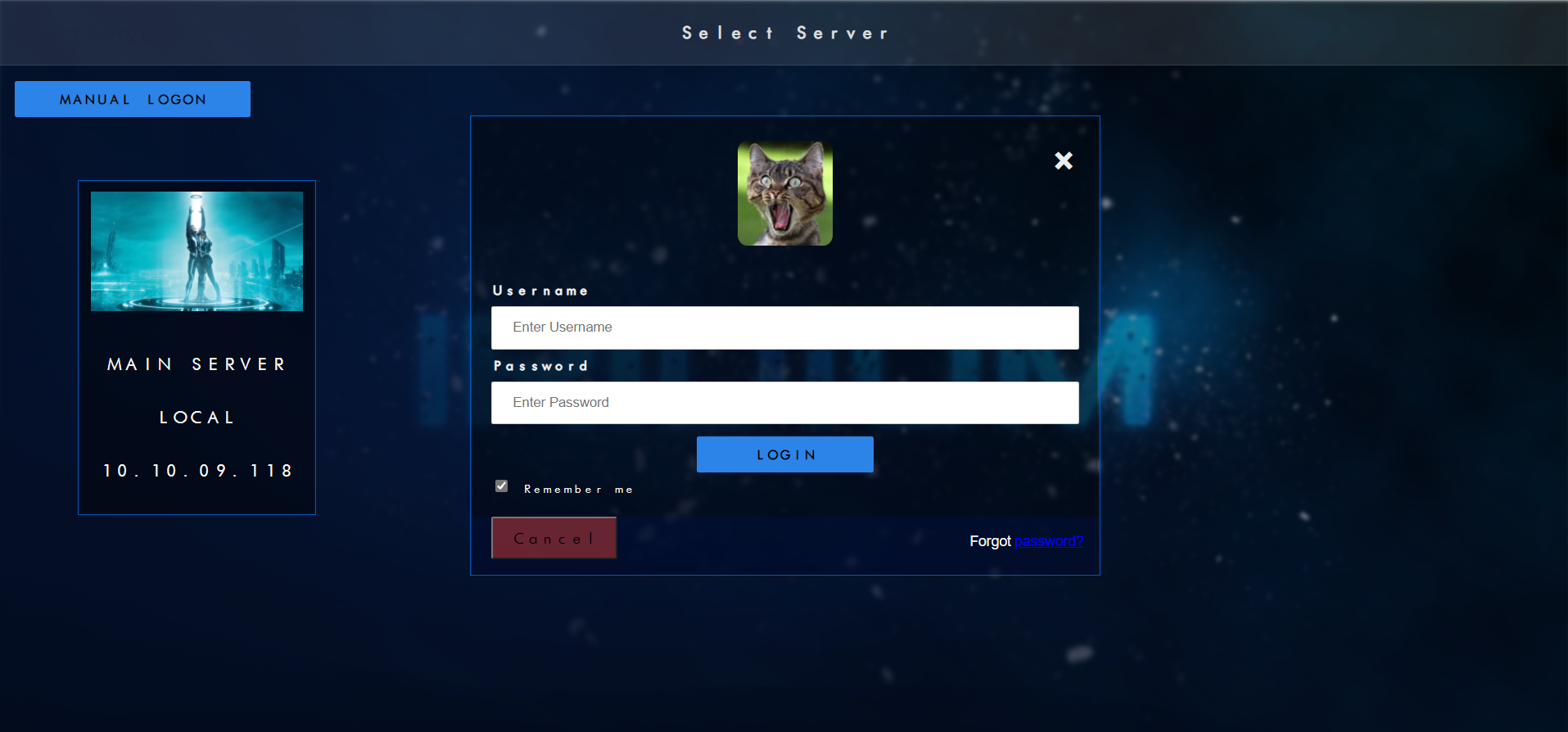
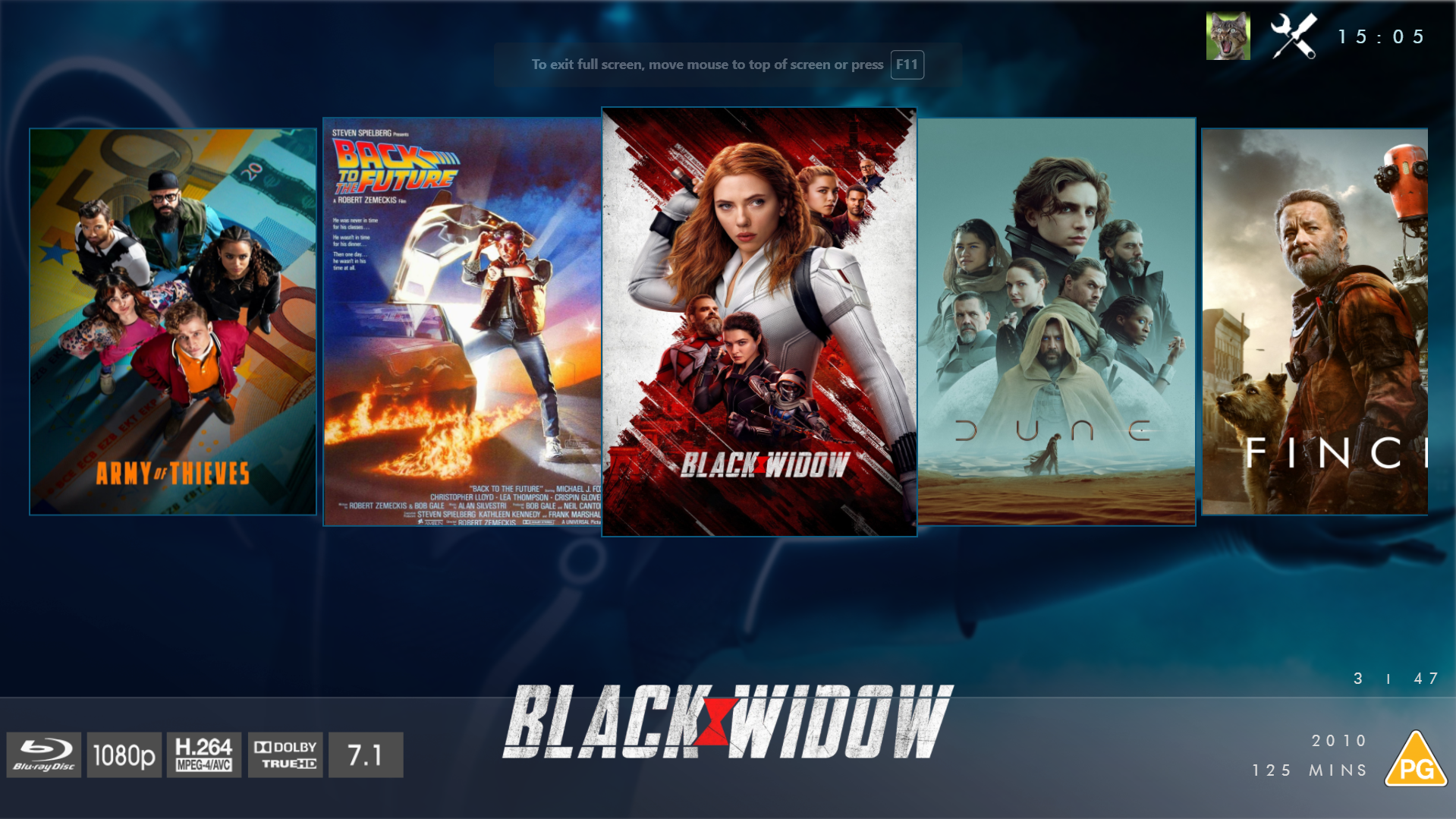
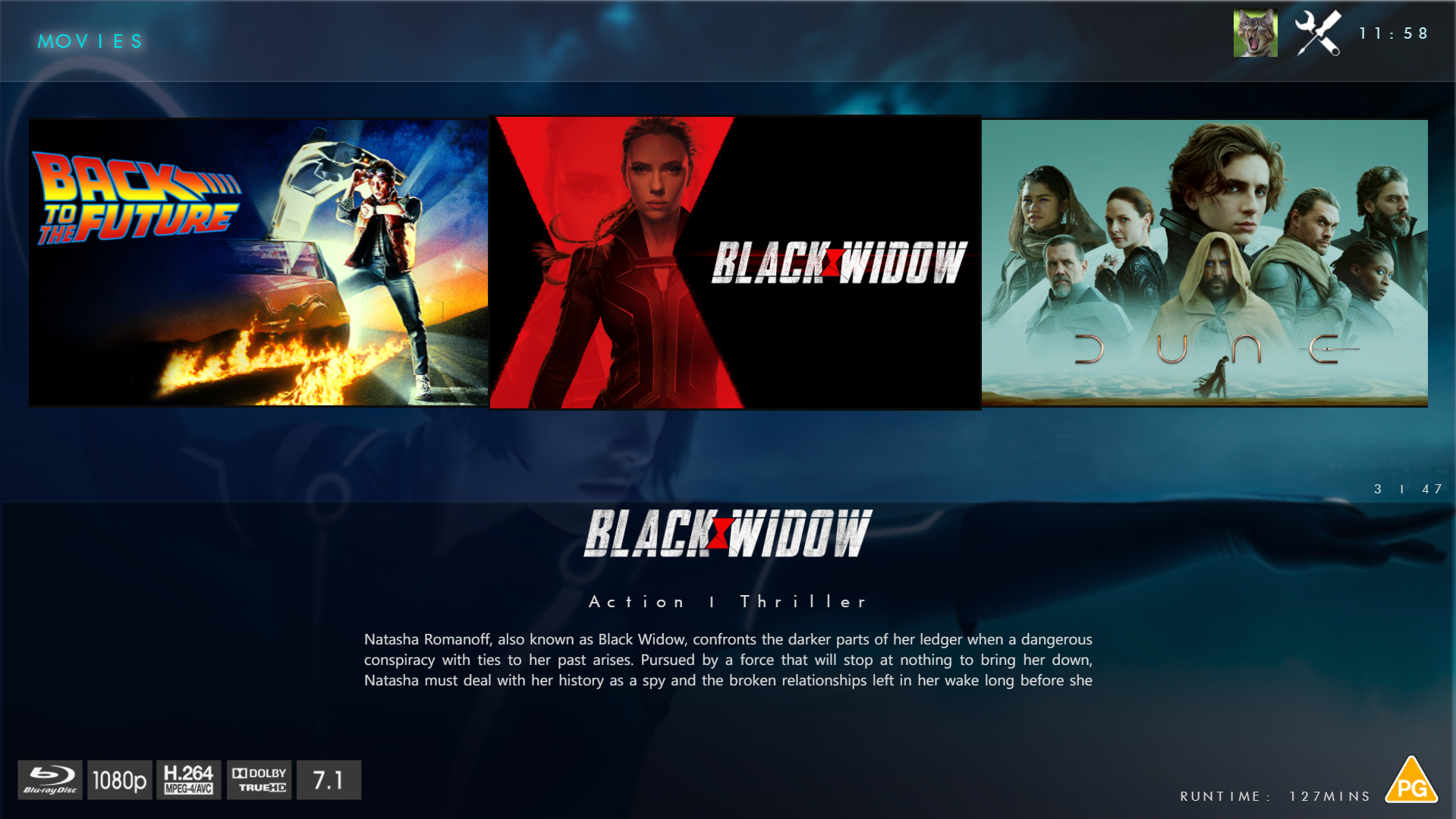
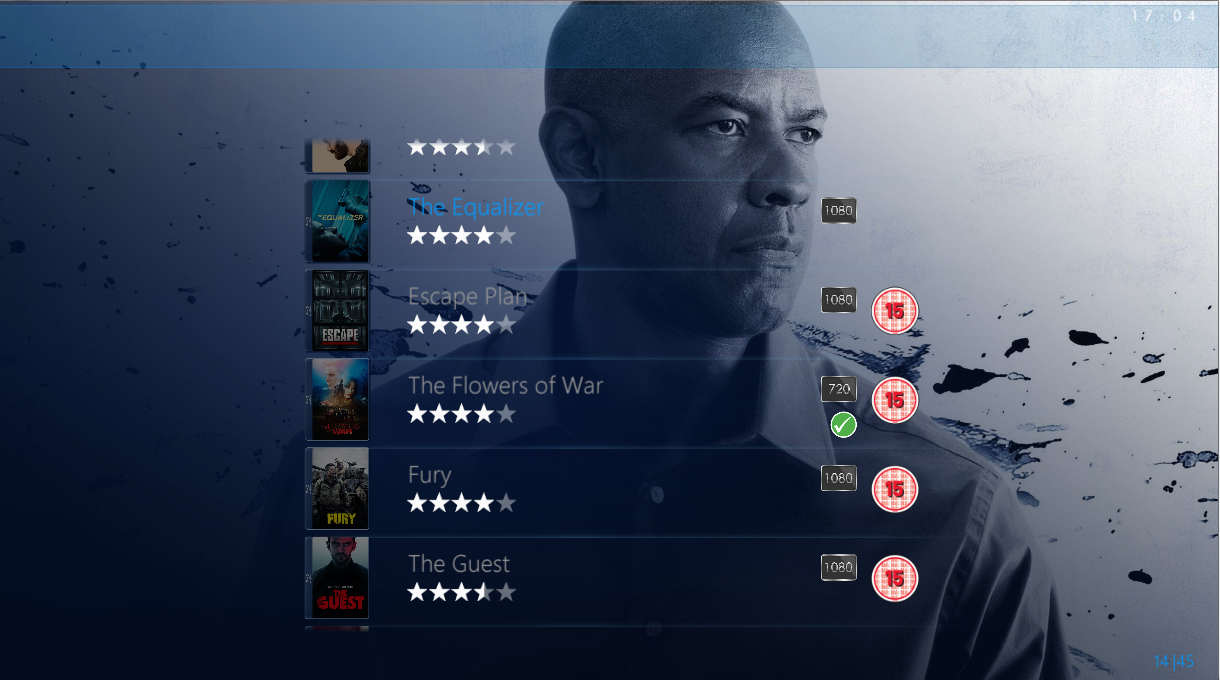
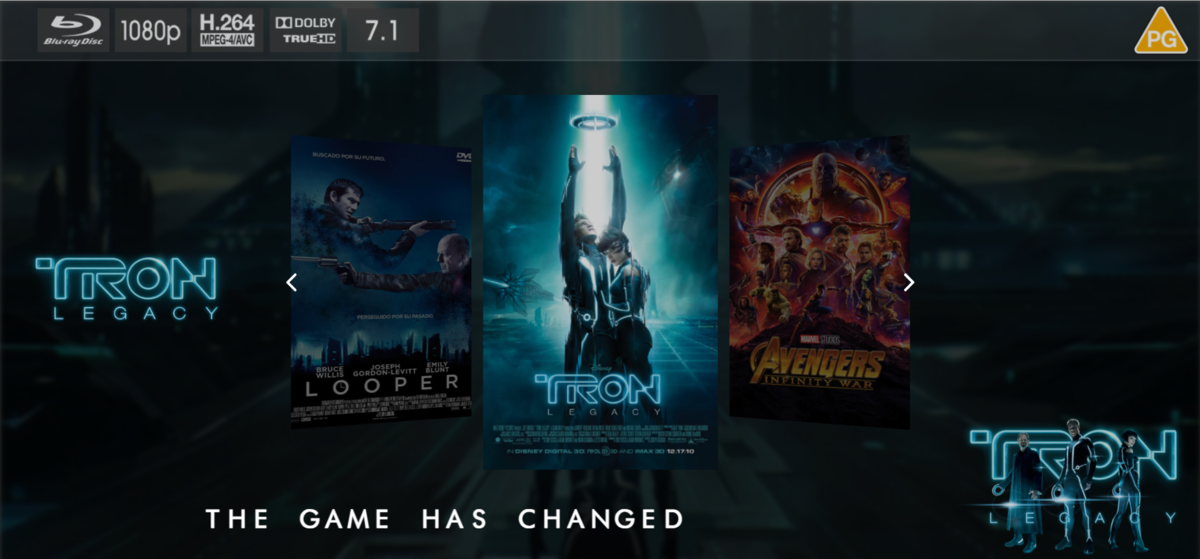
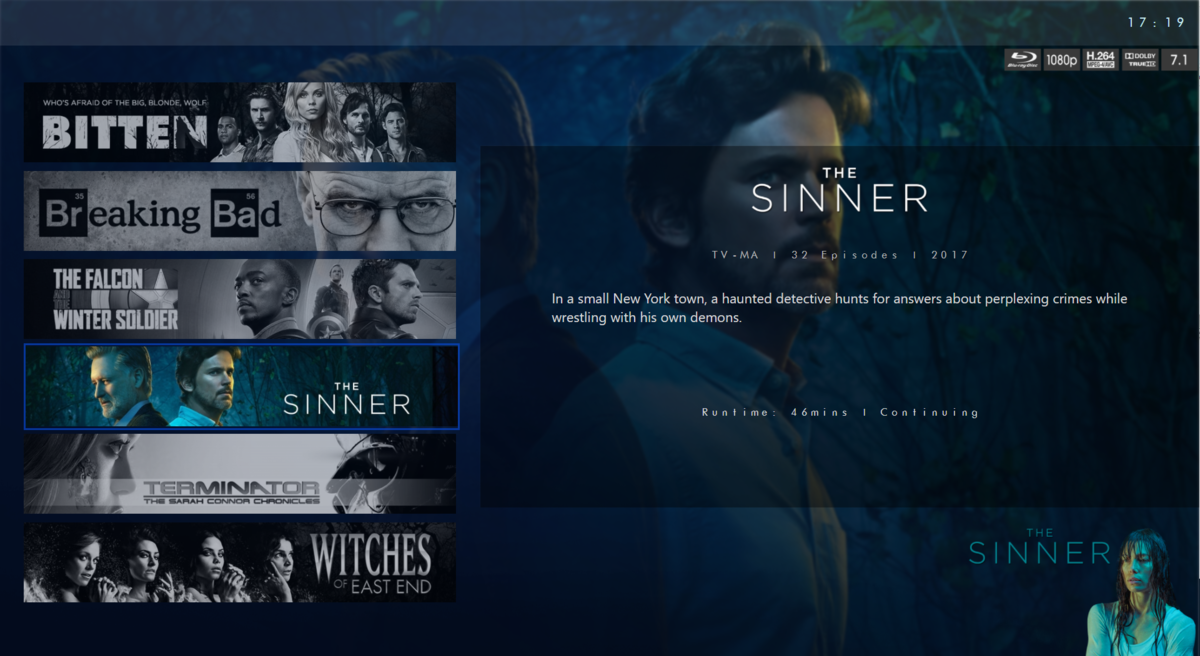
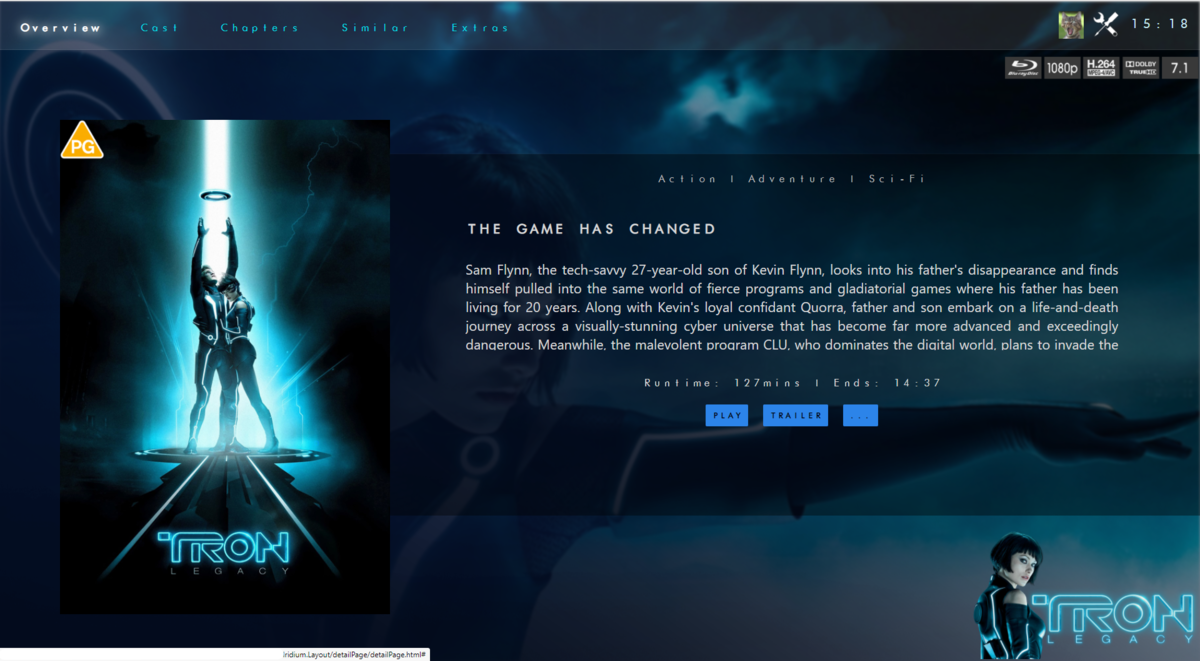
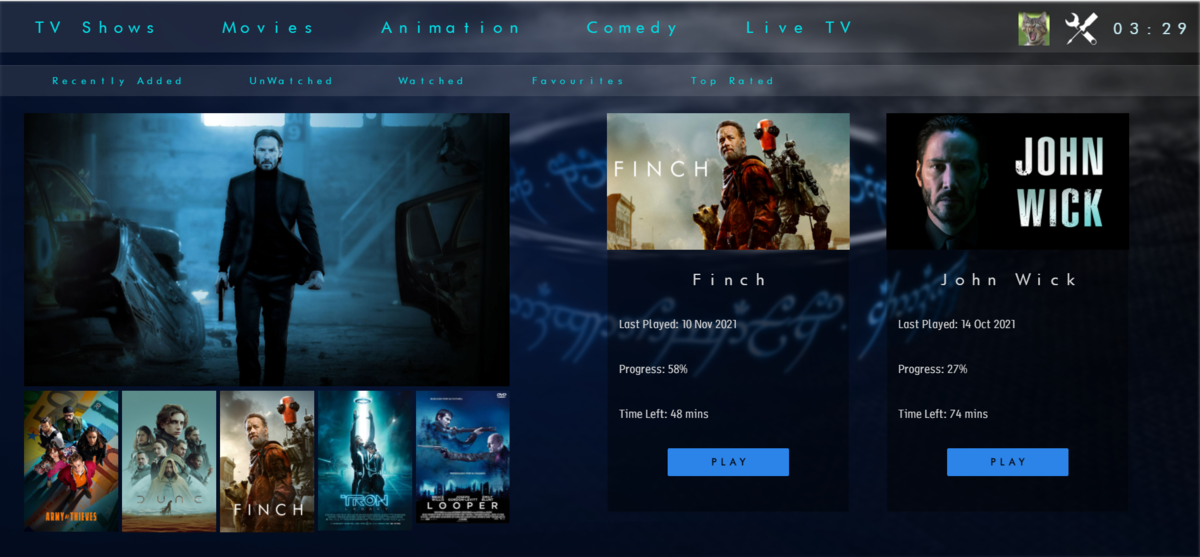
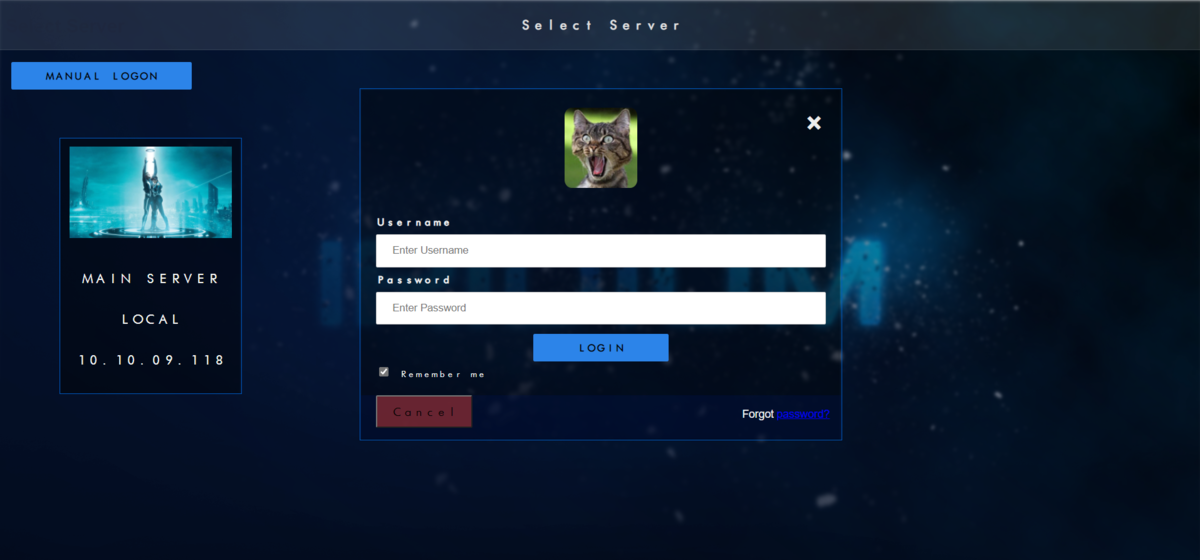
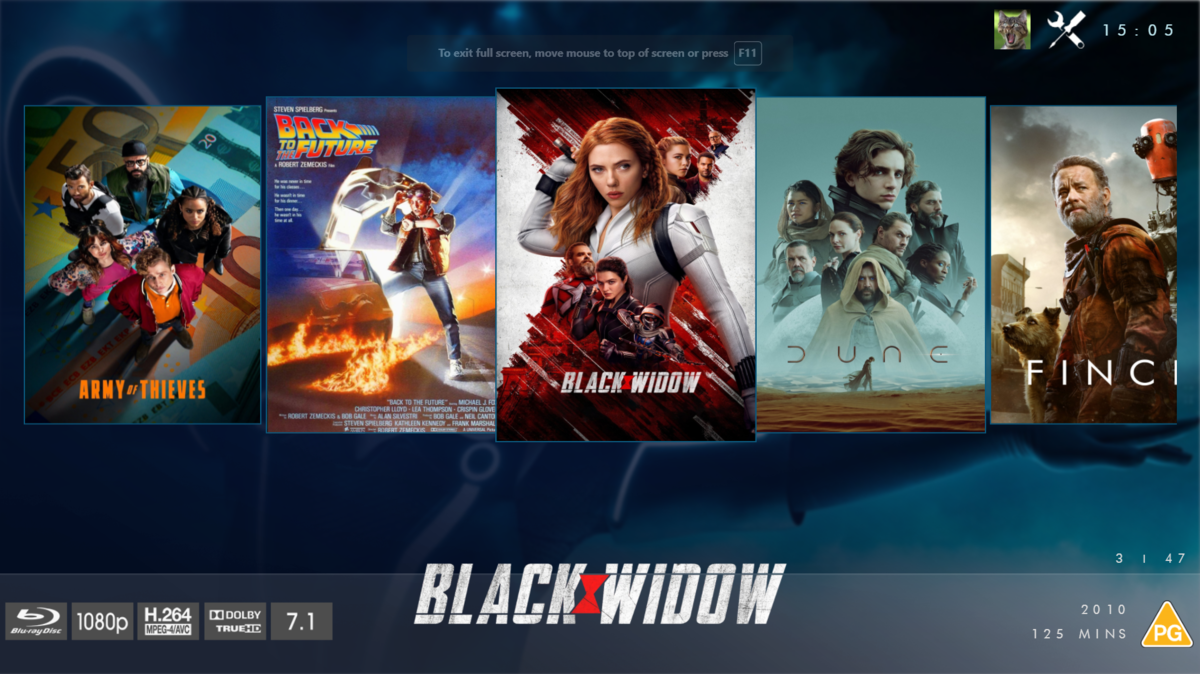
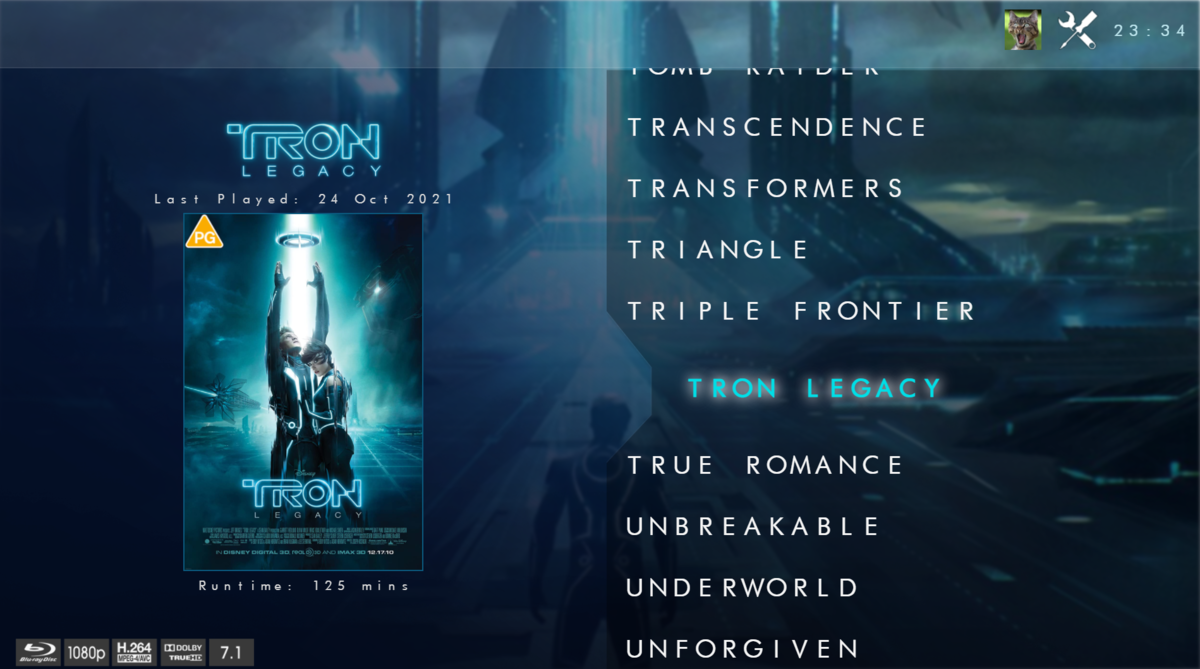
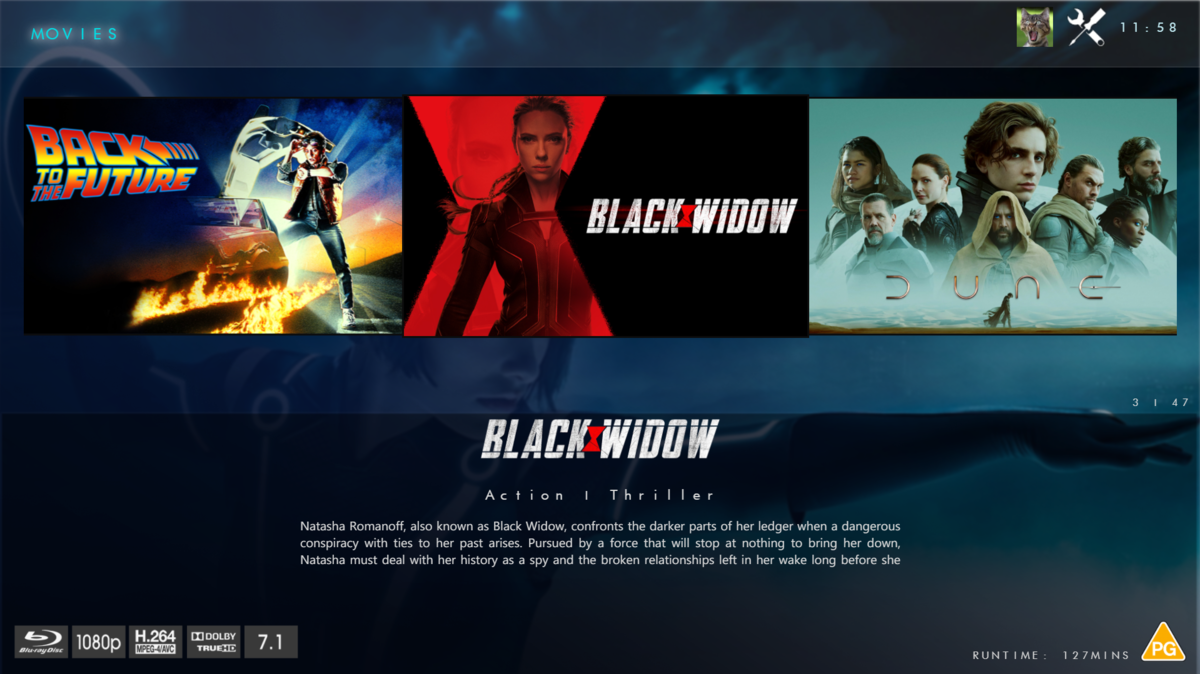
@chef @Cheesegeezer Another amazing production is about to be brought to you from devs - Cheesegeezer - I have started a new theme to bring to the masses. I am a long way off completion however we can continue to update you on the progress. The layouts are about 80% complete and once completed we can start to work on the code behind. We are interested in a closed group of testers when the time comes. I would just like to say that this was originally designed for Emby WMC back in 2014 and was just release there when M$ ditched support for WMC and the project died. @shaefurr did an amazing job with the concept artwork for me to work with back then, and this theme pays homage to him. So with out further ado... here's some of the layouts that are now coded. IRIDIUM - One theme to conquer all LOGON SCREEN HOME PAGE FIRST VIEW TYPE - COVERFLOW COVERFLOW 2 BANNER VIEW FINAL DETAILS PAGE LIST VIEW THUMB VIEW
 1 point
 -
There are so many different level to user management but yes an option to apply to all existing would be nice but just does not exist yet. One has to copy user configs to existing users (unless they go database only also) or push updates to each user via the api.1 point
-
Good Day everyone been playing with the VideoPlayer today. Just fancied not creating UI's and just to implement it. Some work to do with the Video OSD now, but the basics are there. Heres a couple of videos for you. First one is just for seing it launch. Second Video is pretty cool with Audio Selection and Casting Video 1 - 1080p content iridium_video_Player01.mp4 Video 2 - 2160p DV8 HDR content iridium_video_Player02.mp41 point
-
arbee mate, i have a roadmap and i need to stick to it, feature creep in development stage is counter productive. it will be easy to add an extra view in at a later stage. Not all those views will make it to initial release but at least i know what im aiming for. cheers1 point
-
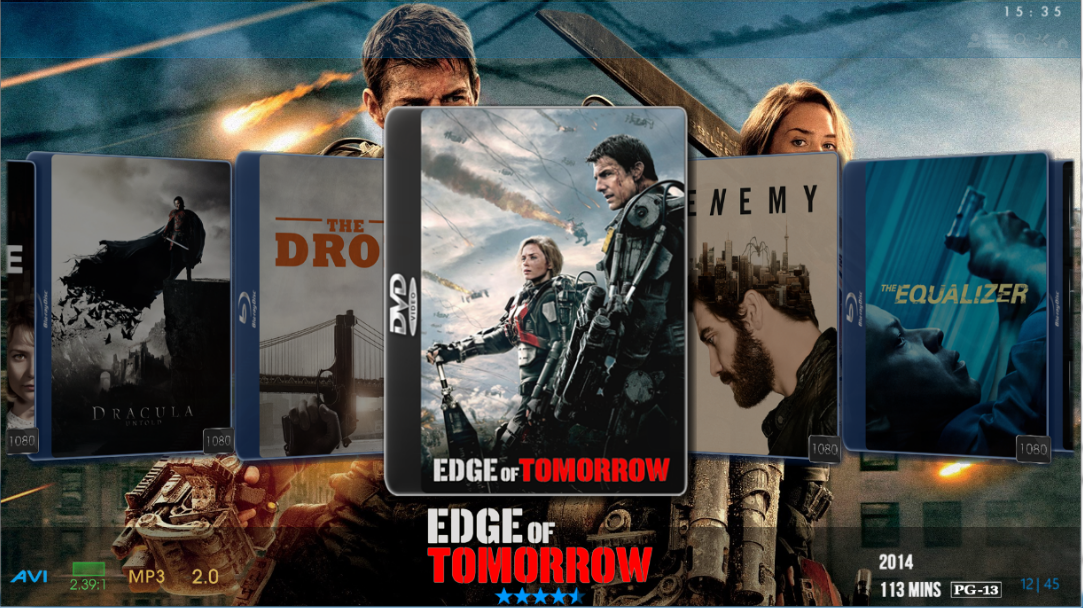
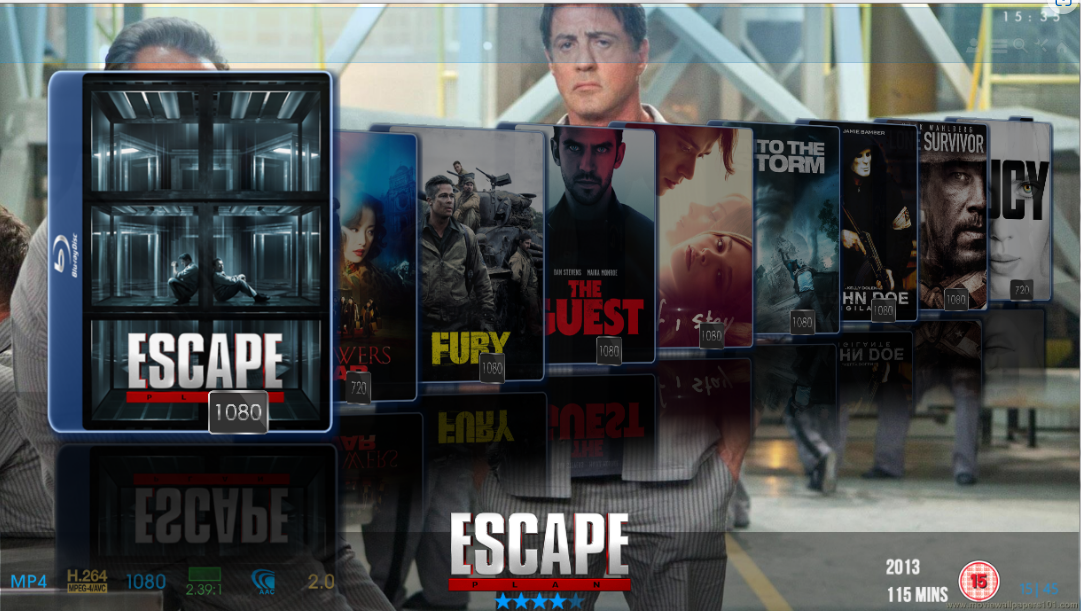
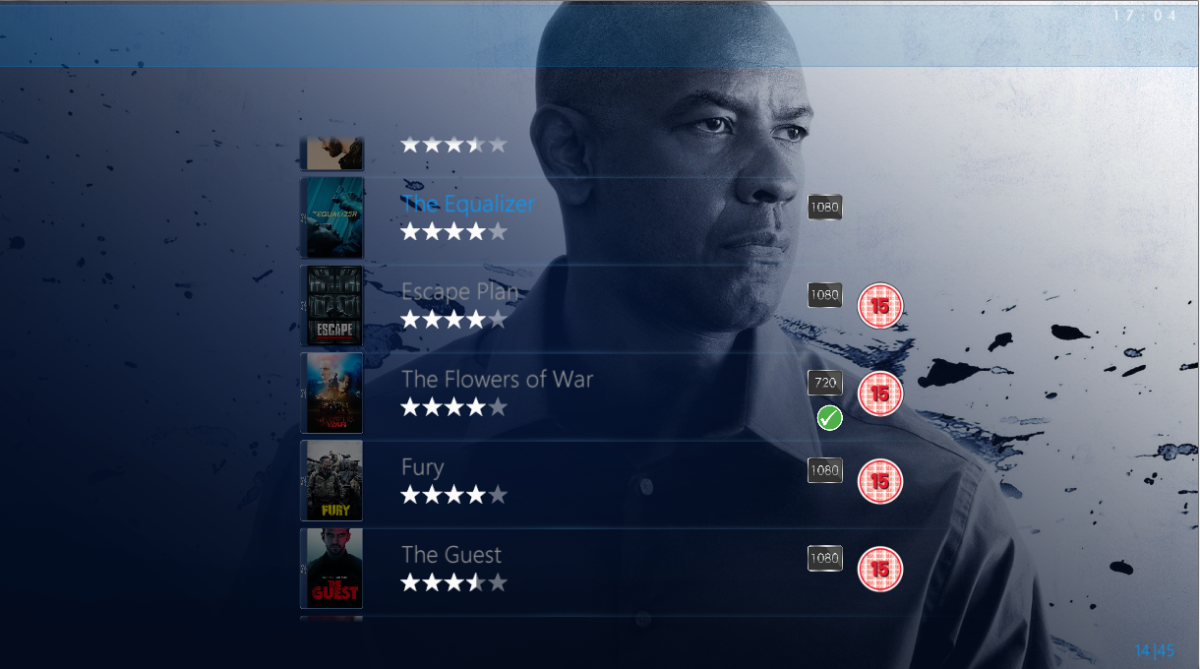
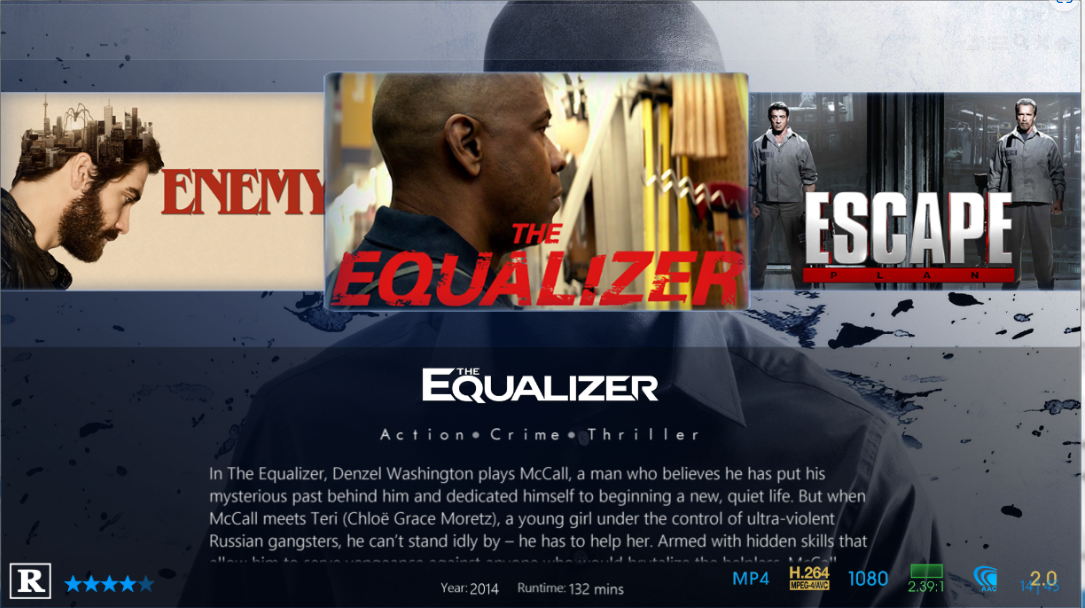
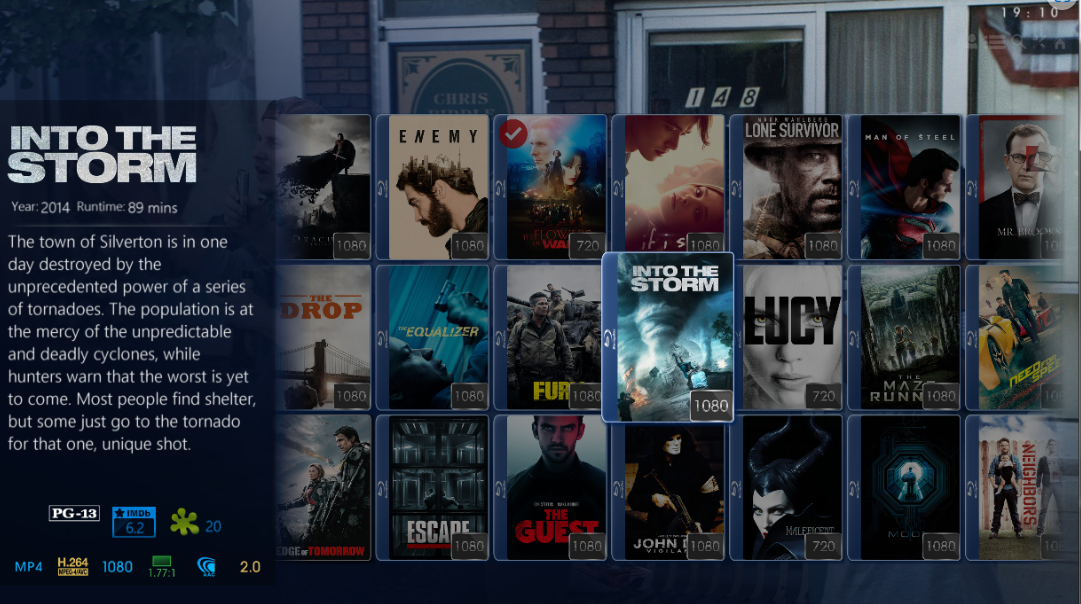
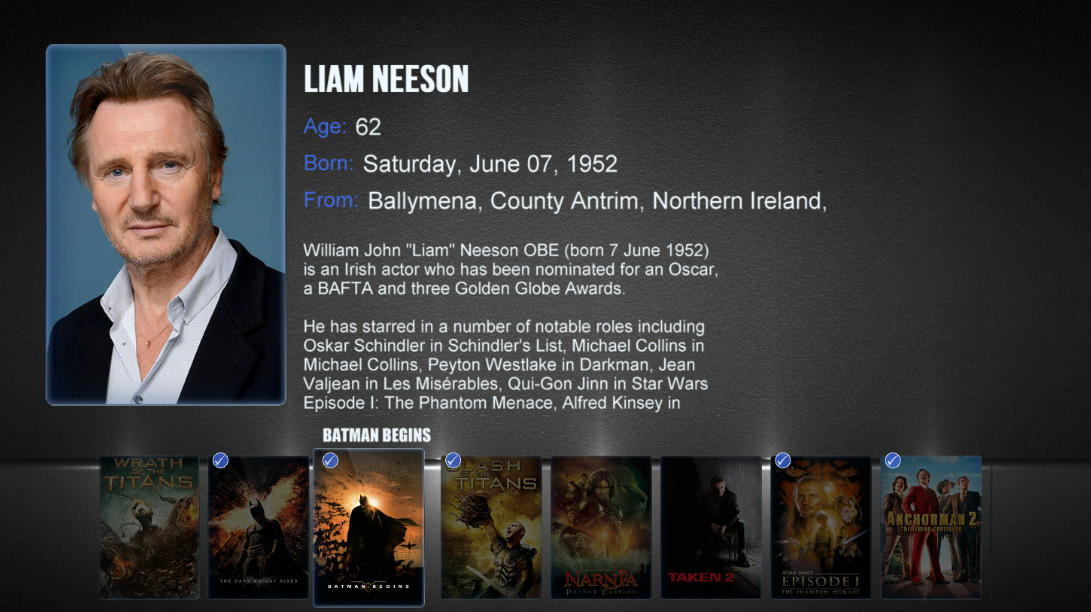
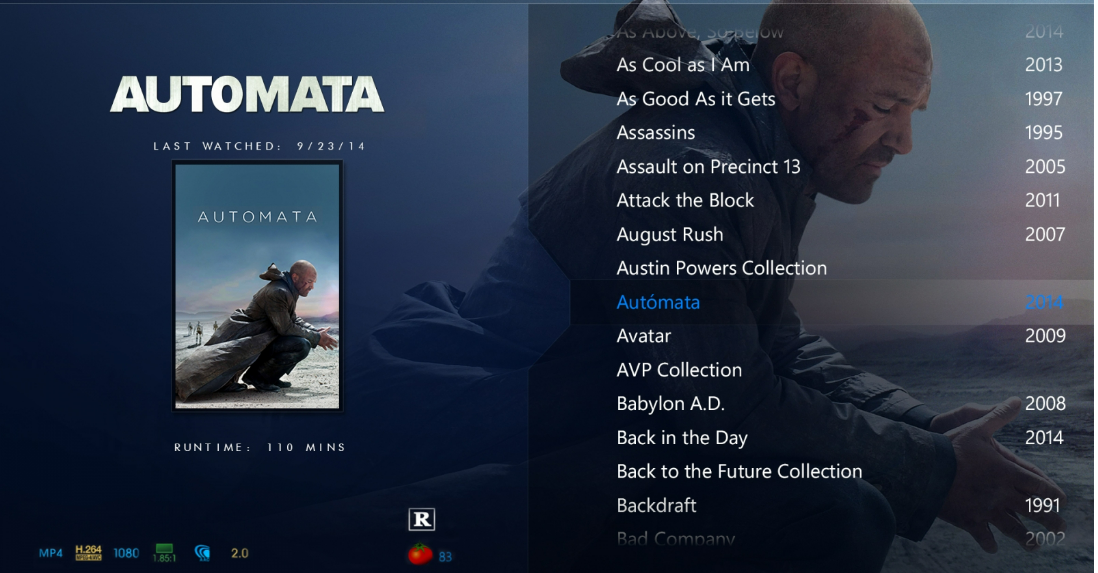
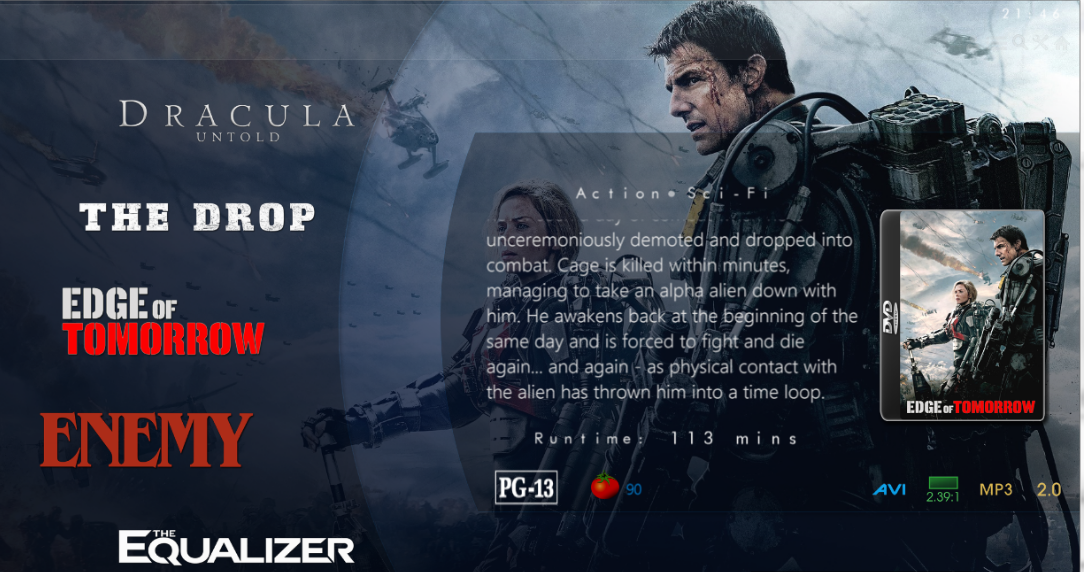
Thanks crazyFace lol It's a long way off any form of a release for testing just yet. If you want a roadmap then here it is. The first release will be Windows only. Finish off Details page and implement the top menu commands Create the Library views.. when entering Movies there will be 4 or 5 layouts to select from... Coverflow, List, Thumb, Poster and Minimal(Logo View) Mockup are completed so it's a case of translating them into XAML and MVVM. Implement Video Player Deal with Collections, Music, books, audiobooks and Channels Implement Audio Player Implement code for XPlatform Idioms. Here is some ideas on the Library Views List Views A variant of List View (Logo List) Coverflow - Flat Coverflow - Cascading QuickList Thumb View Poster View Actor Bio Page - Along these lines
 1 point
 -
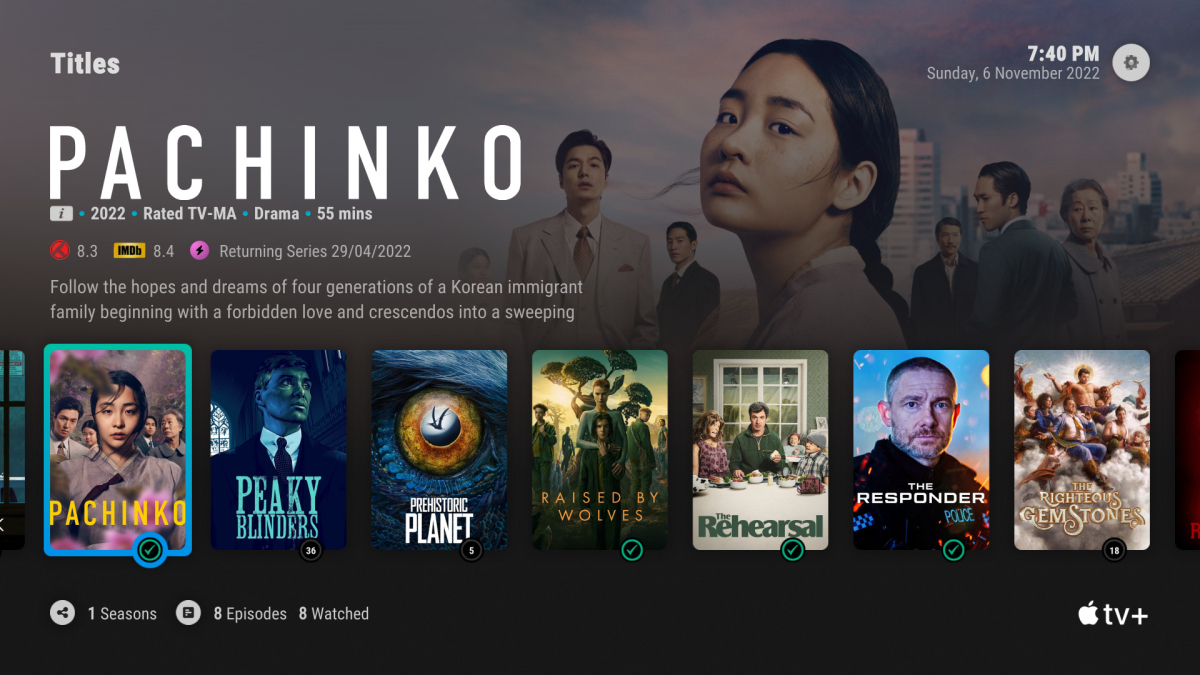
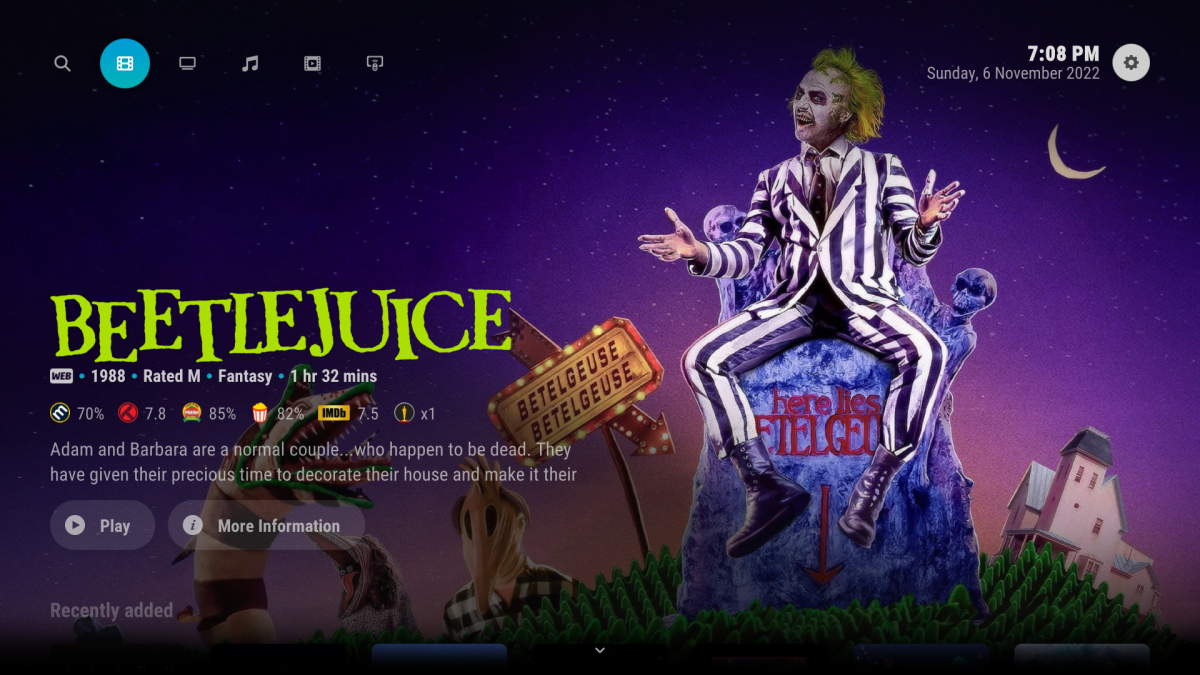
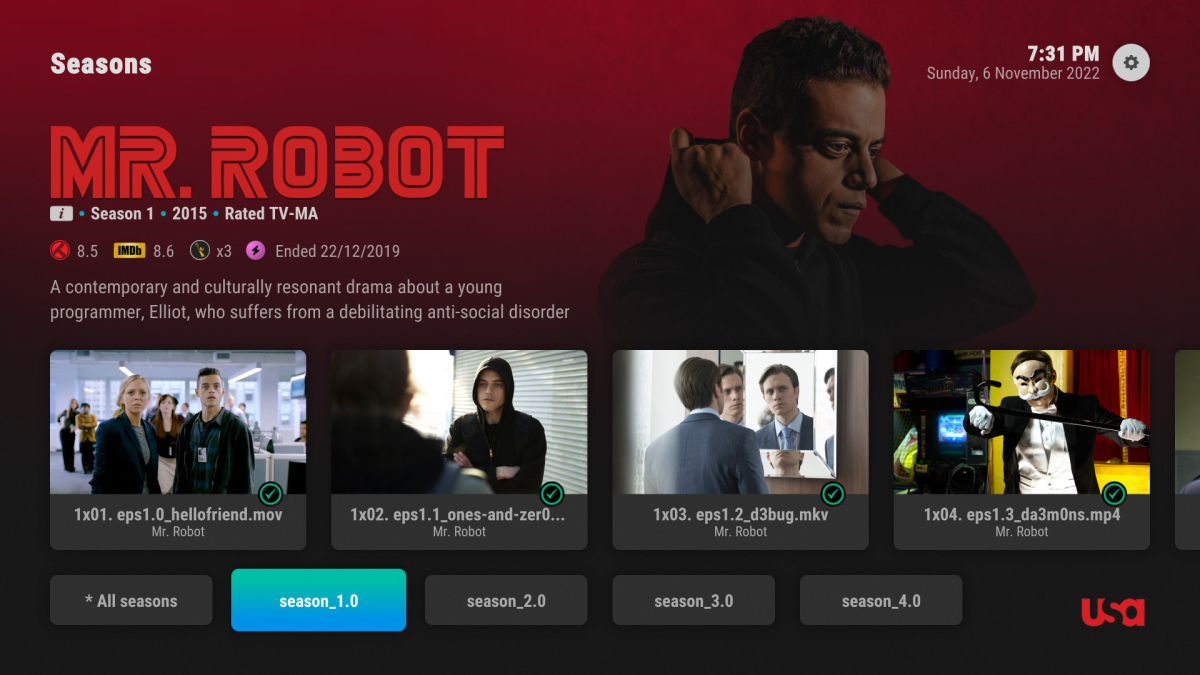
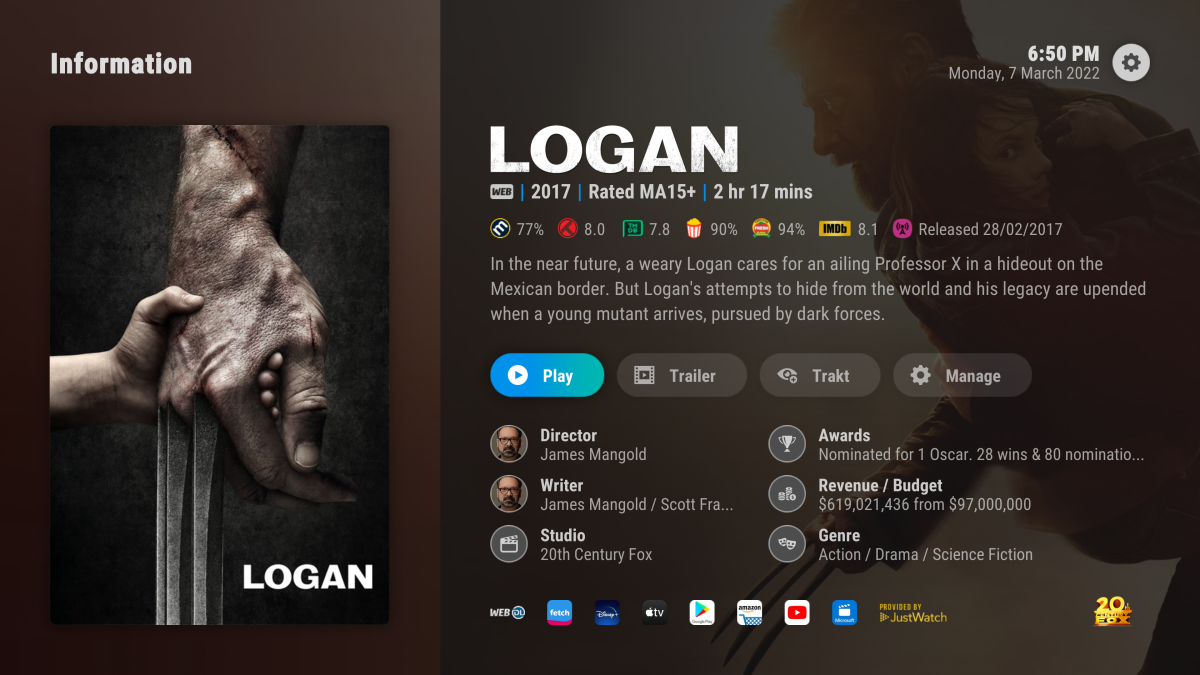
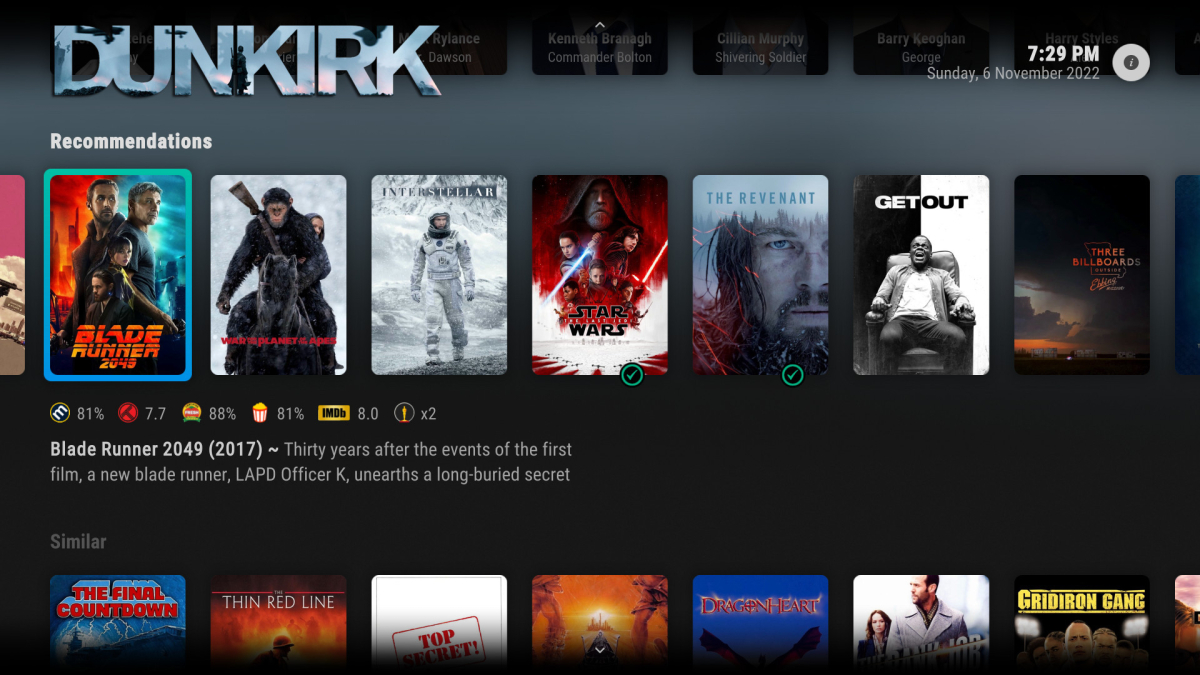
Honestly, I think it'd do well to take inspiration from some of the great skins people have made for Kodi. Maybe even reach out to them to see if they are capable of helping you build a better UI for Emby. This one is my particular favorite: Arctic Horizon 2 (kodi.tv)
 1 point
 -
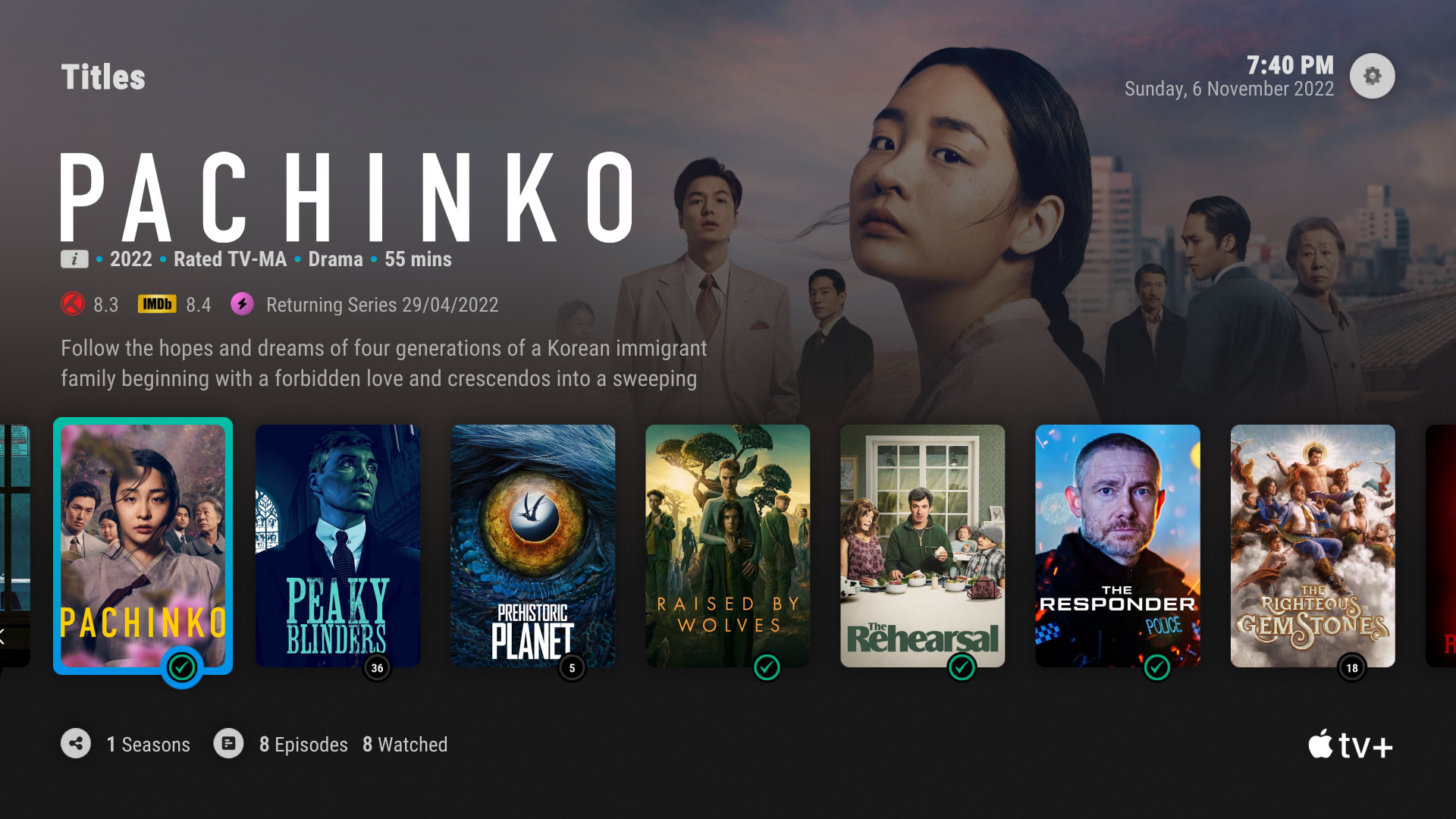
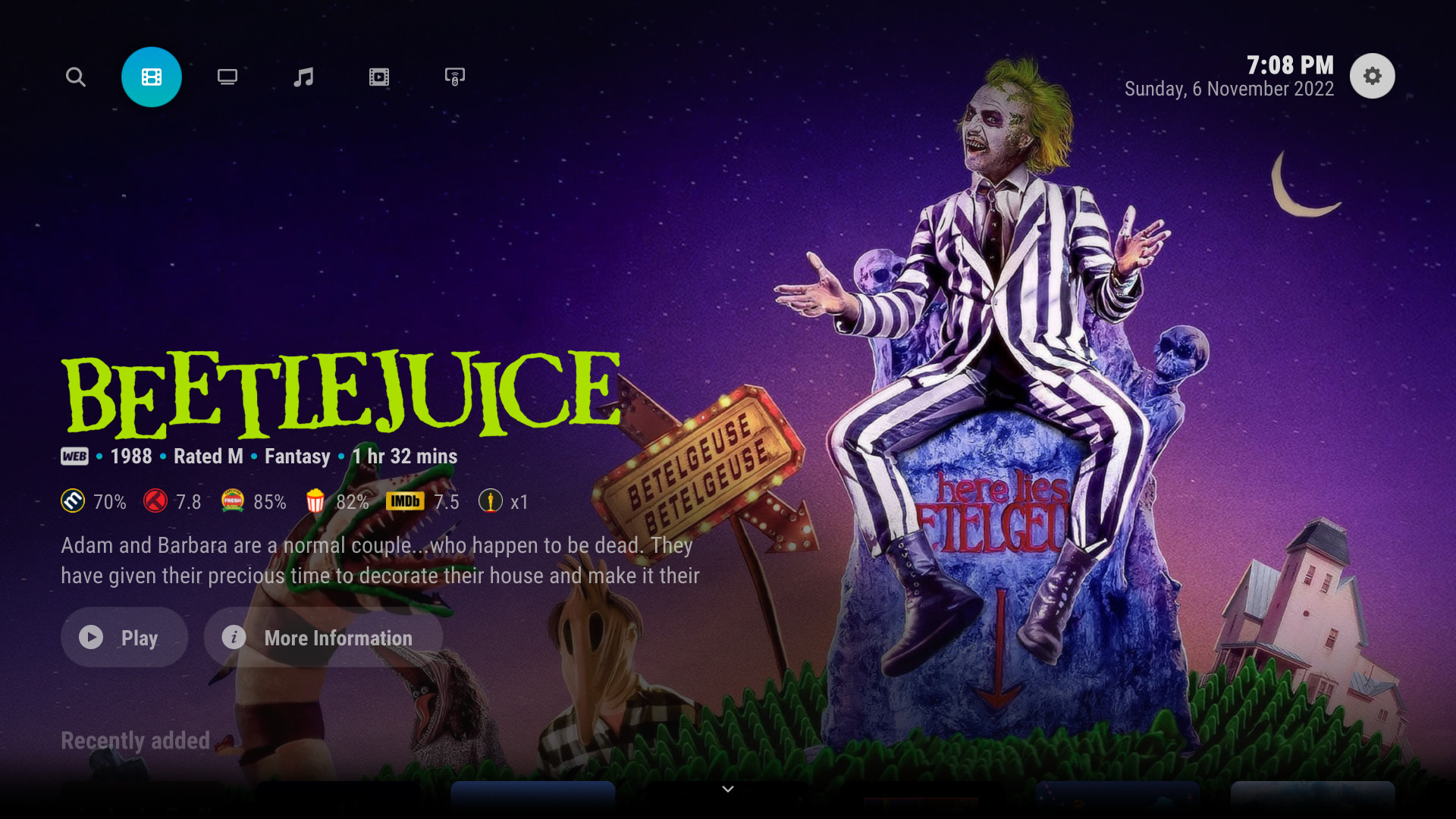
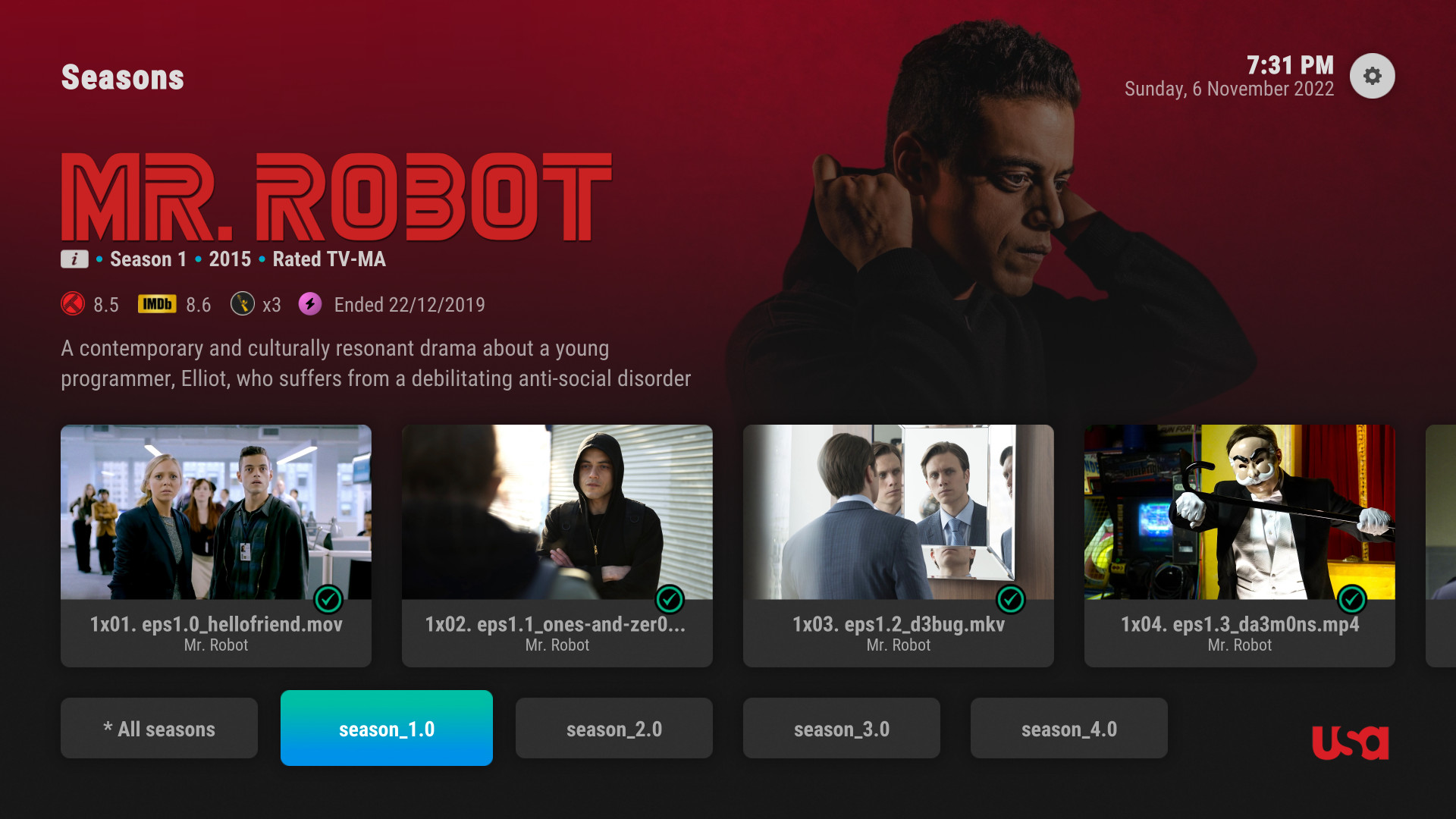
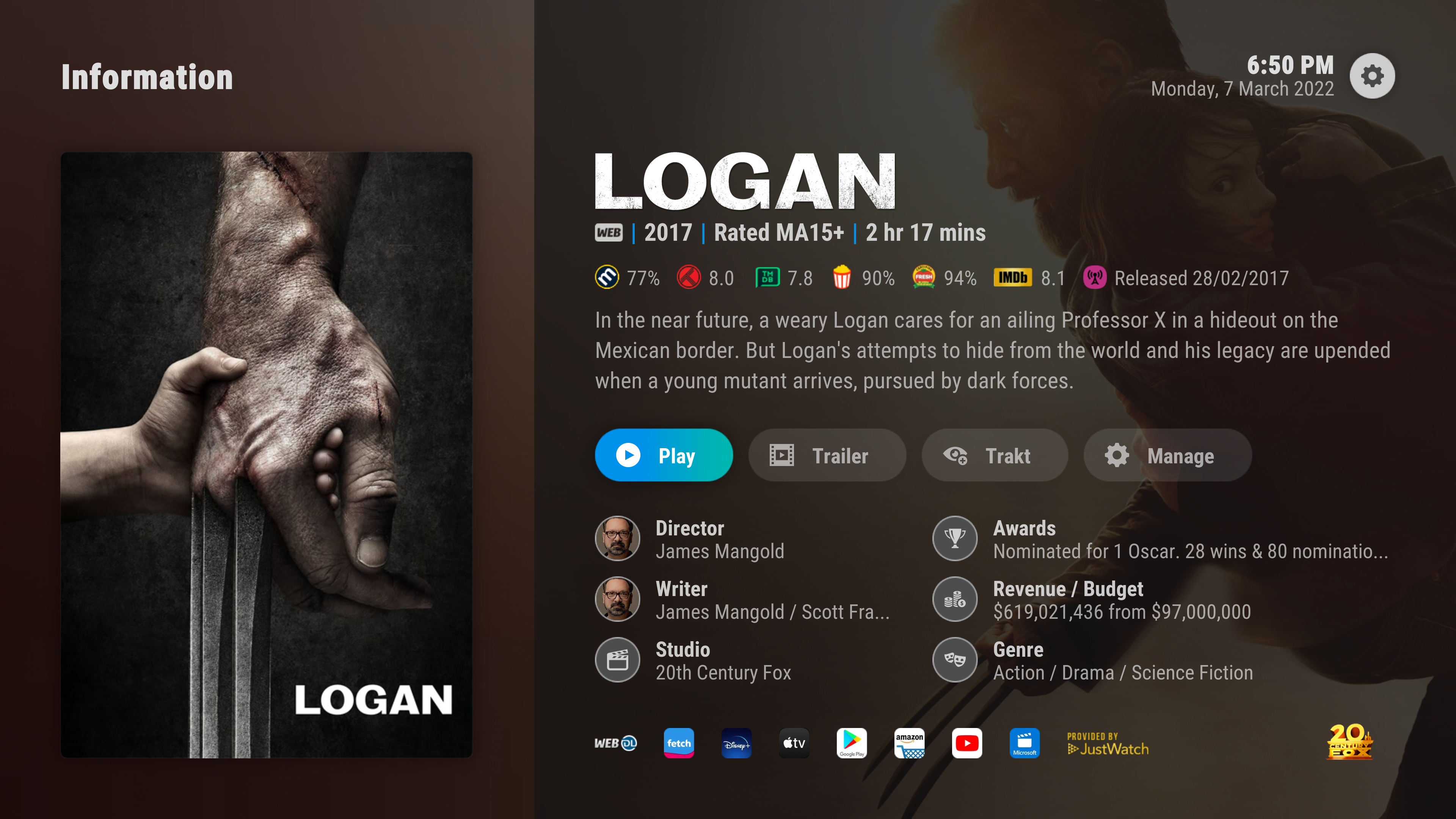
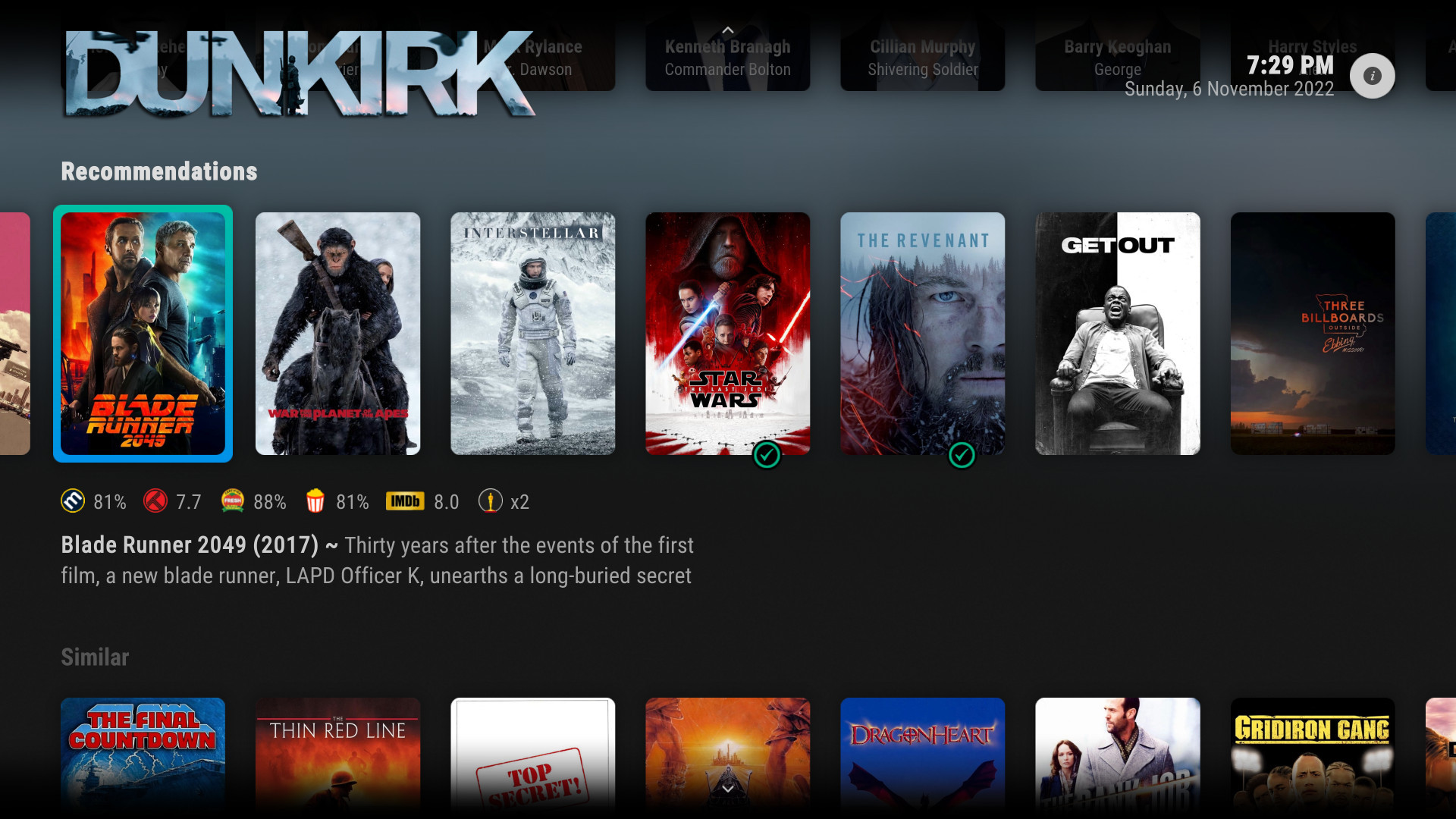
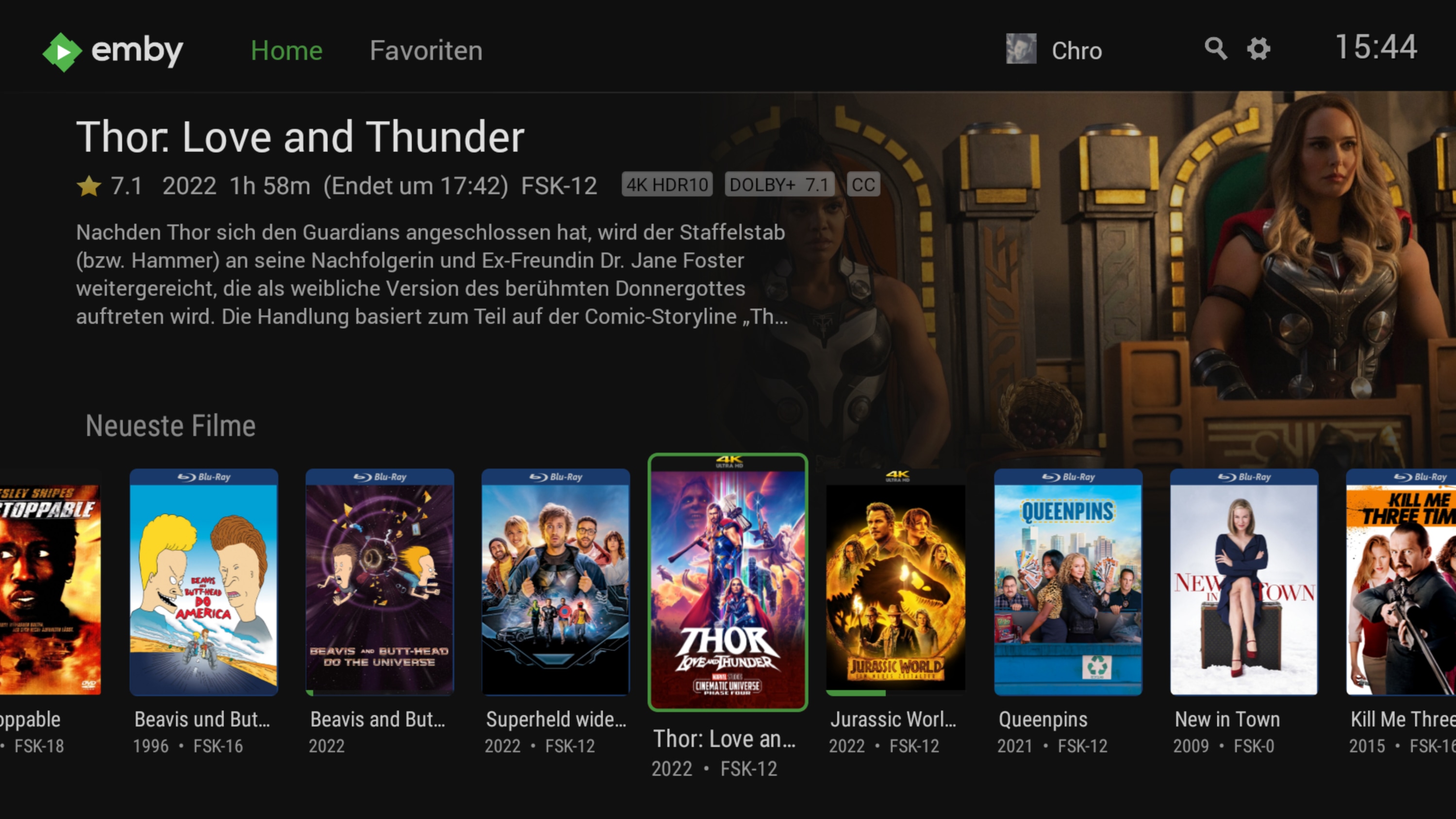
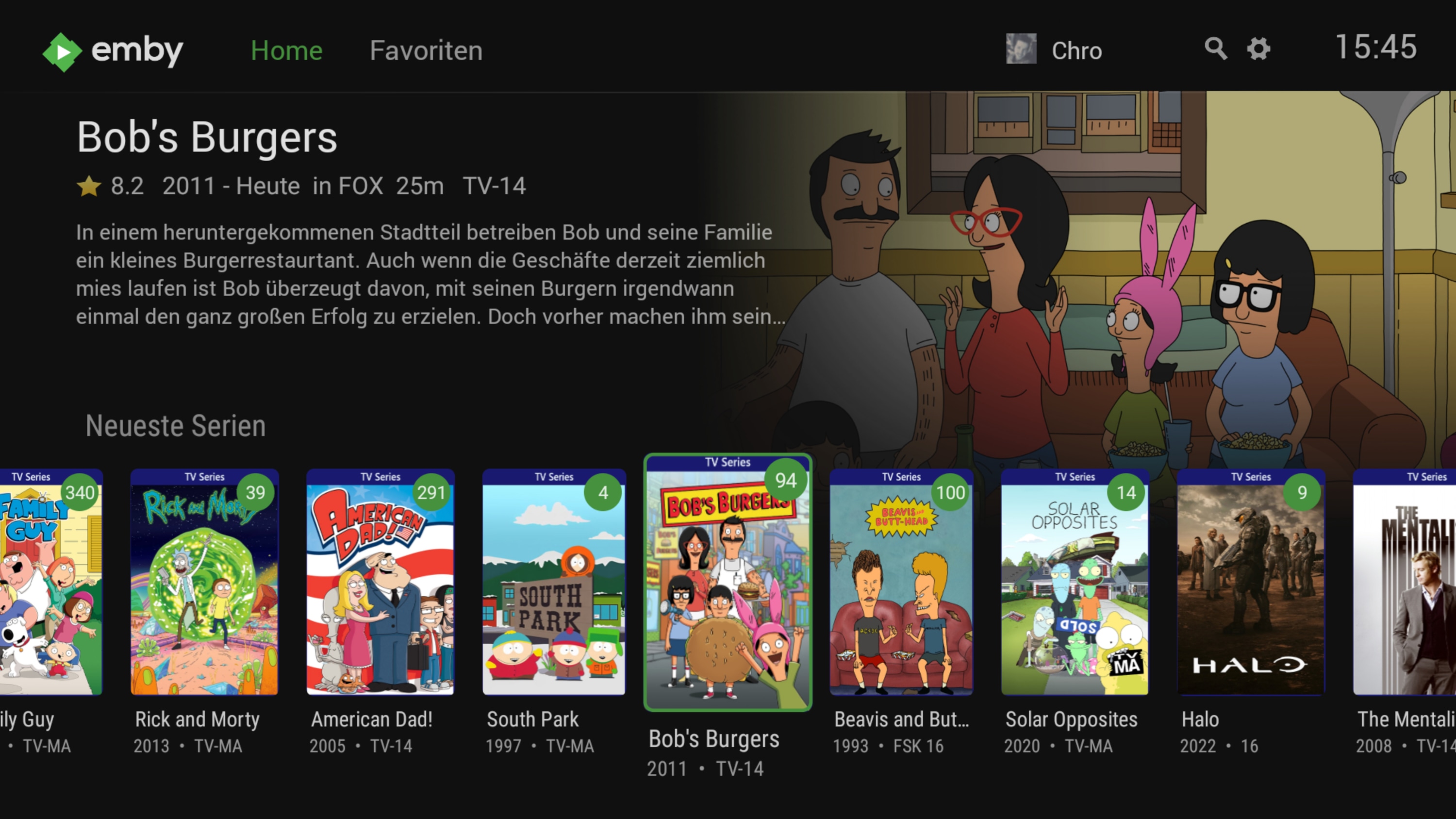
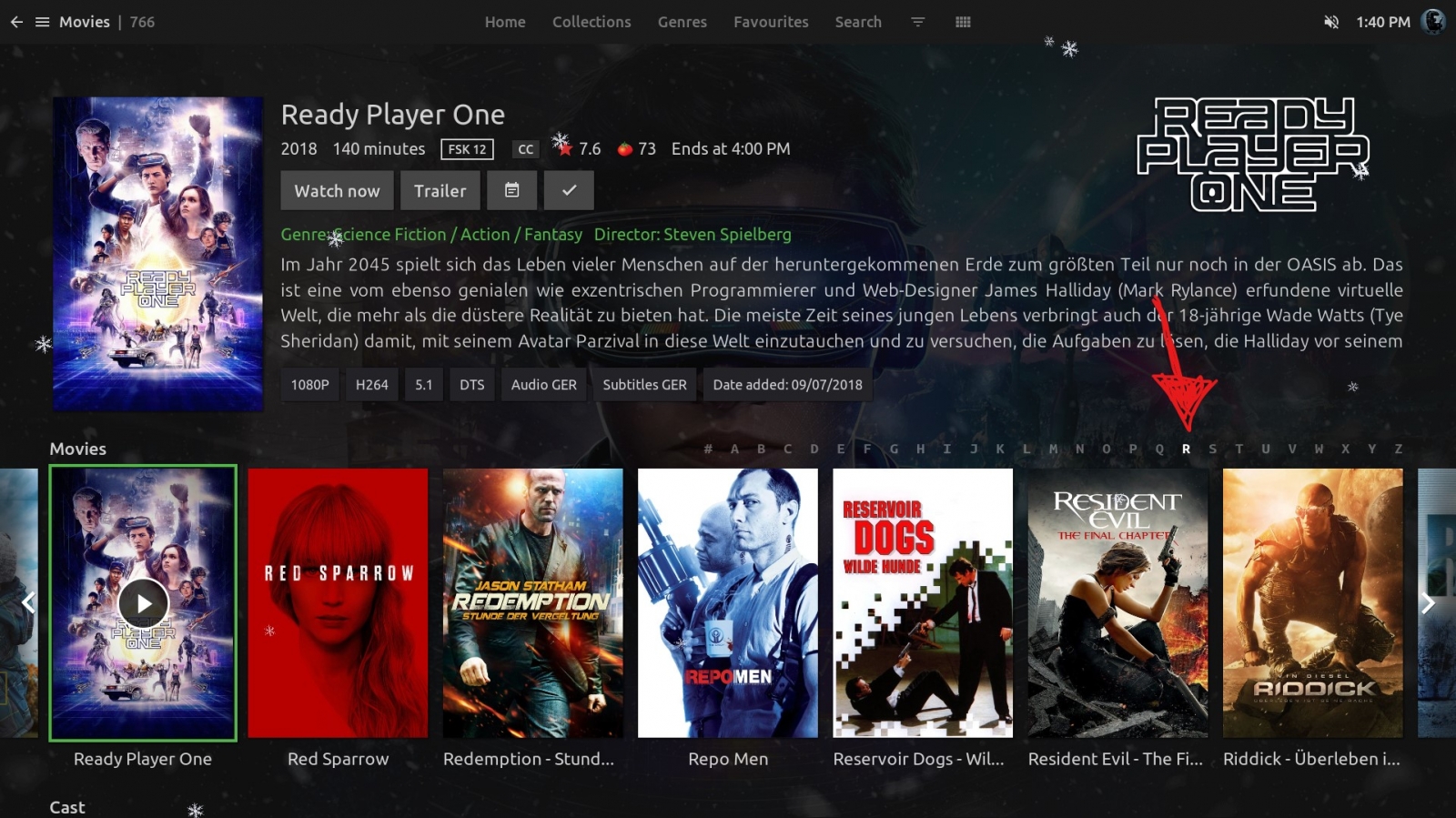
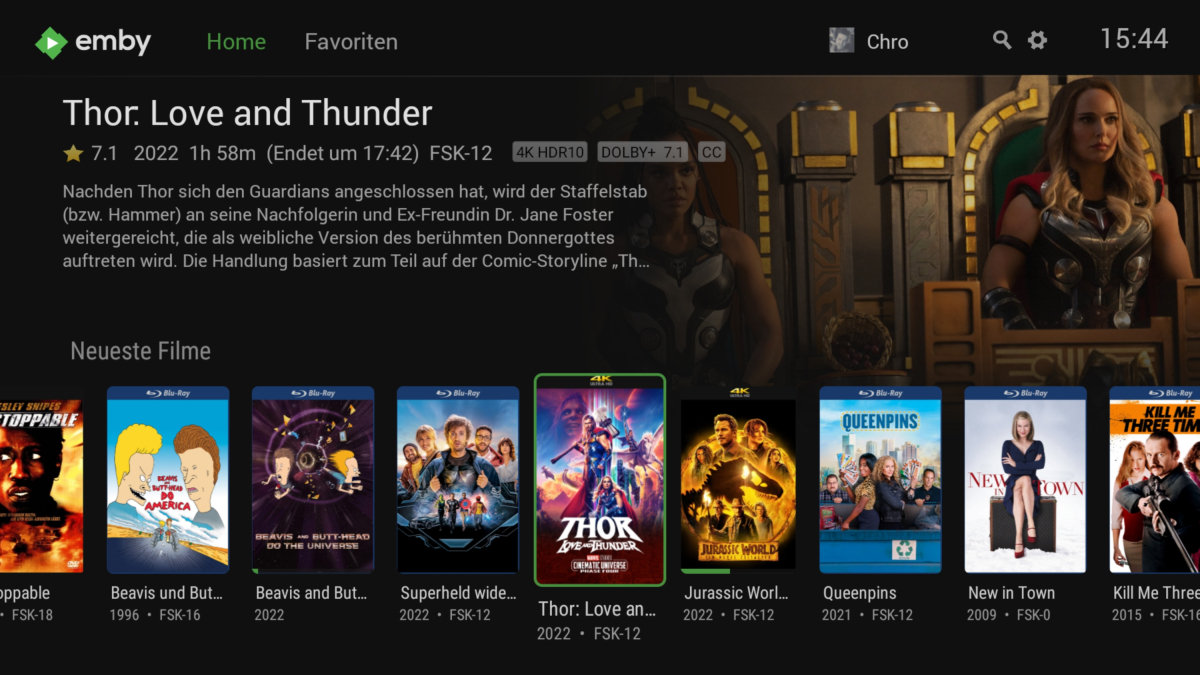
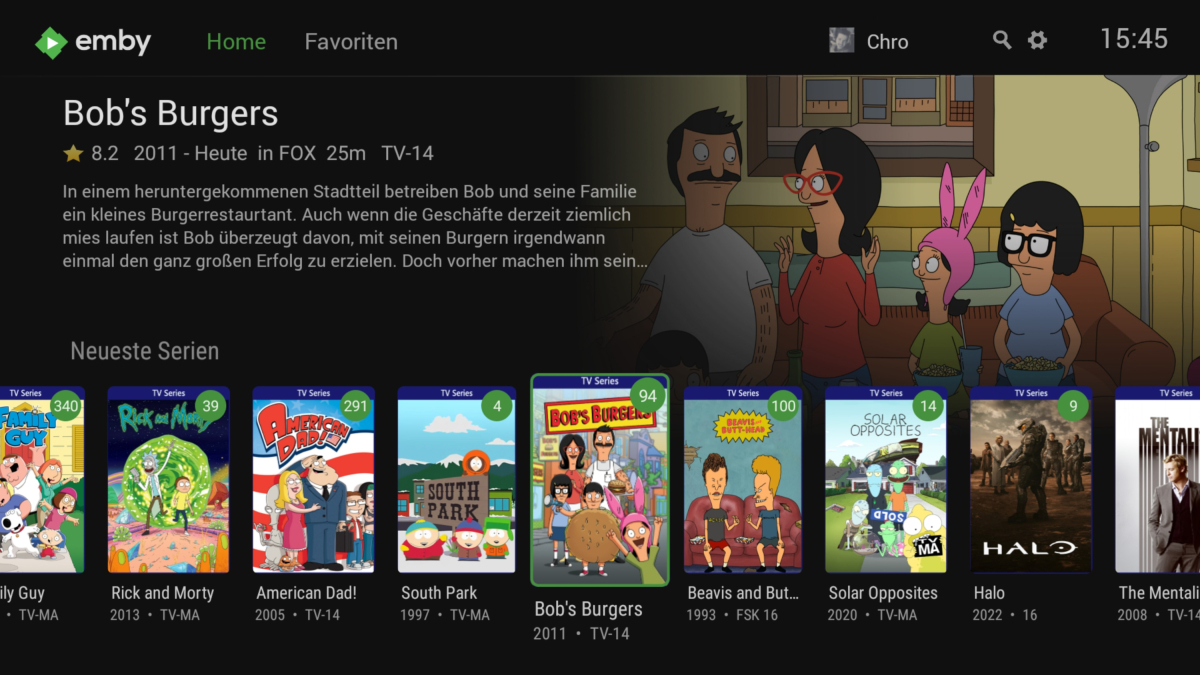
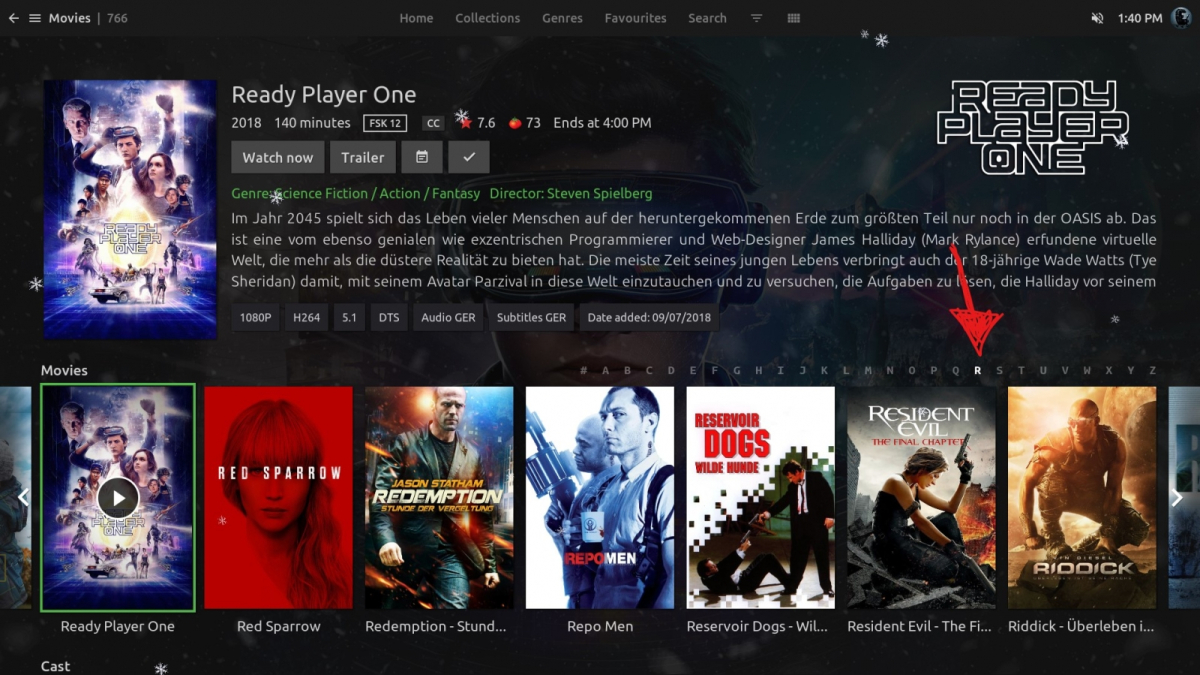
Would it be possible to add new themes so we can customize the look and feel of the emby app a little bit more. I really like how embuary looks for example. the emby app looks similiar to embuary but only if i go into the recommended category. Would be cool if we could make our movies and series categorty look like the recommended area instead of boring grid view. for comparisson some screenshots.
 1 point
 -
Thats a complete different code stucture that will require more learning. So short term is no. Long term yeah1 point
-
I'll test. Will it work on AndriodTV at some point?1 point











-Playlistwithsidescreenbrowser.jpg.4a4fa396aa53599e825fa0af26217336.jpg)