Leaderboard




Popular Content
Showing content with the highest reputation on 04/21/25 in Posts
-
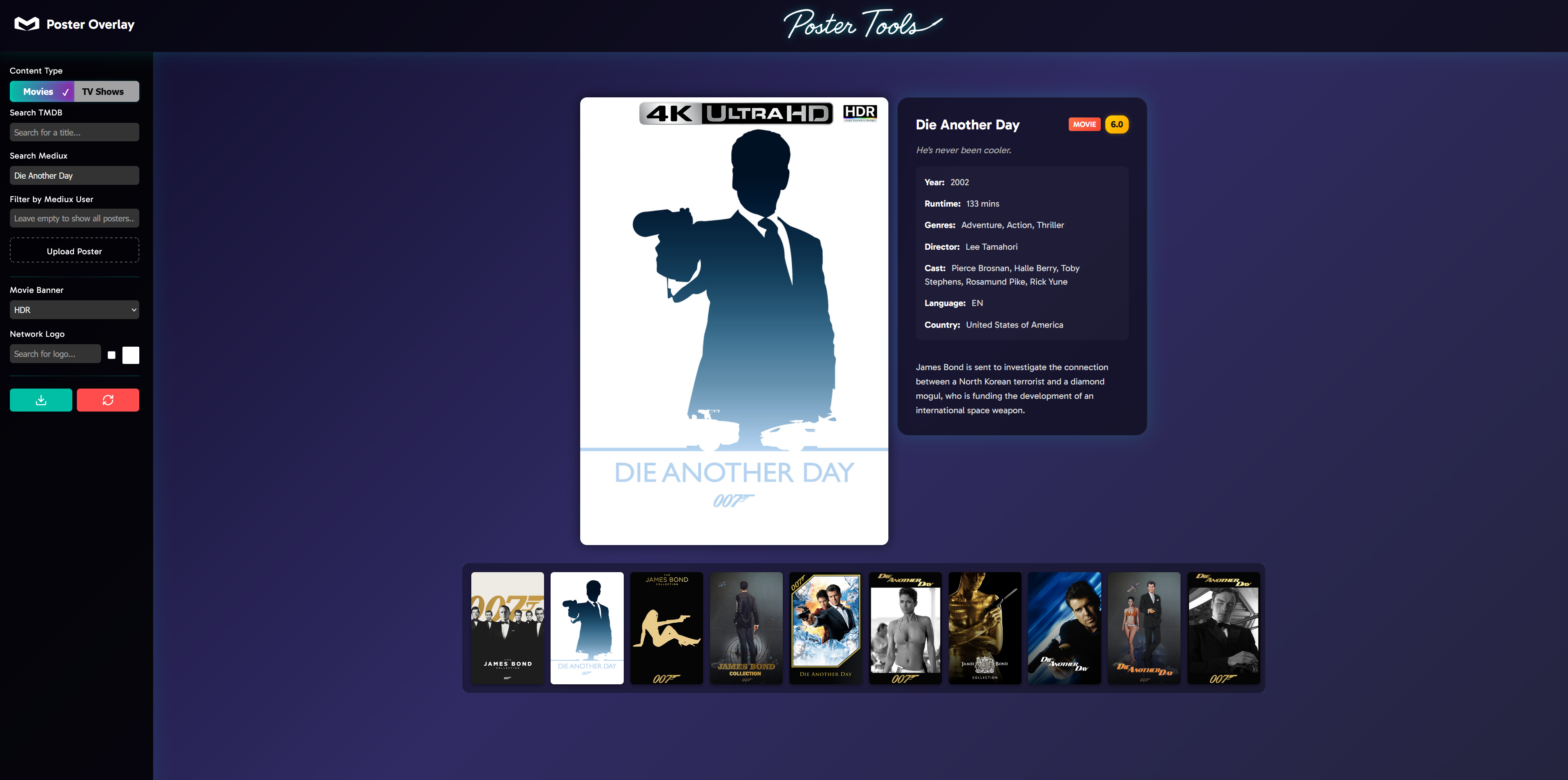
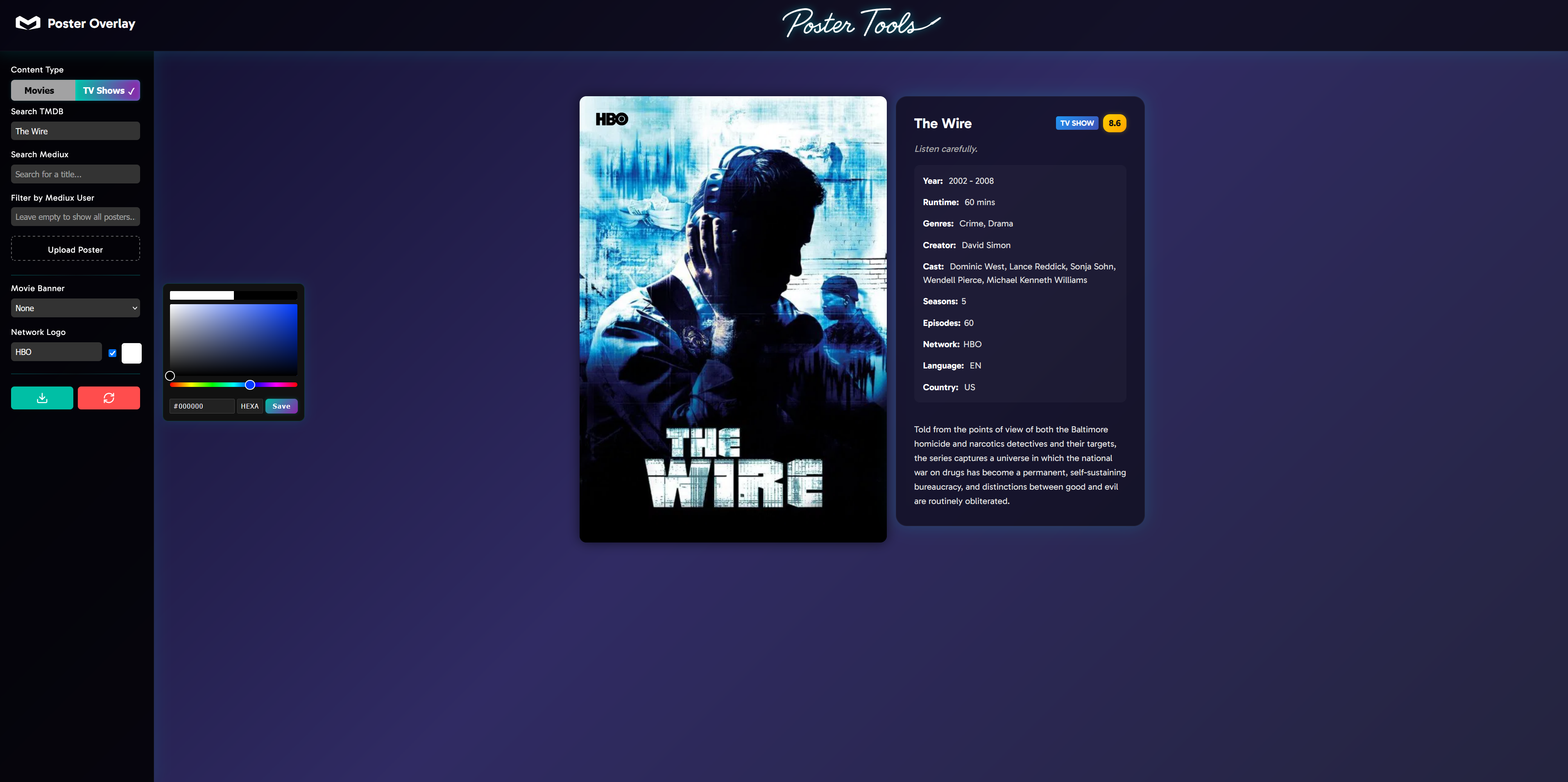
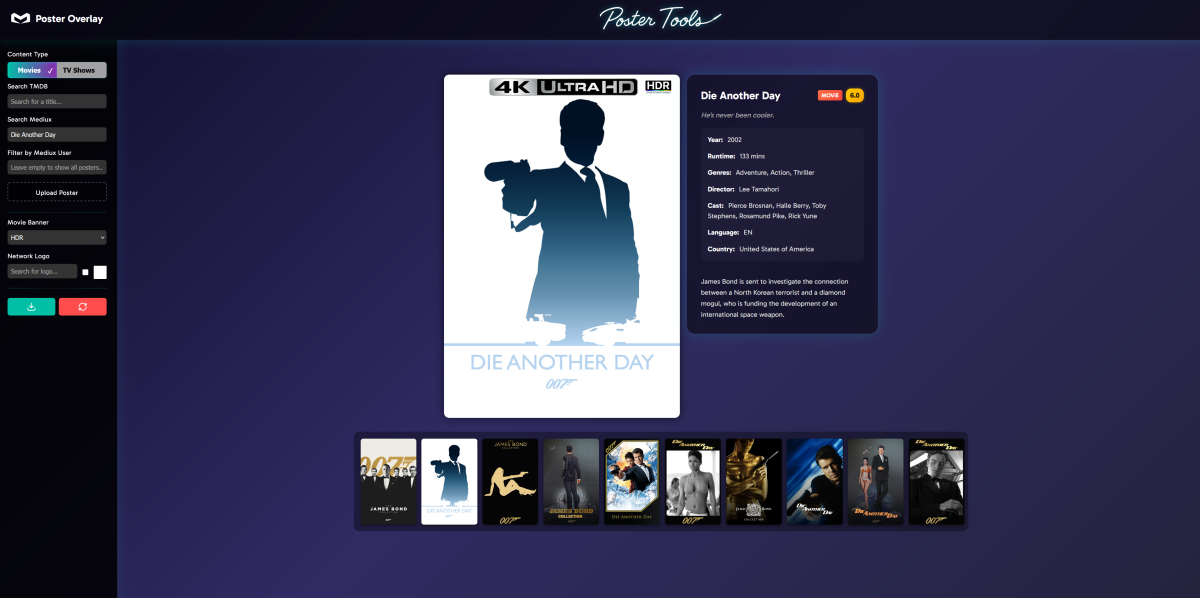
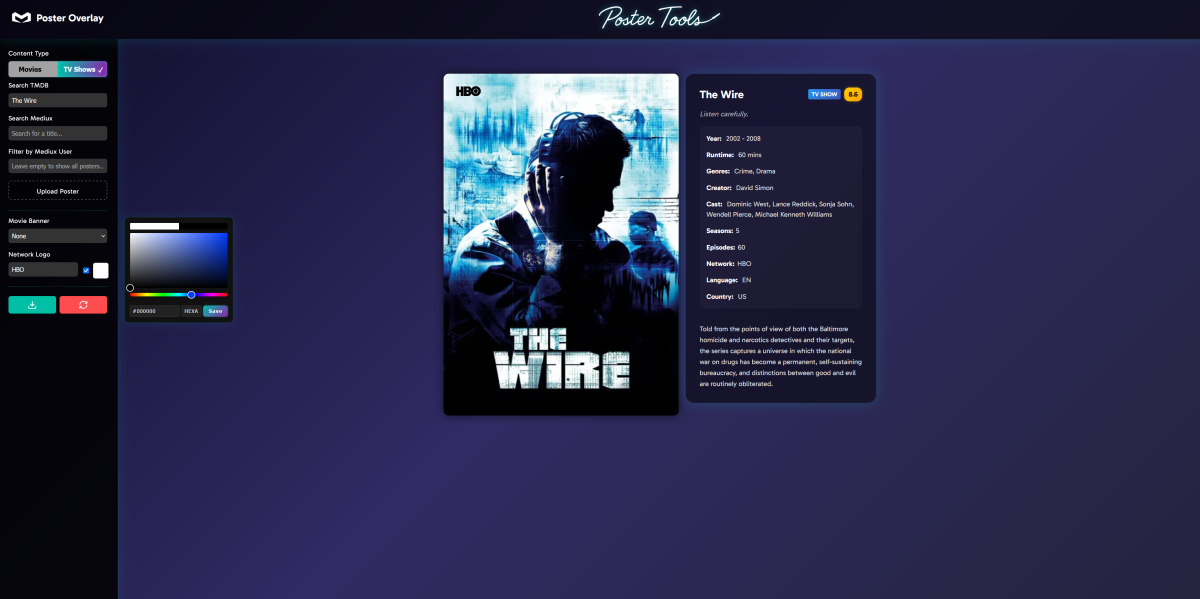
I've created a web application called Poster Overlay (A re-imagination of my original tool) that helps you create professional-looking movie and TV show posters with customizable overlays and network logos. This tool is perfect for media server enthusiasts who want to enhance their poster collection with consistent branding. This is still a big WIP but is functionally working in its current state, please report any bugs or errors, feedback or suggestions etc. Key Features TMDB Integration: Search for any movie or TV show on The Movie Database and automatically load metadata and posters Mediux Integration: Search for custom posters from the Mediux community (movies only currently), option to filter by creator Custom Upload: Upload your own poster images to customize Quality Badges: Add 4K, Dolby Vision, or HDR overlays to your posters with one click Network Logos: Choose from 30+ streaming service and TV network logos. Logos are auto added based off TMDB meta data and can be manually changed or turned off Logo Customization: Change the color of any network logo to match your theme Advanced Search: Smart search algorithms to help find the correct content even from partial file names Poster Preview: Real-time preview of how your poster will look with the applied changes Detailed Metadata: View comprehensive metadata for the selected content, including cast, release date, ratings, and more How It Works Select Content Type: Choose between Movies or TV Shows Find Content: Search TMDB for official content or Mediux for community-created posters or add manually Add Overlays: Select quality badges (4K, HDR, etc.) to overlay on your poster (more coming soon) Add Network Logo for Shows: Logos are auto added based off TMDB meta data and can be manually changed or turned off Customize: Change logo colors from the color picker function Download: Download your customized poster to use in your media server The tool features a clean, dark-themed UI that's responsive and easy to use. It's built with plain JavaScript and HTML. This is a great way to maintain a consistent and professional look for your media library, especially if you use media server software like Plex, Emby, or Jellyfin. Link for the site is here: https://poster-tools.pages.dev/ - Just scroll down and click on "explore poster overlay"
 3 points
 -
As a sidenote, @Luke: Personally, I find that "Upcoming" icon like a poke in the eye, why not pull first upcoming (or any random upcoming) TV show backdrop instead?2 points
-
Ok so my request is to be able to search each library separate as it stands when you search it searches everything, and if like me you have 30k music tracks 10k books/comics 10k episodes and 10k+ movies, searching is slow so is it possible to have a search section for each library individually1 point
-
The default sort order is set to 'Folders'. I would prefer to have all libraries I select to default to release date. I know I can manually set it, but I have to do that for every folder in the library. I would like to see the ability to have it automatically set the default sort order for all new folders I create.1 point
-
Could we add a function of "Actor Management"? It should allow browsing all actors by their first letter and managing their corresponding information. Also, it should enable viewing all the movies an actor has participated in here.1 point
-
I want to be able to easily explore films by key crew on films (usually director, writer, producers), however always have to scroll through the giant list of cast to find them at the end. They're often not even listed.1 point
-
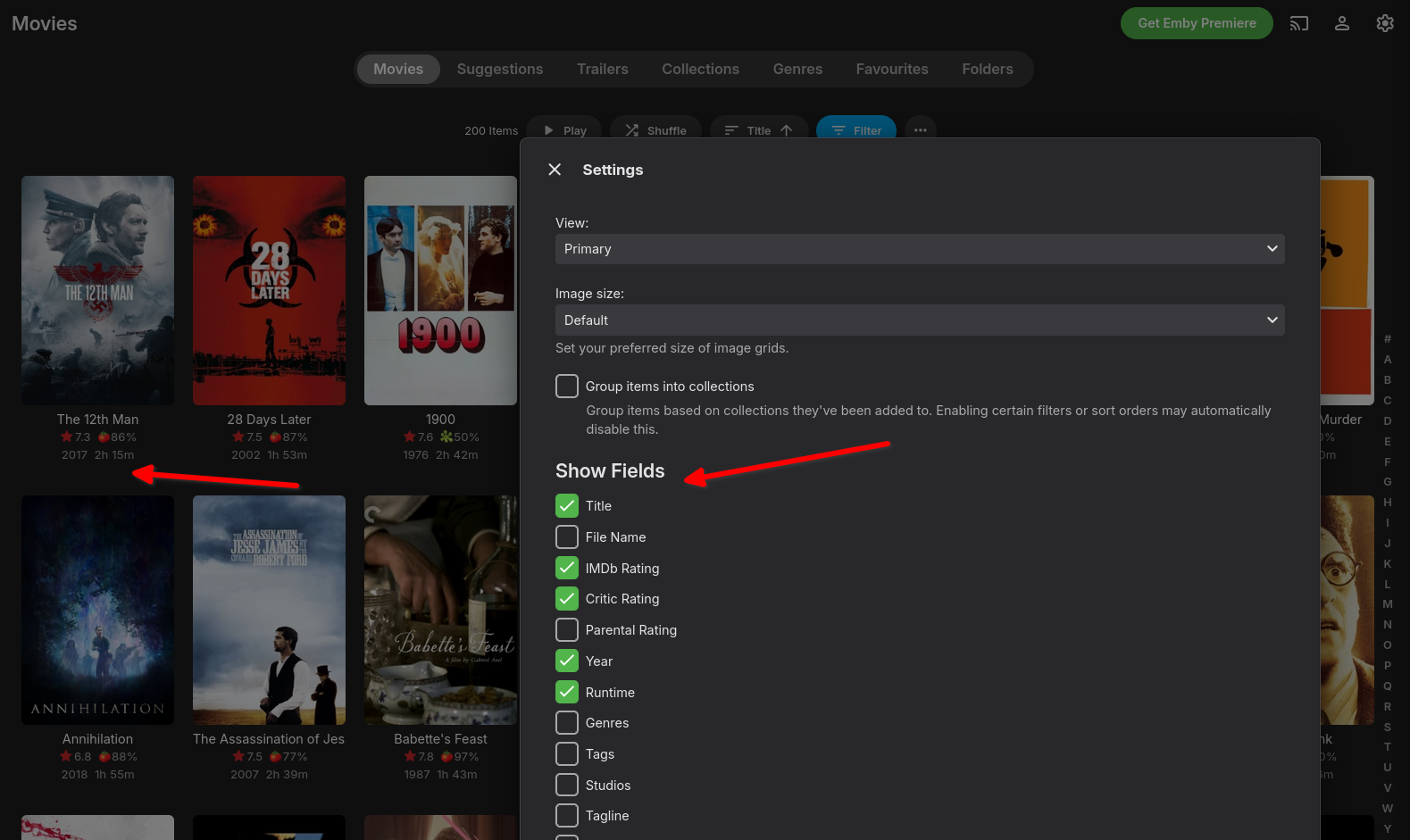
Hi. This is my first post in here, so I guess I'll start by saying thanks for developing a cool peice of media center software Now to my feature request- I wonder if it would be possible to add the director's name to the selectable fields in the overview as illustrated in my screendump below and thus have the name show up below each movie poster, just like the other fields one may have selected to be shown ?
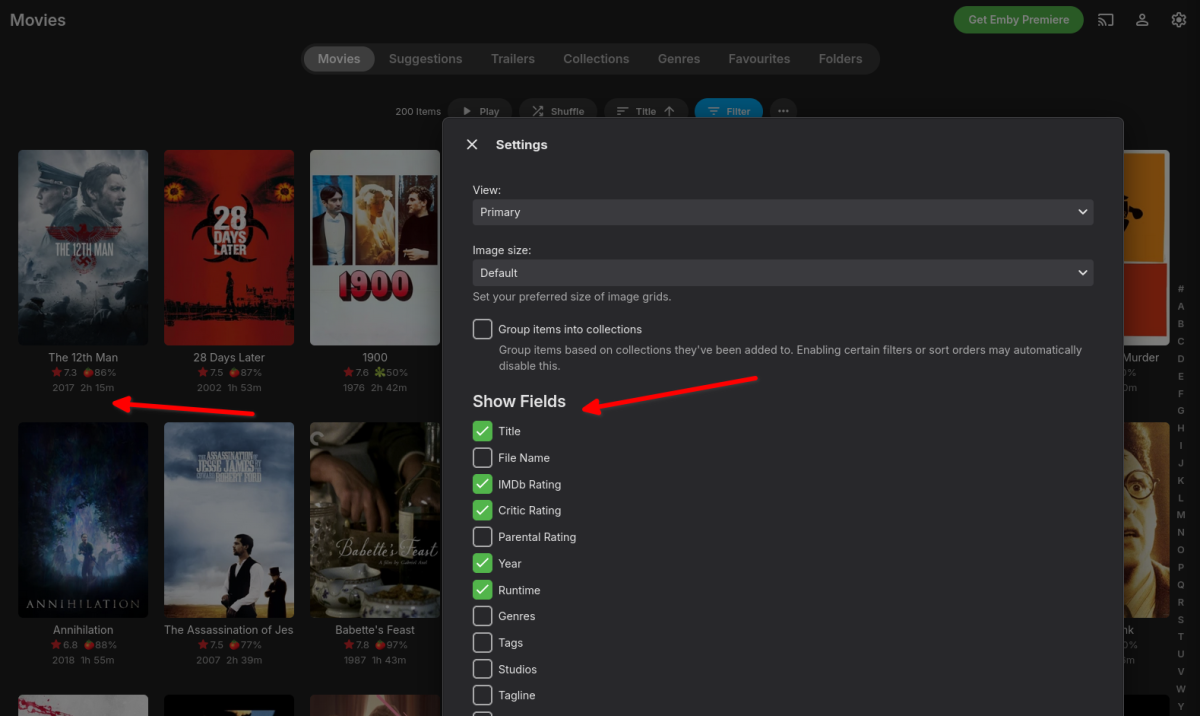 1 point
 -
If you're referring to the built-in backup feature, yes it can still back it up.1 point
-
I am embarrassed but it looks like Asus stuffed EVERYTHING ADM 5 into my device on ADM 4.3.3RFK OS. Since I have been referring to ADM5 documentation for the ADM Defender white grey and blacklists, Certificate manager, ssh keys, iscsi, and the UI I assumed it was ADM 5. My error and apologies.1 point
-
It seems to have fixed it. I appreciate it. I used to love Windows. but the way they force crap down your throat is annoying. Makes me feel like I'm Sasha Grey.1 point
-
Gracias a los dos por interesaros por mi problema. Obtuve la solución reiniciando tanto el router como la ont, ya que reiniciando solo el servidor no tenia solución, me parecía extraño que emby era localizable fuera de mi red y no tenia problemas para reproducir contenido en local o desde fuera, solo era extraño que el catalogo de plugins no cargaba el contenido y no podía identificar ni series ni películas. Internet no tenia problemas para abrir paginas y los test de velocidad eran buenos. debió ser algún problema en las DNS. Muchas gracias1 point
-
Once i am fully back up and running, I plan on using live tv to create a library for things that you cannot get listings for. example, PPV, football (soccer) teams, etc1 point
-
That's totally up to the user, It can be done by this plugin so I put it there incase someone asked for it. Glad it is working now1 point
-
Yes I do. I was using the latest version available on play store. However , i decided to return the device and get back to my Apple TV .1 point
-
I just wanted to say how much i enjoy using Emby, its a fantastic platform! I recently tried out Emby Theater and really liket it, right before the dark screen logo started appering. I'm really looking forward to the return of external player support, as my MPC setup is a big part of my ideal viewing experience. Once that feature is back, i'm fully committed to purchasing the Emby P lifetime license. Using Emby T 3.0.20 external player works fine, but i wish you can add it to Emby windows version 2.222.2.0. Keep up the great work:)1 point
-
Hi I checked that and was set up correctly. I connected the laptop to lan and had the same issue as the desktop. Check the switch and then logged into the router and checked that upd was allowed it was. So ended up connecting it to the router, no good then disabling and re-enabling udp it and then it all worked. Sorry for the hassle.1 point
-
I gave it a few days, and sure enough all my issues stem from the server clock. I shouted the F word for a straight hour, given how much time I wasted. This thread is a total waste of time for any visitors, so I'd suggest delete it or rename it "Dumbass never bothered to check the pc clock, and sync went to hell". To excuse my noob mistake, this server has been powered on non stop for 15 years. I never wouldve thought to check such obvious things after so long a period of flawless function. Anyway, there's happy accident, as discovering the kodi companion plug-in ad been great! It works like a champ. No longer will I need to repair when I delete or shift videos around file system. Lastly, I'm not sure if there's a discussion regarding the Titan version of Kodi, but after a few weeks of testing, I've downgraded back to Nexus. There's a host of performance issues I find too annoying to ignore with Titan, such as fast forwarding through a tv episode to the end will auto play the next episode, but the screen kicks out to the show menu while the episode plays in the background. Kind of minor, but still a bug. Plus Titan frequently crashes and restarts upon wake almost 100% of the time. Ne us, on the other hand, works perfectly. Is there any performance reasons to consider with emby on Titan? Am I sacrificing quality of display to avoid fiddly issues on Nexus? Sorry for wasting your time with my 100% dumbass user side issue. But I greatly appreciate the effort.1 point
-
i found it thanks !!!!!! it works now1 point
-
En rajoutant l'année je n'ai plus de problème. Et pour info je n'avais jamais eu de problème avant avec cette nomenclature Merci de ton aide1 point
-
@MAX92Ce que tu devrais faire c'est ajouter un chemin à ta librairie Series Nas/videos/Sans sauvegarde/ plutôt que simplement mettre nas/videos/series. Sinon lors du crawling, il pense que sans sauvegarde c'est une série. Rien ne t'empêche d'avoir la nomenclature suivante: Nas/videos/Series/Avec-Sauvegarde Nas/videos/Series/Sans-Sauvegarde Nas/videos/Series/Action et de faire 3 chemins distincts, ça évitera les effets de bord (surtout quand en plus ta série c'est une année)1 point
-
@seanbuff@JatorLet me know if this latest version changes the behavior you were seeing on your server1 point
-
@Lukethe horizontal bar that the web UI has would be better than what we currently have, in TV mode. BUT, putting them in the fly-out to the left or even right, would be better. But one or the other or something else, please.1 point
-
New PUBLIC TESTING version available 11.2.1: Emby server 4.9.X is required Delta changelog 11.2.0 -> 11.2.1 fix genre images for dynamic nodes add extra nodes for Genre, MusicGenre, Tags and Studios synced nodes including the icon images fix music genre synced node fix musicvideo genres fix Chinese language file fix MusicGenre and Folder realtime updates fix folder view for dynamic nodes improve large incremental updates via websocket Comment: A resync is required for the new nodes. This version is NOT TESTED with 4.8.X Emby server!1 point
-
Prueba que no tengas problemas de red o con el firewall, mi recomendación es que antes que todo reinicies todos los dispositivos de red (switch, router, modem, servidores, etc.) y vuelvas a correr el escaneo. A veces me pasa que cuando deja de bajar metadatos es porque se queda bloqueado el dispositivo de red.1 point
-
HI there, can you please provide a specific example? How to Report a Problem Thanks !1 point
-
Nein das meint ich nicht mit Aufnahmen der Anbieter m3u8 hat Archiv wo man 3 bis 6 Tage rückwirkend Sendungen Anschauen kann. nur Emby LiveTV kann man nur nicht sehen was vor paar Tagen lief1 point
-
The first 9.2+ Hotfix will deploy in the next week as 33.2.0.322 with the following changes: First HotFix (33.2.0.322 deployed 4/xx/2025) : Fixes night mode being skipped when DAP is ON. Fixes Dolby Vision content stutters when frame match feature is enabled. Fixes Match Content Audio Resolution for USB DAC Adds back HQS / Maxrate option for USB audio. USB TV Tuner fix with Live Channel app. Fixes playback issues in Plex when using AAC 5.1 audio. Please sign up here: https://docs.google.com/forms/d/e/1FAIpQLSe4uJtVvcML84AbTpbL2iW-oesJ51HKR5vddlpKh0rVEl-25g/viewform?usp=pp_url&entry.1352533101=DONTDELETE- Caveats of the HotFix process: 1. There is no way to roll back from the HotFix. 2. The HotFix is per public release build. If you sign up for this HotFix, you will receive all updates to it until the next public release and that's it. If you want to partake in future HotFixes, you'll need to join them as they appear. 3. There is no way to leave the HotFix process once you join it but you can ignore updates to the HotFix images if you don't want to install them. 4. When the next public release drops, you will receive it like usual. 5. HotFix images are not Google certified. The next official release will have all certifications. The negative side affect we've noticed from this so far are listed below and others may appear as time goes on: a. You won't be able to install or update Disney+ from the Playstore if you haven't installed it yet or do a Factory reset on this image. b. HD Homerun DRM channels will not work. This thread is not for asking questions like the following and any questions like this will be deleted.: 1. Why isn't xyz included in this hotfix. 2. When will this be released as an official release. https://www.nvidia.com/en-us/geforce/forums/shield-tv/9/563132/shield-experience-upgrade-92-hotfix-image/1 point
-
How do you go about doing this with a Windows Store app? I figured it was like most App stores and there would be somewhere on the page to Opt-In to the better version. But I don't see it. I've been trying to force myself to use the Windows App version, but the Refresh rate switch is driving me insane since I am on a 4K240Hz monitor.1 point
-
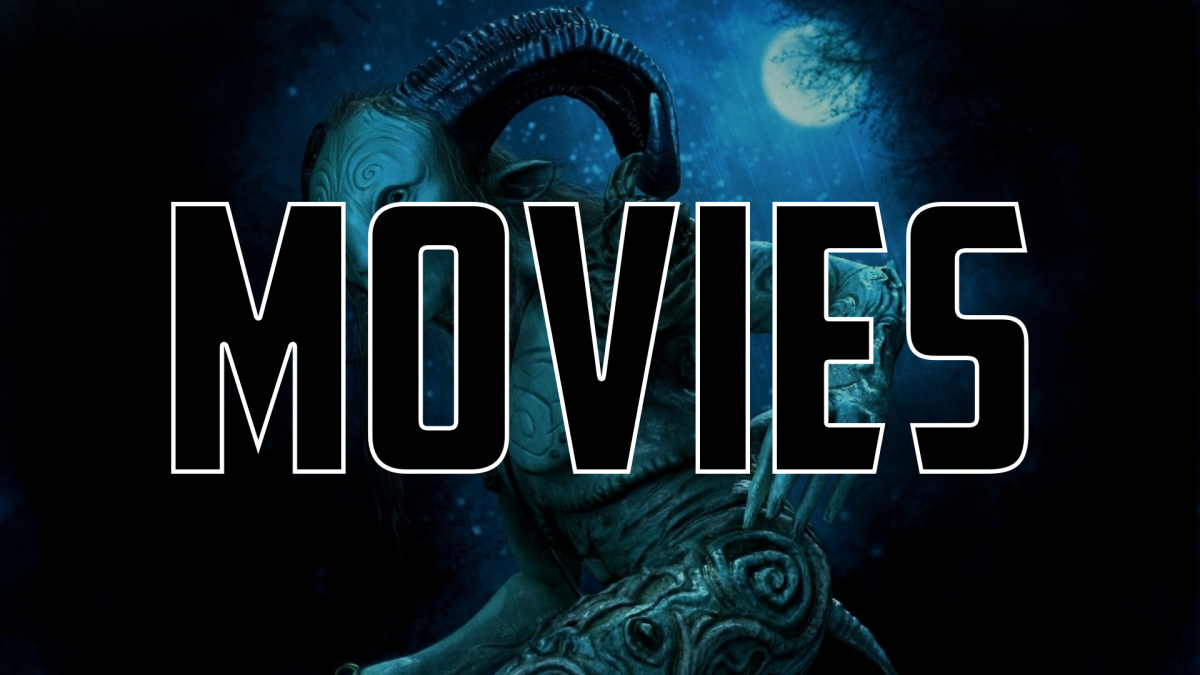
Ok, I chose to go with 1920x1080 and have been playing around with a few. If people enjoy them feel free to request different library titles or cool backdrops, must be 1080p. Link to my Google Drive folder here.












 1 point
 -
Thanks for the suggestion, but sadly that doesn't seem to make any difference in Emby.0 points