Leaderboard




Popular Content
Showing content with the highest reputation on 04/03/25 in Posts
-
Hi, we’ll take a look at this. Thanks for reporting.3 points
-
GUYS WE ARE SAVED! The post above is from this thread for the same problem! Luke says they looking into it! maybe they'll see something this 5th time i'm so happy and excited for this, this time it's real! /s (just in case)2 points
-
Hi, this is resolved for the next app update. Thanks.2 points
-
Send a PM to @Abobader.2 points
-
Reason why people here thinks it's not a big demand for this is surely because users aren't even aware about this feature. This is a very new way of watching content together. If this was marketed by, for example, Netflix, it would become wildly popular. I do this all the time with friends and family but with other apps, would be both amazing and great for Emby to implement this so, for example, all of my users on my server would do movie nights together, especially split families.2 points
-
I'm a plex life time member, but I have been using Emby for over six years continuously, but there is a feature which I have always thought is missing in Emby which I would like and encourage the developer to consider including especially in this dispensation where families can social or commingle due to COVID 19. Today, I received a notification from Plex about it new feature titled Watch together you can read about it here https://support.plex.tv/articles/watch-together/ The feature allows friends and families at distance to watch same movies together instantly, you simply invite all your buddy, once they signed to the system which can be seeing in the server then play and pause as needed, this I think is cool feature should be added to emby. Let's here your though if Emby developer should consider adding this feature to our beloved Emby Media https://www.bing.com/news/search?q=Plex+Watch+Together&qpvt=plex+watch+together&FORM=EWRE1 point
-
The issue’s been driving me crazy, so you made my day. THANK YOU.1 point
-
Hi, this is resolved for the next app update. Thanks.1 point
-
Doesn't look like you have any debug logging switched on and your logs are full of errors. Loads of System.IO.DirectoryNotFoundException, loads of ffmpeg. Not sure quite how you're setup but it doesn't look like it's very happy in general. I'd be ironing put those kinks whilst checking your debug logs to get some better details1 point
-
Ah the joys of media fire. Nah, should fix it's self on the next file rotation.1 point
-
It's not user specific throttling so couldn't specifically pick you out of a bunch however there have been a few new users today so it's probably being hit hard with the first downloads1 point
-
Hi, there isn't, but I agree that it's something we should look at adding. Thanks.1 point
-
Just an update on this. On iOS, there is now an option to force conversion for formats. With this enabled for mpegts I am now able to resume ts recordings. On Apple TV, it only works if you change preferred player from auto to either mpv or native. I am not sure what auto does but it prevents resuming ts recordings.1 point
-
From what I could gather by looking at the library.db file (which is several gigabytes big on my system), the delay gets longer the more entries in the table UserDatas the specific user has. For the user with the minute-long delays, I have more than 2000 rows in that table, for a newly created user with very short delay, I only have 4 entries. I therefore suspect that Embycon is (unlike the other clients) sending an update to this table (with requests like POST http://192.168.2.112:8096/emby/Users/.../PlayedItems/xxx) that takes a long time to process on the server.1 point
-
Not sure what happened but the “Play next episode automatically” is now being ignored. Doesn’t matter if I have it on, or off, it will automatically play the next episode. version 1.9.6 (2)1 point
-
That's understandable1 point
-
I honestly don't know, I've never encountered that issue like you're having - nor can I reproduce it, just checked changing cast order both on TV show and episode level, they all get picked up correctly. You might turn on Debug logging, repeat process and post server log for the Devs to check what's occurring, I'm out of ideas.1 point
-
Works again. Thanks!1 point
-
Thank you. I will try 3.4.43 later and report back here.1 point
-
Ok, I am working all week I will try this weekend1 point
-
Looks like the app has been programmed that way. It's a bit annoying (for me) but tolerable. Unless the developer changes the way the FF button works, then that's how it will work. BC1 point
-
No I do not, but I attached the file above, I managed to get it off.1 point
-
Attached are two full server logs, one from March 30, with the minute long delays (check timestamp 2025-03-30 15:24:59.792 and following) and one from April 1, with a newly created user, where the delays are much shorter, but still noticeable (check timestamp 2025-04-01 14:48:14.127). embyserver.txt embyserver-63878966049.txt1 point
-
Okay so a follow up to my follow up (Not because I still have a problem, I did have one prompting me to come here again but I've resolved the issue with a brain-blast, and I don't want to bother you guys anymore, I'm sure you're busy and I appreciate that you've replied, but more for you guys to have some context at this point, maybe it'll help in some way?, Or for anybody who is experiencing this problem.) I had gotten it to work last night, I was able to log in from an external network, simply remounting it was enough to let me log in remotely. it showed my port as open on that canyouseeme website, Emby showed that the port is open and running on my external port with the Domain address attached, however, upon waking up I found that I couldn't connect anymore even though everything looked exactly the same as it did when I went to bed and it was working. so I tried restarting the server, restarting the server computer, remounting that .pfx again, remaking the .pfx with fresh files and using the new one, all with no results. It was working pre-update, I got it to work post update. Everything looked right. Turns out, for the first time in this router's life, the IPv6 changed. (I didn't notice it with a skim over, but, in my defense, it was like 4am.) I'm like, 98% positive the update is the culprit and the way it interacted with my network upon implementing. According to the logs in my router, the DNS error started around implementation. But it explains everything as far as I can tell? Again I'm not network savvy and I could be way off base. I imagine when I got it to work, that was really just me connecting to some sort of temp router network cache? It's working now that I've swapped to the new IPv6 on my domain's dashboard that I got from my router's dashboard. I've tested it, my buddy a couple cities over tested it, my other buddy from across my city tested it. As of this moment, everything is Golden and it hasn't changed to a new IPv6, especially upon introducing multiple connections, so it doesn't seem like it will be a continuous problem. Thank you both for your time and effort. It is much appreciated.1 point
-
New PUBLIC TESTING version available 11.2.0: Emby server 4.9.X is required Delta changelog 11.1.27 -> 11.2.0 improve webservice http communication clean code fix minor episode season number issue minor performance improvements for addon mode playback start add priority options for server requests improve Kodi scan (busy) detection new node for recently added musicvideo albums fix minor shutdown issue auto resync on mandatory DB resets fix year node fix disabled certificate verification support http deflate compression improve library artwork caching adjust database PRAGMAs add option to disable BusyDialog (default on) add option to set TOS/DSCP IP headers (default best afford) add option to auto cache artwork for incremental synced content (default off) fix transcoding for newer ffmpeg versions fix favorites fix minor sync issue after wake when Kodi sync was in progress when sleep was activated and Emby removed an item while sleep fix incompatibilities with latest Emby server beta version Comment: I released this version earlier as intentionally planed. It's not too well tested, anyway. Due to incompatibilities between Emby server 4.8.X and 4.9.X it's required to update to this version when using server beta versions. This version is NOT for 4.8.X Emby server. Unfortunately I cannot release one version supporting both servers as there are major differences in API call responses.1 point
-
If you’re looking to switch from Plex to Emby, you’re not alone. Many users are making the transition to Emby for its advanced customization options, better privacy controls, and flexibility. While moving your media library might seem daunting, this guide will walk you through the entire process, ensuring a smooth migration without losing your watch history and you'll be up and running before you know it! Why Switch from Plex to Emby? Before we dive into the migration process, let’s highlight some key reasons why users prefer Emby over Plex: Greater Customization: Emby allows for more granular control over metadata, streaming quality, and transcoding. Privacy-Focused: Unlike Plex, Emby does not require an internet connection for local streaming. Better Integration with IPTV & Live TV: Emby offers superior support for IPTV playlists and tuners like HDHomeRun. Self-Hosting Benefits: You maintain full control over your server and user data. Now that you know why Emby is a great alternative, let’s get started with the migration process. Step 1: Install Emby Server First, download and install Emby Server on your preferred device: Visit Emby’s official website and download the server software for your OS. Follow the installation instructions and set up your admin account. Once installed, access the Emby dashboard via your web browser. Typically at http://localhost:8096 Step 2: Prepping Your Media Files to move to Emby Ensure your media files are well-organized before adding them to Emby. The ideal folder structure should be: /Media /Movies /MovieName (Year)/MovieName (Year).ext /TV Shows /ShowName/Season X/ShowName - SXXEXX.ext If your Plex media is stored in a different location, move or copy it to your preferred location for Emby. Keeping the same structure ensures a smoother migration. Emby's media scanners will do a great job if not all of your movies or shows are organized in this fashion, but it definitely helps to have an organized and well structured media folder. Step 3: Set Up Your Libraries in Emby Now, it’s time to add your media to Emby: Open the Emby Server Dashboard. Navigate to Library > Add Media Library. Choose the appropriate content type (Movies, TV Shows, Music, etc.). Select the folder where your media is stored. Choose metadata providers (TheMovieDB, TheTVDB, etc.). Click Save and allow Emby to scan your library. Step 4: Importing Watch History from Plex (Optional) Emby doesn’t directly have a built-in tool for importing watch history from Plex, but you can use Trakt to sync your progress. Install and setup Trakt Scrobbler in Plex and sync your watch history. Link your Trakt account in Emby, allowing it to import your watch history. Run a scheduled task for importing playstates from Trakt. This should only have to be done once. Step 5: Configure Emby for Optimal Performance To get the best experience, here are some begging tweaks to Emby’s settings that will help get the most out of your new media server: Sign up for Emby Premiere: While not required, Emby Premiere offers many benefits like hardware transcoding, offline downloads, Live TV DVR and more! Enable Hardware Transcoding: Navigate to Dashboard > Transcoding and enable hardware acceleration for smoother playback. Set Up Remote Access: Under Network, configure remote access settings if you want to stream outside your home network. Fine-Tune Metadata Fetchers: Go to Library > Metadata and choose the best providers for accurate metadata. Step 6: Install Emby Apps & Start Streaming Emby is available on multiple platforms, including Android, iOS, Apple TV, Roku, Fire TV, and more. Download the Emby client app for your devices and start enjoying your media. Final Thoughts Migrating from Plex to Emby doesn’t have to be complicated. By following this step-by-step guide, you can transition smoothly while preserving your media organization and watch history. Emby offers a flexible and customizable media server experience, making it a fantastic choice for those who want more control over their media. Are you ready to make the switch? Try Emby today and take your media streaming experience to the next level! As always, you will find unrivaled support from our users and staff over at the Emby Forums if you run into any issues or have any questions about this process. View the full article1 point
-
I think you guys missed this part: They wouldn't say that if they were killing off the feature. The way I read this is that if there is adequate demand from users, it will likely return, but they want to measure that first and be sure of it. But most importantly, they want to get their new apps released, and they don't consider this feature important enough to hold that process up. I'm sure they have telemetry that shows it is not a heavily used feature, otherwise there's no way they'd remove it.1 point
-
When it comes to Netflix and other studios, it doesn't make sense to help people share their content. They want to milk as much as they can. Plex is taking money from investors and the only thing they care about now is making money. They're now redesigning all of their apps and this doesn't make them money so they're putting it on the back burner. Edit: They're not pulling it just to pull it. They have a new app and they don't care to waste resources on anything not related to their new direction for generating money. (hint: it's not self hosted media)1 point
-
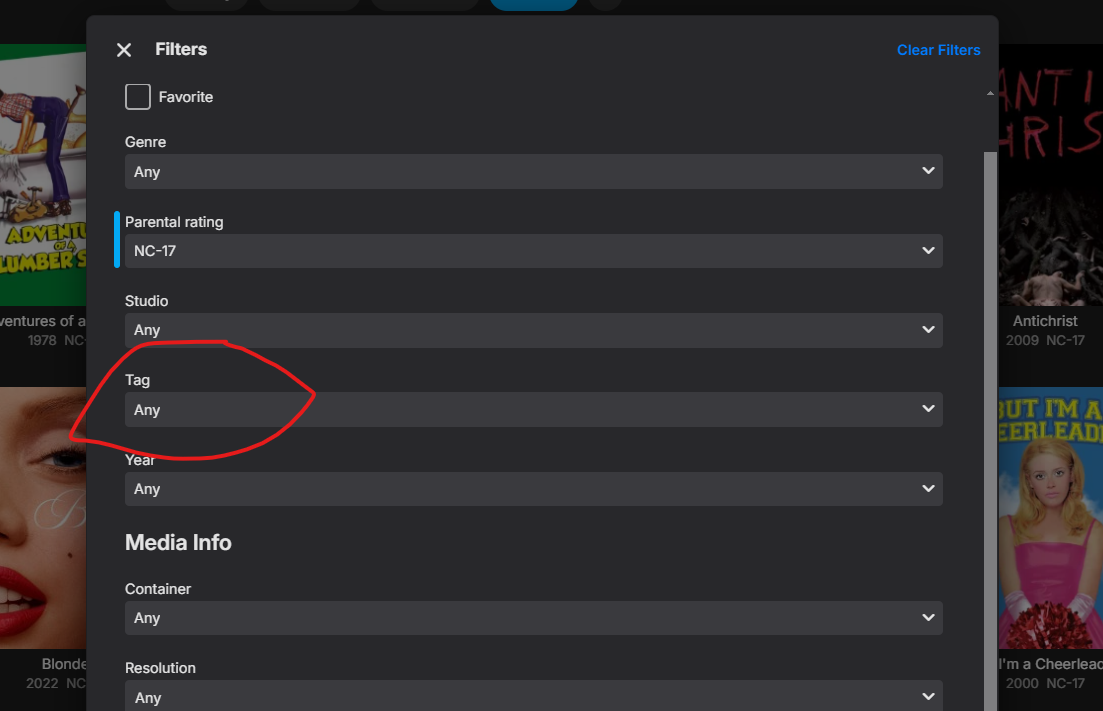
Hi there, on latest Emby beta 4.9.0.37, can "None" be added to the Tag filter? Right now either "Any" or a selection of one or more custom tags must be chosen in the drop-down. I specifically want the titles filtered to None, meaning show titles with NO tags.
 1 point
 -
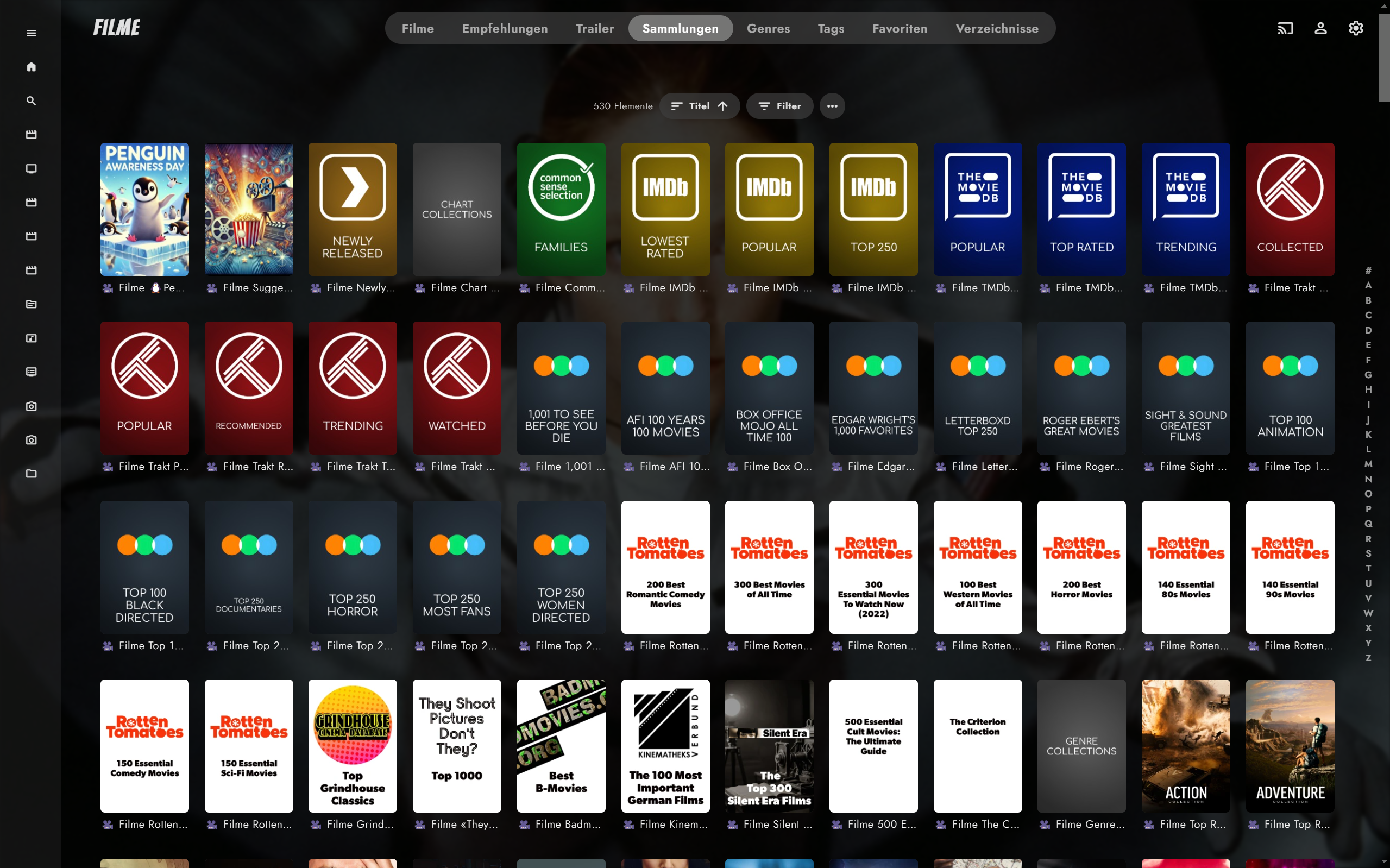
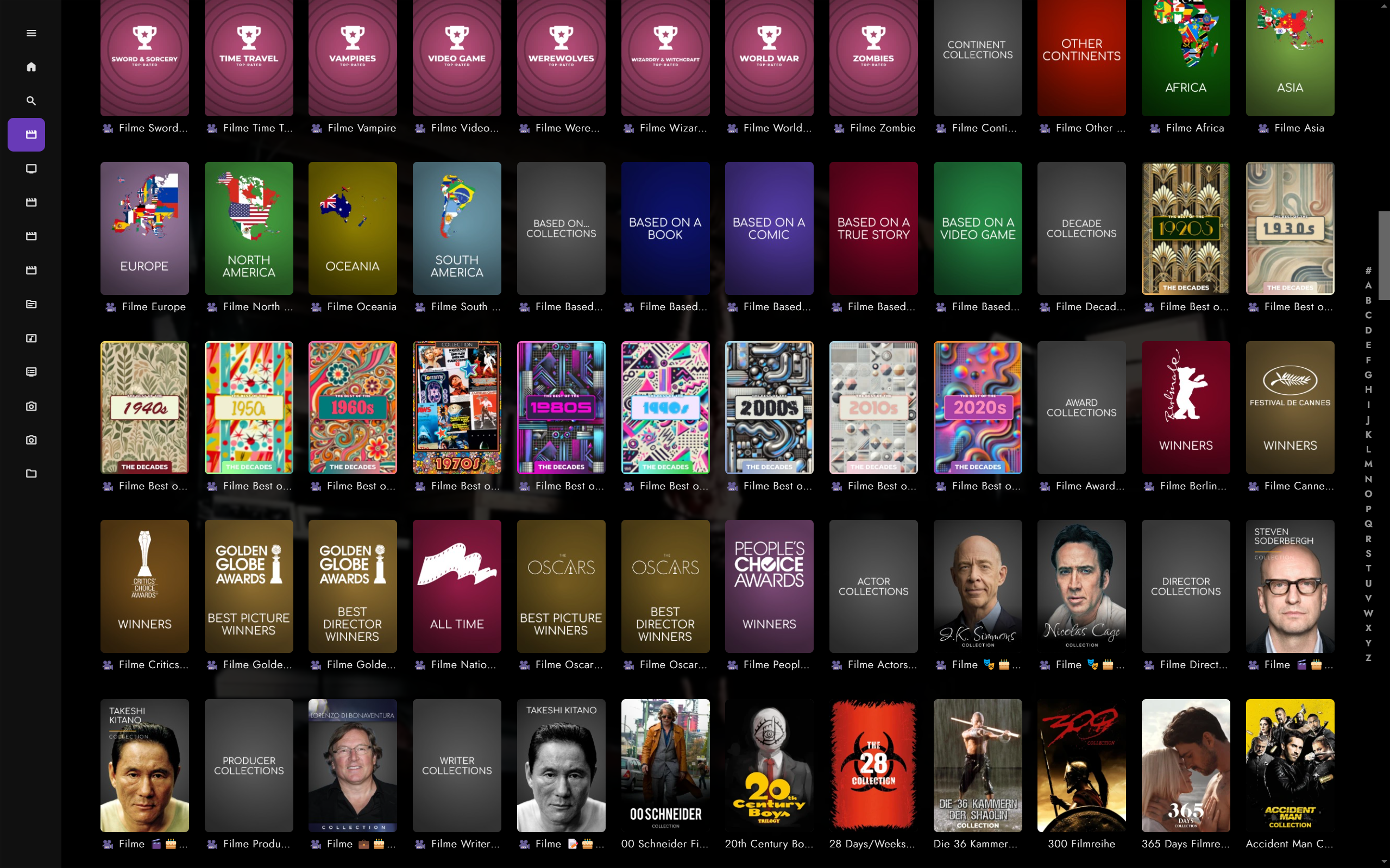
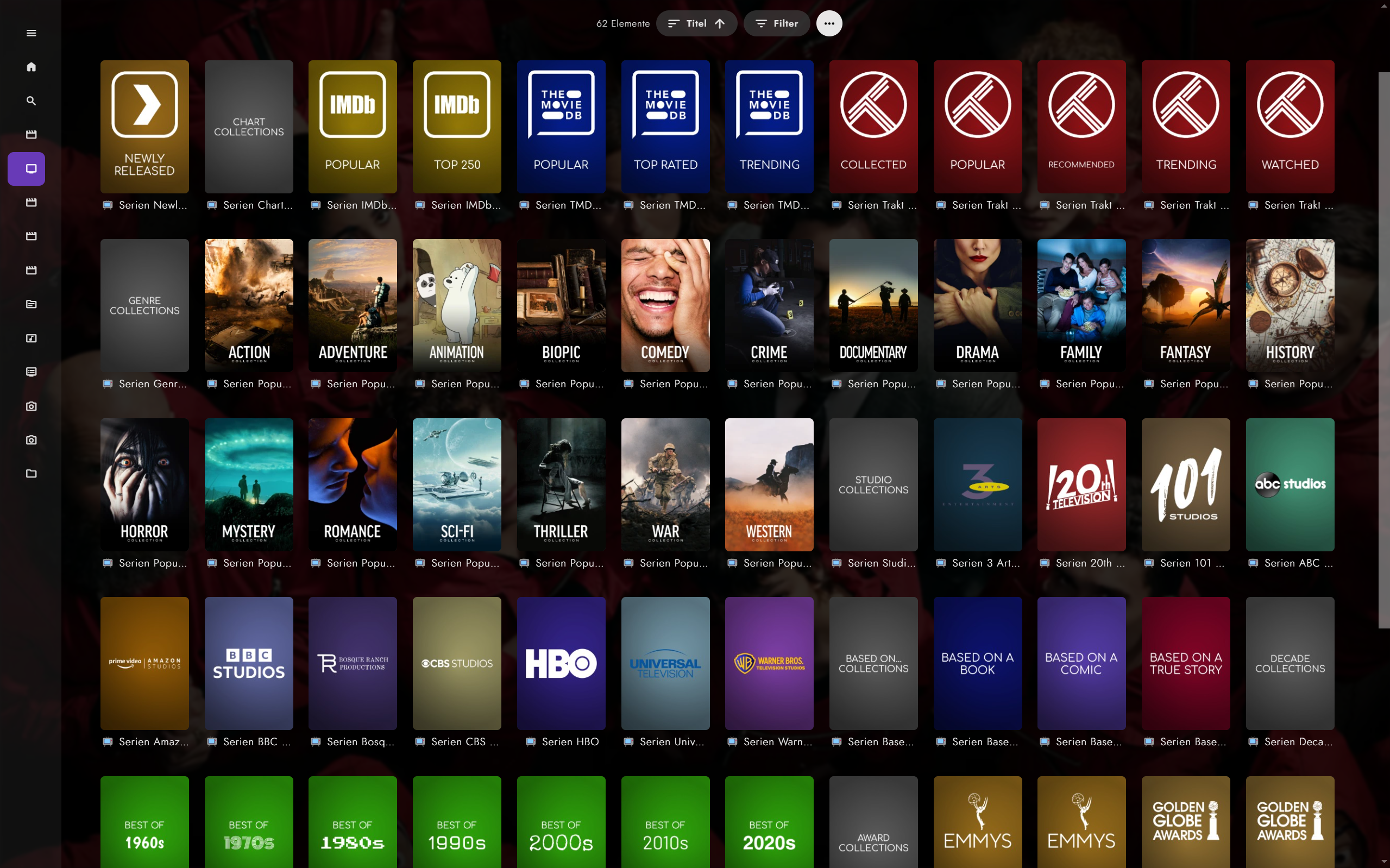
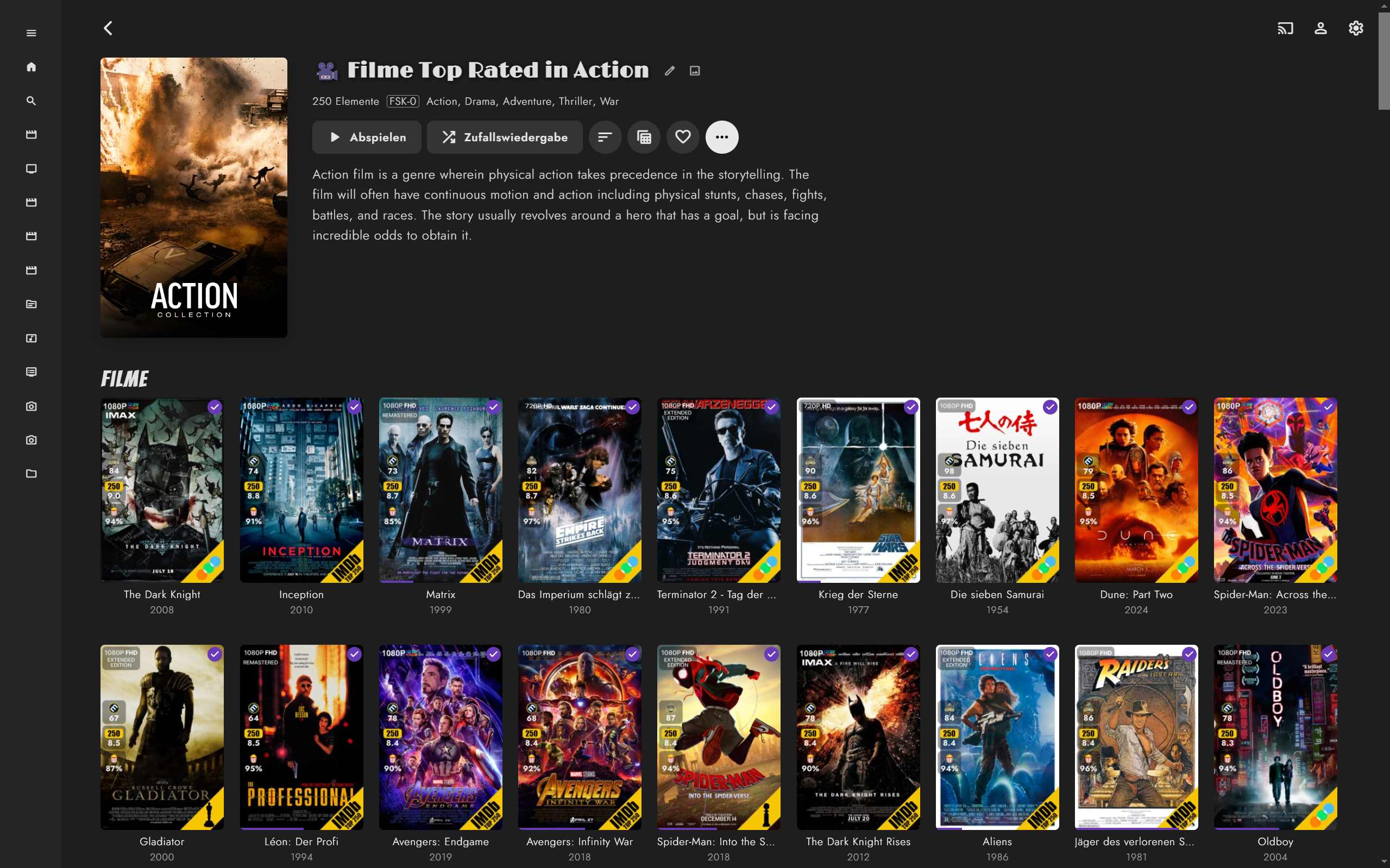
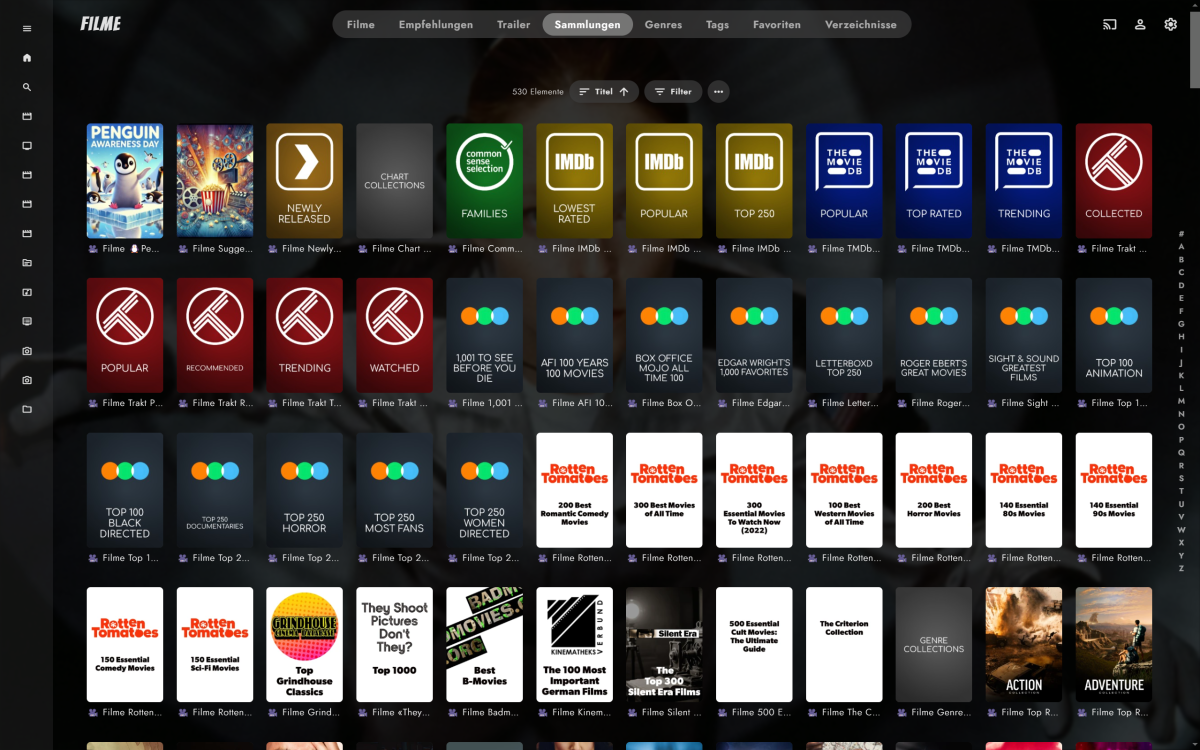
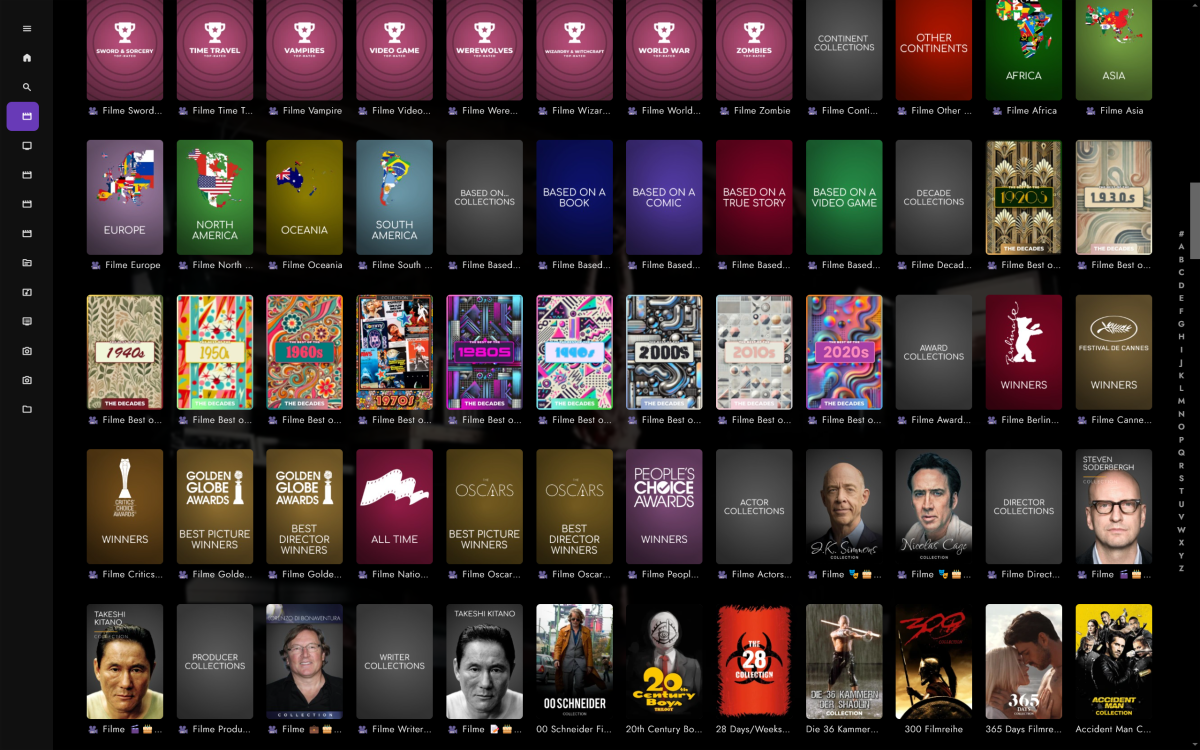
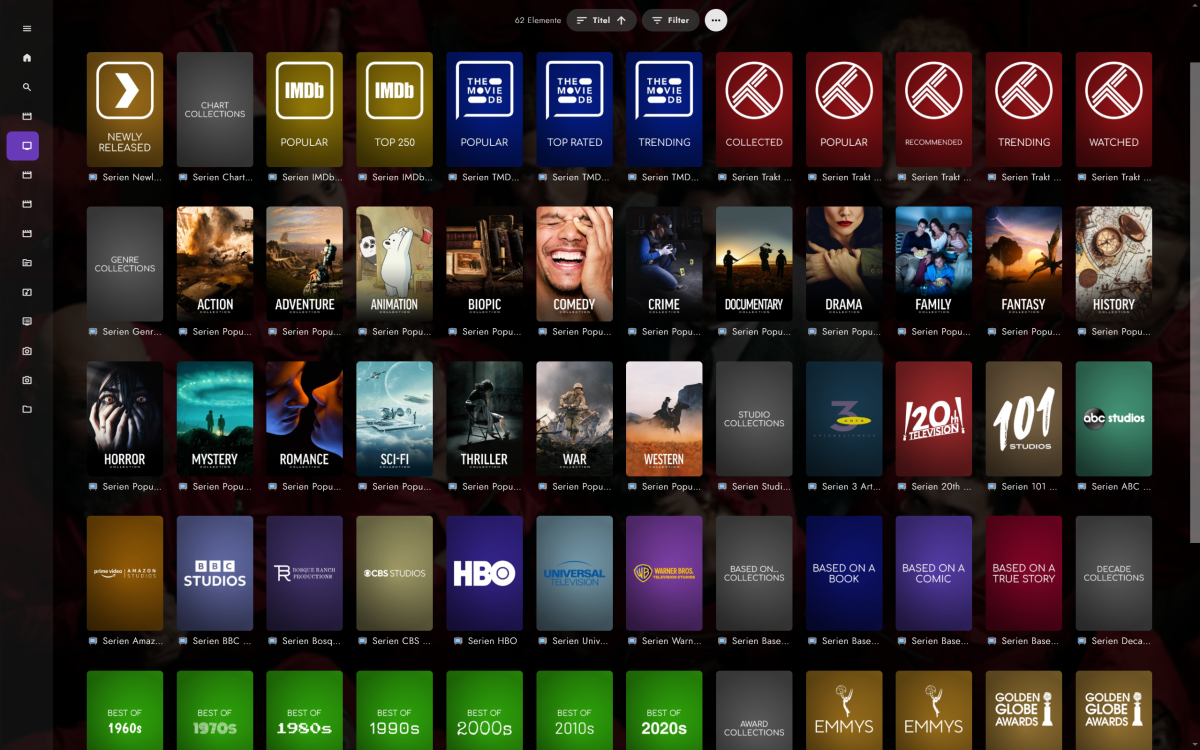
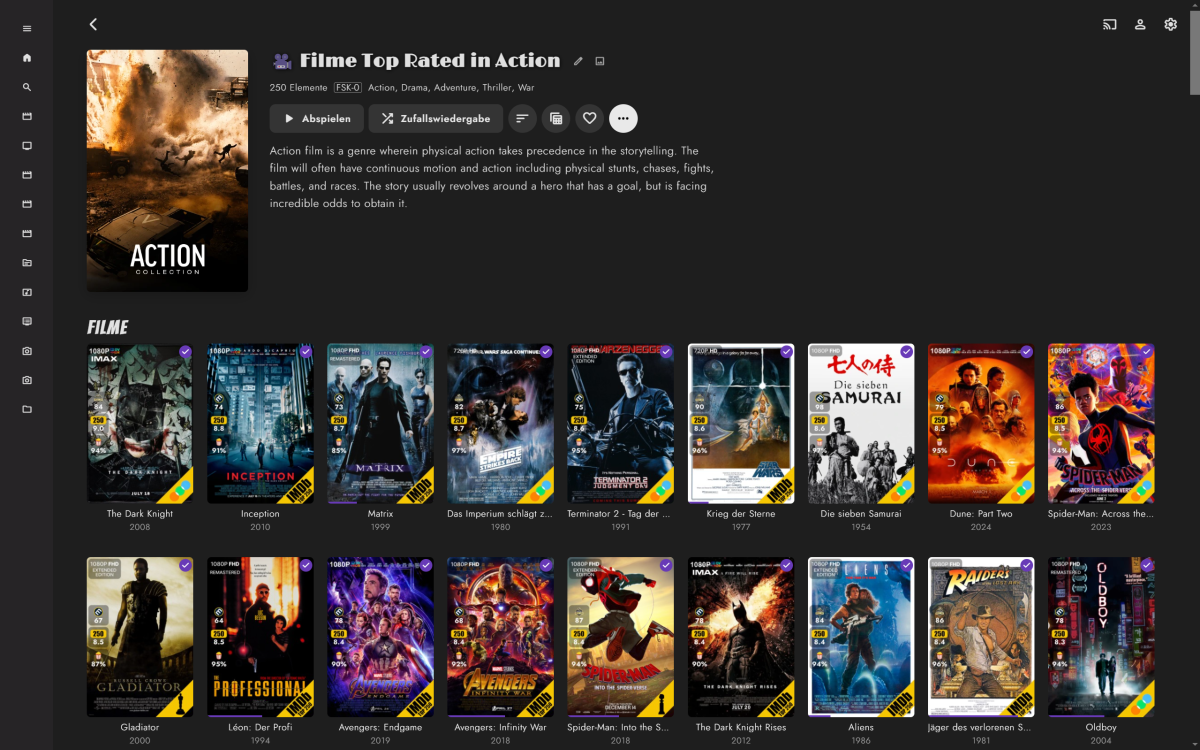
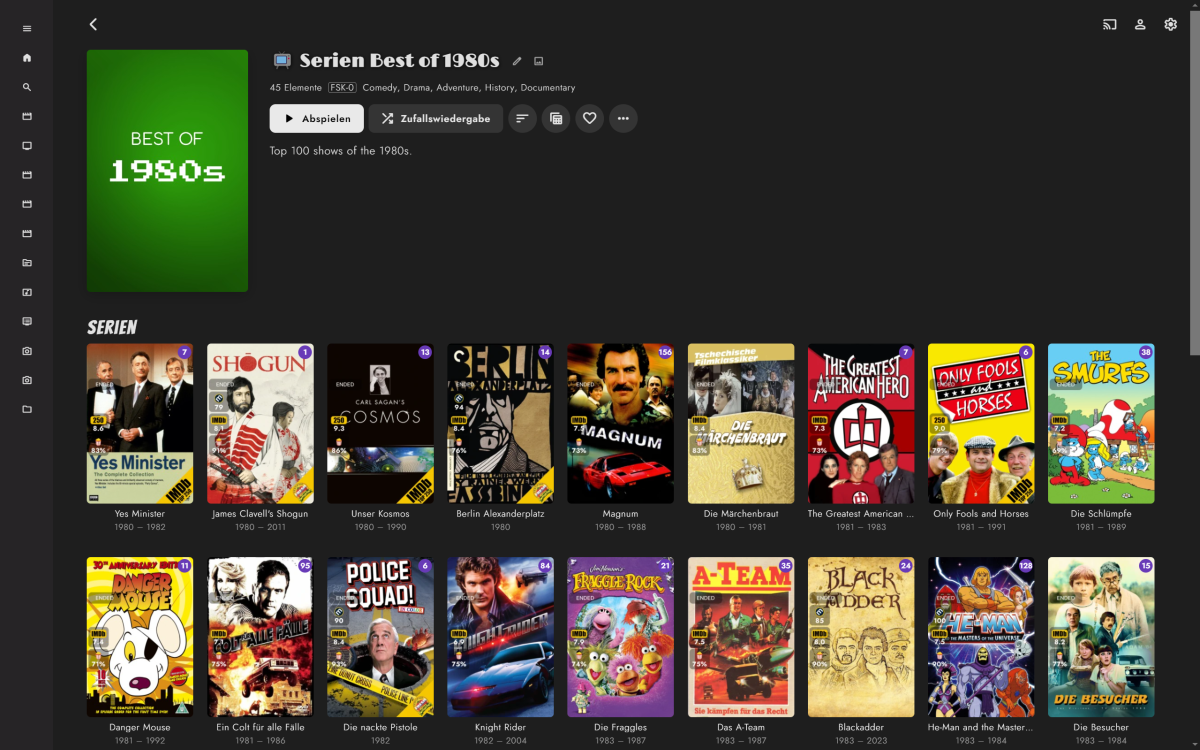
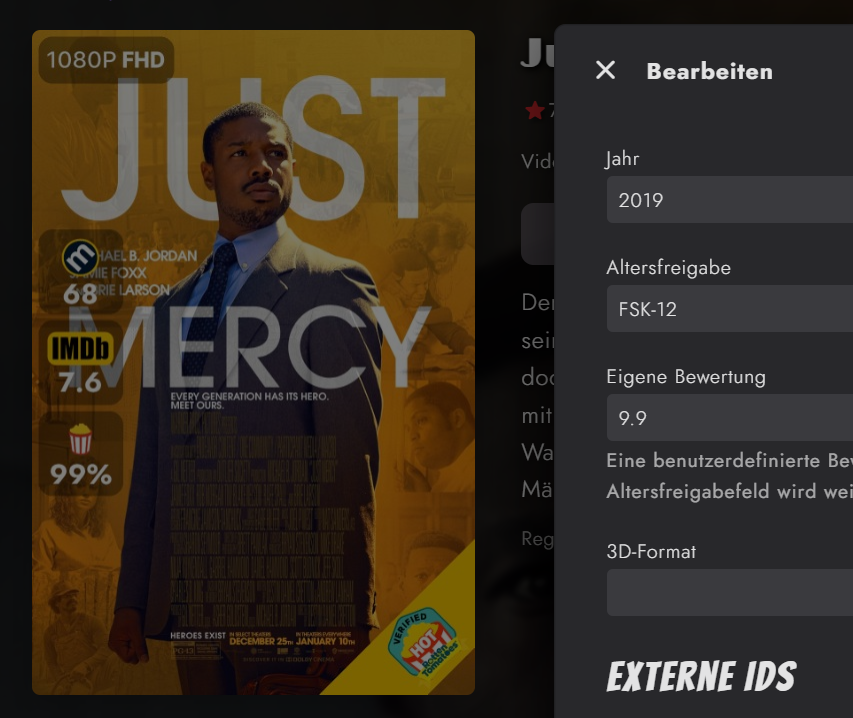
I made some progress over the past weeks. Movies TV Shows Overlays (done with ImageEnhancer/simple & raw plugin) It's working fine for me, but it's currently more a fork of Kometa rather than Kometa supporting an additional media center. It'll need more fine tuning, code separation as I preferred brute force over patience and trial and error. Most urgent philosophical questions/to dos: Plex obviously only generates collections for separate libraries. Emby has collections/boxsets that can span across libraries, e.g. shows, movies, actors in one collection. This creates naming issues, due to Plex differing per lib and Emby doesn't. I currently solved this by adding a unicode icon + the library name (e.g. Movies, Shows) for each collection, as otherwise shows and movie collections would be mixed up in the collections view. An alternative would be to use only the raw collection name, which would lead to collections being overwritten or getting out of sync. Overlays were realized by using the Emby ImageEnhancer (like Iconizer etc.) and exporting transparent pngs rather than merging the overlay with a poster, as I like to change posters and don't like losing the overlay + a simple plugin. Good? Bad Ugly? To realized the three ratings as seen in the screenshots, I've blatantly overwritten Emby's custom age restriction use it for the popcorn rating, as there are no custom fields. Smart playlists which append labels are currently a mixed bag of feelings, as Emby 4.9 will bring some kind of smart collections/playlists. Kometa appends labels/tags which are not actually used for creating/updating collections. Support for composers added, as Emby supports composers. But no composers are scraped from TMDB. Issues/ToDos Multiple studios lead to multiple overlay logos Season poster overlays for tv shows Episodes not started yet No overlays for thumbnails yet (seems Plex uses thums only for episodes) Constantly updating stdios with differing spelling, i.e. FOX -> Fox, will need a studio renamer Is someone interested to join work on the integration?
 1 point
 -
Not sure if I'm using the right term but I searched every think I could think of. It's likely it already exists so I apologize in advance. Is there a while to filter OUT. For instance if I wanted to see all movies EXCEPT a specific genre for example. I know I can filter to see all action movies for instance but how about filtering so it shows ALL BUT Horror. Is that possible now or even feasible as a future item? Thanks for taking time.1 point
-
Ok, I'm attaching the complete set including: NO QUOTE versions without the text caption below the category. Finally got the automated generation working, so your requests should be more easily done. Enjoy export_20230220_complete.zip
 1 point
 -
Speaking of which, the first post in this thread was made on Jan 5, 2023. I have to assume it's dead, there really isn't any other reason that I can think of. Can anyone in the know please confirm or deny and lock this thread if it is dead?0 points
-
When you have two sections stacked one above the other, you can't really make them vertical scroll. At that point you need a whole new design. That is why it's not so simple to just throw in an option to toggle one way or the other.0 points
-
"Let's break it and see who gets mad" is a Musk method of doing things, not a good method of doing things. And Plex only words things vaguely so they won't get sued by people that bought into one service while they transition to a completely different type of service. Ask all the people that still don't have functioning live TV and DVR after 2 years0 points









.thumb.jpg.c75790b7d9d27e0415687d7d6d1197cf.jpg)