Leaderboard




Popular Content
Showing content with the highest reputation on 03/28/25 in Posts
-
Can we pretty please get the setting option to turn off that terrible side menu? Also when pressing back a few times that side menu dumps you outside of Emby, is exits without warning on a fire TV stick. So annoying when navigating and youve pressed back button a few times. I like an old fashioned Do you want to exit dialogue as in the Android for TV legacy app....3 points
-
Everything is working fine, two things I've noticed with this version or maybe it's my install: - the quality of the stream 480 / 720 / 1080, etc. all say 480. it seems that the movies play the level that they are, the ones that are 480 look like 480 and the ones that are 1080 look like they are 1080, etc. - the movie logo that is on the main menu does not have screen shots from movies, it's blank. the tv show one shows screen shots from several tv shows. neither are a big deal and don't make a difference in the operational abilities, happy to have emby server back up and running. thanks for all of your help.2 points
-
Here is the latest list of versions for Emby software across the server and clients. Emby Server Stable: v4.9.5.0 (2026/05/18) Release Notes Beta: v4.10.0.14 (2026/06/04) Release Notes For other platforms, please refer to the download page. Emby for Android TV Google Devices Stable: v2.1.23 (2025/12/27) Beta: v2.1.46 (2026/04/15) Amazon Devices Stable: v2.1.23 (2025/12/27) Beta: v2.1.46 (2026/04/15) Stable Release Notes Beta Release Notes Universal Android app Stable: v3.5.16 (2026/01/26) Beta: v3.5.36 (2026/05/10) Release Notes Download the latest Beta here. Emby for Kodi See here for the latest information. Emby for Roku Stable: v4.1.63 (2026/05/04) Release Notes Beta: v4.1.64 (2026/05/13) Release Notes Emby for Windows (Windows Store for PC & Xbox One) Stable Release Notes Beta release notes Emby for Linux Beta Release Notes Emby for Samsung Smart TV (Orsay) E-series to H-series TVs only Release Notes Emby Theatre for Samsung Smart TV (Tizen) Release Notes Emby Theatre for LG Smart TV Stable: 1.0.50 (2026/01/19) Emby for iOS Stable: v2.2.53 (2026/05/16) Stable Release Notes Beta: v2.2.52 (2025/04/11) Beta Release Notes Emby for Apple TV Stable: v2.0.3 (2025/12/26) Announcement Beta: v2.0.6 (2026/04/11) Release Notes Emby for tvOS (Apple TV) Stable: 2.1.6 (2022/12/23) Release Notes - TBA Beta: 1.5.1 (10) (2021/03/02) Beta Release Notes Emby For MacOS Stable: 2.1.6 (2022/05/09) Details here. I will keep this post up-to-date as much as possible, but please send me a PM about anything I haven't updated, or is missing. Special thanks to @Borskfor supplying a lot of the updated information. Thanks.1 point
-
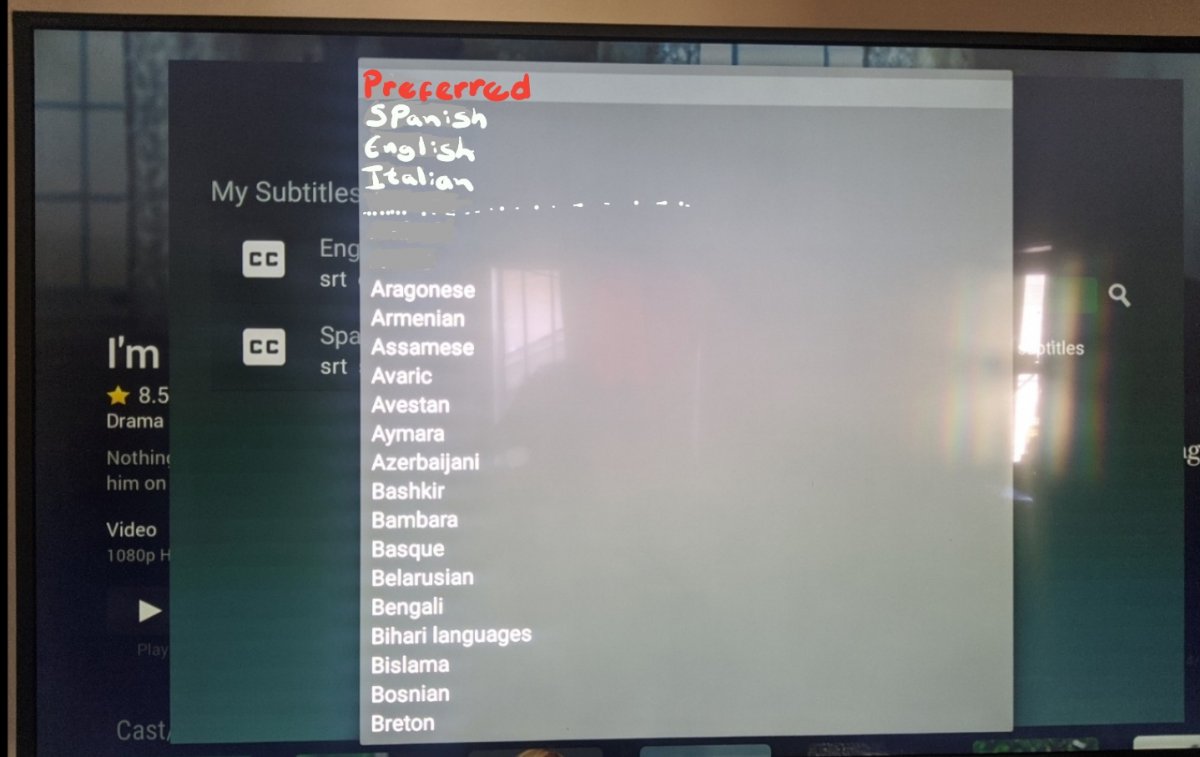
Downloading subtitles in the TV app is very annoying, you have move one by one until you go to the language you are looking for and in the TV the switching interface is very slow. wanted to suggest a better way to display the language menu for the TV app, because you use a tv controller and there is no scrolling. I did an example for a better understanding, in the preferred part I put the languages that are set in the server to automatically download. When I want to download subtitles I avoid the TV app, I rather use the phone or the Ipad because unlike the TV app, you can scroll fast and go directly to the language you want.
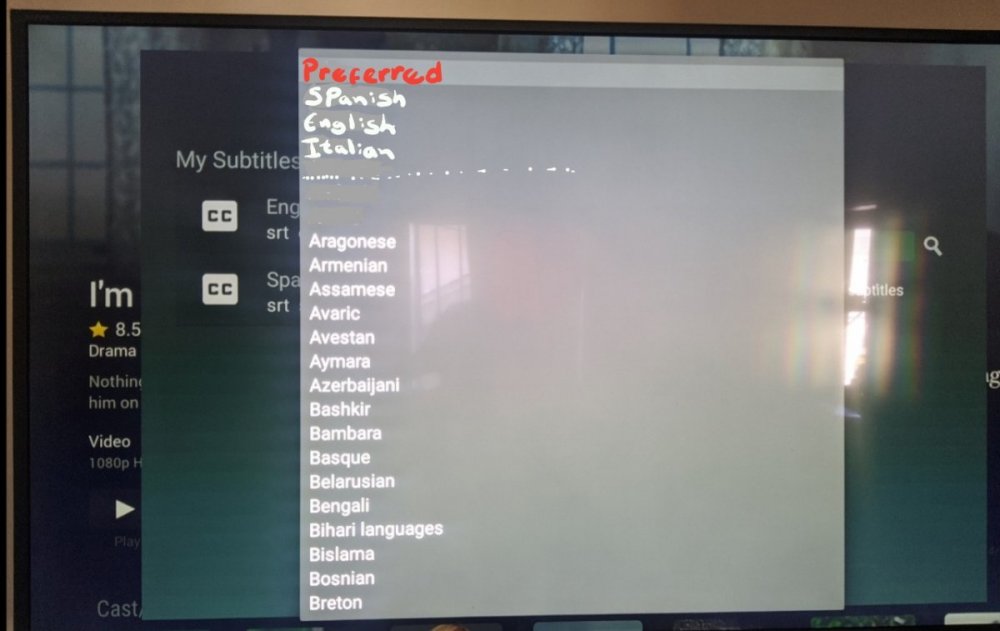 1 point
 -
Given the vast list of wonderful improvements that have accumulated in the 4.9 beta and the modest tweaks reported in the release notes for the latest 4.9.0.33 beta, here is a fervent plea that the Emby devs push this latest v4.9 as a stable release now, for benefit of the vast majority of Emby users who don't install beta versions.1 point
-
Please try to add country of origin to movie info as that could give us a quick hint about the cultural background of the movie Thanks alot1 point
-
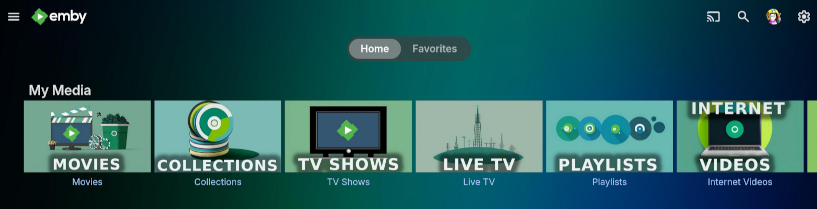
I thought I'd share with everyone the AI theme templates I use for my Emby server. I decided to make some media images that sorta match the Emby green color while throwing in a splash of blue mixed into the theme. Check out the Read_Me.txt file I created that shows what websites I used along with search terms & settings to get the same results to create your own artwork. If you want to create your own, follow my steps in the read_me to generate an image then open a .xcf in the zip files below to add your own text while making it all match the theme. Read_Me.txt Download My Media Library icons: MyMedia_Icons.zip Download Genre icons: Genres_Icons.zip Both of these zip files also contain the .png images I created along with .xcf files so you can easily edit them or create your own as well. Read_Me.txt _________________________ To change the background on my emby home screen to match the color theme of the My Media Library icons with that green/blue image I saved this image I found online as bg1.jpg to my emby images directory : on linux: /opt/emby-server/system/dashboard-ui/images/bg1.jpg (I have no clue where this file-path is on windows/mac, maybe someone else with that knowledge can post those details below)): Then to apply it, I added the following custom CSS code: div.view-home-home {background-image: url("/web/images/bg1.jpg");background-size: cover;}/ (Keep in mind, custom CSS only applies for the WEBSITE, and does NOT apply to the TV apps so users connecting from a smart TV will NOT see the custom CSS changes) That's about it. Feel free to add to this thread & share if you create some cool additions! I hope this helps someone looking to add a little more to your server. Read_Me.txt
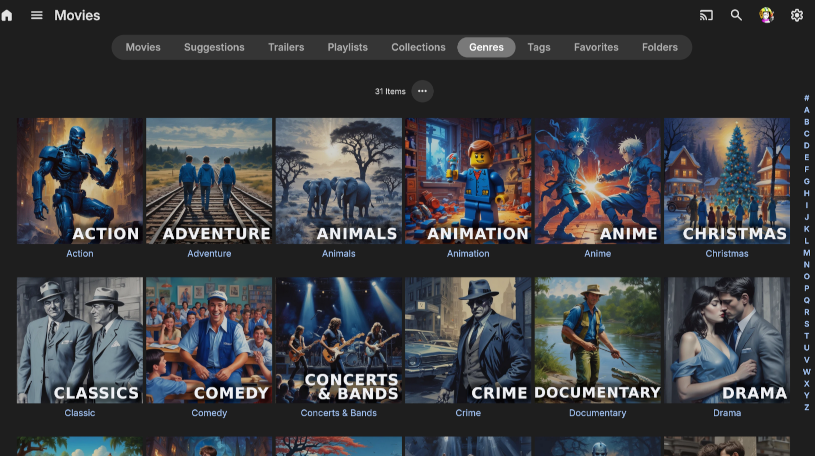
 1 point
 -
This is just for those using NPM and having fits, or just novices and want an easier solution. I run Proxied behind Cloudflare. This was all doable on the CF free tier. Hope it helps someone. Under "Transform Rules" if incoming requests match field = hostname operator = equals value = your.domain.com set static header = Content-Security-Policy value = default-src 'self'; script-src 'self'; style-src 'self' 'unsafe-inline'; img-src 'self' data: blob:; media-src 'self' blob:; connect-src 'self' wss:; font-src 'self'; frame-ancestors 'self' header = Referrer-Policy value = strict-origin-when-cross-origin header = X-Content-Type-Options value = nosniff header = X-Frame-Options value = SAMEORIGIN https://imgur.com/a/h5fmX9w Tested with HTTP Header Security Test - HTTP Observatory | MDN I run IPTV as well as standard content.1 point
-
Lol another edit to the CSP default-src 'self'; script-src 'self'; style-src 'self' 'unsafe-inline'; img-src 'self' data: blob:; media-src 'self' blob:; connect-src 'self' wss: https://mb3admin.com; font-src 'self'; object-src 'none'; frame-ancestors 'self'; worker-src 'self' blob:;1 point
-
The CSP Header is screwed up, strips licensing for external users. Corrected Content-Security-Policy: default-src 'self'; script-src 'self'; style-src 'self' 'unsafe-inline'; img-src 'self' data: blob:; media-src 'self' blob:; connect-src 'self' wss: https://mb3admin.com; font-src 'self'; frame-ancestors 'self';1 point
-
You can attach a log for review though my guess is your Emby server is not able to open/use your cert store (pfx). The tell-tale sign is your dashboard is showing HTTP only (8096). But on top of that you seem to have other configuration problems because if it's actually behaving as you describe then WAN port 6786 should not be connecting to 8096. So after you fix the TLS (SSL) setup you might want to review your router port forwarding.1 point
-
Just wanted to post an update here, since there was sadly no official response/commitment to the feature request to identify/log these failed/"unanswered" API requests so they include filenames/paths. Your post inspired me, so I did indeed grab their hash code and compiled a quick PowerShell script that iterated through all my shows and movies and kicked out the filename and hash value. The example hash in my original post happened to be an "Extras" episode from a TV series, which I guess nobody created subs for because I manually queried OpenSubs for it and found nothing. And now I have a record of all existing file hashes to compare against in the future.1 point
-
OK grazie per l'aiuto. buon fine settimana ciao1 point
-
because you have the tvdb id, so emby tries to use that, but trakt just doesn't have that id in their database. if you have no ids at all, then it will fallback to using the series ids + season and episode number. The problem with doing this though is that if you have any series that are not set to aired episode order, then you will see the wrong episodes reported to trakt. Solving that would require one of these three to happen: Tmdb will bend and start having a real episode id (maybe they do by now, I haven't checked the json in a while) Trakt will bend and update their api to take an additional param, which is the series order, so that we can pass the series ids, series order, season number and episode number Emby will bend and start storing the original episode number so that regardless of your series order, episodes can always be mapped back to original aired order. I don't really love this because it would make dealing with episodes much more complicated.1 point
-
Wow, I didn't know there were people who actually liked that feature.1 point
-
No problem man and thanks for keeping us posted1 point
-
You're recording media and watching later? This plugin allows you to watch on demand any tv series or movie that is available from the big streaming companies.1 point
-
@Jatorwe must think alike. I am working on that right now. Once I finish the base code, I will get up with you to discuss the finale details. Right now, I analyze your Media Libraries and graph out the distribution of Genres. I then allow you to quickly build channels from that data. I even want to include an option that will build the entire EPG automatically. Since you can have as many EPGs as you like this should not be too difficult but will take some time. Vic1 point
-
Ok Perfect1 point
-
Hi, please remove the ScripterX plugin, or report this to the developer of the plugin in the ScripterX topic.1 point
-
Hi @maxiniedermeieryes what we'll do is make it so that you can press back on the lyrics text to refocus the main controls. Great catch, thanks.1 point
-
hi, apologies for the delay. We are looking at this.1 point
-
So I have a couple of playlist downloaded but if I do disconnect and go to downloads the playlist doesn’t show up. It just downloads the songs, but it would be nice if we could just have the playlist ready to be played and not have to go through all the albums to the songs just to add them up next1 point
-
Can we please have a way to customise the folders in "Downloads" Right now when I go to my music downloads I have the folders "Albums" & "Songs" I want to be able to have the addition of playlists for when I am driving and the connection to my Emby isn't great1 point
-
I have figured it out and Collections are not the right tool for the job as i want to recommend tv shows to other members of my family and you cant do that if it is mixed in with all collections that i have but if you want to create a tv show playlist without showing up all the episodes of said tv show like it does then you just add the first episode of the tv show you want to add to playlist like S01E01 and then if you want it to look good you have to edit the image for that episode when it has been added to tv series playlist, sadly you have to edit images if you want it to look good.1 point
-
Not possible in 11.1.X, there is no option to disable boxset sync. I'll add that on the 11.2.X list. As a manual fix, you could modify the code in the "library.py" file. def select_libraries(self, mode): you find several lines with "BoxSet" SQLs["emby"].add_LibraryAdd(LibraryId, library_name, "BoxSet", "video") You could remove all of them and force a repair sync (or factory reset). That should spare syncing BoxSets.1 point
-
The drag and drop functionality has existed in the plugin since early days mate - its used to drag and drop the actions list into an order that helps the user manage the list easier, but its also used to drag tokens into the parameters bar for configuring the outgoing scripting parameters. If you click Add (+) beside any of the actions in the actions list, then click the edit button on that new entry, then drag tokens and logic tokens into the parameters box Sorry, I'd screenshot but I'm currently holding a naughty little man who refuses to sleep
 1 point
 -
Well, looks like an iso file. Kodi/plugin should be capable to play that file if the path is accessible, Emby probably doesn't. Quite sure that's the reason the video feed width is not reported.1 point
-
Is anyone responding? Getting the premiere did not change the behaviour of the fast forward button.If I hold down skip ahead 2, 3, 10, 20 min... after I release, playback is stopped, I have to again click PLAY to start up again. This happens on 2 different tv's, and an nvidia shield. This does not happen when using another media player, so it has to be emby. any setting i need to check? Please advise, BC1 point
-
Could I do the following: 1-Collection: Boris Karloff 1.1-Collection: Frankenstein 1.1.1-File: movie 1.1.2-File: extras 1.2-Collection: Bride of Frankenstein 1.2.1-File: movie 1.2.2File: extras I like to keep ripped extras with the movie, but also have all of it under one "umbrella", in this case Boris Karloff.1 point
-
I just released v1.0.3.1 of the Emby plugin to the plugins store: it fixes the backdrops, adds many new settings, the tier perks are also tweaked now to offer more features for all tiers (the website was not yet updated to reflect these tier changes), a "setup instructions" link was added to help new users and "preview poster" / "preview backdrop" links were also added to be able to see how the images will look before needing to refresh the metadata of items or libraries. The new plugin release has been tested with the latest version of Emby server and web UI. I took the time to look into some of the issues users had with images not downloading or downloading slowly and this seems to happen when the server has IPv6 enabled, disabling IPv6 seems to solve the issues. (i added this to the setup instructions also) I found a few other forum posts regarding IPv6 issues and slow image downloads from plugins (even image downloads timing out) dating back as far as 2018, it seems that those issues were never resolved. The "RPDB Folders" app that works with Emby too was also recently updated to support all new features.1 point
-
好的 谢谢1 point
-
I made the changes as per above and restarted. Unfortunatly it did not help. I created a ticket with nord regarding egress of port 443, see what they have to say. I imagine it wont be very helpful. I do need VPN on this box @Carlomy schedule only permits small sections of time to this, if nord support doesnt yeild any options I will consider assisting with my account. If we have similar time zones it could work. ill PM if i can make it happen. thanks for the offer, the support here has been great.
 1 point
 -
@Gilgamesh_48You are the reason we even allow float/fixed. I don't really see a reason to remove it until we can confirm ourselves the bug. Other users are experience this issue I believe them. It is something hard to diagnose without seeing it first hand. So my belief is we cannot remove it until we can reproduce the problem and then find no way to correct it. We haven't experienced the issue so it is safe to say it would be rather defeating to just remove it. In my eyes, we never really had the chance to investigate it since we have never been able to replicate it. Just removing it is like giving up. I hate to give up. I like work-arounds instead. If you find some steps to get this to happen most of the time I would be interested in knowing how you accomplish it. Once we can reproduce the problem it should be easy to set some debug code and break points and get to the bottom of it. Believe me we do not want to remove the option to float or fixed. If you know a way to reproduce the issue semi-reliably please shout out how. Keep in mind too, I would also miss the back and forth with you if you were to abandon Roku. Thanks for the kind words there. I do try to get users what they want in the app. We aren't corporate shills trying to please our financial overlords. We work for you guys.1 point
-
Hi, the Emby web app has the same settings.1 point
-
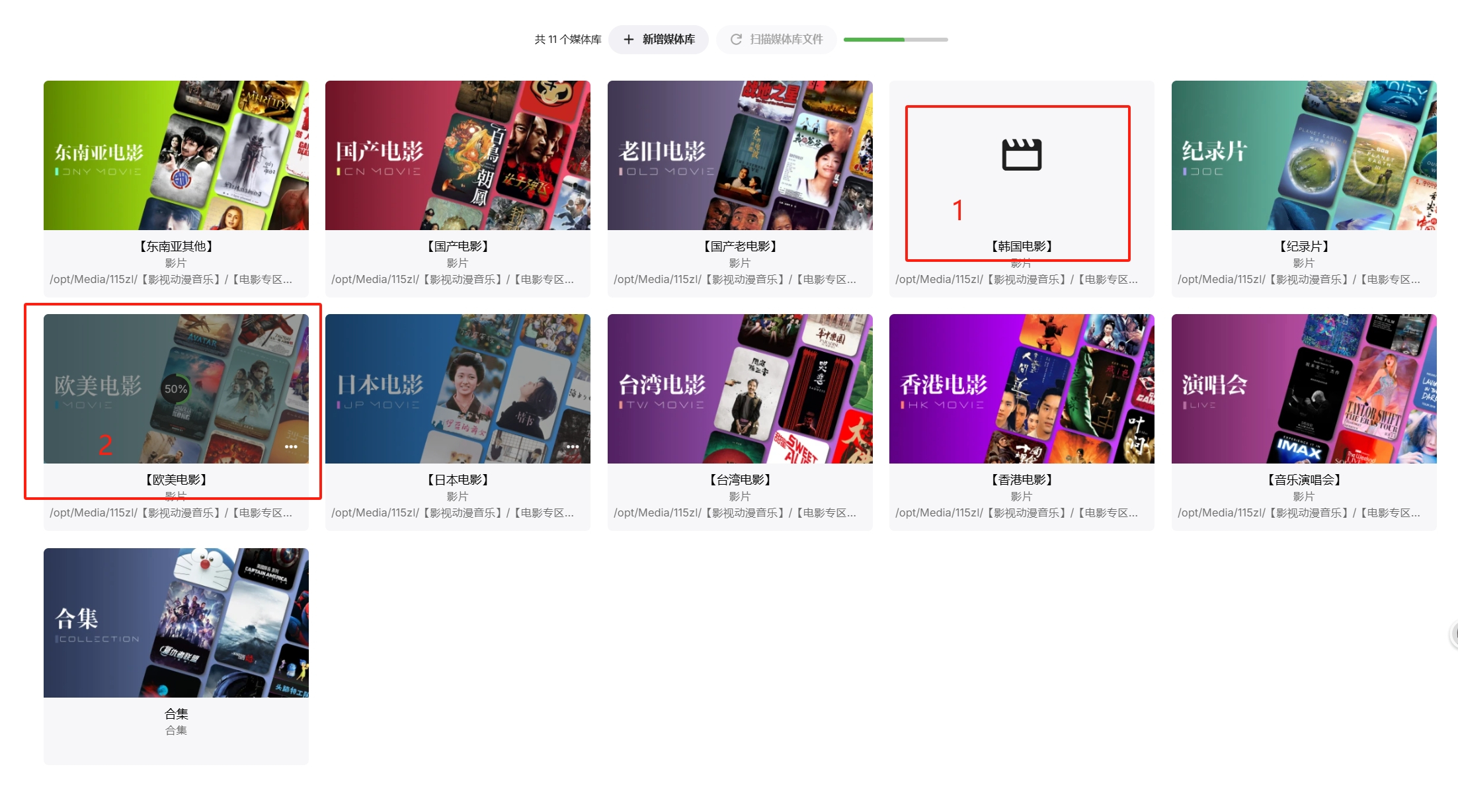
When I add a new media library (1), the system will rescan all the existing media libraries (2), if I have a lot of media in my existing media libraries, this will be very time consuming, I don't know what is the purpose of doing this, I think it will only take up server resources, there is no other benefit.
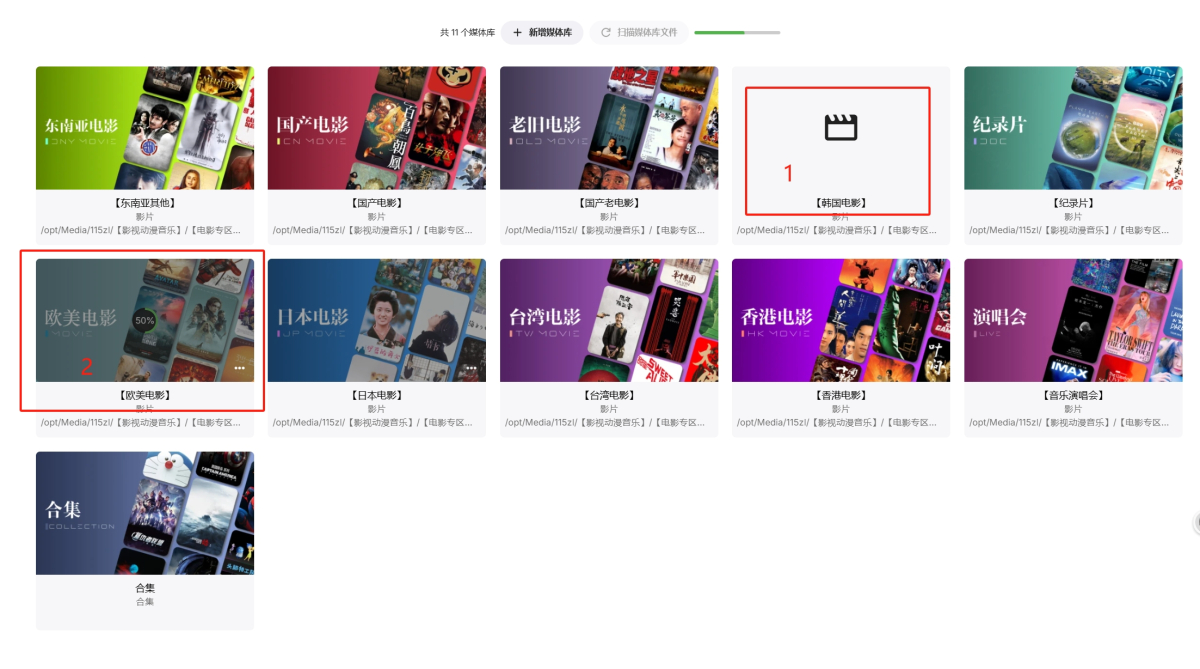 1 point
 -
Well this is a per client setting so you would have to change it in every client. User icon-app settings-general-image size (might be slightly different per client)
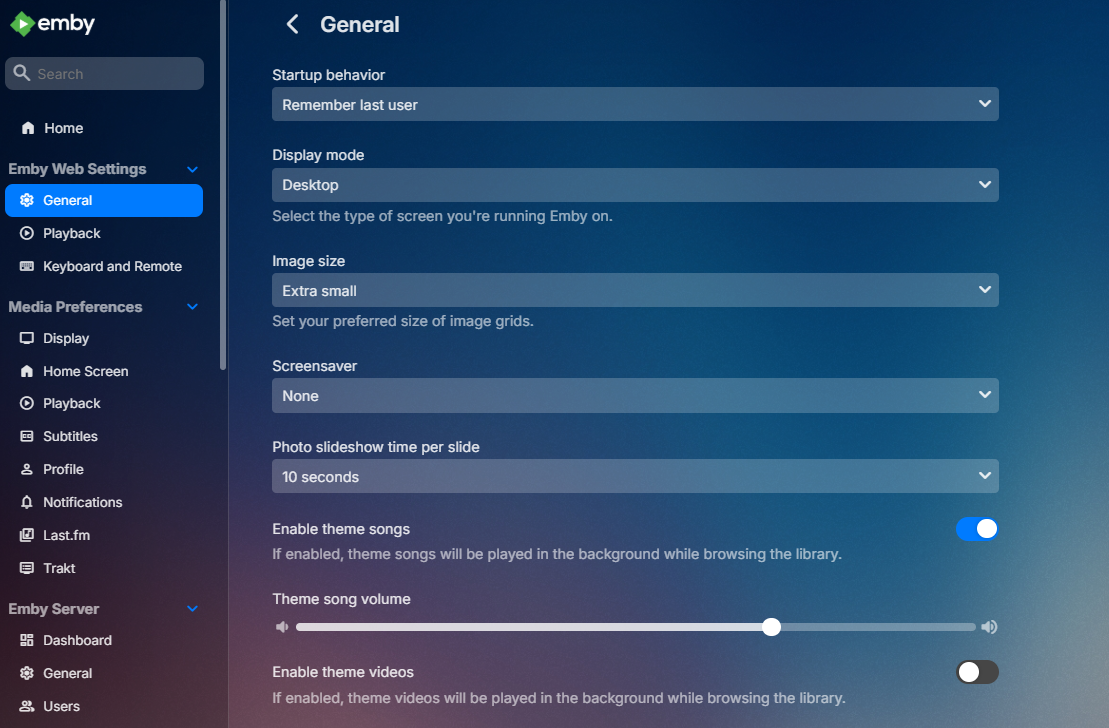 1 point
 -
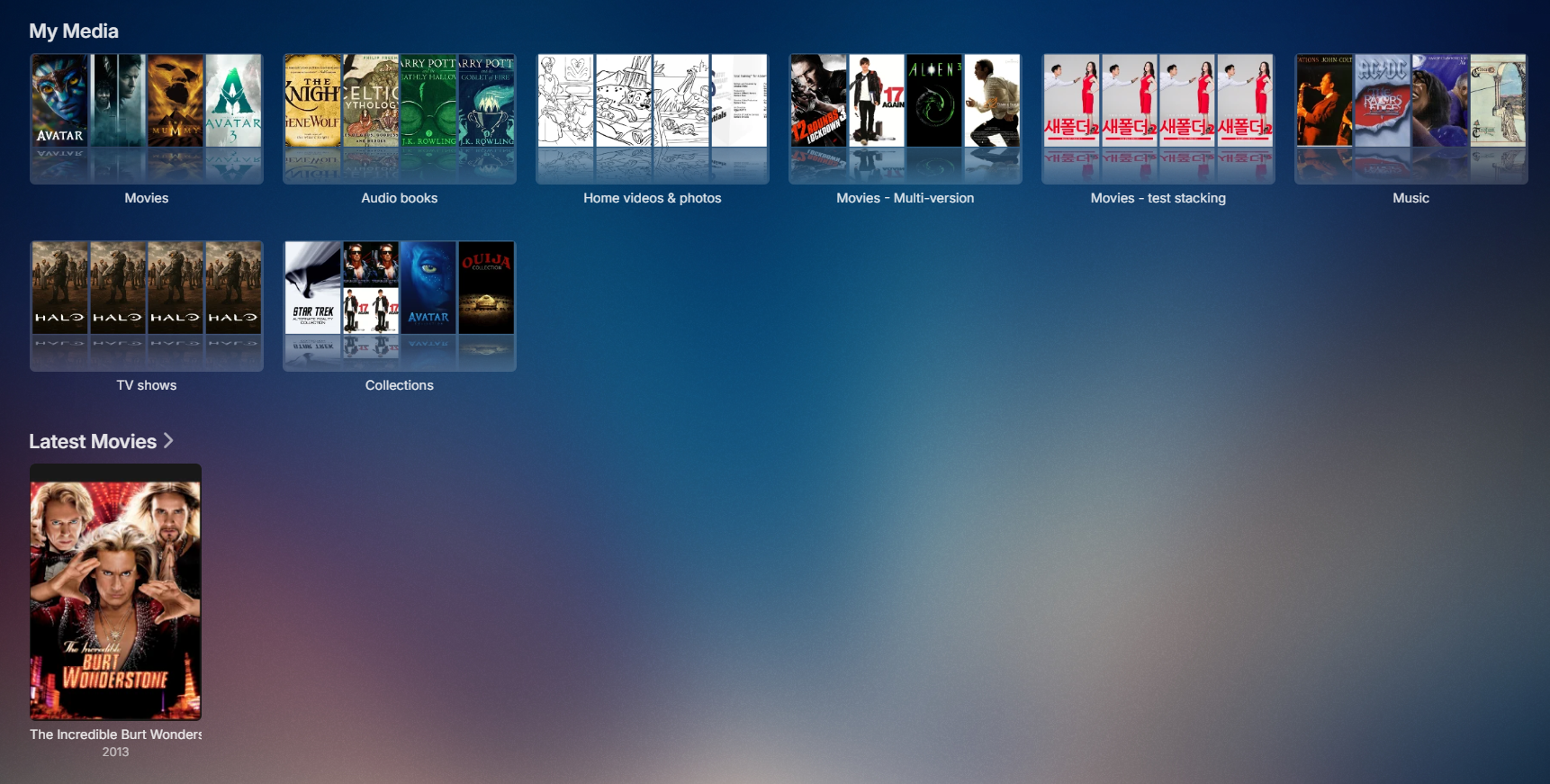
Not sure I follow but hard to compare landscape and portrait. There is no specific setting that target My Media but you can try adjusting Image size in General setting. To target My Media you can use custom css but only affects the web client.
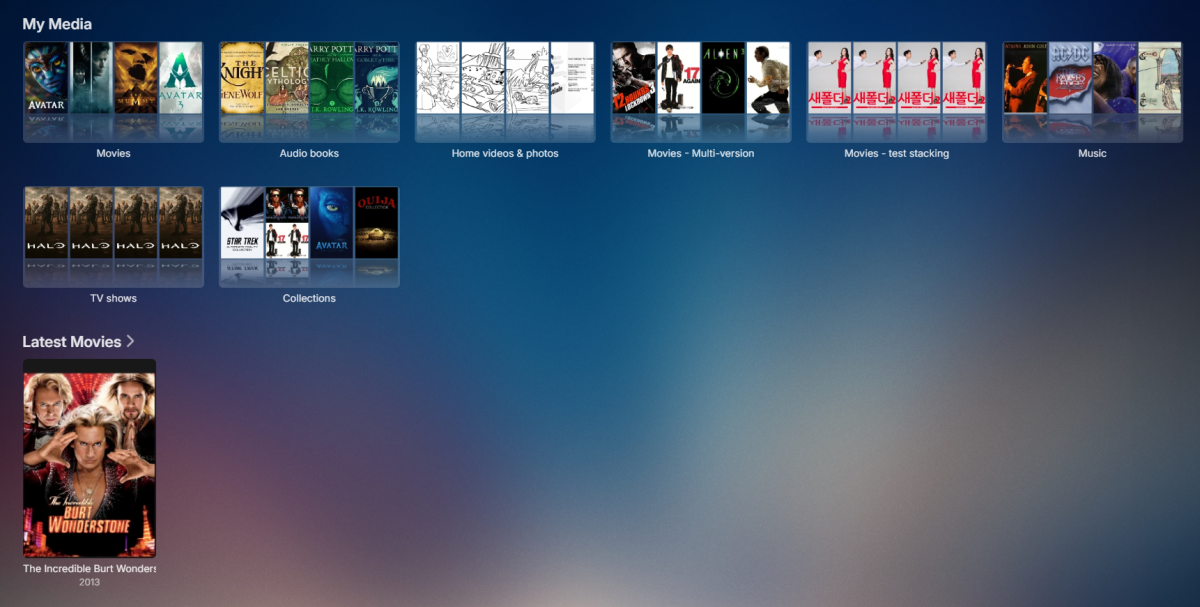
 1 point
 -
The plugin works now and will still continue to work even after the core feature is ready. It looks like the plugin creates and updates regular playlists. The core feature will not work like that. It will be a dynamic list.1 point
-
So for video files we can have multiple versions of a single movie or TV show by having an extra bit at the end of the file name. Could the same be done for music? Some of my devices can handle .flac and others can not. Because of this I want to have .mp3 versions for some devices but not have separate CDs listed for each version.1 point
-
It has come to our attention that someone (we believe out of China) is spoofing our purchase page and reselling bogus Premiere keys. Please be aware that the only valid locations to purchase Premiere are our web site (https://emby.media/premiere) or inside one of our official apps. The scammers are using the domain "Emby.team" and are spoofing credit card receipts that look like they come from us and everything. If you happen to have fallen for one of these scams report it to your credit card company and please let us know at billingsupport@emby.media. I'm afraid we cannot do anything to help return your money but we can try to squash the perpetrators. Thanks. View the full article1 point
-
You can already do exactly this with the infuse app on ios/apple tv. I'm pretty sure. Or if you and your brother have fast internet, you can simply setup remote folder shares and mount each other's locally. As far as the server is concerned, it's just a local folder. however, choosing the right share protocol e.g. NFS/samba etc...is important because some will work much better with file streaming.1 point
-
I watch quite a bit of both SD and HDR content with subtitles and watching HDR with white subtitles is not a very pleasant experience. So It would be a very big improvement if one (or both) of these options was implemented. 1. Be able to change the color of the subtitle from the OSD while a video is playing. On AndroidTV I now have to stop the video, go all the way back to the home screen, go to settings, change the subtitle colour, go back to the home screen, choose the video and start playing again. So being able to change the color from the OSD would save A LOT of clicks. 2. Set separate colour for subtitles for SDR and HDR content and automatically choose the relevant one based on the file that's playing. As for colors, in kodi they have added Dark grey #808080. This one is very good at least on LG OLED tvs. Would it be possible to add this. I find that the grey option in the android apps are still to bright. Would it be possible to add this to all apps?1 point
-
How about allowing additional branding then? There’s a perfect spot right next to the search icon....1 point
-
We work very hard on Emby. We'd kinda like people to know what it is...1 point
-
Ok that is just how that app behaves. Some users actually like it and want us to switch our other Android app to be the same way. You may want to try switching to our standard Android app.0 points




.thumb.png.1ddf135ad99a72646a26d671a28ffe35.png)