Leaderboard




Popular Content
Showing content with the highest reputation on 03/19/25 in Posts
-
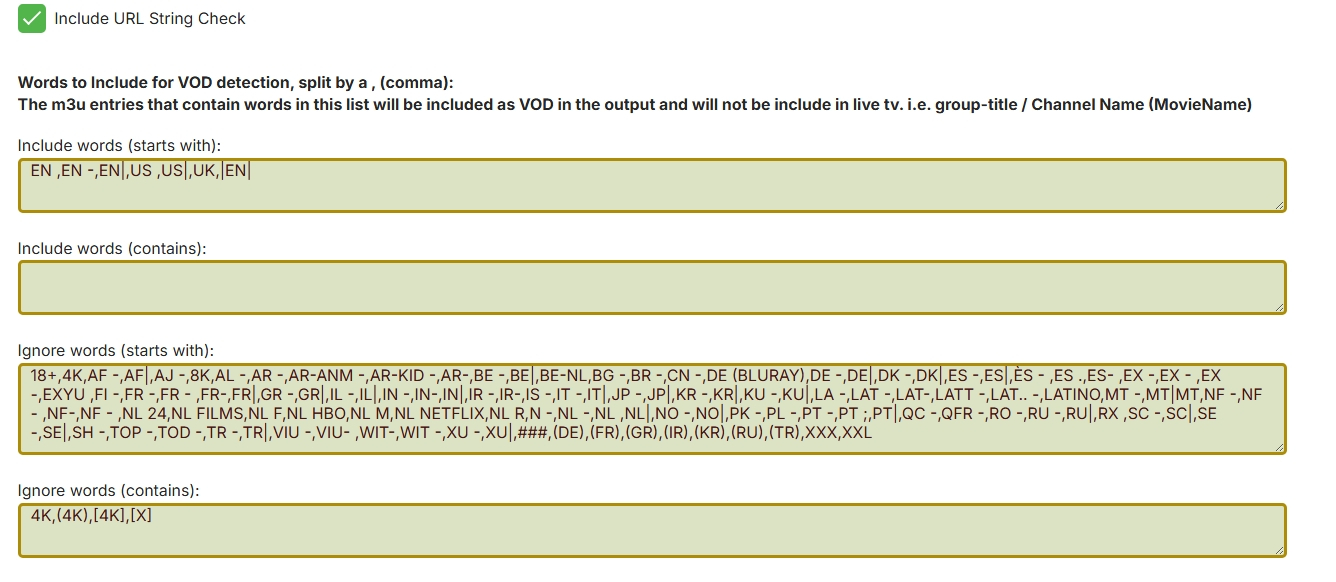
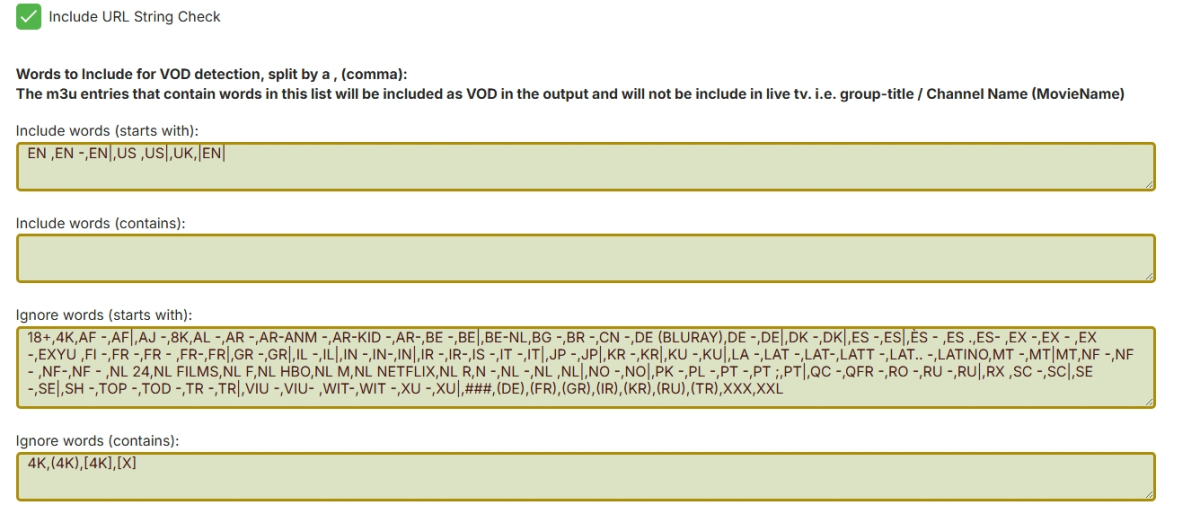
Like this? I have change the html input boxes to text areas to handle being able to be resized, they should also now dynamically adjust to the loaded text or typed text. Added country code + " " to the country code remove filter. VODtoSTRMscheduledTask.dll
 2 points
 -
This worked! Thank you bud!2 points
-
Hello, I noticed a discrepancy regarding your blog updates: On your main website (https://emby.media/blog.html), the latest blog post date appears outdated (Feb 2023). However, your forum blog shows a recent update posted 23 hours ago (https://emby.media/community/index.php?/blogs/blog/1-emby-blog/). Displaying outdated content on your homepage could negatively impact new users' perception. I wanted to bring this to your attention so it can be corrected promptly. Best regards,1 point
-
@Lukejust noticed this had been restored in the TV library and wanted to say thank you.1 point
-
This is a parsing error, ie not detected properly. I can fix this.1 point
-
A little more detail... I had setup Emby in a LxC container on ProxMox from a script but I'd made the container "protected". I had to back it up and restore it as unprotected and away it went!1 point
-
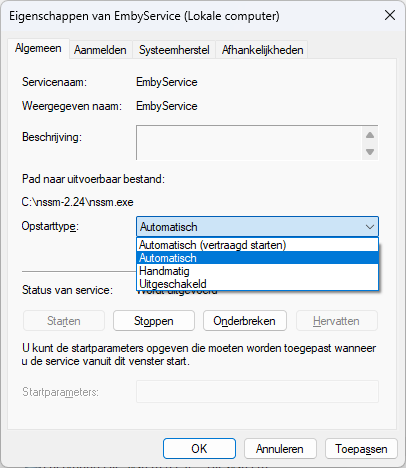
I can only delay the startup. Lets hope that is enough time then.
 1 point
 -
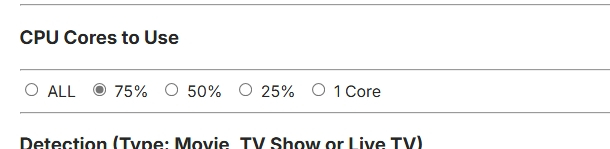
OK so what I need to do is add some debug info to count what it is processing, what it is keeping and what it is ignoring because it looks to me like the m3u from m3u.com has nothing it that would output with the settings you have. However I would have to add the debug counters to check that. I don't have time today, back at work in a minute with no pc access. However I added a cpu core (threads) selection option so users can limit cpu usage when then think there might be an issue. I have my doubts that this would get used much, but the option is there now. Yeah, yeah I know the log should say 12 threads, not cores 19.Mar.2025 - 18:08:55 Build Version: 1.0.0.118 19.Mar.2025 - 18:08:56 CPU Cores: 8: Logical Processors (Max Threads): 16, Hyperthreading: True 19.Mar.2025 - 18:08:56 Using 12 CPU Cores VODtoSTRMscheduledTask.dll
 1 point
 -
Yes, as stated in original post.1 point
-
Hi, yes agreed it's a good idea. Thanks for the feedback.1 point
-
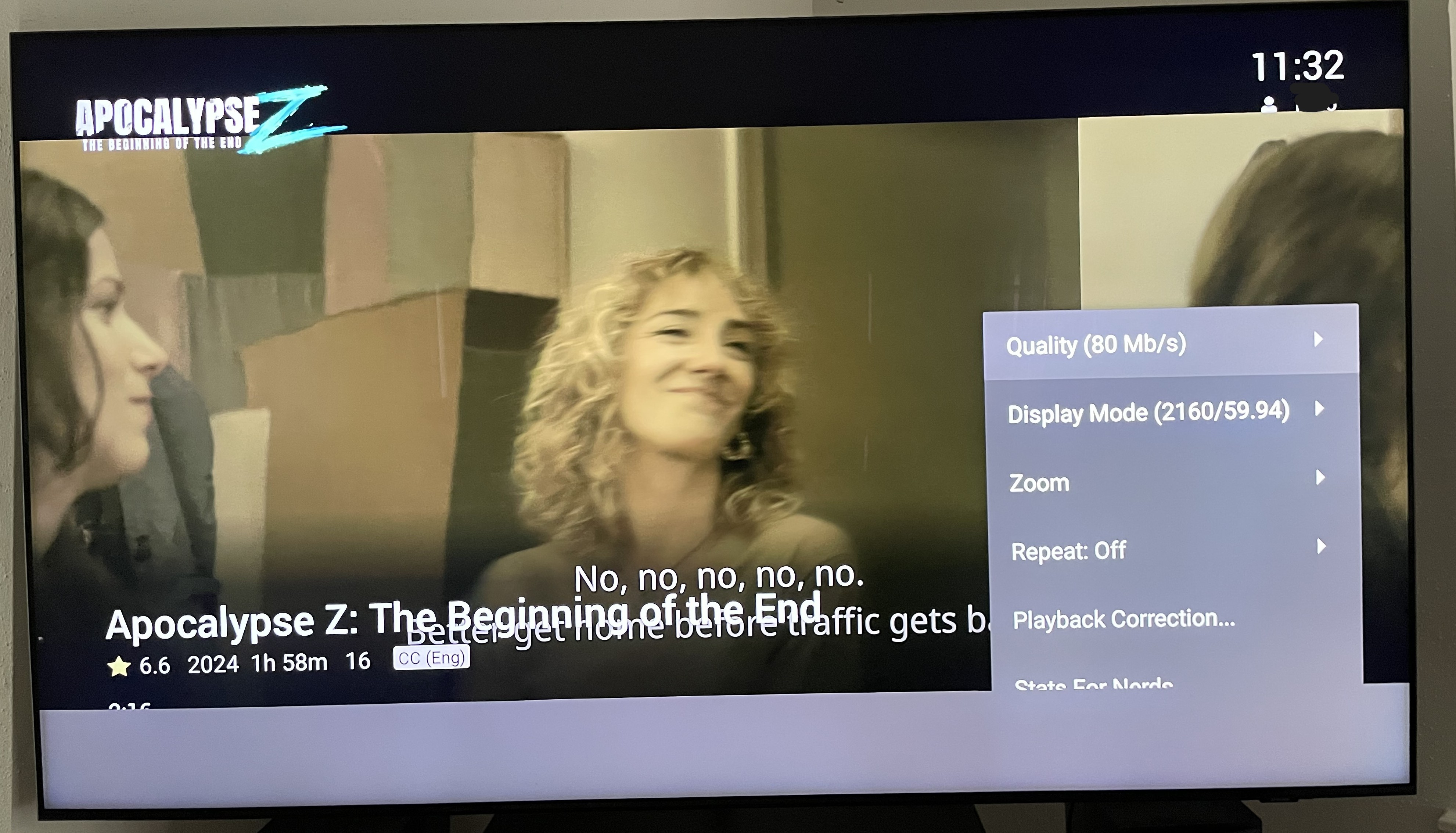
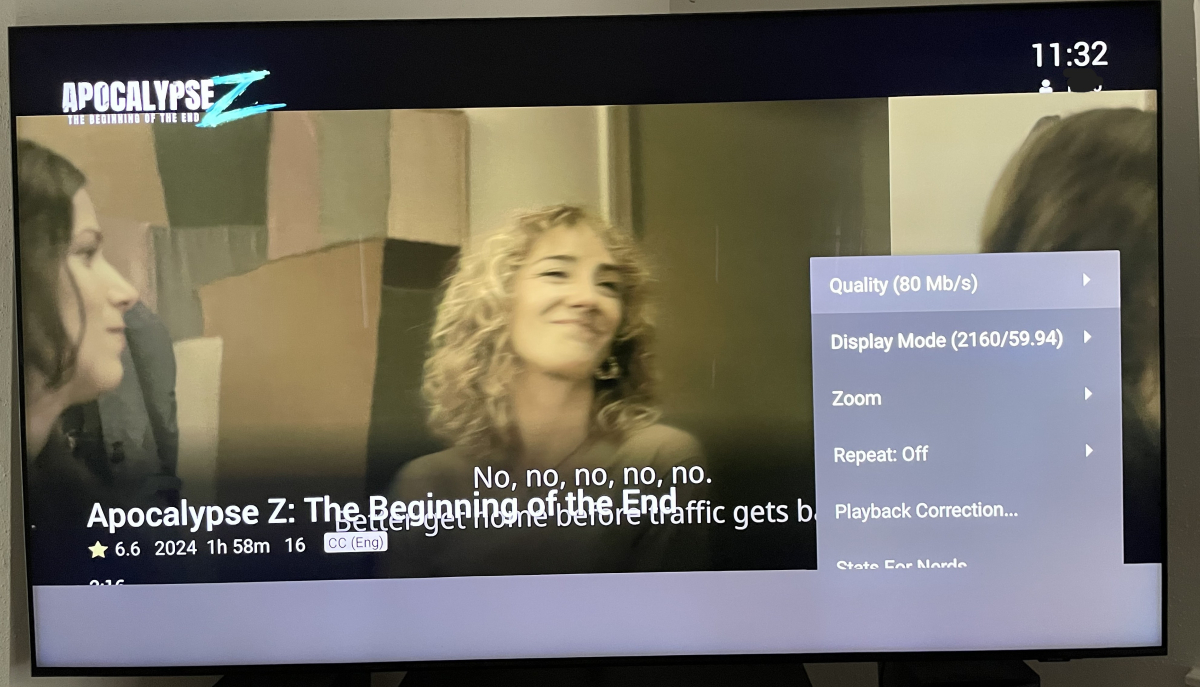
thanks for pointing out the Playback Correction tool...solved my problem!...but it took some playing around to find the setting, as my playback issue didn't result in a black screen like many others, but rather the tv image was shifted like 20% to the left, and there was an opaque gray band along the bottom of the screen, which blocked me from seeing the choices available after pushing the down button...had to figure out i had to push Down button, then blindly press Right button 6 times , then Enter, to access the Playback settings menu i also noticed the Playback Correction tool doesn't seem to be available in the regular Android version of the Emby app
 1 point
 -
Even assuming that a user should know how to manually change their display refresh rate after the Emby app is closed is unacceptable. Most people posting in this forum probably know how to do this but the average user of the Emby Windows App should absolutely not be expected to know how to fix this problem.1 point
-
@alamoknight@BillOatmanDone, thanks for contribution. Release v0.33 · v1rusnl/Poster-Overlay-GUI Since I don't use it anymore, we have to choice. Either transfer the repo you @BillOatmanor you use your fork for eventual progress and I archive mine.1 point
-
Hi. This is an issue with that particular chipset. There are a number of threads on the forum about it. We have to figure out some way around it. For now, you can use playback correction.1 point
-
Hummm I see, that's potentially a problem. It was just strange the stream on the android app would stop but the chrome webpage would continue. I'll continue to monitor and investigate the logs again when it happens, thanks.1 point
-
Currently if you're part way through a multi version movie, and go back to it, the default version is whatever the default version would normally be. It ought to default to the version that's in progress.1 point
-
What does any of this have to do with the fact that I paid extra for a 144 Hz monitor that me simply playing an emby video causes it to revert the refresh rate every time I watch a video? And the beta update is even worse with my 144 Hz monitor becoming a 120 Hz unless manually reset! WHY?!?!? All I want is for you guys to revert the update that caused this issue. I don't care that it uses more processing, but I definitely care that you guys altered my refresh rate even with disabling that setting! Can you please explain the reasoning here because I truly don't understand why you made this change? Like @65535 and @parkesto84 said1 point
-
Perfect, thank you, there's my answer. At first I wasn't sure if Emby added something that made it compatible with AV1 transcoding, but in retrospect should have just gone to "what can the hardware do?", didn't think to check with Intel. Yeah I'm not about to run out and get a GPU for a NAS. I think what I'll do is continue to run the server on my old machine and just upgrade the machine, cause then I get brand new server hardware AND a system that can archive content faster. Thanks everyone for the help.1 point
-
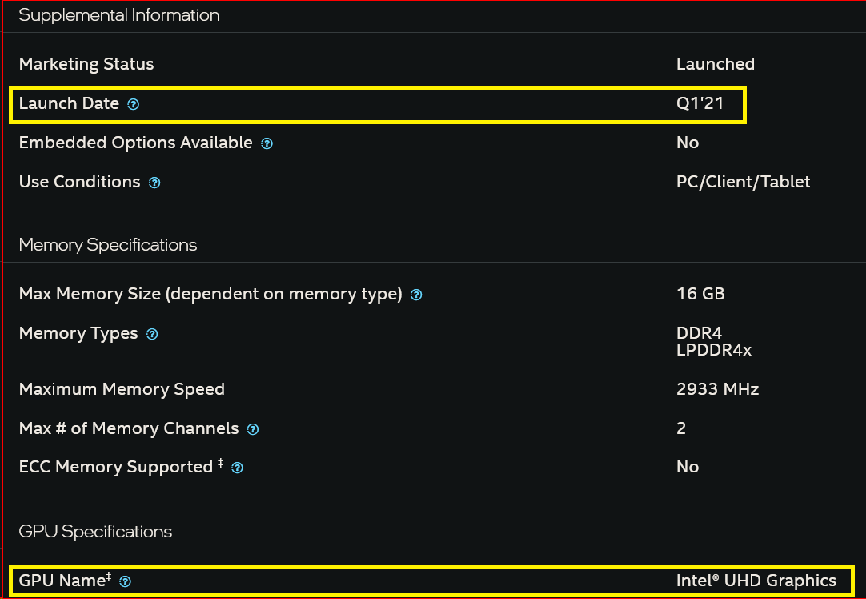
From fallowing links for this NAS leads to this page: https://www.intel.com/content/www/us/en/products/sku/212328/intel-celeron-processor-n5105-4m-cache-up-to-2-90-ghz/specifications.html that shows... = < 1% this will do AV1 UNLESS you can add a separate GPU? $$$...
 1 point
 -
Yeah that sounds like a limitation of the default WSL networking mode It's basically doing NAT. If you were on Windows 11, it has an option change the networking mode of the WSL2 instance for docker to "mirrored mode" I believe this is supposed to solve the problem of passing real connection IP's to docker containers set to use the host network. Is emby installed on the same windows machine natively or in docker? Just curious.1 point
-
Issue resolved, with Chromecasts Reinstalled Android client instead of Android tv client.1 point
-
Honestly this would be extremely helpful. I've just been able to compile my own ffmpeg using the rockchip upstream work, and it works extremely well, however i can't use it within emby due to whatever customisations you guys do to ffmpeg. I really think it would be great to see this released as soon as possible or at least a mechanism by which we can use custom built ffmpegs within emby (or at least our ability to compile ffmpeg using emby's codebase).1 point
-
There is no bind to but that is the closest thing1 point
-
Hi, it's on our to do list for review. Thanks.1 point
-
HI, yes we'll take a look at it. Thanks.1 point
-
Yep it doesn't appear it is updating. Emby Blog vs this page Blogs - Emby Community1 point
-
I expect so. According to the Samsung Video Specifications model matrix, 96kHz audio is not supported.
 1 point
 -
@KegTapperWell it took a while but someone finally came along with the solution that was keeping up at night. Thank you so much for getting back to me with the settings that I required. Have a wonderful Friday / weekend.1 point
-
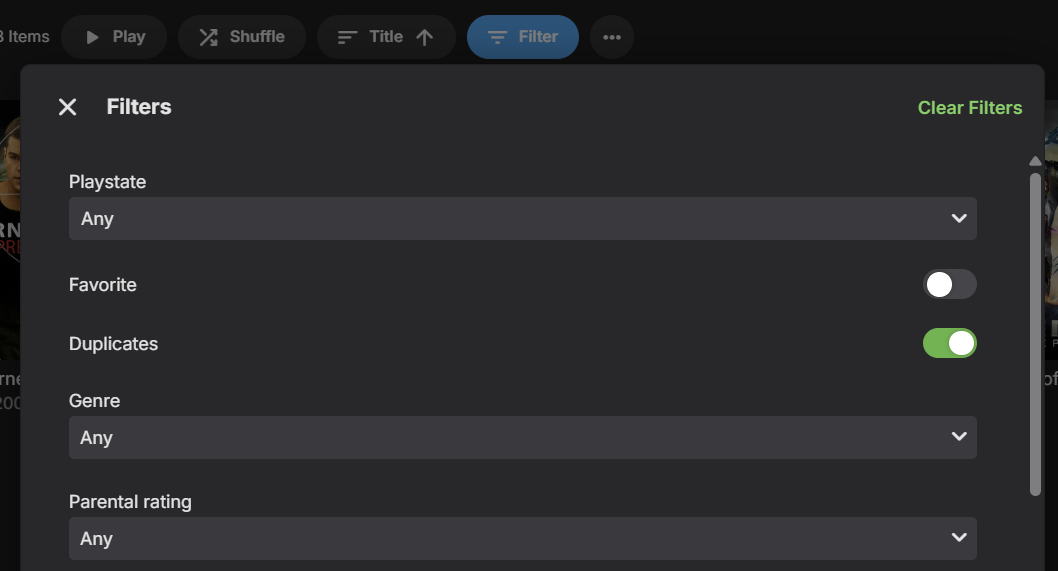
A new Duplicates filter for Movies and Episodes will be in Emby Server 4.9:
 1 point
 -
As soon as tvnext is announced will be using those instructions. Thank you1 point
-
Well, it runs - mostly (and as it happens, 37 is not crashing for me). It's a little more vexing when a new beta simply won't run at all, which has happened to me on two occasions. But then (a) I have a parallel release installation (which I hardly ever use), and (b) whenever I update the beta I keep the previous system directory (several, actually) so that it's trivial to go back to the version that was previously working well for me. Paul1 point
-
Then redesign it. Multiple cuts are pretty common.1 point
-
Actually I did that.0 points
-
@SpudPlexHave a look at this. CyferShepard/Jellystat: Jellystat is a free and open source Statistics App for Jellyfin0 points