
Leaderboard




Popular Content
Showing content with the highest reputation on 03/11/25 in Posts
-
I am currently rewriting the "brain" of all this, and thus re-writing the subsidiary parts too - Its taking me a bit longer. There are a few issues in the original that I have noted. 1. If you log the output, when the log gets large, there can be a cross threaded file lock which "can" cause the process to just exit/miss files etc. *This was hard to detect* 2. Some ignore words didn't seem to be being captured. The core couldn't be multithreaded in its original form. Status: I have re-written the core, that is now multithreaded as well as everything else, so it processes the m3u file across all cores simultaneously (i.e. on my pc reads and interprets 16 m3u entries simultaneously, categorises them etc), as well a all the I/O operations and logging. I have re-written the logger altogether. Its complicated to explain, but it works. I have re-written the I/O file writer. So that now queues and writes across all cores simultaneously, also prevents thread locks, overloads, queue buffer overflow etc.. I have re-written the ignore handler, that is still being tested but appears to be corrected. There is still more to do as all of this is new and replacing the older code. Full Verbose Logging mode is only taking 19 mins now, compared to most of the day before! It might take me a few more days but I should be able to post a full working version soon.4 points
-
The next version, when it is released incorporates this, it was asked for further back in this thread and I have added it into the new code already. It is already tested and working. It will also recognise continuous stream URLs as live tv when it's ready. It's getting close, I still have a few parts to finish, I don't have a huge amount left to do.3 points
-
Do you know about the 3 letter search? In the view you have posted, say you have the Star Wars Collection. Just type in the first 3 letters "sta" and it will move to the first item that has sta. No search bar needed.Works the same in Movies. But must be sorted by Title.2 points
-
I roughly understand how their hash works, it uses the first and last 64 bytes and the size of the file, and I was able to take their example bash script and confirm the hash matches with one of my files, but to reverse engineer it from the hash back to the original file I'm not sure is particularly possible or easy. Maybe more information is available in the logs with debug mode enabled. Since you know which files are missing subs you could utilize the Powershell script, however at that point you should question how much your time is worth because a VIP sub is not very expensive and would just solve the problem even with the cheapest option of only 1 month.2 points
-
Mac OS Safari and possibly other browsers often just do not want to connect to an IP address. Instead, they go to a search engine. I cannot tell from your post if this is an issue. Try adding http:// before the IP address and also try opening an incognito browser window. Browser software on Mac OS tends to limit users because the designers probably feel access to an IP address is a security risk. Apple does this type of thing a lot with all it's products.2 points
-
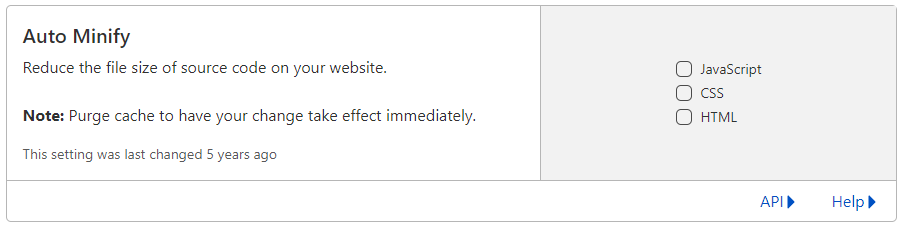
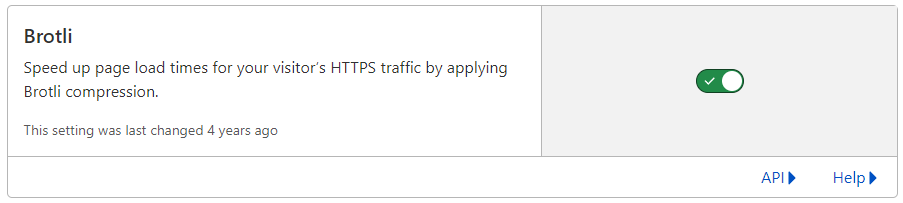
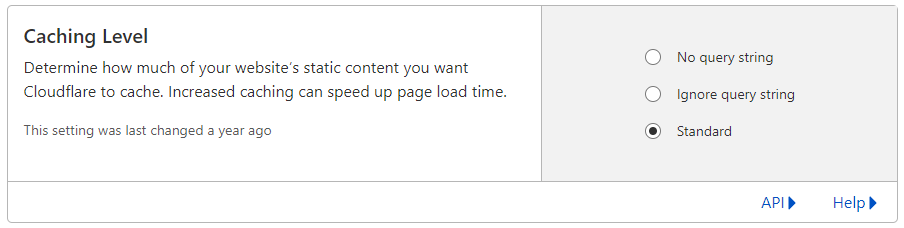
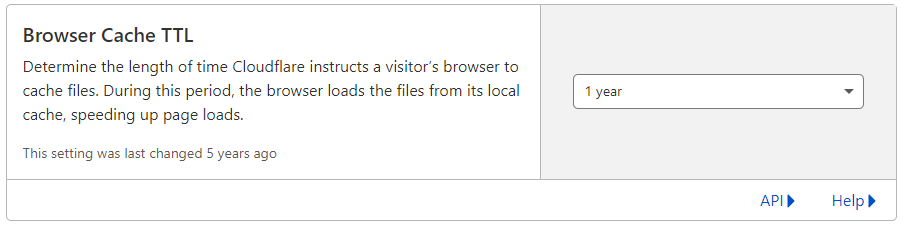
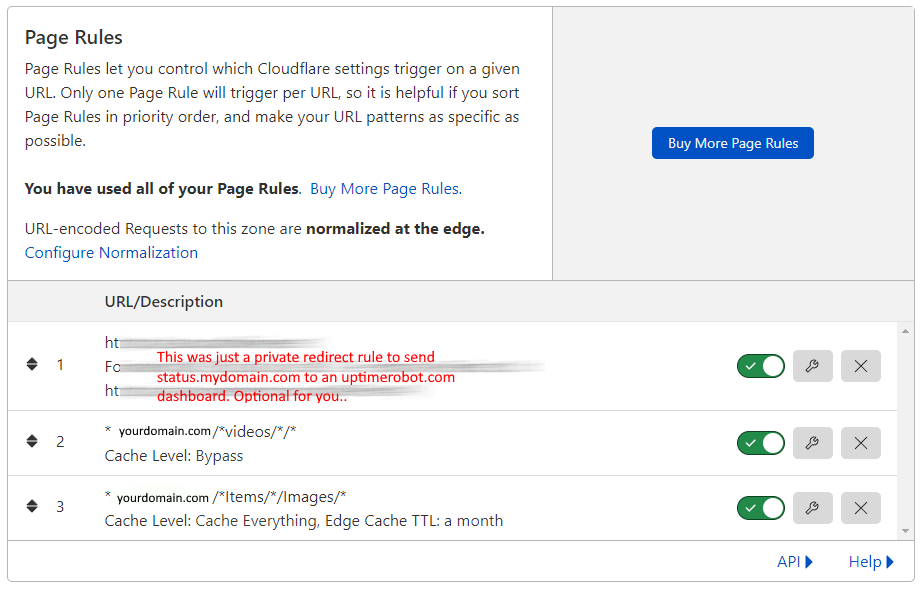
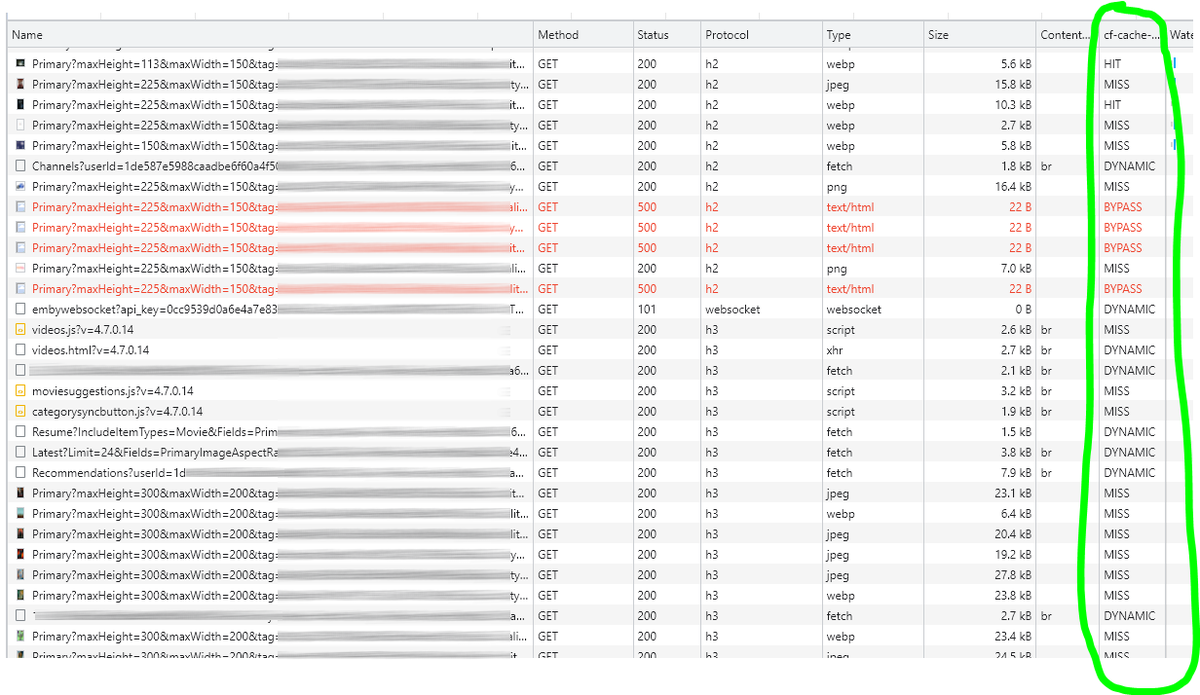
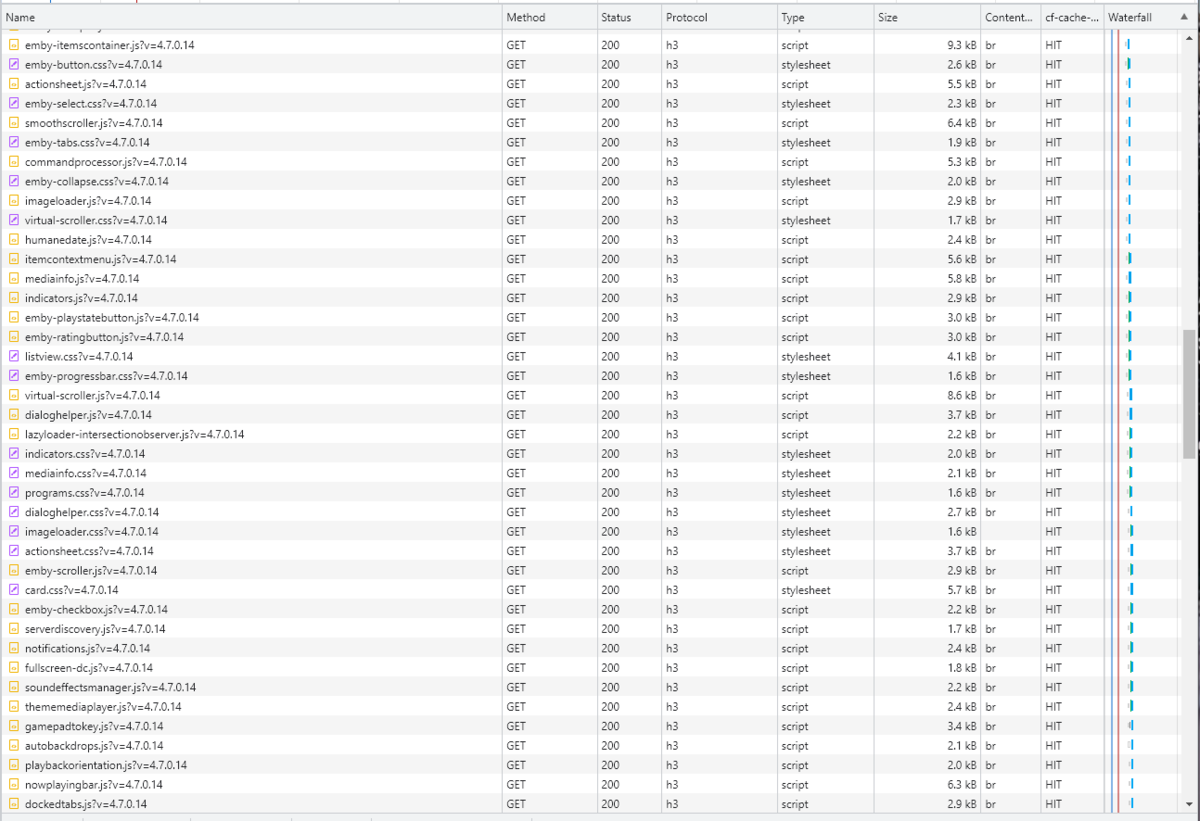
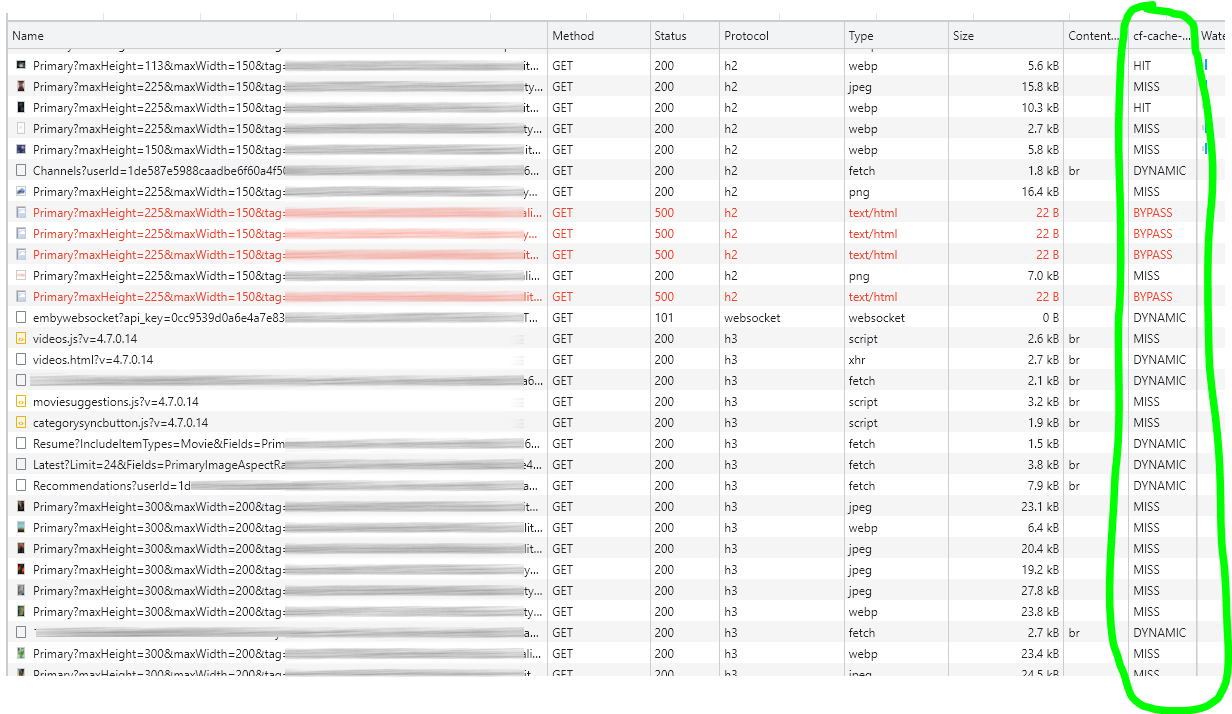
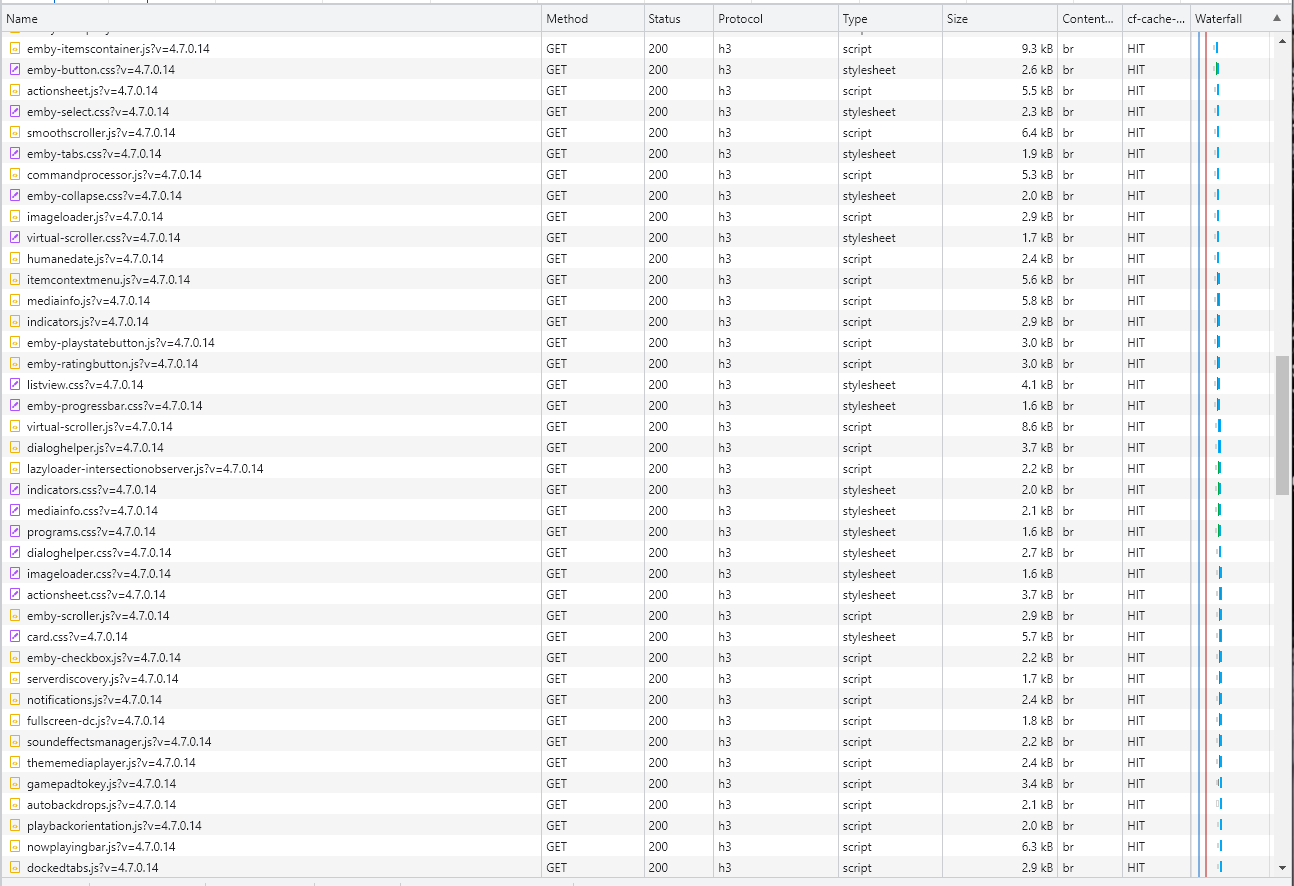
Cloudflare and emby Config Version 1.0.0 Last Update 02-25-2022 Update by Pir8Radio ** UPDATE: I AM HEARING OF EMBY USERS GETTING VIDEO FILES BLOCKED WHEN USING CLOUDFLARE (FREE TIER). IF THIS IS THE CASE, I NO LONGER RECOMMEND USING CLOUDFLARE. Even with the cache bypass rules, your video still passes through their system and is technically against their TOS. Use CloudFlare at your own risk if you choose to continue. I'll update if I get more info. Please post in this thread if you find you have video loading/playing/downloading issues while using cloudflare or have received an email from them about this. MESSAGE FROM CLOUDFLARE: Free, Pro, and Business Plans serving videos or a disproportionate amount of non-HTML content can be in violation of Section 2.8 of the Self-Serve Subscription Agreement (TOS). This will turn into a full Cloudflare how-to. Others are welcome to edit this or PM me with suggestions.. However right now I'm just going to post some recommended settings for people who already have Cloudflare setup. There are a few cloudflare settings that break emby, some break it in obvious ways, some only certain apps in certain situations.. These are the settings I found that work well as of today. I'll try to maintain this post and update the header info should new features come out, or the community discovers better settings than these. As of today, these are the settings available to us in Cloudflare FREE account: First disable the two main things that will break emby, go to the "Speed" tab then "Optimization" sub-tab. DISABLE Auto Minify and Rocket Loader! (screen shots are in the recommended state) Other options on this settings page are optional to enable, I suggest enabling Brotli compression. It's a good thing. Now head over to the "Caching" tab and select the "Configuration" sub-tab. Set your Caching settings as shown below. THIS IS OPTIONAL: Other settings in this settings tab are optional to whatever you like.. I have "Always Online" enabled, its kind of a neat feature that caches as much of your emby server as it can in case your server is down, users will at least see an emby splash screen, that's usually about it.. but its something... kind of useless otherwise.. Handy if you have other websites, it will totally cache normal html websites and users can continue to use your cached site when you have a web server outage. Next head over to the "Rules" tab. Create these two rules: Rule #2 here we will bypass caching 99% of all video. Caching the video will actually slow down the client experience. It screws with the chunks and often times has to fully cache 1 chunk before cloudflare sends it to the client, causing playback delays. Rule #3 here will cache all images on the edge servers for 30 days. We need this rule, because cloudflare only caches known file urls, like picture.jpg or poster.png emby serves up webp images with NO EXTENSION so cloudflare doesn't know to cache these items. But 99% of emby images come from the /items/XXXXXX/images directory so we will just force cache everything that comes from this URL, it should be only images. Keep in mind when you enable this it can take some time to build up cache.. emby serves up different sized images based on browser screen size, apps, etc.. so if you load a page that is minimized to a small window on your desktop emby will serve smaller sized images, if you make your browser full screen, now emby will serve up larger images and those images may load slow the first few times until they get cached too. Go below this screenshot and I'll show you how to check if caching is working. Check to see if Cloudflare Caching is working Well, how do you know Cloudflare is doing its thang'? Use a browser like chrome, or the new Microsoft edge (which is just a rebranded chrome). Open the browser, right click in the browser window and go down to "Inspect" (there is an F key for this too I forget what it is, I should add that here lol). Once the dev window pops up adjust it so you have a good view on the right, click the "Network" tab, hit the reload button on whatever page you are on so some info populates on the right dev screen. You should see something similar to this: Right click on the table header (Name, Method, Status, Protocol) anywhere, just right click the "Name" one. Go down to "Response Headers" then "Manage Header Columns". A little window will pop up hit "Add custom header..." and then add this header: cf-cache-status Now select the little sub tab that says "all" now surf your way to your emby server, and you should see something like the below screenshot. Hit is well..... a hit! this image came from cloudflare and was never requested from your emby server, saving you from sending this image to the client, saving time and bandwidth. MISS is also kind of obvious, it was a miss, either due to never being cached yet (first time Cloudflare has seen this image or document) if you hit refresh a few times, cloudflare will then cache it and it will turn to HIT. BYPASS I'm actually not sure why my server is returning server 500 errors below, this image is being called for by emby clients but the server has no image to serve, but usually you should only see BYPASS on playing video's if your rules above are correct. Or in my case, a server error will not be cached. DYNAMIC this is also a NO HIT response.. this is usually due to Cloudflare knowing this resource changes a lot and doesn't want to cache it so your clients don't get served stale data, or its a video, websocket, or some other format Cloudfare's great automated intelligence deems it should not be cached. That is the basics that will save you a lot of headache and blaming emby for things not working.. There are lots of cool options to enable outside of these basic settings above, ask questions here, send ideas that maybe I have missed that work great for you.. I just wanted to throw this up due to a lot more of you guys using Cloudflare. In the end you should start to see more "HIT" responses... and a noticeably faster loading time for the clients, less bandwidth usage for your emby server, and everyone is happy.. Well..... within reason....




 1 point
 -
For sure.1 point
-
That delay is pretty normal on DVB-T and DVB-S in the UK That mux has lots of channels https://www.digitalbitrate.com/dtv.php?lang=en&liste=2&live=5281 point
-
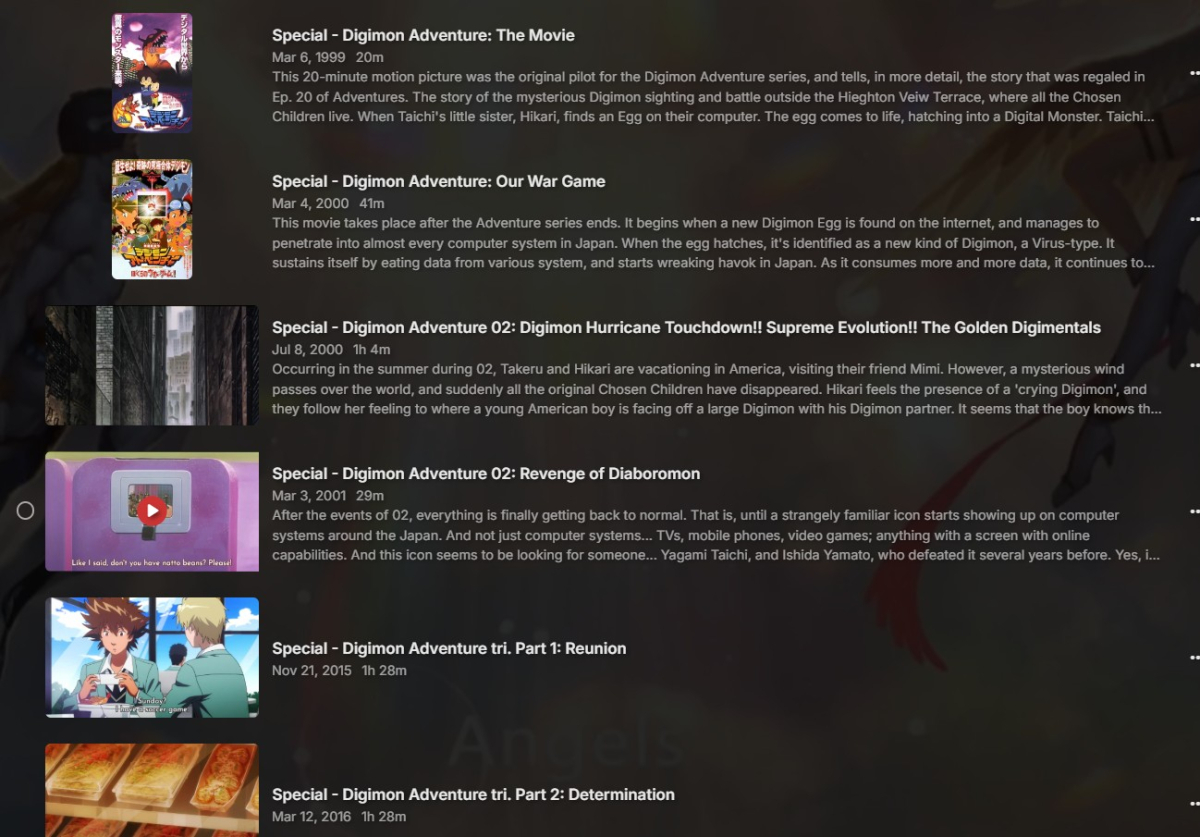
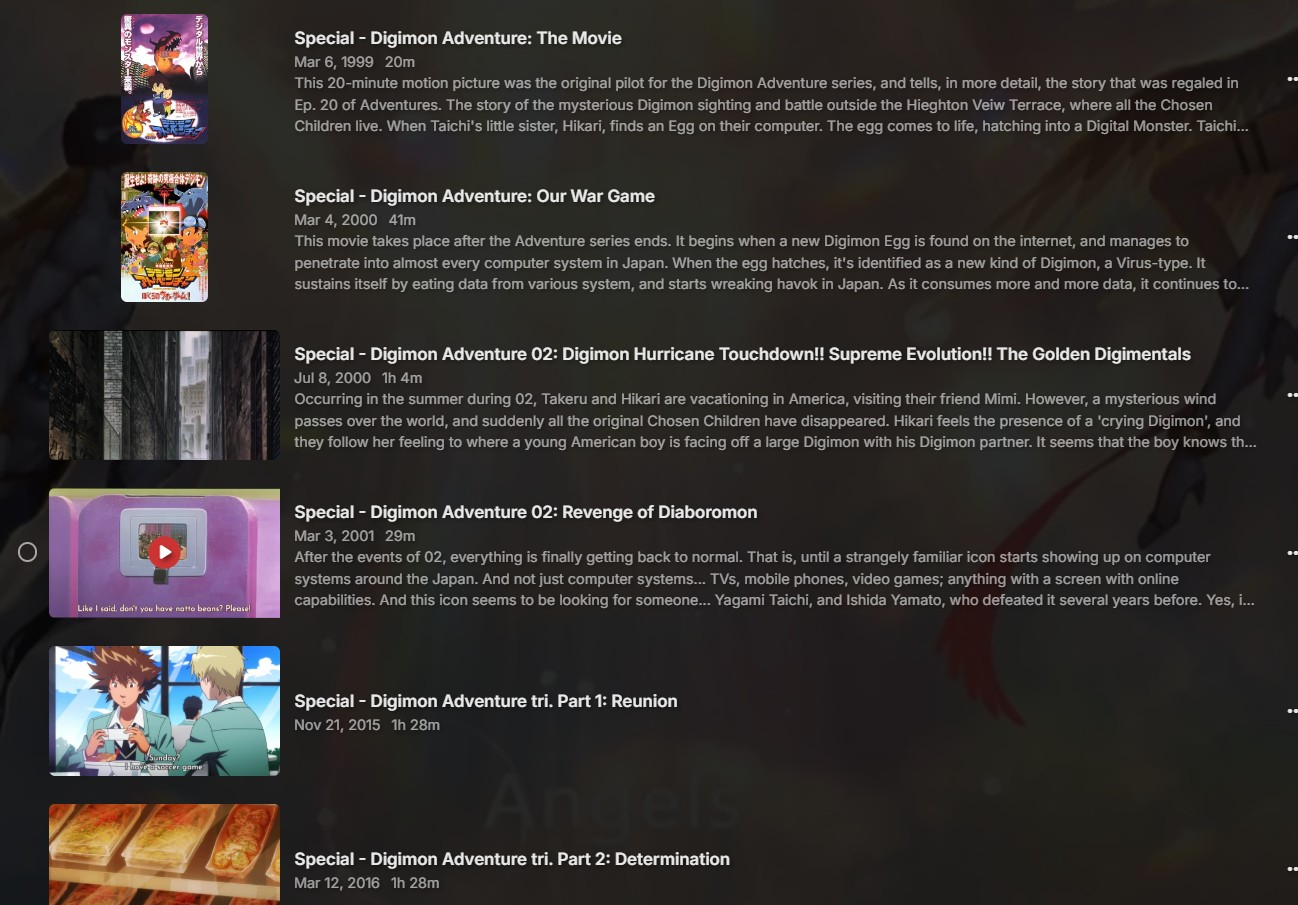
I think I found my problem: leftover .nfo files from a failed attempt to run jellyfin. I manually deleted the .nfo files that jellyfin had created and refreshed the metadata, and Emby pulled the correct data. I haven't confirmed this for ALL the data, since I have a large library and I'm only 1/3 through my files, but all the digimon files updated to the correct metadata after clearing the .nfo files.
 1 point
 -
Hi, the update is coming. Apologies for the delay.1 point
-
I'm not asking to add to any default view but add as an option in Table view only that can be turned on or off as the other 26. What you are describing is completely useless to me. I already have 1500 default collections. I don't want to add to that number. You DO realize I'm asking for TABLE view only?????1 point
-
Thank you @visproductionPerhaps I did not make myself clear in my original post. I have no issues accessing my Emby server when using Safari on my iPhone. The trouble that I am having is that I cannot access my Emby server when using the Emby app which I aquired and installed from the App Store1 point
-
I updated again for cache reading and directory/file deletion. If the item is out of the m3u it will delete the .strm and directory its in . You will need new cache files. Delete the current ones and let it run.1 point
-
It seems to be ok now. I have to do some more test about ignore config.1 point
-
Yeah I see that Linuxserver has some "enhancements" which, of course, would mean that it's got some modifications not done by the Emby team. Would be hard to say if you're having issues because of the build or because of the actual embyserver release. We're still waiting for 4.8.11 to upload to Docker Hub so might as well wait for that and see if it works better for you. You will likely have to make some changes to make sure your GPU still works and stuff though.1 point
-
Installed version 4.8.11 without a hitch on 2 different QNAP TSs.1 point
-
Apple software like Safari do not allow easy access to IP addresses. They probably consider it a security risk. Try opening an incognito browser window and using http:// before the IP address. Then bookmarking the Emby start up page, once you get to it.1 point
-
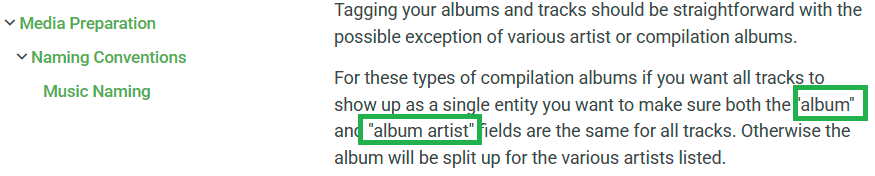
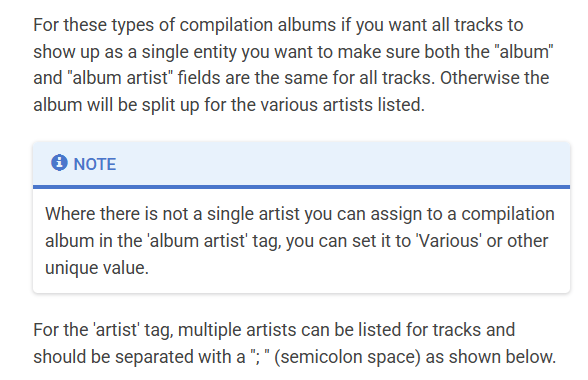
As @Happy2Playhas outlined, this is not the case. The documentation does not say that the "Artist" and "Album Artist" tags need to be the same. It correctly says that the "Album" and "Album Artist" are to be set the same for all the tracks in the compilation album. I will add a note to the article to mention use of a dummy album artist (e.g. 'Various') for compilation albums where it is not possible to set one artist as the album artist Update: This has been done.
 1 point
 -
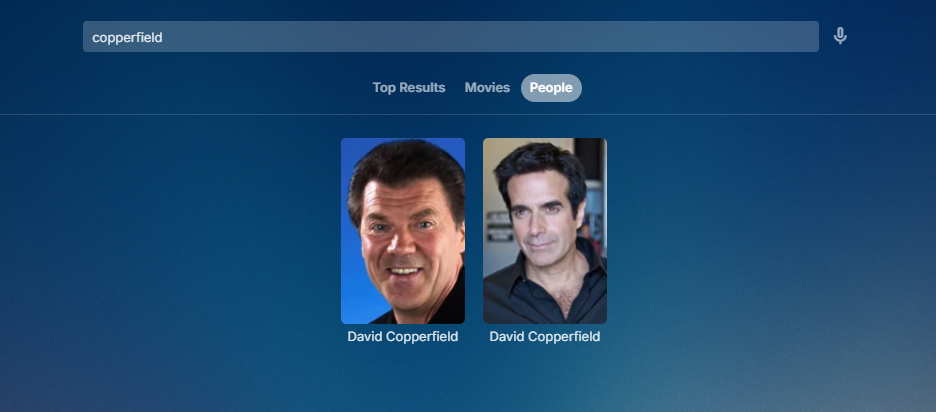
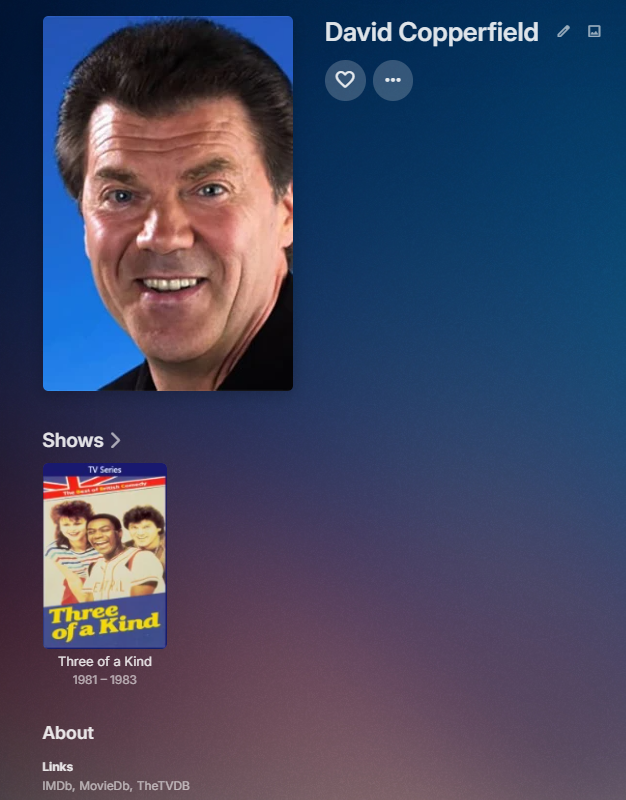
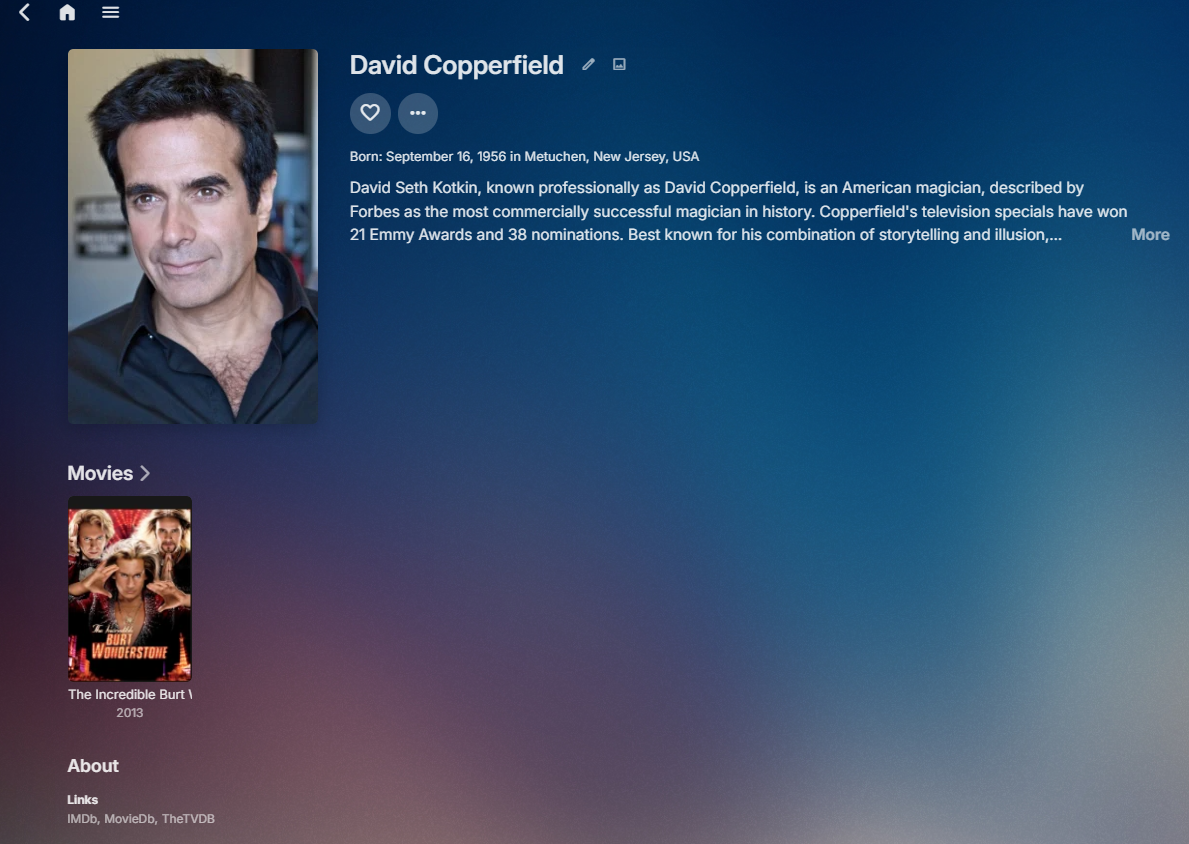
Updated externalids for both Copperfields on both sites. Still the issue of TVDB having both on the Show though. Submitted ticket to TVDB to remove wrong Copperfield from Three of a Kind. #TVDB-9387381 point
-
Yes there are quirks with same name people and not having providerids as there is no way in Emby to assign them. Then lots of work in the people folder and each item nfo file. Then potentially removing, scanning and readding media to get them to possibly proper link to correct person. But as mentioned manually editing id in nfo files for movie/show/verifing both people folders. Removed media, performed scan on library, then scan on Metadata folder (as I edited person.nfo), then readded media content and scanned.
 1 point
 -
Those are quite high numbers, maybe parser is breaking somewhere. Try renaming and adding season folder: NAS\Volume\Folder\Sport\Formula 1 (1950) [tvdbid=387219]\Season 2024\Formula 1 - S2024E123.mkv See what gives.1 point
-
1 point
-
Sorry for the inconvenience. You need to switch to TV mode, then you'll see the sounds setting under "Display". Turn it off and switch back to Desktop mode.1 point
-
My understanding: the current implementation of 'Parental Control - Access Schedule' is that no media can be started outside of the setup access time. I know that there are many other threads asking about this and wishing that the 'Access Schedule' would instantly end any currently playing videos. This is the behavior I wish was in place (end media playing instantly and lock a user out). Idea: The feature of disabling a user already accomplishes this. If the Access Schedule just enabled/disabled an account on a schedule that what I want out of the feature would be perfect. And using the 'disable user' feature might make this trivial to build rather than a complete, unique build. If you wanted to adjust the 'Parental Control - Access Schedule' to work this way then using 'enabling/disabling' user account might be an easy way to build it.1 point
-
1 point
-
Hi, have you taken a look at this?1 point
-
Q80c, 65 inch & 2023 crystal for my son. My son had no problem with updates until samaung updated to the new smart os which sucks. I love their tvs & sound bars up they have been dropping the ball with software. When I tried to update from usb, I think I formatted the USB stick to ntsf...if I said the correct initials lol. Thanks Dom1 point
-
Please, no integration of Netflix or similar. Why? EMBY must spend a lot of resources to do so and those resources are missing for the core, the ability to manage your own content. It would just go abroad like plex have done.1 point
-
If I wanted centralised spyware, I would just install Plex to begin with.1 point
-
Hi, yes it is.1 point
-
我使用了更换硬件的方法解决了问题,购买了一个新nas,使用N100的核显进行转码,一切就正常了。 虽然没能解决问题,但是感谢大家的帮助和解答 I solved the issue by replacing the hardware. I purchased a new NAS and used the N100 integrated graphics for transcoding, and everything is now working fine. Although the original issue wasn't resolved, I sincerely appreciate everyone's help and support.1 point
-
我使用了更换硬件的方法解决了问题,购买了一个新nas,使用N100的核显进行转码,一切就正常了。 虽然没能解决问题,但是感谢大家的帮助和解答 I solved the issue by replacing the hardware. I purchased a new NAS and used the N100 integrated graphics for transcoding, and everything is now working fine. Although the original issue wasn't resolved, I sincerely appreciate everyone's help and support.1 point
-
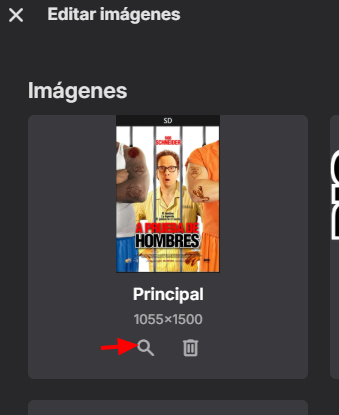
Hasta donde se, en el caso de los Posters, TheMovieDB no distingue entre variantes del español a diferencia de los demás metadatos. Así que no importa cual version de español tengas elegida siempre descarga la version que este con mas votos en la sección de "multimedia --> Posters", donde están agrupados todos los posters en español para dicha película. Me ha pasado lo mismo que a ti pero al revés, es decir me descarga el poster para España en vez de el de México. Por lo general lo que hago es abrir el editor de imágenes y elegir poster, ahi te muestra todas las variantes disponibles y elije el que mas te guste.

 1 point
 -
Updating this with the latest position - in Emby Server beta 4.9.0.41 - When a parent folder is inadvertantly added to a library folder paths, the media within that library will remain accessible - Any other library with a folder path that is a child or grandchild etc ... of the parent folder added in the other library, may lose its content - When the library that had the parent folder added is corrected by removing that parent folder from the paths, the library will be adjusted and no SQLITE EXCEPTION is given. Furthermore, other libraries that were impacted by adding the parent folder to this library, should now have their content restored and accessible1 point
-
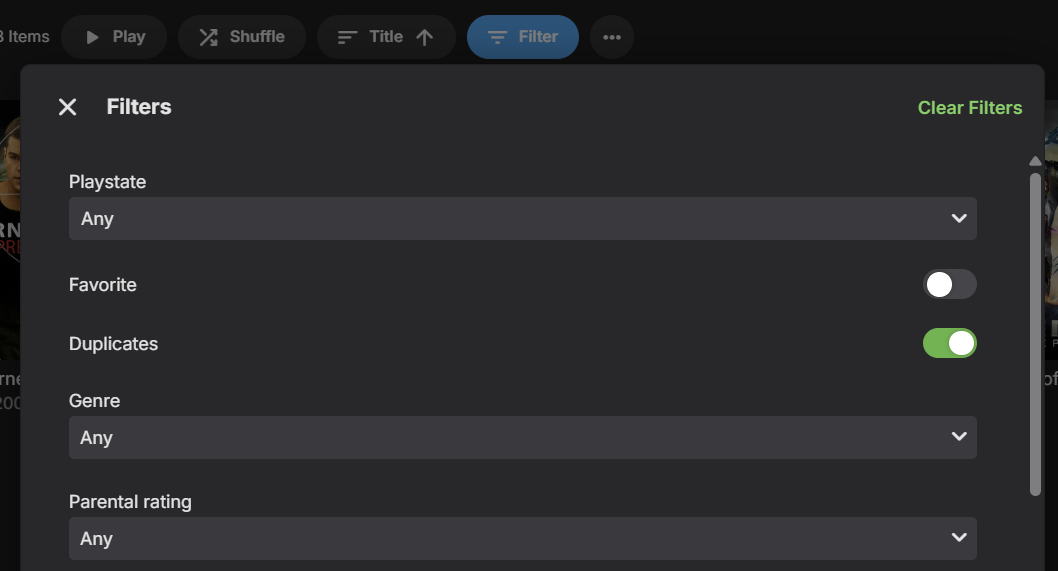
A new Duplicates filter for Movies and Episodes will be in Emby Server 4.9:
 1 point
 -
lol lol sorry typo. I meant to type haproxy I’m not sure about Harrods1 point
-
Yes, this does work most of the time. I have had instances of it not working however. Something that has occurred occasionally for me is when I am watching an item of which I got to from the "continue watching" widget on the homepage, clicking back doesn't always go back to the emby homepage. It just brings up the side menu. Clicking back again just hides it and continuing to do that just repeats the menu showing and hiding again. In order to exit i have to navigate to home manually and then I can exit pressing back. Not sure exactly what causes this to occur and most of the time it goes back through the screens to the homepage as expected. Seems to be quite a randomly occurring thing. Not a massive issue but thought best mention it. Re: some of my other points. . I've managed to sort most things Ibhave encountered with the app appearing not to close. An update to my TV caused the hdmi link feature to the firestick to go wrong so it wasn't sending the signals to say the TV is off etc. Setting that back up again sorted it.1 point
-
hi, yes we think we have this resolved for the next update to the Emby Apple TV app. Thanks.1 point
-
These are the chapters that come from the blu ray discs. I would have to assume most first chapters are the beginning of the film.1 point
-
Sorry but all the Metadata in the world not make me go back to crossing my fingers hoping my place was saved whenever I start again.1 point
-
There is now an OpenLibrary plugin in the Emby Plugin catalog for books, and it supports ISBN lookup. Please try it out and report your experience. Thanks !1 point
-
I use docker compose to run emby container. to change the 'emby' logo in the container, simply use volumes in docker compose, as follows: volumes: - player:/config - player:/cache - /path/to/custom/logo.png:/app/emby/system/dashboard-ui/modules/themes/logodark.png - /path/to/custom/logo.png:/app/emby/system/dashboard-ui/modules/themes/logowhite.png i hope this helps1 point
-
Courtesy of @Abobader Sort by Most Reactions at the FR forum:1 point
-
because you're mounting the drive as root/root (the 0,0 part of the command). You need to mount it as a user and/or group that emby has access to. You need to find out which id emby has on your system and use that, or add emby to a group and then use that group_id. ALso, fyi the whole default_permission thing only gives the user rw access and the group just r, so if you plan to let emby do any metadata storing on that drive and you're not planning to set the user_id to whatever emby is, it won't work. Plenty of info about fstab online, and the man pages are pretty easy to follow https://help.ubuntu.com/community/Fstab1 point
-
@@thefirstofthe300 you have done a great job in explaining the details of file permissions. But you can help also in showing how this could be safely done. I think you know what the problems are with adding folders, can you show how you actually do it; what commands you ran, etc, where and how. Thanks for the great details on file permissions, now I know what all those x and r mean.1 point
-
Yes the download pages script does not update as fast as it being published. Release 4.8.11.0 · MediaBrowser/Emby.Releases0 points









.thumb.png.225edb9636a79b10cd220c27f59990f3.png)















