Leaderboard




Popular Content
Showing content with the highest reputation on 03/09/25 in Posts
-
Automatically merging movies by Movie Db Id will be a built-in feature in the upcoming Emby Server 4.9 release. Thanks.3 points
-
Hello everyone, I propose integrating a Tailscale-like functionality directly into Emby clients and servers to facilitate remote connections without the necessity of a non CGNAT connection or opening up home firewalls and the security concerns that entails. While starting a Tailscale client is relatively straightforward for most tech-savvy individuals, it becomes less intuitive on devices like TVs (where it can't be autorun), often causing confusion among users. To circumvent this, I typically set up a NanoPI as a proxy for remote users, directing their Emby client to it. However, if the open sourced Tailscale client were integrated into Emby, clients could transparently connect from any location with an internet connection. I understand that this integration would require significant effort, but I believe it would be a highly utilized and defining Premiere feature, attracting users from other Emby alternatives. Running the Emby server itself with the linuxserver.io docker mod is already straightforward, and the server can be easily referred to by a simple name rather than by an IP address or a lengthy FQDN. https://tailscale.dev/blog/docker-mod-tailscale Anyway, food for thought. Keep up the good work.1 point
-
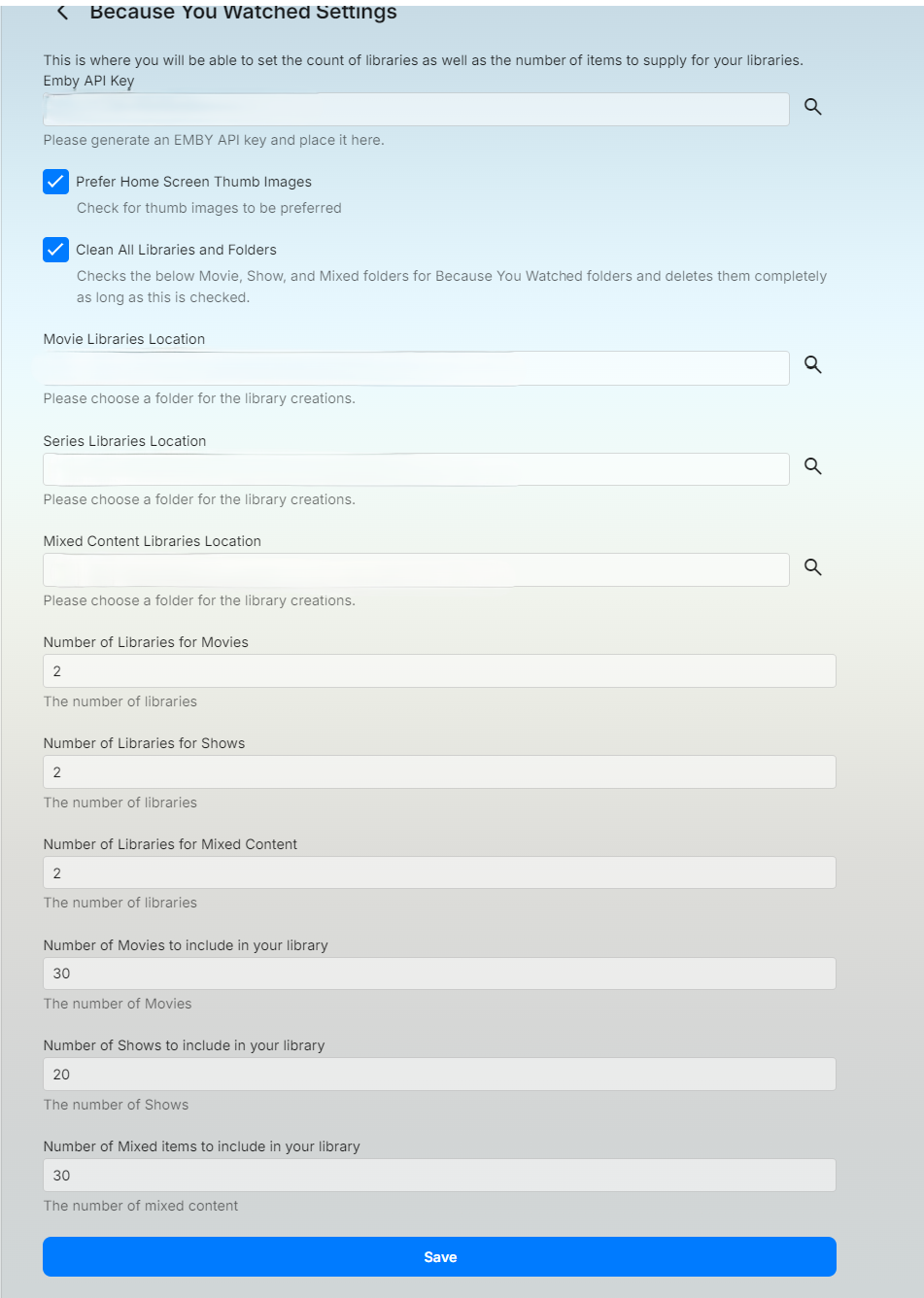
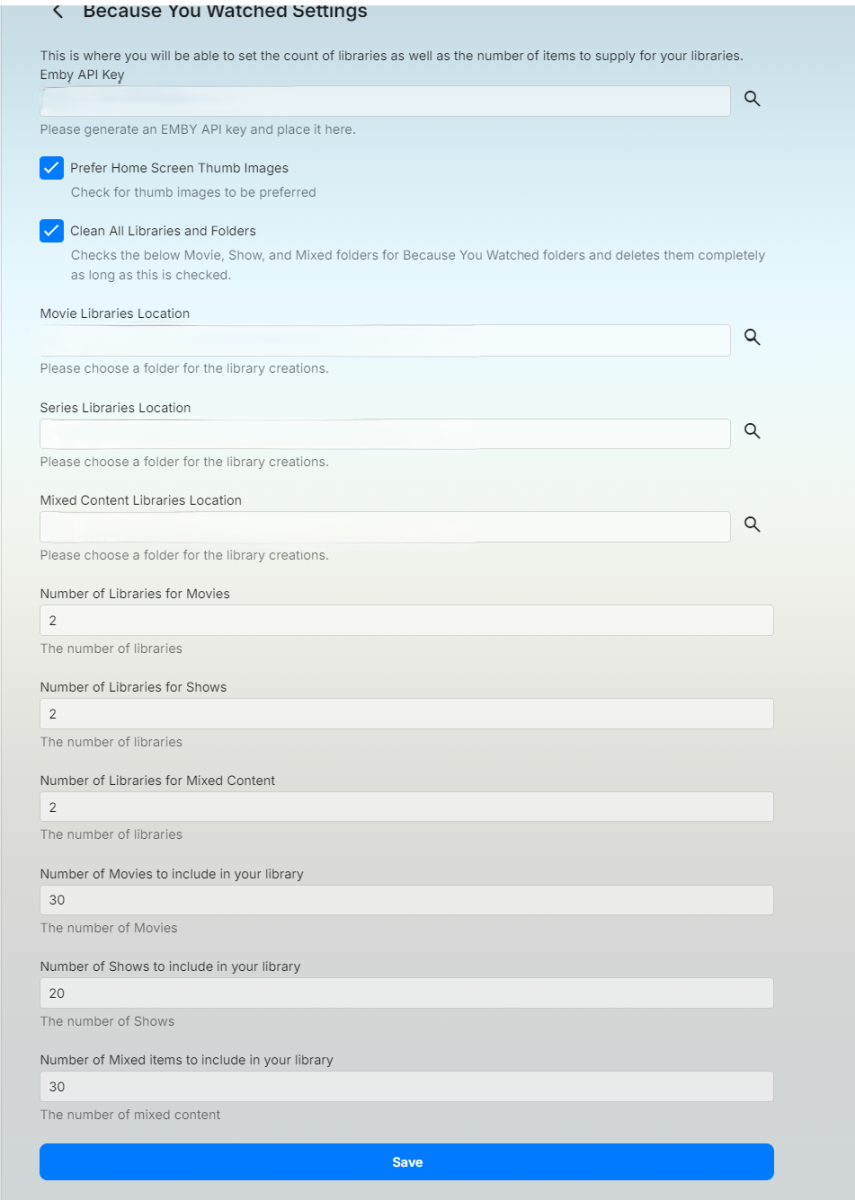
I've put together an plugin that will libraries and stream files for movies or shows that you've watched. What does it do? It builds folders, images, and stream files in the location you choose. If you're libraries contain stream files already it will just make a copy of those in the new location. It will delete the files and folders that roll off the watched list. Things to keep in mind: This will create folders based off all users watched history. So if you have multiple users there could be several folder structures created but it will not duplicate folder structures. This plugin allows you to choose between Movies, TV Shows or a mixture of both. You should do mixed content on it's own not with movies and tv shows also supplied. You will need to generate an emby api key for the application and store it in the settings. The clean All Libraries and Folders will delete all the stream files and folders this application creates in the location supplied in the configurations and recreate. This plugin will update as you watch items on the Emby server. This is not immediate as it takes time to run through and create the libraries and scan them. Emby.WatchedSuggestions.dll
 1 point
 -
Just make sure Folder Based Access Control can be used so one mount can be to normal movies and another mount point is to 4K movies. The admin only needs to give permission to the 4K mount point to those who can play 4K content. When a person has access to a movie with both 1080 and 4K they get the dropdown choice for the version to use. Anyone without Folder access to the 4K mount point would not get a dropdown choice to choose the version to play that had the 4K version in it. PS We need a way to set the default version when files are merged. There seems to be no way to manipulate this at present.1 point
-
I will evaluate using vlc and get back with you asap.1 point
-
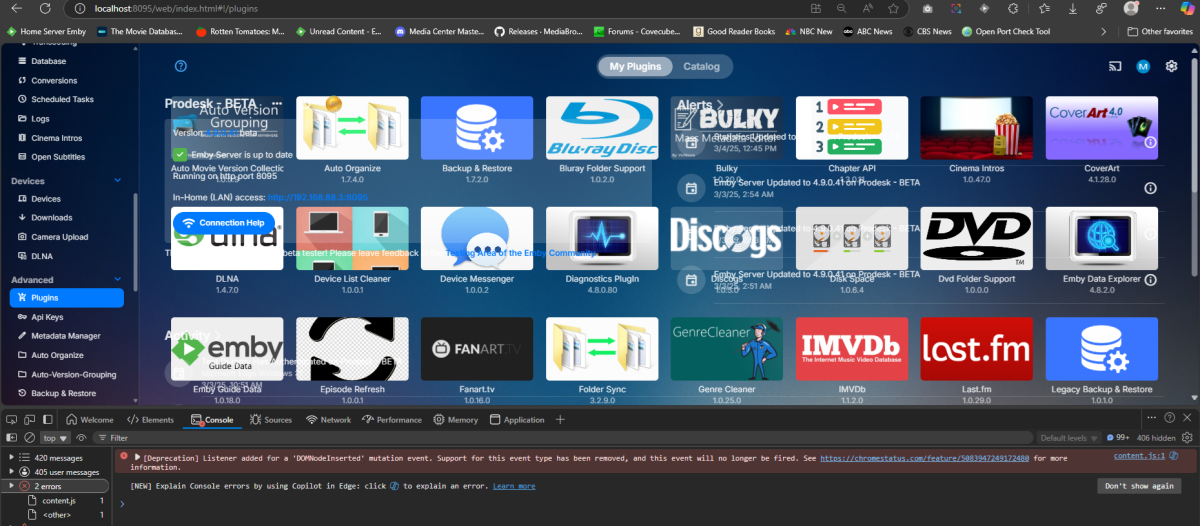
It is random and I think usually close to startup but a refresh always clears the previous page overlapping. embyserver2.txt
 1 point
 -
Just closing the loop on this for the problem I had with my system: I had reported issues with the new Windows Emby Theatre App not starting up properly, and also Handbrake having to be operated as Admin for it to work - was a result of Intel Arc GPU driver updates interacting with the Window Emby App and Handbrake. I had found the WHQL driver worked properly when later non-WHQL drivers did not. Thought it was a WHQL versus non-WHQL driver issue. It was not. A later WHQL rated driver also had the same issues, so I rolled back to the one that worked for me. I just tried the latest version 32.0.101.6647 (WHQL Certified) Release date: March 7, 2025 and both issues were cleared properly for my system. Now, I know there's a lot of moving parts in these kind of issues on the App side versus driver sides and such, but at least for now, things are operating as they should. I'm hoping pwhodges found a solution for his issue... Dave1 point
-
You are extremely responsive... I'm sorry, it is a false alarm, now it's working. Before I tried everything except resetting my main router because I thought it could not be my network - Emby client was working OK on my other computer, but it didn't work only on TV. After posting my problem, I remembered that my computers were connected via switch, but the TV was connected via router to that switch, so I suspected It could be some router problem, which it was. Sorry again for the false alarm.1 point
-
I am currently at work, work , work..... No access to my computer here.. However, I have discovered during all this effort how to do other things in a multi thread way. I have learned a huge amount about multi threading that I didn't know you could do. I have already modified my existing directory cache builder to do this using all cpu cores. I have 16 cores so this is now 16 times faster here. This read what is already there in the output folder. This will be in the next build. I will first be looking how to do this for everything else that I can do it with and make this as efficient as possible. There is already a check box for update and delete, so there is already a kind of don't remove , just add feature. This plugins might be different from @sftech13's but I am not sure. So if you want to add to the directory, and not remove you can uncheck that but currently if you uncheck that it might not update links in the strm files , I will need to check that. I open the existing strm files and check the links to the media file haven't changed on the next import. If they have changed I update them. I will have to check if I overwrite anyway or not, not sure now, can't check at the moment. I might just be writing what's not there or needs updating. I have a day off tomorrow, hopefully I will get time to do some more on this. I actually think I can ."maybe" get this down to under a minute with @gillmacca01's huge m3u file. This is so far advanced to where I was a week ago already! Mine is only a few hundred kb, its finished as you click start, lol1 point
-
It's odd but things seem to be working now. Earlier, I tried the standard Android app but it was doing the same thing (that is, subtitles in the middle of the screen). On the server I installed the diagnostics plug-in but made no changes in any of the settings. Now, when starting an episode with subtitles off, the app is indicating "Direct Play" (as seen under User Sessions in the server window) but it is necessary to select Playback Correction on the TV to get the screen to fill. If I then turn on subtitles, transcoding begins and the subtitles are burned in and appear correctly at the bottom of the screen. The only inconvenience now is that I have to select Playback Correction every time I start an episode.1 point
-
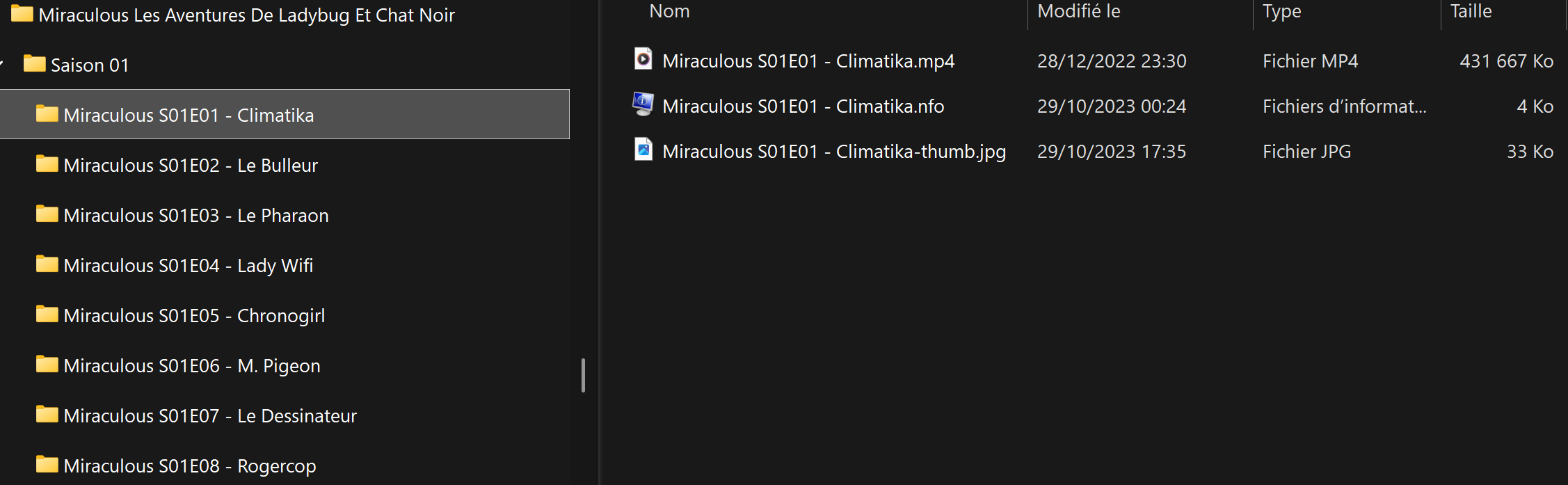
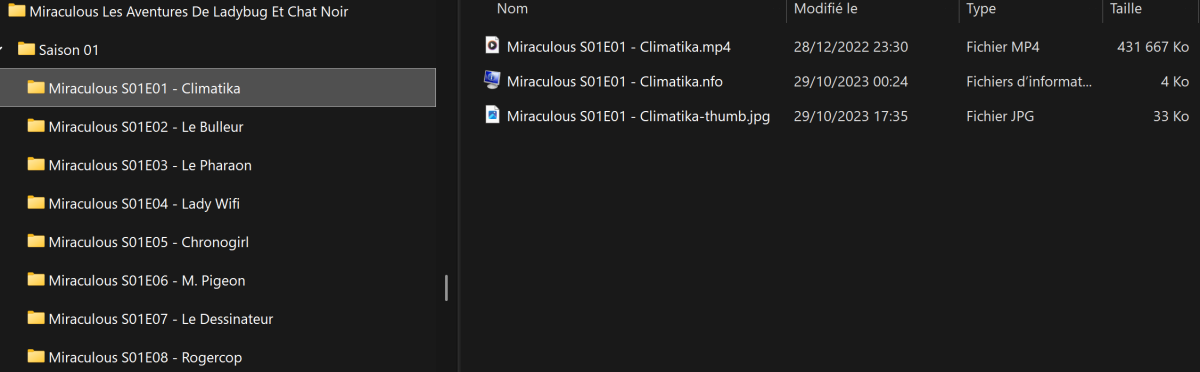
Bonjour, je pense qu'il faut que vous renommiez les fichiers de chaque épisode. Pour la classification, Emby a des règles de nommage précis ainsi qu'une arborescence à respecter. Pour que cela marche, j'ai fait cela: Pour retrouver ces règles de nommage, vous les avez ici: - TV Naming | Emby Documentation
 1 point
 -
Hi, yes it makes sense that we should add sorting to this. Thanks.1 point
-
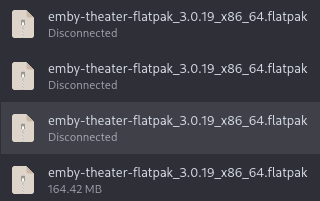
Yes, it was disconnecting on multiple tries. Maybe i had something with my network, because today it finally worked
 1 point
 -
I'll fix tomorrow. I'm out today1 point
-
I'm testing both, this script and your plugin these days. Both of them are great. I like @mickle026 one because there is also the possibility to ignore words and to force entries in movies or serie. I like @sftech13one because you can choose to import what you don't have in your media dir, so only new content. Tnx to both for your work.1 point
-
Difference now with full verbose logging 1 hr 31 minutes 26 seconds This is where I am seeing a massive gain in performance! I haven't tested this yet , maybe there is something wrong with my logic and its not fetching them properly. Yes I should add a checkbox to enable and disable, rather than using if the key exists to enable it I have done the programming logic, but not checked it yet. I will try to check it today, update it if necessary, check it again...
 1 point
 -
This is a fairly well discussed issue on Samsung TV's. Over about 20 subtitle tracks the TV will start to have issues. It is a limitation of the TV and not something that we can resolve in the app. It's best to try and remove unused subtitle tracks. You can investigate if you want to see how it works and if it will help you, otherwise you can remove them manually.1 point
-
The way Plex operates is such that all your connections go via their central servers, this makes it easy for them to provide remote connectivity without much user intervention. Emby is designed to be self-hosted (your server and connections are yours only), therefore it is up to the individual to configure their Emby Server for remote access. Can you confirm you have followed the Remote Setup guide?1 point
-
I have the same problem with Emby for Android on a Nvidia Shield. The app always tries to decode AV1 in software and creates a slideshow. I noticed there is a new setting in 3.4.46 to force conversion for some formats. But it is only available for AVI, MPEGTS and VC1. Could you please add AV1 to this list?1 point
-
Back to normal. However, every time emby is opened, it will be automatically reloaded twice, which has not been solved.1 point
-
Automatically merging movies by Movie Db Id will be a built-in feature in the upcoming Emby Server 4.9 release. Thanks.1 point
-
Automatically merging movies by Movie Db Id will be a built-in feature in the upcoming Emby Server 4.9 release. Thanks.1 point
-
Automatically merging movies by Movie Db Id will be a built-in feature in the upcoming Emby Server 4.9 release. Thanks.1 point
-
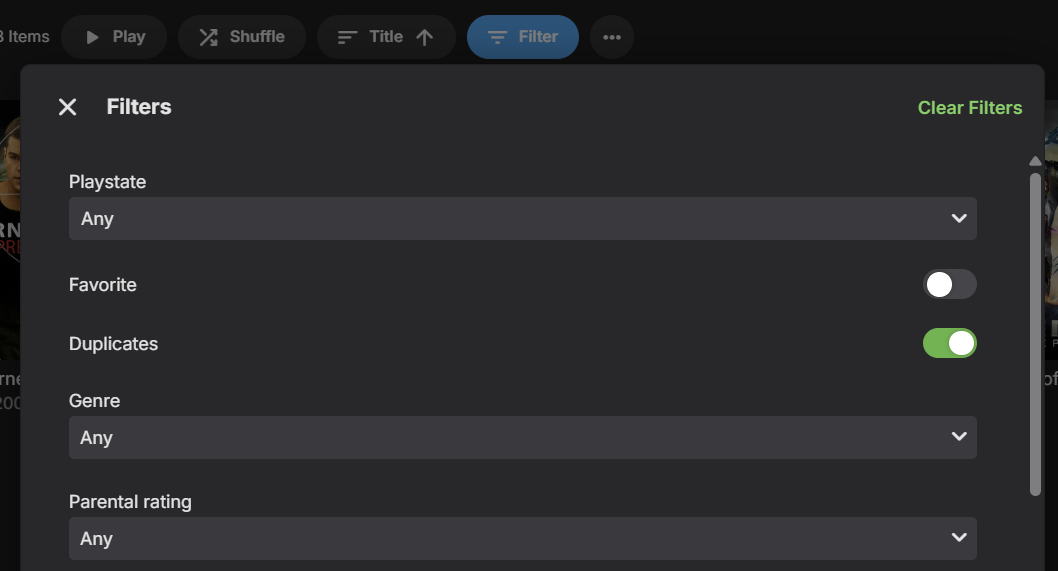
A new Duplicates filter for Movies and Episodes will be in Emby Server 4.9:
 1 point
 -
A new Duplicates filter for Movies and Episodes will be in Emby Server 4.9:
1 point
-
I'm not at home at the moment, but I have a Emby installed on my laptop for test purposes that only use my providers epg. Will add west coast when I get home and report back1 point
-
The hard way Rebuilt my config and metadata database (my media is separately hosted on a remote SMB share on my NAS that’s wired into Kubernetes, where I run Emby). Since I’m a single user, wasn’t a big deal!1 point
-
I think this is improved in the upcoming 4.9 server release.1 point
-
1 point
-
@remid12This is not a plugin problem, but a lag in Emby metadata fetcher. You can add your support here, remember to like first post.1 point
-
Hi, we have this resolved now. If you need immediate relief, the fix will be in the beta channel in the next build build, which will be 4.9.0.42+. Thanks !1 point
-
When you notice this, try skipping to the end of the video until it ends and start replaying at the beginning. This should refresh the media info in Emby. This seems to be only an issue with MKVs not encoded with network streaming and when the URL stays the same but the source changes. MP4s format dont have issues. You could also edit the URL to the wipe the Emby media info and fix it back.1 point
-
Thanks. Looking forward to new version, this problem has troubled me for a long time.1 point
-
Hi Luke, yeah, I use it and I think it cover this request.1 point
-
Hi, Yeah that's understood but a shame nonetheless. I do see most devices can run WebAssembly so that may always be an option?1 point
-
Aw, I'm sorry to hear that Sammy.1 point
-
Config folder, system.xml1 point
-
This hybrid model would give users the best of both worlds: the control and quality of personal libraries with the ease of modern streaming platforms. Examples would include: * Free Steaming TV (e.g. news, movies, sports, etc. * Integration with other Streaming Services (e.g. Netflix, Hulu, etc.) * Integration with Personal Music with other Music Services This would take Emby to the next level.0 points