Leaderboard




Popular Content
Showing content with the highest reputation on 03/01/25 in Posts
-
Attached below is the latest code. The "restore channels" button has been removed. Channels now load automatically. For this feature to work, you must delete your Tv Tuner and reload it again. I have also started adding code to implement adding Channel logos and Bumpers (commercials between movies and TV shows). Vic myTV.zip myTV.dll3 points
-
It would be great to have Emby as a music provider for Music Assistant: https://music-assistant.io/ I'm forced to use Jellyfin as a provider for now: https://github.com/orgs/music-assistant/discussions/583 It probably wouldn't take too much effort to adapt the existing Jellyfin provider to the Emby API: https://github.com/music-assistant/server/tree/dev/music_assistant/server/providers/jellyfin2 points
-
Ok so the main thing seems to be URL validation and extra elements in the m3u that some people have. @gillmacca01 has sent me some data that will help me figure out what is different from my m3u (which this works fine with) than some other users. I'm out at at a 80th birthday right now so won't get back on this till tomorrow, I have already simplified the URL check so that is working in my dev machine, and I have figured out the first stumbling block in @gillmacca01's file, so it shouldn't be too long before I can offer a solution that might work for many more people. Please let me know what I ask for when I do, I am not interested in stealing anything from anyone, just only interested in making this work for whoever would like to use it.2 points
-
muchas gracias se arreglo al tocar los 3 puntos ya no hay superposición 2025-03-01 11-51-37.mp42 points
-
HI, we don't currently have an option for that, although it's not a bad idea.2 points
-
This post is probably intended mainly for @Luke but I will appreciate comment/upvote or anything else that would benefit the discussion I'm the dev behind Bazarr and currently having discussion with the devs teams of major media servers/players (eg: Plex, Jellyfin) and I would like to bring Emby to the discussion table to get all the major teams to adopt a mutual standard regarding those subtitles. So, would it be possible in Emby to interpret correctly the language name for subtitles filename that would look like this? Film.en.hi.srt Film.en.cc.srt Film.en.sdh.srt They should be detected as English subtitles and it would be nice to see a custom tag to make the user aware of the hi/cc/sdh content. Thanks for joining the discussion. I hope will reach a consensus for that standard!1 point
-
Hi, on themoviedb website you can set your default language and a fallback language for data not translated, it is possible to set that in metadata setup ? Often, title between FR-CA and FR-FR are not the same, i prefer FR-CA but this database is less populated than FR-FR, on moviedb you can complete unpopulated data with FR-FR.1 point
-
I understand that Emby does not support SSO/OIDC out of the box. On my free time I managed to come up with a way that is a bit complicated but works with services similar to Emby authentication process. I managed to make it work a couple of times already. I am trying to write a work around guid with Nginx Proxy Manager and Authentik for Emby. I am currently stuck trying to figure out the needed Headers to login as a specific user. Here what I have done so far: Part 1 - fetching Emby AccessToken: - User Attributes: in Authentik Admin Panel, go to users and edit desired user. under "Attributes" add the following values: emby_username: [embyaccounduser] emby_password: [embyaccoundpassword] Make sure to add the correct values for your account credentials. - API Key: In emby, login as Admin, and create an API key. - Property Mapping to fetch Emby AccessToken: in Authentik Admin Panel, go to Customization > Property Mappings > Create Scope Mapping. Fill the fieleds as follow: Name: Emby Token Scoop Name: ak_proxy Under Expression add the following to fetch the code: import json from urllib.parse import urlencode from urllib.request import Request, urlopen if request.user.username == "": return {"ak_proxy": {"user_attributes": {"additionalHeaders": {"X-Emby-Token": "null"}}}} else: embyuser = request.user.attributes.get("emby_username", "placeholderuser") #here we are getting the user name attribute we added earlier to the user embypass = request.user.attributes.get("emby_password", "placeholderpassword") #here we are getting the password name attribute we added earlier to the user base_url = "http://embyserver:80" #make sure Authentik can access Emby. i user server:port because they are on the same network but one can also use domain end_point = "/Users/AuthenticateByName?api_key=[here comes the API key we just created]" json_data = {'Username': embyuser,'Pw': embypass} postdata = json.dumps(json_data).encode() headers = {"Content-Type": "application/json; charset=UTF-8"} try: httprequest = Request(base_url + end_point, data=postdata, method="POST", headers=headers) with urlopen(httprequest) as response: responddata = json.loads(response.read().decode()) return {"ak_proxy": {"user_attributes": {"additionalHeaders": {"X-Emby-Token": responddata['AccessToken']}}}} except: return {"ak_proxy": {"user_attributes": {"additionalHeaders": {"X-Emby-Token": "null"}}}} once saved, test the scoop. if no user is selected, this should be returned: "X-Emby-Token": "null" . If a user with the correct Attributes is selected while testing, it should return the correct AccessToken. According to Emby Documentations, the value of which can be passed as X-Emby-Token header to login. Part 2 - Create Proxy Authentication: - Authentik configurations: in Authentik Admin Panel, go to Applications > Providers and create a new Proxy Provider. Name it Emby. Select desired Authentication flow and Authorization flow. And select Forward Auth. External host is the Domain of Emby you configured in NPM. Under Advanced protocol settings make sure the scoop we have created is selected. once done, safe and then proceed to create an aplication for this provider. Do not forget to add the Provider just created to the Outpost. - NPM configurations: Edit the Emby Host in NPM. Under Advanced add this to Custom Nginx Configuration: (This is where i am currently stuck and need help) proxy_buffers 8 16k; proxy_buffer_size 32k; port_in_redirect off; location /authentik { proxy_pass $forward_scheme://$server:$port; proxy_set_header Upgrade $http_upgrade; auth_request /outpost.goauthentik.io/auth/nginx; error_page 401 = @goauthentik_proxy_signin; auth_request_set $auth_cookie $upstream_http_set_cookie; add_header Set-Cookie $auth_cookie; auth_request_set $authentik_auth $upstream_http_x_emby_token; proxy_set_header X-Emby-Token ${authentik_auth}; proxy_pass_header X-Emby-Token; } location /outpost.goauthentik.io { proxy_pass https://authentik-server:9443/outpost.goauthentik.io; proxy_set_header Host $host; proxy_set_header X-Original-URL $scheme://$http_host$request_uri; add_header Set-Cookie $auth_cookie; auth_request_set $auth_cookie $upstream_http_set_cookie; proxy_pass_request_body off; proxy_set_header Content-Length ""; } location @goauthentik_proxy_signin { internal; add_header Set-Cookie $auth_cookie; return 302 /outpost.goauthentik.io/start?rd=$request_uri; } Theoratically, Normal login should be at https://emby.domain so it does not breake Emby Clients. but when going to https://emby.domain/authentik it should redirect to authenticate with Authentik. In the process it would fetch a X-Emby-Token. tis would be passed as header to login as the user assosiated with Authentik. Sadly it does not work yet. Even when only using this Custom Nginx Configuration it still does not login. proxy_set_header X-Emby-Token "[token created in Authentik scoop]"; proxy_pass_header X-Emby-Token; What other headers are missing here to complete the Authentication into Emby?1 point
-
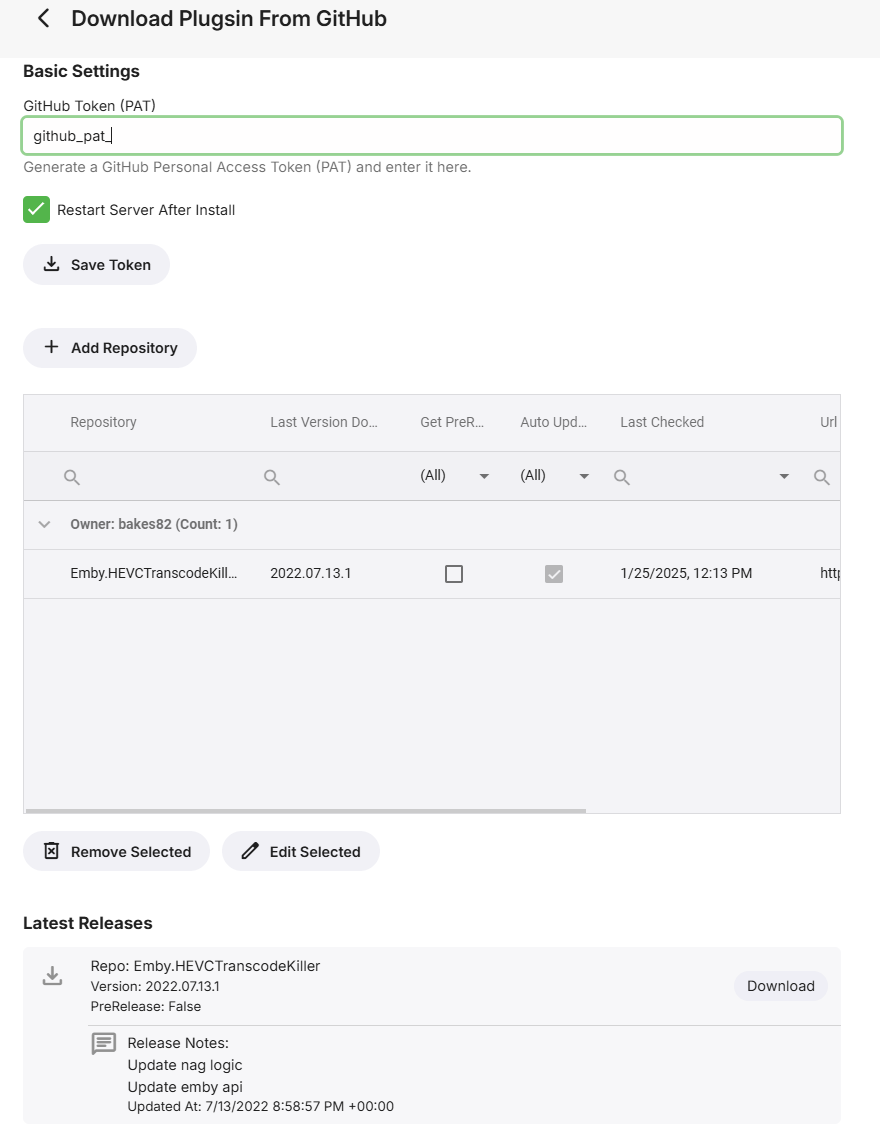
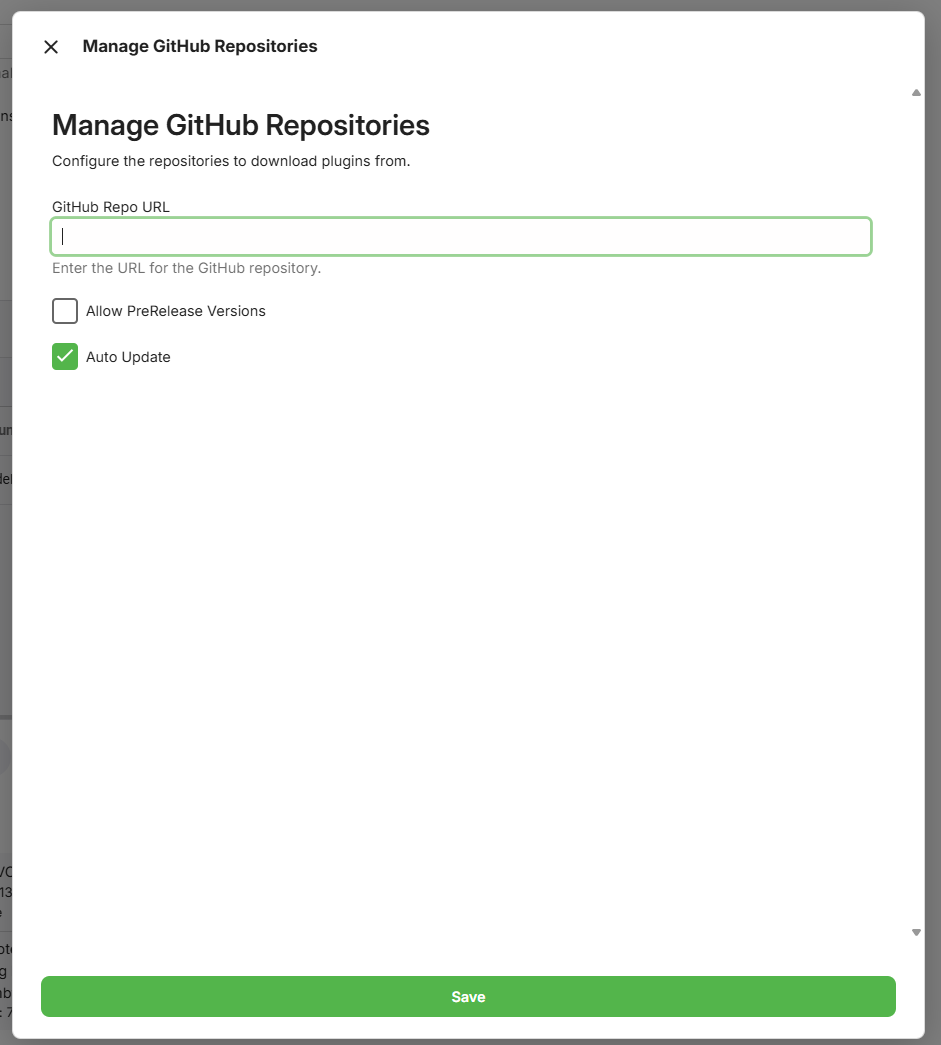
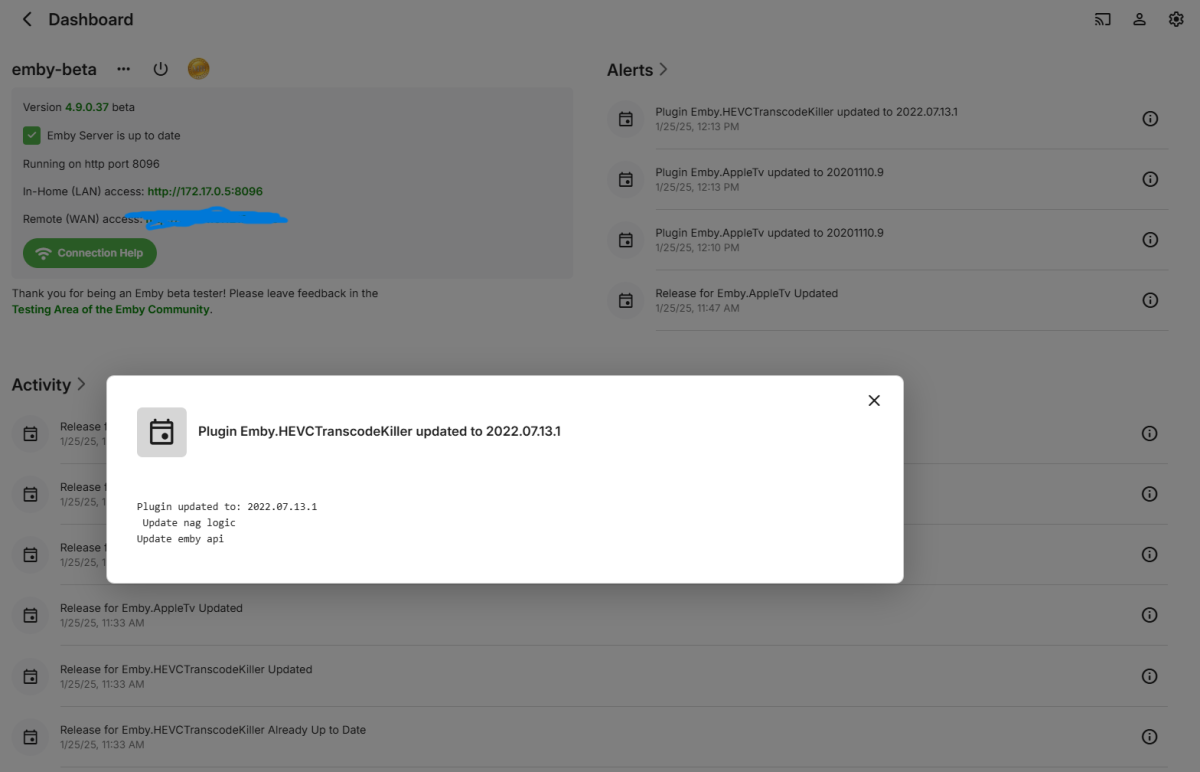
I got tired of having to manually load/update my plugins to servers so I wrote a plugin that if you give it a github repo url and it has a published release that has a .dll file it will install it. It also has a schedule task that will check nightly and install and optionally restart the server on new releases. The code base is targeting the 4.9 SDK no idea if that works on 4.8 systems. bakes82/Emby.GitHubRepoPluginInstall
 1 point
 -
تمام فهمت شكرا لك تحياتي1 point
-
Five years in, bumping this request: Many users have PDF or txt 'liner notes' files in music album directories. Please implement ability to open those files in the Emby interface, the same way users can view cover and other image files from a track or album's right-click menu.1 point
-
We're updating our packages to use mbedtls3. Thanks guys.1 point
-
The good example is a lower bitrate even though it's HDR, whereas the bad example is a higher bitrate SDR. Your good example is barely keeping up, it starts out just under 1x and is only at 1.06x whereas the other example is closer to 0.6x, there's likely a performance implication to converting HEVC 10 bit HDR vs HEVC 8 bit SDR to H264 SDR to explain the difference in speed. However in both cases the reason for transcode is the same, which makes sense looking at the details but does seem odd. Basically the videos aren't full 4k resolution so I guess the TV app player doesn't want to direct play them due to this. They should be 3840x2160 to be full 4k resolution. 08:43:36.708 Stream #0:0: Video: hevc (Main 10), yuv420p10le(tv, bt2020nc/bt2020/smpte2084), 3840x2076 [SAR 1:1 DAR 320:173], Level 153, 23.98 fps, 23.98 tbr, 1k tbn (default) 08:45:49.310 Stream #0:0(eng): Video: hevc (Main), yuv420p(tv, bt709), 3600x2160 [SAR 1:1 DAR 5:3], Level 150, 23.98 fps, 23.98 tbr, 1k tbn (default) (original)1 point
-
OK, I see but it will be nice to see that option also in default series view. Regards.1 point
-
Issue is solved as it seems, thanks for the quick fix!1 point
-
Problem solved. I reinstalled the OS on my Synology. Thank You!1 point
-
Hi Luke, I'll pull up a completely new instance and recreate the problem. That way I can make sure that everything is set up without plugins or anything else. I can also verify exactly what happened.1 point
-
This is fixed in the next update. Thanks a lot for reporting! PS: The player doesn't support "repeat-once" and the not-quite-accurate icon is due to a technical issue.1 point
-
Thanks for the reply, Luke. Good to know it may be supported in the future. The HD Homerun is a bit pricy at 192€ so I've set something up with M3U. I've not been able to get an EPG to work yet though. Really impressed with how much customisation is possible with Emby. Kind regards Rev1 point
-
I got it! Thank you Luke! I'll have a try.1 point
-
There is now an OpenLibrary plugin in the Emby Plugin catalog for books, and it supports ISBN lookup. Please try it out and report your experience. Thanks !1 point
-
I will give it a try. Thank you.1 point
-
That's helpful, thanks. We'll do some testing on that.1 point
-
@LukeI am visiting my father and got his emby app all sorted. Once I enabled the 'Skip Intro Automatically', the sync issue started happening. We had watched several epusides prior and all seemed fine. I don't think it's a coincidence.1 point
-
No guarantees, but you can try contacting billingsupport@emby.media Thanks1 point
-
Please review the link I have already provided. Here it is again: Is there a limit to Emby Premiere? Emby is designed to be a personal media server, and the standard licence should be suitable for a single household as described in the above link. Not possible.1 point
-
I think the issue is i set NFO as my metadata when rebuilding Emby, which changing seems to have done the trick.1 point
-
1 point
-
FYI - This is all very well documented here: Is there a limit to Emby Premiere? Can I stack licensees? You should stop purchasing additional subscriptions without first understanding how they work.1 point
-
It doesn’t currently, also that one wouldnt show any releases anyways because it’s publishing a .zip and this plugin looks for explicit.dll. This plugin was designed for my private GitHub repos that I push out for other people as an easy way to manage the updates. I just know it’s a pita to manually search the forums/discord/email for the file to add and well if other dev could just publish it in the same format it would work. Also possible someone takes it and makes it better and makes like a manifest type format like jellyfin does, though honestly that’s something Emby should just do and have it be part of the base platform.1 point
-
@Gremory17Try this adjust px to look nice with your screen size. But beware: This does just look good with fixed sidebar. h2.pageTitle.headerSectionItem { margin-left: 85px !important; }
 1 point
 -
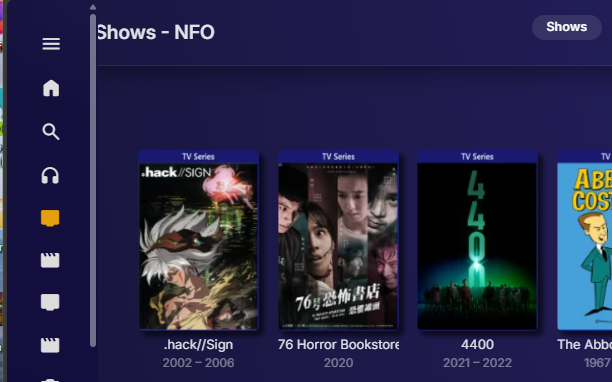
Can you explain how how did that? But I can only get that odd overlap when navbar is not pinned. Nav bar not pinned after pinning So you may sort of be in-between settings. What do you get when you click the three dot/menu settings button? If not pinned you should get my second image. But looking at your image my theory is correct do to the position of the SEARCH icon.
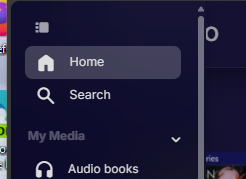
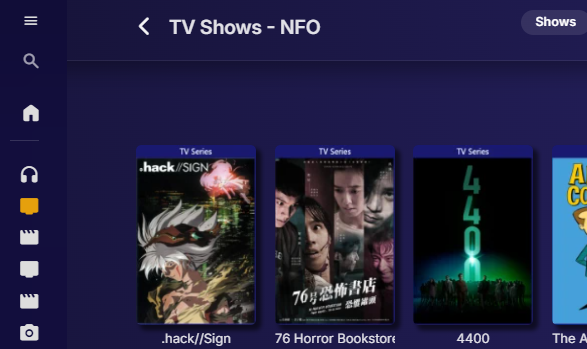 1 point
 -
1 point
-
Well, I've reset the device and for one issue I had, it seems to be solved (huge crackling sound - randomly coming) What I discovered by testing a lot of movies is DTS-MA HD would not let the film start automatically but TrueHD would. (Consistant with 3 movies for now, maybe more) Is it the same with you? PS: my receiver accept everything (Marantz Cinema 40)1 point
-
If you look around the forums, you'll see I've written many tips and tricks for Synology NAS boxes and the Synology 920+ in particular which has a Celeron J4125 CPU. From firsthand experience, I'll tell you 6 to 9 1080p transcodes while doing a 4K transcode isn't something to expect as far as performance and would be more of a planned "made for video" situation where videos are carefully selected. On the flip side, I can give you a "made for video" situation where this CPU can't transcode a single HDR video. Depending on the setup of the machine a J4125 may not have enough muscle to handle 2 live TV transcodes due to the IO, The onboard QuickSync is going to be similar on an Celeron, i3, i5, i7 or i9 from the same generation but it's more than that. What instruction sets does each have, have many cores are available, how much cache, what's the core speed & bandwidth, etc. The cores are being used to run the OS and programs running on it. They are being used for any special disk access like mirroring's, RAID, BTRFS, ZFS, for queuing reading/writing to disk, including the optional use of NVMe drives as a disk cache. Same with managing bonded NICs, IP4 and/or IP6 and handling calculations for SSL of all packets sent/received over the NICs. Not to mention the work the cores do to move data from storage to memory, to and from the PCI bus, the GPU, the cache to Quicksync. Short of using hardware with the ability to offload functionality from the CPU, the CPU is involved multiple times for nearly every byte of data that moves through the system. The number of cores available as well as PCI bandwidth can make a huge impact in overall performance. If something needing transcoding can't be done entirely in the Quicksync hardware pipeline the bandwidth and core count of the CPU becomes a big factor. A typical example of this is often working with media using non-text subtitles. If the CPU is now a bottleneck because there isn't enough cores/threads available to do what's needed without adding latency the transcode job is going to fail. Going from 2 to 4 cores will make a HUGE difference. Going from 4 to 8 cores generally will make a big difference. Going past 8 cores will make less overall difference in general. There isn't a specific answer what's the best CPU as you want to factor in what UHD graphics it has, what speed the CPU runs at, what type of core and how many, the number of threads it handles and of course the cost (cpu, motherboard, RAM, etc). The Intel 11700K the Op mentioned could be a great choice, but depending on parts that needs to be purchased the i7-12700K or i9-12900K both with UHD 770 Graphics could be a better investment depending on purchase prices.1 point
-
I have 8 libraries(the new one would have been the 9th). Each library is a single path under ./media/libraries/, except for "Recordings" which iirc was the default created by emby at /var/lib/emby/data/livetv/recordings. The new one was also under the same root. I ended up having to go through each library and remove then re-add the coresponding path. This caused emby to re-import everything. Fortunately all my watch history for all my users was preserved, so after however many hours to reimport everything it got back to seemingly normal. Although im not sure if custom metadata changes were preserved because i dont remember all the changes I had done. When I attempt to create the new library again ill make it go into a new log file. if it happens again ill have a more useful log to share.1 point
-
Please bring this back as this was already a feature at some stage?1 point
-
I have a 16:10 tablet, and I simply want it to always use "Cover" aspect ratio mode for all video content. I don't want this default setting to apply to any other devices. For example, an interaction flow like: Tap the "Gear" icon in the upper-right in-app Tap "App Settings" in the pop up menu Tap "Playback" Scroll Down to "Advanced" Select 1 of the 3 existing options from a drop down menu titled e.g. "Default Aspect Ratio for This Local Device" It doesn't need to be a "smart" setting. e.g. It doesn't need to select the device aspect ratio mode based on the video content aspect ratio. I want both 4:3 and 16:9 content to be in "Cover" mode on this device. I searched the forum for duplicates, but previous requests on this subject are asking for more complex User-wide, Server-wide, Library-wide, Series-wide Smart Settings which are reactive to the content being played. This request is simply for a local device default toggle, with no impact on the Server itself, and no additional logic.1 point
-
I am eagerly awaiting the arrival of my live-action Kenshin adaptations on BD. It seems like they are taking forever to get here.1 point
-
There is now an OpenLibrary plugin in the Emby Plugin catalog for books, and it supports ISBN lookup. Please try it out and report your experience. Thanks !0 points
-
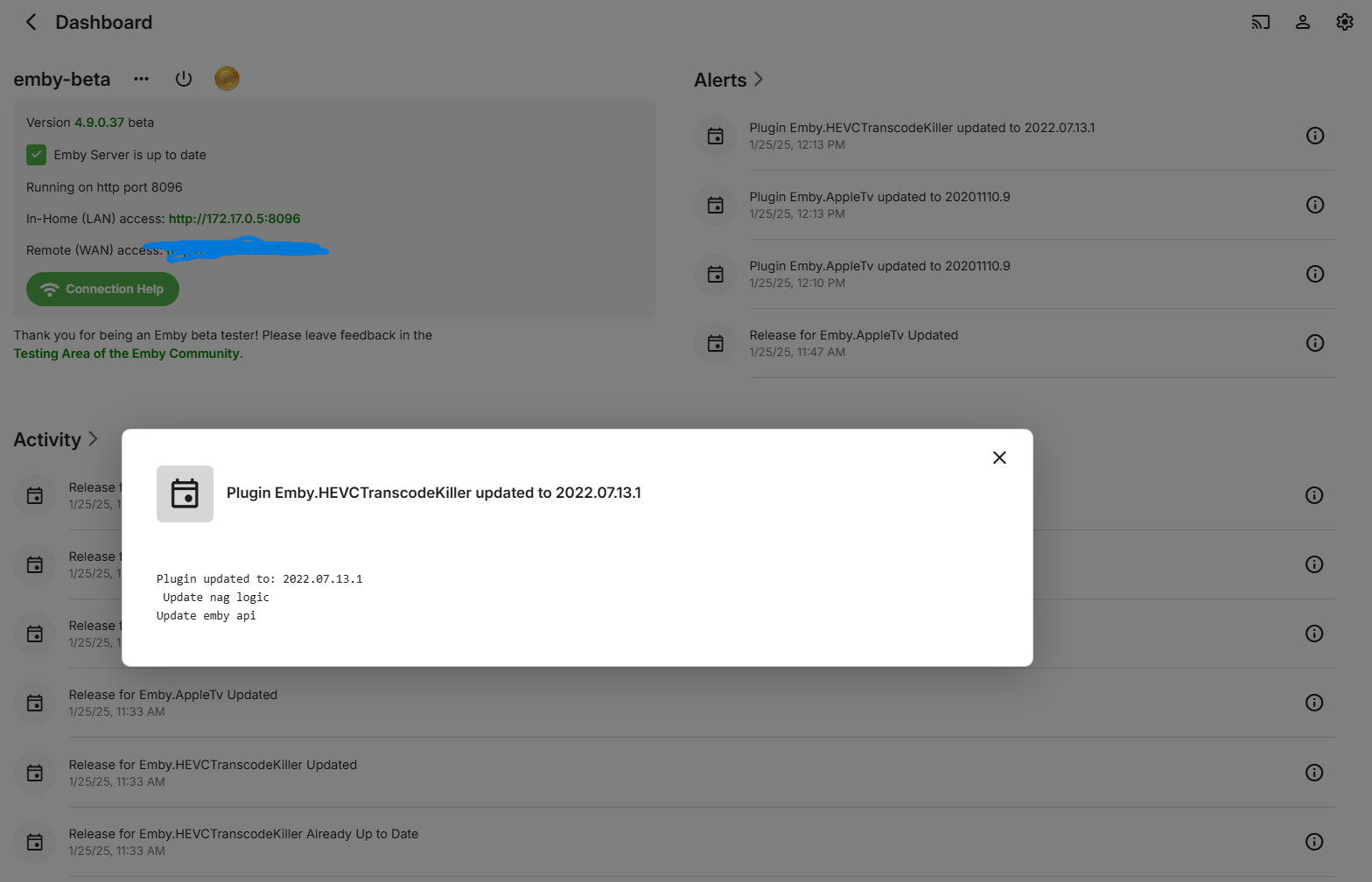
Hello, I paid for top picks and it is no longer available in the plugins, can anyone help me?0 points






.thumb.jpg.1ea4e6b27fd5921ad22171468034b3f4.jpg)