Leaderboard




Popular Content
Showing content with the highest reputation on 02/20/25 in Posts
-
Hi,, I downloaded the zip file for my TV model and installed it. I am now on the latest version and the PIN is working. Thank you very much for the help Regards3 points
-
I mentioned it in another thread, but thought I'd put it here since this looks like a new section--just for posterity. Would like to have a bulk meta data editor function. For example, if I have 750 videos whose producing studio is the same, I want to select those videos and apply the name of the studio to those videos. Similarly, if there is a custom tag I want to apply to a subset of those movies, I want to be able to select them in bulk and apply the tag to those videos (instead of selecting them one by one).2 points
-
Hello, It will be great to have the possibility to exclude a library from the global search. For example the Adult content one. Or at least to be able to exclude a tag from the global search and by this I can tag the entire Adult library as Adult and Adult tag to be globally excluded on search. Imagine what happens when you want to search for "Coffee with Ana" movie and you start typing in the search field "Ana" with little kids near you Thanks!2 points
-
Sorry that it's taking me so much time. I am rewriting the entire algorithm for creating channels. I am making it faster and more visible. I will be done soon and the code will be much faster. Vic2 points
-
Since we can now detect end credits, or manually add them in other cases, it would be nice to see this, rather than an automatic percentage/time remaining, trigger the "next episode" popup and decide whether an episode is resumable or not. Even better if it could expand to movies for the latter point.1 point
-
Can the developers please add a feature to verify the integrity of video files? I have over 6,000 movies in my collection and most of them play okay but I just tried to play Casper tonight and it stopped after about 6 minutes. The file itself is corrupt on the hard drive not because of an issue with Emby. I looked online to see if the entire collection can be scanned through to see which files need replacing and found it can be done with ffmpeg. I'm not familiar enough with ffmpeg to know if this works but i found this code on StackExchange by a user called Adrian. find . -regex ".*\.\(avi\|mkv\)" | while read f; do ffmpeg_out=$(ffmpeg -hide_banner -nostdin -v error -i "$f" -f null - 2>&1) [[ $ffmpeg_out ]] && echo -e "==> ERROR in $f\n${ffmpeg_out}" done Would this actually work to find and report corrupted video files? Can this feature please be implemented?1 point
-
Hello, So, I have an issue with Emby and my chromecast... Whenever I want to stream from my smartphone to my TV with my chromecast, it will start but after few minutes I see that I have to reconnect my smartphone to my chromecast. That part, ok, not a real issue but now, really often, emby show me that I'm suppose to be connected to my chromecast (after clicking on the cast icon) but I have no control at all (play/stop/previous/next) and this is a real problem. I have to use something else to fully shutdown the streaming otherwise, it will continu to the end of the series or other thing. I also use Netflix and amazon prime from my smartphone streaming to my tv with my chromecast and there, there is no issues, always working. It seems to be an issue between emby and my chromecast and I don't know where to look at it. I'm on a 4.8.10.0 version of emby, it's installed on my Nas Synology and the same network of course. Do you have any idea ?1 point
-
The bug is fixed, and I changed much of the channel build code. The logic is simpler, and several improvements are included. Keep in mind that this code is beta code and further development is underway. Vic1 point
-
It may be, I did several things all at once. That was one. I can now access the server at least from the computer it's on.1 point
-
Sorry if I knew how to delete this I would. I figured out how to get the provider's EPG and I am all set. Thanks.1 point
-
@Yoas1Everythings working now. Well done!1 point
-
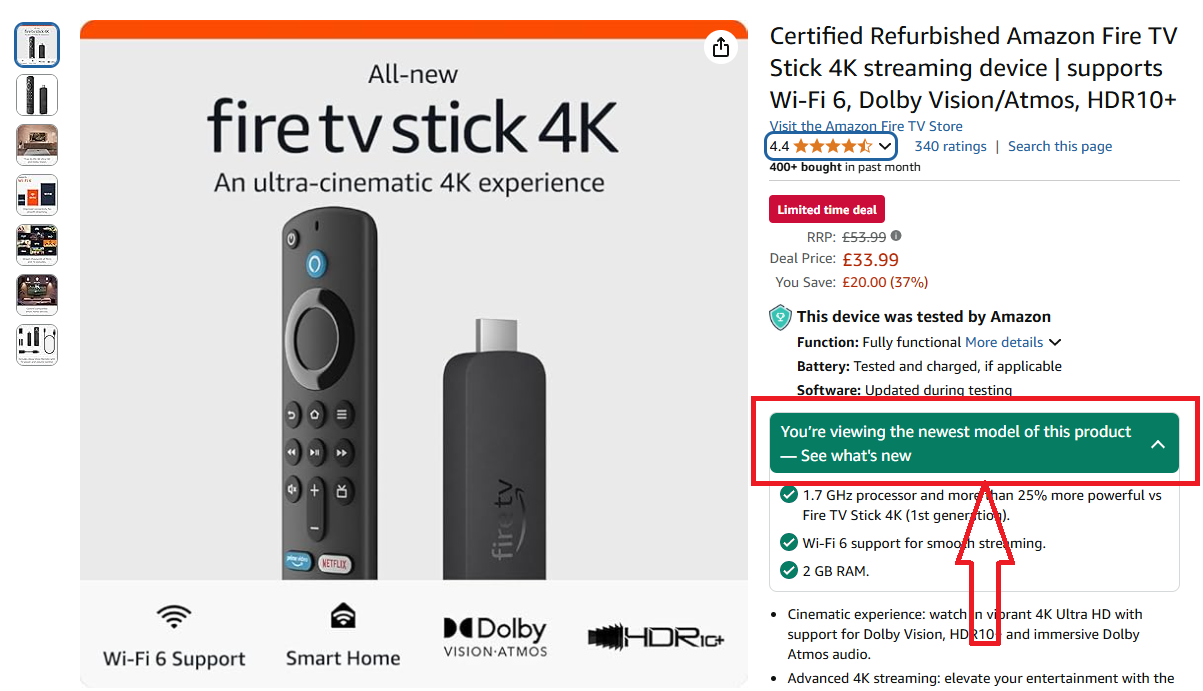
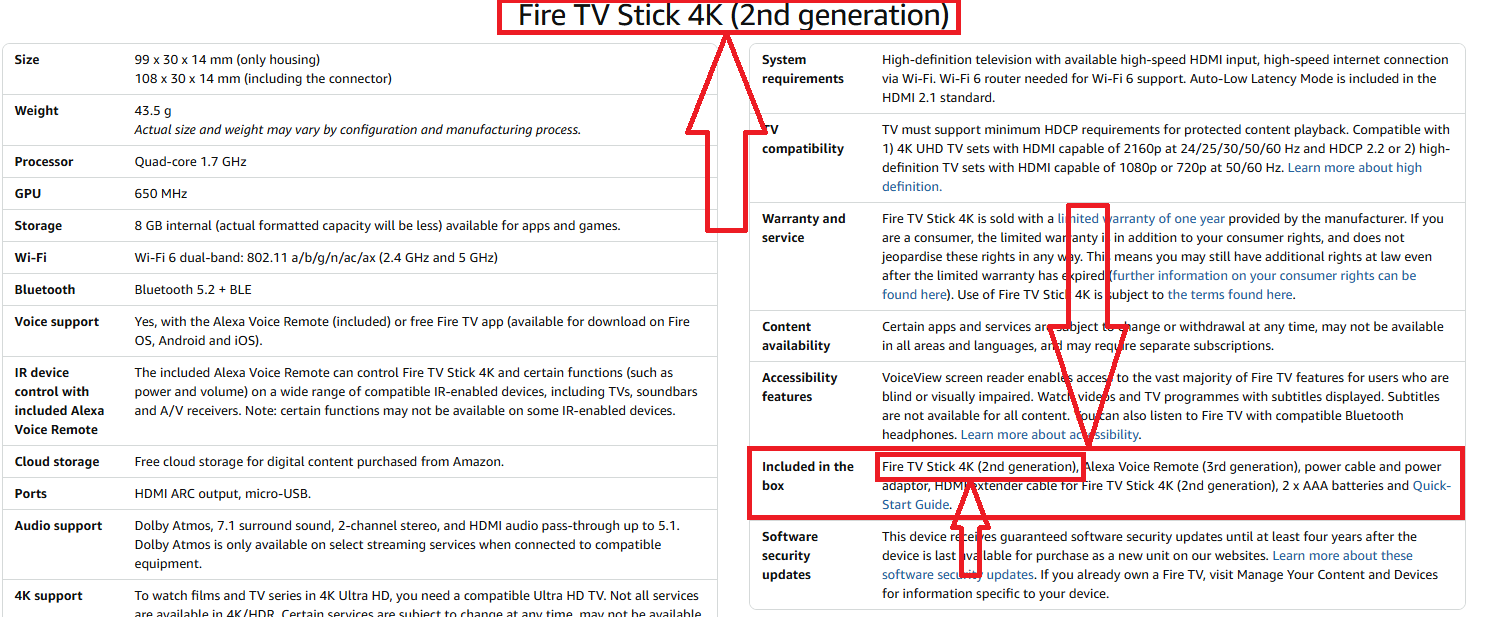
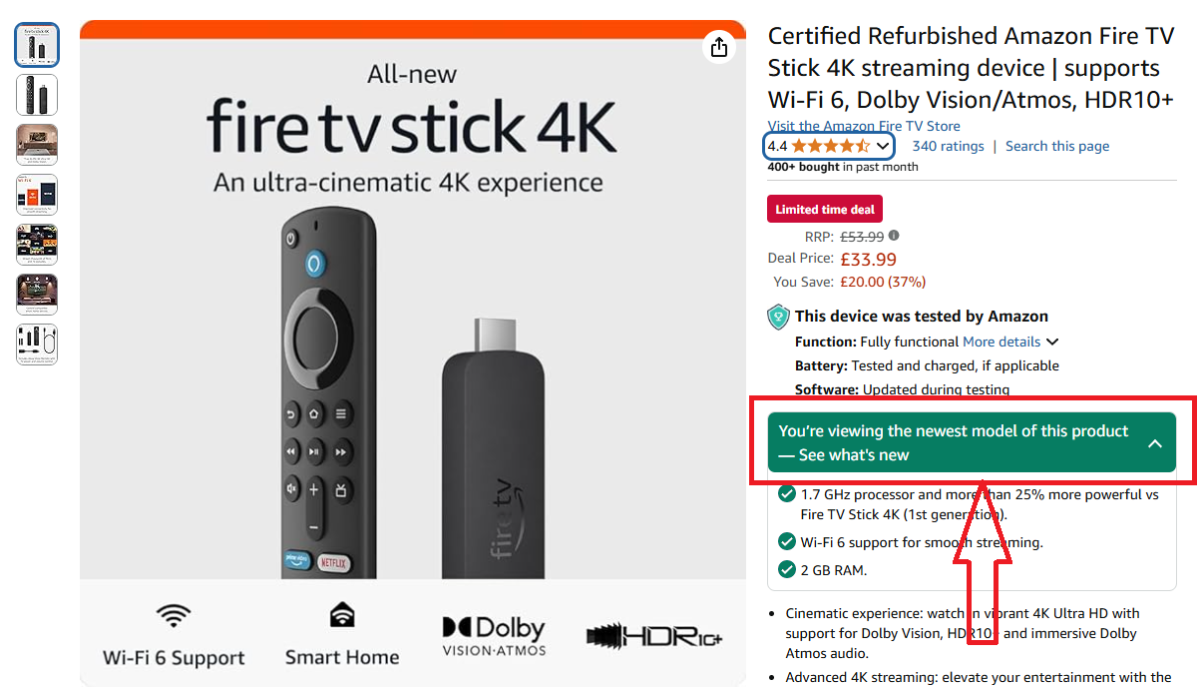
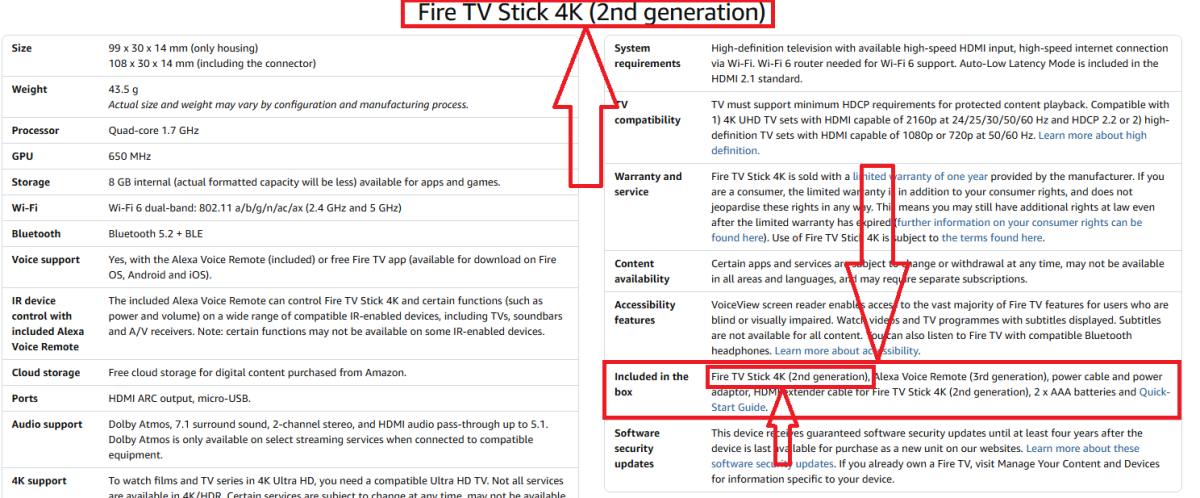
It sure should. Its 2nd Gen (2023) - latest, visible at that same link/listing page: Full specs here: Device Specifications: Fire TV Streaming Media Player | Amazon Fire TV
 1 point
 -
It stopps happening when disabling subtiles. Also it's working when using the standard android app. Thanks!1 point
-
jajaja logo no , caja es para darle toque retro , una cosa asi , le da un toque super retro a la coleccion jajajame refiero a la box , luego los diseños que se los haga cada uno con photoshop
 1 point
 -
This is still happening with latest TOS 6.0 @Luke1 point
-
I fixed a bug, working without a specific group. And change the config.yaml example Try version yoas1/emby-telegram-notifier:v0.2, let me know if it works properly. Thanks for the kind words, I appreciate it.1 point
-
Considering all the major players are moving to limit the maximum lifespan of a tls certificate to 90 days; you guys should seriously look at moving to automation through a free provider like letsencrypt. https://www.encryptionconsulting.com/from-398-days-to-90-days-googles-proposal-to-shorten-tls-certificate-validity-how-prepared-are-you/ Even if certificate providers choose to continue issuing longer certs, the browsers won't accept them soon enough. Stop unnecessarily paying for certificates; you're wasting your money on something that's provided for free, and will very soon get 0 benefit over free certificates. I've had mine automated using ACME.sh for like 7 years. Renews automatically with LE every 2.5 months using DNS-01 verification (the script logs into the DNS, adds a txt record, does the verification using that, then removes the record. No webserver config needed).1 point
-
Anything that was added is still there, and every app has this now outside of Roku and Apple TV.1 point
-
ok todo perfecto ya jajajajaja hay que poner todos los discos de todas las pelis y listo gracias y perdon por mi torpeza y ya de paso hay alguna manera de poner cajas tipo vhs , en vez de dvd o bluy ray ?1 point
-
I would try disabling or white-listing Emby with your Anti-virus. That sounds like exactly the kind of thing that could be causing this type of behavior.1 point
-
Any updates? I am facing the same problem in the ipad app. Swiping to see the next image shows just a black blank screen.1 point
-
Annnnnd, now it is working. Nothing in the logs that seem different.1 point
-
Heh yes. Finally it works now Was some CORS setting that needed a change. Didint know about it1 point
-
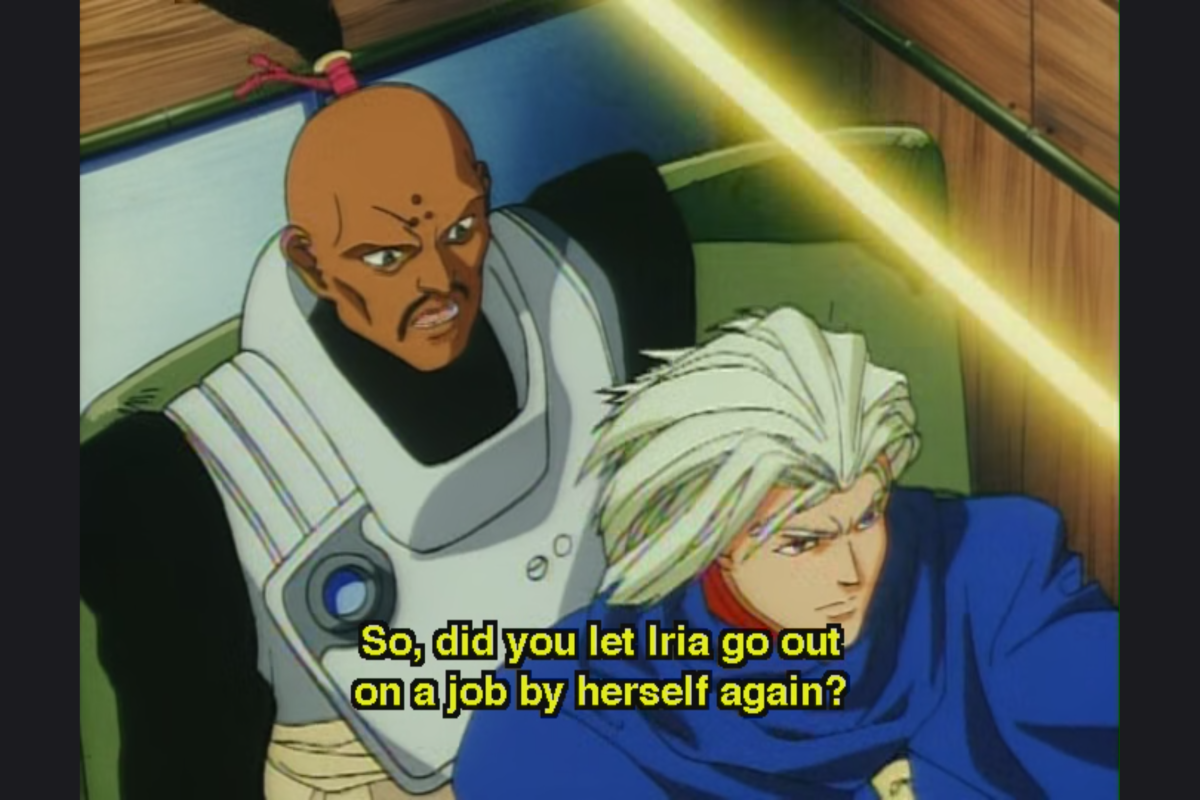
The bars to the left and right appear to be darker than they were before, minimizing and maximizing the application turns the bars white. emby for Android version 3.4.36 emby server 4.8.10.0 on Linux Mint. Here is an example of what shows when I play a video. after minimize and maximizing the window, the bars are white. as seen below.
 1 point
 -
Yes that works. Though swiping across the playing media where you can see the forward or backward progression is ideal.1 point
-
Same issue here with a new galaxy s25+ Update: Android Setting Needs Changed (not an issue with Emby) Settings-> Display -> Camera Cutout -> Emby -> Show Camera Cutout1 point
-
Thank you very much for the good explanation. Tried this, and the sound works good. Don't really think I can see any difference in the picture quality, maybe in some fast movement, but that's OK. Thanks again!1 point
-
Hi, yes I think this would be ideal. Thanks.1 point
-
Agreed - another area where Emby have lost focus and are now way behind the competition - it doesn't even have the ability to edit the Intro's without the support of a 3rd party plugin... Emby (with the 3rd party Plugin) used to lead in this area as it had both Intro and Outro detection and all the support tools (editing, stats etc). Now even JF has long passed them and have recently introduced the architecture called 'media segments' which is tagging for for Commercial, Preview, Recap, Outro and Intro. Their clients need to catch up, but the concept is solid. A shame, as the same concept of 'MarkerTypes' is actually in Emby (and was discussed with them), but beyond Intro's, it has have never been developed further ...1 point
-
While sitting down enjoying a movie on Emby, about 2/3 of the way through, playback stopped. While troubleshooting I found the video stopped at the same place when playing directly on VLC. Would it be possible to have Emby or a plugin schedule a scan to check for and report corrupted video files?1 point
-
For users with Samsung Tizen SmartTVs (2015 - Present) who want to test the latest version of the Emby client app before it's submitted to Samsung for release in their app store. These installs should be considered beta until approved by Samsung, however they are the same ones submitted to Samsung monthly for inclusion in the Samsung store. Samsung's policy is that the only official way to distribute apps is through the Samsung store and that usb installs should be used for testing purposes only. Because of this policy Samsung has mandated that usb distributed apps must expire within 30 days of compiling. To help with testing you will be remined to update to the latest beta release as the app expires to ensure you are using the latest version when reporting issues. This install will also work for those who don't have access to the official client app in the Samsung app store. However, the same rules must be followed as indicated above. Release notes and version number For the latest release notes and version number click on this post https://emby.media/community/index.php?/topic/31461-emby-for-samsung-smarttv-release-notes-tizen-orsay/ Installation instructions Download this zip file: https://github.com/MediaBrowser/Emby.Releases/raw/master/tizen/tizen.zip Format a USB 2.0 stick using FAT16 (some larger USB 3.0 hard drives have been found to not work) (newer models may support other formats, check your users manual) Copy the tizen.zip file to the root of your USB stick Extract the contents of the tizen.zip file to the root. (This should create the folder 'userwidget' in the root of the USB stick and the folder should contain the two files needed) Turn on the TV Make sure your TV is connected to the Internet Plug the USB stick into the TV's USB port. Installation should start automatically. (There will be 3 quick messages in the upper right corner of the TV) Click 'OK' once the installation is complete. Optional, add the Emby app as a shortcut to Home Start the app from the Smart Hub or installed apps section of your TV. Troubleshooting If the installation does not start automatically, then please ensure your TV firmware is up to date and try again. If you get an installation error, try the process again with the USB stick formatted ass FAT32. We've received reports from users that installing from USB 3.0 hard-drive devices does not work, so please make sure to use a USB 2.0 thumb-drive device. Also, make sure the thumb-drive is unlocked/writable before plugging it in. The TV will need to write to your thumb-drive. Users with 2015 Samsung SmartTVs may experience an issue where the USB version of the app deletes itself upon restart of their TV. This is a security measure implemented by Samsung in which we have no control. If this is the case you may have to leave the thumb-drive in the TV and reinstall upon reboot, or install the latest release version of the client found in the Samsung app center. Updating from a previous USB install The app will notify you when an update is available. To update a previous USB install just repeat the instructions above. Notes: Certain Samsung SmartTVs have an issue where the app won't upgrade from USB drive if there is already a USB version installed. If this is the case you'll simply delete the old version before inserting the USB and then repeat the same installation process to install the new version. Also, try power cycling your TV after deleting the previous version if you have problems.1 point