Leaderboard




Popular Content
Showing content with the highest reputation on 02/08/25 in Posts
-
Yes, parent and child libraries sort of break the database and pretty much force you start over from a library standpoint. Not sure what safe guards the devs are working on to prevent this or at least a WARNING popup with consequences.2 points
-
Emby doesn't detect it as HDR10+, as said above: What MediaInfo plugin does - and what you're seeing in the UI - it appends/replaces embedded track titles and those are what's displayed, it doesn't mean Emby's aware of that as it it relies solely on info provided by ffprobe.2 points
-
It would be great to have Emby as a music provider for Music Assistant: https://music-assistant.io/ I'm forced to use Jellyfin as a provider for now: https://github.com/orgs/music-assistant/discussions/583 It probably wouldn't take too much effort to adapt the existing Jellyfin provider to the Emby API: https://github.com/music-assistant/server/tree/dev/music_assistant/server/providers/jellyfin1 point
-
Auto Sync for Subtitles was recently added in Plex: https://support.plex.tv/articles/auto-sync-subtitles/ It uses the voice activity data so doesn't deal with signs etc. like in ASS subtitles, but it is still a significant improvement, especially when downloading subtitles on demand from OpenSubtitles etc.1 point
-
Hello everyone, I wanted to bring to your attention an important update regarding the Trakt API. Starting March 4, 2025, the expiration period for access tokens will be reduced from 3 months to just 24 hours. I don't know if this change will directly impact the Trakt plugin for Emby, because maybe the expiration handling already takes the "expires_in" field into account. But if it doesn't, token handling will need to be adjusted to accommodate the shorter expiration period. I received this information via an email from Trakt. Here's the discussion link in case you are interested: https://github.com/trakt/api-help/discussions/495 Best regards,1 point
-
It would be nice to have a way to delete live tv icons all at once. So the guide can download them again. It takes forever to delete icons when you have 200 channels with 3 icons each. Thats 600 icons to delete 1 at a time. with a prompt to delete after clicking the trash can. This is very time consuming. If you can't do this, then fix it so that emby guide data downloads the right icons the first time. Instead the guide data downloads the dark icon and clones it for dark light and light with color. So we need to delete all the icons, delete emby cache icons and redownload the guide data. Just to get the 3 icons right. So why not have a setting to clear all icons and redownload them. This would also be helpful for guide data icon updates. For instance if a local channel changes sub channls, emby don't see that. So the icon is wrong. Now we have to delete 1 icon at a time just to get the new icon. If we had clear all icons setting then the guide could get updated or new icons. A lot faster then if we right click, edit images, delete, answer question by clicking delete again, 3 times per channel. Then we need to clear cache, or do it all over again. Thats 1800 clicks if not more for 200 channels cause emby don't download all 3 icons on import. It clones the first icon. Who else agrees on a faster way of fixing icons from guide data. I can't be the only one.1 point
-
OK, all remove it, I will inform if fail again. Many thanks Luke.1 point
-
If you need anything else from me, I'm available for additional testing. Agreed, that there is no reason for a fix when app.emby.media is providing the fix currently for web users.1 point
-
I believe so. I have passed the feedback to the development team. The direct url access is using the Emby Web app version that is bundled with the server software - so on Emby Server 4.8.10.0 there would not be a fix. The hosted web app on app.emby.media appears to have the fix that went into the bundled Emby Web app in Emby Server beta 4.9.0.381 point
-
Ok - so that indicates it was a client app issue1 point
-
Hi, did you explore clicking the + Add button?1 point
-
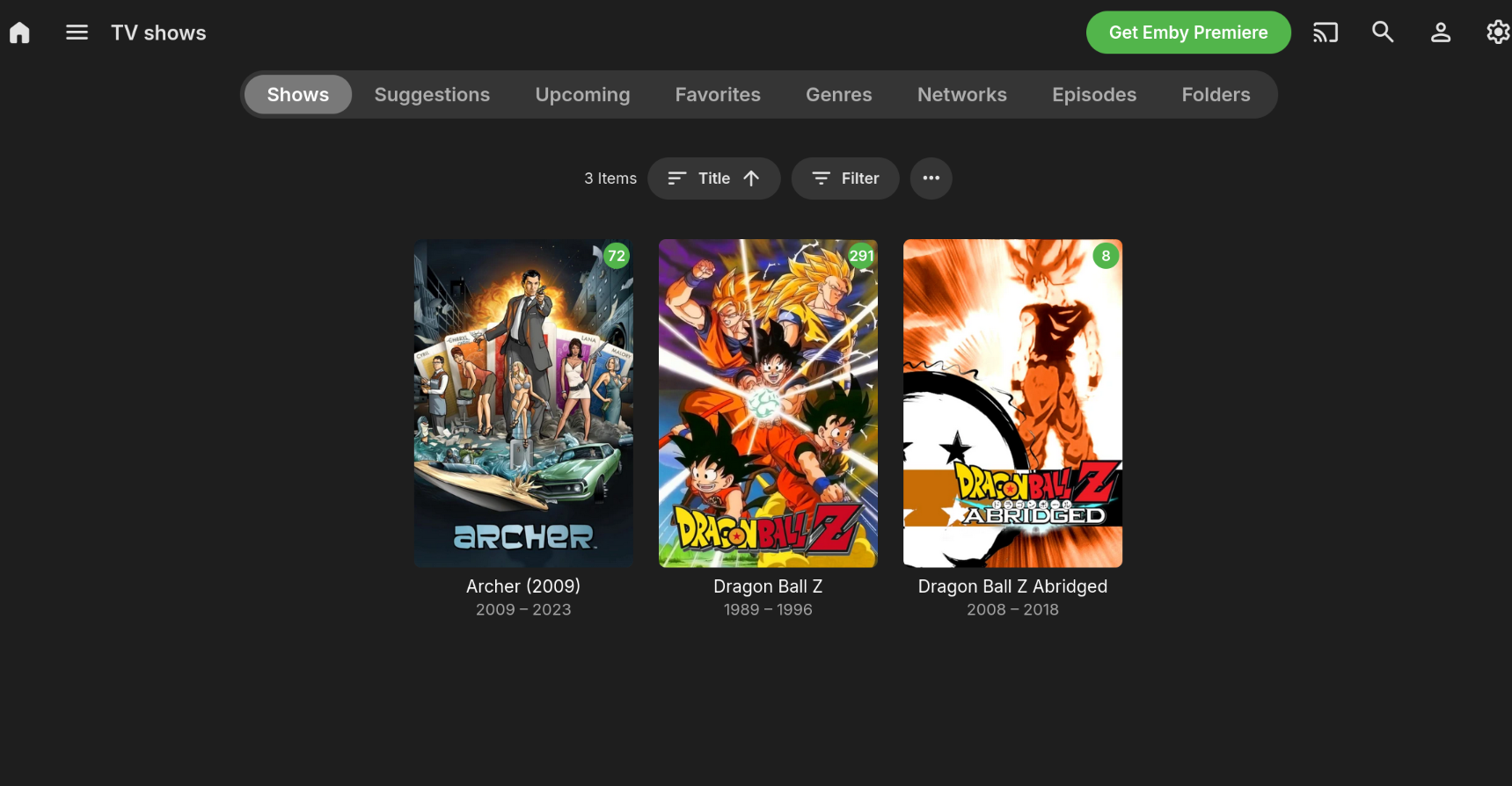
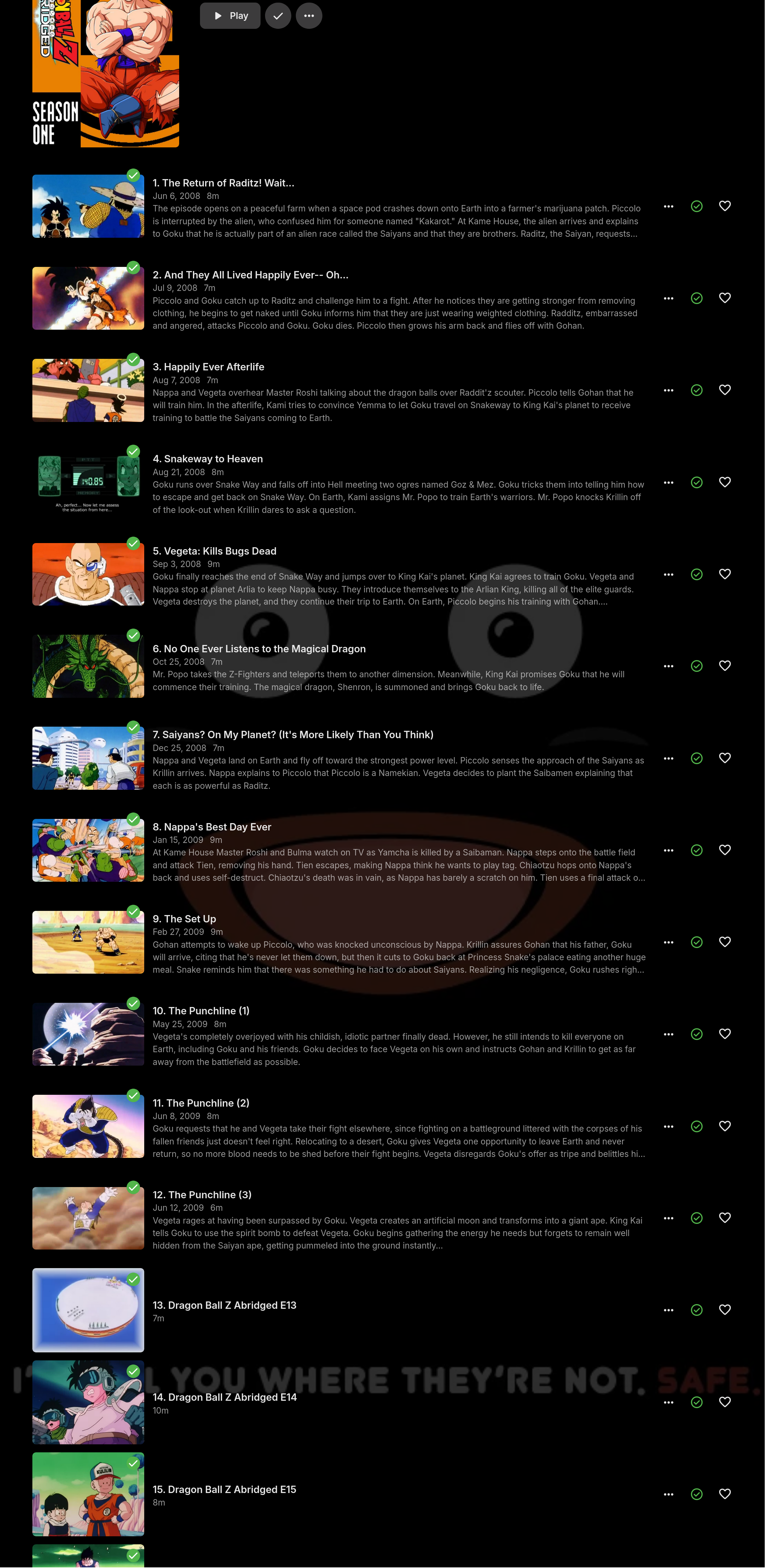
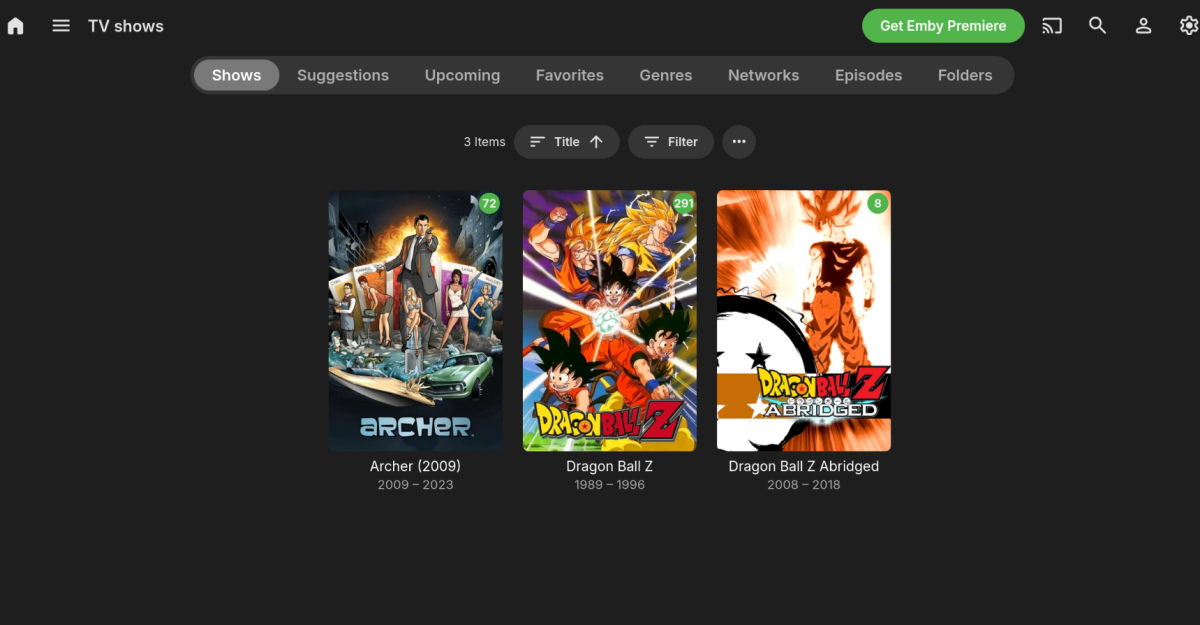
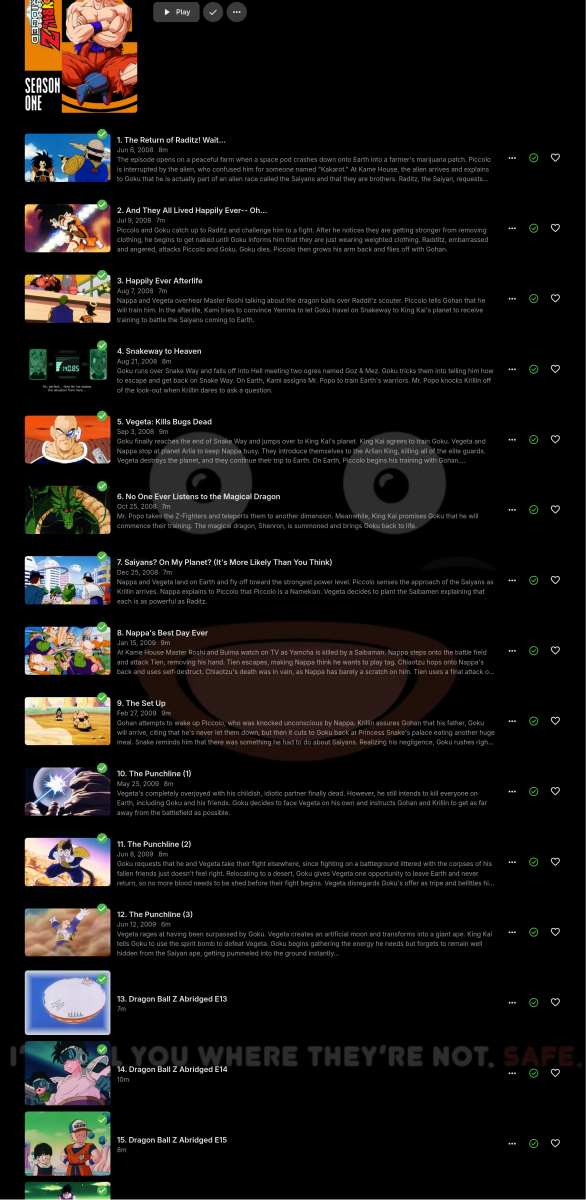
Thank you!! This seems to have solved the problem! Not a fan of having to add extra stuff to directory names, but it's a clean solution. This is exactly what I didn't want to have to do. DBZ Abridged is a web series, there were no seasons per se. Maybe my OCD, but unless the creators specifically released it in seasons, I'd rather it match episode order in a flat structure. Thankfully it seems that putting the identifier in the parent directories works suitably. The only downside I see, is that past the first season, (as according to TVDB) it doesn't associate metadata with the later episodes. That's fine by me, as long as they are displayed properly in the interface so I can find and play them, which IS the case here. Thank you everyone for your time!
 1 point
 -
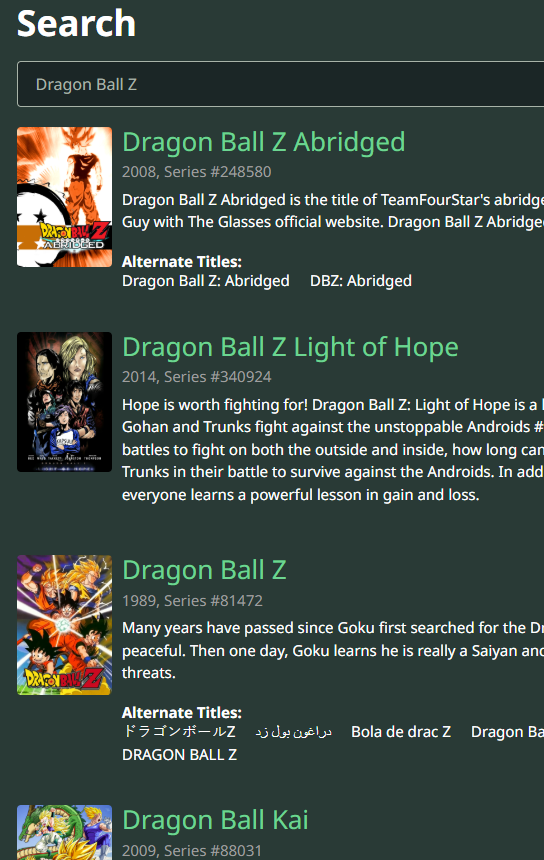
Pretty common as there is no year distinction and the api will not necessarily return them properly when doing a by name search and Emby usually selects the first api returned item. So you will want something like Dragon Ball Z (1989) Dragon Ball Z Abridged (2008) Or use providerid like Dragon Ball Z [tvdbid=81472] Dragon Ball Z Abridged [tvdbid=248580]
 1 point
 -
Name your show folders: Dragon Ball Z (1989) [tvdbid=81472] Dragon Ball Z Abridged (2008) [tvdbid=248580] Also, your Dragon Ball Z Abridged episodes have no season identifier nor they are in Season 1 folder, rename those files to some supported naming convention, like S01Exx. https://emby.media/support/articles/TV-Naming.html#episode-naming-conventions Scan media library.1 point
-
thank you
 1 point
 -
Doing this should be OK as long as the library content type is the same among all the impacted libraries. When it's not the same, then yes, obviously a warning dialog would be nice.1 point
-
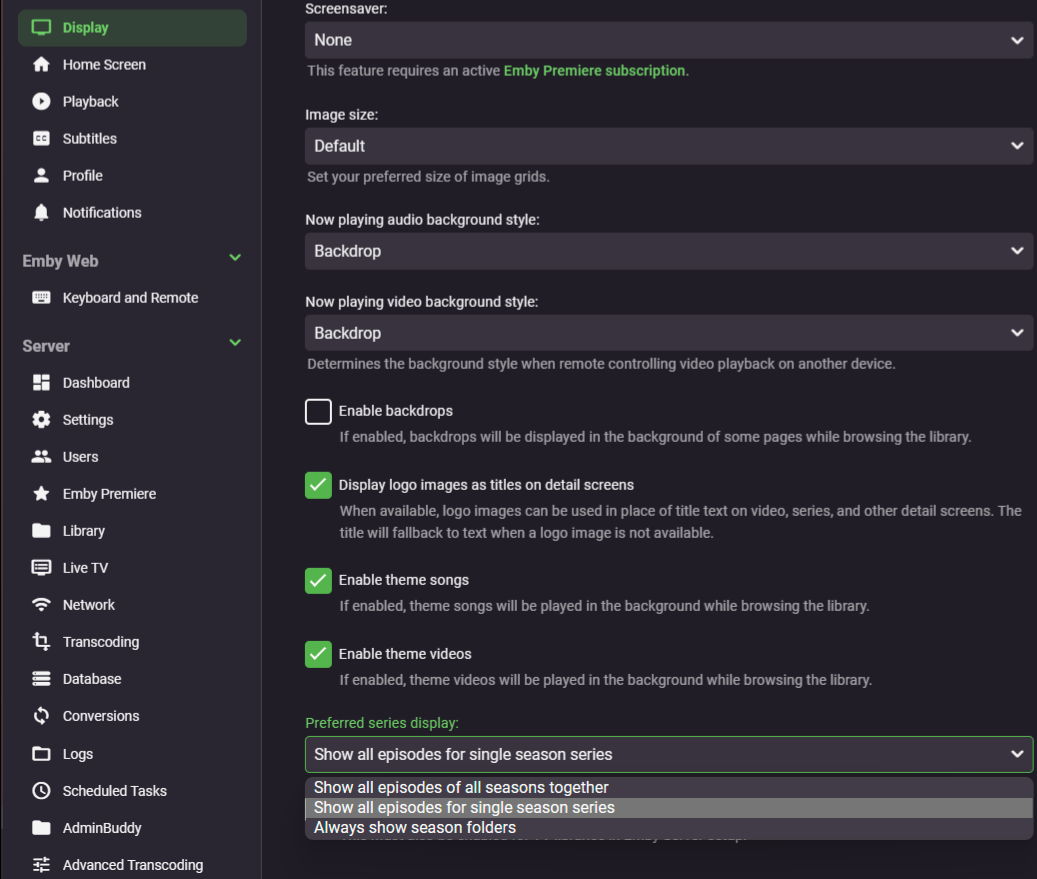
App settings>Display tab in the sidebar>Preferred series display
 1 point
 -
And please turn off portmapper plugin. That will make you logs easier to sift through.1 point
-
Yes just go to Schedules task and manually run the task. Make sure you have configured the plugin to backup all the folders otherwise you have to manually copy them as paths get written in the dbs like People and depending on where you store metadata/images for your media.
 1 point
 -
Jep it would be nice with a popup about those issues. Some people don't get it, so a Warning should be in place. Even if I use a pean cup, I can not count the times this has happened over the years.1 point
-
The Backup plugin can't backup all your media files. Have a look here Configuration Backup | Emby Documentation1 point
-
In the end I finally caved and just recreated the libraries.. that worked. Wouldn't call it a great solution, but I wanted to watch my shows again1 point
-
@Lukewon't OP have to remove all libraries and readd since parent folder was added and removed?1 point
-
Found the solution. I had the DV icon not name correctly. So I understand that all the files in HDR+ are recognized as Dolby vision and it automatically apply the icon1 point
-
I am sorry, but I did it again. I re=read the reply that I had marked as solved. For whatever reason, my Synology lost something causing my data errors for Emby data. When I re-installed the location of my media, I was NOT using the mounted folders. I was using the smb location. My memory is horrible. Working like a champ again!!!! Thank you for all of your great work!!!!!1 point
-
The absolutely best way, while not the easiest, would be to run videos through filters before they even hit the server. Something like Radarr -> Fileflows (Tdarr or Unmanic) -> Emby. Converting from MKV to MP4 doesn't take long and you can extract the subtitles to a file next to the video for compatibility at the same time. From the information i can find Dolby Vision was actually meant to work best with "lower end" TVs and not OLEDs so HDR10/+ might actually look better with OLEDs. So in the end it might not matter at all.1 point
-
As long as Emby/ffmpeg/ffprobe does not recognize the difference between HDR10 and HDR10+, there's nothing you can do about it. I you run ffprobe -v quiet -print_format json -show_format -show_streams "input.mkv" > "input.mkv.json" on two files, one with HDR10 and another with HDR10+, ffprobe generated json shows no difference for HDR metadata. For a working detection atm, Emby would need to use other tools like e.g. mediainfo or depend on a proper file naming.1 point
-
wow, crazy easy...set up a Subnet Router in Tailscale and now remote devices can connect using my local IP address, without having to install Tailscale on those devices...will keep Tailscale installed on my personal devices, but nice to know friends/family don't need to install it just to access my Emby server1 point
-
Hi, yes more detail has been added to this in the upcoming 4.9 server release. Thanks.1 point
-
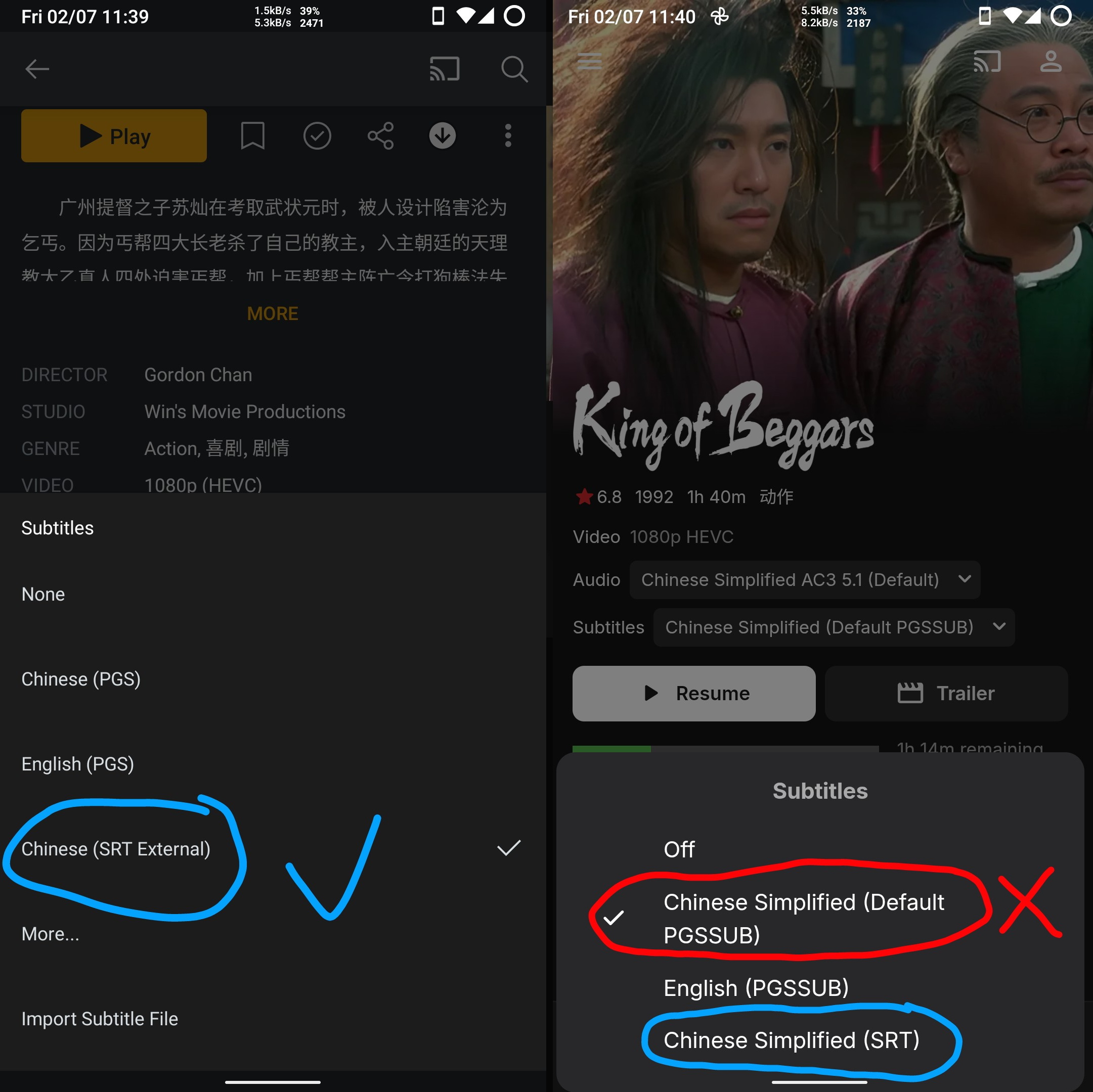
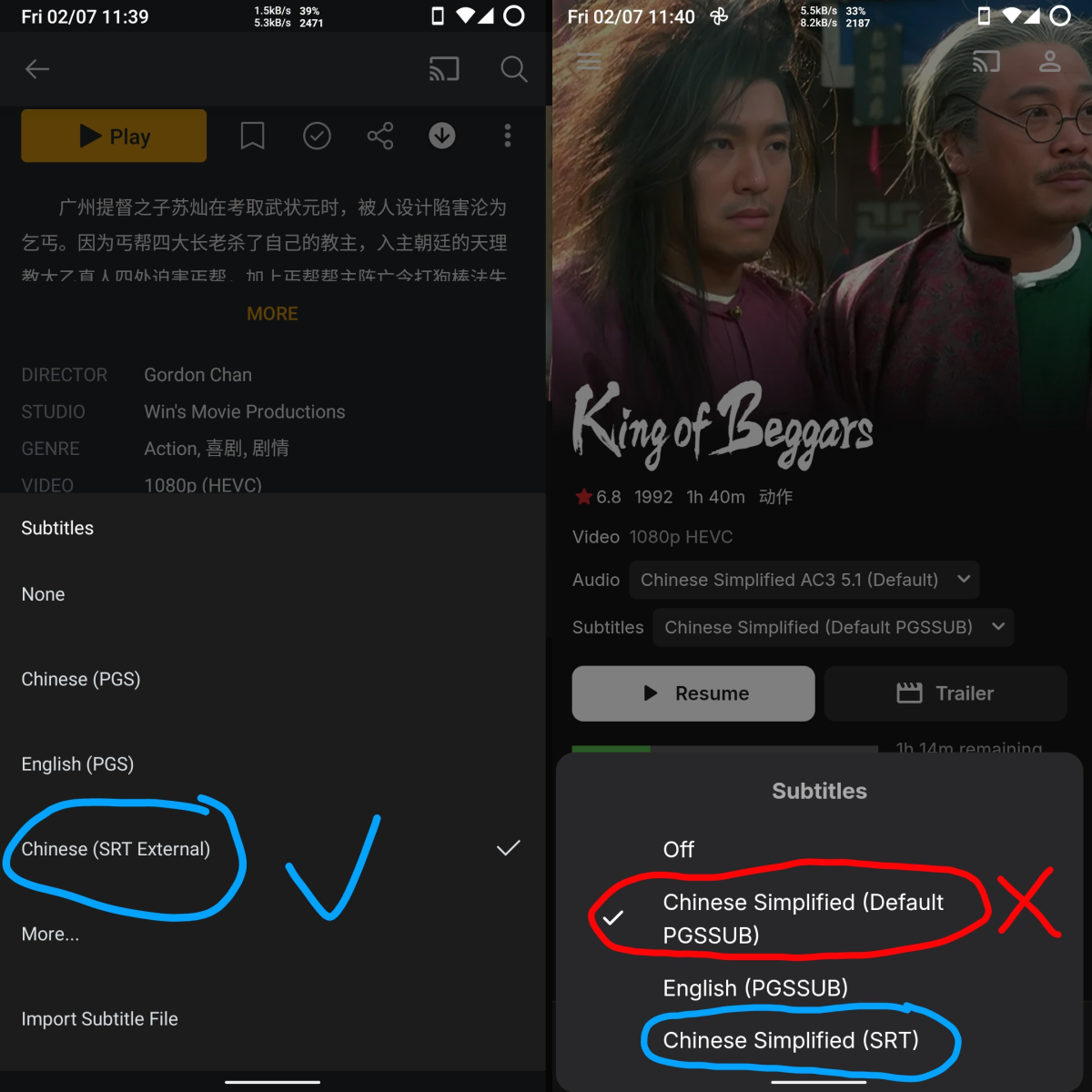
Yes, Emby is very considerate and everything is equal. But the current situation is that I want to choose external subtitles even if Emby thinks that embedded subtitles are better than external subtitles. Because crap embedded subtitles have the “default” tag, and I don't want to rename the external subtitles with “default”, such as "Transformers (2007) - 1080p EAC3 Atmos.chi.default.srt". It makes my subtitle file names too complicated There are a lot of people with the same needs, for example in this thread "Make SRT subs default even if PGS (default) in MKV", and I think you should realize that once we use external subtitles, we definitely want to use external subtitles, even if the embedded subtitles inherently have the “default” tag! Plex do this, and in their system they prefer external subtitles even if the embedded subtitles have the “default” tag and the external subtitles don't have the .en.default.srt suffix added, then they will prefer the external subtitles, which is great! (However, Emby does better elsewhere, so I still choose to stay with Emby.) So could you please add an option to make external subtitles a higher priority, enable this option so Emby can ignore the “default” tag for embedded subtitles once external subtitles have been used. Just adding an option, would you consider it?
 1 point
 -
How many libraries do you or did you have as it sounds like overlapping paths issue. This log appears to be one. FileSystemWatcher for /volume4/Video1 point
-
Those episodes are not missing, numbers in in your screenshots: are unwatched episodes counters, not total number of episodes - meaning that out of all episodes within TV show/seasons you have certain number of episodes considered/marked fully played (watched).1 point
-
"sound" pushover bike bugle cashregister classical cosmic falling gamelan incoming intermission magic mechanical pianobar siren spacealarm tugboat alien climb persistent echo updown vibrate none1 point
-
As an alternative you could use the Rating Poster Database.1 point
-
Nearly five years later and they still have us playing this crabs in a barrel game to compete for the prize of getting our feature request moved to the top of the priority list. What I want to know is what exactly IS at the top of their priority list as far as feature requests, because as far as I can see, very few if any new feature requests ever gets implemented.1 point
-
@scharlezvideo Stop Emby Server before editing system.xml then restart Emby Server after editing & saving the file.1 point
-
there is no nuance to favorites just like there isnt even a not like and there is no good watch list - so for me favourites is my watch list but if i want to revisit things it would be good if i could do that by preference but hey you do you1 point
-
4 months since the last message, so figured it's due another check. We are getting close to a year of 4.9 being available as a beta release now (4.9.0.0 was made available on Feb. 3) with no signs of this feature. Any further update on this or a potential timeline?1 point
-
Yep but i have Emby. NOT Jellyfin.0 points
-
That's because it's a bad idea! If you really like it add it to favs... Whats the point of giving it like a personal 4.2? Who cares! Just watch what you think you could like by the meta that's already downloaded!!0 points