Leaderboard




Popular Content
Showing content with the highest reputation on 01/29/25 in Posts
-
The cynic in me says Donald Trump will become a caring, sharing tree-huger before we see TVnext.5 points
-
One of the things i want the most atm. Has to be said though that a Nvidia Shield pro fixes almost all problems people could have.2 points
-
I'd really like to have 2 Factor Authentication added to the login screen. It's just this (optional) extra layer of security to help secure the server (which, especially if people use camera uploads) contains pretty private data. There are for every type of programming language quite a few libraries available, so implementation on a server shouldn't be too hard to realise1 point
-
Feature Request: Have User Groups and all settings applied at the Group Level That way you can just assign users to the appropriate Group and all settings will be inheritated.1 point
-
I am switching over from a Win7 box running MBC to Chromecast dongles. With the Win7 box I had a HDMI to Cat6 setup that allowed me to stream to up to 4 displays/TVs simultaneously. It was great while it lasted, but involved stapling cables to the ceiling to run it from room to room - plus it has borked Can there be an option to multi-cast to several receivers at once? i.e. simultaneously play to Chromecast dongles in my office and living room and kitchen simultaneously so i can walk from room to room without stopping and restarting the movie or show all the time? I realize that bandwidth could POTENTIALLY be an issue, but i have a fill gigabit network and a multi-port NAS so that really is the least of my worries... Thank you!1 point
-
Hello everyone Let's see if you can solve a question for me. Will there be a version of emby player for lg oled c8 (webOg lg - unknow version) That allows to reproduce Dolby vision Dual layer in the new MKV? In android TV it is already working. The idea is to know if it will arrive at the internal app of Emby of C8 lg, or will I have to buy a new device. Thank you1 point
-
I'm not really sure how you would have managed to prevent access to 8096 or how you expected to be able to set up SSL because disabling remote connections disables all of the options related to SSL and also disables all the options related to allowing/blocking, so there's really nothing preventing you from accessing 8096 unless you're blocking the port on the device firewall. I guess check system.xml and set the value to true if needed and recycle the service. <EnableRemoteAccess>true</EnableRemoteAccess> Otherwise provide server log. EDIT: Also make sure there's nothing else related to these lines, they should be single lines and not a block, this will remove any addresses you entered. <LocalNetworkSubnets /> <LocalNetworkAddresses />1 point
-
still looking. My hunch is that it relates to what streams are available in each of the versions.1 point
-
TVnext will surely be here first, otherwise, I guess we'll have the biggest, best and most beautiful trees ever seen. Tremendous forests, folks! Carlo PS While I'd hope the above comes across funny, and didn't cross the line for anyone, we should try and avoid bringing politics into the forum, as there is always the possibility it offends someone.1 point
-
Good to know, thanks!1 point
-
Hi Lessaj, It's possible here to say you are a genious? You have solved my problem!1 point
-
Many are, especially peak bitrates. Remember as an example an 85Mbit 'bitrate' 4K Remux mean it's average bitrate is 85 - it's peak may be well over 100. Ah maybe they have finally decided to use 1Gig - if your switch says is 1Gig, then it likely is , happy to stand corrected on that.1 point
-
Vale ya he solucionado lo de la activación. Era porque he accedido a emby por el icono del NAS que lo pone en el puerto 8181/emby en lugar del normal 80961 point
-
The only thing wrong with double NAT is the confusion that it often results in; for that reason it is pragmatic to check whether it can be avoided. Paul1 point
-
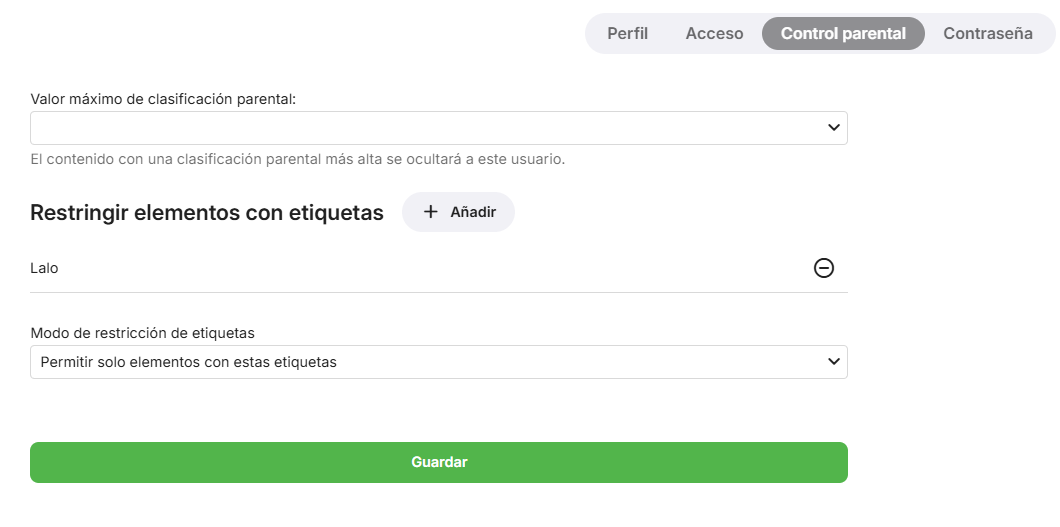
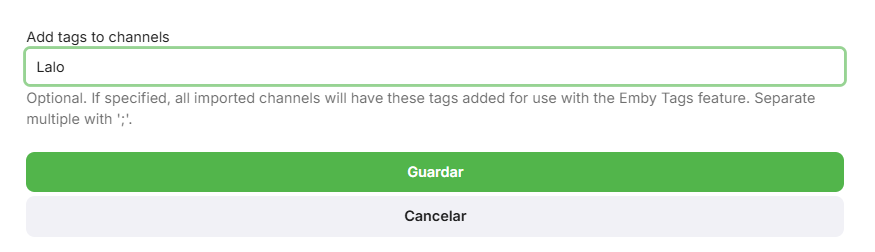
Hello everyone, first of all, I apologize for my ChatGPT-level English... I don't know if this will be useful to you, but this is how I use it, and it works perfectly for me. I've attached images so you can see the options. I have three M3U playlists that I share with my partner and my mother-in-law. I have all three in Emby, and when adding the playlists, I enter their name in the "Add tags to channels" field. Then, in the user settings, I go to the parental control tab and assign their name to each user, so they only see their respective playlist. It also works great to make sure they don't see my huge anime collection XD... The downside is that it only lets you choose one option: either you use tags to block or tags to allow... If it allowed both options, you could create highly customized playlists.
 1 point
 -
Here is a guide to Nano How to Use Nano, the Linux Command Line Text Editor | Linuxize Got that off a simple internet search.1 point
-
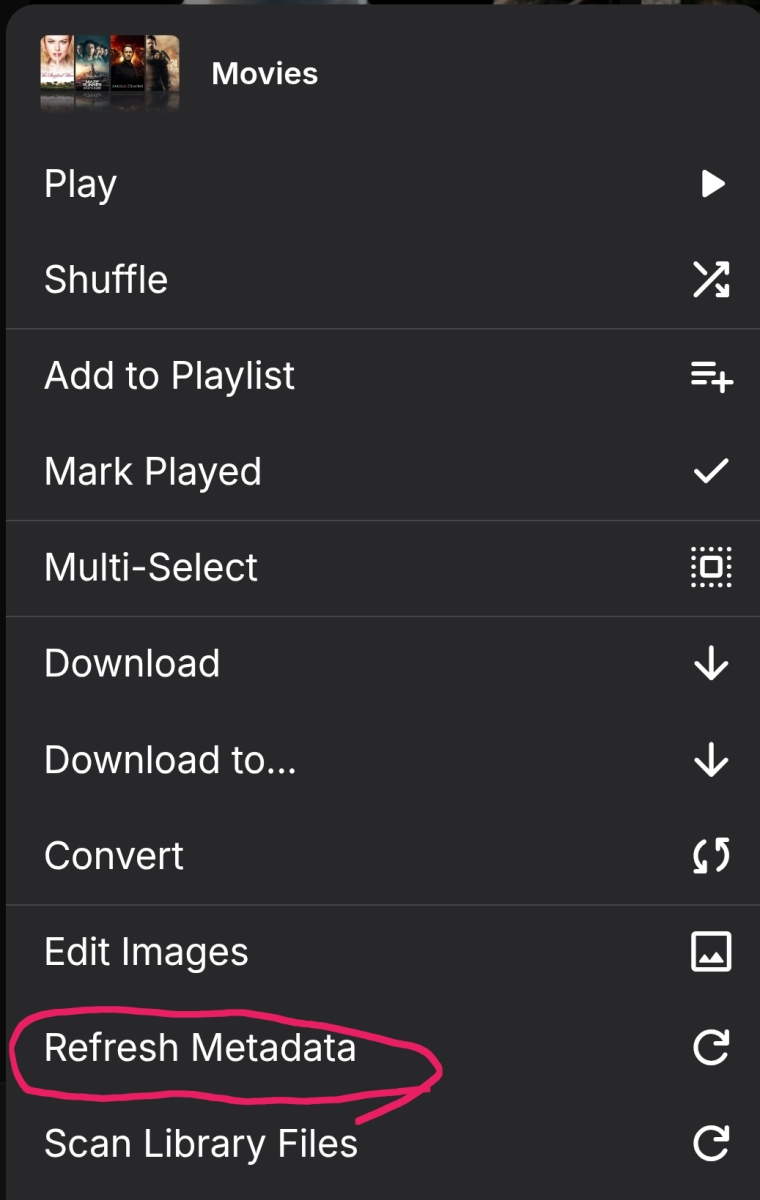
When you change library options you need to refresh metadata on existing content if you want to apply the new options to content that is already imported.1 point
-
Yup, Though I actually ended up solving one of my own issues just now, Looks like the maximized keyboard input stealing was actually the result of some unexpected/poorly documented behaviour on the focus stealing prevention setting in KDE > Window Management > Window Behaviour. With it set to extreme it somehow considers any maximized or full screen window to be the focused window and directs all keyboard input towards it, even if I'm actively targetted into something else. None, Low, Medium or High all behave normally in this regard, So I just had to drop that down to High to fix it. Based on that the only noticeable issue in the flatpak version for me currently is the inability to scroll the list of latest items on the home page and episode lists inside each season left and right, The buttons that would usually show up on hover near the ends do not do so. And there doesn't seem to be any click&drag functionality like there would be on a tablet (in either desktop or tablet mode). It does do that in "TV" mode, but that one has insane display scaling that makes my 4k display appear as if it were 720p.1 point
-
Just wanting to show my support for this. Got a lot of live albums I like to play that have bumps in between when using Emby on Android TV (Nvidia Shield). I've been using Navidrome for a while because it seems to be the only player that will do gapless with tracks in Dolby Atmos too. Would love to be able to have it all in one place.1 point
-
I'm giving Emby a go after trying Plex, Jellyfin and Kodi. I've got a few shows that have extras sorted in their season folder and they are all coming up in the specials page in the Emby UI as well as being put in their seasons page sometimes before the first episode and sometimes after. What's more, a few have been misidentified for whatever reason and stuck in random places. Being identified as specials really doesn't make a lot of sense if they're not in a Specials or Season 00 folder. Ideally, they would have their own section either below the season list in the series view or below the season they are a part of. I know that's probably a bit of an ask but at the very least they need to not be counted in episode numberings for seasons or show as the next episode/autoplay and always be stuck at the end of a season after all other episodes so you don't have to scroll past a bunch of interviews and deleted scenes and whatnot every time you want to get to episode 1. I looked for an 'ignore extras' toggle somewhere but couldn't find it. Honestly, up until now, everything else I've used has just ignored extras that haven't been given a specials number on TVDB or TMDB and named accordingly. For now I've just put a .ignore file into the extras folders for shows I'm currently watching so they play correctly while I'm evaluating Emby but it would be good to see a better implementation here.1 point
-
As you mentioned, this could indeed add a new rating category, alongside traditional ratings like IMDb and Rotten Tomatoes. snaptube vidmate1 point
-
So you've already setup an M3U tuner for Pluto in Emby? You can try setting up an XmlTV Guide Data Source with this url; http://xxx.xxx.xxx.xxx:8089/devices/ANY/guide/xmltv?duration=1209600. Use the ip address from your Macbook and make sure your M3U tuner for PlutoTV is the only one selected.1 point
-
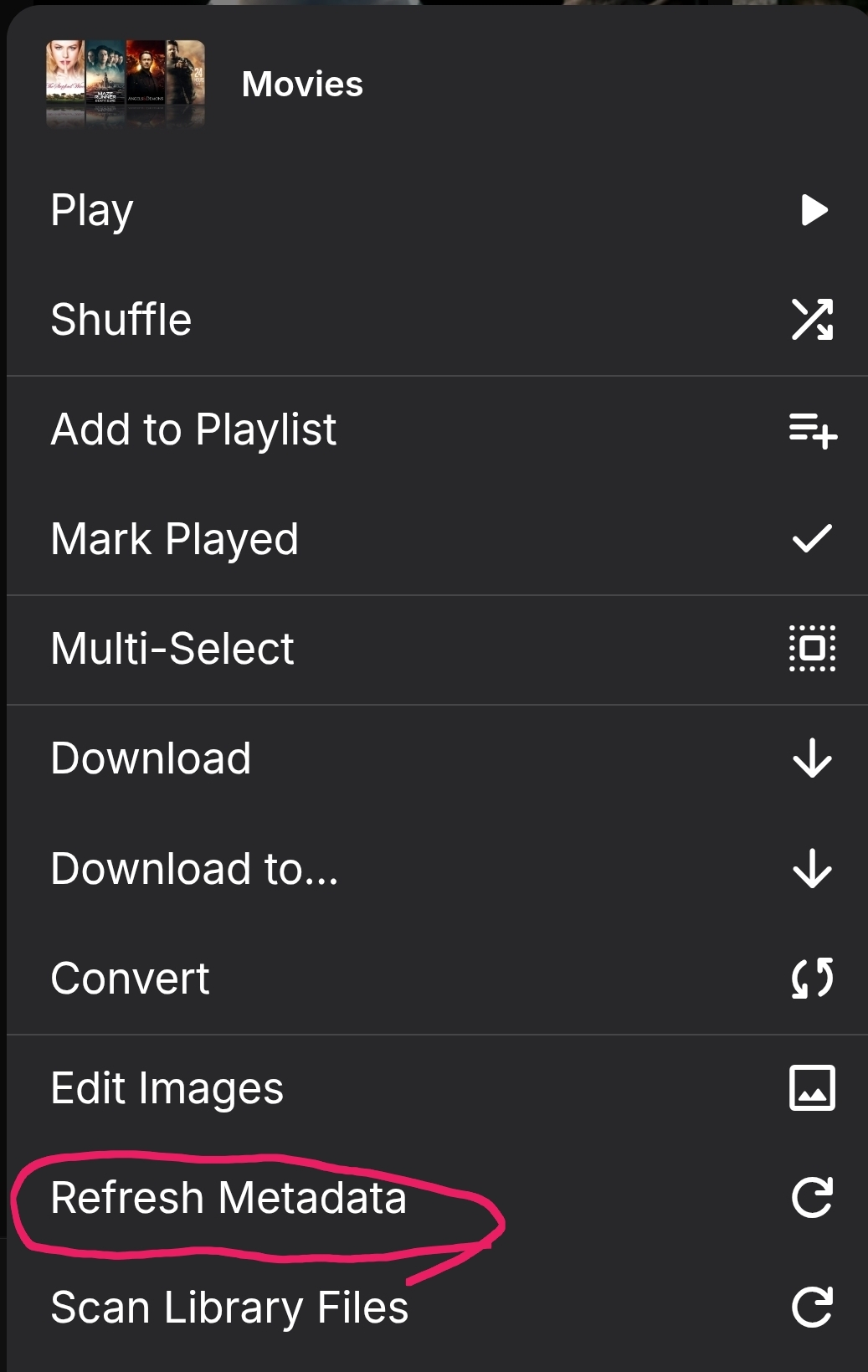
Yes, that did it! I thought that scanning the library files was the thing to do, but refreshing the metadata on each of the movies in the series created the collection and added the movies to it. They even have a poster of the movie series saying "Collection" so that's a nice feature as well. It seems like the thing for me to do now is to refresh all the metadata on the MOVIES library to have Emby create all the collections that it can? I'd like to also have collections for specific actors like Denzel Washington, Jason Stratham, etc. I assume that will be a manual process, or is there a way for Emby to figure that out? This is really great. Thank you all for helping me with this. Sometimes there are movies in a series that don't have consistent titles and I can easily lose track of all the associated ones. Having collections REALLY improves our experience.1 point
-
Thanks! Hope Samsung OS can adapt to in the future.1 point
-
1 point
-
And possibly a server log as only way I can see it failing is if you have issues communicating with TMDB. Or maybe you have locked metadata?1 point
-
The scan library task is just checking for new media; it's not going to do anything with the media emby has already imported.
 1 point
 -
Hi, I would try refreshing the metadata on all of the movies belonging to the underworld, hunger games collections and see if that helps.1 point
-
This is in the beta that just went up (2.1.24)1 point
-
Hi, we currently have it disabled on Samsung due to the Samsung video player not handling it very well. It is something we are constantly re-evaluating to see if Samsung OS updates improve it so that we can enable it.1 point
-
It already starts when you add a new tuner (M3U=tuner as well). After the channel scan (or -selection for M3U), you are asked whether you want to create separate channels or merge with existing channels. In case of the latter, it tries to match new channels to existing channels by certain criteria and then you get a chance for drag-drop editing the matching where you automatically get possible match suggestions and you can change everything to your liking of course. Of course you can at any time split or merge channels and their sources. Tuners are modeled as devices with one or more 'nodes' - which means HF-demodulator for native tuners, means an HDHR Quatro is tuner with 4 nodes (e.g. tunerA). For M3U, if you have an account with 6 simultaneous streams, it will be one tuner with 6 nodes (e.g. tunerB). You can not only merge multiple devices, you can also split a channel from a single tuner and have one of them driven by node1 and the other channel by node2,3,4 - which is one way to reserve tuner resources for certain purposes (e.g. for yourself or for recording). When you merge channels from multiple tuners, you can again define which nodes of which tuner you want to assign - for example tunerA-node1,2 and tunerB-node1-4. Then you you can reorder those nodes to define in which priority these should be used - e.g. in case of your "backup channel" scenario, you would put the tunerA-nodes first and the tunerB-nodes afterwards. The tuners are then always tried in that order - unless you have configured permissions. You can restrict access to certain tuner nodes to specific users, so when a user has no permission for a node, it won't be used and go to the next one in that order. Trying is actually not the right word. TVnext doesn't try - it "knows". At any point in time, it knows exactly which tuners/nodes are currently in use. For hardware tuners it even knows when they are used by a different software or when they are disconnected. Not trying means fast channel startup and switching. And more..1 point
-
Hi, What did you try to do edit system.xml ?1 point
-
Hello. Thank you for following up. I did try restating my Emby server. As well as the Synology NAS. I restarted the NGINX service as well. None of that seemed to do anything. Turns out, I needed to restart the entire Raspberry Pi I use to run NGINX. Not sure why stopping and starting the service itself didn’t achieve the goal that came with restarting the whole (little) box. Once I rebooted the Raspberry Pi, everything was ship shape again. I’ll probably look for some different hardware to run my reverse proxy service since the Pi seems to be having recurring issues.1 point
-
Hi, to be honest, I'm not sure it's been tested, but if livvenc happens to be in our ffmpeg build, then there's a chance it will just work. If it isn't, then we can look at adding it in our next ffmpeg update.1 point
-
@scharlezvideo please let us know if this helps. Thanks.1 point
-
This might help you.1 point
-
Users who pay for a premium subscription or a lifetime license should have access to detailed information about the slots they occupy and the ones they have available. Additionally, they should be able to check the dates when those slots were occupied and when they expire. As paying users of a service, it's essential that they can see and manage this data.1 point
-
The Emby team hopes you and yours are enjoying a Happy Holiday Season. We would like to announce a couple of changes that will hopefully increase the value of Emby in all of your households. First, to aid in the transition from our old TV-only Android TV app to the new Standard Android app on that platform, we will be eliminating the need for the app unlock by allowing free playback for up to five TV devices per Emby Server. Devices beyond that limit will require Emby Premiere. Previously purchased unlocks will still be honored. This should allow most households to move to the new app more easily. Second, recognizing that today's households have more and more devices, we are increasing our standard Emby Premiere License device limit from 25 to 30. We will then also increase the extended premiere plans from 45 to 50 and 75 to 80. Existing extended subscriptions will remain the same but new ones will be at these new levels. All standard licenses will be automatically updated to the new 30 device limit immediately. You should see all of these changes rolling out over the next week or so. Happy Holidays from the Emby Team! View the full article1 point
-
Greetings @ebr, I do not wish to share media directly. What I am looking for is what @harrvsuggests: being able to share a link with some users that takes them to the desired movie on Emby. For example, sending the link of a movie that is on my Emby server to one of my users, so that when they open the link, the movie opens in their Emby application, whether on Android or Windows. Of course, this person must be logged into my Emby server beforehand.1 point
-
Hi, you'll need to locate the server's system.xml config file, which is under the server data folder then /config from under there. You can learn how to access the server data folder here: Emby Server Data Folder Once you've opened the xml file, locate the EnableRemoteAccess xml node, and set the value to true. Then start up emby server. Please let us know if this helps. Thanks !1 point
-
Multicast audio streaming is now possible thanks to the Music Assistant project. Plex, Jellyfin, Subsonic (Navidrome, Gonic, LMS, airsonic, etc..) are supported. But not Emby though. Players include snapcast, squeezebox, chromecast, and sonos.1 point
-
I would also like to +1 this,especially as both plex and Jellyfin have it.1 point
-
I like listening to my music through my roku/emby setup. However, I don't need to know how the artist is while listening. I was wondering if there is some way to set up a virtualization like on windows media player? I can wait and my roku will go to it's screen saver, but I would like to make a choice. Or even display the lyrics on screen, all of my music files have the lyrics embedded.1 point
-
No necessarily, just to have the option to display them would be very helpful. Full karaoke support would be cool, iam sure Koreans would be pleased. Sent from my ONEPLUS A3000 using Tapatalk1 point
-
Hi, no, we don't have this, but it's a nice idea !1 point
-
Hey there, Not sure how much demand there would be for this but something I noticed scrolling through Netflix last night was how many of the videos I have in my library are now on Netflix / Prime...it made me think as I now access Emby through devices that have access to Netflix / Prime I should be able to remove the movies physically from the server and instead link through from my Emby library on certain devices. I know it's not everyone's cup of tea, but for me it makes sense to only hold the movies that I need to on physical disc taking up space and for the others to link through to the appropriate store if I have a subscription. Meaning I have one central Emby repo for all my links, whether that link is to a local share hosting the media locally or to an online repository such as Netflix / Prime. Clearly this is a little niche but is probably where we are all going at somepoint in the future... There would be a lot to work out in the logic of it I'm guessing and is probably based mainly on the client side with an "emtpy" move / tv holder being placed on the server to be ignored by clients that are told they don't have access to the streaming service. Thoughts appreciated on whether this is a stupid idea or one that makes sense? I know I can setup watchlist and in turn I can and do use the PlayOn Channel which gives me the option to view those streams, but it would be slick if they were natively in my library as is now Cheers mini0 points
-
Hi. Exactly how are you searching?
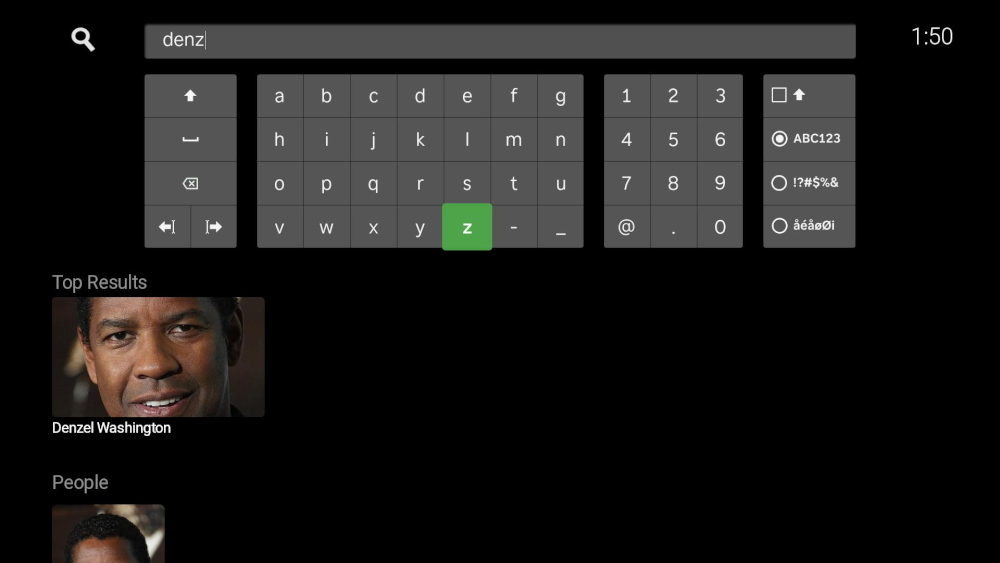 0 points
 -
I'm not sure why you get no results when searching, but it seems that is what needs to be addressed. Do you get the same 'no results' when searching with another client? A web browser for example? I wonder if it's just the Roku client that's the problem.
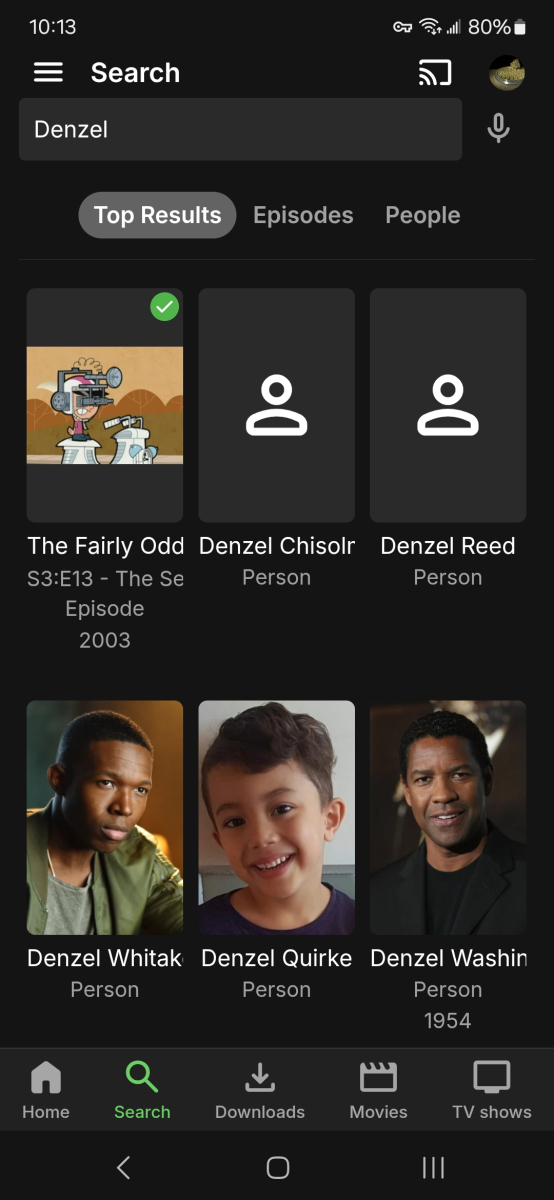 0 points
 -
There isn't an automated way, but is this really necessary? You click on Tom Cruise and then you see everything for Tom Cruise. What extra value would a Tom Cruise Collection bring?0 points