Leaderboard




Popular Content
Showing content with the highest reputation on 01/17/25 in Posts
-
Getting a licence for winTV 10, but the hauppauge team don't issue licences out of hours in 2025. Will give it a go on the weekend and get back to you.2 points
-
If it could be added to the channel edit screen that would allow individual channel adjustments as needed not covered by the EPG offset. If adjusted and locked, it could be used to override a bad/wrong offset in the guide data as well.
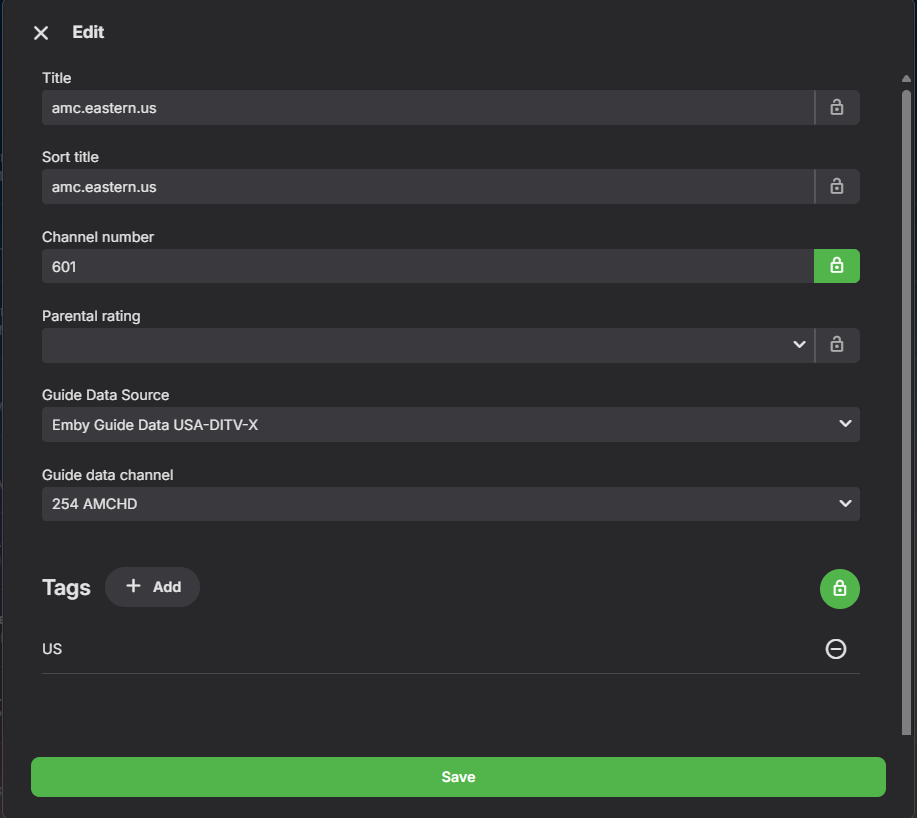 2 points
 -
This is still on topic, it's all part of the same issue...... My goodness... There are over 10 actors called Chris Evans, most of which are adult. There two or 3 that are not, the adult ones get mixed up with the TV, Hollywood people because you cannot add IDs in the gui at the movie editor. You just cannot split them, give them their own IDs, not to mention the three main metadata providers filling in the fields for the wrong person. If Chris Evans (marvel films) only has a tmdb id, then tvmaze will add the tvmaze if of the English TV personality to the Hollywood movie person. There are multiple like this. They cannot be fixed in the gui, because you cannot add an id when editing the movie or TV show from the metadata editor. You can only fix them by hacks like editing the nfo's. So therefore because you cannot split fix them, they crossover if you have an adult library, they end up appearing where they shouldn't, hence the side subject about being able to hide them... It's all related.2 points
-
Good thing we complained about the lack of progress 2 years ago. It really sped them up...2 points
-
I frequently use the filter of Unwatched for movies and TV shows. And with music, you get recommendations based upon "similar" artist or songs. I would like a flag option to mark media as "Not Interested" or whatever verbiage would be better for the masses. This would have to be at the user level and not stored in a NFO file since I would like to filter out things my family likes, but only on my profile. As my libraries grow, I am having more content for my family. Since I am the only male in the house, my users have tastes that are distinctly different from mine. Whether it be real surgery shows, true murder, sappy romances, or telenovelas; these are things that I will never - and I do mean never - watch. The same thing goes for the music collection. I don't mind classic musical soundtracks, but my daughters collection of Broadway musicals is vast. And annoying. Now I could make them as Watched, but then that would go into the algorithm "Since you watched this, you might like this...", I would like to avoid doing that. I've poked around quite a bit, but I don't see anything like this currently nor did I see anything like this requested. If it has been requested but called something else, I would love to know about it so I can like that post. Thanks in advance.1 point
-
感谢作者。这个插件非常好用,但是一些中文翻译存在一些问题。比如把预告片翻译成预告片,就不太适合中文了。中文翻译已经完全校对了,看看能不能更新一下,谢谢。 strings.po1 point
-
Any chance we could have this option when browsing the UI? Some of us have wide screens and projectors with lens shift and it would be nice to set the UI to display in a 2:39 format instead of 16:9. I can do that with my zidoo and it's really nice to fill the screen area. But I like the customization ability of emby way better. I have a nvdia shield I use with emby in both my living room and home theater. Once last missing piece lol I know you can buy special anamorphic lens to do this kind of stuff or a madvr, but not everyone wants to spend 6-10 grand on a lens or video processor when zooming out the image, letting the black bars sit outside the screen area is good enough for most of us. But options to adjust the gui ratio would be really really nice, it would be a game changer Many Thanks!1 point
-
While playing content, you can exit the app and the media will move to a picture-in-picture player. When returning to the Emby app by either reopening it or pressing the return button on the PIP player, the media continues playing, but the screen is black.1 point
-
Hello everyone, when I play a video in MKV/HEVC format on an iOS device, it shows a playback error: There is currently no compatible stream available. Only H264 videos can be played. The embyServer version is 4.9.0.35-beta, and the iOS client version is 2.2.33. My other devices, PC, WEB, and Android can play it without any problems. It seems to be a transcoding problem? Other devices play directly, only iOS devices seem to need transcoding. hardware_detection-63872396425.txt embyserver.txt1 point
-
@DarkStar1977my issue was a result of the apple tv itself. i had to reset my Apple TV to get it clear out whatever was wrong and now everything seems to be working properly. It’s a pain but, if you’re still having issues it could be a solution for you.1 point
-
Thanks a lot Luke ,that was exactly what i need.1 point
-
Fair enough, I was just curious. I've never used ET on Linux until now anyway; I just happened to refresh an old laptop for my wife and found Mint ran a lot better than Windows on it because it's so old and wasn't sure if this issue was something new and being worked on, or if it's been a well known existing bug for a long time.1 point
-
Many people have used first gen Arc. As Battlemage has only just been released, I doubt many people have experience with them. You really don't need it if you have a modern Intel CPU.1 point
-
HI, we're looking into it. Thanks for reporting.1 point
-
yeah ok, I already do it for the video. I needed it for the folder since it's the folder that will tell me the name of the workout and everything that goes with that workout plan... I'll have to find another way it seems. In the end, I'd need a 3-layer tv-show naming convention for it to work properly. I could rename week 1 to season 1, week 2 to season 2 and just have metadata show it as week. The workout themself are the episode in each week. Each workout plan could be a tv show. But the problem is the current root folder which is the team that did that workout plan. I guess my other choice would be to create a library per workout group instead of 1 library named workouts.1 point
-
This is exactly what I was looking for. Thank you!1 point
-
Hi, please attach the emby server log from when you ran the library scan: How to Report a Problem You may (or may not) see better scan performance by: Removing the auto collections plugin Disabling the realtime monitor on each library With a log covering a larger period of time we may be able to find more suggestions. Thanks.1 point
-
HI, most of those sections have pinned change lists at the top.1 point
-
So far, the pc side is fine, but Android is still a frequent occurrence1 point
-
So I can confirm that exactly what you said is what happened. For some reason, over time, all of my issues have disappeared. It's almost as if the initial runs on the library to create images, and populate cast and crew data, and all of those other things don't work effectively for the first few days. I noticed information did not populate within 24 to 48 hours, but after several days, things started to show up, bugs started to calm down, and glitches disappeared. My library is now fast to respond. Not sure what's going on here, but it is definitely a thing. Thanks for sharing your experience so I didn't go crazy posting log files.1 point
-
Why so negative? I would call it "The Surprise Shuffle"1 point
-
Yes, it is, and sometimes it clashes after stopping the video after using the pip mode.1 point
-
New BETA version available 11.1.21: Delta changelog 11.1.20 -> 11.1.21 fix shuffle playback session info fix lastplayed date updates when playcount was not modified update Chinese language file fix sync when a content item has no name (invalid item reported by Emby server) fix edge case http communication issue when Emby server connection was interrupted add warning message when Kodi companion addon is not installed on Emby server1 point
-
Finished today with the installation and cloning of my old Emby server to a new QNAP box. The instructions that are linked in Luke's post above are excellent and spot on. After some tweaking and hours of correcting actors images and meta data I am finally where I want to be. The major reason it took this long where because of the Seagate drives. I ordered two 16TB Iron Wolf Pro drives directly from Seagate. I will NEVER do that again. of the two drives shipped 1 was DOA. It took 12 days to get a warranty replacement and that drive was ALSO DOA. Amazon to the rescue, same drive from the Seagate store arrived in 2 days. That one worked and finally the NAS was up and running. Because Seagate futzed around so long with sending a replacement I had 1 day from the time I ordered to get a refund, that was 29 days from the time I ordered, sent it back, received the replacement and verified that everything works. I have 2 other NASes , two large Unraid servers all together 16 drives, but all either HGST or WDs and only needed to replace 1 in over 10 years. Seagate sucks in my opinion. But all is good if it ends well.1 point
-
If you enable HDMI CRC you can still use your LG remote to control the shield. Maybe a couple buttons might still need the shield remote for but for navigation at least you can definitely still use the LG remote, just not the mouse part only buttons. I too wanted a single device but after learning the pitfalls of the LG app I had to get a Shield. And it's not Emby's fault, it's just what LG exposes from WebOS that they are able to utilize.1 point
-
Wow. That's some incredible sleuthing. I'm very impressed with your dedication. I have to confess, although I really like the LG app and having one device and remote that does everything, I've known for a long time it's far from perfect. There's been an inevitability that I would eventually have to stump up the cash for a dedicated streaming device. I was hoping by the the time it happened Nvidia would have released the Nvidia Shield 2 with the new Switch 2 internals. You have to take the plunge now and again I guess. I hope the 2019 Shield Pro is what everyone says it is for the money it costs. Thank you so much again.1 point
-
Oh, nevermind- I found it in the Downloads section, presumably because it's associated to a download. It does seem a little odd(and confusing) that it's conversion, that shows as a conversion operation on the dash board, but it's one not listed in the conversion area of the dashboard just because it's being done for a queued download. Thanks1 point
-
I've heard decent things about the Firesticks too but I only have 1 TV so I just need my shield really. I wanted something I knew wouldn't be laggy. It's had its moments from time to time but overall it's smooth, make sure you change the power profile to max performance and fan mode to cool. I tried to convert the video to DV8.1 just to see if that played a role, it doesn't and I didn't think it would since it's direct play (and it's still only HDR) but I was curious. I tried to remux in a random AC3 track from another movie to see if it was the track itself, and when I did that I stripped all the other audio tracks except the original AC3 and one english subtitle and that started to play right away with both audio tracks. It still buffers due to the previously mentioned speed of the wifi, but that's an improvement. I tried stripping all sub languages except the 3 english tracks, I know that the LG app cannot playback PGS subs anyway (but the shield can!) so that forces a transcode if it was selected but I had it set to Off, and it still sat there for a while, so another test with only 1 SRT sub muxed in and still does it, and one with no subs muxed in - so it's not the subs. Another test where I removed just the TrueHD track all subs except 1 english SRT (we've ruled them out anyway right? and the LG app cannot playback TrueHD anyway), so 1 video track 4 AC3 tracks 1 SRT sub track, still no dice. And then I had one more thought. What if the title of the commentary tracks is too long? Or it doesn't like the commas? So I stripped all the titles of the file I just made with only AC3 audio. Still no dice. But I noticed it picked one of the commentary audio as default, which I thought was strange since I didn't set it as the default track. I created a version with the TrueHD audio, the AC3 audio, no commentary tracks, and 1 eng SRT sub. It picked the AC3 by default as expected, and started playing right away - with buffering of course. So it didn't like the commentary tracks I guess but not sure why. I didn't feel like trying another test with the 5.1 AC3 and one of the 2.0 AC3 commentary tracks but I'm kind of willing to guess it doesn't like that a 5.1 and 2.0 are in the same file or once there's a certain number of tracks it's a problem. Meanwhile the Shield didn't care and played what you told it to.1 point
-
First of all, thank you for your reply @Luke. It's helpful to receive a follow-up to a message posted on the forum, especially when you can't find the solution yourself. Secondly, sorry for taking too long to reply: before posting the solution, I wanted to make sure that it would really work. In order not to take too much time, this kind of problem is due to a failure of the hard drive to which the media library pointed. I read carefully the post by @wakeboarder141 and, based on my experience also, it seems that Emby was "seeing" the same series twice, even if, on my side, I was not able to see it twice. Before doing the following steps, make sure that you have checked the paths where your media libraries point and that the files are not in two different locations. The definitive solution to this problem, in my case, was to 1. delete the media libraries, 2. format the hard drive and 3. recreate the media libraries. Be careful, it is very important to delete the media libraries from Emby before or after formatting the hard drive even if you keep the same letter (s) (or paths) of your (for) hard drives. I hope this will help the community in the future.1 point
-
I would say 6th gen is "fine" but it lacks hardware 10-bit HEVC capabilities (so any 4k transcodes would be done in software). For the price of the N150 (still on sale) you would have a unit that would be able to handle pretty much whatever you throw at it except for I believe 4k transcodes with burned in subtitles (the joys of subtitles being single threaded). In regards to quality, the newer your version of the Quicksync Asics, the better the quality and the better the efficiency. The beauty about going this route is 1) you won't have to worry about any impact on your child's gaming when someone wants to watch a movie 2) It's cheaper than upgrading all your units to Shields, and 3) far cheaper than getting a 3080.1 point
-
I found the same video and I'm able to reproduce the behaviour. Let me play around with this a little if I can at least figure out the direct play error with AC3 audio tracks. When I play the TrueHD track it needs to convert the audio to AC3 and this starts really fast because it already knows it needs to convert it but it does have buffering issues. The chunks look like they're 5 seconds long and can be up to almost 70 MB each. I'm also convinced the wifi in these TVs is trash, and the ethernet is only marginally better. I could see I was getting about 65 Mbps and the bitrate of this file is slightly higher than that - I have a very solid wifi AP and it's on the other side of the wall from the TV so signal strength is very strong. Also even though this is a hybrid file it's only playing HDR with the LG app. It plays Dolby Vision when I use my Shield but that plays everything and for reference I saw this device pull as much as 500 Mbps on playback and it's right next to the TV. Can't recommend one enough tbh.1 point
-
I changed this in The Group Policy Editor so that it notifies me before it downloads the updates. Then I can do it at a convenient time. You can look at this to get an idea how to do it. https://www.liquidweb.com/blog/how-to-manage-windows-server-group-policy/1 point
-
Ok done that and movie played fine on both browser and tv app.1 point
-
Hi, some were interested in it here:1 point
-
Sure, here you go. 02.wv1 point
-
I can confirm that I have the same issue as thepilot. I also get the "Server returned 403 Forbidden (access denied)" for the trailer urls from https://cl2.buscafs.com/ in my logs. Directly going to the url also presents me with a cloudflare captcha. I'm also accessing from Belgium.1 point
-
Hi Luke. I tried a workaround installing the package from package center via manual install. The package scanned the libraries as expected and it’s all fine now. However the docker install problem remains and I believe it is due to the fact that permissions to the library folders could not be assigned as Emby was not seen as a system user. The package version does offer this possibility. Needless to say that the docker container was uninstalled and the log is not available anymore I’m afraid1 point
-
Sorry Luke, thought you were waiting for a dev to look further. Here is the reply I also sent you privately Hey Luke, ya it was the Edmonton Oilers game. i tried a new channel/stream in HLS mode (i control the HDMI encoder) and last night it totally worked as expected. So Emby must like that type of stream better than RTSP etc.1 point
-
Ok so I have all my new hardware and am still having the same issue, to deal with it for the moment I have decided to allow subtitle extraction on the fly since it seems like the new machine is better at keeping up. The only issue is there are still some instances where the subs haven't loaded yet.1 point
-
Hi, not yet, but it's something that could be added. Thanks.1 point
-
"I have the same issue, but with some devices. It gets stuck and doesn't disappear from the interface, even after the movie has finished playing on the device. The only way to make it disappear is by restarting the Emby server.1 point
-
@sbrindley Hi there, let's look at an example. Please attach the information requested in how to report a media playback issue. Thanks!1 point
-
Metadata is the backbone of any Emby server. Accurate metadata not only helps you organize your media but also enhances the browsing experience by providing details such as posters, cast information, and plot summaries. In our next how to guide, we’ll explore how to get the best metadata for your media library in Emby and customize metadata to suit your preferences. Why Metadata Matters Metadata turns a bland file list into an engaging media library. Instead of scrolling through filenames, you can browse visually stunning posters, read synopses, and see ratings or actors at a glance. This makes it easier to find what you want to watch and enjoy your media library to its fullest. Step 1: Setting Up Metadata Agents Metadata agents in Emby are responsible for fetching the information about your media. To configure them: Navigate to Metadata Settings: Go to your Emby Server dashboard. Click on Library, then select the library you want to configure. Choose Metadata Providers: Select metadata providers like TheMovieDB (for movies), TheTVDB (for TV shows), or MusicBrainz (for music). Drag and drop the providers to prioritize which one Emby should use first. Enable Automatic Updates: Make sure "Download metadata from the internet" is checked. This ensures Emby fetches metadata when new content is added. Language Preferences: Specify the language for metadata and artwork to match your preference. Step 2: Organizing Media for Better Metadata Matching Metadata accuracy heavily depends on how well your media files are named and organized. Follow these tips: Use Proper File Naming Conventions: Movies: MovieName (Year).ext (e.g., Inception (2010).mkv) TV Shows: ShowName/Season XX/ShowName - SXXEYY.ext (e.g., Breaking Bad/Season 01/Breaking Bad - S01E01.mkv) Organize Media into Folders: Separate movies, TV shows, and music into different folders. Group collections (e.g., trilogies) into subfolders for easier management. Avoid Extra Characters: Remove unnecessary text like resolution (e.g., [1080p]) or release group names. Step 3: Fixing Mismatched or Missing Metadata Even with proper organization, mismatches can happen. Here’s how to resolve them: Manually Edit Metadata: Open the Emby web app and locate the mismatched media. Click the three-dot menu next to the item, then select Edit Metadata. Correct the title or year and let Emby re-fetch the metadata. Use the Identify Tool: On the Edit Metadata page, use the Identify option to manually search for the correct entry in the provider’s database. Replace Incorrect Posters or Images: From the Edit Metadata page, go to the Images tab. Browse and select new images from the metadata providers or upload your own. Step 4: Customizing Metadata If you’re a power user, customizing metadata allows you to make your library uniquely yours. Enable NFO File Saving: In the Metadata settings, enable saving metadata as NFO files. These are XML files stored alongside your media, allowing you to edit them directly. Create Custom Metadata: Open the NFO file with a text editor. Add or modify tags such as <title>, <plot>, or <cast> to change how the media appears in Emby. Bulk Metadata Management: Use tools like Media Companion or TinyMediaManager to batch edit metadata and export it to NFO files for use with Emby. Step 5: Optimizing Metadata for Large Libraries If you’ve got a large collection, metadata fetching can strain your server. Optimize the process with these tips: Schedule Metadata Updates: In the Library settings, schedule metadata scans during off-peak hours to reduce server load. Use Local Metadata: Preload metadata by saving it as NFO files or by downloading artwork to local folders. Getting the best metadata in Emby doesn’t have to be complicated. By setting up metadata agents, organizing your media files properly, and learning to fix common issues, you can transform your library into a stunning, easy-to-navigate collection. For power users, customizing metadata opens up even more possibilities, making your Emby experience truly unique. Start fine-tuning your metadata today and enjoy a richer, more immersive Emby server experience today! View the full article1 point
-
Hey there, I’m back to propose alternatives ! 1. I saw that, on the Web App, the director is present as a clickable link next to the film, and as a ’’card’’ at the very end of the cast/crew section. On the TV app, there is no link, but it’s still present at the end of the cast/crew section. Would it be possible to put it in the first place so that it would be easily clickable ? 2. What about adding a section ’’more of this director’’ before or after the ’’More like this’’ section ? Bonus: Also, about the ordering of the films when we click on the director, I think it would be nice if that was chronological. Thanks in advance for the discussion, Cheers, Takit Edit: I wanted to change the title of the topic to something like ’’director collection’’ but I can’t edit my first post anymore.1 point
-
Big yes for cross fade. Lend support here (?)... unless there is a better topic?1 point
-
Have a look at IPTVBoss. I highly recommend it. It can work with this API and create m3u and xmltv files.1 point
-
Right ok my mistake. It is only per each individual episode and will not carry from one to the next.1 point