Leaderboard




Popular Content
Showing content with the highest reputation on 01/05/25 in Posts
-
Ahhhhh!!!
 2 points
 -
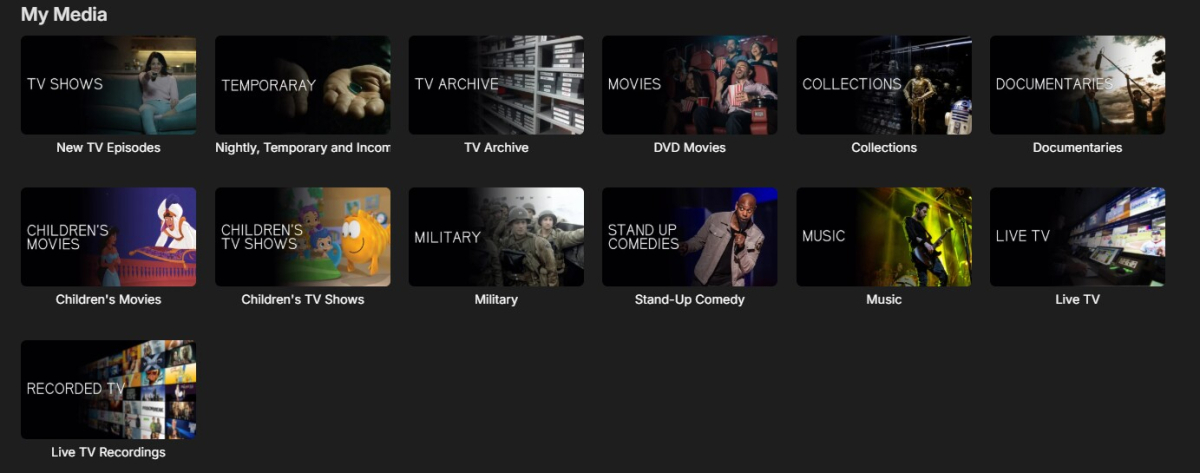
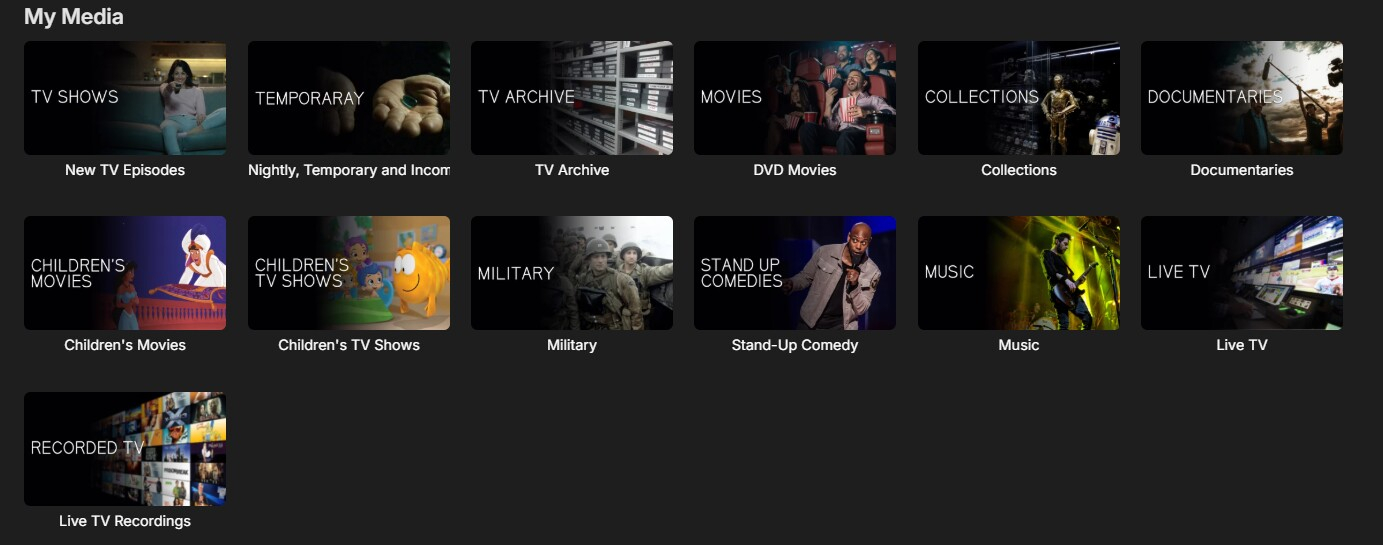
I moved from Plex to Emby and even though I think Emby is superior in its flexibility there are some things I like better with Plex, especially in terms of its looks. This theme is trying to fix that by making it a bit more similar to Plex but with some, in my opinion, improvements. The CSS is attached to this post for anyone interested and below are some screens to show it off Good to know I only use Chrome so I can't guarantee this CSS works as expected in other browsers. If you want the sidebar menu to look like in the screens, make sure to pin the sidebar. Watched badge/banderoll is inverted which means that the badge will not be shown if media have been watched, like in Plex. For desired look, please use the "Dark" theme for both Theme & Settings theme in the display settings. Emby-Stable-style-v3.6.txt





 1 point
 -
I am looking to see if a SAML2/OAuth plugin is something others would use. I myself would love this feature to share Emby publicly with family members and friend and worry a little less about insecure passwords that some may use. I personally am a big advocate for security as I work in IT and see how a lack of good security can cause havoc. I love Okta and what it offers. Anyone can sign up and use it for free under 1000 users if you sign up as a Developer. That is just plain awesome. Let's see who else is interested. I am excited to find out! Thanks1 point
-
Hi, I’d love that audio and subtitles choice would be saved per show, according to what you select on the last episode you watched. The main audio/subtitles parameters is a good point but there are many cases it is not enough and you need to adjust audio and subtitles at the beginning of every episodes. For example i like to watch Casa de Pale in Spanish with french subtitles, The Big Bang Theory in English with french subtitles, French TV shows in french without subtitles, ....1 point
-
I understand what you mean. We can cache the state of the globalCaptionMode when the app launches. After video playback of an item or queue it will return the state from the cache to the globalCaptionMode. This should be how we did it to begin with. We can accomodate this and apologies it wasn't built that way to begin with.1 point
-
Thanks @LukeI will check it out right now. Vic1 point
-
See auto-organize for a good example: https://github.com/search?q=repo%3AMediaBrowser%2FEmby.AutoOrganize AutoOrganize_ItemUpdated&type=code1 point
-
Hi, we are looking into this. Thanks for reporting.1 point
-
Hi i see the additional info by loading the skin you mentioned. Thank you for answering all the questions Bryan i have bought premiere, do you also have a donate option too I will to donate to help you out.1 point
-
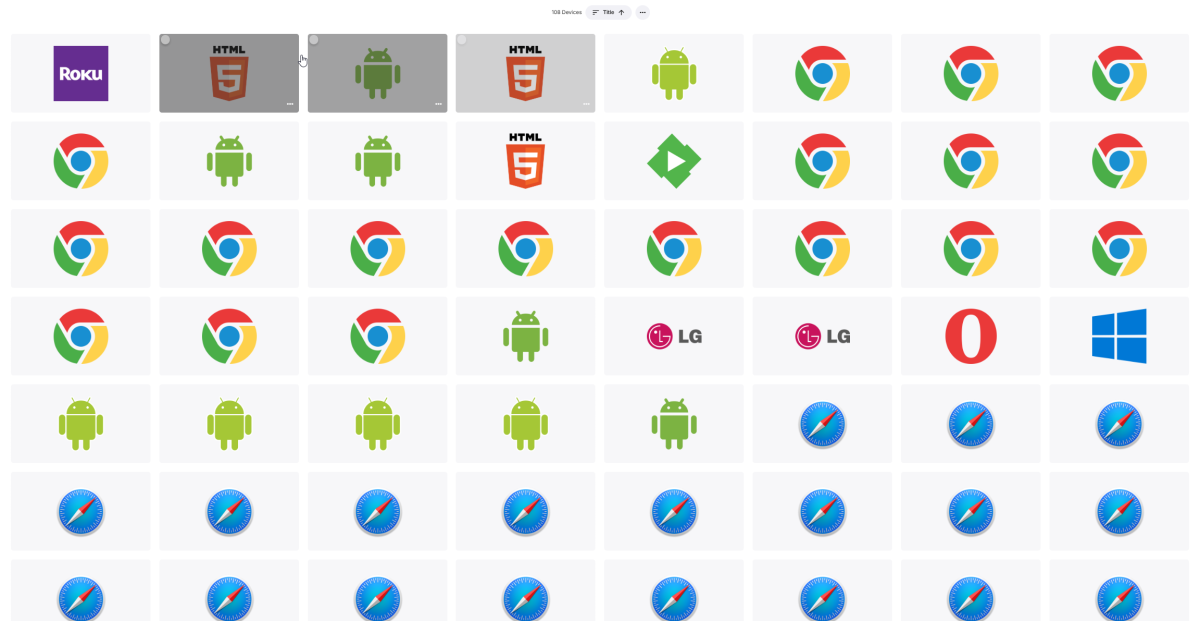
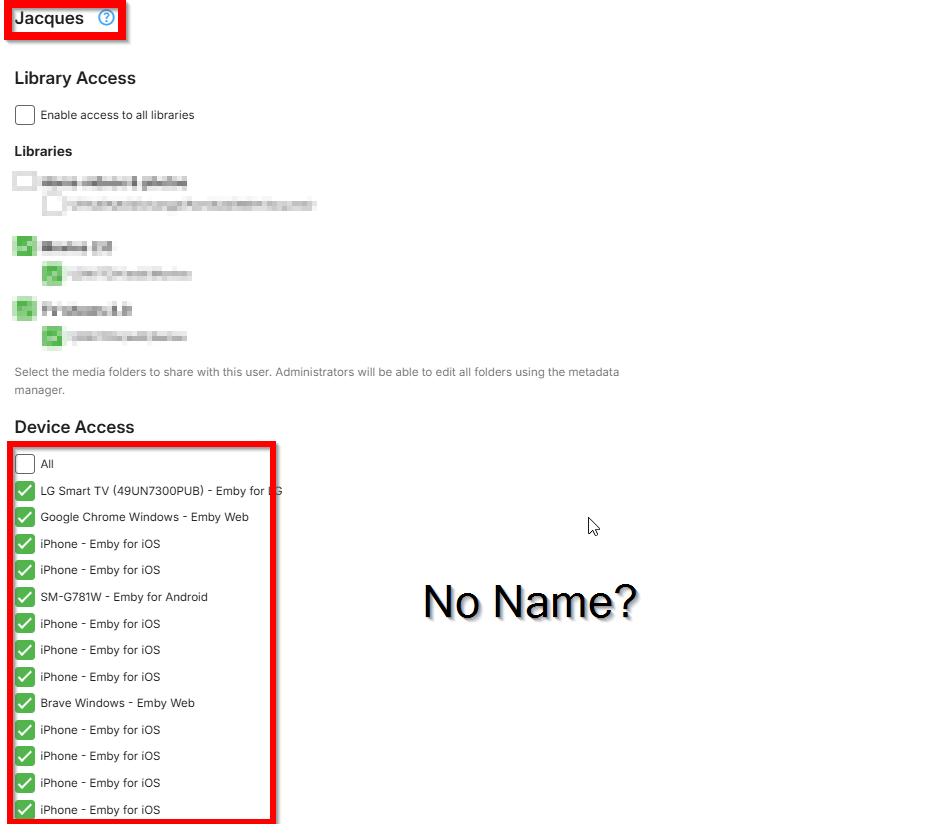
It would be nice if we could filter every device by user in the Device section: And having user name next to the device in the Access menu:
 1 point
 -
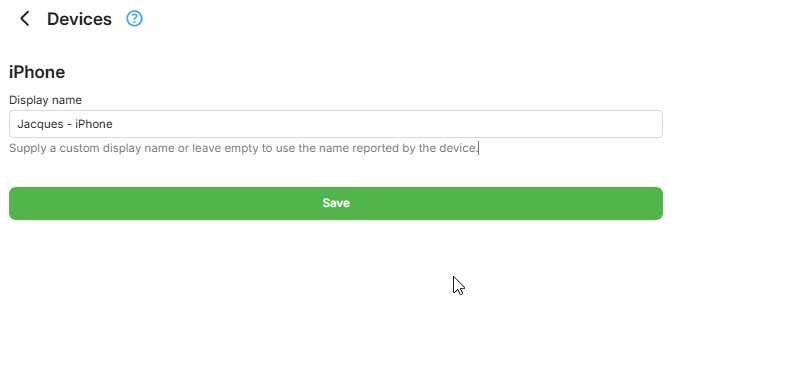
Thanks man! Did not know about we could add a manual name to them but just having the user name in the device access would bee more handy than having to manually add a name to them.
 1 point
 -
Problem persisted in 4.9.0.34 as well but is fixed in 4.9.0.351 point
-
Not quite because some of that information is advertised to Emby apps so that they can find the server when switching between LAN and WAN connections. Browsers are fine, apps can have issues. Also, HTTP redirects work for browsers but not most apps so there are a few things worth knowing and avoiding when using a reverse proxy.1 point
-
I figured it out. My venture into managing my media library was years ago now and I've been up to now using Kodi exclusively. I never had to have my tv show seasons in individual folders. My episodes are named very clearly and Emby and Kodi picked them up with no issue. But Emby (makes sense when I think of it) has to have the TV show episodes in seasons if it is going to delete the season. I just put one tv show in season folders and I could delete it. I have a very large library. It will take some thought if I am going to arrange them all into seasons. I still use Kodi at this time so that would affect rescanning all my show when and if I do it. But now I know the issue and am passing on the solution (that probably everyone else knows).1 point
-
FANTASTIC! Thank you so much.1 point
-
I would also like the option to prevent Emby from creating chapters.1 point
-
Thats brilliant, I love it, thank you1 point
-
1 point
-
Glad to know it's working for you! Is there a benefit to moving it to discussions? Maybe I should just put it in the wiki? I could include the script in the repository if you want to contribute that.1 point
-
Hi, we'll take a look at it. Thanks for reporting.1 point
-
@LukeI would like to suggest that you fix this problem in the server rather than in the clients. When you send the session command to start the video, you can just add to it the number of ticks to skip. Just an idea from someone unfamiliar with the side effects, like the difficulties with transcoding, that this idea may involve. Vic1 point
-
@pünktchensorry I only have the 1.9.2 app still. I haven't received the 1.9.3 app yet for my apple tv devices. I will update here once my TVs receive the update. Thanks for following-up though. I appreciate it.1 point
-
I will do that. Thanks for all your help!1 point
-
I am using a VPN on the NAS. Ive found that Trakt is working again now (the website shows that I've watched shows). Previously I had 2x Emby users connected to the same Trakt account. Since removing that it seems to be working again on just 1x Emby account. That's fine for me.1 point
-
HI, we work very hard on Emby and we thank you for your support.1 point
-
It is just a timing issue and only in that app and only in that particular display (Upcoming).1 point
-
I added help texts in Kodi for each option. I think the wiki is completely outdated. There is also an FAQ thread, which also needs tlc. The default settings are usually good and no need to change. Actually the reason why you see all that is, cause you switched to expert mode in Kodi. Default is basic, and most options are hidden there. "Enable start sync" should be always on. It was edge case user request to disable that. Nobody needs that. De-Duplication is a new feature and was also a user request. A user has multiple Emby servers connected to the plugin and the servers provided the same content. As a result, lots of content had doubles. This function removes the doubles from Kodi. It can also be used on a single server connection, when multiple libraries provides similar content.1 point
-
Weiß ich, ich möchte nur mögliche Fehlerquellen ausschließen. Ich bin ja kein Entwickler, und könnte mir halt vorstellen, dass dies eines der Probleme sein könnte. Jetzt bleibt mir nur noch die gleiche Frage wie Luke zu stellen. Welche Option zum Wechsel nutzt Du? Sorry für die evtl. blöde Frage. Falls Du Option 1 nutzt, dann müsstest Du Dich verstärkt, mit Logs usw. an Luke wenden.1 point
-
I am using synology reverse proxy. what is interesting I can watch content from the movie library, just can’t watch from the tv library. I have now resolved the issue by removing and re-adding the library.1 point
-
Ok, I went ahead and put it back on Pop_OS.1 point
-
I did the first step: Add the OTA guide for 94112. Don't enable it for any tuner. We don't want this guide to try and match channels based on channel number. But I cannot get to the option to select just 1 channel. Never mind. I found it.1 point
-
Synology are plug and play but they are super expensive for what you get. It would be well worth your time to build your own system and learn to use UNRAID, TrueNAS or Open Media Vault.1 point
-
Look in Scheduled Tasks and you'll see the Backup option that you can manually run.1 point
-
Ugg....to be honest I really dislike the way Emby is trying to placate Plex users in the name of 'user friendliness' or whatever the reason. The terminology is confusing to begin with - and if you are interested in such things I don't understand why you cannot just use the actual terminology widely accepted in the encoding community. IMHO - if you're going to show the details on the dashboard then show the details. For example if my audio is the only thing that needs to be transcoded then say 'Transcoding Audio' to whatever. People should learn the correct terminology to begin with - not be catered to because 'that's the way Plex does it'.1 point

















.thumb.png.1ddf135ad99a72646a26d671a28ffe35.png)