Leaderboard




Popular Content
Showing content with the highest reputation on 12/21/24 in Posts
-
If true then it's once another case of RTFM!2 points
-
I tagged 11.1.10 now as stable. Still holding back next beta as I chase a serious http communication bug. It affects http communication in chunked transfer mode (not very common) and only in very special cases (even less common). However this bug affects all versions since 9.X or even earlier and will be fixed in next beta. Special thanks to user @reggifor countless tests and still ongoing.2 points
-
Dear Emby Team, First and foremost, thank you for building and continuously enhancing this platform. We are naturally drawn to the incredible features and stability it provides compared to other applications. Back in 2019, there was mention of a potential book-reading feature being considered for Emby in the not-too-distant future. Many in the community have been eagerly anticipating this addition. We humbly request the team to revisit this feature, as it would greatly complement the platform's capabilities. We understand that development takes time and resources, but this is just a gentle reminder that we, as a community, are still waiting for this to happen. Thank you!2 points
-
I'm a plex life time member, but I have been using Emby for over six years continuously, but there is a feature which I have always thought is missing in Emby which I would like and encourage the developer to consider including especially in this dispensation where families can social or commingle due to COVID 19. Today, I received a notification from Plex about it new feature titled Watch together you can read about it here https://support.plex.tv/articles/watch-together/ The feature allows friends and families at distance to watch same movies together instantly, you simply invite all your buddy, once they signed to the system which can be seeing in the server then play and pause as needed, this I think is cool feature should be added to emby. Let's here your though if Emby developer should consider adding this feature to our beloved Emby Media https://www.bing.com/news/search?q=Plex+Watch+Together&qpvt=plex+watch+together&FORM=EWRE1 point
-
Dear fellow Developers, the PluginUI Demo Example in the Emby SDK is demonstrating the wide range of featuires from the Emby PluginUI, but a number of essential things were missing, like how to use buttons and perform actions on button click events, as well as how to create and use dialogs and wizard UI. I'm glad to tell that these gaps have been filled. The demo plugin content is split into two tabbed views with two menu items in the navigation bar, and two new tab pages have been added for buttons, links, progress and status indication, updating the UI view from the server side and the other page is demonstrating multiple kinds of dialogs and a three-page wizard. Here's a short video (no audio): 20241204-1209-59.8630269.mp4 The sample plugin code will be included in the next beta SDK, which means everything after 4.9.0.32.1 point
-
Given the vast list of wonderful improvements that have accumulated in the 4.9 beta and the modest tweaks reported in the release notes for the latest 4.9.0.33 beta, here is a fervent plea that the Emby devs push this latest v4.9 as a stable release now, for benefit of the vast majority of Emby users who don't install beta versions.1 point
-
Why would they release it as a “stable” version when is not “stable”? The beta still has issues that need to be worked out1 point
-
Coming from VideoStation, a big disappointment is that Emby does not remember already used tags. So if I have a library with 100 movies with tag: horror, I have to type in the whole word "horror" every time I want to add the tag. There is no list of previously used tags I can simply click and choose from. That slows down the process significantly, especially with multiple tags in a movie, and also is a risk of messing up the tags with typos.1 point
-
That's very good news. Thank you for your quick feedback1 point
-
That fixed it1 point
-
OK we'll take a look at it. Thanks for reporting.1 point
-
rbj, Possible some help? echo timeout /t 5 > 1.strm echo G:\Library01\USA\Family Trip (2017) - 1080P.mkv >> 1.strm For longer strm names you need quotes: echo timeout /t 5 > "Family Trip (2017) - 1080P.strm" echo G:\Library01\USA\Family Trip (2017) - 1080P.mkv >> "Family Trip (2017) - 1080P.strm" Timeout should work for Windows or use wait for Linux. I have no idea if this would keep Emby from listing a second version, but if so, then you still have the problem of Emby won't probably list the strm at all in a new linked library. Back to square one. === In the GUI, how would the user designate a strm link as virtual and stop multiple versions from appearing in searches? Would it be a checkbox? Should Emby have a search for duplicates page with the ability to check some or all and switch searchability off? Would this page be similar to find duplicate file apps? Tricky to design something user friendly.1 point
-
I think you need to create another admin account first, and sign in with the new admin account. Before deleting the old admin. Otherwise you would be left with out an admin. And you could not do anything with Emby.1 point
-
Hi vis, It's been done many times this way - my scripts for things like recommendations and plugins such as Top Picks all do it this way - but using strm files has a major disadvantage - files are shown as duplicated in emby. What we need (and I'm hoping the smart views implements this) is a way to show a 'pointer' to a file - but not actually have it as a record in emby. This THEN opens up the possibilities no end - effectively allowing virtual libraries or smart views. We don;t know the detail behind 4.9 - but i'm hoping it allows this....1 point
-
Of interest: I tried to find browser compatibility and found another streaming pointer file from DASH and a test page: https://reference.dashif.org/dash.js/latest/samples/dash-if-reference-player/index.html It works for Chrome and Firefox. === Organizing multiple links to content with either strm or mpd files would probably be a nice extra for a plug-in. Great idea! I think the linked pointer files would be more efficient than adding select filters in the main dbase, per media, to organize. Wouldn't all the custom select commands bloat the dbase and take longer to process than having the link info in each pointer file? How would the plug-in be user friendly? Or just run the script, create link files that work and then move them into whatever new library filled with pointer files. Just organize your library in file manager. Why even bother with a plug-in? What does everyone think? Am I missing something?1 point
-
1 point
-
Found it, thanks for the help Luke... Merry Christmas and Happy New Year...1 point
-
@AbobaderCould you oblige please.1 point
-
Thank you!!! That reporting tool is amazing! It took probably less than one minute to get a report in Excel clearly showing what needs to be upgraded. You really saved the day for me. Happy Holidays!1 point
-
We would need a lot more info to help.1 point
-
Not to just post a moan, loving the new app (apart from the back key closing), especially the windows theme, it's snappy and is working well for me so far good work!1 point
-
Well I had a full home theater before but I had to make compromise being in a couple and all. Have you actually removed and re-plugged all cables after switching to 5.1 on the gadget? Yes I did restart it I don't have a TV. I use a videoprojector who doesn't support e-arc. Now I am just hoping than someday Sonos will support AAC, Nvidia will support e-arc or Emby will transcode AAC to another format. Thanks for the support.1 point
-
I hate myself, good call. I just attach the file. @softworkz : You were right too. I assume Dolby Atmos was needeed, it is not. mpv-20241221T180116956.txt1 point
-
@sa2000You're correct. You enter the timeframe the user is allowed to use the system.1 point
-
Just search in that file for '16' and replace that number with whatever you want. Just make sure there's only one '16' in the file. Or find 'Limit:16' and replace the 16 with... Remember to save it and restart the server.1 point
-
It would be more helpful to see each episode listed individually instead of 1-5 merged. Not a show stopper. Just an observation as I look the the differences.1 point
-
Of course it's better, but it has to go through beta testing. The hw overlay is essentially just a part of the subtitle filtering feature - but it is part of that and the whole feature complex needs to go through beta testing like everything else. All this has been ready for going into beta two years ago already. The first two episodes of the "Emby Show" are all about these features and were produced to accompany the introduction into beta. And then it didn't happen.1 point
-
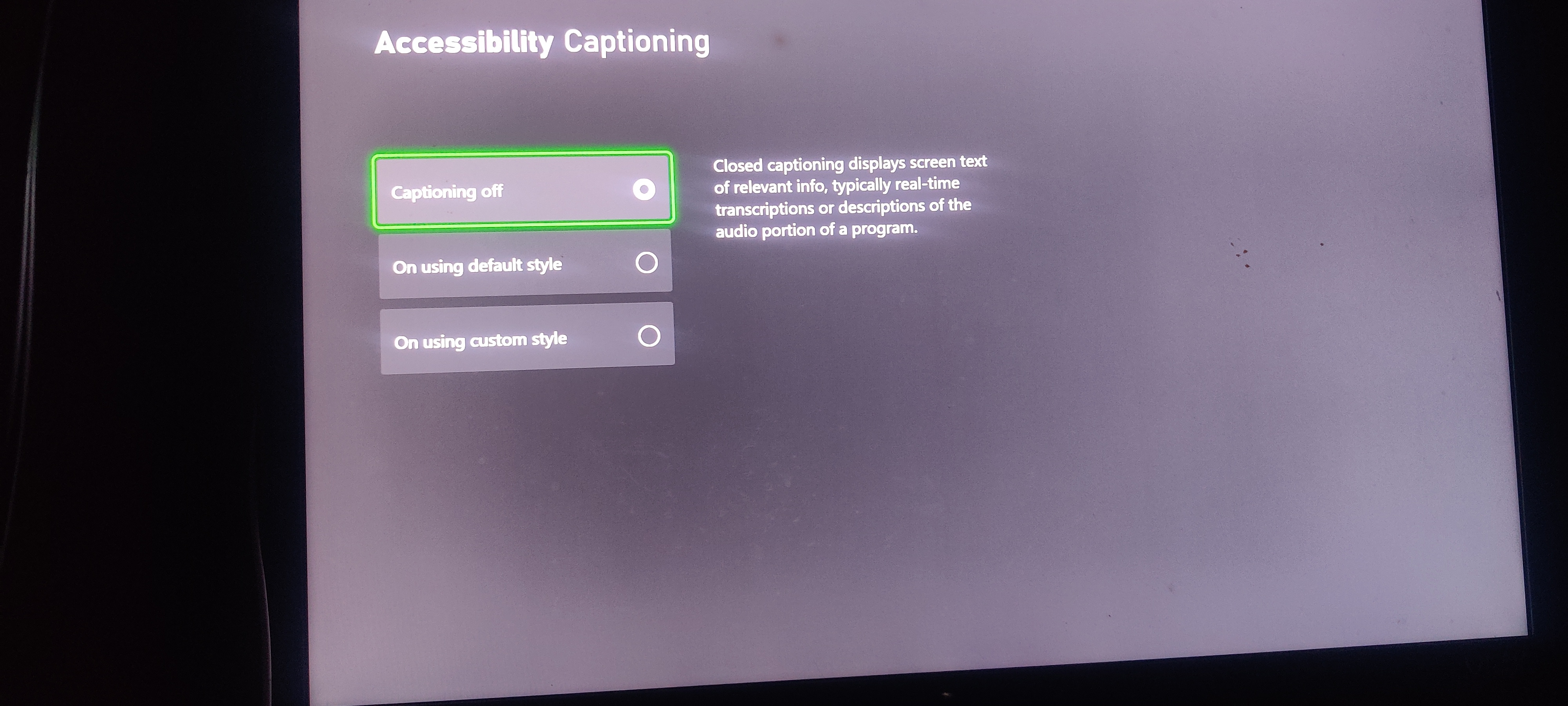
Here ya go @softworkz Great, thanks! So it appears that the Xbox handles this a bit differently. And, the settings logic is combined with automatic captioning. The good side is that it can be switched off. Now I also understand which @DimitarCChad to switch it on and off to get it working: The forced defaults that I've shown above have been rolled out as a registry change as part of a Windows update. And this has most likely hit the Xbox in the same way. It wasnt visible because the automatic captioning on/off is a different settng. But actively enabling and disabling caused the style values to be removed. This was Win10 behavior and early Win11 behavior and the Xbox does it the Win10 way.1 point
-
The Reports plugin can show you the resolution, you can sort the display by column, or you can export selected columns to Excel or CSV. You can even filter the main library display views by resolution category (4k, 1080p, 720p, SD). Paul1 point
-
Here ya go @softworkz
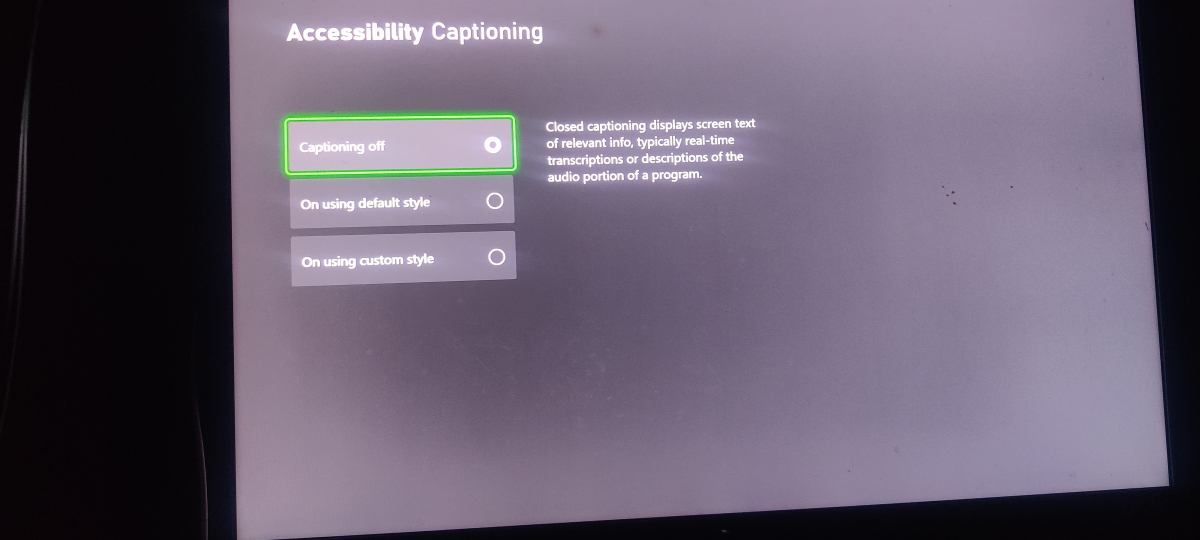 1 point
 -
I use a white or black background with a color logo. Works on either background1 point
-
Dolby Vision is owned by Dolby, you can't just support it in ways you want without paying a fee to Dolby. Sadly doesn't matter how easy it is to add support when you require a license to make it legal. Jellyfin having support for Dolby Vision transcoding is not legal as i highly doubt they pay any form of license for it, they can get away with it because they are open source, it has no real owner and any body (more or less) can add to the code. At some point they will be forced to remove it but it might return again because some one else then just adds support for it. No, there is no law against making support for plugins and if you have the knowledge to make Dolby Vision transcoding support for >YOUR< Emby server then go for it. Just know that it's still illegal to do so without a license.1 point
-
Xbox One Users: Please wait for the next update. Thanks. (1-2 days from our side plus unpredictable duration for store certification)1 point
-
Playback would start and then stop. I'll try to generate some new logs today. I had problems with playing music again this morning. Stand by.1 point
-
Well you can take or leave it, its your current choice. But its all about what you want to risk, its your server, your responsibility. So its all up to you, to chose what you want. But yes it would be a "nice to have". Not a "Must have feature". But again you choice to add an FF here Feature Requests - Emby Community1 point
-
Disabling might not help, because the problem is not the presence of another firewall but rather the absence of the MS firewall. The reall problem though, is that the Emby app should not fail to start due to this. It's fixed in the next version, you don't need to uninstall your firewall for testing (of course you can try disabling).1 point
-
It works well on my HTPC. Nice work! What I hate is, that App can be closed with the back key. This means I have to find the mouse to restart the App. This should be deactivated in TV mode at least. I usually never close the app on the TV (HTPC). Even on other computers I do not like this "double function" of the key. When I like to close the app I want to click "close"... So please: Give us the option to deactiavte "closing the app with back key".1 point
-
Yes, this put me on the right track. I created a new shared folder on my NAS, gave the emby internal system user access, and copied the content of the "video" and "music" folders to my new "Emby" folder. I could then create movie and music libraries on my Emby apps on my iPhone/iPad. As far as I can tell, the new Emby folder has the same access rights and properties as the old "video" and "music" shared folders on the NAS. The "video" and "music" folders were created by the "Video station" and "Audio station" packages when they were installed on the NAS. Possibly, these packages added restrictions that prevented other apps from accessing the "video" and "music" folders. However that may be, I can now use the Emby app to listen to music and watch videos. Many thanks!1 point
-
Read here:1 point
-
Try with this option under advanced in live tv.
 1 point
 -
It's wasn't H2P's idea - it was mine - he just linked to my post But yes, the concept is simple - and while it could be adopted easily into a plugin - adding the ability for multiple metadata languages/regions would be much better but as with most Feature Requests in emby, if it's only used by a small percantage of users - it highly unlikely to be implemented.1 point
-
Can we PLEASE see some kind of option to increase the number of "Latest Media" we are able to have in lineup? Most days I add 30+ new films to my server and my kids end up missing alot of them when they're looking for new stuff to watch. At their age, if it's not on the main screen, they're not going to dig into 3000+ movies to find them. Thanks!1 point
-
The 172.20.x.y is RFC1918 private address space that is not your LAN (192.168.86.x) - suggesting you have 'something else' inbetween your PC and the WAN destination. Could be a dmz, could be a reverse proxy, could be CGNAT, could be a FW, could be a WAF... - but the odd thing is the TCP packet request is getting a valid response. If you are aware of what the 172.20.10.2 is - then for the moment, you need to remove it for testing. If emby then works - then you know that is causing the issues. The SourceAddress can of course be whatever you like (if you used a VPN for example, that would be source) but something 'in the routing/config' here is causing you 'reset' issues - I do not believe this is being caused by Emby itself as a LAN probe works.1 point
-
I had the same problem where a receiver of a controller plugged into the PC would cause this weird behavior on FireFox, even when the controller was not turned on. You can fix this by going to about:config and disable the dom.gamepad.enabled setting. Hope this still helps someone!1 point
-
Nice work. I'll have to load this project and take a look. Some clients don't have the ability to accept messages. But, it sound like the clients you tested should accept them, so the code probabaly needs to be updated.1 point
-
Well I must say. I'm paying monthly and I'm strongly reconsidering. The time since the last update is truly bizarre, especially since I've seen plenty of people having issues and asking for an update. Issues I'm encountering are just waved away with "it is what it is". If this were an opensource free program I wouldn't mind since you need to manage expectations but this is a product we're paying for. And at the moment I'm not sure why. Hope @Lukecan shed some light on this situation and give some concrete information1 point
-
Hi @chef - I had a quick look on Git and believe this is just using the same Emby messaging API we used for the IntroSkip Plugin yes ? A couple of things that would make it really useful is a time on screen option (ie, no need to acknowledge) and a message 'date/time to live' function. ie if outside it's TTL - then the message is not delivered, it's just deleted. This would be useful for system maintenance etc - no point displaying it to users if it's already been completed. It may also be an idea to append the date/time the message was created on the actual message ? I may have a little play when I get some time. btw - any reason this is not in the catalogue ? As it seems a very useful thing to have ..1 point
-
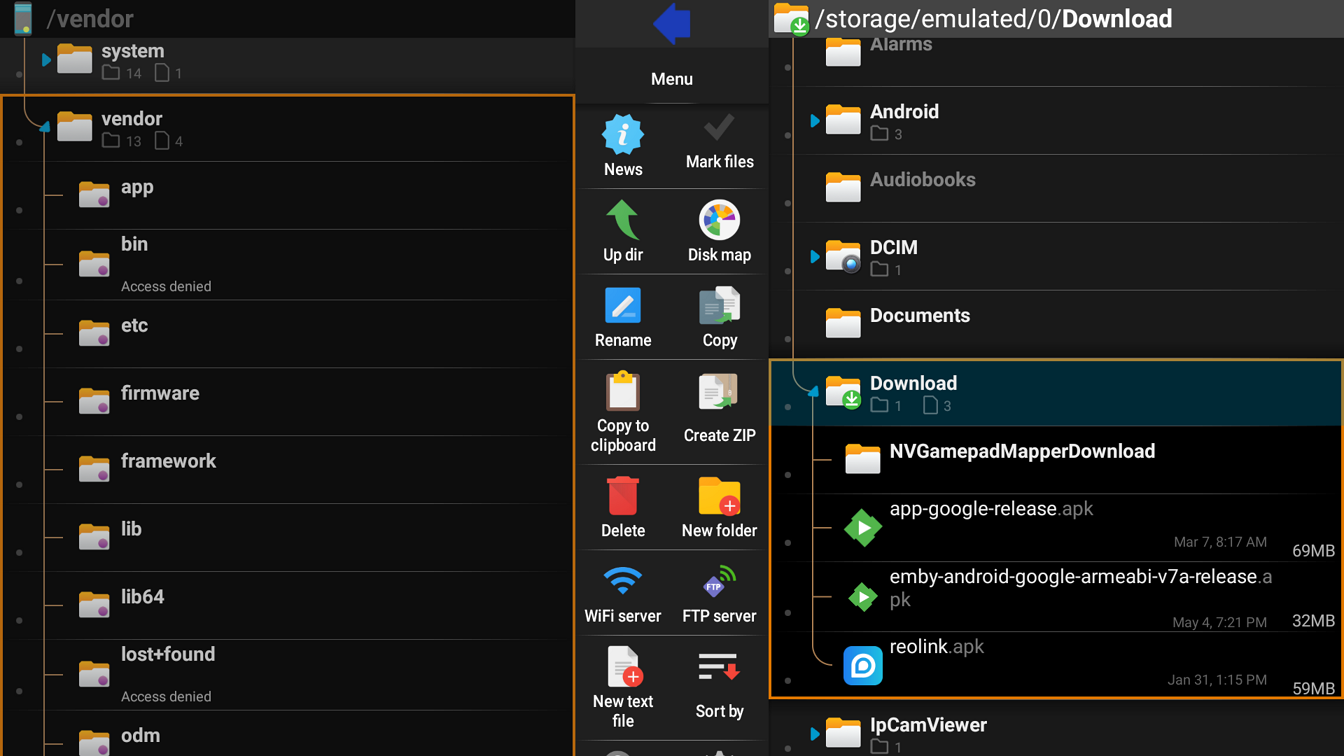
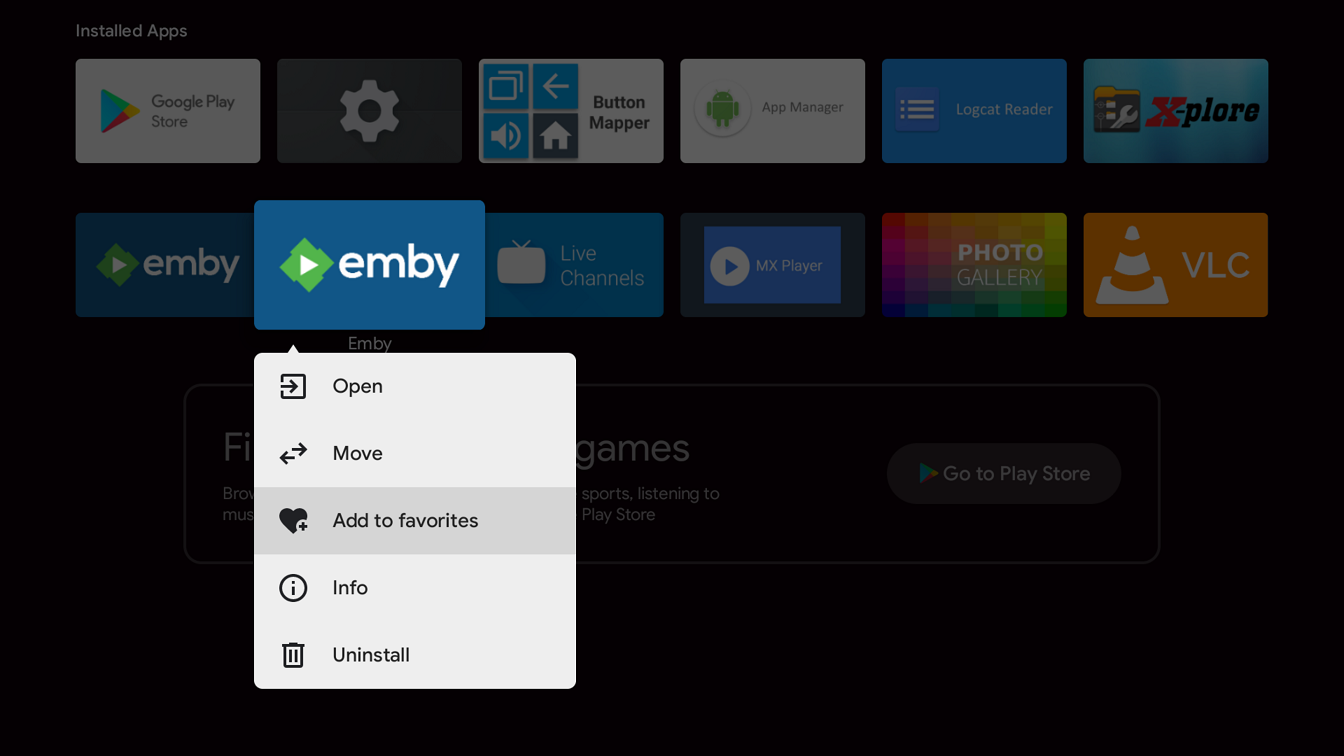
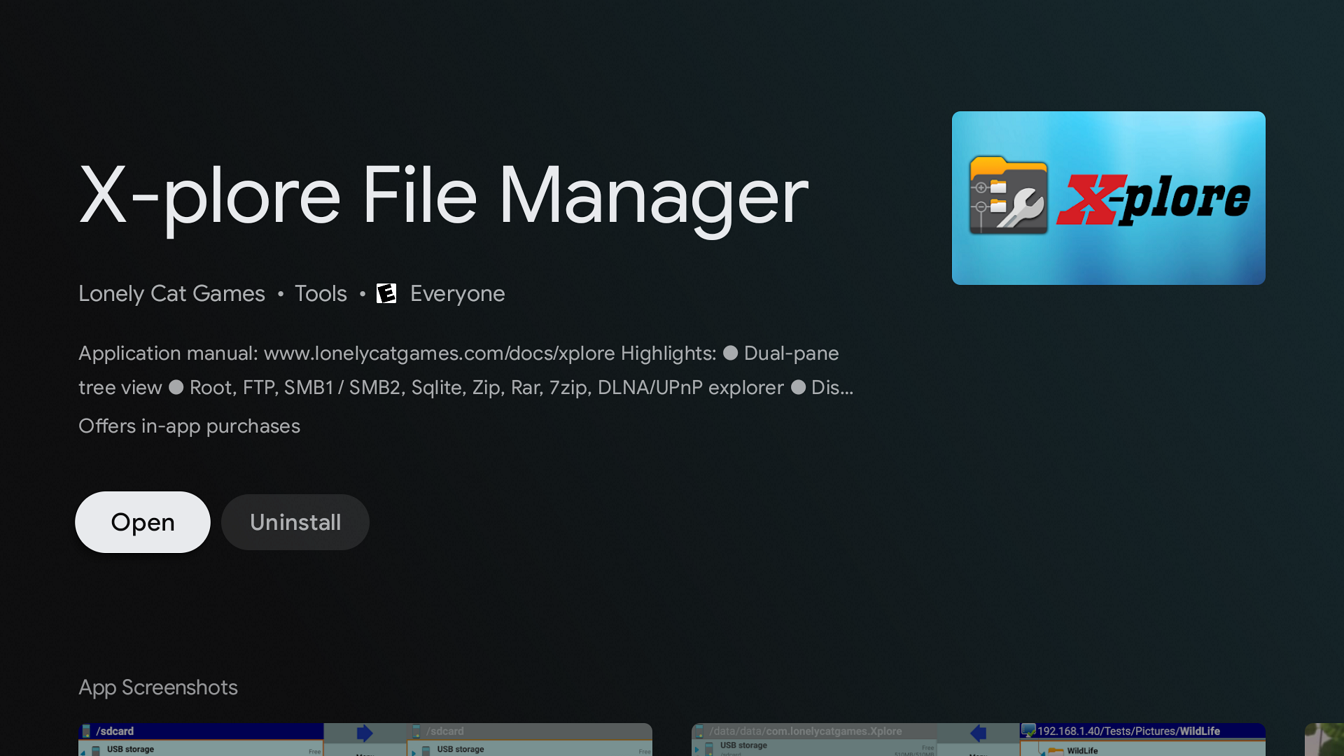
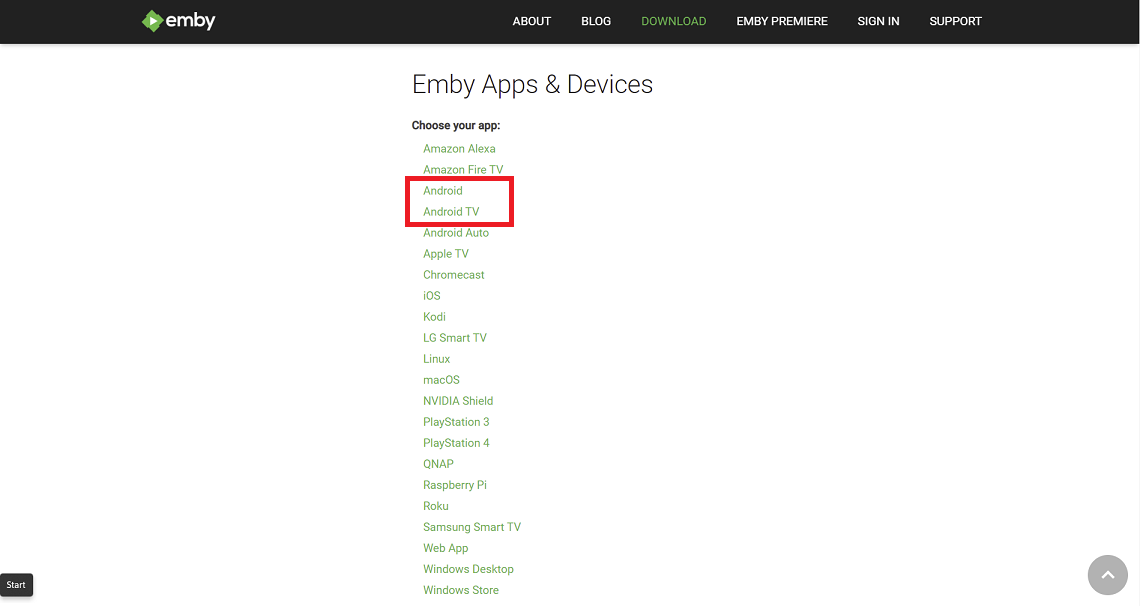
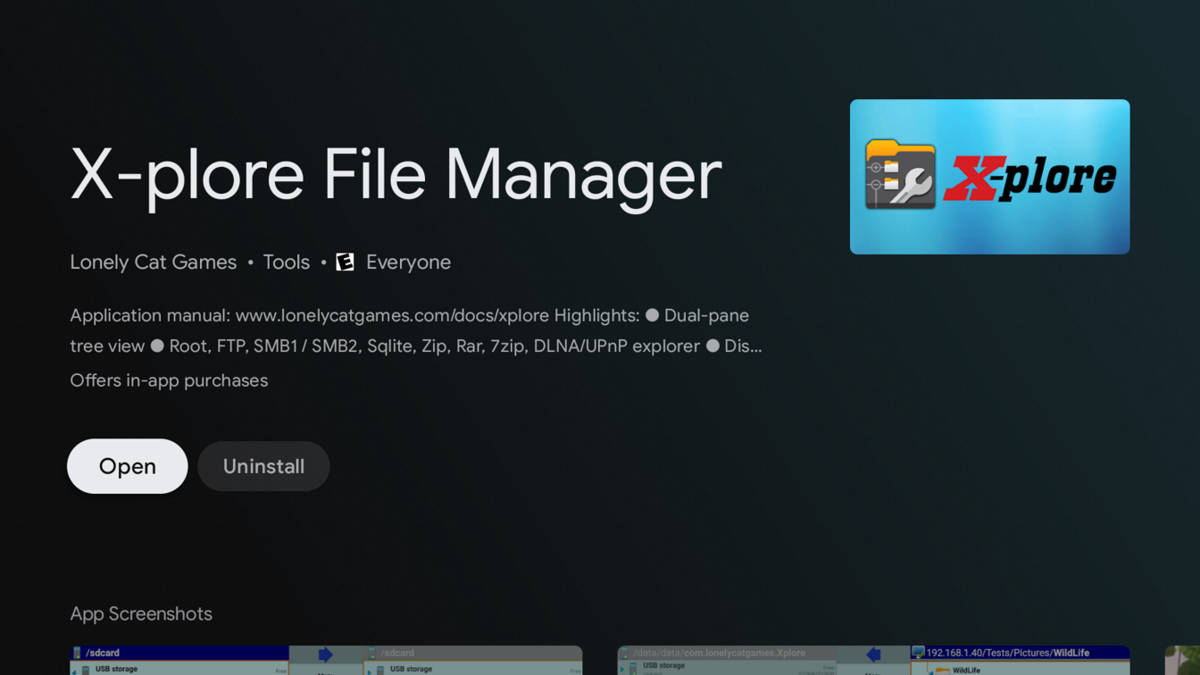
There are several methods to sideload an app on an Android TV device such as the nVidia Shield including by usb, smart phone, etc. The method described below uses smb3 from a Windows 11 client. Different Android devices and connecting clients may differ in steps The nVidia Shield uses smb3 as of SE8. If your Shield isn't upgraded to at least SE8 you should do so now. 1. Enable smb3 connections on nVidia Shield Go to Settings --- Device --- Storage Click and enable "Transfer files over local network" Note the Username and Password 2. Enable SMB3 on Windows client Windows 11 comes with smb3 already enabled. Older versions of Windows and other clients may require you to enable smb. 3. Download apk from website Both the standard Android (arm7 Shield, arm8 Shield pro) and Android TV apps work on the Shield. You can choose one or install both if you like. https://emby.media/download.html 4. Copy downloaded apk from Windows client to Shield (if you prefer to host the apk on a NAS see the second post) Start File Explorer Browse Shield by typing \\Shield (or IP address) in File Explorer (use the Username and Password from Step 1) Drag-and-drop downloaded apk from Window 11 to your folder on the Shield 5. Install X-plore File Manager on Shield start Google Play Store app search X-plore Install 6. Install Emby on Shield Start X-plore navigate to the folder where you copied the apk in Step 4 Click on the apk file Select Install and click OK 7. Add Emby to favorites on Shield Home Page (optional) navigate to Installed Apps hard press the Emby icon Select "Add to favorites"
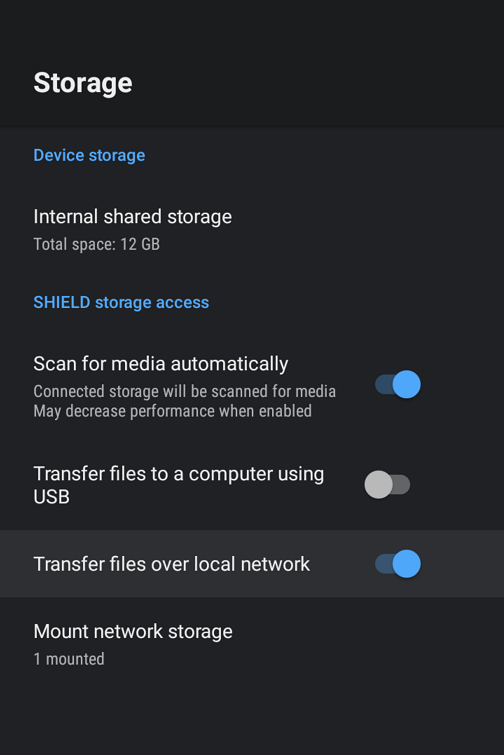
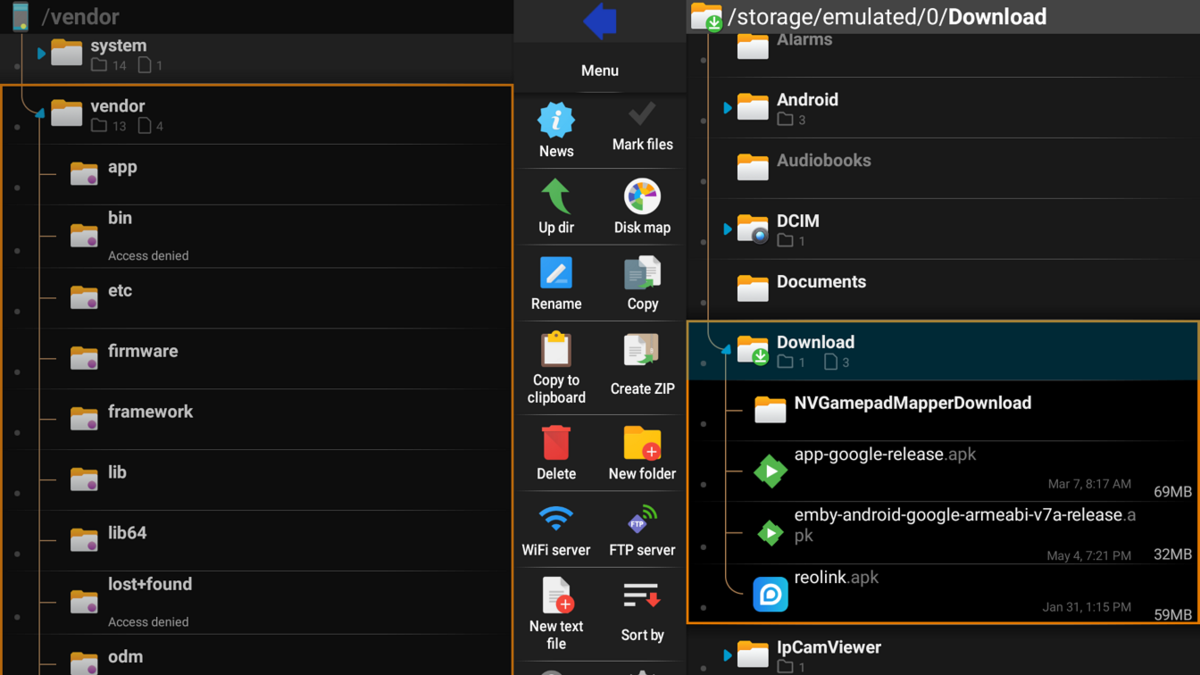
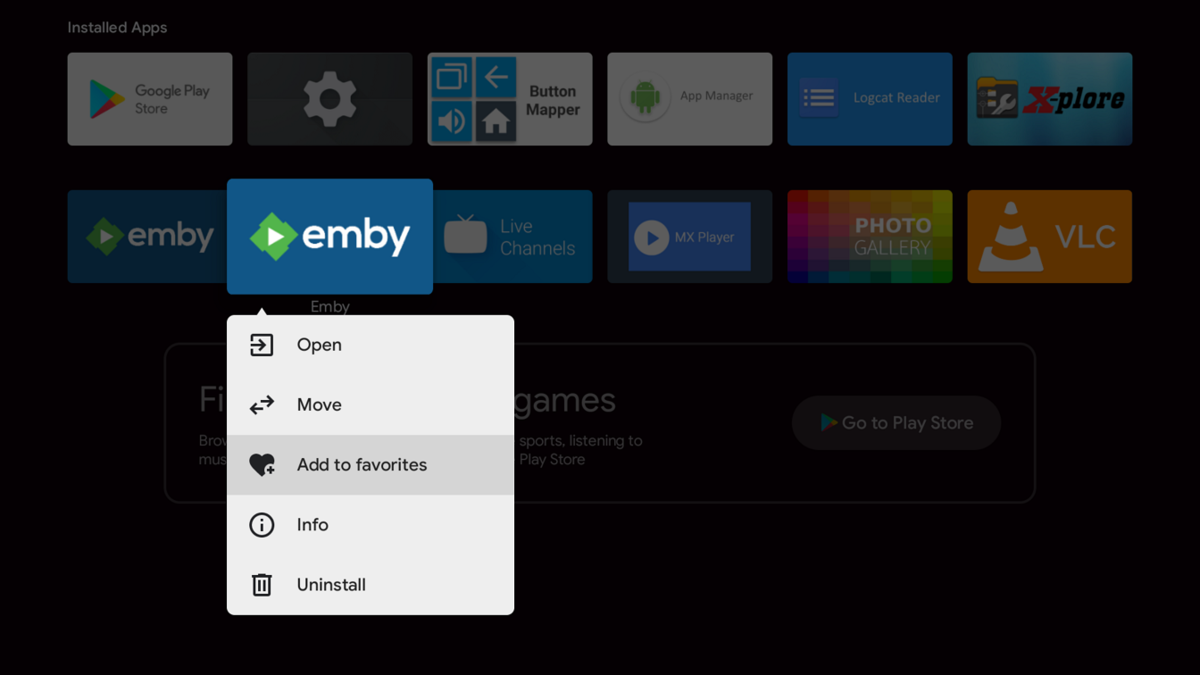

 1 point
 -
J'utilise un Nas et la plus part des connexion sont géré par les device donc le serveur ne fait que des lecture direct donc pas de soucis pour les connexion 4K0 points
-
U can add ur own files or add aemby server0 points