Leaderboard




Popular Content
Showing content with the highest reputation on 11/22/24 in Posts
-
WELCOME TO THE HISTORY OF EMBY! A lot of our users are new to Emby and we thought it would be a good idea to share some of the backstory of how Emby came to be, where we started and where we are headed. We have grown significantly since our inception. Once a humble open-source project, Emby has evolved into a sophisticated platform that allows users to organize, stream, and enjoy their media libraries with ease. In this post, we'll take a look back at the history of Emby, explore its development journey, and highlight the key milestones that have made it what it is today. The Early Days: An Open-Source Beginning Emby started its life as Media Browser, an open-source project focused on creating a simple, user-friendly interface for accessing digital media collections. Originally, Media Browser was a plugin for Windows Media Center, and its primary goal was to offer users a better way to manage and play their media files. Back then, it was a community-driven project, with developers and enthusiasts contributing code, features, and plugins to expand its capabilities. Media Browser gained a loyal following among tech-savvy users who appreciated its customizable nature and flexibility. The Shift to Emby and the Rise of the Media Server In 2014, Media Browser underwent a major rebranding and evolved into what we now know as Emby. This change wasn’t just about a new name—it marked a shift in focus from a media center add-on to a full-fledged media server solution. Emby’s developers wanted to create a standalone server capable of managing large media libraries, transcoding content, and streaming to multiple devices. The introduction of the Emby Server brought a range of new features: Library Management: Users could organize and manage their media files with a sleek web interface. Metadata Scraping: Automatic fetching of metadata like cover art, descriptions, and ratings. Transcoding: On-the-fly transcoding for seamless streaming to any device, regardless of format. Multi-Device Support: Streaming became possible on a variety of devices, including smartphones, smart TVs, web browsers, and gaming consoles. This new direction attracted more users who were looking for a flexible media server that could handle diverse formats and provide a unified experience across different platforms. Open Source to Closed Source: In 2018, Emby made a significant decision: it moved from being an open-source project to a proprietary, closed-source model. The change allowed the development team to maintain greater control over the codebase, improve security, and introduce features more rapidly. Key Milestones in Emby’s Development As Emby transitioned to a proprietary model, the development team pushed forward with a series of updates and improvements: Emby Premier: The introduction of a paid subscription model called Emby Premier brought exclusive features like DVR support, cloud sync, offline media, and hardware-accelerated transcoding. Emby Premier gave the development team a sustainable revenue stream to fund further development. Improved Mobile and TV Apps: Over time, Emby released a series of polished apps for mobile platforms (Android, iOS) and TV devices (Roku, Apple TV, Amazon Fire). These apps received regular updates to improve stability, user experience, and customization options. Live TV and DVR Integration: Emby expanded its offerings to include Live TV and DVR functionality, allowing users to integrate live broadcast channels, schedule recordings, and manage live content alongside their media libraries. Enhanced Transcoding and Streaming: Emby has continuously improved its transcoding capabilities to support modern formats like 4K, HDR, and Dolby Atmos. These improvements allow for a high-quality viewing experience regardless of the device being used. Security and User Management: Emby introduced advanced user management features, including user profiles, parental controls, and access restrictions. This makes it easier for families to share media without compromising on privacy or security. Emby Today: A Comprehensive Media Experience Today, Emby is a mature and feature-rich media server solution that caters to a wide range of users—from casual media consumers to serious home theater enthusiasts. It supports a broad spectrum of devices, offers robust customization options, and remains focused on providing a powerful yet easy-to-use interface. Some of Emby’s standout features today include: Unified User Interface: A sleek, modern interface that makes browsing and streaming media a joy. Customizable Libraries: Tailor your media collections with custom artwork, genres, and metadata. Cross-Platform Syncing: Keep your media in sync across multiple devices and platforms. Comprehensive Live TV Support: Access live TV, manage recordings, and watch DVR content effortlessly. Community Engagement: Emby continues to value its user base, with an active community forum, feature requests, and beta testing for new updates. The Impact of the Community and the Road Ahead Despite its shift to a closed-source model, the Emby community remains strong. Many long-time users contribute by creating plugins, themes, and offering technical support. The Emby team regularly interacts with the community, implementing feedback and adjusting features based on user needs. Looking forward, Emby is set to continue expanding its feature set while focusing on performance enhancements and cross-platform support. Emby’s development is driven by innovation and user feedback, ensuring that it remains a competitive choice in the world of media servers. Conclusion Emby’s journey from a simple open-source plugin to a leading media server solution is a testament to its adaptability and the passion of its developers. While the shift from open-source to closed-source was a turning point, Emby has continued to evolve, delivering a reliable and customizable media experience for millions of users worldwide. The history of Emby is one of growth, change, and a dedication to providing users with a comprehensive and enjoyable way to manage their digital media. View the full article4 points
-
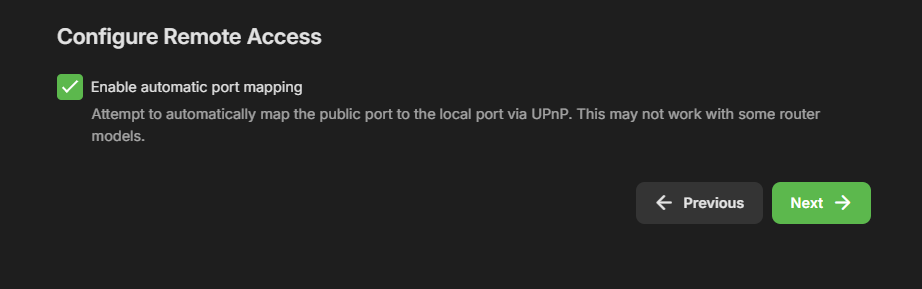
True but still believe Remote access should be an option on the installer and not just enabled by default on installation. As you have Port Mapper but not Remote access option installation.
 2 points
 -
It really cannot be implemented in a good way outside of the core Emby code. If you look at how Jellyfin implemented it (you can as it is open source) you will see why. The reason really just has to be what has been said by the team many times, it just isn't deemed important/useful enough to the general Emby user population to bubble to the top of their priority list yet.2 points
-
"The only useful function 'missing episodes' now serves is for the Admin".... Yes you finally get it... The user gets what is available and that's that!! Can the user upload new episodes?? NO!! That's a job for the admin for that server.... Yes? I just don't get all this petty bullshit for mainly UPCOMING episodes that the user has no control over... Again Admin Missing episodes pre latest seasons are again all Admin. SO what I'm saying is this feature is admin and should stay that way.2 points
-
Disregard In the Emby settings for live tv on the Fire Cube I checked DIRECT PLAY LIVE TV and it is back to normal.2 points
-
Yeah, still no joy on backups working - not worried to much as I have Veeam backing up my systems. But I would love to fix this some day... On 4.8.10.0 now...
 2 points
 -
TheTVDB now supports more alternative orders than just Aired/Absolute/DVD. Can Emby query these additional orders and add them as options? Two examples of shows I've seen this used are Re:Zero which has a "Director's Cut" display order and Money Heist which has a "Netflix" order. https://thetvdb.com/series/re-zero-starting-life-in-another-world https://thetvdb.com/series/la-casa-de-papel1 point
-
ability to be able to add a collection into another collection. ie: Spiderman Collection into a SuperHero Collection. like i could with mediabrowser with shortcuts. TIA1 point
-
It is really cool that Emby has the ability to support multiple versions of the same movie. It would be nice to have a setting on the client side to allow the user to set which version should be selected by default. This could be as simple a user-entered string, or it could be a list of detected strings to choose from. It could allow multiple entries and it would choose them in the order entered. On the Kodi side, it would also be nice to get the "Choose the Best Version for Me" option that the Emby app has.1 point
-
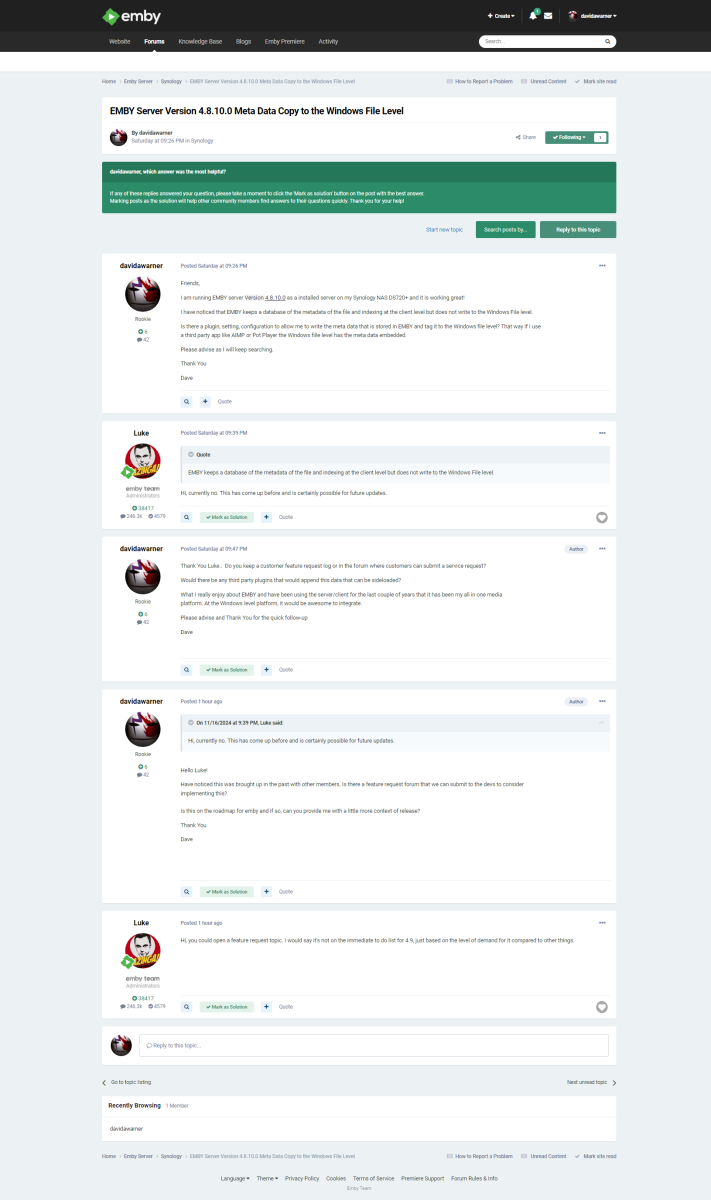
Feature Request Support, Many EMBY users have reported the need in Reddit, Emby Community and other various forums having the ability to tag / embed Meta data at the file level (Windows/Linux/Apple). Having this functionality would allow us to append the meta data from EMBY database to the logical file level so meta data / tags are consistent across all media platforms. Attached to this feature request is a discussion with Luke and his observation level of demand. Please consider this request in the future for us Emby members and potential customers. Thank You David A. Warner
 1 point
 -
Ok bad explaining from me then Ok you know if they use the app or browser then? edit: Sorry noticed later you said 2.2.31 hehe. Ill shut up then1 point
-
Thank you @Lukefor looking into this issue. I’m glad to hear it will be resolved in a future release. Looking forward to seeing the update!1 point
-
Hi, we’ll take a look at this. Thanks for reporting.1 point
-
Hi, are you referring to the Christmas movies one? If so, then it’s due to the image not being 2:3 aspect ratio. You can use any image you want, but the closer the aspect is to 2:3, the more it will fill the box.1 point
-
Thanks for the update. As I said, I didn't have the language set and when I checked it there was no way to recognize any files or titles either. Sorry for the late reply.1 point
-
I agree with this, it should be a opt in, not an opt out.1 point
-
Jep people should by now, know to disable UPnP in there routers. Its a huge security risk, when enabled. Rough software can enable access to your home / lan network. And without that enabled Emby can't open access to your home / lan network. Further more Emby askes to open ports for you during installation, as an option, as you pointed out. But stupid people, just click next on everything, not reading the text. You clearly read the text. But if your router has this turned off, emby can't. I will say NOT a emby problem... Router owner problem, secure you network.1 point
-
Hello, I have a question regarding the overlay interface while playing content, especially when playing videos from a "mixed content" library. I recall, at one point, having next and previous buttons under the progress bar, next the to play/pause button. I used this functionality as recently as this past Saturday. However, when I check now, those buttons are gone. I've tried shuffling content from either the "Movies" view or the "Folders" view, and in either case the previous and next buttons no longer appear.1 point
-
Oh, I saw it now, thanks. I went to the playback options and set it to "enabled." However, I think the "automatic" option can confuse people, as it gives the impression of being a glitch when the options suddenly disappear. I believe it would be better to limit it to "enabled" or "disabled," or at least have the default set to "enabled." Many of the people I share Emby with are older and find it difficult to understand these settings; for the most part, they only know how to browse the library for the content they want to watch. Anyway, thanks so much for your help.1 point
-
Recordings is not sufficient?1 point
-
Hi, for the backup location, yes this is what I would suggest doing. @ZACHxAxROOplease let us know if this helps. Thanks.1 point
-
I would mount the network share on your host OS level. And share that mount point with the container.1 point
-
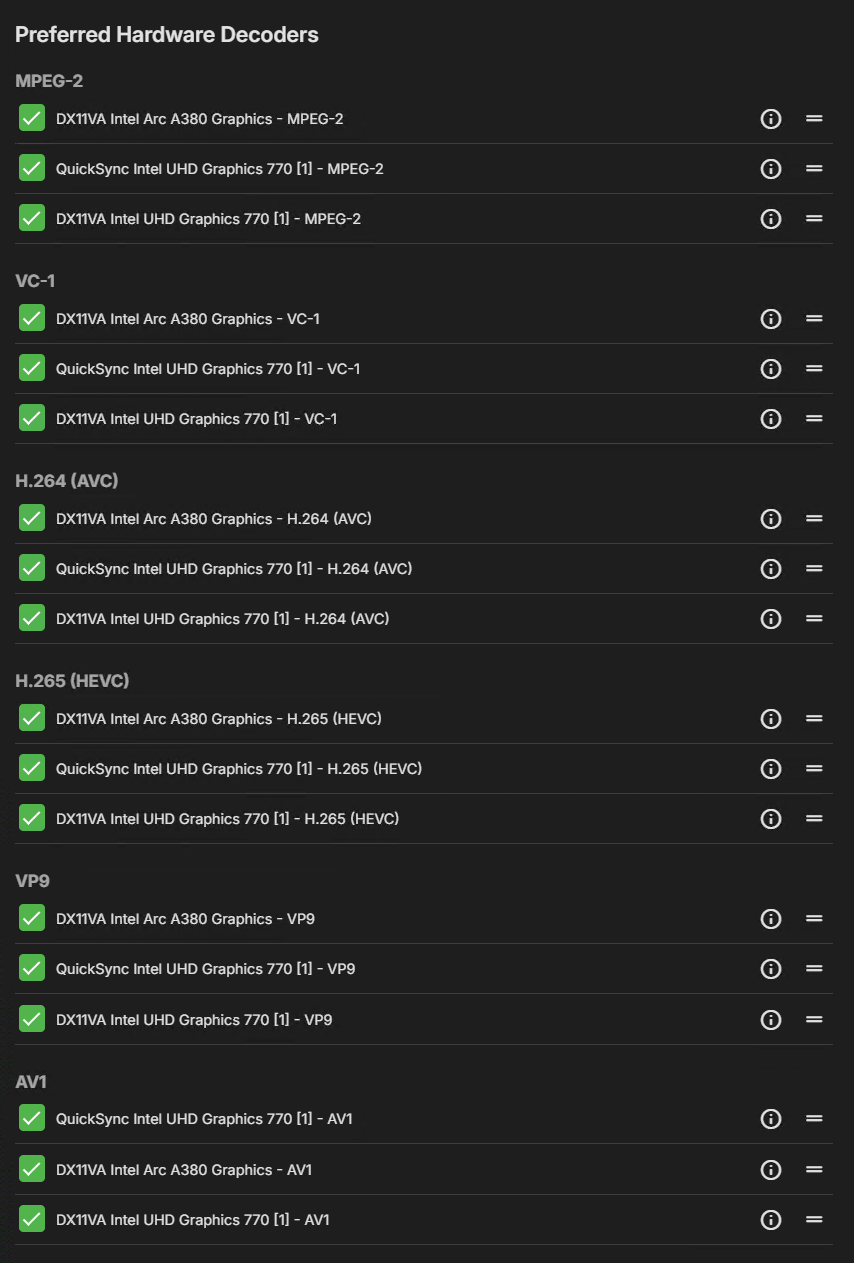
I turned my UHD 770 back on in BIOS so that I get some hardware encoders and I get my HW Tone Mapping back
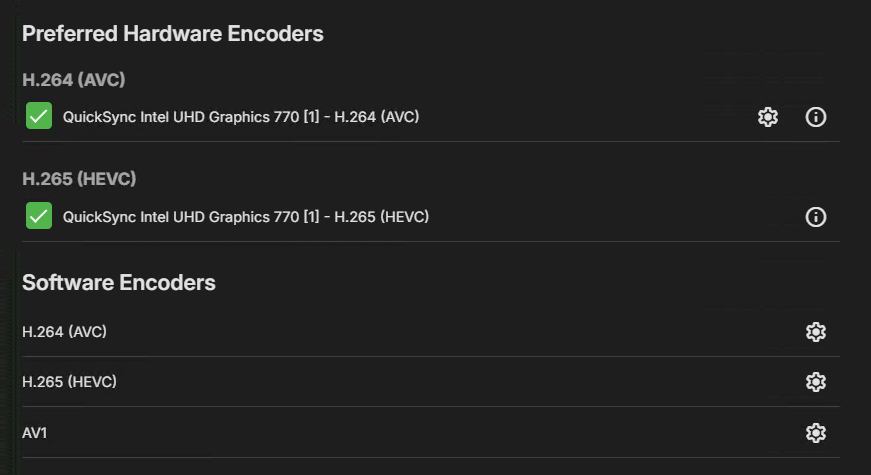
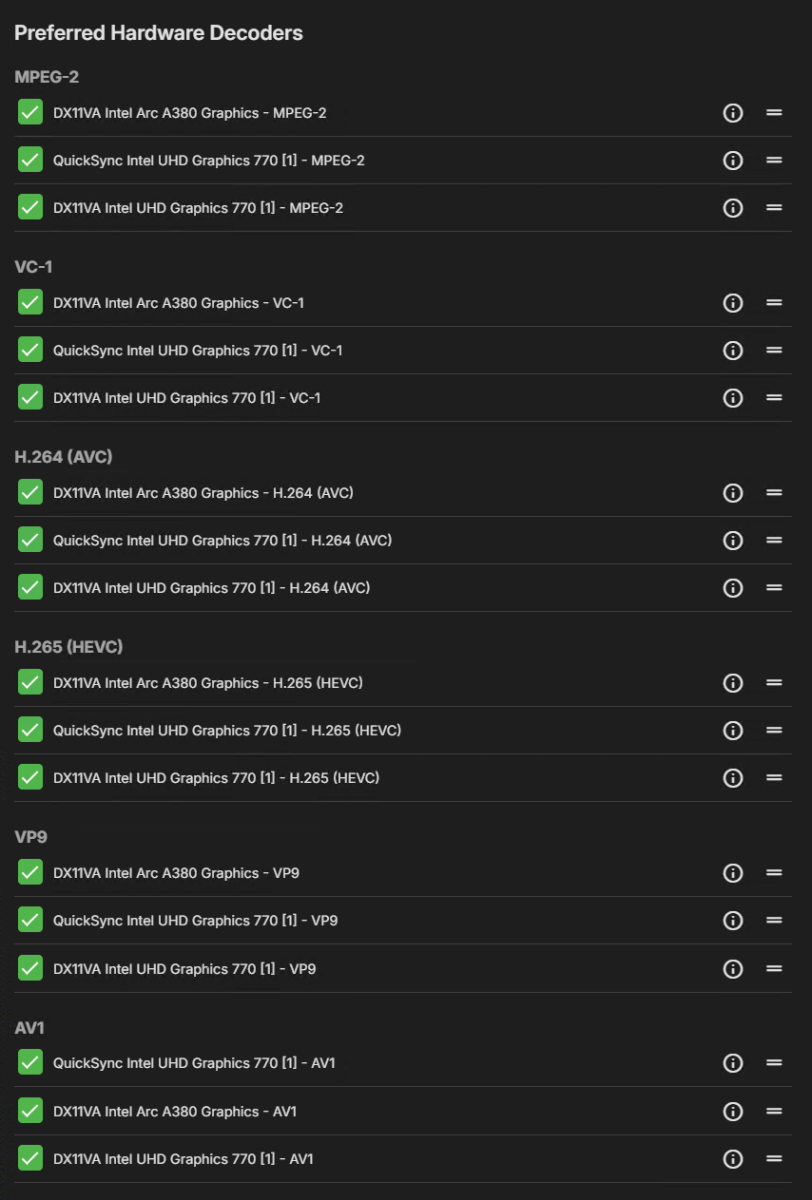
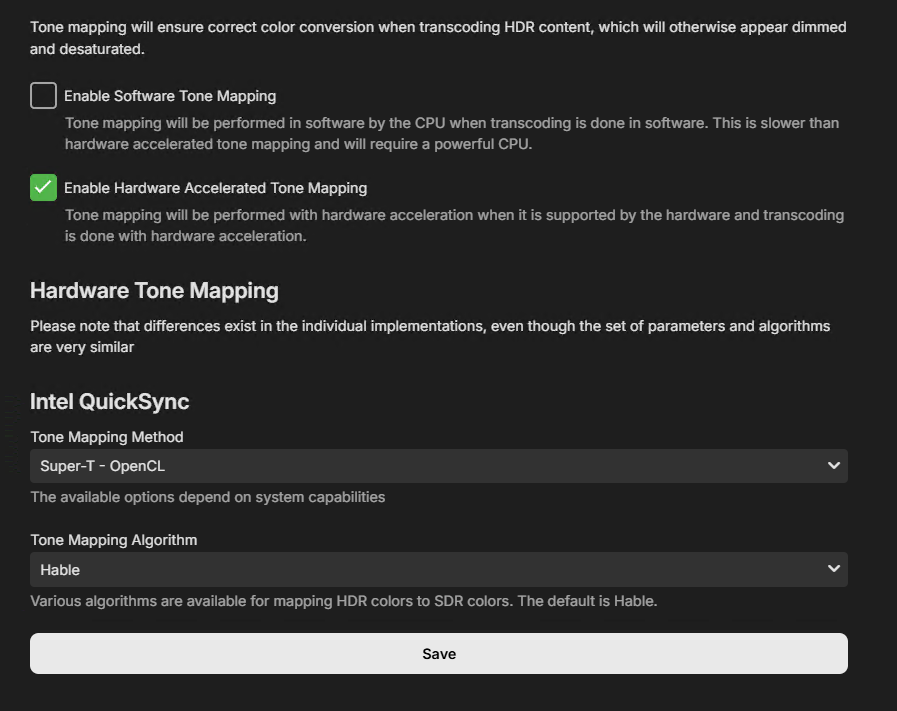 1 point
 -
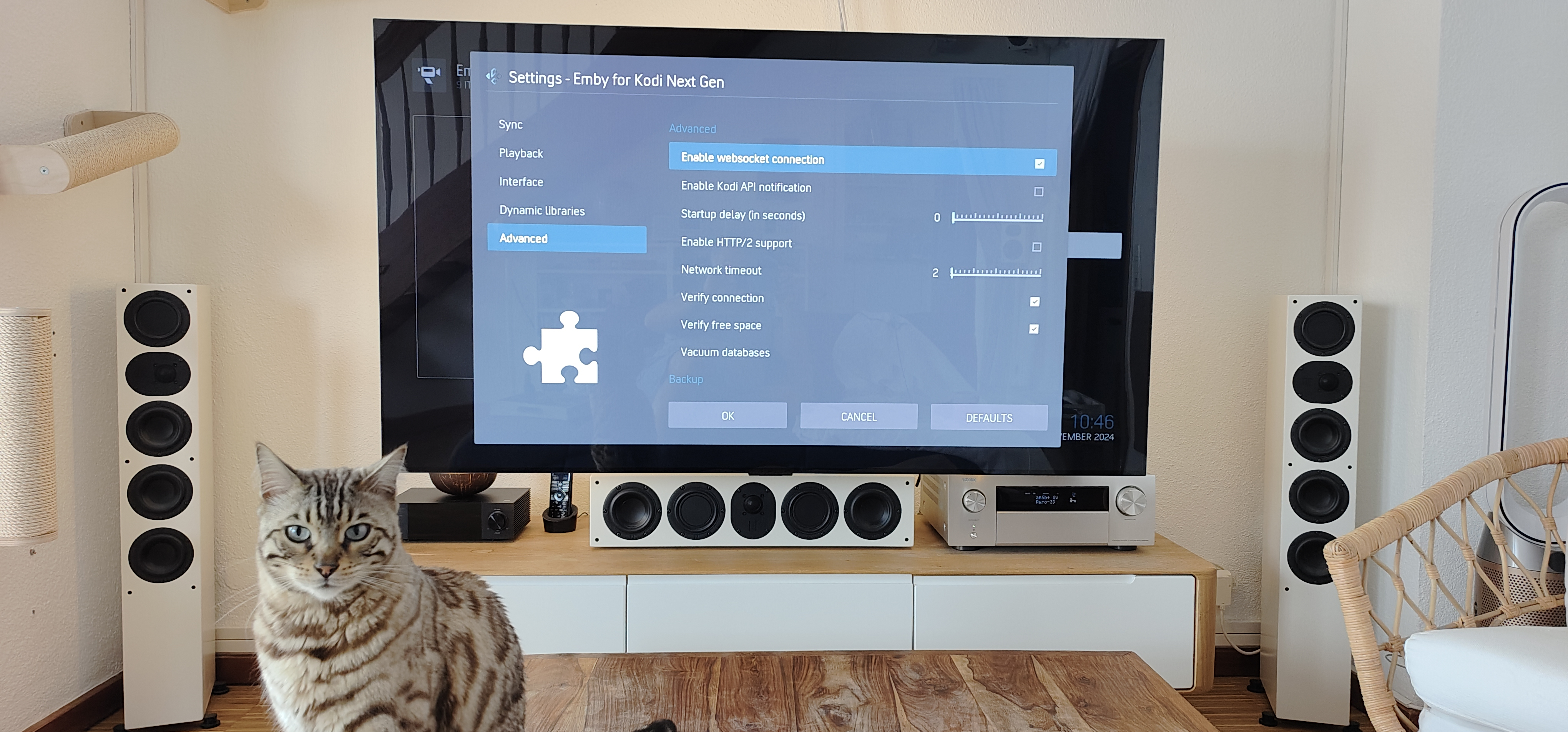
Your settings seems to be ok. There is something wrong, If it's not updating resume position while Kodi is running. Progress should be updated in seconds. I need a regular kodi.log just to check the websocket connection.1 point
-
settings seems OK? incremental sync date was 2h ago the time I turned it on. does that mean it was not syncing between? for the log. debugging on or just the standard kodi log txt ok? thanks!
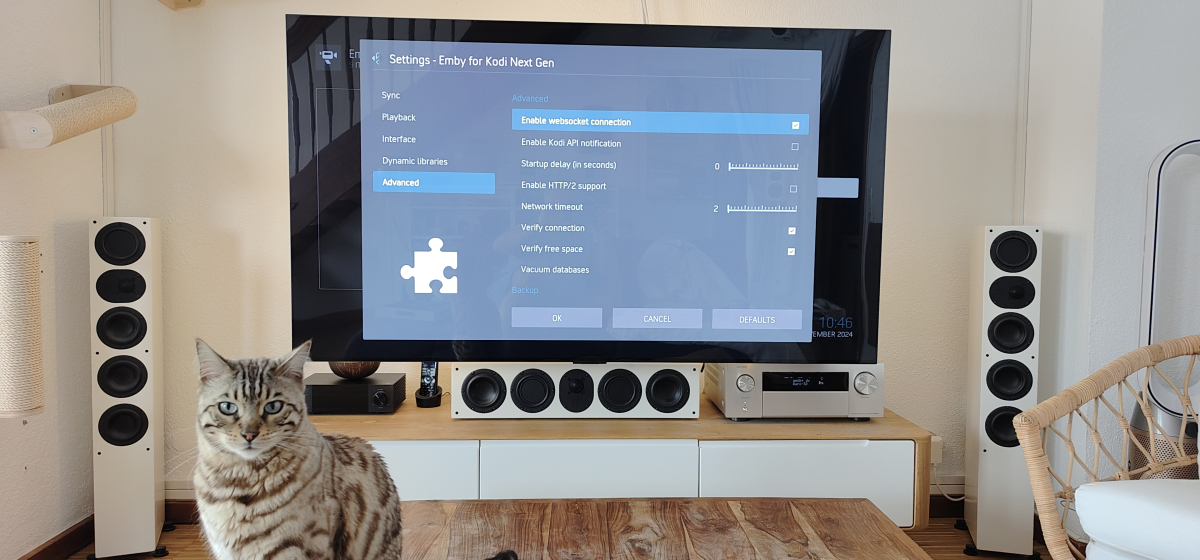 1 point
 -
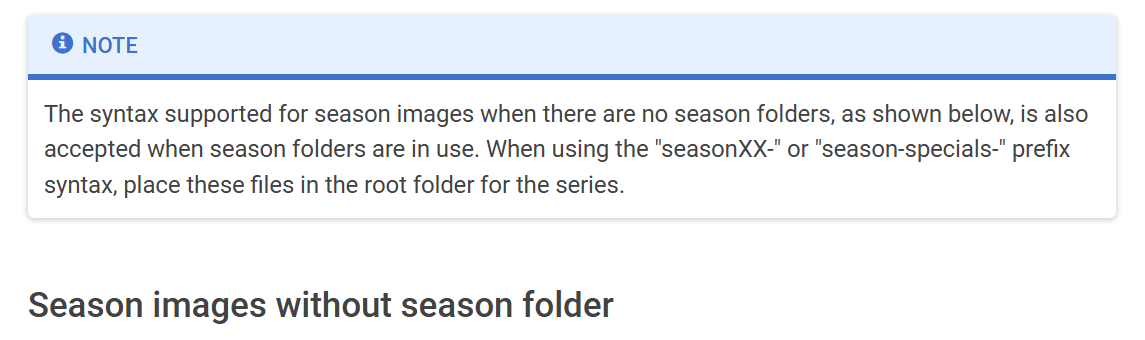
I have added the following note to the wiki article https://emby.media/support/articles/TV-Naming.html#series--season-images
 1 point
 -
I think Luke means the list of selectable orders (which suggests he's been thinking about how to implement alternate orders). The different metadata providers have different options beyond those currently available in Emby, and different shows may or may not have extra options - so the list offered by Emby should be made correspond with that offered for the show in the DB which was used to identify it, which is the first in the list. Paul1 point
-
Thank you, Just downloaded.1 point
-
Thanks for your reply and I really appreciate your work on MediaInfo. I also had an idea to write a .bat file with mkvpropedit to add track name for subtitle track with 'zh-hant' or similar language code. However I'm a rookie on .bat and not familiar with mkvpropedit so still can't make it I believe it worth a try since not only Chinese but also like Spanish, French, Portuguese all have a lot variants, letting them be detected correctly can makes the experience better.1 point
-
Yes, this function simply writes the audio track language (as a BCP47 language type) as a TAG (so you can filter/sort on it) - it doesn't change the emby record. However, what it 'could' do is edit/append the MKV Track name based off the BCP47 language type. Currently Internal Subs (track names) are not part of the MediaInfo plugin - but could easily be added. Up until this point, I've never seen the need to edit the sub track name This is an interesting idea which I'll investigate... but I cannot promise anything at this time.
 1 point
 -
Maybe I'm missing the point here - but as a 'client/user' of the system - how would I KNOW to use this function in the first place ? When I watch a show, I don't assume an episode MAY be missing and therefore manually check each time - I want to be NOTIFIED that an episode is missing - thus I know in advance. The only useful function 'missing episodes' now serves is for the Admin (and then are far better tools out there for this) or for the poor client when they realise they have missed an episode and then attempt to find out what's going on. I get the technical reasons why, but removing this basic functionality without replacing it with something that is functional (from a client perspective) was a poor decision imo.1 point
-
oh thanks OK I'm completely on standard settings and yesterday I upgraded to 11.x yes sure I send you the log in 20m thanks1 point
-
The folder did not change over years, but you are right. I will provide logs1 point
-
Hi, thanks. This is about to be a non-issue with our new windows app launching.1 point
-
New PUBLIC TESTING version available 11.1.4: Delta changelog 11.1.3 -> 11.1.4 fix emby connect fix music sync when AlbumArtist info is missing fix chapter sync issue when using older 4.8.X Emby server versions lower ping interval to 3 seconds, as proxy servers (apache) keepalive timeout is by default 5 seconds minor https connection improvements Comment: This version might become the next beta if no showstoppers are reported1 point
-
I use docker compose to run emby container. to change the 'emby' logo in the container, simply use volumes in docker compose, as follows: volumes: - player:/config - player:/cache - /path/to/custom/logo.png:/app/emby/system/dashboard-ui/modules/themes/logodark.png - /path/to/custom/logo.png:/app/emby/system/dashboard-ui/modules/themes/logowhite.png i hope this helps1 point
-
Is there any update on a fix for this? I, too, am still experiencing very low resolution trailers, some even in other languages than my settings.1 point
-
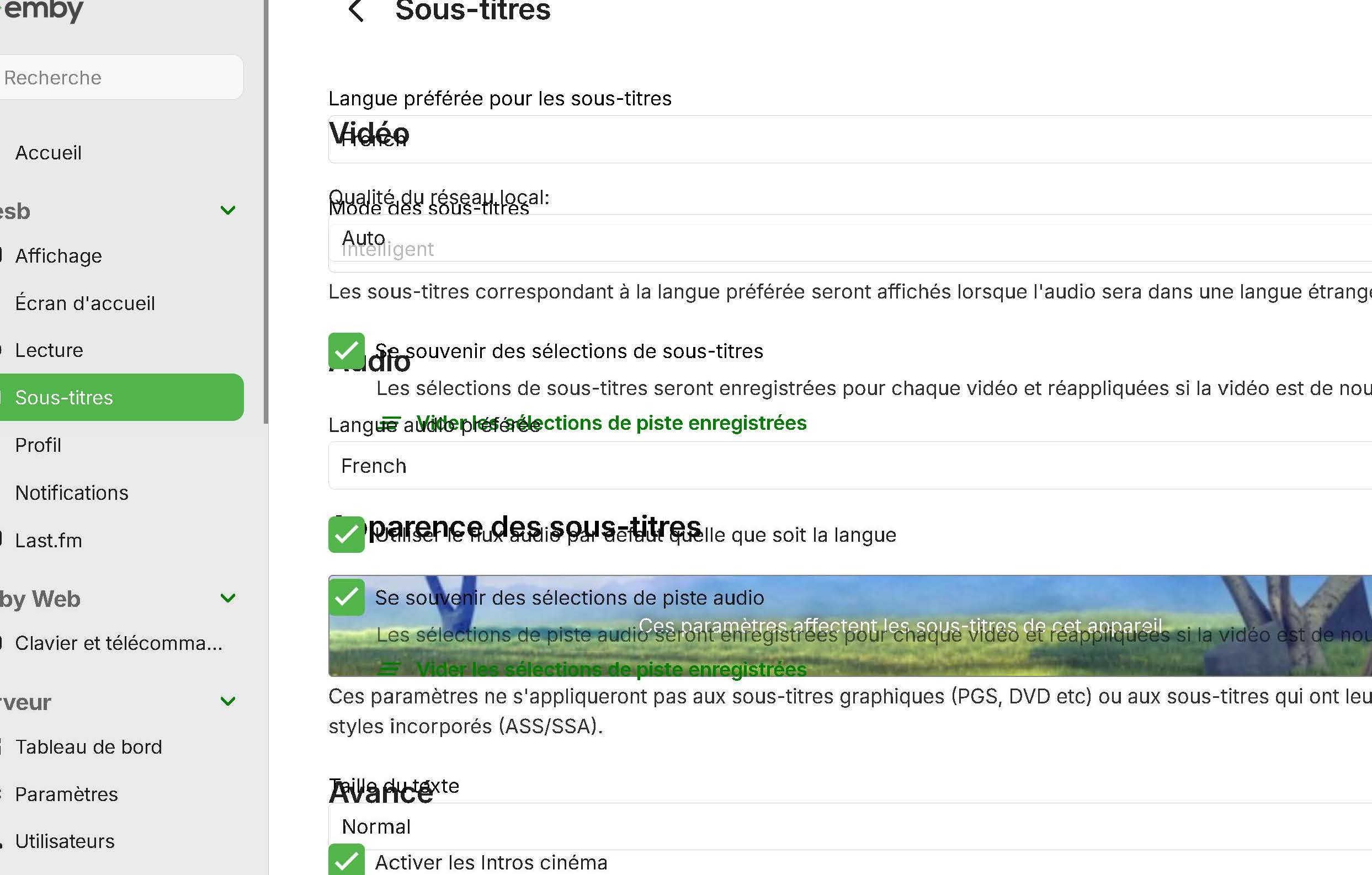
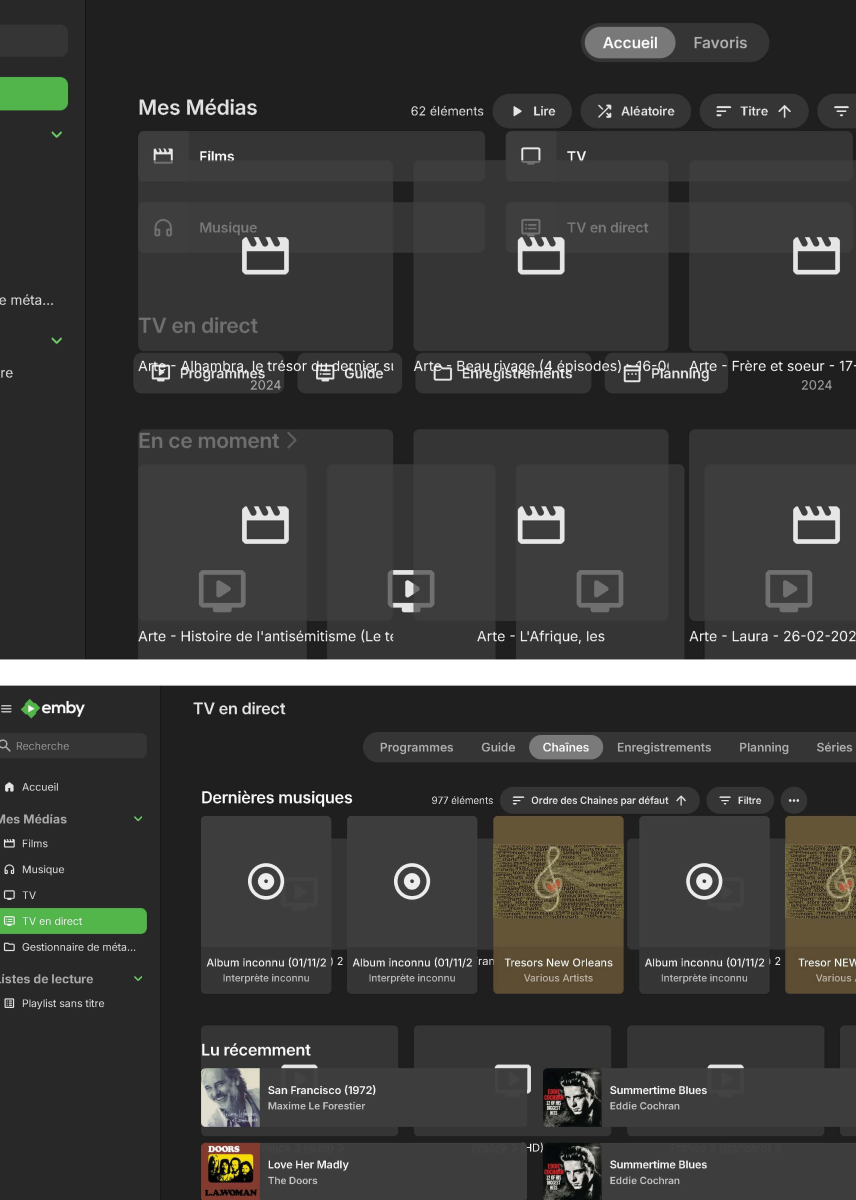
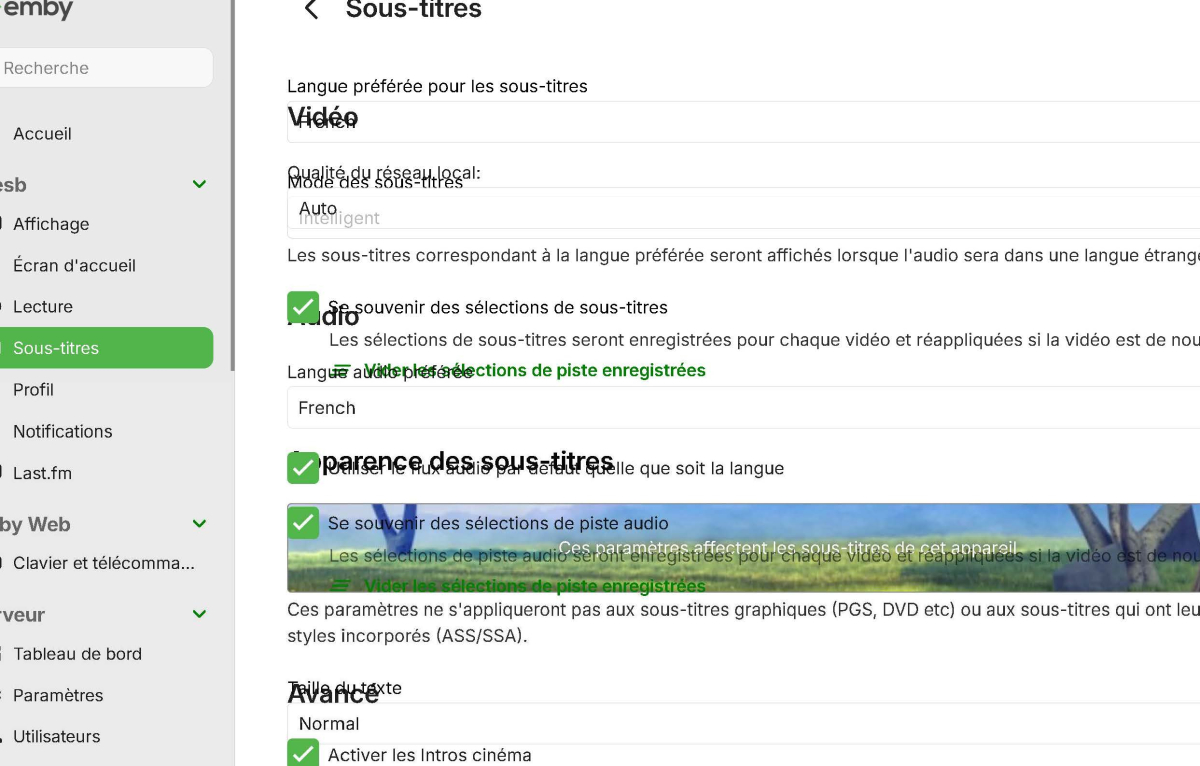
@LukeHere's a couple of images from the PDF showing the messed up overlapping; I'm wondering how Emby copes with a machine with two monitors of different sizes (I have access to one, so I can check, but not just now as it's my wife's). Paul
 1 point
 -
Try giving MediaInfo plugin a spin, see what gives:1 point
-
and one hint from me it's also running again auto update the emby docker with synology tools and 10 restarts are not enough if you have the moded version. I needed a repull and recreate via portainer1 point
-
!!Update & Solved!! So I did some digging on the OS level. The version of mediainfo and mkvpropedit were symlinks to the actual binaries where were in /bin. As soon as I changed it to /bin/mediainfo and /bin/mkvpropedit (in the GUI), it worked like a champ. For anyone using a *nix, check your paths and make sure they are not symlinked to an path!1 point
-
I have previously provided them in threads before. There are over 10 actors called Chris evans, from blockbuster to low ranking to adult x-rated. As above UK/is voice over actors are often wrong so are many anime voice over and actual Japanese/Korean etc. There are many many that are wrong, albeit the vast majority are correct. To me it would be more helpful not having to keep repeating myself and keep giving examples and just sort this out so it can be configured. If I don't have tmdb enabled on a specific library then why is it still fetching people for that library? That would make more sense to me, if it's not configured for that library so why is it fetching anything.... Nothing anywhere in the gui indicates that it still would. They all do from the catalogue. If they are off why are they still partially on? Argue all you like for an example, I have given many before., argue for adding them to tmdb, tvdb etc, but why should I? The should be off when I am not using them.1 point
-
Never heard of ExtGrp. Anyway here's a build of the m3u plugin with some support added for it that you can test out. If it works out well enough then we can publish this. Thanks. Emby.M3UTuner.zip1 point
-
it's a bit of an old post, but just wanted to enhance the list of (current) media centers that support 4K UHD ISO reproduction Infuse (no menus though) Dune HD (all new models, both realtek and amlogic) Zidoo (all new models, both realtek and amlogic) R-volution (all new models, both realtek and amlogic)) Zapitti (though this one is not really current) Oppo 203/205 with JB (or any player with Oppo/Mediatek firmware) Personally i use: Living Room (4K Samsung QN85A 65) Ugoos AM6B+ with Kodi --> It's cheap and has full Dolby Vision support (which most players can't support), Supports 3D MVC as well (wich many can't do).. such a powerful little box. Home Theater (4K+3D JVC NP5 Projector) Oppo 203 JB with Emby --> Emby (served from an Unraid docker) is only used forUI/Cataloguing purposes, the ISO is then "casted" to the Oppo when i play it from Emby. This is a real certified 4K UHD player s it offers you everything you can wish (perfect menus, perfect DV, perfect 3D... etc..) I also have Infuse, Zidoo and DuneHD (several models), which work fine but I don't really use them...1 point
-
Digging up an old thread here, but just wanted to add that the stock Emby Android app on Z9X Pro 8K running the newest firmware is flawless. All features work so far including those reported by others as not working such as Skip FF/RW Resume playback from stopping point Start playback at the start External subtitles TrueHD / TrueHD Atmos DTS-HD MA and X without lagging Ensure 3rd party app support is enabled with the emby app whitelisted for resolution / frame rate switching.1 point
-
I have a shovel you can borrow. Let me know if you need it.1 point
-
I don't have much hope for a new trailer source as the financial model for hosting then is too great. It's just a matter of time before YouTube shuts the door on 3rd party access via undocumented API loopholes too. Hosting trailers, especially high quality ones, isn't free and there needs to be incentive to do so whether that be a paid service or through ad revenue. Personally I don't want my Premier payment going towards trailers, that me though. As for local trailers, scraping them from YouTube goes against their terms of service. Using Trailarr is a grey area and might not work forever. I personally subscribe to YouTube Premium so I am morally ok with using it. If you have Sonarr and Radarr setup already, Trailarr is very straightforward. If not I suggest you do some reading or abandon the idea all together. There are plenty of resources out there for learning about that type of software but the Emby forums are not the place to discuss it.1 point
-
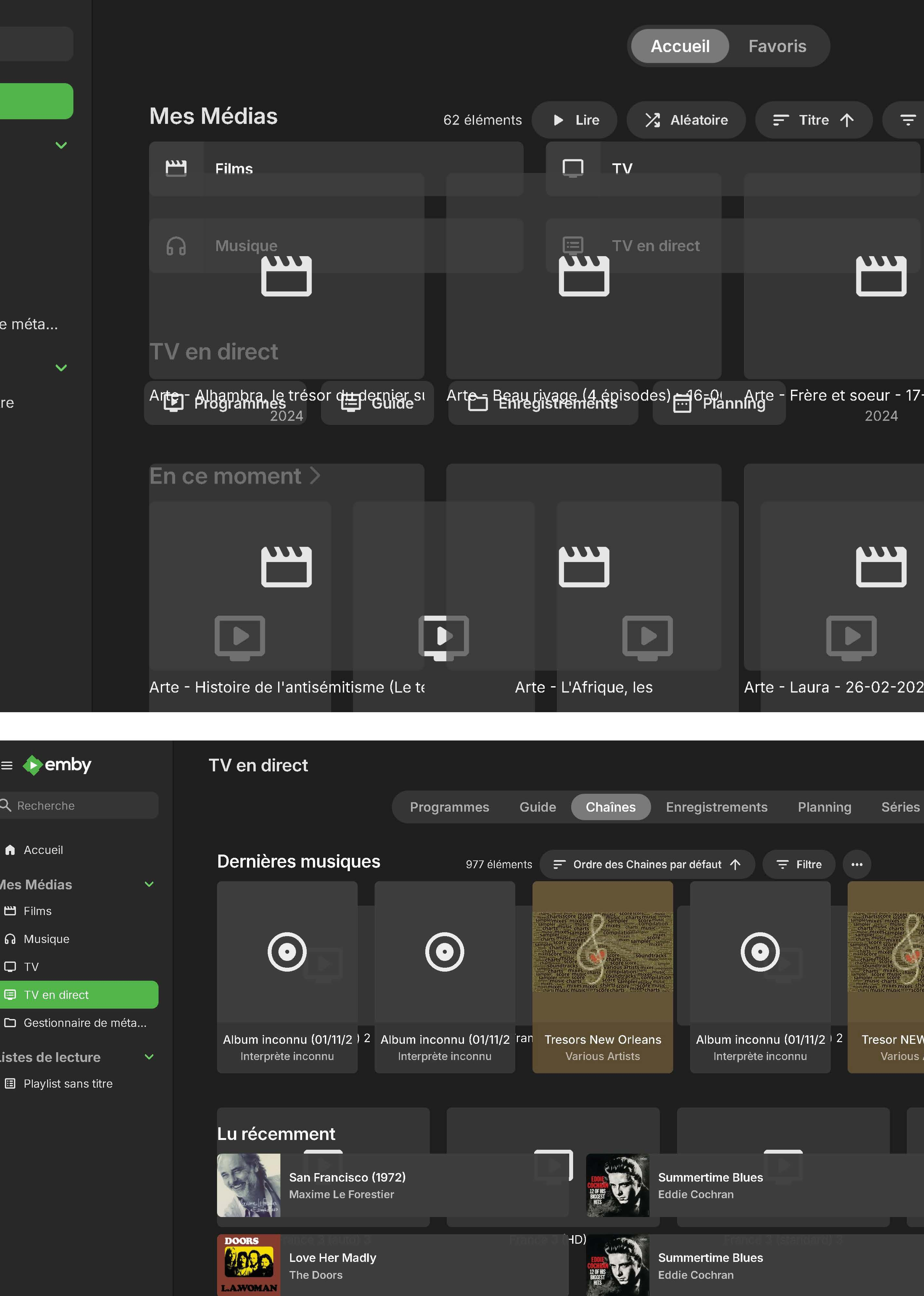
Thanks for the info. That seems like something that seems rational to the developers, but kind of confusing in the user experience, given that they are called the same thing. I only have a smallish collection of Live TV recordings. Is there a significant speed difference for large collections? (I get that I can re-order the presentation various ways in either view.)1 point
-
How do you always for a direct stream with the video file and use passthru for audio? I use my receiver for all my audio processing, which includes DTS-MASTER, TrueHD, etc...but Emby just transcodes those high end audio files regardless. Anyway to use passthru like other services/programs do so you can use your receiver for audio processing?1 point
-
I'd like to request the display of whether or not a movie is included in any collections. When you navigate to a movie's title screen, you would see any collections that the movie belongs to. The name of the collection would then be a hyperlink to that collection. If the movie is not included in any collections then none of the text in my mock-up would be shown. Here's the mock-up:1 point