Leaderboard




Popular Content
Showing content with the highest reputation on 11/19/24 in Posts
-
I was doing some more testing and I found that I was still receiving a CN mismatch if I didn't include a SAN so make sure your certificate has a SAN that matches the CN as well. openssl req -x509 -newkey rsa:2048 -sha256 -days 3650 -nodes \ -keyout nas.angelsing.local.lan.key -out nas.angelsing.local.lan.crt \ -subj "/CN=nas.angelsing.local.lan" -addext "subjectAltName=DNS:nas.angelsing.local.lan" You could also add extra SANs here, like the IP address or you can also use a wildcard - like this: -addext "subjectAltName=DNS:nas.angelsing.local.lan,DNS:*.nas.angelsing.local.lan,IP:192.168.2.191"2 points
-
I had no issue generating my own certificate and adding to trusted root store. I did confirm the invalid CA error first before I added it. depth=0 CN=nas.angelsing.local.lan verify error:num=18:self-signed certificate verify return:1 depth=0 CN=nas.angelsing.local.lan verify return:1 --- Certificate chain 0 s:CN=nas.angelsing.local.lan i:CN=nas.angelsing.local.lan a:PKEY: rsaEncryption, 2048 (bit); sigalg: RSA-SHA256 v:NotBefore: Nov 19 19:10:26 2024 GMT; NotAfter: Nov 17 19:10:26 2034 GMT --- EDIT: I also tried in Edge and I didn't do anything except add it to the trusted store I showed above, was trusted in Edge too. Don't have FF currently installed on this windows VM but it should also pull from the Windows Certificate Store.

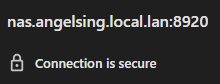
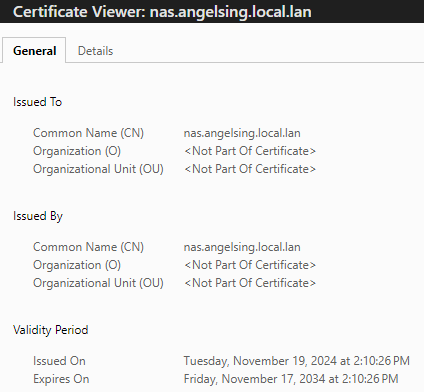
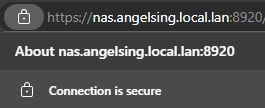 2 points
 -
What is the exact error for why it thinks the connection is not secure? IE common name doesn't match, untrusted CA, etc. Which certificate store did you install the certificate into? Did you tell it to insert automatically or manually selected the trusted root certification authorities/intermediate certification authorities? Personally I sign my own certificates using the CA that was generated as part of my oVirt installation, so they're not really "self signed" per se, they have a CA, it's just my own.2 points
-
For mobile devices, then it's fair enough - but for fixed devices on todays broadband - then the 4Mbit fixed 'Auto' setting (an oxymoron if I ever say one..) is not only giving the user a 'terrible' playback experience (in your own words) but also wasting power on the server for the transcode. Either fix the Auto so it actually works (as is the case with AndroidTV..) or simply allow you to set a DEVICE bandwidth setting and put that feature to actual use as device capabilities are clearly stored in the db... Maybe have a fixed or mobile setting - and for mobile, you cannot set the bandwidth value - keep it simple.2 points
-
Still seems to be lagging in terms of speed and appears buggy in Live TV still. Close Captions on live tv do not work correctly which I have noted multiple times in other threads. Frustrating..2 points
-
Hi, yes unfortunately they are now stuck at 1.7.0. We're trying to badger Samsung to let us push out an update for all older models. So far no response from them on that, but hopefully sooner or later we'll get one.2 points
-
Here is the latest list of versions for Emby software across the server and clients. Emby Server Stable: v4.9.5.0 (2026/05/18) Release Notes Beta: v4.10.0.14 (2026/06/04) Release Notes For other platforms, please refer to the download page. Emby for Android TV Google Devices Stable: v2.1.23 (2025/12/27) Beta: v2.1.46 (2026/04/15) Amazon Devices Stable: v2.1.23 (2025/12/27) Beta: v2.1.46 (2026/04/15) Stable Release Notes Beta Release Notes Universal Android app Stable: v3.5.16 (2026/01/26) Beta: v3.5.36 (2026/05/10) Release Notes Download the latest Beta here. Emby for Kodi See here for the latest information. Emby for Roku Stable: v4.1.63 (2026/05/04) Release Notes Beta: v4.1.64 (2026/05/13) Release Notes Emby for Windows (Windows Store for PC & Xbox One) Stable Release Notes Beta release notes Emby for Linux Beta Release Notes Emby for Samsung Smart TV (Orsay) E-series to H-series TVs only Release Notes Emby Theatre for Samsung Smart TV (Tizen) Release Notes Emby Theatre for LG Smart TV Stable: 1.0.50 (2026/01/19) Emby for iOS Stable: v2.2.53 (2026/05/16) Stable Release Notes Beta: v2.2.52 (2025/04/11) Beta Release Notes Emby for Apple TV Stable: v2.0.3 (2025/12/26) Announcement Beta: v2.0.6 (2026/04/11) Release Notes Emby for tvOS (Apple TV) Stable: 2.1.6 (2022/12/23) Release Notes - TBA Beta: 1.5.1 (10) (2021/03/02) Beta Release Notes Emby For MacOS Stable: 2.1.6 (2022/05/09) Details here. I will keep this post up-to-date as much as possible, but please send me a PM about anything I haven't updated, or is missing. Special thanks to @Borskfor supplying a lot of the updated information. Thanks.1 point
-
Can we get the option to change the up next and continue watching to show the tv show poster not the card (whatever it’s called)?1 point
-
SubtitleCreator is an open source NET8 console application to create subtitles either automatically after recording or manually. It has versions that run under Windows as well as Linux, RasPi, and OSX ... though I have only ever tried Windows. It can create a .SRT file, and optionally merge the video file and the SRT file into a MKV container. It can also optionally translate Spanish or French audio into English subtitles. It uses Whisper.net and ffmpeg to make the magic happen. set drive=%~d1 set folder=%~p1 set filename=%~n1 c: cd\SubtitleCreator SubtitleCreator -ffmpegpath="C:\ffmpeg\bin" -infile="%drive%%folder%%filename%.ts" -model=medium -nomerge I have mine setup to run comskip first, then SubtitleCreator. The link to the binaries and source are here. Note that based on my testing, using the medium model does a great job. However, depending upon the strength of your machine running this app, it can take quite a while to generate the subtitles. My box is several years old and by no means a supercomputer but not a boat anchor either, a recording that was 66 minutes in length took 60 minutes to generate the SRT file. SubtitleCreator.pdf1 point
-
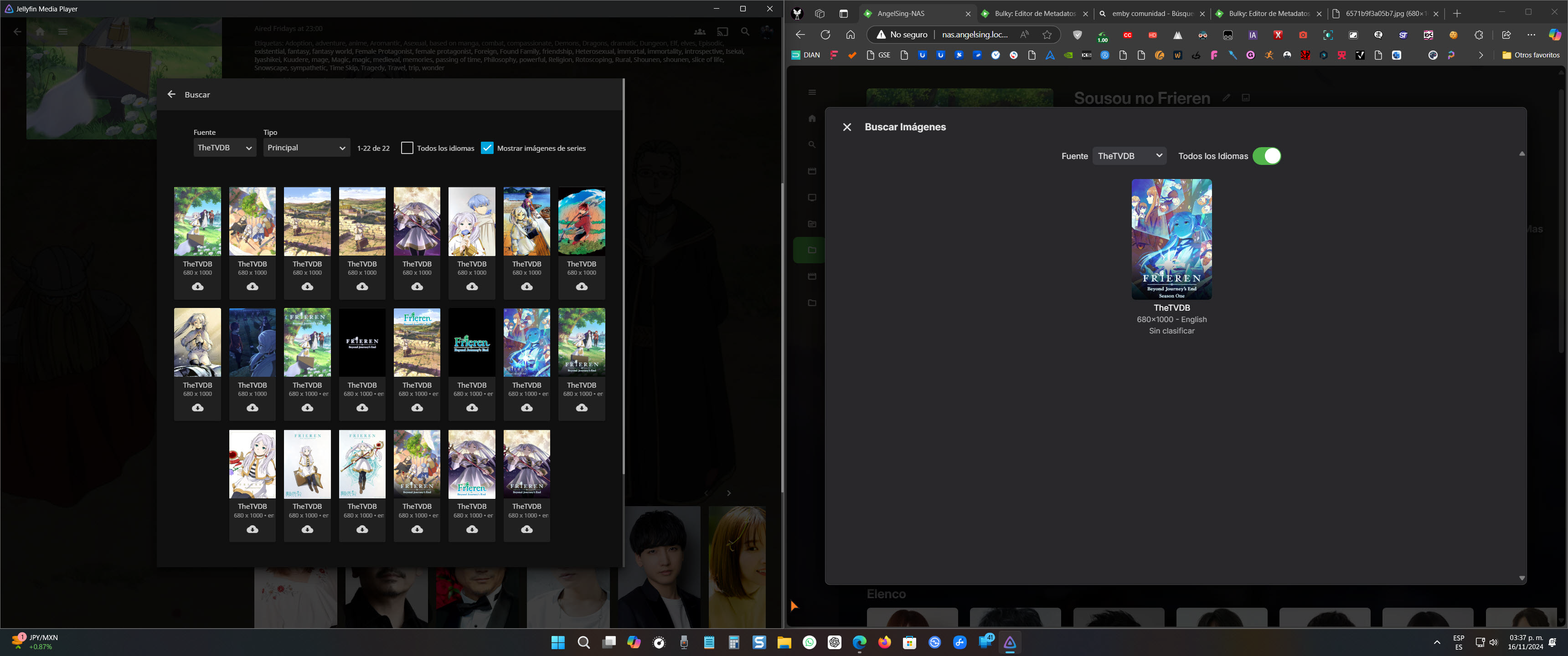
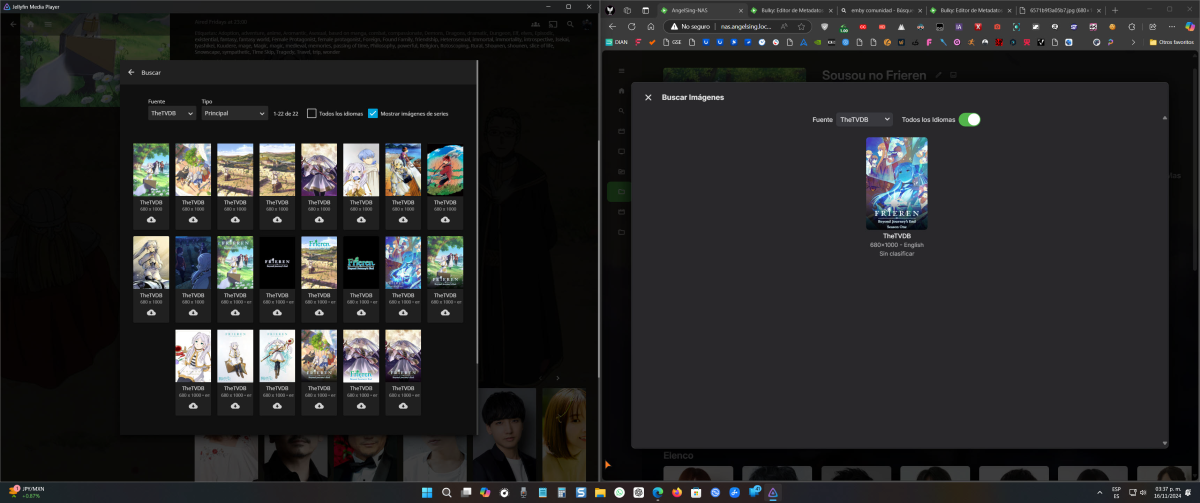
For some reason I don't understand, the image search option in Jellyfin seems to be more complete than in Emby when trying to change the cover of a movie or series. Jellyfin displays all the available images of the series hosted on the metadata site (in this case, TheTVDB), while Emby only shows the main image. It would be fantastic if this could be improved in a future update. Thank you in advance.
 1 point
 -
Glad you got it up and running! I do think it's good to use HTTPS even within your local network, the overhead is very minimal in terms of processing, but it does add some maintenance. I use a reverse proxy in front of all of my web services with a CA signed certificate so I don't need to worry about it on any devices and I don't have to give my friends any special instructions. I configured it to not care about the certificate being presented by the back end, so it can be self signed, but I could add that as an additional verification step if I wanted.1 point
-
Thank you, brother. Your guide was incredibly helpful, and now I can finally access via HTTPS securely, without any annoying messages. I’ve been trying to solve this since yesterday, and thanks to you, I managed to do it. Once again, thank you so much!
 1 point
 -
Likewise - AndroidTV or Android clients both play DV just fine from an MKV. edit - but of course AndroidTV for Emby is substantially faster, plays direct via SMB and doesn't blind me from the overly white highlights ... @Neminem I'm referring to the URL - this just applies to LG TV's as they don't support DV via MKV.1 point
-
@LessajYou beat Luke to it1 point
-
I didn't need you to do that. "QuickSync" might have been the wrong thing to say. I wanted you to run two tests for me. One is using the iGPU to decode only and the other test to encode only. I wanted to see if it was related to one but not the other. The ARC cards and drivers have some known issues that Intel has been addressing. These logs are invalid as the hardware encoding/decoder is turned off. Turn the ARC card back on in your bios. Remove the current drivers installed. Install the new drivers from https://www.intel.com/content/www/us/en/products/sku/227959/intel-arc-a380-graphics/downloads.html Go back in Emby Transcode menu looking at advanced settings. Make sure you have both hardware encoders and decoders showing up. Run one test only to view a live TV channel. Don't run it twice or quit viewing for 2 minutes. If it stops that's fine. I just want to make sure any Quits aren't done by you. Upload the logs. Carlo1 point
-
gotcha: avoid opus for now. suggestion: maybe a user-configurable "always transcode" option in the metadata for problematic direct-play media? ps: i also tested this on an android with directplay afterwards and it sounded terrible. like, it was playing in a cave. so it may be a combination of a badly made media file and bad player implementation. emby however seems to transcode it properly, so theres that. which also means theres nothing a log would help with id think1 point
-
I've started work on this. But, there will have to be some guidelines out up so users can create custom. Images that fit. I'll write it up... After I finish getting g then working.1 point
-
Looking forward to the addition of this feature!1 point
-
Thanks for covering all the network basic checks - everything appears as it should. Can you do a powershell command :- from same LAN or routed local network :- test-netconnection -computername "192.168.86.33" -informationlevel "Detailed" -Port 8096 from WAN/remote :- test-netconnection -computername "WAN IP or DNS/FQDN" -informationlevel "Detailed" -Port 80961 point
-
I apologize, it tags the channels in the URL correctly. My confusion is that it also kept the original M3U tag and so the channel has two tags now. That's not going to be a problem for me.1 point
-
That is what I sort of figured since BDInfo got the info from a mpls. 00000.mpls does not exist but targeting 00800.mpls like BDInfo used, get error or nothing with those commands.


 1 point
 -
The QuickSync MPEG2 decoder is known to have issues and should generally be avoided. Windows: The DXVA2 or D3D11VA MPEG2 decoders should be used instead (and are also preferred with the default settings) Linux: The VAAPI MPEG2 decoder should be used instead (and is also preferred with the default settings) The FireTV Cube 3rd gen can play AC4 but not the 2nd gen. You're using both Emby and Emby for Android. There's no point trying to use a browser, especially Firefox to play ATSC3.0 video. Check to make sure you have the latest drivers for the ARC 380. try transcoding live tv using CPU for mpeg decoding and see if that plays. Then try encoding using CPU but decoding in HW.1 point
-
Correct! For the sake of 1 show I don't think it's worth the effort troubleshooting unless it would be helpful to you.1 point
-
Exactly - just another strange Emby decision based on lowering possible support calls vs giving the admin/users the best possible playback experience...1 point
-
Hi, Send me a PM with the URL you're trying to configure. I'll take a look and see what the issue is. They might be doing a redirect, might need agent or referrrer headers If they gave you an XML file for guide data, send me that one also and I'll make sure they both work for you. Carlo1 point
-
@Happy2Playtry something for me. Instead of targeting the m2ts file, target the mpls file instead. I believe some of the information is in the playlist. ffprobe -i "E:\Media\Movies - nfo\Beetlejuice.Beetlejuice.2024.MULTi.COMPLETE.BLURAY\BDMV\PLAYLIST\00000.mpls" -threads 0 -v info -print_format json -show_streams -show_chapters -show_format what do you get with this one as well? ffprobe -i "E:\Media\Movies - nfo\Beetlejuice.Beetlejuice.2024.MULTi.COMPLETE.BLURAY\BDMV\PLAYLIST\00000.mpls" -show_entries stream=index,codec_type,codec_name,language -v quiet -of json this should only show language tags if present ffprobe -i "E:\Media\Movies - nfo\Beetlejuice.Beetlejuice.2024.MULTi.COMPLETE.BLURAY\BDMV\PLAYLIST\00000.mpls" -show_entries stream_tags=language -v quiet -of csv=p=01 point
-
But running a test it would appear that ffprobe can not read any of the information like BDInfo does. So there is no way for Emby to currently know this information. ffprobe for a BDMV And BDInfo As it looks like this info only resides in the playlist not the actual mediainfo.1 point
-
Do you have TV Everywhere setup in Channels? The number of channels available through TVE is much smaller than your typical sat or cable channel list. A few companies own probably 90% of the national channels. They are all building their own streaming services or already have them which isn't good for TVE long term. Instead of renewing broadcast rights to cable companies, including rights to stream some channels via TVE, I think these companies will push to drop rights to TVE as they will push to "upsell" a rights to stream live and VOD content from their streaming service. For example, if the cable company wanted rights for having streams of NBC, NBC News, NBC sports, Hallmark channels, WWE, True Crime, Today, Sky & a dozen other channels, they would push the cable company to a deal for Peacock content. ESPN, FX, A&E, Nat Geo, Freeform Disney channels, ABC are all Disney propertied with a lot of leverage. But for now, we still have TVE, and it mostly works well with a glitch here or there and losses of the big 4 (ABC, CBD, NBC, FOX) quite often. I don't think LMN is on Youtube TV but is on Philo, Hulu Live TV, Sling TV and DirecTV Stream might have it. https://thestreamable.com/channels#top-cable-channels they cover the most popular channels, but you want to check each directly. Then make sure you can use it with TVE so you can get it in Channels and Emby. You would be able to record in Channels or Emby (both actually). Depending on need, you may want to set Channels up to record and cut commercials with Emby having a library on top the Channels recording area. Channels have strong DVR functionality and the ability to bring in streams from lots of sources. Emby kills channels from a library management and client & streaming standpoint. Together they are a good partnership. Any streams in Channels can be used in Emby via M3U setup. So all the streams are viewable in Emby and you can record here as well.1 point
-
You could be right, but if that's the case the description for that setting needs changed. Because it makes no note that it will remove TV episode thumbnails or anything else for that matter other than the poster on the detail screen.1 point
-
Additional Observation: Entire seasons can be included in Collections as well as individual episodes, each appearing as a single entity in the Collection list.1 point
-
This is almost possible now and if the devs were to allow disabling the bandwidth detection it would be done. The server has a global per stream bitrate limit that can be defined by the admin. It also has a per user bitrate limit which overrides the server's global limit. Emby admins can now tell their users to manually set their playback limit to a high value then manage it from the server. But if the devs were to allow us to disable the bandwidth check (per user or device would be even better) then we could manage entirely from the server without user intervention. Disable or ignore, either would work.1 point
-
Sorry but I mistyped the command in the .sh file (cache.sh) and here below I report everything correctly and revised: - using WinSCP or Filezilla etc. create a "Nas" folder (or name of your choice) in share/CACHEDEV1_DATA - create a .sh file in the folder (which I called cache) using the nano or Vi editor with the following content and save it #!/bin/sh /bin/echo 1 > /proc/sys/vm/drop_caches using Putty in SSH mode go to the folder and type the following command to make the file executable chmod +x cache.sh then with the editor nano open crontab nano /etc/config/crontab and insert the following line at the bottom of the list 0 19-23/2 * * * /share/CACHEDEV1_DATA/Nas/cache.sh which mean that QBoost (or clear cache utility) starts every day at 19, 21 and 23 (every 2 hours) save the crontab file modified in this way and then give the following command to reload the crontab file: crontab /etc/config/crontab && /etc/init.d/crond.sh restart Hispa1 point
-
I don't want to hijack another users thread, but I suspect my issue is similar. I just upgraded my DSM from 6.2 to 7.2 and downloaded a compatible version of Emby. When I opened it, the web setup screens prompt me as if I am installing Emby the first time (select a password, etc). My goal here to restore my configuration (or most of it) from the DSM backup I took before the upgrade. NEVERMIND: I see other issues on the forum that address my issue.1 point
-
Sorry guys haven't had a chance to respond. Thank you Carlo's for the advice. I am wondering where in the log you found the disk space errors. Anyway, I checked the drive which houses the container and only 11gb remained. I moved the container to my data drive (terrabytes free striped spinning) and didn't notice a difference. Since then I've placed a buffer in front of the stream via containerized xteve and noticed haven't had complete freezes in a few hours of watching last night and this morning. I do still notice small freezes that are recovered from. And seeing the following error in the xteve log: 2024-11-18 06:54:19 [xTeVe] [ERROR] unexpected EOF () - EC: 0 My assumption is that by putting a straight buffer with no transcoding in front of emby has helped, but nothing is certain at this point. Any and all advice from the experts is always welcomed.1 point
-
Hi, When these channels are being played back on Emby Clients, are they being transcoded? It sounds like they are being transcoded and perhaps your server is borderline on speed transcoding. It's almost fast enough, but not quite so every so often the player runs out of packets just briefly and you get that stutter. Play a channel for a few minutes and make sure it does this stutter. Quick playback, go to server dashboard, Click on Logs menu. You will see the most recent logs at the top. Download any file at the top of the list with a time stamp equal or after the start of your test playback. You will have the server log and possibly a couple of files that start with ffmpeg. Upload the files here and we can take a look at them for you. Carlo1 point
-
@sa2000can review that. Thanks.1 point
-
A show like Charmed - TheTVDB.com and the remake Charmed (2018) - TheTVDB.com Always got mixed up, until I add [TvdbId=XXXXX] to them. Even with year in folder name, but that might have been a bug back then.1 point
-
This update please, please, please, the <thumb> image on CW looks bad imho. So it "is" something that was going to be implemented? Oh so it's not? Is it or isn't it ever going to happen? Is it planned at all? Any idea of a time frame considering you said it was on the agenda..... and it's been 4 yours single the original request. Considered buying lifetime but good god 120$ for that kinda of average timeframe is crazyyy lol.1 point
-
Well &*%^ ME!!!! After expanding this is what showed. Law & Order Organized Crime S00E100.disc.txt I removed the .txt and it works now. I appreciate you sticking with me!1 point
-
Try with this placeholder Media Stubs | Emby Documentation Silo S00-E100.disc Not sure if this will work for Tv Shows.1 point
-
Love this! Thank you Carlo, seems to have fixed the issue for now even if I have to enable each time I restart. More control for admins the better.1 point
-
Ok I give up. I you decide to go the Bazarr route you need to read / learn. But you will be happy in the end. Nothing comes for free, knowledge is power.1 point
-
Actually this is going to be a focal point of the 4.9 release, so you’re all in luck.1 point
-
it is absolutely possible with tvnext1 point
-
Can we at least have the option to show the rating. This would make it easier to find songs. It can be an option to turn on or off as people see fit.1 point