Leaderboard




Popular Content
Showing content with the highest reputation on 11/18/24 in Posts
-
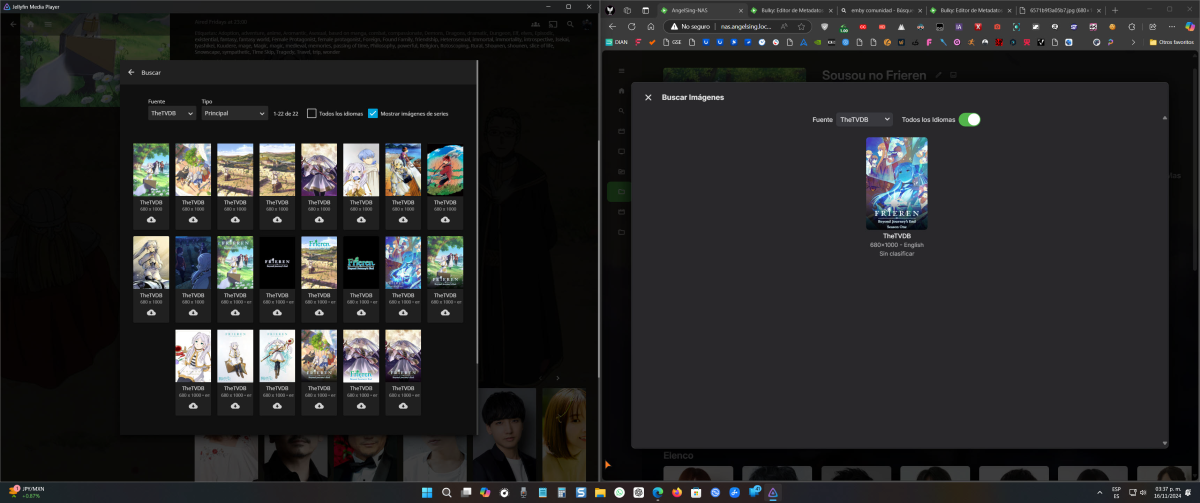
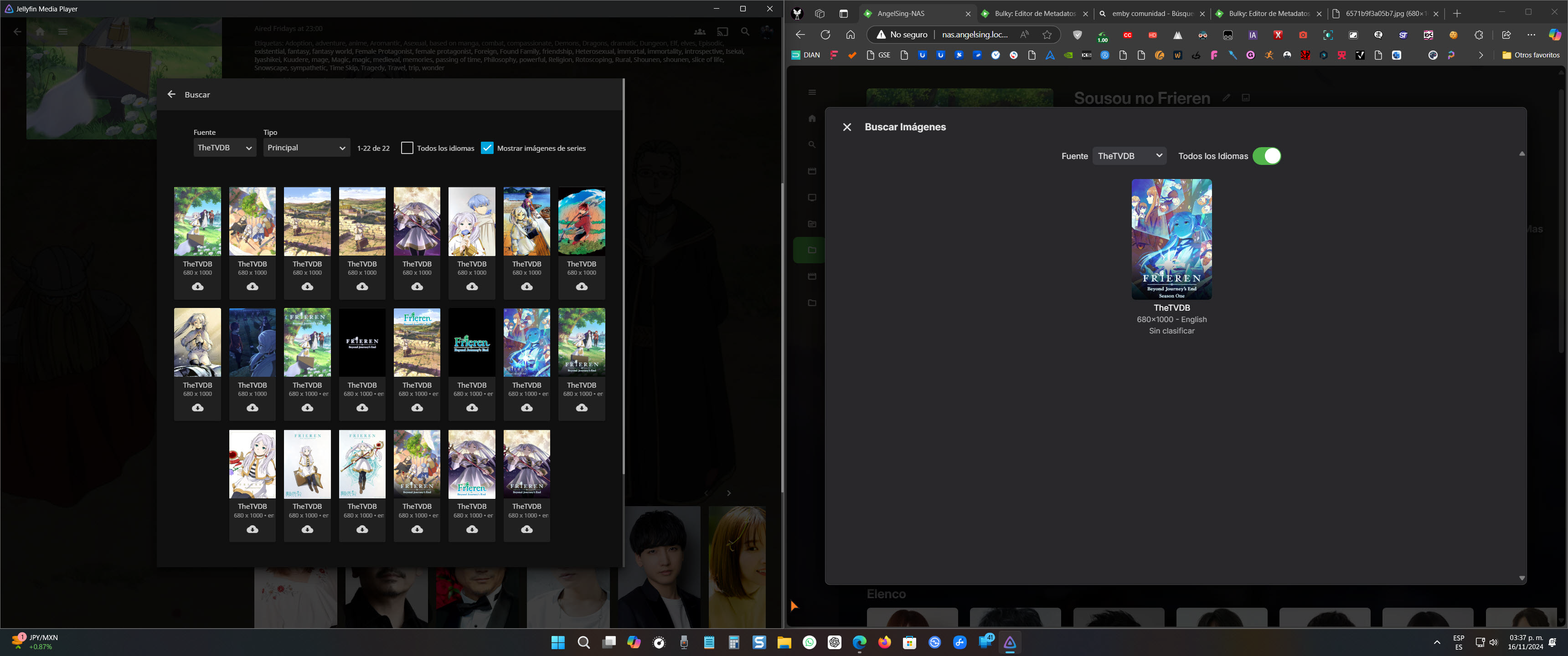
For some reason I don't understand, the image search option in Jellyfin seems to be more complete than in Emby when trying to change the cover of a movie or series. Jellyfin displays all the available images of the series hosted on the metadata site (in this case, TheTVDB), while Emby only shows the main image. It would be fantastic if this could be improved in a future update. Thank you in advance.
 2 points
 -
Guys, The ebook side of Emby/MediaBrowser has been long stalled or rather stagnated. I would like to offer up a couple of suggestions. Many people use calibre as an ebook/comic book tool for scraping data and general management of their collection already. This program is absolutely astonishing in its ability to pull metadata from post calibre scans, as well as draw in metadata from the file source and/or directory structure. http://vaemendis.net/ubooquity/ Its a self contained .jar server/reader combination. And honestly I am very impressed by it's small footprint and wide range of abilities. The other option is COPS , which was written specifically with calibre in mind. It is open source, so making it work with emby I would think would be fairly easy. https://blog.slucas.fr/projects/calibre-opds-php-server/ Ever since the original release of MediaBrowser's bookshelf I have always wanted something that would allow me to 'read' my collection, rather than being basically nothing more than a place-set for images of books I own. I am sure that those who mainly have audiobooks are thrilled with bookshelf , but it's nothing more than an extension of the music library IMHO, not new features. We can have both right? Here I give you two suggestions free of charge.. Just because I love you, and Emby Personally I plan on running the Ubooquity Server along side of Emby from now on, just because of it's massive functionality and tiny footprint. But I sure hope that someone decides -- "yeah, ebook support should be in here too" and do something about it - rather than allow this now very very ancient issue to continue to remain an issue. And so I don't have to have 20 different ports open, some with SSL support - some not, because Emby isn't delivering the 'complete package'. (Please take some of this with humor, I know you have your hands full with improvements/bugs/suggestions/requests)1 point
-
ability to be able to add a collection into another collection. ie: Spiderman Collection into a SuperHero Collection. like i could with mediabrowser with shortcuts. TIA1 point
-
Feature request for Auto Box Sets & the Emby server to show missing collection items / placeholder images for what we don't have that is part of a collection. http://emby.media/community/index.php?/topic/22732-auto-box-sets-show-missing-collection-items/ Thanks, hoping to see it worked out.1 point
-
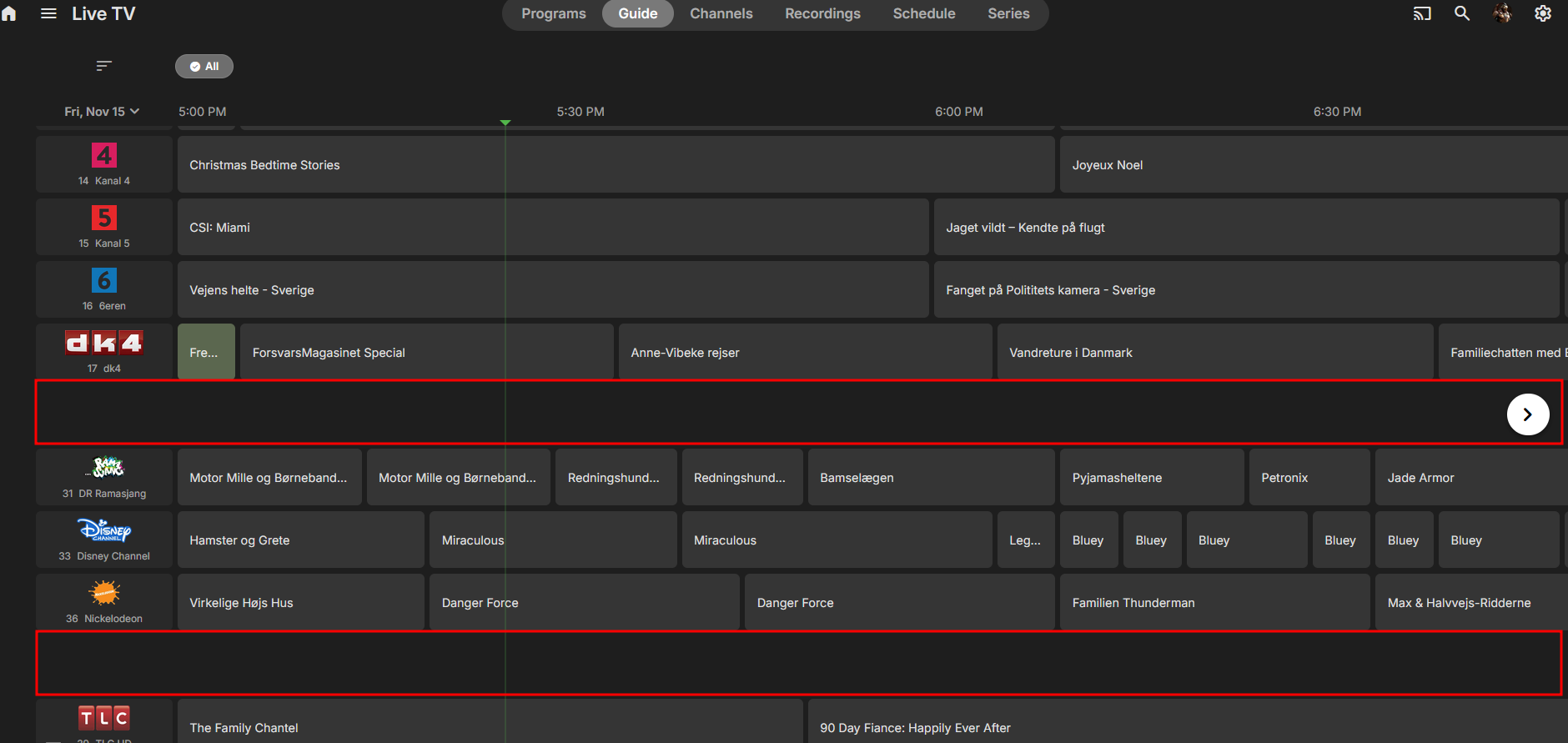
How do you turn on the seasonal themes? and does it work on Roku?1 point
-
Hi, there's already an open request for this or something functionally equivalent. Please join in and contribute to the existing discussion at:1 point
-
If Emby doesn't have permissions to the /dev/dri files it won't be able to read them no matter what the developers do. Emby should have permission to start with so might just be a user permission error made when making the docker container. Maybe it can be fixed with changing user in the docker container. This can be done by editing the Emby docker container and changing the following variables: UID which is the user ID GID which is the group ID Change them to follow what you find in TrueNAS WebUI Credentials --> "UID" column. Please note!!! I have never changed user in Emby so i don't know if it will have any impact on Emby it self like it loosing it's meta data and you having to rescan everything again. You can maybe ask someone from the developer team about that in a new thread as your problem doesn't really fit this thread. I don't see why it shouldn't have permission in the first place, unless you have specifically locked the files down.1 point
-
Hello, i'd like to suggest a way to have a greater variability on library icons, especially for libraries on the left menu side. For instance the symbols for music and audiobooks are the same. Also the symbols for "Series" and "recorded series" are the same. So, my suggestion is to use a greater variability, for instance keeping the "Headphones" for audiobooks and change to "Music Note" for music. The symbols for series could be kept but for recorded series use "radio button checked" as it looks like a record symbol. One other way would be to make it customizable at all. Of course one can use css, but this only would change the symbols in the web app and not in the windows or android app. Kind regards1 point
-
Sorry I did'nt see Carlo's answer. I try this today. Thanks.1 point
-
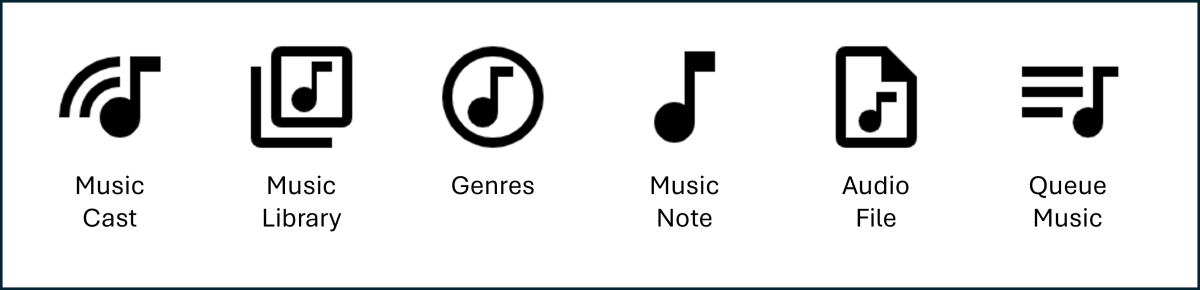
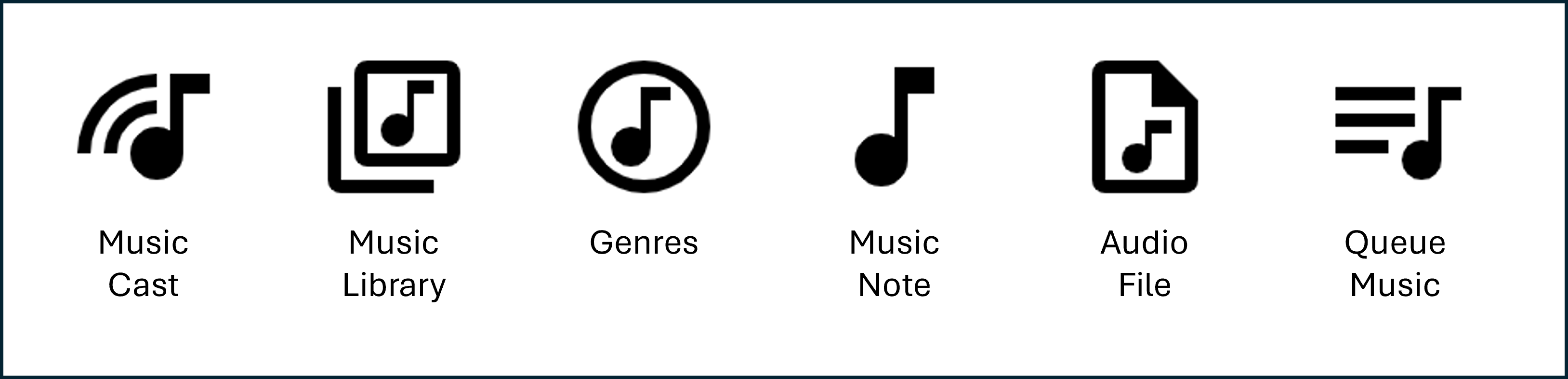
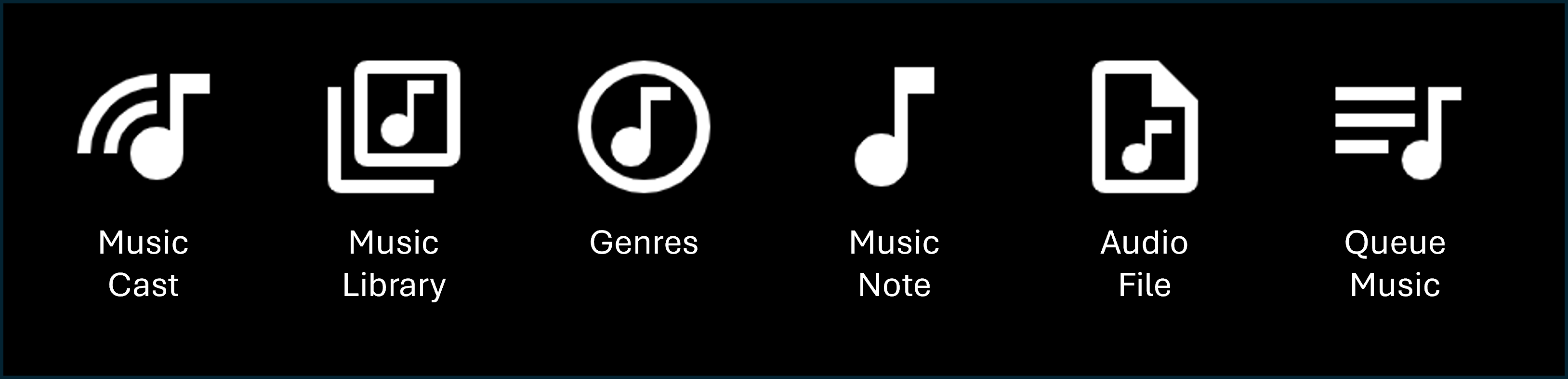
This is a good idea. I always tend to think of headphones relating to mobile music listening, rather than applying generally to all music listening. So, just thinking (IMHO)... there may be plenty of suitable "Music Note" icons to choose from in the standard set that Emby already uses, without needing photoshop? ♪♪ I think Emby get their icons from Google's Material Symbols and Icons here: https://fonts.google.com/icons If this is correct, then there are many music note icons and other audio icons to choose from, Here are a few with notes that I found: This is just a small selection. There are many more to also chose from. While I personally like "Music Library" and have already used in custom graphics elsewhere, perhaps "Music Cast" would be more distinctive because it isn't a 'square' icon. This may better differentiate Music from Audiobooks and also relate quite well to general music use with Emby? What does everyone else think? Cheers!
 1 point
 -
Thanks. I did search but it wasn't shown in the first three pages of results that came up. Would be great to see it appear one day.1 point
-
HI, yes this has come up before and is certainly possible for future updates. Thanks.1 point
-
Hi, don't you want a personal media server and not one that stores all of your information in the cloud?1 point
-
CSS Styles could adjust this info line to be visible and wrap on Emby Web. It will not work on Emby Android or other versions. .cardText { overflow: visible !important; } .cardText.cardTextCentered.cardText-first-padded.cardText-first, .cardText-first { font-size: 12px; margin: 0 0 -5px; padding: 2px 1px; white-space: -moz-pre-wrap; white-space: -o-pre-wrap; white-space: -pre-wrap; white-space: pre-wrap; }1 point
-
I know this is a very old thread, but I had this exact issue and the fix for me was - as suggested elsewhere - create a new user. On the Home Screen, "My Media" was chosen, but the Libraries under library order were not displaying. With the new user, all was as it should be. Something got misconfigured between updates and rebuilding library.db a few times (RTM and inotify watches correcting)1 point
-
Attached below is the latest code. I still have to do: 1) finish documenting the settings, explaining what each setting does, 2) add additional Emby streaming settings and 3) finish the bulk save options of the metadata editor. Before you can use the "Settings Button" you must first delete the PseudoTV Source and install it again. Let me know if everything is working OK. Vic PseudoTV.dll PseudoTV.zip
 1 point
 -
I figured it out, thanks.1 point
-
Request ability to set up different user profiles (wife was born in Scotland, me US) to use different region subs, but don't see the option in the drop-down menu for English. ** Would need to revert to just English subtitles if no region is specified for English subtitles because not all movies and TV shows have both. Many TV shows and even UHD discs though do have English subs for both GB and US. Format of external subtitles trying to use according to format specified in Emby kb: moviename.en-GB.SDH.srt moviename.en-US.SDH.srt Emby kb which mentions using region codes along with the language, though it doesn't appear to recognize English regions. Subtitles | Emby Documentation In Emby only option is English (no region). Other languages like Chinese and Portuguese have region options. Currently using server 4.9 beta Not sure if Emby is default to the setup region, or the first. However, doesn't recognize the region with English subtitles. For internal subtitles MKVToolnix allows you to set both regions for English subs. MKVToolnix Emby doesn't seem to recognize the region for internal English GB subs. MKVToolnix Emby doesn't seem to recognize the region for internal English US subs.


 1 point
 -
Hi @forget74not all Emby apps automated the transition from part 1 to part 2 (yet). We will get there, but for the best experience possible I would suggest joining the files.1 point
-
Correct, not related, as that change was for the dvr feature.1 point
-
Did you need something else adding in order to do lists?, or can you do that with the custom field? I can add as more custom fields if you need them. I know the slash "/" in "garycrawfordgc/disney-shows" can cause problems in emby and the ExternalID does not support {0}/{1} So to do that you would have to create a custom id with https://mdblist.com/lists/garycrawfordgc/{0}, which would fit all these lists https://mdblist.com/lists/garycrawfordgc/ by using the list name {0} = "Latest TV Shows", ie the id in the metadata field.1 point
-
@rbjtechThanks for letting me know, I pushed a fix for it.1 point
-
Yes there are a couple topics out there.1 point
-
Hello. I haven't actually had the time to set up an instance for testing this yet (it should be an unmodified instance and one wasn't set up when you asked). I should do that eventually!1 point
-
hi, there is nothing built-in. Perhaps the bulky plugin can automate this for you, but i"m not sure. It really sounds to me like you want more presentation options though.1 point
-
Hi Luke! I'm on "Emby for Samsung 1.9.0, " the latest available version.1 point
-
It looks like Docker is supported with this platform so you could run it in Docker, but I don't think you'd be able to install it natively otherwise.1 point
-
Seeing this too, but there is nothing of note in console. Firefox : Edge :
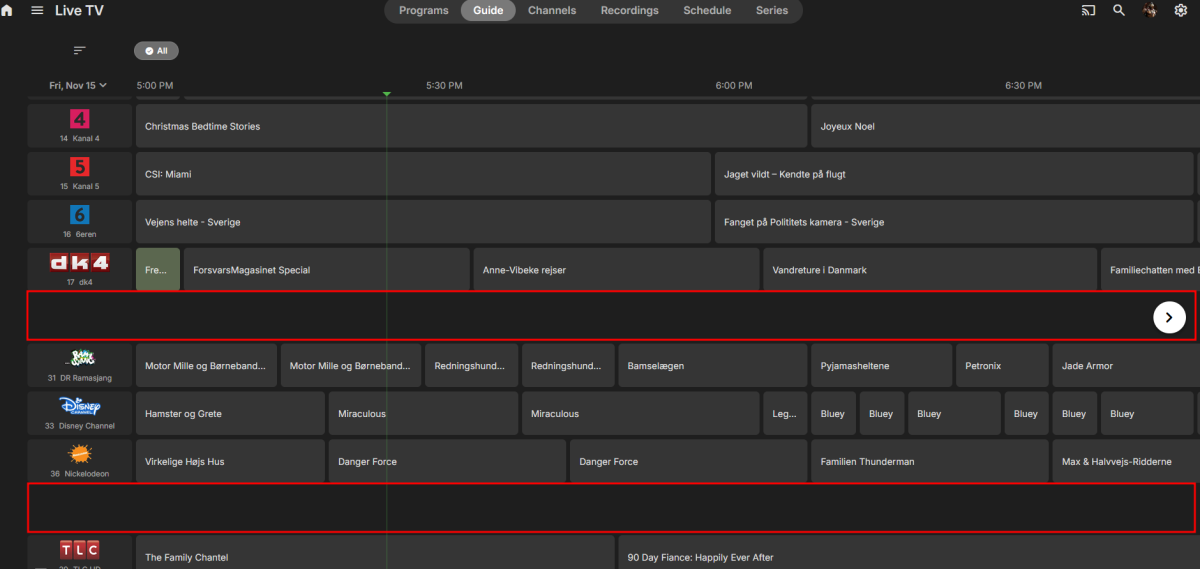
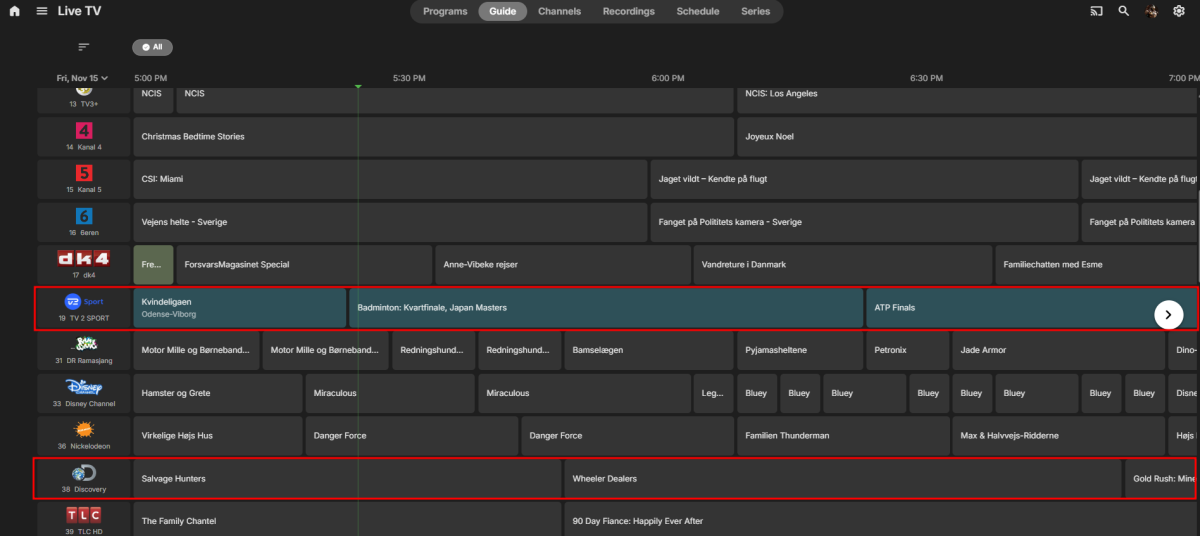 1 point
 -
I have the same issue Emby - 4.8.10.0 Firefox - 132.0.2 I find if i scroll past then come back you can make the channels appear!1 point
-
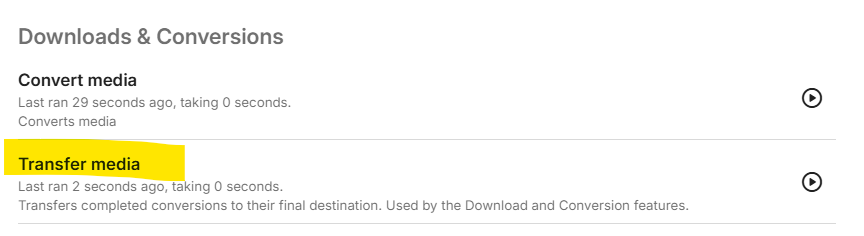
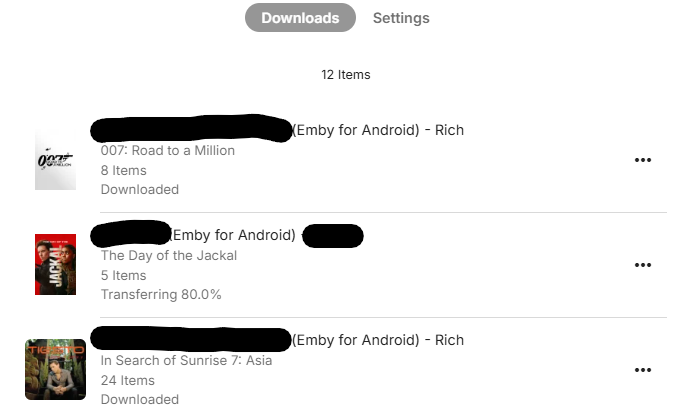
Hmm, I've never had any issues in this area - it used to be a little flaky, but for me it's now solid. (Server>Windows and Client>Android) In the Client - has it been set to only Download on Wi-Fi ? Did you set a temp folder ? Does it have rights/room for the temp files ? (worth doing, as you can then see file activity in that folder) Is there a schedule for the transfer in the Dashboard - I'm not 100% if this is used for original quality transfers or just conversions - but worth checking it has run. Just re-tested it - appears to work ok. The 80% transfer is partially completed as that user went out of wifi range during a transfer - I *think* it will resume when they reconnect to my wifi. They are back today, so I'll confirm.
 1 point
 -
Good news Pls mark my post above as the solution - it will maybe help others find it if they face this problem. Thanks !1 point
-
Yes that is something we can look into. Thanks.1 point
-
You need to specify the location of the PKCS#12 file (and give Emby Read Access to it) - the .PEM files are not the correct format. You can convert it - see : https://emby.media/support/articles/Secure-Your-Server.html#setup-emby-with-your-domain-and-ssl-certificate1 point
-
I try and shop all year long when things go on sale, or I think something is likely to get sold out before Christmas. It spreads the cost of purchasing gifts out and makes it kind of fun vs being under pressure last minute. I loved the Halloween theme. When starting up the app getting the Howl, my dog would get freaked out and run out of the room.1 point
-
Anyone open to reviving this topic? Themes would elevate the experience quite a bit1 point
-
So I've been using Emby for a few weeks and want to revisit this with my thoughts. We use our media server like our own personal Netflix complete with binge watching, so credit markers are important to us, and dealing with credit markers in Emby genuinely sucks. To call them frustrating to work with doesn't even begin to do it justice. I get it that automatically detecting credits can be resource intensive for the host machine and doesn't have a 100% success rate for accurate detection regardless of method used, but this is one area where I would encourage the devs to consider that perfect is definitely the enemy of the good. When you have a large existing library it is absolutely painful to manually add these markers for each and every video. This is compounded by the fact that you have to do this for every video added to the server going forward as well, and it makes upkeep an enormous task. I would MUCH rather go back and manually edit videos that didn't automatically get it right the first time. The whole reason I started experimenting with EMBY in the first place is my dissatisfaction with the direction of PLEX, but it is honestly hard to get away from their software because of this. To be fair PLEX's system isn't perfect either, but once again in this instance perfect is the enemy of the good. Even with being imperfect their system is so much more advanced as to be almost laughable. Given that the intro/credit detection plugin is no longer available I implore the devs to reconsider their stance on this. I understand that the Emby team is relatively small and you have to be smart about where you allocate your resources but people have been asking for this for more than two years now across multiple threads.1 point
-
I hope the feature will come too!1 point
-
i don't recall it this way. in fact the opposite. like this guy, most people wanted the seasonal themes but just wanted more control over them.1 point
-
At a high level this is what I think you should do: 1. You'll have to decide how you want to manage the media. Which user creates and owns the files. If for example you want to use your own Debian user account to create, copy, move media files then skip step 2 and instead use your UID and GID for step 4 (as long as it's not root). Things are easier when the media owner matches the emby server runtime user. 2. On your host OS create a user emby and group emby (with user emby as a member). Make note of the UID and GID. 3. Make sure the permissions for /mnt/raid1/videos/movies are at least 755 for each directory in the path. This means: drwxr-xr-x (755) /mnt drwxr-xr-x (755) /mnt/raid1 drwxr-xr-x (755) /mnt/raid1/videos drwxr-xr-x (755) /mnt/raid1/videos/movies 4. Use the emby (or chosen user's) UID and GID in the docker compose or run command or portainer settings. 5. You may or may not have to change ownership of the Emby container config path. The container creation might take care of this, I can't remember. 6. If the user from step 4 (UID/GID) is not the owner of the media then you might have to change ownership and/or permissions so that the Emby server can access/create/delete files and directories in the library. My preference is to create dedicated service accounts for the applications I run on my servers, whether in Docker or not. But for some it's easier to use their own accounts which already own the media files in their libraries. It simplifies access and maintenance for those who are new or less familiar.1 point
-
Is it possible to get a report which films are missing from a collection (officials with metadata)? For example in The Lord of the Rings- if you have the 1st and 2nd then the report will list the 3rd. you are missing : The Lord of the Rings - The Return of the King - 2003 - tt01672601 point
-
I would love to have "show missing" as an option for collections just like we have for TV Shows. Can't tell you how many times I've had to manually hunt down missing movies just to complete a collection. I find this same "show missing" feature invaluable in TV Shows and would love it just as much for collections. This would only apply to Box Sets and not manually created collections IMHO.1 point
-
This community is here to help you. Here are some guidelines on what information you should supply when reporting issues. Make sure to check out our Knowledge Base for more useful information. Reporting Emby Issues Please create a topic in the community. Describe the problem in your own words, including what you're trying to accomplish, and where you're getting stuck. Please mention some specific examples. In your description, be very specific about the steps you took and what happened with the system. Describe it like you are talking to a blind person - because you are. We cannot see what you did or what happened so be as specific as possible. If you saw error messages, please tell us what they were. If the problem is difficult to explain, please include screenshots that demonstrate the issue. Please attach the server log from the time frame the activity occurred. See the section below titled Emby Server Logs. Please supply the full and complete log file in txt format. Please don't zip or compress, and avoid attempting to extract relevant sections. Everything is relevant to us. If a server transcoding log (ffmpeg log) was also generated during playback (in the server logs folder), please attach that as well. If you are using the Roku or Android TV specific app, please also follow the instructions below to send a log from the app. Emby Server Logs Logs can be accessed directly within the server's web interface by navigating to Logs under Emby Server sidebar section. If you're having difficulty using the web interface, log files can be found in the logs subfolder of the Emby Server Data Folder . Note: Be aware that these log files would not be sanitized if obtained directly from the logs folder and should not be uploaded in the forums. If there is an error downloading the logs through the Emby Web interface for Settings / Logs, please enable debug logging, repeat the attempt to download the logs and report the problem in the forum indicating the logs download issue. The raw logs can then be forwarded to a member of the Emby Team when requested. Emby for Android TV/Fire TV and Emby for Roku Logs These apps have the option to send an app log to us electronically. You enter the settings page and turn on the "Debug Options". Now there will be a new tile on your home page settings row (or menu option on the user menu at the top) labelled "Send Log". Reproduce your problem and then use this button to send the log. Then add the following information to your report in the forum: Exactly what you were doing and what happened. Include the name of whatever you played if it is a playback problem The time you sent the log (in Eastern Time please - UTC -5) The name of the Emby user on the local server that was logged in at the time How to Post Log Files You can simply drag a file onto your post to attach it. Alternatively, you can upload your log file to Paste2 or a DropBox account and then post the link in your topic. Please avoid linking us to log files that require us to sign into a website. If the problem is occurring in the Emby Web app, please remove any custom CSS you may have created and see if the issue remains after that.1 point

















.thumb.png.f4cb0545e98b51fd9b00e427622ab761.png)