Leaderboard




Popular Content
Showing content with the highest reputation on 11/12/24 in Posts
-
As you know, Emby is a powerful media server that lets you stream and manage your personal content across a wide range of devices. With Emby, you can access your favorite movies, shows, music, and photos from nearly anywhere. Here’s a rundown of the devices that support Emby and how you can enjoy a seamless media experience on each. 1. Smart TVs Emby has dedicated apps for several major smart TV brands, including Samsung, LG, and Android TVs. This means you can stream directly on your TV without needing extra hardware: Download the Emby app from the TV's app store. Log in to your Emby server, and you’ll have full access to your media library on the big screen! 2. Streaming Devices (Roku, Apple TV, Fire TV, Chromecast) If you don’t have a smart TV, streaming devices are a great option for using Emby: Roku: Available as a free app in the Roku Channel Store. Apple TV: Download Emby from the App Store, and enjoy a smooth Apple TV interface. Amazon Fire TV: The Emby app is in the Amazon Appstore, letting you easily access content. Android TV: Download either the Android TV or regular Android apps from the Google Play Store to access your Emby server. Chromecast: Use the Emby mobile app to cast content directly to any Chromecast-enabled device. 3. Mobile Devices (iOS and Android) Stay connected to your media library on the go with Emby’s iOS and Android apps: Download the Emby app from the App Store (iOS) or Google Play Store (Android). You can stream media, manage your library, and even download files for offline viewing. 4. Computers (Windows, macOS, Linux) Emby can be accessed on desktop computers and laptops as well: Simply open your preferred web browser and log in to your Emby server at http://yourserverip:8096. Emby also offers desktop apps for Windows and macOS for a native experience. 5. Gaming Consoles (Xbox and PlayStation) Gaming consoles like Xbox One, Xbox Series X/S, and PlayStation 4 offer access to Emby through a web browser as well as through their dedicated stores: On Playstation, open the console’s browser, enter the server address, and log in to access your media. For Xbox, visit the Xbox Store and download the Emby Theater app for a seamless Emby experience. Wrapping Up With support for such a wide variety of devices, Emby provides flexibility to access your media wherever you are, at home or on the go. Whether it’s a smart TV, a mobile device, or even a gaming console, you’re just a few clicks away from streaming your media collection seamlessly. Happy viewing! View the full article3 points
-
Hi @Kurt13we are working hard on unifying them into one app. Thanks for the feeedback.2 points
-
Blame all the other Rookies before you but all explained here. But note media info is not read at all from nfo file and only uses what info is probed from media by ffprobe during import. But does media info at the bottom show the same issue?2 points
-
Thanks. An update to the tvdb plugin is going out.2 points
-
Emby .. Roadmap ... I thought my eyes were playing tricks on me .. Thanks @softworkz.. you don't need to commit dates .. but simply listing near-term goals vs future plans is great to see.2 points
-
A new beta of the TV only app has been put up. This beta fixes the issue with frame rate switching on the new GStreamer (actually, related to Android 14) but it also implements our new policy of making playback in this app free for normal single-family use. As of this version, playback is free for up to 5 TVs. No other Premiere features are included of course and any use beyond that limit will require a Premiere subscription. Previous unlock purchases are still honored but the unlock is no longer an option going forward. We feel this strategy brings the most value to our common users and makes it more difficult for illegal streamers to get around the device limit. Thanks for your support.1 point
-
Hi, I would like to have an option to choose H265 instead of H264 in the Transcode option. It will be smaller for all bad bandwidth (2~5Mbit ADSL), but will have a great quality. Mobile phone can benefit of it greatly too with the 4G and the limitation of download.1 point
-
Hi, The current implementation of Emby search is very basic. Based on what I can tell, it only matches exact strings in the same exact order. Example: "Mission: Impossible" In this example the following queries will return a positive match Possible Impossible Mission Mission: Impossible And the following queries will not return anything at all (The worst offenders are highlighted) Mission Impossible Missoin: Imposible Imposible Impossible Mission Mission : Impossible Mission Impossible Another example would be "Mr. Robot" where if the dot is missing, nothing is returned or in general terms any variation of any string that is not an exact match will not return anything at all. Let's not even attempt to try a title like "Agents of S.H.I.E.L.D.". This makes the search difficult to use and at times even frustrating. As the examples above show, the major theme is special characters and punctuation and they can probably be bypassed by just ignoring them, which might or might not cause other problems in the process. This problem also affects titles that have letters with diacritical marks or glyphs such as "Amélie" and "Æon Flux", if you can't type them exactly, you can't find them. In my opinion a better attempt would be to use a difference string matching algorithm such as Levenshtein distance, you can then define an acceptable threshold and return the closest matches. I found a couple of C# projects that implement this and might be useful as a starting point. FuzzyWuzzy, a port of Python project in C#. https://github.com/BoomTownRoi/BoomTown.FuzzySharp FuzzyString. Has some additional string comparison algorithms too. https://github.com/kdjones/fuzzystring Thanks.1 point
-
Sharing is caring as they say.. I'm working towards a "full stack" ubuntu server and this was one of the pieces needed in separating the metadata from the application that'll live in the system image. This script is for more granular control of emby, to ensure the service doesn't start running automatically once the server is booted. For example, if you have a RAID and need to give the RAID a few moments to initialize and mount before you start hammering it with data. You'll want to make sure to change relevant file paths This script will kill any existing emby sessions, download emby from git source, apply the update via dpkg, disable the service that gets automatically added, and then relaunch emby. It relaunches emby by starting a subprocess under a daemon user with limited permissions: #!/bin/bash --login #suggested filename: update-emby.sh #first, get counts for each process emby_pid_count=$(pgrep -ic embyserver) # if emby is running, safely end emby if [[ ! "$emby_pid_count" -eq 0 ]] then emby_pid=$(pgrep -i emby) for i in "${emby_pid[@]}" do echo "$emby_pid" | xargs -n 1 -d "\n" /usr/bin/kill done fi # get the release version from the web # working as of 11/11/2024, if the url/format changes the below syntax may need to be updated owner="MediaBrowser" repo="Emby.Releases" # gets the latest version from the github URL latest_version=` curl https://github.com/$owner/$repo/releases/latest --verbose 2>&1 | grep location: | sed -e "s|.*tag/||" | sed -e "s|\s||"` trimmed_version=${latest_version//[$'\n']/ } echo "version: $latest_version" # if the version number is in the file name, append it # example: # file=somefile-$latest_version.ext # link="https://github.com/$owner/$repo/releases/tags/v$latest_version/$file" link="https://github.com/$owner/$repo/releases/download/$trimmed_version/emby-server-deb_" link+="$trimmed_version" link+="_amd64.deb" #https://github.com/MediaBrowser/Emby.Releases/releases/download/4.8.8.0/emby-server-deb_4.8.8.0_amd64.deb echo "emby server link: $link" echo "running curl to get newest version.." downpath="/root/download/git-latest/emby-server/emby-server_" downpath+="$trimmed_version" downpath+=".deb" #download the file and install it /usr/bin/curl -o "$downpath" -L "$link" /usr/bin/dpkg --install "$downpath" #prevent autostart, still copy the config file over to the default just in case /usr/bin/systemctl disable emby-server /usr/bin/cp /root/script/update/update-emby/emby-server.conf /etc/emby-server.conf # ^^ this .conf path will need to be updated .. the file at /etc/emby-server.conf gets overwritten with each upgrade, so you need to manually copy it over #relaunch emby su [DAEMON USERNAME HERE] -s /bin/bash -c 'export EMBY_DATA=[YOUR DATA PATH HERE] && /opt/emby-server/bin/emby-server' & exit 0 And just in case you don't have or need emby-server.conf (it took some trouble to work this all out, so maybe it'll save time for others). Just be warned that parts of the initscript are outdated, so the paths might be inaccurate: # Override defaults for emby initscript # Double check /etc/systemd/system/multi-user.target.wants/emby-server.service # Running 'systemctl enable emby-server' may be needed # The actual executable currently sits at /opt/emby-server/system/EmbyServer (as of 11/11/2024) # sourced by /etc/init.d/emby-server and /usr/bin/emby-server # installed at /etc/emby-server.conf by the maintainer scripts # # This is a POSIX shell fragment # ## To change the defaults add any of the following settings below the comments ## EMBY_USER=daemon-emby #$EMBY_USER, username to run Emby under, the default is emby EMBY_GROUP=mediasrv #$EMBY_GROUP, server group where Emby user belongs ## EMBY_DIR= #$EMBY_DIR, the location of Emby program files the default is /opt/emby-server/bin/emby-server ## EMBY_BIN= #$EMBY_BIN, full path of MediaBrowser.Server.Mono.exe the default is /usr/lib/emby-server/bin/MediaBrowser.Server.Mono.exe EMBY_DATA=[DATA PATH HERE] #$EMBY_DATA, the location of Emby data, cache, logs, the default is /var/lib/emby ## EMBY_PIDFILE= #$EMBY_PIDFILE, the location of emby.pid, the default is /var/run/emby/emby-server.pid. This is managed by the root, don't mess with this unless you like adding security vulnerabilities. ## EMBY_ADD_OPTS= #$EMBY_ADD_OPTS, additional options to pass to the Emby server executable, beyond ffmpeg, ffprobe and restart #MONO_BIN=/usr/bin/mono #$MONO_BIN, full path of mono binary, the default is /usr/bin/mono-sgen ## MONO_OPTS= #$MONO_OPTS, list of additional options to pass to mono binary ## MONO_ENV= #$MONO_ENV, list of environment variables for running mono binary ## ## EXAMPLE if want to run as different user ## add EMBY_USER=username ## otherwise default emby is used1 point
-
Hi @Luke I imagine like many others, I’m considering pulling the pin on ordering a shiny new Mac Mini M4 to upgrade from a NUC homelab. The forums chart the development of Apple Silicon support on Emby quite well, but I wanted to ask what state of play is as of now (Nov 2024): - Is hardware transcoding now fully supported on Apple Silicon? - Is there any benefit from running emby on macOS bare metal vs running dockerised in terms of hardware acceleration support - and if not really, do we just pass through the GPU in docker compose? - Anything else folk migrating over from NUC might need to know? Mark1 point
-
HI, yes we are looking into resolving this. Thanks.1 point
-
Well in Chrome and Firefox everything is fine, so Brave browser is a root cause. I would like to avoid Chrome (it sends many data to outside) and Firefox (slow), but will see.1 point
-
well the Emby team is working on it or more precisely is going to work on it once they have fixed issues in Emby Theater for Windows platform...... be patient1 point
-
I am now working on a settings menu that allows the user to specify how the selected media for a channel is assembled into the channels content. It also allows you to define how many weeks of EPG data to save in the TV platform. Vic1 point
-
Show title isn't in the plugin table. You can parse out the title from the episode name but this would be very dependent on consistent naming. The plug-in might be using API calls to get this name, maybe not. To test it you can run this query (I commented out the date test to return everything): SELECT distinct substr(itemname,1,instr(itemname,' - ') -1), itemname FROM PlaybackActivity where itemtype = 'Episode' --and datetime(datecreated) >= datetime('now','-6 months') order by 1,2 And if you get clean and consistent names you can change to this one: SELECT distinct substr(itemname,1,instr(itemname,' - ') -1) show_title FROM PlaybackActivity where itemtype = 'Episode' and datetime(datecreated) >= datetime('now','-6 months') order by 11 point
-
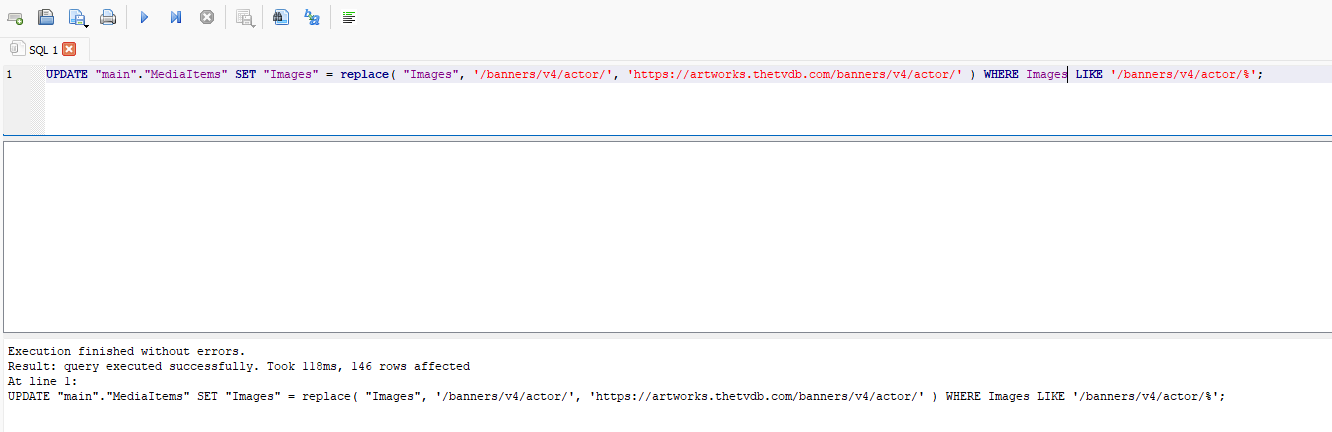
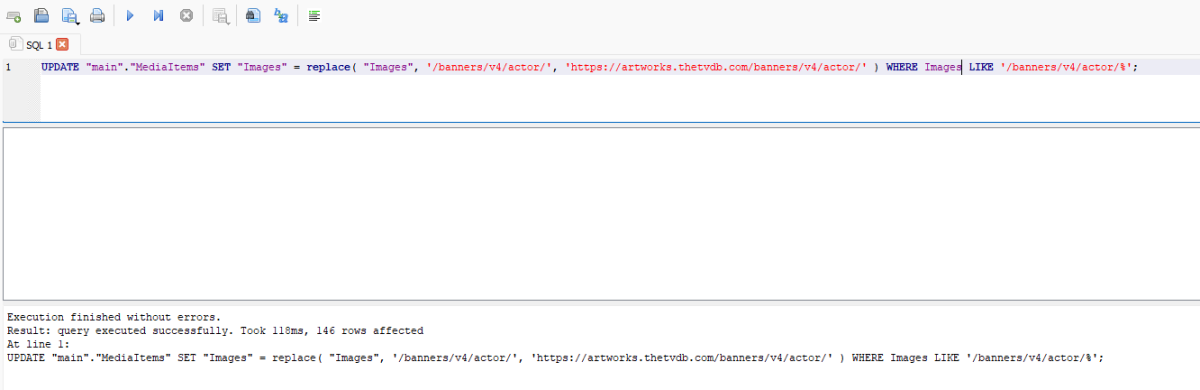
Appears resolved in my tests with plugin update Tvdb 1.5.4. Did a clean install and no longer got broken images. And queried the db to be sure as there are no longer broken image urls. Also tested on a broken system and Refreshed metadata on series corrected the actors with broken images. If one does not want to Refresh metadata then one will need to shutdown Emby, open the library.db in db editor and run the command to update existing broken TVDB broken image urls. UPDATE "main"."MediaItems" SET "Images" = replace( "Images", '/banners/v4/actor/', 'https://artworks.thetvdb.com/banners/v4/actor/' ) WHERE Images LIKE '/banners/v4/actor/%'; Issue should no longer happen going forward and existing issues will have to be Refreshed or DB manual update.1 point
-
The primary concern is that this could serve as an entry point for hackers into Emby apps, as in case of Javascript, you cannot limit plugin code to do just certain things. A current idea is to allow this kind of integratoin only by using the new Plugin UI, a declarative way to design user interfaces from C# code only. But a few more things would need to be added to make this a viable path since it's currently focused on building UI for settings on the server dashboard, where it is in charge of the whole view it presents. Even when it would be allowed: there are no APIs at the JS side which you could use. Everything is permanently changing, so whatever a plugin would have figured out what/how it can do, it will become broken soon, from one day to another - without notiice. And that would massively backfire on us, in form of users complaining about broken functionality.1 point
-
From plugin development standpoint, I'm wondering how to inject a menu item and how to localize it. Is there any document I could refer to?1 point
-
Use Plain instead of Ignore so you get overlays.1 point
-
If you can get a chance to try this, please do. When I was playing high bit media on my ShieldTV Pro I had the same issue as you. Windows Theater Store would stutter Windows Theater Desktop would play them Just tried with the Windows Theater store version that will be release soon and it did not stutter either. This was on my slowest computer as well (i5) and I wasn't using Ethernet.1 point
-
Oh yes. It works but 'right click - select edit metadata - scroll down - click Add Tag - type tag that works great if the collection is 20 movies large I imagine the admin to create an account for the child, then you log into that account and within that account you can enter a 'parent-mode'. Now you see the whole of the catalog again and you can simply check or uncheck movies to be available. similar to the 'Mark Played' check-box and it's visibility in the 'Latest Movies' section. Like this the parent doesn't have to have admin access Thank you for reading1 point
-
I think I figured it out, I never saw the "identify" option all good now1 point
-
Quick follow up in case any readers end up copying what I did here. It appears an update to the Emby Docker image might have introduced a healthcheck with this iptables rule breaks. Traffic coming from the loopback address of TrueNAS must always be allowed, so instead use: /usr/sbin/iptables -A INPUT ! -i lo -p tcp --dport 8096 -j DROP This blocks everything to TCP/8096 except if it's from the loopback interface.1 point
-
The fundamental different between VLC/Kodi and the emby clients(*) - is they are playing direct via SMB, Emby is not - it is 'streaming' via HTTP via the Emby Server. This extra 'layer' adds latency and is likely the primary cause of your stuttering - especially at those bitrates. It's not the network capacity per se - but it is the emby stack/network combo. NAS > SMB > VLC/Kodi NAS > SMB > Emby Server > HTTP > Emby Client This is the difference. (*) The only clients that have the ability to play directly (via SMB) - Is the Emby Theatre - when you have setup the 'optional' SMB file path in your libraries (and have it working) OR the AndroidTV Emby Client running on an older version of Android - that allows the same Direct SMB playback. (which I use as my mainstream 4K remux playback client). NAS > SMB > Emby Client (in SMB Direct File Mode) Why Emby have removed this ability from their other mainstream clients I have no idea - but in the many years of using emby, it is the only guaranteed way to have faultness/fast responsive 4K+ high bitrate playback (100-120Mbit/sec or + if the client can handle it) imho.1 point
-
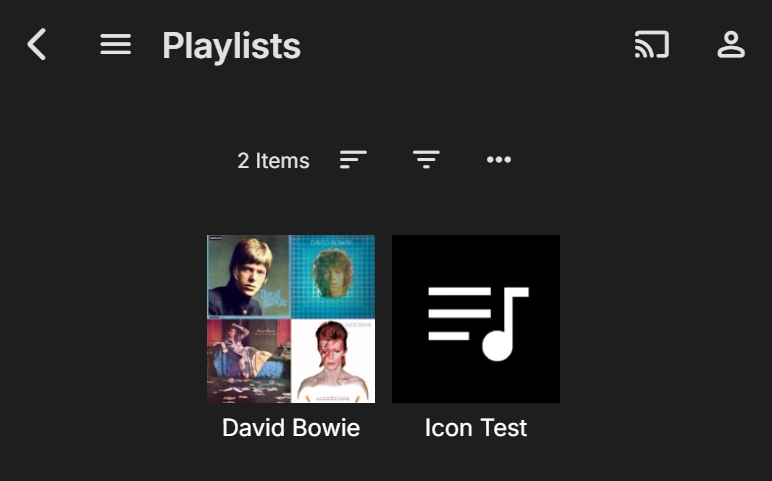
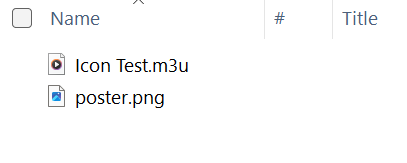
I don't think you can "turn these off" directly (I could be wrong though?), but you can add your own custom images. Something like this then... David Bowie Playlist is standard auto-generated composite image Icon Test Playlist is non-standard custom-created icon image You can add the custom images as follows: three dot menu bottom RHS of playlist image > Edit Images > Primary > three dot menu > Select Image File > Browse I guess you will be able to easily find it and there may likely also be other paths to get to it. If you look here: https://fonts.google.com/icons there are plenty of icons (e.g. search for "playlist") to find one you like that will match Emby/CA style, and any other apps that get their icons from here. You could set all of your 250 playlists exactly the same if you wanted to? You can apply the same customisation idea anywhere the composite images appear. Here's a non-playlist example from my current Emby UI: Getting back to the playlists... the custom images are stored in the Emby Server database (for my setup) here: C:\Users\user24\AppData\Roaming\Emby-Server\programdata\data\userplaylists\Icon Test [playlist] That might be enough to get you started??? I'll try to reply to some of your other comments a bit later when I have more time... Cheers!

 1 point
 -
For example I have a movie named "ABCDEFG" I can't find it by searching keyword CDE. The keyword has to start from the very first character such as "ABC","ABCD" This is so stupid. No one actually remember the first word of a music file, especially for classic musics.1 point
-
HI, yes we can look at supporting podcasts with android auto. Thanks for reporting.1 point
-
I made two videos, explaining how to create channels using Emby Queries and selecting Files directly from Emby Libraries. Please keep in mind when watching these videos that I am voice challenged when speaking. It would be great if someone could remake these videos. Vic 3-FileChannel.mp4 2-QueryChannel.mp41 point
-
Hi, it's on my list for review. Thanks.1 point
-
HI, yes we are watching that closely. Thanks.1 point
-
I second this. Nowadays, artists release mostly Singles that are not part of any Album (thx to streaming services). There is a need to differentiate between an "Album" and a "Single" (track released as "single" and not being part of any album) in artist profile at least. So, here comes the "RELEASETYPE" tag. Supporting the "RELEASETYPE" tag and splitting Albums from other releases (EX: Singles) in the Artist profile page will be awesome. This way we can properly organize things. Currently I have all the "Singles" tagged under a regular album named "Singles" ... but this is rather messy and just a workaround: the new releases remain "burried" in the fake "singles" albums, the album date is fixed (even when new singles are added), the cover art is mostly random (picked from one of the songs) ... and so on. Supporting the "RELEASETYPE" and splitting things up by this tag will be great !1 point
-
No, never heard about it before now. Will check it out, thanks!1 point
-
And here is a db hack if you want to fix the broken urls. UPDATE "main"."MediaItems" SET "Images" = replace( "Images", '/banners/v4/actor/', 'https://artworks.thetvdb.com/banners/v4/actor/' ) WHERE Images LIKE '/banners/v4/actor/%';
 1 point
 -
If I remember correctly you can apply the theme whenever you want and then turn it off whenever you want so why does it need an auto apply setting. Last year I turned on the Halloween theme in mid October and then turned it off the day after Halloween. Is that really so hard? You are using emby so you should know that a Holiday is over and you can turn it on as early if you like. I will avoid the Christmas theme as I get enough of that with my wife having Christmas movies on all the time now starting in early October. Seems to creep a little each year, pretty soon we will only have a week without them.1 point
-
When it comes to media server solutions, we believe that Emby is the number one product for users who value privacy, customization, and reliability. Today, we're going to take a closer look at some of Emby’s key strengths that make it an ideal choice over other media server solutions. 1. Prioritizing Privacy and Security Security is a central part of Emby’s design. Unlike some media server alternatives that have limited security options, Emby gives users control over who can access their media and how they access it. With Emby, you can setup secure HTTPS connections, ensuring data is encrypted as it’s transmitted or easily set up access via a reverse proxy amongst other options. User permissions are also straightforward to manage, giving you full authority to create individual access levels for each user in your household or server network. Your media is yours, and Emby ensures it stays that way by giving you the ability to implement strong encryption options that protect against unauthorized access. 2. Simplified, Intuitive Setup From the moment you install Emby, you’ll notice a streamlined, easy to navigate interface. Whether you’re setting up for the first time or managing your media library, our layout is intuitive and user-friendly. Emby is accessible to both beginners and advanced users, with step-by-step guidance to get you started and powerful customization options available for those who want to tailor their media experience further. Want to hide your remote users from a login screen? You can do that! Want to set up those same users with an easy way to access your server? Emby Connect allows you to do that! There are so many ways in which Emby simplifies user management and access to make it easier and more secure for your users! Other media servers can be clunky and involve multiple steps to perform basic tasks, but Emby simplifies this with a unified interface that makes media organization and management easy. 3. Seamless and Efficient Transcoding As mentioned in our previous blog, transcoding is a key feature for media server users, and Emby’s transcoding engine is optimized to handle media formats and devices with impressive efficiency. Whether you're streaming a 4K movie, using HDR tone mapping, or watching a video on a low-bandwidth connection, Emby has the ability to dynamically adapt to your network and hardware capabilities, delivering smooth playback across devices without unnecessary buffering or interruptions. Emby can also utilize hardware acceleration (Emby Premiere only), ensuring that high-resolution content plays seamlessly without consuming excessive CPU resources. This is particularly helpful if you have multiple users streaming from the server simultaneously, as Emby ensures each session gets the best possible quality. 4. Comprehensive Library Management Emby’s library management capabilities are designed to provide the best possible organization and personalization options. With Emby, you can create custom collections, tag media, and even use rich metadata that automatically pulls in posters, descriptions, and trailers to enhance your experience. The smart playlists and customizable views allow users to organize their media in a way that feels personal and unique. For those who have extensive media libraries, Emby also makes finding and managing content effortless. Search filters and sorting options let you locate titles instantly, and Emby’s advanced metadata scraping ensures your library looks how you want it to. 5. Cross-Platform Compatibility In an age where we use a variety of devices daily, Emby is engineered to be versatile. Emby offers applications for nearly every platform, including Windows, macOS, Linux, Android, iOS, Roku, smart TVs, Android TV, tvOS, web browsers and more, giving users the flexibility to stream and manage their media library from practically any device. The versatility that our server provides doesn’t stop there – it also supports a wide range of formats, ensuring that no matter what file type you prefer or where you choose to watch, Emby is ready to deliver the best experience. 6. Constantly Evolving Features with a Supportive Community Emby is continually updated with new features based on user feedback and technological advancements. Our development team and community via these forums, work hand-in-hand to enhance Emby’s performance, refine its interface, and introduce new options that make media management a more rewarding experience. As an Emby user, you’re part of a passionate community that we believe values innovation, feedback, and the enjoyment of seamless media streaming. View the full article1 point
-
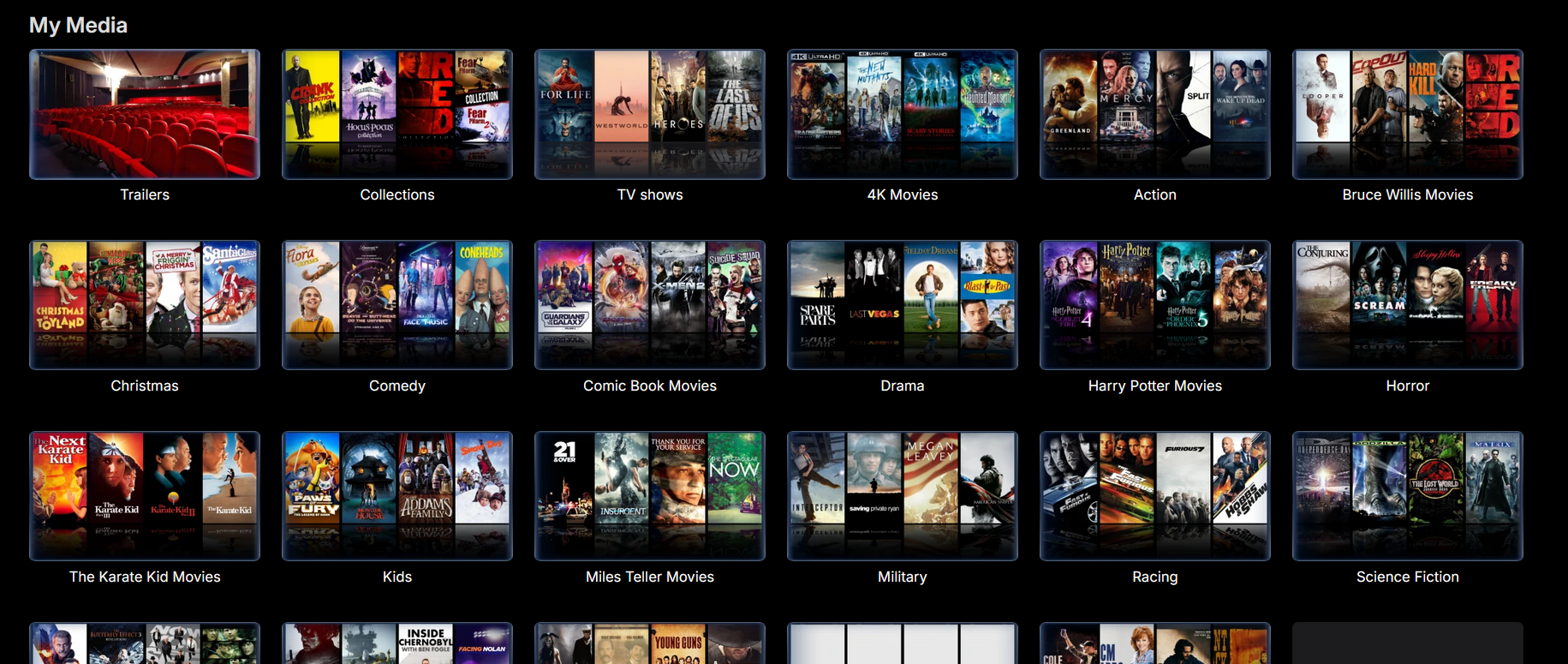
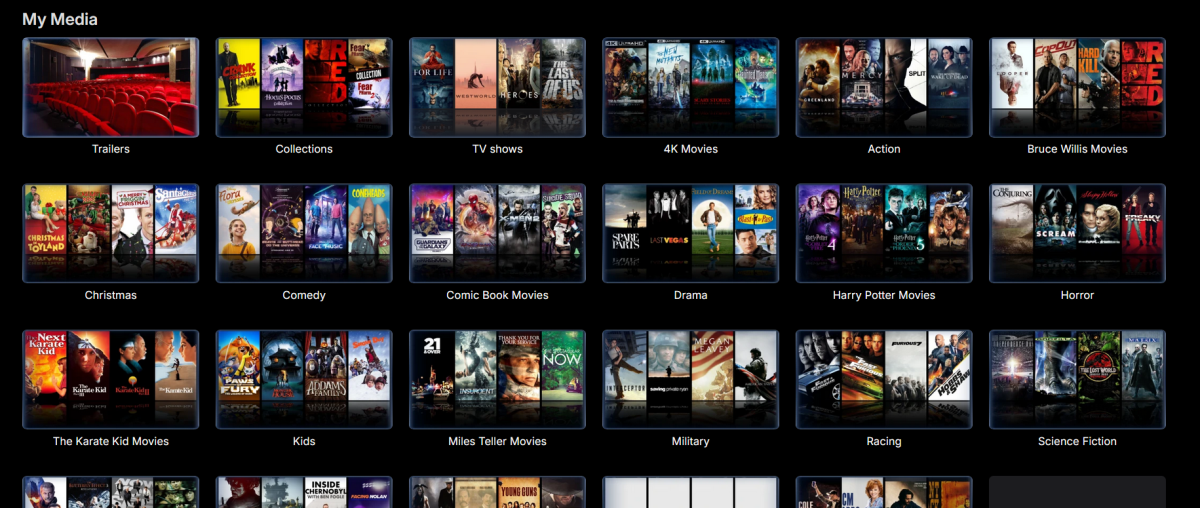
Oh yeah ok so i am guessing the dash has made it do this then? I didn't put the dash there i left it how the blu-ray rip intended it to be except i deleted the tt0 etc stuff on the end. But the entire tittle is what it was from rip otherwise. i did back tot he future 4k rip as well yesterday and left it default tittle and deleted the end that said main feature, Dolby vision etc etc and it is in a folder too but didn't do this. also you mentioned the grouping through enabling the collection setting? that is on i have collections with my media here is a screenshot of my main page to give you an idea of what i have.. It is definitely a mystery as to why it is doing this on this one set of movies and not the others besides the dash in the tittle. but yes as i stated it is a cool thing that wasn't meant for me to enable but did on accident lol... and this should be a turn on off feature in the settings somewhere for people to use if so choose too. because it is a very rare occurance i have found and this could be a little better looking the way it is presented like have the posters in the drop down with the tittles etc. But thank you for your help
 1 point
 -
I found it in the beta testing area. Thank you! https://emby.media/community/applications/core/interface/file/attachment.php?id=203844&key=df4ad338c3c8152014eabc4930c67e441 point
-
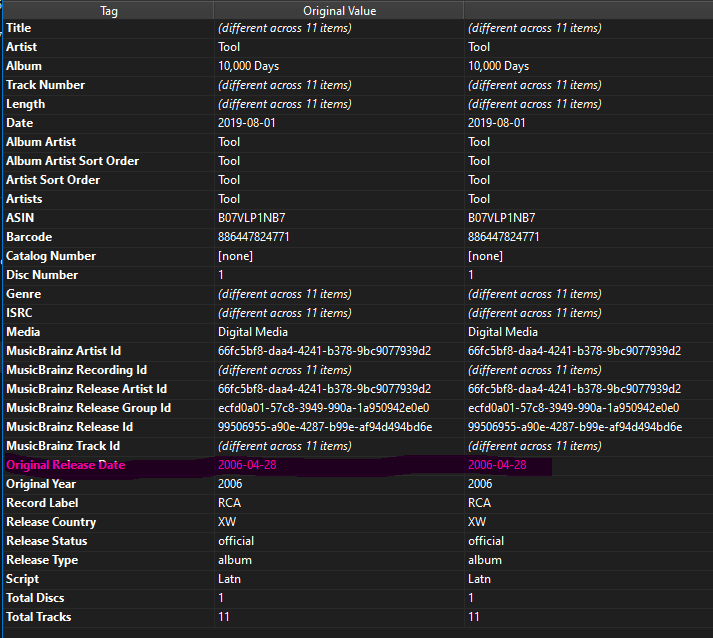
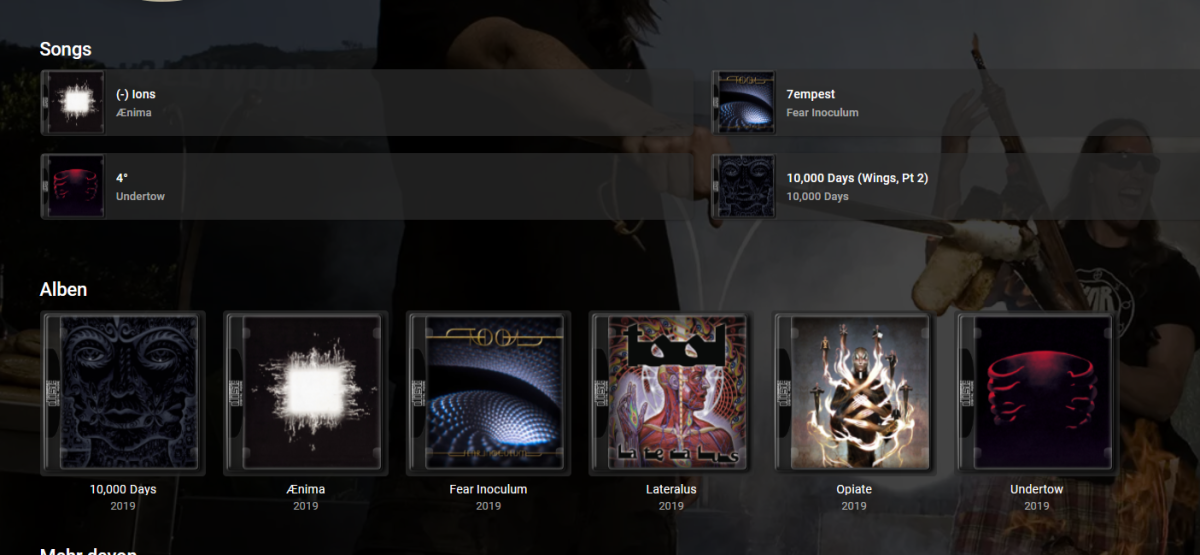
Greetings! It would be great if emby would consider the original release year of an album release and you could display and sort by it. Some bands have re-released their albums as a digital release and then by default there is of course the date of the current release.
 1 point
 -
@ebr as the original requester I wanted to clarify (and maybe hopefully get this through after all this time) as it is becoming clearer that most of the focus on this is around copyright and the requirement to create a user account to utilise emby i didn’t want to request the ability to share to Facebook etc, I was hoping to be able to share home video items (library or directly) on occasions such as kids Christmas concerts (recent example) I don’t want these to be available on Facebook etc and would be happy for them to be locked to say a pin code (this would be good actually as people couldn’t just have the link) purely because I don’t have an emby account for each family member and they don’t like the complex passwords I enforce when allowing external authentication could we make special links that require a pin only and were only valid for x amount of time ? edit: perhaps lock the functionality to library of media type ‘home media’ ?1 point