Leaderboard




Popular Content
Showing content with the highest reputation on 11/01/24 in Posts
-
Thank you all for all the help. Yes my problem was probably that I didn't manually remove the appdata folder. It worked to copy the Emby folder from the old server to the new. Then the upgrade of databases and stuff started on the first run. But really great forum, with a lot of help!!!3 points
-
You don't want that link. That is 150K + metered charges for your access as well aa links for graphics. https://aws.amazon.com/marketplace/pp/prodview-l4lwqeffv72uo?sr=0-11&ref_=beagle&applicationId=AWSMPContessa#overview2 points
-
Thanks for the help! Wasn't an emby issue afterall!2 points
-
Public Beta is Open: Original message: Hello, as recently mentioned, there's a successor in the works to Emby Theater for Linux. The new video integration is quite challenging on Linux, because - opposed to Windows and Mac - there's a multitude of implementations for desktop UI, specifically window managers, compositors and configurations.across distros and individual user choices. That's why we are conducting a small prototype test for which we are looking for a few testers. It's not about something like an unfinished version with lots of bugs - it's a quite simplistic test application and once installed it takes just a few minutes to test - if at all. Requirements You must have an overlapping window manager, i.e. where one window can be on top of another window You must have a compositor running A GitHub account The goal is to cover a broad range of different setups, but no more than two testers for each kind of case. Same setup but with different rendering (software vs. hw) counts as a separate case. If you are wiling to help, please just respond to the post below and fill in your information. If you have multiple setups - even better! Just quote multiople times and fill in your specs. It's not yet decided whether the beta later will be public or not, but all those who are joining now will get access for sure. Thank you!1 point
-
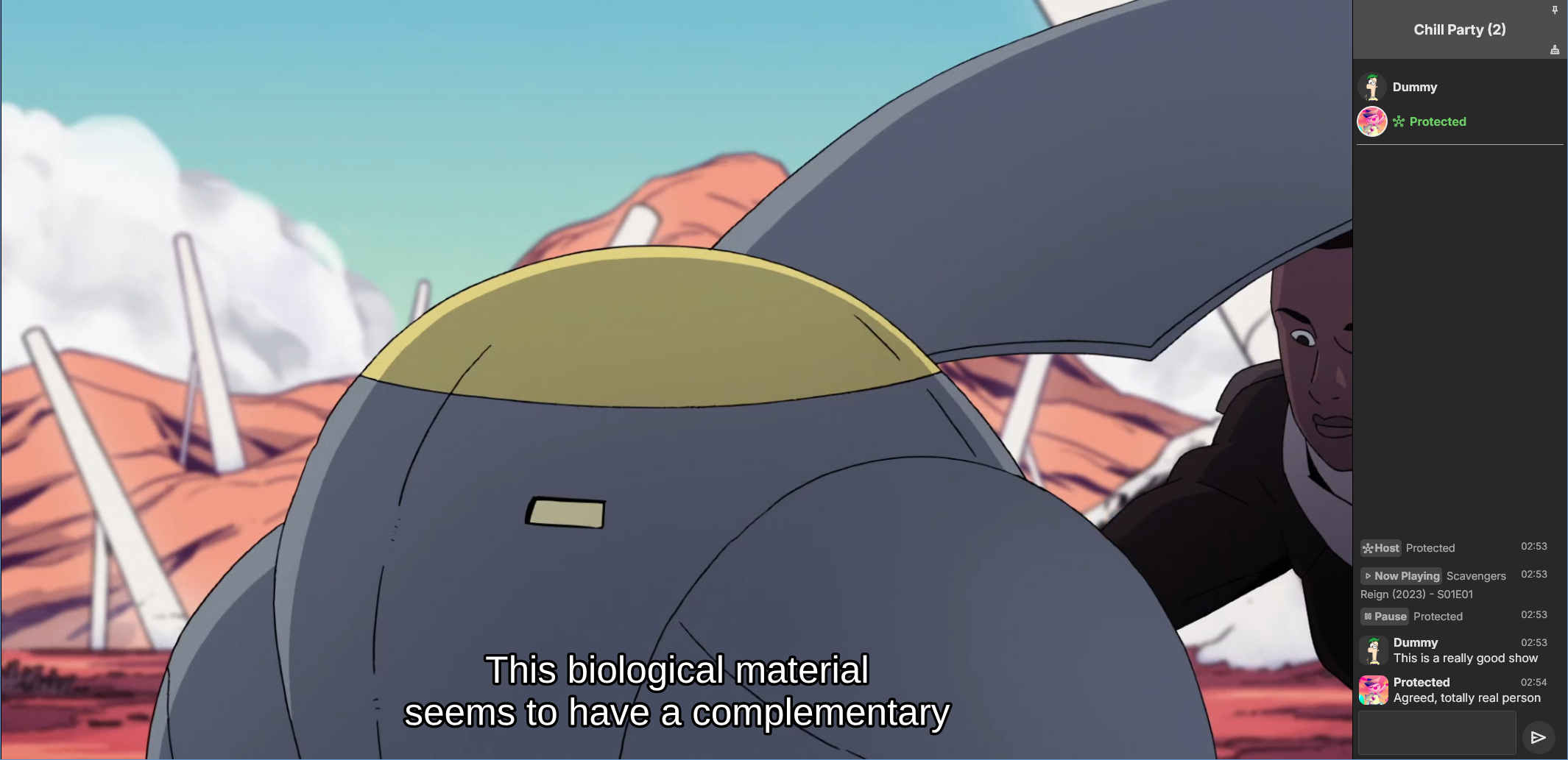
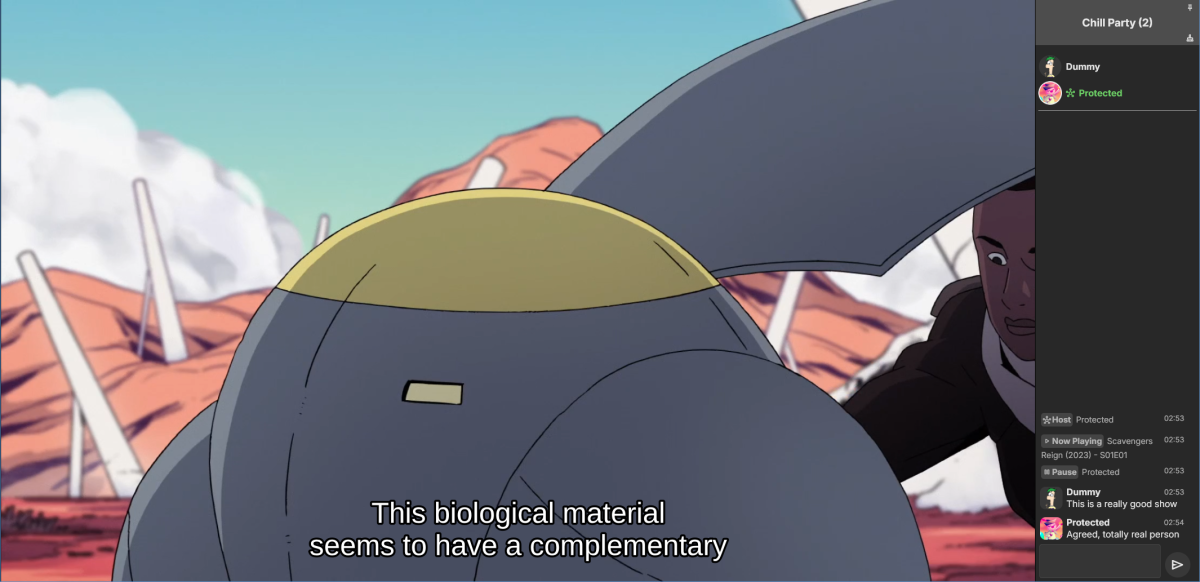
Emby Party is a solution for watching videos with multiple friends through your Emby web client. It requires no additional dependencies - only a device running Emby (presumably with good enough hardware for serving all the attendees, especially if you're transcoding) and at least one web browser. It consists in two halves: A server plugin and a web client module. They must be used together! Each half expects the other to be present. This is an experimental open source project. Feel free to fork and contribute pull requests and issues (my availability for fixing issues on my own may vary wildly and may be low in the near future). The source code and all known issues can be found in the github repository. Any information there should be considered the most up to date. Currently testing in Emby 4.8.10, Windows and Debian Bookworm (Linux), Firefox, Chrome and Edge. Features Hassle-free hosting: Doesn't matter who creates the party. Whoever initiates playback while in a party transparently becomes the party host, and host is reassigned if they leave. No need to recreate the party for someone else to host something later. The hosts controls the party video and video position. Video access permission check: Will only play a video if all party members have access to it, and will prevent new party members who don't have access to the current video (if any). Accurate synchronization of video player positions when the host seeks or changes videos using a multi-part protocol that leverages remote control commands under the hood. Accurate catch-up seek commands issued for guests when they fall behind or are otherwise offset from the host. Efficient transition between videos in a playback queue that accounts for slightly offset attendee positions and allows each attendee to start loading the next video while others finish the previous one. Late joiner support: Brings late joiners immediately into the video at the correct position. Joiners already watching a video will automatically start hosting that video if the party was idle. Host can change audio and subtitle streams for all attendees (guests can change it back for themselves if they want). Distributed pause/unpause requests - all users can pause and unpause. Return to video button for guests to return to the video being watched by the host if they closed it for some reason. Guests are automatically returned to the correct video if they open the wrong one or under certain other circumstances. Keep alive: Plugin keeps party member sessions and websockets open as needed and disconnects party members who time out. Support for multiple sessions/devices per user account. Just don't duplicate browser tabs! Support for remote control: Party members can control other Emby clients and those clients will benefit from party synchronization. (Caveats: Working, but not thoroughly tested yet. Due to the lack of client-side support, remote controlled clients are capable of issuing pause/unpause commands that break synchronization. I recommend being careful about pausing/unpausing in a device being remote controlled by a party member.) Cool resizable sidebar with list of party attendees and log of chat and events. The sidebar has docked (squeezes the video aside) and undocked (overlaps the video) modes and uses your Emby profile picture. Dark and light mode supported. Visual indicators for synchronization states of party members when synchronizing with host (icons). Visual indicator when receiving seek commands from the server (your name flashes orange). Host remedies for synchronization issues: Guests who are not responding can be sent another playback command by the host or kicked from the party after 20 seconds have passed. Emoji support in chat using :shortnames: or emoticons. Markdown styles support in chat, including spoilers and preformatted text. Preserves chat focus and selectively blocks keyboard shortcuts or UI interactables when chatting or syncing in order to prevent control mistakes/command spam. Chat bridge endpoint: External applications can connect to `ws://localhost:8196/bridge` to exchange chat (and some events) with the party sidebar. I threw together a module for my self-hosted Discord bot that shows how to use it. Remote control chain resilience for party attendees only: Prevents you from creating a loop of remote control targets. If you do this in vanilla Emby your clients will nuke the server with requests. Automatic skip to next video for videos stalled at the end because the last segment isn't decoding. This is also for party attendees only. Installation To install the server plugin, download it or build it in Visual Studio, then copy it normally to your Emby server's plugins folder and restart the server. Currently the plugin doesn't modify any Emby files (yet?), so you'll have to manually edit one of the web client's existing modules and import the Emby Party module there. Head on over to system/dashboard-ui/modules/appheader/appheader.js and locate the end of the render function, which in Emby 4.8.10 is in position 21877. Insert this code there: , Emby.importModule("./modules/embyparty/partyheader.js").then(function(PartyHeader) { return (new PartyHeader()).show(skinHeaderElement.querySelector(".headerRight")); }); Save, clear your browser cache and refresh. If the party button appears in the top right corner, you're good to go! I'm sure someone will tell me a better way to do this soon enough. I don't know if there's a commonly accepted way and haven't really put any thought into it yet. Whole bunch of disclaimers Use at your own risk! If something breaks that you don't want broken, revert the steps above to remove the plugin from your server installation. Emby Party was iteratively developed and tested with several friends over several weeks, but it was developed to suit our own needs. It was not (yet) tested alongside features we don't use, including, but not limited to, Emby Connect, Emby Premiere, Live TV, the audio player, conversions, cinema previews, most other plugins, etc. Currently no mobile styles. Not tested on mobile. We've been in active development until now. There are vaguely known issues that are hard to reproduce and instability can be caused by video decoding failures, networking issues, browser crashes, browser extensions, lack of hardware resources, forgetting your browser won't play until you click the window unless you've given Emby autoplay permissions.. New and exciting bugs should also appear as we get more people using it. Thanks in advance for helping test, report or fix this stuff! Otherwise, check back for updates, I guess? Please keep comments and suggestions in this thread. Issues should be reported only on github so they're all in the same place. You may notice a whole lot of things in the source code that make you think, wow, it sure would be nice if this was in the Emby settings. I agree! If you would like to implement a plugin settings page, please submit it as a pull request on github! I'm so horribly far behind schedule with this project, and my free time is far in the negative right now. There may be better ways to do some of the things Emby Party does that I am simply not aware of at this time (one of the reasons I'm keeping these instructions outside the repository for the moment) or were simply not considered because the feature grew organically. Pull requests please! Also recommended If you're feeling adventurous, consider improving your watch party's subtitle experience with these (much harder to apply) client-side fixes we worked out in tandem: Temporary workaround for subtitles coming in too early when resuming a video with transcoding (Important for this whole thing if you watch videos with subtitles) Web client ignoring AudioStreamIndex and SubtitleStreamIndex (Required for party host to guest stream index sync if you use that) Fixing mismatch between subtitle canvas and video aspect ratio breaking ass subtitles Fixed in vanilla as of 4.9.*! Playing plaintext subtitles through Subtitles Octopus by faking subtitle type Support mkvs with embedded fonts (requires the associated plugin) Fixed in vanilla as of 4.9.*! These may become obsolete over time if things are fixed or integrated into the main software. Don't forget to clear your cache and refresh after making changes to the client.
 1 point
 -
@feerlessleadr I have finished the coding. I now need to test it and write a short note on it's capabilities and features. Vic1 point
-
I thought I had posted an "Applications are closed!" message here, but maybe I forgot to hit the button So @DreadMore- you're lucky because we got a little bit delayed. But now - definitely: Applications are closed! Thanks1 point
-
When this task runs all it does is enable "Vacuum the database on the next Emby Server startup" option under the database tab. A restart is required to actually run the vacuum, which will reset this back to disabled.1 point
-
I see that as well. This is because the task button library may have changed in the core. I'm currently looking into it further.1 point
-
Hey Luke, would it be possible at all in the future to allow server admins to control when these themes are applied? Not sure if this is hard-coded in the app or on the server side... I love the themes...and I wish that the Halloween theme would start on Oct 1st and end on Halloween, not start on Halloween. If there is a way I can change this via API, or anything at all I would love to. The themes are such a fun part of Emby and I look forward to it every year, but it's so short lived. I know I can apply the theme manually in the settings, but I am wanting to change the automatic application and keep the howling/jingle bells etc1 point
-
Thank you for the quick reply. This setting gave positive results for Synology Emby installed in Proxmox. Now I did a test for my physical installed device and it was positive. Thank you.1 point
-
No impact at all to Emby as it provides ffmpeg, h264, h265, etc. Here's a link to a thread where several of us tested out 7.2.2 when it first came out. https://emby.media/community/index.php?/topic/131598-dsm-722/1 point
-
That was my earlier suggestion. Can you give examples of paths that should have been found that were not and also the actual folder names/filenames for these examples Are you moving media around or renaming files ? I see a lot of items logged as being removed. In the log you attached, 96 movies show as being removed from the database This is one example of the 96. All are in "/Volumes/Emby/media/Movies/" 2024-10-31 12:10:54.371 Info App: Removing item from database, Type: Movie, Name: The Woman King, Path: /Volumes/Emby/media/Movies/The.Woman.King.2022.2160p.WEB-DL.DDP5.1.Atmos.HDR.H.265-EVO/The.Woman.King.2022.2160p.WEB-DL.DDP5.1.Atmos.HDR.H.265-EVO.mkv, Id: 943264 Can you check your naming against what is in this article for Movies https://emby.media/support/articles/Movie-Naming.html I see file names that do not look right - eg "1994 - Only You.mkv" which I would put in as "Only You (1994).mkv" Looking at the media scan showing in the log, it started at 11:49 and completed at 12:34 So your movies are mainly in "/Volumes/Emby/media/Movies" directory, I can see 400 movies within this path (including featurette files) being detected in this scan. Can you explain to me where this directory path is specified in your server settings for the Libraries: "/Users/abdiel/.config/emby-server/root/default/Movies" The media scan hit an error on this path with an "@eaDir" in that path. So go through all your library settings and see what folder paths you have defined and remove incorrect ones and see if that has an impact So to summarize: - need actual real examples of media file names/paths/folders that are not being found - need libraries folder paths checked out as being correct - you can share the folder paths for the libraries concerned - go to server settings dashboard and select Library and for each library, select edit to see what the folder paths are1 point
-
Amazing! Thank you!1 point
-
Thanks1 point
-
Okay - solved my own problem here. I did a complete uninstall of Emby. For anyone else needing this: In DSM 7.2.2 Go to Package Center, stop Emby Uninstall Emby Go to Control Panel > Shared Folders and remove Emby permissions for the folders you assigned under System Internal Users Go to Users & Groups, enable Admin (which Synology recommends you keep disabled unless needed), assign a new password (because I always forget it...) Go to Terminal & SNMP, enable SSH on port 22 Go to Security > Firewall > Edit rules and enable Encrypted Terminal Service on port 22 Then in your preferred SSH program (I used Terminal) Remote in using your device IP ssh admin@XXX.XXX.X.XXX Find the Emby directory cd /volume1/@appdata View the directory ls You should see EmbyServer in the list Elevate your permissions and delete this directory sudo rm -r EmbyServer View the folder list again and validate EmbyServer has been deleted ls Logout from SSH logout Back In DSM 7.2.2 Restart by clicking the user icon in the upper right Needed? Not sure, but a restart is always a good way for clearing those lingering things in memory, so why not. After restarting, undo the SSH Go to Users & Groups, disable Admin Go to Terminal & SNMP, disable SSH Go to Security > Firewall > Edit rules and uncheck Encrypted Terminal Service Reinstall Emby I used "Manual Install" to upload the latest from Emby (currently 4.8.10) Follow the regular Synology install guide, including adding Emby Read/Write permissions for the folders you want to use under System Internal Users, setup a user, add your folders to Emby interface, etc. Success! My media is now showing up! Hooray!
 1 point
 -
Okay, I'll post it next time it changed by rescanning. It may take some time due to scheduled maintenance window.1 point
-
Did you fully delete the Emby appdata folder or just overwrite/merge? You might have to fully delete Emby on unraid first and then transfer your old server over to unraid. You could also just try upgrading to Emby/embyserver:4.8.0 (not sure of what the first 4.8 version is) and see if that works first1 point
-
It was happening every time for one channel. But removing the tuners and reattached the tuners seemed to fix it. It has been recording as normal for the last few days.1 point
-
Just reporting back. The android app is working great so far!!! It's a night and day difference between the FireTV version and this one. There is one thing I can't figure out. In the fireTV app, I was able to use the microphone on the remote for the search inside the emby app. In the android version, I have to type it all out. What am I missing? How do I use voice search for emby? Thank you for the help so far! @ebr @Luke1 point
-
I wonder if this is a UI thing or an API thing... I've got to try and replicate this. I'll randomly add and remove list items to try and break it.1 point
-
Not sure how many individuals would be willing to. Yearly. https://aws.amazon.com/marketplace/pp/prodview-yeuyizioqmfsy#offers1 point
-
Just stumbled on this and wanted to give it a go, but it looks like the build pipeline is failing I couldn't get this running either, the container would just crash - i've attached log files xtream2emby.html1 point
-
Hi Luke, Thanks for the follow up. It seems the 4.9.0.30.apk solved the problem. I can now browse my files by album artist. So yes, it seems that at some poiint, the album artist indeed showed a trrack instead of a folder (or something the like). I will now get in touch with the developer of USB Audio Player Pro to see if he can fix two things : 1°) the pixelized cover art in UAPP (not so in other apps) and 2°) why it takes 15 seconds to display the list of 200 album artists (not so in other apps where it takes 2 seconds or so). By the way, you may wonder why I don't use the Emby client. If so, that is because, unless I have overseen it, it does not offer EQ abilities If it would I'd use that one instead1 point
-
Yes, my current (new) win 11 connection type is "public." Can't remember the previous setting anymore, but am sure your logic is correct. Thanks again for being an active community. It's one (of MANY) reasons why I continue to love using Emby.1 point
-
so anyone else looking at this it's not possible. The GPU is only present on the VM it's attached to as a device. For failover with continued transcoding, you'd need to have another GPU attached to another machine. With mine I've been trying to figure out to stop intel iGPU disabling when discrete graphics detected but can't find the option in Supermicro BIOS1 point
-
Still an issue. Hoping for it to get fixed.1 point
-
Use another app for ebooks or audiobooks. Emby does not do those particularly well and other apps are much better. Just because Emby can do ebooks does not mean it should. ************ I deleted the remainder of my post due to the fact that a mod of this forum correctly deleted the entire junk post. Thanks @Abobader1 point
-
Finally I solved it permanently by adding this line to the conf file of the machine you are configuring: lxc.hook.pre-start: sh -c "chown 0:107 /dev/dri/renderD128" With this I haven't had to touch anything else and it works perfectly for me.1 point
-
Oh Sorry, i mean the "hover over a video and get a small few seconds preview of that specific video".1 point
-
It would be cool to allow Emby server users to comment what they think about a media piece. This could be shown on the top portion of a media info's page. Perhaps right under description, to encourage more user engagement.1 point
-
I think it's a nice idea1 point
-
We have an exclusive feature which reliably(!) converts those subs into text, keeping colors, position and formatting, which allows perfect rendering and manipulation, also can eliminate the need for burn-in. It's ready since 2 years, but for inexpicable reasons it didn't get into beta...0 points
-
Stop using your consoles for things they were never intended for. Media playback on the PS5 is garbage. Seriously, buy a firestick.0 points