Leaderboard




Popular Content
Showing content with the highest reputation on 10/31/24 in Posts
-
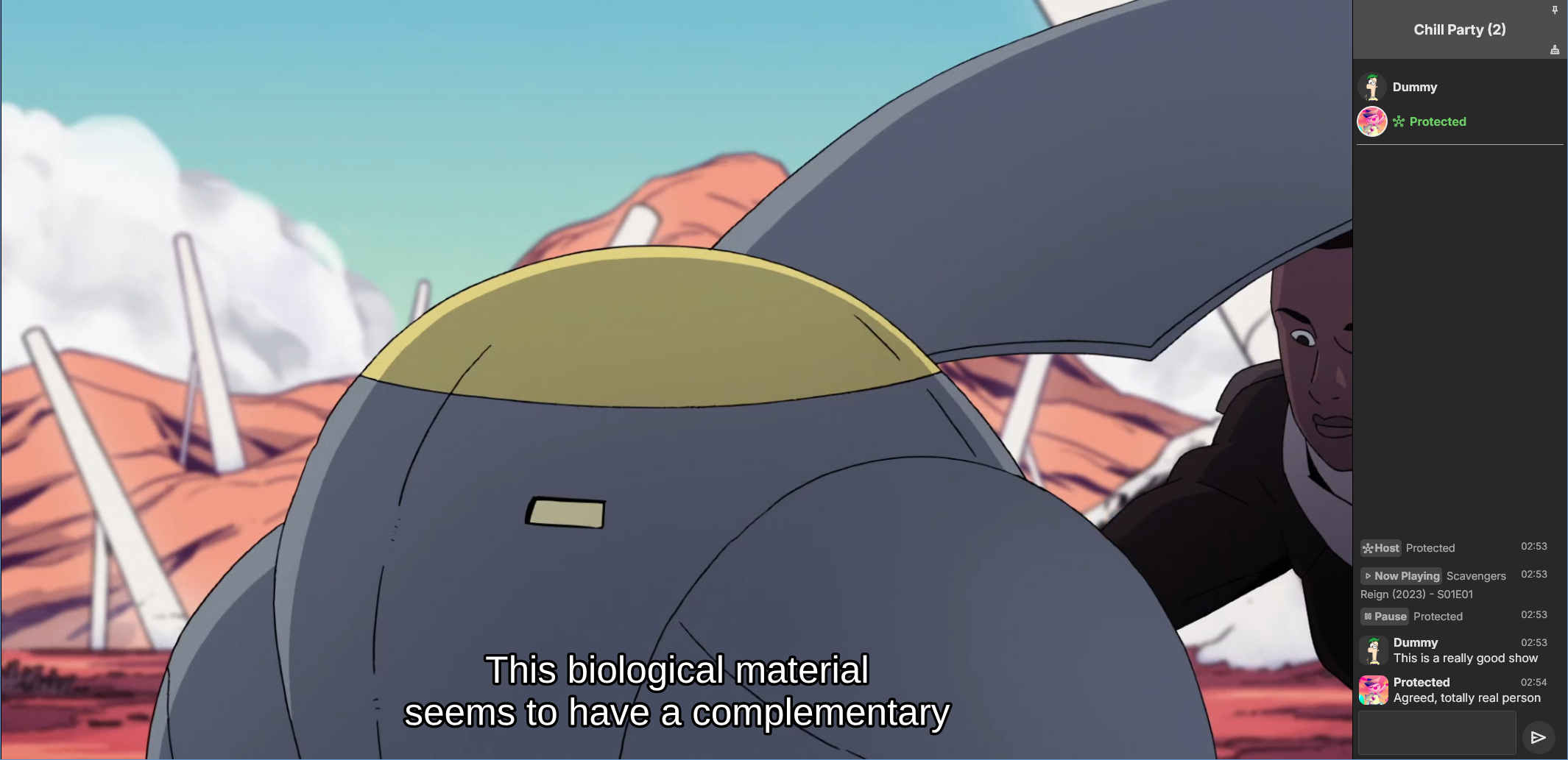
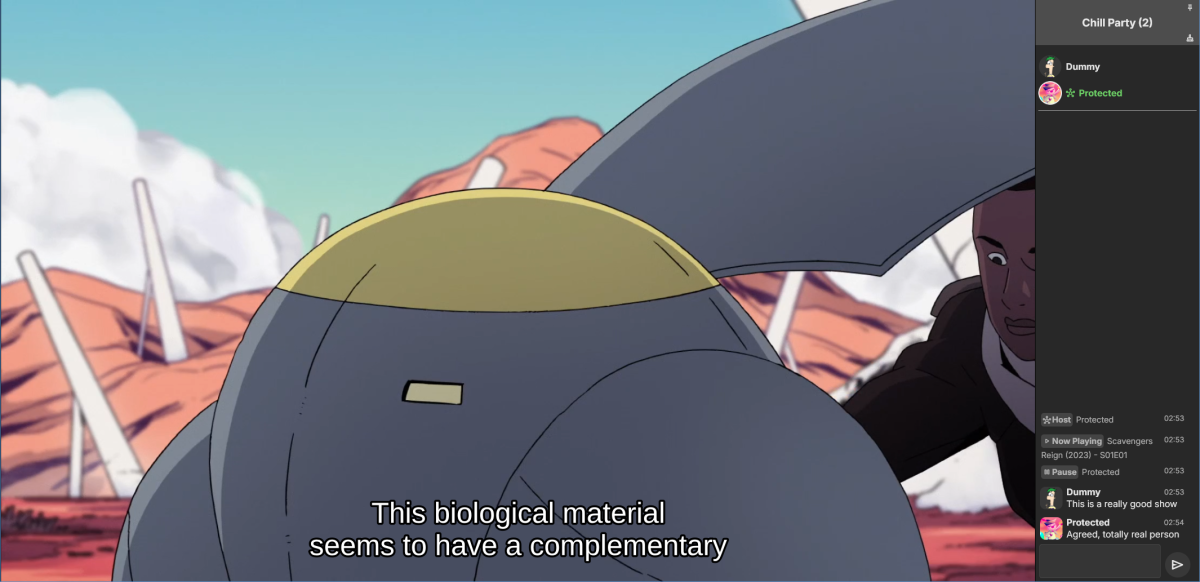
Emby Party is a solution for watching videos with multiple friends through your Emby web client. It requires no additional dependencies - only a device running Emby (presumably with good enough hardware for serving all the attendees, especially if you're transcoding) and at least one web browser. It consists in two halves: A server plugin and a web client module. They must be used together! Each half expects the other to be present. This is an experimental open source project. Feel free to fork and contribute pull requests and issues (my availability for fixing issues on my own may vary wildly and may be low in the near future). The source code and all known issues can be found in the github repository. Any information there should be considered the most up to date. Currently testing in Emby 4.8.10, Windows and Debian Bookworm (Linux), Firefox, Chrome and Edge. Features Hassle-free hosting: Doesn't matter who creates the party. Whoever initiates playback while in a party transparently becomes the party host, and host is reassigned if they leave. No need to recreate the party for someone else to host something later. The hosts controls the party video and video position. Video access permission check: Will only play a video if all party members have access to it, and will prevent new party members who don't have access to the current video (if any). Accurate synchronization of video player positions when the host seeks or changes videos using a multi-part protocol that leverages remote control commands under the hood. Accurate catch-up seek commands issued for guests when they fall behind or are otherwise offset from the host. Efficient transition between videos in a playback queue that accounts for slightly offset attendee positions and allows each attendee to start loading the next video while others finish the previous one. Late joiner support: Brings late joiners immediately into the video at the correct position. Joiners already watching a video will automatically start hosting that video if the party was idle. Host can change audio and subtitle streams for all attendees (guests can change it back for themselves if they want). Distributed pause/unpause requests - all users can pause and unpause. Return to video button for guests to return to the video being watched by the host if they closed it for some reason. Guests are automatically returned to the correct video if they open the wrong one or under certain other circumstances. Keep alive: Plugin keeps party member sessions and websockets open as needed and disconnects party members who time out. Support for multiple sessions/devices per user account. Just don't duplicate browser tabs! Support for remote control: Party members can control other Emby clients and those clients will benefit from party synchronization. (Caveats: Working, but not thoroughly tested yet. Due to the lack of client-side support, remote controlled clients are capable of issuing pause/unpause commands that break synchronization. I recommend being careful about pausing/unpausing in a device being remote controlled by a party member.) Cool resizable sidebar with list of party attendees and log of chat and events. The sidebar has docked (squeezes the video aside) and undocked (overlaps the video) modes and uses your Emby profile picture. Dark and light mode supported. Visual indicators for synchronization states of party members when synchronizing with host (icons). Visual indicator when receiving seek commands from the server (your name flashes orange). Host remedies for synchronization issues: Guests who are not responding can be sent another playback command by the host or kicked from the party after 20 seconds have passed. Emoji support in chat using :shortnames: or emoticons. Markdown styles support in chat, including spoilers and preformatted text. Preserves chat focus and selectively blocks keyboard shortcuts or UI interactables when chatting or syncing in order to prevent control mistakes/command spam. Chat bridge endpoint: External applications can connect to `ws://localhost:8196/bridge` to exchange chat (and some events) with the party sidebar. I threw together a module for my self-hosted Discord bot that shows how to use it. Remote control chain resilience for party attendees only: Prevents you from creating a loop of remote control targets. If you do this in vanilla Emby your clients will nuke the server with requests. Automatic skip to next video for videos stalled at the end because the last segment isn't decoding. This is also for party attendees only. Installation To install the server plugin, download it or build it in Visual Studio, then copy it normally to your Emby server's plugins folder and restart the server. Currently the plugin doesn't modify any Emby files (yet?), so you'll have to manually edit one of the web client's existing modules and import the Emby Party module there. Head on over to system/dashboard-ui/modules/appheader/appheader.js and locate the end of the render function, which in Emby 4.8.10 is in position 21877. Insert this code there: , Emby.importModule("./modules/embyparty/partyheader.js").then(function(PartyHeader) { return (new PartyHeader()).show(skinHeaderElement.querySelector(".headerRight")); }); Save, clear your browser cache and refresh. If the party button appears in the top right corner, you're good to go! I'm sure someone will tell me a better way to do this soon enough. I don't know if there's a commonly accepted way and haven't really put any thought into it yet. Whole bunch of disclaimers Use at your own risk! If something breaks that you don't want broken, revert the steps above to remove the plugin from your server installation. Emby Party was iteratively developed and tested with several friends over several weeks, but it was developed to suit our own needs. It was not (yet) tested alongside features we don't use, including, but not limited to, Emby Connect, Emby Premiere, Live TV, the audio player, conversions, cinema previews, most other plugins, etc. Currently no mobile styles. Not tested on mobile. We've been in active development until now. There are vaguely known issues that are hard to reproduce and instability can be caused by video decoding failures, networking issues, browser crashes, browser extensions, lack of hardware resources, forgetting your browser won't play until you click the window unless you've given Emby autoplay permissions.. New and exciting bugs should also appear as we get more people using it. Thanks in advance for helping test, report or fix this stuff! Otherwise, check back for updates, I guess? Please keep comments and suggestions in this thread. Issues should be reported only on github so they're all in the same place. You may notice a whole lot of things in the source code that make you think, wow, it sure would be nice if this was in the Emby settings. I agree! If you would like to implement a plugin settings page, please submit it as a pull request on github! I'm so horribly far behind schedule with this project, and my free time is far in the negative right now. There may be better ways to do some of the things Emby Party does that I am simply not aware of at this time (one of the reasons I'm keeping these instructions outside the repository for the moment) or were simply not considered because the feature grew organically. Pull requests please! Also recommended If you're feeling adventurous, consider improving your watch party's subtitle experience with these (much harder to apply) client-side fixes we worked out in tandem: Temporary workaround for subtitles coming in too early when resuming a video with transcoding (Important for this whole thing if you watch videos with subtitles) Web client ignoring AudioStreamIndex and SubtitleStreamIndex (Required for party host to guest stream index sync if you use that) Fixing mismatch between subtitle canvas and video aspect ratio breaking ass subtitles Fixed in vanilla as of 4.9.*! Playing plaintext subtitles through Subtitles Octopus by faking subtitle type Support mkvs with embedded fonts (requires the associated plugin) Fixed in vanilla as of 4.9.*! These may become obsolete over time if things are fixed or integrated into the main software. Don't forget to clear your cache and refresh after making changes to the client.
 2 points
 -
Sorry, I'm generally a noob with emby, I've used it off and on for the last couple of years, but just decided to make the complete switch from Plex, so forgive me if I'm using the wrong terminology. Just wondering if anyone is working on a project to get images from theposterdb. They have a lot of Collection artwork that can't be found anywhere else, and lots of themed artwork within those collections. Would be nice to have an agent that handles the downloading of those. For some reason, I don't seem to get all of the poster artwork from Emby that Plex seems to get, for instance, my Garden of Sinners posters all looked similar in Plex, but there's 2 of them that aren't getting the poster images that Plex seemed to be able to find. So having a single source repository for Poster art would be awesome. I am also having the same issue with my Hana to Hebi Live Action movies, both the ones from the late 70's and early 80's as well as the ones from the Early 2000's. The posters just aren't showing up despite them being matched appropriately.2 points
-
Because you are transcoding in software and not hardware. From logs: >>>>>> Processing Plan Name CanDoInHW WillDoInHW Reason Automatic software decoder >> False False Software Codec VideoInput >> False False Not a hardware decoder Scaling >> False False ToneMapping (when possible) >> False False VideoOutput >> False False Not a hardware encoder x264 >> False False Software Codec -- When changing the quality of a video transcoding is needed, it's a _VERY_ resource heavy operation hence why you are seeing 100% CPU usage. You can offload that work to a graphics card (GPU) which has video processing made to work with these operations making it very less resource heavy. You need a capable graphics card or CPU with built in graphics and have it setup properly in the Emby server (and docker if used) to utilize transcoding. Lastly Emby premier is needed to be able to transcode as far as i know. You can also for the most part avoid transcoding (depending on what your playback device suppoorts) by setting playback quality to highest in your Emby client, the program/browser used to view video with and then the video will be sent from server to client without having to be changed.2 points
-
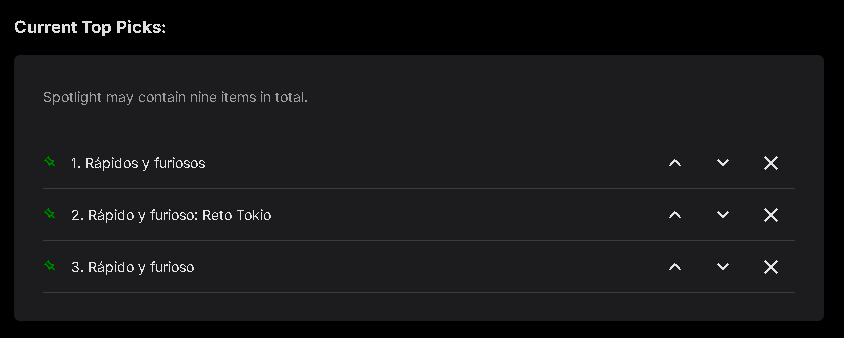
Okay I've fixed the loading issue. Before I update the catalog, I'd best try to fix some of the other stuff. If you want to test it, please try this : Emby.TopPicks 1.0.0.61b.zip (Please remember to clear the browser cache to load the new js properly.) - config page to load properly td: - error checking list creation on the config page. (kjhedges) - what to do when missing thumbnail (Quincarter) default: image - check emby's form elements, and style components (name may have changed): Textbox, Select2 points
-
When it comes to media server solutions, we believe that Emby is the number one product for users who value privacy, customization, and reliability. Today, we're going to take a closer look at some of Emby’s key strengths that make it an ideal choice over other media server solutions. 1. Prioritizing Privacy and Security Security is a central part of Emby’s design. Unlike some media server alternatives that have limited security options, Emby gives users control over who can access their media and how they access it. With Emby, you can setup secure HTTPS connections, ensuring data is encrypted as it’s transmitted or easily set up access via a reverse proxy amongst other options. User permissions are also straightforward to manage, giving you full authority to create individual access levels for each user in your household or server network. Your media is yours, and Emby ensures it stays that way by giving you the ability to implement strong encryption options that protect against unauthorized access. 2. Simplified, Intuitive Setup From the moment you install Emby, you’ll notice a streamlined, easy to navigate interface. Whether you’re setting up for the first time or managing your media library, our layout is intuitive and user-friendly. Emby is accessible to both beginners and advanced users, with step-by-step guidance to get you started and powerful customization options available for those who want to tailor their media experience further. Want to hide your remote users from a login screen? You can do that! Want to set up those same users with an easy way to access your server? Emby Connect allows you to do that! There are so many ways in which Emby simplifies user management and access to make it easier and more secure for your users! Other media servers can be clunky and involve multiple steps to perform basic tasks, but Emby simplifies this with a unified interface that makes media organization and management easy. 3. Seamless and Efficient Transcoding As mentioned in our previous blog, transcoding is a key feature for media server users, and Emby’s transcoding engine is optimized to handle media formats and devices with impressive efficiency. Whether you're streaming a 4K movie, using HDR tone mapping, or watching a video on a low-bandwidth connection, Emby has the ability to dynamically adapt to your network and hardware capabilities, delivering smooth playback across devices without unnecessary buffering or interruptions. Emby can also utilize hardware acceleration (Emby Premiere only), ensuring that high-resolution content plays seamlessly without consuming excessive CPU resources. This is particularly helpful if you have multiple users streaming from the server simultaneously, as Emby ensures each session gets the best possible quality. 4. Comprehensive Library Management Emby’s library management capabilities are designed to provide the best possible organization and personalization options. With Emby, you can create custom collections, tag media, and even use rich metadata that automatically pulls in posters, descriptions, and trailers to enhance your experience. The smart playlists and customizable views allow users to organize their media in a way that feels personal and unique. For those who have extensive media libraries, Emby also makes finding and managing content effortless. Search filters and sorting options let you locate titles instantly, and Emby’s advanced metadata scraping ensures your library looks how you want it to. 5. Cross-Platform Compatibility In an age where we use a variety of devices daily, Emby is engineered to be versatile. Emby offers applications for nearly every platform, including Windows, macOS, Linux, Android, iOS, Roku, smart TVs, Android TV, tvOS, web browsers and more, giving users the flexibility to stream and manage their media library from practically any device. The versatility that our server provides doesn’t stop there – it also supports a wide range of formats, ensuring that no matter what file type you prefer or where you choose to watch, Emby is ready to deliver the best experience. 6. Constantly Evolving Features with a Supportive Community Emby is continually updated with new features based on user feedback and technological advancements. Our development team and community via these forums, work hand-in-hand to enhance Emby’s performance, refine its interface, and introduce new options that make media management a more rewarding experience. As an Emby user, you’re part of a passionate community that we believe values innovation, feedback, and the enjoyment of seamless media streaming. View the full article2 points
-
It would be great to have Emby as a music provider for Music Assistant: https://music-assistant.io/ I'm forced to use Jellyfin as a provider for now: https://github.com/orgs/music-assistant/discussions/583 It probably wouldn't take too much effort to adapt the existing Jellyfin provider to the Emby API: https://github.com/music-assistant/server/tree/dev/music_assistant/server/providers/jellyfin1 point
-
Hi there, I know ISO support has come up many, many, many, many, many, many times in the past, but most of the requests seem to focus on ISO playback. However, I would like to ask if it would be possible to get support for ISOs as "folders"? Is there any possibility of adding support for playing back video files from within an ISO? This would be similar to the current DVD and BluRay folder plugins, but instead of having the contents of the disc in a folder, it's all in an ISO. Just as an example, something like DiscUtils is a C# library which allows for reading files from within an ISO without having to extract it first. I'm assuming doing a live remux of the file(s) from within the ISO (by feeding them into ffmpeg) would then allow the video to be played on any client just as any other video would? This would allow for videos to be played back that are stored in an ISO, and not lose any of the benefits of Emby and it's client ecosystem - Emby could still transcode if required, and all clients would be able to play the videos. I know Emby focuses on making things user friendly for all users, but something like this could happily be an "advanced user only" feature - no automatic scanning of files or detection by Emby, but if a STRM file is found (with accompanying NFO file), and the STRM file points to the ISO as a folder, then it would be understood and opened accordingly. E.g., \\EMBYSERVER\Movies\Topgun.iso\VIDEO_TS\VTS_01_0.IFO Is there any chance of something like this being added to the current DVD and BluRay folder plugins? (Also, I know that the default reply is usually "convert to MKV", but there are a lot of discs where it is nice to have access to the whole disc. In those scenarios, I can use Kodi if I ever want the full "disc experience", but for 99.9% of viewing still use Emby without having to store both the ISO and duplicate MKVs. )1 point
-
I realize this has been discussed before but I wanted to add how useful this would be. I ripped my collection of BluRay/DVDAudio music to ISO and I would like to be able to stream with menus. Yes I could start ripping every song from every disc but that would be a ton of work and it wouldn't be easy to navigate. Especially with a blend of audio/video on these music discs. For the time being I'm just using Kodi, which actually works quite well. It even scrapes the artwork for all my discs. But I'd really love to keep everything within the Emby ecosystem. Maybe it doesn't make much sense for regular movies, but for music releases it's a completely different situation. These discs are still being released all the time. Any chance this might be supported at some point? Please?1 point
-
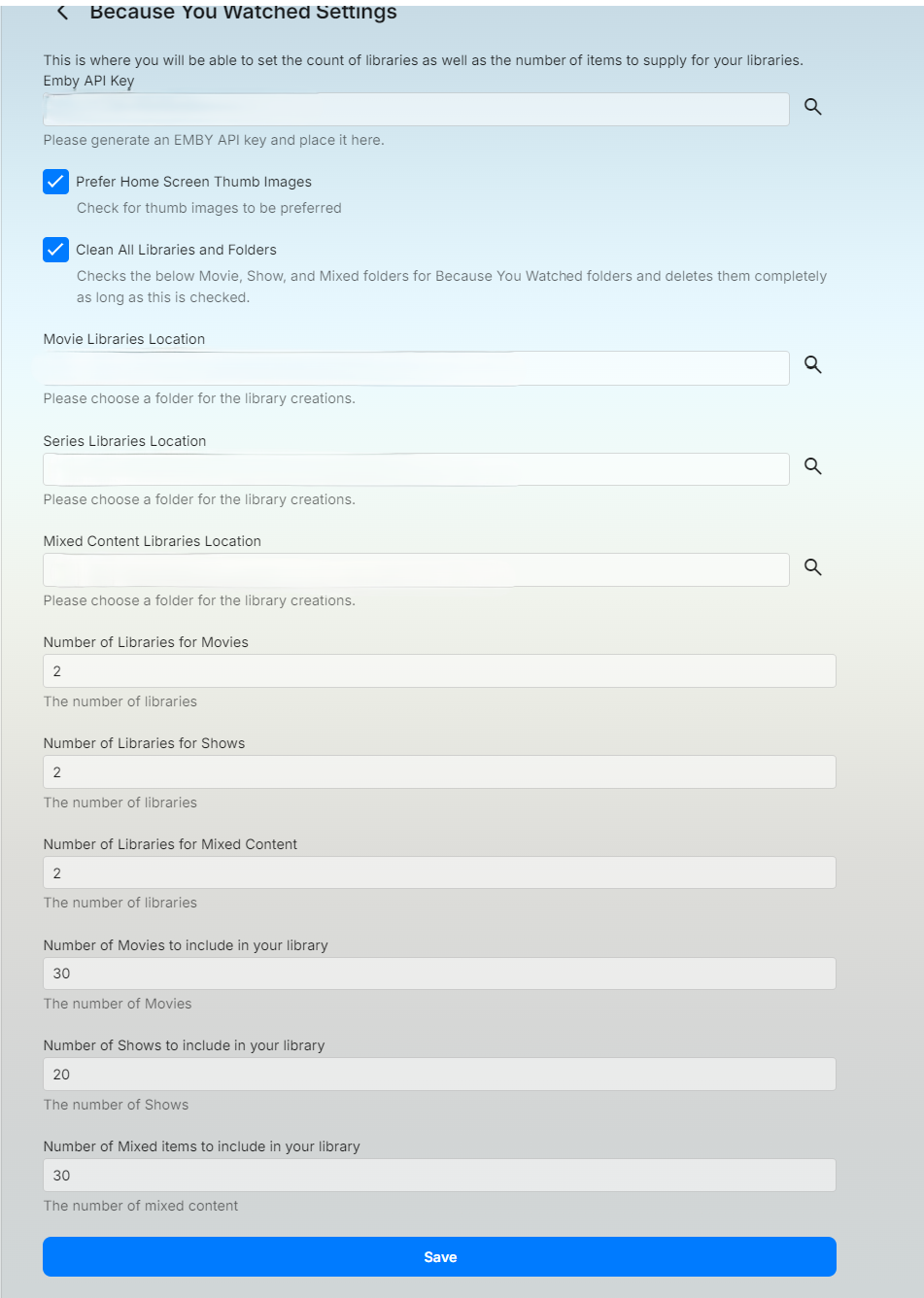
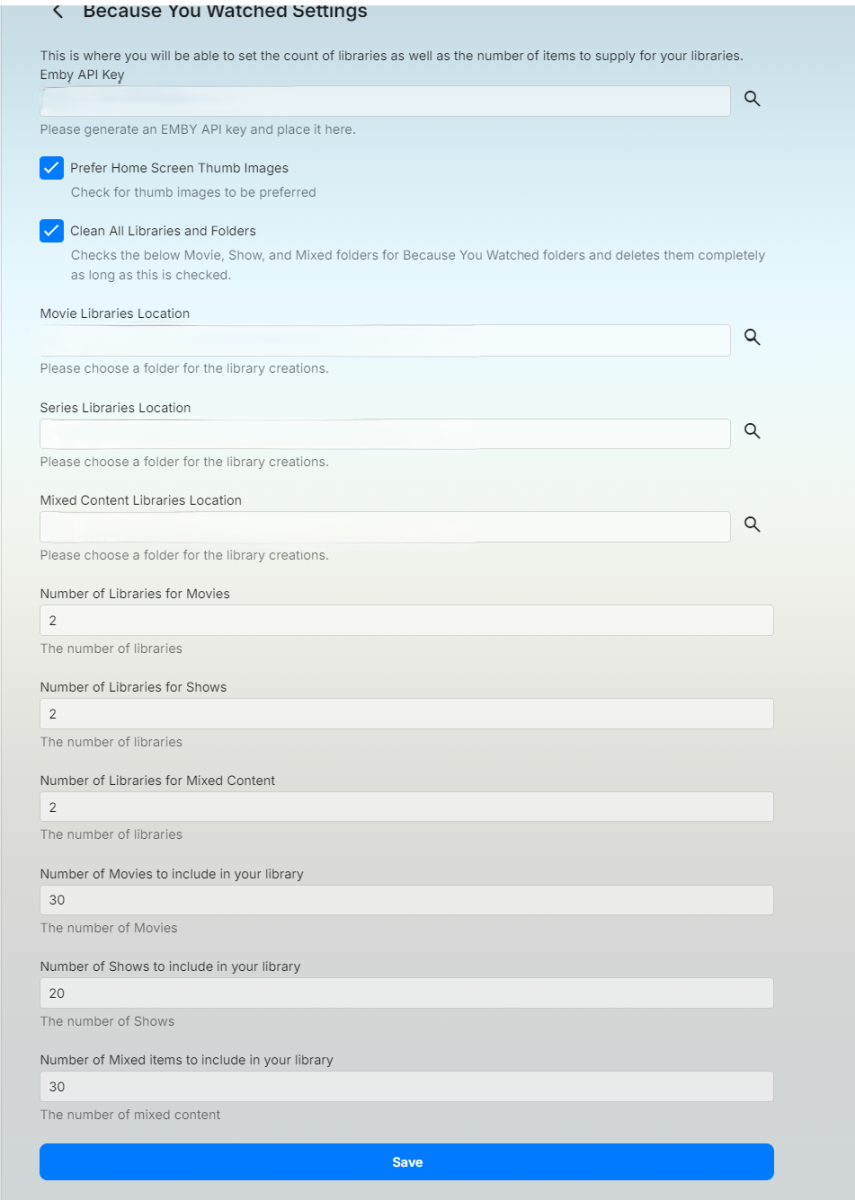
I've put together an plugin that will libraries and stream files for movies or shows that you've watched. What does it do? It builds folders, images, and stream files in the location you choose. If you're libraries contain stream files already it will just make a copy of those in the new location. It will delete the files and folders that roll off the watched list. Things to keep in mind: This will create folders based off all users watched history. So if you have multiple users there could be several folder structures created but it will not duplicate folder structures. This plugin allows you to choose between Movies, TV Shows or a mixture of both. You should do mixed content on it's own not with movies and tv shows also supplied. You will need to generate an emby api key for the application and store it in the settings. The clean All Libraries and Folders will delete all the stream files and folders this application creates in the location supplied in the configurations and recreate. This plugin will update as you watch items on the Emby server. This is not immediate as it takes time to run through and create the libraries and scan them. Emby.WatchedSuggestions.dll
 1 point
 -
Hello, i'd like to suggest a way to have a greater variability on library icons, especially for libraries on the left menu side. For instance the symbols for music and audiobooks are the same. Also the symbols for "Series" and "recorded series" are the same. So, my suggestion is to use a greater variability, for instance keeping the "Headphones" for audiobooks and change to "Music Note" for music. The symbols for series could be kept but for recorded series use "radio button checked" as it looks like a record symbol. One other way would be to make it customizable at all. Of course one can use css, but this only would change the symbols in the web app and not in the windows or android app. Kind regards1 point
-
I proposed this idea to them over a year (heck maybe even over 2-3 years ago) and it fell on deaf ears... Charging a creator to upload their creations, which is what draws the traffic to their site is kind of crazy... Totally backwards way of doing business... I've been using photoshop for over 30 years, I have movie posters, DVD Covers, and Disc Images that I've created over the years that are top quality, but because they want to charge me to share my work, I don't...1 point
-
That's a very nice addition. But let me be that annoying guy who nitpicks and says "hey i like () better than [] for that".1 point
-
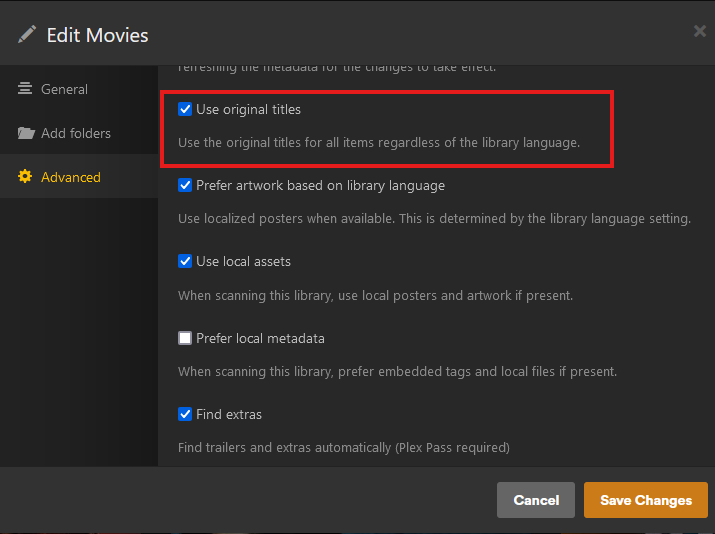
Yes, but specifically, I do not want to chose a language, I want to be able to chose to always download the original title, the title it have in the country of origin for the movie or show, no matter what country it is - as an example I just installed plex on my pc to show the setting they have: As shown in my previous post, it is already part of the metadata, but I would like the option to have that shown as the main title without having to do it manually for every single item. And again, it would preferably be on a per library basis - for example, I would like it on my movies and tv-shows, but on anime, I do not want all japanese titles, there I prefer the translations.
 1 point
 -
No, its the button placement as well, its less cramped and makes the screen feel bigger. But it's not only spacing. I really recommend trying it out, I assume you've already got a Jellyfin and Plex server running? Always good to see what the neighbours are doing1 point
-
Thank you.1 point
-
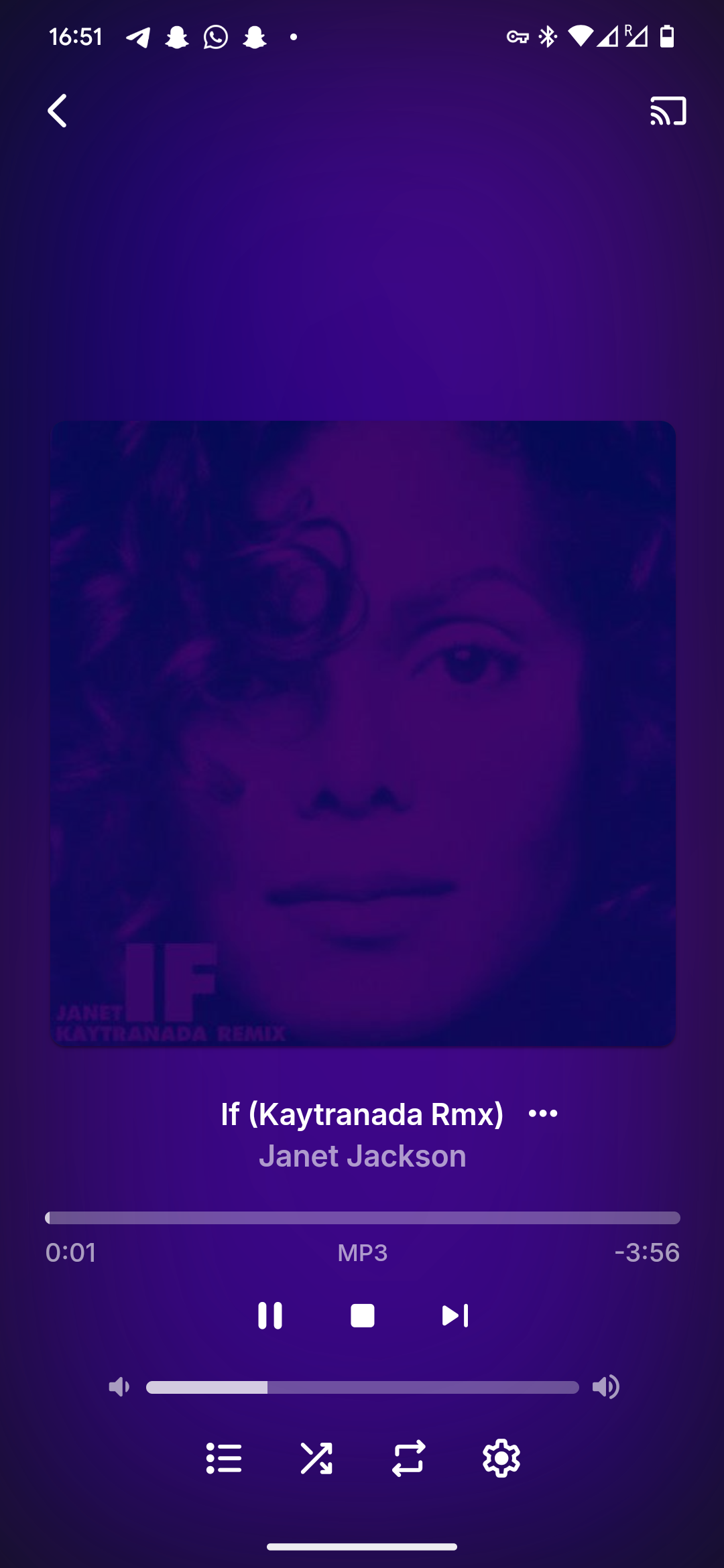
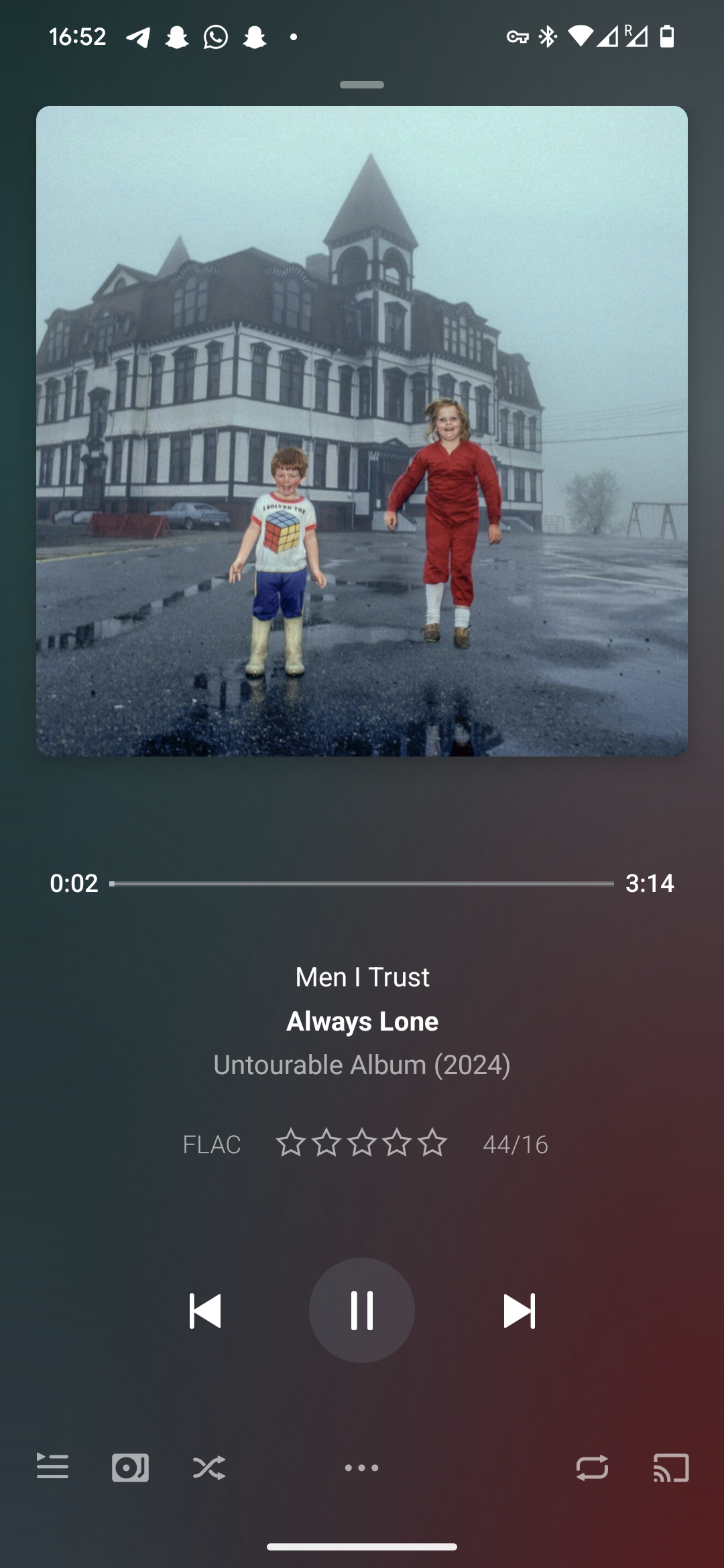
This giant blank space here for example: Compared to Plexamp very natural spacing, which also gives very convenient access to the queue for example:
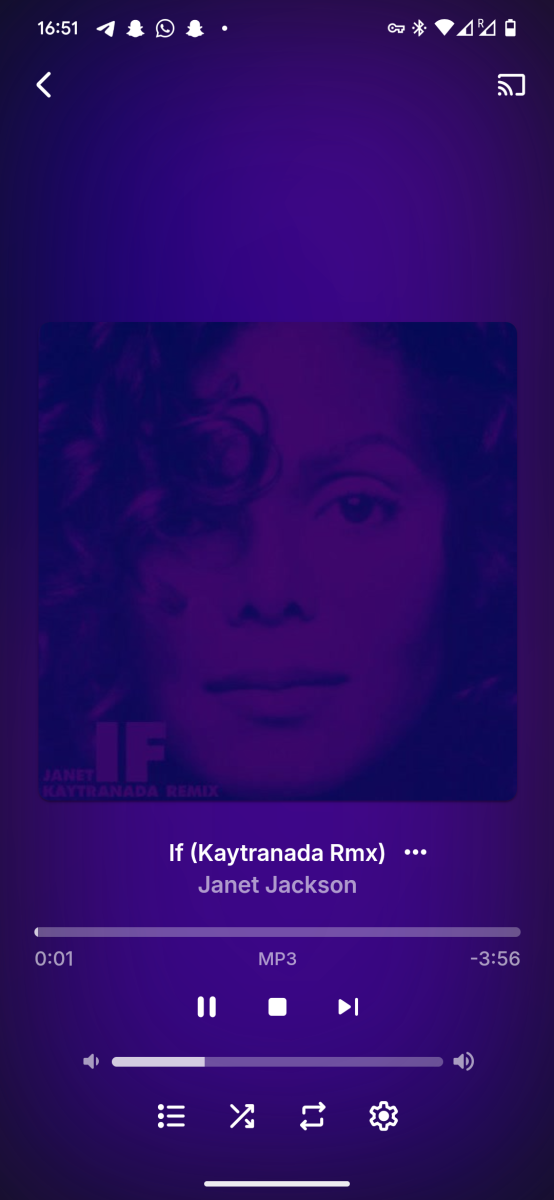
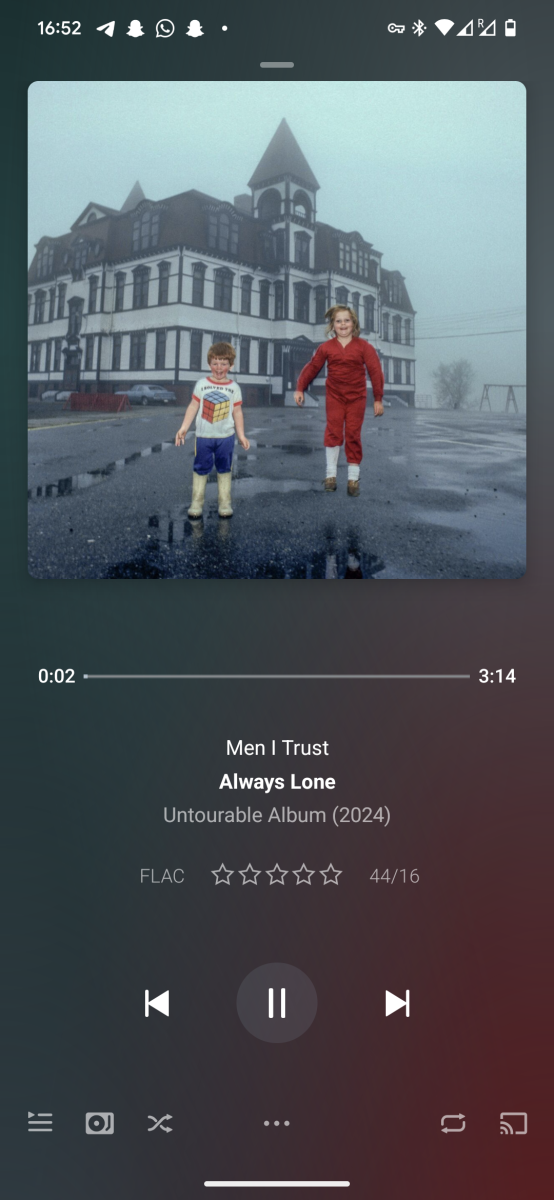
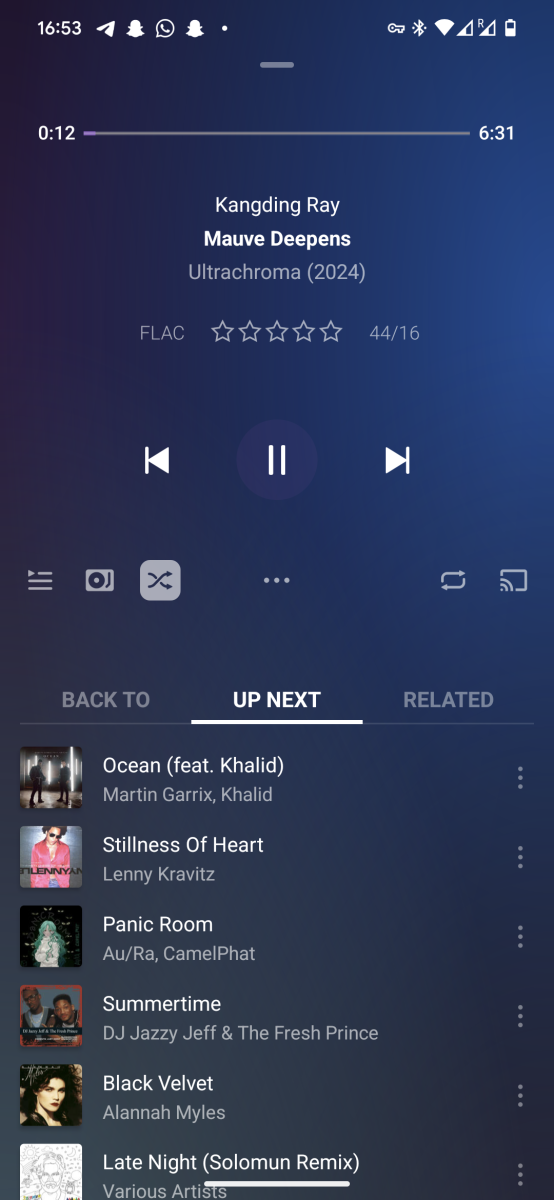 1 point
 -
That was my point: SEARCH wasn't accomplishing what I was trying to do. Using FILTER does find that content in my collection. My feature request was to add a search function to the FILTER protocol to make selecting studios easier within FILTER (since the list is so long & some studios have several names that may not be close to each other alphabetically). I would also like to suggest adding a PEOPLE section to the FILTER function, to allow a user to find all content in their collection involving a certain actor/director/writer, etc. e.g: find all movies in my collection directed by Woody Allen, or starring Drew Barrymore, etc.1 point
-
Not always. It's true that tmdb and tvdb both support lookup via imdb, however for any given title there is the possibility that they won't have the value in their database, so when you try to search by imdb id you end up with no results.1 point
-
Might want to learn it especially since you have a Synology. There is this guide also1 point
-
Hi, we are still looking into it. Thanks.1 point
-
Hi, one thing you could try is disabling the automatic port mapper in network settings. Please note if you do this then you'll need to manually configure port forwarding in your router for remote access: Remote Setup1 point
-
More notification grouping options are certainly possible for future updates. Thanks.1 point
-
Hi @F1nchywouldnt you rather have a personal media server as opposed to one that puts all of your information into the cloud?1 point
-
Yup, looks to be solved with that one setting. Pity the app doesn't ask for the permission, so finding the setting took a while as it was quite hidden. I'd say all good now.1 point
-
Aun sigue tieniedo errores no los muestra en el inicio si agrega aparentemente las peliculas pero desaparece labliblioteca
 1 point
 -
Okay, I have found an issue. I just have to figure out what changed the task library. That will stop the constant load of the config page.1 point
-
Yup....works fine.1 point
-
Please use this version: VirtualTV.2.1.0.1.zip and send me the Emby log after enabling debug logging in the plugin and hitting preview for a brocken channel.1 point
-
it is also unnecessary as it is tremendously easy to convert ISOs to just about anything that plays fine. I, for one, do not not see any need for Emby to support ISOs. Also I do not think Emby has ever officially supported ISO playback. Just because something used to work does not mean it was ever supported or that support is even planed.1 point
-
1 point
-
The 12100T for sure. Faster single thread for bluray subtitles and better quicksync.1 point
-
Hopefully, never. There are plenty of things the Emby plays quite well and it is hideously easy to convert ISO files to a number of them.1 point
-
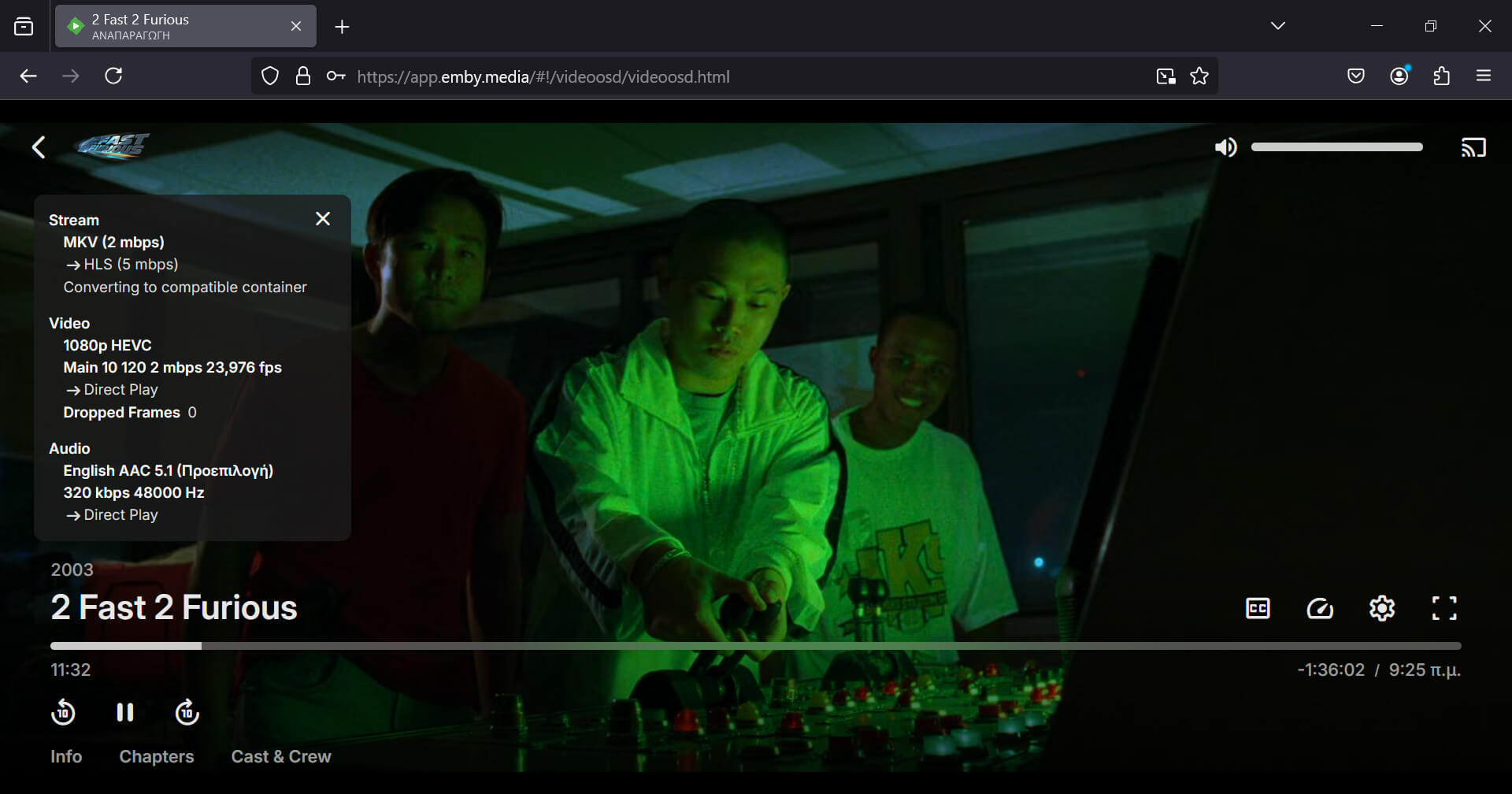
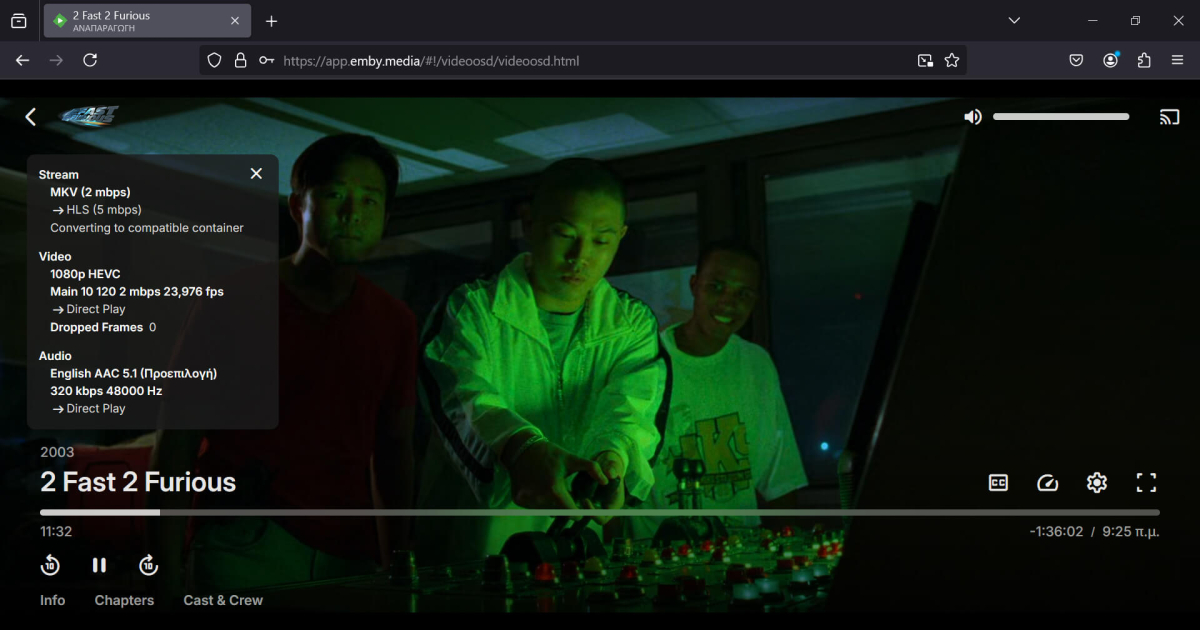
Firefox 132 released and it includes the fixes. Warning.... I think the stable release has "media.wmf.hevc.enabled" set to 2. Make sure you have "media.wmf.hevc.enabled" set to 1 and "media.wmf.media-engine.enabled" to 2. The result... Emby direct plays HEVC. The screenshot is from Firefox 132 stable which just released.
 1 point
 -
It got fixed after I updated the wifi drivers on my laptop.1 point
-
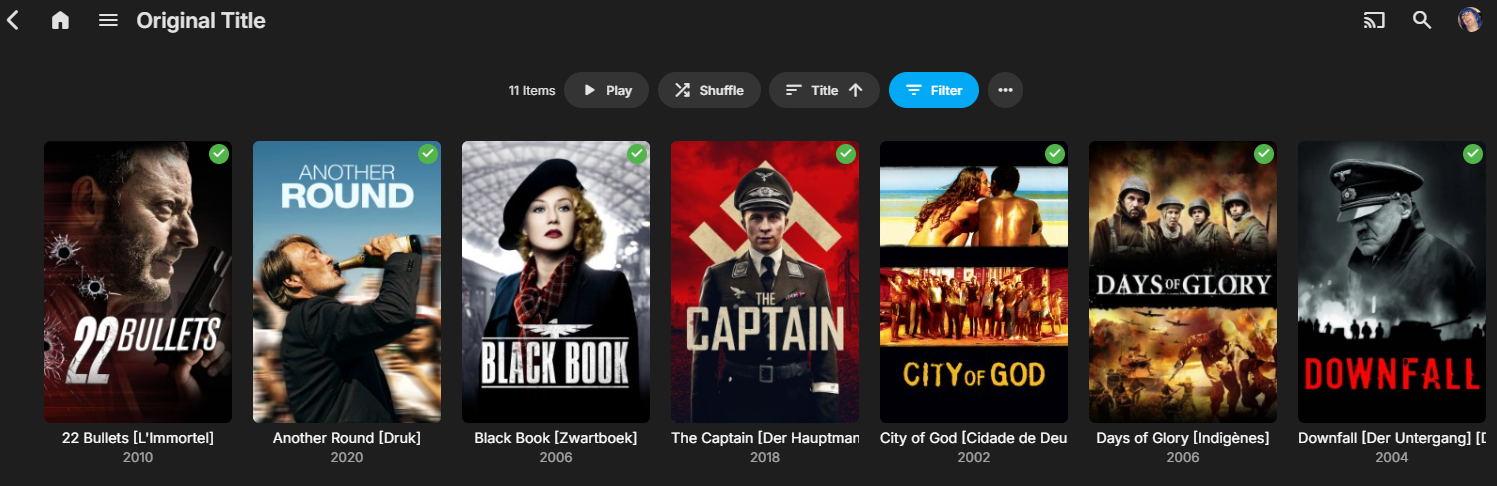
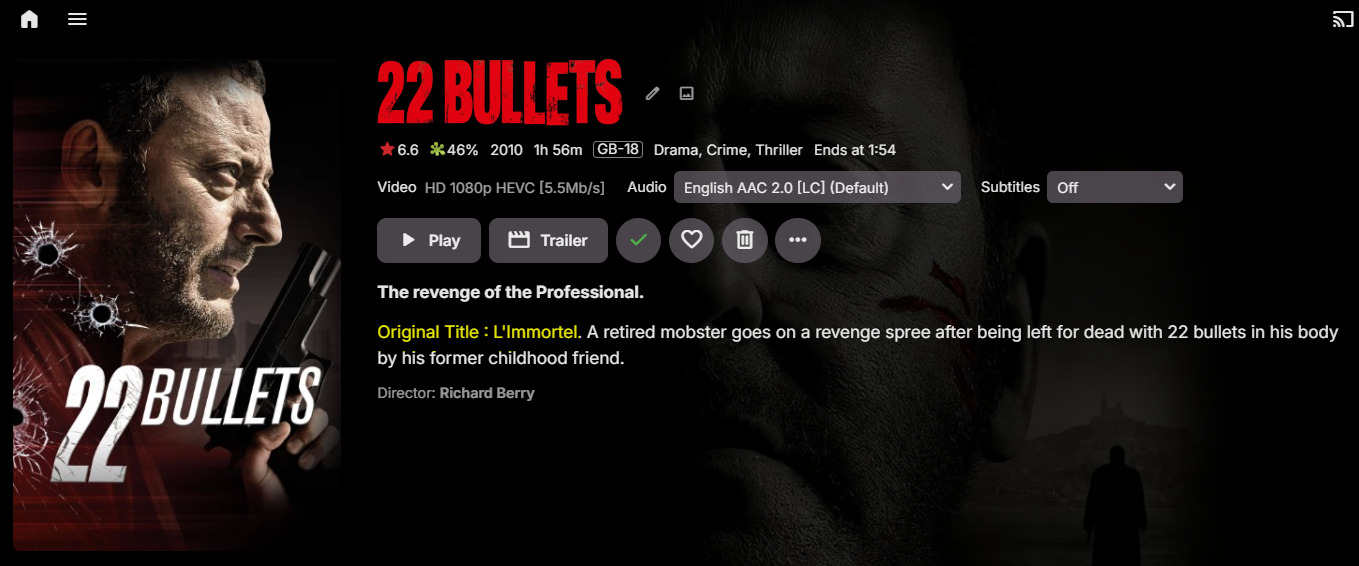
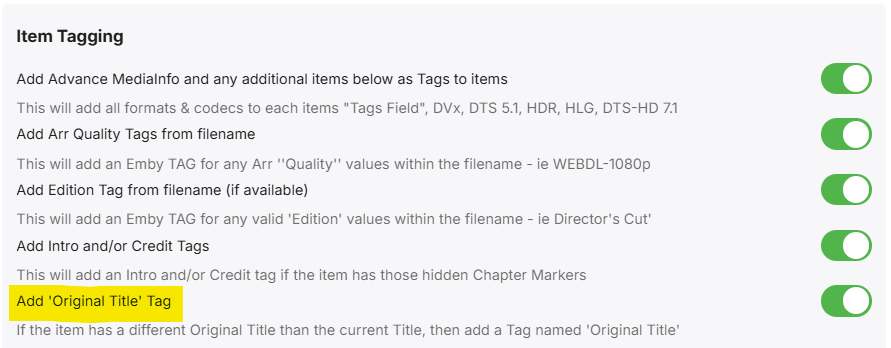
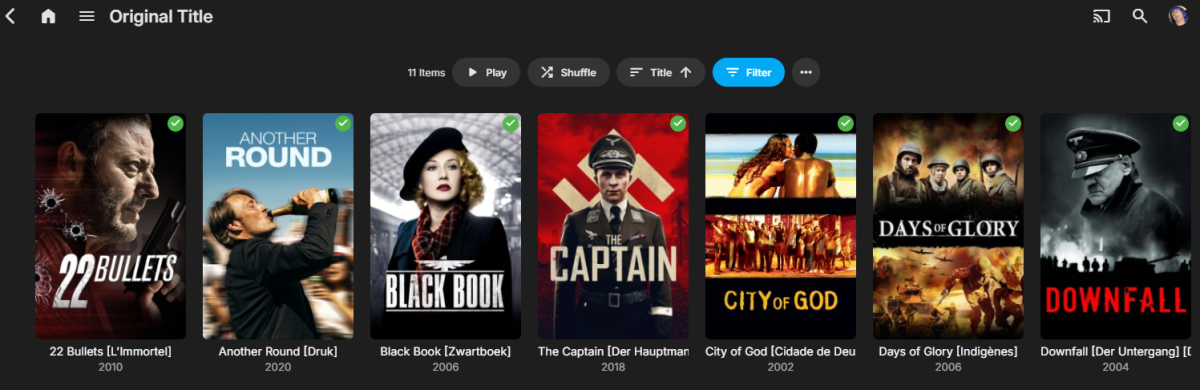
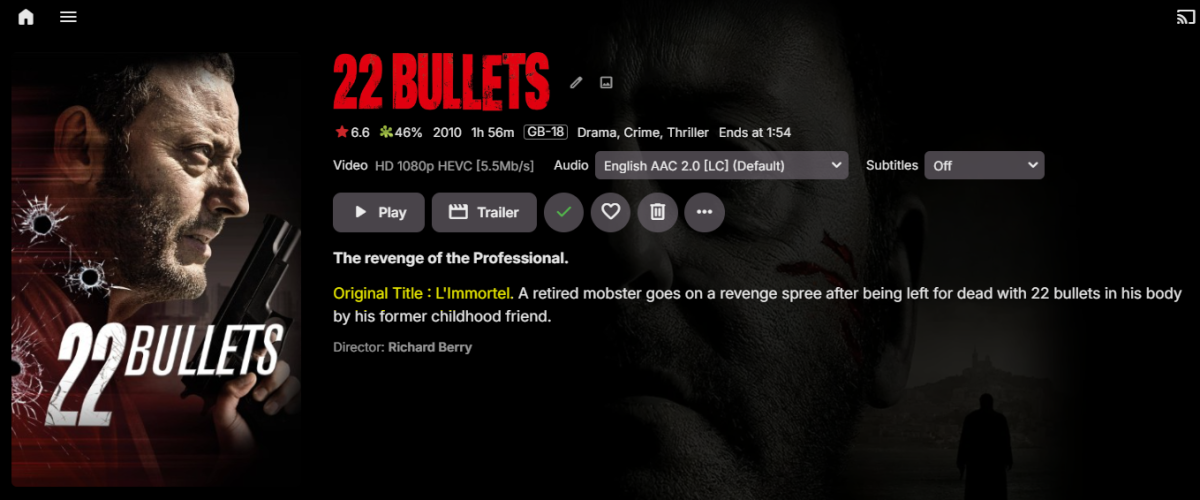
Quick teaser for v1.0.2.1 as I'm still testing it... but all working well thus far (movies only for the moment) A number of options for 'Original Titles' to be used and displayed. Append Original title to the Current Title Transpose Original Title with the Current Title Prefix the Overview with the Original title Tag the item that it has an Original Title Example of how it looks - unfortunately you are restricted by the single line One day Emby may allow you to extend to 2 lines without the use of CSS.. Note this is using the 'Original Title' tag - allowing me to filter by that Tag to show all my films that have an original title .. This is what the Original title overview prefix looks like (in yellow, my highlight) - When using the graphical name, you won't see the original title - so it's inserted here (as an option). Turn on/off the tagging Any thoughts or suggestions welcome.. I'll release shortly once I've fully tested the options as the only way to revert back is to refresh the metadata on that item.

 1 point
 -
Yep - it's a great script. Recently added is seasonal collections - so you can do exactly as you have asked for and create a Christmas collection that only exists around Christmas time - how cool is that ! The Christmas list itself is got from mdb public lists - so in this case Christmas Movies, a list by HD Movie Lists - mdblist.com could be used - and if you have any of those movies, they will automatically be added to the collection..1 point
-
Hi everyone, Is it possible in Emby to keep the original title of a movie but have the description in my language? I don't mean to be critical, but I believe many users have been waiting for this feature for a long time, and it would be great if something could finally be implemented.1 point
-
Hi, I also like the way this looks. the problem is that in Chromium based browsers the performance penalty is just too high to make it feasible. Additionally when using it inside an android webview you get random visual glitches and cases of it not rendering correctly.1 point
-
Hi there. I've read some article here like . Like them, Emby currently is not friendly to animes. Many animes releases several TV seasons, OVAs and Movies. They released, and should be viewed, in order. For example, one anime may release TV Season1, then an OVA, then another Movie, then TV Season2. If we order them using a fake "SeasonNumber", in this example, if the TV Season 2 has a SeasonNumber 4, the info for episodes will be applied wrongly. Currently, because Emby has a FIXED sorting way, always using SeasonNumber over SortTitle, there is no way to have them well. Please consider to add an option in Library level, or even in folder level, to let the admin choose the sorting priority. Thanks a lot.1 point
-
Hi Luke, Thank you so much for your time on this! The source can be found here: ISO Container Playback Anything else that I need to do on it, just let me know and I’ll have a crack at it!1 point
-
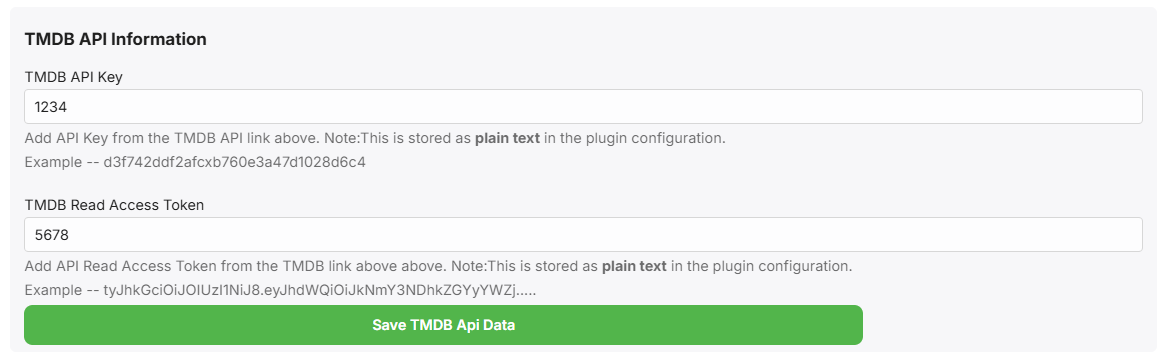
Getting there .. oh how I hate javascript .. Now we have the TMDB API Keys, I can directly query TMDB for the Release dates (using the tmdbid) and use the Digital or Physical release date instead of the Premiere/Theatrical date..
 1 point
 -
We wanted to share a quick review of Emby that was recently done by Sergio Ambrosio, a popular tech blogger in Spain. We are excited to see that people are taking note of the product that we pour a lot of effort in to here and look forward to more reviews in the future. Thank you Sergio for taking the time to review Emby! You can read the article HERE Later this week, we will be posting another blog focused on transcoding and some best practices to make sure your server is setup properly to utilize this great feature! View the full article1 point
-
Not having the ISO feature in Emby is what moved me to a different solution in my home theater setup. I really love Emby but I also want my movie collection with menu support for the extras that are on the disc. I ended up using the Zidoo 1000 Pro for my device. The menu options are great. The decide is Android based and it's the highest quality that I know of that you can get for video and audio quality. You can side load Emby with this as well. But it has the option from the movie poster to either play the the full disc and get the menus or you can just play the movie and skip the menus. All from the ISO. One of the Only downsides is that it's about $500 depending on which you get. I was using an Nvidia shield pro and when I switched over the sound quality and video quality was immediately noticed. I have a dedicated theater room I built my self so everyone's needs may be different. If you want a high end experience I would recommend Zidoo! https://www.zidoo.tv/Product/index/model/Z3000+PRO/target/WAI9KvWCJQBKKmVViAFMcQ%3D%3D.html1 point
-
I mean, it's not really going backwards is it? More sideways.... As I said above, Emby already supports DVD and BluRay folders, all this feature request is for is to effectively extend that support to folders inside an ISO. No need to mount it, no menu support, etc., just playing the video files but straight from within the ISO instead of copying the files into a folder. I know Plex has no ISO or folder support, but Jellyfin has been doing work lately to try and extend ISO support (although they seem to be going even further and doing full disc playback too, which isn't what I'm asking for), and they also have a feature request similar to mine to allow for playback of files from within an ISO - they even discuss using DiscUtils, and then taking the Stream returned from DiscUtils and writing it to stdin for ffmpeg. And so, whilst I appreciate this will probably never be the most popular feature request, there are definitely other users out there who I think would also like to see this as a feature. And as I say, it could be an advanced users only feature, so Emby doesn't automatically scan/index ISO files, but if we manually craft a STRM and NFO file correctly, the ISO will be supported (again, as a "folder"/container, not full playback). (Also, I mention Jellyfin above purely for discussion, and to illustrate that there is some desire for this feature request - I love Emby, and have no desire to switch to any other platform, so please don't misconstrue any references to competing platforms! )1 point
-
Hi there! The distinction is because I wasn’t asking for menu support, etc., just the ability to play vob/m2ts files, but instead of being stored inside a folder, they are stored inside an ISO. I know ISOs aren’t “folders” in the literal sense, but they are just file containers and, as illustrated in the linked DiscUtils project, it is possible to access the files within an ISO without having to mount it, or play it as an ISO, or “extract” the contents of the entire ISO. You can access any file within the ISO, and receive a Stream object which can then be treated like any other Stream object. My understanding is that Emby already has the ability to play vob/m2ts files, and the DVD and BluRay folder plugins allow Emby to “understand” the file structure of a disc if copied into folder, and play the video files contained within (again, only as video files, not full disc/menu support). My request was whether it would be possible to extend these plugins to also be able to treat an ISO as just a folder (not by mounting it or playing it in the traditional sense, but by looking inside the container and accessing the data/files directly), and enable vob/m2ts files to be played directly from within the ISO. This would be equivalent to just playing a video file directly, meaning it should work in all Emby clients, as Emby server would stream the data to the client as it already does, and the server could still remux or transcode the data if needed by a client, as it does with any other video. Effectively, it gives the “best of both worlds”, as rips can be stored as ISOs, but played back as normal video files. As for converting, as I say, I like to keep the ISOs and occasionally play them via Kodi, but if Emby could play a vob/m2ts file directly from within an ISO then I wouldn’t need to also keep MKV files alongside the ISOs, reducing the need to effectively store 2 copies of every video.1 point
-
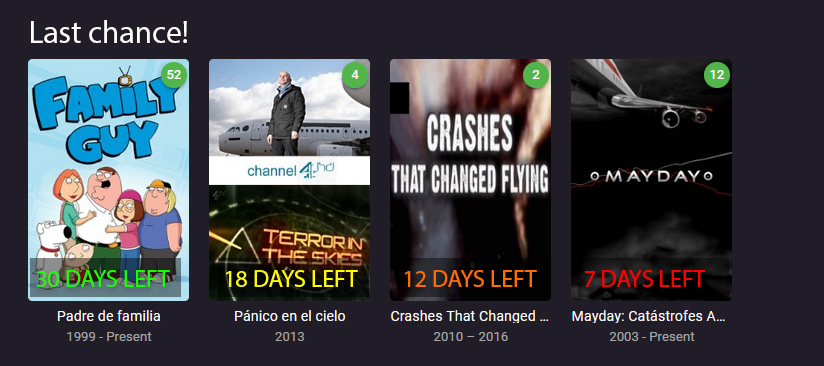
Here I come again... I insist that I am a newbie. If something like this exists I have not been able to find it either in the app, documentation or this forum. I would like to have a "Last chance!" section in Home Screen. This is how I see it: 1. The admin, or users with permissions, marks a film, season, full series or recording to be deleted. 2. A window pops-up asking for the number of days when the delete will actually take place: 7, 15, 30 days or custom. 3. Then a mark is added to those items in the library and, besides, a section similar to "Latest Media" is added. Something like this: 4. A visual system could be added (colours, icons...) that would change as the deletion date approaches. 5. If the items marked to be deleted are in the favourite list of any user, then this user should be warned somehow and given the chance to request the admin more time. Maybe a pop-up window with the list of items (cover art is very visual) next time the user logs in: "Dear xxx: the following items have been marked to be deleted in the next xxx days. This is your last chance! If you need it, please click here to notify the admin for how long you would like to preserve those items" And then a selection window: 7 days more, 15, 30... The admin then could get an email or similar pop-up window to the one the user saw: "Dear admin: the user has requested to extend the items xxx for another xxx days." And then some options to accept it or deny it. Thank you for taking this suggestion into consideration. Kind regards,
 1 point
 -
me too. and maybe also VIDEO-TS-folder. I have many of them, really of lot made by myself years ago, with DVD-Labs. many movies that aren't shown anymore on TV or the streaming-platforms.1 point
-
would love to see Emby play ISO, especially 3D frame packed ISO files.1 point
-
Hi Guys, I recently moved from Kodi with MySQL for lack of proper multi user management and server side support, I have to say I'm impressed with Emby. Together with the Kodi Plugin it really takes the solution to a whole new level, count me in among the supporters! One feature I would like to see is the ability to recommend movies or shows to other users: I share my Library with close friends and family but it is a big library so they are always calling me to recommend them a movie to watch. It would be really cool if after watching a movie I can click a Recommend button and choose the users I think would like the movie, then it is displayed on their suggested movies at the top with the name of the user who recommended it... Sorry if there is something like this is already there, I am new to the interface and don't fully know it but could not find such feature... Thanks!1 point