Leaderboard




Popular Content
Showing content with the highest reputation on 10/28/24 in Posts
-
I'd forgotten all about this - seriously Emby, after 4 years this is not resolved ? Did you not learn anything from the previous security incident/breach where you ignored that one as well until it was exploited in the wild and then became a big issue for you ? All it's going to take is for somebody to 'exploit' this is to simply scan all emby servers, grab all the images from them and start exploiting the results - and maybe sue your company for gross negligence in the process... PLEASE take reported security incidents seriously - you are getting the Pen testing/analysis done for free - the least you can do is provide a fix in a timely manner. Also to note, you are a commercial organisation with paying customers - thus you have responsibilities to report these vulnerabilities, so people are aware and can make an informed choice. @Luke @ebr @softworkz4 points
-
Good to know Emby as a personal media server can't be trusted to keep personal media, well, personal. This wouldn't be much of a concern if all we were talking about was movie/tv posters/backgrounds/etc; but this vulnerability includes ALL images on the server. Camera upload enabled? Family photos/videos stored on emby? Got a porn library or two? It can all be vewed by anyone with the domain/ip to your server. Just gotta feed it some random numbers, and you will get no alerts to such activities. I stopped trusting Emby with such media long ago, too many bugs with permissions; but this will ensure I never give it access to that media again.3 points
-
Thank you. The problem corrected itself somehow. I am thinking this was more than likely due to it being a non VIP account. Thank you for the help!2 points
-
Just saw your edit. Yeah, if you named those movies as recommended: Night at the Museum (2006) Night at the Museum - Battle of the Smithsonian (2009) Night at the Museum - Secret of the Tomb (2014) they wouldn't be merged/multi-versioned as single/same movie but displayed as individual items in your library. You've stumbled upon a feature that is intended for different purpose, not grouping movie set movies. However, based on your description: I'd guess that what you're actually after is grouping movies/displaying collections in your library and individual movies underneath: Library view: three-dot menu (next to Filter)>enable/tick "Group items into collections" should give you presentation you're after. Edit: @Lukethis specific issue is likely result of undocumented changes (already discussed with you by H2P and myself in PM) in order to accommodate more grouping/multi-versioning scenarios, but as usual it has unforseen consequences, as strictly speaking, those three movies should not have been multi-versioned even in present state/naming convention used (NatM had no "space-dash-space" at all, both BotS and SotT are lacking "space" before "dash").2 points
-
Just following this post, would love gapless playback to be fixed. The small gap is great, but as some have mentioned with live recordings the transaction is not smooth. Please let's get this work the way it should!2 points
-
yes, but you'll lose the traffic segmentation. Each network does "Housekeeping". Having smaller networks reduced the amount of "Housekeeping" traffic. Larger networks have more "Housekeeping" traffic, but depending on the nature of the devices, the traffic shouldn't be an issue.1 point
-
TCPIP uses the subnet mask to work out if the network it's sending to is local or not and if it should go to the default gateway. The device does a logical AND between the IP address and the subnet. In the case of a 255.255.255.0 or /24 subnet with an IP address of 192.168.1.5 11111111.11111111.11111111.00000000 = 192.168.1.5 11000000.10101000.00000001.00000101 = 255.255.255.0 the network is 11000000.10101000.00000001.00000000 = 192.168.1.0 192.168.1.x with the address of 192.168.2.5 and the subnet of 255.255.255.0 11111111.11111111.11111111.00000000 = 255.255.255.0 11000000.10101000.00000010.00000101 = 192.168.2.5 the network is 11000000.10101000.00000010.00000000 = 192.168.1.2.0 192.168.2.x but with a subnet of 255.255.252 or /22 11111111.11111111.11111100.00000000 = 255.255.252 or /22 11000000.10101000.00000001.00000101= 192.168.1.5 the network is 11000000.10101000.00000000.00000000 = 192.168.0.x with the address of 192.168.2.5 and the subnet of 255.255.252.0 or /22 11111111.11111111.11111100.00000000 11000000.10101000.00000010.00000101 the network is 11000000.10101000.00000000.00000000 = 192.168.0.x 192.168.0.x Therefore both 192.168.1.5 and 192.168.2.5 are on the same network . So if both devices changed their subnet to 255.255.252 or /22 they would be on the same network and able to communicate. I hope this helps.1 point
-
i have absolutely no idea of the intended purpose except for the second part of the name. I said before that I do not use Home video libraries but, actually, I do. I use them for photos only and they work well for that. We often forget that the whole name for the library type is "Home videos & photos." When I think of that library type I usually just think of a "photo" library only. When I think of "Home video" libraries I just think of a "movie" library without any metadata links at all. That mode of thinking seems to make my Emby usage simpler and at this point I greatly crave simplicity in my live.1 point
-
Seems I got this working1 point
-
If you can ping the shield from your pc - then you have a route from the 192.168.1.x network to/from 192.168.2.x network - BUT this may be the gateway (router) accepting icmp and allowing it through the firewall. You will need to allow port tcp 8096 from 192.168.1.x as a SOURCE (network) and 192.168.2.190 as a destination. It will then route the traffic. Alternatively, just put the client and server on the same network - then there will be no need for any routing or gateway dependencies...1 point
-
If there's something I can do to help debug, just tell me. Cheers.1 point
-
On the Android app, along the bottom, is Home, Search, Downloads etc. Can these be customised?1 point
-
Holy Hell... You can't be serious with this statement? Most images on the internet aren't supposed to be secured behind account authentication like Emby. That's just an unbelievably stupid defense there.1 point
-
Just remember most do not have permanent addresses and you could but updating this list a lot.1 point
-
Some feedback I reset the power settings to default and checked settings ensuring sleep is set to allocated time. Streamed music from Emby and noticed that the computer went to sleep even though music was playing. Exactly what had happened whilst playing a movie. This is what I was trying to overcome. Thank you.1 point
-
For Videogames will be amazing if multi-line per system will be implemented, something like this:
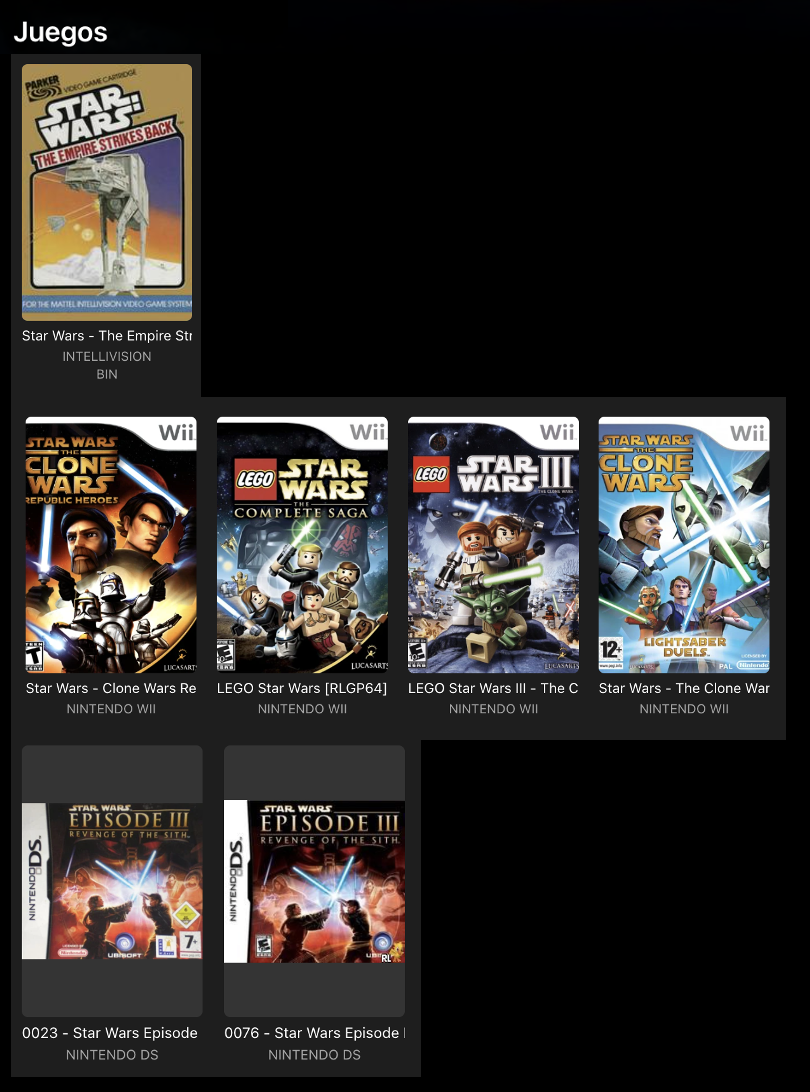 1 point
 -
Actually movie series should not group like that, merging/multi-versioning is intended for multiple versions of the same movie, it is likely due to your structure/naming convention used. Specific example would be required but I suspect you have those movies named same as subfolder you've placed them in and have a dash afterwards making Emby think it's a same movie and merging those movies.1 point
-
take your tittlesd and delete everything to the right of s09e01 then delete all the dots and make your season and episodes like this S09-E01 everything will be good after that1 point
-
It is nothing new, multi-versioning has been a feature for a long time. Multi-version movies You can merge movies in either of three ways: 1) Put all different files in same folder and follow naming convention for multi-version movies as per above linked KB article 2) Multi-select and select "Group Versions" in three-dot menu 3) Use community-made Auto-Grouping plugin1 point
-
Yes its working now, its callez xyz. Thanks a lot
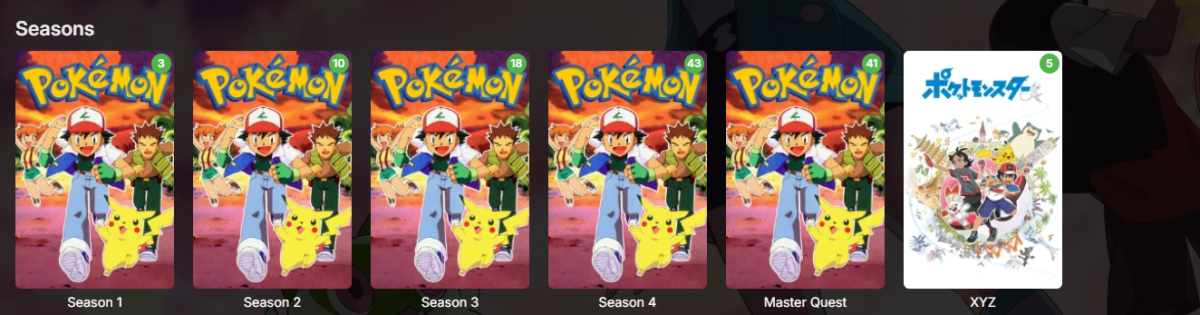 1 point
 -
That certainly helped, odd though since I could have sworn I had disabled that already.1 point
-
I do not add the word "Holiday" as a Genre and do make sure tags are added (if not automatically) for "Christmas", "New Years", "Halloween" and so on. I think it would be a great feature if we could set seasonal spotlight films based on tags as an admin feature. Or slightly retool the holiday spotlight already in Emby to allow the admin to set the films based on tags or spotlight checkbox per film options, and a background image to for spotlight section, be it for general or holiday. I would love this ability.1 point
-
I have updated to 4.8.10 since then and am still having the issue. I have also completely rebuilt the permissions structure for the access to my media, and the Emby user should have full read and write access to every file. I also created another thread with a different issue I am having that might possibly be related. Thanks!1 point
-
Hi! Hmm this was a long long time ago, I do not have this issue anymore1 point
-
HI, thanks for testing. I generally would not recommend touching those, especially the second one because it will result in cases of subtitles not showing at all when the user has enabled them.1 point
-
I mentioned this somewhere else I think, then did it and never really had the time to post about it since, but here it is now. I find the contrast solutions (such as the drop shadow) for how non-canvas subtitles are displayed in the htmlvideoplayer to be inadequate; there are always backgrounds, sooner or later, against which the subtitles contrast poorly and are difficult to read. I thought it would be ideal if you could funnel plaintext subtitles through octopus (which is already used for rendering .ass subtitles) so they can be rendered with a nice proper outline. I don't mind the additional performance cost on mine (or my friends') client devices. Upon investigation, I found out that if you change the extension of Emby's subtitle delivery endpoint to .ass, Emby will send them to you in .ass format, even if they are originally plaintext subtitles. Awesome! The easiest spot I found for patching this into the client was in modules/common/playback/playbackmanager.js in the getTextTracks function: .filter(function(s) { return "External" === s.DeliveryMethod || "Hls" === s.DeliveryMethod }), tracks = [], i = 0, length = textStreams.length; i < length; i++) { var textStream = textStreams[i], textStreamUrl = void 0, ... Becomes: ... .filter(function(s) { return "External" === s.DeliveryMethod || "Hls" === s.DeliveryMethod }), tracks = [], i = 0, length = textStreams.length; i < length; i++) { var textStream = textStreams[i]; if (textStream.DeliveryMethod === "Hls" && textStream.Codec === "subrip") { textStream.DeliveryMethod = "External"; textStream.Codec = "ass"; textStream.DeliveryUrl = `/Videos/${mediaSource.ItemId}/${mediaSource.Id}/Subtitles/${textStream.Index}/0/Stream.ass`; } var textStreamUrl = void 0, ... Essentially we're just overriding the delivery method for these subtitles to use the endpoint with the .ass termination. Works like a charm (so far). Now, as a feature request for future versions, I'd love to have a toggle in the subtitle settings to make the client use this method instead of the default one. It would also be great if some of the subtitle settings could be passed to the endpoint below so they are incorporated in the resulting .ass file: The text color, default subtitle position and size.1 point
-
@LukeThanks for popping in Luke! I'll test it out tomorrow and see if it fixes the problem.1 point
-
I can reproduce this as well. @Luke If using Theater on a desktop you can manually change the app settings/Display/Display Mode to "Desktop" or "Mobile/Tablet".1 point
-
This would be a huge plus! I am currently using another service for my music and everything for Emby seems to work correctly, but it is lacking this feature. I too hope it’s added soon!1 point
-
I was surprised but by these being T-series CPUs they are pretty much equivalent in terms of overall processing capacity with the i3 having an advantage of better graphics and single threaded performance. Only 2 gens apart, go figure.1 point
-
I believe DTS-HD may not be supported at all. I am not sure. I never use it. Your encoding is set apparently to SW only and the bit rate for full size Barry Lyndon looks to be 32 Mbps, which is quite high to expect software to handle transcoding. My guess is you have transcoding set to automatically start when a bitrate is too high for reasonable streaming online. Emby appears to start transcoding and gets some errors with the extra embedded subtitles, probably has problems with DTS-HD and dealing with the high bit rate alltogether, either makes transcoding so slow it looks broken or some other error result. I cannot tell from the log, because I also don't understand all the results. Playing back on 3rd party software, just plays the file directly and probably the software has some method to convert or play the DTS HD audio. I didn't think software on workstations can do this audio at all. The 3rd party player also probably skips dealing with converting any subtitles. It's not a fair test to playback anything with a 3rd party player. Emby when set to transcode needs to convert so everyone logging in, can watch. Transcoding works efficiently when the media files are without troublesome audio codecs, embedded subtitles that are tagged as active and not have such huge bandwidths, especially if you are only using software to transcode. In my opinion, the media is wrong for streaming. Ideally, it needs to be first converted to a copy that has less issues. There is no commercial site online, that would ever try to serve such a direct transferred file from blu-ray. The media would be first quality converted to streaming friendly, lower bandwidth with video and audio that don't actually need transcoding, at all for any user. That would be h.264 and AAC audio wrapped in .mp4 media file. This could make a copy 1080P copy at 2 GB, streaming at 2.4 Mbps, or about 13.3 times smaller than your media file. Is the 1080P quality the same? No, but if the encoding is done separately, at a very high setting, it can look quite good at this slower bit rate. How does this compare to a transcoded version which needs to use higher bitrates for immediate real time transcoding? Have a look at your time code 9:00 minutes in your copy to see how a 2.4 MB slow 3rd party encoding compares. The original is film and shot primarily with a very large aperature Leica Noctulux lens. Grain and shallow depth of field is part of that film. Someone else can probably read the log better than I can. Hope that makes some sense and helps.
 1 point
 -
Hi Luke. The slide show no longer crashes. Unfortunately, as Celebration87 noted, the slide show options have disappeared. Best Regards.1 point
-
"I think it is best to focus on why there are two in the first place" Alright, let's do that? or perhaps I misunderstood? If we are going to talk about a rebuild of my library data, that seems to open other cans of worms. I've added a lot of data myself. I would consider a lot more options if I'm okay with a starting from scratch. Is that your advice? "likely a resource intensive one" Hmm, I was not expecting that. I remember having a AMD X4 965 (now on a ThreadRipper) and somewhere around that time I tried a few foto orginisers that somehow got there hands on the Emby data. Worked like a charm in the application, next to my personal pictures, it recognised a lot of actors in backdrops. That was fun for a second. I'm obsessed with Proces Explorer and I would have remembered this proces being a resources hog. Google Picassa comes to mind. Thanks for your reply!1 point
-
installed arm64. and Yeah!! much better!! THANKS!!! mouse still a bit tricky in fullscreen video playback - after startting a video i cannot see the mouse but after a first or second click its there in 50%. dark screen with pause after 2min (my android setting) is working now!!!!! fantsatic!!!!! would be great if playstate would be transmitted with pause as well to continue on another device....1 point
-
I just bumped a thread I had made earlier this year to get answers regarding what I would consider a pretty major issue. Tldr is that images and video thumbnails can be viewed without authentication. Until that issue is fixed I personally wouldn't recommend using emby for home photos and videos if your server is exposed publicly.1 point
-
To help others, I simply removed folders ans start new install1 point
-
That was a deep dive into Synology, and there I could set the checkmark for the "Video-Too" shared folder Thank you for the good links and respose... and getting to use Emby, I find it of gret use for me GreyT1 point
-
These are very good and interesting suggestions... Anyone that has gone to the effort of creating a reasonably large custom Collection and then used "Group By" to separate the different items into vertical sections could possibly become frustrated with horizontal scrolling beyond more than (say?) 20 items. It's a very similar situation with "Appears On" for music. I can imagine the 2nd idea of navigating through to a more detailed page working really well (like Albums) and being consistent with the current Emby UI. (Also likely no negative impact for smaller collections, where the lower-level detail pages/views may not be needed.) Perhaps could also be applied across the UI in other relevant places? The 1st idea could also be good, but may still involve a lot of vertical scrolling for large Collections, to show everything. Being able to expand and collapse the vertical sections would be brilliant, but I'm not sure if there is any Emby UI precedent elsewhere that could be implemented for this??? Maybe someone else knows? (Just thinking...) If the 2nd idea was implemented would the 1st idea be required as well? "Group by None" would still show all items in a grid view. Anyway, a great post and something that Emby could ideally consider!1 point
-
I have to be honest once this new thing has been implemented I don't really care anymore. The new missing feature in metadata manager works really well. The only thing I would suggest is that we can hide some. For some reason I cannot locate all of life below zero and it's always listed under missing forever i guess.1 point
-
I ran the updated server for 8 hrs yesterday and today. It was totally stable with no drops both days. yay! I also note that the shuffle function for music seems to be fixed. Previously I'd hit shuffle, and it would bring up variations on the same playlist. But now each time I launch shuffle, the playlist is totally different. But one very odd thing. Sometimes I'll use the Android app (3.4.20) to remote control playback from the server using Cast. Like at dinner and I want to skip a song(s) in the playlist. This still works, but previously, the upcoming playlist appeared. Now it's the list of what has played. I restarted the app and cleared the cache and restarted the phone. Weird.1 point
-
Here is an ffmpeg log as well as the server log itself from the exact scenario where it will not resume. Happened between 8:55 and 8:56 embyserver.txt ffmpeg-transcode-adf30e24-eb63-446c-9340-94f8cc16614a_1.txt1 point
-
Hi, I went through some issues in the beginning trying to live stream to my multiple Roku models as well but now its work "pretty good", not perfect yet but still enjoyable. Here are some things I had to do.... 1. ensure port forwarding of your M3u is adjusted appropriately in your router 2. I had to turn off HW acceleration in Emby so it didn't use my video card. Constant buffering was created when activated. 3. I had to ensure Emby display on the Roku app was set to its highest resolution and not use Auto. 4. On my Roku 2 I do have to restart it once a day. I think there is some memory leakage that needs to clean up then things flow well. 5. I had to turn off realtime scans on my AV software. Hope this adds some value. EDIT: 6. Oh, and thanks to @Lukerefreshing the guide data when I have an issue seems to help as well1 point
-
Thank you. The web browser stream works on iPad. So just the iOS app that has the error. I'm happy to provide more logs if it helps. Emby is great.1 point
-
That's a good advice. My friend is currently unavailable for longer testing. He had only a few minutes yesterday and said that it's running better now. All I did were these setting: Do you think, that this could be the cause?1 point
-
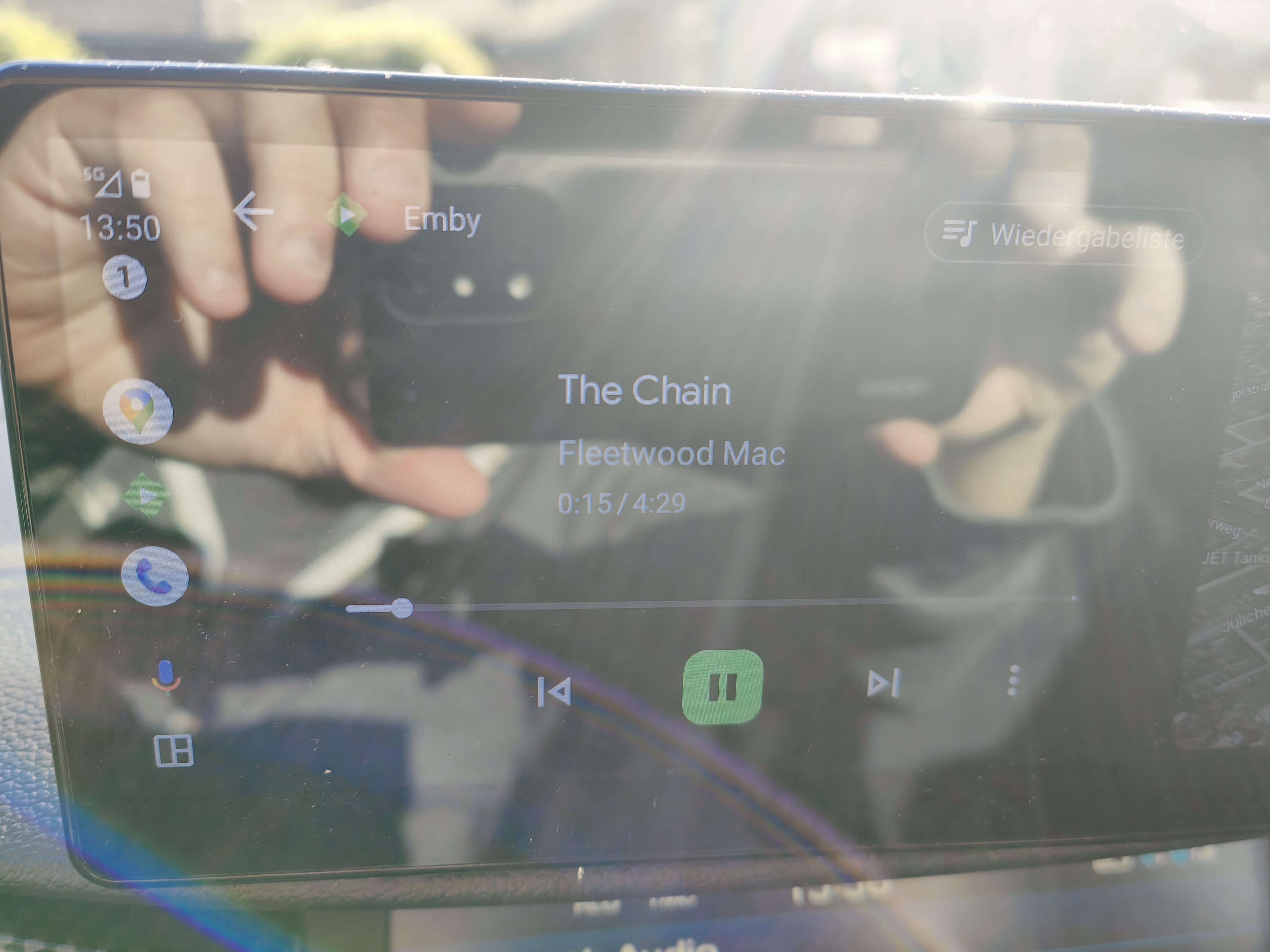
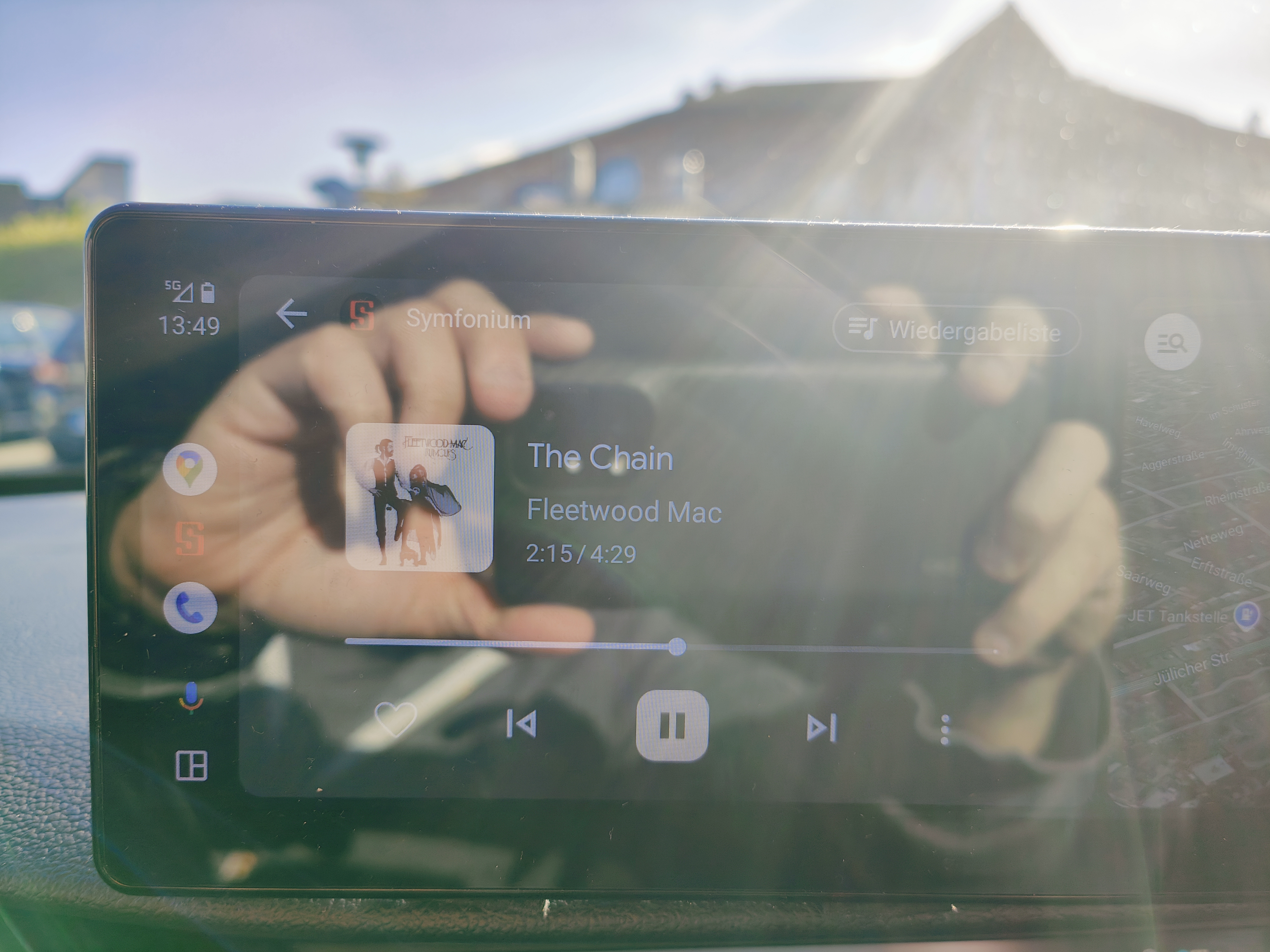
Exactly the same Problem here. No images in Android Auto, when connected to my Emby Server at home over Wireguard or NetBird or Twingate. In the Android App, the images are visible at the same time. Since connection is secured/tunneled, I connect to the Emby Server via http/80. Edit: When using Symfonium, images are shown in AA.
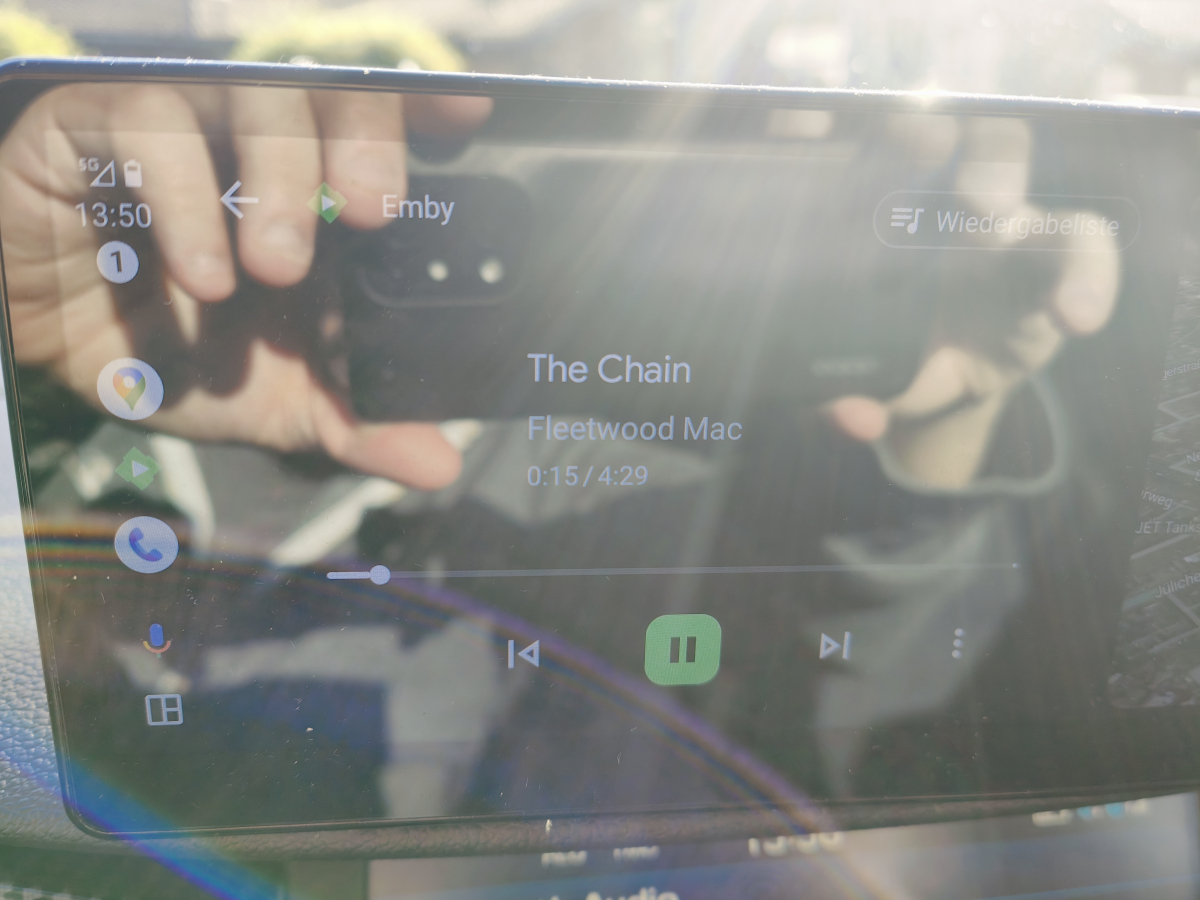
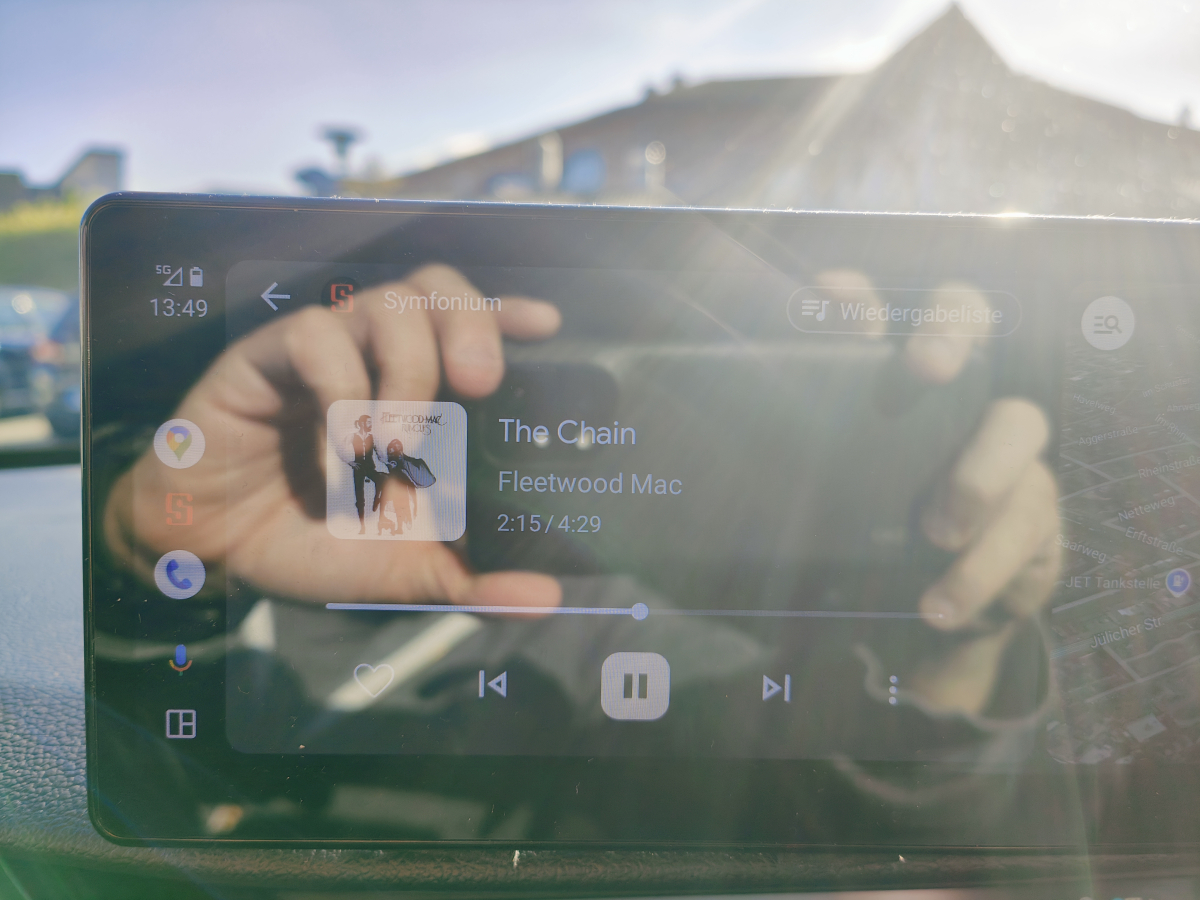 1 point
 -
If you're running Emby Media Server to manage and stream your personal media collection, you probably have heard about hardware transcoding. But what exactly is hardware transcoding and why should you enable it on your Emby setup? In this blog post, we'll break down the benefits of hardware transcoding and explain why it’s a game changer for your media streaming experience. Please keep in mind that hardware transcoding is an Emby Premiere feature and can be purchased HERE. What is Transcoding? Transcoding is the process of converting media files from one format to another, optimizing the content to suit the device you're watching on. For example, if you have a high-bitrate 4K movie on your server, but you’re streaming it on a phone or a non 4k TV over a slow internet connection, Emby will transcode the file to a lower resolution or bitrate to ensure smooth playback. By default, this transcoding happens in software, meaning the CPU does all the heavy lifting. But that’s where hardware transcoding comes into play and can be incredibly helpful. What is Hardware Transcoding? Hardware transcoding uses a dedicated component in your computer, such as a GPU or integrated graphics, to handle the transcoding process instead of relying solely on your CPU. This results in faster, more efficient media conversions, and frees up your CPU for other tasks. Below, we will go into detail as to why hardware transcoding is so important for Emby Media Server. Top 5 Benefits of Hardware Transcoding in Emby 1. Faster Transcoding and Smoother Playback Hardware transcoding significantly speeds up the process of converting video files. Since dedicated hardware like GPUs are designed to handle parallel processing, they can manage transcoding tasks much faster than your CPU. This means no more waiting for videos to buffer when streaming to devices that require transcoding. For users streaming in 4K or on multiple devices at once, the speed boost from hardware transcoding can make a huge difference in ensuring uninterrupted, smooth playback across your media library. 2. Lower CPU Usage, More Efficiency When you use hardware transcoding, you’re offloading the intense workload of video conversion from your CPU to your GPU or dedicated hardware. This reduces the strain on your CPU, freeing it up to handle other tasks more effectively. For home servers running on lower-end hardware or even NAS devices, this can be a crucial benefit. With reduced CPU usage, your system can run more efficiently, leading to better performance for other applications and even energy savings in the long run. 3. Better Multi-Stream Performance If you have multiple family members or friends streaming from your Emby server at the same time, hardware transcoding is a must-have if not every file can be direct played on their client devices. Software transcoding is limited by the power of your CPU, which can quickly become overloaded when handling several streams at once. With hardware transcoding, your server can manage multiple transcoding tasks simultaneously without lagging or crashing. Whether you’re streaming on a tablet in one room and a TV in another, or your family is accessing your media library remotely, hardware transcoding ensures a seamless experience. 4. Support for High-Resolution Content (4K and HDR) Streaming 4K HDR content is demanding, and transcoding such high-quality files puts a significant load on your server. Without hardware acceleration, many servers struggle to downscale 4K videos, leading to stutters, buffering, or even failed streams. Hardware transcoding, especially with modern GPUs and iGPUs, is optimized for high-resolution content. It can handle 4K, HEVC, and other high-bitrate formats much more efficiently than software transcoding, providing smoother playback for high-res media. 5. Energy Efficiency and Longevity Since hardware transcoding is faster and more efficient than software transcoding, it uses less power overall. When your server doesn’t have to push its CPU to the limit, it consumes less electricity, which can be a big plus for those concerned about their energy bills. Additionally, since the hardware is doing the heavy lifting, your CPU experiences less wear and tear over time. This can prolong the life of your system, especially if you're running your Emby server 24/7. How to Enable Hardware Transcoding in Emby Enabling hardware transcoding in Emby is straightforward, but it requires compatible hardware. Many Intel CPUs with integrated graphics, as well as dedicated NVIDIA or AMD GPUs, support hardware transcoding. Check Your Hardware: Ensure your CPU or GPU supports hardware transcoding. Intel Quick Sync, NVIDIA NVENC, and AMD VCE are popular options. Install Necessary Drivers: Make sure the correct drivers for your GPU are installed and up to date. Enable Hardware Acceleration in Emby: - Go to Server Dashboard in Emby. - Navigate to Transcoding settings. - Check the option to Enable hardware acceleration when available. - Select your preferred hardware transcoding engine (e.g., Quick Sync, NVENC) under the advanced tab if preferable. Test Your Setup: Start streaming from a device that requires transcoding or force transcoding and monitor your server's CPU and GPU usage to confirm that hardware transcoding is active. If you’re serious about getting the most out of your Emby Media Server, hardware transcoding is a must. By leveraging the power of your GPU or integrated graphics, you can enjoy faster transcoding times, smoother playback, better multi-stream performance, and energy savings. Whether you’re streaming 4K movies or sharing your media library with family, hardware transcoding ensures that your server runs efficiently and delivers the best possible viewing experience. View the full article1 point
-
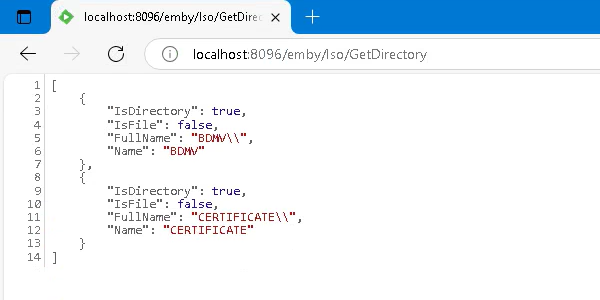
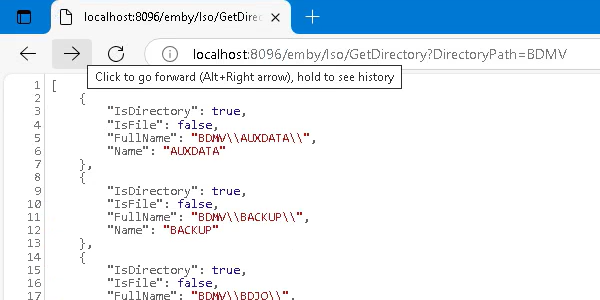
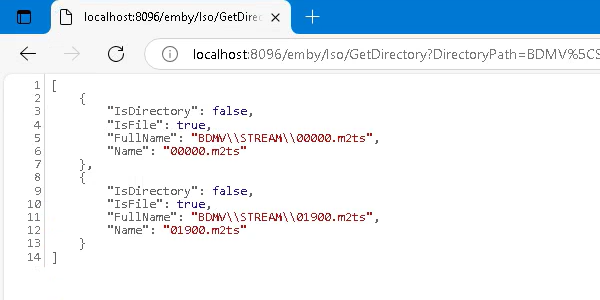
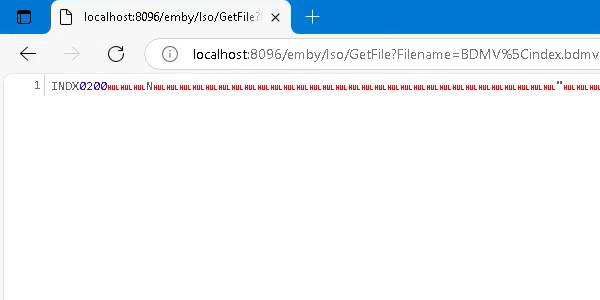
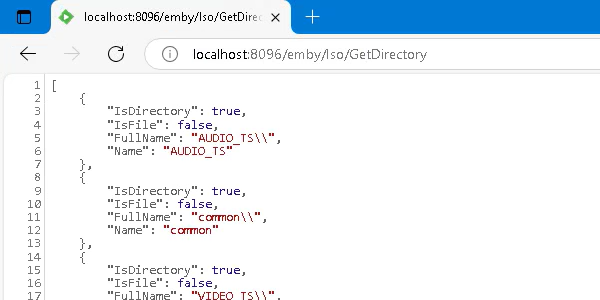
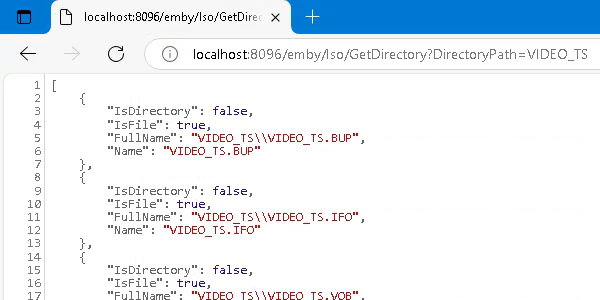
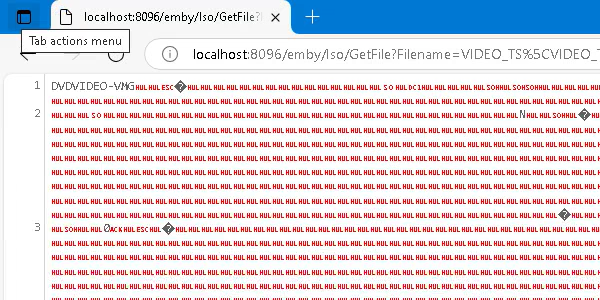
Yep, no problem! BluRay / /BDMV /BDMV/STREAM /BDMV/index.bdmv DVD / /VIDEO_TS /VIDEO_TS/VIDEO_TS.IFO
 1 point
 -
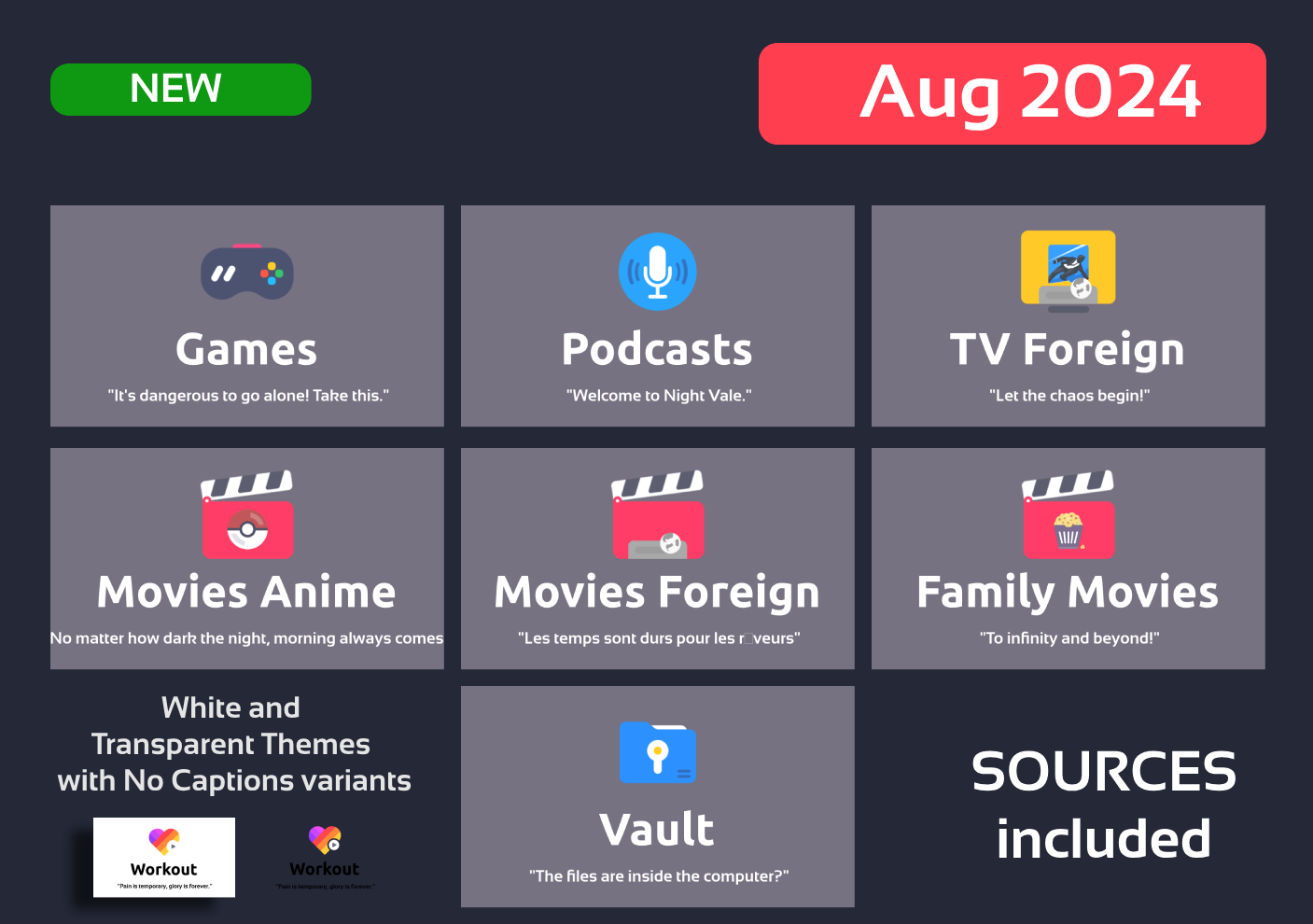
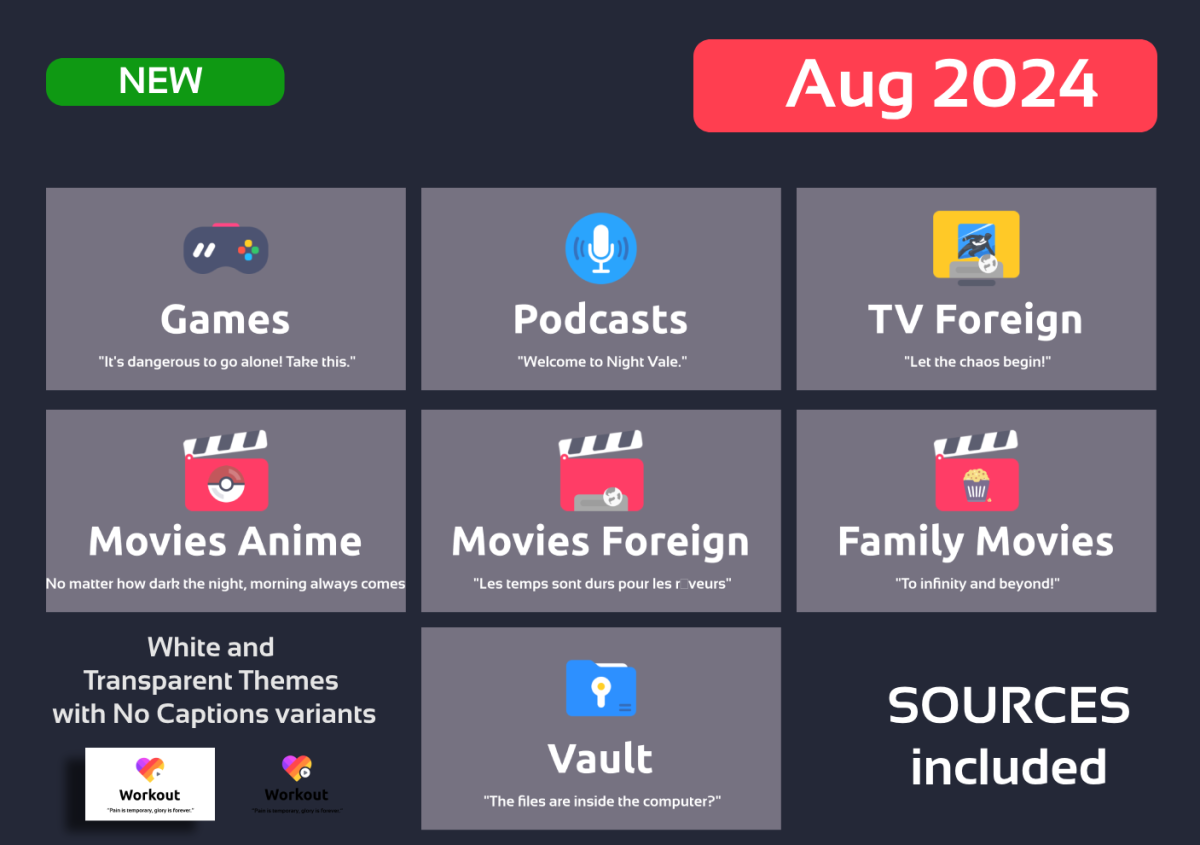
Hi people, August revision with requested icons. Enjoy EMBY_MAXIGMV_ICONS_DILIGENT_VARIABLES_2024_08_25.zip
 1 point
 -
I think Emby's team did a better job server-side than Plex (ex: multi-artists, better UI in my opinion etc.). They just lack the desire and enthusiasm for a dedicated music app and i don't get it since i bet all of us are also avid music listeners (maybe more so than movies, i don't watch movies every single day ... music on the other hand ) I really love Emby with this one exception - Music. It's frustrating because i know it can become amazing, the best out there. For Plex is the other way around: Except for their Plexamp ... everything else is worse.1 point
-
I think most of us music lovers are just tired of asking at this point but here i am, bringing this topic back to life again ... Music is the most important joy we have in our lives ... much more than movies sometimes. It baffles me that the dev team don't give it the attention it deserves while it is literally the one thing we use everyday, sometimes several times a day, in our saddest or happiest moments. I'm listening to music everyday in my car, multiple times a day, when i commute, while i'm working out ... or flipping that juicy meat on the BBQ. I still don't get it why a proper music solution is not even on the radar yet. Are the devs putting some blindfolds on while coming up with all kind of justifications .... or it's just the economy of costs ? I would literally PAY a lifetime add-on payment for a proper developed music "module" that includes a cool smartphone app. Take my money, now ! All the justifications i read so far are just ..... (i will keep it to myself) While Emby's App "technically" work for music it makes it bloated and frustrating, a less desired music experience. Like if i'm asking you to kick your tires every time before starting you car. From that point on ... you can drive it like any other car, right ? How long before you become infuriated ? I don't need Movies and TV shows on my smartphone, maybe in just rare occasions while traveling ... i prefer to watch those on my tv BUT i need music on my smartphone and in my car EVERY SINGLE DAY. At this point i'm just tired of it. I'm not that rich to afford Roon and if i have to pay a monthly subscription i will pay for Apple music and be done with it. I will put my old CD collection in those dusty bins and be done. It's just sad ....1 point