Leaderboard




Popular Content
Showing content with the highest reputation on 09/19/24 in Posts
-
Yes it does Not entirely, but it's a very different app, using the same code base as the new Windows and Xbox apps. The current ET for Linux uses an age-old version of Electron, which also means an age-old version of Chromium. The latter is the major source of issues that you are seeing, because web technologies are advancing fast and it's hard to keep our development compatible with old browser versions. Sticking to the old version was required for keeping the current method of video playback working. The new ET Linux uses a different method for video playback and this allows it to use a recent version of Electron/Chromium. The other difference is that it's a .net application and Electron is only used for having a browser window and environment. So, it does not fully move away, but it will eliminate most of the current shortcomings.3 points
-
Yes, a blank Album Artist field and a ROCK folder was my suspicion! If you fill in the Album Artist field with your tagging app and then rescan the relevant folders in Emby (likely no need to delete them from Emby first), then hopefully that will fix the problem for you.3 points
-
Depends on what do you refer to with "update the database"? If on server update - no, if on Refresh Metadata - depends on what are your refreshing? If you Refresh particular show and that item (or individual fields) are not locked, it will, you'd lose all custom metadata, hence it would be advisable to lock those items or fields.2 points
-
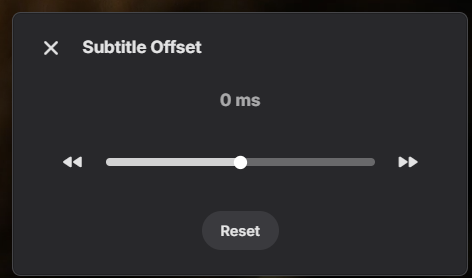
so maybe implement something similar as the subtitle offset:
 2 points
 -
Finally found the issue, it was within the TLS-SSL Profile Level of DSM. The LG Smart TV App appearently does not stand up to the 'Modern compatibility' setting and will quit with a 'no compatible stream found' message, however if I switch the Emby Domain to 'intermediate Compability' it will just play fine for my user. A detailed explanation of the setting can be found here: https://mariushosting.com/synology-which-tls-ssl-profile-should-i-choose/ @Lukewould you be so kind and delete all of my personal logs in this thread, thanks!2 points
-
Since we can now detect end credits, or manually add them in other cases, it would be nice to see this, rather than an automatic percentage/time remaining, trigger the "next episode" popup and decide whether an episode is resumable or not. Even better if it could expand to movies for the latter point.1 point
-
Auto Sync for Subtitles was recently added in Plex: https://support.plex.tv/articles/auto-sync-subtitles/ It uses the voice activity data so doesn't deal with signs etc. like in ASS subtitles, but it is still a significant improvement, especially when downloading subtitles on demand from OpenSubtitles etc.1 point
-
Ok yes if the file name doesn’t change then it is not refreshed unless you delete the bif. While it probably should be, this is primarily a safe guard to avoid regenerating it in situations where it wouldn’t be necessary.1 point
-
To answer the question, yes this is something we can look into. Thanks .1 point
-
Yesterday night, i restarted the Emby server and ran a metadata refresh. Worked fine. This morning, I did the same (added some more files). We'll see tonight what happened.1 point
-
Thanks @ebr! Work fine this now!1 point
-
Like here: EmbyIcon.ico1 point
-
Oui on peut cloturer, merci pour les informations1 point
-
Hi, we'll take a look at this. Thanks for reporting.1 point
-
Done and thanks for the investigation on this! @FrostByte @SamES FYI .1 point
-
Yep, threshold set to 0.9 and moving it back a second nailed it. Just detected all my intros. Thank you!!1 point
-
I don' t have a mac, so can only get so fare. Is the browser in focus when you try ?1 point
-
sorry, forgot, it's safari browser on macbook pro M11 point
-
thanks for the quick answer. I have made the change on one of my ROKUs and we'll see how it goes for a few days.1 point
-
@VicMoorethank you for taking the time to comment. I am going to give it a try soon but just wanted to make sure i unserstood the basics.1 point
-
Hello @all4dom it's nice to hear from you. You are right about the plugin. PseudoTV is an open source project where users can request changes and add changes of their own. It's a new project so there will be bugs. In most cases the bugs are fixed in the same day they are reported. The latest plugin code is attached below. Please read the first post to learn how to install and use the plugin. I am always available to help. Vic1 point
-
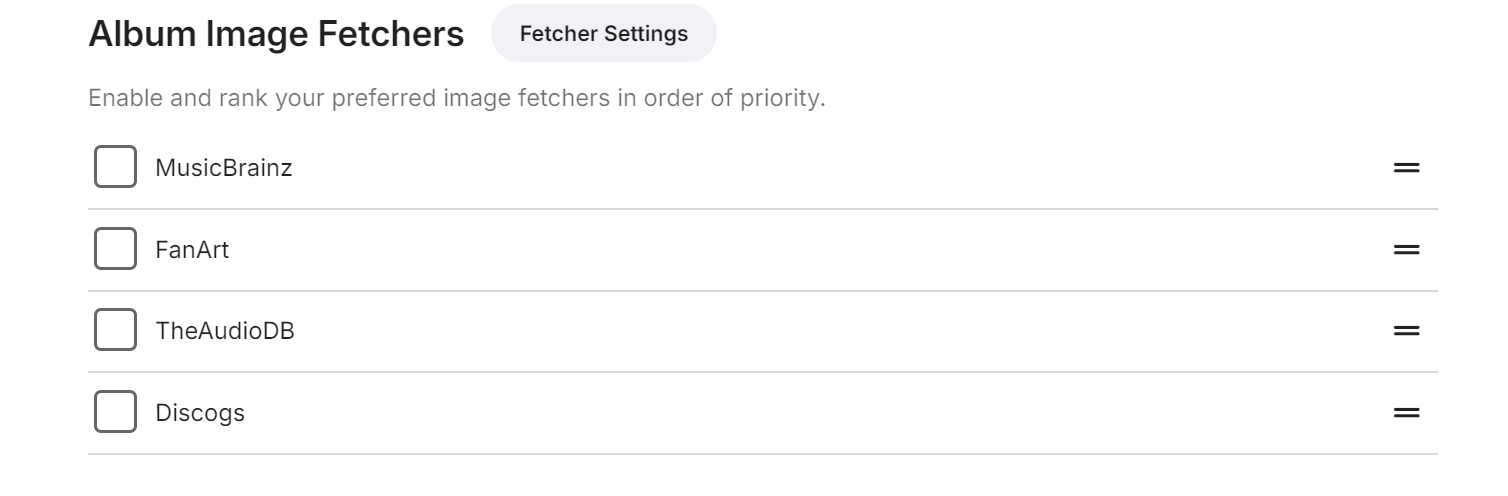
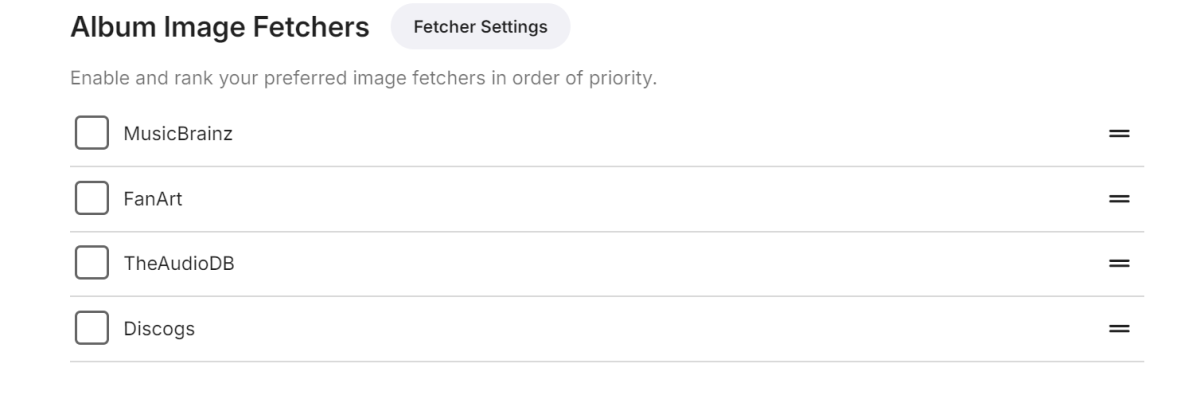
I have all my album covers embedded in the files, so don't really rely that much on Emby fetching them from MusicBrainz, etc. I assume you have all these turned on: Are they obscure albums that are not in these databases perhaps??? Did they appear in Plex for you previously??? Also, sometimes when you are setting up a large library, it takes a while for the scan to import everything. Perhaps start up a separate thread/post about this with some further example details. More info is usually useful! I won't be able to look at it immediately, but if no one else does in the meantime, I might be able to help a bit later on...
 1 point
 -
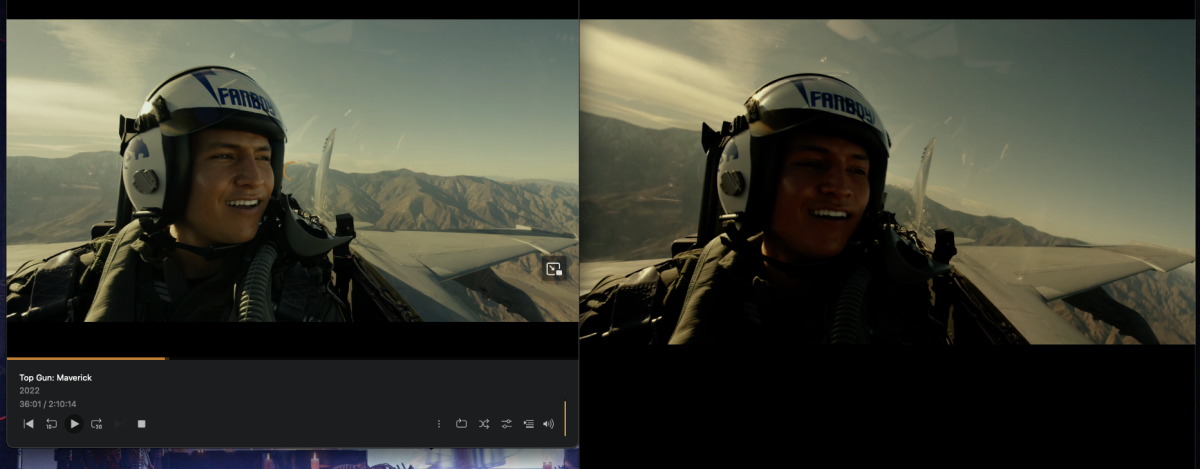
I was curious and tested with my test server intel nucs that also use VAAPI and found the same results. They look fine on my main server with an nvidia gpu
 1 point
 -
1 point
-
Ok, we'll do! On a related note, there are a few albums that didn't seem to get the correct album co er image. I try to use Emby sources (I basically selected all the ones available when setting up the libraries) to fetch images but it always just stays a black screen with only the sources available. Seems strange it doesn't find anything on all those sources for the 20 albums or so I tried?1 point
-
OK thanks just what I wanted to know. Will fix now.1 point
-
To also join on this topic: I always streaming my files via emby web player . (on Edge) from my server. (I am also an Emby Premiere user) The sync is perfect when playing the sound from my laptop speakers. But as soon as I put on my bluetooth headset I get that audio and video are out of sync. That would be for me a perfect reason to have an option to be able to delay (or advance?) the audio by milliseconds. So like many said, most players have this option to adjust the audio delay per X milliseconds.; kodi, plex, vlc, nova video player (on android) Thank you1 point
-
ok - fair enough - I'll add an option to turn it off .. Icons would be nice - Luke originally looked into this but then it never went anywhere .. thus my 'hack' to at least give you the info.1 point
-
To summarize the current position: - When not selecting shuffle and just playing an episode, we appear to go to the next episode at the end even when the setting "Play next episode automatically" has just been deselected, The problem goes away if the second setting "Show up next preview" is toggled or disabled. This appears to be a bug that needs following up on. - When Shuffled playback is started - the setting "Play next episode" has no relevance This is reasonable. The user appears to be after: "Find me a random episode from this series and play it" rather than starting a shuffled playback. A feature request that @GrimReaperlinked to1 point
-
Hi, sorry das ich mich solange nicht gemeldet habe, aber ich habe eben noch einmal eine frische Installation von Kodi 21.1 inkl 11.0.8 Emby Addon gemacht. Es werden weiterhin keine IMDB Ratings angezeigt. Bei mir sieht es immer noch so aus. @quickmic
 1 point
 -
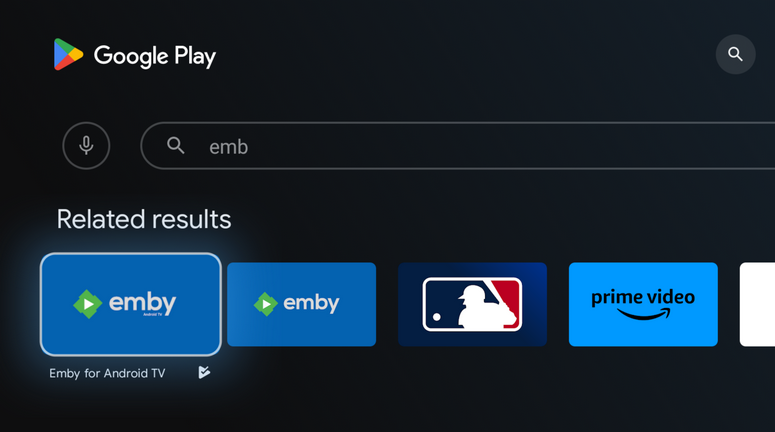
Try just searching for "emb" and you should get 2 results, you only get 1 if you type the full name.
 1 point
 -
So... did you look into it?1 point
-
Having a structure similar to Jellyfin would be extremely beneficial. I have many TV Shows that I have extras for that are from the Blu-Rays, which don't show up since they don't match anything. Have a structure such as: /TV Shows /[Show 1] /Season 01 Episode 1 - S01E01.mkv /extras extra-content - extra.mkv Having it then list in the season after the episodes as a separate section would be fine. Maybe switching to a horizontal view for episodes, then under the episodes is the section for extras, specials, behind the scenes, etc. Otherwise tabs could also work. After tapping the series and season, having the default tab be "Episodes" or "Season 1" and then a tab for "Specials", "Extras", "Behind the Scenes", etc. I don't need the actual extras to match anything. Using a screen grab or such for an image preview, then use the file name without the "- extra" at the end would be enough info. Anything else could be added manually. Sorting could just be as the files are added in no particular order, or else alphabetical. Edit: I see Movies have specials listed without matching, the same thing under each season would be great.1 point
-
So I've been using Emby for a few weeks and want to revisit this with my thoughts. We use our media server like our own personal Netflix complete with binge watching, so credit markers are important to us, and dealing with credit markers in Emby genuinely sucks. To call them frustrating to work with doesn't even begin to do it justice. I get it that automatically detecting credits can be resource intensive for the host machine and doesn't have a 100% success rate for accurate detection regardless of method used, but this is one area where I would encourage the devs to consider that perfect is definitely the enemy of the good. When you have a large existing library it is absolutely painful to manually add these markers for each and every video. This is compounded by the fact that you have to do this for every video added to the server going forward as well, and it makes upkeep an enormous task. I would MUCH rather go back and manually edit videos that didn't automatically get it right the first time. The whole reason I started experimenting with EMBY in the first place is my dissatisfaction with the direction of PLEX, but it is honestly hard to get away from their software because of this. To be fair PLEX's system isn't perfect either, but once again in this instance perfect is the enemy of the good. Even with being imperfect their system is so much more advanced as to be almost laughable. Given that the intro/credit detection plugin is no longer available I implore the devs to reconsider their stance on this. I understand that the Emby team is relatively small and you have to be smart about where you allocate your resources but people have been asking for this for more than two years now across multiple threads.1 point
-
@fillidillGreat - I still have some work to do. It will take me a couple of days. You made all of this possible by reporting the bug. Vic1 point
-
That would be fantastic1 point
-
Episode titles and sort titles and added episode over view.1 point
-
Thanks Luke, all good I just don't want to miss it when it does get implemented1 point
-
I see what you mean now. Sneaky. I guess you're right, to prevent a pointless incorrect resize you should apply the fix there instead.1 point
-
If the move of files takes longer that 12 hours. I would shutdown Emby server until the move is done.1 point
-
Ah, I missed it, thank you very much for this. When the script would finish it would throw out this error which would prevent it from auto updating. I used ChatGPT from here as I can't code. ChatGPT responded with this I went on to fix what I could using it's suggestions then I got this error It spit out this version of "refresher.py" Which fixed all my issues and now "Waiting 6 hours for next refresh." is displayed at the end of the scan! Not sure if this is useful or not for anyone who may read this so I'll leave it up? Either way thanks Amything!1 point
-
Hi, for the movies that were not added to the collection, try refreshing the metadata on them and see if that helps get them added.1 point
-
You can add anything you want to any collection. Just use the 3 dot menu on any show and choose add to collection and then find the collection you want to add to. I do not use auto-collections as I find them to be simply stupid and they create to many collections for the same thing. Ex. Godzilla gets, if I remember correctly, 4 or 5 different collections. I have about 250 collections and I created all of them so I know what is inside.1 point
-
The media folder nfo data did get used again today so that's good, not sure what does it exactly though since manually launching the global library scan wouldn't work yesterday.1 point
-
Luke, you’re possibly right... 99.9% of people likely don’t even notice or care greatly about it, otherwise this would have been raised as an issue well before now. Also, artist AAs (AC/DC, Bob Dylan, Cream, etc...) that typically appear under both AA and A tabs anyway, are always going to greatly outnumber the non-artist AAs (Various Artists, Soundtrack, Compilation, etc...) in the current combined “All” Artists view. If a selectable option was possible (and not a big deal) to implement, then I would probably make use of it. However, now that I understand the “All” approach, I can configure my library accordingly. Whatever you do or don't do - please keep the Album Artists tab!!! Thanks for the reply and the explanation.1 point
-
5th times a charm I guess , finally worked1 point
-
Nice. Looking forward to the new app. Thanks Luke.1 point
-
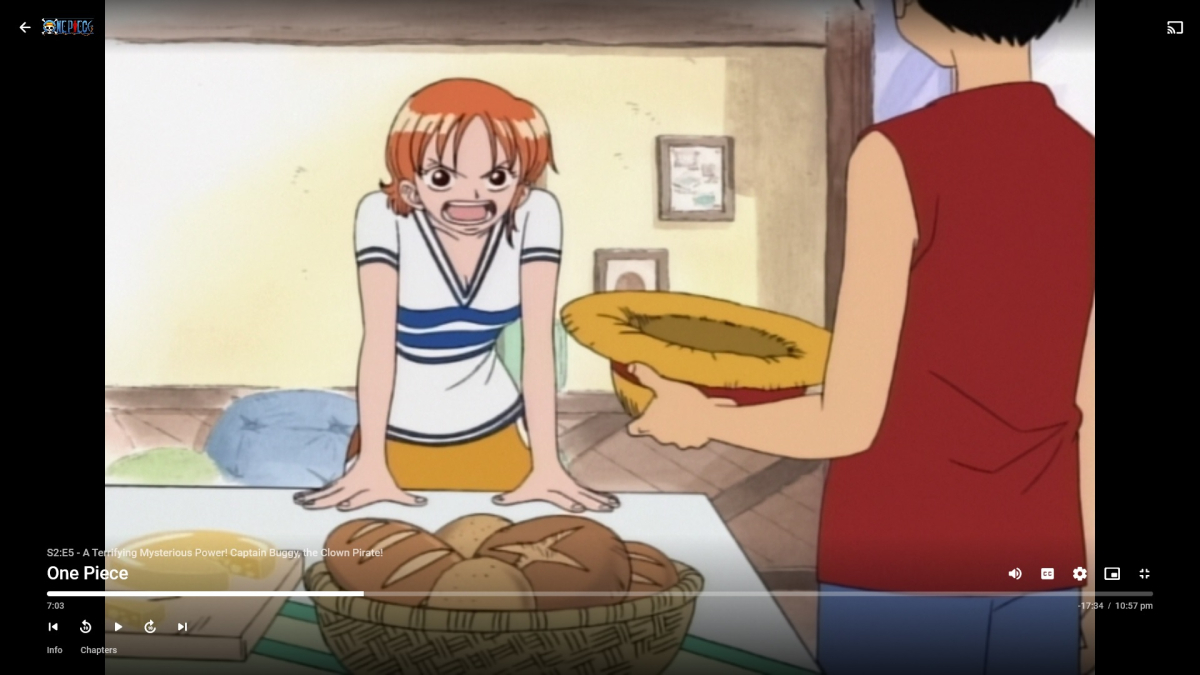
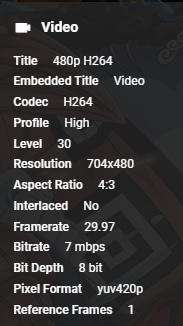
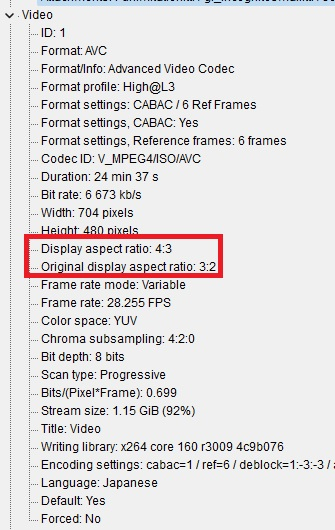
I'm having an issue with a show playing in the wrong aspect ratio. The show is 4:3, and that is what the metadata shows when viewing it both in MediaInfo and in Emby. But when it actually plays, it is stretching it horizontally to 3:2. I've tried switching the aspect ratio in the player, but the only options are Auto, Cover, and Fill, and none of them change anything. Looking at the file in MediaInfo, there are two aspect ratios, DAR, and original DAR. The Emby player seems to be reading the original DAR with no way to change it to what it should actually be displaying. I've tried using MKVToolNix to change the aspect ratio, but there does not seem to be any way to remove the original DAR. Here is what the video looks like in Emby Here is what it looks like when viewing in MPC-HC in the correct aspect ratio This is what the metadata shows in Emby And here is the MediaInfo for the file

 1 point
 -
Sorry, did not see it. Too bad there is not an option to always prefer the external one, even without the language code. Renaming all my subs would be a pain in the ass.1 point