Leaderboard




Popular Content
Showing content with the highest reputation on 09/12/24 in Posts
-
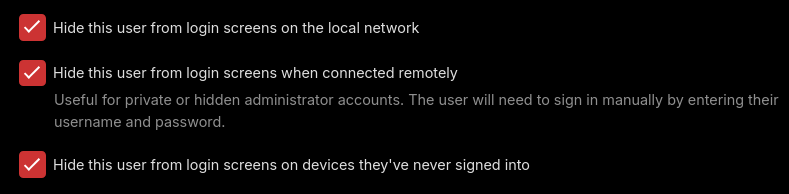
Take a look at these options for your users.
 3 points
 -
? other than a gray screen and crashing ?3 points
-
I think this is more about communicating with friends and family about shows x, y and z. An "accurate" rating is not the point. I'd actually like to have a dropdown/popup list somewhere on the item screen showing individual user ratings, because I know whose opinions I favor (sorry uncle Joey!). Yes, everything costs time and money. (Time is money, so we could just say it costs time and leave it at that.) But the point is to create an overall product that people want more than any competing product. Cool stuff (details) like this is what gets you toward that goal.2 points
-
Thanks @Lessaj It worked correctly.2 points
-
This has been done with example using Notepad on windows https://emby.media/support/articles/Excluding-Files-Folders.html2 points
-
The new Windows app has the same code as the web app as you should know. You've seen the video (from 2 years ago) where it's fixed and there's a PR which contains all those fixes. All WMC UI apps have it included, all other Emby apps do not have it.2 points
-
Updated both my nas to 72806. Emby working as before.2 points
-
Synology have a reserve proxy option build in. Check this: https://mariushosting.com/synology-how-to-allow-emby-to-work-over-an-https-connection/ And when there is only that reserve proxy port open to your nas/emby, you always connect with https from external connections.2 points
-
https://www.flatpanelshd.com/news.php?subaction=showfull&id=1724665225 It looks like Samsung will now be updating the OS version for 7 years starting with 2024 TVs (and some 2023s) with firmware updates. Previously all they sent out was security updates/patches and the only way to get the newer Tizen OS version was to buy a new TV every year when the Tizen version also changed. Just knowing the TV year when having issues will not be enough anymore as things always change with every Tizen version.1 point
-
Correct, that is the issue and we already face this issue with LG where we’ve had to start decoding the model number when they allowed non-DTS models to upgrade OS to versions which had DTS models. What made this worse is that not all models in the supported model year support DTS so even OS version wasn’t enough even before that allowed OS upgrades These platforms need to have native methods to determine whether DTS, ATMOS and other features are available on the device.1 point
-
I’m not sure how feasible it is, but an option I like on other apps is scanning a QR code on a new device that is presented from an already logged-in device. It can also be used vice versa to authenticate on a new device by scanning a QR code presented on that device from another logged-in device.1 point
-
Yeah, that's understandable too because the time taken to scan in a fresh library very often determines whether a user will continue with Emby or not. Taking a multiple of the time taken by JF is a good way for the user to just give up and move on altogether without having experienced the vastly superior clients once the library is fully scanned in. I, however, have been fully invested in the Emby ecosystem for a few years now so it's very rare that I ever need to scan in my library from scratch. This was just an attempt to see how the latest versions of both software fare now. Hopefully, there is a solution that helps both types of users.1 point
-
Well they know what model it is. We'll have to just wait and see how this shakes out. Currently when we submit packages we are doing them for model years and families and not based on the tizen version.1 point
-
Just be aware that photo functionality has taken a seat on the back of the bus for Emby. Some things work well some things work passably and many things dot not work at all. Photos are barely supported in Emby ad that makes sense as most people use Emby for TV and movies and other video. I wish photo functionality was better but i am quite happy photos work at all and, every time I see a photo question that Emby will change things so i lose the functionality I use or, even worse for me, they decided to remove photo support completely. I like what I have and i am often concerned about losing it.1 point
-
Couple of things there. 1st, we said in the other thread about leaving it a few days before running so I can clear our the oversized themes. 2nd, looks like your ffmpeg instance is hanging out when it's trying to normalise the audio. I personally don't used the normalisation feature anymore as they're all at a decent volume now after they were processed server side. I'd just turn it off. All the same, I'd wait until I've cleared out the large themes. I'm just waiting for everyone to have adopted the new version of the plugins that were released the other day.1 point
-
Ya I checked Brave and Vivaldi and they don't support it either. Appears Opera GX does also.1 point
-
sorted it - adding the above line in the config did actually resolve the problem, only for my software firewall to then start blocking it, apparently running it in a split tunnel caused the firewall to see the incoming traffic as a threat when running it with the vpn disabled was fine. all working now!1 point
-
Yes as Emby server and programdata are separate folders. So if you need to downgrade you would uninstall beta, install release and restore your backup.1 point
-
Tbh Https means port 443 unless specified other wise.1 point
-
Thanks. While I'm confused why it is set up this way, your response sort of hinted me in the right direction. I'm surprised the app already specifies `/emby` in the target. So I took away the subpath and then cleared out the port 443. It worked and asked me to specify a user and password. So I wrote https://mydomain.com and no port. Edit: Just confirmed that you can either use no port or you can use 443. It works both ways. But you MUST specify the protocol (in my case https)1 point
-
Installed the updated version from the second page on omega. some layout issues on the 2k version: "Embuary_Poster_View_51.xml" needs "height" changed to 1440 or the bottom row is always invisible/off-screen. "Embuary_Wide_View_50.xml" needs "height" changed to 1440 and "width" to 2690 or right column is cut-off1 point
-
I found the problem. Leave all options enabled in plugins config menu -> dynamic libraries. I'll fix it in next version.1 point
-
Library scan performance is simply a matter of which actions are performed during a library scan and which not. It's easy to make it faster by omitting certain actions, but that also means that those need to be done at a later time where it might delay playback for example. But other concepts exist for doing it in a more decoupled way or interleaved way, I had propsed these years ago, so there's indeed room for improvement.1 point
-
Updated the host to the latest version of 13.0, then updated the jail to 13.2 fixed it. Could also have just been the restart. Currently running 4.8.8.0 with no issues.1 point
-
I'm also having problems after trying to upgrade on my freenas-core nas, but after some googling and trying to run the binary directly, I got "Failed to create CoreCLR". A github page for dotnet indicates that it could be due to the fact that the jail is on a newer version of freebsd than the host os. Guess it's time to reboot after over a year of uptime. This is what I get for tinkering :P.1 point
-
Thorium does too (and is a tad quicker in general). Edit: Looks like E-AC3 also, never tested that one - well, that's a surprise.1 point
-
@adminExitium @shocker - I don't doubt this, but this isn't related to database performance in any way.1 point
-
@arrbee99- Yes, this is a bug, but it's not specific to the Windows app. I have moved this topic to the Web App forum, which is the right place for this bug report. Thanks a lot for reporting. @Luke1 point
-
Every browser/player will have its own supported codecs and is not anything that Emby controls. Believe the only browser that supports ac3 is Edge. You can check your browser capabilities via a checker like. HTML5test - How well does your browser support HTML5? (opensuse.org) codec support (dolby.com) Media MIME Support (cconcolato.github.io) As for Desktop ET you would have to elaborate more on doesn't seem to play your videos.1 point
-
Actually Roku and Android TV do have logic to properly scroll along the timeline.1 point
-
Sorry for your loss mate1 point
-
Something like 192.168.1.0/24, depending on your network setup/number of clients.1 point
-
Plus! I got it working. It was hard to see the directory list emby gives. Put the right slashes, and follow your file set up. "/" *home *user "file folders" Don't expect it to pull up in the directory list if you use the circle icon. If you put in order correctly, it will continue or save.1 point
-
Thought about it afterwords but change solution to your post as it is the new solution.1 point
-
Yeah, only topics in FR forum can be prefixed. Edit: FWIW, added tag "Completed" to topic title.1 point
-
Hi, thank you! It would be great if this would be an option in download in the future!1 point
-
TL;DR Ubuntu actually make it really easy to install the right nvidia drivers however there are separate packages for NVDEC & NVENC so you need to find the right packages. The magic sauce (at the time of writing) is... sudo apt install nvidia-headless-525-server nvidia-settings nvidia-utils-525-server libnvidia-decode-525-server libnvidia-encode-525-server Background I'm running Emby in a VM (on TrueNAS SCALE). I decided to add a GPU and PCI passthrough for hardware accelerated transcoding. All the advice on the Emby pages say that you should install the nvidia driver from the nvidia homepage and NOT from the package manager. I couldn't get this to work and it felt wrong as I wouldn't get automatic security patches. There seemed to be other users on the forums that had installed an entire xserver dekstop on their VM's just to get the drivers to work. I was adamant that I wanted to use the package manager. Nvidia drivers can typically be installed with a simple... sudo apt install nvidia-headless-525-server ...however that obviously didn;t work. You have to specifically install the nvidia libraries for NVDEC & NVENC... sudo apt install libnvidia-decode-525-server libnvidia-encode-525-server ... the rest is just gravy which give you tools like `nvidia-smi`... sudo apt install nvidia-settings nvidia-utils-525-server I hope this is of use to someone else.1 point
-
I'm hoping this necropost will be forgiven, because it's important for me to express genuinely thank you to OP. Your post is the kind of example that inspires me to help pass on little bits of info where I can, even if it's not some big grand guide or full-blown tutorial, because this absolutely helps people out. I was growing frustrated searching for a solution, coming across posts of people asking the same thing but commenters throwing out off-topic suggestions. Thank you OP for doing the work to come up with a clean solution, and thank you for sharing it. For reference, this still worked just fine for Ubuntu 22.04 for an Nvidia P2000 using `-550` instead of `-525`. TL;DR thanks:)1 point
-
I will send this patch up for you to study and add it for better results 服务端高级搜索功能补丁_20240616.rar1 point
-
I am a legitimate user and have been using the beta server for a long time. Currently, it is version 4.9.0.22. Because your search function is very unfriendly to Chinese, I found a patch to enhance the search function. Its latest corresponding version is 4.9.0.25, which is why I need the installation file for this version of Weiliantong!1 point
-
This was great. Did this on both my synology nas devices and its working.1 point
-
It's me who thanks the Emby team for their great work and quick responses !1 point
-
If you aren't ready to buy a new TV (and don't want to update via usb every month), another option is to get an external box like a Shield which will be much cheaper. An external box will also support more audio, subtitle, etc formats than Samsung.1 point
-
@hacotaI notice this in your ffmpeg log: 10:03:13.828 [https @ 0x20f74c0] Will reconnect at 3276 in 0 second(s), error=End of file. 10:03:14.020 [https @ 0x20f74c0] Will reconnect at 0 in 1 second(s), error=End of file. 10:03:15.261 [https @ 0x20f74c0] Will reconnect at 0 in 3 second(s), error=End of file. 10:03:18.474 [https @ 0x20f74c0] Will reconnect at 0 in 7 second(s), error=End of file. This should be resolved in the upcoming Emby Server 4.8.9 maintenance release. Thanks.1 point
-
HI, we know what the issue is. We are working on it. Thanks.1 point
-
That did the trick. Thanks for the assistance!!!1 point
-
Gelöst durch komplettes Deinstallieren mit folgender Step-by-Step Hilfe:1 point
-
Sorry this image appears to be broken. But have you done this?1 point
-
@radeon My deepest condolences to you and your family.1 point
-
Most IPTV providers that offer EPG data, follow this format for the M3U URL: http://SERVER_URL:PORT/get.php?username=YOUR_USERNAME&password=YOUR_PASSWORD&type=m3u_plus&output=ts And this for the EPG URL: http://SERVER_URL:PORT/xmltv.php?username=YOUR_USERNAME&password=YOUR_PASSWORD&type=m3u_plus&output=ts To get your EPG data try duplicating the M3U link, but changing this part of it: http://SERVER_URL:PORT/get.php? To this: http://SERVER_URL:PORT/xmltv.php?1 point