Leaderboard




Popular Content
Showing content with the highest reputation on 09/08/24 in Posts
-
Hi everyone! I have added my own custom library icons with the names of the different libraries. Therefore, the default title for each of the libraries seems unnecessary and looks redundant. Is there a way to optionally hide these titles from the library categories? If this is not possible, I would like that as a feature request.1 point
-
Something like this has been happening for a while on the release server. The good news is that it appears to be fixed in the beta. I think I remember reading that there will be a new release fix released soon that includes the fix for this but I am not sure so some developer or more informed person may need to confirm. I had this problem with TV shows when I was running the release server but I switched over to my beta server and not once has any show or movie failed to exit at the end as it should. I am NOT recommending switching to the beta as it is somewhat hard to switch back. I have two servers, one release and one beta, so it is pretty easy for me to switch.1 point
-
While that is true, I seriously doubt that hosting trailers for the very limited audience of "Emby Premiere subscribers" would be such a burden financially wise. This could probably be done with very limited server capacity - especially since emby also controls the enddevice and could implement things like caching and limiting to keep the server load low. The question is: Are they willing to invest the resources and time to talk to the distributors and curate their own trailer library (quite frankly, when I first read that they're offering a trailer feature, that was what I was expecting to get). But that is obviously not the case since the dev team doesn't even comment on those suggestions. Instead all we're getting is a not very meaningful "we're working on it" on repeat.1 point
-
I don't have much hope for a new trailer source as the financial model for hosting then is too great. It's just a matter of time before YouTube shuts the door on 3rd party access via undocumented API loopholes too. Hosting trailers, especially high quality ones, isn't free and there needs to be incentive to do so whether that be a paid service or through ad revenue. Personally I don't want my Premier payment going towards trailers, that me though. As for local trailers, scraping them from YouTube goes against their terms of service. Using Trailarr is a grey area and might not work forever. I personally subscribe to YouTube Premium so I am morally ok with using it. If you have Sonarr and Radarr setup already, Trailarr is very straightforward. If not I suggest you do some reading or abandon the idea all together. There are plenty of resources out there for learning about that type of software but the Emby forums are not the place to discuss it.1 point
-
1 point
-
Playing back live TV of ATSC 3.0 channels results in a blank screen in the Emby app 3.3.95. Transcoding is enabled. Playback works if the app is told to use an external player, like VLC. embyserver.txt ffmpeg-remux-f4bb874e-8104-4174-af8d-6a0aa1476acf_1.txt hardware_detection-63854763067.txt1 point
-
This function requirement has been put forward by many people a long time ago in my impression. I hope the official can pay attention to it. We are really eager for this function to be launched.1 point
-
Thank you. Reported to provider.1 point
-
Thanks for following up !1 point
-
HI, yes an option to control this is certainly possible. Frankly I'm not even sure we should do this anymore as I'm not sure how many other apps actually do this.1 point
-
HI, yes we are looking into this. Thanks for reporting.1 point
-
HI, yes it makes sense. Thanks for the feedback.1 point
-
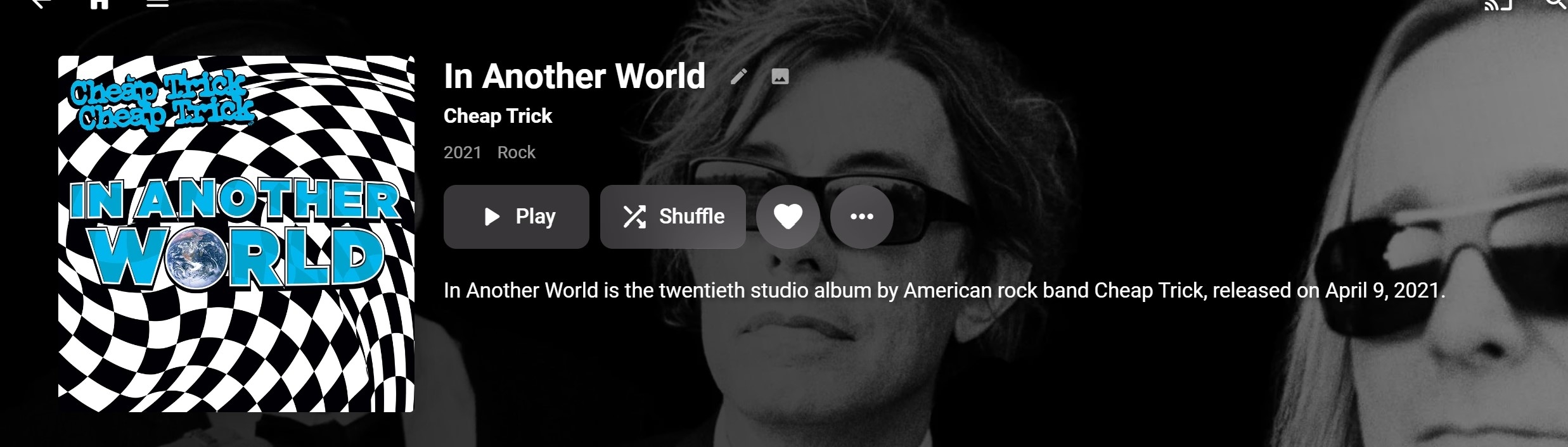
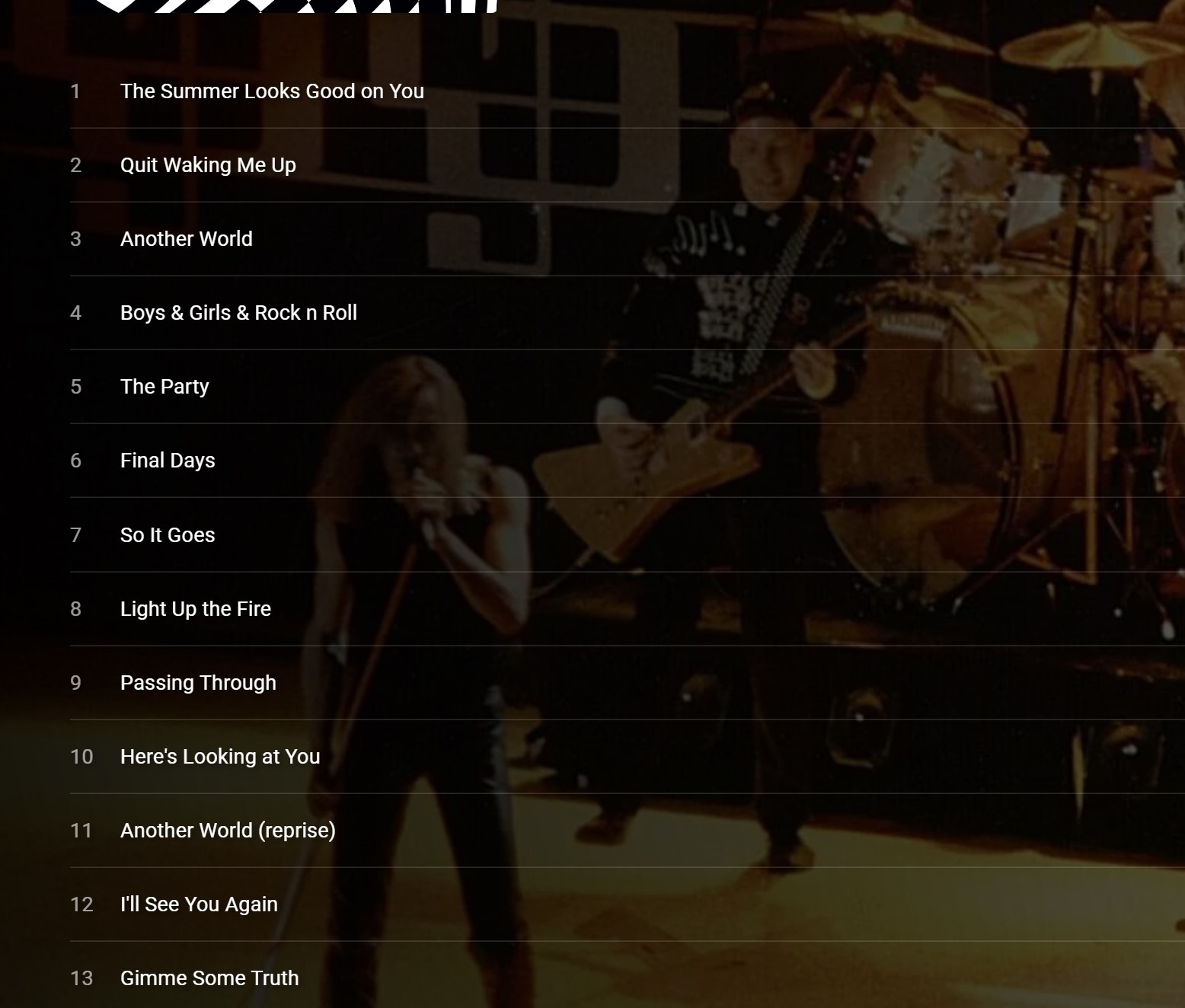
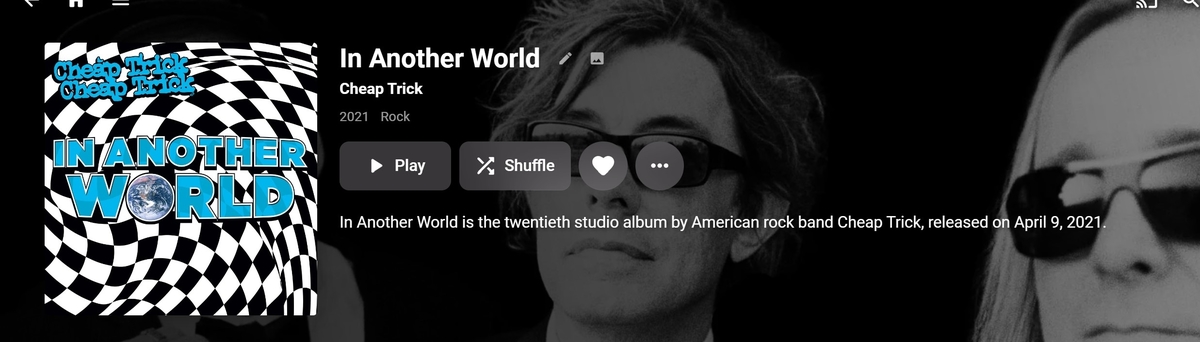
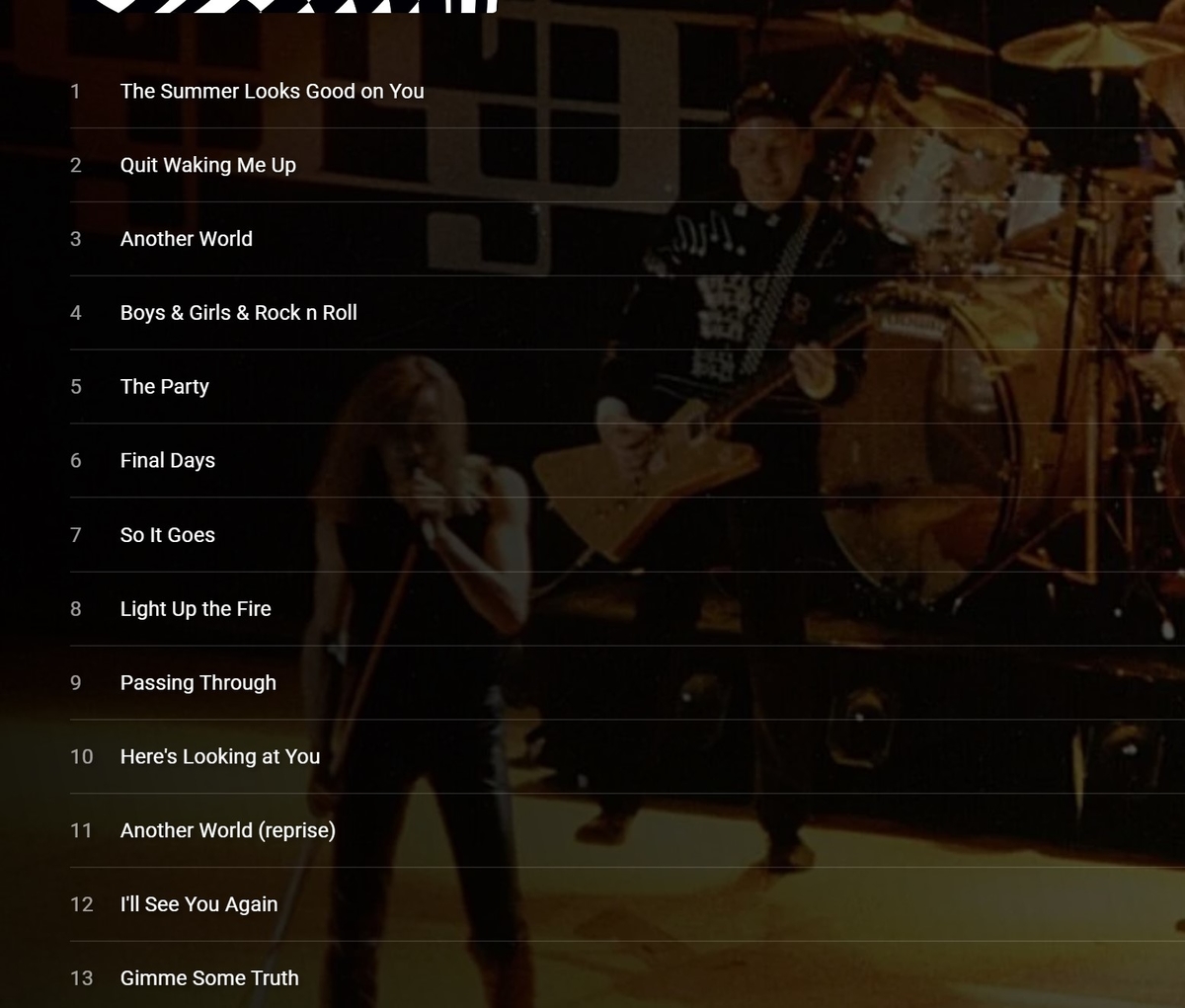
Hi With the recent changes, the UI for "Appears on" needs an update. I now have alot of artists that the "Appears On" list contains, 20-100+ albums. Albums now appear in the list that the UI doesn't show what the relationship to the artist is. For example. This is the first album in my John Lennon "appears on list. The UI provides no information as to why "John Lennon" appears on this album. He is not a member of Cheap Trick, he did not play on the album. (recorded after his untimely death). A casual user may just think this is a bug. Now as I understand the new "feature" John Lennon has a composer credit, on one of the above songs. But based on the UI that is just a guess., which one? I would suggest adding to the display Composed by John Lennon to the appropriate tracks. The navigation is cumbersome at best., need a See All, Lennon "appears" on 80+ albums. I have others of 100+ . (8 plus clicks on the More arrow) Addition of a see all option is needed. The default display would be best to sorted by Artist. That would at least group the display logically. The new table display is not the solution. -Thanks -vicpa
 1 point
 -
Accessibility Features: Hight Contrast Theme and Keyboard Navigation The new Windows app is the first Emby client app, providing accessibility features for user interaction, specifically: Support for Windows High Contrast themes Enhanced support for keyboard navigation in desktop (non-TV) mode Proper drawing of item focus indicators according to the Windows UI guidelines Improved navigation with arrow keys (sometimes the use of TAB or SHIFT+TAB is required, which is normal though for Windows applications) . Emby_High_Contrast_Themel_Support.mp4 Prerequisites The "Windows" theme must be enabled in the Emby app No app theme override (dark/light) may be configured (see the "Windows Theme" post above) How to... ...enable a high contrrast theme for the Emby app? Prerequisites need to be fulfilled, then the app will automatically follow the OS level theme settings (including high contrast themes) Applies To Windows App1 point
-
Enhanced Remote Control Support Support for remote control input has been extended. More button mappings are supported, including all buttons found on classic Windows Media Center remotes (Windows app). The Xbox app supports a smaller set of RC buttons only. The new settings UI allows to test all remote control buttons as to whether they are recognized by the app Emby_Enhanced_RemoteControl_Support.mp4 How to... ...access the remote control settings view? Go to Settings (Gear icon), in the sidebar choose "Remote Control" Applies To Windows App Xbox App (subset of RC buttons)1 point
-
Enhanced Gamepad Support Support for gamepad input has been significantly updated. On the technical side, unnecessary power drain is avoided and the reliability of key input detection has been improved. Functionally, mappings have been extended, allowing to control more things with game pad buttons. The new settings UI serves two purposes: It provides an overview over the functions assigned to individual gamepad buttons and sticks It allows to test all controls as to whether they are recognized by the app Emby_Enhanced_Gamepad_Support.mp4 How to... ...access the game pad settings view? Go to Settings (Gear icon), in the sidebar choose "Game Pad" Applies To Windows App Xbox App1 point
-
You appear to have a network issue as Emby can not talk to external provider sites. Resource temporarily unavailable (mb3admin.com:443) Resource temporarily unavailable (api.github.com:443) Resource temporarily unavailable (api.themoviedb.org:443) Resource temporarily unavailable (private.omdbapi.com:443) Resource temporarily unavailable (api4.thetvdb.com:443) Resource temporarily unavailable (webservice.fanart.tv:443) And you have an iNotify issue. The configured user limit (8192) on the number of inotify watches has been reached, or the operating system failed to allocate a required resource.1 point
-
Display Control: Refresh Rate and HDR Mode Switching The new Windows and Xbox apps include an entirely new component for controlling display refresh rates and automatic switching of HDR enablement. Display-Control.mp4 Features Detects GPUs, connected displays and the connection type Detects possible refresh rates for each connection (depends on GPU capabilities, display capabilities, connection type, current resolution, current color mode) Detects availability of HDR mode for each connection Detects the display on which the Emby app is currently being shown (Windows app only) Dynamically updates the settings view when changes are made to OS settings or displays are connected/disconnected Allow manual switching of refresh rate and HDR mode (three-dot menu) Automatic switching of refresh rate and HDR mode on playback start can be enabled independently and separately for each display This will only be applied to the display on which the app is currently shown Revertion of refresh rate and HDR mode on playback stop can be disabled to reduce display mode changes (which can take a few seconds) How to... ...access the Display Control settings? Go to Settings (Gear icon), in the left sidebar choose "Display Control" Applies To Windows App Xbox App1 point
-
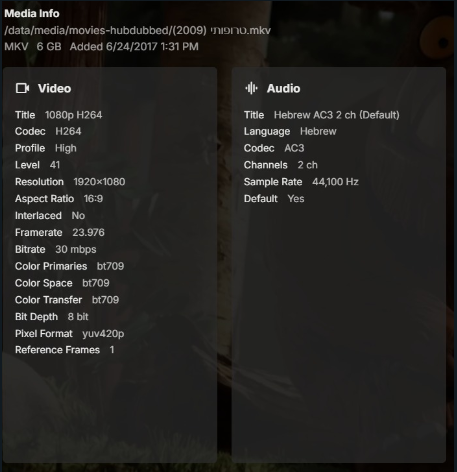
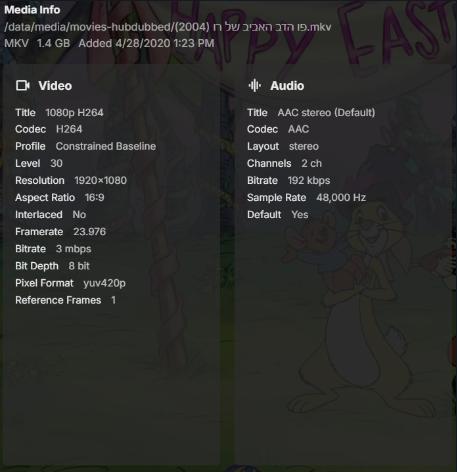
visproduction thanks for the advice, just tried to rename the file to English, still same result.. BTW my mistake in the original post, by saying playing on another devices i meant through Emby not directly the file itself, not sure if it matters or not.. Found 2 more files not playing, and a bunch that do play , these are the metadata of the problematic ones:
 1 point
 -
@Luke Same here... no OSD. Thanks in advance!1 point
-
Same here @Luke No OSD is displayed.1 point
-
For those of you who run Emby using Linuxserver's Docker container, I made a docker-mod to add all the necessary software when the container starts. You the instructions on how to use the plugin at MediaInfo Plugin Docker Mod.1 point
-
Brightness Attentuation The new Windows app has a brightness attentuation control which allows to reduce the brightness of UI elements without affecting the colors and brightness of video playback. This feature is the first of its kind in Emby, meant to test what can be done in this area. For technical reasons this is currently limited to the Windows theme only! BrightnessAttentuation.mp4 How to... ...enable the brightness attentuation feature? Go to Settings (Gear icon), in the left sidebar choose "Display", find setting "Theme" and make sure that "Windows" is select. Then hit the "Theme Settings" buttons below and use the dropdown selection to control the brightness attentuation strength Notes: Changes are applied instantly; "Minimal" attentuation is very subtle Applies To Windows App with Windows theme enabled1 point
-
Windows Theme The new Windows app includes a new and exclusive theme: "Windows" WinTheme Overview.mp4 Features Fully adheres to the latest Windows design guidelines: https://learn.microsoft.com/en-us/windows/apps/design/ Uses outlined icons Uses the "Segoe UI Variable" font Precisely resembles Windows UI elements down to the pixel level Precisely resembles Windws UI coloring and dynamically adapts to changes at the OS level Follows Windows theme settings for applications (light/dark) Follows Windows accent color setting Allows overriding the Windows theme (light/dark) for the app specifically Uses original Windows application background materials On Windows 11 and later: Mica Material On Windows 10: Background Acrylic Supports Windows High Contrast Themes Adaptive logo display (left top) Large when sidebar visible Icon-only when sidebar is minimized Small when no sidebar and during video playback to save screen estate Rotating icon while wait cursor (spinner) is shown Dual Color Mode When light theme is active and the app changes to dark background for showing backdrops, the sidebar remains to have a light background Dropdown popups are positioned according to Windows guidelines View options and filters are shown as panel (right aligned) rathern than as dialogs In-app dialogs have the same appearance like Windows dialogs Cards are shown as integral elements (all captions are inside the card borders) Color intensity effect for card hovering Intuiitive control of sidebar appearance (show, hide, mini) Improved keyboard navigation with focus indicators following Windows guidelines Brightness attentuation setting in theme settings Rounded-corner appearance for main layout and video playback in windowed mode (like latest MS Edge browser) How to... ...enable the Windows Theme? Go to Settings (Gear icon), in the left sidebar choose "Display", find setting "Theme" and select "Windows" ...override the Windows (dark/light) theme for this app only? Go to Settings (Gear icon), in the left sidebar choose "Display", find setting "Theme" and make sure that "Windows" is select. Then hit the "Theme Settings" buttons below and use the options to select an override mode Note: Changing this setting requires a restart of the app Applies To Windows App (exclusively)1 point
-
Ataios, I wonder if the filename starting with ( and with Hebrew characters might throw off playback. It shouldn't but try changing the name of the file to the "[English name of the film] (2011) - 1080P.mp4" --- something like "Family Reunion (2011) - 1080P.mp4" and see if that changes playback on your TV. (Picking the English name may help Emby's database lookup find the right match for the program for images and description.) The typical reason something will not playback is that there is some metadata file issue that needs fixing. Third party players like VLC can often easily play back such files, so testing with another player does not prove anything. You can remux the media file with ffmpeg command line if you have that software separately, or a third party editor like AVIDemux. Even command line with MP4box probably would fix the file, as well. On a average slow computer, remuxing should take maybe 60 seconds for a 2 GB file. If you know how to do it, it's pretty fast. I think this problem pops up all the time, because people think the file is fine when it plays in some other software. Well, that is not really a proper test. Hope that helps.1 point
-
Startup Animation EmbyStartAnimFlat.mp4 Why it Exists It had turned out that it takes a number of seconds until the web app environment is initialized and ready for the actual startup process which takes another few seconds until the app is ready for use. This cannot be accelerated, so the only option was to cover that time span with something visual. Showing a spinner is always the worst option for those situations because it doesn't provide any indication about progress, so you're unable to see how much time is still remaining (that's why spinners are typically used for cases when the duration is unknown). A progress bar can be followed and indicates the remaining amount of time, but too often those are used in a way that progress stops at 90 or 95% for much longer than it should, so nobody trusts them anymore these days. The start animation in turn has a fixed duration and once it's finished, the app is (almost, like 99.9%) guaranteed to be ready. The predictability of it makes it subjectively feel faster than a spinner or a static logo display. Can the animation be disabled? There's a "Hide" button at the bottom right which allows you to hide the animation and see what's behind. On fast systems and when you're already logged into to a specific server, you may gain 2 seconds by doing so, but no more and at the cost of seeing some ugly display changes. And not always. Applies To Windows App Xbox App1 point
-
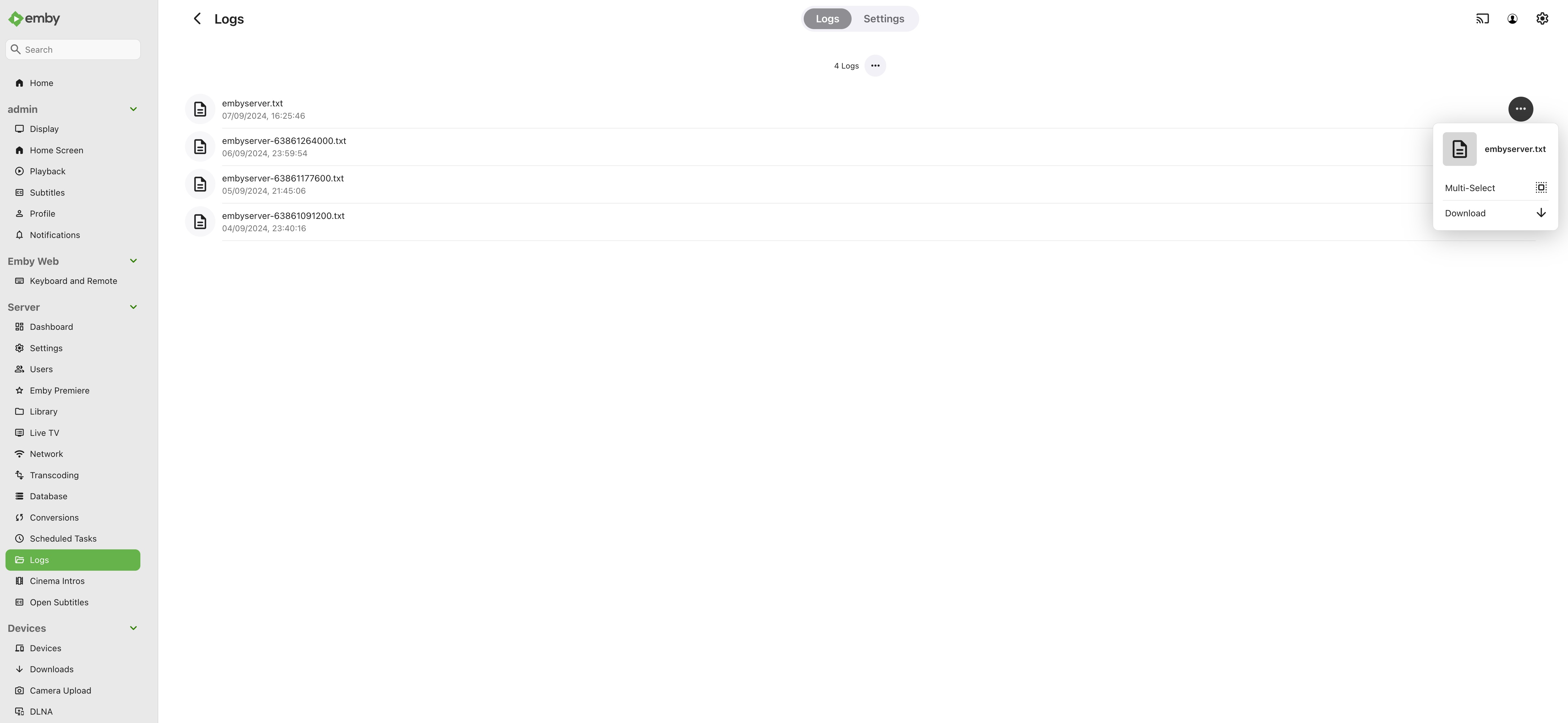
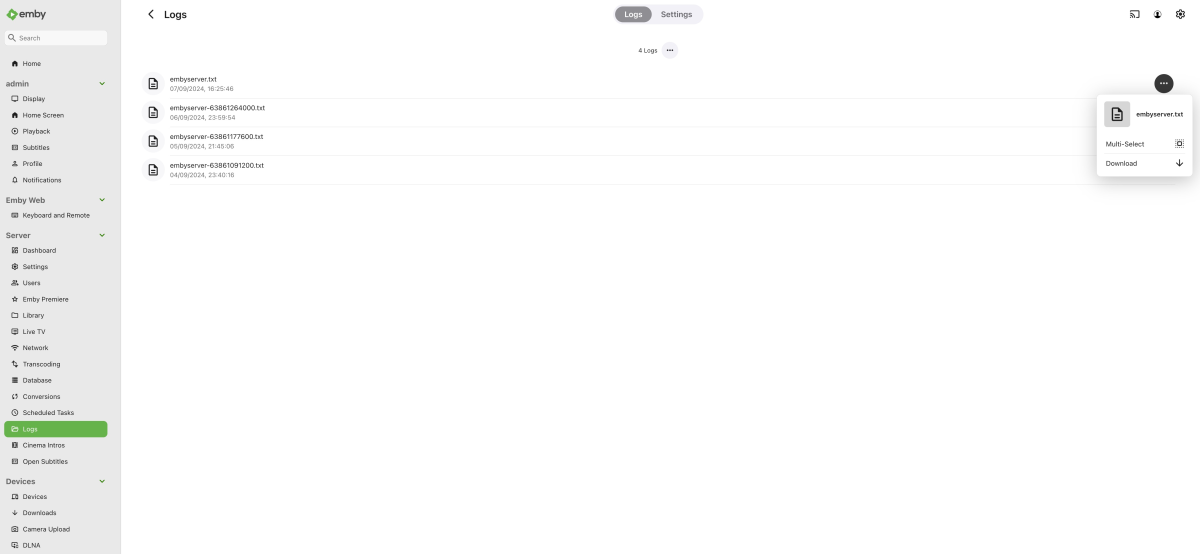
I needed to use this again recently, and I still have some problems with how emby is doing this. Surely the default should be an anonymous log? If I go into the Admin console, select logs, click the hamburger icon, and select download, I don't download an anonymous log. This should be the default, surely? You have to click into the log file where you see the anonymised switch and click download from there. Also, if you have an IPTV service set up, the details, including the password, are displayed in the log file regardless of whether you have anonymised selected it or not. This isn't good! 2024-08-25 12:46:54.917 Error HttpClient: Connection to http://URL:8080/username/password/109 timed out Can this be reviewed again to ensure that nobody is being asked to post private details on a public forum to receive support? Thanks
 1 point
 -
Solved, Not sure what it was, possible Port Conflict, but i was able to add my GF who is 40 Mins Drive away she could access from her PC and her Phone Through Wifi / Data Now i need to build a slightly faster Server and get this off my NAS and in my Rack on in the attic. Thank you !!!1 point
-
Ok just wanted to post back here to say that I finally found the issue. And it indeed had nothing to do with EMBY and or ROKU. That was just where i was seeing the problem. It turned ot it was a hyper specific issue related to my setup. My files were stored on a separate server that was sharing the files to a lxc container running emby via an NFS mount in proxmox. Something with how proxmox was handleing the NFS mount was timing out and causing the network stuttering. I have solved the issue now by changing how the NFS mount was being handled on the proxmox server and the issue has gone away. I think the network pings I was seeing where incidental but may have been related to what was causing the network storm that was crashing the NFS server. Man that took way longer than it should have to work out. Thanks1 point
-
There is 2 things that are frustrating about the blog announcements. 1. They rarely happen. 2. You guys repeatedly reply as if you will get right on it and don't. I've brought it up numerous times over the years and get the exact same response above. The last blog for the app was Feb 2023. I love Emby but the lack of the release notes is annoying. Especially when there is precedent for removing features. I'm at the point now where I have to keep ignoring the spam to update the app on the TV because I don't know what it's going to do. I usually wait a week to make sure no obvious issues are brought up on the forums. The worst part is I come across as the prick complaining about it when it's something that should just happen by default. I know I'm wasting my time but I felt like a rant. And I understand the admin replying on here may have no control over it and are just placating the masses but if there is some higher up cracking the whip so hard you don't have time to post an update blog, let them know I hope they step on some lego.1 point
-
Hi, stay tuned. Smart playlists will be one of the focal points of the Emby Server 4.9 release, so this feature will ultimately be built in.1 point
-
Yes, in fact you can connect remotely using any Emby client if you have correctly set up your Emby Server for remote connections. Please see: Remote Setup1 point
-
Hello, Thanks for your reply. I've had these video clips in my daughter's playlist for a while. They're still playing perfectly fine through my Emby server on the Emby app on her iPad, Amazon Fire Stick, and my wife's Samsung Galaxy 23 using the Emby app. The issue is most likely with the Emby app for those LG TVs. I can post more log files if needed. thanks1 point
-
HI, we'll take a look at it. Thanks for reporting.1 point
-
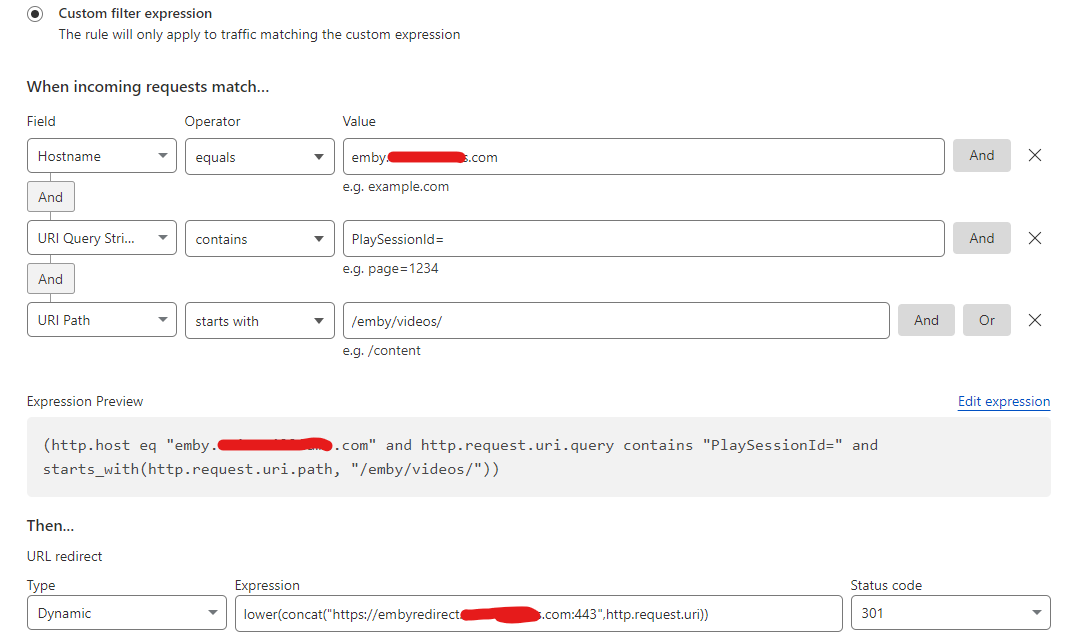
And hopefully my final edits / reconfig, I have now done the following : 1 - remove the /something that horsepdf put in, and made it a simple proxy redirect with no need to rewite the url - I also change the proxy name (and dns etc) to be embyredirect.acme.com. The server block now looks like this which is much simpler and follows the normal SWAG defaults. It allows only freshping to connect and terminates any other connections : location ~* ^/emby/videos/(.*)$ { include /config/nginx/proxy.conf; include /config/nginx/resolver.conf; set $upstream_app 192.168.1.201; set $upstream_port 8096; set $upstream_proto http; proxy_pass $upstream_proto://$upstream_app:$upstream_port; proxy_set_header Connection $http_connection; # websockets proxy_set_header Range $http_range; proxy_set_header If-Range $http_if_range; } location / { if ( $http_user_agent ~ 'FreshpingBot/1.0' ) { return 200; } return 444; } 2 - To facilitate this, I change the cloudflare re-direct and removed the /something - as not really needed (horsepdf mentions something about using this to inject authorisation) : 3 - I re-did the doco on this which was initially a direct copy of @HorsePDFpost which I elaborated on - so all credit to him for coming up with this idea. In summary, I look forward to the CF email next month and hopefully see the traffic no-where near the 400-600GB I was putting through there - specially at the moment with reports that CF sales staff have been told to approach and review all accounts.
 1 point
 -
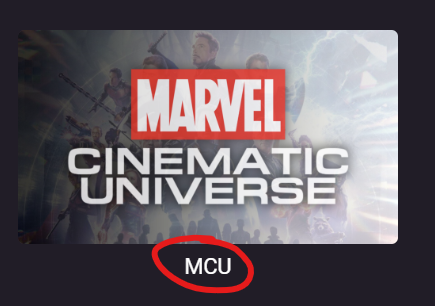
Is it possible to hide the name of the library on the start page? I thought i have seen an option times before but couldn't find it now anywhere. Here is an example: For a cleaner view it would be nice to have the text "MCU" hidden. Thanks in advance for any help!
 1 point
 -
You can lend your support here:1 point
-
Hi, there is currently no option for this, but it has come up before and is possible for the future. thanks.1 point
-
It would be very beneficial for dvr users for the detail screen to have the channel name and the time of the recording. If you ask why I want the time that it is recorded the time that it has been recorded tells me the later the show is screened the chances of being taken off air are very high and don't get too hooked on it. In WMC each library displays the information that is relevant for that library so if you go to movies library it will not have the channel name and the time so each screen has the information that is relevant for that library when I requested this before the argument was that every screen should be the same but it shouldn't. It would also be helpful if the pre playback row can be taken off it just makes the screen too busy. In android tv client there is an option and it should be across the board so no one is disadvantaged.1 point
-
HI @SShzin, I don't believe it's possible to create this situation anymore on the latest versions, but you may have been impacted due to a defect in a previous version. It may require a fresh start with the database to get this corrected.0 points
-
Hi, what do you mean by no luck? What exactly happened?0 points