Leaderboard



Popular Content
Showing content with the highest reputation on 08/28/24 in Posts
-
Oh boy....Happy2Play got me pointed in the right direction. It's RESOLVED. The HTPC I built has no graphics card. I use the on die graphics from Intel. I think it's HD700 Iris or something. There was an OBSCURE setting in the Intel IGP settings for Audio that said "Audio Through TV" or something like that. I changed it from Disabled to Enabled. When I started the MKV file, the Denon rcvr was now showing 5.1 chnls on the Input !!!! What's confusing is that I never experienced this with DVD's or Blurays ripped to the Server. Only noticed this when I ripped a bluray to MKV (vs. my standard of ripping to native folder structure). Thanks guys for digging into this !!!!!!2 points
-
I have no idea what happened, but after doing the mass find/replace and copying the playlists back into emby, it appears leaving it overnight has caused the playlists to reappear with all of their content intact. Not sure why manually asking emby to do a scan didn't cause them to reappear, but either way it looks like everything is back to how it should be. Thanks everyone, in particular thanks to @Happy2Playfor all the information you shared2 points
-
You've grown up with watching live tv but on television only runs garbage? You have a big library but don't know what to watch next? Then this for you: "VirtualTV" - my new live tv plugin that allows you to create custom channels based on conditions of your Emby library content. What's missing: Maybe codec conditions Known problems: Needs Emby Premier to work (Playback) Emby's live tv and playback api is very limited, so i've had to make some detours to get things working. The plugin has two general playback modes: "continous" and "playlist" playback. With "continous" mode you can also choose between "live", which bahaves like real live tv or "archive", which plays the videos from the start. In "Continuous" mode multiple videos are queued and concatenated to one big file with the help of ffmpeg. To make this happen every video in the queue has to have some common features (video and audio codec). That's why it often happens that the video also has to be transcoded by ffmpeg. For transcoding the plugin relies on Emby's internal transcoding engine. If there's a problem, not uncommon with hardware acceleration enabled, the plugin also has a problem. Nothing i can do about it. The availability of subtitle tracks is mostly dependant of the Emby user playback settings. In continous playback mode only one (the default) subtitle track can be used and this one has to be burnded into the video (transcoding takes place). In "Playlist" playback mode the videos are pushed as a playlist to the Emby clients. It's like you would play your videos directly from your libraries. This way you get all the features you are used to. Audio and subtitle selection, pause, skipping around and similar things. "Native" playback method was created by the Emby Devs. Similar to Playlist playback it will play the real library videos, but with the big difference that playback is purely initiated by the client app, without any remote command execution. This is why it also works for Roku devices on a WAN network. And although the real videos are played, the whole thing is treated like live TV. This means that channel zapping is possible and no dialogs for playing the next episode are displayed. Unfortunately, the new playback method does not yet support all features. As the name "Archive" suggests, it will currently always start all videos from the beginning. In addition, only very few Emby apps automatically advance to the next video. If you want it to be improved even further, each of you should raise your voice in this thread. To get things started install the plugin via Emby's plugin catalog and restart Emby. Setup your channels with a name and number and choose your playback mode. In the channel conditions you'll have to select an Emby account. This account is used to get library access, respect parental rating, reading watched states and selecting the stream language. At least one textual input field of the conditions has to be filled to get some program data. Fields with an asterisk are either evaluated with an "AND" or "OR" condition among each other. Finally, if you've chosen "Continous Playback" for one of you channels, take a look at the transcoding settings. Save your channel line up and manually trigger a "Guide Refresh". Now have fun! Version History: After a plugin update, always clear your browser cache. If your settings still don't load in the config screen, you have to move the "VirtualTV.xml" out of ...\plugins\configurations and restart Emby. Start from scratch. 2.0.0.0 Unlimited number of channels; New playback method "Native (Archive)"; New security concept for the Export API 2.0.2.0 Performance improvements to Guide Refresh; Preview for Add/Edit Channels; Option to disable Program indicators 2.0.3.0 Fixed missing Playlist sort order for some Content Types; Added support for Seasons with Content Source Collections 2.1.0.0 Selectively enable channels for specific users; Create copies of existing channels; Ordered unwatched episode playback 2.1.5.0 Added option to (auto)enable channels on a specific date range; Bug fixing1 point
-
Hello pals, I'm using short term Emby server to serve my Movie and Music collection and I'm fully satisfied. After installed XMLTV server plugin I can watch and my TVHeadend IPTV received TV programs. Now I've though (just an idea because don't look at server plugins in depth) - if the XMLTV plugin uses ffmpeg or avconv to cast TV channels is it possible to make choose second channel and produce resultant stream from both channels with Picture in Picture. I know with FFMpeg is relatively easily like ffmpeg -i pipInput1.flv -i pipInput2.flv -filter_complex "[1]scale=iw/5:ih/5 [pip]; [0][pip] overlay=main_w-overlay_w-10:main_h-overlay_h-10" -profile:v main -level 3.1 -b:v 440k -ar 44100 -ab 128k -s 720x400 -vcodec h264 -acodec libfaac PIP_output1.mp4 or more simple ffmpeg -i master_video.mp4 -vf "movie=second_video.mp4, scale=800:-1 [inner]; [in][inner] overlay=70:70 [out]" completed.mp4 ffmpeg -i rtsp://serer/mp4:1.mov -i http://serer2/sample-video2.mp4 -filter_complex “[1]scale=iw/4:ih/4 [pip]; [0][pip] overlay=main_w-overlay_w-10:main_h-overlay_h-10″ -ar 44100 -f flv rtmp://localhost:1935/Stream etc more variants. Could be possible to be created such PiP IPTV plugin server side ? Thanks to anyone in advance.1 point
-
SWEET! I'm guessing I shouldn't hold my breath though (not "soon").1 point
-
Ah yes, that makes sense, thanks. So I have now properly set the streamindex to -1 to toggle subtitles off, but having a problem turning them on. For example my current item has a subtitlestreamindex of 5. Finding that value is another problem, but even when I set it manually, nothing happens on the item. command_payload = { "Arguments": { "Index": 5 } } command_response = requests.post( f"{config.EMBY_SERVER_URL}/emby/Sessions/{session_id}/Command/SetSubtitleStreamIndex", headers=headers, json=command_payload ) When I set the above to -1, it properly turns subtitles off.1 point
-
You are looking in the right spot. But you're controlling the same app that you're playing with, therefore it doesn't need to use the server remote control api.1 point
-
I went back to review https://github.com/MediaBrowser/Emby/wiki/Remote-control and eventually got it working with /emby/Sessions/{session_id}/Command/SetSubtitleStreamIndex and a json payload, along with some other tweaks. That said, I would love to know how to monitor the Chrome requests properly if someone is able to assist. But otherwise, this is all set. Thanks!1 point
-
Looks like the MeTV Toons channel listing is showing the shows at the correct time, now. I noticed the same error on other TV guides on the web and submitted the correction through their feed back forms. https://www.tvtv.us/ca/santa-monica/90403/luUSA-OTA90403 https://tvlistings.zap2it.com/?aid=gapzap I presume they all get the same source for TV listings, and the error notice was passed upstream and corrected.1 point
-
not with a GET, no.1 point
-
It should be correct, but that could just be the title that is set, which is why I want to see the metadata information. Especially since they've not used this program before I'm trying to see the details of what ended up being output. It looks like there are 2 audio tracks based on the VLC screenshot, but the other screenshot from Emby only seems to indicate one track.1 point
-
Tested on my Android phone with auto on just now, it picks the highest quality possible every time. This might not be a good test though as i live practically right next to a 5G tower.1 point
-
just another reminder of encouragement to not give up on this request1 point
-
Is the other emby server still active ? You cannot use the same WAN address and port more than once - you need to use an alternative port and your router will then use that alongside the current emby server. So if you have used 8096 before (http) then maybe use 8097 for the 2nd instance (http) THEN you can have both servers active at the same time using the same WAN IP address.1 point
-
Look in Scheduled Tasks and you'll see the Backup option that you can manually run.1 point
-
Wouldn't it be GREAT to have Picture-in-Picture capabilities in Emby clients (all versions), especially in Live-TV, Films, TV-series, etc. Especially in Emby WMC (but also other clients ofcourse!), it would be great! Is it (technically seen) a feasible option ? Thanks & best regards, Peter (Ticket copied from )1 point
-
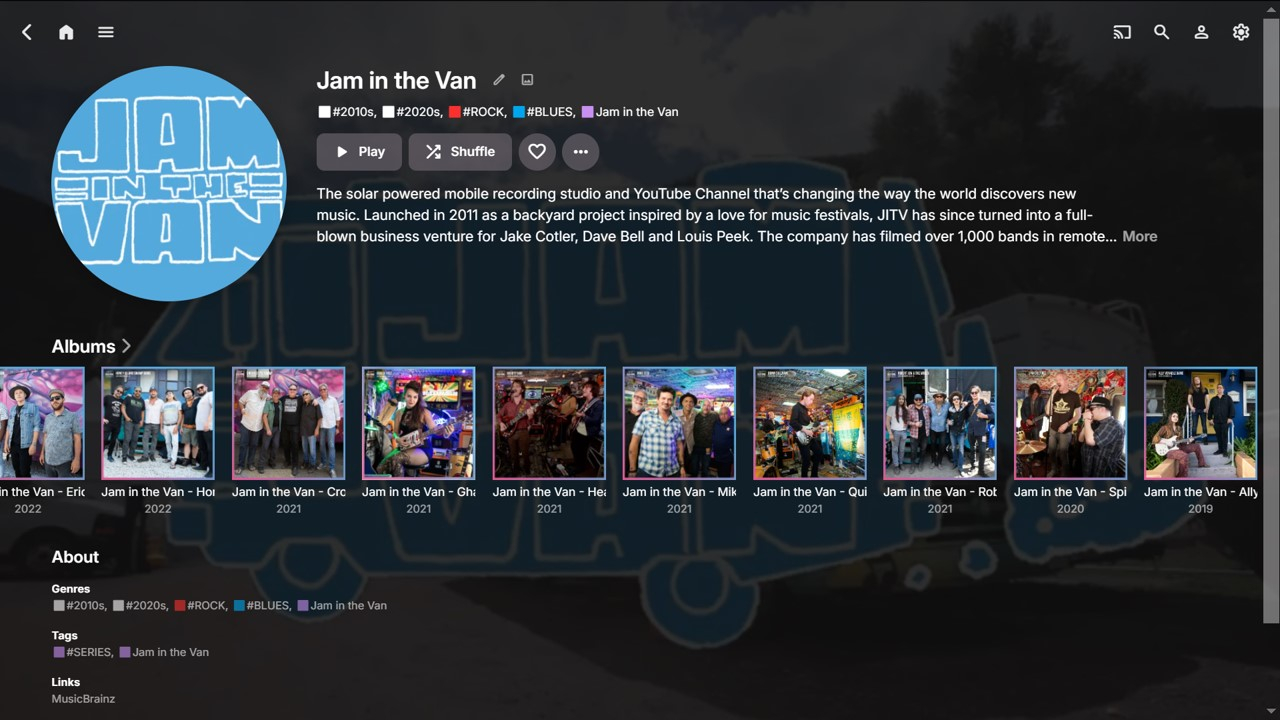
Wow, this IS an old Feature Request!!! No wonder I hadn’t seen it before, but also surprised it hasn’t had very much response! For anyone with a reasonable size media library the 'publisher' becomes more important as the collection grows and it makes increasing sense to group selected media items accordingly, as a sometimes preferred view, e.g.: Movies (Studio) TV Shows (Network) Music (Record Label) Audiobooks (Publisher) If Emby can have a dedicated “Studios” Tag for Movies, then why doesn’t it have an equivalent “Labels” Tag for Music??? This would likely be the way to do it consistently with the current UI and a good suggestion. Digressing... I have many groupings of Indie Labels and Sub-Labels of special Album series that I find useful to browse and play. Therefore, I’ve tried four different ways to do this within the current Emby fields. All have their pros and cons: Tags Collections Genres Album Artists Tags Albums can be tagged with a Label within Emby now, but cannot be imported from embedded metadata, unless using RoonTrackTag at a track level. RoonAlbumTag is not currently supported. Collections This is a nice way to add Label artwork and some overview info, but the Collection sits ‘outside’ the Music library, so therefore perhaps less useful for cross-referencing. Genres A Label Genre can be directly imported from embedded Genre metadata and the Genre view within Emby splits into the sub-sections of Artist, Album and Song. No overview though. (Yes, a Label is not technically a Genre). Album Artists Adding the Label as a secondary Album Artist gives all the benefits of the detailed Album Artist pages and the relevant Albums can still be listed under the primary Album Artist. (Yes, a Label is not technically an Album Artist.) (There are more pros and cons for each method, but this post will become too long! There may also be more ways that I haven’t thought of yet?) I’ve set up Label Tags, Label Genres and Label Album Artists for approx. 20 Labels of interest so far. Using these three methods combined gives very good cross-referencing within a music library, from multiple viewpoints. Here’s one example: (Note: MusicBrainz happens to list Jam in the Van as an Artist, hence the Link.) Emby already has great flexibility with the above-mentioned fields. Adding a dedicated Record Label tag would make Emby even better!!! Ideally it would import from “Label” and “Publisher” embedded metadata fields and perhaps also be able to utilize any relevant MusicBrainz APIs? (I would likely keep my set-up above for selected special series, but a dedicated Label Tag would be great for ALL my albums) Thanks for considering!
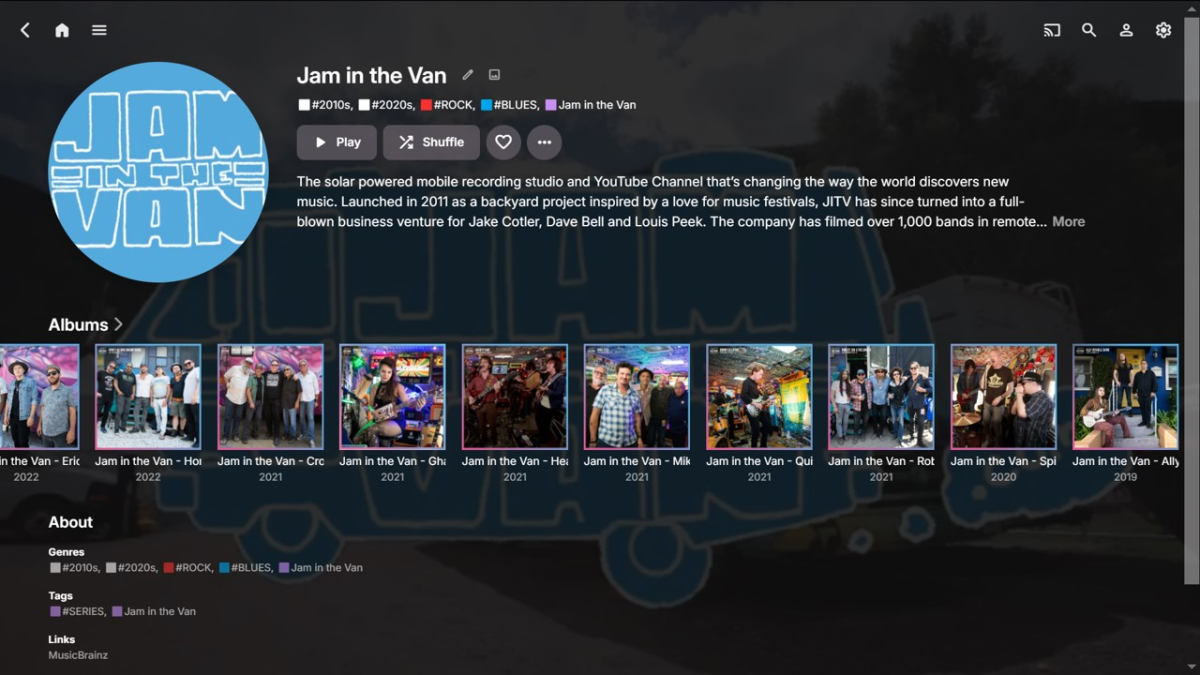 1 point
 -
I'm sure you've heard it all before but here's an example why MadVR improves the experience so much on lower contrast displays (like many projectors): Emby MadVR1 point
-
I got and answer the linked post.1 point
-
Looks like there's a ReplayGain implementation for MKV files: https://github.com/kevinlekiller/mkvrg. Whenever this gets implemented for audio, it'd be cool if the logic could also be used for videos.1 point
-
The collection order controlled via the metadata editor is meant as an admin level control that can further be customised by each user or left as the default set by the admin. It is not very useful as of now because it has the same options as the user level controls, but having the option to set a default from the admin is nice to have.1 point
-
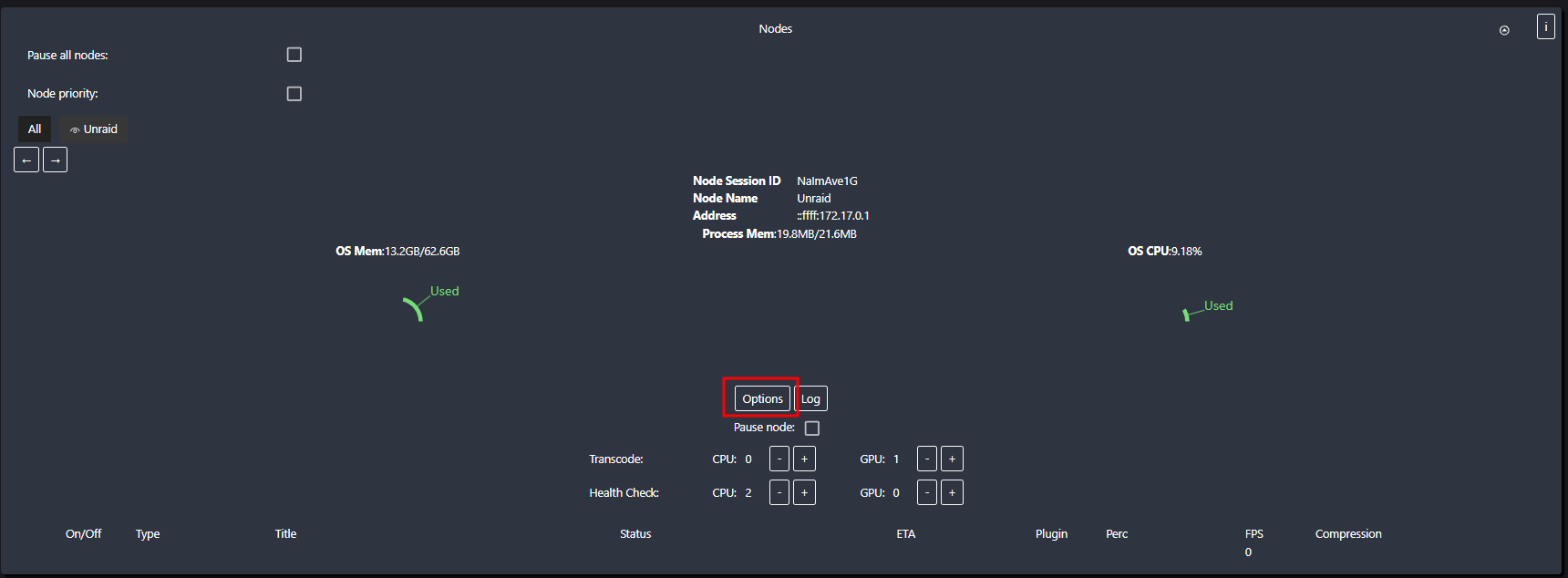
There is an optional node schedule you could tinker with. That way you schedule transcoding to your of hours. Having it only run when you sleep.

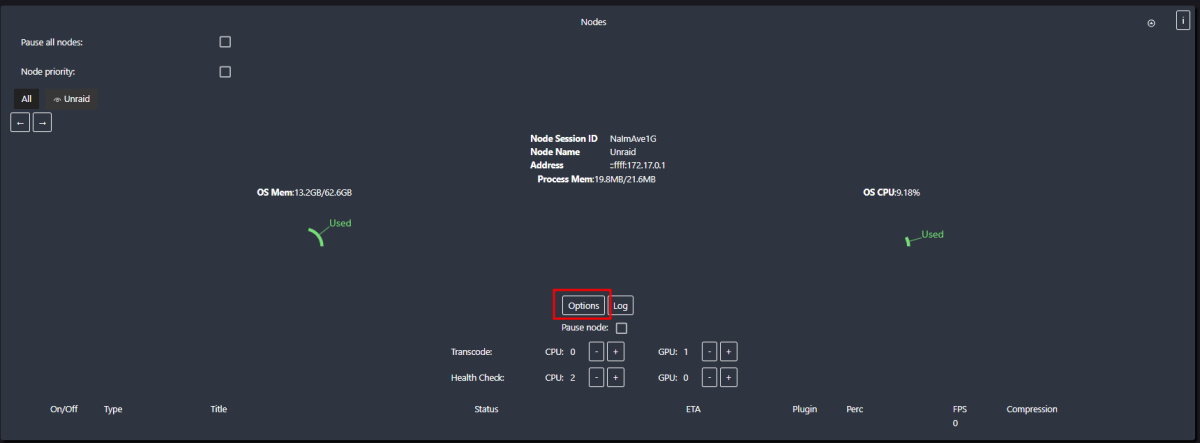
 1 point
 -
That's too bad. I think the tonemapping in Emby does look a bit better than default MPV for high apl scenes but it's losing quite a bit of shadow detail in low apl scenes. Maybe it could be improved by adjusting the mpv.conf, I have played with that previously but could just never get it to look at the same level as madvr with the very quick dynamic tonemapping. If there was some way to write back the current point from the external player I'd definitely be considering a lifetime license and make a full switch. I currently use Jellyfin and a modified powershell script to launch MPC-HC but it still doesn't write back the play point so I'm kind of at the same place.1 point
-
My point is that the auto setting can only be so good and you have a special situation. If, instead, you were actually on a mobile network and had less bandwidth, the auto function would determine that and use a value that would work well in that situation. You have a very specific situation and seem to know for sure what the capabilities of your connection are. In that instance, you should use the specific quality setting that works best for you. That is why those settings are there.1 point
-
@LukeI think he changed the rating from PG-13 to PG and now should be blocked in KODI's Kids profile. Emby (WebUI or API) no longer offers this movie for EMBY's Kids profile library request, but as he synced the movie to Kodi BEFORE the change was made, it's in Kodi's database. The movie is still accessible by video stream API requests via Kid's profile from Kodi. @hukt_own_fonikz Only workaround is a resync in Kodi, or maybe set a rating limit in Kodi as well (never tried that, not sure if there is an option for that).1 point
-
Someone else would have to break this down on its actual meaning but think most clients are using it. function detectBitrateWithEndpointInfo(instance, _ref) { return _ref.IsInNetwork ? 2e8 : function () { if ("undefined" != typeof navigator) { var connection = navigator.connection; if (connection) { var downlink = connection.downlink; if (downlink && 0 < downlink && downlink < Number.POSITIVE_INFINITY) return downlink = downlink * 1e6 * .7, downlink = parseInt(downlink); if ((downlink = connection.downlinkMax) && 0 < downlink && downlink < Number.POSITIVE_INFINITY) return downlink = downlink * 1e6 * .7, downlink = parseInt(downlink) } } return null } () || 40000021 point
-
Yep still need this.1 point
-
It's not just iOS btw, it's all the apps AFAIK. I just tested with my android phone on cellular data after removing the subnet from the list and it's limiting to 4 Mbps on auto, I could see it in the logs.1 point
-
I see that there has been a couple of replies whilst I was single finger typing You could do it the way I have described and yes there is a possibility of minor congestion when moving a 4k file. however you could just put the TDARR cache on the same drive and then move the file which is instantaneous as there is no disk write involved, just a change in the adressing of the file. I think that you may be overthinking the problem (something I do a lot) and i suggest that you try it as i think you will be plesantly surprised how well it all works.1 point
-
Having 'Keep digital tuners primed' in NextPVR generally helps. I generally get 5 or 6 seconds with NextPVR > Emby, but tuning time has been rubbish for years.1 point
-
Sorry, I don't think I'll be adding that, mainly because it's a one time thing for each collection. A lot of work for that. I actually like the default thumbnail though. It updates whenever the collection updates so you don't even need to click the collection to see the latest 4 items.
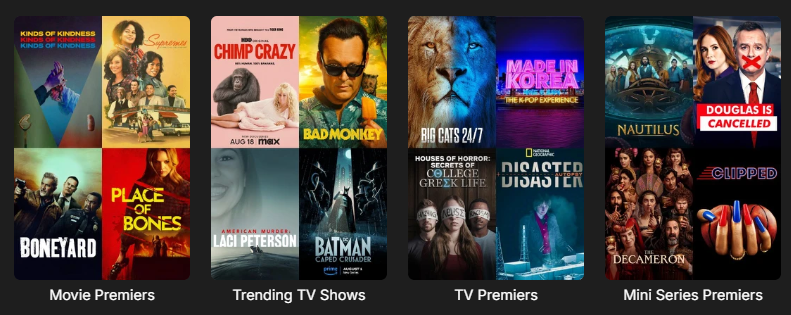 1 point
 -
I wouldn't suggest messing with the release date data to achieve this. Then you won't be able to use that field for the purpose that it's actually meant for, and seeing the wrong years may confuse you or others at times. And then it may also cause problems with metadata lookups, because that year may end up being used in search queries.1 point
-
You'll find a lot related discussions around the forum, with users advocating for or against same - personally, I'm not inclined towards it and I like the distinction different apps bring; not all features are possible/feasible on all platforms and I believe that no platform should be crippled on account that something is not achievable on some other, i.e. app development should play to platforms' strength, not on finding lowest possible denominator that'll work across all of them. And I hate unified design that Emby is so aggressively pushing into every app, I don't want same experience sitting in front of my PC and consuming my media in front of a TV; I can suffer through Web app UI as I CSS-ed the sh*t out of it, but I detest seeing same web wrapper/quasi-Apple design on my TV. Though I understand there are users with contrary views, and that is fully legit. But, those are all personal stances, I'm just a regular user as you are and have zero input on design language, we'll see what the future brings. Currently, it doesn't look bright as far as I am concerned (or it looks too bright, depends how you look at it).1 point
-
Hi people, I added the following and will be posting package early this week. So you have a couple of days to suggest any other icon, bye Movies Anime Movies Foreign Family Movies TV Foreign Podcasts Games Vault Movies 4KDV? there's already a Movie 4k, Idk what DV is, if you explain... TV Anime? Theres already a TV Shows Anime1 point
-
Hi @Luke, @ebr Eight years and counting, yikes...Let's review. Standard Tag, Available artwork online (back in the day when emby had it's own image library - I personally contributed hundreds) but hey the collage thing works as well. No real need for a separate tab. But I am sure as Luke said "Hi, yes this is certainly possible for future updates. Thanks for the feedback." Just do it like video
 1 point
 -
On the libraries tab select the library and the option is at the end of the source page. The 300 second pause is actually between 1 and 2 as Emby and TDARR bothe "see" the new file at the same time. It really wouldn't matter if TDARR changed the file whilst Emby was looking at it as Emby would see the new file and rescan it but it is untidy so I delayed TDARR.1 point
-
I use TDARR for exactly this reason (removing subtitles and audio tracks). I also downmix to stereo as I don't have a surround system and I was sometimes getting Emby transcoding which I don't want as my server is low powered. I've never had any real issues that you are describing but there are settings in TDARR that might help. I have RTM on in Emby and in TDARR I also have Folder Watch on (their name for RTM) There is an option to hold files after scanning and I have this set to 300 seconds which is long enough to let Emby do it's thing. This has been working flawlessly for a couple of years now and I'm still using classic plugins as I don't want any more functionality in TDARR and can't be bothered to learn their new Flows system1 point
-
please, update links in title post1 point
-
I really want a dedicated Mac app that can add tracks to playlists. Like PlexAmp.1 point
-
Set the series to use absolute episode numbering and name them accordingly. https://emby.media/community/index.php?/topic/56616-3305-dvd-absolute-episode-ordering1 point






















.thumb.png.f4cb0545e98b51fd9b00e427622ab761.png)