Leaderboard




Popular Content
Showing content with the highest reputation on 08/01/24 in Posts
-
Hi! Have been using and following emby for a number of years now. I think it would be great if there was a "Find Duplicate Media" function which would show possible duplicates and allow you to pick the one that you wish to keep and delete any other duplicate(s). This would be great when you are upgrading your library from DVD to Blueray's of your favorite films. Let me know what you think? Nas2 points
-
At the same time you are just asking for trouble from anyone snooping your server.2 points
-
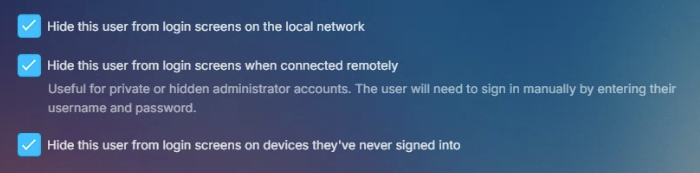
Guess that depends on your user settings as Connect can still get to that screen by signing out as it does not sign out of Connect it signs out the Local user. But not sure of your issue as I have connected to users today to a HTTP server via Connect. Roku and ET 3.0.20.
 2 points
 -
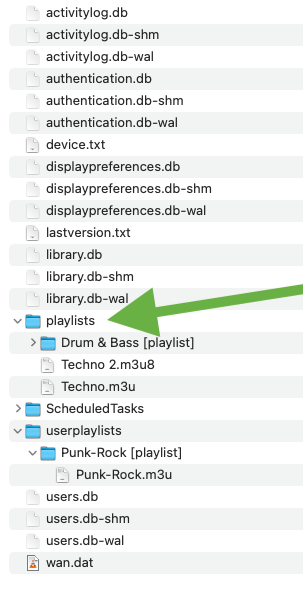
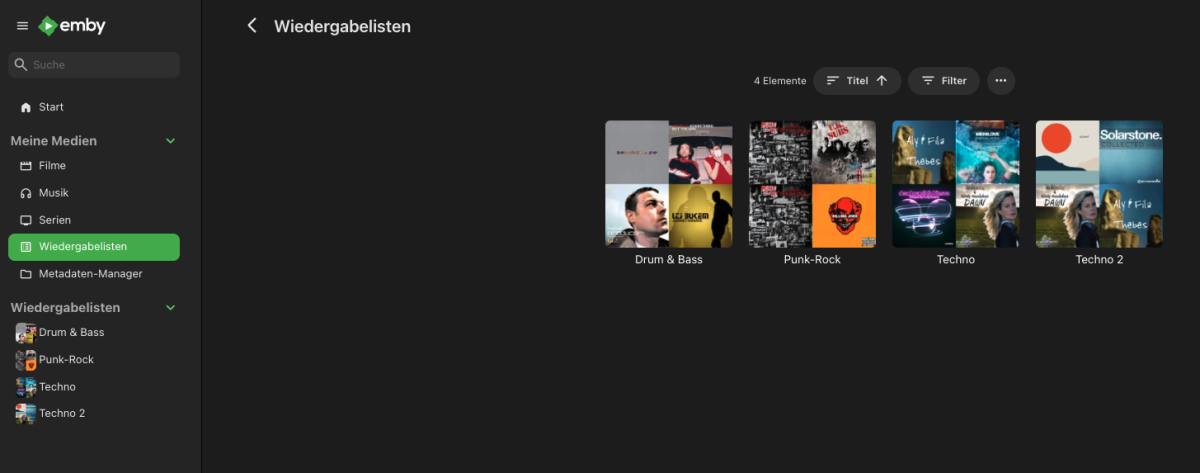
I did another test and copied three playlists (one with a folder, two without, one in m3u8 format and two in m3u format) into the playlist folder. After another library scan, all lists were recognized and can be played. PROBLEM SOLVED! Thank you for the great support!
 2 points
 -
As I previously said only Emby created playlists can go into userplaylists as they are Emby user controlled via usershares in the database. You can edit existing Emby created playlists or dump your custom playlist into /data/playlists folder and will be visible to all Emby users.2 points
-
Update: I ended up going with a clean OS install, and just started everything from scratch, leaving the default directories and everything seems to be working fine for the time being. If anything changes I'll update accordingly. Thx and have a great day2 points
-
I wanted to create a subforum under Linux dedicated to unRAID and all of us that setup Emby on an unRAID system. Feel free to message me or write if anyone ever needs help setting this up or has any questions.1 point
-
Hi there, I know ISO support has come up many, many, many, many, many, many times in the past, but most of the requests seem to focus on ISO playback. However, I would like to ask if it would be possible to get support for ISOs as "folders"? Is there any possibility of adding support for playing back video files from within an ISO? This would be similar to the current DVD and BluRay folder plugins, but instead of having the contents of the disc in a folder, it's all in an ISO. Just as an example, something like DiscUtils is a C# library which allows for reading files from within an ISO without having to extract it first. I'm assuming doing a live remux of the file(s) from within the ISO (by feeding them into ffmpeg) would then allow the video to be played on any client just as any other video would? This would allow for videos to be played back that are stored in an ISO, and not lose any of the benefits of Emby and it's client ecosystem - Emby could still transcode if required, and all clients would be able to play the videos. I know Emby focuses on making things user friendly for all users, but something like this could happily be an "advanced user only" feature - no automatic scanning of files or detection by Emby, but if a STRM file is found (with accompanying NFO file), and the STRM file points to the ISO as a folder, then it would be understood and opened accordingly. E.g., \\EMBYSERVER\Movies\Topgun.iso\VIDEO_TS\VTS_01_0.IFO Is there any chance of something like this being added to the current DVD and BluRay folder plugins? (Also, I know that the default reply is usually "convert to MKV", but there are a lot of discs where it is nice to have access to the whole disc. In those scenarios, I can use Kodi if I ever want the full "disc experience", but for 99.9% of viewing still use Emby without having to store both the ISO and duplicate MKVs. )1 point
-
Aaaah, sounds like it's normal then. thanks!1 point
-
That's playing progress reported by an Apple TV, not related to the web app.1 point
-
Technically anyone knowing anyone's username will have access via Connect or Direct if you just sign out. Connect is completely optional but all the same requirements of remote access apply to Connect and Direct WAN access. I have no idea on your issue as if I login to connect I see my servers WAN address as it is Remote to me. If I connect with Connect and the server is local to me I see LAN address.1 point
-
Happy provided the correct answer here. Users should be connecting to your WAN, and there are options to control whether they see other accounts on the landing page or not.1 point
-
*Topic Moved*1 point
-
Maybe enable websockets support? Sorry not familiar with this but seems like something that should be enabled.1 point
-
I have reinstalled the app as well and confirm my issue has gone away. I have been testing this on and off for the last 5 hours with great results.1 point
-
it's really sad to see that this gets ignored again and again, at least in terms of real action. would be great to know where the issue lies. is it money? I'm sure there are enough people, if asked, would help fund this feature. is it capability? if so, it's also solvable by money (most of the time). there are requests for this feature going back as early as 2017, here in this same forum. plex introduced it over 4 years ago. what is it? where is the issue?1 point
-
You are 100% correct - For a debatable reason, Emby removed the SMB mountable/direct play option from the AndroidTV client with SE9/Android 11. It prompted for an additional android OS 'permission' which they were not happy requesting .. Therefore, if you want to use real direct play (File/SMB) from the Shield - you need to go back to SE8/Android 9 - which is a firmware/os downgrade - which is doable but not easy. There are guides online - but you do so at your own risk. To note - SMB/File access is faster loading/navigating for large 4k remux files (ie 60-100 Mbit/sec) but for typical files, even 4K streaming files of 20-40 Mbit/sec, I would say that there is no major advantage, especially with a low number of clients, but it really depends on how powerful your emby server is to convert/stream to http/hls. Direct SMB/File obviously bypasses this step - and plays direct from client > storage.1 point
-
That's a solid suggestion, I got it setup yesterday but for the life of me I cannot figure out how to mount my network storage to the docker container. I keep my media on a QNAP NAS and use an Intel NUC with Windows as a server, and apparently that's a bit of a painful combination for this. I should probably just keep trying though, what with it being a tailored experience for photos and all. Or perhaps just host it directly on the NAS whenever I manage to upgrade its RAM. Thank you for the suggestion.1 point
-
I guess, as long you are self-hosting try this instead. Quick Start | Immich But that will not solve you Emby issues.1 point
-
Thanks. I did find at least 1 collection that is working where 1 movie had multiple versions, so I am not sure that is the problem. With that said, the collections that aren't working have multiple versions on ALL the movies in the collection.1 point
-
So, next release then?1 point
-
On Emby server check the details page of the movies from a collection which isn't working and scroll down to the "Included In" section. If a movie is in multiple collections, they will be listed. be listed.1 point
-
AFAIK the only client apps still capable of DFA are Theaters (Win/Linux) and AndroidTV app on Shield under ShieldExp8/Android 9. As per above, if you upgraded to ShieldExp9/Android 11 - not anymore. @rbjtechmight offer some more recent insight, IIRC his Shield is still on ShieldExp8.1 point
-
Thanks for the detail. So in your test a 7008 (W) x 4672 (H) pixel photo was displayed as 2561 (W) x 1707 (H) . I would not call this very low resolution - which is what the subject of this forum topic is. In my test, the output was similar to yours - displayed as 2673 (W) x 3564 (H). The issue you are reporting is that for very high resolution photos, emby clients are not displaying the photos at the original quality or close to it - in my case it was about 88% - in your case with the original being 7008 x 4672 it was only 36% Would like @Luketo give his input on this and what determines what the maxWidth value should be in this request "GET /emby/Items/xxxxxx/Images/Primary?maxWidth=xxxx" With regards to the log and the extract you picked, is there a cache folder under "W:\EMBY\Emby-Server\programdata". There would be the following subfolder path under cache - "images\resized-images" - Are there any log lines referencing "images\resized-images" ? Debug logging would need to be enabled beforehand.1 point
-
Hallo kaufe dir einen Enigma 2 Receiver und dann kannst du diesen dafür nutzen.1 point
-
Well, the helper plugins (video, music, pictures) are only required for dynamic nodes. You could even uninstall them for synced content only (which most people use). Maybe I'll add dependencies in next version for the helpers but this needs to be carefully tested. It can easily break the upgrade path from 9.X. I tested this option, unfortunately there are only ugly workarounds possible, therefore I added an option in the context menu. Agreed it's not ideal, people used to go via video plugins. I see what I can do.1 point
-
Would it be possible to put up a notice when opening the options of the Video/Picture/Music plugins that you should go to the Service plugin to manage the plugin now? Or even better, just redirect to the Service plugin settings from any of the others? Could it detect if any of the "helper" plugins are missing, and suggest they are installed? I've just been upgraded from v9 -> v10 automatically, and I only knew what was going on by being a forum member, and that I needed to manually install the other plugins to get full features. So for me, it's not really an issue, but I can see others may have problems with the transition.1 point
-
Und hier das Logfile 01_KODI.log1 point
-
Ah yes, i found it on the web client. For some reason, the android app has far lesser plugins in this section which is why i couldn't find it earlier1 point
-
This used to happen to me but reinstalling the app fixed it for me.1 point
-
Luke, Not sure what I did other than remove a port forward on OPNsense, and add it back with the help of this site, https://www.wundertech.net/how-to-port-forward-in-opnsense/ But for some reason doing this changed something and allowed me to connect with the app. I am not sure if adding this link is allowed but this fixed it for me. Thank you again for all the assistance. Stuart1 point
-
@LukeThanks for the acknowledgement and option for the Beta. I will wait until 4.8.9 @Happy2PlayYou nailed it! I removed all the unused tags on the library elements, and as parental controls ... scanned the library again and now all multi-versions are showing up. Not sure I understand the root cause of why parental control tags limited it to showing 2 versions, but I'm fully operational again! Thanks for the prompt responses, you guys are AWESOME!!!1 point
-
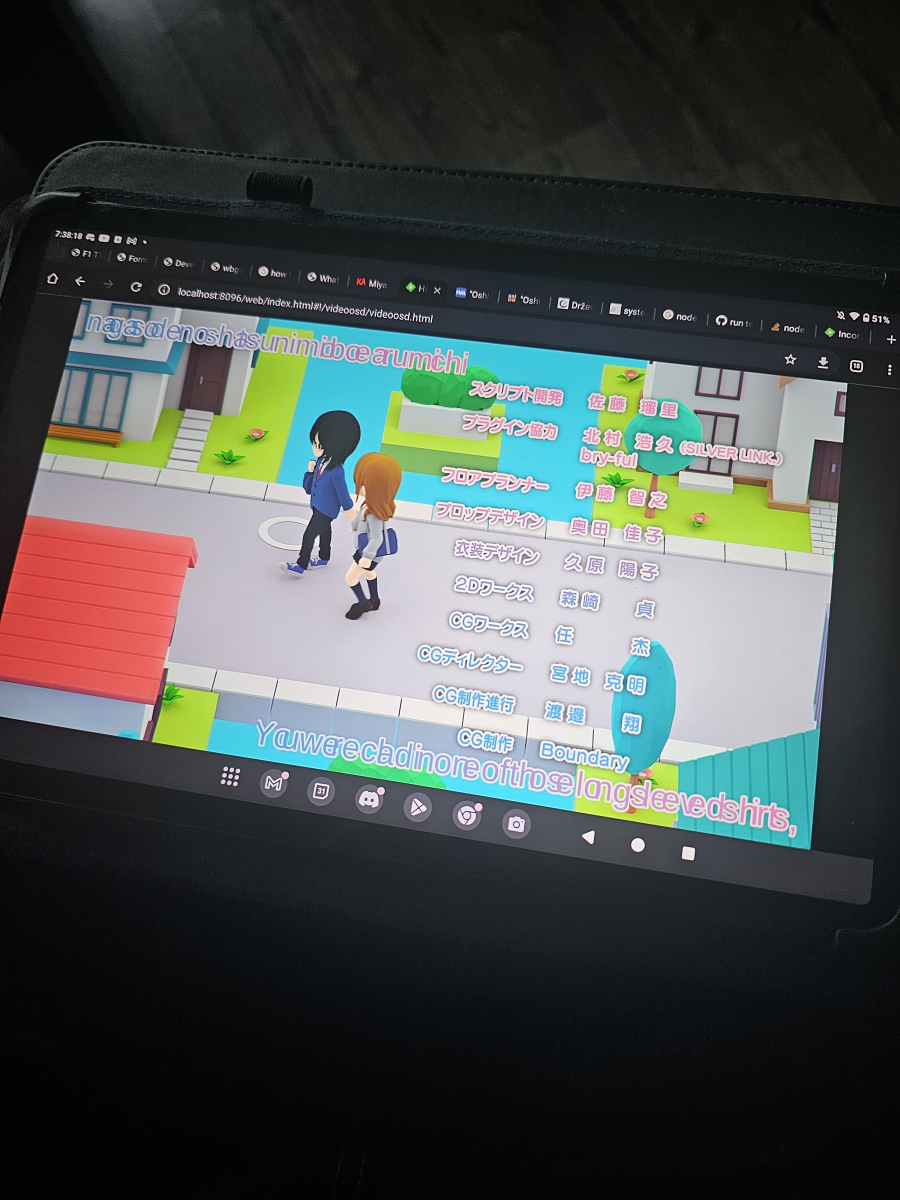
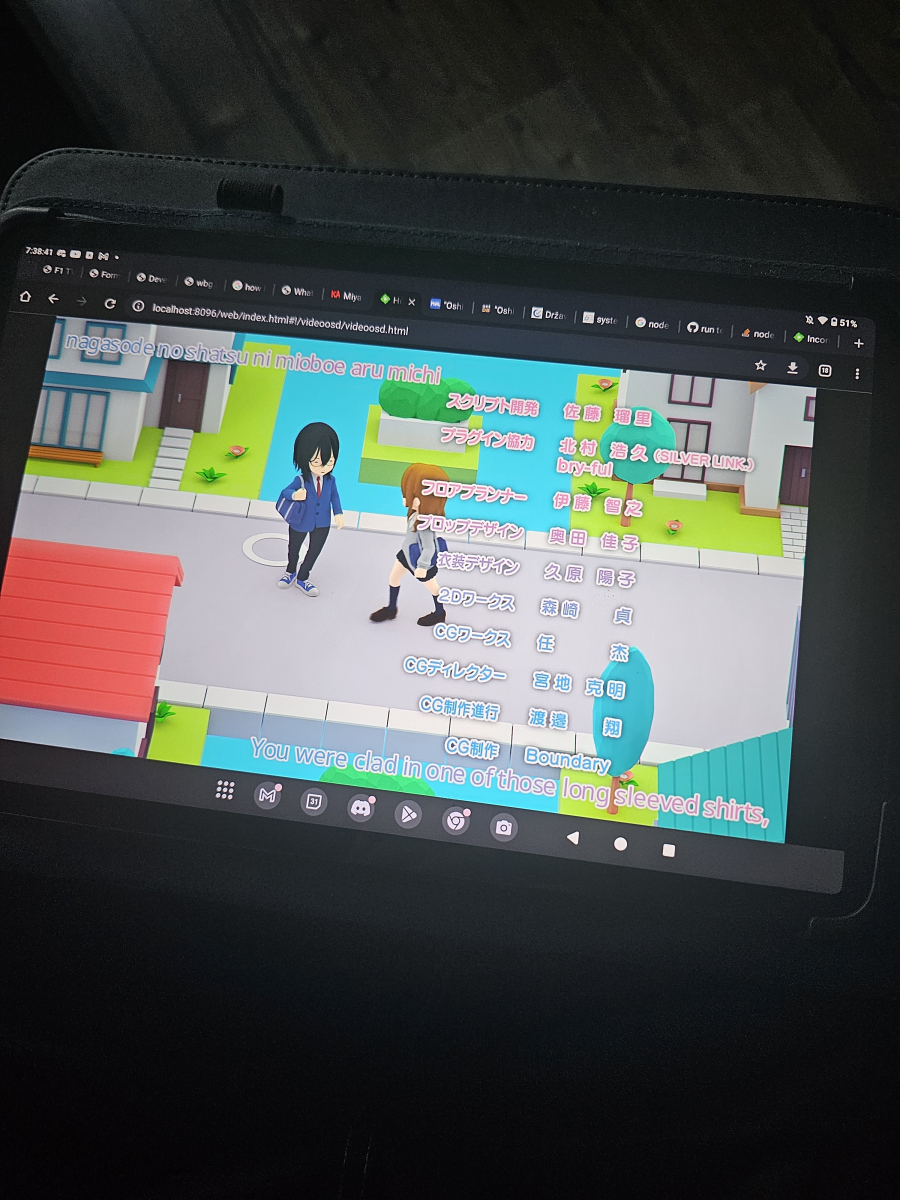
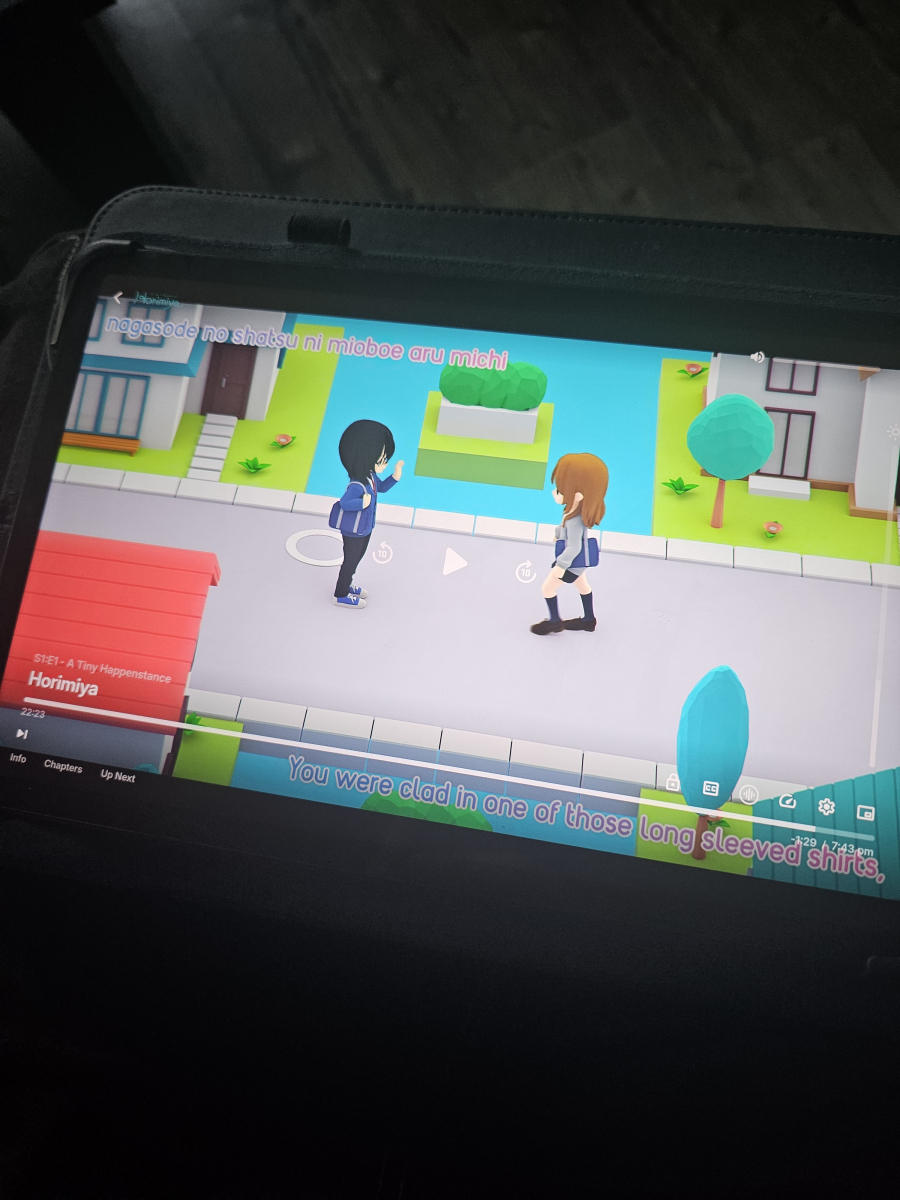
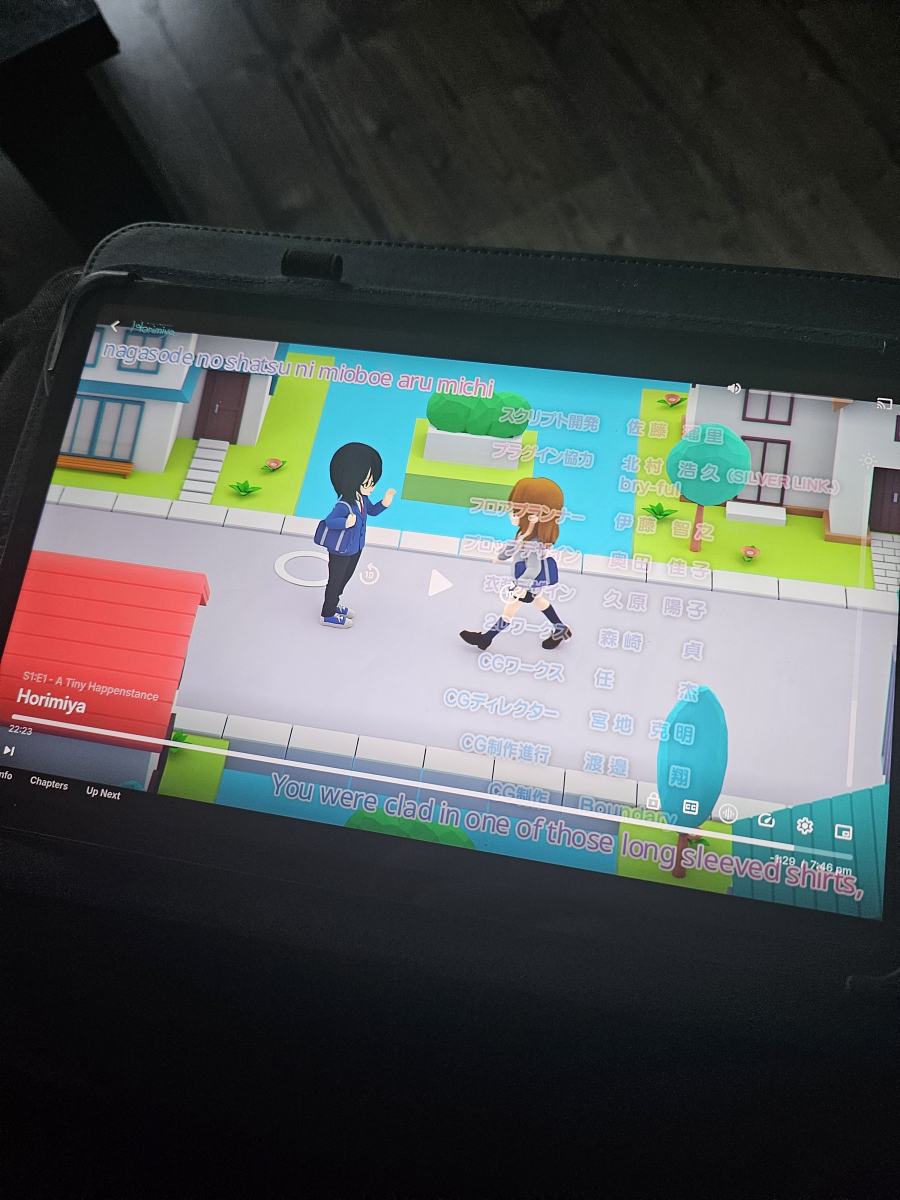
Just tested it, it does happen with both embedded and external file but on embedded it's much more visible Could be also the extracted one didn't display how it should because it didn't extract the styles since the font is different on the extracted one, so maybe the issue isn't there on external subs(?) Embedded sub (web player) Extracted sub (web player) Embedded sub (Android player) Extracted sub (Android player) Here's the mkv, had to upload it to Google Drive since it's too large to upload here: https://drive.google.com/file/d/1v8_Rtf7vJjOm1hBaxAcAXQRKg6YGiUey/view?usp=drivesdk
 1 point
 -
I am so sorry for three posts in a row, I took too long to edit the previous one but I think I found the proper log. 2024-07-31 10:29:48.341 Debug Server: http/1.1 GET http://localhost:8096/emby/Items/273011/Images/Primary?maxWidth=2561&tag=416e4c8cc8989bd838e212754ce3d539&quality=90. Source Ip: 127.0.0.1, UserAgent: Mozilla/5.0 (Windows NT 10.0; Win64; x64; rv:128.0) Gecko/20100101 Firefox/128.0 2024-07-31 10:29:48.342 Debug SqliteItemRepository: GetitemById Photo 273011 Z:\PHOTOS\PHOTOGRAPHY\Sony a7 IV\07-29-2024\JPG\DSC01040.JPG 2024-07-31 10:29:48.342 Debug App: Found cached image W:\EMBY\Emby-Server\programdata\metadata\library\ca\caef185f84e6af387d60ad1cef7ab351\imagecache\DSC01040.JPG 2024-07-31 10:29:48.343 Debug Server: http/1.1 Response 200 to 127.0.0.1. Time: 2ms. GET http://localhost:8096/emby/Items/273011/Images/Primary?maxWidth=2561&tag=416e4c8cc8989bd838e212754ce3d539&quality=90 The cached image referenced in the log appears to be of the original lossless file with all the same information in its properties, but Emby isn't displaying that. Just the degraded one I showed earlier.
 1 point
 -
Alright, for some reason I did not have luck finding the cached photo in the log file but here's what I have instead. Please let me know if it's sufficient. Original photo properties: The photo I get when viewing on the web client. I opened the image in a new tab and saved it to my computer. And here's a visual comparison of quality. Not a lot I can share at the moment but this one is fine after cropping. So I'm assuming after looking at your logs, it might just be intended behavior for Emby to fetch a lower quality image? I have no idea though, I'm not the best at reading them.


 1 point
 -
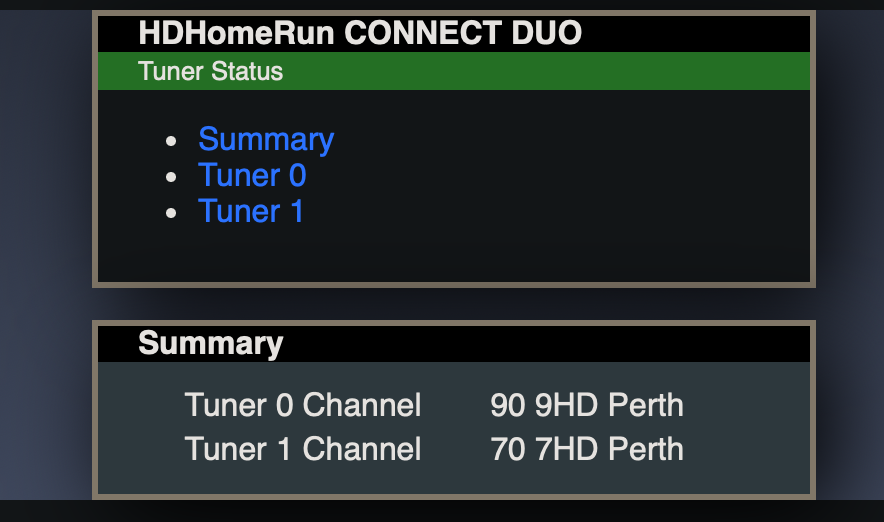
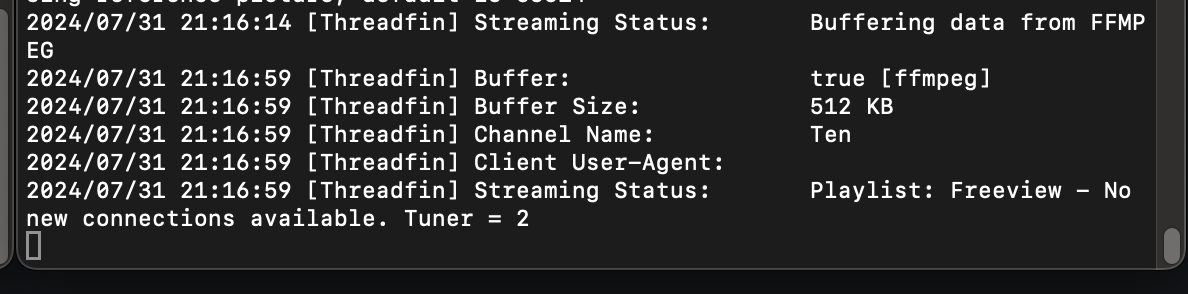
Okay. So the sequence of events for these logs and pictures are: 1. Load ch9 (90) on iOS Emby app, change quality twice to produce a crash 2. Load ch7 (70) on iOS Emby app, change quality twice to produce the same crash. 3. View HDHR tuner Status web page - both tuners still in use. 4. Try to load ch10 on iOS Emby app, loads the buffer 'stream limit' image from thread fin. 5. Check threadfin(xteve) logs that I run my HDHR through (to bwdif=1 deinterlace), says the tuner limit was reached on the last channel tune attempt. In the 5 or so minutes since finishing those steps and writing this, the tuners are still listed as in use according to the HDHR tuner status webpage, but are not where to be seen on the Emby dashboard. embyserver-2.txt
 1 point
 -
Also a Premier customer and +1 for this feature...1 point
-
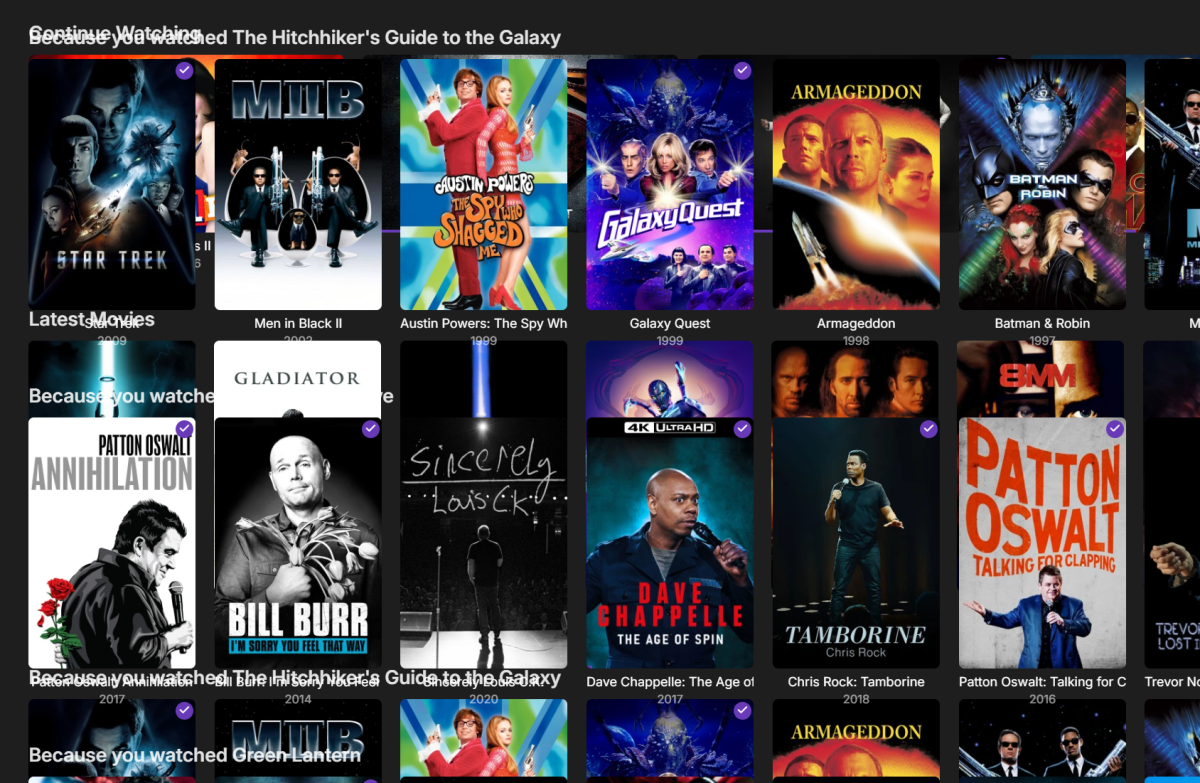
Hey, this is not critical and it doesn't happen all the time, but I have noticed this phenomenon when using the front end on Windows. It does the same no matter what browser I use. Sometimes the previous screen I was looking at stays on the screen and is overlaid by the screen I wanted to go to. Clearing cache didn't do anything. And the server is up to date. Any thoughts?
 1 point
 -
Sería genial una opción para agrandar los subtitulos formato ASS para Android ya que se miran muy pequeños a comparación de verlos en pc ahi si se mira de un tamaño normal1 point
-
I dug this up while googling the same issue. A similar/more recent topic suggests that improvements are still being looked into. As another user that is subject to this issue I just wanted to check in and see if there has been any progress? If not, add my vote to the list for this improvement If the issue happens to exist in something that is opensource, also let me know where that'd be and I'd be happy to take a poke and see if I could assist with fixing.1 point
-
Hi, yes this is something that we can look into. Thanks.1 point
-
If I had a magic wand I would use it to make Emby focus solely on media presentation and playback and offload all aspects of remote internet access and security to vpns and whatnot.1 point
-
So contribute to that one too. Hmm0 points
-
It takes 30 seconds to convert it yourself so my question is why not just convert it to 8.1 anyway and make it a more portable format to begin with ?0 points
-
You do realize the amount of time required to do this, right? As you stated there are tools that are freely available for you the user to do this to your files. It is not the responsbility of Emby to ensure your files are proper for your TV/equipment. It's yours. Use the tools yourself. And FYI it is not Dolby who has done this. This is a user who is using the tools Dolby has released and created scripts to do everything so people who have no idea what they are doing, can accomplish the task. You do realize integrating this into the server would add anywhere from 5-20 minutes to file start time as it would have to demux the file, identify the flags, remove the flags and then remux the files before it can be played. How about using some common sense?0 points