Leaderboard




Popular Content
Showing content with the highest reputation on 07/19/24 in Posts
-
Wow that's a 15 year old CPU, and that 550 Ti is almost just as old. I'm not sure what version the driver is but in theory the limit should be 8 streams, though if it's an older driver it may still be limited to 4 or even less, since this is a consumer grade card. This would then force a CPU transcode, which that old CPU is really not up to the task for and would explain why it's at 100%. Using a hard drive for the OS is definitely a downgrade from an SSD. You need to look at the dashboard for the reasons transcodes are happening. Maybe you can avoid it by converting some of it, but otherwise you need at least a more recent and powerful GPU to handle more transcoding streams.4 points
-
It seems I have gotten through to the GPU. Eureka. Thank you @Q-Droidand @Lessajfor your assistance. It has been helpful indeed. >>>>>> User policy for Transcode Enable Playback Remuxing: True Enable Video Playback Transcoding: True Enable Audio Playback Transcoding: True >>>>>> Hardware Decoders for hevc [X] NVDEC Quadro P1000 - H.265 (HEVC) [ ] CUVID Quadro P1000 - H.265 (HEVC) >>>>>> Hardware Encoders for h264 [X] NVENC Quadro P1000 - H.264 (AVC) >>>>>> Selected Codecs Decoder NVDEC Quadro P1000 - H.265 (HEVC) Adapter #0: 'Quadro P1000' ComputeCapability: 6.1 Max Bitrate: 117 Mbit/s - Frame Sizes: 144x144...8192x8192 - Width Alignment: 2 - Height Alignment: 2 Color Formats: NV12, P010, P016 - Bit Depths: 8, 10, 12, 14, 16 Profiles: Main Profile (Level 6.1), Main 10 Profile (Level 6.1), Range Extension (REXT) (Level 6.1) Encoder NVENC Quadro P1000 - H.264 (AVC) Adapter #0: 'Quadro P1000' ComputeCapability: 6.1 Max Bitrate: 781 Mbit/s - Frame Sizes: max 4096x4096 - Width Alignment: 2 - Height Alignment: 2 Color Formats: NV12, P010, P016 - Bit Depths: 8, 10, 12, 14, 16 Profiles: Baseline Profile (Level 6.2), Main Profile (Level 6.2), High Profile (Level 6.2), High 4:4:4 Predictive Profile (Level 6.2) >>>>>> FindVideoEncoder - MediaType: h264, UseHardwareCodecs: True, HWA-Mode: Advanced Info Checking: 'NVENC Quadro P1000 - H.264 (AVC)' Info Check successful - selecting 'NVENC Quadro P1000 - H.264 (AVC)' >>>>>> FindVideoDecoder - MediaType: hevc, UseHardwareCodecs: True, HWA-Mode: Advanced Info Checking: 'NVDEC Quadro P1000 - H.265 (HEVC)' Info Check successful - selecting 'NVDEC Quadro P1000 - H.265 (HEVC)' Info Tone Mapping would be desired, but hardware tone mapping is disabled >>>>>> Processing Plan Name CanDoInHW WillDoInHW Reason NVDEC Quadro P1000 - H.265 (HEVC) >> True True Hardware Codec VideoInput >> True True Matching hardware context Scaling >> True True ToneMapping (when possible) >> True True VideoOutput >> True True Hardware encoder NVENC Quadro P1000 - H.264 (AVC) >> True True Hardware Codec >>>>>> Video Processing Steps for [0:0]: H.265 (HEVC) Step HW-Context Format SW-Format Size Next HEVC >> CUDA cuda yuv420p10 3840x2160 >> scale_cuda scale_cuda >> CUDA cuda yuv420p 1920x1080 >> setsar setsar >> CUDA cuda yuv420p 1920x1080 >> Edit: I also did some testing. On my internal Wifi I got Wonder Woman in 4K originally 55mbps transcoded to 14mbps to a 4K Chromecast. During a half hour test it had no stutter/lag/audio delay or buffering. It seems to work wonderfully Edit: I also enabled HW tone mapping, thanks to the log where it states that I should do that3 points
-
PW: byAllstar86 Custom-Overlays.zip
 2 points
 -
I am requesting that you re implement the ability to refresh tv show and seasons from Emby. In previous versions it was possible to refresh a tv show, season, episode or movie. In v10, it is only possible for music video, episode and movie. Edit: Use case. Sometimes after adding a new episode or season to my NAS, I forget to run a scan before leaving my desk. When I am in front the TV, I realize that the episode(s) that i want to watch are not in the library. Previously i would just bring up the context menu on the show and refresh it. In v10, I can no longer do that.2 points
-
I used to have a lot of issues with my TV Shows and Movies naming being recognized, but once I restructured my File Directories and started using FileBot to rename everything to the correct naming, I've had no issues at all. You should look into that.2 points
-
I'd like to have the option to clear 'alerts' in the dashboard. I realize that they go away on their own, but if I can clear them then it's more obvious IF a new alert comes through.1 point
-
Hi yes some form of intro backup is possible for the future. Thanks.1 point
-
Hi. Whatever name is pre-filled is going to provide either an incorrect or no result - otherwise, you wouldn't have to use the identify feature. In the very beginning, we filled in this information and people were always confused as to why they got the same or no results.1 point
-
Let me know if you need anything else from me. I am more than happy to help.1 point
-
Make sure the device you are running the Android app on is displaying the date/time the way you want. I am also in the UK, but I prefer the 24-hour clock, so would not like the 12-hour clock forced upon us. In any case, the app should be taking the format from the device itself.1 point
-
Hi, please try again and let us know how things compare. Thanks.1 point
-
I was wondering the same thing.1 point
-
@luke what's happening here then anything?1 point
-
Whew. 5 years later. Also would like this to be added.1 point
-
Yes as they remain for 7 days but are still limited to the last 4, I believe. But yes there are several topics requesting a way to acknowledge and remove them.1 point
-
Lend your support here:1 point
-
In any case, I tried this and then restored the file. It clears all activity, not only errors. A clear alerts button would be nice1 point
-
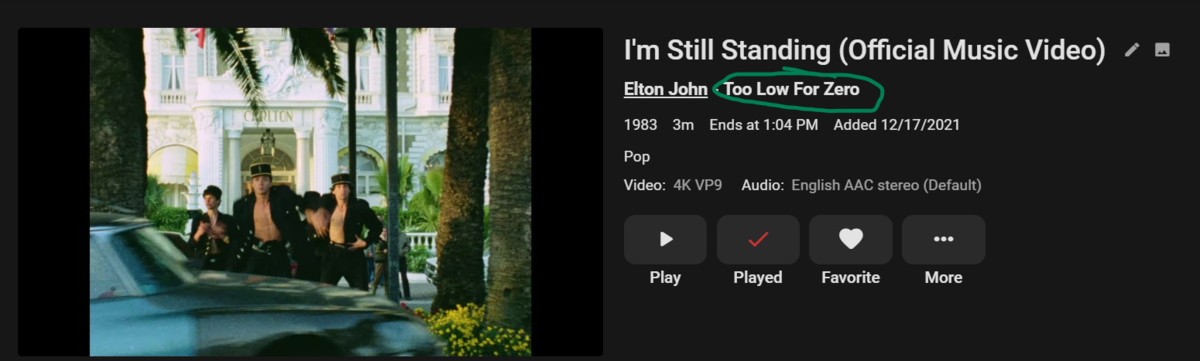
When I add metadata to my music videos (year, album, artist, track number etc), it automatically links to the artist in my music library. So, when I go to their page, I see their music videos. My question is, is it possible to have a link like this for the specific album as well? Meaning when I go to an album and see all of the songs, the video will also show at the bottom. Subsequently, the album would be linked to from the music video itself: Am I doing something wrong or is that just not supported?
 1 point
 -
This is significantly harder to do now with Synology DSM 7 upgrade as I no longer have direct access to Emby Server files without having to PuTTy. Having a "Clear Alerts" button on the Emby Dashboard would make things much easier.1 point
-
yep - with emby shut down1 point
-
It's something we can look at in future updates. thanks for the feedback.1 point
-
I'd love that too1 point
-
Mm. Would definitely be nice to have a "clear alerts" link in the upper right of the alerts box.1 point
-
shut the emby server down and delete the activity.db file restart server activity.db will be recreated (blank) Repeat as often as you need or setup a simple script to do it Not perfect but as a work around will work fine.1 point
-
Would definitely be nice to have a "clear alerts" link in the upper right of the alerts box.1 point
-
+1 for this1 point
-
Dude simply don't!!!!!!!! I have been using Emby for years and ALL my media IS correctly named.0 points
-
"Correct" by what standard? Different media systems often have different requirements? Paul0 points
-
If you haven't watched the episode yet, the actual episode image could potentially have spoilters, right?0 points