Leaderboard




Popular Content
Showing content with the highest reputation on 07/04/24 in Posts
-
Thanks for both of your help, I have learn't something new today As the saying goes, every day is a school day3 points
-
Well, I ran into a hiccup. I am getting file not found errors for files that are most definitely there. @Q-DroidI pasted the output here: Transmux output with errors For brevity, I removed these redundant ffmpeg lines that repeat for every file: I had not thought of that and it is a very valid point. Hmmm... The only problems I can think of off the top of my head would be that they are already of low quality and a re-encode my degrade them further. And then there is the much longer time necessary to do it compared to transmuxing which only takes seconds. That being said, I am also of the school of thought that if it is going to be done, it should be done right. You guys have given me lots to think about. I don't know where you guys are in the world, but if you are here in the US - enjoy your 4th of July! I have to start getting the house ready for guests. I'll check in later.2 points
-
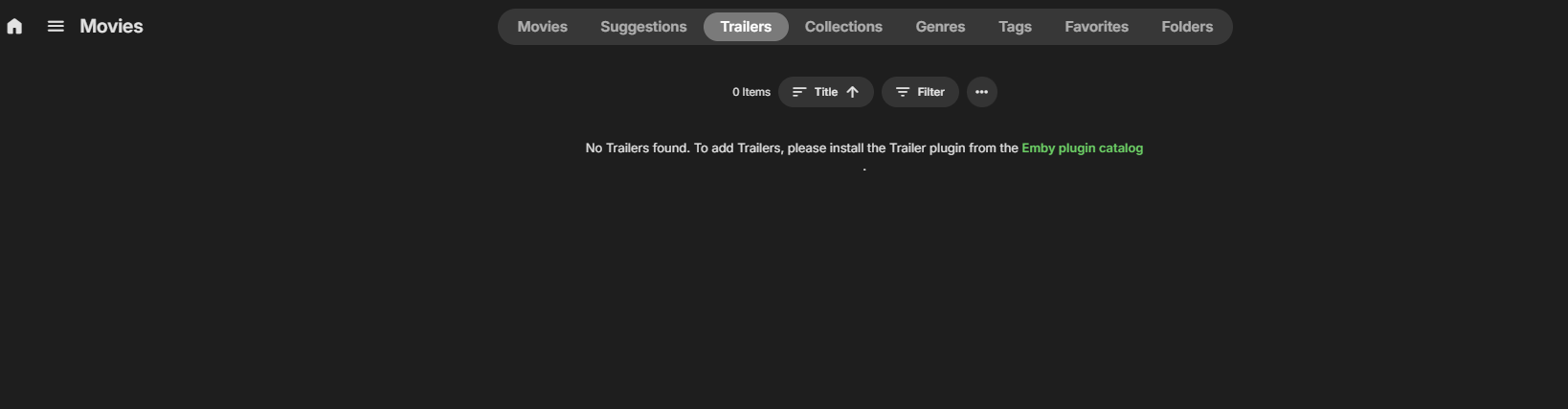
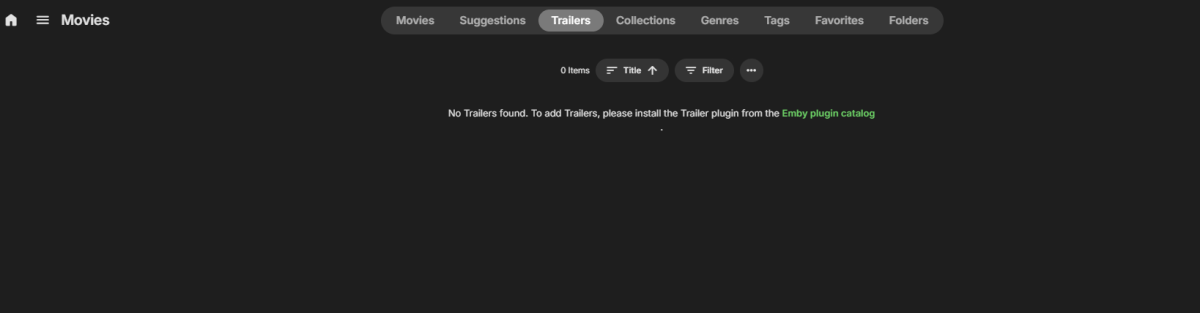
I have not been using the plugin for a long time, and uninstalled it. Got my own trailer for movies or tv shows. But I still stuck with this nag screen, not cool, I do not want that garbage. At least make it show MY own trailers.
 2 points
 -
It is really cool that Emby has the ability to support multiple versions of the same movie. It would be nice to have a setting on the client side to allow the user to set which version should be selected by default. This could be as simple a user-entered string, or it could be a list of detected strings to choose from. It could allow multiple entries and it would choose them in the order entered. On the Kodi side, it would also be nice to get the "Choose the Best Version for Me" option that the Emby app has.1 point
-
I wrote this for Linux/Ubuntu for find duplicates. Concept is from original post from @PenkethBoyfound below. This will search directory and find potential duplicates, generate a Duplicates.txt file with name and path of files that are potential duplicates. find_duplicates.sh1 point
-
Many years ago I did this exercise - AVI to MKV - I used the syntax below (I still had the old script..) - with crf 18, I recall the files being fractionally bigger but quality was indistinguishable from the original. Remember than any transcoding quality using emby defaults is going to be worse than if you had pre-transcoded. -c:v libx264 -preset medium -crf 18 -c:a aac Enjoy !1 point
-
That would be useful if Emby followed semantic versioning rules for breaking changes, but I don't think they do that.1 point
-
Maybe just return the major version - 4.8 for example. I've always been advised to never expose any info that you do not have to - as an attacker may just use that information to quickly determine a vulnerability on an older version without the need to probe further.1 point
-
I would agree on the name part, but I am not sure about hiding the version because that seems to be the only way to negotiate the correct authentication method to be used because of the different client & server versions available. And anyway, relying solely on security through obscurity has never proved sufficient in history. You can always hardcode the response for that to return whatever you want (as I do to hide the LAN addresses when coming via the WAN and vice-versa) rather than relying on Emby for now.1 point
-
I'm looking to have full access and control of a secondary computers Emby server on my system I can go through their content and fix what to be fixed without having to be stuck setting at their system. If I enter their local lan server address and then their username and password will that be enough?1 point
-
As @rbjtech posted it should stop at your router interface so no traffic is leaving. However, remote access rules apply when you connect this way: landing page, bitrate limits, detection, etc. Local DNS is the solution but not really OTT. With Pi-hole, dnsmasq and others you're not only running a local caching DNS resolver but can add whole LAN filtering to block ads, trackers and malicious sites for all devices without having to install extra software or apps to each individual one.1 point
-
MFA over http, there's a novel idea ..1 point
-
Why do you think hairpinning is not the best scenerio ? It should not actually go 'out' to the internet, it just gets routed/NAT'd internally (on the router) directly to the LAN - that's what's meant by hairpinning. If it's really going 'out' to your ISP and then back in again - then the hairpinning is not setup correctly ..1 point
-
*Topic Title modified* FYI, Rookie Member group has a time restriction of 15 minutes for editing own posts.1 point
-
Hi, this community forum is dedicated only to Emby software. You don't appear to be running Emby, therefore your question should probably be directed elsewhere. Thanks.1 point
-
Okay yes from an admin only standpoint that changes things.1 point
-
i dont think this 2fa is directed towards the end users. example the grandparents or other users with no real admin access. from what i understand only the admin accounts should have 2fa. i personally dont care much if someone hacks one of my users and can watch some shows. my users have no admin rights and cant edit or delete anything. if i notice weird things as admin i can force change passes.1 point
-
Correct all imported library m3u files are not owned by any user. Only playlists created by the user will have ownership and option for collaboration with other users. Not sure how you got the first error. And since there is no ownership it does not show up in the list to add to playlists. @Lukethere probably need to be a note on this in library settings or clarification in the KB.1 point
-
Thanks for the help everyone. HTTPS mode is on so I added the server as an exception and all is good now. HTTPS mode has been on for ages though so not sure why it started playing up now.1 point
-
DELETING I wont do ... But a recursive process is rather easy... ... look at the 'find' command1 point
-
So this Public URL is used to build the logon page. OK. When I setup my manual server connections to my server and enter the server (https://emby.mydomain.com) and port (443), then it prompts for the user and password, which is keyed in, from then on, surely all connections can be authenticated - so where does this open url come into it ? If someone hits my basic web logon page remotely - do they really need to know the server name at that point ? One more thing, I don't use any remote browser access to emby - I force all my family to install and configure an app - even on PC's and Macs. The browsers tend to transcode stuff. I would love a tick box in emby that REMOVES the web browser connection page - a much more secure emby system then as there is no web page for anyone to hit - Obviously the admin page still needs to operate but maybe that can be allowed only from local ip address ranges. I think I said it before but you could also implement a user agent for each client type, then we can block/only allow these in our firewall's.1 point
-
I am only seeing "emby for android tv" and "emby(beta)" in the play store on the device, the beta doesn't have an install option. The Display Settings > Show Missing Episodes is unchecked but the dialog keeps asking to skip missing episodes during auto play.1 point
-
As above; you can then use the chapter editor in the same software to give titles to the chapters instead of just numbers. Paul1 point
-
HI, yes it is.1 point
-
Just in case this helps someone.... I had this exact error on all channels and all clients going to my HDHomeRun over the last few weeks. I could use my HDHomeRun App directly with no problem so I knew it was an emby issue. Found that my HDHomeRun IP address had changed from what was shown in emby. Simply corrected it in emby and all is well. I've been a premiere member for like a decade and I have never had that issue before. Time for a DHCP Reservation...1 point
-
Use mkvtoolnix (free) - add each part as an additional file to the first part. in Output/chapters - change to 'One chapter for each appended file' It then create a single MKV file, with all the appended files automatically created as chapters. It should take minutes ...1 point
-
Hi and thanks for the responses. Sorry for the delay; I'm on the road with limited internet access. I read through the documentation and I think some of the verbiage is confusing. I have my stuff working so I don't really need this clarified for me, but in case it helps you... https://emby.media/support/articles/Connectivity.html The steps following this quote are how to setup to setup remote access connectivity via Port Forwarding. Based on that and the above quote, it seems like Emby Connect is used to avoid Port Forwarding, but based on what I read here, it seems like it's more of a type of SSO for users that access more than one Emby server (and/or have an Emby forum account): But at the bottom of the same page, it says this: If I'm understanding Emby Connect properly, it doesn't help with locating (i.e., discovering) Emby servers, but more remembering past connections. Is that right? It also seems that if I don't setup port forwarding, Emby Connect won't work at all. Is that also right? The paragraph added to this about a VPN connection to your own router seems straight forward enough. One last thing... Both URLs link to this page: https://github.com/EmbySupport/Emby.Docs/blob/master/Remote-Setup.md This page walks through how to enable remote connections to the emby server, but doesn't mention that it needs to be performed for each user that needs remote access as well. Finally, I would add somewhere in the troubleshooting that if you are able to get to the login page, but are getting an "invalid password" error, to check and ensure remote access is enabled for the specific user you're trying to login as. Hopefully this feedback helps a bit.1 point
-
Thanks Luke. I am away for a while, but will get back to you upon my return. Best1 point
-
Hi, we are looking into this issue. Thanks.1 point
-
FWIW, this was just added in the latest Plex beta.1 point
-
I completely agree, Extras aren't special and most often don't have a tvdb/tmdb entries. The extras can be show, season or episode specific, and i want them to display inline, like other media servers1 point
-
Some of the Extras maybe not be in Tvdb, why not implementing it the same way as movies ? Has no sense that the extras are fitted into Season 0 when those may not match anything from the tvdb.1 point
-
You gotta be kidding me. Name your folder as your files or name your files as your folder. It ain't rocket science. Nor does it warrant so much whining. If you do not want to conform to naming guidelines, Multi-select>Group versions manually or use Auto-grouping plugin. Options galore. See no reason why Emby should be pampering to whoever comes with their own idea of how and under which conditions a feature should be functioning as it'll become a garbled mess and more likely than not break something else.1 point
-
and there it is. file name before - does not match folder name1 point
-
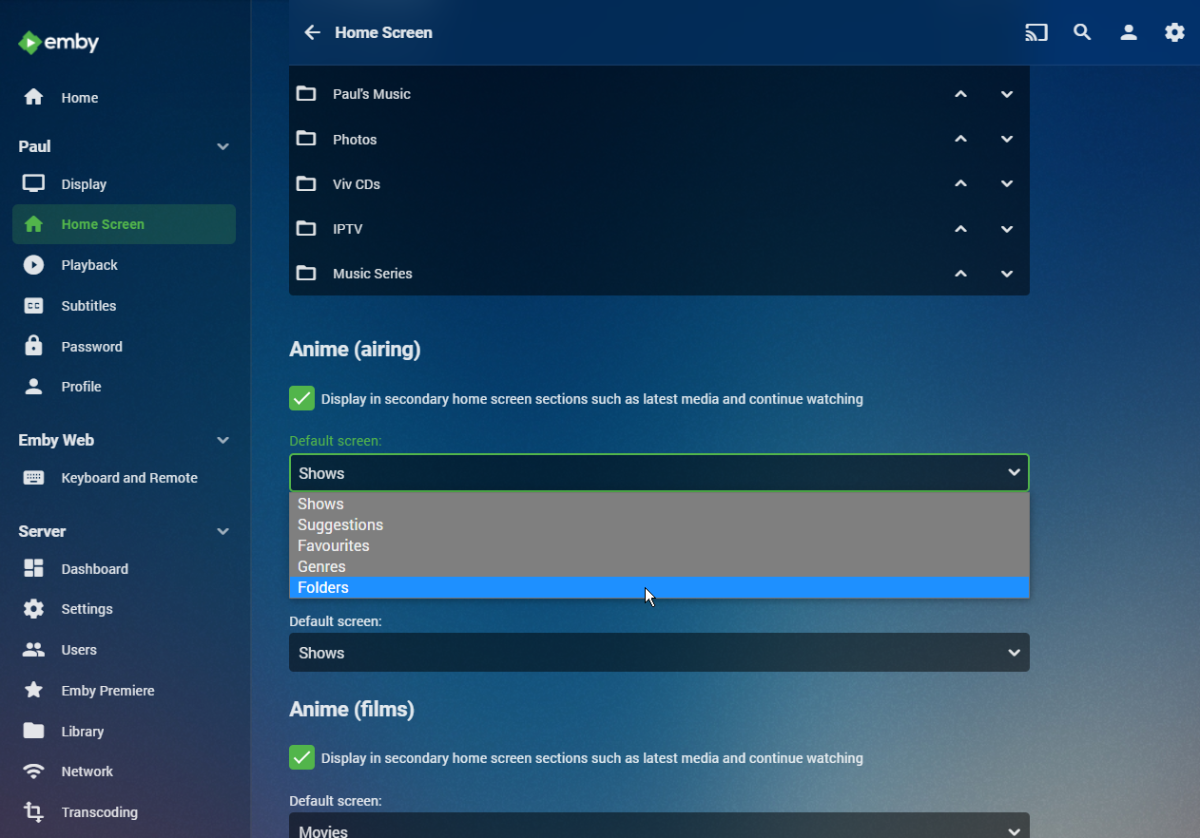
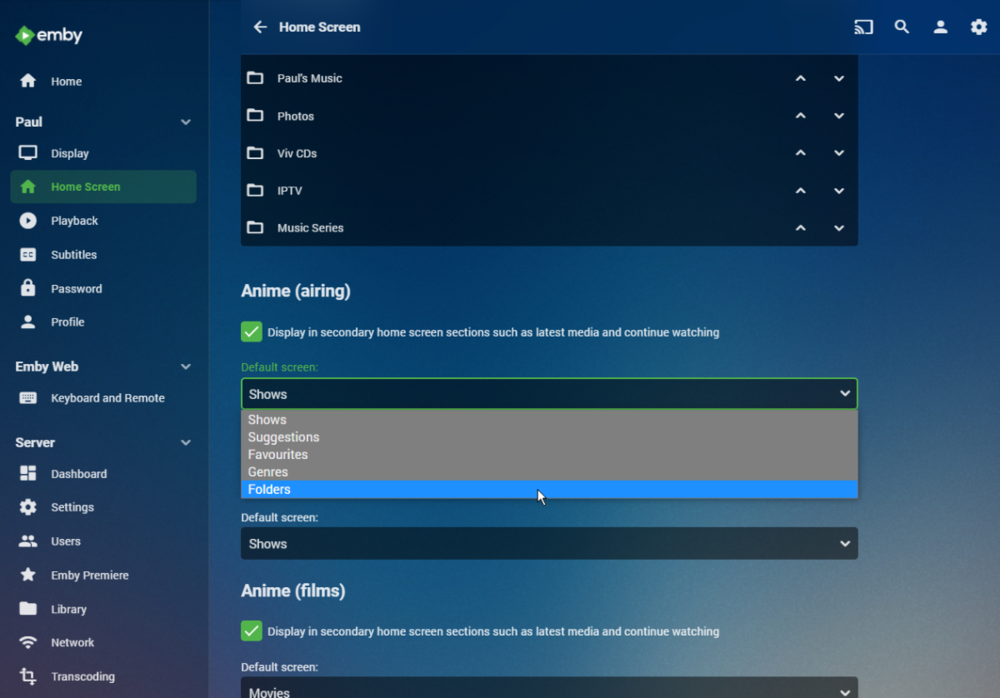
In your user settings for your Home Screen you can select the default tab from a dropdown for each library: Paul
 1 point
 -
While very possible it is generally a very bad idea to try and prevent Roku from updating. Often Roku makes a change and that requires app changes and that means that apps won't work if updates get out of sync. Of curse you can block everything from updating on the Roku but that also has negative effects. I have decided that I care very little what Roku can or cannot see. If they are really interested in what I watch then they are too stupid to be dangerous. I think what I watch is interesting and fun but I doubt others have any interest in my behavior. I can be as tin foil hat paranoid as anybody but Roku is just not a threat for me. More concerning is that the car sitting just down the street from me that contains two men almost all the time and they are not the same two men at different times. There is just no good reason to block Roku from the network or the internet.0 points