Leaderboard




Popular Content
Showing content with the highest reputation on 06/28/24 in Posts
-
Emby for LG TV's 1.0.43 has been released. Stay tuned to the blog for the release announcement.3 points
-
This worked! Had to delete and make new forwarding rules with the new local IP as it got changed with the modem reset. I shall remember this if it happens again. Thank you everyone for your assistance this late at night!2 points
-
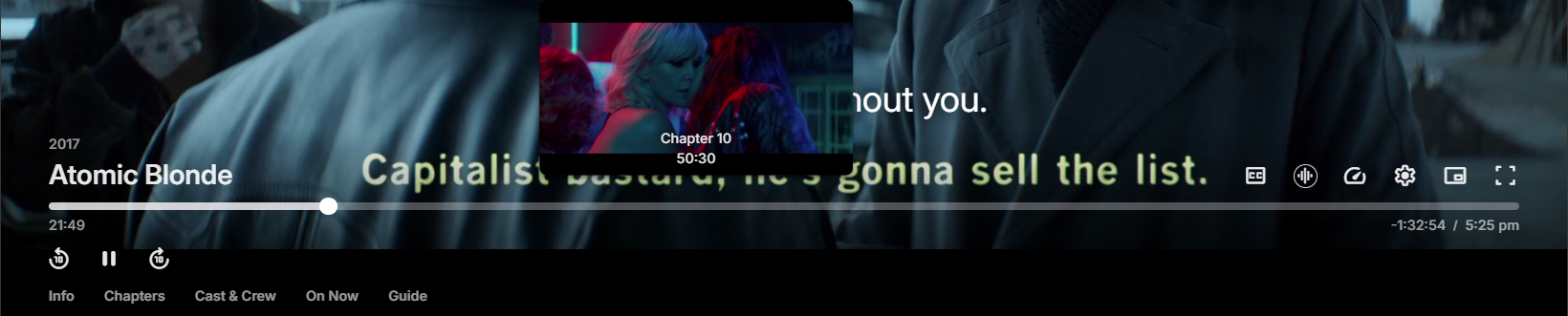
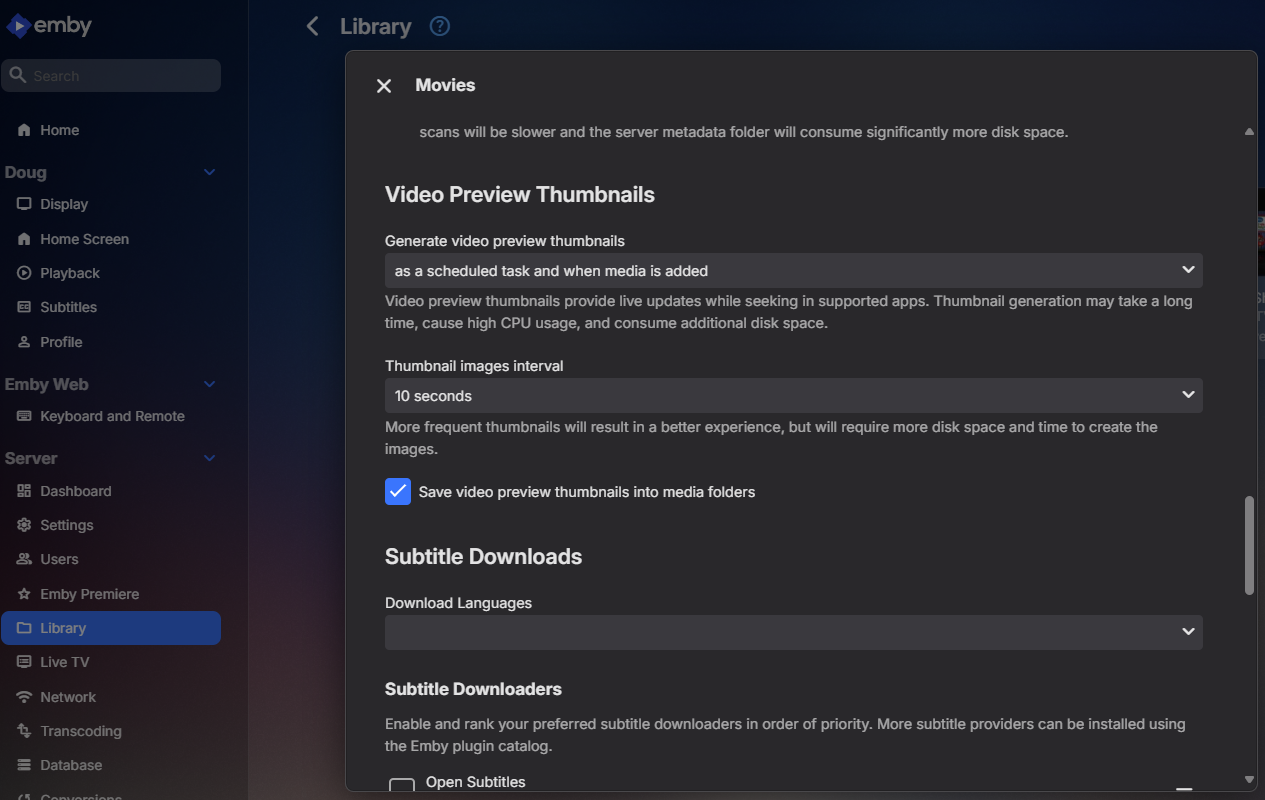
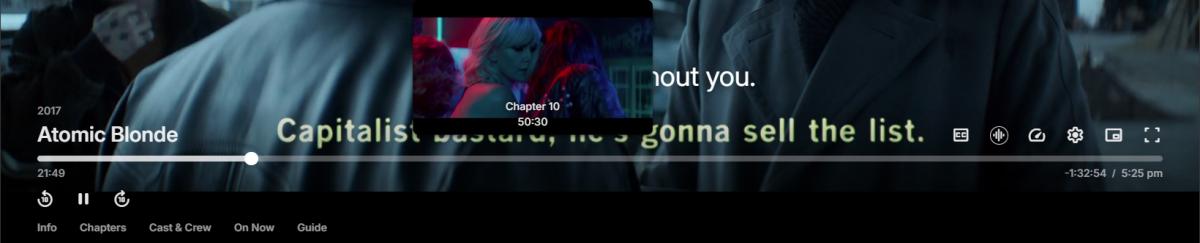
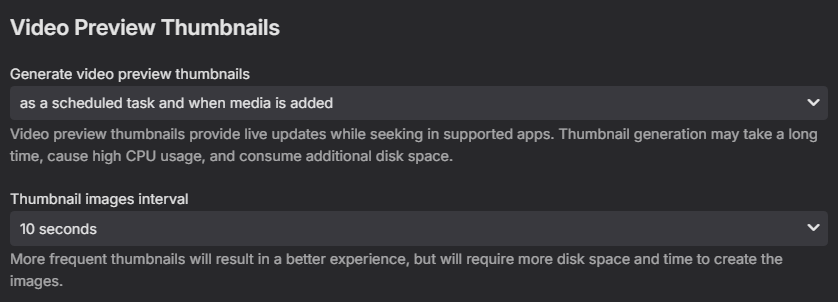
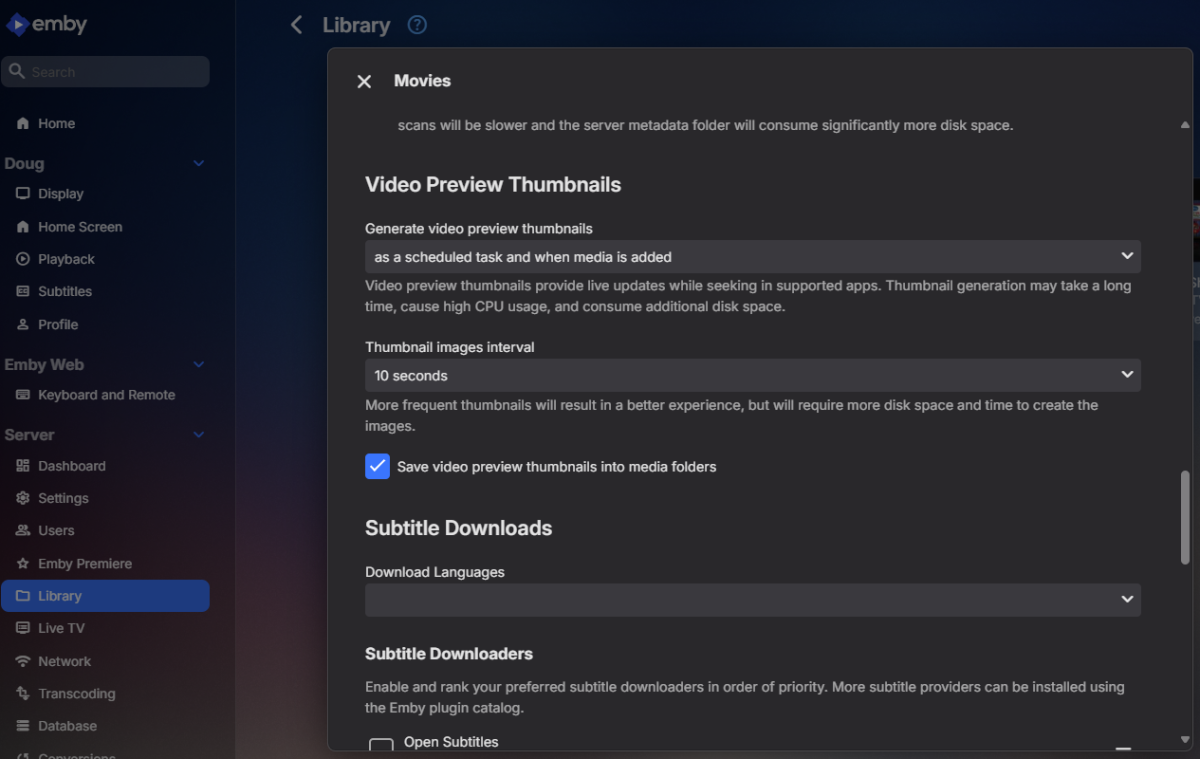
هل قمت بتمكين خيار Video Preview Thumbnails في المكتبة؟ Have you enabled the Video Preview Thumbnails option on the library?
 2 points
 -
I think it would be nice to have the Audience Rating (icon) / Audience Score for movies along with the Critic Rating (icon) / Critic Score. It looks like the data is available from the Rotten Tomatoes API via the ratings field. 14 "ratings": { 15 "critics_rating": "Certified Fresh", 16 "critics_score": 99, 17 "audience_rating": "Upright", 18 "audience_score": 911 point
-
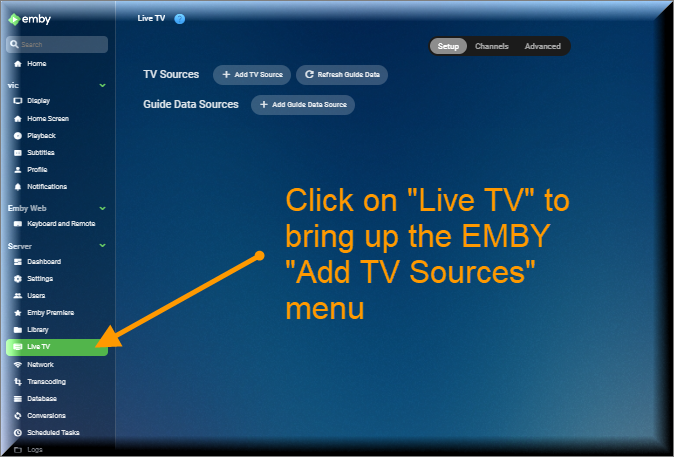
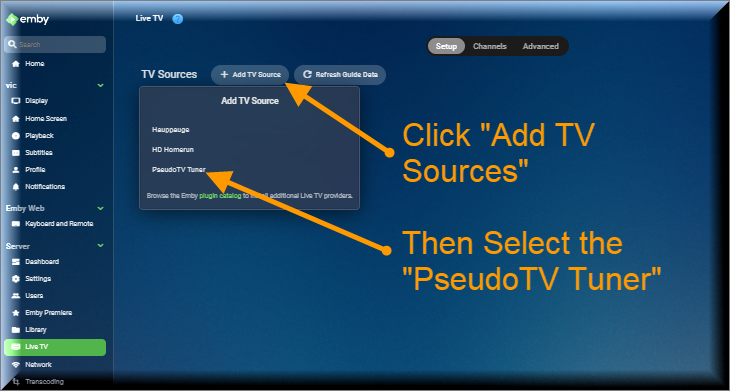
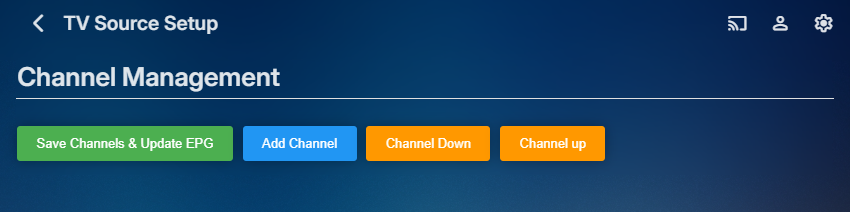
The Pseudo TV plugin is composed of two parts. The first part is based on a TV Tuner Platform created by @Luke. He called the plugin "VirtualTvExample." The second part is a Javascript program that provides a simple GUI for creating and adding channels to the TV Tuner. The code for both parts is attached below. I created the javascript code and several C# additions to the tuner. @TZTZorocomposed the CSS code. PseudoTV is open source and free for everyone to use. PseudoTv is tested on Chrome and Edge. Other browsers may work. I just don't know. To install PseudoTV, copy the plugin dll below to the EMBY plugin directory and RESTART EMBY. Follow the instructions below to bring up PseudoTV. Next add the TV Source for PseudoTV. If you have an Old PseudoTV Tuner installed, you must delete the old tuner before installing a new one. Select the PseudoTV Tuner to bring up the Channel Management menu. Use this menu to Add channels to the Emby EPG (Electronic Programming Guide). Click the Add Channel button to add a new channel. The two videos below, explain basic channel building. Querry-1.m4v The next video is also about channel building, but instead of using an Emby query, media is selected directly from the Emby libraries. File-1.m4v The remaining videos introduce the PseudoTV tool. The first is called the Library Explorer. With it you can navigate across your Emby libraries and view their contents. Libraryexplorer-1.m4v This video explains the Metadata Editor. Metadataeditor-1.m4v Another useful tool is the Playlist Editor. Playlisteditor1-1.m4v The description of the Playlist Editor is continued below. Playlisteditor2-1.m4v The latest plugin (dll) and the source code (zip file) are attached below: PseudoTV.dll PseudoTV.zip
 1 point
 -
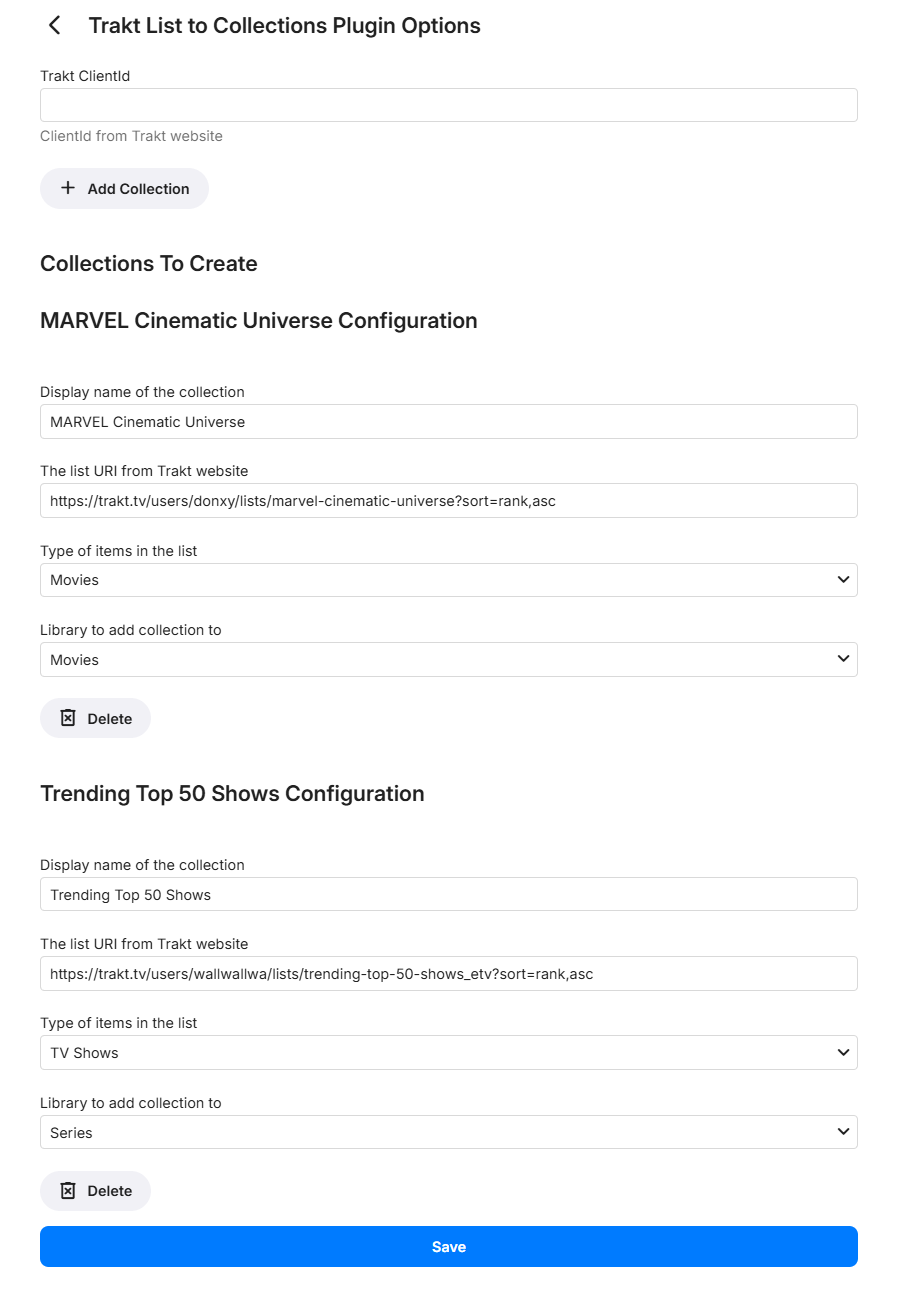
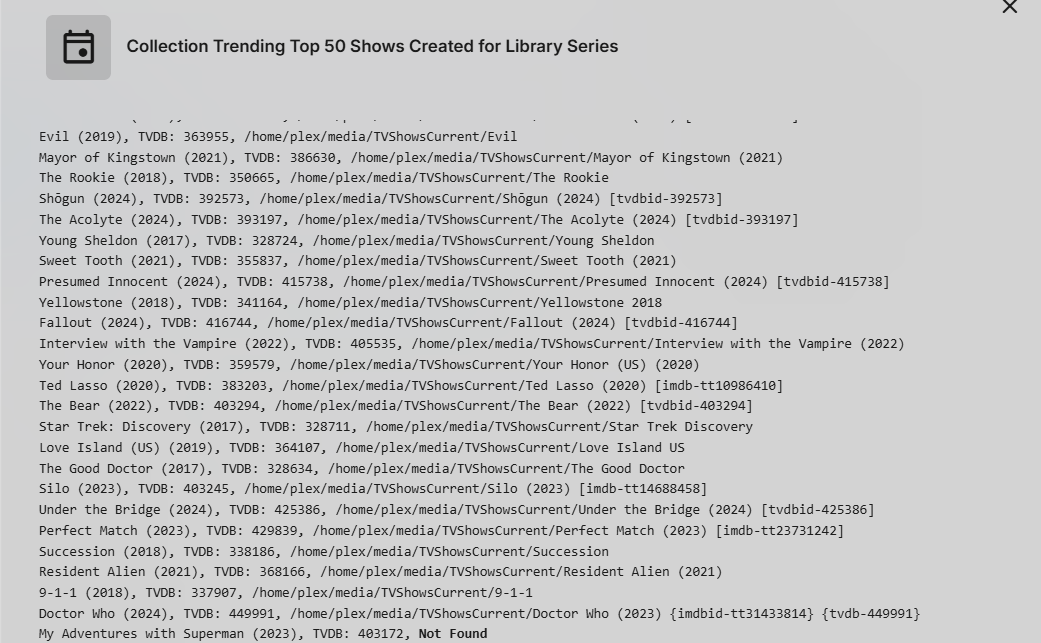
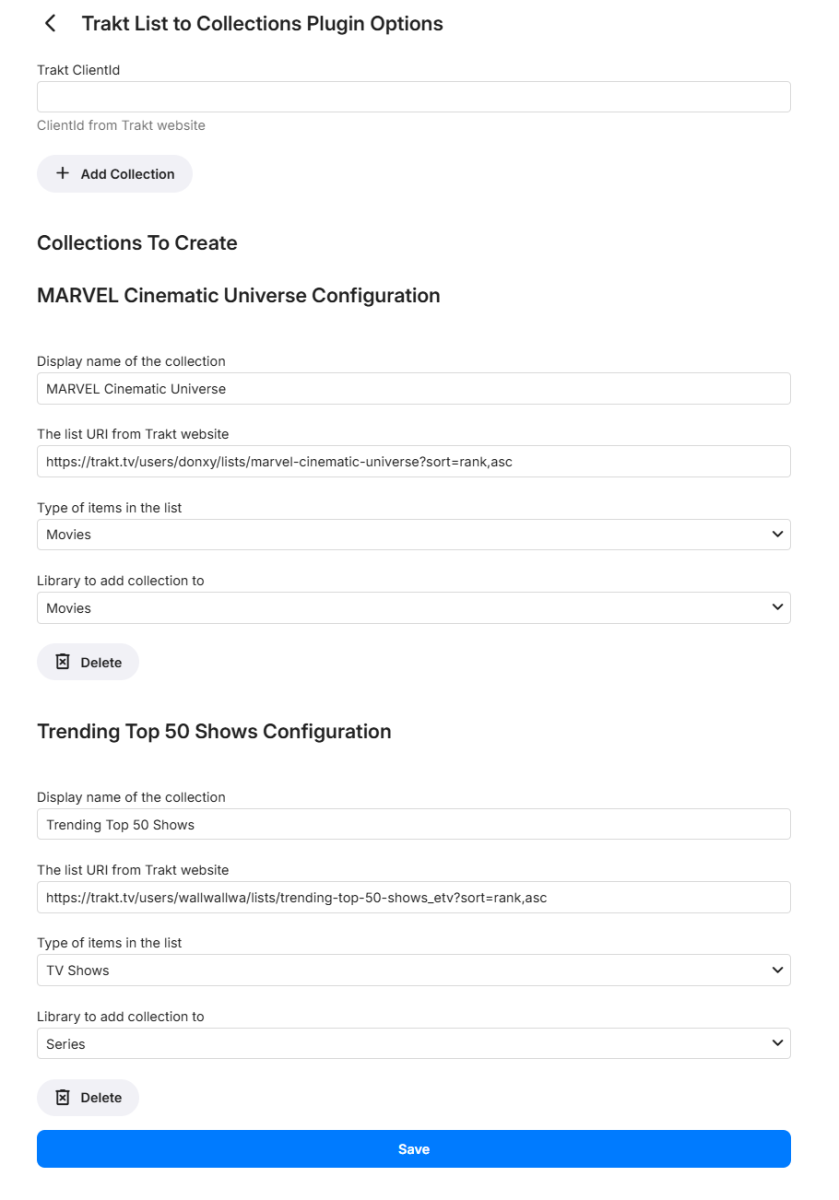
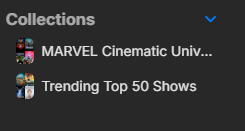
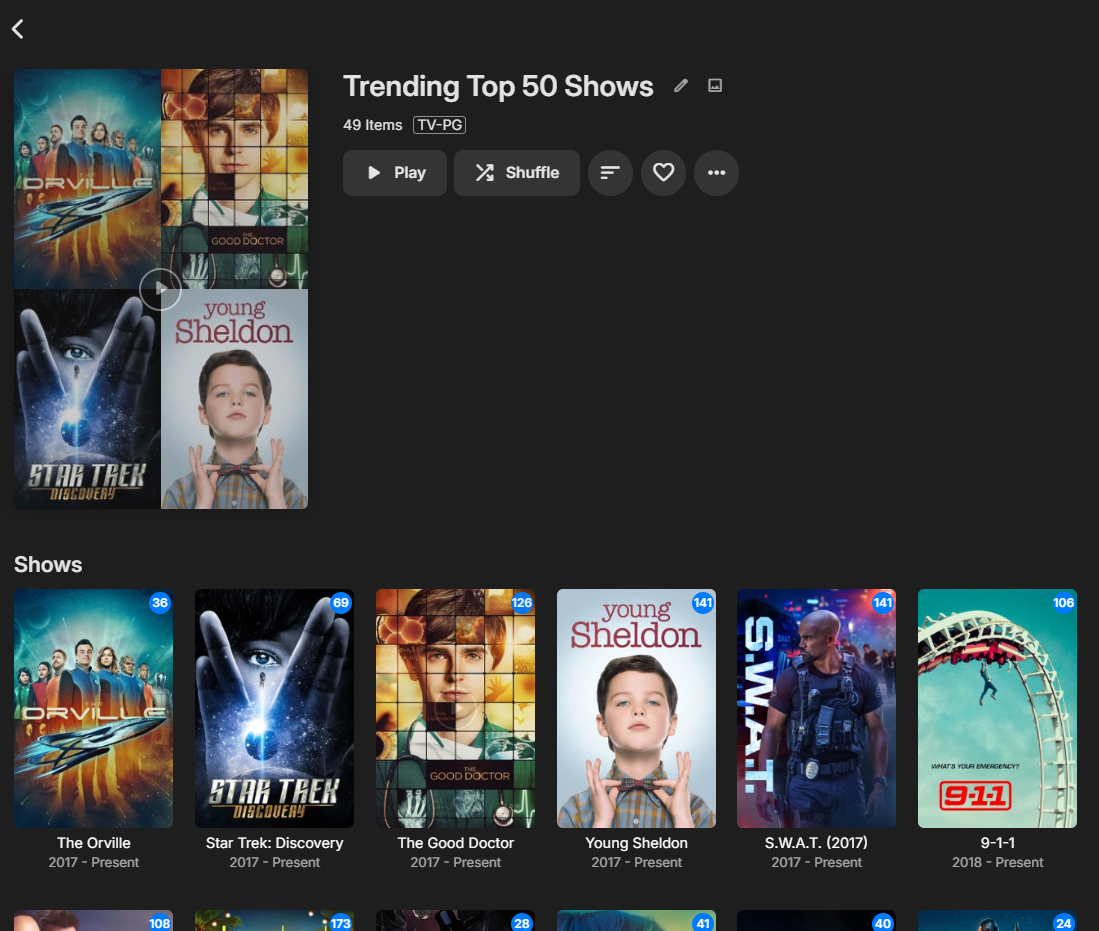
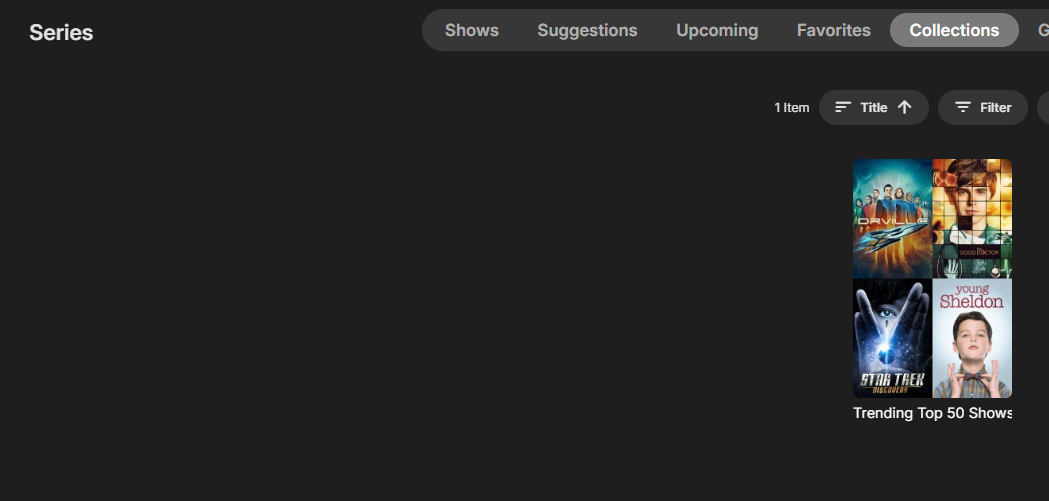
Features: Automatic Collection Creation: Sync your Trakt lists directly into Emby collections effortlessly. Scheduled Syncing: Sync process is handled via a scheduled task with a unified schedule for all lists. User-friendly Interface: Easy setup and configuration within Emby. Activity Notifications: See run results on the dashboard activities How It Works: Enter Your Trakt API ClientId: Use your Trakt API clientId to allow the plugin to access the lists. (Go to https://trakt.tv/oauth/applications/new and create a new app. Use the default redirect uri of: urn:ietf:wg:oauth:2.0:oob) Configure Collections: Use the intuitive interface to set up your collections. Display Name: Specify the name of the collection. Trakt List URI: Enter the URI of the list from the Trakt website. Item Type: Select the type of items in the list (e.g., Movies). Library Selection: Choose which Emby library to add the collection to. Create multiple entries per library if you keep separate libraries EX 4k. After initial setup under scheduled tasks run the Creation Collections tasks, edit/modify schedule, set for 12hrs by default. Version 2024.6.26.1 Emby.TraktListCollections.dll


 1 point
 -
When creating a playlist by selecting entire albums, android 3.4.08 no longer shuffles the playlist. After clicking shuffle in the playlist window a random track will start playing but all the next played tracks just follow the current album/track order. When opening the "shuffled" now playing list it just shows the normal playlist in album/track order, clearly not shuffled. Doing the same on the web app works correctly as did the previous android release. In the logs I began playback at 14:51:07.557 both server and android. android 3.4.08.txt embyserver 4.8.8.txt1 point
-
Hi. That is expected at this point as both are using the same player.1 point
-
just found this lol. and works great1 point
-
Thanks Luke1 point
-
Du hättest aber auch einfach die NFO-Datei löschen können, und den ganzen Ordner in ein anderes Verzeichnis geschoben - wäre einfacher gewesen.1 point
-
Sorry for the late reply, I am not home so much during the summer, so couldn't test right away. For a file that works it says: Level 153 For a file that doesn't work it says: Level 1861 point
-
But you didn't pay Dolby... People can always find a way to steal, correct. No Idea if they will or not but I can tell you they definitely contacted us in our early days.1 point
-
I've just tried to replicate this and have found the same scenario: any updates to the capitalization of characters in Mp3tag (where the complete term otherwise remains exactly the same) are not updated within Emby when rescanning a library and/or refreshing metadata, or even creating a new library. It appears that Emby retains the first use of a term (from any library) in the database and reverts to this, irrespective of any updated changes to capitalization. E.g, I created a new music library and added one Album tagged in Mp3tag with the Genre "BLUES". This then appeared in Emby as "Blues" because I already have used this as a Genre in other music libraries. I also tried many other examples/tests and couldn't find an easy work flow to resolve this, e.g. trying changing the term completely to something else and then back, deleting the album from the library, rescanning and putting it back... Further to this, it appears that the same problem may also occur with all fields that Emby imports/reads? I tried Genre, Album, Artist and Album Artist with similar results. Therefore I'd also be interested in the solution!1 point
-
I think if you adjust your library folders to go separately into each subfolder, then the whole list of subfolders for both moives1 and movies2 should show in Folders view. It sounds like you set the library to movies1 and movies2 only and that is why you are now seeing those only in folders view. Try removing movies1 and movies2 and only adding in each subfolder. This means you might have 20 or more subfolders, but it's only an admin task to set these up like this. The users should see all the subfolders showing your preferred organizing of your movies and no longer see movies1 and movies2. I hope that makes sense and actually answers your question.1 point
-
To my understanding, when I set the 4K Tag in a multi version movie, the movie would ignored completely including the 1080p version. Most of my 4K movies also have the 1080p variant and they are grouped to one movie with a dropdown to choose the version I want to play. But thanks for the suggestion.1 point
-
It's not a critical issue. I can wait for the fix to make it into an official release. Thank you all for the help and insight!1 point
-
you can always use tdarr to automatically monitor and remove excess subs (not sure if subkiller has the same folder watch and automation). its a little complicated to configure but i havent touched it in the 2+ years since i did and it just churns away in the background1 point
-
قم بتحديث كافة البيانات التعريفية الموجودة في المكتبة أو قم بتحديث البحث عن المفقودين. Refresh all metadata on the library or Refresh Search for Missing on the library.1 point
-
إعداد المكتبة وانتقل لأسفل Library setup and scroll down
 1 point
 -
I checked best options and I can say: 1. Removing subs using SUBKILLER is very convenient, after easy setup it works fast and automaticly, so you can forget about it. Recommend. 2. Too time consuming. 3. Usually when mkv contain subs, they are also available on dedicated websites, so using special software or plugin you can do it also automaticly. I will stay with solution 1. Thanks all for help and lets wait until Samsung will fix it.1 point
-
Hi Luke I have time today and have updated Emby-Server to version 4.8.8. IPTV by m3u working fine now without any to do. Thank you so much. Alleluya!1 point
-
Emby for LG TV's 1.0.43 has been released. Stay tuned to the blog for the release announcement.1 point
-
When you speak french you sound like Justin Trudeau just joking.1 point
-
LOL dang ADMIN_Group.1 point
-
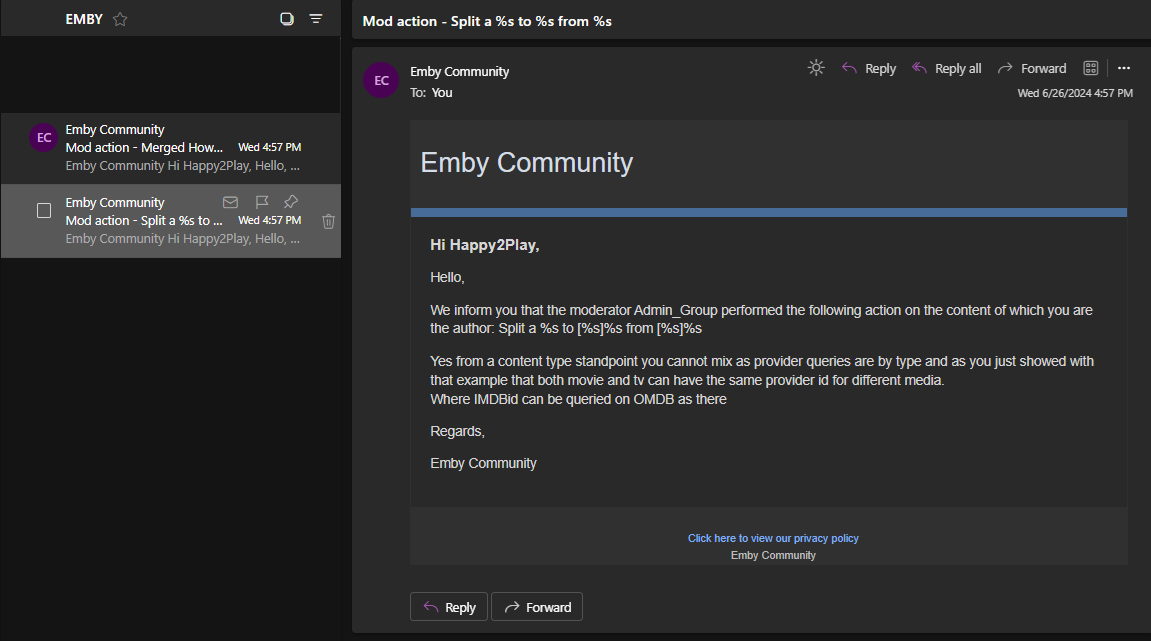
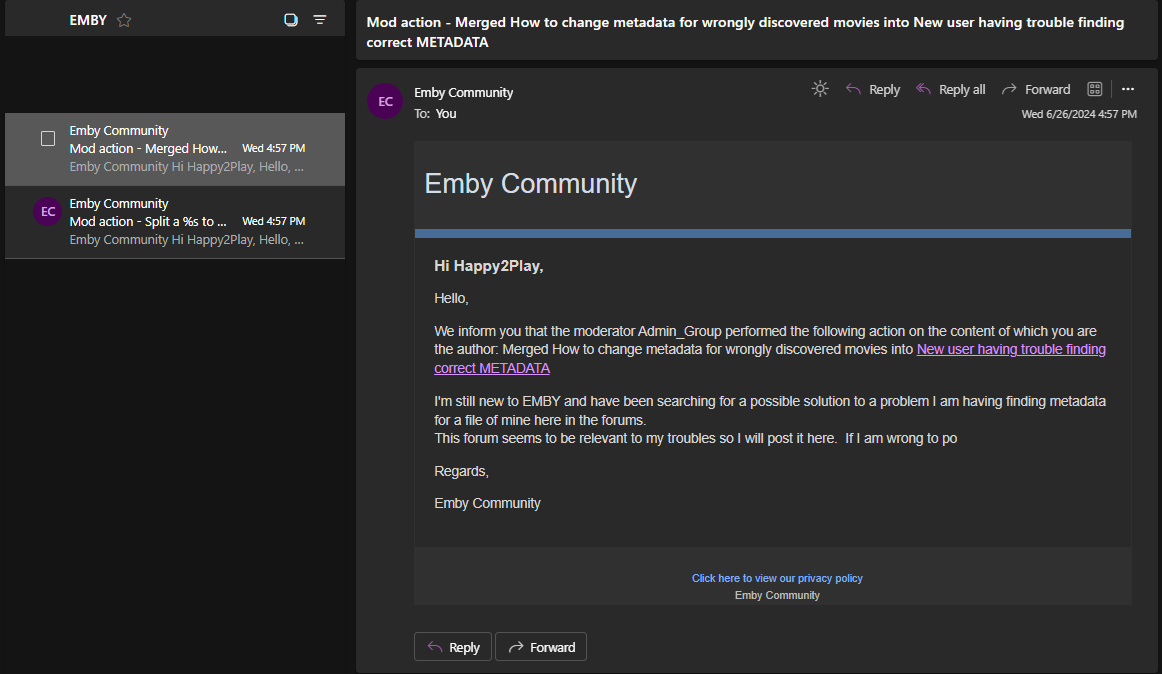
Yes they are 2 actions, split and merged even from the same, but the notify see it as 2 actions. I notice the split error info (% things) and why it happens, but did not have time to look more in this, but tomorrow I will.1 point
-
Hi @Happy2Play I disable email for now, thanks for reporting. Also notice the split still had reporting issue.1 point
-
I was thinking the same thing, the only difference is the intel processor in the TNAS vs ARM64 in the QNAP. I'm having major problems with TOS5 though and thinking maybe the QNAP one is better designed/maintained.1 point
-
@Abobadershould I get double emails? Not sure why I got emails instead of Notification per the setting. As I got email not notification.
 1 point
 -
Hi, Emby apps have this as well.1 point
-
Version 2024.06.27.2 Added logger name since plugin logger isn't passed into the sched task Emby.TraktListCollections.dll1 point
-
that was exactly the cause - thank you very much1 point
-
The thing is the issue happened to me while i was using the beta version of emby addon. Being annoyed i already factory reset my Kodi and shifted to latest public version addon. And the (person counting )doesn't happen now. So i don't have any log. It happens in the initial sync first( you say). I think my sync was taking over 30 minutes and counted over 600 thousand+people . And it never got completed to 100% . That's probably the reason i had the same notification window over and over again1 point
-
It should already do that. It’s just listed as created. It’s deleting the collection and then recreating every time to save the overhead of parsing the records to remove old and add new. I’m sure there is more logic that could be added like to not delete so custom images could be set but those are things I’m more like meh about. There’s also suppose to be better ways to do the ui for adding the collection options like a wizard but I asked for those samples almost a year ago now and they haven’t provided how the other page types work because that would simply some of the drop downs and I could filter the list and remove the type. But the new framework is all c# based no js.1 point
-
@Gilgamesh_48There is no benefit to knowing how many people work for Emby either as contracted or employed directly. I myself do not even know those numbers. I would expect this is normal as that range is given for tax purposes. You must disclose certain things and that website keeps track of those things. It wasn't to deceive you or act mockingly giving a funny answer. I was being quite serious. That is the most accurate reflection of the company at this time. Emby will continue to be awesome and support your media your way regardless of how many the headcount is. Apologies it appeared there was some hidden meaning behind any of what I said. I was being honest with what information is available at this time.1 point
-
Hi It uses the metadata from the Emby server, the app does not use its own metadata. Part of the motivation behind the app was to keep the UI as simple and functional as possible, whilst providing the capability of filtering, downloading and mixing up tracks as effectively as possible without having the interface too cluttered, confusing or difficult to navigate. Metadata is managed solely by the Emby server as far as the app goes - when tracks are downloaded to a device, for example in the case where people would like to make albums, artists, playlists available offline - the app will download images, notes, logos and so forth from the server at that point to have them available offline. It does not, however manage the metadata after that point.1 point
-
in the EmbyCon Add-On settings, there is an option to not group into collections.1 point
-
It definitely sounds like you have an interference source either in that room, or in between it and your WAP. You noted that the IR remotes work which makes sense if it's WiFi interference, the Roku remotes use WiFi and if the Roku itself is connected via WiFi, the remote uses that same channel. If your WiFi network supports both 2.4ghz and 5ghz, depending on the nature of the interference one may be more stable in that room than the other. The Rokus seem to prefer 5Ghz if it's available, even if 2.4ghz might be more stable. Anyway a list of things to look for off the top of my head - lights (esp. fluorescent), any kind of unshielded electric/power, any kind of appliances, cordless phones, cell repeaters, table lamps...anything like that immediately near the TV/Roku or in-between line-of-site of it and the access point...this includes cable/sat set-top boxes, I had a FiOS DVR that hosed anything wifi within a few feet of it. My son had a PC on the opposite side of the wall of a refrigerator at his place, and that entire side of the room was a total dead zone. There's a bunch of wifi signal measurement smartphone apps, you don't need anything fancy, just a free one that'll let you walk around the immediate area and "see" any dead spots to help locate the interference source. -70db is more or less your bare minimum for connectivity, but particularly for video streaming you'd want to see it a good bit higher. FWIW while this doesn't necessarily sound like your problem, I've also noticed issues with an older-gen Ultra (4640X) that had been problem-free on wired LAN, but just will not play nice on my WiFi. The newer gen Rokus use a different wireless NIC, and swapping the old Ultra out in the exact same location with a 4K Stick resolved the connectivity issues. The fact that you had a Fire stick experience the same issues says it's probably signal and not NIC compatibility, but if you are using older gen hardware AND can't identify any problems with signal levels, a current-gen Roku might be worth a test.1 point
-
Hi, what about instead an option to show both collections and together? Others have requested that.1 point
-
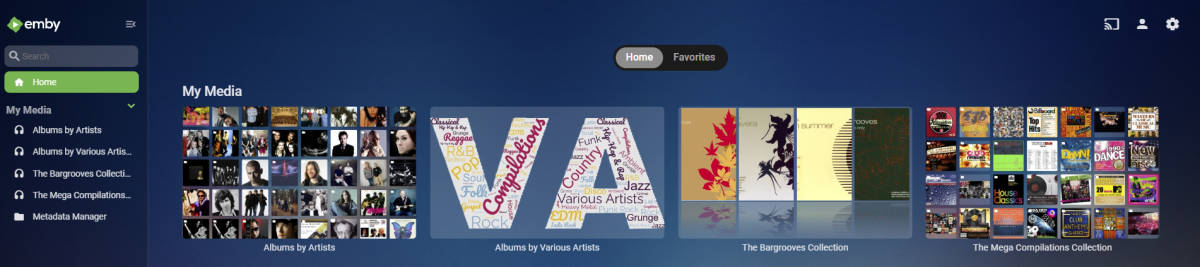
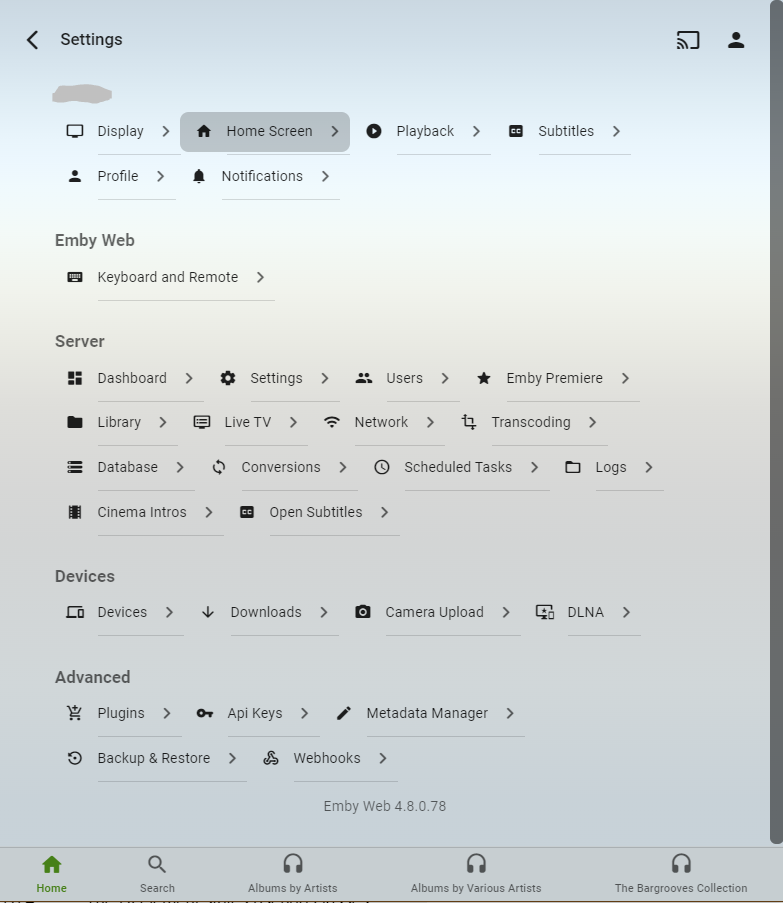
div.homeSectionsContainer div[is="emby-itemscontainer"].itemsContainer { flex-flow: wrap; } This is my first time tweaking the CSS. I really like it. Kudos to all that put that customability in-place (it's been in place a while, yes?). And I really like the way this simple tweak above makes the Libraries flows now: Wide Window: A bit narrower window w/a more 'typical' aspect ratio: Very very narrow window (minimum I could go, actually): But found-out quickly to be precise with the CSS selector. As my first attempt didn't include the 'div.homeSelectionsContainer' ancestor selector component to the 'div[is="emby-itemscontainer"].itemsContainer' descendant. And almost everything was rendering as flex-flow:wrap. (lol) ...OOPS! (lol) But no worry. That won't happen if you include the 'div.homeSelectionsContainer' parent combinator in the selector. Unless you want it to, that is.
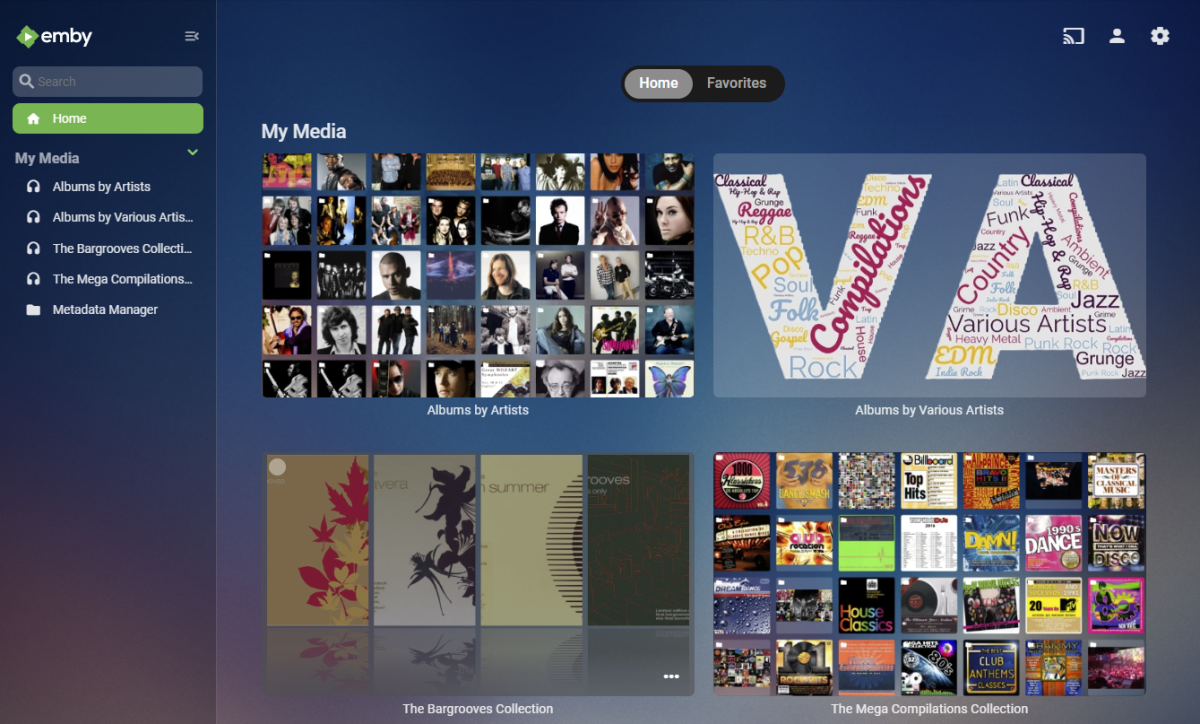
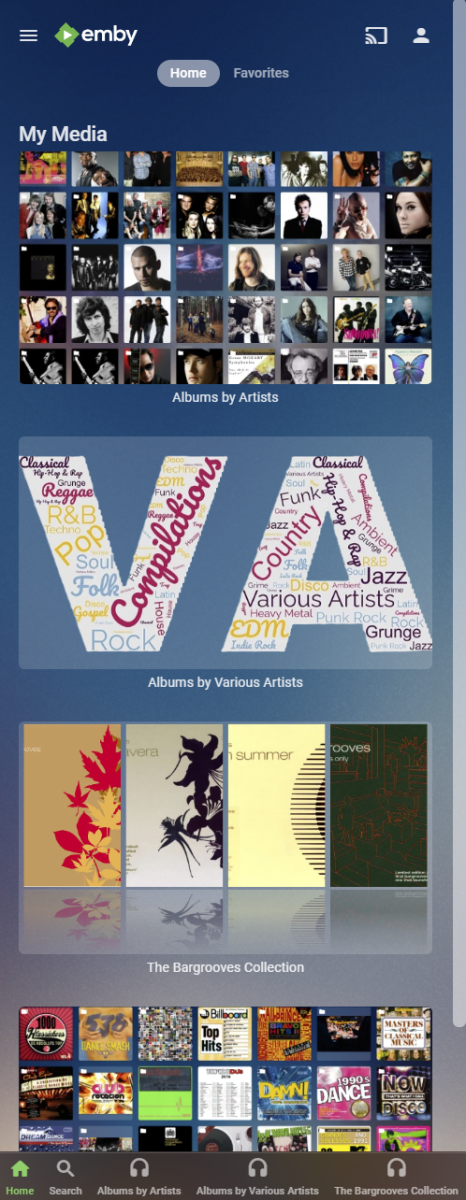
 1 point
 -
Please add a link to AZNude for each movie that is added to the database. This link should appear in the “Links” section of the movie’s info page, alongside the IMDB, TheMoveDB, etc. Also, an AZNude link should be added to each actor’s info page too, under their individual “Links” section. So, when a movie's AZNude link is clicked it opens a link to that movie's nudity content on AZNude. When the link is clicked on an individual actor's page, it opens the AZNude link for that individual person, listing all the movies they are nude in. Hey, you have to admit, that would be handy1 point