Leaderboard




Popular Content
Showing content with the highest reputation on 06/26/24 in Posts
-
I was messing around with the Emby API and thought of creating a lightweight dashboard to display some basic info and details about the Emby server. I'm planning on adding more features soon. You can use it on your Emby server as well. Features Server Info: Displays the server version, operating system, server name, and HTTP port. Sessions: Shows the total number of sessions, active streams, playing streams, and paused streams. Media Info: Provides counts of movies, series, and episodes in your Emby server. Library Info: Lists all libraries and shows the item count for each library. Let me know what you think about it haha Here is the GitHub repo: https://github.com/imahmud1/emby-dashboard
 4 points
 -
Yes that is the goal.3 points
-
BTW: If anyone else runs into this issue: Turns out it is exactly as Happy predicted and it had to do with files not inheriting the folders permissions when Sonarr/Radarr were moving it to the 'media folder'. I had to go under Control Panel ->Applications and ensure Radarr and Sonarr had Read/Write perms. This appears to have resolved the issue with future downloads not being readable and thus giving playback errors.2 points
-
+1 for this feature!! Reading .pdfs and .epubs/.mobi directly in browser would be amazing.2 points
-
TheTVDB now supports more alternative orders than just Aired/Absolute/DVD. Can Emby query these additional orders and add them as options? Two examples of shows I've seen this used are Re:Zero which has a "Director's Cut" display order and Money Heist which has a "Netflix" order. https://thetvdb.com/series/re-zero-starting-life-in-another-world https://thetvdb.com/series/la-casa-de-papel1 point
-
I can't get rid of the "Live TV" library. How can I "force" remove this library? Thank you. Details - I've never used Emby's "Live TV" feature. - I have (3) plugins installed: - MovieDb (1.7.4.0) - Open Subtitles (1.0.53.0) - TheAudioDb (1.0.18.0) - I migrated some database files, so that might be related. - In the Server > Live TV menu, HD Homerun shows up as a source. - I'm not sure if this is related or what HD Homerun is; I've never used it. - I've tried to install various "Live TV" plugins, restart the server, uninstall the plugins, and finally restart again. However, this does not resolve the issue.1 point
-
Basically, I want to see which collection a show belongs to when I use the Table View the same way I can see the Genres and Tags. I know I can group the series by Collection, but I just want to see it in a column. Also, if I add or remove columns from the Table View, the settings change if I navigate away from it. For example, if I add the Genres and Tags columns then switch to List View, the Genres and Tags columns are gone when I switch back to Table View. Thanks for any help!1 point
-
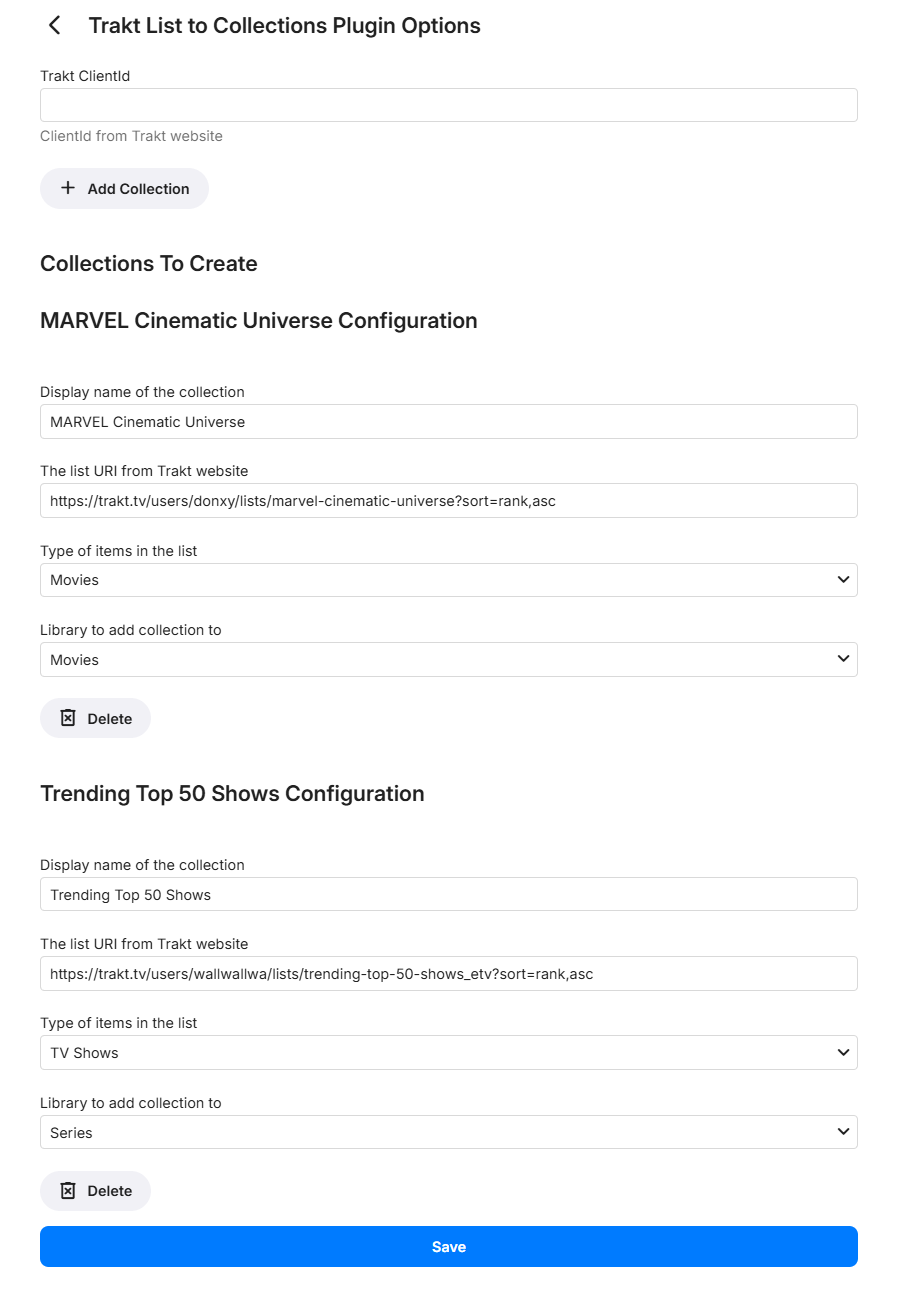
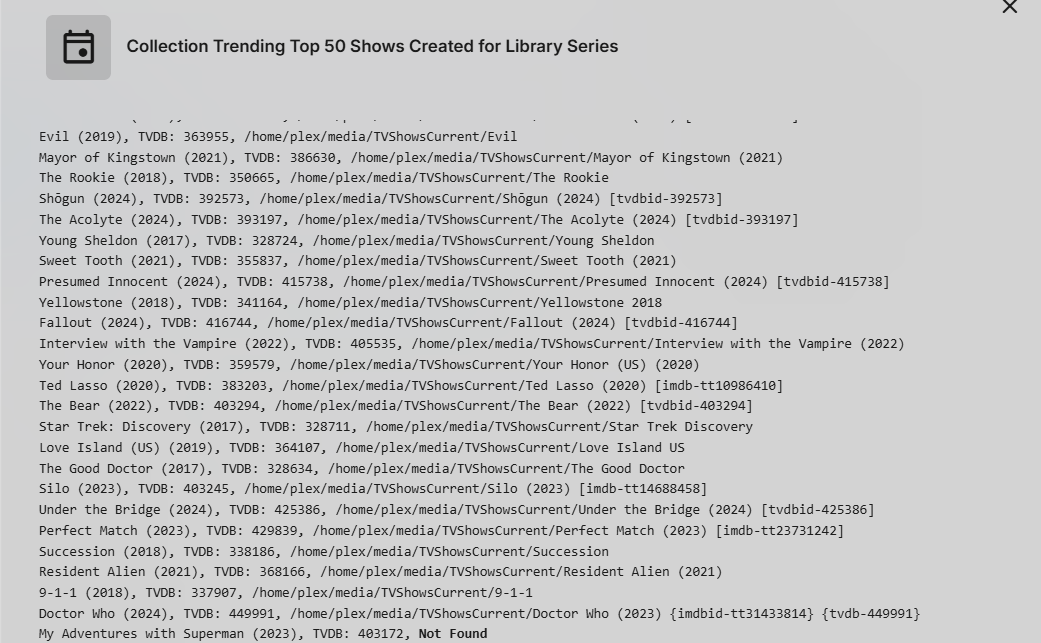
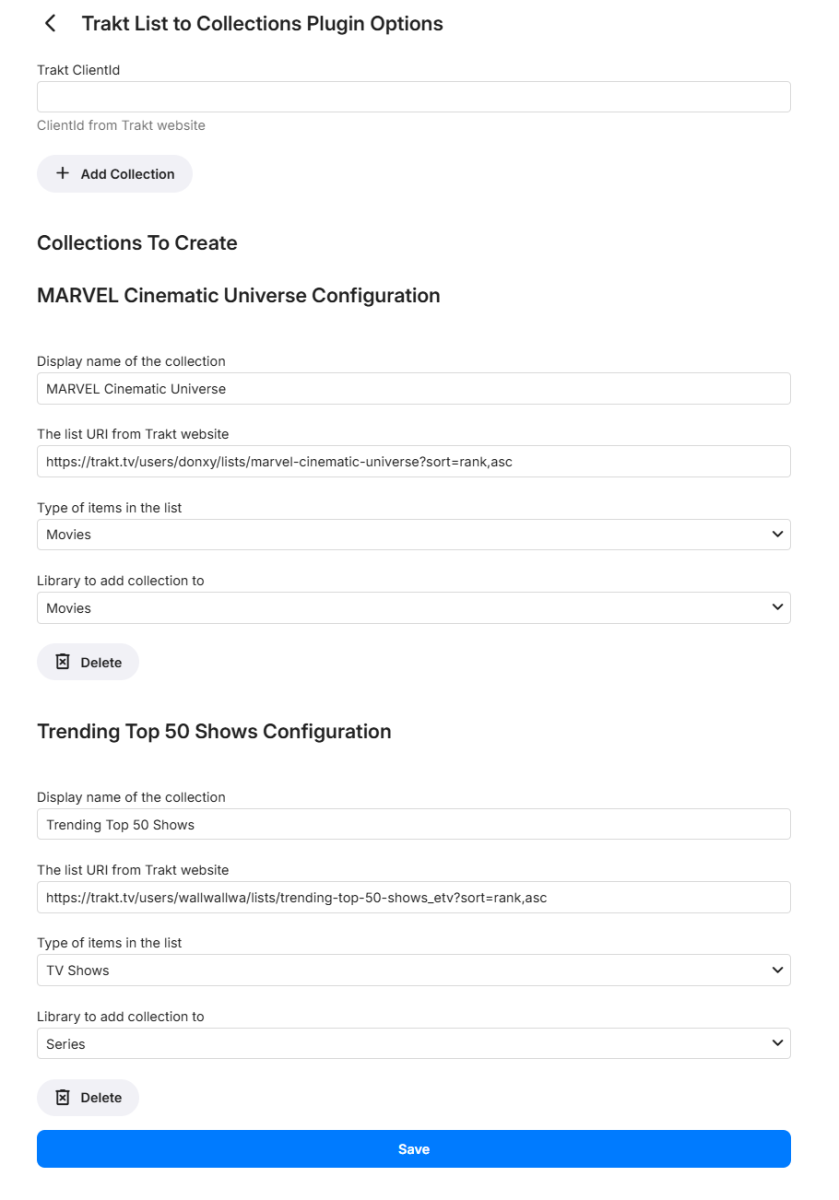
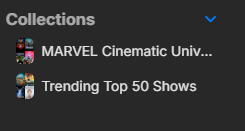
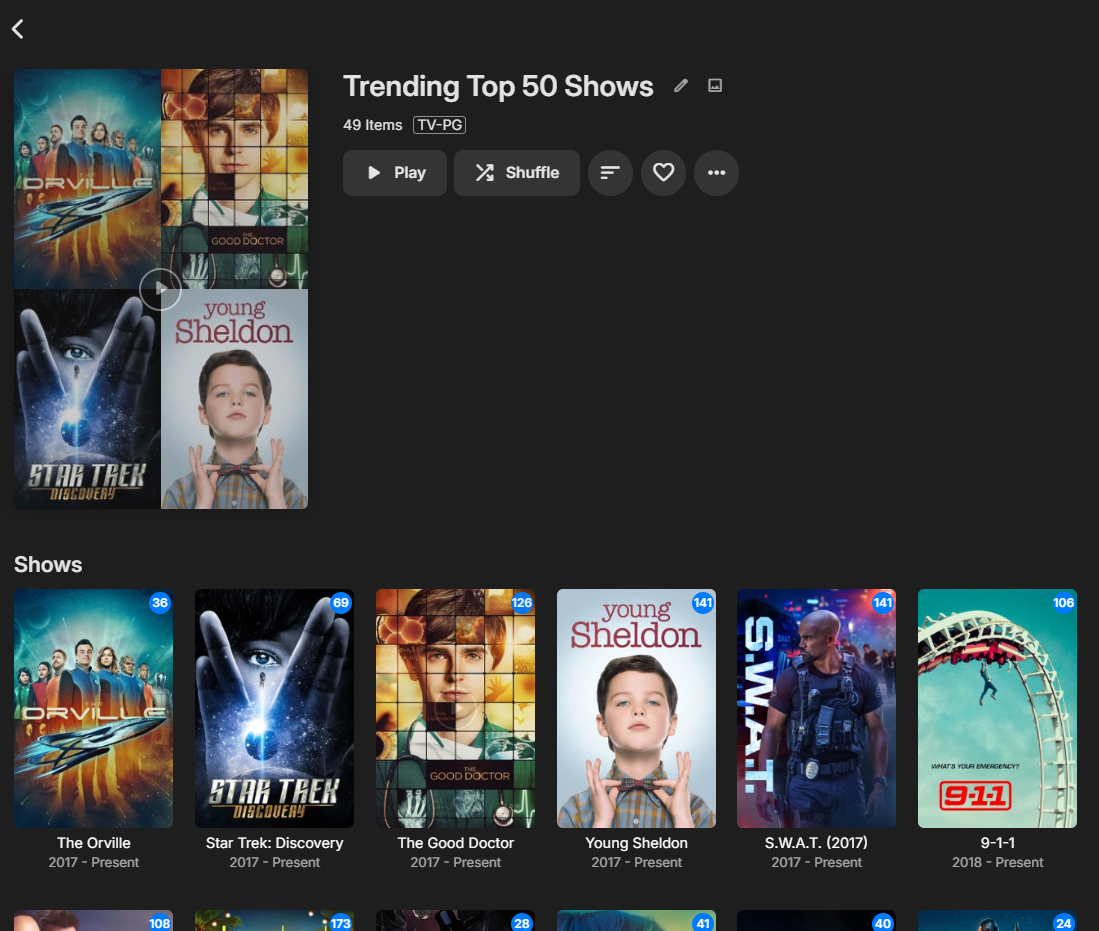
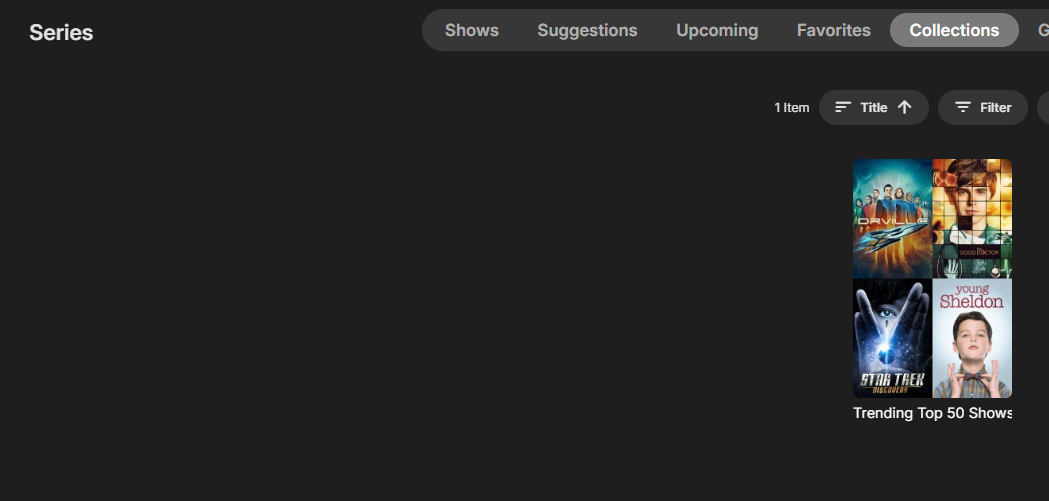
Features: Automatic Collection Creation: Sync your Trakt lists directly into Emby collections effortlessly. Scheduled Syncing: Sync process is handled via a scheduled task with a unified schedule for all lists. User-friendly Interface: Easy setup and configuration within Emby. Activity Notifications: See run results on the dashboard activities How It Works: Enter Your Trakt API ClientId: Use your Trakt API clientId to allow the plugin to access the lists. (Go to https://trakt.tv/oauth/applications/new and create a new app. Use the default redirect uri of: urn:ietf:wg:oauth:2.0:oob) Configure Collections: Use the intuitive interface to set up your collections. Display Name: Specify the name of the collection. Trakt List URI: Enter the URI of the list from the Trakt website. Item Type: Select the type of items in the list (e.g., Movies). Library Selection: Choose which Emby library to add the collection to. Create multiple entries per library if you keep separate libraries EX 4k. After initial setup under scheduled tasks run the Creation Collections tasks, edit/modify schedule, set for 12hrs by default. Version 2024.6.26.1 Emby.TraktListCollections.dll


 1 point
 -
With the multiple versions feature you get a pulldown in the web client to select the version. When you do, the other pulldowns for audio tracks and subtitles also change for that version. However the duration and the Ends At display remain the same even though the versions have different durations. Would it be possible to have those two fields in the display change with the chosen version? Thanks.1 point
-
ok, i had a chat with the user, they were set to Auto.. I had them manually change it to 1000mbits and now it doesn't throttle anymore.. looks good now. thank you..1 point
-
Near Chicago, not quite there. Glad someone has a thread. Thanks for the support devs.
 1 point
 -
I was wondering the same thing.1 point
-
@luke what's happening here then anything?1 point
-
It is the quality setting under playback settings.1 point
-
This makes me very sad but I kind of figured this would be the case. Thank you for looking into this!!1 point
-
I use Rocky Linux with no problems. Alma uses CentOS source just like Rocky does. It works great. I even have hardware transcoding through an Nvidia RTX card.1 point
-
Don't know all apps default fallback but will guess Auto being to conservative at 5Mbps. There should be Playback/Quality setting in the AndroidTv app. 2024-06-26 13:47:01.026 Info App: Bitrate exceeds DirectPlay limit: media bitrate: 7397066, max bitrate: 4978384 2024-06-26 13:47:01.026 Info App: Bitrate exceeds DirectStream limit: media bitrate: 7397066, max bitrate: 4978384 2024-06-26 13:47:01.026 Info App: Bitrate exceeds DirectPlay limit: media bitrate: 7397066, max bitrate: 4978384 2024-06-26 13:47:01.026 Info App: Bitrate exceeds DirectStream limit: media bitrate: 7397066, max bitrate: 4978384 2024-06-26 13:47:01.026 Info App: Bitrate exceeds DirectPlay limit: media bitrate: 7397066, max bitrate: 4978384 2024-06-26 13:47:01.026 Info App: Bitrate exceeds DirectStream limit: media bitrate: 7397066, max bitrate: 49783841 point
-
Unfortunately you have a corrupt database. Corrupt: database disk image is malformed You will need to try the steps in the KB but most likely need to start a new database. https://emby.media/support/articles/Corrupt-Database.html If you use the Backup and Restore you may have a backup but really depends on when your database corrupted.1 point
-
The Android app 3.4.0.8 looks good. I first noticed the problem with Samsung 1.8.3 and I've been keeping up with the latest versions.1 point
-
It could be due to the 2-limit issue mentioned in that other topic, which has been resolved on the beta channel if you need immediate relief.1 point
-
I have no idea what caused this, but connecting to the client to my server via VPN (and logging into the server) "fixed" the issue. Not sure what that authentication did, but immediately everything worked.1 point
-
Oops! Realized that I had hidden those Video and Audio sections in my own personal CSS edit which was the reason I didn't see it before. The reason I removed them is because I don't like how much space they take so I can't see cast below. I've now done a compromise where I move them to the side instead. Emby-Stable-style-v3.4.txt1 point
-
There is a new version 1.8.5 that fixes the version number and adds theme music volume setting. No fix for the posters being chopped for some models, and I'm having a bad navigation problem scrolling up and down rows on the Home page because it jumps/skips rows.1 point
-
Hi Luke and Happy2Play.... After re-installing, removing many versions of the Emby App and restarting the NAS Server a few times, I did get the latest version up and running. Unfortunately, I lost all the libraries, probably when I Removed the App from the Device in one of my attempts to get a version to display content in the browser. So I had to re-add all my media folders once 4.8.8.0 was running successfully. The result was that I should have simply upgraded to the latest version, which was an upgrade from version 4.7.11.0 to 4.8.8.0 and possibly rebooted the NAS Server (A restart of the Emby App was not enough) for it to work. Thanks guys for your help.1 point
-
I have to agree with @Gilgamesh_48it is nothing but hot garbage. They've abandoned their Apple TV app completely (yes I am hard on the Emby team about their struggles, but at least they're still trying) and they still haven't changed the layout from 6 years ago. Things are so bad at Jellyfin that they have been begging for developers and their community to help since October 2023. Guess when you base your product on "FU give me my free stuff" you get what you deserve. Heck they only have 2 people at most, total, working on their apps. It's a joke.1 point
-
Yes the Trailers plugin provides trailers for the Internet trailers section of Cinema Intros. Otherwise you can just scroll the Plugin Trailers library and play the trailers you want. Personally I try to get a trailer for every move I have and the URL provided via TMDB metadata assists with that. But Collecting your own is a TOS issue also. But no matter how you look at it from the plugin standpoint it is a list of trailers that someone has to maintain. Youtube has never really been used as of their TOS but options are very limited on where this information can be gotten from. So I can potentially AD issues in the near future.1 point
-
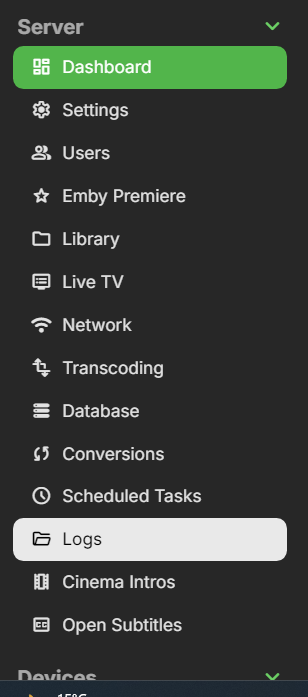
I had something similar happen and ended up having to remove my entire TV library, wait a few hours (as the sql database was updating), then re-add the folder. Something is broken with the latest update. To get to the logs, just go to manage server, then on the left hand side you will see
 1 point
 -
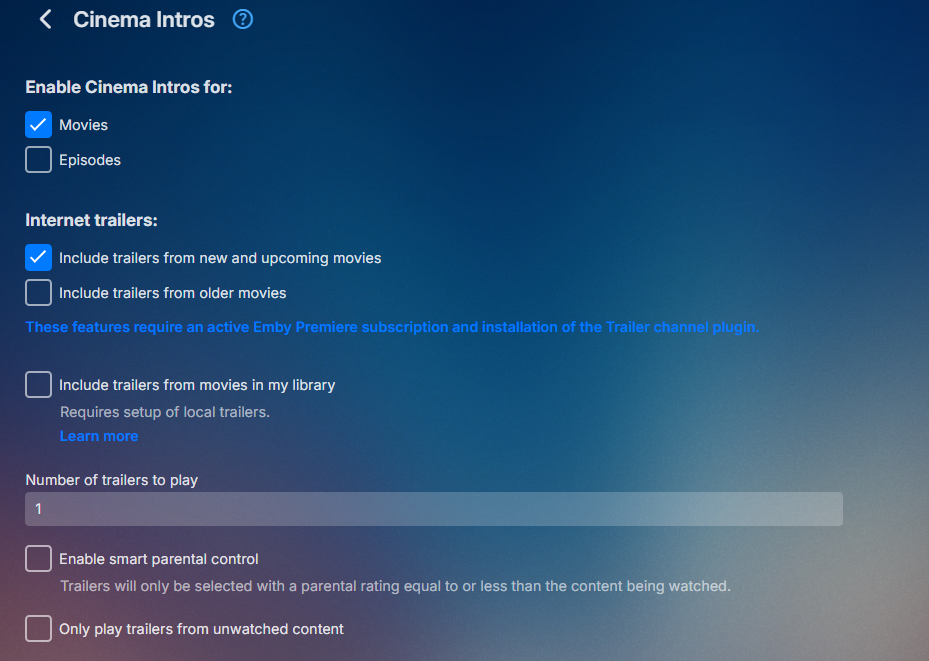
Trailers themselve are a different type in the database as Movies are Type=5 and Trailers are Type=10 so they won't be confuse. The plugin is about Theater Upcoming/Future trailers assuming the list is maintained for future as currently the majority of the items have already been released. Everything in your library has already been released. But from a Cinema Intro standpoint you have option for local or online trailers.
 1 point
 -
Happy you are a beautiful genius and I thank you for your precise and quick help. This is great. I found that changing perms in the control panel did not resolve it. Changing folder perms didn't work either. HOWEVER by manually changing the perms of the file itself I was able to play it. So you are correct that it is not inheriting the folder perms upon being moved. Which was happening as a result of qBittorrent downloading to one location and Radarr moving it to another. I'll have to look into this later to see if there's an easier solution to mass-updating the new file, but I should be able to fix this. Thanks again!1 point
-
But to elaborate on the issue since Emby cannot Probe the file for Media Info it has no idea how to play it.1 point
-
I can only guess when the media is copied to that location it is not inheriting folder permissions. But not a Linux person. I guess you could compare permission to another file but will guess the entire folder will have its permissions reset. Don't know if this will help.1 point
-
Looks like you have a permissions issue. 20:50:44.385 /home/Cam/Downloads/radarr/BlackBerry (2023)/BlackBerry.2023.BluRay.1080p.DTS-HD.MA.5.1.AVC.REMUX-FraMeSToR.mkv: Permission denied1 point
-
I just looked it up through it myself and the update was pending, so that is that issue solved at least1 point
-
All good @Luke I ended up reinstalling the server and all is fine now on my phone in terms of login and playback. Unfortunately now One of my users can’t log in on her android phone although others on android are fine so that’s another issue. Thanks again for responding1 point
-
Thanks a lot, problem is fixed!1 point
-
This is definitely what I have come to know but wasn't the case when I built my machine over 4 years ago. It works fine for my needs even today but in the tech world things change rapidly. When I eventually build again I will go whatever route provides the best bang for the buck. Currently it is intel iGPU for this use case.1 point
-
Looks like an issue with your share. The user name or password is incorrect. : '\\VAULT\Movies\8 Mile (2002).mkv'1 point
-
The solution I have right now is working well so I think I will stay with it. I don't want to take the risk to have to reset my emby server again if it doesn't work.1 point
-
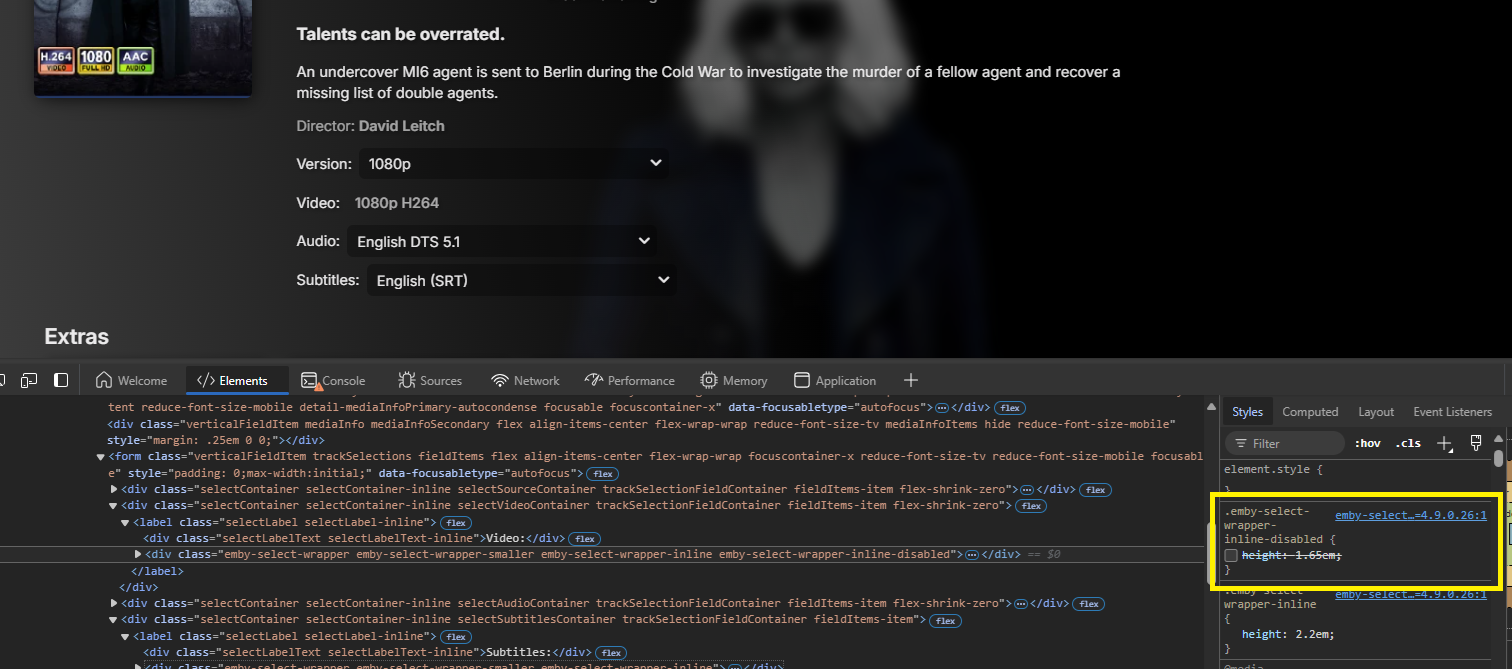
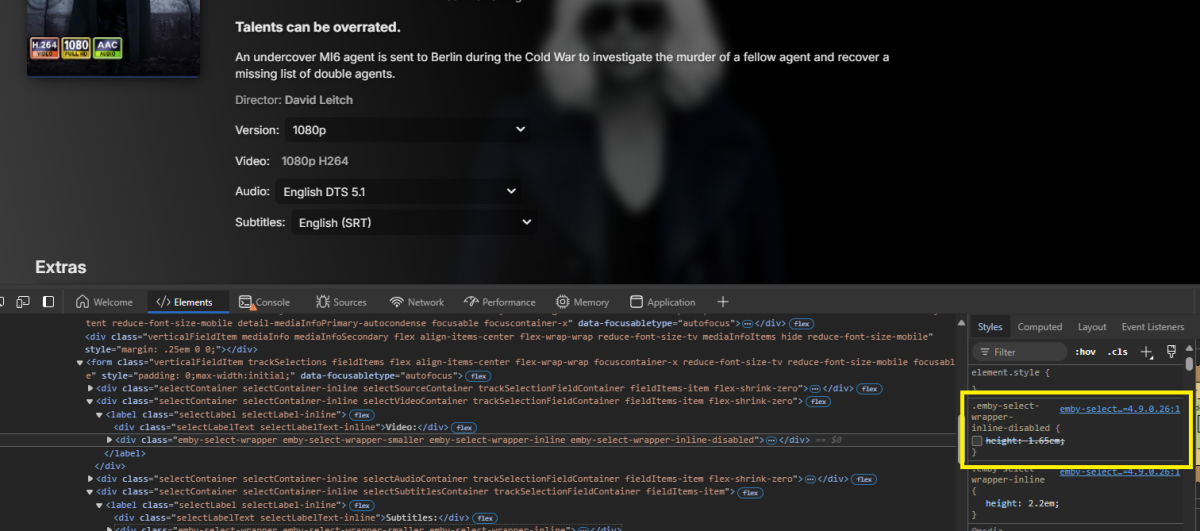
First issue appears related to this Emby code .emby-select-wrapper-inline-disabled as disabling it resolves the alignment issue. @fillidill
 1 point
 -
Thank you for a great product. I am a paying monthly subscriber. I use an XGIMI projector which has Android built in, and when sending audio to my receiver using eARC, the audio gets delayed - probably in passthru processing, etc., etc. Running audio directly thru the XGIMI speakers results in good sync, so no problem with Emby. I solve this in Kodi by setting 250ms audio difference, and apply to all. I wish I could do the same with Emby (delay video vs audio, or advance audio from video). Therefore I too wish for this feature. Thanks/Andy1 point
-
This cleared my confusion thank you so much.1 point
-
Hi all, may be this information helps to anybody: 1. Instead of i get root rights to user (not "root") - you need to use exactly "root" name when you ssh connect throught WinSCP. 2. I've copy file to /var/packages/EmbyServer/var/plugins (not in /volume1/@appdata/EmbyServer/plugins) 3. After you copy file, you need to change rights and "owner": owner - from "root" to "emby"; rights - from 0600 to 0644; 4. Then restart emby server. 5. Then turn off ssh1 point
-
Hi, yes we should have an update for this soon. Thanks guys.1 point
-
I can already hear it now coming in multiple topics. Why am I seeing YouTube ads on my Premiere Trailer Plugin? Or even ads in my Cinema Intros.1 point
-
Hi Luke, any update on the new version?1 point
-
@sutt359 A CGNAT is a Carrier Grade Network Address Translation. Your home router has NAT (network address translation). NAT is a method of sharing one public IP address with all computers behind it. That's how you're able to use several devices and computers in your home network with only one IP from your ISP. Well, that how it was for you when you had a public IP address previously. NATs are also the basic building block quite often for a firewall. You don't get past the public IP address unless there is port forwarding setup to tell the router what to do with the incoming packets it otherwise would not know what to do with. Any internet traffic that's started from a device/computer inside your network goes through the router and as part of it's routing mechanism tracks the originator and port used so it does know how to process incoming packets with your internal IP. The private IP is also marked in the packets but can be spoofed so the router always checks it. So knowing how this works at a high level you can see that inbound traffic meant to get to your Emby Server stops at your ISP's NAT they now put in place You obviously can't log into their routers and setup port forwarding and there is little chance they will do this for you other than give you a static IP which runs $8 to $12 usually a month. So basically you need a work-around to allow traffic to make it's way to your Emby Server. There are a few methods but these all take a bit of work. Some are pretty easy but have tradeoffs. First - If it's only you and your family who need access when remote for PCs, phones or tablets an easy solution is using a service such as ZeroTier or Tailscale. You can set this up for free but requires software running on both the device and the Emby Server. These two services allow you to have a private network that's essentially a VPN that you will control. You could give access to a couple of friends as well. Typically you can have up to 50 devices on the free plan. Both allow you to setup complete control of your network and grant access to a specific internal IP to another person using the service. This works because they act like moderator who orchestrates the VPN. Your Emby Server will keep a VPN tunnel open all the time to their service. When not using it there is zero activity except for a beacon once in a while which is just enough to keep traffic going back and forth to keep the tracking in place for your CGNAT. When you fireup the app on a PC you also connect to their service. Now both computers are logged in with a tunnel. As soon as you try and access your Emby Server these services will try to establish a direct tunnel from your device to the Emby Server so it's not in the middle but a direct path. This works 95+ of the time but can fail in some corporate networks who shut down udp and other ports needed. Second - The is similar to above but you setup and run your own VPN service with a $5 a month VM. You could setup and use OpenVPN for example. I'm not fond of this method and would just do #1. Third - Use a one way tunnel that's only needed for your server to bypass the ISP CGNAT. This is similar to #2 except you use the hosting account public IP and basically setup a forward for ports 8096/8920 to go through the tunnel to your server. The advantage of this is that you just give the public IP address used for your hosting to anyone and they setup their Emby Client as normal. All the inbound traffic is relayed to your server. You can setup and relay any type of traffic you want this way. Forth - My preference but the most work. Open an account for free at Cloudflare by registering a domain name you will use to access your Emby Server. Cloudflare is a security screen/cdn network so a good thing. They also allow you to setup a tunnel (their software) from your server to their network. So that works around the cgnat issue. You will have all kinds of new security and performance controls on their dashboard as well. You will also be using a certificate from them for secured access on port 443. You can now open a browser and type in https://YourEmbyDomainName.com and it goes through their network to your server. They cache images making your screens load faster in the future. So Cloudflare is the most work but you end up getting a domain name, free tunnel, lots of extra security features and protection, domain management, secured access with a certificate .. You will need a domain name but that's generally less than $10 a year. Besides that cost it's your time to setup and get it working. We have guides that cover most of this setup. Only thing you may need help with is the tunnel but I've got that covered for windows and linux. It's extremely hard to set this up on a NAS and I'd not try. So #1 or #4 are the way to go. Carlo1 point