Leaderboard




Popular Content
Showing content with the highest reputation on 06/16/24 in Posts
-
Ok so finally I have an update, I tried it on the ipad this morning and it was working great! Seems that the update fixed it, thank you guys for your help!2 points
-
Zero use cases for this outside of commercial servers with pirated content.2 points
-
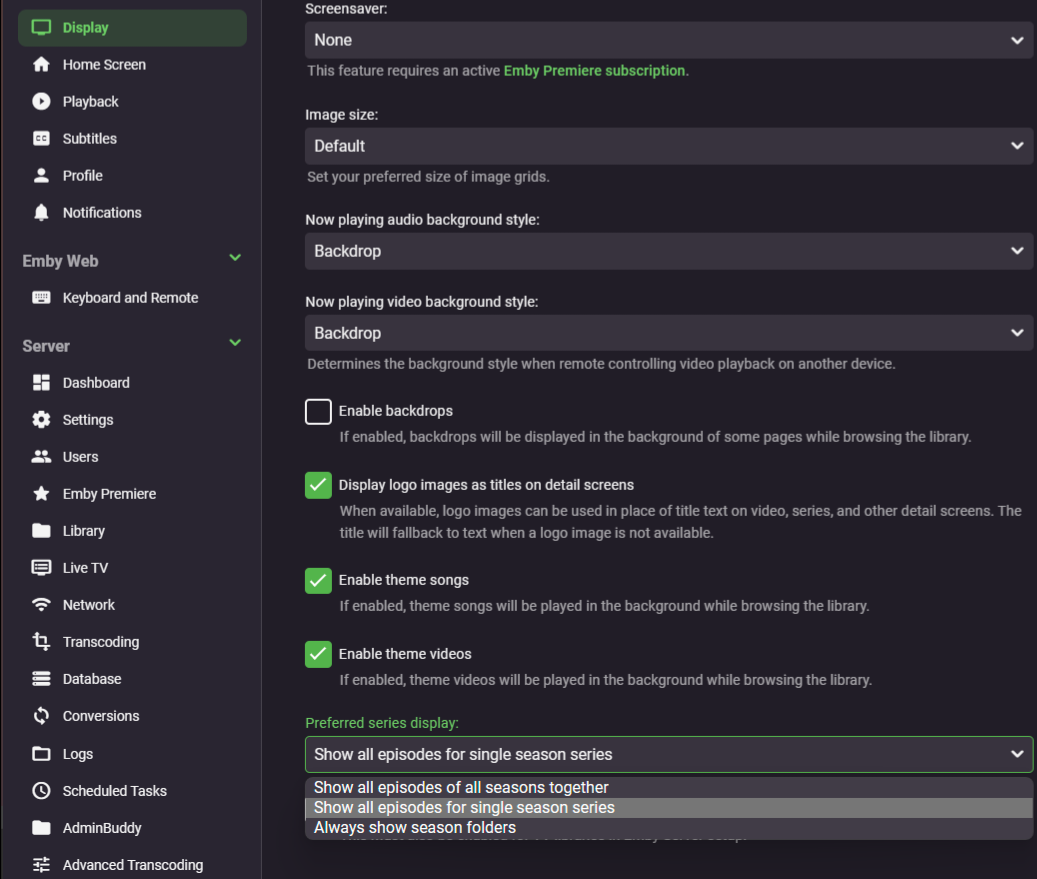
Settings>Display tab.
 2 points
 -
Not really but they are backed up if you use the Backup/Restore plugin. Or manually copy /programdata/data/playlists and /programdata/data/userplaylists of course there will be path variations across platforms. Primarily only /userplaylists is used for Emby created playlists.1 point
-
I have changed my provider's DNS and it has not given me any problems again, however, with the previous DNS it still works for me in Kodi and Android, Emby would not like something about that DNS hahaha1 point
-
Muchas gracias1 point
-
Server on .61 shares on .160. But might have better luck mounting the shares on the host system. Unless "path is currently not available" reasoning can be found. But I know this use to be a common Windows issue not specific to Emby though.1 point
-
I can already hear it now coming in multiple topics. Why am I seeing YouTube ads on my Premiere Trailer Plugin? Or even ads in my Cinema Intros.1 point
-
I would say a share access issue from embyserver-63854092800.txt . 2024-06-14 22:46:38.556 Info LibraryMonitor: Skipping realtime monitor for \\192.168.0.160\Multimedia\Audiobooks\Audible Library\books because the path is currently not available 2024-06-14 22:46:38.557 Info LibraryMonitor: Skipping realtime monitor for \\192.168.0.160\Multimedia\Movies\4K Movies because the path is currently not available 2024-06-14 22:46:38.557 Info LibraryMonitor: Skipping realtime monitor for \\192.168.0.160\Multimedia\Movies\4K Movies because the path is currently not available 2024-06-14 22:46:38.557 Info LibraryMonitor: Skipping realtime monitor for \\192.168.0.160\Multimedia\Movies\Movies because the path is currently not available 2024-06-14 22:46:38.558 Info LibraryMonitor: Skipping realtime monitor for \\192.168.0.160\Multimedia\Music\Flac Albums because the path is currently not available 2024-06-14 22:46:38.558 Info LibraryMonitor: Skipping realtime monitor for \\192.168.0.160\Multimedia\Music\Hi-RES FLAC Albums because the path is currently not available 2024-06-14 22:46:38.558 Info LibraryMonitor: Skipping realtime monitor for \\192.168.0.160\Multimedia\Music\MP3 Music because the path is currently not available 2024-06-14 22:46:38.558 Info LibraryMonitor: Skipping realtime monitor for \\192.168.0.160\Multimedia\Sports\FORMULA 1 because the path is currently not available 2024-06-14 22:46:38.558 Info LibraryMonitor: Skipping realtime monitor for \\192.168.0.160\Multimedia\Sports\NHL because the path is currently not available 2024-06-14 22:46:38.558 Info LibraryMonitor: Skipping realtime monitor for \\192.168.0.160\Multimedia\Sports\RUGBY because the path is currently not available 2024-06-14 22:46:38.558 Info LibraryMonitor: Skipping realtime monitor for \\192.168.0.160\Multimedia\Sports\UFC because the path is currently not available 2024-06-14 22:46:38.558 Info LibraryMonitor: Skipping realtime monitor for \\192.168.0.160\Multimedia\TV Shows because the path is currently not available 2024-06-14 22:46:38.559 Info LibraryMonitor: Skipping realtime monitor for \\192.168.0.160\Photographs\Videos because the path is currently not available1 point
-
It just means you’ll see YouTube ads when playing a trailer. Sometimes at least.1 point
-
Don't know if the issue is still relevant, but I had exacly the same errror. With me the rootcause turned out to be shared network path, that pointed to my movies, which was gone. The contents was still there, but the shared network link didn't exist anymore. Creating it back again solved it. Maybe the error message could use some improvement, like: "can not find file, therefor no compatible stream can be created." Just my 2cts1 point
-
That's because you entered TMDB movie ID - providers are queried per type, you need to add TV show ID. So, either: Unknown Soldier (2018) [tmdbid=84706] or Unknown Soldier (2018) [tvdbid=357511] Rename, (delete existing NFOs if saved with media), rescan. Likely because TVDB external site link leads to broken/dead link on TMDB, ID119326 instead of ID1236172. Try renaming to: Astartes (2018) [tvdbid=367549]1 point
-
It is a movie not a TV show So you are not getting any metadata https://www.themoviedb.org/movie/400728-tuntematon-sotilas1 point
-
@LukeThis issue is solved in emby 4.8.8, you can close the issue.1 point
-
Servers are intended to run continuously. Why shut it down?1 point
-
Lessaj, thanks. I meant to respond to Astronut instead.1 point
-
objectively untrue. my parents ask for me to put stuff on emby for them. i havent watched everything to confirm that the video and audio is good and that i have the right subtitles for my hard of hearing mother. the correct answer is to go and use one of the already working perfectly designed tools for this - i would recommend jellyseer, the emby and jelly branch of overseer. its far better than Ombi IMO1 point
-
I'm really losing patience with this kind of outburst from you. They tried to fix a problem, the fix was not effective. This happens in development - it's why there are betas. You know this, as you've also written: "I can easily live with bugs and other problems in the beta, those are expected". Calling the people trying to get this working for you and everyone else "liars" is nothing better than a gratuitous insult. And please don't hide behind your age - you should know better (and I'm pretty sure I'm older than you anyway). Paul1 point
-
Yep. That did it. After a bit of pain of entering password on a TV, it works like a charm! Even the glitchy subtitles work now. They are however detected as "Hindi", but that's a matter of another topic entirely. @quickmic, thanks a lot for your swift help!1 point
-
No, 2019, but i stumbled over it when editing new translations.1 point
-
Ah. That explains it. Thank you. I am getting around it by iterating through the list of artists but it is rather slow. As I am doing this via a script, perhaps I ought to try to query the sqlite db directly, but I am running Emby on a QNAP NAS and doing my work on a Debian desktop1 point
-
then it should be an option on server side what you prefer. apply it on clients to or not1 point
-
What going to post the post you liked but everyone had the same idea.1 point
-
Correct as the changes will stack up and be done after the intial scan completes.1 point
-
imdb helper only adds the imdb id, the nmXXXXXX if it can find it, the rest is done with the other metadata downloaders I see in the log they all failed to be verified, i will take a look at the plugin.1 point
-
I would just do the best you can. Thanks.1 point
-
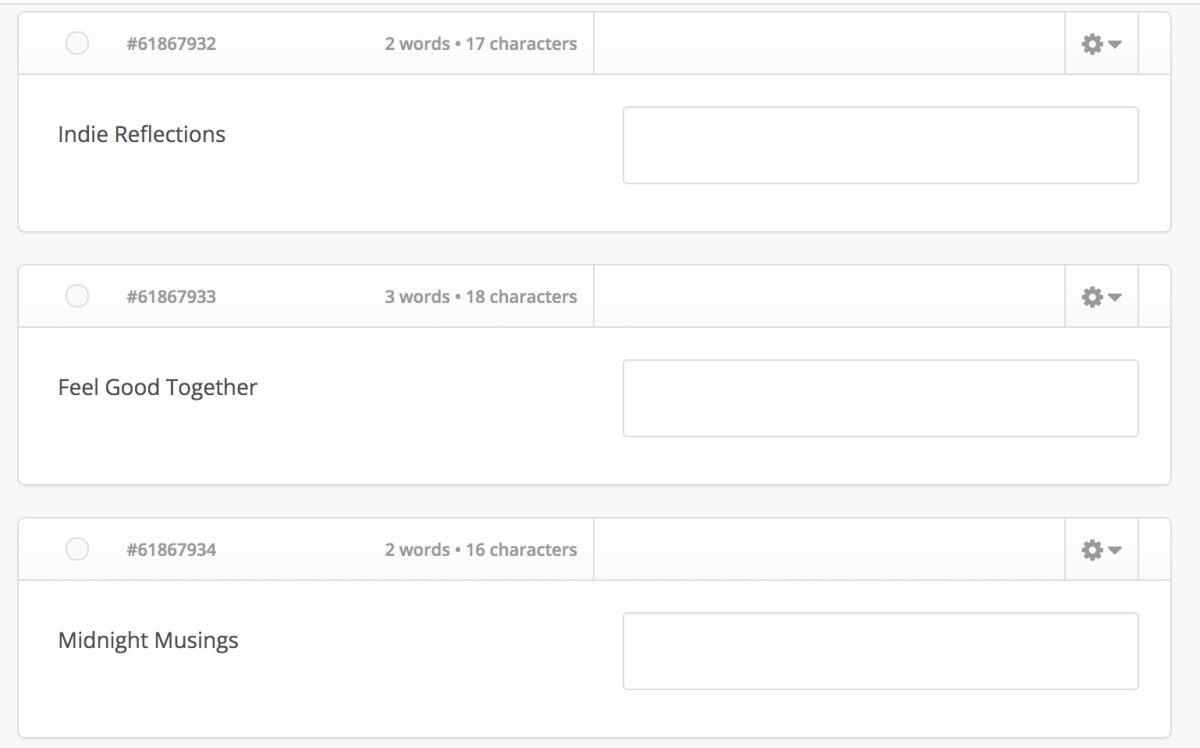
How the hell should we translate something like this: This seems to be some kind of genres or band names but nothing that makes any sense to translate
 1 point
 -
And that is a problem because the app they want to retire is ATV. The one that has the options for the best UX on an actual TV.1 point
-
I agree....Admin can only use 2-Factor Authentication..This is protection against hackers....Synology can..Emby no...Admin doesn't care that someone hacked him and destroyed emby's server....Too bad The best is probably google authenticator or another application1 point
-
Hmm Curious. Why would I delete my copy of purchased / ripped media collection. If I didn't want the media, I would not have purchased the media.1 point
-
Potentially? Let's make a decision; this has been going on a long time. The Standard app video player has inferior quality, so if Emby doesn't make it as good at ATV, well, I'll be complaining Please don't make me abandon Emby. Standard app just doesn't seem to be appropriate for a TV.1 point
-
You can do a subnet router, which will allow you to access your entire network remotely without having Tailscale installed on anything but the PC/Device you are using as the subnet router. That is what I do and it works well. https://tailscale.com/kb/1019/subnets1 point
-
Wait what 1200 users and 200 online. And you wonder why you cpu usage is high Damn that's a lot of users on a personal media server. I'm thinking share seller1 point
-
Yeah, I don't get how long we'll have this duel between apps. Why do this?1 point
-
Yes, I will be doing those too! I am now working on catching everything up! It was a very BIG move but now things are calming down a bit more. Thank you.1 point
-
Hi @luke, attached you can find some logs. I could reproduce the issue with a testfile. You can find this file on https://kuleuven-my.sharepoint.com/:f:/g/personal/bart_plessers_kuleuven_be/EtFt-KYShltNhald4VIYo-EB-TOyauwn-tY9LSC3z5NFcw?e=ZmaeUT in the subfolder Codec - 08. Big Buck Bunny (2008) - AAC 5.1 I create a srt files that displays every second the time playing As mentioned before - iPhone --> open Emby app --> select movie --> cast to Google TV ChromeCast - start playing--> OK - from my iPhone: scroll further in timeline. than - videoframe of selected time is displayed, but is freezed - srt file starts from beginning - sounds seems to be OK When playing on my old ChromeCast, no problems when I scroll futher in time If you want to analyse the logs 192.168.4.61: server 192.168.4.93: ChromeCast 3 192.168.4.94: ChromeCast 4 (with Google TV) 192.168.4.182: iPhone The logs attached - embyserver.txt --> logs after a fresh restart of server - embyserver-CC.txt --> test done while casting to ChromeCast embyserver-CCwGTV.txt --> test done while casting to ChromeCast with GoogleTV Thanx in advance, Kind regards, Bart Plessers embyserver-CCwGTV.txtembyserver-CC.txtembyserver.txt1 point
-
Hi, we generally suggest one topic per request or issue. It just makes it easier for everyone to know what they're looking at when they click into the thread. Other than that you're in the right place. Thanks !1 point
-
Yes, there was this bug in the beta, and I don't know much about css, but I tried to fix it. I can't remember exactly, but by comparing the original files, I think it was this part, and I was able to switch right and left during the episode, at least on my Firefox and Chrome. delete this in your css code: .verticalSection.seriesItemsSection .emby-scroller.scrollX { overflow-x: visible!important; overflow-y: visible!important; display: block!important; } .verticalSection.seriesItemsSection .portraitCard-horiz { width: 11vw!important; max-width: 170px!important; min-width: 120px!important; float: left!important; display: inline-block!important; position: unset!important; } .verticalSection.seriesItemsSection .itemsContainer { display: inline-block !important; width: 100% !important; min-width: unset!important; min-height: unset!important; height: 10 !important; contain: unset!important; } @media (max-width: 600px) { .verticalSection.seriesItemsSection .itemsContainer { width: 100% !important; } } .verticalSection.seriesItemsSection .card.portraitCard.card-hoverable.focusable, .verticalSection.seriesItemsSection .card.squareCard.card-hoverable.focusable { float: left; } Maybe someone else has a better idea However, after I deleted it, there was nothing wrong except that it worked normally1 point
-
Have you looked at the per user option in Display?
 1 point
 -
Any progress on the aTV App? This really should have been ready before the 4.8 update and yet 3 weeks after we are still waiting.1 point
-
As indicated in another topic, I now use the Poweramp app on my phone to play music. I do this by means of a 512gb sd card that contains all my personal music and is played completely randomly. Because newer phones will not have a SD card slot anymore I might need to use Emby to play my music directly from my Synology NAS. A number of options in Poweramp that are very useful and are not yet present in Emby or are not functioning properly. - Remember the position where the music was stopped. - Continue playing where the music stopped. - Set played songs as played so they won't be played again. - Gapless audio (Seems to work but doesn't work for me on version Emby for Android 3.3.18) - Cross fade audio - Overview of upcoming audio in the playlist. Is visible on the Nvidia Shield TV but not on the phone. - Overview of played audio. - Replay Gain - Equalizer options would be nice. Thanks.1 point