Leaderboard




Popular Content
Showing content with the highest reputation on 06/14/24 in Posts
-
Wait what 1200 users and 200 online. And you wonder why you cpu usage is high Damn that's a lot of users on a personal media server. I'm thinking share seller3 points
-
Is it possible to have a banner on the front page, and/or popup to announce maintence going on with the MediaBrowser service. It would be nice to be able to announce a maintenance to family and my kids who are at their moms. Anyone else think this would be neat? thanks!1 point
-
@feerlessleadrin a couple of months when everything is better debugged, lets rejoin this topic and try to come up with something new and interesting. Vic1 point
-
I recently discovered lrcGET. But there are other tools. In the past I used extentions to foobar2000.1 point
-
To test my theory I changed it back to "Emby" and it was blocked within a minute and when I changed the server name to my domain name (not containing Emby) it work again within a minute. @LukeIs this something that can be tested and investigated as I was using more of a "poke and hope" approach and know next to nothing about DNS etc.1 point
-
I've just read through the whole of this thread and found one thing that fixed it immediatly. I just changed the server display name of my server from Emby to something that's not Emby and it all works. I reckon that google object to the login page saying "Sign in to Emby" as that looks like Phishing. Just a guess1 point
-
Thanks @Luke!1 point
-
@feerlessleadrI see what the problem is. When TV series are added to a channel, the shows in those series are not played one after the other. Instead, they are interleaved. A show is taken from series 1, the next show comes from series 2, and so. Collectively the shows are played in the chosen order. I will have to brain storm a bit to figure out how to do what you want. Vic1 point
-
Ok, thanks for taking a look... Its definitely something with the VPN but its odd that IPTV works fine when Embserver.exe is behind the VPN but not when its whitelisted. Everything (IPTV and remote access) work fine when I dont use the VPN at all but sometimes my ISP will throttle the IPTV making VPN necessary.1 point
-
This is a situation with a certain flavor of closed captions. To Emby, nothing about them appears different from the ones that work fine so we haven't yet discovered why Exoplayer cannot see them.1 point
-
Check your video drivers. Those are probably the cause if 90%+ of BSODs.1 point
-
Okay, so when not in Dex mode (only mirroring mode), my device now plays only on the monitor, and the phone screen goes black to conserve energy, which is great. The mouse and keyboard are behaving better. It seems that when I click on fast forward 10 seconds, the bottom line where Emby playback shows the length of the movie becomes bold, and then the keyboard works (the space button pauses, and the right arrow goes fast forward 10 seconds). However, if I lose the boldness of that line, the keyboard stops working. Maybe if, during playback, keyboard buttons become absolute and perform a definitive function. Arrow up and down could either brightness or sound. Thanks for the great work btw.1 point
-
I don't think comskip works this way. It looks for logos and other indicators of scene changes like all-black images.1 point
-
Haha, it works now! Thanks a bunch @quickmic!1 point
-
There is, but as a first step I'd suggest reading through few KB (Knowledge Base) articles to get a general idea how Emby functions and what are the requirements. Support Home Quick Start Server Installation on Shield TV For any other queries, feel free to post once you gave those a read and you hit a wall or require additional clarification - and welcome to the Community.1 point
-
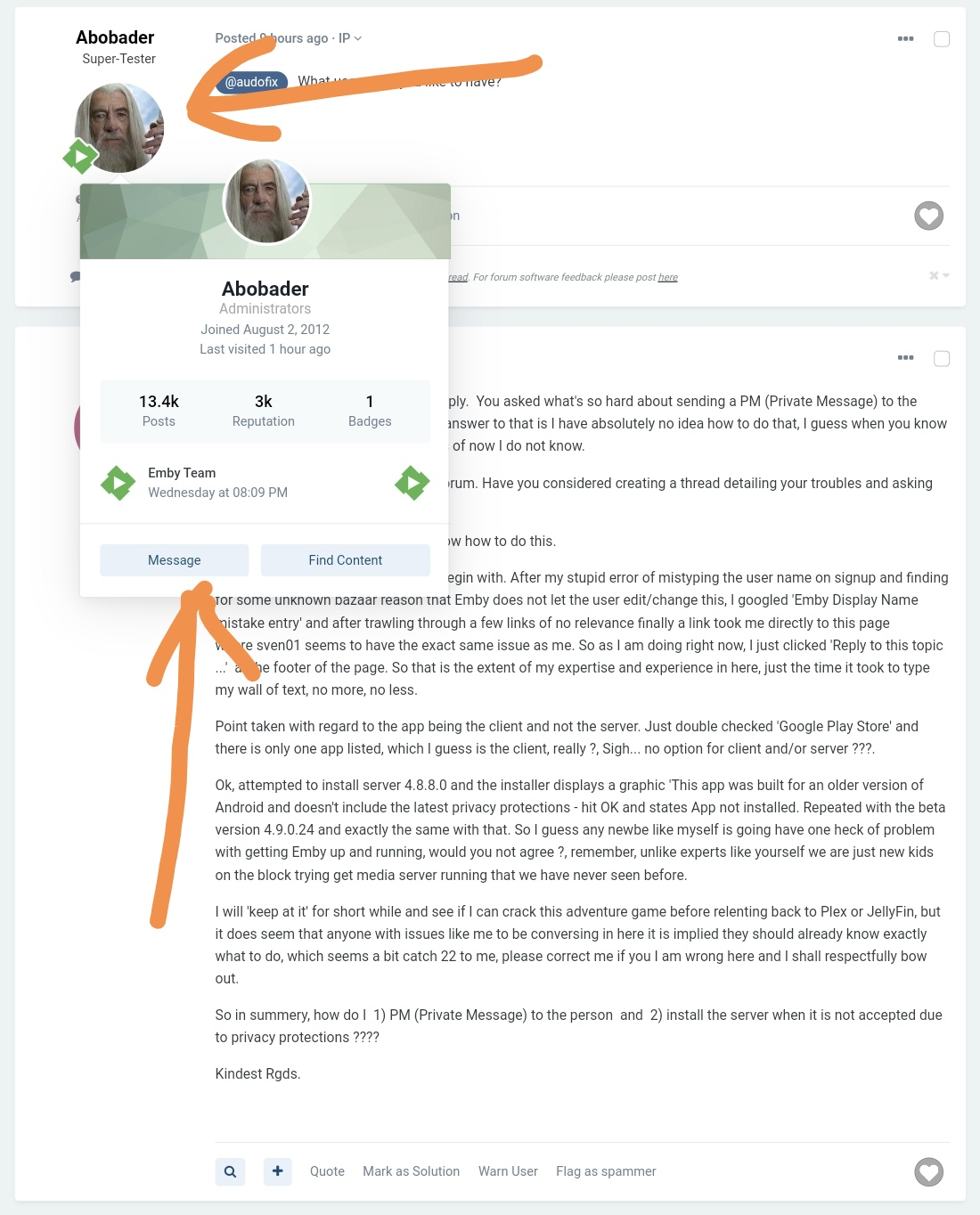
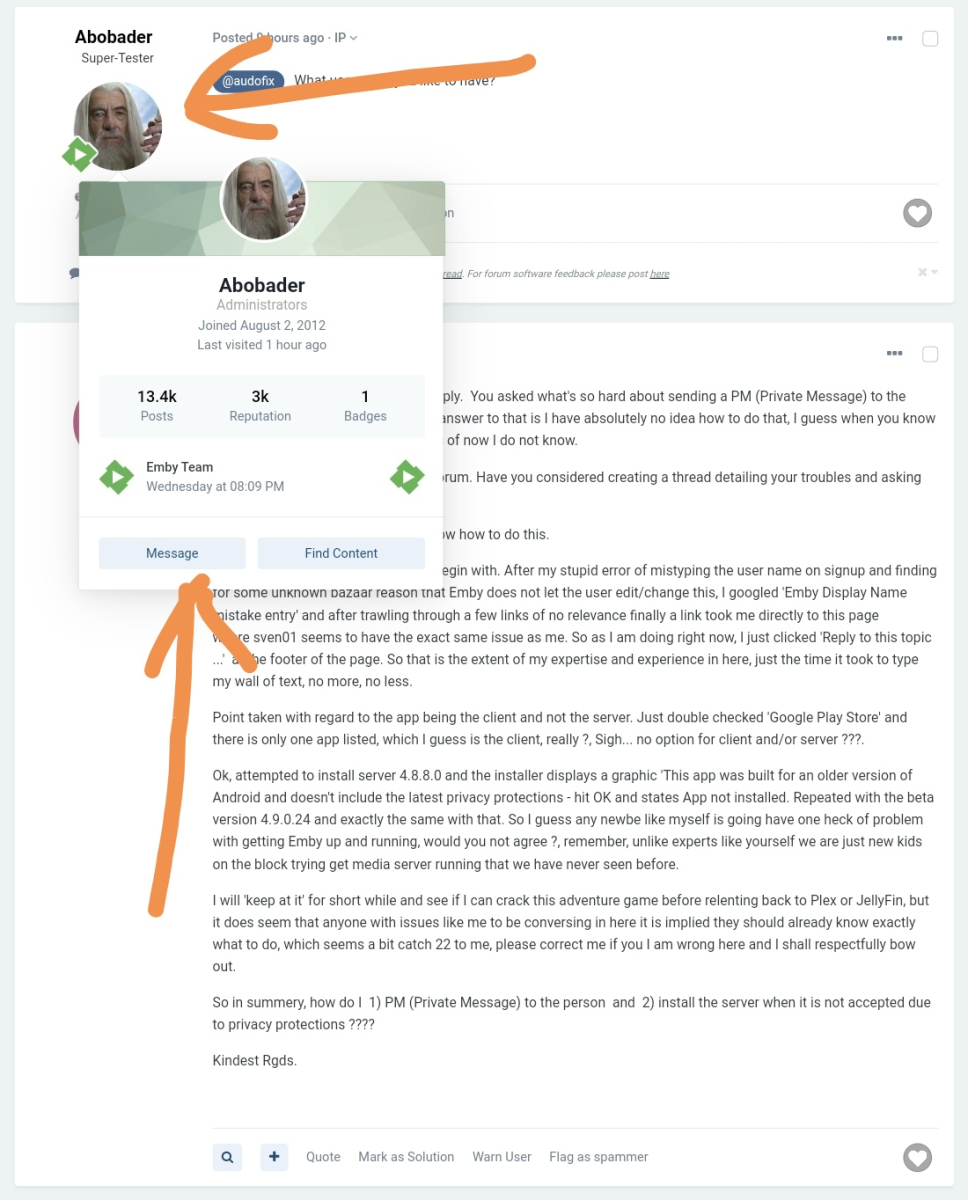
Hover over member avatar on the right (or click it), click Message in the popup window (or new tab).
 1 point
 -
@Happy2PlayAlways so helpful, Happy Very good find! @Gremory17 See latest release below. Here is a updated release with above fix and some others that I've found myself. Emby-Stable-style-v3.1.txt1 point
-
It had nothing to do with limits. I know that I wasn’t even close to my limit for the day. But the next day everything played. But the weird thing was some stuff played that day, but then most of it did not. I’m wondering if Google some sort of limit from the time that you post something before it’s playable. I’m keeping an eye on it to see if I add more if they do the same thing1 point
-
Fix was easier than expected. Here is the new test version. You need to re-login to server! Playback should work now, but not everything is reviewed yet. On the plus side, realtime updates are working. Seems your proxy redirects the websocket communication. You can disable the account, thanks for that. Let me know if the subtitle download is still a problem. plugin.service.emby-next-gen-10.0.31 build 3.zip1 point
-
Version 4.8.8.0 This seems to have resolved the issue. Thank you!!1 point
-
For sure. I'll PM you with deets1 point
-
Now that was fast! Thanks! Let me try this now...1 point
-
Ok, I think I know the issue. I'll fix it...1 point
-
Hi @quickmic, sure. Vexed - S01E01 - Episode 1 WEBDL-1080p.ru.srt1 point
-
Yep with standard android app this issue not happened as I already said above ...the bug is on Emby for Android TV Thank Hispa1 point
-
I am currently not there. I will be back on Monday and start a TCPdump to watch all the traffic originating from this server. I guess, multicasts will simply stop after a while.1 point
-
Haven't looked up the specs, but if you need arm64 here it is: emby-android-google-arm64-v8a-release.zip1 point
-
HI, can you please try this version and let me know how things compare? emby-android-google-armeabi-v7a-release.zipThanks.1 point
-
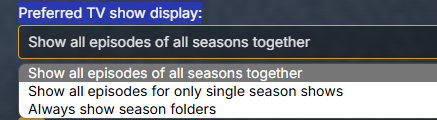
@fillidillThe issue above is related to the "Preferred TV show display:" options as it is fine with "Always show Season Folders". So it is broke on the option 1 and 2 when only one season exists. Maybe something like this added not to this code. .verticalSection.seriesItemsSection .itemsContainer:not(.allEpisodesItemsContainer) { display: inline-block !important; width: 100% !important; min-width: unset !important; min-height: unset !important; height: auto !important; contain: unset !important; }
 1 point
 -
Boom. I swear that I tried that already but it worked. Thanks!1 point
-
Jesus Christ mate, what's so hard about sending a PM (Private Message) to the person that can fix your name.... @Abobader As to your wall of text: This is your first post in this forum. Have you considered creating a thread detailing your troubles and asking for assistance? It sounds like you've not actually installed the server software and are just trying to use a client app first (likely emby theater). Sigh... This is very much where you went wrong. Client != server. If you haven't already, start here: https://emby.media/support/articles/Installation.html1 point
-
Hi, yes we are looking into this. Thanks.1 point
-
1 point
-
It's not a bug, it's a feature. If you want to disable PiP go your shield menu -> Apps -> Special App Access -> Picture in picture and disable Emby.1 point
-
HI, it's due to that phrase not being translated yet in OneSky.1 point
-
I would email your issue to billingsupport@emby.media @JohnSpartan3M1 point
-
Rookie Member group cannot change Display name.1 point
-
Send a PM to @Abobader.1 point
-
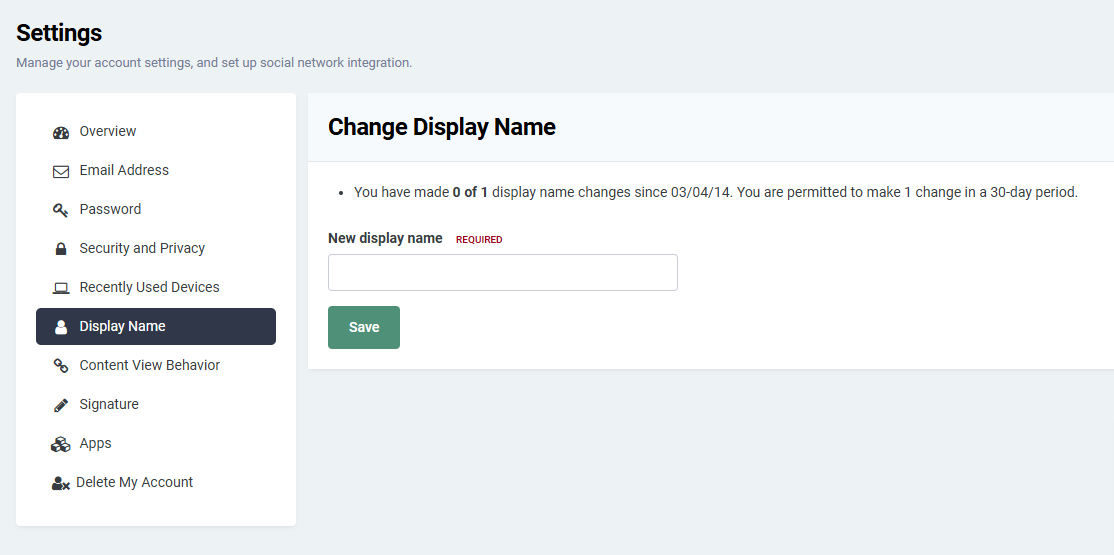
Sorry but have you looked at your account settings. But my understand the edit the ADMIN makes is a different edit.
 1 point
 -
One more suggestion: Its not uncommon for people to have very outdated installations. There might be lots of users that don't realize the feature is gone yet (like we saw in Gilgamesh_48's post). It might make sense to just have a FAQ on this. For me this would have been enough to avoid lengthy discussions: or something along those lines1 point
-
Here is what I use for importing the Channels guide info, http://127.0.0.1:8089/devices/ANY/guide/xmltv?duration=1209600. With that duration setting at the end, I get 8 days of guide info.1 point
-
Possibly, but I think having the guide categories listed (horizontal would be slick) by default would greatly improve the UI and user experience.1 point
-
A different way for the same thing:1 point
-
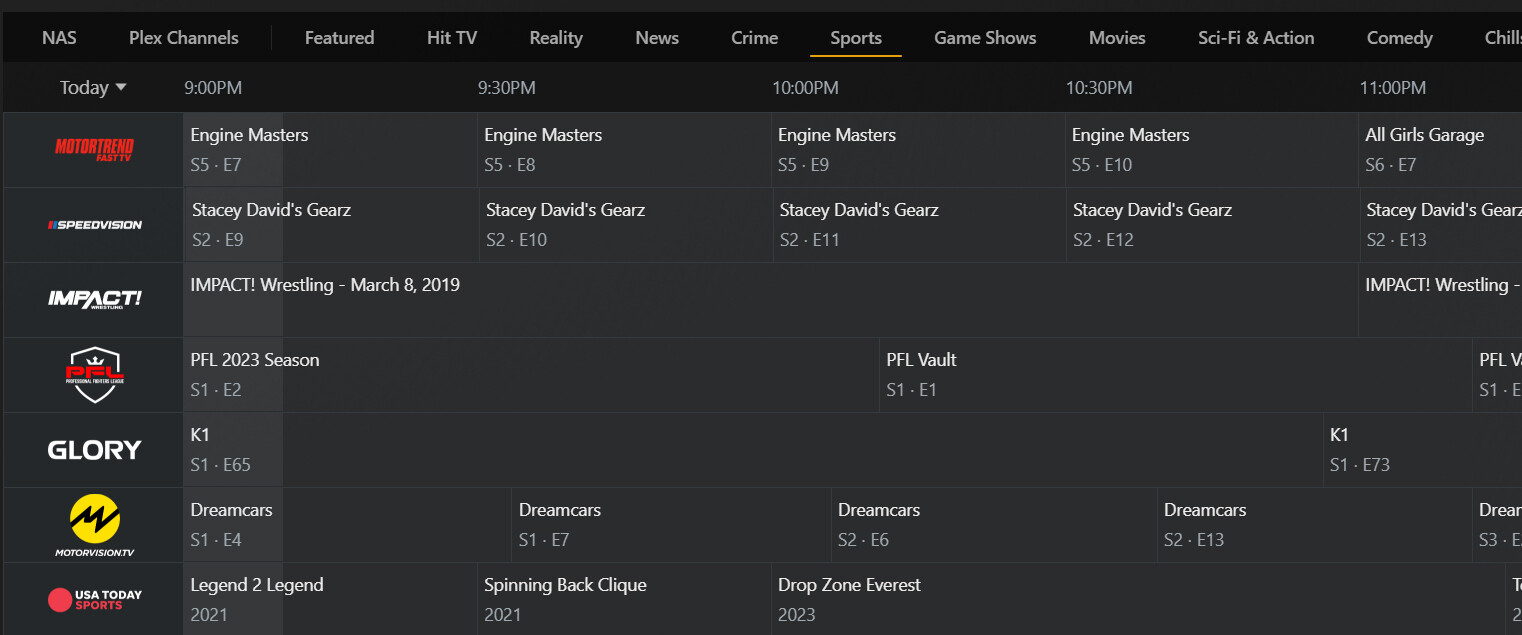
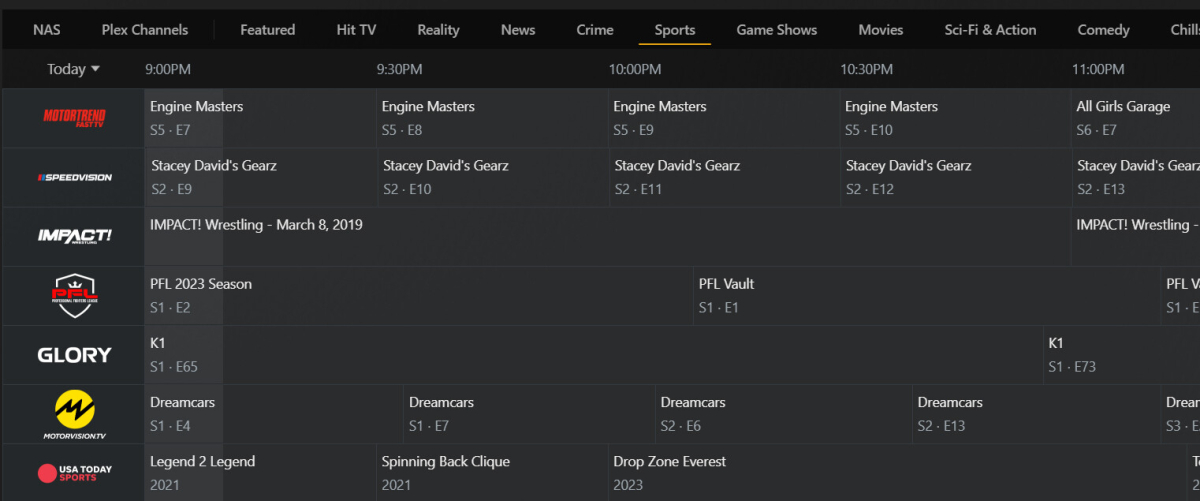
Yes. I can filter channels on and off by "tags" or just select all, but there is no way to select these in the guide itself like the attached screenshot.
 1 point
 -
Hello again guys! I've finally made the move to the new version of Emby and have therefore updated the CSS. Shared it below if anyone wants it! Please note that Emby version 4.8.8.0 is required. Emby-Stable-style-v3.0.txt1 point
-
Unfortunately it didn't help. LG C3 + Fire TV Stick 4K Max Gen. 2. The latest version everywhere. Tried with both apps, and three videos. The screen still remains black. Since it's too much effort for me to check everything for HDR10+ and then delete it from the videos, I just use Plex by black screen until Emby finds a similar solution.1 point
-
Thanks for providing another perspective @frankw. Unfortunately the Emby devs for whatever reason don't value or recognize this as an issue enough to expose the buffer time property to us. There should be no debate over the validity of the problem - Large amounts of latency alongside some occasional bandwidth spikes ruin the buffer time they've set. It's obvious and clear.1 point
-
I actually agree with @strichmoand think there is room for improvement here in terms of buffering. Not sure why certain people are throwing their toys out of the pram when we are simply discussing suggestions for improvements, but hey. My emby server is connected to a 1Gbps fibre connection and one family member accessing via Starlink using Android TV client (NVIDIA Shield) has continuous buffering issues. Media on all other services play without issue (Netflix, Prime, Apollo TV, YouTube). Other users on the server don’t have issues. Speed testing the Starlink connection gives results consistently in the 100Mbps+ upstream, and real-time video calls are made relatively uninterrupted on Zoom/Facetime. The problems are consistently with Emby being able to maintain a reliable stream at 15Mbps (max bitrate on the client) on a connection with speeds in excess of that figure, which would suggest a buffer which is simply too small for some connections or there are some other streaming parameters which need to be tweaked. Perhaps there could be two “modes” - one with HLS parameters as they are now, and one with a set of parameters tweaked for slower startup/seeking and with higher buffer? https://www.speedtest.net/result/i/6017479900 https://www.speedtest.net/result/i/60174964551 point
-
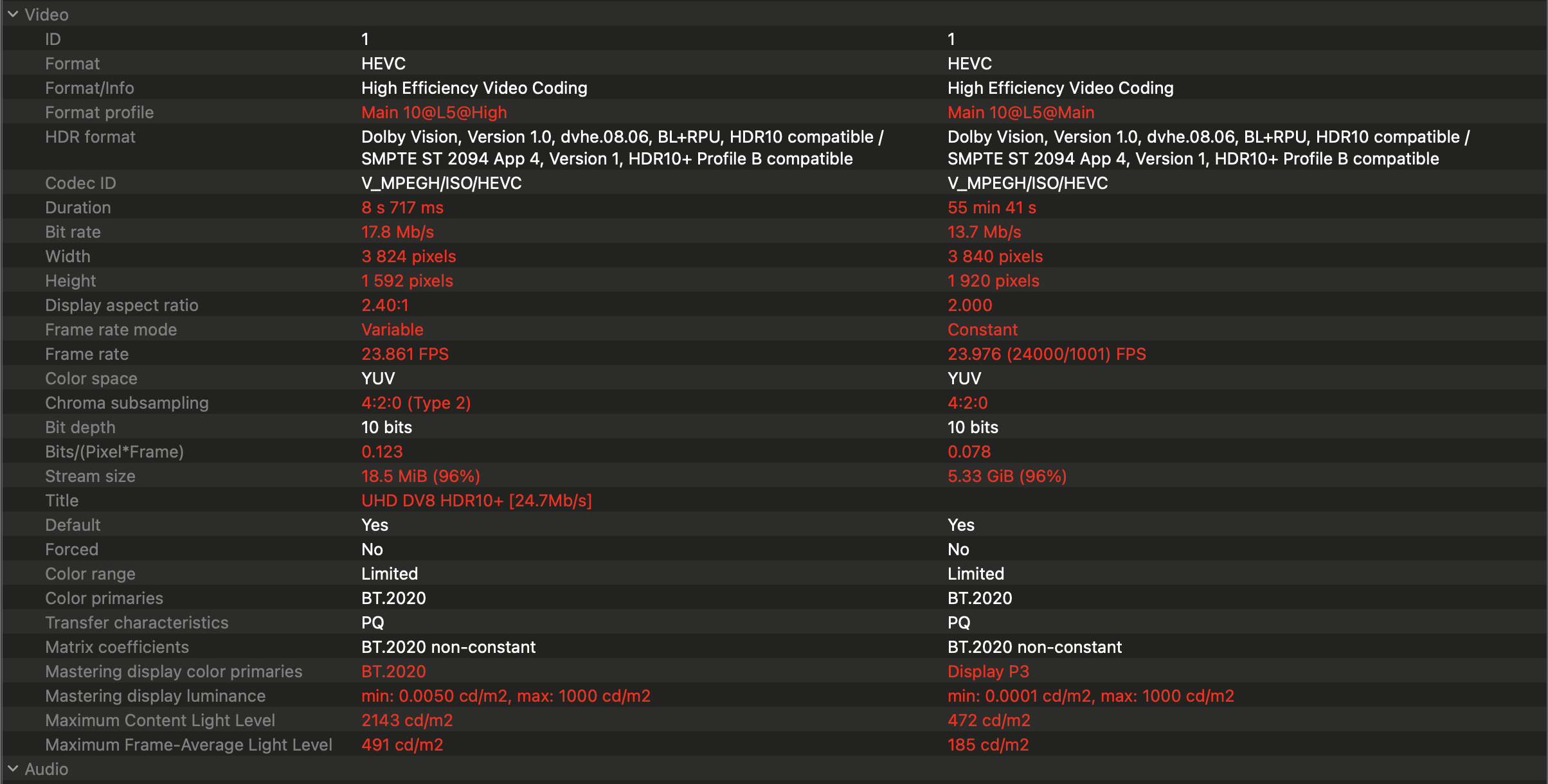
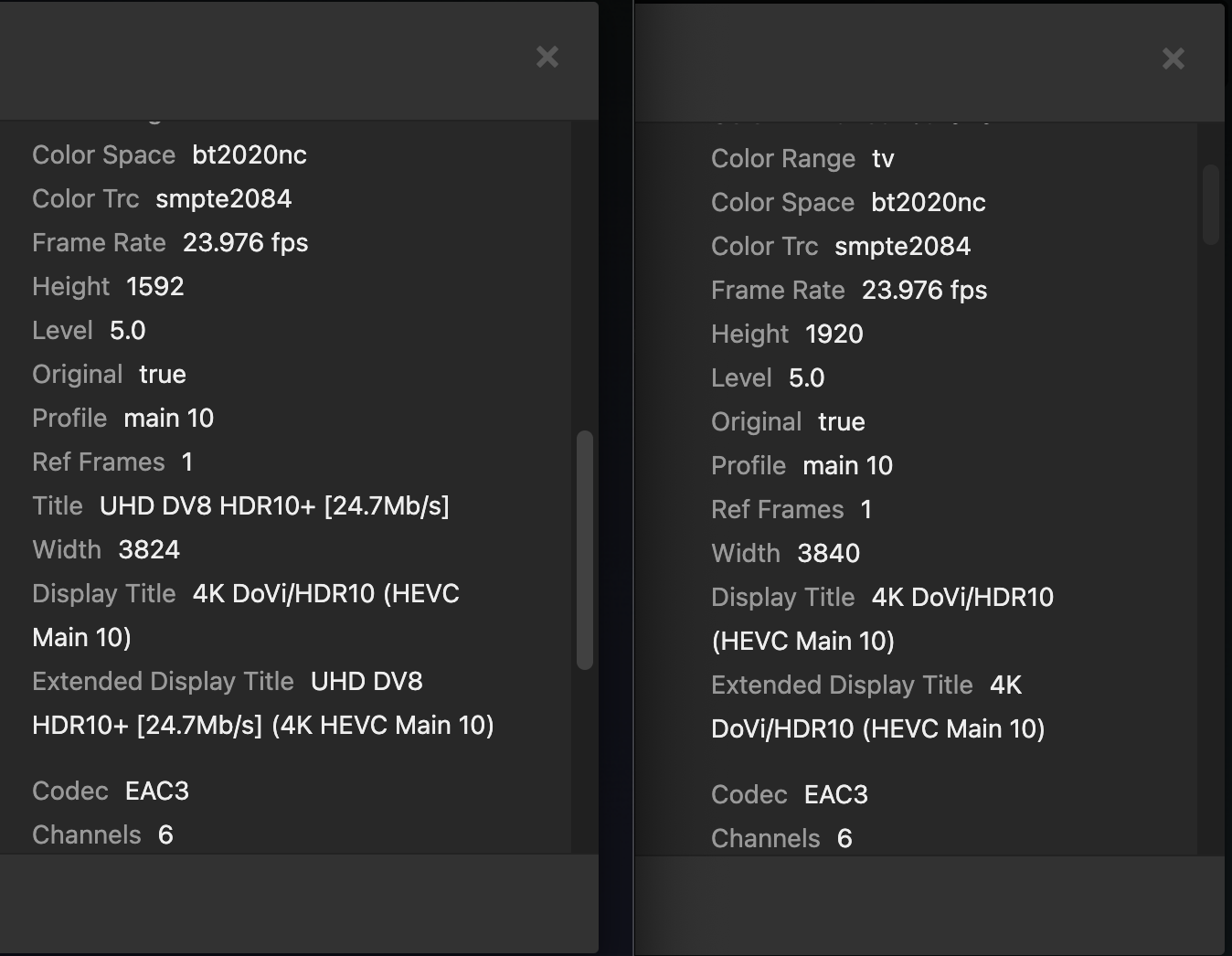
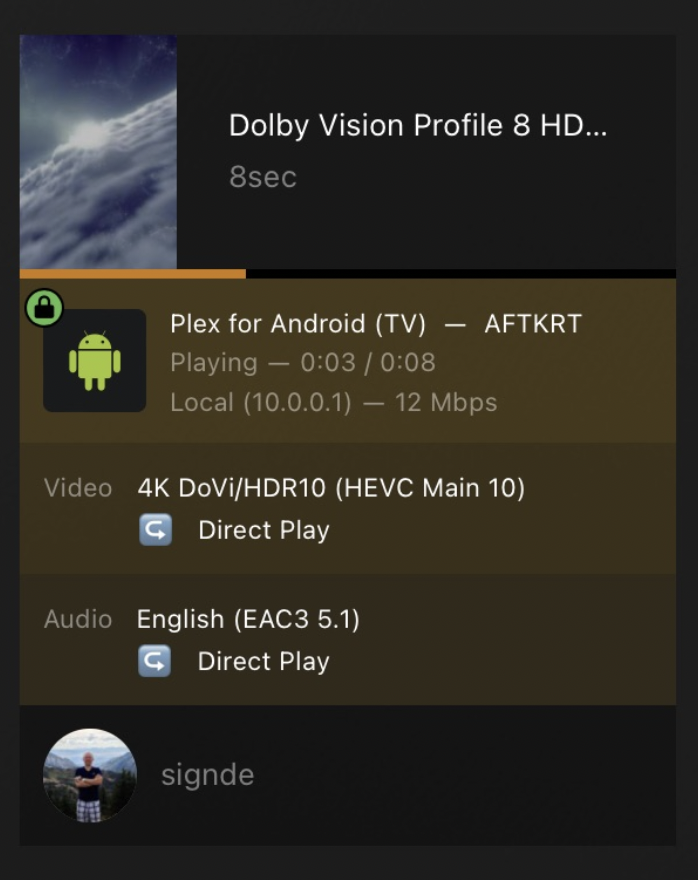
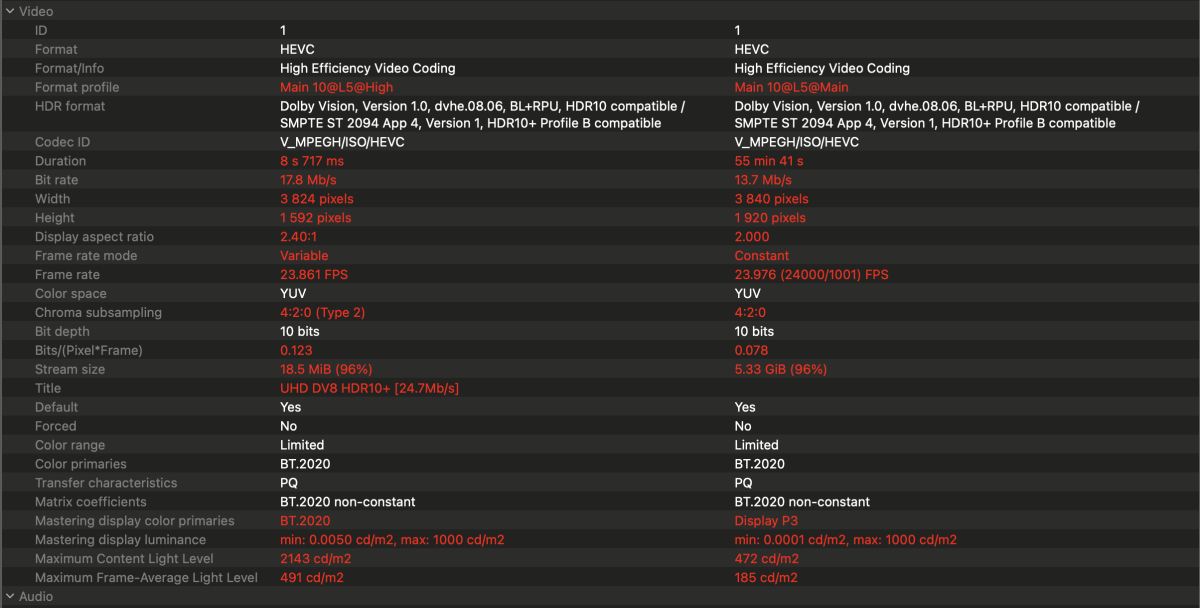
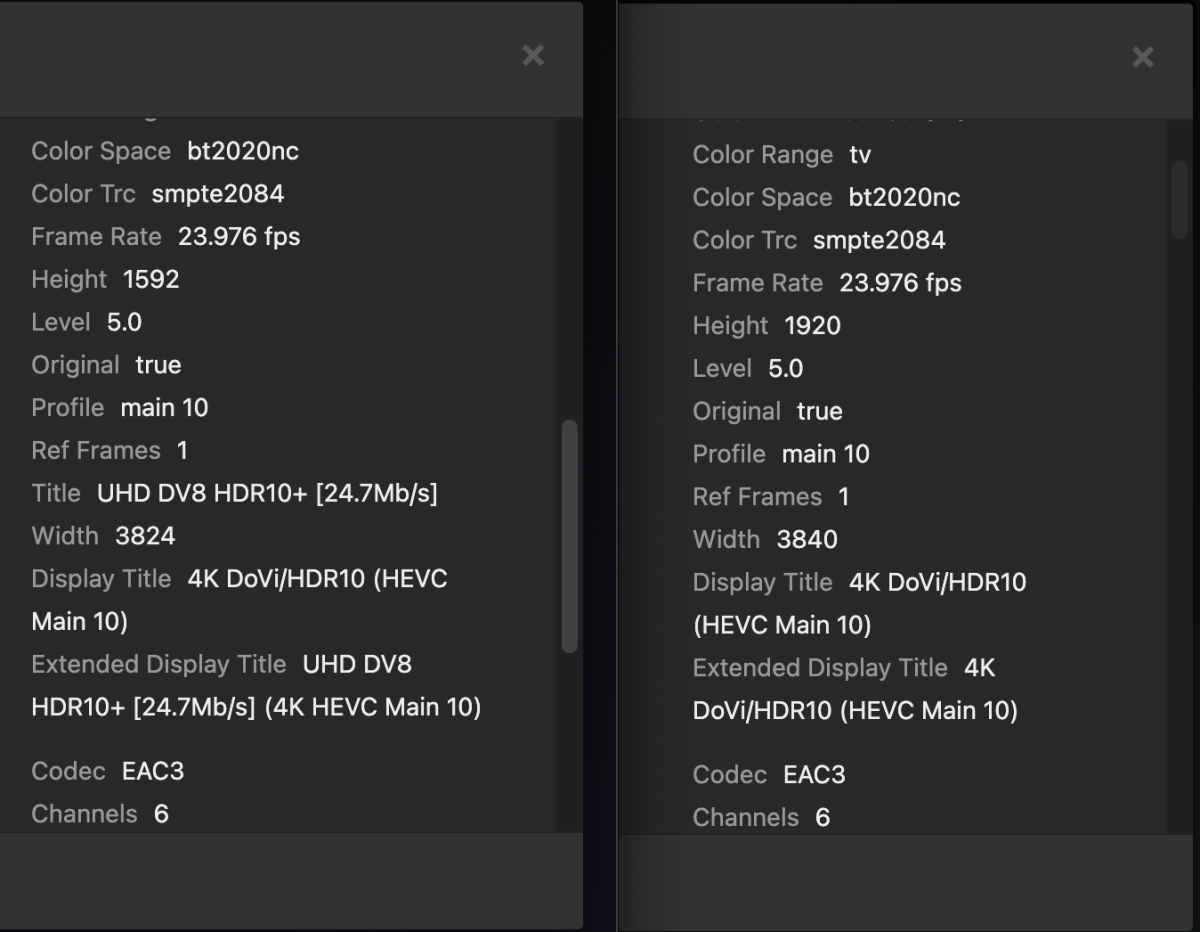
the plex dashboard indicates direct play: i don't know the processing required to strip metadata on the fly but keep in mind this is a dinky little gen2 firestick 4k max so it is not very powerful. i would assume the stripping is happening server side but what do i know. in testing this again i almost thought i mislead everyone here. i initially played a different combo DV/HDR10+ file in plex and it had the image wrapping issue. i went back to the DV8 / HDR10+ sample posted in this thread and that plays fine. i compared the two files in media info. sample that plays on the left, sample that wraps on the right: the two appear to be using the same HDR profile however one of them has not populated the title field. I'm guessing this is the field plex is keying off of to decide whether to strip. when i view the media info in plex for both files, only the sample that plays correctly shows any mention of HDR10+: all this explains why that plex thread i linked is still running with new complaints saying it's still broken. what a mess!
 1 point