Leaderboard




Popular Content
Showing content with the highest reputation on 06/12/24 in Posts
-
Not sure if this already possible but I could not find it. In my setup I have multiple family members added as user in Emby. Because some of us are watching the same tv shows most of the time it's unknown if everyone that is watchimg the same tv show has watched some or all episodes. I would like to know that so these episodes that are watched by al users can be deleted from my server. Could there be a way to see what users are following or watching a tv show after adding them to favorites? And could it be possible to also see the watched status of the episodes for all users that have added a specific tv show to there favorites? This way I don't have to ask my family members if they are done watching the episodes of a tv show every time. Thanks.2 points
-
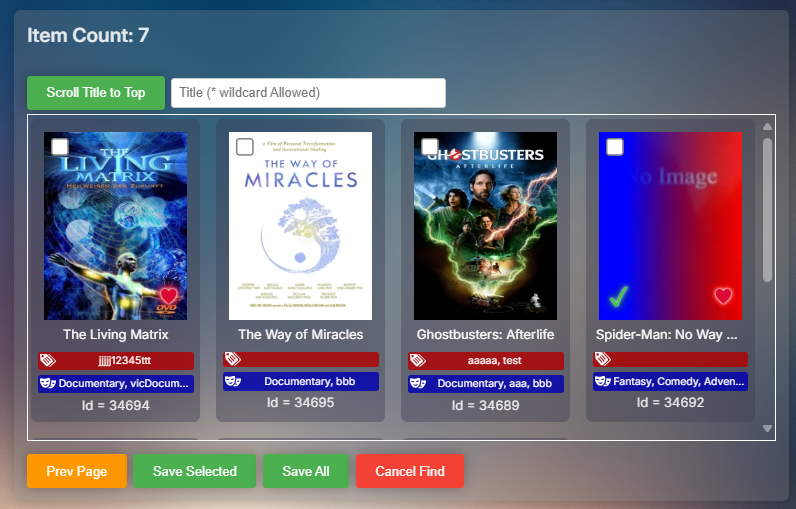
When finding files, the files were always listed alphabetically to simplify locating and selecting programs. The side effect of this choice is that the "Sort By" for programs defaulted to "alphabetical". So, I removed the code that forced alphabetical listings in favor of honoring the listing choice specified in the menu. The consequence of this choice was that finding a particular program became difficult, because you had to search through all of the files one at a time. For this reason, I added a simple find method at the top of the find file menu. With it you can scroll the title you want to the top of the menu. I also added the "loading" spinner back in. Does anyone have any concerns or bugs to be fixed? PseudoTV.zip PseudoTV.dll
 2 points
 -
I made one small addition. When adding files, clicking the "prev Page" now returns you to the pervious page where you left off, rather than always at the top of the listing. vic PseudoTV.zip PseudoTV.dll2 points
-
Since we can now detect end credits, or manually add them in other cases, it would be nice to see this, rather than an automatic percentage/time remaining, trigger the "next episode" popup and decide whether an episode is resumable or not. Even better if it could expand to movies for the latter point.1 point
-
Hi guys. I hope everyone is well. This is for Linux and is designed to save the lifespan of your SSDs, without compromising Emby's usability. Files older than 15 minutes will be removed from the ramdrive every 5, IF the ramdrive is 90% full. My media server: I'm running Ubuntu 22.04 LTS on a budget PC with these hardware: Intel(R) Core(TM) i7-6700 CPU @ 3.40GHz 64GB RAM 2133MHZ NVIDIA 2060 GPU for hardware transcoding Nothing fancy, but it does the job very well. Full Tutorial: As not everyone has experience with Linux, I've tried to be as detailed as possible. 1) First, check emby's user and group ID: # grep ^emby /etc/{passwd,group} /etc/passwd:emby:x:997:983:Emby Server:/var/lib/emby:/usr/sbin/nologin /etc/group:emby:x:983: 2) Mount Emby's transcoding-temp and logs directories into ramdrives: # grep emby /etc/fstab emby-logs /var/lib/emby/logs tmpfs rw,nodev,nosuid,noexec,nodiratime,size=1024M,uid=997,gid=983 0 0 emby-trans /var/lib/emby/transcoding-temp tmpfs rw,nodev,nosuid,noexec,nodiratime,size=24G,nr_inodes=1m,uid=997,gid=983 0 0 I'm using 24GB RAM for transcoding temp, and 1GB RAM for logs. Beware of user and group IDs! They must match or Emby won't be able to use the ramdrive. Guidelines: I recommend using at least 4GB of RAM for transcoding-temp ramdrive, for every active transcoding. If the video is of high quality (large UHD files / REMUX), the transcoding ramdrive will need more space (e.g. 24 GB). Adjust the size of the ramdrive according to the number of simultaneous users transcoding, taking into account the usual size of your media files. 2.1) Do a reload to inform systemd about the fstab changes: # systemctl daemon-reload 2.2) Mount your ramdrives: # mount -a # df -h -t tmpfs Filesystem Size Used Avail Use% Mounted on (...) tmpfs 256M 4.0K 256M 1% /tmp emby-logs 1.0G 5.5M 1019M 1% /var/lib/emby/logs emby-trans 24G 0 24G 0% /var/lib/emby/transcoding-temp 3) RAM Drive auto-cleanup Let's use a systemd shell script to perform regular ramdrive cleanup. 3.1) Cleanup script: # mkdir -p /var/lib/emby/scripts # chown emby: /var/lib/emby/scripts Create a new script with the following contents: # vi /var/lib/emby/scripts/monitor_emby_temp.sh #!/bin/bash # Define directory to monitor, maximum file age (minutes), and disk space threshold TARGET_DIR="/var/lib/emby/transcoding-temp" # Don't delete the transcoding files too quickly. # They need to exist for at least 10 minutes to avoid playback problems. MAX_FILE_AGE=15 # Minutes # Remove files older than the above time if the ramdrive is 90% full. DISK_SPACE_THRESHOLD=90 # Check ramdrive consumption every 5 minutes CHECK_TIME=5m # Main loop. Don't change anything down here. while true; do # Get current disk usage percentage DISK_USAGE=$(df -h "$TARGET_DIR" | awk 'NR==2 {print $5}' | sed 's/%//') # Check if disk usage is above threshold if [[ "$DISK_USAGE" -ge "$DISK_SPACE_THRESHOLD" ]]; then # Find and delete files older than MAX_FILE_AGE minutes, excluding hidden files find "$TARGET_DIR" -type f -mmin +$((MAX_FILE_AGE / 60)) -name "*.ts" -not -path '*/.*' -delete # Log information about cleanup with disk usage echo "$(date) - Cleaned up old files older than $MAX_FILE_AGE mins in $TARGET_DIR (Disk usage: $DISK_USAGE%)" >> "$TARGET_DIR"/emby_temp_cleanup.log 2>&1 fi sleep "$CHECK_TIME" done Change the owner of the script: # chown emby: /var/lib/emby/scripts/monitor_emby_temp.sh The script needs execution permission: # chmod a+x /var/lib/emby/scripts/monitor_emby_temp.sh 4) SYSTEMD UNIT To run this script at boot, create a unit file for it. # vi /etc/systemd/system/clear-emby-temp.service [Unit] Description=Cleanup script for /var/lib/emby/transcoding-temp StartLimitIntervalSec=30 StartLimitBurst=5 [Service] Type=simple User=emby ExecStart=/var/lib/emby/scripts/monitor_emby_temp.sh ExecStop=/usr/bin/killall monitor_emby_temp.sh Restart=on-failure [Install] WantedBy=multi-user.target 4.1) Do a reload to inform systemd about the changes: # systemctl daemon-reload 4.2) Enable and start the new unit cleanup system: # systemctl enable clear-emby-temp.service # systemctl start clear-emby-temp.service # systemctl status clear-emby-temp.service ● clear-emby-temp.service - Cleanup script for /var/lib/emby/transcoding-temp Loaded: loaded (/etc/systemd/system/clear-emby-temp.service; enabled; preset: enabled) Active: active (running) since Wed 2024-06-12 01:52:51 -03; 39min ago Main PID: 1451 (monitor_emby_te) Tasks: 2 (limit: 77032) Memory: 4.1M (peak: 5.7M) CPU: 366ms CGroup: /system.slice/clear-emby-temp.service ├─ 1451 /bin/bash /var/lib/emby/scripts/monitor_emby_temp.sh └─11971 sleep 5m Jun 12 01:52:51 ubuntu systemd[1]: Started clear-emby-temp.service - Cleanup script for /var/lib/emby/transcoding-temp. 4.3) Checking the emby user process: # ps -fu emby UID PID PPID C STIME TTY TIME CMD emby 1451 1 0 01:52 ? 00:00:00 /bin/bash /var/lib/emby/scripts/monitor_emby_temp.sh emby 1719 1 2 01:52 ? 00:01:12 /opt/emby-server/system/EmbyServer -programdata /var/lib/emby -ffdetect /opt/emby-server/bin/ffdetect -ffmpeg /opt/emby-server/bin/ffm emby 9115 1719 65 02:17 ? 00:10:44 /opt/emby-server/bin/ffmpeg -loglevel +timing -y -print_graphs_file /var/lib/emby/logs/ffmpeg-transcode-8a2c2030-bd03-4151-b6ab-56a3e9 emby 13244 1451 0 02:32 ? 00:00:00 sleep 5m Reboot your system and check if the ramdrives and cleanup unit are up and running. # reboot 5) Show time. Play a video that needs transcoding, and monitor the use of ramdrive to check that everything is working. You can use a command like this for tracking: # watch -d 'free -h ; echo ; df -h -t tmpfs|grep emby ; echo ; ls -la /var/lib/emby/transcoding-temp/* | head -30' For my environment, this technique has made a noticeable difference to transcoding startup response times, as well as saving my SSD's lifespan. I hope this tutorial has been useful to some people who have been waiting for a working ramdrive solution for Emby for some time. Bonus: If you want to use a ramdrive for the /tmp directory (recommended), do the following. # sudo cp /usr/share/systemd/tmp.mount /etc/systemd/system/tmp.mount # sudo systemctl enable tmp.mount # sudo systemctl start tmp.mount This will automatically use half of your RAM to ramdrive the /tmp directory. To adjust the size, simply edit the file /etc/systemd/system/tmp.mount and replace the parameter “size=50%%” by something like “size=256M”.1 point
-
Can you add playlist support to the sync and download option? The feature is awesome for movies, but for music it needs to have a way to play a playlist. I wanted to use the sync and download for music to not use my phone data, I normally use all in 2 weeks. I use Emby on my phone and then I connect it to the car to listen to music.1 point
-
Thanks, I'll test 2018 with the emulator tonight to see if I can reproduce - unless Luke already has a theory on this1 point
-
Poor show, Team Emby1 point
-
Figured. Thanks for the quick reply.1 point
-
Thanks, that gives me a starting point! I'll take a look at those, and maybe just do a query on each of the tables looking for the Synology paths. I know that will take a while, but I'm not in a hurry and I can do it in the evening while we're watching TV. And I'll run PowerGrep on the non-database files too. But it might even be easier than that. I opened the library.db file in Notepad++ and found strings like this: "/volume1/Public/EmbyMedia/Movies/Action-Adventure/". So that could quickly tell me where I need to change things. If I'm successful with this I'll come back here and post what I did to make it work.1 point
-
@ebrWill look into this.1 point
-
Just did that and seems ok now! Will reply back here if there any further issues. Thanks @ebr1 point
-
Hi. Please follow the instructions to send a log from the app1 point
-
Hi, we are not closed to this idea.1 point
-
Reported here:1 point
-
You can do this without a cue sheet in any player by using the correct software to rip you music and add the gaps to the end of the individual tracks....which you can then ignore upon playback during shuffle play with most modern apps. All without a cue sheet.1 point
-
Yep - just combine into 1 and use chapter points to split the days. Pretty sure the mkv tools will automatically add a chapter for each file added.1 point
-
Yeah, that'd be one approach - though he'd still end up with 90+ hours each part. Another way would be make it as a TV show, as you did in your testing, and fill metadata manually - after all, there ain't much of it, it shouldn't take a lot of time and having it in episodic format would make it somewhat more manageable/trackable IMHO.1 point
-
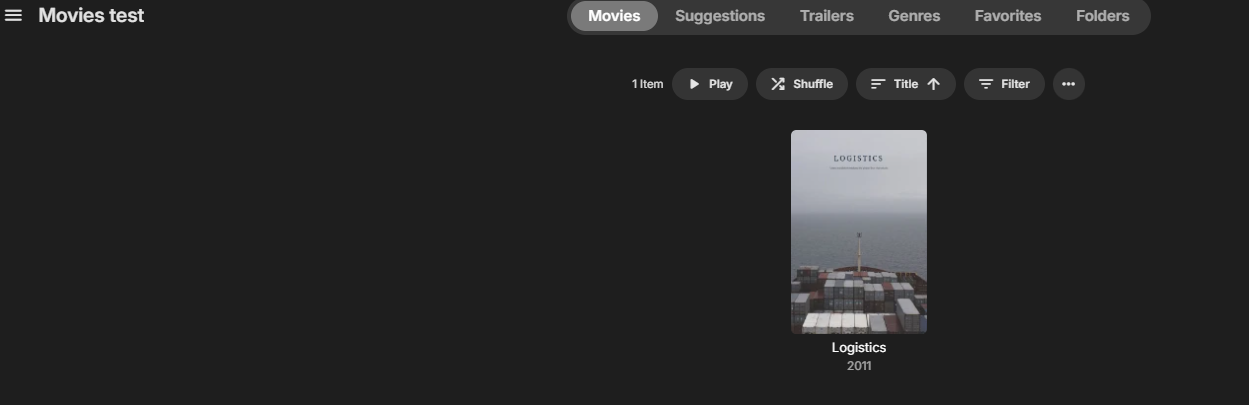
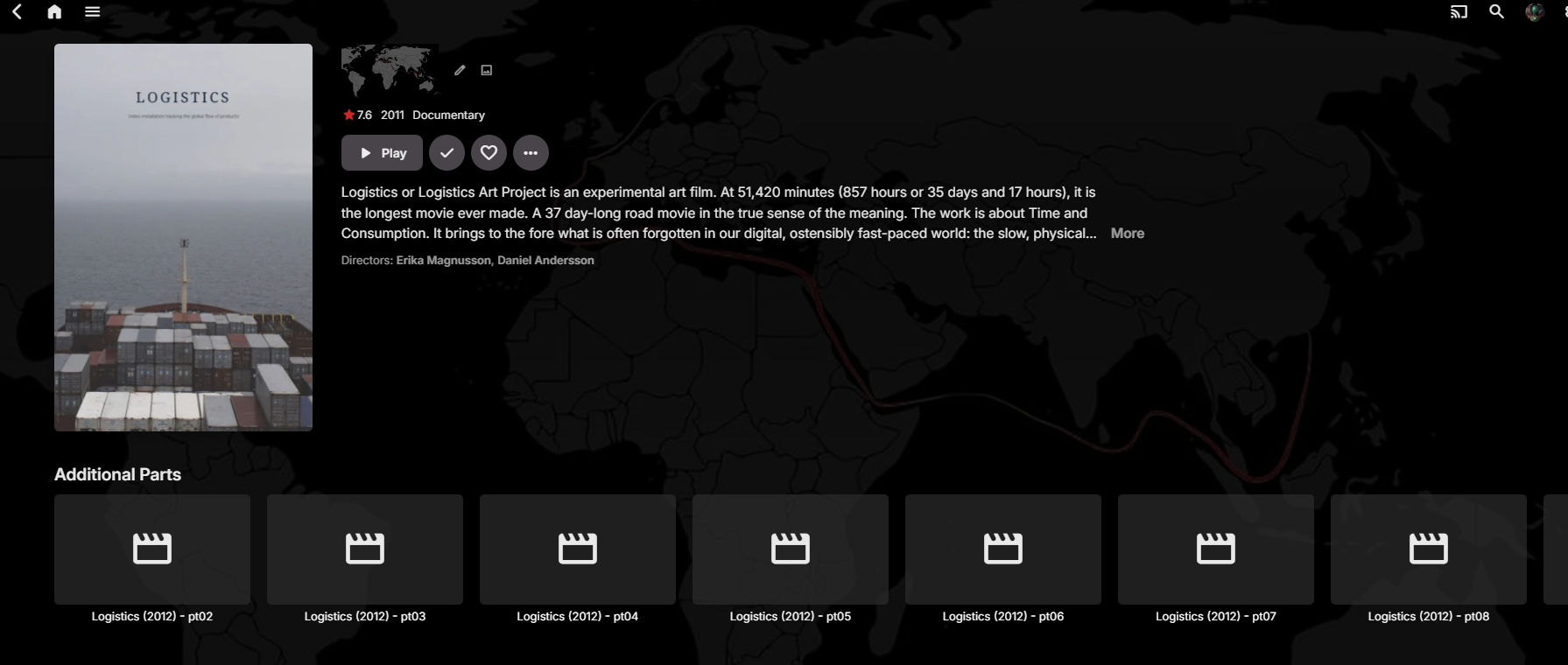
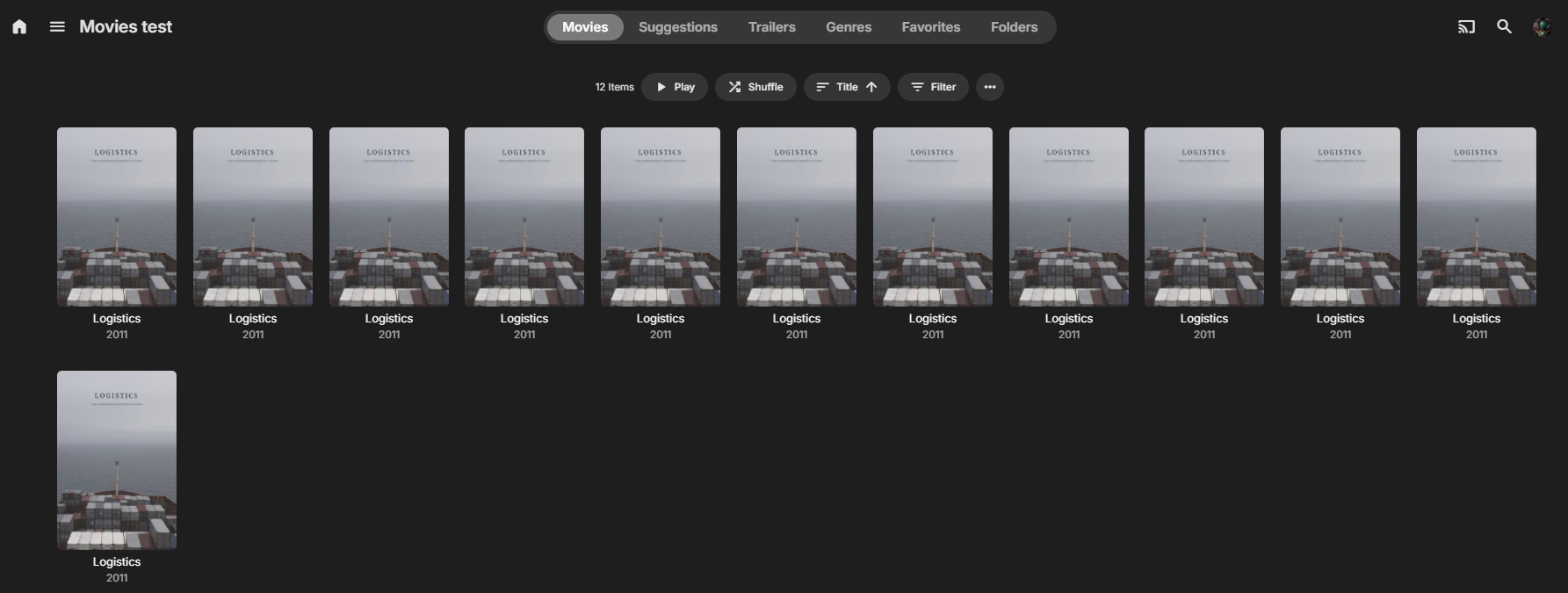
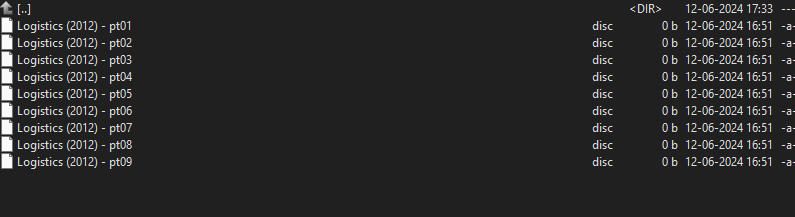
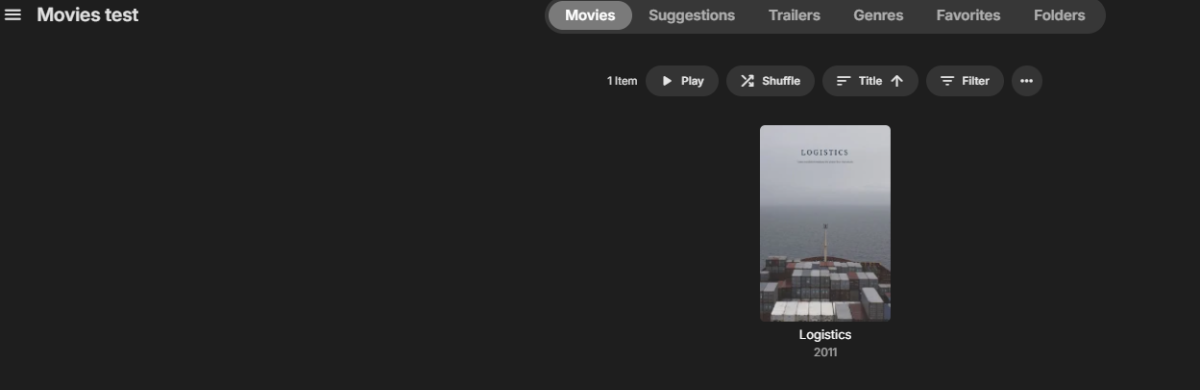
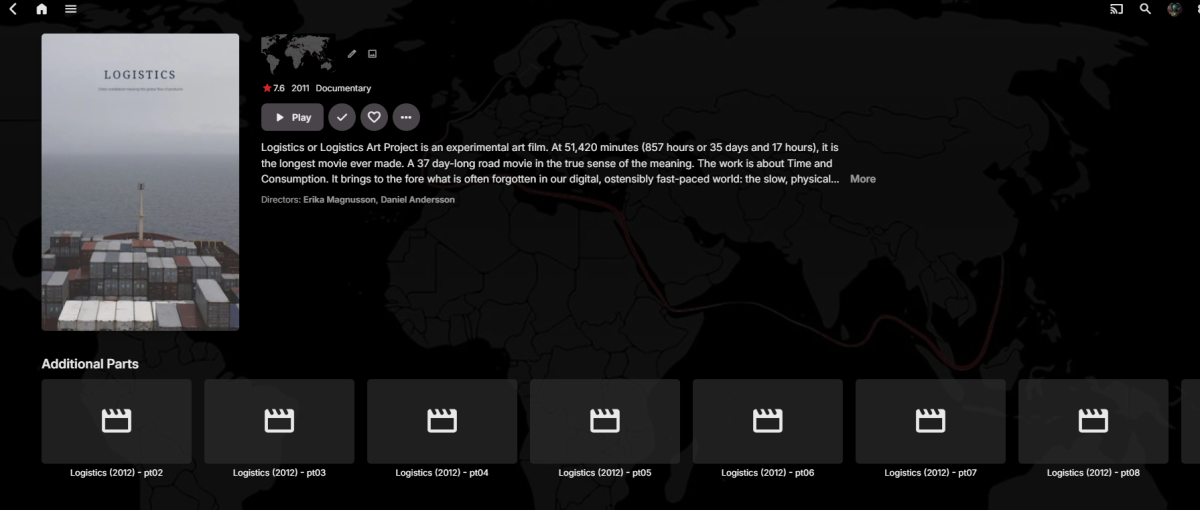
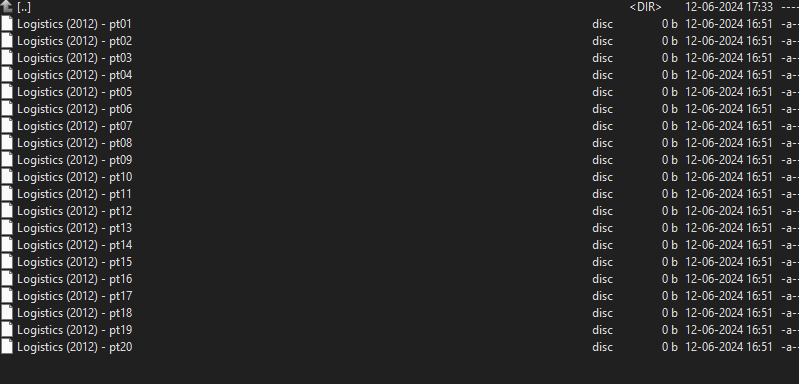
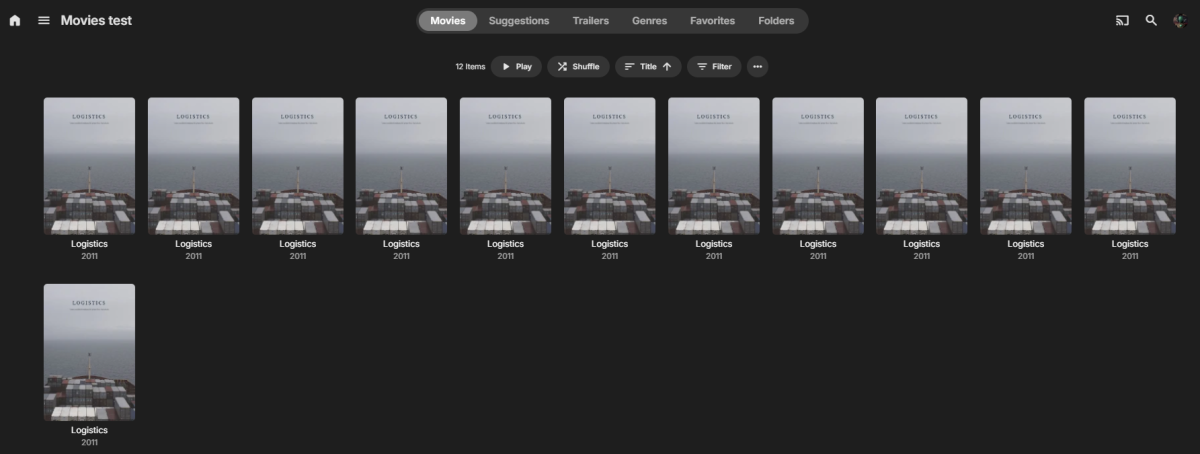
Some testing as a Movie with multi part Started with pt01 to pt09 looking good. Folder name " Logistics (2012) [TvdbId=168513] " Then adding pt10 - and above. This shows that there is a part limit of 9 parts. @Håkon I would combine day1 - 3, 4 - 6 and soon till you get under the 9 part limit. Try with something like this AVIMux GUI 1.17.8 / 1.17.8.3 Free Download - VideoHelp
 1 point
 -
I played with it a little more. If you have multiple items on a line, you can scroll all the way to the right, and then all the way back to the left then it will fix itself. It keeps jumping up and down though as you scroll right/left.1 point
-
Oh, I'm also using TMM if Emby imports any of that from the nfo.1 point
-
Hmm...maybe it's only Tizen 4.0. Maybe someone else will chime in, unless you can see it in an emulator. Definitely started with this release though. The previous ran fine. I've reinstalled and rebooted also with no change. My scrapers are in this order TheTVdb TheMovieDb The Open MovieDb1 point
-
Thanks for your insights. tbh, I think the Shield PQ is extremly good on my OLED, BUT I have nothing to compare it against - and some of the differences may be the LG OLED image processing etc. I'm totally happy to take the plunge with a new device if there really is that much of a difference - and considering the Shield 2019 is now 5 years old, I'd imagine the latest video processors have indeed improved - but what i don't want to do, is gain in lets say image quality, but lose in compatibility - for me, the 'it just works' has a lot going for it.1 point
-
Hi. I can confirm that TuneIn stations do not play from Roku. Not sure when the last time was someone tried. Thanks for reporting. @speechlescan you look into this?1 point
-
Hi Luke, thanks for the quick reply, this fixes it. If I do a database scan now it adds the correct title!. Best regards1 point
-
Hello, Given the necessity of accessing Emby over the WAN, it is crucial to implement MFA for user protection. I strongly advise implementing this functionality to safeguard against external threats. Thank you.1 point
-
Thank you. You can reset the debug logging back to default now. It does appear that the NAS is taking a long time to extract images from the movies at the specific chapter offsets. I have suggested to the development team that the timeouts could be increased from the 1 minute timeout for single image extraction and the 10 minute timeout for multiple images to allow for servers running on slow NAS devices as appears to be the case on this arm64 ASUSTOR 3304T NAS1 point
-
Y'all are both gentlemen and scholars. That did the trick.1 point
-
Thanx. Lifesaver!1 point
-
It happens every time but they are in their 80's & 90's so incredibly difficult to remind them how to play something let alone stats for nerds! next time I visit I will investigate further. Thanks for all your help!1 point
-
The video and picture quality of even the 1st gen HDR Zidoo absolutly obliterates the latest Shield in both aspects. Tone mapping alone makes a difference. I have an old X10 and a new shield and i gave the shield to a friend becuase it was unbearably lower PQ, and that was on 1080p projector. On my Q82 its even more dramatic difference. Nvidia is just a giant corp that pushes sub par hardware using its native android tv support to sell. That's genuine hands on feedback. Also the shield COMPRESSES the LFE channel and there is no work around, its part of their locked version of Android TV.1 point
-
@quickmic Replacing the webservice.py file did not resolve the issue with E4K .29. Debug Kodi.log attached. I did some testing, and I think I have some insight as to what the issue is. Why E4K deals with this differently in .25 versus .26 onward I have no idea. But it does. My media files are all stored on a Synology DS918+ NAS. When I first set up the Emby Server a few years ago, I installed it on my PC. When setting up libraries, I had to specify two path locations for the media. The first, primary location was a link to "/volume1/MediaStorage/Users/...". The second, optional location pointed towards "nfs://xxx.xxx.x.xx/volume1/MediaStorage/Users/...." . I maintained that library setup when I subsequently migrated the server to the NAS a few years later. One of the things that you suggested to disable was path substitution. I did that in E4K and Kodi. But I did not remove the optional shared network location from the library setup. I just created a test library where I only entered the primary location. I then added that library to E4K. The media in that library played without issue using E4K .29. I then updated the test library to add the optional shared network location. After doing so, E4K would not play media from that library. Edited to add: I'm fairly certain that this is the cause of the issue I'm reporting. I just removed all of the (Optional) Shared network folder locations from my libraries, installed E4K .29 on my LibreElec Kodi setup and reset the database. After adding the libraries, I was now able to stream media. I changed one of my libraries to restore the shared network location. After doing so (and repairing the library), the media would not play. kodi.log1 point
-
any chance you will do the remaining MUSIC genres like posted here: Your GENRES were great, just some were missing and these would make it a complete set that's all Understand if you don't want to.1 point
-
200? And you wonder why it's using so much memory. You sound like a share seller.1 point
-
Thanks but unfortunately most of my lib is FLAC, seems like MP3Gain doesn't support it Anyway the idea to apply the gain to the file instead of letting the player handling it from the tags is indeed a solution, but kind of a workaround as you have to do it for every new music files (to be clear I don't expect Emby to analyze my tracks, only to apply existing ReplayGain information)1 point
-
Attached below is the latest code. I tested it yesterday by creating many channels and it worked fine. Bumpers and a third filter have been added. In addition, @TZTZorohas cleaned up the HTML and CSS to give the GUI a nice crisp look. I could have missed a problem, so tread lightly when using the code. For those following the source code, the lines of code have been greatly reduced and everything has been reorganized to make the code more readable. Please alert me to bugs, and I will fix them right away. Also let me know if the code is working OK. Vic PseudoTV.dll PseudoTV.zip1 point
-
Hi, yes we'll do better at this going forward. Thanks for the feedback.1 point
-
You're joking, right? In your 1 minute log there were 56 different IP addresses hitting your server.1 point
-
1 point
-
1 point
-
1 point
-
1 point
-
1 point
-
1 point
-
My issue for me with this is that "downloads" is at the top of the library order and is therefore the centre button, but I don't have any downloads. And when I go to the setting to rearrange library order, "downloads" isn't an option there, so there's no way to move it (or remove it). I'd rather not have "downloads" be so prominent when I don't use that function at all.1 point
-
1 point
-
1 point
-
1 point
-
@Luke Following up. Can we get missing episodes to show up for specials?1 point
-
I have lazy users and none of them have created emby connect accounts, I just gave them the password, domain and the user is their name. I was going to use it with a user who is bad with technology, Emby connect was simple for this specific situation. No biggie to me.1 point