Leaderboard




Popular Content
Showing content with the highest reputation on 06/11/24 in Posts
-
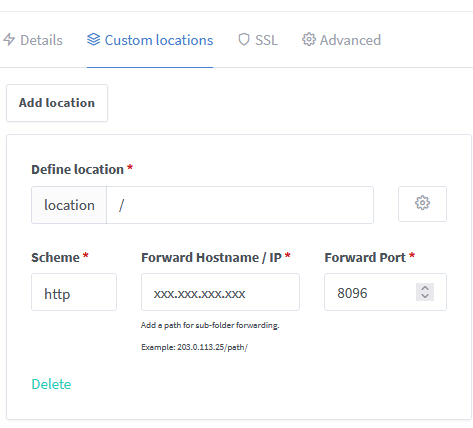
@plessers@gmail.com If your using NPM you need to setup a custom location for emby and ideally you also use advanced. I just spun up a docker container to test this, it works great, nice interface but I am old school and prefer nginx config files. Under Advanced tab use this: include mime.types; default_type application/octet-stream; server_tokens off; sendfile off; ##sendfile not used in a proxy env proxy_buffering off; gzip on; ## Compresses the content to the client, speeds up client browsing. gzip_disable "msie6"; gzip_comp_level 6; gzip_min_length 1100; gzip_buffers 16 8k; gzip_proxied any; gzip_types text/plain text/css text/js text/xml text/javascript application/javascript application/x-javascript application/json application/xml application/rss+xml image/svg+xml; proxy_connect_timeout 1h; proxy_send_timeout 1h; proxy_read_timeout 1h; tcp_nodelay on; ## Sends data as fast as it can not buffering large chunks Under custom location use this: location / { proxy_pass http://xxx.xxx.xxx.xxx:8096; ## Enter the IP and port of the backend emby server here. client_max_body_size 1000M; ## Allows for mobile device large photo uploads. proxy_hide_header X-Powered-By; ## Hides nginx server version from bad guys. proxy_set_header Range $http_range; ## Allows specific chunks of a file to be requested. proxy_set_header If-Range $http_if_range; ## Allows specific chunks of a file to be requested. proxy_set_header X-Real-IP $remote_addr; ## Passes the real client IP to the backend server. #proxy_set_header X-Real-IP $http_CF_Connecting_IP; ## if you use cloudflare un-comment this line and comment out above line. proxy_set_header Host $host; ## Passes the requested domain name to the backend server. proxy_set_header X-Forwarded-For $proxy_add_x_forwarded_for; ## Adds forwarded IP to the list of IPs that were forwarded to the backend server. ## ADDITIONAL SECURITY SETTINGS ## ## Optional settings to improve security ## ## add these after you have completed your testing and ssl setup ## ## NOTICE: For the Strict-Transport-Security setting below, I would recommend ramping up to this value ## ## See https://hstspreload.org/ read through the "Deployment Recommendations" section first! ## add_header 'Referrer-Policy' 'origin-when-cross-origin'; add_header Strict-Transport-Security "max-age=15552000; preload" always; add_header X-Frame-Options "SAMEORIGIN" always; add_header X-Content-Type-Options "nosniff" always; add_header X-XSS-Protection "1; mode=block" always; ## WEBSOCKET SETTINGS ## Used to pass two way real time info to and from emby and the client. proxy_http_version 1.1; proxy_set_header Upgrade $http_upgrade; proxy_set_header Connection $http_connection; } If your still having issues, its possible your client or server is limiting the bitrate. Double check your emby settings for that.
 2 points
 -
You may have to remove both folder and readd correct folder for media to appear correctly. At least I know I had to testing this exact scenario.2 points
-
yes I just realized that Lessaj. as soon as I posted my last message I realized my Mistake. Thanks to all for helping me out @Lukeyour the best!2 points
-
@@Luke stated in a previous post (https://emby.media/community/index.php?/topic/49933-replaygain-music-support/) adding support for this could easily be done for at least the theater client seeing as the player used already supports replaygain. I'm making this feature request in hopes that this support is added, as I have no dev experience myself1 point
-
I purchased the EMBY premiere option today to use the download video feature for an upcoming trip. In testing this out, it appears the offline / download features do not work well when the ipad is not connected to wifi (i.e. “offline”). I was able to download some videos, both tv episodes and movies. However, when wifi is disabled, as when traveling away from home I can play the videos, but: 1. “Remove downloaded video does not work until I reconnect to my EMBY server. 2. When offline, the IOS app under “manage downloads” would say there were no videos downloaded, even though they are there and I can play them. Since it doesn’t show any videos are downloaded, I can not select the downloaded videos for removal. I wonder if this is somehow related to the disabled features for non-premier memberships? Once I reconnect to the server (which has a premiere key), removing downloads from the ios app again works. When traveling I would like to delete/remove videos after I have finished watching them, to free up memory. Has anyone else found a workaround for this issue? Thanks.1 point
-
Provide ffmpeg log if written for that (those) session(s).1 point
-
1st you can provide a server log from when that happens. 2nd you can give the media info from that file(s) that produce the bug. 3rd. I have no third at this time. Emby is, usually, quite good at diagnosing and fixing problems or telling users what to do to fix their problem but they cannot do that in a vacuum with nothing to work with..1 point
-
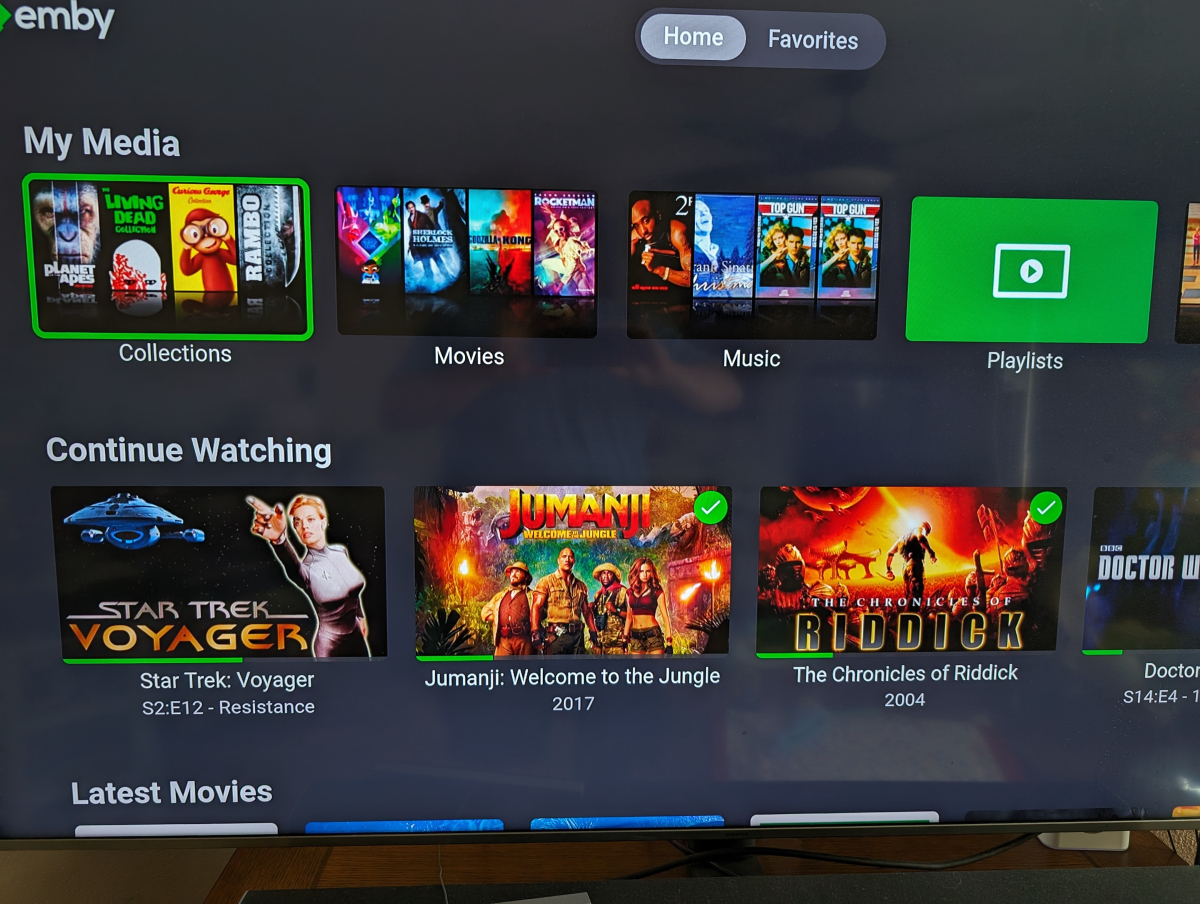
They are showing in Vertical mode, just like when connecting to the server with a web browser.
 1 point
 -
Hi, yes there is a defect in the 1.2.6 version of Emby for Samsung. Unfortunately to get the fix you'll need to start using the USB installs that we offer. https://emby.media/emby-for-samsung-smart-tv.html1 point
-
wow. quick reaction and..... problem seems to be solved (tested for +/- 45min) thanx a lot!!!1 point
-
Yes, use the identify feature to link the TMDB ID to the collection.1 point
-
yes,it work for now.1 point
-
200? And you wonder why it's using so much memory. You sound like a share seller.1 point
-
@feerlessleadrYes I plan to update the guide via a scheduled task. I am keeping everything simple until we get through debug. Vic1 point
-
Hi yes it worked! Even playback started faster! Thanks!1 point
-
Ok, i will post the log results tomorrow after another try1 point
-
Hi @Markyou can use the backup plugin to transfer user data: Configuration Backup I wouldn't use it to do a full restore though as it is currently not built to transfer full data sets across different platforms. Please let us know if this helps. Thanks.1 point
-
I've decide to just create new libraries with steam files. Just have to go through and figure out how to create the libraries through code. Just haven't had a lot of time lately.1 point
-
You shouldn't add a top level and sublevel folder at the same time. Remove the top level folder Movies and just add 720p, 1080p, and 2160p as the 3 library folders and limit their access to the 720p folder.1 point
-
Yea if you're using a shared compute node you're at the mercy of the provider for performance when it comes to a heavy processing task such as transcoding. The i3-2130 does have an HD graphics 2000 which I think supports Quick Sync so if it does and it's made available to you then that is likely to perform better, however that's a really old CPU it would probably be worse than the AMD Epyc for other general functions.1 point
-
Hi Luke, Emby ios client version 2.2.22 appears to be working. Thanks so much for your work!1 point
-
Oh wow, thanks Luke!1 point
-
With E4K Next-gen 10.0.25, I can play media from both the synced nodes and the dynamic nodes. With later versions, neither works (just get a spinning blue circle and eventually notification that the media failed to play). Just so it is clear, I installed kodi-21.0-Omega-x64 on my PC. I did not make any configuration changes. I then installed the E4K service, followed by the video, audio and image addons in that order. As far as E4K configuration goes, I selected Add-on playback mode when asked, selected the server and entered my login credentials, and added the libraries. I made no other configuration changes to E4K. After following this installation procedure with 10.0.25, media plays. For all subsequent versions of E4K, it does not. Still working opening up remote access to my server so you can take a look at my settings.1 point
-
Given Jellyfin's low barrier to entry and wide install base, this isn't too surprising. With that said, freely-developed software/plugins tend to get abandoned at a fairly high clip. Still, it's nice to see projects like Jellyseer get scoped to include Emby...and with the potential of Overseer merging code in to support Jellyfin/Emby (last commit was about 2 months ago), the project might have legs. @SpaceboyThanks for sharing Jellystat. I'll have to keep an eye on it!1 point
-
Captions are displaying in Channels DVR but not Emby Android, IOS, AndroidTV or Windows apps.1 point
-
For now general or Linux. We’ll see how ugreen adoption grows, if it does. Thanks!1 point
-
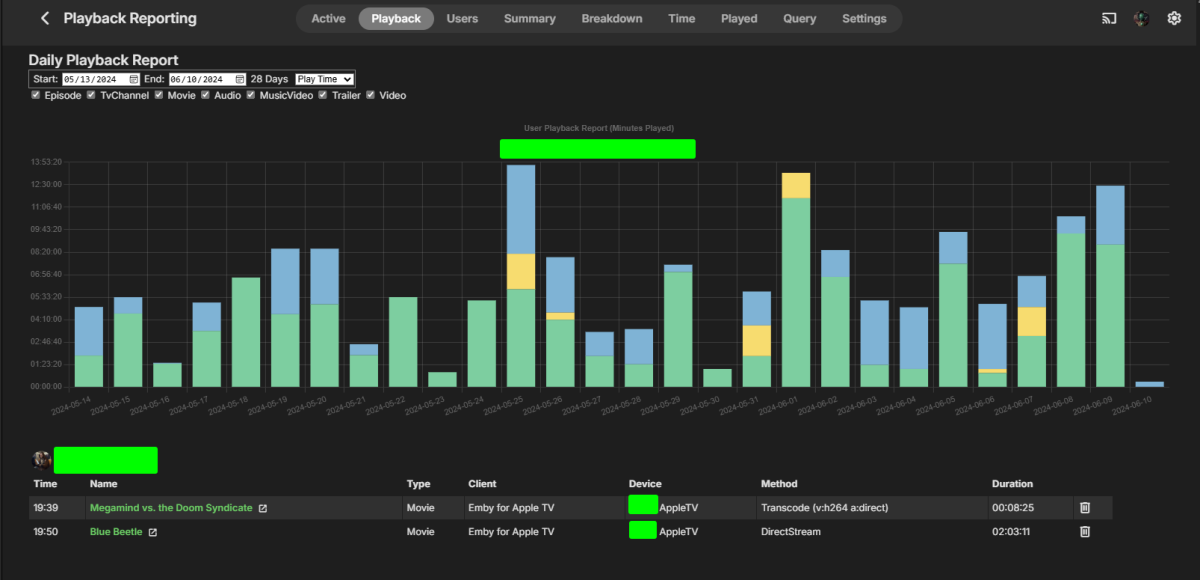
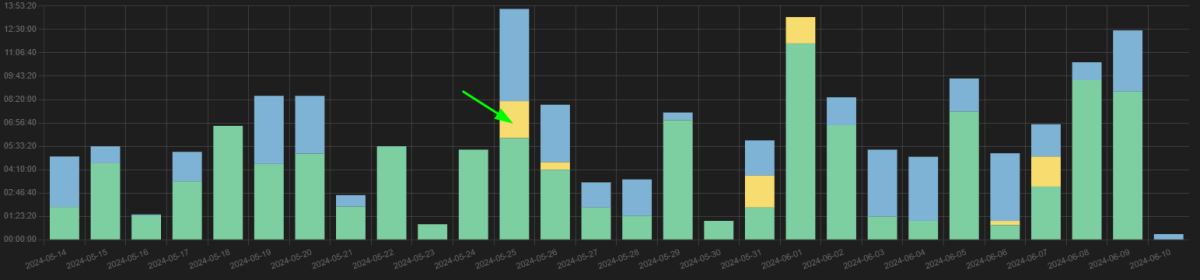
Try clicking on the color area.
 1 point
 -
Why would I want to archive to ISO? You can't compress an ISO. I have over 60TB now and that is all compressed quite a bit using HEVC. I also don't want all that other crap on a disc. I don't want extras and I don't need all those languages and other useless junk. I want the movie or the show, that's all I want. I tired Kodi when I was deciding what to replace WMC with and I did not like it. I tried emby and it was pretty much exactly what I wanted. It has it's issues but I love it and me and my family used it daily. I'm not sure who you're trying to sell Kodi to because most people savy enough to build and maintain a media server have already tested all the software available and are using the one that suits their needs the best.1 point
-
Well, got the 2.2.22 ios Emby update and so far so good. Haven't been able to reproduce the problem and have tried on and off my local network. Will just have to see if this fixes it.1 point
-
My issue for me with this is that "downloads" is at the top of the library order and is therefore the centre button, but I don't have any downloads. And when I go to the setting to rearrange library order, "downloads" isn't an option there, so there's no way to move it (or remove it). I'd rather not have "downloads" be so prominent when I don't use that function at all.1 point
-
Hi, we’re looking into it. Thanks.1 point
-
Probably it falls back to sw transcoding in that case, can't say for sure without a log, but VAAPI doesn't indicate support for 10bit deccoding, as seen in the log. Memory has darkened a bit, but unless I misremember, the situation was like this: SkyLake didn't have fixed-function implementation for HEVC 10bit decoding But Intel had a special solution for QSV: There was a special implementation for HEVC hw decoding via an extension dll, which ffmpeg could load It's hw decoding, but using GPU kernels/shaders for decoding instead of fixed-function blocks The dll was included in Intel Media SDK (Windows) and later in Windows drivers For Linux, it was included in Intel Media Server Studio, but opposed to Windows this wasn't free Either for this or for another reason, the whole thing (10bit HEVC decoding) worked on Windows only, not on Linux But QuickSync/libMFX still reports 10bit support on both, Windows and Linux, which is wrong in the latter case We never fixed the detection because it was reported only once or twice when SkyLake had been pretty old already.1 point
-
They will be coming. Roku also has a patent on injecting ads into any HDMI stream connected to their devices. If you don't have a pi-hole, this is your warning that they are now necessary.1 point
-
@RanmaCanadaI would kindly ask you to be less condescending. I have read through your post history and you come of as a really unpleasant person. That said I'm not asking to manipulate the codec in any way but just to change the container format and keep the encoded stream as is. Which is separate from decoding and re-encoding a Dolby Vision stream, for which I recognize that licensing issues might arise.1 point
-
You can remove it, but it keeps coming back during the update process like herpes.1 point