Leaderboard




Popular Content
Showing content with the highest reputation on 05/27/24 in Posts
-
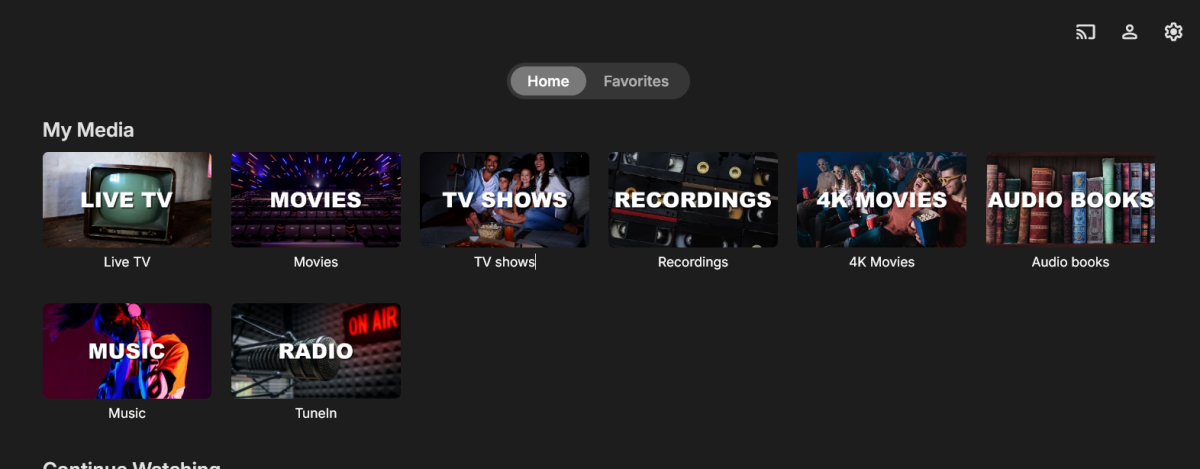
Decided to make my own library images so figured I should share in case anyone else has a similar set up to mine. Here is How it looks:








 3 points
 -
Honestly can not say exactly as Emby technically uses the wrong folder level for identification in this nested scenario. As you have done different test as one image show specials as your show folder and another shows 001 - 399 as show folder. Only guess may be Emby cached data \cache\tvdb\81797 But in the end Emby can/will have quirks when deviating from required structure.1 point
-
I believe I resolved this issue. Turned out this was all because I let the jail get way out of date. 12.2-RELEASE went end of life October 27, 2020. Updated the jail: iocage upgrade -r 13.2-RELEASE emby Updated/upgraded packages pkg update pkg upgrade Restarted the jail, scanned library, refreshed metadata just because, seems to be working now. So... keep your jails up to date Thanks everyone1 point
-
I guess while we are here @Lukeare all these formats supported?
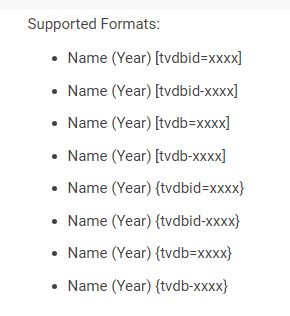 1 point
 -
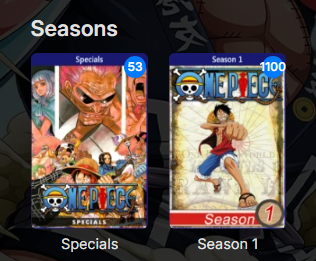
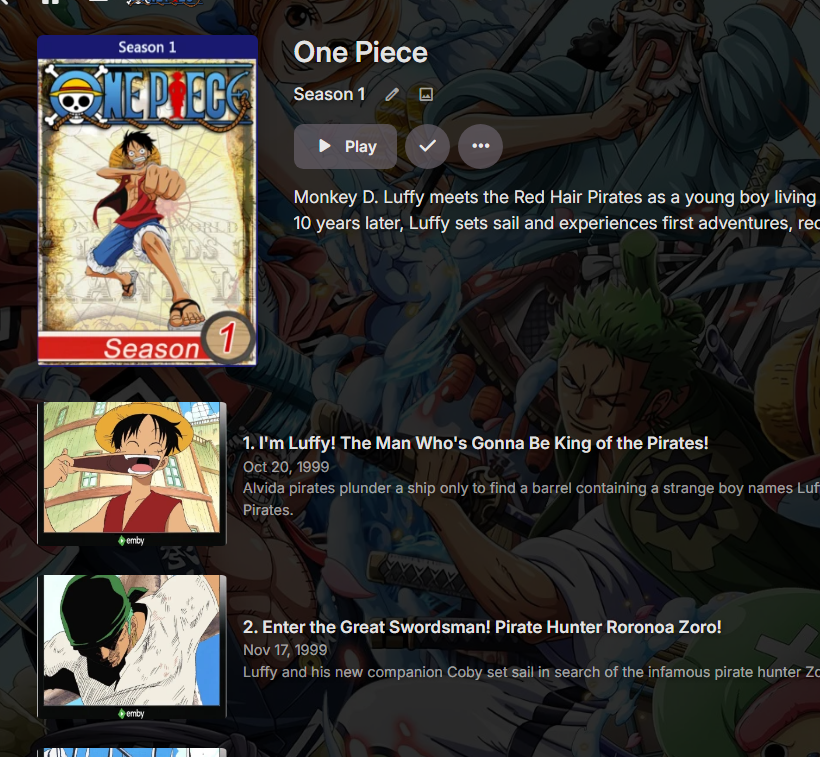
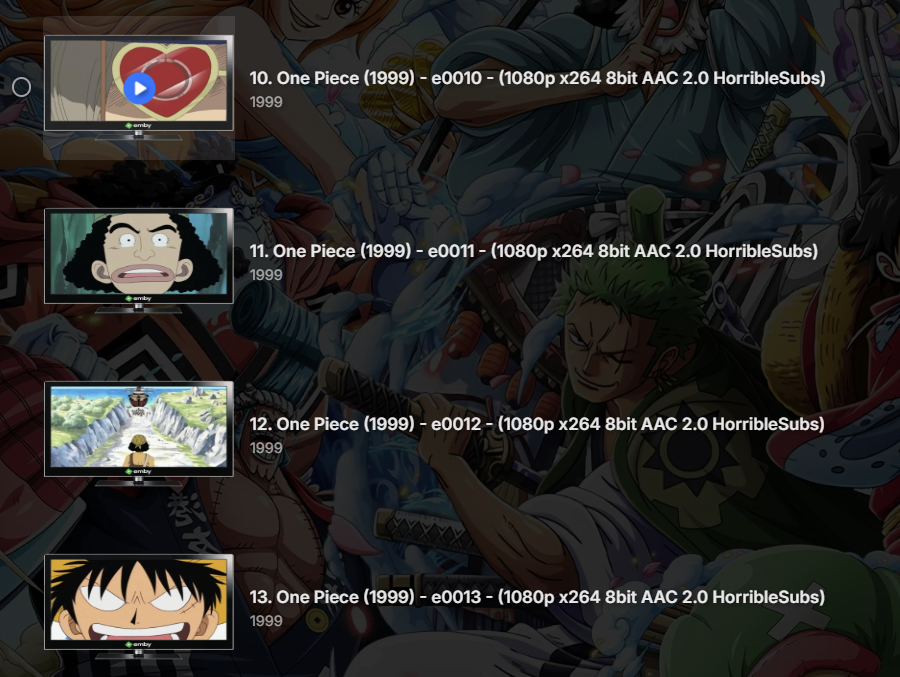
Correct trying to segment these 1100 is the issue from a Absolute standpoint. Not saying it can't be done but technically not supported.1 point
-
Hmm changed folder and forgot to change order again. But everything is showing correctly. But can say I now see the broken metadata the more I scroll. But will guess do to Aired it technically stopping and auto merge is group with limited info it everything technically corrupted. Will change to Absolute again and will bet all will get metadata.

 1 point
 -
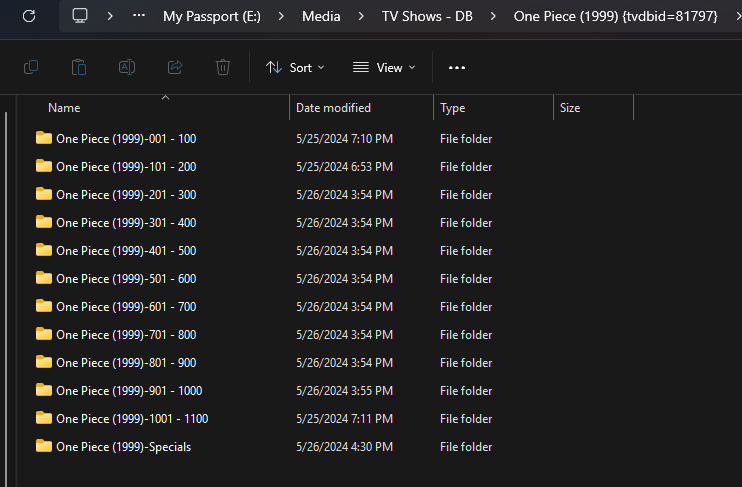
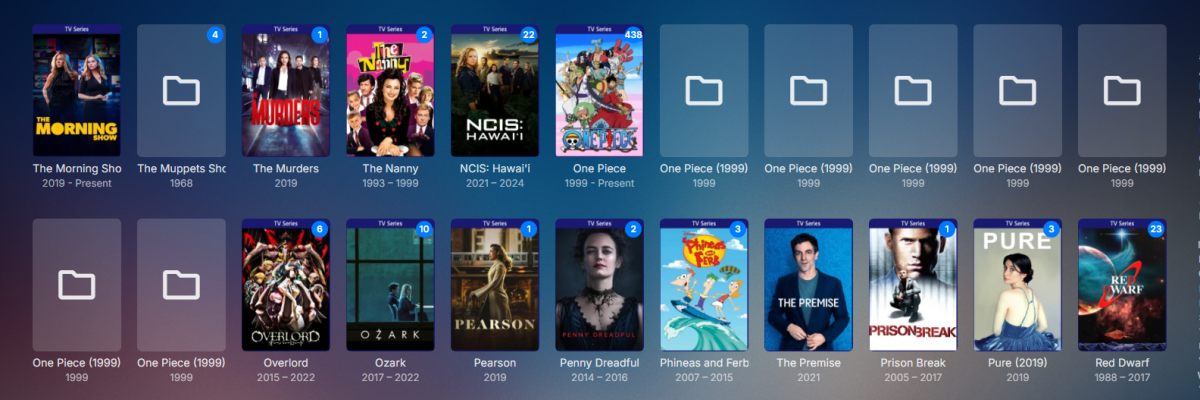
The issue is nesting and the server picking the correct show level folder and these artifical season folders become Show level and require the Automatic merge option to group them. So this technically becomes 12 shows if not grouped. During scan before merging But could be from my chances but will test some more.
 1 point
 -
Good eye as I usually over look that. That may help but not sure if wrong folder level will be used per unsupported additional folders being used as Show instead of parent folder. Will add that to my test shortly.1 point
-
I have noticed that you tvdb id looks wrong use tvdbId= insted of tvdb= Meaning the id is not used. Edit Ohh just read through the TV Naming it should be good1 point
-
Thanks. REALLY looking forward to the coming smart playlist. Thanks1 point
-
Just came across this thread when struggling to get this working through reverse proxy and my god, it's so obvious now, apps were trying to hit my domain.com:8096 when I just had to change it to mydomain:443 to hit the NPM. Thanks!1 point
-
This sorting in playlists is working great. There's still room for improvement to add filters, though. For example, my "All Star Trek" playlist currently has 855 entries across movies and television episodes. Air date puts the movies exactly where they belong according to theatrical release. But by the time one gets to Deep Space 9, you have to scroll halfway down the list to find the first unplayed specific. Filtering unplayed items in a playlist (and all other standard filter options) would be great.1 point
-
Just use a web browser - and the id will be shown there as part of the URL. ie
 1 point
 -
If you hate the apps and the support not good, and on top of that, you do not want anyone to help you, why you are here? Closing this thread.1 point
-
Skin resolution for 2K corrected Genre resolution corrected Adjustment for Kodi Omega skin.embuary2k.teddyknuddel.zip skin.embuary4k.teddyknuddel.zip1 point
-
That's right, the "watchdog" needs some sort of criterion to judge this realistically. But anyhow, the technical solution approach is up to someone else, this was just a suggestion In this case (TrueNAS SCALE, official emby application), for some reason, the process hit the time limit, although the media is "local", i.e. emby has direct host access to the pool, and it itself is running on a separate, all NVMe mirror. So, maybe, there's a resource component after all, contributing to the issue.1 point
-
Again sir you are right on point! I'll never see a video the same way again as it is super complex and it got so much parameters this is insane! From my understanding as long as I use chrome I should be good because they have almost all licenses and it makes direct play instead of converting. So everything run smooth now and I am super happy! Now I feel super newb as all my problems were me lacking of knowledge... Hope it can help others though. Thanks guys you are awsome!1 point
-
Hi, yes, translation updates go into the next app updates. Thanks !1 point
-
Not sure why you would you put an arbitrary time limit on an extraction process ? Surely it would be better to base the time limit off the file size and a typical throughput I/O speed ? So on a 10Gb file - @ 100 Mbps - 14 mins, 19 seconds @1000 Mbps - 1 min, 26 seconds On lets say a typical 4K Remux of 70Gb - @ 100 Mbps - 1hr, 40 mins, 13 seconds @1000 Mbps - 10 min, 1 seconds (so yea, 10 mins is actually about right if using over 1Gb Ethernet.. ) But I believe we also need to factor in that the entire file is not being read, it's only actually reading 1 frame every 10 seconds - so assuming it read all the frames for that second, it should read ~ 10 times faster ? The issue is going to be when you have 'remote' media over say a poor WAN connection. Maybe you need to make this a configurable item in an XML for those that need to modify/change it ?1 point
-
For me it's fixed with version 2.2.21. @LukeThank you for your support1 point
-
No I saved another actress that showed in thetvdb but wouldn't identify, and it identified and loaded as expected using the identify function. Weird stuff.......but it seems like themoviedb adult meta switch was somehow set wrong.... But Like I said - its working as expected again.1 point
-
Well, the folder structure is D:/Username/TV/Show name/Season 1/Featurettes And the file names were just whatever names of the bonus features. Though I followed Ranma's advice and added S00E101, S00E102, etc. in front of each feature. It still combines them with the episodes, adding to the total, but at least they all appear at the bottom after the episodes now. If a future update can give each show and each season its own dedicated "Extras" section the way it works for movies, I'd appreciate it.1 point
-
So at least from a hevc to h264 standpoint the hardware struggles when conversion is required. Clients that can direct play/direct stream the content will not have any issues. All client that requires conversion will see issues, but codec conversion will vary as you probably would not see and issue with h264 to h264 conversions.1 point
-
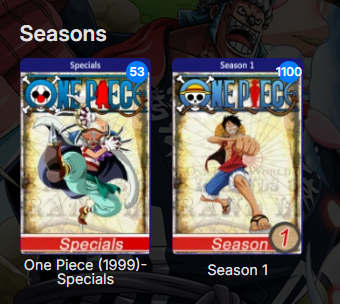
But can say with some work you can add Specials to show in Aired order to get metadata, then lock Specials folder and change Show to Absolute and add all episodes to have everything display properly. As for specials positioning data that is another story per a change to only apply to "SPECIAL IS CRITICAL TO SHOW'S STORY" currently.


 1 point
 -
OK, will do1 point
-
HI, yes i would say that it's definitely something that we're interested in.1 point
-
Hi, this isn't necessary. As long as the date timestamp of the file changes, then a normal library scan is all that's needed.1 point
-
Emby can be exceptionally dumb when you make file changes. You need to remove the file from the library (physically move it to a different non emby location), delete the old NFO, scan the library minus the file, re-add the file, re-scan the library and then Emby will probably recognize any changes.1 point
-
We are not looking to use ABS on a tv, but improve Emby support for Audiobooks.1 point
-
Looking at your post history, it seems your remote access troubles are due to CGNAT, which you've said you haven't looked into solving yet. Have you had a chance to look at/try tailscale or other alternatives? Plex gets around this issue by routing all of your traffic through their public servers giving them ultimate control over all that data, and the ability to sell your information to advertisers/partners; this is how they subsidized such a service alongside plex pass revenue. Emby rightfully refuses to violate your privacy like this, so setting up network routes falls on the user. Most of us find this to be a fair trade, and tbh is a great starting point to learn about network setup. The need for premium depends on which apps and features you are trying to use, and can be determined here: https://emby.media/support/articles/Premiere-Feature-Matrix.html Most of the installable apps for example (android/fire tvs, xbox/playstation, etc) require premier, but browser playback does not.1 point
-
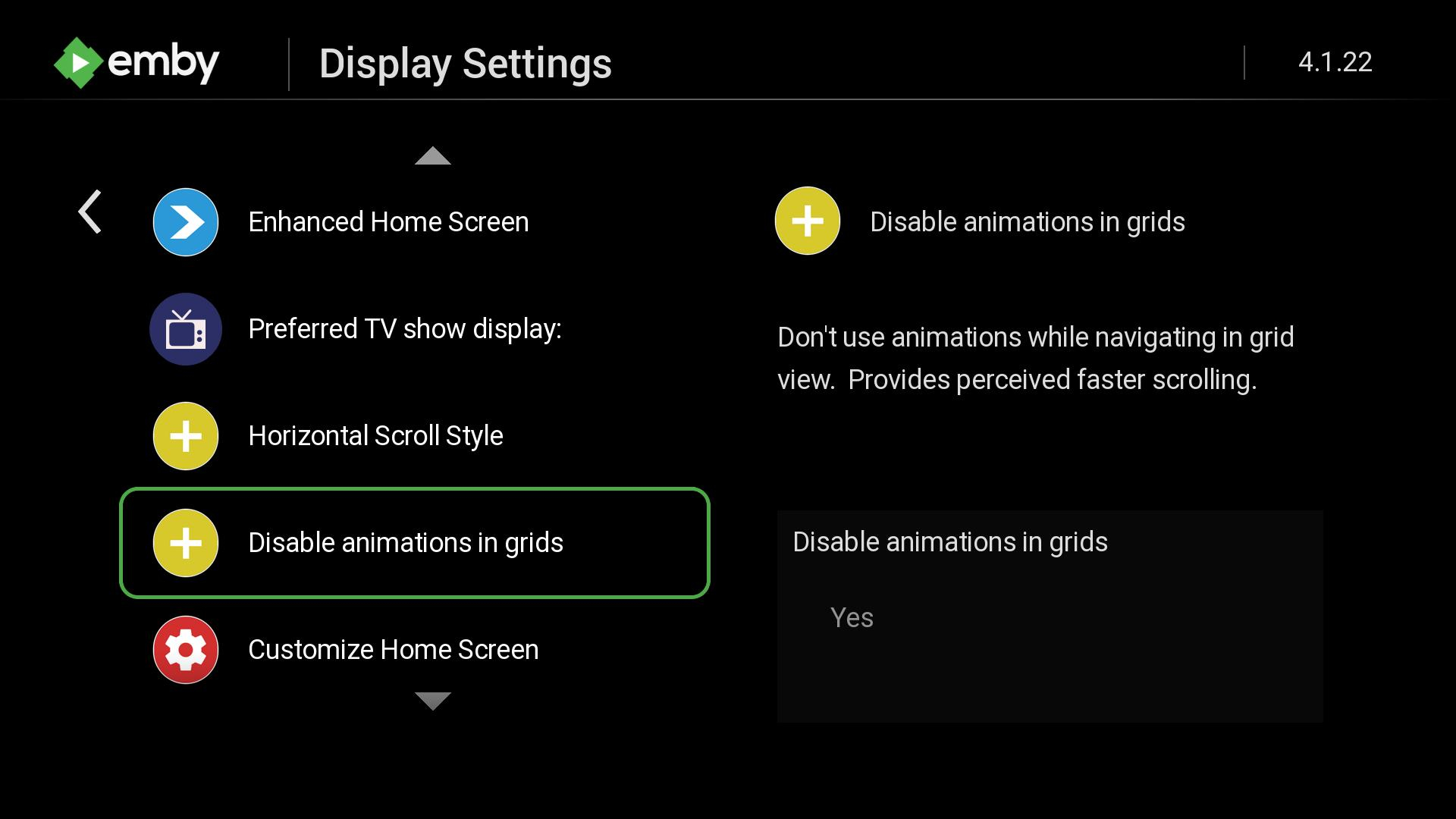
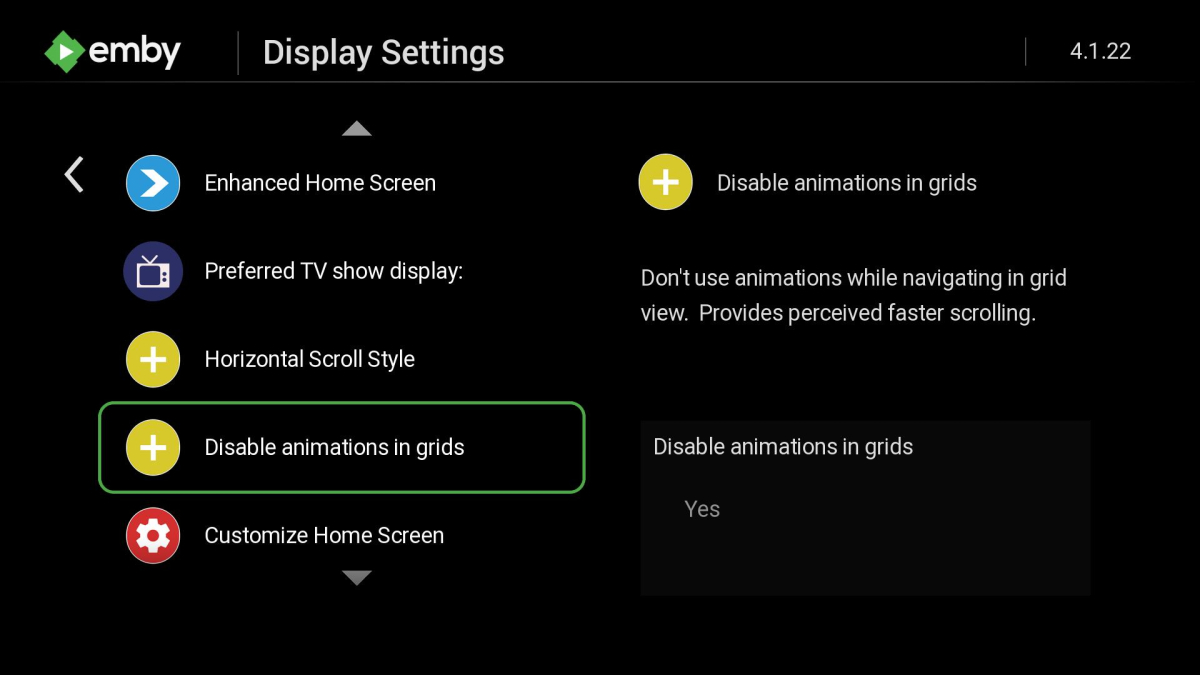
@Blam84@Gilgamesh_48If you enable skip animations in the Display settings of the app does the misalignment still happen? You will notice with the skip animations enabled that scrolling is immediate and it behaves much more like the web app does in TV mode.
 1 point
 -
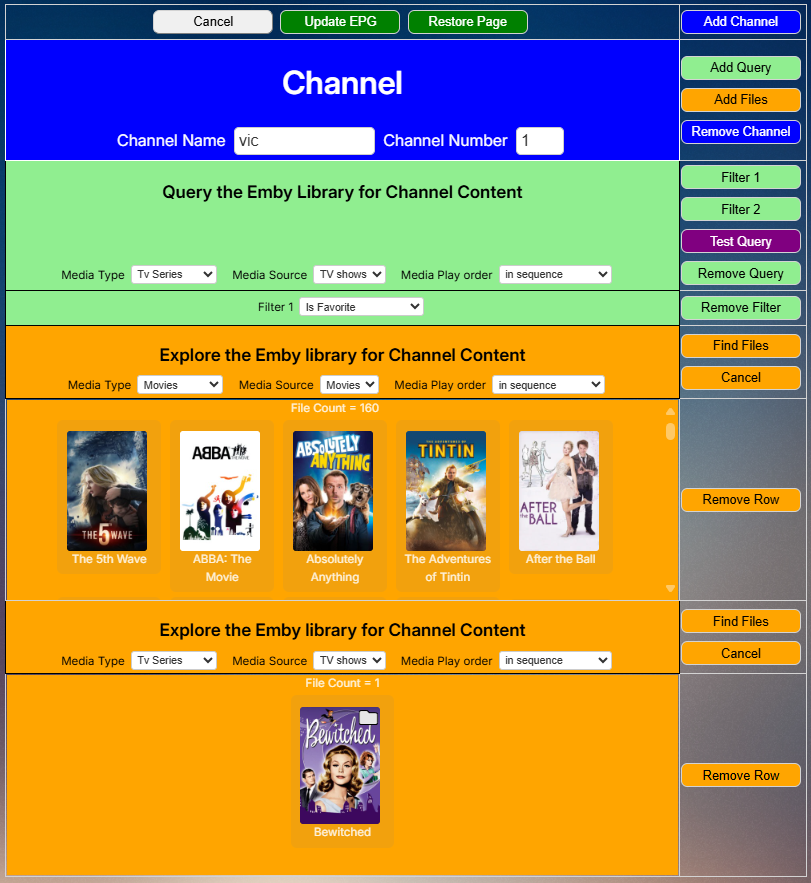
Everyone, the programming for the new GUI is finished. @TZTZoroand I are now debugging it. We will post the code soon. vic
 1 point
 -
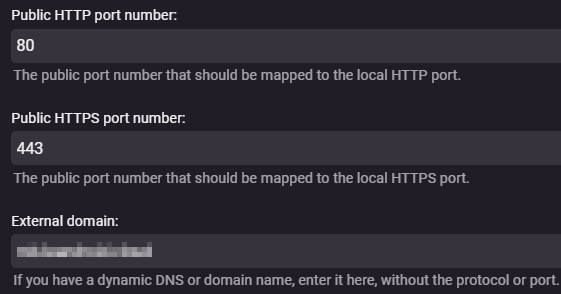
You were right, this works. I wasn't seeing you train of thought. Since I am running Emby in a container I was thinking in container context when it comes to port and not specific to Emby, so I missed why that that should work when you first mentioned it. Greatly appreciated! I changed two things. 1. Public https port number: 443 2. External Domain: emby.mydomain.com That caused the WAN address to show up as: https://emby.mydomain.com, when I now connect through Emby Connect I am instantly able to connect to the server. This also seems to have solved my authentication problem and my understanding of how Emby Connect works. The only thing that doesn't work is retrieving the server info. Another problem for another day. Thanks for your help! And thanks to everyone who took the time to respond!1 point
-
Sorry about the wait, electron is giving me some headaches. Here's a test image, based on armbian this time: https://www.dropbox.com/scl/fi/qtuh8hk980mcdsrf4ajq3/emby-theater_3.0.19_rpi4b.img.xz?rlkey=gaw058vsw1re1arn35qsg6h0i&st=op9ztk5m&dl=0. Mpv has been bumped to the latest version, as well as the ffmpeg rpi fork we're using, it comes with improved h264 hardware decoding via v4l2 and drmprime, and this is new, with h265 as well via the v4l2-request api. Leaving hwdec to auto should select the right decoder, and you may experiment with either gpu or gpu-next, both should be working fine. It's also possible to make use of vulkan too now, it's not exposed in theater but you can add `gpu-api=vulkan` in ~/.config/mpv/mpv.conf. Installation instructions are a bit different from the rpi os image, the first boot will let you choose a root password (for ssh), set up networking, and this is important, create a new user. You need to call the user `emby` and not set up any password for autologin to work. By default it will launch an openbox session, but xfce is also available, this can be changed in `/etc/lightdm/lightdm.conf.d/12-autologin.conf`. Note that I might rename this to `99-emby.conf` later though. The image works on both rpi 3 and 4 (and 400) despite the name, it's just how armbian calls this configuration. Rpi 5 images are in the works, but our current electron doesn't run on it, and newer versions are not compatible with our mpv plugin so we're in a bind for now.1 point
-
Okay, after doing some research, it is the listingschannelID Emby is using. For example, I have a stream for BBC Radio 1. Both the IDs that Emby has, and the one in the Stremium API are the same, ListingsChannelId: "24434". So I do know that the Emby team is using Gracenote since the IDs match. The guide data I used on Emby for BBC Radio 1 is the extended UK guide. Now it is just getting the hidden IDs for the channels I need.1 point
-
The first time you press skip works osd appears it doesn’t work anymore you wait for the osd to disappear press skip works osd appear it doesn’t work and so on. OSD for some reason blocks skip buttons1 point
-
@Lukewhy not use the schedule to pre call the upcoming and save it into the Cache/DB. it is not that the upcoming changes every second to call the TVDB on the fly. for someone who has a very large media, this could take forever.1 point
-
This just started for me yesterday. Both my Apple TVs are affected. I did a factory reset on one but didn’t help. I’m running Emby 1.8.2 (1) on both. Any suggestions?1 point
-
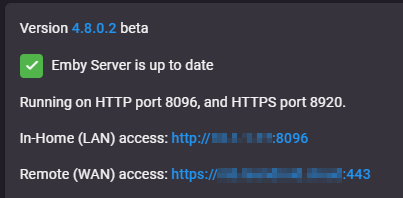
100% Free. There is no signup process or anything. By simply adding a valid email address in your config, it uses it to generate the cert - no extra steps required. This doesn't quite sound right, are you using your phones connection to host your Emby server? You remote address on your dashboard should be your domain on port 443 This is controlled by the Public ports and External domain on your 'Network' tab.
 1 point
 -
Get your movies legally and this wouldn't happen.1 point
-
Why? Trailers have a button sir. The button is easier to get to since trailers belong next to the play button. Do extras belong next to the play button as a button? No. They deserve a row. See here why trailers are different. We need bumpers in Emby too along with trailers for the full package. I cannot fathom how you believe trailers and extras are the same? Trailers are used as bumpers before and after other movies at theaters to advertise these to a captive audience. Extras are published after the fact onto bluray or dvd and contain spoilers/goofs/commentary/etc not meant as advertisement for anything. It is just cutting room floor stuff. Trailers are not cutting room floor. There needs to be a distinct separation on how these are treated. The "other guys" made a mistake. They always do what they want. They don't listen to the userbase. They just do what they want and it is their way or the highway! So to use them as any example of how something should be done is like looking at North Korea to update our domestic policy. That would be crazy. Why is there even a comparison to how they do anything? Who cares how they operate? They do. We aren't crazy. Stop doing what they do. Here it is your media your way. Our media Our way. My media My way. However you want to put it. We need to remember this mantra when comparing features against the other guys. We are different. We are choosing to be different. We can choose to be different. We do not want to copy bad decisions. We should work together to solve these problems. Which is what has occured in this thread. This is why I <3 Emby.1 point
-
@LukeI found the problem. My url was incorrect. It was: /emby/Items/Delete=3752149&api_key=b50f1b30613e416e80e11368ce1eca00 Should be: /emby/Items/3752149?api_key=b50f1b30613e416e80e11368ce1eca000 points
-
Hi, did you try it? it is with the main buttons up at the top.0 points
-
Hi, it is next to the sort by button.0 points
-
Have you tried the new Group By button that puts you in complete control?0 points
-
Didn't fix it unfortunately. I'm looking at the security.mixed_content.upgrade_display_content and security.mixed_content.upgrade_display_content.image settings in firefox, which seem to fix it when one or both are off, but these are global settings and not per-site so I'm not comfortable with keeping these disabled permanently. I think the solution is to somehow have the web app access the images either using the lan address over HTTPS, or have it always use the remote address (over HTTPS) even if the local address is available, to avoid mixed content.0 points
-
HI, you're able to reach it from the gear menu though, right?0 points