Leaderboard




Popular Content
Showing content with the highest reputation on 05/17/24 in Posts
-
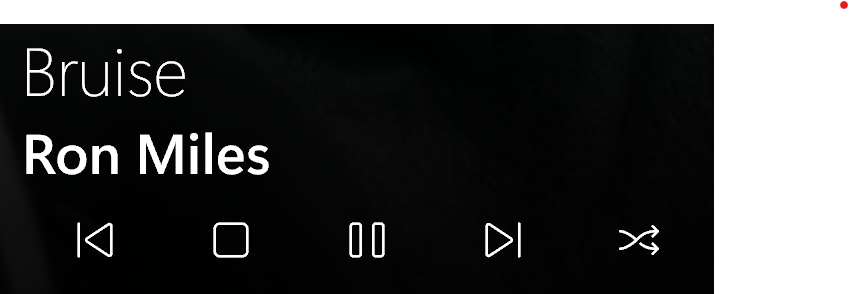
I don't know if the request has been made, or if it might already be there, but I can't find it. Is it possible, if I am going to listen to an album or an artist, and I add, for example, three Albums, or artist more to the queue, that this queue can also be played as random? I do know that I can save this queue as a playlist and then choose after which I can random play. but that's a bit cumbersome. would like to hear Ron2 points
-
Hi I've noticed that a lot of my actors (Nicolas Cage for example) have an image assigned to their profile but do not have a corresponding Nicolas Cage-tmdb-XXXX folder containing the image in the people folder in the metadata folder. I'm guessing this is stored in the database somewhere, why aren't they all in people? I notice that if I edit image and choose a new image, or even the same image again then a folder in people is created. I want ALL my actor images located in the people folder so I can easily take this folder and put it on another Emby installation. Is there a way to refresh ONLY people and nothing else, for example I have changed a lot of my movie posters from the default fetched one that was grabbed when I added the movie. I remember there used to be a task for People which is no longer there.2 points
-
In the 4.8.7 release that is currently rolling out, you should only be seeing Collections side scroll if they contain multiple types. So for example, if a collection has only Movies, then it will just be one vertical list. If there are multiple types, then there will be the horizontal categories. If you prefer just to have one large mixed list like before, then for the next release we'll add a user option to control that. Thanks.2 points
-
???? @Lukereally? The option to "Randomize the playback queue " is pretty standard functionality. I always assumed you could in Emby. The standard convention, in most good players is shown below (highlighted in red) This happens to be Apple Music, my Emby client is shown below An open source basic music/ audio server.. The use case described is mainstream - add a couple of whatever to the queue and play in random order. -vicpa Feature Request or something else ?

 2 points
 -
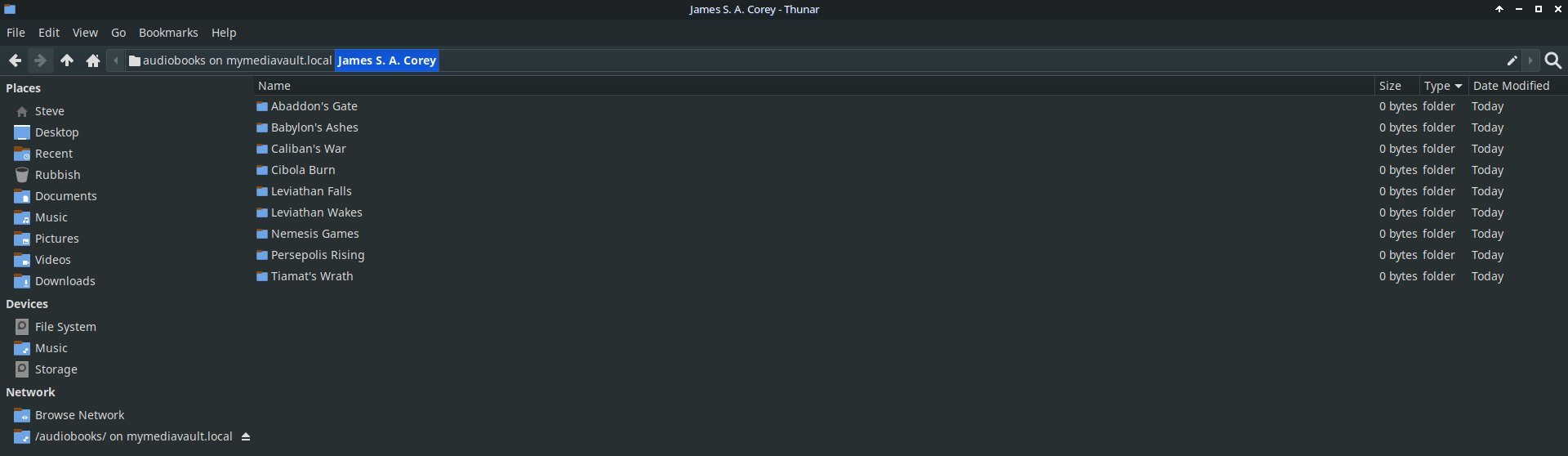
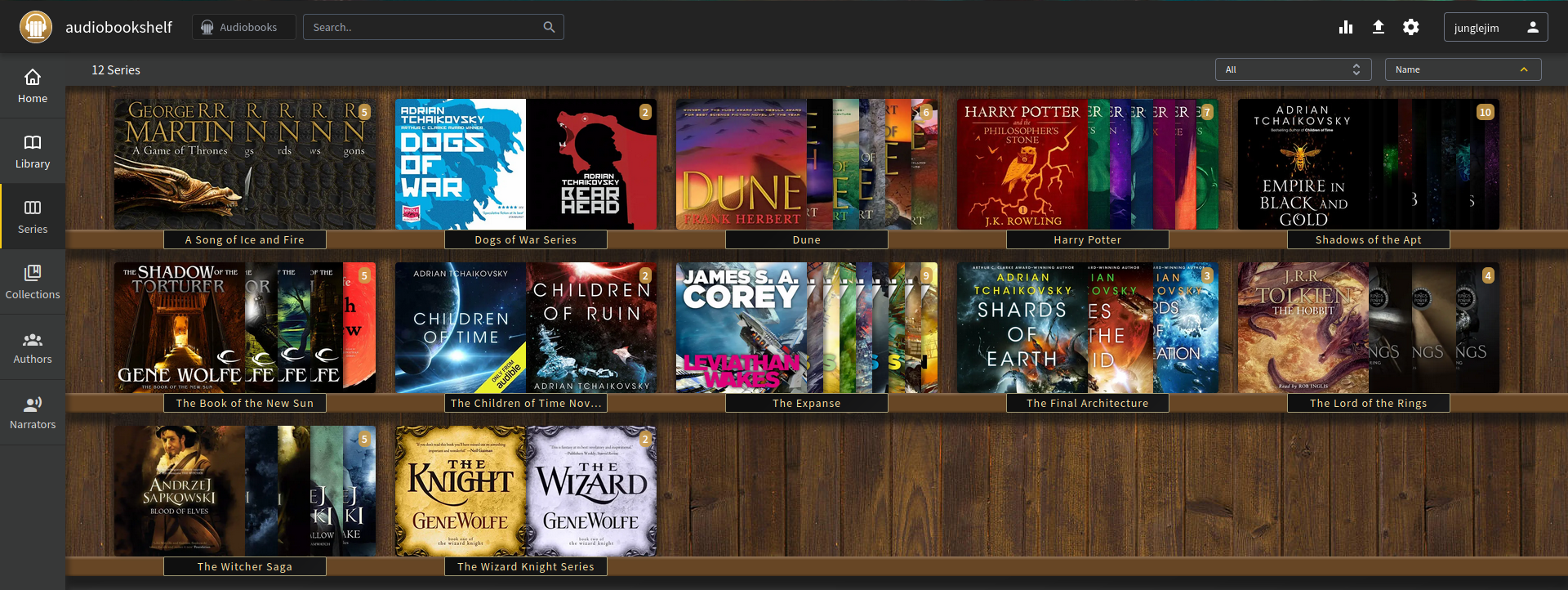
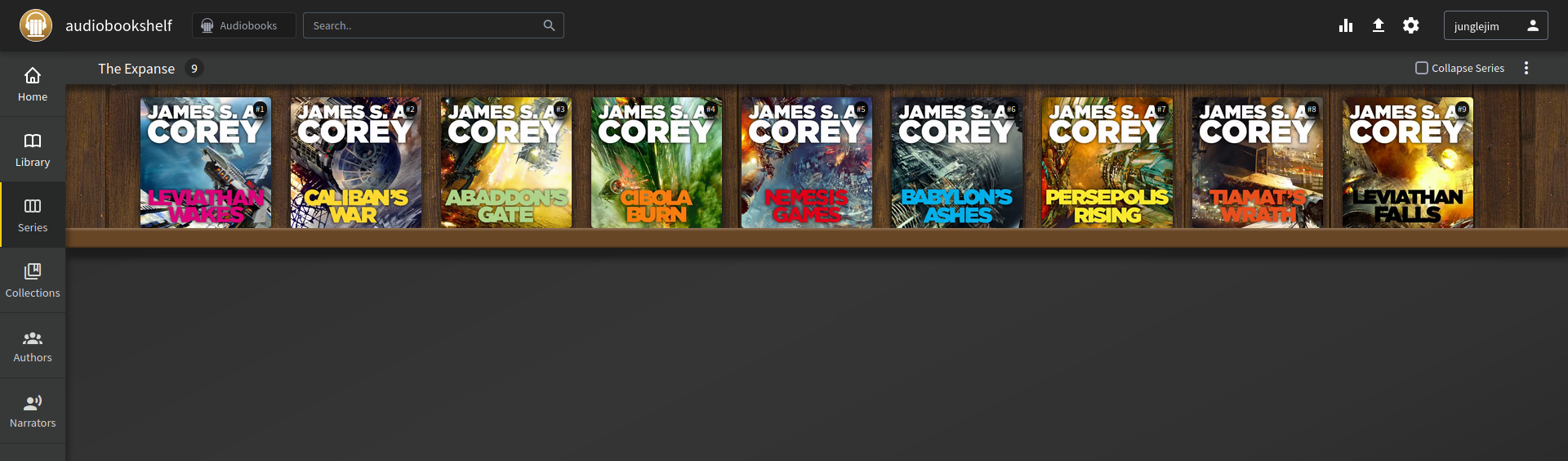
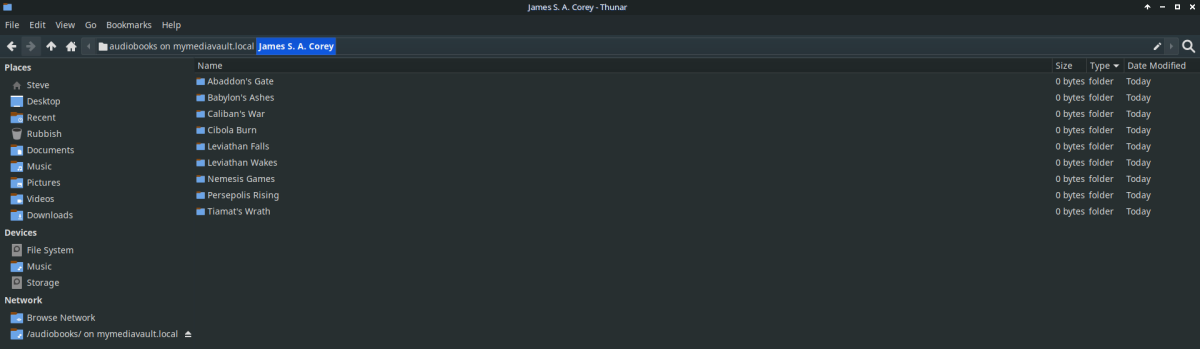
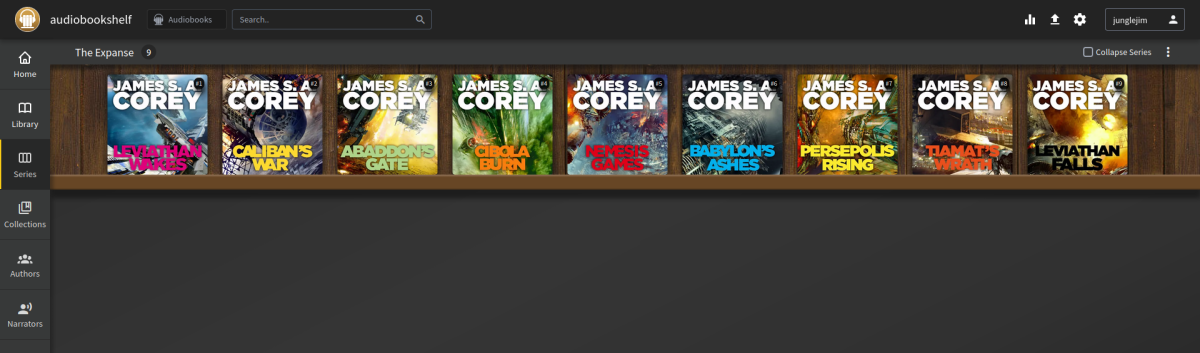
I'm sure everyone wants emby to improve with regards to audiobooks! Messing around with tags and folder names to get things to play nice with emby is a mess at the moment. Don't get me wrong, been there, done that. Once you discover a server app that just works (ABS), it makes it hard to use emby for audiobooks. With ABS I can use Author/Book/Files structure (similar to music).. @jaycedkhas pointed out some of the tags used here... emby is tag driven as far as audio goes, hopefully they can add more for audiobooks .

 2 points
 -
Also, It would be cool if we have various m3u lists and have the option to choose/assign each m3u list for each user.. Example. In user settings we can choose which library to give them for VOD so this shouldnt be hard enough to do it for live tv too no? USER 1 - Playlist 1 - Playlist 2 - Playlist 3 USER 2 - Playlist 3 USER 3 - Playlist 1 - Playlist 3 Etc etc.... *** Delete this message from another topic I opened because I posted it by accident there1 point
-
It would be nice if we could have an additional level in audio books for book series, rather than just author, book, chapters. It would be nice if they were listed in series order too. Author > (series) > Book > Chapters. I just realised.. this is probably not really doable if you're pulling data out of tags in the file... ah well. I guess it'd be more hassle than its worth, I dont see many people opting to add in series tags into each of their files...1 point
-
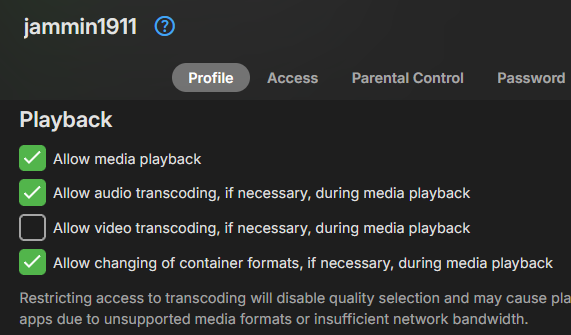
This may be by design but feels a bit weird, when I have one user with multiple streams the dashboard flips through all of their streams at seemingly random pace. Sometimes it stops or sits on one stream for a while before flipping to the next one and sometimes it flips through very quickly like in the video attached. (user jammin1911 in this example). Is this normal? I would have thought I would see three separate entries on the dashboard for this user rather than 1 entry flipping between 3 different streams. Also something else I noticed that was unexpected was that one of the stream is "reducing bitrate due to quality setting" but as far as I know this user does not have permission to do this. (it's me, and I didnt set any change to quality manually). I attached a screenshot of this user's playback permissions from the account - I don't think it should be allowed to reduce bitrate due to a quality setting of any sort. multiplestreams.mp4
 1 point
 -
Yes the only thing is that some will see it as a lot of extra clicks. What we need is some sort of hybrid that gets prefilled with all of the detected info. Then most of the time you’ll just be opening the dialog and clicking OK.1 point
-
You should probably do that1 point
-
Sorry to late response. Seems to be fixed now idk whats happening there ahah.1 point
-
@LukeBut looks like the 4K fix is not applying to other resolutions. example 1080 scaled to 720 Changing canvas from 1920x816 to 1280x544 corrects the issue. Have not seen an issue when scaling is not required but have only done limited testing. Will test some more as it looks like 4K is failing and falling back to software. But others have reported it working so we many need to see log per other topics. 14:42:57.185 Stream mapping: 14:42:57.185 Stream #0:0 (hevc_qsv) -> vpp_qsv:default 14:42:57.185 Stream #0:5 (pgssub) -> scale:default 14:42:57.186 hwupload:default -> Stream #0:0 (h264_qsv) 14:42:57.186 Stream #0:2 -> #0:1 (copy) 14:42:57.186 Press [q] to stop, [?] for help 14:42:57.416 subtitle input filter: decoding size 1920x1080 14:42:57.416 Auto-inserting subfeed filter 14:42:57.416 Auto-inserting graphicsub2video filter 14:42:57.604 [vpp_qsv@f1 @ 000002b32f4a0980] Failed to create a qsvvpp: invalid video parameters (-15) 14:42:57.604 [vpp_qsv@f1 @ 000002b32f4a0980] Failed to configure output pad on vpp_qsv@f1 14:42:57.606 Error reinitializing filters! 14:42:57.606 Failed to inject frame into filter network: Invalid argument 14:42:57.606 Error while processing the decoded data for stream #0:0 14:42:57.890 Conversion failed! 14:42:57.890 EXIT
 1 point
 -
Personally, I think there is nothing wrong with being tag driven. I continue to suggest that emby needs to import and respect the additional tags mentioned in this thread (Narrator, type, part, series, release group, description, etc) and refine the UX to leverage this data. Many of us have already tagged our collections, but we need emby to import and utilize those specialty tags. Once these tags are imported the pages and OSD need to reflect the differences between audio books and the music library type. Yes, they can use the same containers and import tags, but the user requirements are different. It doesn't need to be a complete rework from the ground up. Emby needs to properly display narrator, author, ("author" read by "narrator") for audio book media pages. It should not say "songs" or "artists" anywhere. Further, chapters should be listed as lines of text without the same image over and over. It should have navigation for book, authors, narrators, series, collections, genre, continue listening, next up (series), and other things mentioned here. The OSD should have chapter lists if there are chapters in the media (again, without the repeated images - just text). The tricky bit is to elegantly craft a UX that support books that are albums with individual chapter tracks and m4b files with embedded chapters. My comments about audio series/podcasts/radio being a different library type are I related to my belief that they can best be displayed in a media info page that has a layout more like TV Shows with seasons and episodes and Cast/People instead of artists. It should include"people" as they are often tv/movie talent as opposed to music which are "artists." It can still be tag driven, but the UX is slightly different than music, tv, or audiobooks. All of this is akin to how the music video library type is designed to have metadata for both artists and people. It displays navigation elements that support things like albums, artist images and logos like a music library but also cast, directors, descriptions, and an OSD like movies. It's a separate library type, but it's just mashup of two other types so it can accommodate a specific use case. That said, it shows images correctly and displays the important navigation and metadata correctly (artist, director, cast, year, release date, genre, etc.). Audio books needs more help than music videos at this point.1 point
-
Please retest your scenario. This specific issue appears resolved in 4.8.7.0 in my tests. Still issues with People/Artists/Genre all searchable (but no linked data). Tags can show up empty via library. Depending on restriction feature used as tag restrictions will show Empty libraries.1 point
-
Thanks for the update. We are looking into the original issue of the loading spinner getting stuck so that we can prevent that from occurring. Thanks.1 point
-
Putting it on the same router worked1 point
-
Resolved in current release 4.8.7.0 in my tests.1 point
-
Resolved in my test of current release 4.8.7.0.1 point
-
Here is a test build where you can try that: Emby.AutoOrganize.zip1 point
-
Alright good to know thanks for clarification1 point
-
Hi, for browser tabs, yes this is an open issue. It will be corrected in future updates. The server internally manages them all separately, it's just that screen that only shows one per device.1 point
-
That’s done the trick! Thank you again.1 point
-
Update procedure -> FAQ Trakt, no. Let Emby server do that.1 point
-
Guess you are right, but you will feel good when it's done1 point
-
Hi, we’ll have to add this. In the meantime you may find it easiest to perform the action using the hosted web app and monitor the request in the browser debugger.1 point
-
In my library I have different meta data languages det for my movies. Foreign movies set to standard english. My danish movies are set to danish. Import movie, edit meta data, set language. Refresh meta data.
 1 point
 -
All better! Thank you!!1 point
-
I'm out. to technical I don't have any other or additional kodi DB, only your addon and emby data, so I don't need dynamic. will change sometime. thanks and best,1 point
-
Performance depends on the library size and on the nodes you are using. Also if you have the content synced anyway, the dynamic nodes works in a "hybrid" mode. The "root" content of a dynamic node always queried from Emby server. Sub-content of a dynamic node may partially loaded from Kodi database.1 point
-
Thank you! I don't know how it was changed but the was it.1 point
-
Yeah I have one prepared an sent per dm to @Luke I think I found something, looks like it's the CoverArt Plugin. As to why beats me. 2024-05-17 14:06:07.614 Debug ProviderManager: Saving image to /volume3/Serien/Serien/The Equalizer (2021)/season01-poster.jpg 2024-05-17 14:06:07.616 Debug CoverArt: Opening /volume3/Serien/Serien/The Equalizer (2021)/season01-poster.jpg for decoding without forceCleanBitmap 2024-05-17 14:06:07.627 Debug CoverArt: CoverArt will treat /volume3/Serien/Serien/The Equalizer (2021)/season01-poster.jpg 2024-05-17 14:06:07.627 Debug CoverArt: CoverArt using profile default for Staffel 1 2024-05-17 14:06:08.064 Debug CoverArt: Opening /var/packages/EmbyServer/var/cache/coverart/4.1.27.0/Case/Season.png for decoding with forceCleanBitmap 2024-05-17 14:06:08.064 Debug CoverArt: SKFileStream opening /var/packages/EmbyServer/var/cache/coverart/4.1.27.0/Case/Season.png 2024-05-17 14:06:08.173 Debug ProviderManager: Saving image to /volume3/Serien/Serien/The Equalizer (2021)/season02-poster.jpg 2024-05-17 14:06:08.174 Debug ProviderManager: Saving image to /volume3/Serien/Serien/The Equalizer (2021)/season03-poster.jpg1 point
-
Dynamic nodes can be used for unsynced content and for content not possible to sync e.g. photos. Also they might include filters just not possible by Kodi.1 point
-
@ebr, I just wanted to say thank you. I haven't been using Emby but decided to give it a try again and noticed that the Live TV Mode feature was fixed. I don't know when that was deployed, but regardless, I just wanted to say thank you. I had to go back to using Live Channels because my family was getting frustrated with using Emby. But I'm sure they'll be much happier with the app working like a TV app that they're comfortable using. Thank you so very much to you and your team!1 point
-
You can, but they are slower than synced nodes.1 point
-
Being able to delay the audio would be amazing for me. My home theater receiver maxes out at a 200ms audio delay but my Sony OLED has more than 200ms of video delay (when not in game mode), so I can never get the audio and video in sync for all content. This has got to be a problem for others with Sony OLED tvs. For example, my standalone 4k bluray player has dual HDMI output so that one can go to the TV and the other to the home theater, to help with audio sync issues, but even on that, the Sony OLED introduces more than 200ms of video delay. Sony's not an uncommon brand and they don't have boatloads of OLED models to choose from. The benefit of this would be for quite a few people, by my estimate. If this were implemented I'd finally have a home theatre which beats out the local movie theatres.1 point
-
No, I tried the web app, web client, Samsung, and Android apps and none of them changed the last modified date of any of my files by just browsing. Same version of DSM, but Emby is 4.9 server. Eigeplackter maybe it was modified by TMM? Looking at the pics posted above I noticed TMM had been run today (delete folder was modified).
 1 point
 -
yes perfect you didn't say anything about opening your addon I can do with my skin here nodes are all there and synced! you're addon is working perfectly from the beginning! good to know to use the standard? there are also a lot of so called dynamic I've always used these in my library? thanks! using these tags to get icons on the movie info pages is something for the skin developer. I have many like true HD... no idea which info the skin is using for these. and I don't care.. happy day!1 point
-
I am still working on the code. I decided to rewrite everything. I should be finished soon. Vic1 point
-
HI, there is currently no way to do that, but it is planned for future updates. Thanks.1 point
-
@horstepipeplease attach the emby server log from when this happened. Thanks.1 point
-
Hi, the stop notification has a PlayedToCompletion property. I would use that instead of checking percentage.1 point
-
Example: A user wants to binge watch a show they were binging before, but they dont want to continue from the episode they left on, they want to start from a season or two before. On ATV, from they homepage they pick the episode they left off on. This screen shows the episode and 6 buttons. Resume, Play, Mark Played, Favorite, Go to Show, More. The user clicks to the right four times and hits enter. They are now at the root of the tv series and can go to any season. 6? total button presses. On the Android app we're told to use, from the homepage they pick the episode they left off on. This screen shows shows five buttons. Resume, Play from beginning, Mark Played, Favorite, More. The user clicks to the right four times, hits enter to open the More menu. The More menu, from top to bottom: Play from beginning, add to playlist, add to favorites, mark played, convert, download, download to, go to season, go to series, edit subtitles.. The user presses down 7 or 8 times to get to either the Go to Season, or Go to Show. Also.. why is there the option to download? This is connected to my tv and streams.. its not mobile, it doesnt need to download. Then if the user has admin rights the Menu has even more options to get through, like Convert.. something that also doesnt need to be on a TV layout. So, do we need a new mega thread about the new android app and how each ui element is effectively less efficient than the older app? How can we show you that the new app is not the direction we, the users, want the development to go?1 point
-
Disclaimer: This FAQ is valid for emby-next-gen plugin (6.x and higher) It will be constantly updated over the next weeks. Emby server: Kodi companion plugin must be installed! Versioning: X.X.X First X is the major version. It indicates a compatibility with Kodi versions. e.g. 6.X versions are for Kodi 18+ 7.X versions are for Kodi 19+ 4.X and 5.X versions are end of life and no longer supported Second X indicates a mandatory plugin database reset. This will be automatically initiated. Read ahead for further information. Third X indicates regular bugfixes. No further action required. Plugin Installation: First you need to choose which version you wanna install, there are 3 options. stable beta public testing stable is very well tested and no showstoppers are reported. beta is also well tested and no issues are expected. public testing can include bugs and is the current development version. I recommend using public testing versions. Not only it helps me debugging issues, it also includes latest features and improvements. (rolling release) However, you should be an active member in the forum to keep track of the new features and limitations etc. Stable and beta versions are available via Emby's Kodi repositories. You need to sideload and install them from here. http://kodi.emby.tv/ STABLE: repository.emby.kodi-1.0.8.zip http://kodi.emby.tv/repository.emby.kodi-1.0.8.zip BETA: repository.beta.emby.kodi-1.0.11.zip http://kodi.emby.tv/repository.beta.emby.kodi-1.0.11.zip Once installed, you can browse via Kodi's addon menu, select the repository and install the plugin. Addons -> Install from repository -> Kodi Emby (beta) Addons -> Service Addons -> Emby-next-gen Public testing: Those versions are not available via repositories. There are two methods how you can install them. If you have already a Emby-next-gen version installed, it adds a link in Kodi's filebrowser. You can install it directly via Kodi's menu: Addons -> Install from zip file -> kodi.emby.media -> Public testing -> plugin.service.emby-next-gen-X.X.X.zip Also it is possible to download the file manually and push it to Kodi's filesystem (sideload) and load it from there. Under the hood/concept: The plugin uses several techniques to make Kodi compatible with Emby server. Instant communication with Emby server (dynamic content). Syncing to Kodi's internal database (synced content). The plugin has an internal http webserver (webservice) on port 57342 implemented and also opens a websocket connection to Emby server for realtime connection. Supporting synced content a "helper" database for Emby's content is created on Kodi. Here it's called Kodi's Emby database. Don't mix this database with the actual Emby servers database, those are different. The plugin uses Kodi's internal functionalities as much as possible for maximum compatibility. Anyway, not all plugins functions can be realized with Kodi's capabilities (review Kodi limitations for further information. Addon mode vs. native mode: After plugin installation you must choose a (sync) mode. Almost everybody should select addon mode, don't bother with further explanation. If you don't know what to choose, addon mode is the one you want. There are very limited cases you should select native (for experts only). Also it only affects the way how to access synced content. Dynamic content always uses addon mode. Native mode means, the content will be accessed via filesystem instead of the http. Kodi has some minor (feature) limitations accessing content via http. Also some 3rd party plugins could have issues accessing content via http instead of a filesystem base. If you use 3rd party plugins (like Kodi's "Extras" addon), you may choose native mode. btw, "Extras" is not really required, the plugin has almost the same functionality implemented as "Extras". Additionally native mode can be tricky to configure on Kodi/Emby server side, if you use network shares like smb/cifs/nfs. Attention: This selection can only be altered by an emby-next-gen plugin factory reset -> full Kodi database reset Sync content vs dynamic content: Synced content is available via Kodi's internal database. Kodi doesn't even know, that the content is actually coming from Emby server, ergo accessing content is very fast. Dynamic content is build "on the fly" and generates overhead. Use synced content wherever possible. Due to Kodi's limitations (e.g.folder access), this is not always possible. Syncing libraries: Kodi supports only following content types by its internal database: Movies, Musicvideo, TVShows and Music Emby on the other hand has several more. The plugin has functionalities to sync content even it's not directly supported by Kodi. e.g. homevideos, podcasts etc. As Kodi does not have those categories, homevideos are synced as movies, podcasts as audio etc. If you don't use a custom Kodi skin, it will end up in the movie node (section) showing both: movies and homevideos. This can be avoided by using the Emby-next-gen plugin custom nodes (more in the Kodi skinning section) What does Kodi not support by its build in functions (Kodi limitations): Syncing pictures is not supported by Kodi. It just has a "filebrowser" accessing pictures also emby-next-gen plugin is not capable to sync pictures, however. There are performance tweaks available to access pictures very fast by caching them. (review artwork caching section) Cinema mode, skip intro and multi version content support are unique to Emby server and is fully supported by emby-next-gen plugin. (review the subsections for further information) Kodi has no functions supporting musicvideos and music content for multiple libraries (Emby library based content view). Emby-next-gen plugin has solved this problem via workarounds and is fully supported via custom nodes (more in the Kodi skinning section). Path substitution (plugin configuration option for addon mode, default is enabled: The path substitution is workaround for a Kodi limitation extracting images/pictures from video streams. It's addressing the bookmark/chapter images extraction. Kodi extracts bookmarks/chapter images "on the fly". It's not like "regular" artwork which are (usually) located as an image file or comes from a scraper. "Regular" images are stored in Kodi's database as a record. For chapter/bookmark images it's different. They are extracted directly for the video file/stream and not stored in Kodi's video/music database. Therefore I cannot sync them directly into the database. The problem is, Kodi disables image extraction for HTTP streams even technically possible. This is hardcoded in Kodi's sourcecode and cannot be adjusted in the settings. The path substitution tricks Kodi believing it's a local file so the image extraction will be processed. How it works: A video stream from Emby server is a regular http URL (piped through the plugins "webserver"). It looks like http://127.0.0.1:54342/video_stream_info_parameters and is stored in Kodi's database. The internal webserver receives this stream request and redirects it to the actual Emby server's video feed. http://192.168.0.207/emby_video_stream_parameters. This would be detected by Kodi as a HTTP stream and disables image extraction. The path substitution however replaces the "http://127.0.0.1:54342/" with a "fake" folder. The video feed links are now replaced with "/emby_addon_mode/" in Kodi's database. The record looks like that: /emby_addon_mode/video_stream_info_parameters Now it's from Kodi's perspective a local file and the advancedsettings.xml parameter turns it back to the actual link replacing the "fake" folder <substitute> <from>/emby_addon_mode/</from> <to>http://127.0.0.1:57342/|redirect-limit=1000</to> </substitute> There is some extra magic involved but I skipped that to keep it easier to explain. In the end, I'm actually using a Kodi bug in my favor. Kodi should detect the stream type after path substitution if they would do it properly.1 point
-
Bumping this FR again - it would help for music, books, and audio/radio series.1 point
-
HI, a new release of Emby for Roku has gone out. Can you give that a try? Thanks !1 point
-
Hi, we’ve sent 4.8.6 to Synology for review so it’s just a matter of waiting out that process.1 point
-
something for the holidays has gone from xmas to easter, any chance before summer?1 point
-
I'm sure you are fully aware of the profiles - but to get them in one place on this thread (and tested from real API queries) - I've taken the liberty of listing them below. These are taken directly from the Dolby white-paper PDF - What are Dolby Vision profiles and levels? Section - 2.1 Dolby Vision bitstream profiles 1. Dolby Vision - Profile 5 Emby Suggested Client Display : Dolby Vision "ExtendedVideoSubtype": "DoviProfile50" "MediaStreams": [ { "Codec": "hevc", "TimeBase": "1/1000", "Title": "UHD DV5 HEVC [19.1Mb/s]", "VideoRange": "Dolby Vision", "DisplayTitle": "UHD DV5 HEVC [19.1Mb/s]", "IsInterlaced": false, "BitRate": 20071812, "BitDepth": 10, "RefFrames": 1, "IsDefault": true, "IsForced": false, "Height": 2160, "Width": 3840, "AverageFrameRate": 24, "RealFrameRate": 24, "Profile": "Main 10", "Type": "Video", "AspectRatio": "16:9", "Index": 0, "IsExternal": false, "IsTextSubtitleStream": false, "SupportsExternalStream": false, "Protocol": "File", "PixelFormat": "yuv420p10le", "Level": 150, "IsAnamorphic": false, "ExtendedVideoType": "DolbyVision", "ExtendedVideoSubtype": "DoviProfile50", "AttachmentSize": 0 }, 2. Dolby Vision - Profile 7 Suggested Emby Display : Dolby Vision + HDR "ExtendedVideoSubtype": "DoviProfile76" "MediaStreams": [ { "Codec": "hevc", "Language": "eng", "ColorTransfer": "smpte2084", "ColorPrimaries": "bt2020", "ColorSpace": "bt2020nc", "TimeBase": "1/1000", "Title": "UHD DV7 HDR10 Remux [62.1Mb/s]", "VideoRange": "Dolby Vision", "DisplayTitle": "UHD DV7 HDR10 Remux [62.1Mb/s]", "DisplayLanguage": "English", "IsInterlaced": false, "BitRate": 73013323, "BitDepth": 10, "RefFrames": 1, "IsDefault": false, "IsForced": false, "Height": 2160, "Width": 3840, "AverageFrameRate": 23.976025, "RealFrameRate": 23.976025, "Profile": "Main 10", "Type": "Video", "AspectRatio": "16:9", "Index": 0, "IsExternal": false, "IsTextSubtitleStream": false, "SupportsExternalStream": false, "Protocol": "File", "PixelFormat": "yuv420p10le", "Level": 153, "IsAnamorphic": false, "ExtendedVideoType": "DolbyVision", "ExtendedVideoSubtype": "DoviProfile76", "AttachmentSize": 0 }, 3. Dolby Vision - Profile 8 Profile 8.1 Suggested Emby Display : Dolby Vision + HDR "ExtendedVideoSubtype": "DoviProfile81" "MediaStreams": [ { "Codec": "hevc", "ColorTransfer": "smpte2084", "ColorPrimaries": "bt2020", "ColorSpace": "bt2020nc", "TimeBase": "1/1000", "Title": "UHD DV8 HDR10 Remux [73.2Mb/s]", "VideoRange": "Dolby Vision", "DisplayTitle": "UHD DV8 HDR10 Remux [73.2Mb/s]", "IsInterlaced": false, "BitRate": 79373026, "BitDepth": 10, "RefFrames": 1, "IsDefault": true, "IsForced": false, "Height": 2160, "Width": 3840, "AverageFrameRate": 23.976025, "RealFrameRate": 23.976025, "Profile": "Main 10", "Type": "Video", "AspectRatio": "16:9", "Index": 0, "IsExternal": false, "IsTextSubtitleStream": false, "SupportsExternalStream": false, "Protocol": "File", "PixelFormat": "yuv420p10le", "Level": 153, "IsAnamorphic": false, "ExtendedVideoType": "DolbyVision", "ExtendedVideoSubtype": "DoviProfile81", "AttachmentSize": 0 }, I've never seen Profile 8.2 or 8.4 - but for completeness, they should probably be included. Profile 8.2 Suggested Emby Display : Dolby Vision + SDR Profile 8.4 Suggested Emby Display : Dolby Vision + HLG -- NOTES - I've suggested just using 'HDR' as opposed to HDR10 - as the DV encode may include HDR10+ as well NOTES - DV5 should 'maybe' say 'Dolby Vision No HDR' or 'Dolby Vision Only' - to explicitely describe there is no HDR fallback layer. ? -- I hope this helps. Thanks.1 point
-
Hi. If you are bitstreaming audio (like DD or DTS) then the speed cannot be adjusted. If you always want to adjust speed, then select the Audio option "Mix down to stereo" in the playback settings.1 point
-
Buenos días, considero que esto es un problema serio de Emby y que los desarrolladores deben acometer, dado que el codec H265 se está implantando cada vez más. El hecho de que las series en este codec no permitan continuar un capítulo o saltarlo es un grave problema. No ocurre con las películas, solo con las series. Me estoy viendo obligado a cambiar muchas series y retornar al codec H264, con el consiguiente aumento de tamaño de las bibliotecas. Muchas gracias...1 point