Leaderboard




Popular Content
Showing content with the highest reputation on 05/13/24 in Posts
-
A new Build of the WMC UI is available: https://github.com/EmbySupport/Emby.WMC.UI/releases/tag/0.114.0. Changelog:0.114.0 Maintenance only 0.113.0 Maintenance only 0.112.0 Fix GenericUI tabs Fix theme name2 points
-
Thank you. That would be amazing2 points
-
Hi, yes we can look at adding more data to it. Thanks.2 points
-
New PUBLIC TESTING version available 10.0.23: Delta changelog 10.0.22 -> 10.0.23 fix pillow library issue Improve multicontent sync, thanks to Luke for modifications (currently only in Emby server's beta version, will be backported to next stable) disable sortby (minor sync performance improvement). This change breaks Emby server 4.7 support. No longer supported by plugin fix sync pause while watch-togeter and remote-mode fix progress updates -> never delay add translations Comment: This might version be tagged as next beta version2 points
-
No Luke. No. Not checking 'remember me' means the user should not be remembered. Period. What if I don't have a pin set? Or I use a stupidly simple pin because you won't let me use password-less access at home anymore? Deviating from this standard is a horrible idea. You've already pissed off a mass of your users with the authentication changes over the last year. Don't push it any further.2 points
-
Seems to be working as it should now after following your suggestions. Thanks everyone for your assistance..:)2 points
-
Be able to create playlist based on a certain criteria, like genre and or year, in order to create a dynamic playlist that it refreshes automatically when new content is added. This way you can for example, create a tv comedy playlist from the 90's, or a new sci-fi Movies playlist. Some other criteria for rules could be the rating, watched/unwantched, score, tags, language, audio codec, etc The possibilities could be endless1 point
-
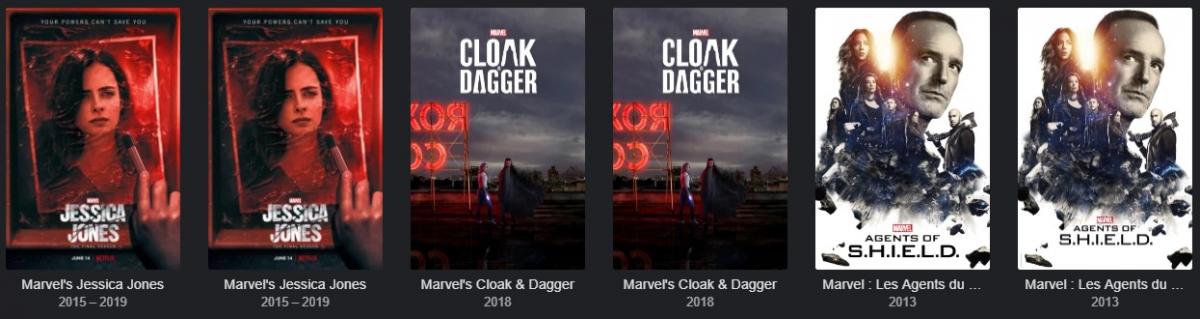
Hi, I have multilangs contents into my emby server. Content in french / content in english When I use search, it found them, but I don't know which one is in english or french This can be resolve if category name is showed. Or another solution ? What do you think about it ? Regards (Attached picture is when I type "Marvel")
 1 point
 -
you should add a screen when emby opens on the tv asking which user is watching for environments where multiple users share the tv as manually browsing to switch user will not get users and you have to manually select what that user watched and select unwatched as you have not gotten to watch it yet. Doing that is too much work for most people they are just going to open the app and start using it.1 point
-
New user A has been added, and access permissions to some media libraries have been assigned to user A. Then media library B was added, and by default, user A did not check access to media library B. But user A can search for or see the content of media library B through recommendations from other media. This makes user A's access to new media library B invalid. However, without any modifications, go to the configuration page of user A and click save. User A is unable to search for media in new media library B. It is speculated that when adding media library B, the accessible media library permission table for user A was not updated simultaneously. You can test it, my server version is 4.9.0.16. I didn't save the log. After testing, it was easy to reproduce the problem.1 point
-
There is this error in the ffmpeg transcode log file - "No space left on device" [segment @ 0x1df2c80] Opening '/var/lib/emby/transcoding-temp/322800/322800.m3u8.tmp' for writing SegmentComplete=video:0 Index=145 Start=0.000000 End=435.393278 Duration=435.393278 offset_pts=0 start_pts=0 Frames=8 filename=322800_145.ts Error writing trailer of /var/lib/emby/transcoding-temp/322800/322800_%d.ts: No space left on device [segment @ 0x1a4ff80] Opening '/var/lib/emby/transcoding-temp/322800/322800_s5.m3u8.tmp' for writing It was about 40gb movie starting transcode at offset 7 min 15 seconds (segment 145 - 3 second segments) but the failure to write to the transcoding-temp directory was immediately on segment 145.1 point
-
I have not been able to reproduce this on 4.8.6 However, if the libraries were added after the user is setup then they are accessible. If the libraries already existed and then a user is added and access set, then the movies do not come back in search results. There is an issue with search and results for artists, people and genre where these get returned but not the actual media items. And if new libraries are added then the existing restricted users will have access to the new libraries. There may also be a specific issue with music but that could be the same bug as that for artists being in search results cc @Luke1 point
-
Depends as track display titles and Emby detected codec are not the same.1 point
-
let's use both in the new ember server for June24 crossing fingers...1 point
-
@cwills75 The 2nd part of my post above mentions this problem with hanging playback at the end. Rather than wait for a cure we will just change the code in the Roku to act defensively and solve this once and for all. There are two long-standing problems in the Roku app that we must fix ASAP. Please give us a bit of time and these problems will be solved very shortly. Thanks again for keeping us aware this is a still a problem. We will have something soon.1 point
-
this is not a 'normal' Plugin I've tried to install it. I'm 46 and not an it guy. I had no chance. out of my league. headache attach after the third line of text. I don't understand why you cannot integrate it in 2024. give the good man 2000 or 5000 eur or in whatever manner you handle rhese things and let's go... of that's not possible I wait again 5 years I will survive1 point
-
No I do not see it. Thank you 4.9.0.18 beta is installed1 point
-
I made a SQL code to be able to search :. SELECT * FROM MediaItems WHERE (Path LIKE '%.mkv%' OR Path LIKE '%.mp4%' OR Path LIKE '%.avi%' OR Path LIKE '%.mpegts%') AND Path LIKE '%movies%'; The results are very good 597... one is missing.......1 point
-
I don't know the cause, but I just powerwashed my Chromebook, and it looks like video playback is fixed.1 point
-
Thanks for the reply... this would be an exceptional feature to have!1 point
-
1 point
-
Hi, this should be resolved for the next release. Thanks.1 point
-
Hi, this should be resolved for the next release. Thanks.1 point
-
Looks like this issue has been resolved. I can see AV1 files in the Emby Android App. Emby Server Version: 4.8.6.0 Emby App Version: 3.3.86 ChromeOS Version is 124.0.6367.154 However, it looks like now the Web App in ChromeOS now has a problem playing AV1 files, no matter the resolution. I have created a new post in the web app forum for that issue1 point
-
Just keep using the original version if everything is working fine for you.1 point
-
Yes - but you are also potentially not the Admin on Netflix or Amazon either , nor can you remain logged in with 'multiple accounts' active - there is always some form of authorisation when you re-load the app. I get emby are trying to limit the impact of the 'no password' for local accounts - but you simply cannot mislead users into retaining credentials/tokens that, given the direct wording, you have been explicitely been asked not to. If storage/re-use of the credentials is implied (which I believe it is on an app such as this, I agree here) then any tick box is going to be for deviating from that implied logic. ie do NOT save my credentials, informing (not implying) that you will need to login again next time. If you don't have any box at all - then saving them is implied - and that is fine.1 point
-
Any news on this issue? I am in the same situation unfortunately. If this is not fixed soon it will be a deal breaker for me, I'll have to cancel my Premier subscription and move to something else - maybe it's time for Jellyfin1 point
-
Already solved the problem,1 point
-
Hi, notifications config has moved in Emby server 4.8 to the Notifications section under user settings.1 point
-
Can we have an update please? This expired.1 point
-
...adding it to /etc/inittab 7:2345:respawn:/opt/emby-server/bin/emby-server id:runlevels:action:process respawn The process will be restarted whenever it terminates (e.g. getty).1 point
-
1) There is a way to fix this alphapicker jumping thing once and for all. So that it can never screw up this way ever again. It would even fix it for remote users when their fetches time out and cannot complete. It would complete and then restart those fetches. Give us a bit of time, at least a week, to solve this entirely. It can be done. We are up to the challenge. It will be worth the wait. 2) At the same time, the other big one is that automatic playback issue where it will hang at the end of certain items. That one will also get solved. There is a way to do it so that it can never ever happen again no matter what causes it. We shall invesigate that method. It is the best way to handle this. We can fix both of these. We were hoping that given some time Roku themselves would have done something for #2 but appears we need to do something sooner than wait for later. This should fix all these type of problems with playback hanging at the end no matter the reason. When the going gets tough the tough gets going and then you start to code defensively. That is what we shall do. Please be patient and give us a bit of time. Thanks to everyone.1 point
-
that's the thing. when I restart or manually run the refresh it works. For some reason the auto doesn't do it. And sometimes it does. When it fails again I will try to capture it.1 point
-
Good afternoon I believe i fixed the issue, jumped onto Emby on Roku TV and checked the playback setting and for some reason it was on 1080P FHD - 4Mbps but once i switched it to 2160P 4K(UHD) - 110 Mbps i played 2 episodes of breaking bad and so far no issues have showed up.1 point
-
Hi again, something else I just thought of... If Songs Count and Albums Count were optional viewable Fields, then they would make worthwhile Sort By selections, as well. I likely wouldn’t use these as standard Sort By views, but there are numerous times when I have quickly wanted to see (e.g.) an Album Artist list arranged by Albums Count, or a Composer list arranged by Songs Count. (Example image below.) Presently, the only Sort By choices for Album Artists/Artists/Composers are Date Added, Random and Title. Having these two additional selections would be very helpful. (Sorry for not including this as part of the original feature request.)
 1 point
 -
Yes an option is possible but if you're always appearing local now then it's never going to switch anyway, and therefore shouldn't happen.1 point
-
Jellyfin has just released full hardware acceleration support for Apple Silicon. We've been waiting for over a year for the promised hardware acceleration support in version 4.8. Even after the update, we still haven’t received any answers about it. Any response would suffice, but the silence is deafening. I’ll switch to Jellyfin and won’t renew my Emby license when it expires. Sadly, it has come to this1 point
-
So the BBC is the world's oldest broadcaster, has the biggest archive in the world, and has either created or helped with many Broadcasting standards and codecs at an international level, working with international standards groups. I kind of trust that they get it right over anyone on here. So cannot agree with "outlier" statement at all. Audible and others, simply have a continuous audio track in ONE file that contains episodes or chapters of a continuous story. Now, a quick flick on Amazon reveals CD Audiobooks (the original medium before digital). They still get published. Guess what? The tracks are individual for either a chapter OR an episode. Chapters if usually just one story and each track an episode if each one is a different story (or for comedy, different comedians in the next episode that was recorded on a different date). So to recap, the way Emby does it now is correct in my book. If people have correctly tagged their m4b files, using "DESCRIPTION" metatag to describe the track/chapter and other embedded meta tags, then Emby picks it up and displays that along with year and other embedded ID3v2 tags. All of my 1000's of audiobooks are 100% tagged and with embedded cover art. I do not rely on realtime meta scrapers online and I have backdrop.jpg, logo.png etc in the folder layout. What I will agree, is better support for those folk who have many episodes or chapters in ONE m4b file and how you play a specific chapter from the file more easily and to resume playback. I also would like to see the description tag under the embedded metatag "TITLE" when it shows the list of tracks so I can see what the episode or track is about and whether its the right one I want to play. At the moment IN SOME of the Emby apps, you have to select a track and then you get a screen with DESCRIPTION shown. In this scenario, you have to go into each track from an Author/Show Title to see a description and that is bonkers and not user friendly. Audiobooks ARE like music files (they are usually m4a files for most people renamed as m4b), except Artist is Author or Show Name, Title is the episode name or chapter name and Album can be used for Book or Series number. Meta tags for Genre, Description, Year, Copyright and many other ID3v2 tags are useable along with embedded cover art that can even be different on a track basis if required. This all works as of today in Emby. The wheel does not need to be reinvented. The LYRICS metatag can be used for Audiobooks to contain a lot more extra description than DESCRIPTION can hold too. I don't think Emby makes use of that tag. For music it's lyrics literally, but for Audiobooks can be used for extra description like producers, directors, cast, notes on production etc etc.1 point
-
Will look some more but Search suggestions link to none access items. Looks like it might be limited to Artists, all Artist/People are all searchable to but with no items. But primarily have only tested with tag restrictions as it is the easiest variable to restrict/allow. Empty Tags are still shown and are searchable Collections, Genres and Studios searchable but empty From a playable content I have not really found a method1 point
-
@Abobader Did you ever manage to talk to @Lukeabout having a 'security' section in the forum ? Info such as the above would be perfect as a sticky to give people up to date guidance on what is the recommended minimum acceptable level of 'security best practice' in 2024. We could have sub-sections for Reverse Proxy questions - nginx, caddy, IIS etc etc For general security questions - we can then just redirect users to that forum section if they have not found it themselves ...1 point
-
Best practices? 1. Enable TLS/HTTPS 2. Use a reverse proxy if you can and know how to do it. If you don't know how look into Caddy and use a reverse proxy. 3. Force all users to have passwords. 4. Don't allow remote access for Admin accounts. If you do then make sure the passwords are strong. 5. Don't show users on the remote login page. 6. Don't show admin users on any login page. 7. Don't use the name Admin for your main admin user.1 point
-
As Happy2Play stated, adding new library is accessible to the user that was created with no access to any library So Home view shows no libraries But Search actually gave me a clue what to search for. I added a music library with album for Carly Simons and when clicking on Search, a suggestion to search for Carly Simon appeared And you can Search for the artist or album name or track name and they all succeed For existing libraries the search only returns people results but no media files returned So for existing libraries the only loophole is for people search. You can search for people names but not the movie titles/tv titles etc. New libraries are fully accessible in search results1 point
-
Yes 4.8.6.0 Create a user with limited access/no access. Log in as admin Add a new library with whatever, allow scan to finish login with restricted user and search for newly added item it shows up. (but you obviously have to know what items exist as the library does not show up in My Media.) Search Suggestions also provide links to resticted content also. Any actual access can show items in more like this that are restricted. Now allowing user access to library and doing scan library shows for user. And removing access from that library now properly restricts that content. But other loopholes above still exist but am no longer able to search or see my test file.1 point
-
ok so from what i said before, (i missed reading a variable so i removed that part!) i feel "collectedEpisodes" should not include specials, as they are "special"! so this: if (totalEpisodes > 0) { collected = collectedEpisodes / (decimal)totalEpisodes * 100; } should be this: if (totalEpisodes > 0) { collected = (collectedEpisodes - totalSpecials) / (decimal)totalEpisodes * 100; } then it would show this: total: 21 collected: 20 specials: 1 20 / 20 (100%) +1 sp now as far as watched, i dont use that part of the tables, so i do not have an opinion on if specials SHOULD be considered as watched episodes? although you could prob do the same here with episodes/specials? XX number / YY number (%%) + ZZ sp as you already have the var for them var seenEpisodes = GetPlayedEpisodeCount(show); var seenSpecials = GetPlayedSpecials(show); using like above if (collectedEpisodes > 0) { watched = (seenEpisodes-seenSpecials) / (decimal)collectedEpisodes * 100; }1 point
-
so this is what i am thinking: using this example that seems perfect. where the prob seems to be, from my end, and correct me if i am wrong: ***EDIT*** rereading code....so this section was changed,ill get back to you here! ***EDIT*** as long as Episodes is the collected count and Collected is the percentage but what i believe it used to do, was more "correct" in NOT counting specials in collected: as to me "collected" would only consist of the ACTUAL show collected. in the past it was the specials that kept breaking the "complete" count! so basically i am thinking, and hope others chime in "Collected" = actual episodes collected "specials" = specials "total" = Collected +specials collected display = Collected then the # +SP example: total: 21 collected: 20 specials: 1 20 / 20 (100%) +1 sp You have a total of 21 which is 20 episodes and 1 special which worked GREAT when you had lets say 2 folders, 1 with 10 in then and 1 with 10, and 1 folder with specials. Verifying you had all the episodes and specials very easily! S0 = 1 S1 = 10 S2 = 10 but that was also broken by emby, as it shows specials IN the folders, so now you would see the green circles S0 = 1 S1 = 11 S2 = 10 (counting the green circles on the folders now give you 22!) when you only have 21 (21 episodes and 1 special) right now running a scan, then will test out some things. may take a day or 2 i hope this makes sense, as my brain is on 40 things right now as i am working and typing!1 point
-
I'll ask @DarWunand @crossfire13148since they seem to have the most interest in it. How should I display this info? A few facts first. Here is the code if you're interested. foreach (var show in showList) { var totalEpisodes = tvdbData.IdList.FirstOrDefault(x => x.ShowId == show.GetProviderId(MetadataProviders.Tvdb))?.Count ?? 0; var collectedEpisodes = GetOwnedEpisodesCount(show); var seenEpisodes = GetPlayedEpisodeCount(show); var totalSpecials = GetOwnedSpecials(show); var seenSpecials = GetPlayedSpecials(show); if (collectedEpisodes > totalEpisodes) totalEpisodes = collectedEpisodes; decimal watched = 0; decimal collected = 0; if (totalEpisodes > 0) { collected = collectedEpisodes / (decimal)totalEpisodes * 100; } if (collectedEpisodes > 0) { watched = seenEpisodes / (decimal)collectedEpisodes * 100; } showProgress.Add(new ShowProgress { Name = show.Name, SortName = show.SortName, Score = show.CommunityRating, Status = show.Status, StartYear = show.PremiereDate?.ToString("yyyy"), Watched = Math.Round(watched, 1), Episodes = collectedEpisodes - totalSpecials, SeenEpisodes = seenEpisodes, Specials = totalSpecials, SeenSpecials = seenSpecials, Collected = Math.Round(collected, 1), Total = totalEpisodes - totalSpecials, Id = show.Id.ToString() }); } Specials are included when getting the total number of episodes and collected for a series. If you don't have specials it doesn't count negatively to your total number. Also specials are removed from the count after the percentage is calculated. So I have it currently set if your collected number of episodes is larger then the total number of episodes, the collected is now the new number. ie. if (collectedEpisodes > totalEpisodes) totalEpisodes = collectedEpisodes; This is in the event you have episodes that aren't included in the TVDB count. When I display the collected column it's collected episodes -specials / total episodes(if greater then collected) -specials (percentage of collected) +number of specials example: total: 215 collected: 215 specials: 1 214 / 214 (100%) +1 sp Watched is a little different. it's watched(plus specials) / collected episodes(if greater then collected) -specials (percentage of watched) +number of specials Example 1: total: 69 collected: 61 specials: 8 watched: 54 + 1sp 55 / 61 (79.7%) +8sp Example: total: 69 collected: 58 specials: 8 watched: 58 +8sp 66 / 58 (100%) +8sp1 point
-
I made an updated version that should fix the issue. This should also be compatible with nested folder structures, the "Top Picks", and the "New Releases" plugin. I also improved the logging a bit. However, I did only very limited testing, so use it at your own risk and please create a backup before you try it. Do not use it if you are unwilling to restore your backup in case something goes wrong. AutoCollections_1.0.0.9-libraryoption.dll1 point
-
I think you might have to disable quicksync as hardware tonemapping wasn't added until Tiger Lake. I could be wrong though as softworkz is a wizard when it comes to coding dependencies that aren't officially supported.1 point
-
Nothing TVNext couldn't handle, but who am I telling that... For the others, see here and feel free to keep pressure high on the topic:1 point
-
Hi. There should be a "split versions" button on the detail screen in the web app.1 point