Leaderboard




Popular Content
Showing content with the highest reputation on 04/30/24 in Posts
-
Bravo, Happy! I hope to one day have a fraction of your patience.6 points
-
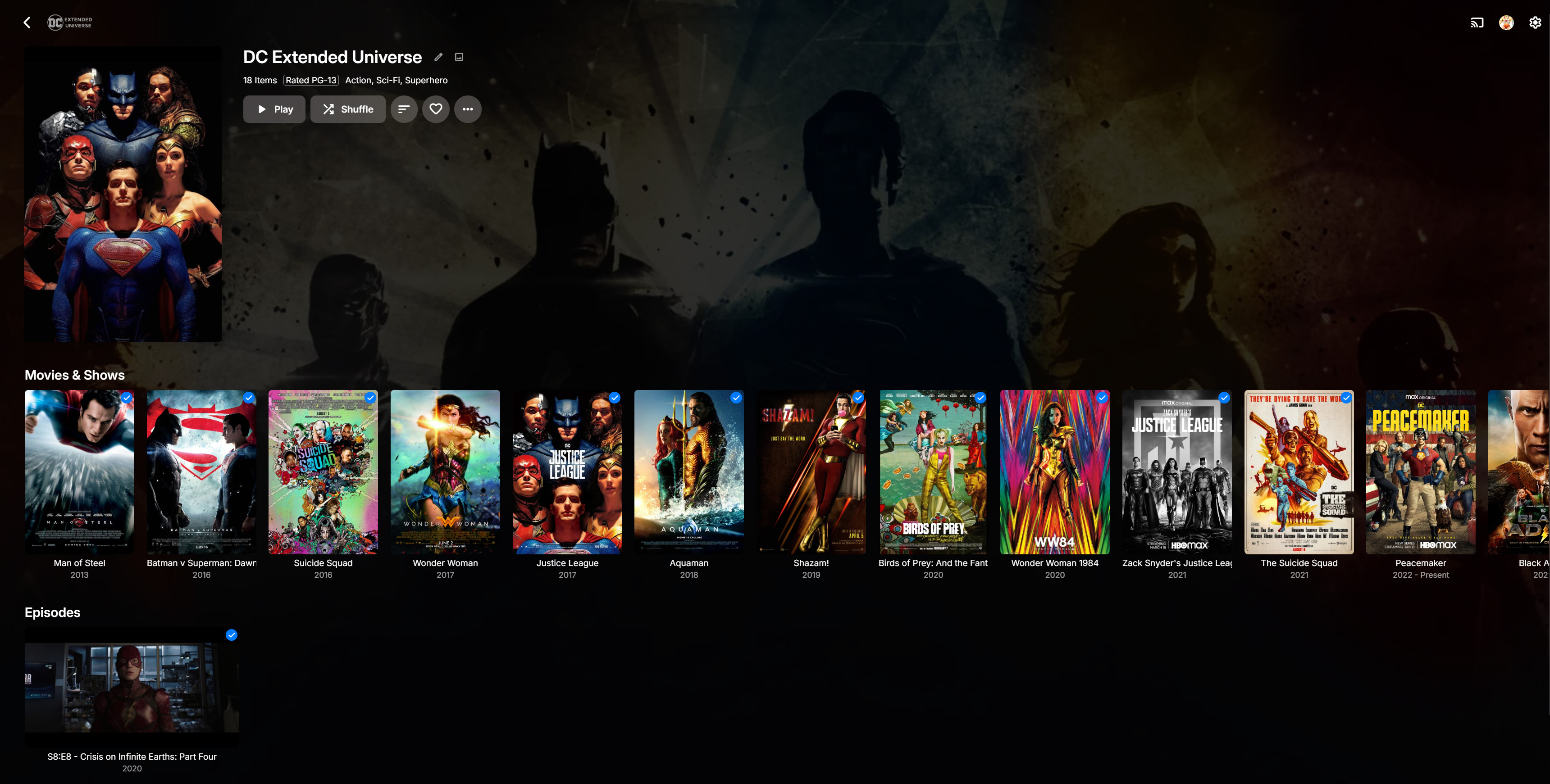
Emby changed recently. When you clicked an actor's name, it used to show Movies and TV shows and episodes as distinct rails/lines. The recent change means Movies & TV Shows are shown under one rail as "Movies & Shows". I prefer the tv is separate to Movies as they are NOT the same. I may be interested in just exploring TV Shows for an actor. If the combined view on the rail is to be the way, then at least if you click/select "Movies & Shows" it should open a new page where the content is separated into differing views one for Moves, one for TV Shows and one for Episodes. Combing Movies and Shows in one rail stinks of Apple TV app. They are separate things and should not be combined in my view.3 points
-
Yes, Style needs to be its own category/field. With Emby 4.8.x, there are now a couple of good places to add this field to the current GUI without it becoming too cluttered (I think)? PLUS, no major changes to the current layout required. At the bottom of the Album Artist/Artist/Composer pages (and more pages) there is now an About section: Genres Tags Links A new Style field could be added as follows: Genres Styles Tags Links Therefore perhaps no negative impact on casual users needing to scroll past it because it is almost at the bottom of the pages anyway. A good place to initially trial it? Style could also be shown at the top of the new individual Genre pages (comparable to where Genre is on the individual Album Artist/Artist/Composer pages now). Genre-Style is typically a parent-child relationship, so it could make sense to show it here. This would take up a small amount of extra space, but would maintain a consistent look and feel to the other pages mentioned. Perhaps many casual users wouldn't even care about the Genre pages greatly anyway? This suggestion would at least get Style into the GUI as a starting point for people to use and for Emby to gain useful feedback. Later on, Emby could consider a separate Style page (like Tags) or parent-child Genre-Style mapping, if there was enough interest and time allowed. MusicBrainz uses Sub-genre as a term, but shows them all mixed into a long Genre list. https://musicbrainz.org/genres e.g. rock AND acoustic rock are both in their long main genre list, BUT they also consider the later a sub-genre of the former (?). I think you can only import Genres??? https://musicbrainz.org/doc/MusicBrainz_API rateyourmusic is also quite a good source for finding Genres/Styles (even if they can't be imported). https://rateyourmusic.com/genres/ BUT, as a starting point, just get the field into the GUI and import it directly from only embedded metadata, because: Genres and Styles are HIGHLY subjective Most people with large curated music libraries will either have the embedded metadata already or be prepared to add it themselves Most casual users won't care either way I think three improvements together will greatly improve the new Genre pages: adding Style (discussed here and in other threads) adding a text Overview add-overview-text-section-to-the-music-genre-pages separating/filtering Album Artist/Artist/Composer (being discussed in other threads) Thanks for considering...3 points
-
Please show logo.png (i.e. the Artists logo) on Android TV app/LG app/Apple TV app like the Android TV app does? You show logos for TV programmes and movies, makes no sense to not show it for Music, Music Videos and Audiobooks. Also, on some of the apps, backdrop.jpg is NOT being shown in Music/Music Videos/Audiobooks and Fodler.jpg is shown as an oversized backdrop instead despite Emby settings saying to show backdrop.2 points
-
I'm not sure OP is human.2 points
-
If you think I am going to change 1000's of cover art from CD sized squares to rectangular or thumb art which is what TV uses!!!!! Music view works, they just need to refine things like the top menu items like "Songs" and show the track descriptions (like tv shows) so when in horizontal view which uses the FOLDERS view incidentally, you cans see the track (episode) description BEFORE you select to play it. Often I see the tracks listed and I have to navigate to a specific track to see the description, its so frustrating. I think the Android TV app gets this right from memory BUT that would be using the vertical view as that app does not have horizontal view.2 points
-
The really weird thing here is that Evil Dead II is doing the same thing. It just stopped at 41 seconds into the film. Happens every single time I play the film in Emby. Same ripping procedure on that movie. mkv passthrough. And I can't seem to "skip around" the issue. It just randomly stops playing. Ok. If I hit the "skip ahead" button it starts playing again. I have no answers. My Expendables Blu-ray rips appear to play just fine (same process... watching one now... playback is fine). The Evil Dead Blu-ray rip doesn't have the stopping issue... but does display random what looks like busted frames even though VLC apparently ignores the bad data. Loading the rip in Avidemux I can see two gray frames but only when rolling through the frames backwards. I'll post back here if I figure out something. At the moment things are just very strange with the Evil Dead Blu-ray rips.2 points
-
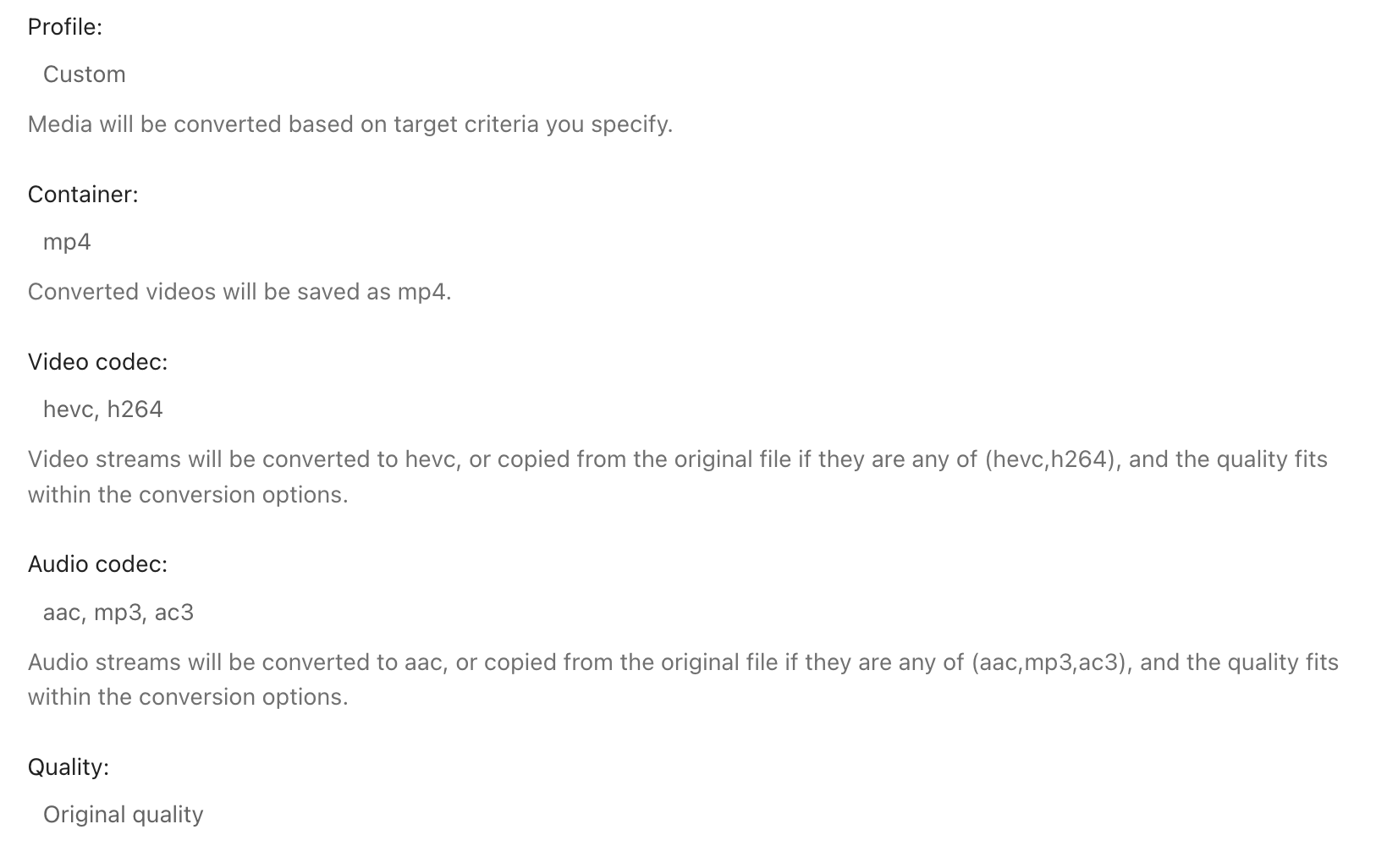
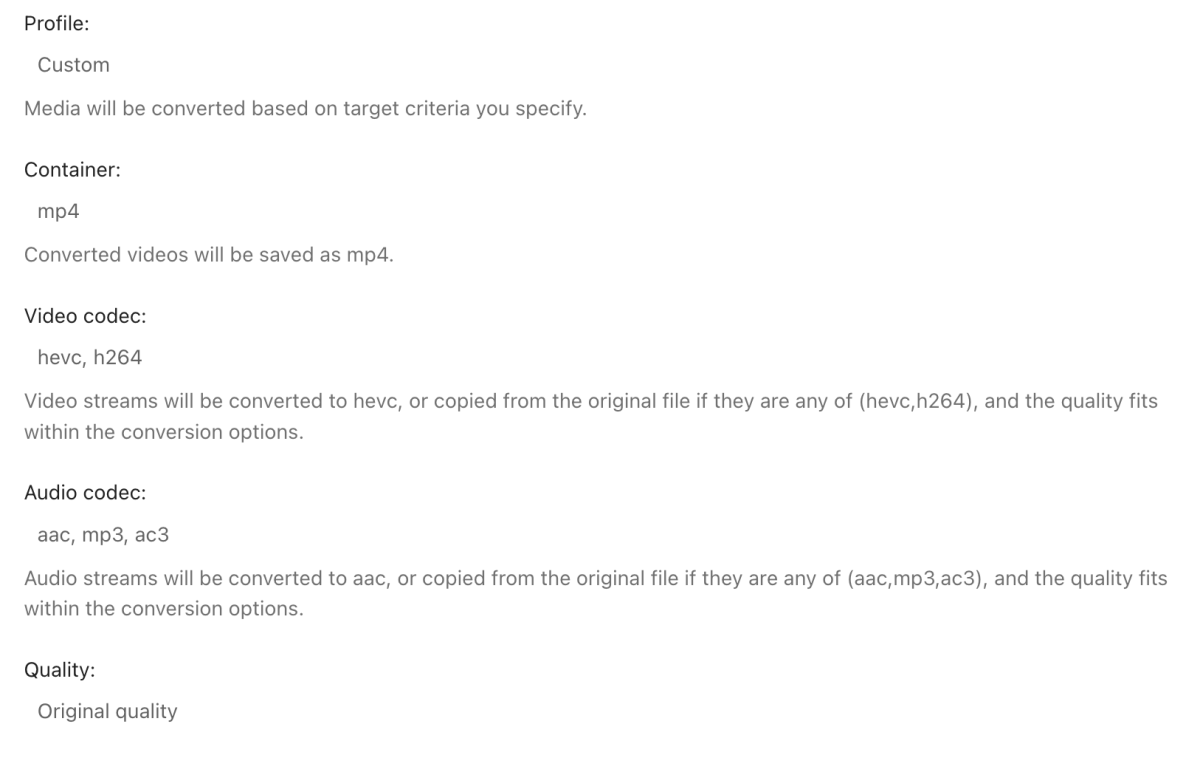
Since LG TVs don't support Dolby Vision through mkv files, but only through mp4 files I currently need to manually convert/mux my files with this ffmpeg command: ffmpeg -map 0:v -c copy -map 0:a -c copy -strict unofficial myfile.mp4 -i myfile.mkv Ideally I would want to be able to use the built in convert feature of emby but when converting a mkv file with the following settings to mp4, then Dolby Vision will be removed in the resulting file.
 1 point
 -
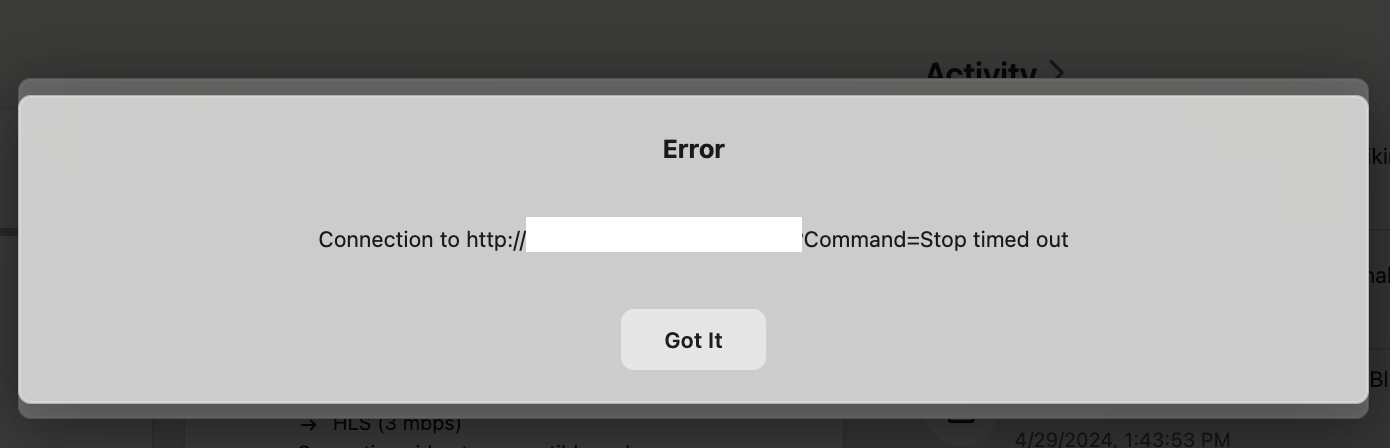
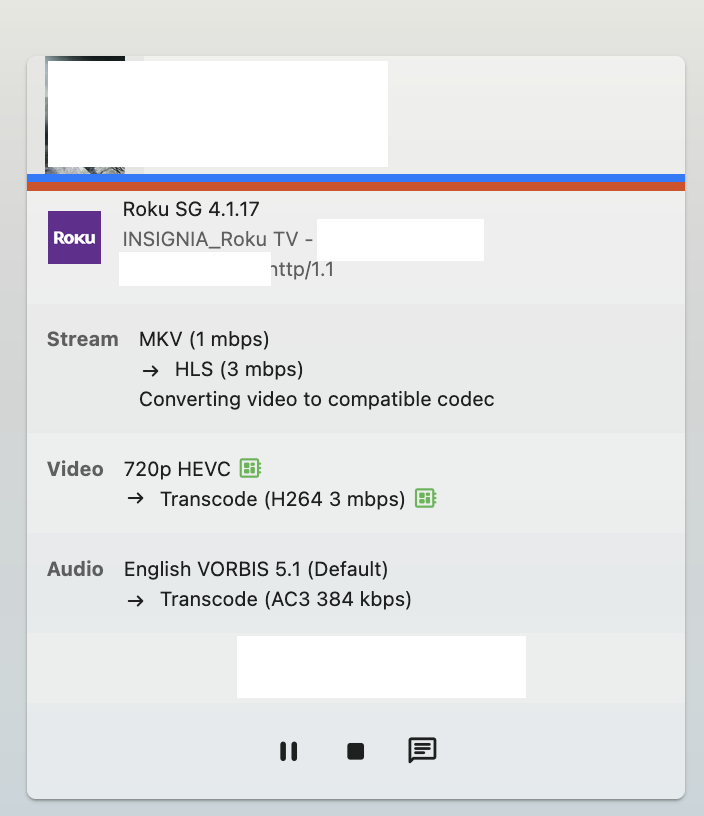
Running the latest linux version of the server. I keep seeing these ghost sessions that stay on the dashboard until I stop the server and restart. When I try to stop these sessions by using the square stop botton, the timeout error eventually pops up and the session stays on the dashboard and never moves. How do I stop the ghost sessions from staying on the dashboard? Other devices sessions show up and disappear when the user stops playing as expected. Seems to happen with Chromecast and Roku.
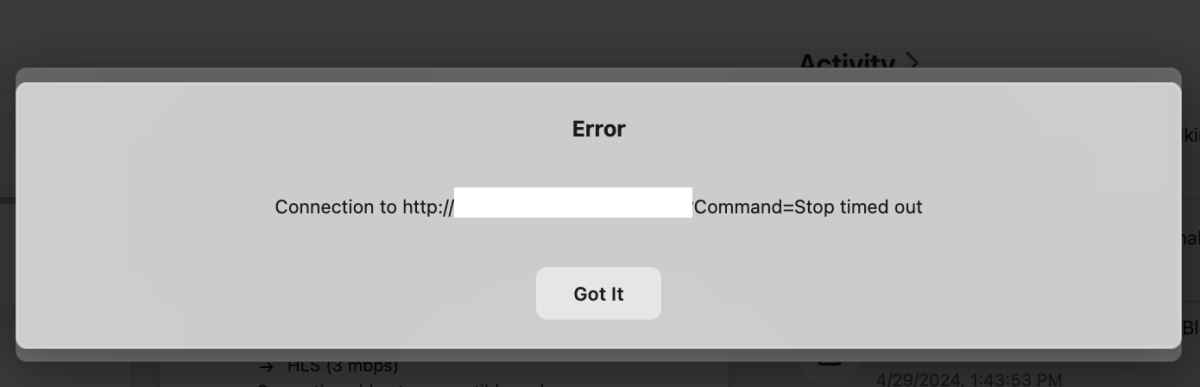 1 point
 -
Oh wow, that fixed it immediately, thanks. I remember trouble shooting something a while ago and disabling it for that. Still seems weird that this is only affecting 4k mkv files though.1 point
-
OK I see what you mean. Thanks.1 point
-
had to do fresh install of windows1 point
-
@Lukesome apps show the artist logo associated with the music video on the OSD, some do not. The logo comes from the artist logo in the music database. To your point, one could add the artist logo manually to every music video but in some aps the playing video displays artist logo that is already in the music database. The Android TV ap (and I think in Emby theater) already display the artist logo related to the music video artist in the OSD even if there is no logo in the music video metadata istelf. The FR is to have the same behavior in the other APs.1 point
-
LUKE.. you have been so helpful in the past... of COURSE I want to stay with emby...EMBY for the WIN1 point
-
For me, I won't lie, it occasionally hangs. But I have an overall large library. But I can jump from A to Z in under 20 seconds. I am using the BETA version of the Roku app which will fetch larger chunks rather than so many small chunks. The Roku does not handle fetches that occur back to back very well, which is how the jumping works. We do have a new version of the jumping which attempts it more like the web app. But it isn't a cure. I do not know why the Roku loses the observer when you call this over and over. But if you press the fast-forward button over and over you kind of simulate exactly like jumping is doing. It has something to do with when the request times out it isn't contacting the observer so it can know the last fetch failed and then continue on and fetch more. Instead, it gets stuck. There are a few ways we can solve this but none make this work any better. The new version of the jumping which copies the web app is better. But it isn't doing the fetching any different. It just immediately knows where to go in the new version index wise. The old version was checking letters for everything until it saw what it needed. Obviously knowing the index to jump to is better then checking first letters of everything you get. We can do a few things to make this tolerable and I have discussed all of these with @ebrand we may have to spend some deliberate time speeding up these fetches. ------------- @chrisrobbins1970I can actually reproduce the hangs on the jumping when going A-Z at certain times. My library.db is almost 3GB and the machine it runs on has 8GB RAM. Emby is usually eating a good 67% of that RAM at any given point. I have increased the DB cache to 3184 and the cleanup to 100000. That way it will keep most of the DB in RAM when doing these queries. I also run off an m2 nvme but that isn't helping. The Roku still hangs occasionally on my movie library. That being said, it isn't the end all end all. We will find the cause of the damn thing. Because it is causing this kind of response with users and even myself. The more squeaks heard the more grease it causes us to put on that spot. I also find the reliability of the jumping to annoy me as well on the Roku and I help build the damn thing. This is not something in the code, but something in how the Roku handles the code, so we will adapt accordingly and figure out how to please the beast. Just know that we will put some serious time into this and figure out how to best handle this. I will get with @ebragain and we will figure out a solution that everyone can be happy with. Please be patient and give us some time to get something together.1 point
-
Working now as expected thanks to the updated code and great help of @Yoas11 point
-
Yes, you would need to SSH into your Synology to get that. I wouldn't spend time messing about with that. If you have 8gb of ram trying 1024 should not be risky. Reboot and test and see if it improves. A thought for later though - if you do want to check your database size easily you can set up the backup plugin to save to a folder that you can see in the Synology DSM. Then you can open that backup folder and see the copy of database file. Hope that helps!1 point
-
What is your library.db size? But I usually go at least twice the size.1 point
-
With 4.8.4, Collections are suddenly split by media type. I hate this. Is there a way to undo this? I want movies and episodes to be combined in chronological order, as before.1 point
-
I am in the same situation as rexerm -- I rely very heavily on collections to group both movies & episodes/shows together (ex. holidays, various franchises, special interests, etc), and loved seeing the full page of movie + TV media mixed together (and sorted). It's basically the primary reason I use Emby. In the new update I now just have two separate scroll bars with hundreds (1000+ in some cases) of items in each scroll area, with only about 6 visible at any given time before near-infinite scrolling is required. Also, because they are separate, there is now no ability to sort movies + TV episodes + TV series together (ex. chronologically) as well. Most of these movies & episodes are each used in multiple different collections, so creating separate libraries to group them would not work. The ability to switch back to the old collections display would be greatly appreciated! Please let me know if there is any way I can help figure out a solution.1 point
-
Ah shoot. I can't edit or delete it. Welp. Lesson learnt. If anyone seeing this can delete the images then I would greatly appreciate it. I'll look for them. One of the results I found suggested using a VPN like Tailscale so I'll try that out. If that somehow doesn't work then I'll just get a static IP from the ISP (assuming this is the final remedy for this case).1 point
-
HEVC direct plays on FireTV just fine ? Maybe you are using an invalid profile ? Do you have mediainfo details for a file that does not play vs one that does ? (or do they all not play ?)1 point
-
I think something went wrong with the upgrade process, I uninstalled and reinstalled clean and I haven't seen any problems since1 point
-
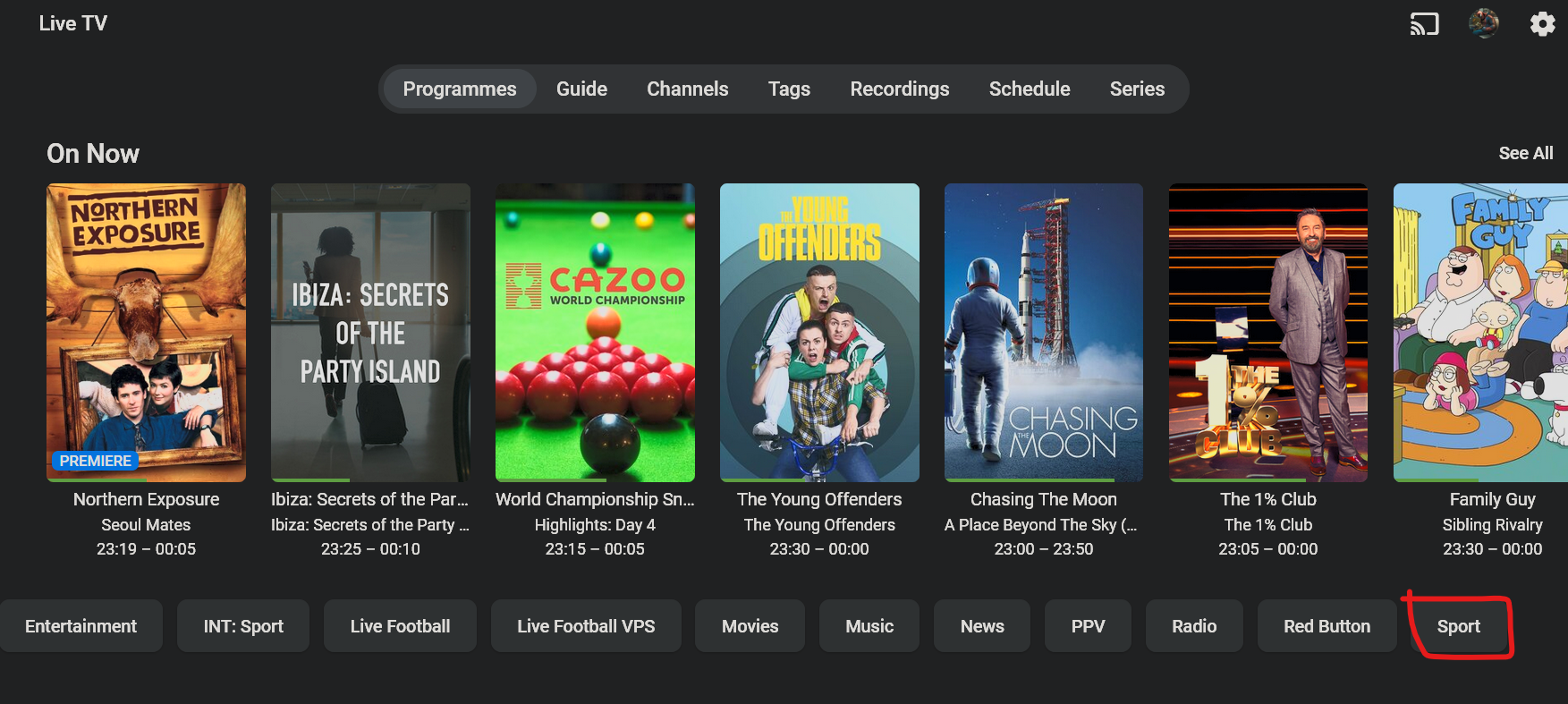
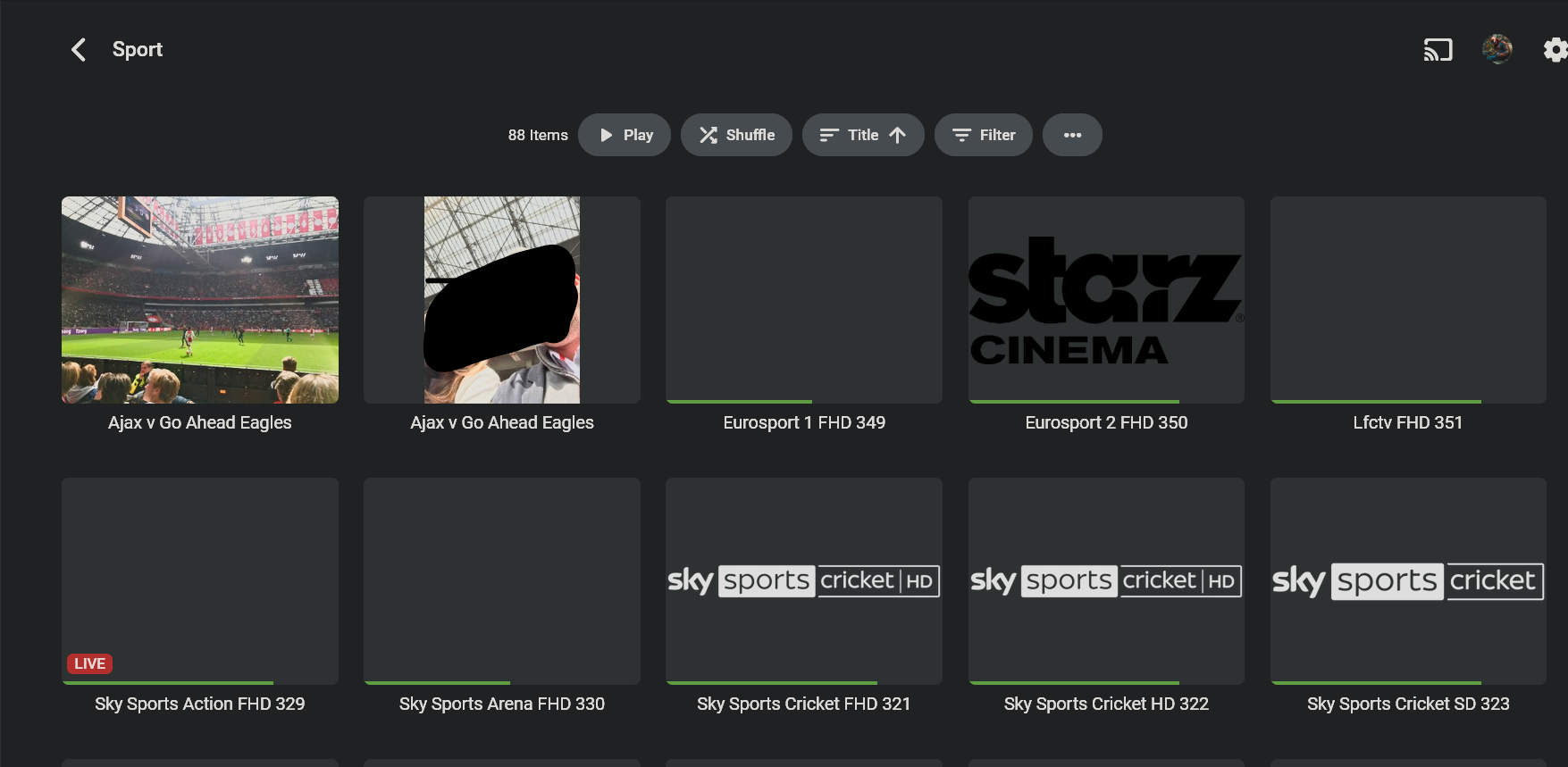
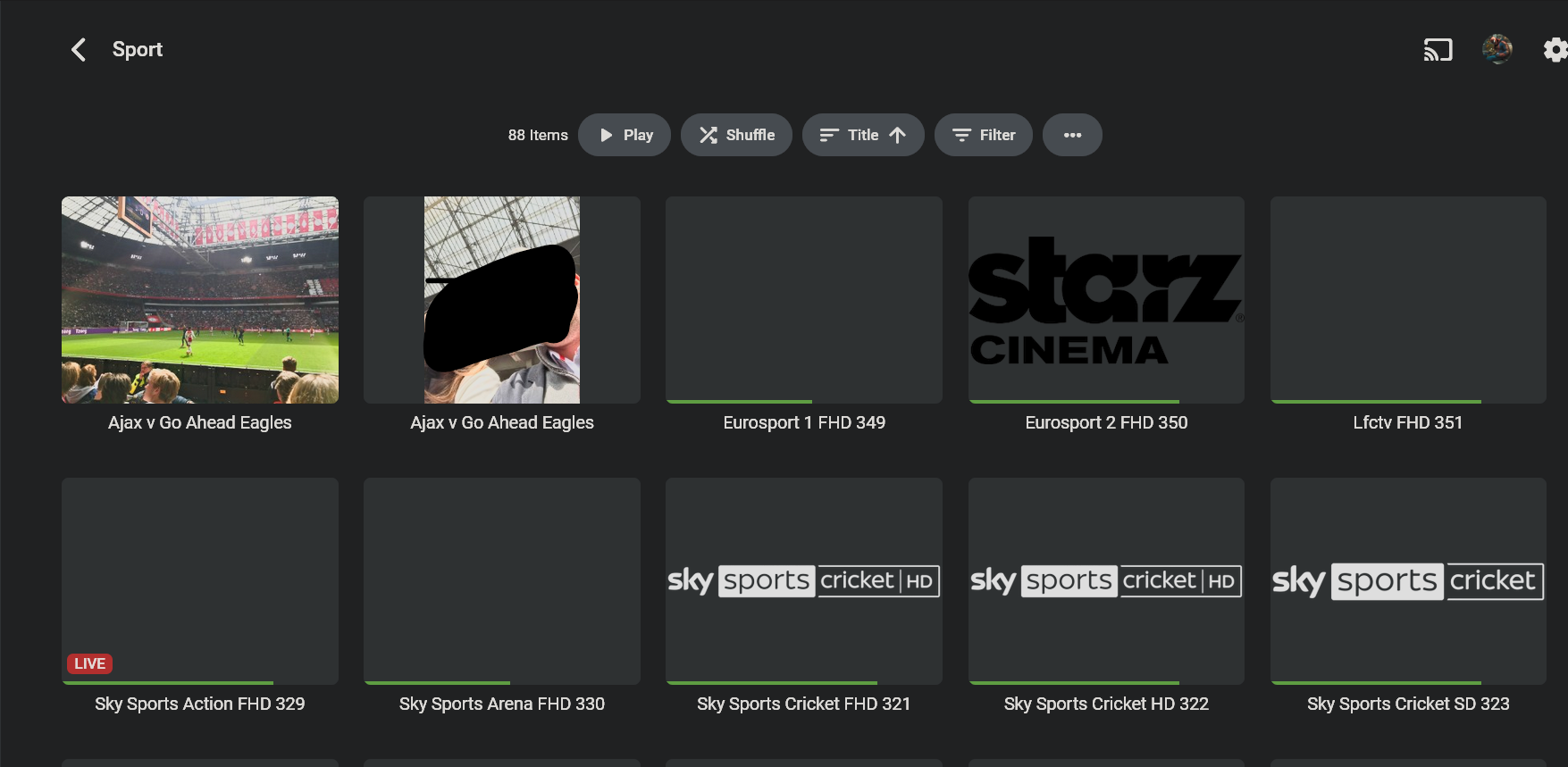
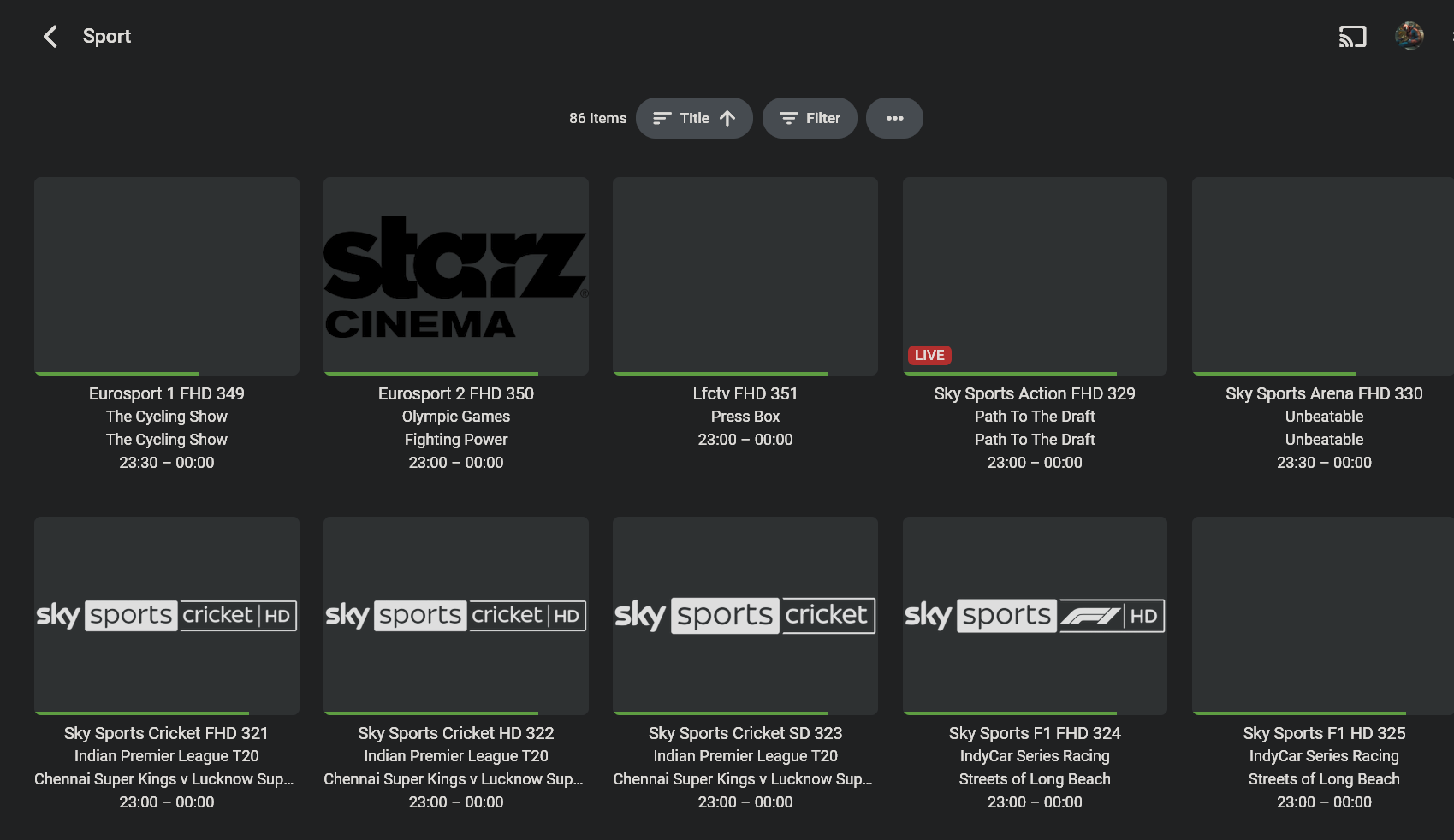
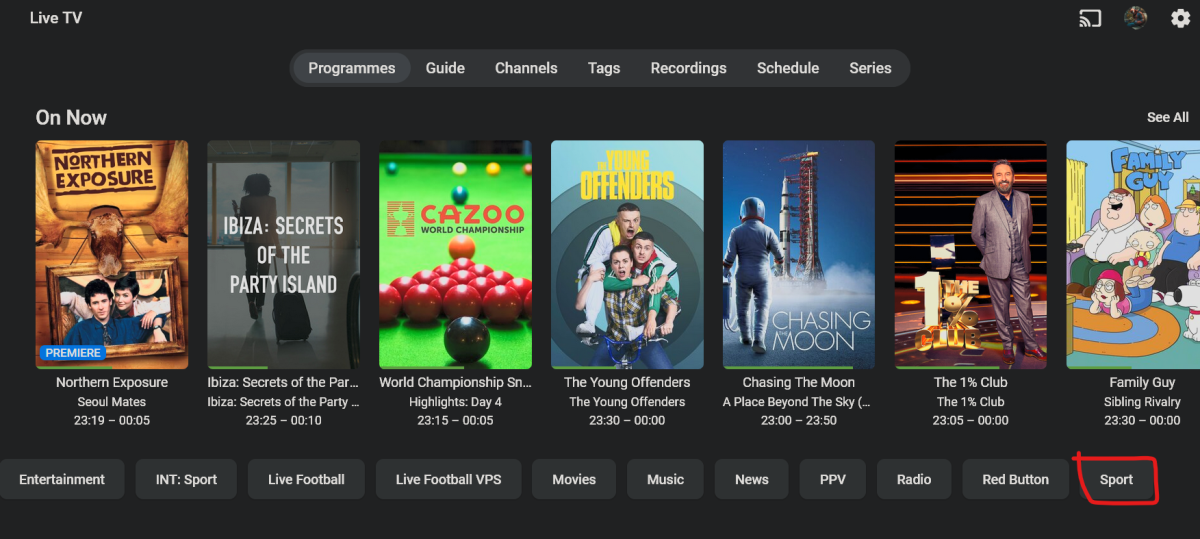
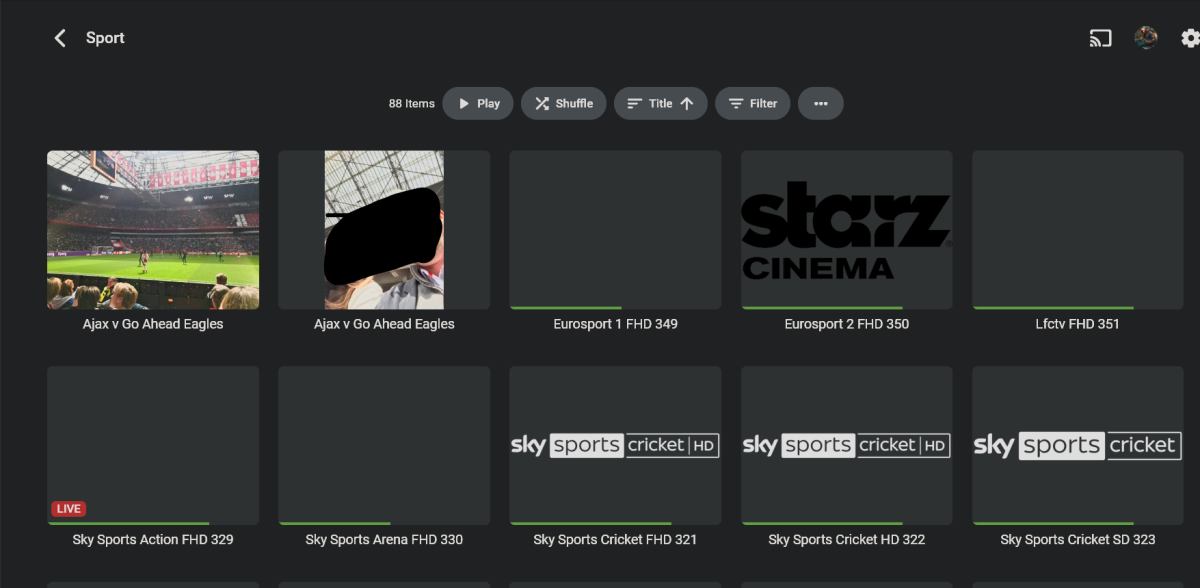
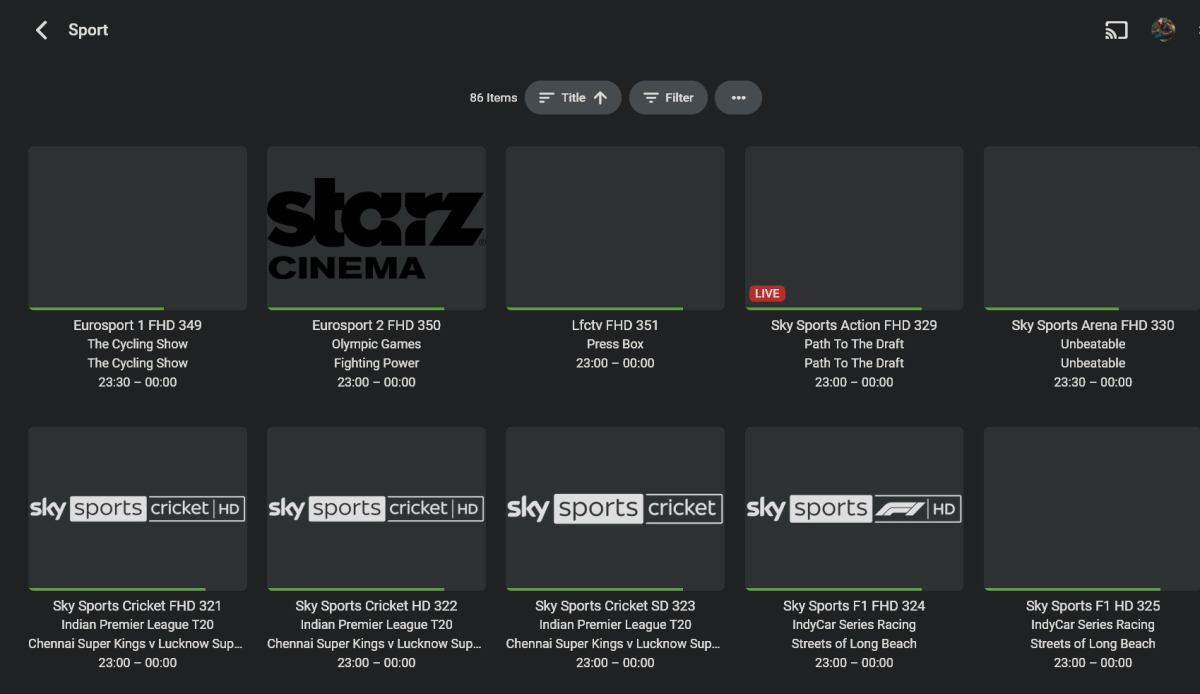
Clicking on any button on the second row in the programs screen of live tv, like so takes you to the list of channels tagged as Sport. Except that: Photos tagged with the same word still bleed into the live tv library. No information is provided on what is on. Compare to the same view when coming from Live Tv > Tags > Sport - 2 less channels and full on now info:
 1 point
 -
Looking now, I finally see "Music Video Image Fetchers" section. I didn't realise there was a 'Music video' library type now. I'm sure when I created it, years ago, it was just a generic 'video' type library. But I can now see I need to enable "Image Capture" to pull a frame from the video (none were selected). Not sure if that's new or why it was turned off. Thanks!1 point
-
Hi there, what image fetchers are enabled on the library?1 point
-
Very strange. Well we have a 4.8.6 update dropping tomorrow, so please try that once available. Thanks.1 point
-
I also hope this feature comes soon. I got Emby working on Steamdeck OK, but downloading doesn't work.1 point
-
Perhaps this Stray game is a bit like curious people falling into an Emby world - in a good way of course...?!?!? (the above Quote is from Wikipedia)1 point
-
Sorry to say, the ARM beta version 4.9.0.14 crashed last night with the same network exception. I realized I haven't actually watched anything on Emby lately, but did last night. The crash came around the same time as the previous one (~1:30 AM). Let me know if there's anything else you need or want me to try. Thanks! embyserver_crash.txt1 point
-
Good question. I'll check and report back next time it happens!1 point
-
Hi, yes it's certainly possible for future updates. Thanks.1 point
-
HI, have you setup your own Emby Server? Please check out our Quick Start Guide: Quick Start1 point
-
Bonjour, pour le moment non mais j'étais absent ces 2 dernières semaines. Je n'ai pas pu tester pleinement. Je vais également demandé à mes utilisateurs. Je vous tiens au courant1 point
-
Correct. I first noticed it between the web app and the Roku app, but later realized it was because different users were logged in on the different platforms. The most recent testing described above was performed in the web app (Edge); however, I have seen the same results on the Roku app and the Android app (local and remote).1 point
-
New BETA version available 10.0.18: Delta changelog 10.0.17 -> 10.0.18 fix boxsets to tags option Comment: This version now beta and also available via Emby's Kodi beta repository1 point
-
But on your server he has those genes assigned to him.1 point
-
I'm eagerly awaiting the App Store update, hoping to finally remove the download icon. On my server, I don't want to allow content downloads, rendering the download icon entirely unnecessary. It would be fantastic if my users had the option to remove it through a dedicated setting. Additionally, I'd like Emby's tags to function more accurately. Currently, if a user is only allowed to view episode 2 of a TV series, it's odd that the series only appears on the home screen and disappears when viewing all TV series. This behavior isn't entirely sensible; the episode should be visible even when browsing all TV series.1 point
-
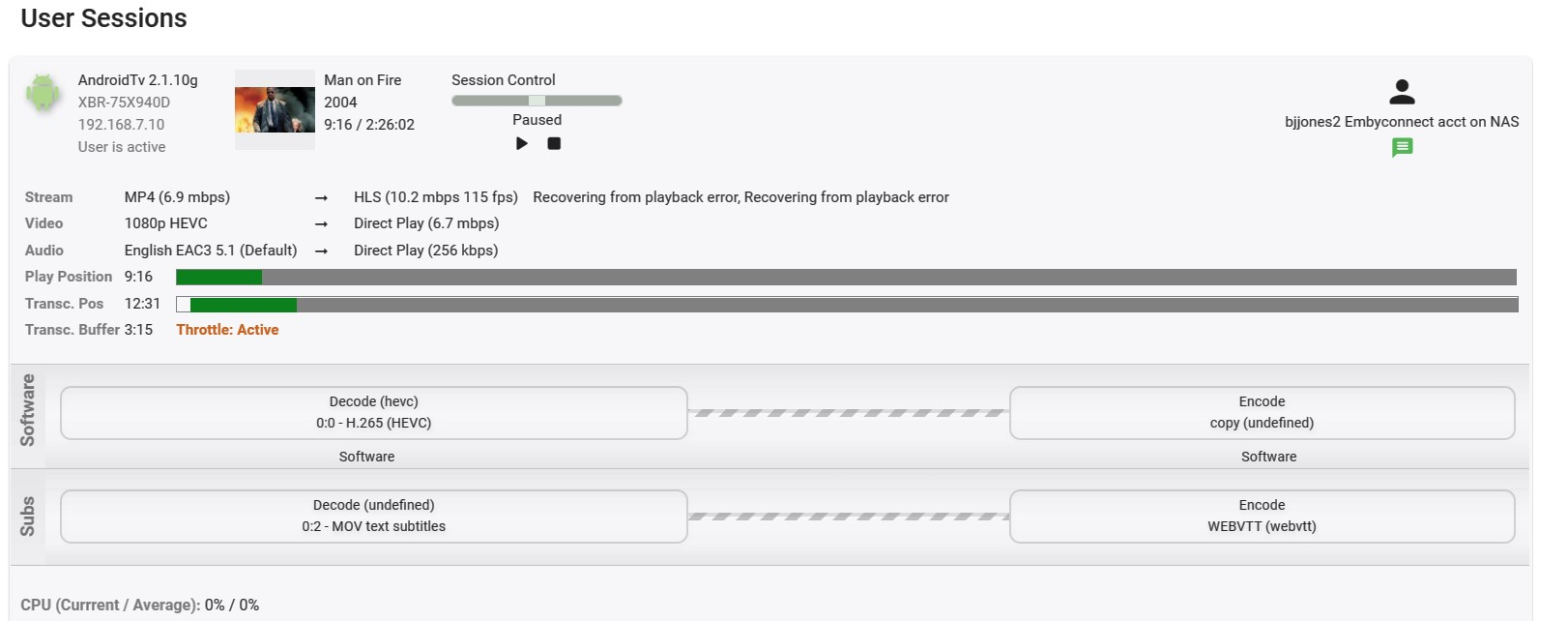
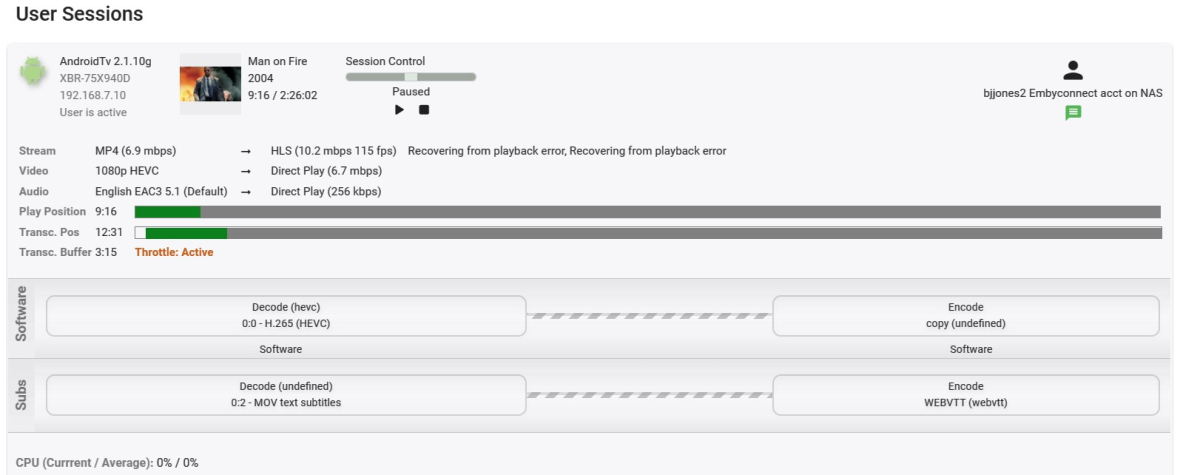
@Luke One last bit of info on this in case it's useful otherwise I think I've pretty much tried all the variations and beat the subject to death. Here's the log from a HEVC 10bit low 24fps framerate (the 60fps samples have the most problems). It played along fine for a few minutes then got the recovering from a playback error on the Android TV app. Resumed it from the same place on the standard Android app 3.3.58 and it continued playing along fine in direct play mode. Let me know if there's anything else I can try on my setup for you - Thanks embyserver.txt ffmpeg-directstream-a8ec5a96-5ea4-47b5-9e6f-637816e90423_1.txt
 1 point
 -
Ugh. @Lukecan you please make the necessary changes with group by media type? 1- Add seasons back 2-Split movies and shows into their own groups. 3-Add an option to view all items like in ATV1 point
-
Yes, that is correct. My apologies, Luke, I was pretty grumpy about this last night. But, I do use Collections extensively for a variety of things and it is one of my favorite ways to organize in Emby. This new view has impacted the usability of many of them pretty badly. Examples would be: Christmas Episodes - because this contains both episodes and shorts (TV specials like Charlie Brown Christmas), I will not be able to scroll through the big list with the kids to pick out things to watch. Directors - I like to have chronological lists of everything favorite directors have done. David Cronenberg, for example, is now broken because he has a TV episode in his collection. Things to Show Friends - I have collections where I throw anything and everything I might want to watch when a friend visits. We can no longer scroll through the big list to browse. MCU - I add individual TV seasons to the MCU collection to keep things in chronological order. This forces the "Movies & Shows" horizontal scrolling thing, which, among other things, makes getting to the end of this 71-item list painful.1 point
-
Users have been asking for this as an option from the beginning. That's why it was implemented with view options in ATV. Why would you put this out and not include options? It also needs movies and shows split apart...as an option.1 point
-
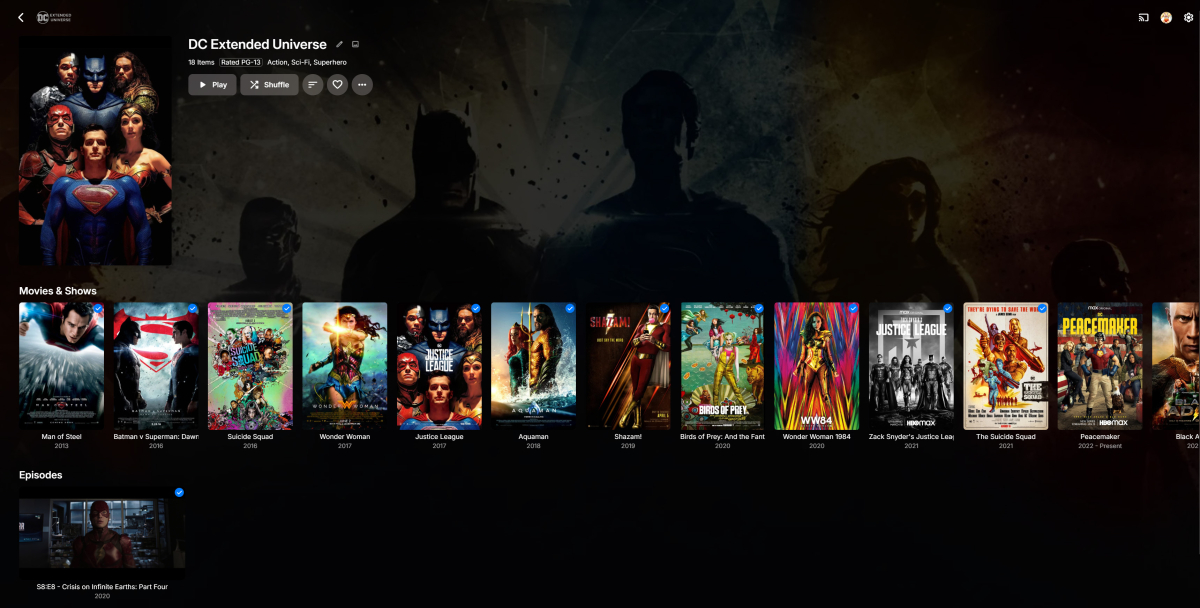
Because I've added an episode into this collection, it is completely awful to look at -- with required scrolling -- and does not place the episode in the proper order with the movies:
 1 point
 -
Hi, an option to control this is certainly possible.1 point
-
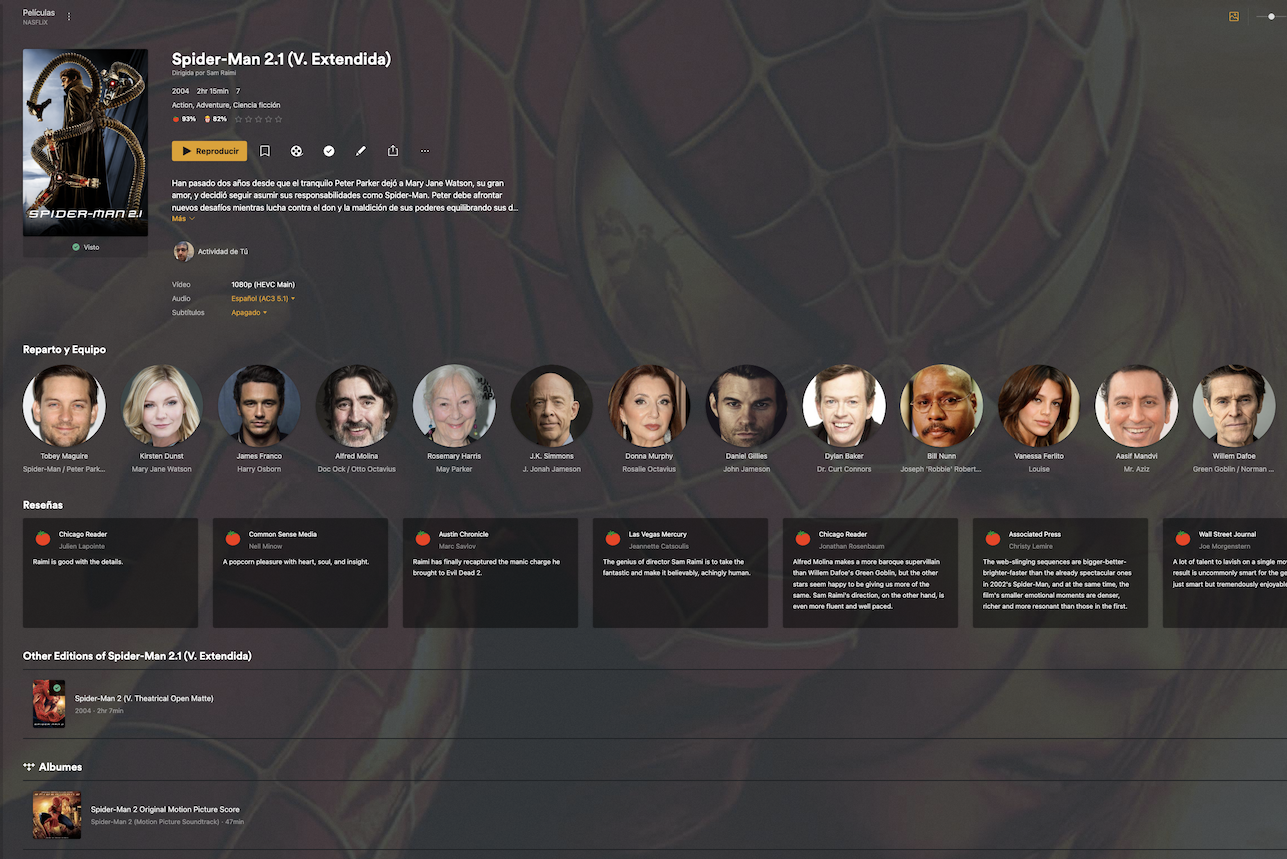
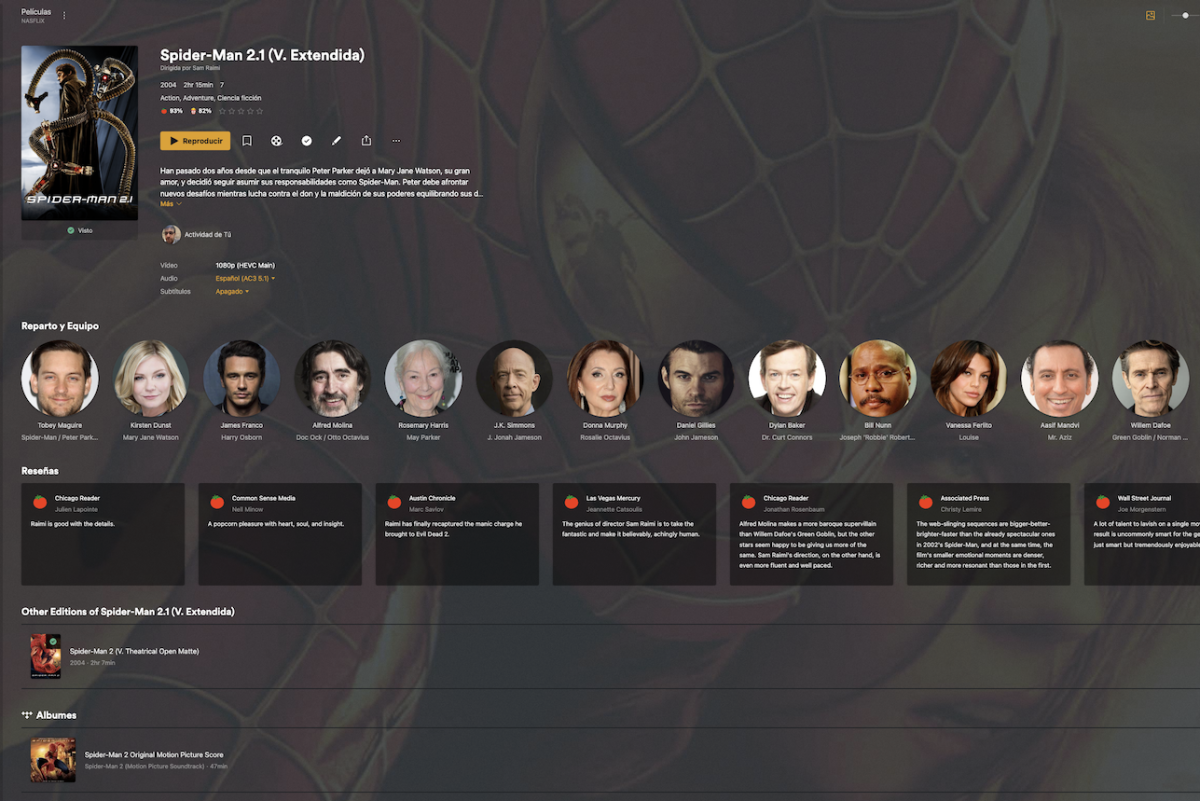
In fact this is how it's presented in Plex: At the bottom you can see other Editions, that relates to other versions and includes if you have it in your library even a link to the soundtrack. Definetely we need something like this in Emby
 1 point
 -
Sorry for the late reply, just saw your post. Yes once I renamed the files and moved them I scanned the appropriate libraries and checked them and the new content showed in them on the PC.1 point
-
Thinking abouit this again, you literally hit the moment by the minute. I decided that it's complete, then I looked through all again and checked in the changes, wrote a changelog entry, increased the version and pushed it to the server - which took five minutes. Then I looked at e-mails and new posts and when I responded to yours it said your was made 6 minutes ago.. When the new Window beta is out, I'll start looking into catching up the WMC UI to the latest client code and go through the open issues. Then prepare a new WMC UI release which is based on the new Windows app. Always love to hear that!1 point
-
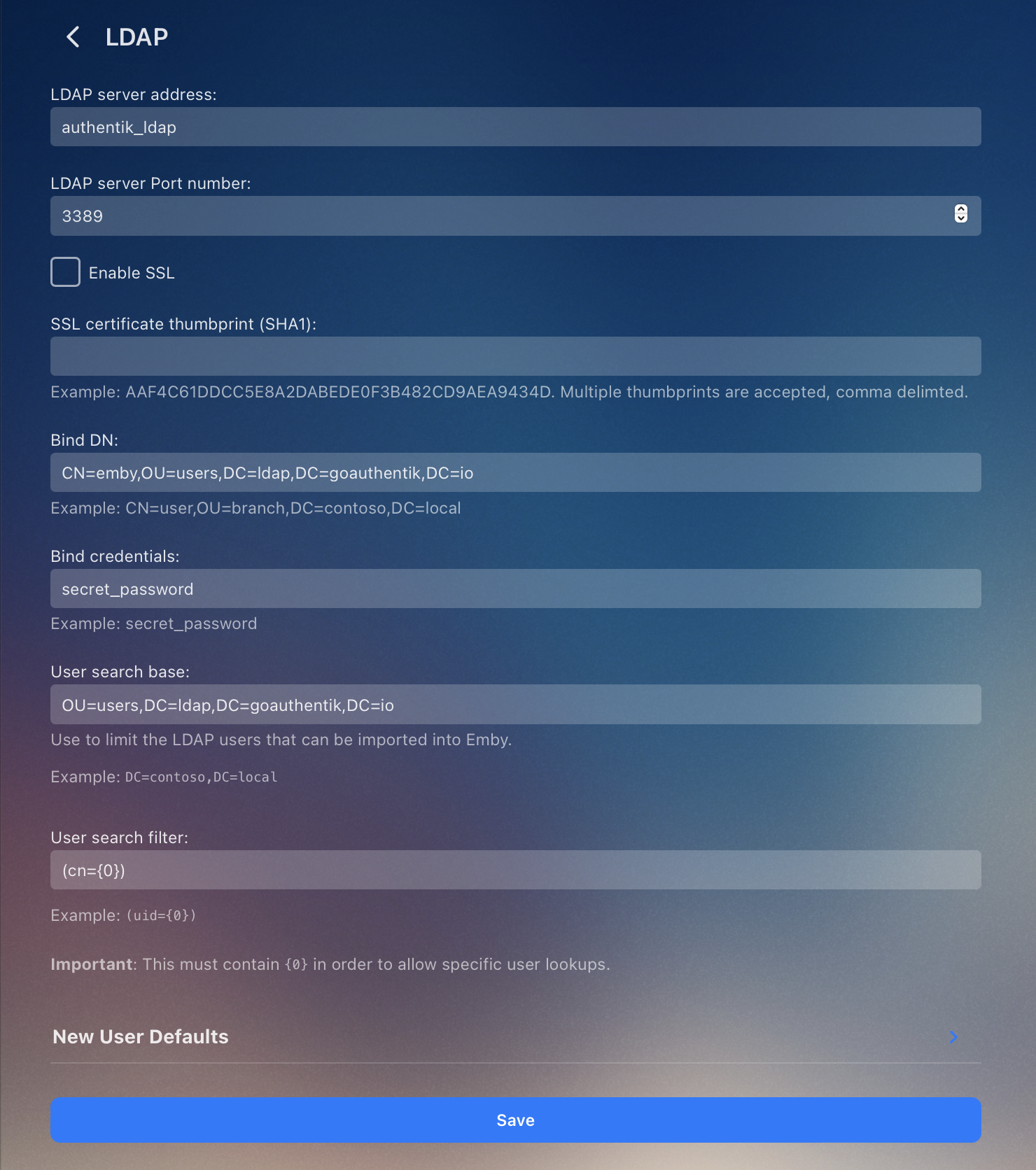
Hey! After debugging more, I found this issue which was the user search filter. Here's the step I ran: Run a container to test LDAP queries: docker run -it --rm ubuntu /bin/bash # add <--network your_ldap_docker_network> if using a custom network Run these to test your query: apt-get update && apt-get install -y ldap-utils ldapsearch \ -x \ -H ldap://authentik_ldap:3389 \ -p 3389 \ -w 'your_password' -D 'cn=bind_username,ou=users,DC=ldap,DC=goauthentik,DC=io' \ -b 'OU=users,DC=ldap,DC=goauthentik,DC=io' \ '(cn=username_of_user_you_are_looking_for)' If you are using Authentik, these are the settings I am using: @Lukethank you very much for your help and patience!
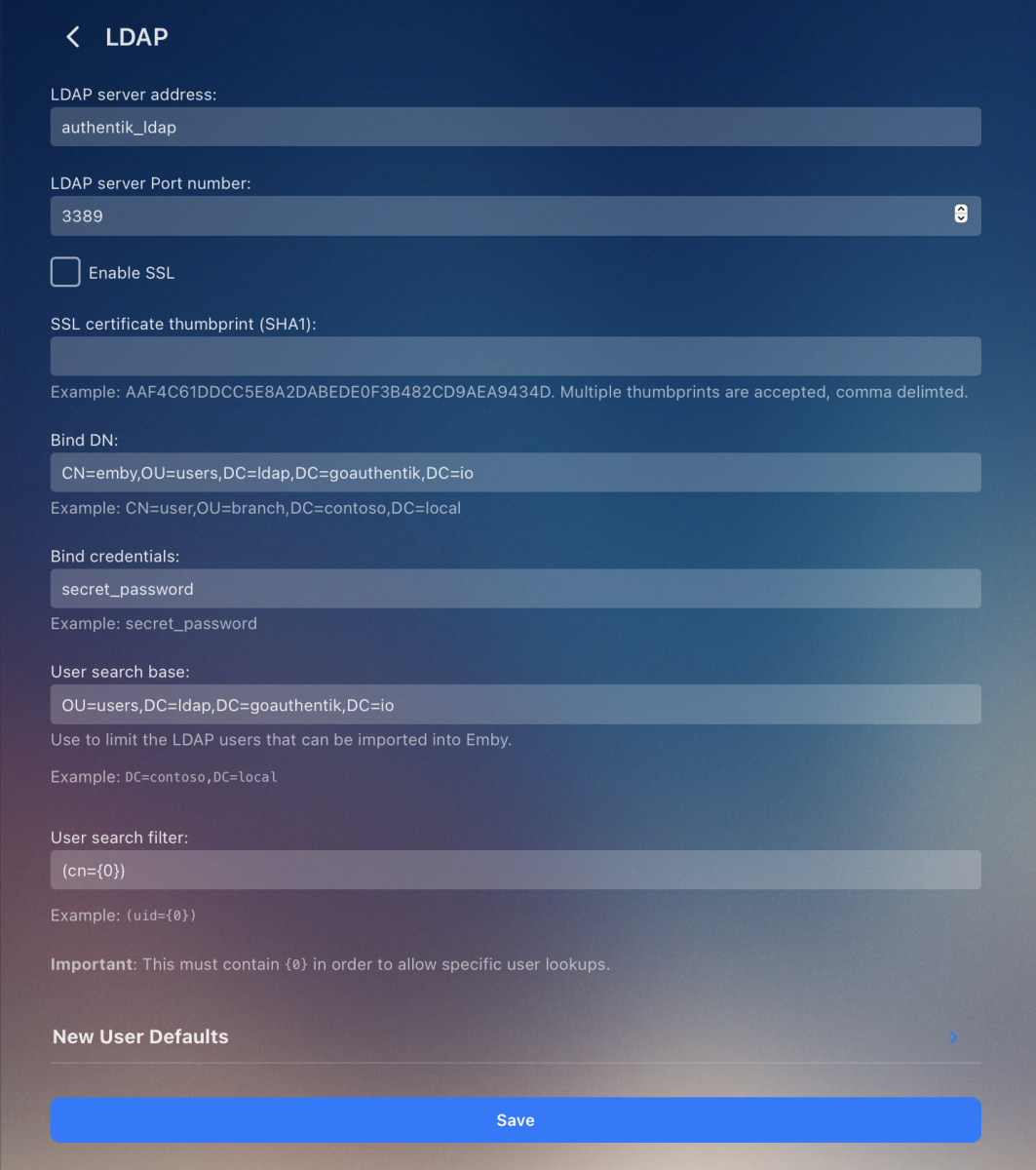 1 point
 -
You would probably get a lot better experience using a dedicated server app: AudioBookShelf. I used to use Emby and Plex for Audiobooks but fully switched to ABS, and it has been a much better experience. Leave Emby for Movies and Music.1 point
-
I think settings to control this would make sense for the future, thanks.1 point