Leaderboard




Popular Content
Showing content with the highest reputation on 04/26/24 in Posts
-
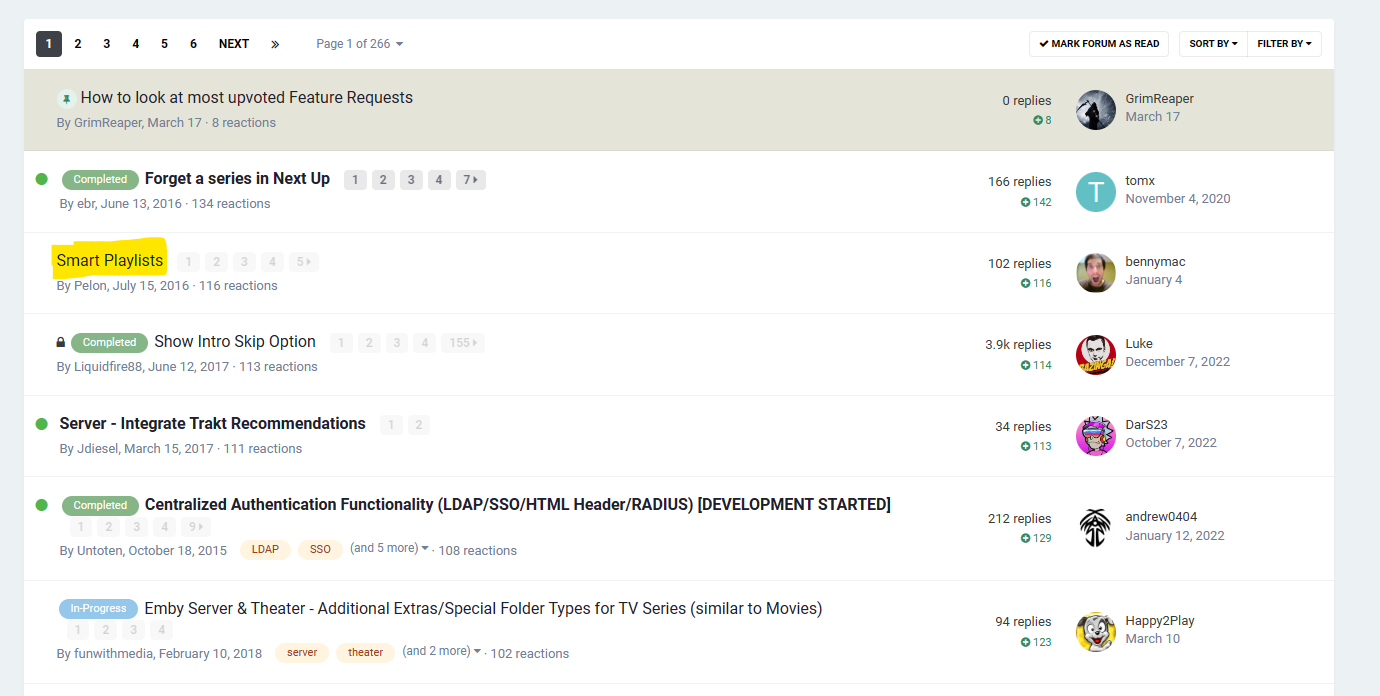
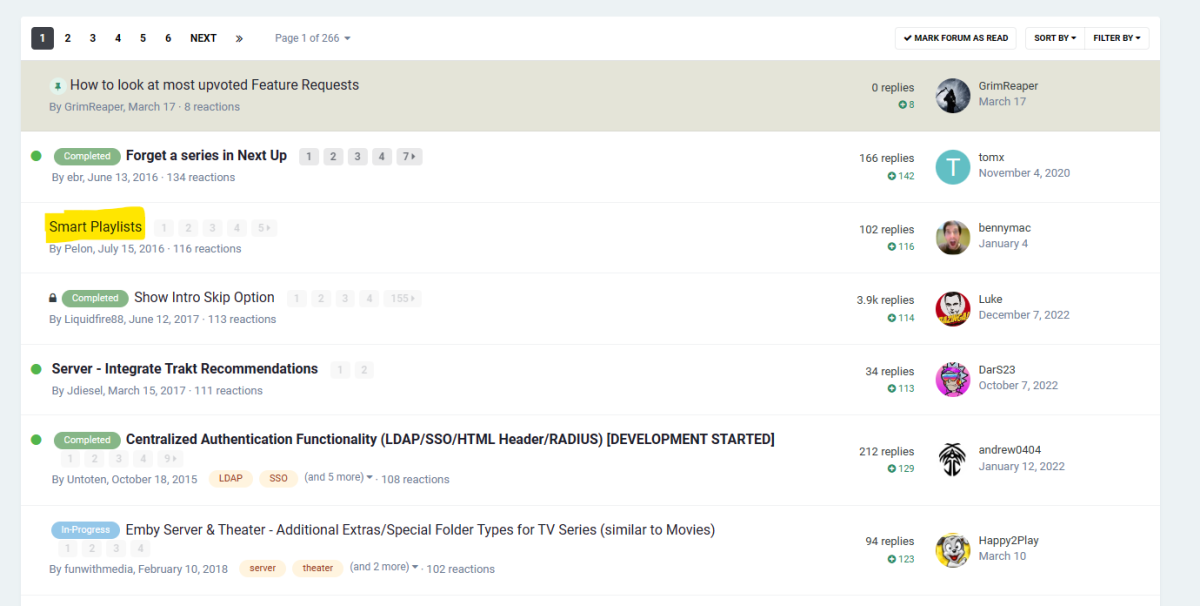
@Luke- Hi - so are we any closer to Home Screen Smart rows/libraries/channels - based on smartlists ? I halted my own efforts to get this 'working' (hacked) but stopped as you advised it was something you were hopefully working on back in August of last year post the 4.8 release... Its now 9 months later - 4.8 has been and gone - Is it even on the cards ? If not, then I'll carry on with my own 'hack' (and now wish I had just carried on with it..) as my own users are now fed up waiting for this essential missing feature ...
 3 points
 -
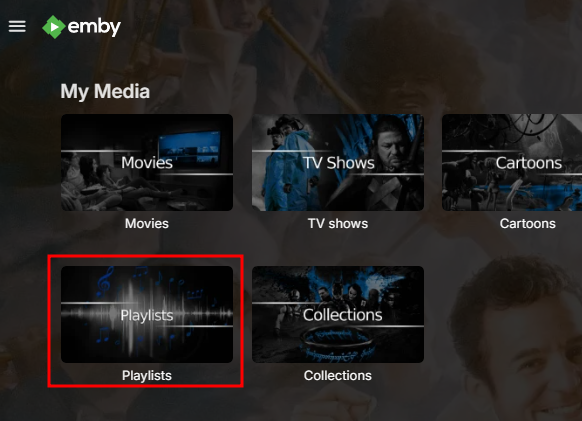
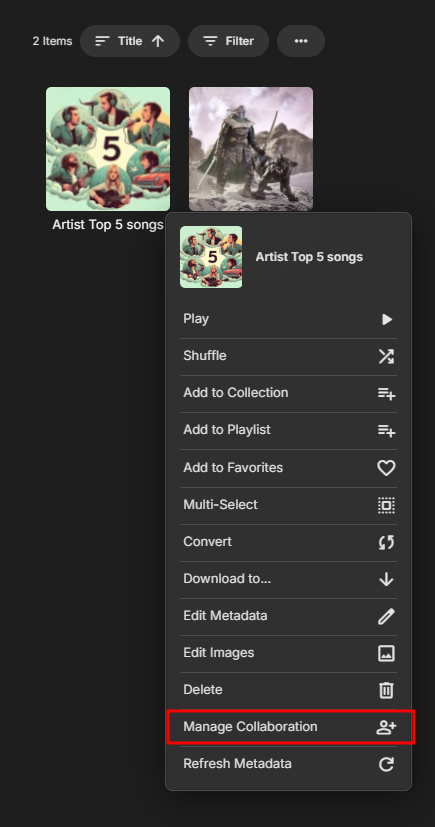
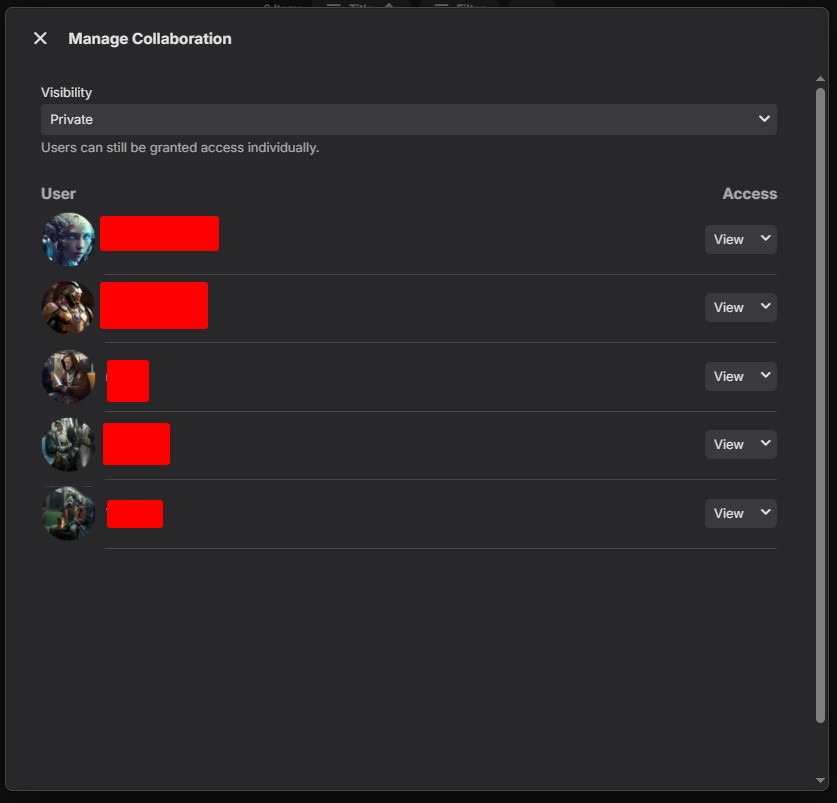
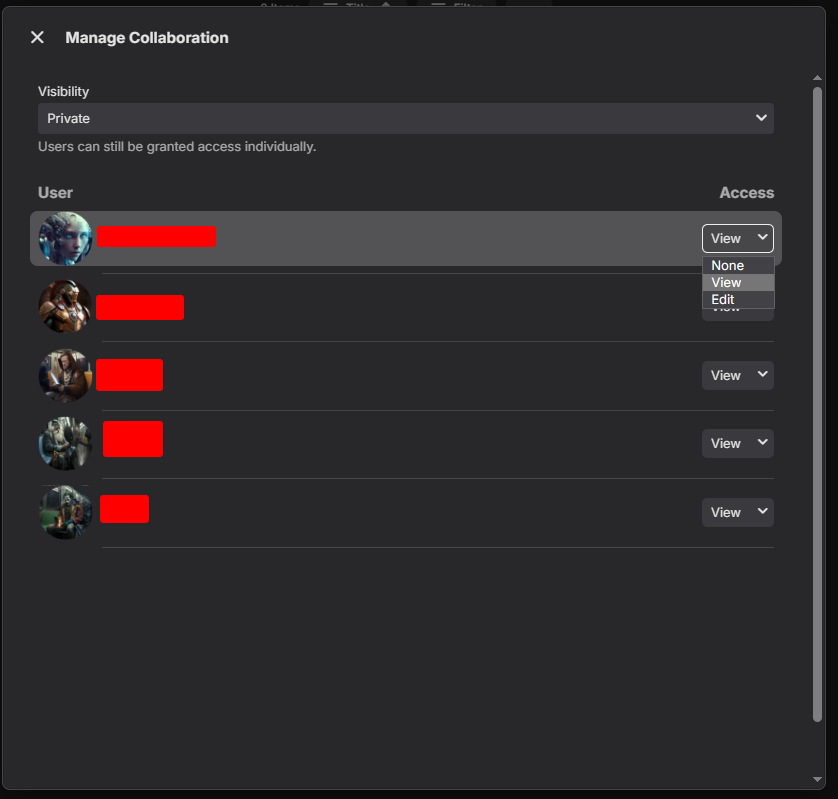
Here is an example. Go to playlists. Select you playlist, click 3 dots. Set playlist to " Private " Set permissions for your users. Setting permissions to "none" and sed user should not see the playlist. Hope this makes sense
 2 points
 -
Luke apply this in the latest beta, working great, well done Luke!2 points
-
Also, It would be cool if we have various m3u lists and have the option to choose/assign each m3u list for each user.. Example. In user settings we can choose which library to give them for VOD so this shouldnt be hard enough to do it for live tv too no? USER 1 - Playlist 1 - Playlist 2 - Playlist 3 USER 2 - Playlist 3 USER 3 - Playlist 1 - Playlist 3 Etc etc.... *** Delete this message from another topic I opened because I posted it by accident there1 point
-
Hi. I have one tv show (one piece) where the skip intro feature is not working well, while other tv shows work really good. So, it would be great if I could disable this feature for specific tv shows1 point
-
For a while now I've been having this issue, it's never really bothered me but I'm curious as to what's going on. This has occurred for months at the very least. My dashboard will show streams that are apparently in progress but they are stuck at a specific time and not moving for days. The user will watch content normally and it will show up as a separate active device with the frozen one still appearing alongside the rest. Below are the two streams that have been stuck like that for the past 3+ days. Attached are the logs for the past two days1 point
-
Hi ! I would love to be able to add my own sections and be able to sort them in whatever order I want. Add sections with custom titles and filters, with different sorting modes (Randomly is the most important for me). THANKS !1 point
-
Hi there, In this tutorial, you'll learn how to set up a RAM disk space on your Synology NAS. Start by following the instructions provided in this guide: Creating a RAM Disk on Synology NAS (translated into English). Once the RAM disk is created, proceed to configure Emby. Set the transcoding path in Emby to use the newly created RAM disk for optimal performance. A. To create two folders on your NAS, follow these steps: NAS Folder Creation: Choose a location where you want to create the folders. For example, you can create them under /volume1/docker/ramdisk and /volume1/docker/ramdisk-local. Folder Creation Process: Access the file system of your NAS. Create a new folder named ramdisk within the /volume1/docker directory. Similarly, create another new folder named ramdisk-local within the same /volume1/docker directory. You have the flexibility to choose any suitable location for these folders based on your NAS setup and preferences. B. Mount Ram Drive at system start Create a new schedule with user root and run at system start #!/bin/sh # Mounting a tmpfs filesystem mount -t tmpfs -o size=20% tmpfs /volume1/docker/ramdisk # Sleep to ensure the mount has time to complete sleep 1 # Synchronize contents from the local ramdisk to the mounted ramdisk rsync -ahW --no-compress /volume1/docker/ramdisk-local/ /volume1/docker/ramdisk/ #Grant access and ownership to user emby chown -R emby: /volume1/docker/ramdisk/ chmod -R u+rw /volume1/docker/ramdisk/ Steps Explaination: Mount Folder and Allocate RAM: Begin by mounting the folder and allocating 20% of your current RAM to the new RAM drive. Copy Contents from ramdisk-local to ramdisk: Next, copy the contents from the ramdisk-local folder to the ramdisk folder. Grant Access to Emby System User: Finally, ensure that the Emby system user has appropriate access to the RAM disk. After creating the new schedule, execute it to mount the folder with the new RAM drive. These steps will help you set up and utilize the RAM disk effectively, ensuring that the Emby system user can utilize it for optimized performance. C. Create new schedule with user root in order to copy ramdisk to ramdisk-local every minute #!/bin/sh # run me as a scheduled task every minute as the same use the files belong to rsync -ahW --no-compress --delete /volume1/docker/ramdisk/ /volume1/docker/ramdisk-local/ D Add setting Ram Disk path on Emby - Transcoding Emby Menu -> Transcoding -> Transcoding temporary path -> /volume1/docker/ramdisk/ Press Save. Thank you
 1 point
 -
I installed Arm7 APK Emby on Google TV and it is working ok too. it will open and close.. it was google play app that had the trouble loading Emby if dev need to look into it..1 point
-
I installed Arm7 APK on the NVIDIA shield devise and it did work OK. it will open the app after closing it... is working now with APK. i will test it next on Google TV and see.1 point
-
Ok i will try that and see. i will install Emby APK.1 point
-
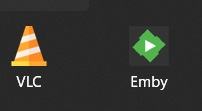
@LukeI noticed a small issue with the Emby Theater app (downloaded from the Microsoft Store). Its icon seems to have a shadow, which I don't think is intentional. It's a minor detail, but it stands out when pinned to the navbar in Windows, especially compared to other icons. I've been trying to change it to something else, but I haven't figured out how to modify files for apps downloaded from the Microsoft Store and stored in the WindowsApps folder. Does anyone know how to do that?

 1 point
 -
This is working great. Thanks so much!1 point
-
Server 4.9.0.15 is still broken, this is with the web browser on the server PC. 1: Music->Genre->Context Menu->Shuffle or Play : Correct genre with fast playlist creation 2: Music->Genre->Artists->Shuffle or Play : Wrong genres with fast playlist creation 3: Music->Genre->Albums->Shuffle or Play : Correct genre with very slow playlist creation (135 seconds), high cpu usage during that time 4: Music->Genre->Songs->Shuffle or Play : Correct genre with slow playlist creation (30 seconds), high cpu usage during that time On android mobile 1 and 2 are the same but 2 and 3 show high server cpu but eventually don't play at all. On first install and after one restart it seemed to work correctly, however after another restart it's broken again. I believe I saw this behaviour with 4.8.x which is why I was misled into thinking it was fixed earlier.1 point
-
I'd sort them after the last season of a series. In season specials should be complete by then and any extras would just be viewed after completion of a series1 point
-
Perhaps in some fashion, but with a design that makes sense for a TV remote.1 point
-
Hi @Luke Testing update for .15 and more context. I tested Three Shuffle Buttons on a genre type. Release and .15 still produce the same results. The first two work see below. The Main/Visible below works as expected Content appears correct (I think this one always was correct ?) Click on artists in above view The shuffle button in the screen below works. The content of this view is incorrect by the definition I use as incorrect artists are included. Click on Albums from main Screen. The Shuffle button produces a hard failure on both release and .15 ( I realize it a pain if you can't reproduce) It is odd because the expected result is the same as the main First Shuffle unless it is trying to produce a playlist of random grouping of albums of in the genre. You have to manually end the task. Anyway I would normally use the first shuffle - Random Tracks from the selected genre -vicpa
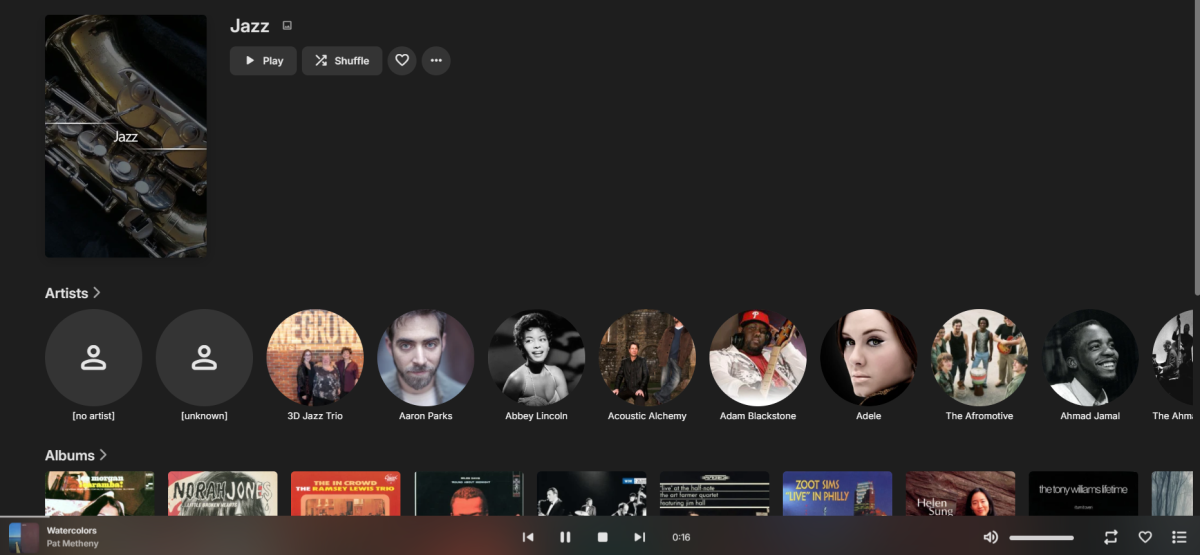
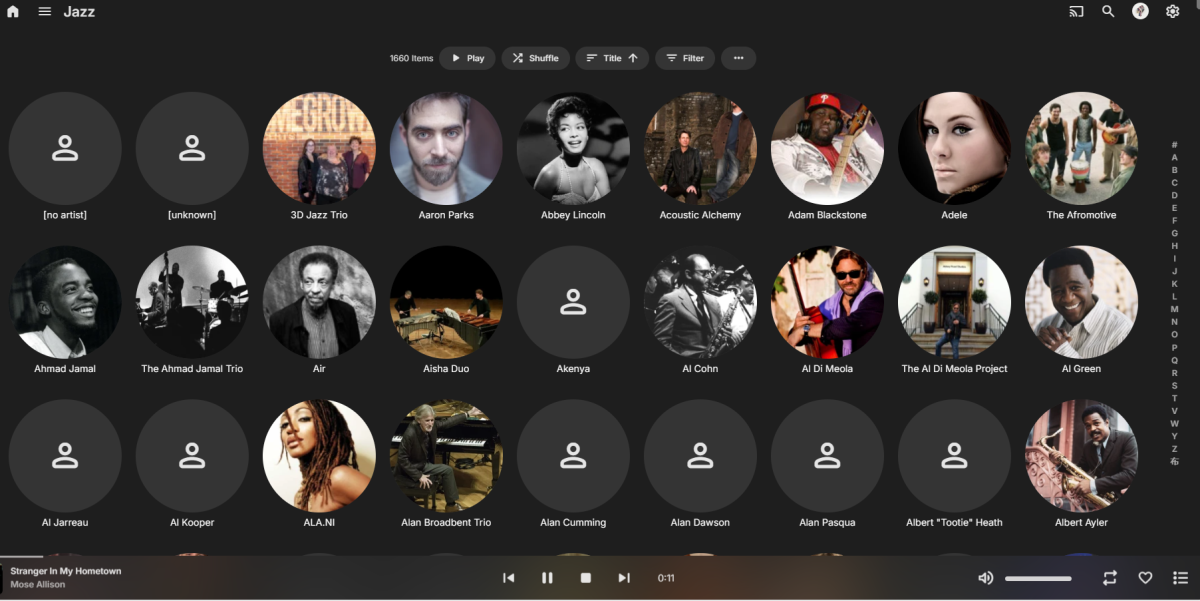
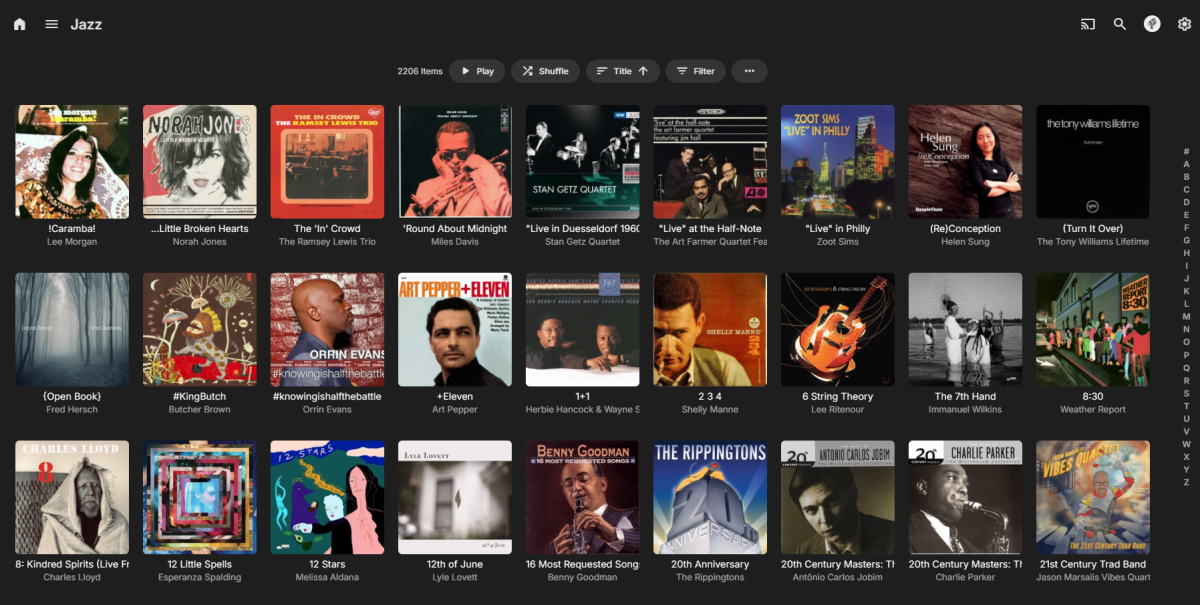
 1 point
 -
Transcoding isn't always necessary and if you're the person preloading the media for your mom then pre-convert it to a format that Roku can direct play/stream.1 point
-
https://www.imdb.com/title/tt0107048/1 point
-
Yeah but no I prefer to keep it this way as it works quite well and easier than to have to trigger manually scans all the time1 point
-
Hello I want to highlight two iussues whith the actual App (1.8.8) for Apple TV: This one is somewhat annoying as you cannot jump to a specific letter within your library if you are looking for a special movie or series I want to watch. Just so, I have more than 3400 Titles in my Anime library and it is really annoying to scroll forever to get to a specific letter. Please be so kind and add the letter secionts on the left or right side to make it easier to jump within a library! Well, this one is really annoying! This happens always when I sort the library i.E. with "Premiered" or "Added on" or "Last added episode". The app does not show ALL titles within a library, mostly only 1/4 of the titles. Thats not good and should be changed asap. Also there are some things for the settings which are missing: Please add the setting to change how many seconds you want to jump forward or backwards wenn scrolling while playing. At the moment you can jump only 10 seconds forward or backwards. This should be possible to change within the settings. smoon1 point
-
Ok, thanks, I think I will wait until it appears in the store.1 point
-
thanks, I love emby (and has got lifetime premiere) but some features and some client apps are better with plex or with the movie editions, it's good enough if emby add some flag or somethings for the editions (like plex) the problem with the current solution is 2 thing, with groupped editions its not simple to choose from it (for example older or younger users) and without groupping the problem is there is exactly the same1 point
-
Why? DelayedContentId is a local variable everywhere I've seen it. You only need to lock the global variable. If you're worried about pointer effects either hold the lock a bit longer or make a copy like I did with the string. You can point me to the code in question and I can give you a better opinion, but I think what I've done will work fine in the two functions I modified however they are called. I'm probably done for tonight though in terms of code review or writing more.1 point
-
I referred to the plugin at https://github.com/honue/MoviePilot-Plugins/tree/main/plugins/adaptiveintroskip, and used emby webhook method stop play the episodes when credits appear. Upon receiving a message from Emby, the plugin calls ChapterApi to add Credits chapter to the current and following episodes. The attachment is a piece of Python code I wrote that responds to webhook. You might be interested in taking it as a reference. To use this python file, you need add emby webhook first. webhook.py1 point
-
I referred to the plugin at https://github.com/honue/MoviePilot-Plugins/tree/main/plugins/adaptiveintroskip, and used emby webhook method stop play the episodes when credits appear. Upon receiving a message from Emby, the plugin calls ChapterApi to add Credits chapter to the current and following episodes. The attachment is a piece of Python code I wrote that responds to webhook. You might be interested in taking it as a reference. To use this python file, you need add emby webhook first. webhook.py1 point
-
Here's the same code with mutexs which in python are threading.Lock objects. Note I didn't actually run this, so it's a hopefully working example. At the top where you define ArtworkCache and DelayedContent globals also create your locks. ArtworkCacheLock = threading.Lock() DelayedContentLock = threading.Lock() Then in the function if QueryData['Type'] == 'picture': ArtworkCacheLock.acquire() if Payload not in ArtworkCache[1]: ArtworkCacheLock.release() xbmc.log(f"EMBY.hooks.webservice: Load artwork data into cache: {Payload}", 1) # LOGDEBUG DelayedContentLock.acquire() if QueryData['DelayedContentId'] in globals()['DelayedContent']: globals()['DelayedContent'][QueryData['DelayedContentId']][1] += 1 DelayedContentLock.release() xbmc.log(f"******************************* RACE COND 1 DELAY HAS {Payload}", 1) # LOGDEBUG client.send(f"HTTP/1.1 307 Temporary Redirect\r\nServer: Emby-Next-Gen\r\nConnection: close\r\nLocation: http://127.0.0.1:57342/delayed_content/{QueryData['DelayedContentId']}\r\nContent-length: 0\r\n\r\n".encode()) client.close() client = None return globals()['DelayedContent'][QueryData['DelayedContentId']] = ["",1] DelayedContentLock.release() xbmc.log(f"EMBY.hooks.webservice: Starting Delayed Content Load For {Payload}", 1) # DELETEME client.send(f"HTTP/1.1 307 Temporary Redirect\r\nServer: Emby-Next-Gen\r\nConnection: close\r\nLocation: http://127.0.0.1:57342/delayed_content/{QueryData['DelayedContentId']}\r\nContent-length: 0\r\n\r\n".encode()) client.close() client = None xbmc.log(f"EMBY.hooks.webservice: Load artwork data: {Payload}", 0) # LOGDEBUG # Remove items from artwork cache if mem is over 100MB ArtworkCacheLock.acquire() if ArtworkCache[0] > 100000000: for PayloadId, ArtworkCacheData in list(ArtworkCache[1].items()): globals()['ArtworkCache'][0] -= ArtworkCacheData[2] del globals()['ArtworkCache'][1][PayloadId] if ArtworkCache[0] < 100000000: break ArtworkCacheLock.release() if not QueryData['Overlay']: BinaryData, ContentType, _ = utils.EmbyServers[QueryData['ServerId']].API.get_Image_Binary(QueryData['EmbyID'], QueryData['ImageType'], QueryData['ImageIndex'], QueryData['ImageTag']) else: BinaryData, ContentType = utils.image_overlay(QueryData['ImageTag'], QueryData['ServerId'], QueryData['EmbyID'], QueryData['ImageType'], QueryData['ImageIndex'], QueryData['Overlay']) ContentSize = len(BinaryData) ArtworkCacheLock.acquire() globals()["ArtworkCache"][0] += ContentSize globals()["ArtworkCache"][1][Payload] = (f"HTTP/1.1 200 OK\r\nServer: Emby-Next-Gen\r\nConnection: close\r\nContent-Length: {ContentSize}\r\nContent-Type: {ContentType}\r\n\r\n".encode(), BinaryData, ContentSize) ArtworkCacheLock.release() del BinaryData DelayedContentLock.acquire() globals()['DelayedContent'][QueryData['DelayedContentId']][0] = ArtworkCache[1][Payload][0] + ArtworkCache[1][Payload][1] DelayedContentLock.release() xbmc.log(f"Loaded Delayed Content for {Payload}", 1) # LOGDEBUG else: # We still have the lock from above, get the data before another thread possibly overwrites it in the cache for over 100MB # but make a copy so we don't hold the lock during the full send toSend = ArtworkCache[1][Payload][0] + ArtworkCache[1][Payload][1] ArtworkCacheLock.release() xbmc.log(f"EMBY.hooks.webservice: Load artwork data from cache: {Payload}", 1) # LOGDEBUG client.send(toSend) return1 point
-
Here's my totally hacked up code that showed those print statements. I edited out some of the not so important ones. if QueryData['Type'] == 'picture': if Payload not in ArtworkCache[1]: xbmc.log(f"EMBY.hooks.webservice: Load artwork data into cache: {Payload}", 1) # LOGDEBUG if QueryData['DelayedContentId'] in globals()['DelayedContent']: globals()['DelayedContent'][QueryData['DelayedContentId']][1] += 1 xbmc.log(f"******************************* RACE COND 1 DELAY HAS {Payload}", 1) # LOGDEBUG client.send(f"HTTP/1.1 307 Temporary Redirect\r\nServer: Emby-Next-Gen\r\nConnection: close\r\nLocation: http://127.0.0.1:57342/delayed_content/{QueryData['DelayedContentId']}\r\nContent-length: 0\r\n\r\n".encode()) client.close() client = None return globals()['DelayedContent'][QueryData['DelayedContentId']] = ["",1] xbmc.log(f"EMBY.hooks.webservice: Starting Delayed Content Load For {Payload}", 1) # DELETEME client.send(f"HTTP/1.1 307 Temporary Redirect\r\nServer: Emby-Next-Gen\r\nConnection: close\r\nLocation: http://127.0.0.1:57342/delayed_content/{QueryData['DelayedContentId']}\r\nContent-length: 0\r\n\r\n".encode()) client.close() client = None xbmc.log(f"EMBY.hooks.webservice: Load artwork data: {Payload}", 0) # LOGDEBUG # Remove items from artwork cache if mem is over 100MB if ArtworkCache[0] > 100000000: for PayloadId, ArtworkCacheData in list(ArtworkCache[1].items()): globals()['ArtworkCache'][0] -= ArtworkCacheData[2] del globals()['ArtworkCache'][1][PayloadId] if ArtworkCache[0] < 100000000: break if not QueryData['Overlay']: BinaryData, ContentType, _ = utils.EmbyServers[QueryData['ServerId']].API.get_Image_Binary(QueryData['EmbyID'], QueryData['ImageType'], QueryData['ImageIndex'], QueryData['ImageTag']) else: BinaryData, ContentType = utils.image_overlay(QueryData['ImageTag'], QueryData['ServerId'], QueryData['EmbyID'], QueryData['ImageType'], QueryData['ImageIndex'], QueryData['Overlay']) ContentSize = len(BinaryData) globals()["ArtworkCache"][0] += ContentSize globals()["ArtworkCache"][1][Payload] = (f"HTTP/1.1 200 OK\r\nServer: Emby-Next-Gen\r\nConnection: close\r\nContent-Length: {ContentSize}\r\nContent-Type: {ContentType}\r\n\r\n".encode(), BinaryData, ContentSize) del BinaryData globals()['DelayedContent'][QueryData['DelayedContentId']][0] = ArtworkCache[1][Payload][0] + ArtworkCache[1][Payload][1] xbmc.log(f"Loaded Delayed Content for {Payload}", 1) # LOGDEBUG else: xbmc.log(f"EMBY.hooks.webservice: Load artwork data from cache: {Payload}", 1) # LOGDEBUG client.send(ArtworkCache[1][Payload][0] + ArtworkCache[1][Payload][1]) return1 point
-
I did not, because the print statements are in the function that loads the artwork from emby. So all that mattered to me was the logic was being called twice overlapping. How that logic got called didn't matter to me, but it could be part of the double load problem.1 point
-
Anyone who is not using hardware transcoding for 4k should just block non 4k capable users out from those libraries. Software transcoding 4k is absurd, and you should be using hardware, either Quicksync or NVENC. Both make trivial work of 4k transcoding. Even my old i3-8130u could handle 3 4k transcodes without a problem. If your hardware is not up to the task, upgrade. Heck an inexpensive N100 system will smoke an 8 core Ryzen in number of trancodes when using Quicksync.1 point
-
With v4.8.5 and Symfonium 10, I do see the individual log entries, i.e. user started/stopped playing media. For the Now Playing, it works ~75% of the time. Seems to be no pattern to that remaining 25%. It's definitely better than the first 4.8.x, but not as good as 4.7. I know this doesn't help you or Tolriq much, but I figured I would say that there is progress!1 point
-
Glad I could help.1 point
-
If you got an expiration notice for a certificate that Caddy is handling, something's wrong; Caddy starts trying to renew at about half the lifetime of the cert. The easiest way to check the cert is to go to the site in a browser and click the padlock - this should enable you to see the expiry date of the cert. Have you ensured that port 80 remains open through your firewall? Even though (by default) all connections are redirected to 443, port 80 is used in the default certificate checking. Paul1 point
-
issue ended being emby and SM both doing iptv proxing.1 point
-
That's a mistake. It will be resolved in the next 4.8.X maintenance release. Thanks.1 point
-
Well, the issue came back in 1 or 2 days after updating my drivers. It now occurs on youtube as well when i move my mouse around so that the ytb overlay appears. Disabling hardware acceleration in ur browser options fixes the issue but from what i've seen on threads it seems to be a gpu driver related issue so I used DDU to cleanly remove my drivers to then reinstall them but the issue remains if i do not turn off hardware acceleration .. Everything works perfectly fine from internet browsing to video games so I assume that my system works best without hardware acceleration on chrome If i get more issues i'll do a clean reset of my system but it doesnt seem to be necessary atm. Hope this helped, cya !1 point
-
In advance settings there is buffer settings, there's two different ones, excuse my memory, I took the default value times three and enter that manually in the spot. Complaints have limited, but I did reboot this morning.1 point
-
Ohh my ppl. It's a movie, not religion. Peace, love and understanding1 point
-
The next recording went into the correct folder in the file system and library. Not sure what caused it to go wrong and hope that does not happen again, but for now it is working.1 point
-
When you tag an episode for specific viewing, it appears on the home screen but strangely vanishes when you browse through all the TV series. This inconsistency confuses users, disrupting their viewing experience. Ensuring these tagged episodes remain visible across all sections would greatly improve user satisfaction and navigation ease. This feature is highly requested, and implementing it would greatly enhance the platform's usability. It doesn't make sense for these episodes to only show up in recent additions; they should be visible throughout the entire catalog for individually tagged episodes within TV series.1 point
-
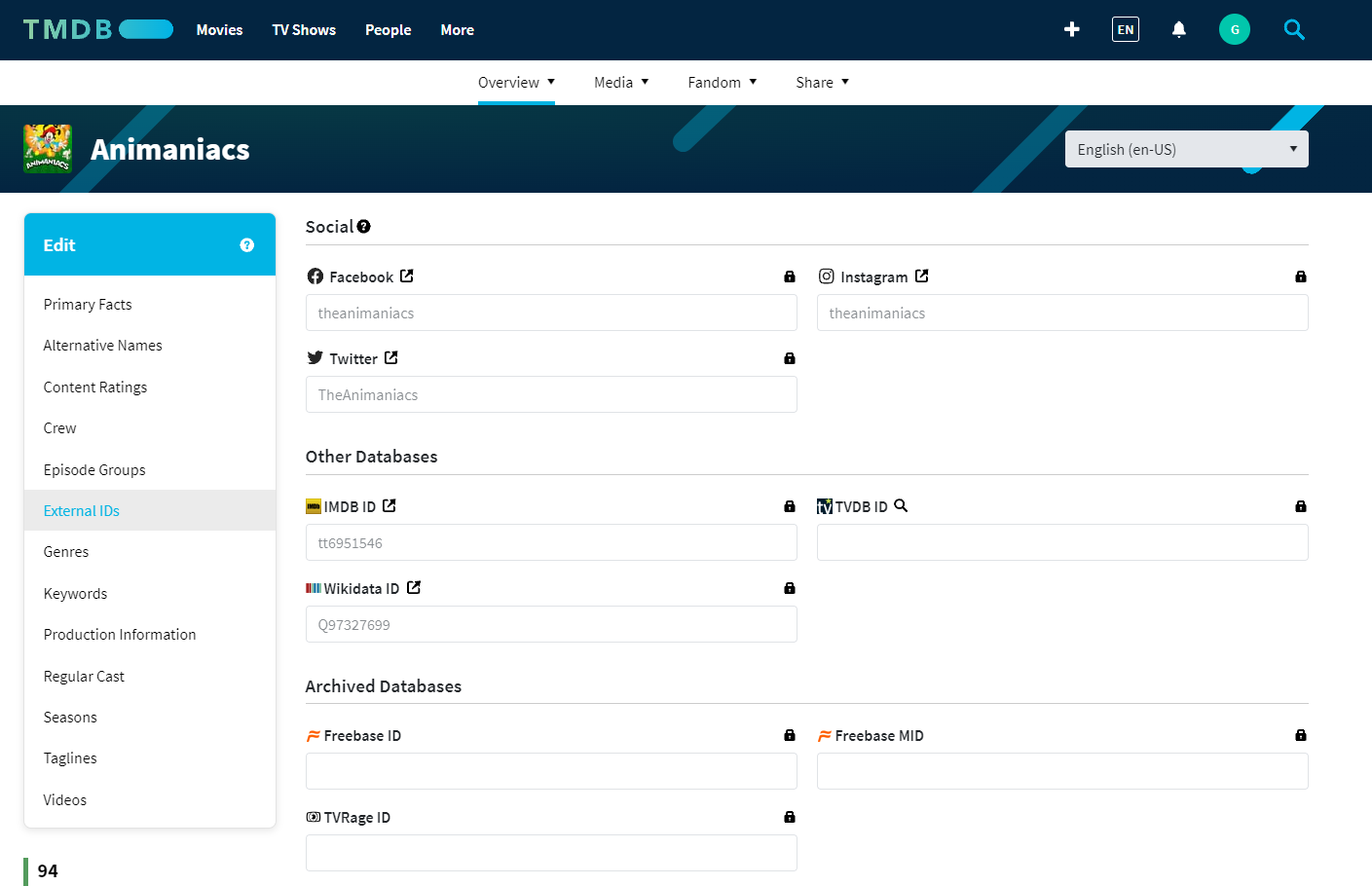
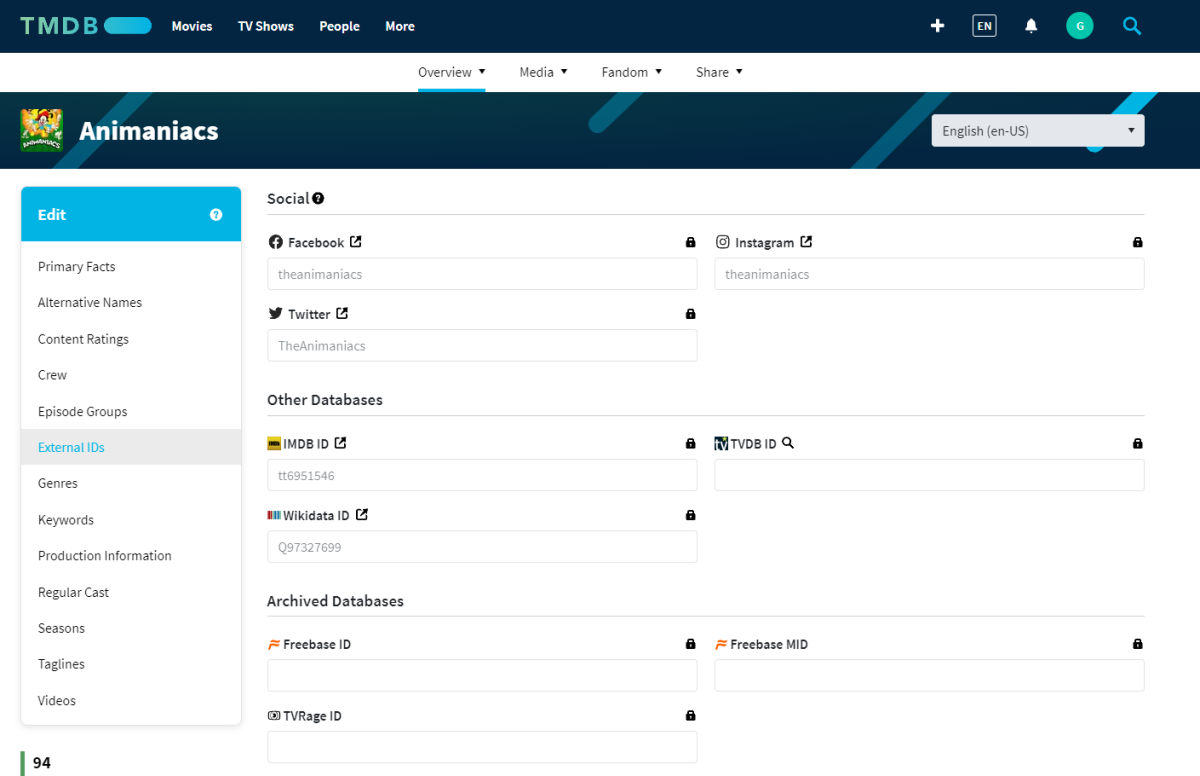
ImdbId is used only as a reference/lookup on other provider's databases, nothing is ever scraped from IMDB (cost-prohibitive), so it's more of a hit-or-miss compared to using actual preferred provider's ID, as it is depending on whether same ImdbId is entered/linked to a show or not (as it doesn't have to be, since external IDs are purely optional feature with the providers). In your exact case, ImdbId tt6951546 actually doesn't exist/is not linked to any TV show on TVDB (Animaniacs link to tt0105941). It does on TMDB though.
 1 point
 -
Really would love this feature, so i can create a list of unseen movies. Strange this isnt added yet, and the request is open for soi long time now. Hopefully soon....1 point
-
Maybe some hope on this long overdue FR ... https://emby.media/community/index.php?/topic/120503-add-the-ability-to-add-custom-section-in-suggestion/&do=findComment&comment=12719051 point
-
This one is much easier (For Windows PC) M3U_to_STRM.exe1 point
-
The way the detection works is by looking at all the episodes and finding a common piece of audio (the intro theme song, presumably). Then, once that common audio is identified, each individual episode is scanned for the occurrence of that specific audio "signature". Where ever that is, is assumed to be the intro for that episode. So, you need multiple episodes in order to determine the "common" audio (theme song). Does that make sense?1 point
-
Looking at the files it was compiled back in 2019, compiling means (in this case) making a widget from project files, not when f.e. you sideload the widget on your tv. Edit: if they would update the project they need to recompile it again and that would mean that they also have the 30-day security bs.1 point
-
Good day all, @revengineer, i have the same problem. m3u2strm is everywhere but as i do not have coder skills, it is not possible for me to use it. The simplest way is a .exe that i found on github but same problem. To use the .exe, it says i got to create a configuration file in the same folder and i have no idea how to do it. I basically simply create a conf file named as it should be but it doesnt work. Maybe the config file need some coder skills too. I am interested if you find a solution M3U_to_STRM.exe1 point
-
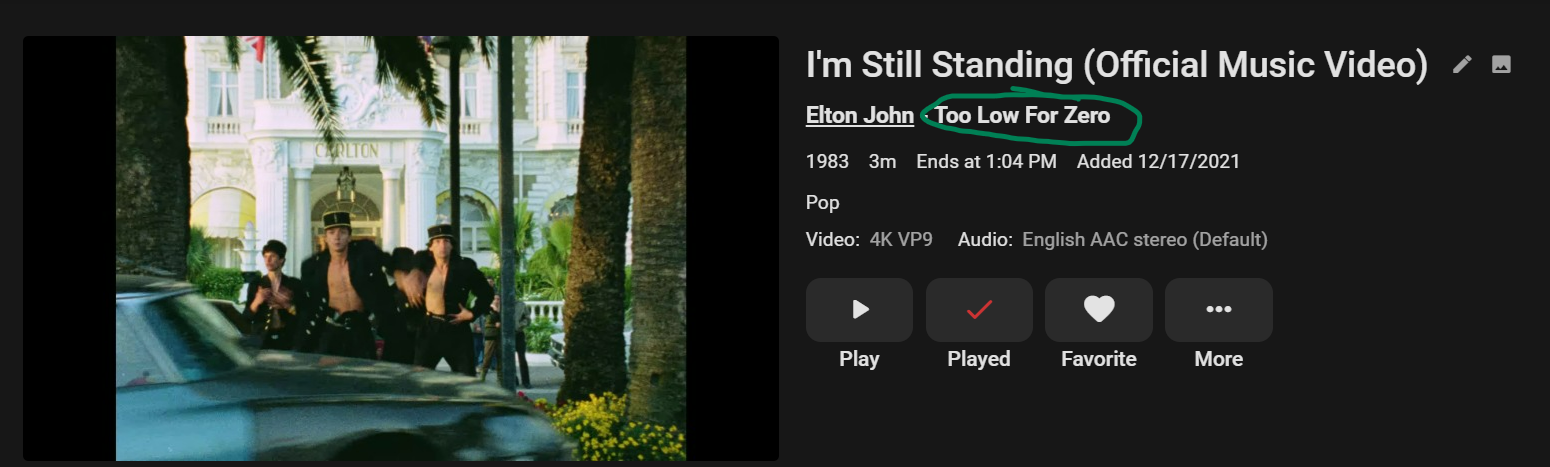
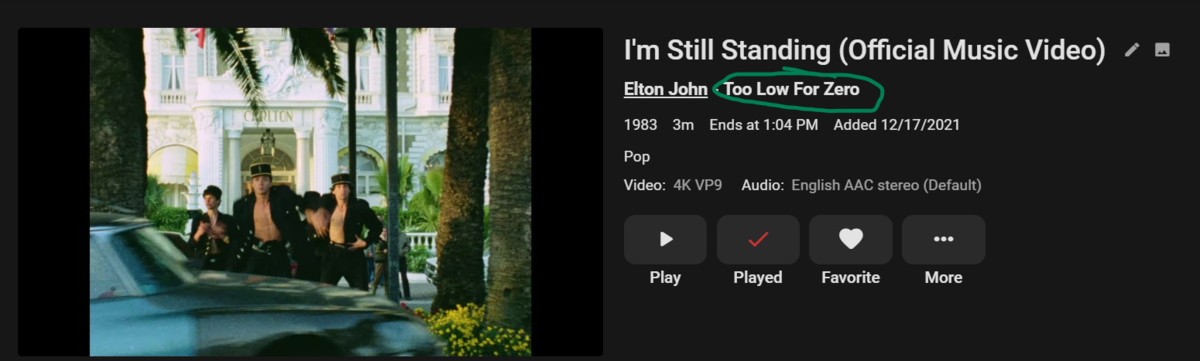
When I add metadata to my music videos (year, album, artist, track number etc), it automatically links to the artist in my music library. So, when I go to their page, I see their music videos. My question is, is it possible to have a link like this for the specific album as well? Meaning when I go to an album and see all of the songs, the video will also show at the bottom. Subsequently, the album would be linked to from the music video itself: Am I doing something wrong or is that just not supported?
 1 point
 -
Throttling will keep transcoding x amount of seconds ahead of playback vs no throttling will transcode then entire file at once.1 point
-
Sometimes the subs in TV shows are fine at the beginning but after an ad break they are offset by a few seconds. The ability to change it in the web client/android app during playback rather than stopping the show and trying to find better subs, would be amazing.1 point