Leaderboard




Popular Content
Showing content with the highest reputation on 04/12/24 in Posts
-
Over 90,000 LG Smart TVs may be exposed to remote attacks (bleepingcomputer.com)3 points
-
In TVnext, there's a detailed modeling of tuners - which can be hardware tuners or M3U sources. For hardware tuners it knows how many streams (muxes) are available. For M3U sources, you must enter the number of simultaneous streams are supported (or guaranteed to be available and not used elsewhere). This way, the engine is always aware which tuner streams are available and which are in use, so there is no trial=>error=>fallback mechanism needed. The same channels from different tuners can be merged into a single channel, for which you can configure how many streams of each tuner may be used for that channel, plus the order of their allocation. On top of that, tuners can require a certain permission level, which means that when the allocation order is TunerA_1, TunerA_2, TunerB_1, TunerB_2 and a user has only permission for tuner B, for that user, tuner B will be used, even when tuner A would have free resources. It's also possible to split a channel in a way that for example, one is using TunerA_1 and the other one is using TunerA_2 only. Then you could for example keep one of the channels hidden from other users and use it for recordings only. There are many possibilites...2 points
-
Created an account where? Here in the Community/Emby Connect? If so, for Display Name change PM at @Abobaderwith account details.2 points
-
因为网络原因,我无法直接访问到 元数据 的服务器,Auto Organize之类的插件因此失效,希望能给元数据搜刮提供 HTTP/SOCKS 代理功能。 谢谢 embyserver.txt1 point
-
Can you guys think about possibly one day, adding support for 360 photos and videos? I've been playing around with a few 360 degree cameras and they look promising, thought it would be neat to see them work in emby...1 point
-
In connection with this - https://emby.media/community/index.php?/topic/79229-43022-screensaver-options/ It would be nice if the Photo library screensaver can be restricted to only use a certain folder, so that you can just, say, show images of your trip to Kazakhstan, without them being intermingled with images of your broken motorcycle sprocket / widget.1 point
-
I've spent months evolving my Emby setup to a state where it is able to reliably play live TV streams from an IPTV provider. Sharing my findings here to help the community and gather feedback in case I can make things even better in the future. Up until I added hls-proxy to the mix I was attempting to use Threadfin as a buffer. It helped stabilize things slightly but issues were still present. Emby clients would randomly seem to drop their channel streams and fall back to the previous screen in the app, it was more prevalent with remote clients than with local, but all clients (web/android/roku) experienced the issues. Clients have no playback issues with local, or remote episode/movie media files. The IPTV service provider I use allows 5 concurrent connections to their service. However, I have noticed that I cannot rely on Emby to enforce this limit. If I set "simultaneous stream limit" to 5 in Emby it will eventually end up in a state where no channels can be played even though there are no active streams (verified by looking at the status page of hls-proxy). I don't know why this happens and I can't seem to correlate it to anything specific. After adding hls-proxy to my setup, I will sometimes see Emby make a secondary connection to the same stream even though a second user has not tuned to that channel, but I'm not sure if that has anything to do with the problem. The workaround I've put in place for this is to set the "maxStreamsPerClientDefault" in hls-proxy to 5, and set "simultaneous stream limit" on the TV source in Emby to 0. I've also configured a cron job to restart my Emby server early each morning to clear out any stuck tuners that might exist. When I set up hls-proxy I noticed a couple things. My provider publishes 5 .ts files in the m3u playlist for a channel. If Emby is able to see a list of 5 .ts files, it will read them but start playback in the client at what I believe is the 3rd or 4th file in the list. This means that Emby is only leaving a 1 or 2 file buffer between the playback position in the client and the stream coming from the provider. If the provider experiences a delay in publishing the latest .ts files for the stream to their servers/CDN, the client will overrun the buffer and this may be why the client stops playback at seemingly random times. I was able to configure hls-proxy to show Emby only 2 of the 5 files at the start of playback which seems to start the client playback at file 1 when starting a stream. When it requests the playlist a 2nd time from hls-proxy the first 2, and next 3 pieces are in the playlist for Emby to fetch. At this point hls-proxy already has another 2-3 .ts files in the buffer that haven't been advertised to Emby yet, so not only does the client have a bit of a buffer to work with inside the Emby server, the Emby server has a 2-3 segment buffer in hls-proxy that it can draw from in the event that hls-proxy needs to retry fetching the stream due to a publishing delay or a temporary error on the server side. The only time a stream drops now if if hls-proxy encounters a provider side error that it can't overcome in a reasonable amount of time. Since Emby is still communicating with hls-proxy when this happens, the stream will freeze, and can recover if hls-proxy is able to retry the connection and fetch files before the retry limits or timeouts are consumed. Some notes on how I'm using these apps. I've tested hls-proxy both in front of, and behind Threadfin with the same result on Linux and Windows. Threadfin - used currently with the buffer disabled so the m3u URLs from the provider are passed to the client. I use it strictly to groom/curate the incoming M3U/XMLTV links from the provider. hls-proxy - Used as a debugging platform and a buffer in-between Emby and the provider. This allows me to get a peek at what is happening between the provider and the Emby server. If there are any errors from the provider side I can see it in the logs. You can view streams directly in their web interface. It also has options available to aggregate provider accounts based on the syntax of the URLs they use to serve content. If you have many single line accounts with the same provider hls-proxy can aggregate them into a pooled resource.1 point
-
I'd like to request the ability to set both allow and block tags for users. Currently, you can only use one or the other. I use this feature in two different ways. First, I set a 2160p tag and block some users based on that tag, which works great (the purpose here being to limit the 4k version of media while allowing the lower-res versions). Second, I set a GrantRestrictedUser_XYZ tag and allow some users based on that tag, which also works great (the purpose here being to allow only certain media to particular users). However, I can't combine these two. I know I'm asking more than what the original intention of the system was, but considering the base functionality already exists, I believe it makes sense to add the ability to use both variations at the same time. Thank you for your consideration. Additional clarification: I could achieve my goal using only allow tags, but I'd have to tag every episode of every show manually that way. Instead, if this enhancement existed, I would tag the individual 4k versions of each file (although that's still not ideal) so that could be restricted, and then I can tag the show itself with an allow and inheritance would solve the rest.1 point
-
on chrome i have always play subtitles on1 point
-
Yes come skip is working, task manager says it comes on when a recording starts, I also seen an edl file, before leaving the desk,1 point
-
I changed everyone's passwords and blocked the attacker's IP on the router1 point
-
Using the VPN is feasible. This problem doesn't always occur, and sometimes it's normal1 point
-
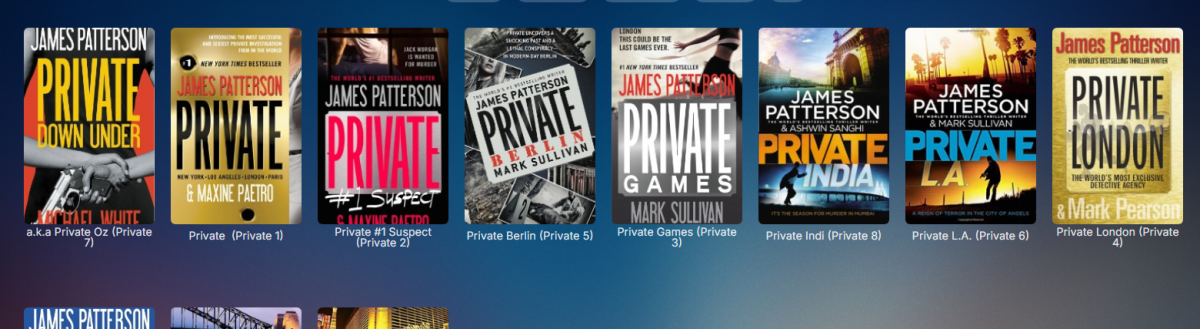
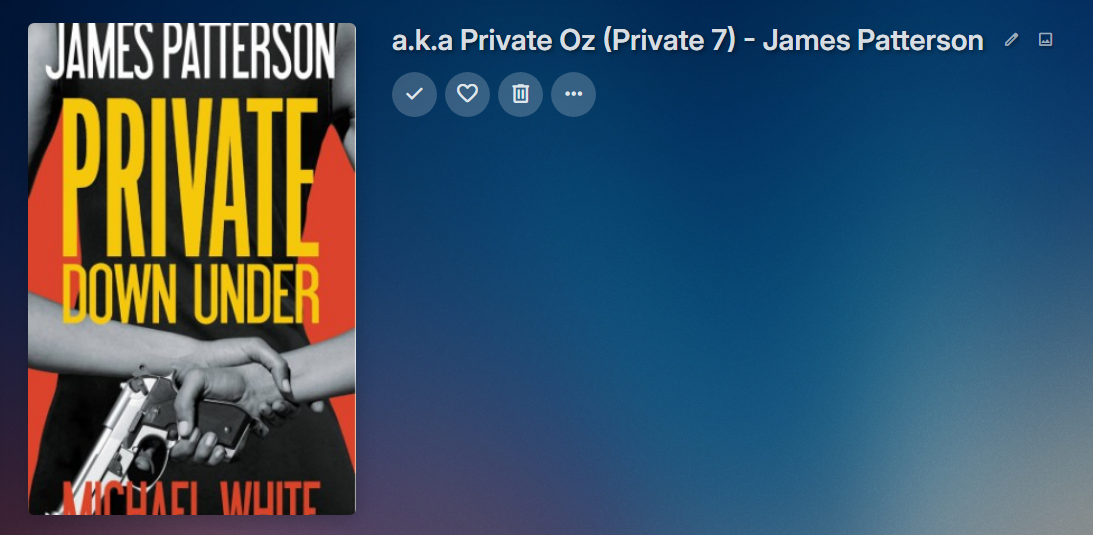
In my test on 4.9.0.13 I couldn't get container to show at any level. (could have been from old install) Set container field when importing all books Tested Refreshing library. But deleting and readding the library it showed at level before item as there is a nesting/folder view here. I will assume structure will apply to where you will actually see container. But additional layer is added above. Author folder\Series folder\book folders Collapse true/false made no difference in my test.


 1 point
 -
Appear resolved in 4.9.0.13 beta.1 point
-
Version 10.0.0 Notes: Please do not forget to leave an up to date textual review on Play Store. Your feedback plays a crucial role in building the app’s ranking, ensuring a future for Symfonium. Added: Complete rewrite of the theming engine with a lot more control over everything: Custom Material 3 seed color, palette type and contrasts. New powerful custom themes with more colors and integrated editor. New option for full app color change based on now playing cover art. Better and more control over library dynamic color option (You need to reconfigure it). Update of many interface details to ensure consistency. Please report any oddities and do not hesitate to share your new custom themes on the forum. Added support for more Foobar2000 exotic tag names to Symfonium parser. (Clear tag cache and sync again) Added support for disc subtitles to OpenSubsonic and Symfonium custom tag parser (Clear tag cache and sync again). Added support for album releaseDate to OpenSubsonic providers. Added new option, to all providers, to expose played media as advertisement to scrobbler so compatible apps can ignore them. Added new multiline song titles option to album page configuration. Added new option to always expose now playing queue to media session. Added support for custom ports to SMB provider. Artists, Genres and MBIDs tag value separators are now fully configurable per provider when using Symfonium tag parser. Added new option to only update last played value when a media is marked a played without the need to disable resume points. Added missing sort by display artist on song lists. Adjust swipe down gesture vs left/right sensibility over the expanded now playing cover art. Changed: Previous custom themes are no more compatible, you need to rebuild one see forum. (Sorry for the inconvenience, but many new colors can’t be invented) Previously configured theme may have been reseted and may require a new configuration. Clicking on a search result without pressing search will add the search to the saved list. Enabled support of “formPost” OpenSubsonic extension for playlist handling. Please report issues if your server have issues pushing playlists. Refactored BT automatic playback to avoid auto start for the kill app is better believers. You need to disable then enable again the option if you use this to start playback even when app is killed. Increased timeouts for cloud providers tag extraction. Hide invalid track numbers in some missed places. Fixed: Fix wrong position indication when seeking during transcoding for some providers. Fix song click in “Recently added songs” home row not working. Fix bottomsheets possibly displayed under the navigation bar on Android 9 and 10. Improve plex transcoding profile to not transcode some webm files. Fix last song of a queue not always having it’s playcount updated. Fix album split by folder not always working for Cloud providers. Optimize auto offline cache of large playlists taking too much resources sometimes. Fix Subsonic artist genre generation query crashing with some database content. Fix external lyrics sometimes not visible when media is present in playback cache. Fix rolling cache purge not always starting when it should. Fix Emby collection support. (Named tags in Symfonium). Fix possible artist issues when mixing artists with and without MBIDs. Workaround possible Jellyfin issues when seeking during transcoding. Fix media possibly playing at wrong position in a queue after a queue restoration. Fix tag scanning of some large files for cloud providers. Try to fix app possibly displayed under device menus for some car devices. Fix end of queue handling when casting to UPnP. Fix creation of phantom “No name” media queues. Fix support for pls urls Internet radio with parameters. Fix possible text colors issues in expanded now playing with blur backgrounds. https://support.symfonium.app/t/version-10-0-0-released/40421 point
-
Has anything changed since this thread? I agree that there are some of us who would want composer to be treated differently than artist. For example, I have singers in my library who also have composed on songs. I would prefer to view the songs and albums they performed on NOT composed on. I would like an option when on the artist page to view/filter the songs they were an artist and NOT the songs they composed. The same goes for the 'Appears On' section. I would like the option to display only albums they were an artist and NOT a composer. Or maybe have an option to separate them into two sections 'Performs On' and 'Composes On'.1 point
-
I moved the folder containing the media out of Emby's reach, deleted the documentary listing in Emby and any files Emby created within the folder I moved. Moved it back to the "TV" folder and all was well. Thank you1 point
-
unforunately not. it was released as a seprate branch in 2020ish and went through a testing process - i think it was fairly complete from my involvement at the time. but since then we have been waiting for emby to merge that functionality into the core system. there was no response for a long time but last month we at least got commitment that the tvnext functionality will come to the core of emby. but still we wait...1 point
-
Well, I assume Emby server is not reporting the changes. If so, there is nothing I could do from plugin side. Currently I'm running tests...1 point
-
Magic feeling...magic touch ....magic fingers ?...haha Great to read that RC support is coming up! Besides the RC improvments, do you already have an indication when you will finish the beta and go into production: final release ? or when (greater) parts will be final, such as series, recordings, etc.? I'm very interested to learn, as I'm great fan of this WMC UI initiative of you ! Grtz. Peter1 point
-
That's crazy - how did you sense that? Right in this moment, I have commited the changes for new RC support and pushed them out for generating a new test build. This is for the new general Windows app, though, which is getting into beta shortly. The WMC UI version will come a little later.1 point
-
I have reinstall Kodi companion Working when movies deleted, thanks I will check for trailers with Ytrailers, i must go to my job1 point
-
Confirmed, will be fixed in next version.1 point
-
Probably a password error, post your server log.1 point
-
it is absolutely possible with tvnext1 point
-
Next NCIS is on the 15th. I will turn on debug logging and post after. THANKS1 point
-
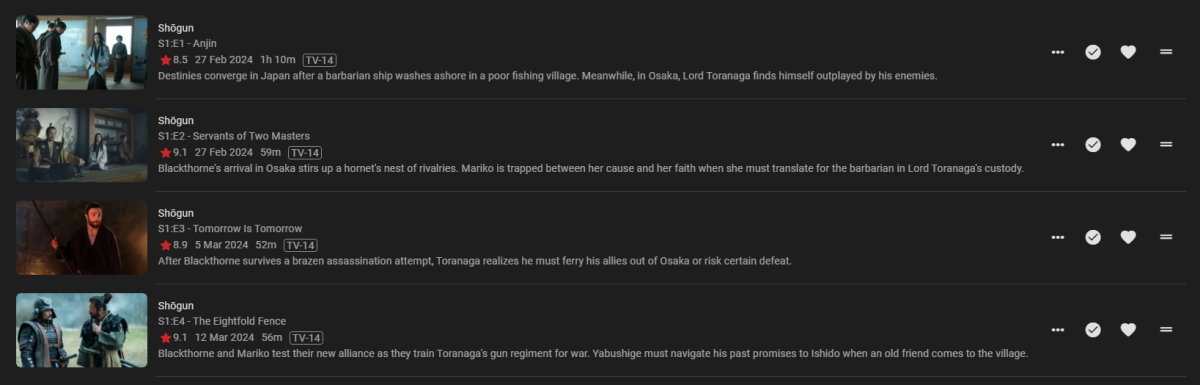
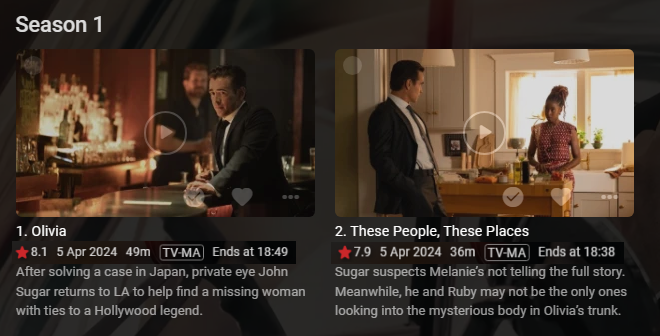
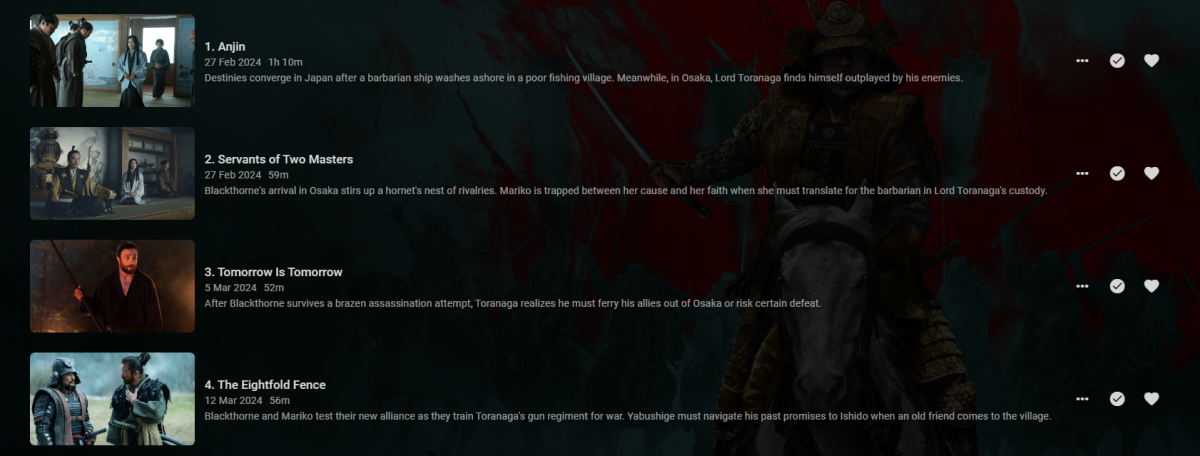
Yearly bump, still looking bland. Even playlists have a better display, which is a bit of a conundrum. While we're at it, flattened season should also get same treatment.
 1 point
 -
When in "Detail view" of an item in a Emby library (like Movies), is it already technically possible for the Emby devs (@@Luke & @ebr), to incorporate swipe actions, to go to next or previous Movie in that library ? Would be awesome if mobile Emby users could browse their Movies in a Emby library just by swiping left or right AND still stay in detail view ! Example of swiping content with Infuse 5.x on iOS: https://streamable.com/5zv2i1 point
-
There are genre nodes available, or do you mean something different?1 point
-
Is there any news? It’s been years since the M1 release and version 4.8 still doesn’t support it..1 point
-
Great suggestions @user24. These are my favorite type of feature enhancements, and the type that I feel emby should really focus: using the data that is already present in the system to empower new experiences with your media.1 point
-
I think this distinction is also "masked" at a Song level, from what I can see, by checking a few Artists who are also tagged as Composers elsewhere. For Albums there is some distinction because we have two Album sections: Albums (based on Album Artist tags) Appears On (based on Artist tags) For Songs there is just one section: Songs (based on Artist and Composer tags) So if I want to listen to (say?) a random selection of Paul McCartney performed Songs, I get many other Artists mixed in, where Paul McCartney is listed as the Composer. I suppose I could set up Playlists/Filters/Tags, etc. but that could be a lot of work for a large library, when the Artist choice is likely a random whim of a particular day. All of the Metadata (Album Artists, Artists and Composers) is already there if the source material is tagged correctly. Would there be any benefit in having: Albums (based on Album Artist tags) Appears On (based on Artist tags) Songs Performed (based on Artist tags) Songs Composed (based on Composer tags) This would perhaps give a bit of "unmasking"? This may still not be enough for classical music where Composed By may also be useful as a separate section for Albums (just guessing - not my genre)??? With any possible implementation of the above (or something similar) it would be useful/necessary to have the option of showing or hiding the sections and being able to do this independently across the three tabs: Album Artists, Artists and Composers.1 point
-
It appears that the Emby web app uses all of my photo libraries for the screensaver when "Photo screen saver" is the selected option. I have several Photo libraries. One has all of my unedited, "raw" photos. Another has edited, "ready for public viewing" photos in tif format, and another has the edited photos in jpg format. Still another has family photos. I would like to be able to tell Emby to only use certain libraries for the screen saver. I could see this either as a list of checkboxes under Screensaver settings, or "Use in Screensaver" options when editing a Library.1 point
-
I think that backdrop screensaver is a great feature but needs some improvements mainly more config options, some of this were posted already in a feature request to have an AndroidTV independent screensaver app, but i think that this could be great additions to the core Backdrop Screensaver as well, so i hope this takes a little bit of more attention that the AndroidTV one, options like: Option to ignore libraries so its possible for example to ignore music (artist) backdrops or Series backdrops. Rating filter independent of user rating limit so i can left my user screensaver running without worrying about some backdrops showing. Move the text with the tittle of the movie/show to different corners every 2-3 backdrops (to avoid burn in). Chose the color of the font with the tittle of the movie/show or take the same config as the Subtitles settings of the user. Option to show clock. More transition effects. A way to set the idle time before the screen saver shows. Those are the ones that comes to my head at this moment.1 point
-
I also need this feature. Proxy is a must for those who use Emby on mainland.1 point
-
Hi @djdevon3 I hadn't thought of this before but it might be a good idea to dim all the screensavers after a certain period of time.1 point
-
When on a Season page, It would be useful to have buttons to take me to the previous or next season. Currently, you are required to return to the Series page and then select the season that you want. For anthologies shows, this would be a huge help. For long-running anthologiy series like NOVA, this is particularly painful because you have to scroll through the list of 50 seasons on the Series page each time.1 point
-
Likely you being on beta 4.9 server.0 points