Leaderboard




Popular Content
Showing content with the highest reputation on 03/25/24 in Posts
-
2 points
-
Hey @feerlessleadr, I am seeing the same thing, seems to be a bug within the underlying Emby code, I have reached out. So hopefully this gets resolved soon.2 points
-
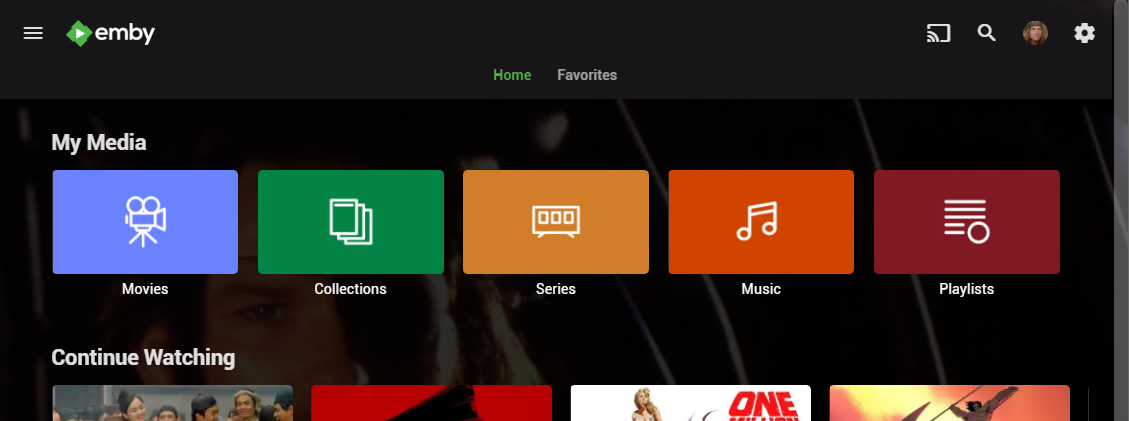
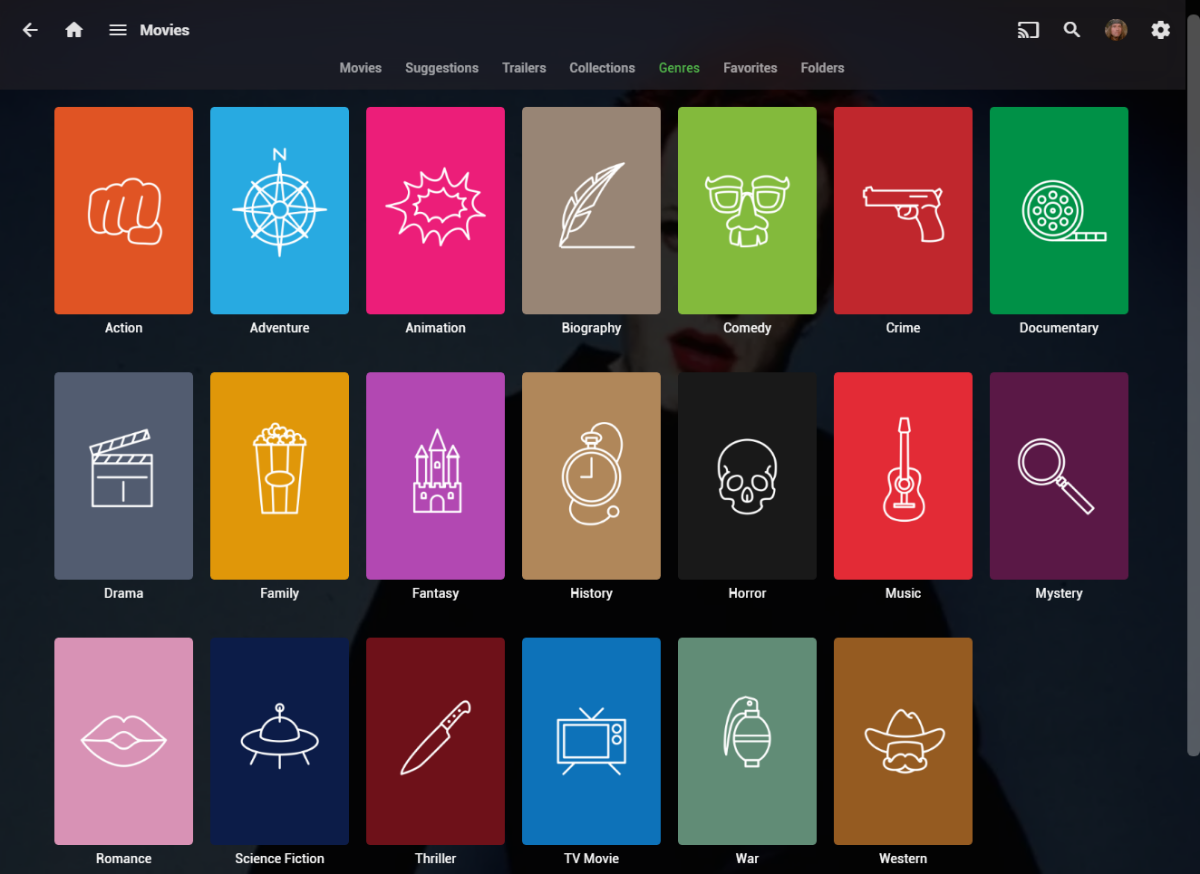
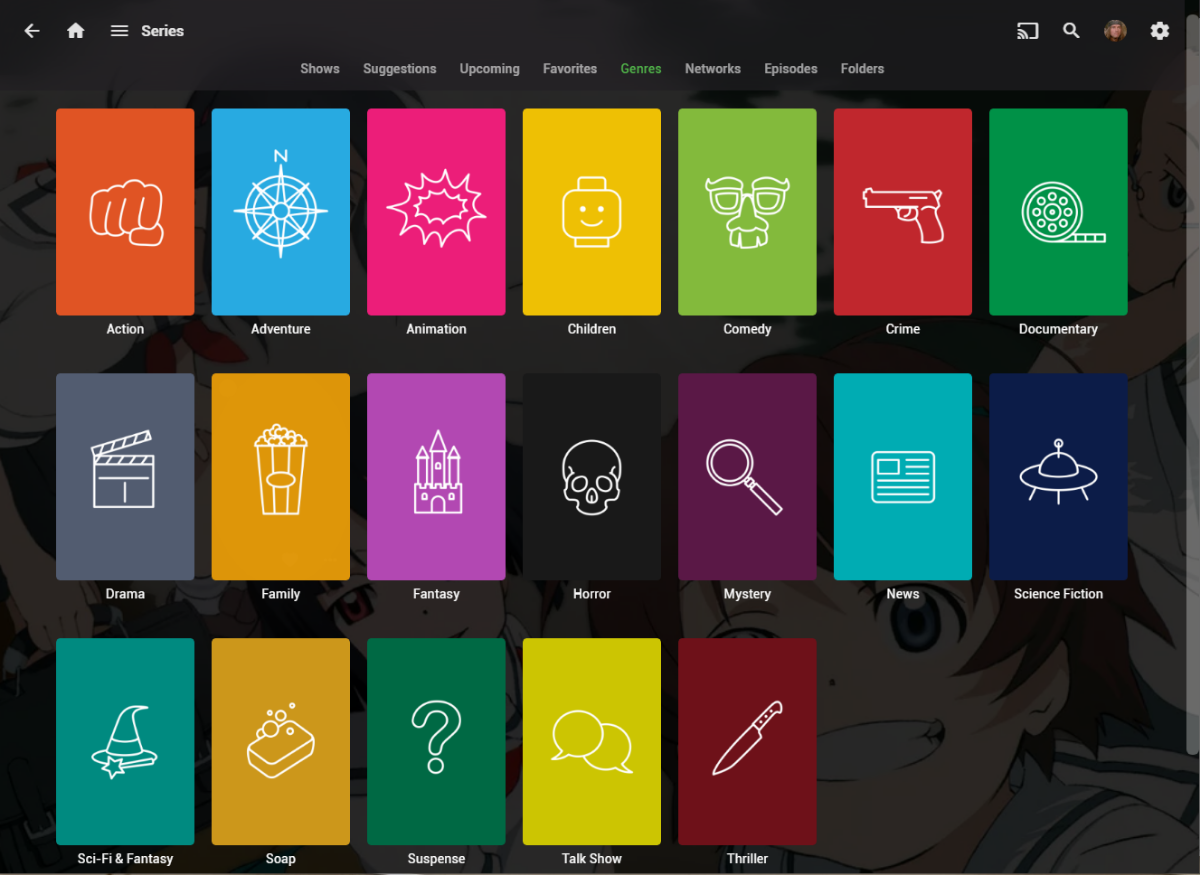
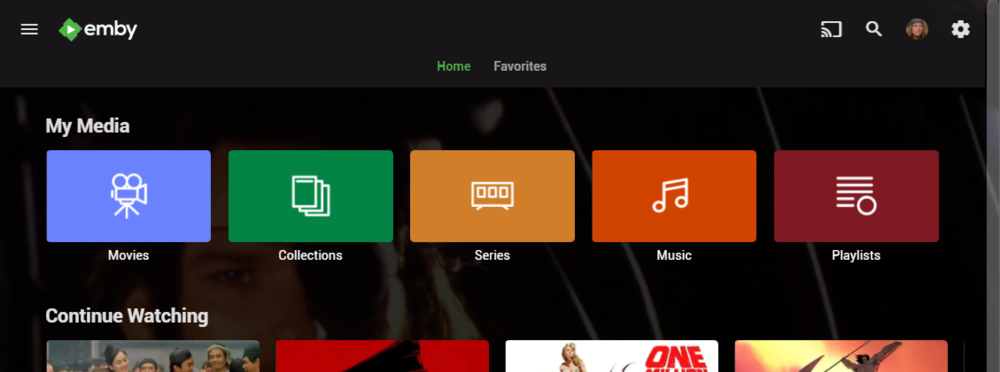
I wanted a colorful, but minimalist set of Library and Genre icons for when I'm using Emby on Roku, and something that stood out dramatically from the movie posters and thumbs. Here's what I did for the My Media set. Here's my Movie Genres: And the Series Genres RAR file attached with the full set as PNGs, and there is some in the archive not shown above (like Sports and Adult). Enjoy! -Mickey EmbyIcons_v4.rar
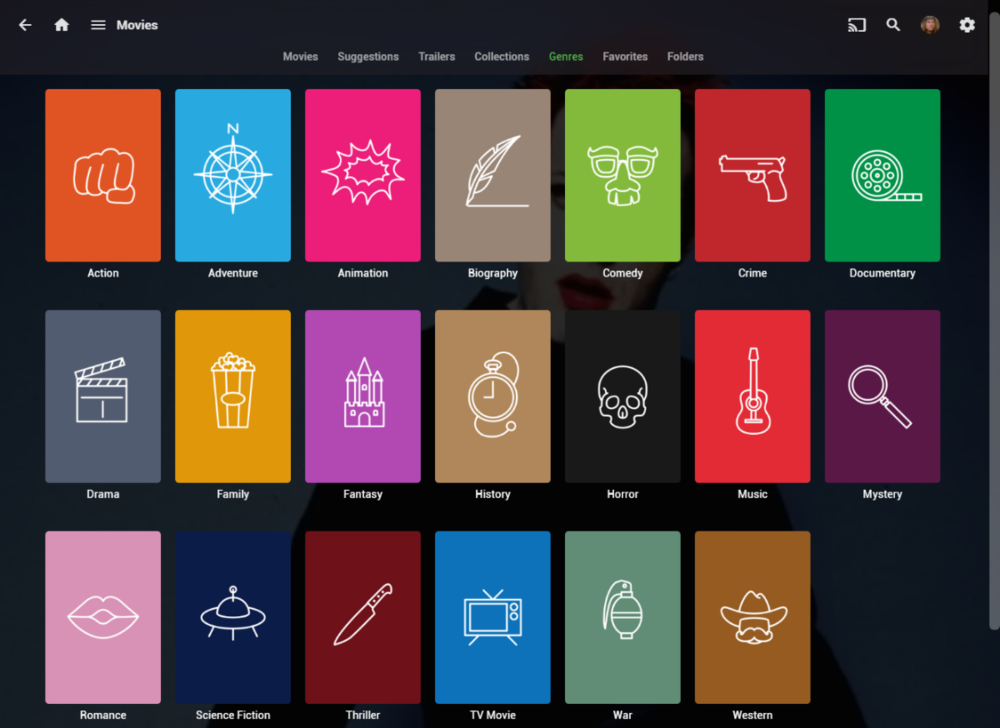
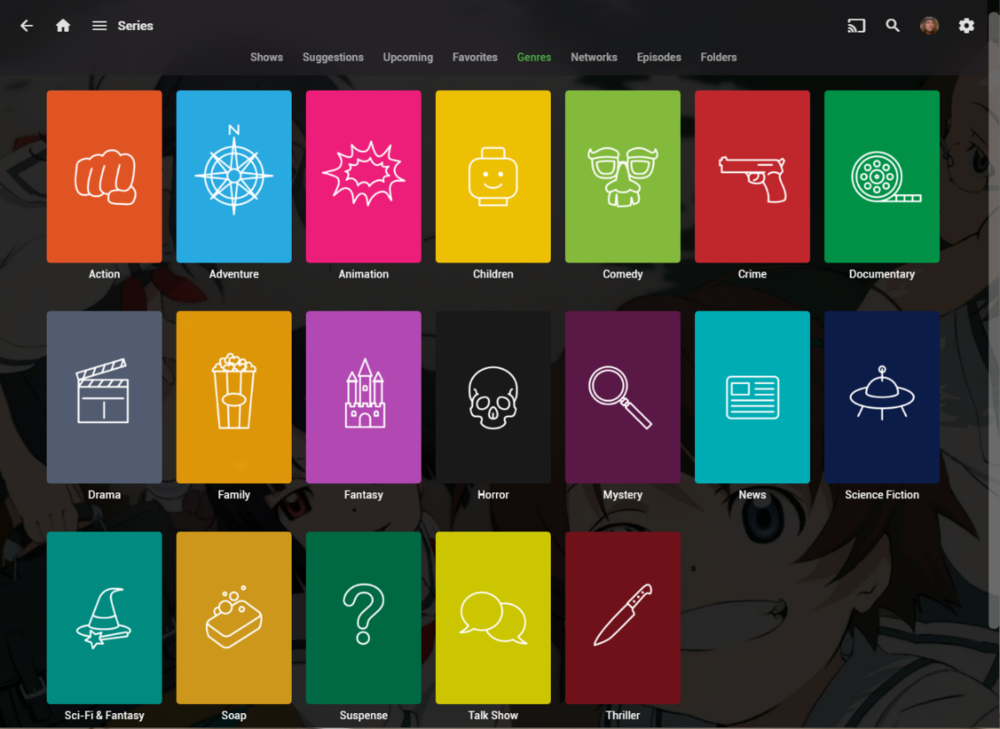 1 point
 -
I would like to submit the quality of the trailers as well as the mapping of the trailers to the respective national languages as a request in order to increase the priority. Please vote with "Like". Many thanks Seger1 point
-
Like the title says. Source/Info/Binaries available here. Companion utility that forces Emby to refresh the guide icons (logos) from a specified m3u file with source/info/binaries available here. To use them both to auto update Emby Live TV, run EmbyRefresh first, then EmbyRefreshLogos.1 point
-
Like the title says. Source/Info/Binaries available here Companion utility that forces a Emby Live TV refresh with source/into/binaries available here To use them both to auto update Emby Live TV, run EmbyRefresh first, then EmbyRefreshLogos.1 point
-
The DS220+ is a Celeron CPU. While it supports quicksync, it needs memory for that. Standardly the DS220+ comes with 2GB of memory, upgradable to 6GB. If you didn't upgrade and you're running Emby of it, expect lag and buffering. Another issue is that you're most likely using spinning disks (The 220+ does not support NVMe, unfortunately) which will add to lag and buffering. While I understand the reasons people want to use their NAS as an Emby server, I'm not personally a big fan of it. A NAS, while capable little machines nowadays, were never really designed for these workloads. This goes especially for the smaller models.1 point
-
Please look at this.1 point
-
@Happy2Play I replaced my script and values with the one mentioned in your link. So far it is working.1 point
-
Hi. Can you try sideloading our standard android app on the same device and see how that compares? https://emby.media/emby-for-android.html Thanks.1 point
-
Still about context as OP other posts have (J4025) issues with burning in graphical subs due to Emby currently having the hardware option disabled by default.1 point
-
Hi, has this resolved your issue?1 point
-
Hi, can we please look at an example where only the first song is played? How to Report a Problem Thanks.1 point
-
Apologies. This is a known issue with the Roku presently. We have a solution and it is currently in the testing phase. We should have something very soon to fix this in the Roku app.1 point
-
@GrimReapercan you move this to Android TV.1 point
-
+1 on being able to search film descriptions. At the moment, searching for 'Christmas' only brings up films with 'Christmas' in the title in the film, and does not bring up films such as Gremlins (1984), even though the description is: "When Billy Peltzer is given a strange but adorable pet named Gizmo for Christmas, he inadvertently breaks the three important rules of caring for a Mogwai, unleashing a horde of mischievous gremlins on a small town."1 point
-
DV, Adding .en makes the subtitle recognized as English. Adding .default will turn it on automatically when you play the media. Add the file in the same folder as the media: Tatort S12E04 - 720P.mp4 Tatort S12E04 - 720P.en.default.srt English subs will automatically appear when this episode is played. if you only make the file name: Tatort S12E04 - 720P.en.srt Then the subtitles will appear, only when the subtitle option is selected and the English subtitles is clicked. The subtitles will not play automatically unless there is a .default added to the file name. Hope that helps.1 point
-
The one playing.1 point
-
Hi, I've fixed some translation errors and improved expressions. However, not all translations are perfect yet due to the complexity of certain settings that require further research for accurate understanding. Thanks. strings.po1 point
-
Awesome :-). I new nothing of Shield, Amazon Fire TV, etc. Perfect, thank you. We have multiple old Samsung TVs and this is great solution.1 point
-
I do. Looks like I'm going to have to do a bit of debugging here. (Nothing is ever easy, is it? lol)1 point
-
Thank you for your time. It looks like Opensubtitles had some hiccups. I refreshed the metadata and reopened the app. The subtitles are listing properly now. I might upgrade to the premiere version because this seems like a really good media manager. Keep up the awesome work - and my apologies for this false alert.1 point
-
I use the tools here https://forum.doom9.org/showthread.php?t=183479 The demuxer will rip HDR10+ metadata from the file. It's pretty straight forward.1 point
-
Yes, I have learned that the files that play slow are only FLAC 96khz/24 bit. All other FLAC files play fine.1 point
-
FYI I just cleared my app data on my son's tablet then re-set up. Seems to have worked.1 point
-
Hi. The Roku app doesn't have the playback speed setting so that isn't the problem. It is probably a particular sample rate or something that the Roku doesn't support.1 point
-
Sorry for the delay, were busy times around here Ok, I'll provide the un fullfilled requests and attach the sources so you don't rely only on me. Wait for me a couple of days and I'll post the updated set.1 point
-
Thank you lol , how silly of me thinking it would be that difficult .1 point
-
It worked. Renaming with the year Thanks1 point
-
I had the same problem on fire TV. Ipv6 was already disabled. I uninstalled and installed the app, and this solved my issue for now.1 point
-
The best place to look is at the release notes. Anything that is fixed or added after your version is what you're after. If you're happy with your Tv and don't want to manually update every month why not buy an external box like a Shield or Amazon Cube, etc. You will get better audio support as the Tizen app doesn't support HD audio.1 point
-
One user of my plugin probably has the biggest library of all of the users here in the forum. As long as he doesn't complain, all is fine. It must be something on your side then. Did you report this? No. Again. Did you report this? No. Did you ask for help? Sounds like the Emby bug that is discussed above your post. Blame the Emby app or device that you are using for this issue. The plugin only provides a pointer to the content that has to be played. It does not stream or play it. Thank you.1 point
-
So with lots of trial & error, I finally got remote access working I followed some info from the DDWRT forums and upgraded my router firmware as a starting point although this was NOT required. I took lstryhrn's advice and experimented with setting up a manual port forward and this led to some different combinations of ports and IP addresses as the DDWRT interface is not very clear on this point. I have essentially setup : Name: Emby Protocol: TCP SourceNet: BLANK Port From: 8096 IP Address: 192.168.1.* < This was where I had issues but essentially it's the IP address where Emby is hosted on my local machine hence the local IP address Port To: 8096 I also restarted the Emby server AND the router and was presented with the login screen (I am using a custom domain)1 point
-
thanks, keep forgetting that troubleshooting step...seems like MediaTypes=Video is now important...working now thanks..1 point
-
oops. my bad... everything is working fine1 point
-
running 6 days on the ARM version of 4.9.7 beta, so far so good.1 point
-
Hi. Before I go further with this topic I need to check first my files. I also need to check the tmdb side. Is everything all right with the data that I would like to see in my Emby. It takes time. After we stated the naming format that I use is bit out of the normal (emby) naming convention I am not surprised if I experience anomaly. But answering to your question I would say it is a good thing. My Emby now looks good, sync well. (One thing that is loosely connects to this topic. Parental Control is not working as I expect. I figured out the US Certificate must be added to the movie in tmdb. I use Hungarian metadata but if only Hungarian certificate is added to the media in tmdb Parental Filtering does not work well. Beside of this my Emby works well.)1 point
-
Funny topic. I don't see its adding any value to this forum rather priming user to get ready for paying more in coming days. The focus should be to repair very basics thing which are seriously broken for the user who already paid for it. tmdb metadata fetching broken. post 4.7.12.0, is hit or miss. but 90% time its a miss. subtitle is broken. i have given up and forced to migrate to bazaar which is working flawlessly. how stable/bug-free is v 4.8.xx everyone knows. im sick of providing the same log files again and again. fade-up with "provide-log" loop with zero solution and have decided not to discuss issues further. rather continue mitigating majority of my own issues with 3rd party solution/python-bash scripting at my end. We need to do a retrospection and self-realization, else we are not very far from becoming plex. This is the same software which was flawless till v4.7.12.x, i used to swear by, and made few of my friend/famaly migrate from plex/jf. It very painful to see the current state.1 point
-
Thank you! Very much appreciated! I deleted the year from the filename and everything fell in place!1 point
-
hi Luke to be true i have absolulty no idea after dozends of restarts i suddenly worked again1 point
-
After dozens of tests I began to change every component of the server, I discovered that the reboot was due to one of the HDDs despite all the tests I had done being error-free. Disk access while scanning the library randomly caused the server to reboot in kernel panic. Problem solved, thanks for the support.1 point
-
Hi everybody, finally, I'm through. I have current version 4.8.3 running and have created a complete new database (library.db) with manual corrections. What I've done in detail: backup of latest state (datadir) backup of configuration file /etc/emby-server.conf (with my settings for storage) removing emby installation completely using 'dpkg --purge emby-server' (checked all directories to be gone) new installation of version 4.8.3 a problem occured: emby user has a different user id now (995, before 116) - once recognized, easy to solve when running server for the first time, some (maybe) deviations to first installation 2017 seen: now password required (none before) aggree license (cannot remember having this before) user profile has user PIN now logging shows: "user policies updated" now running with no plugins => after scanning my movie storage, all visible as expected in libraries Now wanted to check, whether old library.db works, too (had a backup of early 4.8.3 state after update): exchanged file after server stopped, then restarted => again, no library content visible, same like all trials before done a new scan => took ugly long (1 hour=2%) => many errors in the log Then, I decided to forget the old database and stay with the newly created one. This causes me to update about 200 movies by hand, which were faulty detected by media services. That took me about 10 hours and some information are lost (view state, own tags, votings -> can live without). I'm happy now to have it all running fine ! Thanks a lot to the emby team ! Regards, Tom1 point
-
New PUBLIC TESTING version available 10.0.11: Delta changelog 10.0.10 -> 10.0.11 fix emby connect remove sdr from strHdrType add transcode option for video: vc1, prores, msmpeg4v2 add transcode option for audio: aac_latm, dtshd_hra, dtshd_ma, pcm_s16le, truehd, opus1 point
-
Howdy, at this point I'm unsure exactly what I'm answering, because I slowly solved various issues over time and there wasn't a single issue and a single solution. The last issues I solved were determining that "Emby server" is now a Linux username, and that user owns my media folder used by Emby. I assume this Linux username was created when installing the "embyserver" Docker container. I was able to edit my fstab file in order to automount the external hard drive by adding: //10.10.10.145/Collection /home/<username>/Collection cifs credentials=/home/<username>/.smbcredentials,iocharset=utf8 0 0 The external drive is always connected to this Linux system, and the system always has the same local IP. Also, I was able to run the Emby server as a Docker container using the command line: docker run -d --name embyserver --volume /opt/emby/config:/config --volume /media/<username>/Collection:/media/<username>/Collection --net=host --device /dev/dri:/dev/dri --publish 8096:8096 --publish 8920:8920 --env UID=999 --env GID=995 --env GIDLIST=1000 --restart on-failure emby/embyserver:latest ...where the UID and GID are for the Linux username: embyserver. If I reboot the system, it seems all I need to do is restart the Emby server by typing on the command line (this could probably be automated, I'm sure): docker start embyserver1 point
-
And being able to kill a stream should be one of the basic requirements of having a media server lol.1 point
-
Thank you to everyone who took the time to ask the Emby team questions across all of the different platforms including here on the forums. There were a lot of great questions that were thrown our way and we've been excited to get the answers out to you. While some of the questions we were not able to answer, we did our best to give you the most accurate and clear answers possible. Now without further ado, here is the first series of questions and answers for you to look over! Please keep in mind more questions and answers will be coming in additional blog posts in the coming days, so not all questions are being answered today. Who owns Emby? Emby LLC owns the Emby product and is a private entity. The owners are undisclosed but note that the development team has full control over the direction of the product. We are not beholden to or under the influence of any investor or investment group. What is the history of Emby? Emby grew out of an open source project called MediaBrowser. Emby's origin in concept came out of that project but there is actually none of that code base still within it. Emby ended up being completely built from the ground up to be a server-based ecosystem as opposed to just a single app as the old MediaBrowser was. Around 2011 what is now the core development team for Emby were contributors to MediaBrowser. We saw the opportunity to build something more flexible than the WMC environment would allow and embarked on creating what we then called MB 3. The core developers spent over a year furiously writing code before anything was released to the public. It was then probably another two years of dedicated development before anything was truly usable as a system. In 2015 it was decided that we had moved so far away from what MB originally was that we needed a new name. A few of the devs got together and came up with "Emby". There are a few reasons behind that name but one of the main ones was that you needed something that wasn't already trademarked and domained. Emby fit that bill and has the benefit of sounding like "MB" when you say it. With the new name, we needed a new logo and we actually held a contest in the forum taking contributions from users and that finally landed us on the logo you see now. Since 2015 we have expanded the team and worked diligently to try and continue to craft the best truly personal media server system we can. We still have a long way to go but have also come a long way to where we are. What are the most popular Emby clients? We do not have exact data on this, due to sideloading and the such, but through the app store platforms we can gain general ideas. Android is the most popular amongst our userbase (both mobile and TV) with iOS in second place as the most downloaded app. What Emby clients do the development team use most for personal use? Our development team uses a wide variety of apps just as our user base does. We have people on the team using Android on mobile and TV, iOS, Apple TV, Roku and Xbox as well. As you can see our dev team really is as diverse as our user base when it comes to how we use the server. These were just a few of the questions about Emby as a product and who we are. In the next blog post we will be covering a few different things such as some of the future goals of Emby as well as release schedules and more! View the full article1 point
-
Thanks for pulling this together. Any chance you can either post the files to allow editing text, or would you be able to create the following: - Kids Music - Workout - Christmas Music - Playlists - News Thanks!1 point
-
Are you able to share digital files that allow editing of the wording?1 point
-
Hi all. I recently completed some library icons and wanted to share them. Big shout out to @maxigmv for the inspiration for the style. I really liked his icons but wanted something without the sub-headings. I only created what I needed for my library but have included the source file in Illustrator. There are separate art boards for each and there is a dark and light version of each, font is Monteserrat. Icons used are customized from a material set, drop in and color any vector icon as needed. I decided to throw in an Emby inspired icon for collections. I hope you enjoy them. I'd be happy to create some new icons on demand but given the time it takes to find them would need someone to send vector versions of the icon for any request. Cheers, and enjoy. library icons.zip1 point
-
to "get" the full record .../emby/users/<user id>/items/<item id>?api_key=<api access token> modify what you need then "post" the full record back in json format1 point