Leaderboard




Popular Content
Showing content with the highest reputation on 03/20/24 in Posts
-
Final investigation report. Because there were inconsistencies between which file was able to play and which was not, I assumed that there was more that was occurring than was actually visible on a surface level. After ruling out possible issues with emby, taking a look at the system itself came next. Apparently, there was something happening under the hood that is causing burn in failure. The burn-in process itself waits on ffmpeg transcode process to finish reading subtitles, but there are issues with how it is accessing and writing that data. It takes a HUGE amount of time to finish reading through the subtitles/video for ffmpeg and in that time, Emby cancels the process before it can finish, resulting in a failed transcode. On my new system, Emby's cache sits on an SSD mirror (along with the container itself) but the actual videos are on a ZFS pool of spinners. This pool in particular was the issue. When I copy a problematic video to the SSDs, ffmpeg finishes extremely quickly, basically within about a second or two for a 1.3G file. That same file, run with the exact same parameters on the zpool, takes a mindboggling two minutes and change (over 50x) and hammers the pool with a huge amount of read operations while it finishes. That was very suspicious at first glance. Sure the disk may have been an SSD, but the spinners are enterprise platters on a SAS plane, so they are no slouches. And real world synchronous read writes were at least 5 to 600MB/s and therefore made no sense it took over two minutes to read 1GB. Video on zpool: Total DISK READ: 10.02 G ⣿⣿⣿⣿⣿⣿⣿⣿⣿⣿⣿⣷⣶⣶⣶⣶⣶⣶⣶⣤ | Total DISK WRITE: 324.51 M ⣿⣿⣿⣿⣿⣿⣿⣿⣿⣿⣿⣿⣿⣿⣿⣿⣿⣿⣿⣿ Current DISK READ: 59.28 M/s ⣀⣀⣀⣀⣿⣆⣀⣀⣀⣀⣸⣿⣦⣀⣀⣀⣀⣀⣰⣿ | Current DISK WRITE: 410.37 K/s ⣀⣀⣀⣀⣇⣀⣀⣀⣀⣀⣀⣀⣀⣀⣀⣀⣀⣀⡀⣇ It reads a crazy amount of data, however the actual writes are minimal. The actual operation never finishes. Same video on SSD: Total DISK READ: 13.08 M ⣿⣿⣿⣿⣿⣿⣿⣿⣿⣿⣿⣿⣿⣿⣿⣿⣿⣿⣿⣿ | Total DISK WRITE: 563.86 M ⣿⣿⣿⣿⣿⣿⣿⣿⣿⣿⣿⣿⣿⣿⣿⣿⣿⣿⣿⣿ Current DISK READ: 0.00 B/s ⠀⠀⠀⠀⠀⠀⠀⠀⠀⠀⠀⠀⠀⠀⠀⠀⠀ ⠀⠀⠀ | Current DISK WRITE: 642.28 K/s ⣀⣸⣀⣀⣀⣀⣀⣀⣀⣀⣀⣀⣀⣀⣀⣀⣀⣀⣀⣀ Read finishes almost instantaneously, begins writing transcode. This indicated that ZFS was performing a lot of operations against the disks themselves, pegging IO and causing ffmpeg to stall out and Emby to cancel the operation before it had a chance to finish. So going back through my configuration for this pool and dataset, I changed the cache settings and modified the zlog to prioritize latency, and that removed the issue with the ridiculous amount of reads. This problem was not initially evident because the usual read operations against the videos did not indicate any symptoms that would be considered problematic. Perhaps ffmpeg is not performing sequential read operations. Current: Total DISK READ: 345.26 M ⣿⣿⣿⣿⣿⣿⣿⣿⣿⣿⣿⣿⣿⣿⣿⣿⣿⣿⣿⣿ | Total DISK WRITE: 112.89 M ⣿⣿⣿⣶⣶⣶⣶⣶⣶⣶⣶⣶⣶⣶⣶⣶⣶⣶⣤⣤ Current DISK READ: 0.00 B/s ⠀⠀⢀⠀⠀⠀⠀⠀⠀⠀⠀⠀⢸⠀⠀⠀⠀⠀⠀⠀ | Current DISK WRITE: 200.18 K/s ⣀⣀⣸⣀⣀⣀⣀⣀⣀⣀⣀⣀⣀⣀⣀⣀⣀⣀⣀⣀ Transcode performance for the same file now matches that of the SSD now. I do see increased memory usage due to more pressure against the primary cache, but this is not a concern as the system will receive more memory anyway. TL;DR The burn-in capability works fine. Disk was the bottleneck, all other symptoms were red herrings or not related.3 points
-
Thank you to everyone who took the time to ask the Emby team questions across all of the different platforms including here on the forums. There were a lot of great questions that were thrown our way and we've been excited to get the answers out to you. While some of the questions we were not able to answer, we did our best to give you the most accurate and clear answers possible. Now without further ado, here is the first series of questions and answers for you to look over! Please keep in mind more questions and answers will be coming in additional blog posts in the coming days, so not all questions are being answered today. Who owns Emby? Emby LLC owns the Emby product and is a private entity. The owners are undisclosed but note that the development team has full control over the direction of the product. We are not beholden to or under the influence of any investor or investment group. What is the history of Emby? Emby grew out of an open source project called MediaBrowser. Emby's origin in concept came out of that project but there is actually none of that code base still within it. Emby ended up being completely built from the ground up to be a server-based ecosystem as opposed to just a single app as the old MediaBrowser was. Around 2011 what is now the core development team for Emby were contributors to MediaBrowser. We saw the opportunity to build something more flexible than the WMC environment would allow and embarked on creating what we then called MB 3. The core developers spent over a year furiously writing code before anything was released to the public. It was then probably another two years of dedicated development before anything was truly usable as a system. In 2015 it was decided that we had moved so far away from what MB originally was that we needed a new name. A few of the devs got together and came up with "Emby". There are a few reasons behind that name but one of the main ones was that you needed something that wasn't already trademarked and domained. Emby fit that bill and has the benefit of sounding like "MB" when you say it. With the new name, we needed a new logo and we actually held a contest in the forum taking contributions from users and that finally landed us on the logo you see now. Since 2015 we have expanded the team and worked diligently to try and continue to craft the best truly personal media server system we can. We still have a long way to go but have also come a long way to where we are. What are the most popular Emby clients? We do not have exact data on this, due to sideloading and the such, but through the app store platforms we can gain general ideas. Android is the most popular amongst our userbase (both mobile and TV) with iOS in second place as the most downloaded app. What Emby clients do the development team use most for personal use? Our development team uses a wide variety of apps just as our user base does. We have people on the team using Android on mobile and TV, iOS, Apple TV, Roku and Xbox as well. As you can see our dev team really is as diverse as our user base when it comes to how we use the server. These were just a few of the questions about Emby as a product and who we are. In the next blog post we will be covering a few different things such as some of the future goals of Emby as well as release schedules and more! View the full article2 points
-
On a movie or episode's item details screen, if it's in one or more collections there's an "Included In" section which lists the collection(s) that item is, well, included in. It would be nice to have "Remove from Collection" as an option on the three-dot menu of these collections, to enable quickly removing an item from multiple collections, or quickly removing an item from a collection if the error is spotted on the item details screen.1 point
-
@@Luke stated in a previous post (https://emby.media/community/index.php?/topic/49933-replaygain-music-support/) adding support for this could easily be done for at least the theater client seeing as the player used already supports replaygain. I'm making this feature request in hopes that this support is added, as I have no dev experience myself1 point
-
Hi guys, I am sharing my server with my parents and my sister. My sister and I would like to have the metadata in English our parents on the other hand need to have a different language as they don't speak English. Have been looking in the settings but couldn't find anything that would allow this. So, is it even possible to set two languages for the metadata and then depending on the users language showing the one or the other language?1 point
-
I am trying to add theme music to my movie collection. Where is the collection folder stored? Is there a collection folder at all all? Is this even possible? I got my movies and tv shows to work by following these steps here Emby Theme Songs & Videos : Emby but I can't seem the find directions for the collections.1 point
-
Would be nice if the server could serve a custom logo to the clients, i.e replace the emby logo with something relevent to the server. This would look really neat.1 point
-
I need to show the most recent season series from newest>oldest. I have one show that has 385 episodes and 195 seasons. So browsing to the latest season is untennable. Is there a setting to reverse the array of seasons to newest>oldest?1 point
-
Sorry. My mistake. It is not a real issue. If I press only once the back button on my remote, I get the overlay on the left without seeing the red X button. If I double click the back button on my remote, I get the overlay + the red X on top of it. - which I can use correctly. If I hold the back button for a few seconds, the app minimizes or closes (not sure) Everything is OK now. No more complaints.1 point
-
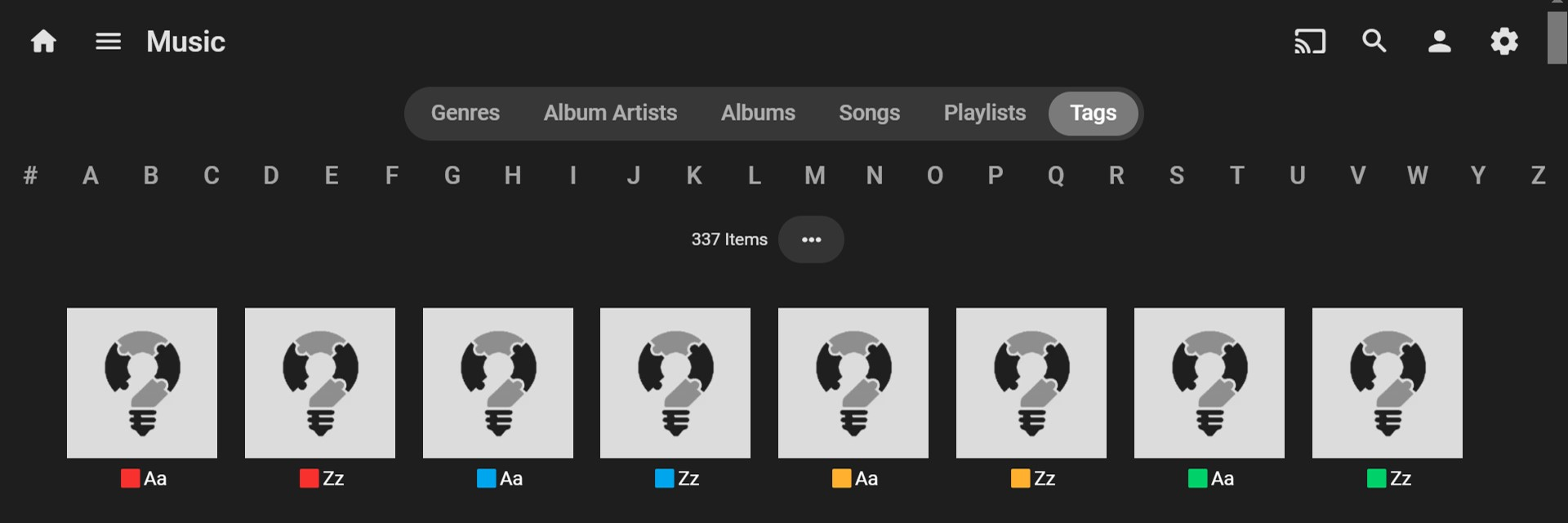
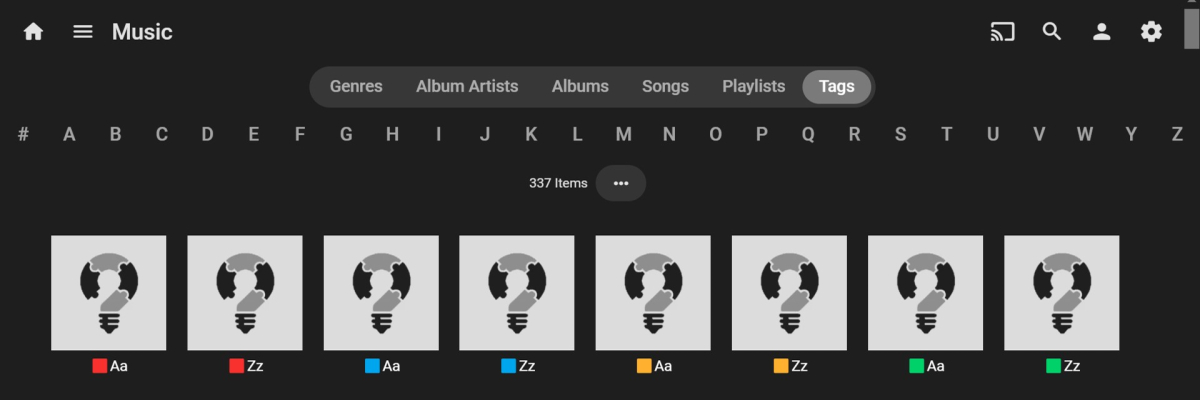
I would like this as well! I've been experimenting... One way that could perhaps work is to use emojis as a prefix. This is much less intrusive to the main genre/tag name than using an alphanumeric sort name prefix. It is also very easy to distinguish the genre/tag group you are looking at. It seems to work with my quick test below: The emoji items all appear before the standard alphanumeric items. I just used a simple color coded emoji scheme, but you could use any emojis you want to, just be aware that you may need to experiment to get your preferred sort group order. I also tried creating and importing emoji music Genres and Tags(via ROONTRACKTAG) using MP3Tag and that works. If this is a good option for you, you can likely batch change tags using MP3Tag or the Bulky plugin? (But you know this already!) After I test this a bit more, I'm thinking of properly implementing it across my main music library. Would this work for you?
 1 point
 -
i got it figured out it wasnt mounting on boot thats why it was not showing up for some reason i got it to mount got my movies and shows to show up in emby tysm for your help1 point
-
Yes, the guys were fantastic and walked me through why I was seeing what I was and then getting everything updated. I did a metadata refresh on all my libraries My only remaining question is about the tvdb error that showed up in the log I sent and whether it's anything I need to address Thanks1 point
-
You can create them on your own with Whisper by using Subtitle Edit. Subtitles are considered copyright infringement. If you didn't rip your content with them, or your pirated content did not have them, you need to create your own. The process is fairly easy, and English is one of the better languages for AI to create subs for. They aren't 100% perfect all the time, but extremely close. If the video is too complicated, here is a post from the videohelp forums that might make it easier.1 point
-
No, I don't have any favorite items at the top.1 point
-
Okay so the drive is mounted as the root user but the phantomzwar folder underneath /media is set to 750 permissions, which means root has full access, and the root group has read and execute (which basically means can navigate through it) but "others" (your user, as well as emby) would not have access to the folder. However, with the + there that means that there's an ACL defined, separate from the permissions shown. Depending on how you mounted the drive, which may have been done automatically by the system or done through a GUI, this likely gives your user permission on it, you can try to check with this command and see what it says. getfacl /media/phantomzwar Having said that, depending on what you want emby to be able to do with this mount point, you might be able to fix this with just: sudo chmod 755 /media/phantomzwar This should allow emby to at least read into this, the folders underneath this point might have a similar problem, but if you want emby to be able to write to this for NFOs or BIFs you might have to do more to change the permissions, or change how you mount it with uid and gid options set to the emby user. I understand from your first post that this is new to you, but file/folder permissions/ownership is a very critical thing to understand and I'd highly recommend doing some further reading on the subject.1 point
-
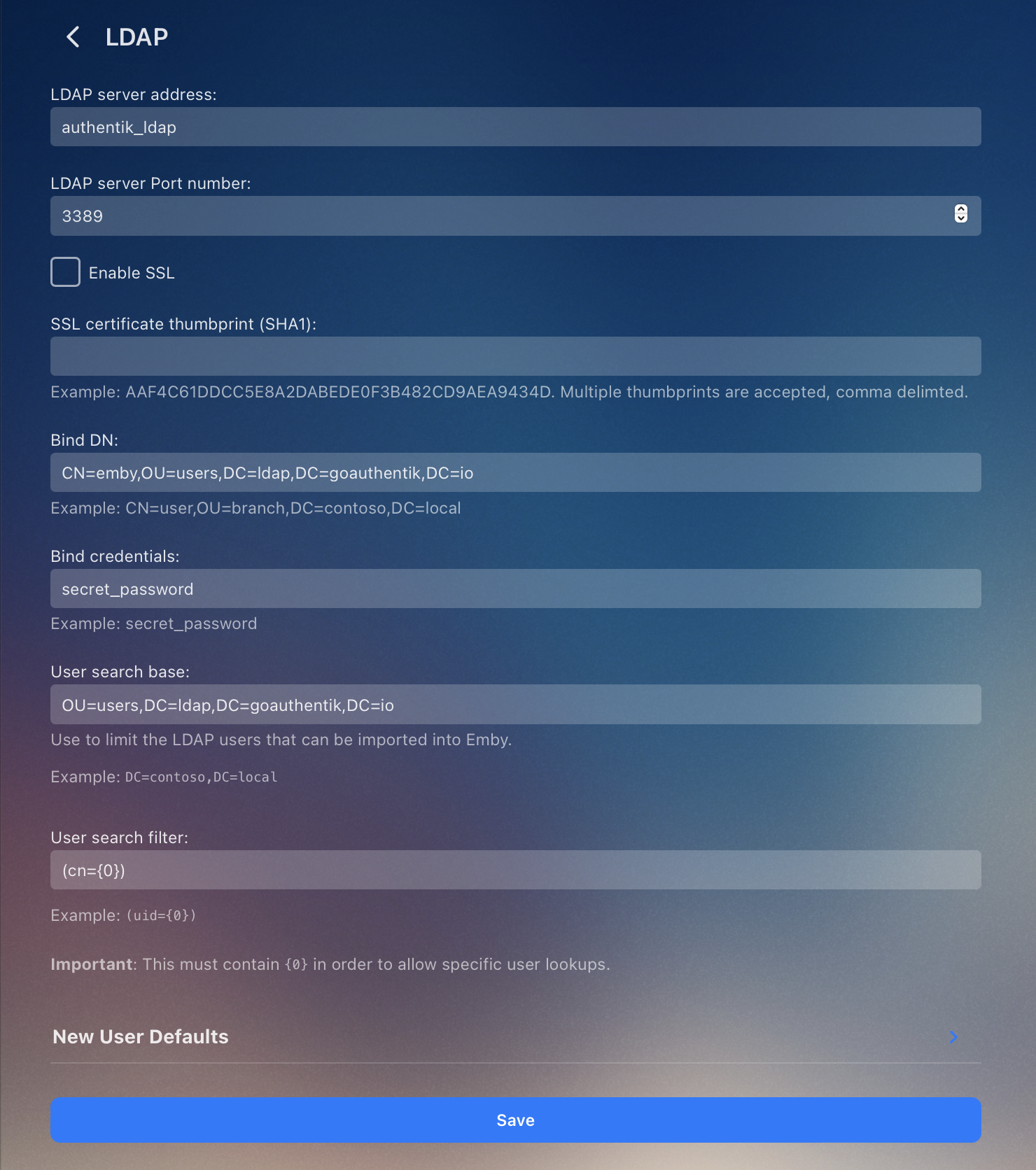
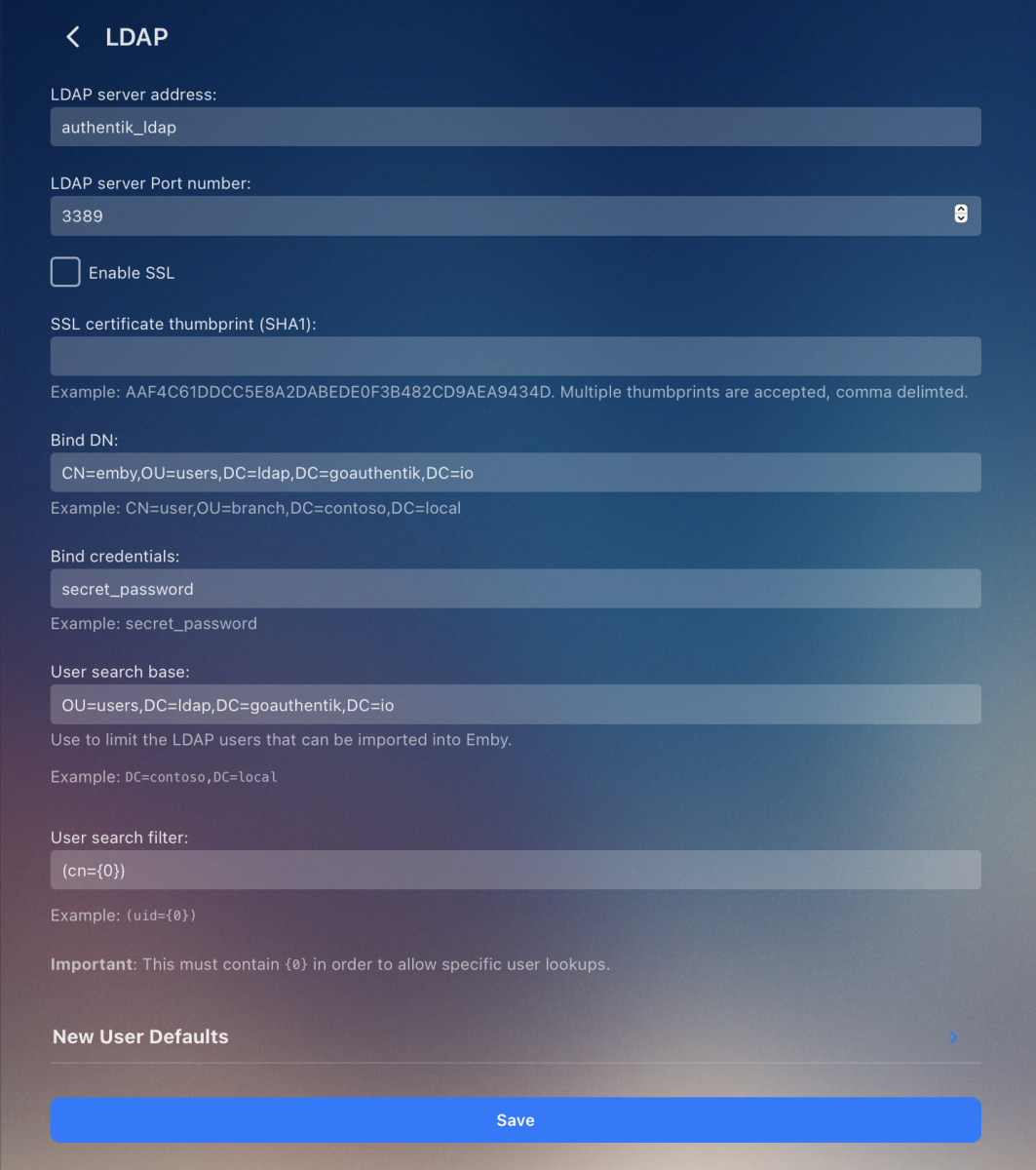
Hey! After debugging more, I found this issue which was the user search filter. Here's the step I ran: Run a container to test LDAP queries: docker run -it --rm ubuntu /bin/bash # add <--network your_ldap_docker_network> if using a custom network Run these to test your query: apt-get update && apt-get install -y ldap-utils ldapsearch \ -x \ -H ldap://authentik_ldap:3389 \ -p 3389 \ -w 'your_password' -D 'cn=bind_username,ou=users,DC=ldap,DC=goauthentik,DC=io' \ -b 'OU=users,DC=ldap,DC=goauthentik,DC=io' \ '(cn=username_of_user_you_are_looking_for)' If you are using Authentik, these are the settings I am using: @Lukethank you very much for your help and patience!
 1 point
 -
So everything 'DTS' appears to passthrough as DTS (5.1 Core ) - no issues at all. True-HD Passthrough - No issues, Atmos is being flagged just fine on my AVR. The only issue I seem to be having is with EAC3 (Dolby Digital+) with Atmos (JOC) - It does not flag as Atmos on my AVR. No issues with the Shield for the same files. Tried many files incl official Dolby Atmos test files.. I also tried the latest Emby Standard App - same issues with EAC3 JOC Atmos - no issues with DTS passthrough, it behaved the same as Android/Fire TV in that regard. So no full support for lossless DTS-HD MA nor DTS:X but for me anyway, it appears to pass through DTS Core just fine - and is inline with the Amazon specification. I guess your interpretation of the below was more accurate than mine This does indeed mean DTS Core - why they didn't just say (DTS Core Only) is anyones guess ....1 point
-
https://github.com/mikesart/inotify-info1 point
-
Yes, I will have no issue uploading the binary to replace the old one and make sure everything works appropriately1 point
-
This happens sometimes. Got e-mail notification: "New phrases have been added into the project Emby Server/All Apps" Selecting "Not translated (6)" from dropdown box in OneSky gives "Error. No Phrases can be found".1 point
-
Thank you for the update! I look forward to installing this version!1 point
-
I am on Android 12. Emby has Read_External_Storage and Write_External_Storage permissions. But on newer Android versions, it also needs Manage_External_Storage permission.1 point
-
I turned off HDMI CEC on my receiver and the issue hasn’t happened once since then. No idea why that would cause it but perhaps how the receiver speaks to the OLED passing things back and forth. be curious if this helps anyone else!1 point
-
Just install a new VM with Ubuntu 22.04 LTS and import /var/lib/emby. It works like a charm, no more issue with ffmpeg. Thanks for your help.1 point
-
@gihayes@crusher11For your reference, i've reported it as an Emby bug:1 point
-
Because that's its function... Paul1 point
-
Why did you install it ? If don't know what it does and you don't know if you need it. That does not make any sense.1 point
-
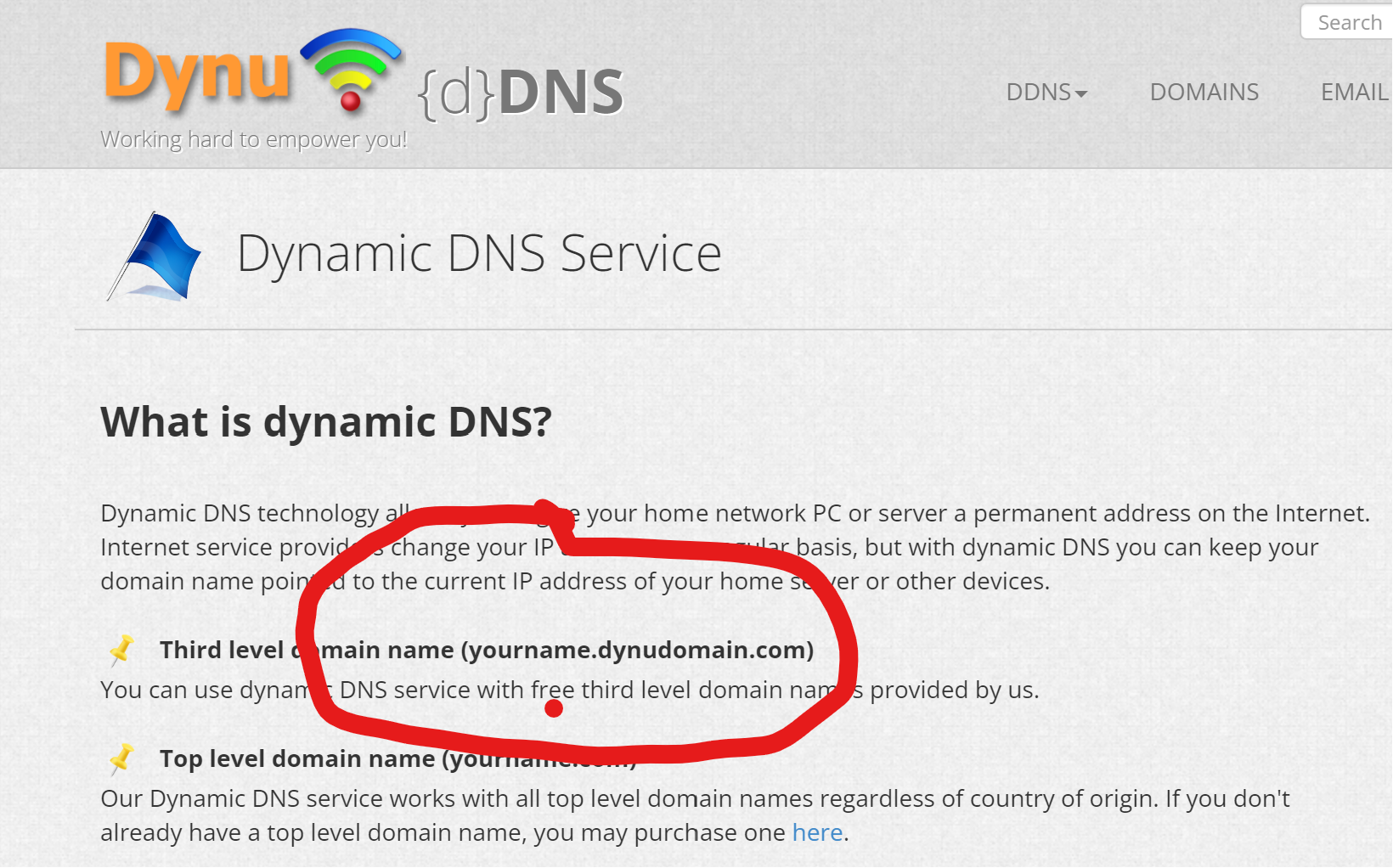
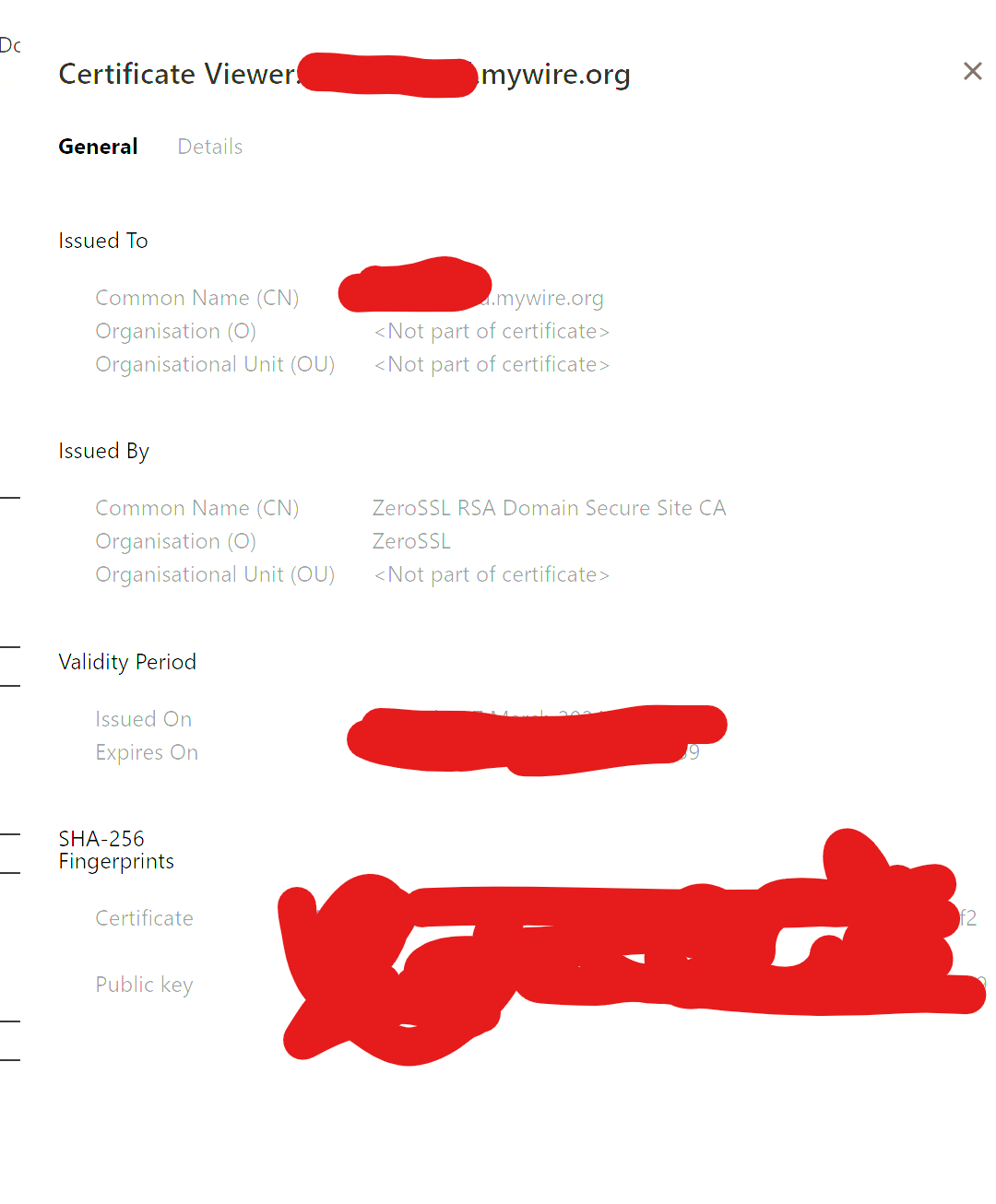
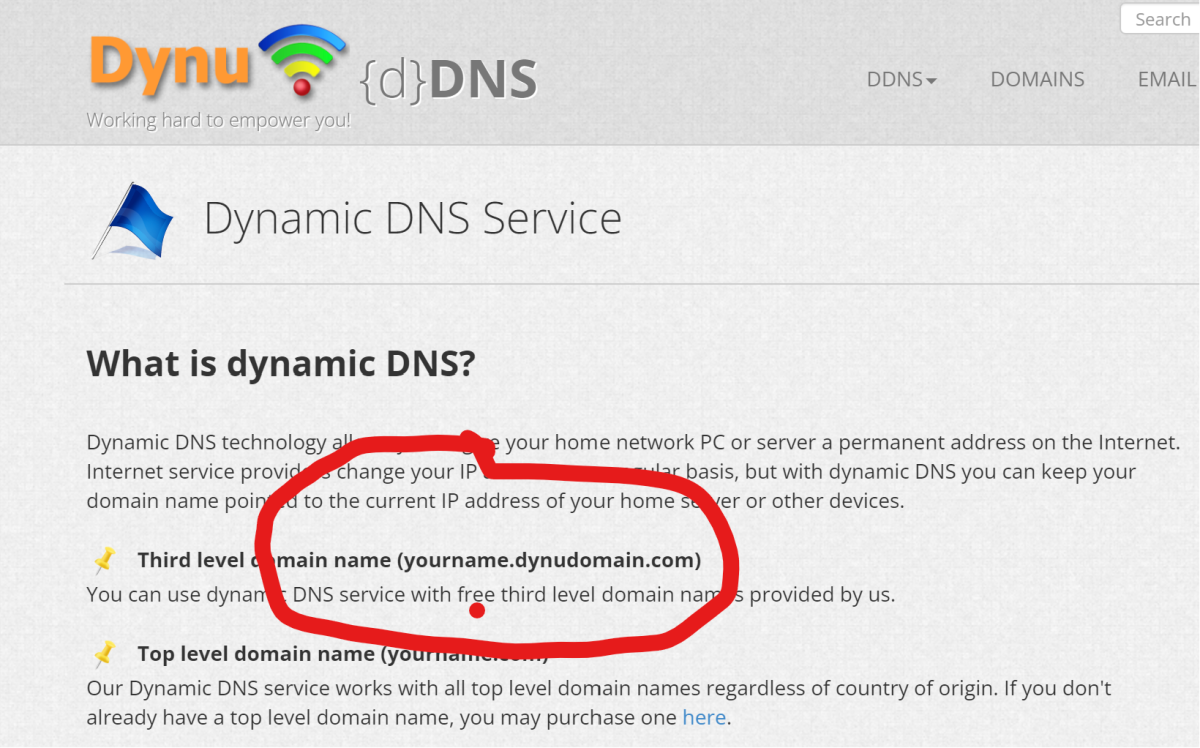
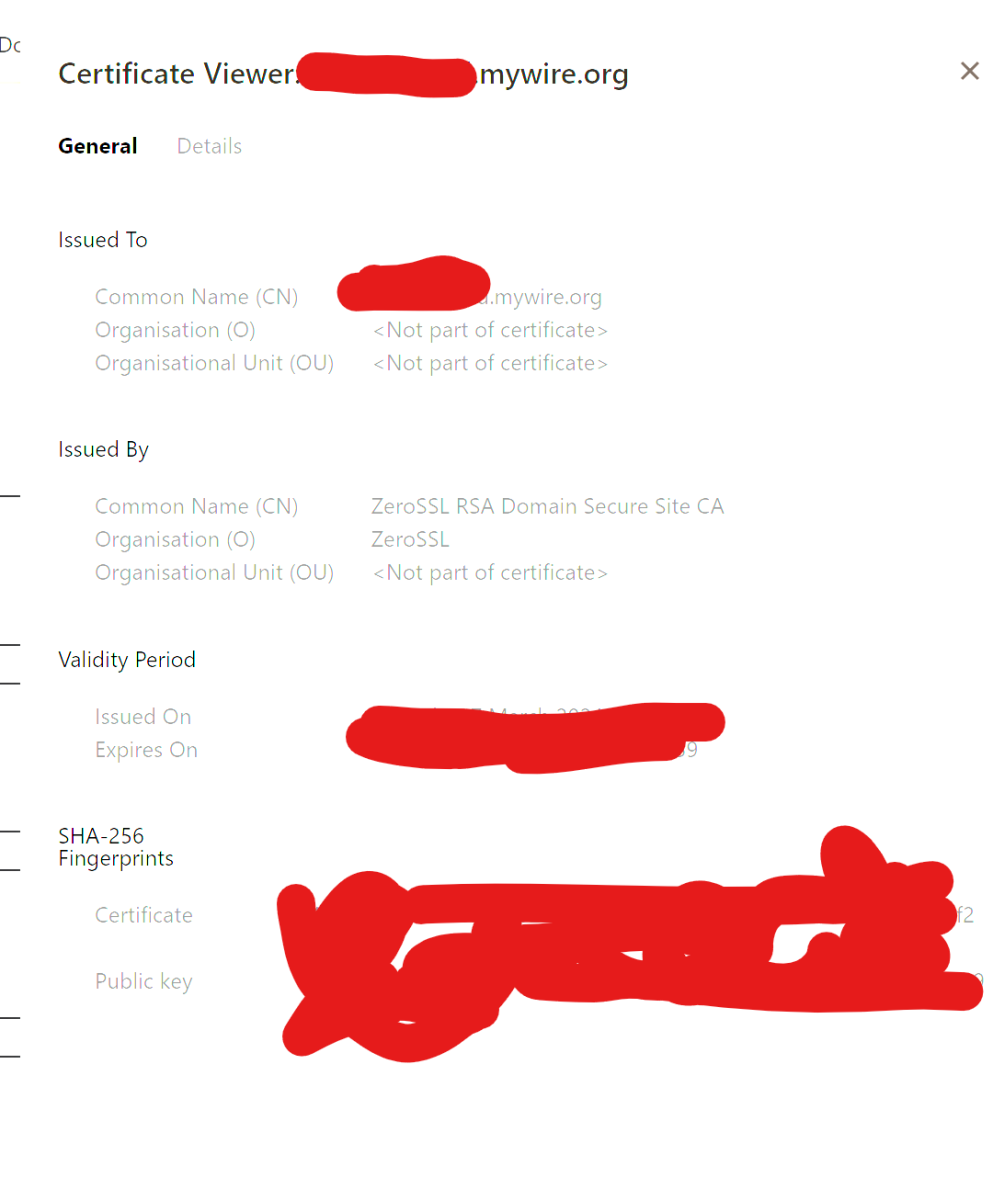
there are lots of free ddns services which provide a third level domain to providers second level. dynu is free...suggest step 1 is sign up for dynu ddns and register a domain name.. example 1wanthisunusedthirddomainname.mywire.org (mywire.org is one of the free 2nd level domain parents dynu offers) edit yes you need a domain name because the certificate that you request eg via free zerossl will be for this domain name.... edit one of the ways client browsers and alexa services and such confirm the validity of the website/webservice/emby, is when they talk to yourdomain.mywire.org they hit a webservice which provides a certificate trusted by the client and purporting to be for yourdomain.mywire.org (and not a certificate for malware.otherdomain.com)
 1 point
 -
i am on .75 currently. seems to be working fine now, thanks !1 point
-
Up Vote. Custom logo is possible for all clients and apps. why isn't this rolled out for Emby Premiere users?1 point
-
Hi, I think I've actually managed to solve it. I was trying to play the files from the Server within Chrome, but they play pretty fine in the Theatre app. I also had issues with commentary and alternative audio tracks which have resolved themselves with this.1 point
-
I assume they'll get back to it after they've finished the IntroSkip implementation.1 point
-
I figured it would be the same as well but decided to try. Still not one repeat and it's playing from all 19 different shows. Something different must happening.1 point
-
Sometimes friends will share their server but can't be arsed to set up the trakt plugin or they are still on an old version and dont want to add peoples trakt manually. also some people prefer to use simkl which is another service like trakt. trakt or simkl being part of the player or webapp would take away those issues. also would be nice to have an integrated watchlist using either of those1 point
-
Hi, thanks for following up !1 point
-
Thanks - I hope its possible to modify the code pretty easily so Emby recognizes RIGHT$(folder)="*CDx" as it currently recognizes (folder)="CDx"...1 point
-
Hi, Adguard home server did that. Also it block me to add connect email for user. I don't know how to fix that. Now I stop that container and everything works fine.1 point
-
Reinstalling a few times solved it and now it works like it should.1 point
-
PuffyToesToo (love the name by the way!) Can you create one with the image attached (without title Movies of course) for "Google TV"
 1 point
 -
Sorry, havent gotten to this yet! I'll take a look tonight.1 point
-
Alright, thanks. For Windows, there's a new Emby App coming (beta is very close) and the WMC UI for Windows will move to this new platform as well (shortly after). This will fix the issue automatically.1 point
-
@Luke I have found what I believe is causing the playback issue in the files I have. I would ask that you take a look at the cause and see if you can determine why some Emby clients can automatically handle this problem in the video source and some cannot. Ultimately the goal would be to have all Emby clients being able to detect and automatically handle this non-fatal encoding problem. Root Cause Research led me to several old issues potential related to timestamp induced jitters. The one that turned out to be my issue was the MP4 file not containing a ctts atom (frame offset table) which induced the jitter with constant out of order frames. The bottom of this thread contains the technical description of the problem https://gitlab.com/mbunkus/mkvtoolnix/-/issues/2777 and a link to the detection and correction code added to mkvmerge to fix this issue during remuxing. https://gitlab.com/mbunkus/mkvtoolnix/-/commit/1813e97cbf8f3691c55207f6c72d046ec00a2381 In testing I confirmed that remuxing mp4 to mkv with ffmpeg does Not correct the problem, but remuxing with mkvmerge Does correct it.1 point
-
It will probably be 4.8.4 by then. Thanks.1 point
-
omg , totally forgot about this! I'll look to see what needed to be done.1 point
-
It really depends, if you want full blown audio support (DTS:X for instance) then I'm not sure you have much more choice than the Shield. I have the pro and it just plays everything I through at it.1 point
-
HI, yes, Currently the user interface of our apps can recover automatically from network changes. But during playback, if the server address needs to change from lan to wan or vice versa, currently this does not happen in the middle of playback, but it's something we plan to improve on in future updates. Thanks.1 point
-
Hi, yes you can either install manually over the top or just wait for it to be released through package center.1 point
-
I'd also like to have a logo of my own shown to me (and my users). Seriously, my colleagues have no idea what Plex is or if I just made up the name1 point
-
As much as I'd like to put my own branding on the server, I can see why the Emby team would want to keep their own logo to. @AlanQdoes have a good idea with the Powered By Emby branding option which I'd be happy to have, I know other software also has this, i.e., if you use a custom logo on Portainer, it shows Powered By Portainer underneath it. I think it should be a Premiere only option to. Just a quick logo here as an example of what custom branding could look like;
 1 point