Leaderboard




Popular Content
Showing content with the highest reputation on 03/15/24 in Posts
-
The 4.8 server now has three image processors: Skia libvips ImageMagick ImageMagick is a behemoth and adds a lot of complexity to our server build process, and so we'd like to remove it. This was one of the reasons for adding libvips. If you are doing image processing with ImageMagick, then the best thing to do is remove all support for it (including nuget packages), and just go Skia only (when Skia is available). If you really want you can do a libvips implementation using the NetVips nuget package, but since most platforms can use Skia now, it's really not worth the trouble in my opinion. @chef @pünktchen @roaku2 points
-
Please see below. I just received this will this affect Emby and Nvida Shields. We are reaching out to inform you about an upcoming change that will impact the device compatibility of Let’s Encrypt certificates issued after May 15th, 2024. We are reaching out to you because we identified that you are currently using Let’s Encrypt certificates through Universal SSL, Advanced Certificate Manager, Custom Certificates, or SSL for SaaS. We recommend that you familiarize yourself with the Let’s Encrypt change and make any necessary adjustments ahead of time. Change Overview Let’s Encrypt issues certificates through two chains: the ISRG Root X1 chain and the ISRG Root X1 chain cross-signed by IdenTrust’s DST Root CA X3. The cross-signed chain has allowed Let’s Encrypt certificates to become widely trusted, while the pure chain developed compatibility with various devices over the last 3 years, growing the number of Android devices trusting ISRG Root X1 from 66% to 93.9%. Let’s Encrypt announced that the cross-signed chain is set to expire on September 30th, 2024. As a result, Cloudflare will stop issuing certificates from the cross-signed CA chain on May 15th, 2024. Impact The expiration of the cross-signed chain will primarily affect older devices (e.g. Android 7.0 and earlier) and systems that solely rely on the cross-signed chain and lack the ISRG Root X1 chain in their trust store. This change could result in certificate validation failures on these devices, potentially leading to warning messages or access problems for users visiting your website. Impact to certificates issued through Universal SSL, Advanced Certificate Manager, or SSL for SaaS: To prepare for the CA expiration, after May 15th, Cloudflare will no longer issue certificates from the cross-signed chain. Certificates issued before May 15th will continue to be served to clients with the cross-signed chain. Certificates issued on May 15th or after will use the ISRG Root X1 chain. Additionally, this change only impacts RSA certificates. It does not impact ECDSA certificates issued through Let’s Encrypt. ECDSA certificates will maintain the same level of compatibility that they have today. Impact to certificates uploaded through Custom Certificates: Certificates uploaded to Cloudflare are bundled with the certificate chain that Cloudflare finds to be the most compatible and efficient. After May 15th, 2024, all Let’s Encrypt certificates uploaded to Cloudflare will be bundled with the ISRG Root X1 chain, instead of the cross-signed chain. Certificates uploaded before May 15th will continue to use the cross-signed chain until that certificate is renewed. Important Dates May 15th, 2024: Cloudflare will stop issuing certificates from the cross-signed CA chain. In addition, Let’s Encrypt Custom Certificates uploaded after this date will be bundled with the ISRG X1 chain instead of the cross-signed chain. September 30th, 2024: The cross-signed CA chain will expire. Recommendations: To reduce the impact of this change, we recommend taking the following steps: Change CAs: If your customers are making requests to your application from legacy devices and you expect that this change will impact them, then we recommend using a different certificate authority or uploading a certificate from the CA of your choice. Monitoring: Once the change is rolled out, we recommend monitoring your support channels for any inquiries related to certificate warnings or access problems. Update Trust Store: If you control the clients that are connecting to your application, we recommend upgrading the trust store to include the ISRG Root X1 chain to prevent impact. If you have any questions, we recommend that you refer to our Developer Documentation or blog post regarding this change. If you are an Enterprise customer and have additional questions or concerns, please reach out to your Account Team.2 points
-
For nearly everyone, even using LetsEncrypt certificates won't be an issue. The standard LetsEncrypt certificate expiry period is 90 days; they will have transitioned to no longer issuing affected certificates considerably before that. The only h/w or s/w affected will be old, because the root certificate for the new certificates has been in place for many years now. This is basically a non-story. Paul2 points
-
These are not themes in my opinion. They are color palette changes. Not the same thing in my book.2 points
-
How is the naming ? I think the year and date is troughing it off. Is it "Home videos & photos" Content type selected, in library.2 points
-
Maybe a small 'issue' but would it be possible that the playlist thumbnails would also be shown in the same way as the movies and series? I think the 'squared' thumbnails are far less visually appealing because of the faulty aspect ratio.2 points
-
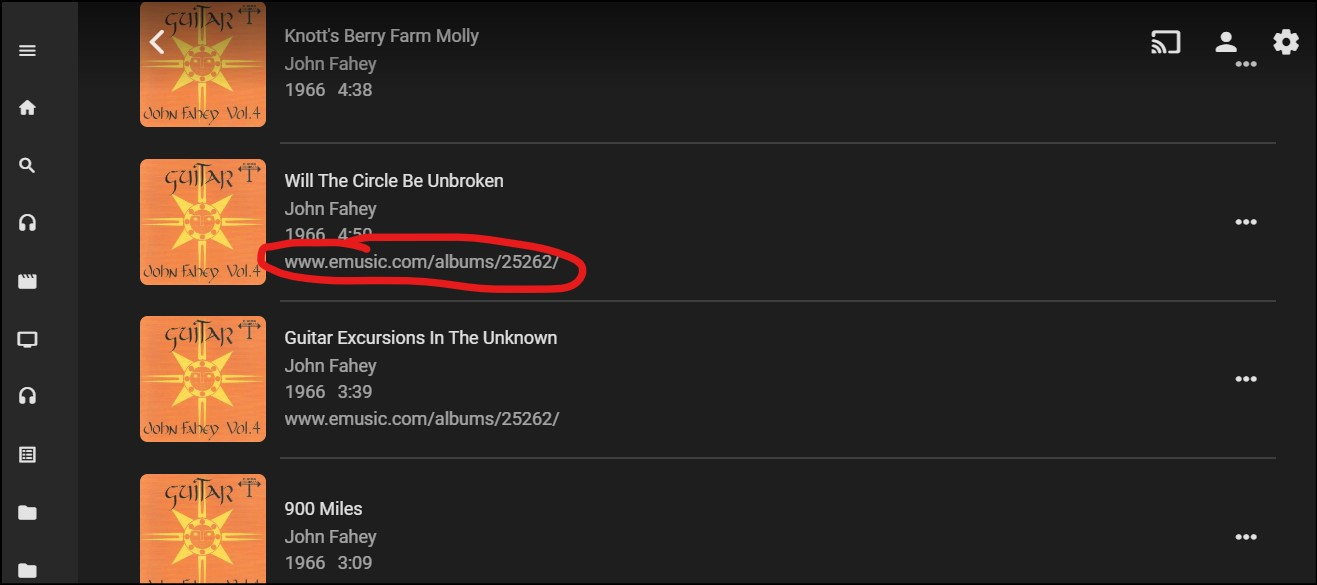
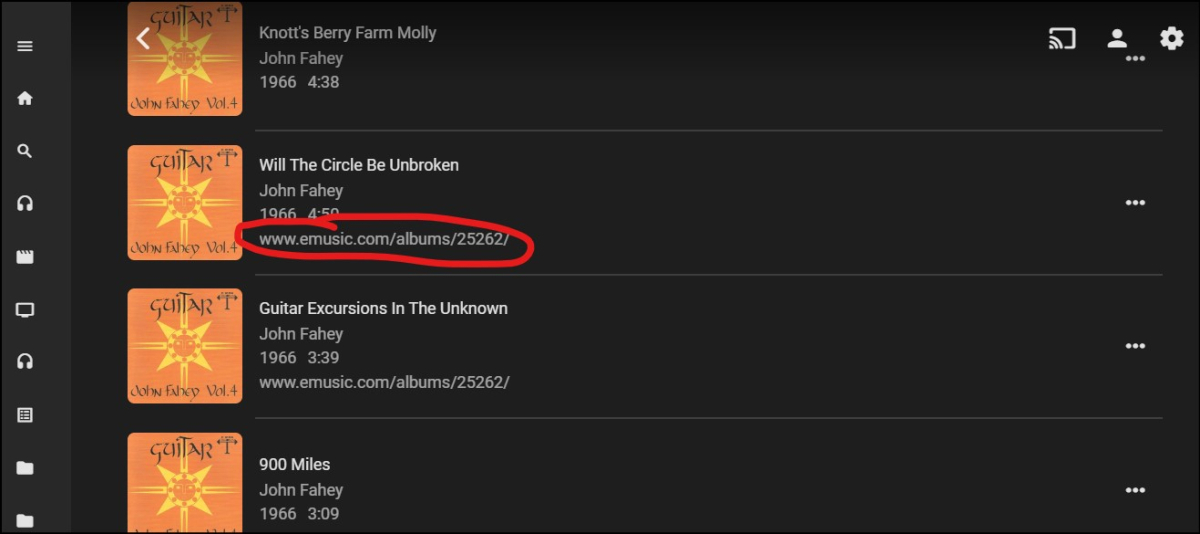
Playlist tracks currently display Title Artist Year | Time Track comment It would be great if the choice of fields to display were configurable, or at least if Track Comment were switched for something more commonly useful, like Genre.
 2 points
 -
TheTVDB now supports more alternative orders than just Aired/Absolute/DVD. Can Emby query these additional orders and add them as options? Two examples of shows I've seen this used are Re:Zero which has a "Director's Cut" display order and Money Heist which has a "Netflix" order. https://thetvdb.com/series/re-zero-starting-life-in-another-world https://thetvdb.com/series/la-casa-de-papel1 point
-
Hey Everyone, My journey from Plex to Emby has been pretty smooth with the exception of setting up SSL encryption. There are lots of great posts on this forum and elsewhere on how to do this, and I consider myself pretty computer literate. But I'll be honest, this was a bit overwhelming for me as I have no experience at all in hosting web servers, DNS, or encryption certificates. After many hours, I've got it all working, so I thought I'd share what I've learned. I'm going to try to write this for the newbie, so don't be offended if it seems like I'm explaining lots of simple stuff. That's really what I needed a week ago, so maybe it'll help someone else in my shoes. Also, this is for Windows, although most of it applies to any OS. There's lots of text, but it's really very easy. Let me also say, I understand that a reverse proxy gives you lots of benefits and flexibility for securing your server. But that was a step too far for me. If you want a reverse proxy this post is not for you, but there are many posts in this forum to help you. If you want to access your Emby server from outside your home network you will want to require secure connection mode for all remote connections (see "Network" tab in Emby server configuration). To do this you need an SSL certificate. To get an SSL certificate you must have your own registered domain name. Here's a step-by-step. Domain Name Registration A domain name is the readable text part of a web address. So emby.media, or google.com, or media.yourdomain.net. Most home users don't have one, but you need one to get an encryption certificate. While (Edit:)There are many options for purchasing a domain (godaddy.com being very popular), I chose to buy my domain from domains.google. It cost me $12/year, and this is the only cost to getting your Emby server working with encryption. Go to https://domains.google, pick a domain, pay your money, and you're ready to go. For the rest of this discussion let's say you registered the domain name yourdomain.net. Now you need to associate your new domain with your home IP address. Most home users get their IP address assigned to them by their internet provider and it is "dynamic," meaning it can change. So you need to be able to tell your domain provider what your address is and update it when it changes. This can be done automatically, and is called dynamic DNS (DDNS). (Edit:) Before obtaining a domain, ensure the provider supports Dynamic DNS. Google domains supports this easily, here is the help page explaining how to set it up. Fortunately, my ASUS router has this capability built in so it was easy, but it's easy even if your router doesn't (follow google's directions). (Edit:) In case you have a static IP (obtained from your ISP), DDNS support is not mandatory. That's it for domain name registration. Now yourdomain.net points to your home network IP address. SSL Certificate Now you need to get an SSL certificate. This has the encryption keys you need, and must be issued by a recognized certificate authority or it gets blocked by your browser. Lets Encrypt will give you a free SSL certificate but it has to be renewed every 90 days. This was the part I was most confused by, but it's actually really easy. The part to understand is that Lets Encrypt must have some way of proving you own your domain name before they can issue you a certificate. There are two options, 1) they give you a little text file to place on your web server in a certain location. I don't have a web server so this is a no-go. 2) They give you a text string to add to your DNS registration in what is called a "TXT Record." You do this with google domains, it's very easy. To get a certificate you need an ACME client program that knows how to talk to the lets encrypt server. They recommend certbot, but it doesn't work in windows. Dig enough and you'll find ZeroSSL, they have a nice downloadable program that does it all and is really easy. Download here. Make a directory on your computer (I used c:\ZeroSSL). Put the le64 (or 32) exe in this directory. A single command will create your certificate. I think the easiest way to do this is create a text file in the same folder as the program, call it "get_cert.bat" and put the following three lines of text in the file. Edit the second line to have your actual domain name (instead of "yourdomain.net"), and to have your actual password for your PFX file (whatever you want it to be, just replace "yourpasswordhere" in the code below. @[member="Echo"] off le64 --key account.key --csr domain.csr --csr-key domain.key --crt certificate.csr --domains "yourdomain.net" --generate-missing --handle-as dns --export-pfx “yourpasswordhere” --live pause Save the text file as get_cert.BAT and then double click it to run. This runs the le64 program, creates the public/private key pair, asks lets encrypt to generate a certificate, saves that certificate, and converts it to a PFX file format that Emby requires. All in one command! When you run this, a command window will appear and you can see what it's doing. After a few seconds it'll pause and ask you to place the TXT record in your domain. It gives you a name and value, the name will be something like _acme-challenge.yourdomain.net, and the value will be a bunch of random letters and numbers. The program pauses here for you to put this into your domain. So now you just log in to your google domain again, go to "DNS" on the left menu, scroll all the way down and enter a "Custom Resource Record." The type is TXT, the name and value are what le64 gave you. Put them in, wait a few minutes for the change to take effect (took just a couple of minutes for me). Then go back to the command window where le64 is running and press enter to continue. It'll then verify your TXT record is there and issue your certificate. You'll find a file certificate.pfx in the le64 directory, that's it! Emby Setup Now log in to your Emby server setup. Go to "Network," in the field "External Domain" you put your domain name, so yourdomain.net or whatever you chose. For "Custom SSL certificate path," browse to the .pfx file that was created by the le64 program. In the "Certificate Password" field put whatever password you used in the .BAT file above when you created your certificate. Then for "Secure Connection Mode" I recommend you choose "Required for all remote connections." You also have to log in to your home router and forward port 8920 to the computer running your Emby server. I'm not going to give directions on how to do this, it depends on your router, but it's super easy. That's it. You need to restart your Emby Server, and then you're done! You can now access your server remotely and securely at https://yourdomain.net:8920. Certificate Renewal Now, I mentioned before that the Lets Encrypt certificates are only good for 90 days. So every 90 days you have to renew the certificate. Take that "get_cert.bat" file you made earlier and make a copy of it called renew_cert.bat. At the end of the second line, just add the text "--renew 20" (without the double quotes). When you are within 20 days of your expiration date run this file, it'll renew your certificate. I believe it'll ask you to place a new TXT record in your domain, so certificate renewal cannot be made fully automatic. You'll have to run it manually and add this TXT record into your google domain just like when you created the certificate in the first place. But it takes just a few minutes and then your certificate is renewed. You'll have to restart your Emby server for it to take. The file locations all stay the same, so you don't have to update anything in the Emby setup, just restart Emby. That's it! Well, I hope this helps someone. Sorry for the long post. I would have benefited from this level of detail a week ago, so maybe it'll be good for someone. If anyone sees something wrong here, feel free to correct me.1 point
-
These images were inspired from many of the Libary images posted by members. These were made by 1 of my Sons.

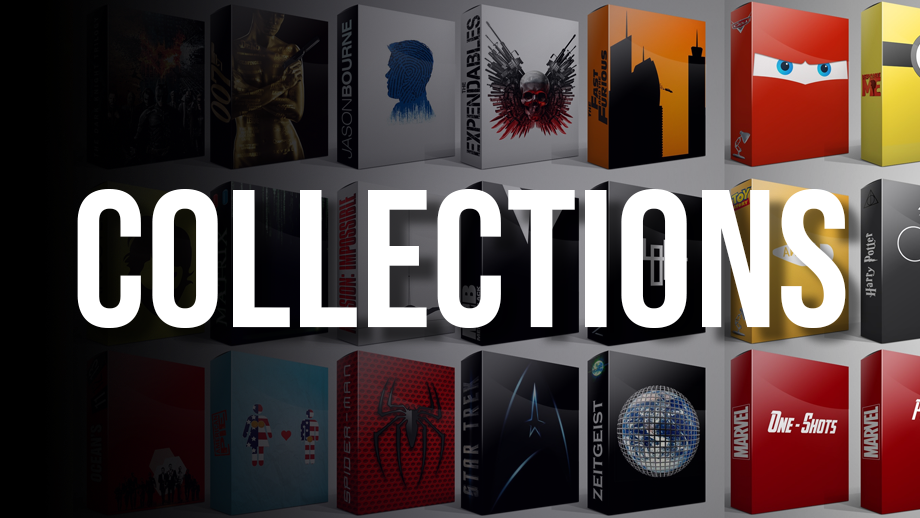




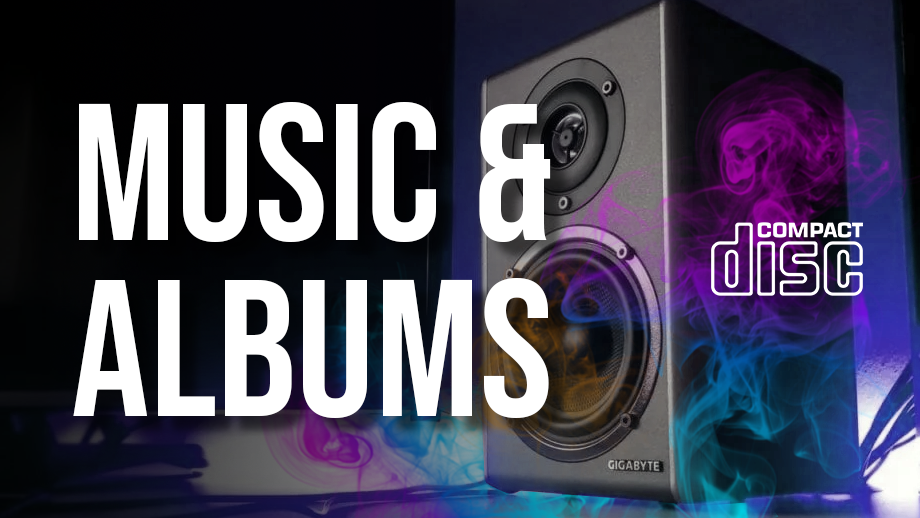



 1 point
 -
As I mention in a related post, I love the additional subfolders for Movie Extras (eg, Shorts, Scenes, Interviews, etc.)! It would be awesome to extend this functionality to TV Series as well. Specifically to add support for many/all of the same folders supported for Movie Extras, eg, extras specials shorts scenes featurettes behind the scenes deleted scenes interviews trailers As well as any additional folders that get added in the future (eg, hopefully Galleries). Support Placement of "Extras" Folders Within Each Season Folder, Plus A Naming Scheme to Link A Particular Extras Folder with a Specific Episode (eg, "\Season 1\E1 - Deleted Scenes\" for episode 1 deleted scenes): I want to clarify that it would be great if these various "extras" folder types could reside within each Season folder. So for example, within a Season 1 folder we could then have an "Extras" folder, a "Deleted Scenes" folder, a "Featurettes" folder, etc. And furthermore, that we could designate a particular folder to refer to a specific episode (eg, "\Season 1\E1 - Deleted Scenes\" for episode 1 deleted scenes). See more below, particularly why I think this would be so useful: https://emby.media/community/index.php?/topic/55915-emby-server-theater-additional-extrasspecial-folder-types-for-tv-series-similar-to-movies/&do=findComment&comment=587195 Thanks for your consideration! PS - If this is something you might like to see implemented, be sure to "Like" this top/first post (as well as any subsequent posts in this thread that highlight particular aspects of what you are interested in) -- "Liking" the top/first post helps the Devs to know how much interest there is in a given Feature Request.1 point
-
It occurred to me the other day that Emby's Movie and TV libraries treat watched/unwatched indicators in opposite ways. In the TV library, posters display a badge with the number of unwatched episodes on each series poster. No indicator means watched. In the Movie library, posters display a badge with a green checkmark when the movie has been watched. No indicator means unwatched. To summarize: TV: Indicator = UNWATCHED Movie: Indicator = WATCHED It would be great if these libraries could display watched/unwatched status indicators in a consistent manner. Personally I prefer the TV approach, where the indicator corresponds to an unwatched state, as it acts as a flag to draw your attention to something "new". So that would mean no green checkmark on watched movie posters, but instead something like a green star on unwatched movie posters. No change would be needed to the TV library behavior. Thoughts? Am I the only one whose OCD is upset by this?1 point
-
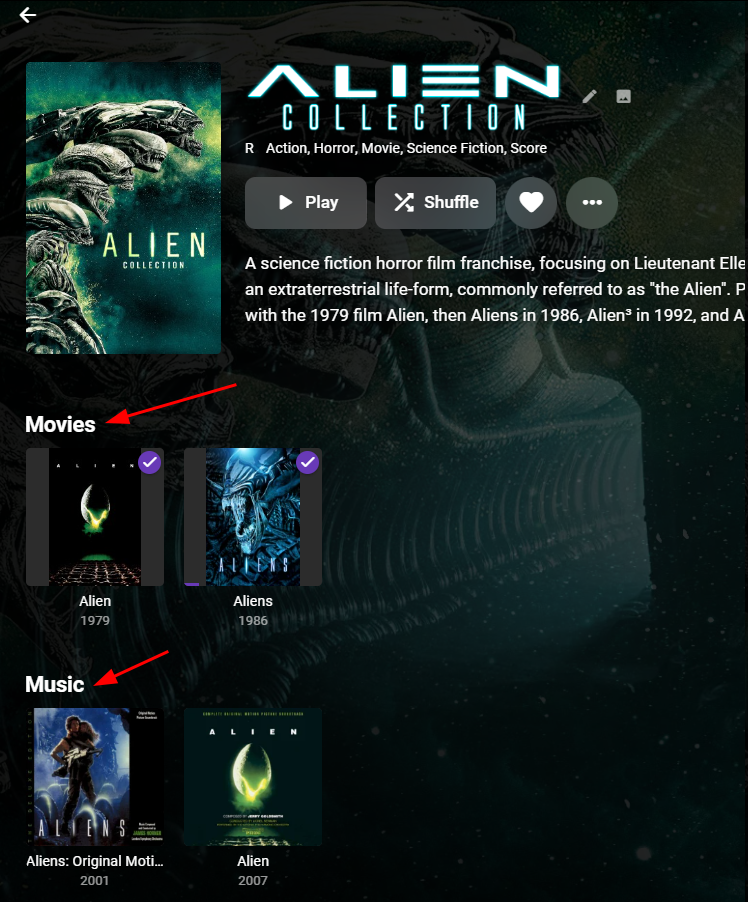
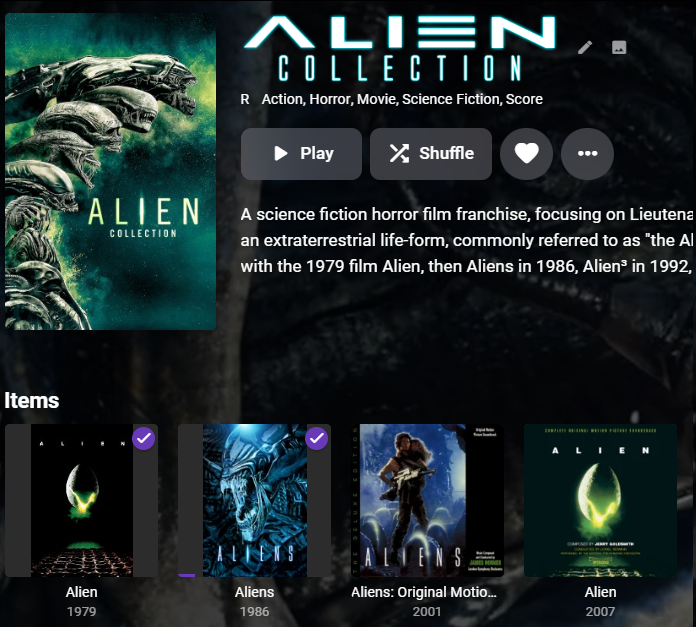
Hi I would like to request that, when viewing a collection, Emby groups items in the collection by their library type (Movie, TV Show, Music etc). Currently all members in a collection are mixed together under one heading labeled "Items", as shown here: Here is a mock-up of how I think it would look: As you can see above, the Alien Collection has both movies and sounds tracks, and so I think they should be grouped together. Many Thanks Stephen
 1 point
 -
That log was loaded as admin user. Removed log was User got access denied. 2024-03-15 20:17:19.503 Error App: Error loading cert from C:\Cert\xxxxxxxxx.pfx *** Error Report *** Version: 4.8.3.0 Command line: C:\Users\Administrator\AppData\Roaming\Emby-Server\system\EmbyServer.dll Operating system: Microsoft Windows 10.0.19045 Framework: .NET 6.0.27 OS/Process: x64/x64 Runtime: C:/Users/Administrator/AppData/Roaming/Emby-Server/system/System.Private.CoreLib.dll Processor count: 4 Data path: C:\Users\Administrator\AppData\Roaming\Emby-Server\programdata Application path: C:\Users\Administrator\AppData\Roaming\Emby-Server\system Internal.Cryptography.CryptoThrowHelper+WindowsCryptographicException: Internal.Cryptography.CryptoThrowHelper+WindowsCryptographicException: Access denied. at Internal.Cryptography.Pal.CertificatePal.FilterPFXStore(ReadOnlySpan`1 rawData, SafePasswordHandle password, PfxCertStoreFlags pfxCertStoreFlags) at Internal.Cryptography.Pal.CertificatePal.FromBlobOrFile(ReadOnlySpan`1 rawData, String fileName, SafePasswordHandle password, X509KeyStorageFlags keyStorageFlags) at System.Security.Cryptography.X509Certificates.X509Certificate..ctor(String fileName, String password, X509KeyStorageFlags keyStorageFlags) at System.Security.Cryptography.X509Certificates.X509Certificate2..ctor(String fileName, String password) at Emby.Server.Implementations.ApplicationHost.GetCertificate(CertificateInfo info) Source: System.Security.Cryptography.X509Certificates TargetSite: Internal.Cryptography.Pal.Native.SafeCertContextHandle FilterPFXStore(System.ReadOnlySpan`1[System.Byte], Microsoft.Win32.SafeHandles.SafePasswordHandle, Internal.Cryptography.Pal.Native.PfxCertStoreFlags) So is it a User cannot load or just doesn't have permission to the cert?1 point
-
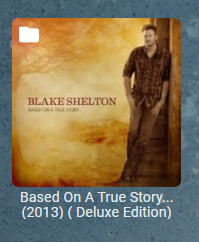
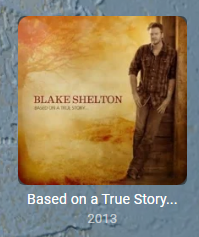
But you have a structure/naming issue Ray Charles / AlbumArtist Genius & Soul / Album Genius & Soul 1 / unknown But Folder images per folder view are not neccessarily the same as Album view. If you want Folder views to be the same a other views ie Artist and Album you have to manually ensure folder contains images. But per your structure is in not Artist/Album/Track so Emby will not play nice with folder levels. Now a multi-disc will get merge to one album per cd x/disc x naming otherwise you have to break them out into their own albums. Already posted example above for Elvis.


 1 point
 -
Not sure what happened but I just tried reinstalling the app on my TV and everything is working. Thanks for taking the time to look into this. I guess you scared away the ghost in the machine1 point
-
Exact what was posted. No different then what happened in 2021. Devices stop working do to expired root cert. But most should have transitioned to ISRG Root X1 back in 2021.1 point
-
It means devices and software that can't trust the LE ISRG Root X1 cert will start complaining or fail entirely when connecting to HTTPS (TLS) URLs.1 point
-
Version 10.x works with the next gen addon skip intro!! Thank you very much for your help! This was the solution! I'm sorry that I took up so much of your time with this problem, but I couldn't have solved it without you. Thank you very much!! And, of course, I tried it on kodi 20 and kodi 21 and it's good on both!1 point
-
Look on the first page of this thread. 10.X has 3 "plugins" you must install all of them. audio, image and last is video. Then I didn't do it right! I just wanted to install the video! I will try this now.1 point
-
Hey Luke, thank you for the reply and I can say that I've found the problem myself. Maybe others can use the information: My problem was that seemingly the import of movie files that are located on the ssd part of a HDD/SSD pool would wake up the disks. That is not true. I've done a clean test with a movie file that was not in emby yet and the HDDs were not spinning afterwards AND the movie still shows up with metadata. What happened was that an already existing file got upgraded. The old file, that was on a HDD, got deleted which a) woke up the disk and b) caused emby to refresh the library which prob. c) woke the other disk(s) that had stuff from that library on it. 2024-03-15 20:22:27.740 Info LibraryMonitor: movies (/data/movies) will be refreshed. Its not an emby but a user who is sitting in front of it problem1 point
-
Will you buy me a google TV I don't have one.1 point
-
That's just a simple case of don't write the normal chapter markers, just write the hidden ones only. I have the source for that part (@cheesegeezer wrote it) - but I only have an old source for the main part - so just need the latest from @chefand then I can recompile the entire DLL. I've got some edits I want to make as well, such as the verbose logging when adding chapters, but pretty minor stuff - it's been working perfectly for me for years ..1 point
-
Sorry, there may be a misunderstanding. I'm using a basic skin during testing. I don't know English and I use Google translator, which is not perfect. In the meantime, I did the test and here is the error log https://paste.kodi.tv/fiqacahedi I hope I did it well. I will try kodi 21. Kodi omega nightly. I will write whether it works or not. The good news is that it works perfectly on kodi matrix, but I would prefer to use a newer version of kodi.1 point
-
What happened with the plugin? There was a bit of movement to open the source a couple of weeks ago, but that seems to have been it.1 point
-
In the meantime, I downloaded the maven kodi matrix version and the skip intro works on it! I tried the next gen beta version and it works perfectly! I'll leave this up for now. When you wrote that I should use the basic skin, I've been trying it ever since. Now I will turn on the error search on the maven kodi nexus and send it. A few minutes and I'll send it.1 point
-
Can you elaborate and show examples but can only guess your are referring to Compilation/Various Artists. Music Naming | Emby Documentation1 point
-
Valami nem stimmelt, mert a könyvtárak üresek voltak. Eltávolítottam és újratelepítettem a kodit, és most az emby next gen béta verzióját is. Sajnálom, hogy ilyen sokáig tart. There was also a test with the beta version, but there is still no option to skip intro. no one puts that icon. Good in Emby application and good in embycon. Anyway, I use kodinerds nexus if that matters! Dolby vision requires this version.1 point
-
I just installed the emby beta repository. I installed the emby next gen beta version from it, but it still scans the directories. when it's done I'll try it to see if it works or not.1 point
-
Yes most likely the by date naming scheme. TV Naming | Emby Documentation1 point
-
Thx, im about to update one or all of my clients to 10.x.x over the weekend and do some tests. I let you know how it works. If not, i make some logs....1 point
-
Okay the strace is interesting, and simple. From a threaded top: 2772754 emby 20 0 5527680 495148 92472 S 94.1 0.8 161:02.43 EmbyServer 2991061 emby 20 0 5527680 495148 92472 R 94.1 0.8 158:50.23 .NET ThreadPool , the 100% CPU is actually a ".NET ThreadPool" thread. Digging further (attached in an strace to this thread), you get a fast continuous stream of (50000-70000 per second!): recvmsg(236, {msg_name=NULL, msg_namelen=0, msg_iov=[{iov_base="", iov_len=1024}], msg_iovlen=1, msg_controllen=0, msg_flags=0}, 0) = 0 lsof on this pid we see this: ,where "servername" is my server name, this is the same box running Emby as the TVHeadend Container. So the issue seems to be that the process is stuck waiting for a CLOSE_WAIT from the socket to the original TVHeadend Container (this has been restarted and is listening again on this port 9982). This CLOSE_WAIT is never likely to happen as the service (process) that Emby was opened to has now gone (container was torn down and brought back up again). Now it's possible things aren't so simple, as container networking has a lot of firewall manipulation for port forwarding ports, so maybe this old connection is just getting all it's packets dropped silently. But in any case, Emby probably shouldn't wait forever for a CLOSE_WAIT here and especially not in a tight loop! Thoughts....1 point
-
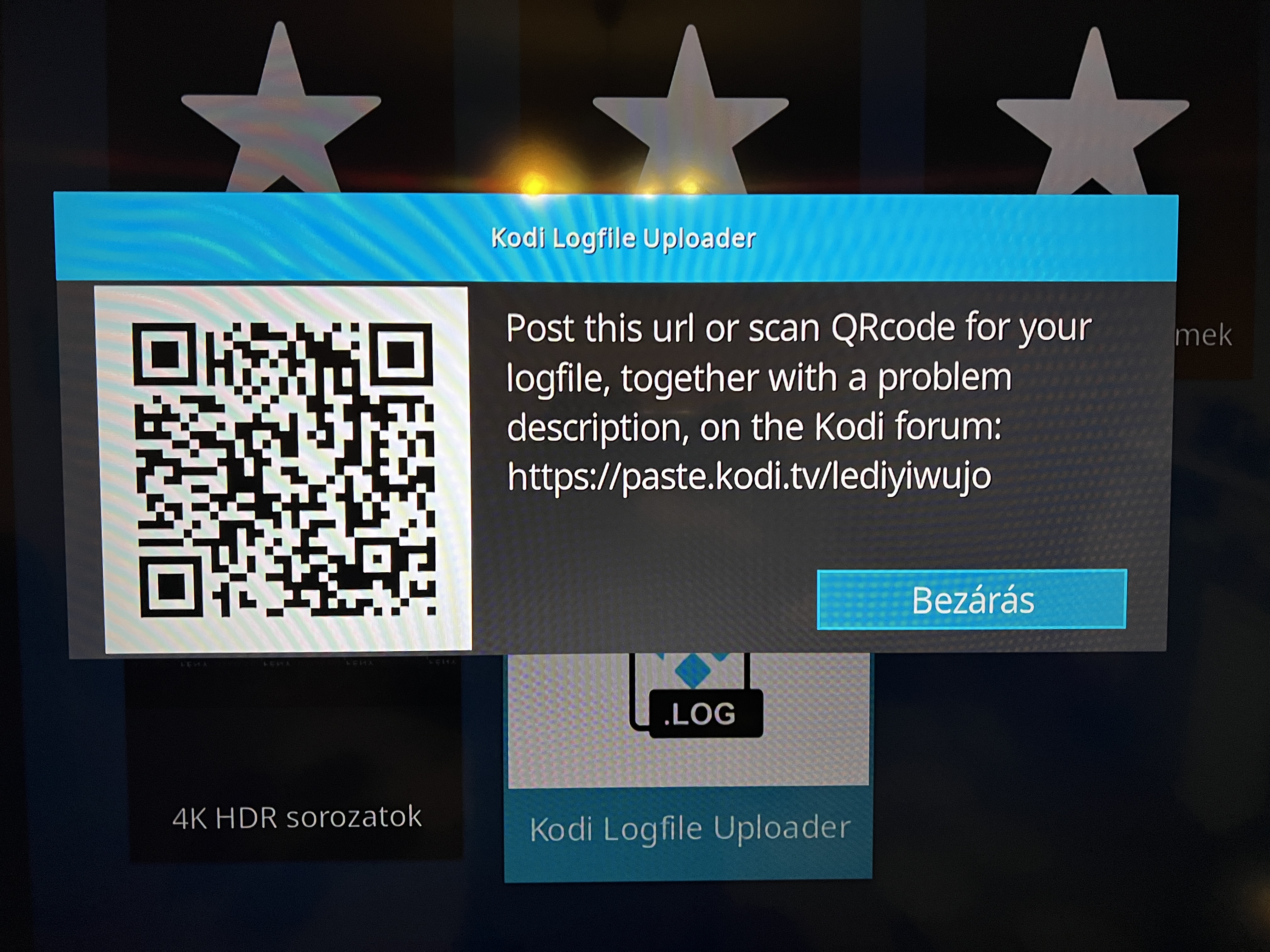
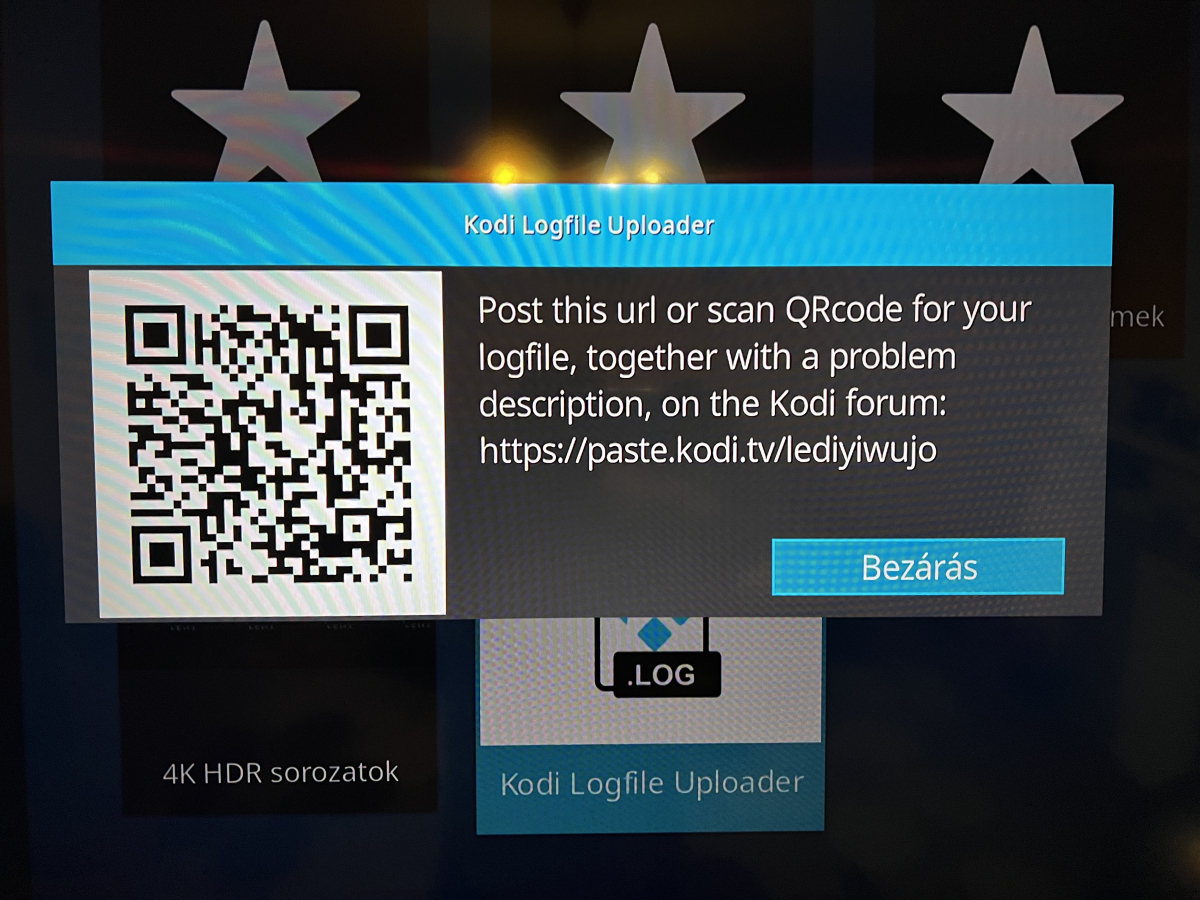
log upload succeeded! Before that, I started a couple of series episodes that have an intro and it doesn't detect it, I hope I did it right. https://paste.kodi.tv/lediyiwujo I'll send you a picture if you can just look at it. should i try the 10.x beta? Or wait until you notice something in the log file?
 1 point
 -
led me to do this because I had problems playing 90% of the films stored in the NAS after updating Emby moving the trancoding file destination, now everything is ok.1 point
-
Where can I find it? the skip intro does not work with a freshly installed emby next gen. I forgot to write this earlier. Kodi is running on TCL 55C745 Android TV and I'm trying this there.1 point
-
Yeah that's correct but I think it would be nice that the image are also auto generated because the items also change regularly.1 point
-
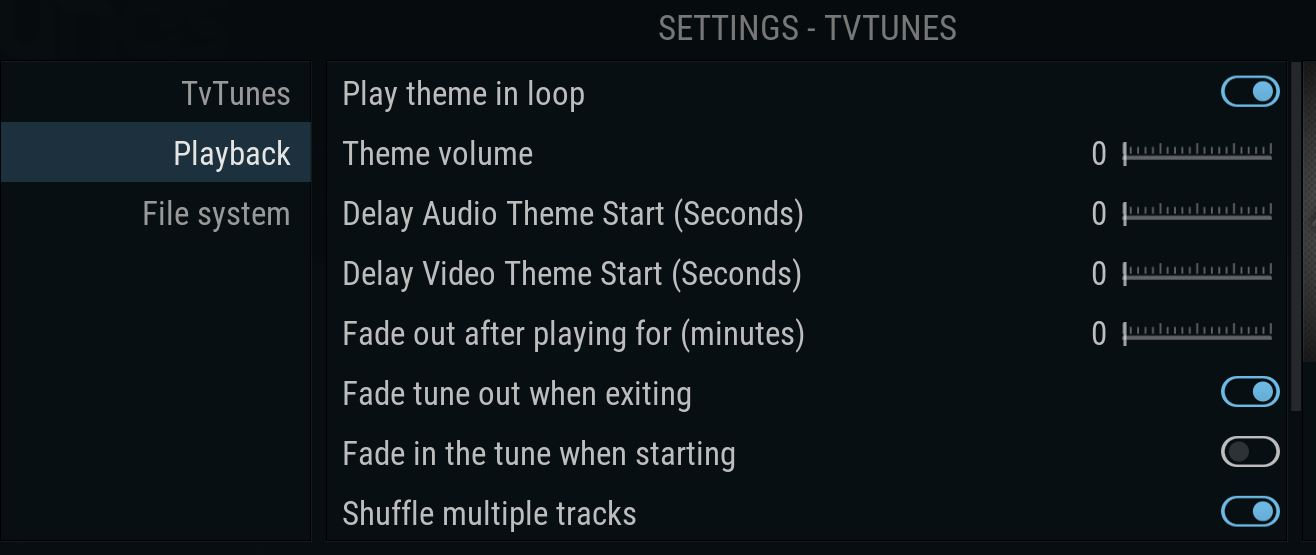
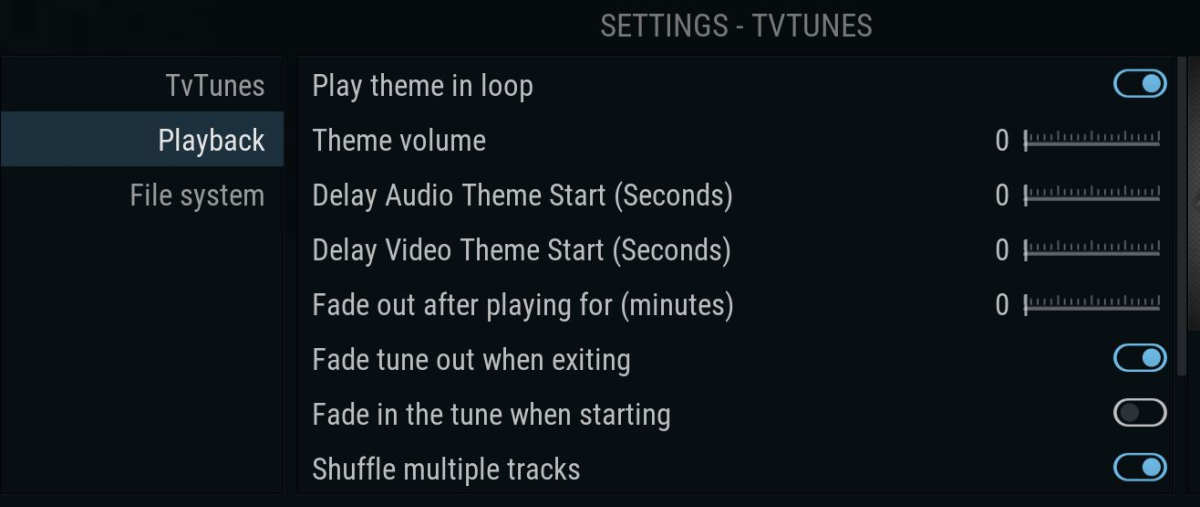
bad, very bad fix is really simple In the plugin for Kodi, the settings are implemented perfectly
 1 point
 -
My humble apologies for having stumbled into your emby forum, truly. An earlier PGS subs-v-VOBSUB forum somewhere on the Internet transferred me, but I don't know how into your forum. I do thank you very much for your kind attempt to help me to solve my problem. I am bidding you friendly people goodby. Thanks for your kindness, truly.1 point
-
Is there a reason people want (by default) to re-record something that exists in their main TV/Movie libraries, that seems bizarre. Surely only a minority would want that, most people would only want one copy of a given recording. The people who want to keep multiple identical copies could uncheck the 'Don't record episodes that are already in my library' option, or just add it as a one off recording? Plus the option is in my LIBRARY not in my recordings... It just seems odd to change the way an existing feature works that will have an impact on everyone rather than keep the original behaviour. I'd say 'and give an option for the other behaviour', but surely that option already exists as above? As a side, I went back to 4.7, is staying on 4.7 going to cause issues in the future (especially given I am stuck on Monterey)?1 point
-
A couple of things about this: 1. Setting a server side bitrate limit for individual users and/or global for everyone. This limits the per stream bitrate. 2. Setting a client side bitrate limit on each individual client. This prevents bandwidth detection and the server uses the lowest of the two values for the stream. If you allow the bandwidth detection to happen then chances are that your users will get a ridiculously low value for the bitrate. It then forces transcoding and poor quality for the stream when there's enough to direct play or transcode to a decent rate.1 point
-
Perhaps you're only collecting reality shows with weird naming conventions. For the vast majority of TV shows the names start out in the format show.name.SnnEnn.various.scene.tags.mkv - there needs to be a show name, season number and episode number somewhere in the name.1 point
-
1 point
-
1 point
-
M3U reloading is like a channel scan and channel logos are not necessarily always or only coming from the M3U, so M3U reloading by the server will doesn't mean it will update the channel logos automatically. What I meant is that you create a script (or plugin) which reads the M3U und uses existing Emby APIs Emby SDK RestAPI: ImageService to update the channel logos.1 point
-
A new Build of the WMC UI is available: https://github.com/EmbySupport/Emby.WMC.UI/releases/tag/0.112.0. Changelog:0.112.0 Fix GenericUI tabs Fix theme name 0.111.0 Maintenance only 0.110.0 Maintenance only1 point
-
Yes. No. You can go through Plugins forum section, a lot of community-made plugins will have a dedicated topic there. https://emby.media/community/index.php?/forum/46-plugins/1 point
-
This same permission will allow you to access connected USB drives that are pretty fast. I have an older Android that I got this working on but can't get it working on newer ones. I'm about to the point of rooting the phone just to get around it.1 point
-
Please go here for info, bugs, issues and feature requests Been working on a plugin that bring the big screen experience and is user driven. Introducing Vantage Point Plugin for Emby. It can be downloaded in the Emby Server Plugin Catalogue. the order is pretty much set at the minute, But so far I’m happy with how it works. At the minute these are the following sections Personal Bumper Trivia Section intros, funnies and adds, select upto a max of 50 intros from your selected folder - good to use while your movie guests get drinks, popcorn, hotdogs etc, Personal Bumper Coming Soon Bumper coming attractions, select number of trailers to play from various sources. Courtesy intro - be quiet or mobile phones off. Only 1 is selected Personal Bumper audio codec intro matched to feature presentation audio track, only 1 is selected Feature Presentation Bumper countdown to feature presentation, only one is selected MPAA, BBFC, etc - certification screen which is matched to the MPAA rating tag in the nfo file. Feature Presentation Starts. For Bugs and Issues, please post them in the below thread Vantage Point - Big Screen Experience Intros - Plugins - Emby Community1 point
-
You would want to sort by "Latest episode date added" and then you'd have desired result in TV library, unrestricted by Latest row limitation.1 point
-
Yes, somewhere out here (probably in multiple places) there are discussions of just this issue. The thing stopping us from changing it is just that we've displayed things this way since the beginning and, in the past, when we've tried to change things that have been around that long it is met with a lot of resistance. I do feel we should eventually introduce some options to tailor this a bit better.1 point