Leaderboard




Popular Content
Showing content with the highest reputation on 03/12/24 in Posts
-
Hey All, So after some time, it seems to be running stable in my environment, so here it is... This has been a bit of a battle with compatibility and time, but hope all is good. Please log any issue you may find on the repo. (https://github.com/ShanePe/Emby.SmartPlaylist.Plugin/issues) So to recap, main issue is that Emby front end has changed to not support additional files and they way .js are loaded and additional new backend libs to integrate. I did see an odd toast pop up when saving a playlist but have not been able to replicate. NOTE: I did notice on firefox that I had to manually refresh the page sometimes if it doesn't load, trying to get to the bottom of this. This is NOT backward compatible and built/tested on version Emby 4.8.10. SmartPlaylist-2.5.0.4810.zip11 points
-
Could code be added in an upcoming release of Emby to make the left Sidebar, introduced with 4.8, configurable in Home Sceeen settings or set to closed/collapsed by default? It would be great if it could be set in the Home Screen settings to an initial state of Open, Min-Docked, or Closed - which seem to be the 3 states. I believe it relates to this item mentioned in the Additions and Improvements listed in the 4.8 Release Announcement? - Add three way toggle nav menu to web app - Thanks!!2 points
-
The 4.8 server now has three image processors: Skia libvips ImageMagick ImageMagick is a behemoth and adds a lot of complexity to our server build process, and so we'd like to remove it. This was one of the reasons for adding libvips. If you are doing image processing with ImageMagick, then the best thing to do is remove all support for it (including nuget packages), and just go Skia only (when Skia is available). If you really want you can do a libvips implementation using the NetVips nuget package, but since most platforms can use Skia now, it's really not worth the trouble in my opinion. @chef @pünktchen @roaku2 points
-
Sorry for my delay in replying, I was able to apply the latest update and everything seems to be work as it should now. Thank you all for the help any your time! Adam2 points
-
Really not sure why emby are supporting Windows 7 - seems a waste of support and testing resources imho. Give users notice, that from emby version x, it will no longer be supported - and lets all move on. The big .net change for 4.9 seems like a good opportunity ...2 points
-
If your Tizen TV is older than 5 years, then you're going to need to download and reload manually every 30 days. Once a TV reaches this point Samsung will no longer accept updates from Emby. These manually updated test builds expire 30 days from the time they were compiled and uploaded to GitHub (not the date you actually installed). Sort of a like a timebomb which is compiled right into the app. Which means you will need to download the newest version every month and can't just reuse the one you had before. Approximately 2 or 3 days before the app expires it will warn you to start looking for a newer version but allow you to still use it. This allows you time to get the newer version without stopping you from watching before. The only other option is to stick with the last version in the store that Samsung accepted before your TV reached the 5-year point.2 points
-
Hello, I am using emby for music streaming. I would like to have emby on my watch and be able to sync music and play it without the need of my phone while running.1 point
-
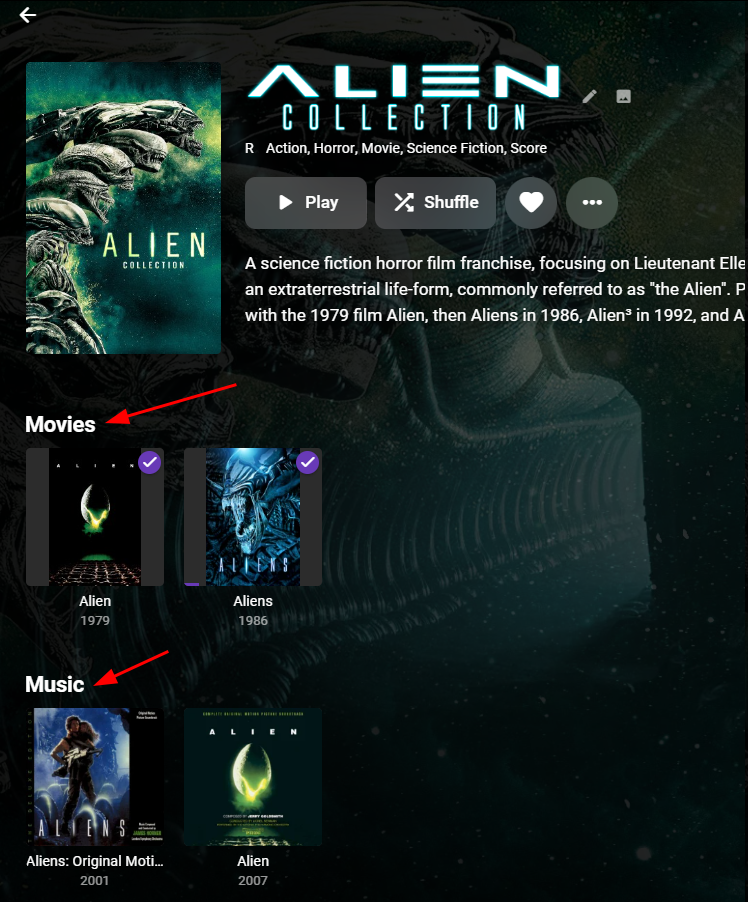
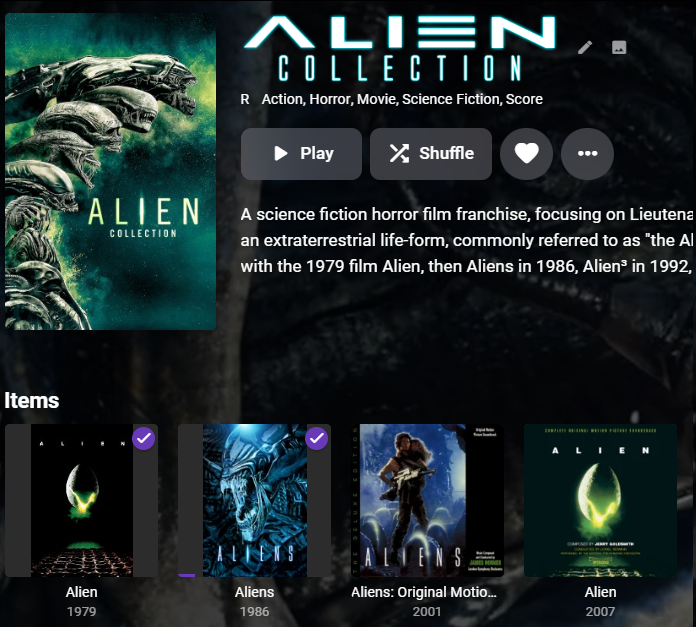
Hi I would like to request that, when viewing a collection, Emby groups items in the collection by their library type (Movie, TV Show, Music etc). Currently all members in a collection are mixed together under one heading labeled "Items", as shown here: Here is a mock-up of how I think it would look: As you can see above, the Alien Collection has both movies and sounds tracks, and so I think they should be grouped together. Many Thanks Stephen
 1 point
 -
So the LG App is almost there and on par with the AndroidTV App with regards to a great user login experience. We can 'switch' users on the LG App now (thanks) - but we still don't have the option to 'login' via a set of user avatar's/images (and optional PIN's) when we first launch the app or it's auto logged out after 1 hour of no usage, like we have had for years in the AndroidTV app. Can you kindly advise if this is incoming for the next LG release ? - as this will then make the dream of using 'local' vs 'remote' accounts a consistent (and easy) user experience for all my LG Emby App users. Thanks !1 point
-
My bad. This belongs in the Virtual TV Topic. So sorry for the mix up.1 point
-
Yes, there is a Java program to do this conversion: BDSup2Sub. It's over ten years old - but so are the formats. It will be tedious, as you need to extract the subs first, convert them, and then remux them in - for each affected file. For the files with multiple subs you can omit the unwanted ones in HandBrake, if you're using it, or separately using MKVToolNix. But I agree with Luke - what needed is to find out why these PGS subs are not being shown on your TV, and fix that. Paul1 point
-
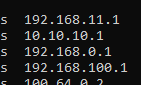
This doesn't look right do you have that many internal networks? But looks like your server is on the 192.168.100.1 network. @GrimReaperCan you edit WAN shown above and on Dashboard image.
 1 point
 -
This was the user who set up the installation with the usual admin rights. It was the only user account on the new installation. I deleted that account once the second user account was able to access the libraries so I can't go back and check again but I did check while troubleshooting and the manage server permission was checked. The library was created by that user. I've set up Emby installs four or five times now, both on NAS and Windows and never had the problem before. Happily, all is well now and it's humming along on the new NAS.1 point
-
Yeah, that's understood from what @Happy2Playmentioned earlier and I have already done that but the question is why is it now required to do it via the API and not via the UI? From the linked thread, it seems like all the UI screens were already present in the diagnostics plugin and just need to be added to the core transcoding options.1 point
-
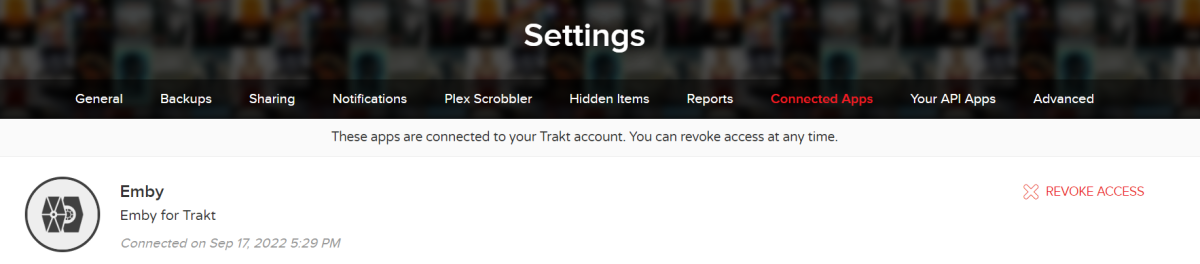
I clicked Get PIN and copied back the PIN from trakt and that fixed the problem. So it is working again. That means that the trakt plugin lost its configuration for some reason. I checked in my trakt account and I still saw this before getting the new PIN. The web UI when running the Scheduled task and the log didn't show any indication something was wrong so I think the UI and log should be improved.
 1 point
 -
There are a dozen recommendations here. Who are you responding to? Bare minimum, the pin MUST be hidden. This is mandatory, it's not a nice to have feature. PIN usage is completely pointless if everyone can see it. This isn't a, "yes, we'll get to it when we get to it" type thing. It has to be implemented now.1 point
-
Fantastic! You're a genius!!!1 point
-
In this situation it is not Emby that is the issue. But yes I think the time has come as I will expect other provider sites to be tightening ciphers. So Windows 7 will work if you have all your own metadata and don't expect any online interaction.1 point
-
I'm lazy to, I just use other tools1 point
-
Thanks. I will try to wipe the Kodi install and start from scratch. See if that fixes it. If not, I will figure out the logs.1 point
-
https://emby.media/support/articles/Backup.html#locate-embys-program-data-folder You'll need to SSH into your Syno. Example tutorial here:1 point
-
There will be "Split Versions Apart" in grouped/multi-versioned item Detail screen (at the bottom).1 point
-
1 point
-
Sounds about right. Have you read related KB article? https://emby.media/support/articles/Backup.html1 point
-
Have a read here: https://emby.media/support/articles/Movie-Naming.html#multi-version-movies You can also Multi-select and choose "Group Versions" from three-dot menu top-right.1 point
-
@Jonathan1683try turning off framerate matching in the AppleTV settings. So far this is reported to work and a workaround for now, if you want to use it for other Apple TV apps you’ll have to turn it back on. Alternatively you can also use DLNA to AppleTV or other 3rd party apps as well. (VidHub, infuse**paid sub**) infuse is the most recommended 3rd party app to use on AppleTV for features that are not available yet for the official Emby app for appleTV.1 point
-
You can check in that (or any) episode Edit metadata dialog what value you have under "Date Added" field and see whether it corresponds with what you're expecting to see. Also, check what is your Behaviour for new content set under Library>Advanced tab Again, release date/Air date has no impact on Latest row, that is strictly your server (additions) driven.1 point
-
OK. With cgNAT your options are: (1) Ask your ISP take take you off it and give you a real IP address; they may say no, they may charge, or they may just do it - can't tell till you try. (2) Use Tailscale to link your server and client machines into a single virtual network. This requires an install on each device, but people report it being easy to set up, and the free option should be enough. I believe ZeroTier is similar, but it doesn't get mentioned as much. (3) Find a VPN service that will enable you to have a known IP address and port forwarding; only some do this, and it won't be free - but it saves having to install something on every device. Paul1 point
-
AWESOME..i'm a big music listener..1 point
-
@mauricek you can use this version here to continue using AO+ Emby.AutoOrganize_1.9.41.44.zip1 point
-
I removed scripterx and scheduled 3 new shows. All windows Scheduled task were created properly and no error in log. I have not been able to reproduce the problem, so it is difficult to diagnose where the problem may be, of if there is a problem. I have been monitoring the creation of each task for the last few days and will keep doing so. If I can identify a glitch I will report it here. However, when you cancel a recording in emby the wake up timer in windows schedules task are not deleted and windows will wake up even if the recording timer was deleted in emby. Thank you for you help.1 point
-
Oh, I don't know. That must be impossible, in the day of age.1 point
-
I just updated from 4.8.1.0 to 4.8.3.0, and tested on Brave. Something has definitely changed. It's still sluggish while the overlays are present, as if it's dropping frames, but it no longer has the sharp, aggressive stutter from before. I can post a video and/or logs as needed.1 point
-
I think that would be a good option to add for a couple of reasons. It's a tad confusing that, while video playlists aren't recognized in video libraries at all, not only are they recognized when placed in an audio library, but they work as expected. Also, it might accommodate new users coming from media players which treat all media files as first class citizens. They may have all video or mixed media playlists to import. One use case for this, which is my personal interest, are educational courses. Many of the ones that I have contain both audio and video lectures. And, a lot of them come with playlists because the files aren't named in any usable manner. Just my 2¢. Cheers!1 point
-
No problem. It has been fully restored now and is working perfectly again. I only had Unity and Cubase on the device and those were already installed when I installed Emby and it was fine for some time before the issue. I reluctantly restored my last backup which was completed after the issue arose and gladly it did not contain any corruption. So I'm still unable to provide any update as to what may have caused the issue in the first place which is puzzling. Anyway got to say that I've been using this for many years and I'm glad to what it go from strength to strength. Keep up the fantastic work.1 point
-
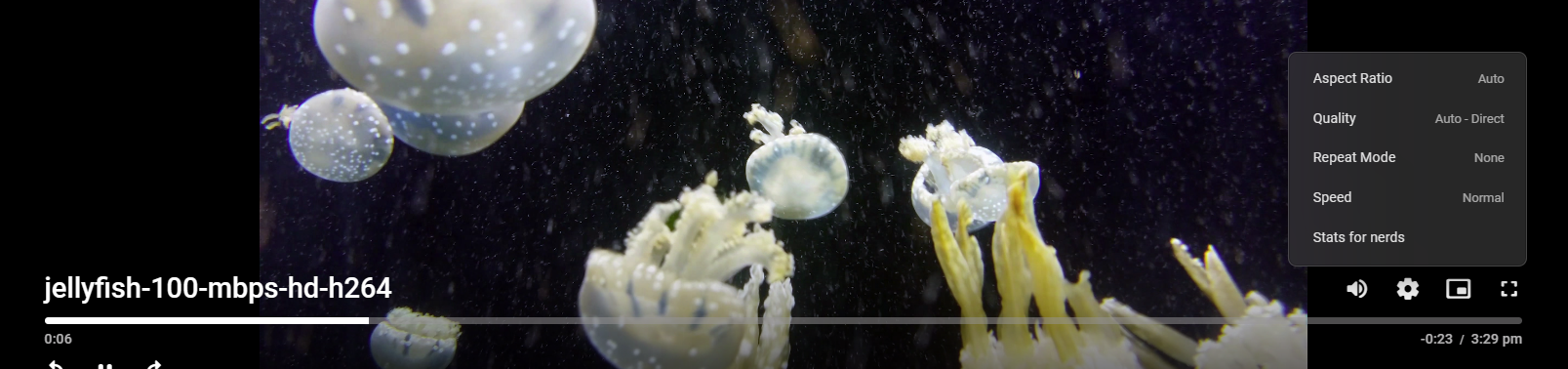
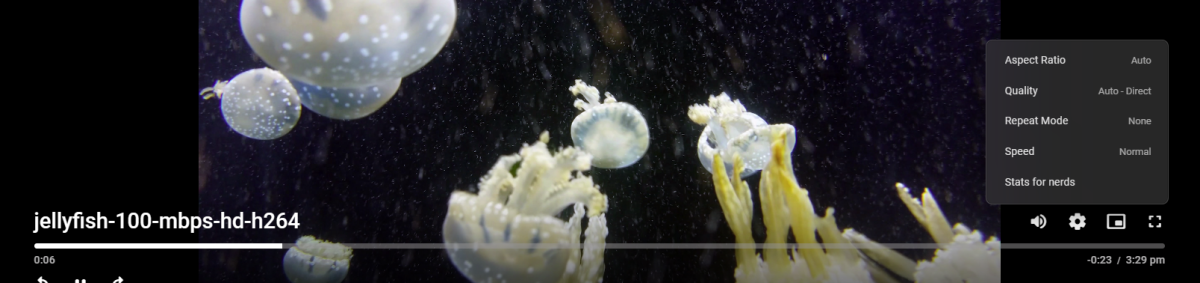
Not enough information is provided but is playback local or remote as remote should be the only playback session that can have issue direct playing high bitrate media. So a specific example with server and ffmpeg log will answer almost any question. But a wild guess would be playback is remote and Auto does not play well. 100Mbps direct play (locally)
 1 point
 -
I moved the location of where the files were stored and that seemed to solve the issue. I've not had a problem since.1 point
-
Hello mate, I've just found the 3 lines you mention, super thank you1 point
-
I have the 4.9.0.9 beta and can confirm Colections library is back. I just noticed it and am very happy.1 point
-
Yes it is, but if you want to save money, just buy an Intel Arc GPU.1 point
-
Hi mate, I've done a factory reset which has solved the problem1 point
-
@radeon, wollte nochmal "Danke" sagen. Die Themes Plugins funktionieren nun wieder top, Filmlisten werden auch wieder angezeigt. Was mir nur aufgefallen ist, wenn man einen Filmtitel aus der Liste löscht, mußte man das früher per "SAVE" Button bestätigen. Diesen Button gibt es nun nicht mehr und das Löschen ist ok . MfG @radeon, wanted to say “thank you” again. The theme plugins now work great again, and film lists are displayed again. The only thing I noticed was that when you delete a film title from the list, you previously had to confirm it using the "SAVE" button. This button no longer exists and deleting it is ok. Kind regards1 point
-
@Luke I just wanted to add my log file in case problem is in Emby . Turns out Opera have some licencing problems or something with x264. Found a workaround. This link, not script itself, helped me to enable it: https://gist.github.com/mcarletti/7989d1c04199dba60a01adf8ac54fe31 p.s. if this link not allowed, delete it, please.1 point
-
@js28194 Thank you my friend, I just went straight away with Angy IP Scanner, got the proper IP popped it in, and it worked instantly! I marked it as the solution so we should be good to go. @Luke It most def did help and problem solved!1 point
-
I made an updated version that should fix the issue. This should also be compatible with nested folder structures, the "Top Picks", and the "New Releases" plugin. I also improved the logging a bit. However, I did only very limited testing, so use it at your own risk and please create a backup before you try it. Do not use it if you are unwilling to restore your backup in case something goes wrong. AutoCollections_1.0.0.9-libraryoption.dll1 point
-
I’ve asked the remote user but they don’t use emby every night. They’ve got small children so it’s difficult to sit every night and watch tv. Still waiting to find out.1 point
-
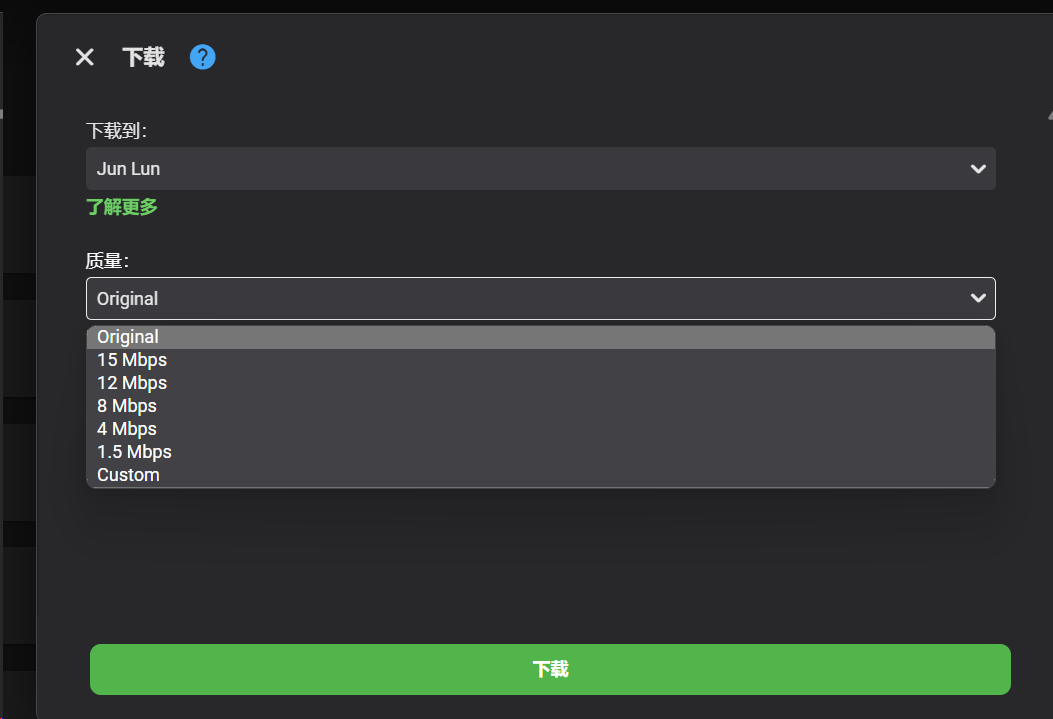
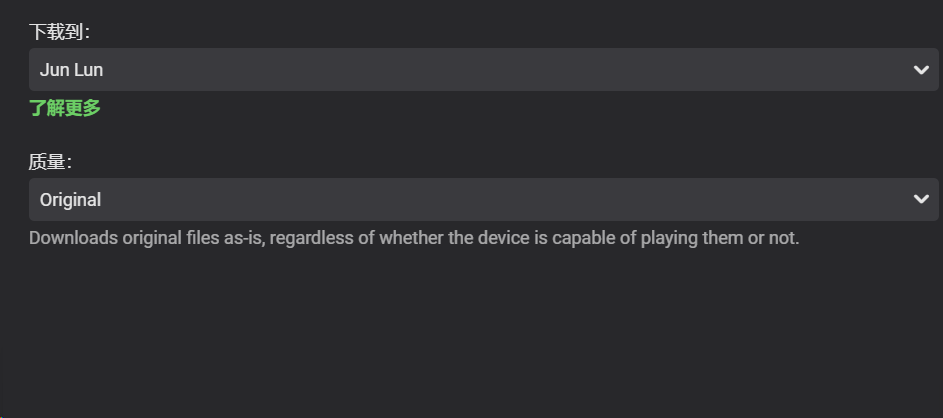
我在下载音乐到我的手机上时有一点细节并没有被翻译
 1 point
 -
How about Samsung?1 point
-
The processor in question has a passmark score of 24781. The usual train of thought is that you need 2000 passmark per each 1080p transcode. You'll be fine, just keep an eye on thermals. Very roughly speaking, for a single full-transcode of a video, the following PassMark score requirements are a good guideline for the following average source file: 4K HDR (50Mbps, 10-bit HEVC) file: 17000 PassMark score (being transcoded to 10Mbps 1080p) 4K SDR (40Mbps, 8-bit HEVC) file: 12000 PassMark score (being transcoded to 10Mbps 1080p) 1080p (10Mbps, H.264) file: 2000 PassMark score 720p (4Mbps, H.264) file: 1500 PassMark score1 point
-
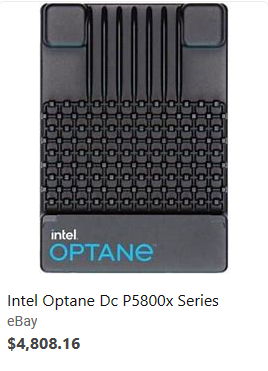
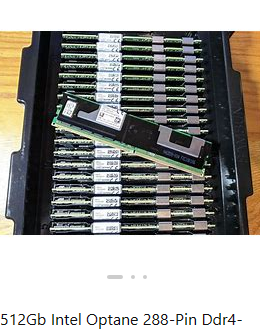
NVMe, M.2 & U.2 drives make a huge difference with virtual machines due to their higher IOPs. Just to give you an idea here's a rough idea of IOPs to expect by different drive type. HDDs SATA/5400 60 IOPs SATA/7200 75 IOPs SAS/10K or FC 10K or NL/SAS 150 IOPs SAS/10K Enterprise Drive 250 IOPs FC/15K 180 IOPs SAS/15K 200 IOPs SAS/15K Enterprise Drive 350 IOPs SATA SSD SATA 6 Gbps SATA 2.5"SSD (FireCuda 120 1TB) Read:100K IOPs, Write 90K IOPs Sequential Read:560 MB/s, Write:530MB/s NVMe PCIe 3.0 PCIe3.0 Gen3x4 SK Hynix P31 2TB Read:570K IOPs, Write 600K IOPs Sequential Read:3,500 MB/s, Write:3,200 MB/s NVMe PCIe 4.0 PCIe4.0 Gen4x4 NVMe Samsung 990 Pro SSD 1TB Read:1,200K IOPs, Write:1,550K IOPs Sequential Read:6,635 MB/s, Write:4,943 MB/s PCIe4.0 Gen4x4 NVMe SK Hynix Platinum P41 Read:1,400K IOPs, Write:1,300K IOPs Sequential Read:7,371 MB/s, Write: 6,728 MB/s So yes, as you can see NVMe and even SATA SSDs can provide much faster access to storage which normally is the bottleneck in the system. For VMs and Databases reading/writing 8K blocks Intel Optane is still the Storage of the Gods (Enterprise). A good way to think about Optane is a cross between RAM and NVMe performance wise. Optane has crazy low latency of 6 to 30 microseconds while NVMe is closer to 90 microseconds. It's endurance is second to none at 100 DWPD for 5 years. That means you can write 100 times the size of the drive every day for 5 years and it's warrantied to still be 90%. Each of my Intel 5800X do about 2.5 million IOPs but hit a bottleneck saturating the 4 PCI Lanes of the U.2 interface or it could be even faster. Optane never caught on in the consumer market due to PCI lanes needed and the crazy costs of close to $5K for a 1.6TB drive. Optane drives were available a couple ways like this U.2 drive or 288-pin DDR4-2666 PC4 Persistent Memory which of course requires a server motherboard designed to use Optane this way. You can configure the Persistent Memory to act like memory or SSD this way (or hybrid). The memory stick style Optane drives have the lowest latency and shortest path directly connected to the CPUs. You can certainly use them as a conventional NVMe drive but they typically are used as part of tiered storage or non-volatile memory. The reason I mention Optane is because they are no longer produced and not hitting expectations of profit. You can find both new and used drives on eBay at fire sale prices which makes them worthwhile for high-end consumer use.
 1 point